
High-End Enterprise Firewall • Dubai & UAE
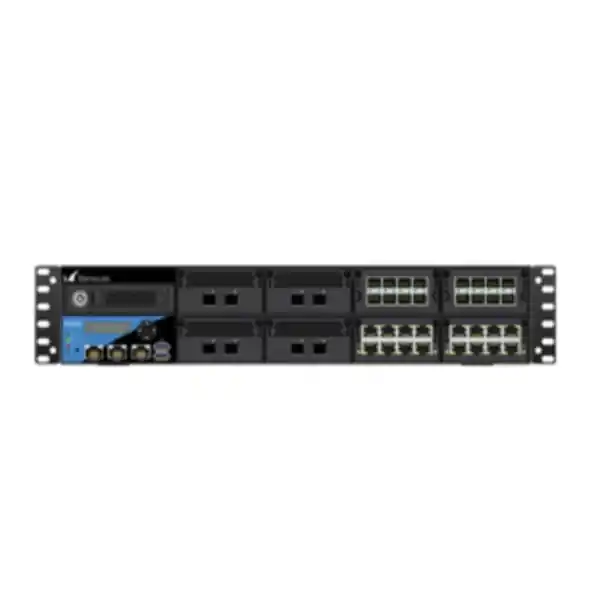
Barracuda CloudGen Firewall F1000 Revision B
A 2U high-density security, routing and SD-WAN appliance for organizations that need a strong data-center edge, large-site gateway, regional aggregation point, or resilient secure connectivity platform with modular 1GbE, 10GbE and selected 40GbE interface combinations.
Direct answer
Choose the F1000 Revision B when a branch-class firewall is no longer enough and your design calls for multi-gigabit security services, millions of simultaneous connections, modular interface density, hot-swap resilience, and centralized operations across a large WAN.
What the Barracuda F1000 Revision B is built to do
The Barracuda CloudGen Firewall F1000 Revision B sits in the high-end segment of the CloudGen Firewall hardware family. It is intended for environments where the firewall is not merely an Internet edge device, but a central traffic-engineering, security-enforcement and WAN-availability platform. Typical placements include a Dubai headquarters with several thousand users, a primary data center, a regional hub connecting sites across the GCC and Africa, a multi-tenant service environment, a large manufacturing campus, or a cloud-connected enterprise that needs to steer business applications across multiple carriers while maintaining consistent inspection policies.
Barracuda combines stateful firewalling, intrusion prevention, application control, web filtering, malware protection options, encrypted-traffic inspection capabilities, remote-access functions, dynamic routing and SD-WAN in the CloudGen platform. That integration matters in large networks because the security gateway also sees application path quality, upstream carrier behavior, topology changes and branch-to-cloud requirements. Instead of treating security and WAN routing as unrelated silos, the F1000B can be deployed as part of a unified operational design in which security policy, transport selection, VPN overlays and centralized management are coordinated.
For UAE projects, FourTeck approaches the F1000B as an infrastructure component rather than a stand-alone box. Interface selection, optics, carrier handoffs, firewall rule structure, high availability, routing protocols, traffic inspection, logging, remote access, support subscriptions and change-control procedures all influence the final architecture. Organizations evaluating this platform can also review FourTeck’s wider Firewall Dubai solutions for related deployment and lifecycle requirements.
F1000B performance at a glance
Published up-to throughput under Barracuda’s defined test conditions.
AES-128 TINA result published for the current appliance datasheet test profile.
A useful reference point for intrusion-prevention sizing, subject to real traffic composition.
Published result with the vendor’s next-generation firewall test feature set enabled.
Representative full-security throughput under Barracuda’s published methodology.
Combined with a published rate of up to 250,000 new sessions per second.
Performance figures are vendor-published “up to” values measured under optimized conditions. Actual capacity depends on firmware, enabled security functions, packet size, TLS use, policy complexity, application mix, traffic direction, logging intensity, interface distribution and surrounding infrastructure.
Four modular interface personalities: CE0, CE2, CFE and CFEQ
One of the most important design characteristics of the F1000 Revision B is the use of four network-module bays. The appliance can be ordered in different sub-model arrangements that change the mix of copper and optical interfaces. This is not a cosmetic distinction. Port composition determines how easily the firewall can connect to campus distribution switches, data-center fabrics, ISP routers, dark-fiber handoffs, aggregation switches, server networks, DMZ segments and inter-site links without relying on unnecessary media converters or external aggregation devices.
CE0: copper access plus 10GbE uplinks
The CE0 configuration provides 16 x 1GbE RJ45 ports and 4 x 10GbE SFP+ ports. It suits networks that still terminate a substantial number of copper Ethernet segments directly on the security gateway while requiring several 10GbE optical uplinks for core switching, data-center interconnection or high-bandwidth WAN services.
CE2: maximum 1GbE copper density
The CE2 configuration provides 32 x 1GbE RJ45 interfaces plus 8 x 10GbE SFP+ interfaces. This layout is attractive for larger segmentation designs where many routed or security zones terminate directly on the appliance, or where a migration from older copper-heavy firewalls would otherwise require a disruptive redesign of physical connectivity.
CFE: balanced copper and fiber
The CFE configuration combines 16 x 1GbE RJ45, 16 x 1GbE SFP and 8 x 10GbE SFP+. It is well matched to mixed data-center and campus environments where legacy copper, fiber-connected distribution layers, carrier NTEs and 10GbE core interconnects must coexist behind a single security platform.
CFEQ: 40GbE-capable aggregation
The CFEQ arrangement provides 16 x 1GbE RJ45, 16 x 1GbE SFP, 6 x 10GbE SFP+ and 2 x 40GbE QSFP+. It is the strongest fit when 40GbE handoff or aggregation is part of the physical topology and the organization wants to preserve a broad mix of lower-speed interfaces for segmented edge connectivity.
The correct sub-model should be selected from the physical topology first, not from marketing shorthand. Count every WAN, HA, transit, DMZ, server, user, voice, management, guest, OT and partner-zone interface; identify which ones are VLAN trunks rather than dedicated physical ports; document media type and transceiver requirements; then reserve capacity for maintenance, future carrier additions and migration staging. A firewall with adequate CPU capacity but the wrong port personality can create avoidable cost and operational complexity.
Hardware architecture and serviceability
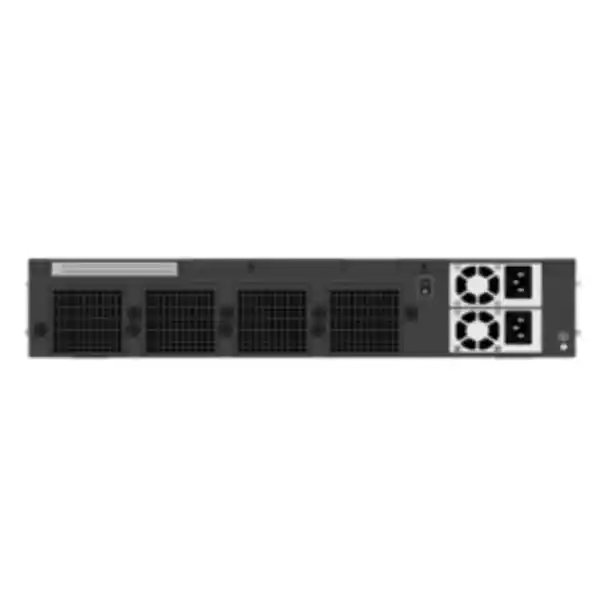
The F1000 Revision B is a 2U rack-mount appliance. Barracuda’s current hardware documentation lists dual Intel Xeon Scalable processors with 24 cores, SSD storage of 960 GB or higher, an optional second 960 GB Barracuda hot-swap SSD for supported logging use cases, a front display, hot-swap fans and dual internal hot-swap power supplies. The published appliance dimensions are 432 mm wide, 626 mm deep and 88 mm high, with an appliance weight of approximately 20 kg. Those characteristics place the unit firmly in the data-center class and should influence rack, power and cooling planning before shipment arrives on site.
The dual hot-swap power design should be connected to independent power distribution paths wherever the facility supports them. In a resilient rack, PSU A and PSU B should not terminate on the same PDU or the same upstream electrical feed. That would preserve two power inlets but leave a shared failure domain. UAE data-center projects should map the firewall to available A/B feeds, UPS capacity, rack load and generator-backed distribution according to local facility practice. Barracuda lists 100–240 V AC, 50–60 Hz auto-sensing input, a maximum power draw of 810 W, and maximum published heat dissipation of 680.4 W or 2321.6 BTU.
Cooling design is equally important. The documented operating range is 0°C to +40°C with 5% to 85% non-condensing operating humidity. In Dubai, the firewall should be installed in a properly conditioned IT room or data center; ambient environmental limits must not be interpreted as permission to operate the platform in uncontrolled hot spaces. Check front-to-rear airflow, adjacent equipment heat, rack blanking, cable obstruction and hot-aisle containment before commissioning. FourTeck can align these appliance requirements with wider server and data-center infrastructure planning in Dubai where the firewall forms part of a larger rack deployment.
Security processing: what the headline throughput numbers really mean
Firewall sizing should never be based solely on the largest throughput number in a datasheet. The 52 Gbps firewall result is useful for understanding the raw forwarding class of the F1000B, but production traffic usually passes through more controls than stateful inspection alone. Intrusion prevention, application identification, web controls, antivirus functions, threat protection, TLS inspection, logging and traffic shaping can all change the performance envelope. The safest sizing method is therefore service-based: determine which protections will be enabled on which traffic paths, estimate traffic growth, add encryption overhead and peak-burst margin, and size against the most demanding production policy rather than the least demanding benchmark.
Barracuda currently publishes up to 16 Gbps IPS, 14.8 Gbps NGFW and 13.5 Gbps threat-protection throughput for the F1000 Revision B. Those three figures are more relevant than raw firewall throughput when the device is planned as a heavily inspected Internet edge. Even then, they should be treated as lab references, not guaranteed sustained rates for every traffic mix. Small packets, high connection churn, very large rule sets, extensive TLS decryption, intensive logging, asymmetric flows and atypical applications can affect observed throughput and CPU utilization.
Connection scale also matters. The appliance is rated for up to 10,000,000 concurrent sessions and 250,000 new sessions per second. Large universities, hosting environments, guest Wi-Fi networks, cloud-connected campuses and service providers may generate extreme session counts even when bandwidth does not appear exceptional. Modern browsers, mobile apps, collaboration suites and microservice architectures create many parallel flows. A good design therefore checks three independent dimensions: bandwidth, concurrent state-table demand and connection-establishment rate.
When TLS inspection is required, model both bandwidth and cryptographic workload. Identify which destinations must be exempted for technical, legal or privacy reasons, which certificate-authority model will be used, how endpoint trust will be distributed, and whether decryption is needed for inbound published services, outbound users or both. Do not turn on decryption globally without a policy and capacity plan. A staged rollout using representative user groups and monitored CPU, memory, session, latency and error metrics provides more reliable evidence than a theoretical spreadsheet alone.
Secure SD-WAN for regional connectivity
The CloudGen platform is particularly relevant to organizations that want the firewall to participate actively in WAN path selection. Barracuda’s SD-WAN capabilities are designed to use multiple transports, monitor path quality and steer traffic according to application and policy. The vendor’s feature set includes optimized uplink selection, simultaneous use of multiple transports, performance-based transport selection, application-aware routing, traffic shaping, quality-of-service functions, dynamic bandwidth detection, adaptive balancing and direct site-to-site connectivity options.
For a UAE headquarters, this can support combinations such as dual business Internet circuits, DIA plus broadband, MPLS retained for selected applications, or Internet underlay used for encrypted overlays to branches. Regional organizations can extend the same design principles toward Saudi Arabia, Oman, Qatar, Bahrain, Kuwait, East Africa or other operating locations while preserving centralized security policy. The objective is not merely to replace a leased line. It is to make application availability less dependent on any single provider while maintaining predictable security enforcement.
Barracuda’s published SD-WAN throughput for the F1000B is up to 15.8 Gbps using AES-128 under the cited TINA test methodology, with a published AES-256 figure of 14 Gbps in current product documentation. In real deployments, encrypted overlay capacity should be sized according to the number of tunnels, traffic distribution, encryption requirements, packet characteristics and simultaneous security processing. If a large share of site-to-site traffic is also subject to IPS, application controls or advanced inspection, the effective constraint may be a security-service metric rather than the standalone tunnel benchmark.
For organizations extending operations beyond the UAE, FourTeck’s Africa technology coverage can help align regional site requirements with a hub-and-spoke or full-mesh security architecture, while the F1000B can serve as a central or regional aggregation platform where its port density and performance fit the design.
Routing, segmentation and policy structure
The F1000B supports IPv4 and IPv6 environments and can participate in dynamic routing designs using protocols including BGP, OSPF and RIP, with multicast capabilities also part of the broader CloudGen feature set. For enterprise deployments, BGP and OSPF are usually the most important. BGP may be used toward multiple Internet providers, MPLS or SD-WAN underlays, cloud edge connections, or large internal routing domains. OSPF can provide dynamic exchange with campus cores, data-center spines or distribution routers. The routing protocol is only one element of the architecture: route filtering, summarization, default-route behavior, redistribution boundaries, administrative preference and failure detection need equal attention.
VLAN support enables logical separation on trunk interfaces, allowing many zones to traverse fewer physical links when the switch architecture is designed accordingly. A common F1000B deployment may include separate VLANs or routed interfaces for user access, servers, voice, guest Wi-Fi, management, backup, partner networks, public DMZs, OT systems and security tools. Every segment should have a documented trust classification, permitted initiators, permitted destinations, service dependencies and logging policy. The firewall then becomes an enforceable segmentation boundary rather than a simple inter-VLAN router with an oversized allow list.
NAT capabilities include source NAT, destination NAT and port address translation. In a large UAE environment, public address design should be documented together with ISP assignments, inbound publishing, SaaS allow-list requirements, VPN peers and disaster-recovery contingencies. Avoid embedding undocumented public IPs directly into hundreds of policies. Use clear network objects and naming standards so that public-address changes can be implemented with controlled object updates rather than risky rule-by-rule edits.
The CloudGen approach supports object-oriented policy construction. That is valuable at scale because consistent object groups, service groups and rule naming conventions make troubleshooting and change review faster. Before migration, FourTeck normally recommends cleaning legacy rules: identify expired temporary access, duplicate objects, unreachable policies, broad any-to-any entries, stale VPN networks and shadowed rules. A hardware refresh is an ideal point to reduce accumulated configuration debt rather than copying it unchanged to a newer platform.
High availability: design beyond the checkbox
Appliance resilience
Barracuda supports active-passive high availability with encrypted HA communication and transparent failover capabilities. A two-node F1000B pair is the normal starting point when the firewall protects business-critical connectivity, but HA effectiveness depends on the infrastructure around it. Switches, carriers, power feeds, rack placement and upstream routing must also avoid single points of failure.
Path resilience
Dual firewalls connected to one switch and one ISP still leave major shared failure domains. A robust design may use separate switching paths, independent carrier handoffs, redundant power, distinct patching and tested routing convergence. During acceptance testing, fail each dependency intentionally and verify traffic behavior, not only firewall status lights.
HA projects should define the target recovery objective before cabling begins. Ask whether existing sessions must survive failover, what happens to VPNs, how quickly dynamic routes reconverge, whether upstream ARP or neighbor caches update correctly, and which monitoring alarms prove that the standby node is healthy. Planned maintenance is another important test. The team should be able to patch or reboot one appliance without turning a routine software update into an outage window.
Centralized management with Barracuda Firewall Control Center
For a single firewall, local administration may be manageable. For dozens or hundreds of locations, centralized policy control becomes a primary architectural requirement. Barracuda Firewall Control Center is designed for centralized administration across CloudGen Firewall estates, including template-based configuration, multi-administrator operation, revision control, multi-tenancy and zero-touch deployment workflows. This matters for enterprises, managed service providers and groups with standardized branch patterns.
Templates should be structured around what is truly common. Global DNS, NTP, logging, baseline security objects, administrator roles, standard VPN settings and common branch policies may be centralized. Site-specific addressing, carrier details, local exceptions and business-unit requirements can remain scoped where necessary. Over-centralizing every parameter can make a template brittle; under-centralizing creates configuration drift. The goal is controlled inheritance with clear ownership.
Revision control and change documentation are especially valuable for security devices because firewall changes often affect multiple teams. A good operational process records the ticket number, requester, business justification, source, destination, service, expected lifetime, validation method and rollback plan. Central management improves consistency, but it does not replace governance. FourTeck’s broader IT services in the UAE can be aligned with firewall rollout, documentation, monitoring and operational handover where customers want implementation support beyond hardware supply.
Administrative access should use named accounts, least-privilege roles and strong authentication. Management interfaces should be restricted to dedicated networks, and remote administrative access should traverse secure paths rather than exposing management services directly to the Internet. Configuration backups, change exports and recovery procedures should be maintained independently of the appliance so that a failed device or erroneous change does not also remove the evidence needed to restore service.
Zero Touch Deployment for standardized rollouts
Barracuda documents Zero Touch Deployment support across CloudGen Firewall F-Series hardware. For the F1000, the default ZTD DHCP client listens on port D4. In a controlled rollout, a firewall can arrive at the site, obtain connectivity and establish the required communication with the centralized management environment so that prepared configuration can be delivered with minimal local expertise.
Zero touch does not mean zero planning. The staging team still needs serial-number association, template readiness, Internet reachability, DHCP behavior, DNS resolution, upstream egress permissions and a recovery procedure if automated onboarding does not complete. A pre-shipment checklist should document which port the site technician must connect, which circuit provides temporary Internet access, how the device is powered, and what evidence confirms successful enrollment.
For the F1000B specifically, high-end sites are often too important to depend on an untested first boot. FourTeck can stage interface modules, validate hardware health, apply an approved software baseline, test management reachability and document the physical port map before delivery. ZTD can then accelerate site activation while still operating inside a controlled commissioning process.
Threat prevention, application control and encrypted traffic
The CloudGen security stack includes stateful inspection, intrusion detection and prevention, application recognition and enforcement, URL controls, anti-malware capabilities, DNS reputation functions, DoS protections, spoofing protections and TLS inspection. Optional services extend capabilities such as Advanced Threat Protection and related subscription features. The exact security package should be mapped to the organization’s risk profile and procurement term rather than assuming that every feature is automatically licensed in every commercial bundle.
Application control helps security teams write policy using recognized applications and categories instead of depending only on port numbers. This is important because many modern applications use HTTPS over TCP 443, making conventional port-based filtering insufficient for distinguishing sanctioned SaaS from unapproved services. Application-aware policy can also inform routing and QoS decisions, allowing business-critical traffic to receive different treatment from bulk updates or recreational traffic.
Intrusion prevention analyzes traffic for exploit patterns, protocol anomalies and malicious behavior. Signature updates are therefore part of the operational lifecycle. Security teams should define update windows, monitoring and exception handling so that emergency signatures can be applied quickly without causing uncontrolled business impact. False positives should be investigated with packet evidence and precise exceptions; disabling broad categories to fix a single application weakens protection unnecessarily.
TLS decryption is increasingly important because much Internet and application traffic is encrypted. Without inspection, a firewall can still enforce routing, reputation and some metadata-based controls, but it has reduced visibility into application payloads. With inspection, security effectiveness can improve, yet cryptographic workload, privacy, certificate trust and application compatibility become significant design concerns. Some certificate-pinned applications, financial services and regulated traffic may require bypass. Define those exceptions explicitly and review them periodically.
Advanced Threat Protection can submit suspicious content for deeper cloud-based analysis. Such controls are most useful when integrated with a response process. If a file is flagged, the SOC should know how to identify the user, device, source, destination and related sessions; how to isolate affected endpoints; and how to search for similar indicators elsewhere. Buying a security feature without building an operational response path creates visibility without action.
Remote access and Zero Trust alignment
CloudGen Firewall supports remote-access capabilities and can integrate authentication controls such as TOTP, RADIUS and RSA MFA for relevant licensed remote-access services. Browser-based access and related Barracuda components can provide users with controlled access paths to internal applications. Organizations evaluating the F1000B should separate traditional network-level VPN requirements from application-level Zero Trust access. They solve overlapping but not identical use cases.
For administrators and power users who need broad protocol access to internal systems, a full tunnel may remain appropriate. For contractors who need one web application, exposing an entire internal subnet through a VPN can be excessive. Use identity, device trust and application scope to minimize lateral reach. The firewall’s role can then coexist with more granular access services rather than forcing every remote-access requirement into one tunnel model.
Capacity planning should include remote-access peaks. During business continuity events, remote sessions can increase sharply. Authentication systems, MFA providers, DNS, internal application gateways and Internet bandwidth must all scale alongside the firewall. A high-capacity F1000B does not eliminate bottlenecks elsewhere in the login and application path.
Logging, visibility and the optional second SSD
Large firewalls produce large volumes of operational and security data. Connection logs, threat events, VPN status, routing changes, authentication events, administrative activity and system health can become important during troubleshooting or incident response. The F1000 Revision B includes SSD-based storage, and Barracuda documents an optional second 960 GB hot-swap SSD for supported logging use cases beginning with the documented firmware requirement for additional-SSD log streaming.
Local storage should not be treated as the only log repository. A hardware fault, storage corruption or incident affecting the firewall may make local logs unavailable at the moment they are most needed. Forward important security and audit events to a central collector, SIEM or monitoring platform. Define retention based on operational, regulatory and forensic requirements. High-volume allow logs may have different retention needs from administrator changes, authentication failures or critical threat events.
Log everything is not always a useful strategy. Excessive low-value logging can increase storage and analysis cost while hiding important events in noise. Identify which rules require session start, session end, threat-only or no logging; preserve enough metadata to investigate incidents; and ensure time synchronization is reliable across the firewall, switches, servers, identity systems and SIEM. Accurate timestamps are essential when reconstructing a multi-system event.
Operational dashboards should watch more than availability. Track interface errors, packet drops, CPU use, memory trends, session-table occupancy, new-session rate, VPN state, routing-neighbor status, disk health, temperature and PSU condition. Capacity issues usually provide warning if the right telemetry is retained and reviewed.
UAE data-center deployment considerations
The F1000B’s 2U chassis, 626 mm depth and dual power requirements make rack planning a practical procurement item, not an afterthought. Verify usable rack depth, rail compatibility, rear clearance and cable management before delivery. Dense copper and fiber models can accumulate a large cable bundle, so leave sufficient space for labeled patching and avoid obstructing fan exhaust. If the appliance sits between two switching fabrics, route patch cords so technicians can replace a network module, fan, PSU or SSD without disturbing unrelated links.
Dubai facilities normally provide strong cooling, but the local climate raises the importance of controlled logistics and installation. Do not leave enterprise appliances for long periods in unconditioned vehicles or staging spaces. Allow equipment that has moved between very different temperature and humidity conditions to acclimate safely before power-on, following vendor safety guidance. Keep intake paths clean and use rack blanking where appropriate to reduce recirculated hot air.
Power budgeting should consider worst-case draw and redundancy. If each PSU is connected to an independent circuit, either circuit should be capable of carrying the appliance if the other feed fails. Include switch, server and storage loads when calculating PDU utilization, not just the firewall in isolation. For colocation environments, document socket type and available amperage before scheduling the installation team.
Organizations procuring through FourTeck can coordinate the firewall with related switching, server, structured cabling and managed-service requirements via the FourTeck UAE main site, simplifying ownership where multiple infrastructure components must be deployed in the same maintenance window.
How to size the F1000 Revision B correctly
A proper sizing exercise starts with measured traffic. Collect at least several weeks of WAN and inter-zone utilization so that month-end processing, backups, patch cycles, collaboration peaks and remote-access surges are visible. Record average and 95th-percentile throughput, but also note short bursts. If the existing firewall is already saturated, its observed throughput is not the true demand; upstream interfaces, switch counters or flow data may reveal traffic that the old device is currently suppressing.
Next, classify traffic by security treatment. Internet user traffic may require IPS, application control, web filtering, malware protection and TLS inspection. Site-to-site replication may use encrypted SD-WAN but bypass certain content scans. Internal east-west segmentation may require application control and IPS but no NAT. Public server traffic may use destination NAT, IPS and inbound TLS inspection. Each path imposes a different processing profile, so one generic throughput percentage is rarely accurate.
Third, model growth. A new firewall commonly remains in service for several years, during which Internet circuits, SaaS adoption, video use, backup traffic and user count can increase materially. If measured threat-inspected peak traffic is already near a large fraction of the platform’s published full-security throughput, the design has little headroom. Add margin for planned circuit upgrades and for temporary failure conditions where one firewall in an HA pair must carry all traffic.
Fourth, check session behavior. Proxy-heavy environments, guest Wi-Fi, e-commerce systems, large SaaS estates and modern browsers can create large numbers of short-lived connections. Compare current state-table high-water marks and new-session peaks against the F1000B’s published 10 million concurrent and 250,000 new sessions-per-second ratings. Do not assume bandwidth alone predicts session load.
Fifth, size interfaces. Count every physical link and confirm speed, medium and transceiver type. Determine whether 10GbE links will run to core switches, ISPs or both, and whether any 40GbE requirement justifies the CFEQ variant. Reserve ports for HA and out-of-band management. Confirm whether 1GbE SFP ports need single-mode, multi-mode or copper modules, and verify vendor-supported transceivers rather than purchasing optics only by connector type.
Finally, review non-performance constraints: rack space, power, support term, subscriptions, lifecycle, configuration migration, centralized management and staff skills. The correct firewall is the one that fits the complete operating model, not the one with the most impressive single benchmark.
Deployment topology examples
Dubai headquarters Internet edge
A pair of F1000B appliances can terminate two or more ISP circuits, connect upstream to redundant campus cores, publish DMZ services, inspect user Internet traffic and provide VPN/SD-WAN connectivity to branches. Dynamic routing can be used internally while provider-facing routing follows the ISP design.
Regional SD-WAN hub
The F1000B can aggregate encrypted overlays from many branch firewalls while enforcing centralized security and routing policy. High-density 10GbE connectivity can connect the hub to core switches and high-capacity Internet circuits, with Control Center simplifying distributed configuration.
Data-center segmentation gateway
The appliance can enforce policy between server zones, partner networks, management segments and external services. Fiber-heavy CFE or CFEQ options can align well with data-center switching, while application control and IPS provide more context than simple routed ACLs.
Disaster-recovery edge
A secondary-site F1000B can mirror critical policy, terminate alternative carriers and support controlled failover from the primary location. DR testing should include DNS, public IP, BGP, VPN, application publishing and identity dependencies rather than verifying only that the standby firewall powers on.
Migration from an existing firewall
A firewall migration has three layers: physical connectivity, control-plane behavior and security policy. Physical planning maps every cable, VLAN, optic and port to the new appliance. Control-plane planning covers IP addressing, dynamic routing, static routes, VPN negotiation, HA behavior and upstream dependencies. Security policy migration converts objects, services, NAT and access rules while taking the opportunity to remove obsolete entries.
Start with a configuration inventory. Export the existing rule set, NAT table, address objects, service objects, VPN peers, routing configuration, interface list, certificates, authentication sources and administrative accounts. Identify rules that have had no meaningful hits for a defined period, but verify business ownership before deletion. Legacy firewalls often accumulate temporary exceptions that became permanent because nobody revisited them.
Build the F1000B configuration in a lab or isolated staging environment. Use non-conflicting management addresses and reproduce key VLANs or test networks where possible. Validate name resolution, NTP, licensing, update reachability, logging and central management before importing production traffic. If routing protocols will be used, test neighbor establishment and filters without advertising production prefixes unexpectedly.
Create a detailed cutover sequence. It should state who shuts down old links, who moves each patch cord, who validates routing, who tests Internet access, who validates published services and who makes the rollback decision. Include exact rollback cable positions and preserve the old firewall configuration until acceptance is complete. A technically sound design can still fail operationally if the maintenance window lacks clear ownership.
After cutover, compare expected and actual behavior. Review interface counters, routing tables, VPN status, NAT translations, denied traffic, IPS events, CPU and session rates. Ask application owners to validate business workflows rather than relying only on ping tests. Keep elevated monitoring during the first business day because some dependencies appear only under normal user activity.
Licensing and subscription planning
Hardware capacity and software entitlement must be planned together. Barracuda offers support and subscription components that can include firmware updates, intrusion-prevention signatures, application-control definitions, web-filter updates, advanced threat capabilities, remote-access options and centralized visibility services depending on the selected package. Commercial naming can change over time, so the quotation should identify the exact active part numbers and included services rather than relying on a generic phrase such as “full license.”
Match the subscription term to the organization’s support strategy. A mission-critical HA pair should not enter production with mismatched service dates or unclear renewal ownership. Record serial numbers, contract IDs, renewal dates, support contacts and escalation procedures in the asset-management system. If the firewall is managed by a third party, define who can open vendor support cases and who is authorized to approve disruptive troubleshooting actions.
For multi-site projects, standardize subscription levels where practical. A central policy may depend on security services that are not licensed at every branch. Consistency simplifies template use and reduces the risk that a rule behaves differently by location because a feature is unavailable. Where tiers must differ, document the exceptions deliberately.
Operations, patching and lifecycle management
A high-end firewall should have an explicit maintenance policy. Subscribe to vendor advisories, review firmware release notes, track known issues and test relevant updates before production rollout. Security updates should be prioritized according to exposure and exploitability, while major-version upgrades deserve additional compatibility testing for VPNs, routing, authentication, centralized management and reporting.
HA makes patching safer but not automatic. Confirm synchronization state before maintenance, move traffic deliberately if the platform workflow requires it, patch the passive node, validate health, fail traffic across under observation, then update the other node. If both appliances share a software defect, HA does not protect against it; staged updates and vendor guidance remain necessary.
Configuration backup should be automated or scheduled and tested for restoration. Keep copies outside the firewall and document the encryption keys or credentials needed to use them. A backup that exists but cannot be restored during an outage is not a recovery plan. Periodically rehearse replacement scenarios so the team knows how to bring a spare or replacement unit under management, apply licensing, restore policy and reconnect HA.
Lifecycle planning should begin before end-of-support dates become urgent. Track hardware revision, firmware support and subscription status. Because Barracuda publishes revision-specific hardware information and later revisions can replace earlier models, the procurement team should verify that new orders match the intended revision and that spare units, optics and network modules are compatible with the installed estate.
FourTeck can support lifecycle planning from initial architecture through replacement. For organizations with a wider multinational footprint, the FourTeck global site provides an additional reference point for broader infrastructure coordination outside the UAE.
Technical specification matrix
| Platform class | High-end CloudGen Firewall hardware appliance |
| Form factor | 2U rack mount |
| Published firewall throughput | Up to 52 Gbps |
| Published SD-WAN throughput | Up to 15.8 Gbps AES-128; vendor documentation also publishes 14 Gbps for AES-256 under the stated test profile |
| Published IPS throughput | Up to 16 Gbps |
| Published NGFW throughput | Up to 14.8 Gbps |
| Published threat-protection throughput | Up to 13.5 Gbps |
| Concurrent sessions | Up to 10,000,000 |
| New sessions per second | Up to 250,000 |
| CE0 ports | 16 x 1GbE RJ45 + 4 x 10GbE SFP+ |
| CE2 ports | 32 x 1GbE RJ45 + 8 x 10GbE SFP+ |
| CFE ports | 16 x 1GbE RJ45 + 16 x 1GbE SFP + 8 x 10GbE SFP+ |
| CFEQ ports | 16 x 1GbE RJ45 + 16 x 1GbE SFP + 6 x 10GbE SFP+ + 2 x 40GbE QSFP+ |
| Management | Dedicated 10/100/1000 RJ45 management port; IPMI RJ45 also documented |
| Console | 1 x RJ45 serial console |
| USB | 2 ports documented on the hardware page |
| Storage | SSD, 960 GB or higher; optional supported second 960 GB Barracuda SSD |
| Power supplies | Dual internal hot-swap |
| Input | 100–240 V AC, 50–60 Hz, auto-sensing |
| Maximum published power draw | 810 W |
| Dimensions | 432 x 626 x 88 mm (W x D x H) |
| Appliance weight | Approximately 20 kg |
| Operating temperature | 0°C to +40°C |
| Operating humidity | 5% to 85% non-condensing |
Specifications and component details can change by production lot, firmware and vendor revision. Final procurement should be validated against the exact Barracuda part number, revision label and current quotation.
Operational details that matter during troubleshooting
The dedicated management interface provides a predictable out-of-band-style administration path when separated from production data networks. The F1000B hardware documentation also lists an IPMI interface, which can assist hardware-level management depending on deployment policy. Management and IPMI interfaces should be placed on restricted infrastructure networks with access controlled through jump hosts, privileged access workflows or equivalent administrative safeguards.
The front-panel display and status indicators provide quick local feedback. Barracuda documents front status behavior for boot, operation and error states, plus PSU and disk indicators. These are useful during hands-on troubleshooting when remote management is unavailable. However, monitoring systems should alert on health before technicians reach the rack; LEDs are a local diagnostic aid, not the primary monitoring method.
The serial console is valuable for recovery or low-level access. Barracuda documents 19200 baud, 8 data bits, 1 stop bit, no parity and no handshake for the serial terminal configuration. Keep the correct console cable and a tested USB-to-serial adapter in the site kit where modern laptops lack native serial interfaces. Label the kit and store connection instructions with the rack documentation so emergency access does not depend on one engineer’s memory.
The front LCD can display appliance type, OS version, addressing, time, uptime and serial number, and provides controlled reboot/shutdown and management-address functions. In secure facilities, physical access to the appliance must therefore be treated as privileged access. Rack locks, CCTV, visitor procedures and access logs may be relevant parts of the security control set.
When the F1000B is a strong fit
The F1000 Revision B is well suited to a large site that needs multi-gigabit inspected throughput and substantial connection scale, especially when the firewall also participates in SD-WAN, segmentation or dynamic routing. The modular port choices are useful where the physical design requires a deliberate mix of 1GbE copper, 1GbE fiber, 10GbE SFP+ and, in the CFEQ version, 40GbE QSFP+. Dual hot-swap power and fans support data-center expectations, while centralized management fits organizations with distributed sites.
It is also a strong candidate for a regional hub because SD-WAN overlay traffic and branch connectivity can be combined with security enforcement. If dozens of branches backhaul selected traffic to Dubai while other applications break out locally, a high-capacity central firewall can anchor shared services, data-center networks and inter-site routing without forcing every site to follow the same traffic path.
The platform may be excessive for a small office with a single sub-gigabit Internet circuit and limited segmentation. In such cases, a smaller CloudGen model can deliver the same family of core security functionality at lower cost and power consumption. The purpose of sizing is not to select the largest model; it is to maintain sufficient headroom with appropriate interface density, resilience and lifecycle value.
Questions to resolve before requesting a quotation
A complete quote for the F1000B should reflect the intended architecture. The exact sub-model, optics, support term, subscriptions, HA quantity, spare components, installation services and migration scope can materially change the bill of materials. Providing the following information at the start reduces rework and helps ensure that the quoted appliance matches the production design.
Current and expected Internet, inter-zone and VPN throughput, including peak values and three-year growth.
IPS, application control, web filtering, malware protection, TLS inspection and threat-analysis requirements.
Number of copper, SFP, SFP+ and QSFP+ links; optic type; carrier handoffs; VLAN trunks; HA links and spares.
ISP count, SD-WAN topology, MPLS retention, public IP blocks, BGP requirements and branch count.
Single appliance or HA pair, rack and power diversity, maintenance expectations and required recovery objectives.
Control Center use, admin model, logging/SIEM integration, monitoring, support coverage and operational ownership.
Why interface and optic validation deserves its own workstream
Enterprise firewall projects frequently lose time because the appliance arrives with enough ports but not the right transceivers, patch leads or fiber plant. SFP, SFP+ and QSFP+ describe form factors and broad speed classes, not a complete optical specification. Each link also has wavelength, reach, fiber mode, connector and compatibility requirements. A 10GbE SFP+ port does not tell you whether the far end expects 10GBASE-SR over multimode fiber, 10GBASE-LR over single-mode fiber, direct-attach copper or another supported medium.
Create a port-by-port matrix with local device, local port, optic, cable, far-end device, far-end port, VLAN mode, IP subnet and purpose. For HA pairs, document both nodes symmetrically. Label patch cords at both ends before the maintenance window. Where an ISP provides an NTE, obtain the handoff specification in writing. Do not assume that a circuit described commercially as “10G fiber” will arrive as the exact interface the firewall can consume without intermediate equipment.
If 40GbE is required, the CFEQ sub-model’s two QSFP+ interfaces can simplify high-capacity core attachment, but the firewall’s inspected throughput remains governed by the security processing profile. A 40GbE physical port is not a promise that every full-security workload will process 40 Gbps. Physical link speed and security-service throughput are distinct design dimensions.
Security policy engineering for large rule bases
Large gateways tend to accumulate complex policies because many business units depend on them. Structure the rule base by function and trust boundary, not by the date each request arrived. Separate Internet access, inbound publishing, user-to-server, server-to-server, management, partner, VPN and infrastructure policies into understandable sections. Use comments and ticket references so reviewers know why a rule exists.
Avoid service groups that grow indefinitely. A generic “business ports” object containing dozens of unrelated services makes risk review difficult. Prefer small, application-oriented groups such as an ERP front-end service, database cluster ports or monitoring-agent ports. The same principle applies to address groups: name them by business role, not by opaque abbreviations that only one administrator understands.
Temporary access should have an expiry process. If the platform’s policy tools allow time-based logic for the requirement, use it; otherwise, put expiry dates in the change system and schedule review. Emergency any-to-any rules should be tightly scoped by source and destination and removed after troubleshooting. The most common long-term firewall risk is not a missing feature but policy entropy.
Before go-live, test both positive and negative cases. Prove that required applications work, but also prove that prohibited paths fail. Use representative accounts and devices, not only administrator laptops. Check IPv6 separately if enabled; an IPv4 rule review does not automatically validate IPv6 behavior.
Monitoring the first 30 days after deployment
The first month provides the best real-world evidence for whether the design assumptions were correct. Establish baseline dashboards immediately. Record daily peak throughput, CPU, memory, concurrent sessions, new sessions per second, dropped packets, interface errors, disk usage and security-event rates. Compare business-day peaks with overnight backup and replication windows. The highest utilization period may not occur when users are online.
Review denied traffic systematically. A new firewall often exposes hidden application dependencies because the old rule set was broader than documented. Resist the temptation to fix every complaint with an any-service rule. Capture the denied source, destination, port, application and user, validate it with the owner, then add the smallest permanent rule that satisfies the business requirement.
Tune IPS and application controls based on evidence. Investigate repeated events, confirm false positives and document exceptions. If TLS inspection is phased in, expand by user group or traffic category while watching CPU, latency and compatibility. Large one-step security changes make troubleshooting difficult because too many variables change at once.
At the end of the stabilization period, hold a formal handover review. Update diagrams with the final port map and addresses, record deviations from the original design, confirm backup and monitoring, and close temporary rules. Operations should receive an environment that reflects what was actually deployed rather than the pre-project proposal.
Decision recap: is the Barracuda F1000 Revision B right for your Dubai network?
Choose it when
Your design needs a high-end 2U firewall with multi-gigabit inspected traffic, up to 10 million concurrent sessions, modular 1/10/40GbE interface choices, robust SD-WAN, dynamic routing, centralized management and data-center-oriented hot-swap power and cooling.
Reconsider when
The site has modest bandwidth, few segments and no realistic growth toward the F1000B performance class, or when the required physical interfaces, feature subscriptions or operational model do not align with this platform. A smaller model may deliver better lifecycle economics.
The F1000B should be judged by the workload it will carry with security enabled, not by raw port speed alone. For a large UAE enterprise, the strongest design normally combines measured capacity, correct interface selection, an HA architecture, independent WAN and power paths, centralized policy, tested monitoring and a documented support lifecycle.
Quotation input checklist
Send these details with your request so the engineering and commercial teams can prepare a more accurate F1000 Revision B proposal:
FourTeck consultation for Barracuda F1000B in Dubai
For a production deployment, FourTeck can help translate business requirements into a validated appliance and interface bill of materials, including model selection, high-availability design, carrier and switch connectivity, migration sequencing, security policy preparation, central management alignment and post-cutover verification.
The most useful starting point is a current topology diagram and traffic summary. From there, the design can be checked against the F1000B’s published performance class, session scale, port options, power profile and operational requirements. The outcome should be a deployable architecture, not simply a hardware SKU.
Procurement should always validate the exact Barracuda part number, revision, included licenses, support term and module configuration in the final quotation because hardware components and commercial bundles can change over time.
Prepare before the call
1. WAN speeds and provider count
2. Current firewall model and utilization
3. Required copper/fiber interfaces
4. HA and rack/power constraints
5. Security, VPN and SD-WAN scope

Reviews
There are no reviews yet.