
DrayTek Vigor2136F in UAE: Flexible 2.5G Fiber Security Router for Modern Branch Networks
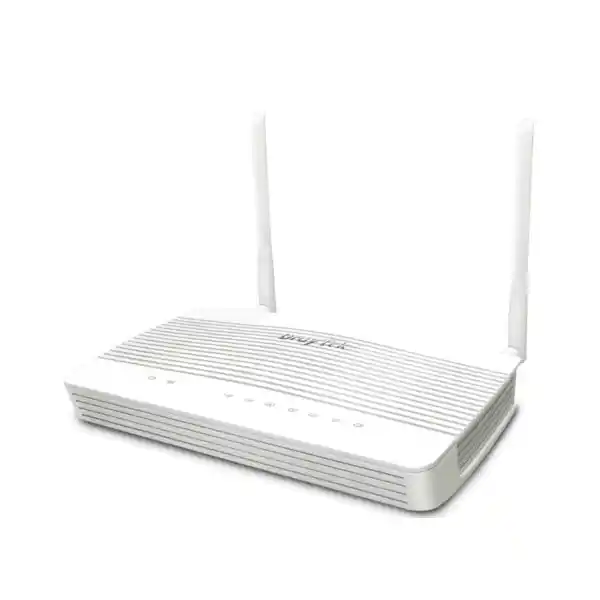
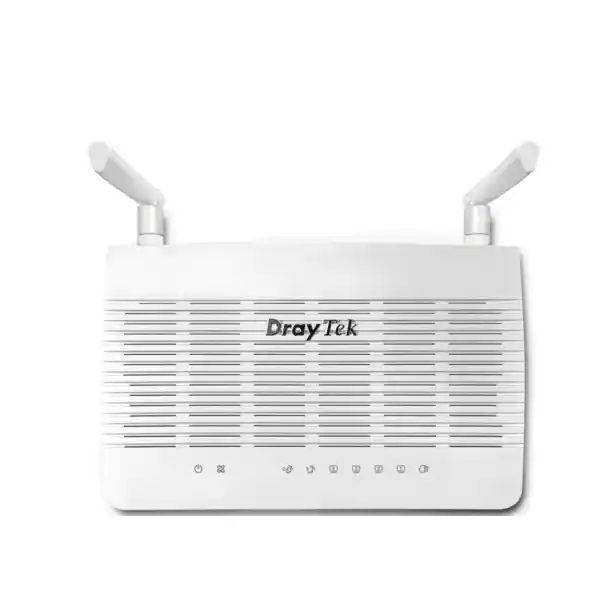
The DrayTek Vigor2136F is built for organizations that have outgrown ordinary Gigabit-only edge routers but do not need the size, licensing model or operational overhead of a large enterprise firewall. It combines a 2.5/1G SFP fiber WAN interface with a switchable 2.5GbE copper port, three Gigabit LAN interfaces, dual-WAN resilience, policy-based traffic control, business VPN and centralized DrayTek infrastructure management. That combination makes it particularly relevant to UAE offices using active fiber, carrier Ethernet or high-speed broadband handoffs where predictable failover and straightforward administration matter as much as raw throughput.
Direct Answer: Who Should Deploy the DrayTek Vigor2136F?
Choose the Vigor2136F when your primary internet or metro-Ethernet service can be presented over an SFP transceiver, you want a secondary 2.5GbE copper WAN option, and the branch needs stronger routing, VPN, segmentation and management controls than a basic ISP router can provide. It is especially suitable for professional offices, clinics, schools, retail locations, warehouses, hospitality back offices, engineering firms, multi-site SMEs and managed-service deployments where the edge router must stay compact while still providing business-grade features.
The model is intentionally non-Wi-Fi. That is often an advantage in structured business networks because wireless can be designed separately using ceiling or wall-mounted access points, while the router remains focused on WAN, security, routing and policy enforcement. In a UAE office with multiple rooms or reinforced construction, this separation is usually preferable to relying on a single integrated wireless radio at the internet demarcation point. DrayTek’s integrated management functions can still discover and manage supported VigorAP devices, giving administrators one operational view without forcing the gateway itself to be the wireless coverage source.
For organizations evaluating a wider edge-security design, FourTeck can align the Vigor2136F with switching, access points, structured segmentation and security controls. See the broader UAE portfolio at FourTeck UAE, compare firewall-focused deployment services at Firewall Dubai, or plan complementary support and managed infrastructure through FourTeck IT Services UAE.
Hardware and Port Architecture
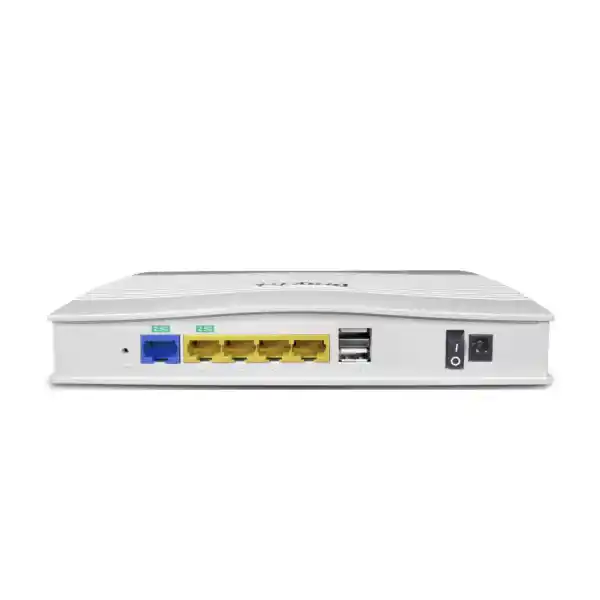
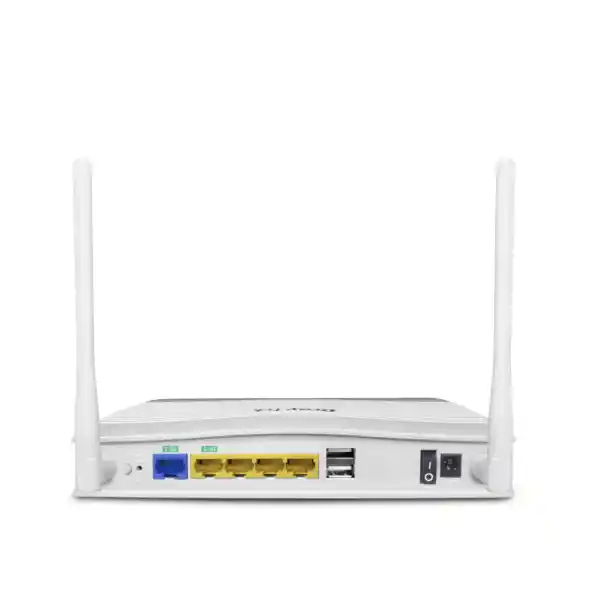
2.5/1G SFP WAN
The fixed SFP WAN slot supports 2.5G and 1G operation, allowing the router to terminate compatible active-fiber or Ethernet services through the appropriate supported transceiver. This is the defining difference between the Vigor2136F and copper-WAN variants in the broader family.
2.5GbE RJ-45 WAN/LAN
A second multi-gigabit copper interface can operate as WAN or LAN. In dual-WAN designs, it provides a practical path for a second ISP, Ethernet handoff or upstream modem. When WAN redundancy is not required, the same port can strengthen the LAN side with a 2.5GbE connection.
Three Gigabit LAN Ports
Three fixed Gigabit RJ-45 LAN ports serve local switches, servers or isolated segments. In most business installations these ports connect to managed access switches rather than directly hosting every endpoint, which preserves the router as a clean edge and routing device.
Two USB 2.0 Ports
The two USB 2.0 ports support applicable DrayTek USB functions such as storage-related services, device monitoring, compatible printer use, temperature-sensor integration and USB WAN scenarios. Compatibility should be checked before designing a critical service around a specific peripheral.
The physical design is compact at approximately 207 × 131 × 42 mm, with published maximum power consumption around 11.7 watts for the Vigor2136F. DrayTek specifies an operating temperature range of 0 to 45°C, storage from -25 to 70°C and 10 to 90 percent non-condensing operating humidity. These figures are useful in UAE deployments because branch routers are frequently installed in communications cupboards where ambient temperature, airflow and UPS capacity can be overlooked. The unit should be mounted in a clean, ventilated indoor environment with adequate separation from heat-producing PoE switches and unconditioned ceiling spaces.
Understanding the 2.5G Fiber WAN Design
The Vigor2136F is not an optical network terminal and should not be treated as a universal replacement for an ISP-provided GPON or XGS-PON ONT. Its SFP interface is intended for compatible Ethernet-over-fiber or supported optical handoffs. In practical terms, the network designer must establish what the service provider is presenting: active Ethernet, a carrier media converter, an ONT with copper Ethernet, or another access technology. The correct SFP module, optical wavelength, connector type, fiber mode and provider authentication requirements must all be confirmed before procurement.
This distinction matters because an SFP slot describes the physical module interface, not the carrier access protocol. A building may have fiber delivered into the tenant suite but still require the provider’s ONT, with the Vigor2136F connected downstream over copper Ethernet. In another site, an active Ethernet service may allow a compatible SFP module to connect directly. A proper deployment survey therefore records the ISP handoff, service speed, addressing method, VLAN tag requirements, PPPoE credentials if applicable and any provider-specific MAC or CPE restrictions.
When the service is compatible, the 2.5G SFP interface gives the Vigor2136F meaningful headroom over traditional Gigabit edge routers. It can accommodate internet plans above 1Gbps and reduce the chance that the physical WAN interface becomes the immediate bottleneck. DrayTek publishes up to 2.3Gbps NAT throughput under internal test conditions. That number should be interpreted as an upper performance indicator, not a promise of identical application throughput in every deployment. Real traffic can be affected by packet sizes, enabled security functions, QoS, VPN encryption, connection mix, ISP overhead and server-side performance.
For sizing, the right question is not simply whether the WAN port says “2.5G.” The better question is whether the expected business traffic, feature set and concurrency fit the router’s forwarding and session profile. This model is positioned around approximately 50,000 NAT sessions and DrayTek recommends it for networks around 30 hosts. That guidance is useful because a small office can create substantial session counts through cloud applications, browsers, collaboration tools, software updates and IoT devices even when average bandwidth appears modest.
Dual-WAN Resilience for UAE Offices and Branches
The strongest business case for the Vigor2136F is not merely speed; it is flexible continuity. The fixed 2.5/1G SFP WAN and the switchable 2.5GbE copper port can form a dual-WAN architecture that allows the router to distribute traffic and move services away from a failed path. This is valuable for sites that rely on cloud ERP, Microsoft 365, hosted telephony, payment platforms, remote desktop, VPN access, surveillance monitoring or SaaS applications whose operational impact is much greater than the monthly price of a backup circuit.
A sensible design uses genuinely diverse access wherever possible. Two internet contracts that enter the same building through the same carrier duct may not provide meaningful resilience during a civil works incident. Likewise, two logical services delivered over a shared last-mile device can fail together. During procurement, FourTeck can help identify whether the backup should be a second fixed connection, an Ethernet service from another operator, or a compatible USB cellular solution. The exact architecture depends on the site’s criticality and available provider options.
Load balancing should also be designed as policy, not as an assumption that every single download will automatically combine the full speed of both lines. Multi-WAN routers commonly distribute flows or sessions according to rules and health information. A single TCP or application flow may stay on one WAN, while multiple users and sessions can be shared across links. The practical gain is aggregate capacity, service steering and failure tolerance. Business-critical systems can be pinned to a preferred circuit, while general browsing, guest traffic or software updates use another path.
Connection detection is equally important. A WAN Ethernet link can remain electrically “up” even when upstream internet reachability has failed. Health checking based on appropriate targets helps the router decide whether traffic should continue using a path. For resilient design, choose stable detection destinations, avoid using only one external host, and test failover under controlled conditions. Document how long critical applications take to recover after an IP-address change, because session-sensitive services may require re-authentication even when the router switches WANs correctly.
NAT, Session Capacity and Real-World Throughput Planning
DrayTek lists a maximum NAT throughput of up to 2.3Gbps and approximately 50,000 NAT sessions for the Vigor2136F platform. Those numbers help classify the product, but neither should be treated as an isolated purchase criterion. NAT throughput describes the router’s ability to forward translated internet traffic under a particular test configuration. Session capacity describes how many concurrent state entries the platform can track. Day-to-day user experience depends on the combination of throughput, latency, session churn, DNS performance, upstream quality and enabled policy features.
A 25-person design office with fast cloud storage may use fewer sessions but more sustained bandwidth than a retail environment with many tablets, scanners, IoT devices and guest clients. A call center may prioritize low latency and predictable QoS over headline transfer speed. A branch hosting public-facing services through port forwarding may care about inbound policy, logging and static addressing. A network assessment should therefore record peak concurrent users, device count, cloud applications, video usage, voice traffic, expected VPN volume and the likely growth horizon over the next three to five years.
The 2.3Gbps published figure is also above the nominal capacity of each 1GbE LAN port. To exploit multi-gigabit WAN performance for a single internal destination, the LAN design must use the switchable 2.5GbE port as LAN where appropriate or distribute traffic across multiple interfaces and downstream switching. If that 2.5GbE copper port is used as the second WAN, the local wired side consists of the three Gigabit LAN interfaces. That may still be perfectly adequate for dozens of users whose traffic is distributed, but it is an important topology consideration.
Avoid over-sizing solely for speed. If the business needs multi-gigabit encrypted VPN throughput, dozens of high-bandwidth tunnels, extensive intrusion-prevention inspection or a much larger user population, a higher-tier firewall platform may be more appropriate. The Vigor2136F is strongest when deployed within its intended SMB and branch profile: a fast, policy-rich security router with efficient dual-WAN and VPN capabilities rather than a substitute for a high-end next-generation firewall.
Business VPN: Site-to-Site, Teleworker and EasyVPN
The Vigor2136F supports up to 16 concurrent VPN tunnels and includes major protocols used in business deployments, including IPsec, L2TP over IPsec, IKEv1 and IKEv2 options, IKEv2-EAP, IPsec XAuth, OpenVPN and WireGuard. DrayTek publishes IPsec performance up to about 390Mbps with AES-256 in its stated test context and a WireGuard throughput figure around 50Mbps. VPN benchmarks should always be read as laboratory indicators; achievable speed depends on encryption settings, packet size, latency, peer platform, WAN quality, CPU load and simultaneous services.
For branch-to-head-office connectivity, IPsec remains a common choice because it is widely supported by enterprise firewalls and routers. The design should define interesting traffic, local and remote subnets, encryption suites, rekey parameters, NAT traversal requirements and routing behavior. Duplicate private subnets are a frequent source of problems in organizations that opened branches independently. Before building tunnels, standardize an address plan that ensures every location has unique network ranges and leaves room for future VLANs.
For teleworkers, EasyVPN is intended to simplify client onboarding by reducing manual handling of keys and configuration artifacts. Where remote access is business-critical, usability is important because complicated VPN processes lead users to bypass secure workflows. Administrators should still apply account controls, strong authentication, least-privilege access and endpoint security. The router supports user authentication methods that include local authentication and integrations such as RADIUS and TACACS+, alongside token-oriented methods such as mOTP and TOTP where supported by the chosen workflow.
VPN security is not only a cryptography question. Segmentation matters after the tunnel is established. A contractor who needs access to one application server should not automatically receive reachability to printers, cameras, management interfaces and finance systems. Use VLAN boundaries, firewall policies, route rules and user permissions to reduce lateral movement. Log connection events centrally when possible and review unused accounts routinely.
For a multi-site UAE organization, test tunnel recovery during WAN failover. The backup provider may assign a different public address or use carrier-grade NAT, which can affect inbound VPN behavior. Site-to-site configurations should be designed to re-establish on the secondary path, and remote administrators need an out-of-band method to reach the site if the primary control path fails.
Firewall, Access Control and Threat-Reduction Functions
The Vigor2136F includes stateful firewall filtering and a broad set of access-control functions intended for SMB edge security. DrayTek lists firewall filters, URL/IP reputation capabilities, threat protection functions, MAC filtering, IPv6 address security, brute-force protection options and defenses against ARP spoofing and IP spoofing. The practical value comes from configuring these controls deliberately. A new router with permissive rules is not a security architecture; the rule base should reflect business workflows, network zones and trusted management sources.
A strong baseline begins by separating users and devices according to role. Staff workstations, voice devices, CCTV, guest access, building-management systems, printers and infrastructure management interfaces should not automatically share the same trust zone. The router supports VLAN segmentation and inter-VLAN routing controls, allowing administrators to decide which services may cross boundaries. For example, guest clients may be allowed to reach only the internet, cameras may reach an NVR and required time/DNS services, and management interfaces may be limited to an IT administration subnet.
Inbound exposure should be minimized. Port forwarding and DMZ-host features are available, but public publishing should be reserved for services that genuinely need it. Whenever possible, administrators should use a VPN rather than exposing management protocols directly to the internet. UPnP should be disabled in most business environments unless a documented application requires it. Application-layer gateway features for protocols such as SIP, RTSP, FTP and H.323 can be useful in specific deployments but should be enabled only when they solve a defined interoperability requirement.
DNS security and filtering are additional layers rather than replacements for endpoint protection. The platform supports DNSSEC-related functionality and content or reputation policies that can reduce exposure to known undesirable destinations. However, secure endpoints, maintained operating systems, application patching, multi-factor authentication and protected backups remain essential. No edge appliance can compensate for unsupported workstations, shared administrator passwords or unrestricted internal lateral movement.
For organizations with regulatory or audit obligations, logging should be planned from the start. The Vigor2136F supports Syslog and SNMP, enabling events and health information to be forwarded into central monitoring systems. Log retention requirements, time synchronization, administrator access and alert routing should be documented so that operational data remains useful during troubleshooting or incident review.
VLAN Architecture and LAN Segmentation
The Vigor2136F supports IEEE 802.1Q tag-based VLAN operation and DrayTek publishes support for up to eight VLANs on this model. Eight VLANs are enough for many small and medium branch designs when the segmentation plan is intentional. A practical layout might include corporate users, voice, guest, CCTV, servers, IoT/building systems, IT management and a restricted services network. The exact structure should match risk and operations rather than simply consuming every available VLAN because the feature exists.
VLAN tagging becomes most effective when paired with a managed switch. The router can carry tagged networks toward the switching layer, where access ports are assigned to specific endpoint categories and trunk ports carry multiple VLANs to other switches or access points. Avoid creating complicated Layer 2 paths without documentation. Every trunk should have an explicit allowed-VLAN list, every access port should have a defined role, and unused switch ports should be disabled or placed into an isolated network according to policy.
DHCP can be customized per subnet, and binding features can help associate addresses with known MAC addresses where operationally appropriate. Static infrastructure such as switches, access points, controllers and servers should use a consistent addressing convention. Avoid mixing critical infrastructure into general user DHCP pools, because troubleshooting becomes much harder when management addresses move unpredictably.
Inter-VLAN routing is where security decisions become visible. If the router routes between every VLAN without meaningful filtering, segmentation has little protective value. Define explicit allow rules for necessary traffic and deny unnecessary cross-zone access. A printer network may need inbound print flows from corporate users but no route into finance servers. CCTV devices may need access to an NVR while remaining blocked from employee subnets. Voice handsets may need DNS, NTP, provisioning and SIP services but should not browse the management network.
IPv6 deserves equal attention. Businesses often configure careful IPv4 firewall rules while leaving IPv6 behavior poorly understood. Because the Vigor2136F supports IPv6 addressing and routing functions, decide whether IPv6 is intentionally deployed, how prefixes are assigned, and which security policies apply. If IPv6 is not part of the approved network design, do not leave unmanaged transition behavior to chance.
Routing Features for Advanced Branch Networks
Beyond default internet routing, the Vigor2136F supports IPv4 and IPv6 static routes, policy routes, inter-VLAN routing, RIP, BGP and OSPF versions for IPv4 and IPv6 according to DrayTek’s published platform specifications. This feature set is unusually broad for a compact SMB router and can be valuable when the site must exchange routes with another firewall, connect to multiple internal networks, participate in a dynamic routed campus or integrate with a service provider.
Static routing remains the simplest and most predictable choice for small environments. If a site has one core switch and a few known networks, a limited set of static routes may be easier to audit than a dynamic protocol. Policy-based routing becomes useful when traffic must be steered according to source, destination, protocol or port rather than relying only on the normal routing table. Examples include sending a cloud backup subnet over the secondary ISP, keeping voice traffic on the circuit with the best latency, or forcing guest internet sessions away from the business-critical WAN.
OSPF is appropriate when the topology is larger and routes need to adapt automatically. BGP can be relevant in specialist deployments, but its availability should not be confused with the scale expected from a carrier-class edge router. The model’s role, memory, processing headroom and overall session profile remain SMB-focused. Dynamic routing should therefore be used because it simplifies a defined topology, not because the protocol appears on a feature list.
For all routed deployments, document route ownership and failure behavior. When multiple routes can reach the same destination, administrators should understand preference and failover. During change windows, test not only whether a route appears in the table but whether application traffic returns symmetrically. Asymmetric routing can break stateful firewall sessions even when each individual router believes it has a valid path.
Bandwidth Management, QoS and Application Prioritization
High-speed internet does not remove the need for QoS. A 2Gbps office link can still experience congestion during cloud backups, operating-system updates or large transfers, and latency-sensitive applications can suffer long before users notice that total bandwidth is exhausted. The Vigor2136F supports traffic shaping, IP-based bandwidth limits, session limits, application-oriented QoS, default policies and voice prioritization. These features allow the administrator to protect business-critical traffic from uncontrolled consumption.
The first step is classification. Identify applications that are genuinely sensitive to delay or jitter, such as voice, interactive video, remote desktop and certain transaction systems. Separate those from throughput-oriented traffic such as backups, software distribution and bulk file synchronization. Do not mark every business application as highest priority; if all traffic is privileged, the queue design has no meaningful hierarchy.
Bandwidth limits can also prevent individual users or device groups from monopolizing a shared circuit. Guest networks are a common candidate for rate control. IoT and CCTV networks may need predictable upstream bandwidth but do not necessarily require unrestricted internet access. Session limits can help control abnormal behavior or poorly designed devices that create excessive concurrent connections.
QoS policy should reflect actual WAN speeds, including the lower upload rate if the service is asymmetric. Configure policies around measured, sustainable throughput rather than the headline marketing rate. Leave some margin so that queues form on the router, where they can be managed, instead of inside an opaque ISP device where the business has no control. After deployment, validate performance with realistic calls, file transfers and cloud application tests during busy periods.
The Vigor2136F’s published 2.3Gbps NAT capability is meaningful because DrayTek positions it as retaining bandwidth-control features while providing multi-gigabit forwarding. Nevertheless, intensive policy processing always consumes resources. If the network requires complex inspection of every flow, extremely high encrypted throughput or deep application security at multi-gigabit rates, the design should move to a platform sized specifically for that workload.
Central Management of DrayTek Access Points and Switches
Although the Vigor2136F has no integrated Wi-Fi radio, it can participate in a centrally managed DrayTek access network. DrayTek’s Virtual Controller functions allow compatible VigorAP devices to be discovered, configured and monitored from the router interface. In AP Management mode, the platform can manage up to 20 supported access points. DrayTek also describes a mesh-management mode in which a compatible design can use the router as the controller for a mesh with up to seven node APs. The exact available functions depend on device compatibility and firmware, so the proposed AP models should be checked during bill-of-material design.
For switches, the Vigor2136F can act as a management point for up to five supported VigorSwitch devices through the integrated switch-management functions. Administrators can view status, firmware and uptime, perform configuration operations and coordinate VLAN or QoS-related settings. This is useful for smaller businesses that want more operational consistency without deploying a separate network-management server for every site.
Centralized visibility does not remove the need for physical and logical documentation. Each access point should have a recorded location, switch port, PoE source, management IP and radio profile. Each switch should have a documented uplink path, trunk configuration and management VLAN. The controller view becomes much more powerful when these details are matched with an accurate floor plan and rack diagram.
Larger or multi-site DrayTek environments can also be integrated with VigorACS management, depending on firmware and licensing arrangements. That approach can provide broader centralized provisioning and monitoring across multiple routers, switches and access points. Before selecting any cloud or server-based management architecture, confirm operational ownership, subscription requirements, data-retention expectations and administrator access controls.
This separation of functions is particularly attractive in UAE commercial spaces. The Vigor2136F can sit securely in the communications rack while ceiling-mounted access points are positioned based on RF requirements. Wireless performance is then determined by coverage planning rather than by where the ISP cable happens to enter the office.
Management, Monitoring and Operational Control
A router’s value is determined partly by how quickly administrators can diagnose problems. The Vigor2136F exposes operational views for clients, WAN status, ARP information, route tables, DHCP leases, IPv6 neighbor state, LLDP neighbors, DNS cache information, SFP status, session tables and running services. These tools can shorten troubleshooting when a user reports “the internet is slow,” because the engineer can separate WAN failure, DNS issues, routing mistakes, excessive sessions and endpoint-specific problems.
Management protocols include HTTPS and SSH alongside legacy services that should be restricted or disabled when not required. SNMP versions 1, 2c and 3 are listed, with SNMPv3 preferred where supported by the monitoring platform because it offers stronger authentication and privacy options. Syslog can forward event information to a central collector. Remote administration should be limited to trusted sources or accessed through VPN rather than broadly exposed to the public internet.
Configuration backup is a basic but critical operational practice. Take an encrypted or otherwise securely stored backup after commissioning and after significant changes. Record the firmware version, WAN settings, VLAN plan, VPN peers, administrator roles and recovery procedure. A replacement router is far easier to commission during an outage when current configuration data exists and the team knows the required dependencies.
Firmware maintenance should be treated as routine lifecycle work rather than an emergency task. DrayTek continues to publish firmware and documentation for the Vigor2136F series. Before upgrading a production branch, review release notes, confirm the target firmware applies to the exact hardware variant, back up the configuration and schedule a maintenance period appropriate to the site’s risk. After upgrade, validate WAN, DHCP, DNS, VPN, VLAN, port-forwarding and management functions rather than assuming a successful reboot proves every service is healthy.
Role-based administrative privilege can help separate day-to-day monitoring from full configuration authority. Where multiple technicians support the site, use named or controlled accounts where the platform and management system permit it, and avoid distributing one shared administrator credential across a large support team.
Licensing and Ownership Considerations
The Vigor2136F’s core routing, VPN, bandwidth-management and local controller capabilities are built around DrayTek’s router platform rather than a model in which the appliance becomes unusable when a basic security subscription expires. However, individual reputation services, cloud management functions, third-party integrations or optional platform capabilities can have separate licensing, account or service requirements. Procurement should therefore distinguish between the hardware’s base functions and any external service the organization intends to use.
This distinction is important when comparing the Vigor2136F with next-generation firewalls. A larger NGFW may deliver deeper threat inspection, sandboxing, endpoint integration and advanced security feeds, but often with recurring subscriptions tied to security services and support. The DrayTek can be more cost-efficient when the branch requirement is secure routing, segmentation, multi-WAN, VPN and infrastructure management rather than full enterprise threat-inspection depth.
Total cost of ownership should include more than the purchase price. Consider SFP modules, managed switching, access points, rack or shelf installation, UPS protection, implementation labor, documentation, remote support and any required cellular backup hardware. If the site depends heavily on VPN or remote cloud applications, the second WAN service may deliver more business continuity value than spending the same budget on an oversized router with only one circuit.
During quotation, specify the exact hardware model “Vigor2136F” rather than simply “Vigor2136,” because other members of the family can differ in WAN media and wireless capability. Also identify whether SFP transceivers are included or must be supplied separately, because compatibility with the carrier fiber handoff is a project-specific requirement.
UAE Deployment Scenarios
Professional Office
A law, consulting or engineering office can use the SFP WAN for the primary business fiber, the 2.5GbE copper interface for a second ISP, VLANs for staff, guest, voice and management, and IPsec tunnels to headquarters or cloud-connected security infrastructure.
Retail or Branch Location
Retail branches benefit from resilient WAN routing for POS, ERP, CCTV and inventory systems. Policy routing can keep business transactions on the preferred link while guest traffic uses spare capacity. Site-to-site VPN centralizes access to shared resources.
Clinic or Healthcare Office
Clinics can separate clinical workstations, guest Wi-Fi, medical IoT, cameras and administration systems. VPN provides controlled access to central applications, while dual WAN reduces disruption from a single circuit failure.
Education and Training Centre
Training facilities can use VLANs and bandwidth limits to isolate student devices from administration networks. Central access-point management reduces repetitive configuration across classrooms while QoS protects voice and video collaboration.
Warehouse and Logistics
A warehouse can segment handheld scanners, office systems, CCTV, IoT equipment and guest devices. Dual connectivity improves availability for cloud logistics applications, while managed APs extend wireless coverage to operational zones.
Managed Service Standardization
MSPs supporting many small branches can standardize addressing, VLAN templates, VPN policies and monitoring around a repeatable DrayTek edge design. Central management and configuration backup reduce support variation between sites.
How to Size the Vigor2136F Correctly
Start with users and devices, but do not stop there. DrayTek’s published recommendation of around 30 hosts provides a useful baseline, yet modern offices often have two to four networked devices per person. Laptops, phones, VoIP handsets, printers, cameras, TVs, meeting-room systems, access points and building devices all consume sessions and management attention. Count endpoint classes separately and decide which require direct internet access.
Next, quantify traffic. Review the contracted internet rate, measured peak utilization and expected growth. Identify whether the site performs cloud backup, large design-file synchronization, video production, software distribution or heavy conferencing. A 2.5G interface does not automatically mean the business needs 2.5Gbps all day; it may simply provide headroom so that a 1.5Gbps or 2Gbps service is not constrained by a 1GbE port.
Then calculate encrypted traffic separately. If most traffic travels through a site-to-site VPN, the router’s VPN throughput is more relevant than NAT throughput. DrayTek publishes around 390Mbps for IPsec AES-256 in its test conditions, significantly below the 2.3Gbps NAT figure. That gap is normal because encryption creates additional processing overhead. A branch requiring sustained 1Gbps-plus encrypted tunnels should therefore be sized on VPN requirements, not WAN port speed.
Review segmentation and routing complexity. Up to eight VLANs are sufficient for many branches, but organizations that need dozens of VRFs, very large dynamic routing tables or complex security zones should consider a more scalable platform. Similarly, 16 concurrent VPN tunnels are ample for a small branch connecting to headquarters and a handful of partners or teleworkers, but may be restrictive for a hub terminating many remote sites.
Finally, assess operational requirements. If the organization needs local management of up to 20 compatible APs and up to five supported VigorSwitches, the integrated controller features can reduce cost. If it needs advanced SOC integration, high-volume telemetry, deep threat inspection and strict enterprise support SLAs, evaluate an enterprise firewall tier. Proper sizing is about matching the appliance to the workload, not simply selecting the largest number in a specification table.
SFP Selection, Fiber Handoff and Installation Detail
The SFP WAN interface is a major advantage, but optical planning must be exact. Confirm whether the carrier uses single-mode or multimode fiber, the connector type, wavelength, required reach and whether a bi-directional optic is involved. Do not assume an SFP that physically fits the slot is electrically and optically suitable. Transceiver compatibility should be validated against DrayTek guidance and the ISP handoff specification before installation day.
Where the building provider supplies a patch panel or fiber termination box, record which strand and port are assigned to the tenant. Label both ends of the patch cord. Respect optical cleanliness: contaminated connectors are a common source of intermittent loss. Use proper fiber inspection and cleaning procedures rather than repeatedly reconnecting a dirty patch lead. Bend radius and cable protection also matter in crowded racks.
For copper 2.5GbE, use suitable structured cabling and verify negotiation at the expected speed. Existing Cat5e cabling may support 2.5GbE in many installations, but link quality, distance, patch panels and termination condition still matter. For new deployments, use appropriately rated cabling installed and tested to the applicable standard. Keep network cabling separated from power where required and label the WAN path clearly so that staff do not accidentally move an ISP connection into a LAN port.
Power resilience is equally important. The router’s relatively low power consumption makes it easy to protect with a small UPS, but the entire communication chain must be considered. If the router stays online while the ISP ONT, media converter, core switch or access points lose power, connectivity still fails. A branch continuity design should identify every powered component between the carrier handoff and critical users.
In UAE equipment rooms, environmental monitoring is valuable. Avoid installing the router immediately above high-output PoE switches without airflow. Maintain the room’s cooling and inspect dust accumulation periodically. If a USB temperature sensor is part of the management plan, test alerts rather than assuming the presence of a sensor alone provides protection.
Recommended Security Baseline After Installation
Commissioning should begin with administrative security. Change all default credentials, use a strong unique administrator password, restrict management interfaces to dedicated trusted networks, enable secure HTTPS and SSH methods where required, and disable unused management services. If remote management is necessary, access the device through VPN or from explicitly controlled addresses instead of exposing the management interface to the entire internet.
Update to an appropriate supported firmware release after reviewing the release notes and ensuring the exact Vigor2136F hardware is covered. Back up the working configuration before and after the upgrade. Configure reliable NTP so logs have accurate timestamps. Define Syslog and monitoring destinations, and test that alerts reach the responsible support team.
Create VLANs and firewall rules based on business roles. Use a default-deny mindset between sensitive internal zones where practical. Limit infrastructure management interfaces so they are reachable only from designated administrator subnets. Block guest access to RFC1918/private internal space. Restrict IoT systems to the minimum internal services they require. Disable unnecessary UPnP and unsolicited inbound rules.
For VPN, use contemporary encryption settings compatible with both peers, prefer IKEv2 where the wider environment supports it, and use certificates or strong pre-shared keys according to the deployment model. Remove obsolete VPN profiles promptly. Apply multi-factor methods for remote users when available. Do not grant a teleworker broader internal access than the person’s job requires.
For dual WAN, define health checks and route policies explicitly. Test by disconnecting each physical circuit in turn, then test an upstream failure while the Ethernet link remains electrically active if possible. Validate DNS, outbound internet, site-to-site VPN and inbound published services after each failover. Document any applications that cannot survive a public-IP change without reconnecting.
Finally, schedule periodic review. Firewall rules accumulate over time, former employees retain accounts, temporary port forwards become permanent and abandoned VLANs remain reachable. A quarterly or semiannual configuration review can eliminate stale access and keep the network aligned with the actual business.
Performance Expectations and Benchmark Interpretation
Published router performance figures are most useful when treated as relative engineering data rather than guaranteed application speed. DrayTek states that its throughput figures are obtained from internal testing under optimal conditions and that real performance varies with network conditions and enabled applications. This is a normal qualification for networking equipment because every additional function changes processing requirements.
For ordinary internet routing, the Vigor2136F’s maximum NAT figure of about 2.3Gbps indicates that the platform is designed to move beyond the 1Gbps barrier. Yet a user downloading from a single cloud server may see much less because of server limits, internet transit, TCP dynamics, Wi-Fi performance or local endpoint speed. Conversely, many users can collectively consume a high percentage of the available capacity even when no single client approaches the headline figure.
VPN is a separate workload. Encryption, authentication and encapsulation reduce achievable throughput, which is why the published IPsec figure is lower than NAT. WireGuard performance is also published separately. When a design requires encrypted connectivity, choose the relevant VPN benchmark and leave operational margin. Do not design a circuit to run constantly at the maximum laboratory number; real networks need headroom for bursts, management traffic and future growth.
QoS, traffic classification, extensive logging and security functions can also change performance characteristics. The answer is not to disable useful security blindly, but to size and test the platform with the intended configuration. During acceptance testing, measure latency, packet loss, WAN throughput, inter-VLAN performance and VPN throughput under representative conditions. Capture baseline results so that future troubleshooting can distinguish a genuine degradation from an unrealistic expectation.
For wireless clients, remember that the Vigor2136F itself does not provide Wi-Fi. End-user wireless speed depends on the selected VigorAP or third-party access point, radio design, channel utilization, client capability, PoE switching and cabling. The router can manage compatible DrayTek APs, but RF performance remains a separate engineering discipline.
Comparison Logic: When Vigor2136F Is the Right Choice—and When It Is Not
The Vigor2136F is an excellent fit when the project needs SFP-based 2.5G WAN connectivity, dual-WAN operation, a compact non-Wi-Fi form factor, business VPN, VLANs, QoS and DrayTek ecosystem management. It is particularly compelling where the organization wants direct fiber handoff flexibility and plans to deploy dedicated access points rather than rely on an all-in-one wireless router.
Choose a copper-only variant instead when the ISP presents only RJ-45 Ethernet and there is no realistic need for SFP fiber. Choose a Wi-Fi-integrated variant when the gateway’s physical location is genuinely suitable for radio coverage and the site does not need distributed access points. However, many offices discover that the telecom cupboard is one of the worst possible places for wireless coverage; in those cases the non-Wi-Fi Vigor2136F plus purpose-positioned APs is the better architecture.
Move to a larger DrayTek or enterprise firewall if the requirement exceeds the model’s branch-scale limits. Warning signs include a much larger user population, more than 16 required VPN tunnels, sustained encrypted traffic approaching gigabit levels, extensive advanced threat inspection, a need for substantially more VLAN or routing scale, very large switch/AP estates or strict high-availability appliance clustering requirements. The presence of a 2.5G port alone does not make every 2.5G security workload appropriate for this router.
For organizations considering standardized security across several countries, FourTeck can align architecture and procurement beyond the UAE through its broader regional network, including FourTeck Africa. The same engineering principles remain: verify local carrier handoff, electrical standards, support logistics, firmware policy and remote-management design before scaling a template across sites.
The most cost-effective device is the one that meets the real requirement with sufficient growth margin. Under-sizing creates instability and premature replacement; over-sizing can consume budget that would have delivered more value as a redundant WAN, better switching, UPS protection or professional wireless design.
Implementation Blueprint for a Typical UAE Branch
A practical branch design begins with the carrier demarcation. Assume the primary provider delivers a compatible active-fiber Ethernet service to the Vigor2136F SFP WAN, while a second provider delivers copper Ethernet to the switchable 2.5GbE WAN/LAN port configured as WAN. Both circuits use independent addressing and health checks. The router then connects through its Gigabit LAN interfaces to one or more managed switches that carry the local VLAN structure.
Corporate users occupy one VLAN, voice endpoints another, guest wireless a third, CCTV a fourth, infrastructure management a fifth and IoT systems a sixth. DHCP scopes are defined separately, with dedicated DNS and gateway settings as required. Inter-VLAN firewall policy permits only documented flows. Guest devices receive internet access but no route to private networks. CCTV devices can reach the recorder and approved update services but cannot initiate sessions toward user subnets.
Compatible DrayTek access points connect to PoE switches on tagged uplinks. SSIDs map to appropriate VLANs, allowing corporate and guest users to share access-point hardware while remaining logically isolated. The router’s AP management interface provides visibility and coordinated configuration. If up to five supported VigorSwitch units are deployed, central switch management can reduce repetitive administration.
A site-to-site IPsec tunnel connects the branch to headquarters. The route plan uses unique private prefixes so there is no overlap. Critical ERP traffic prefers the primary WAN, while guest internet sessions can be distributed according to policy. If the primary circuit fails, the router sends internet traffic over the backup and re-establishes the branch VPN as designed. Monitoring systems receive Syslog and SNMP information, and administrators reach the router only from the management VLAN or through authorized VPN access.
The UPS protects the router, provider termination equipment and core switch. Configuration backups are stored centrally after commissioning. Labels identify both WAN circuits and every uplink. A one-page recovery document records ISP account references, IP addressing, support contacts, the firmware baseline and the process for restoring the router if hardware replacement is required.
This blueprint can be simplified for smaller sites or expanded where requirements justify it. The key is consistency: every device, VLAN, route and firewall rule should have a purpose that an administrator can explain later.
Procurement Checklist for DrayTek Vigor2136F in Dubai and the UAE
Before requesting a final quotation, confirm the exact Vigor2136F hardware variant, quantity, required power adapters and warranty expectations. Specify whether the site needs rack-shelf accessories or will place the unit on a secure communications shelf. If the primary WAN will use the SFP slot, provide the ISP’s optical handoff specification so the correct transceiver can be selected separately where needed.
Document both internet circuits, including service speeds, provider handoff media, static or dynamic addressing, VLAN tags, PPPoE requirements and any CPE registration limitations. For backup WAN, confirm whether the alternative circuit enters through a genuinely diverse path. If a USB cellular modem is proposed, validate the exact supported hardware, operator bands and placement requirements before relying on it for continuity.
List the total number of users, wired endpoints, wireless devices, cameras, phones, servers and IoT systems. Estimate peak session and bandwidth demand. State the number of VLANs and VPN tunnels required today and the likely growth over three years. For every VPN, identify the peer platform and expected encrypted throughput. This prevents the common mistake of sizing the router on internet speed while ignoring the actual VPN workload.
If DrayTek AP or switch management will be used, list the exact models and quantities so controller compatibility can be confirmed. The Vigor2136F’s published management scope includes up to 20 supported access points in AP-management mode and up to five supported switches. Large estates may require a different architecture or external management platform.
Finally, specify installation and support scope. A hardware-only purchase differs from a commissioned solution with WAN migration, VLAN setup, firewall rules, VPN deployment, testing, documentation and post-installation support. FourTeck can quote the router as part of a complete branch network so that SFP selection, switching, wireless, security and ISP handoff are validated as one system rather than as isolated parts.
Frequently Asked Technical Questions
Does the Vigor2136F include Wi-Fi?
No. The Vigor2136F is the non-Wi-Fi model. Wireless coverage should be provided by separate access points. This is usually beneficial in offices where APs need to be positioned for RF coverage rather than next to the carrier handoff.
Can the SFP port connect directly to any fiber ISP?
No. The physical presence of an SFP slot does not guarantee compatibility with every PON or carrier network. Confirm the ISP’s handoff technology, transceiver requirements, authentication and VLAN details before deployment.
What is the published NAT performance?
DrayTek publishes up to 2.3Gbps NAT throughput under its internal test conditions. Actual application performance varies with traffic pattern, enabled features, WAN conditions and endpoint capability.
How many VPN tunnels are supported?
The platform supports up to 16 concurrent VPN tunnels. DrayTek lists IPsec, L2TP over IPsec, IKEv1/IKEv2, IKEv2-EAP, IPsec XAuth, OpenVPN and WireGuard among supported protocols.
What is the IPsec throughput?
DrayTek publishes approximately 390Mbps for IPsec with AES-256 in its specified single-direction test context. Real results depend on peer hardware, encryption settings, latency and concurrent services.
Can the 2.5GbE RJ-45 port be used as LAN?
Yes. The 2.5GbE RJ-45 interface is switchable between WAN and LAN roles. If configured as WAN, it provides the second multi-gigabit path; if configured as LAN, it can provide a faster local uplink.
How many VLANs can be configured?
DrayTek lists support for up to eight VLANs using 802.1Q tag-based operation. The design should map those VLANs to clearly defined trust zones rather than creating unnecessary segmentation.
Does it support dynamic routing?
Yes. Published routing features include static routing, policy routing, RIP, BGP and OSPF for IPv4 and IPv6. Use dynamic protocols only where the topology justifies the added operational complexity.
Can it manage DrayTek access points?
Yes. In AP Management mode, the platform can centrally manage up to 20 compatible VigorAP devices. A mesh-controller workflow is also available for supported topologies and firmware.
Can it manage DrayTek switches?
Yes. DrayTek describes management of up to five supported VigorSwitch devices, including status visibility and central configuration functions. Exact features depend on switch model and firmware.
Is the Vigor2136F a full NGFW replacement?
Not in every environment. It offers strong SMB routing, firewall, VPN and policy functions, but organizations needing high-throughput deep inspection, sandboxing or large enterprise security ecosystems should evaluate a higher-tier firewall.
Is it suitable for offices above 1Gbps internet?
Yes, within its intended workload. The 2.5G interfaces and published 2.3Gbps NAT performance make it suitable for many multi-gigabit internet scenarios, but VPN and advanced-feature throughput must be sized separately.
Decision Recap: Why the Vigor2136F Stands Out
For a UAE organization that needs a compact non-Wi-Fi router with multi-gigabit WAN options, 16-tunnel VPN capability, advanced routing and local infrastructure management, the Vigor2136F is a balanced edge platform. Its value is highest when deployed as part of an intentional architecture: verified carrier handoff, resilient power, managed switching, segmented LANs, correctly positioned APs, tested VPNs and documented firewall policy.
Quotation Input Checklist
Providing the following information with a quotation request allows FourTeck to size the solution accurately and avoid delays caused by missing ISP or topology details.
Fiber/SFP or RJ-45, service speed, static IP or PPPoE, VLAN tag and carrier device details.
Second ISP type, interface, required failover behavior and whether inbound services must survive failover.
Employees, phones, cameras, printers, servers, guest devices, IoT and expected three-year growth.
Number of site-to-site and remote-user tunnels, peer brands, protocols and expected encrypted bandwidth.
Staff, guest, voice, CCTV, server, management and IoT segmentation requirements.
Existing or proposed VigorAP and VigorSwitch models that should be managed from the router.
Hardware supply only, migration, onsite configuration, testing, documentation or managed support.
Dubai, Abu Dhabi, Sharjah or other UAE location, rack availability, UPS, maintenance window and access restrictions.
Plan the Vigor2136F as a Complete Network Edge, Not Just a Router
A successful deployment aligns the router with the WAN contract, switching topology, wireless design, segmentation policy, VPN architecture and support model. FourTeck can supply the DrayTek Vigor2136F and help determine whether the site’s fiber handoff, 2.5GbE requirements and expected security workload match the platform.
For Dubai and wider UAE projects, include the ISP handoff, user/device count and required VPN topology in the inquiry. This allows the quotation to account for SFP modules, switching, APs, cabling and installation instead of presenting the router as an isolated component.
Where regional standardization is required, FourTeck can also help create a repeatable branch template with documented VLANs, routing, failover rules and remote-management processes. That approach reduces deployment variance and gives support teams a consistent operating model across multiple locations.
Consultation Scope
• Vigor2136F supply and compatibility review
• SFP and ISP handoff validation
• Dual-WAN and failover design
• VLAN, firewall and QoS configuration
• Site-to-site and teleworker VPN
• DrayTek AP and switch integration

Reviews
There are no reviews yet.