
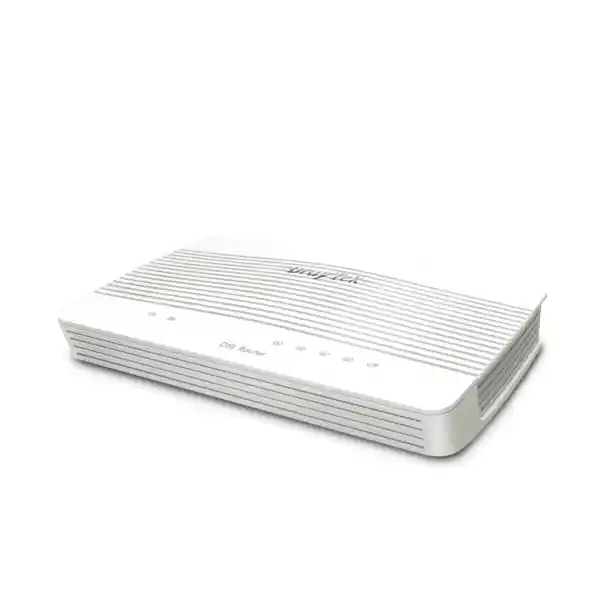
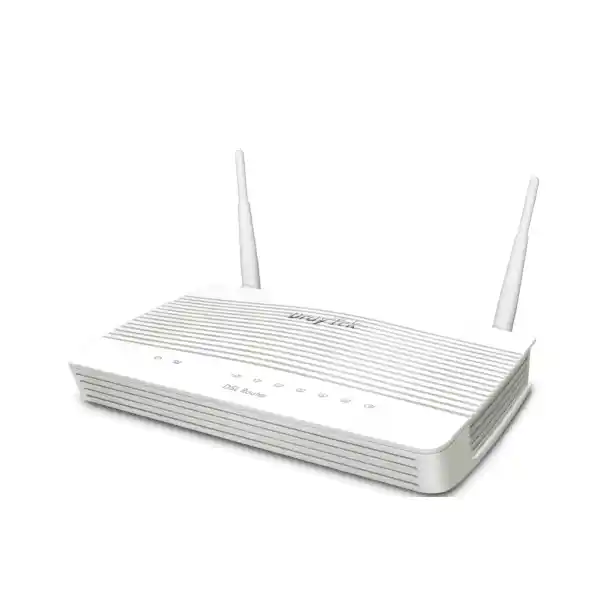
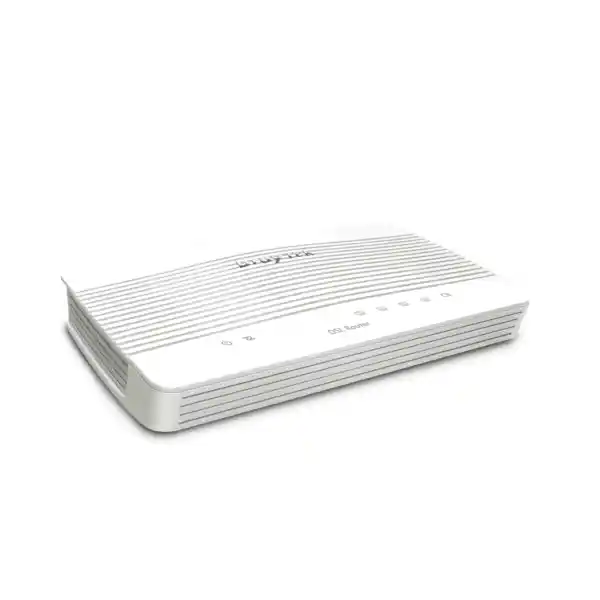
DrayTek Vigor2763 in Dubai, UAE
A compact wired xDSL security router for organizations that need reliable VDSL2 or ADSL2+ access, policy-based traffic control, business VPN, segmented LAN design and an Ethernet WAN migration path without replacing the branch router. FourTeck supplies and deploys the Vigor2763 for small offices, retail branches, clinics, service counters, warehouses, remote facilities and managed edge environments across the UAE.
Direct answer: what is the DrayTek Vigor2763 and when should a UAE business use it?
The DrayTek Vigor2763 is a non-wireless business router that integrates a VDSL2/ADSL2+ modem, firewall, VPN gateway, managed routing functions and Gigabit Ethernet switching in one compact platform. It is especially practical where an organization still receives broadband over copper-based VDSL or ADSL but wants a router with business controls rather than a basic ISP-supplied modem. The same platform can also use an Ethernet WAN connection through its switchable Gigabit interface, allowing many sites to migrate from DSL to an Ethernet-delivered service without redesigning the entire LAN edge. That dual personality is valuable in Dubai and the wider UAE, where a branch may be moved between buildings, upgraded from legacy broadband to fibre or Ethernet handoff, or temporarily operated on an alternate access service during a transition.
For a typical small office, the Vigor2763 sits between the service-provider line and the internal network. It terminates the broadband connection, performs NAT, applies stateful firewall rules, separates VLANs, prioritizes traffic, provides DHCP and DNS-related functions, and establishes encrypted VPN connectivity to a head office, data centre or cloud gateway. The router is not intended to replace a modern high-throughput next-generation firewall where deep inspection, sandboxing, advanced threat intelligence and multi-gigabit security performance are mandatory. Instead, it fits the branch-router role: stable connectivity, deterministic segmentation, practical security controls, secure tunnels and straightforward administration in a small-footprint appliance.
DrayTek positions the series for networks of around 30 hosts, with 50,000 NAT sessions and performance figures that depend on WAN type, acceleration and enabled services. Manufacturer specifications list standard NAT figures around 400 Mbps on Ethernet WAN and hardware-accelerated results that can approach Gigabit rates under controlled conditions; the real result in production depends on packet size, traffic mix, QoS, firewall policy, VPN encryption, logging, line quality and concurrent applications. FourTeck therefore sizes the router against the actual ISP circuit, expected concurrent users and tunnel workload rather than quoting a laboratory throughput figure as a guaranteed branch result.
Core hardware architecture and port map
Integrated xDSL WAN
One RJ-11 DSL interface supports VDSL2 with fallback to ADSL2/ADSL2+. Supported VDSL2 profiles include 8a, 8b, 8c, 8d, 12a, 12b, 17a and 30a. Actual synchronization speed is determined by the carrier DSLAM profile, copper loop length, noise margin, line condition and service configuration.
Four Gigabit Ethernet ports
The appliance provides four Gigabit RJ-45 ports. Three are fixed LAN interfaces, while one can be configured as LAN or as a Gigabit Ethernet WAN. This allows the same router to support a DSL-primary design today and an Ethernet-WAN design later, subject to the final topology and firmware configuration.
Dual USB 2.0
Two USB 2.0 ports provide expansion for supported USB functions, including compatible cellular modem use where supported by the firmware and modem list. USB backup connectivity should always be validated against the exact modem, carrier bands and firmware release before procurement.
Compact branch chassis
The Vigor2763 chassis is approximately 207 × 131 × 39 mm. The wired model uses a 12 V DC input and is specified for 0 to 45 °C operation. In UAE deployments it should be installed in conditioned indoor space with airflow, protected power and separation from direct sunlight or high-temperature ceiling voids.
A common mistake is to confuse the Vigor2763 with the Vigor2763ac. The base Vigor2763 discussed on this page is the wired model and does not include integrated Wi-Fi. The Vigor2763ac adds dual-band 802.11ac Wave 2 wireless capability. For business deployments, separating routing from wireless can be an advantage because dedicated access points can be positioned for RF coverage while the router remains in the telecom cabinet. It also makes future Wi-Fi upgrades independent from the WAN router. FourTeck can pair the wired Vigor2763 with appropriate access points, PoE switching and structured cabling through the wider FourTeck UAE infrastructure portfolio.
WAN design: VDSL2 today, Ethernet WAN tomorrow
The main architectural value of the Vigor2763 is flexibility at the WAN edge. An office using VDSL can terminate the DSL circuit directly on the router. The integrated modem removes the need for a separate bridge modem in many standard deployments, simplifying cabling and reducing the number of powered devices. PPPoE, PPPoA, DHCP, static IP and MPoA-related modes are available for different service-provider designs. IPv6 methods are also supported, including native and tunnel-oriented mechanisms depending on firmware and provider requirements.
When an ISP presents service over Ethernet rather than DSL, one of the Gigabit ports can be changed from LAN duty to Ethernet WAN duty. This design is useful during migration projects because the addressing, VLAN plan, security rules, VPN definitions and user-facing LAN design can remain substantially consistent while the physical WAN changes. A branch moving from an older copper broadband service to an Ethernet handoff can therefore preserve its router policy baseline and reduce change risk. This is particularly helpful for organizations with several small UAE sites that are upgraded on different schedules.
The router also supports failover-oriented concepts and USB cellular connectivity for compatible modems. However, backup design must be engineered rather than assumed. The secondary service must have compatible routing, DNS behavior and VPN reachability; NAT on cellular networks can affect inbound services; and some mobile operators use carrier-grade NAT. A properly planned failover design tests not only whether web browsing resumes, but whether critical applications, DNS, IPsec peers, SaaS allowlists, payment terminals, voice systems and remote management still function after the WAN changes.
For UAE branches, FourTeck normally documents the active WAN type, physical handoff, authentication method, VLAN tagging requirements, static public address details, MTU/MSS values, DNS behavior and failover policy before configuration. This avoids a frequent deployment problem: treating all “internet circuits” as equivalent. A router can support the necessary protocols yet still fail to bring a circuit online if the ISP requires a specific PPP credential, tagged VLAN, routed subnet, bridge mode or authentication sequence. The deployment worksheet should therefore be completed before the change window.
Routing, VLANs and LAN segmentation for small business environments
The Vigor2763 provides the controls needed to build a structured small-office LAN instead of a single flat broadcast domain. DrayTek specifies support for IEEE 802.1Q tag-based VLANs as well as port-based VLAN behavior, with up to eight VLANs on the platform. This is enough for many branch designs that separate corporate devices, guest access, voice endpoints, CCTV, building-management equipment, payment systems or contractor networks. The objective of VLAN design is not simply to create multiple subnets; it is to create policy boundaries so that each device category receives only the reachability it requires.
A practical Dubai retail branch, for example, could use one VLAN for back-office PCs, one for POS terminals, one for IP phones, one for guest Wi-Fi and one for surveillance devices. Inter-VLAN routing is then controlled through firewall rules. The guest network can be restricted to internet-only access, POS devices can be limited to required payment or ERP destinations, and cameras can be denied access to office endpoints while remaining reachable from an authorized recorder or management workstation. The exact design should reflect business operations and vendor requirements, not a generic template.
The platform includes DHCP server features, custom options, multiple IP subnets and Bind-IP-to-MAC capabilities. These functions help create predictable endpoint behavior without manually assigning every client. Printers, scanners, NVRs, PBX appliances and access points can receive reserved addresses, while employee devices continue to use dynamic pools. Local DNS and conditional forwarding features can also help integrate a branch with centralized services, although organizations with Active Directory or other internal DNS dependencies should preserve the authoritative DNS architecture rather than replacing it with router-local shortcuts.
For more complex switching environments, VLAN tagging must be matched at both ends. The router’s tagged VLAN definitions, switch trunk configuration, access-port assignments, access-point SSID mapping and DHCP scopes must all agree. If a managed switch is used downstream, the uplink should be documented as tagged or untagged per VLAN, with a clear native VLAN decision. Misaligned tagging is one of the most common causes of “internet works on one port but not another” incidents during branch migration.
FourTeck can integrate the Vigor2763 with existing switching, IP telephony and access-point infrastructure, or include the router in a broader LAN remediation project. For organizations that need on-site engineering, structured troubleshooting, device hardening or network migration services, the FourTeck IT Services UAE team can align the router configuration with the complete branch topology rather than treating the unit as a standalone box.
Firewall policy, NAT and branch security controls
At the security layer, the Vigor2763 combines stateful routing controls with IP-based firewall policy, NAT functions, application-layer gateway support, denial-of-service defense, spoofing protection and content-control features. In a small branch, these capabilities should be configured using a deny-by-default mindset between sensitive internal zones, while internet access rules are tailored to business requirements. The goal is to reduce unnecessary trust. A camera VLAN does not need arbitrary access to finance PCs; a guest SSID should not reach printers or internal servers; and management interfaces should not be exposed to the public internet simply for convenience.
NAT functionality includes familiar port redirection, open-port rules, port triggering, DMZ-host options and UPnP. Business deployments should use these selectively. UPnP may be convenient for consumer applications but is often disabled on managed business networks to prevent endpoints from creating unsolicited inbound mappings. DMZ-host forwarding should not be treated as a substitute for a real screened subnet or security zone; it forwards broad traffic to an internal address and therefore carries substantial exposure. When an inbound service is required, FourTeck typically prefers narrowly scoped destination NAT rules, source restrictions where possible, explicit logging and a documented owner.
Content filtering features can inspect application, URL, keyword, DNS keyword and web-feature categories, with some category functions requiring subscription services depending on the feature set. These controls are useful for reducing casual misuse and enforcing branch browsing policy, but they are not a replacement for endpoint protection, DNS security, email security or a full next-generation firewall where advanced inspection is required. HTTPS encryption means that URL-level visibility is naturally constrained without deeper inspection architectures. The Vigor2763 should therefore be positioned according to its actual role rather than marketed as an enterprise threat-prevention appliance.
The router supports routing rules based on factors such as protocol, IP address, port, domain and country-oriented criteria, depending on the applicable feature. Policy routing can direct selected flows toward a preferred WAN or tunnel, while firewall rules control whether the flow should be permitted at all. These functions are powerful in branch networks but require documentation because an overly broad policy route can override normal failover behavior, and an overly permissive firewall rule can undo VLAN segmentation.
Security hardening also includes administration controls. The platform supports HTTPS, SSHv2 and other management services, configuration backup and restore, access lists, brute-force protection, SNMP, syslog and alerting. Best practice is to disable unnecessary administrative protocols, restrict management access to approved LAN or VPN addresses, use unique strong credentials, maintain configuration backups and keep firmware within the supported and tested release path. Remote administration should traverse VPN or another controlled management path rather than exposing the login interface directly to the internet.
VPN capabilities for branch-to-HQ and remote administration
Site-to-site IPsec
Use encrypted tunnels between the UAE branch and a head office, data centre, cloud VPN gateway or another compatible router. Route only required subnets through the tunnel and document encryption proposals, identities, lifetimes and failover behavior.
IKEv2 and modern options
The platform supports IKEv2 plus OpenVPN and WireGuard among its VPN technologies, alongside legacy methods. Protocol choice should reflect peer compatibility, security policy, firmware support and the operational model rather than familiarity alone.
Remote user access
Remote users can be authenticated through supported local or external mechanisms depending on design. Access should be limited by role and subnet, with stronger identity controls used where the surrounding architecture supports them.
Performance planning
DrayTek lists IPsec throughput up to about 150 Mbps under test conditions. Real encrypted throughput varies with cipher, packet size, tunnel overhead, WAN latency and simultaneous services. Size against the application workload, not only the ISP headline rate.
VPN design starts with traffic requirements. A five-user professional office that accesses a central file server has a different profile from a retail outlet that sends small ERP transactions and payment traffic. If the branch continuously transfers large backups, high-resolution surveillance streams or virtual desktop traffic through IPsec, tunnel throughput can become the limiting factor long before NAT performance does. Conversely, a branch with a 50 Mbps DSL uplink may never approach the router’s encryption ceiling because the WAN itself is slower. FourTeck therefore considers upstream bandwidth, because many broadband services are asymmetrical and the branch-to-HQ direction can be constrained by the upload rate.
Tunnel resiliency is equally important. DNS, routes and firewall rules should be tested when the VPN is down, when it reconnects and when the WAN fails over. Some applications should stop when the corporate tunnel is unavailable, while others should continue over direct internet. Split tunneling may reduce load but can violate security policy if sensitive traffic escapes locally. Full tunneling simplifies policy enforcement at headquarters but increases bandwidth and latency. Neither model is universally correct.
For administrators, configuration consistency matters more than the number of supported protocols. Tunnel names, local/remote subnet objects, peer identifiers, pre-shared keys or certificates, proposal sets and monitoring criteria should follow a standard. A documented baseline makes it possible to replace or recover a branch router quickly and helps avoid configuration drift across multiple sites.
Bandwidth management, QoS and application experience
Bandwidth management is one of the strongest reasons to use a business router instead of relying on an ISP modem. The Vigor2763 supports IP-based bandwidth limits, session limits and QoS classification using parameters such as ToS, DSCP, 802.1p, IP address, port and application. These controls help a small office prevent non-critical traffic from overwhelming a constrained VDSL circuit, particularly on the upstream direction where cloud synchronization, large email attachments and backups can cause severe latency for calls and interactive sessions.
For voice traffic, QoS should be implemented end to end. The router can prioritize traffic, but an unmanaged access switch or overloaded Wi-Fi network may still introduce packet loss before frames ever reach the router. IP phones should ideally be placed in a dedicated voice VLAN, marked consistently, and connected through switching infrastructure that preserves DSCP or 802.1p behavior as required. The WAN queue then reserves or prioritizes bandwidth for voice during congestion. A correct design prioritizes the minimum necessary traffic rather than marking everything as high priority, because a priority class loses meaning if every application is placed in it.
Session limits can be useful where a single endpoint opens excessive concurrent connections. Peer-to-peer applications, malware, misconfigured cameras or aggressive download managers can consume state-table resources and cause an unfair user experience. Applying sensible per-user or per-network limits can contain the effect while the underlying endpoint issue is investigated. However, modern browsers and SaaS platforms legitimately use many concurrent connections, so limits should be based on observation rather than arbitrary low values.
FourTeck can baseline WAN utilization before and after deployment, identify peak-hour contention and tune QoS classes around real business services. This is more reliable than copying a generic QoS template. A 100 Mbps circuit used by 25 desk users may need different queue behavior from a 30 Mbps branch that runs cloud telephony, POS systems and scheduled CCTV uploads. The policy should reflect the applications that must remain responsive when the link is saturated.
Performance interpretation: NAT, sessions and the difference between laboratory and branch results
Performance numbers require context. DrayTek publishes a 50,000-session recommendation for the Vigor2763 and identifies the platform as suitable for a network of around 30 hosts. Published NAT numbers vary according to the acceleration mode and test method. The product overview references approximately 100 Mbps NAT on VDSL2 profile 30a and 400 Mbps on Ethernet WAN, while the detailed specification table also lists hardware-accelerated NAT up to approximately 940 Mbps under optimal conditions. These values are not contradictory when read as different test paths: forwarding with acceleration and minimal services can be much faster than a feature-heavy configuration or a DSL path constrained by the access technology.
Production traffic is rarely a single idealized stream. A real office generates small DNS packets, HTTPS sessions, SaaS traffic, video calls, operating-system updates, cloud backup, printing, VPN flows and mobile-device chatter at the same time. Stateful firewall tracking, QoS classification, logging and encryption all consume resources. The safest sizing method is therefore to identify the busiest interval, estimate concurrent active users, document the highest sustainable WAN rate, and then apply margin for growth and security features.
The 50,000-session figure also should not be translated into “50,000 users.” A single user can create hundreds or thousands of flows across browsers, collaboration tools and cloud agents. Cameras and IoT devices may keep long-lived sessions open. Session count is one capacity dimension, while CPU utilization, encrypted throughput, packet-per-second handling and WAN bandwidth are others. FourTeck uses the host recommendation as a useful branch sizing reference, then checks whether the actual workload is unusually heavy.
For a small accountancy office with 15 to 20 users, a VDSL circuit and a modest site-to-site VPN, the Vigor2763 can be a logical fit. For a 60-user office with a 1 Gbps fibre service, heavy SSL VPN, cloud backup and multiple public services, a larger router or dedicated next-generation firewall is generally more appropriate even if basic speed tests appear acceptable. Capacity planning should preserve headroom for incident conditions, when traffic patterns are least predictable.
Hardware acceleration can also interact with advanced features. On many router platforms, the fastest forwarding path may bypass or alter how some services are processed. The exact behavior is firmware-specific, so a deployment requiring advanced QoS, complex policy routing or detailed accounting should be performance-tested with those features enabled. FourTeck records the final firmware version, configuration and tested throughput as part of a managed handover where required.
Management, monitoring and multi-site operations
The Vigor2763 includes local web administration plus secure-shell and other management methods. It supports configuration backup and restore, firmware upgrade workflows, SNMP v1/v2c/v3, syslog, NetFlow formats including v5, v9 and IPFIX, email or SMS-related alerting features and TR-069 functionality. These tools make the router suitable for managed branch environments where the edge device must be monitored rather than installed and forgotten.
SNMP can expose operational data to a network-management platform, while syslog centralizes event records for troubleshooting and audit. NetFlow or IPFIX-style telemetry helps identify top talkers, unexpected destinations and application patterns, subject to the collector and fields supported by the router. For small organizations, even basic centralized logging can materially reduce troubleshooting time because historical WAN transitions, VPN events and authentication failures remain available after the incident has passed.
DrayTek also supports centralized administration through VigorACS on supported firmware. In multi-branch deployments, centralized provisioning can reduce configuration drift and provide a common view of device health. The value becomes significant when ten or twenty branches must share the same hardening baseline but use different WAN credentials, LAN subnets and VPN identities. Rather than manually logging into each router, an administrator can use a controlled template and exception process.
Remote management should still be designed with least privilege. An ACS platform, SNMP collector or syslog receiver should be reachable only through approved paths. SNMPv3 is generally preferable to older community-string versions when the surrounding monitoring system supports it. Configuration backups should be protected because they may contain sensitive topology information and credentials. Administrative passwords must be unique, and any recovery process should be documented before the router is installed at an unattended site.
FourTeck can integrate the router into an existing managed-services model or deploy it as part of a standardized branch kit. Organizations operating beyond the UAE can also coordinate broader network procurement through FourTeck Global, helping maintain consistent hardware, configuration templates and documentation across regional sites.
UAE deployment engineering: heat, power, cabinets and cabling
A compact router is easy to install physically, but environmental details determine long-term reliability. The Vigor2763 is specified for indoor operation from 0 to 45 °C. In the UAE, telecom cabinets can exceed that range if placed in non-conditioned storerooms, ceiling voids, guard rooms or external service areas. The device should therefore be mounted in a ventilated, climate-controlled location with clear airflow around the enclosure. It should not be stacked tightly between heat-producing power supplies or placed directly on top of a PoE switch.
Power quality is another branch risk. The router uses a low-voltage DC adapter, but the upstream mains supply can still be affected by outages, switching events or poorly distributed extension leads. A small UPS can keep the router, ONT or DSL interface, switch and voice gateway online during short disturbances. UPS sizing should include all essential network devices; protecting only the router is ineffective if the access switch and service-provider termination lose power at the same time.
Cabling must be labeled at both ends. The DSL cable should be separated from unnecessary electrical noise sources, and Ethernet patch leads should be verified for Gigabit operation. When the switchable port is configured as WAN, it should be labeled clearly to prevent staff from moving an internal LAN patch cord into the internet-facing interface. The branch diagram should show the ISP handoff, router port numbers, switch uplink, VLAN tags, access points, PBX, printers, cameras and any local server or NVR.
For DSL, line quality needs special attention. Poor internal telephone wiring, bridge taps, aging junctions and unnecessary splitters can reduce synchronization stability. Troubleshooting should compare router line statistics, noise margin and error rates over time rather than relying on a single speed test. If the DSL line repeatedly resynchronizes, the cause may be physical-layer impairment outside the router. In those cases, configuration changes cannot substitute for carrier testing and copper remediation.
Where a branch is already transitioning to fibre or a higher-capacity service, the Vigor2763 can still be evaluated as an Ethernet-WAN router, but long-term capacity should be considered. If the new circuit materially exceeds the router’s comfortable workload once VPN and policy features are enabled, it is better to select a larger platform during the upgrade rather than create another replacement project soon afterward.
Recommended deployment topologies
1. DSL branch with managed switch
VDSL/ADSL line → Vigor2763 → managed Gigabit switch → corporate PCs, phones, printers and access points. The router terminates the DSL service, provides DHCP and VLAN gateways, enforces inter-VLAN policy and establishes a site-to-site VPN.
This topology suits a small branch that needs more switch ports or PoE than the router itself provides. The switch uplink carries tagged VLANs, while access ports deliver untagged traffic to endpoints.
2. Ethernet handoff branch
ISP Ethernet/ONT → switchable Vigor2763 Gigabit WAN → LAN switching. The router uses the same security, DHCP, VLAN and VPN design but no longer depends on the integrated DSL modem.
This model is useful during service migration, but the final throughput requirement must be tested with the actual firewall and VPN policy enabled.
3. Head-office-connected retail site
Separate VLANs for POS, staff, voice, CCTV and guest access are routed through the Vigor2763. Business systems reach headquarters over IPsec, while guest internet exits locally.
Policy rules limit lateral movement between VLANs. Critical payment or ERP traffic can receive priority during WAN congestion.
4. Managed remote office
The router is deployed with centralized logging, monitoring and configuration backup. Remote administration is restricted to a management subnet or VPN rather than exposed publicly.
This topology is appropriate when a site has no local IT engineer and recovery depends on clear monitoring, standard configuration and documented replacement steps.
Migration from an ISP router or older DrayTek platform
Replacing an existing router should be treated as a controlled migration, not a cable swap. Before the change, capture the current WAN authentication, static addresses, VLAN tagging, DNS settings, DHCP reservations, port forwards, VPN peers, firewall rules and local subnets. If the incumbent device is providing Wi-Fi, confirm whether the new design includes separate access points because the base Vigor2763 has no integrated wireless radio. Also record which applications depend on public IP allowlists or inbound NAT.
The new configuration should be built offline where practical. LAN subnet choices must avoid overlap with remote VPN networks. DHCP scopes should exclude infrastructure addresses, and reservations should be recreated for printers, NVRs, PBX appliances and access points. VLAN IDs should match switch and wireless configuration. Firewall policy should be reviewed rather than copied blindly; a migration is an opportunity to remove obsolete rules and narrow permissions.
During the cutover, test in layers. First confirm physical synchronization or Ethernet link. Next verify WAN addressing, gateway and DNS. Then test ordinary internet access from a controlled client. After that, validate each VLAN, inter-VLAN policy, VPN tunnel and critical application. Finally, test failover or recovery behavior if it is part of the design. This sequence isolates problems. Jumping directly to “ERP does not open” without confirming basic routing can waste valuable change-window time.
Rollback criteria should be defined before the work starts. If the ISP credentials are uncertain, if the VPN peer cannot be updated during the window, or if a required third-party vendor is unavailable, it may be safer to revert temporarily than to improvise an insecure workaround. The old router configuration should remain available until the new environment has passed acceptance testing and an agreed stabilization period.
DrayTek lists configuration compatibility across several related Vigor generations, but compatibility should never be interpreted as permission to import an old configuration without review. Legacy settings can contain obsolete ciphers, unused port forwards, weak administrative access or addressing assumptions that no longer fit the branch. FourTeck prefers a normalized configuration built against the current requirement, using imported settings only when they are technically justified and tested.
Firmware, lifecycle and support considerations
Router security depends heavily on firmware maintenance. The Vigor2763 supports firmware upgrades through the web interface, TFTP and management mechanisms supported by the platform. Before deployment, the installed firmware should be compared with the vendor-supported release path for the exact model and hardware region. A branch router that has been sitting in stock may ship with older firmware, and a unit recovered from another site may carry legacy configuration or certificates.
Firmware updates should be tested against critical functionality. DSL drivers can influence synchronization behavior, VPN changes can affect peer compatibility, and security fixes may alter defaults or deprecated protocols. In a multi-site environment, use a pilot branch or lab unit before a broad rollout. Keep a backup of the last known-good configuration and record the firmware build associated with that backup.
Availability can vary by market and product lifecycle. Organizations procuring the Vigor2763 for a new project should confirm current stock, support status and replacement strategy at quotation time. If the model is intended to standardize dozens of new branches over several years, it may be more appropriate to evaluate the current DrayTek generation with a longer procurement horizon. If the requirement is to replace or match an existing installed base, the Vigor2763 may still be a deliberate choice when configuration consistency and interface compatibility outweigh the benefit of moving immediately to a newer family.
Spare strategy matters for remote sites. Keeping one preconfigured spare can reduce outage time significantly if a branch router fails, especially when the site has no technical staff. The spare should be stored with the correct power supply, labeled patching instructions and a current sanitized configuration backup. If WAN credentials are site-specific, a documented substitution procedure should explain exactly which values must be changed before dispatch.
FourTeck can assist with supply validation, staging, firmware preparation, configuration templating and UAE deployment support. For firewall-focused projects, branch perimeter architecture and migration services are also available through Firewall Dubai by FourTeck.
Technical sizing methodology before you buy
Selecting a branch router by port count alone is risky. A correct sizing exercise starts with the WAN service. Record whether the connection is VDSL2, ADSL2+, Ethernet over an ONT or another handoff. Note the contracted download and upload speed, public addressing model, PPP requirements and any provider VLAN tagging. If the circuit is expected to be upgraded within the next 12 to 24 months, size for that future service rather than the current minimum.
Next, profile users and devices. Count desktops, laptops, IP phones, mobile clients, printers, cameras, access points, IoT devices, payment terminals and servers. A 20-person office may have 70 networked devices once phones and infrastructure are included. Identify which systems create high session counts or sustained traffic. Cloud backup and video surveillance are very different from light browser use.
Then define security and VPN requirements. If the site needs only outbound internet and one modest IPsec tunnel, the Vigor2763 has substantial flexibility. If it needs several high-bandwidth encrypted tunnels, advanced SSL inspection, intrusion prevention, malware sandboxing, multi-gigabit throughput or a large remote-access user population, a more powerful platform should be considered. Router selection should match the security architecture, not force the security architecture to fit the router.
Finally, examine LAN growth. The router has four Gigabit ports, but one may become WAN. Most business sites will therefore use a separate managed switch. Decide how many VLANs are required, whether PoE is needed for phones and access points, and whether the switch must support link aggregation, redundant uplinks or higher-speed interfaces. The Vigor2763 can be the routing gateway in a larger switched network, but the overall branch design determines user experience.
FourTeck’s sizing approach combines these dimensions into a simple decision: will the router sustain the required WAN rate and security workload with operational headroom throughout the expected lifecycle? If the answer is marginal, moving up a model is usually cheaper than replacing an undersized router after deployment.
Configuration blueprint for a secure small branch
A production configuration should begin with administration hardening. Change default credentials, restrict management to a dedicated administrative VLAN or approved source addresses, disable unnecessary services, use HTTPS and SSH where needed, configure time synchronization and create a regular backup process. If centralized logging is available, forward syslog before the site goes live so that the first operational events are recorded.
Build the LAN next. Create the required VLANs and IP subnets, keeping numbering consistent with the organization’s wider addressing plan. Configure DHCP scopes with sensible lease times and reservations. Define DNS behavior explicitly. Establish inter-VLAN firewall rules from least privilege, allowing only required flows such as staff-to-printer, monitoring-to-camera or voice-to-PBX. Test each rule from a representative endpoint rather than assuming that configuration syntax equals functional access.
Configure the WAN using ISP-provided parameters. For DSL, verify synchronization, line rate, SNR and error behavior. For Ethernet WAN, verify link negotiation and any required VLAN tag. Confirm the public IP and test DNS resolution. Apply MTU or MSS adjustments only when evidence shows they are required; unnecessary tuning can introduce difficult-to-diagnose fragmentation problems.
Add VPN after basic routing is stable. Define local and remote networks, proposals, identities and authentication. Verify that no subnet overlaps exist. Establish the tunnel, test bidirectional reachability and then restrict access to required services. If failover is configured, repeat the VPN test while the alternate WAN is active. Document whether the remote peer accepts the alternate public address or requires a dynamic DNS identity.
Apply QoS last, using observed application needs. Prioritize voice or other latency-sensitive traffic, set bandwidth ceilings for known bulk applications if needed, and avoid creating too many classes. Measure latency and loss while deliberately saturating the WAN to verify that prioritization works under pressure. A QoS policy that has never been tested during congestion is only a theory.
Complete the handover with a port map, VLAN table, WAN details, firmware version, VPN peer list, administrative access procedure and backup location. Operational documentation is part of the security control because it prevents emergency changes from being made by guesswork.
Use cases across Dubai and the UAE
Professional office
A law, accounting, consultancy or design office using VDSL can segment staff, guests and IP phones while maintaining a secure tunnel to cloud or central resources. Dedicated Wi-Fi access points provide coverage independent of the wired router.
Retail branch
POS terminals, guest Wi-Fi, back-office systems and CCTV can be separated into policy zones. QoS protects transaction and voice traffic when the link is busy, while IPsec connects central applications.
Clinic or service centre
Administrative endpoints, appointment systems, guest devices and building equipment can be placed in different VLANs. Remote administration is permitted only through a controlled management path.
Warehouse or remote facility
The router can provide compact WAN termination for a small operations office, connect scanners and workstations, and create VPN connectivity to headquarters. Environmental placement and cellular backup compatibility deserve special attention.
Temporary project office
A project site may start on DSL and later move to an Ethernet-delivered service. The switchable WAN/LAN port gives the router a practical migration path while the LAN addressing and VPN policy remain stable.
Managed multi-site estate
Standardized branch templates, centralized monitoring, backups and documented recovery procedures can make the Vigor2763 easier to operate across several small locations with similar requirements.
Troubleshooting methodology for Vigor2763 deployments
When a branch loses connectivity, troubleshoot from the physical layer upward. On DSL, check whether the modem is synchronized. If there is no sync, inspect cabling, splitters and carrier status before changing firewall rules. If sync exists but PPP authentication fails, verify username, password, encapsulation and ISP settings. If the WAN receives an address but clients cannot browse, test routing, NAT and DNS separately. This layered process prevents unrelated configuration changes from making the problem harder to understand.
For Ethernet WAN issues, confirm link speed and duplex, provider handoff VLAN, DHCP or static addressing, default gateway and ARP behavior. A common migration issue occurs when the ISP service is locked to the previous router’s MAC address or requires the ONT to be power-cycled. Another occurs when a provider assigns a routed public subnet rather than placing the usable address directly on the WAN interface. The deployment engineer must understand the provider’s exact addressing model.
VPN troubleshooting should compare phase establishment, identities, proposals and traffic selectors. If a tunnel is “up” but applications fail, check routes and firewall policies on both peers, not only the tunnel status. Overlapping subnets are especially problematic because a router cannot easily distinguish local from remote networks when they share the same addressing. DNS can also make a working tunnel look broken if users resolve public instead of internal addresses.
VLAN problems are usually caused by tagging mismatches. Validate the endpoint access port, switch trunk, router VLAN interface and DHCP scope. Test with a static IP only as a diagnostic step, because a static address can hide a broken DHCP path. If one SSID works and another does not, inspect the wireless AP’s VLAN mapping and switch port before changing the router.
Performance complaints need measurement. Capture WAN utilization, latency, packet loss and CPU or session indicators if available. Test during the reported busy period. A speed test at 7 a.m. cannot explain slow voice calls at 2 p.m. Compare direct internet traffic with VPN traffic, and distinguish download constraints from upload constraints. Use QoS only after confirming that congestion is the actual cause.
FourTeck can provide remote or on-site troubleshooting for branch routing, VPN, firewall, switching and service-provider handoff issues. Where the problem extends beyond the router, the investigation can include LAN switching, structured cabling, access points, servers and voice systems rather than stopping at the edge device.
Frequently asked technical questions
Does the DrayTek Vigor2763 include Wi-Fi?
No. The base Vigor2763 is the wired model. The Vigor2763ac is the version with integrated dual-band 802.11ac wireless. Many business sites deliberately use the wired model with dedicated access points for better placement and easier Wi-Fi lifecycle upgrades.
Can it use Ethernet instead of DSL?
Yes. One Gigabit port can be configured as an Ethernet WAN, which makes the router useful when a site moves from xDSL to an Ethernet handoff. Final performance should be validated with the actual security and VPN configuration.
How many users is it suitable for?
DrayTek positions the series around a 30-host network. That is guidance rather than a hard limit. A lightly used 30-host office differs greatly from a smaller site with heavy VPN, backup and surveillance traffic, so user count must be combined with workload analysis.
What VPN performance should be expected?
Manufacturer figures list IPsec throughput up to about 150 Mbps in test conditions. Actual performance depends on cipher, packet size, WAN speed, latency, concurrent services and firmware. The lower of WAN capacity and sustainable encrypted throughput becomes the practical ceiling.
Can it segment guest and corporate networks?
Yes. The router supports VLAN-based segmentation with firewall control between networks. A managed switch and properly configured access points are normally used when several wired ports or multiple SSIDs must carry those VLANs.
Is it a next-generation firewall?
It is a business router with firewall, content-control and VPN capabilities, but it should not be positioned as a full NGFW platform for advanced malware inspection, sandboxing or high-throughput deep packet inspection. Use a dedicated security appliance when those controls are required.
Can USB be used for backup internet?
The platform supports compatible USB cellular modem use. Compatibility is model-, firmware- and carrier-dependent, so the exact modem should be checked before purchase. Mobile-network NAT behavior can also affect inbound services and VPN recovery.
Does it support IPv6?
Yes. The platform includes IPv6 connectivity and routing features. The final method depends on the ISP, which may provide native IPv6, DHCPv6, static assignments or another supported mechanism. IPv6 firewall policy must be configured explicitly rather than assuming IPv4 NAT provides equivalent protection.
Procurement and quotation factors for Dubai, Abu Dhabi and the wider UAE
A useful quotation should include more than the router part number. First confirm the exact model: Vigor2763 wired or Vigor2763ac wireless. Then confirm power-adapter region, warranty terms, firmware requirements and stock status. If the router will replace an existing DSL modem, identify the ISP and service type. If it will connect to an Ethernet handoff, record whether the provider supplies an ONT, router, tagged VLAN or static public subnet.
Deployment services can be scoped separately from hardware supply. A preconfigured router may require WAN credentials, LAN subnet information and VPN peer details before dispatch. On-site installation may include rack or cabinet placement, patching, switch configuration, cutover testing and rollback support. Managed-service options may add monitoring, configuration backup, firmware review and incident response. Specifying these tasks in the quotation prevents ambiguity about whether the unit is being supplied as hardware only or as a fully commissioned branch gateway.
For multi-site projects, provide a site list with connection type, bandwidth, user count, LAN subnets, VLAN requirements and target installation dates. A standardized configuration can then be adapted to each location. Standardization reduces engineering time and simplifies support because the same naming conventions, firewall objects and monitoring settings are reused across branches.
Stock availability and lifecycle should be verified at the time of order. Network projects often fail when a design assumes that a specific older model will remain available for a long rollout. If the Vigor2763 is required to match an installed estate, FourTeck can assess availability and practical alternatives. If the project is a greenfield deployment, a current-generation DrayTek model may be evaluated alongside the Vigor2763 so the customer can choose between compatibility and lifecycle runway.
Customers can engage FourTeck for complete UAE networking requirements through FourTeck UAE, including routers, firewalls, switches, access points, IP telephony, servers, structured cabling and professional services. The objective is to quote the branch as an operational system rather than as disconnected parts.
Decision recap: is the Vigor2763 the right fit?
Strong fit when
The site needs integrated VDSL2/ADSL2+, business routing, VLAN segmentation, manageable firewall policy, QoS, a small number of VPN tunnels, Gigabit LAN and a possible migration to Ethernet WAN. The branch is modest in size and does not require advanced NGFW inspection.
Reassess when
The site has a high-speed fibre circuit, heavy encrypted throughput, many concurrent remote users, advanced threat-prevention requirements, multi-gigabit interfaces, large numbers of VLANs, complex SD-WAN needs or a long greenfield lifecycle that favors a newer platform.
Engineering principle
Choose the Vigor2763 because its architecture matches the branch, not simply because it can connect to the circuit. A correctly sized router provides enough performance headroom, supports the required segmentation and VPN policy, fits the support model and remains maintainable through the expected service period.
Quotation input checklist
ISP name, DSL or Ethernet handoff, download/upload speed, PPP credentials, static IP information, provider VLAN and current router model.
User and device count, current subnets, required VLANs, managed switch model, access-point model, DHCP reservations and local servers.
Head-office peer type, remote subnets, expected VPN traffic, authentication method, failover requirement and applications that must traverse the tunnel.
Guest isolation, inter-VLAN rules, inbound publishing, remote management method, logging destination, content-control needs and compliance constraints.
Site location, cabinet availability, cooling, UPS, patching, rack space, structured cabling and on-site access window.
Number of sites, rollout schedule, spare requirement, warranty preference, configuration standard, monitoring model and expected WAN upgrades.
FourTeck consultation and deployment support
FourTeck can support the DrayTek Vigor2763 as a hardware supply, a preconfigured branch router or part of a complete network deployment. Our engineering scope can include WAN discovery, DSL or Ethernet cutover, VLAN design, managed-switch integration, QoS tuning, site-to-site VPN, remote-access policy, logging, configuration backup, firmware validation and post-cutover testing. This approach is especially useful where the branch must remain operational during a narrow maintenance window.
For Dubai and UAE projects, provide the quotation checklist above and identify whether the requirement is a direct replacement, a new branch, a DSL-to-Ethernet migration or a standardized multi-site rollout. FourTeck can then validate the Vigor2763 against the actual workload and recommend a larger or newer platform when the requirement exceeds the router’s practical role. That protects the project from undersizing while avoiding unnecessary hardware cost for a simple branch.
For related network, firewall and infrastructure solutions, visit Firewall Dubai, IT Services UAE, FourTeck UAE or FourTeck Global. These links cover complementary security, infrastructure and international support capabilities for organizations standardizing branch connectivity across multiple locations.

Reviews
There are no reviews yet.