
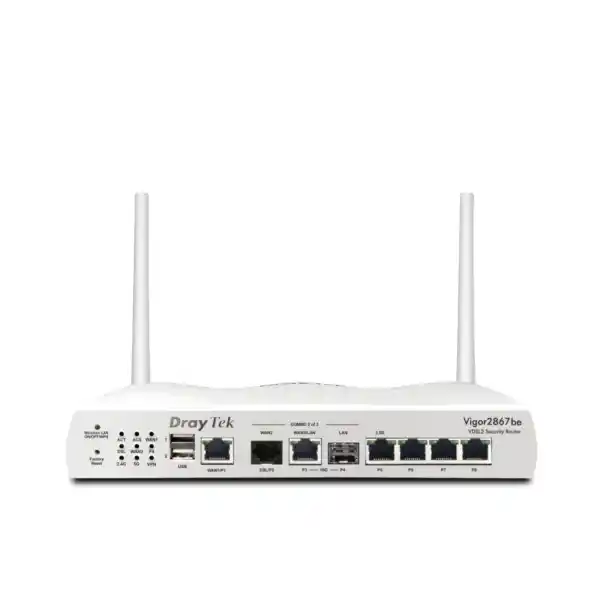
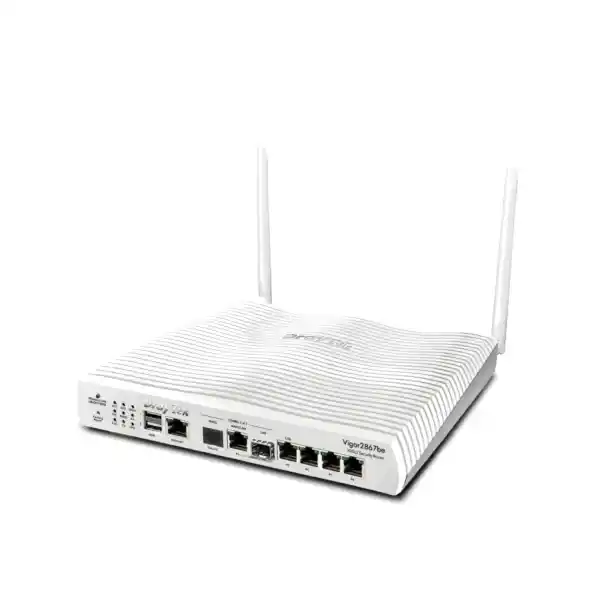
DrayTek Vigor2867ax in Dubai, UAE
A resilient AX3000 Wi-Fi 6, VDSL2 35b and Ethernet multi-WAN security router for UAE offices that need dependable connectivity, business VPN, network segmentation, traffic control, secure wireless access, and centralized DrayTek infrastructure management without overcomplicating daily operations.
Integrated dual-band 802.11ax wireless for modern laptops, phones, tablets, collaboration devices and business endpoints.
Integrated DSL connectivity supports deployments where copper broadband remains a primary or backup access technology.
Combine fixed-line services with Ethernet WAN and supported USB cellular options for failover and traffic distribution strategies.
Supports secure site-to-site and remote-access connectivity, with up to 32 VPN tunnels in the verified model comparison.
What the DrayTek Vigor2867ax is designed to do
The DrayTek Vigor2867ax sits in the part of the router market where internet access, security policy, wireless connectivity and branch management intersect. It is not merely a consumer Wi-Fi router with a DSL socket. It is designed for organizations that need multiple WAN choices, segmentation between business functions, predictable bandwidth allocation, encrypted connectivity to other locations, access control for guests and staff, and operational visibility over a network that may include DrayTek wireless access points and managed switches.
For UAE businesses, this combination is useful because connectivity designs are rarely uniform across every site. A headquarters may use Ethernet or fiber handoff from an ISP, while a smaller branch may still depend on DSL. Another location may require cellular backup because downtime affects point-of-sale systems, voice services, remote desktop sessions, cloud ERP, CCTV access or payment processing. A router that can participate in more than one WAN strategy gives the network designer flexibility to standardize policy even when the underlying access technology changes from site to site.
The Vigor2867ax also helps separate the access layer from the policy layer. Wireless endpoints connect through integrated Wi-Fi 6 or through additional managed access points, while VLANs and multiple LAN subnets divide users, voice devices, cameras, servers, guests, building systems and administrative traffic. Routing and firewall policy then govern which segments can communicate. This is a much stronger architecture than placing every device in one flat broadcast domain and relying on endpoint security alone.
The verified DrayTek comparison data identifies the Vigor2867ax as an AX3000 model with VDSL2 35b, approximately 60,000 NAT sessions, eight LAN subnets, a DMZ function, support for up to 32 VPN tunnels and up to 16 SSL VPN/OpenVPN tunnels, AP management for up to 20 nodes and switch management for up to 10 nodes. These capacities make it a practical fit for small and medium organizations, distributed branch environments and professional offices where policy sophistication matters more than raw data-center scale.
Key business capabilities at a glance
Dual access flexibility
Integrated VDSL2 35b access can coexist with Ethernet WAN strategies, allowing the router to suit both legacy broadband and modern ISP handoffs.
Wireless 6 efficiency
AX3000-class Wi-Fi 6 improves airtime efficiency for mixed business clients and supports denser modern endpoint populations than older 802.11ac designs.
Policy-based segmentation
Eight LAN subnets and VLAN capabilities enable practical separation of departments, guests, IoT, voice, CCTV and management networks.
VPN for distributed teams
Up to 32 VPN tunnels support encrypted links between branches, remote users, cloud edges and partner networks, subject to configuration and traffic load.
Traffic engineering
QoS, bandwidth management and policy routing help prioritize voice, business applications and latency-sensitive services while constraining non-critical traffic.
DrayTek ecosystem control
Integrated management functions can supervise supported VigorAP and VigorSwitch devices, reducing the need to configure each component independently.
WAN architecture: VDSL2 35b, Ethernet and resilient internet design
The integrated VDSL2 interface is one of the defining features of the Vigor2867ax. VDSL2 profile 35b, commonly associated with super-vectoring capable deployments, extends the useful performance envelope of copper broadband when the access network and provider support it. In practical terms, this means the router can terminate DSL directly rather than requiring a separate bridge modem. Fewer devices can simplify power, rack or shelf space, fault isolation and support processes at smaller locations.
However, the real design value comes from pairing DSL with alternative WAN paths. Multi-WAN should be understood as a resilience and traffic-policy capability rather than a promise that every internet session will automatically become faster. Load balancing typically distributes separate flows across available links according to rules, sessions, source addresses or policy conditions. A single TCP session generally remains bound to one path unless a higher-level bonding technology is used. For network planning, this distinction is important because aggregate office throughput can improve while an individual large download still follows one WAN connection.
Failover design deserves equal attention. The correct health-check method should detect actual upstream failure rather than merely detecting whether the physical interface remains electrically active. A modem can stay synchronized while the provider route beyond it has failed. Reliable designs therefore use appropriate detection targets and sensible timers, then define what happens when the preferred WAN becomes unavailable. Critical applications may need deterministic failover, while less important traffic can tolerate a slower backup path.
A common UAE branch topology uses the primary ISP handoff on Ethernet WAN, keeps a DSL service as secondary connectivity where available, and adds supported USB 4G connectivity for tertiary emergency access. Another design uses DSL as the primary path at a lower-bandwidth branch and Ethernet as the preferred upgrade path later. The router’s policy engine allows these architectures to evolve without replacing the security gateway simply because the last-mile service changes.
When sizing WAN links, FourTeck engineers typically look beyond the headline speed. Upstream bandwidth, latency, jitter, packet loss and provider routing often have more impact on Microsoft Teams, Zoom, VoIP, remote desktop, cloud backup and site-to-site VPN than nominal download capacity alone. Businesses should also account for cloud synchronization bursts, operating-system updates, CCTV uploads and guest usage that may compete with transactional applications during peak hours.
AX3000 Wi-Fi 6 for modern office density
The “ax” suffix identifies the wireless model. AX3000 positions the integrated radio for contemporary Wi-Fi 6 client environments, where many endpoints contend for airtime and where efficiency can matter as much as peak PHY rate. Wi-Fi 6 introduces mechanisms such as OFDMA and improved multi-user scheduling that help the access point divide available airtime more effectively among compatible clients. In office conditions, the benefit is typically seen in responsiveness and concurrency rather than in a single client always reaching the advertised aggregate link rate.
Wireless performance depends heavily on RF conditions. Concrete walls, metalized glass, elevator shafts, neighboring networks, warehouse racking and the distance between client and antenna all affect usable throughput. Dubai offices often combine glass partitions with dense neighboring Wi-Fi deployments, while villas, clinics, showrooms and industrial facilities can present very different propagation challenges. The correct number and location of access points should therefore be based on floor plan, construction materials, device density and application requirements instead of square-meter rules alone.
For a small office, the integrated Vigor2867ax radio may provide all required coverage. For larger premises, its value shifts toward being the router and management anchor while additional VigorAP units provide the RF footprint. The verified comparison indicates AP management for up to 20 nodes, giving administrators a centralized way to coordinate supported DrayTek access points. Central management can simplify SSID configuration, security policy consistency, firmware planning and troubleshooting across a larger site.
The strongest wireless designs also map SSIDs to VLANs. Staff devices can use an authenticated corporate SSID, guests can be isolated on a dedicated subnet with internet-only access, barcode scanners or handheld terminals can occupy another segment, and building or IoT systems can be separated from user computing. This limits broadcast scope and reduces lateral movement opportunities if a device is compromised.
A wireless network should not be judged solely by speed tests beside the router. Voice roaming, meeting-room density, printer reliability, mobile device power saving, guest onboarding and the behavior of legacy 2.4 GHz clients all affect user experience. Where coverage or roaming is mission-critical, FourTeck can pair the router with a properly planned access-point layout and wired backhaul rather than trying to force one radio to serve an entire facility.
Segmentation: build separate trust zones instead of one flat LAN
The Vigor2867ax supports eight LAN subnets in the verified comparison data. This allows a small or medium organization to create a practical security architecture without deploying a separate enterprise firewall and core routing stack. The objective is to place systems with different risk profiles or operational purposes into distinct logical zones and then permit only the communication that business workflows actually require.
Managed PCs and laptops with access to approved servers, printers, internet services and cloud applications.
IP phones and PBX-related traffic separated for QoS and simplified troubleshooting.
Internet-only clients isolated from internal resources, with hotspot policies where required.
Cameras, NVRs, door controllers and automation systems limited to required management and cloud destinations.
Local application, storage or directory systems accessible only from defined business segments.
Administrative interfaces for switches, APs and infrastructure restricted to IT personnel and trusted stations.
This approach reduces the blast radius of misconfiguration or compromise. If a guest device becomes infected, it should not be able to browse a finance workstation or connect directly to a camera recorder. If an IoT device uses weak embedded security, it can remain useful without receiving broad access to corporate systems. Segmentation is therefore not merely an organizational convenience; it is a fundamental control for reducing implicit trust.
VPN design for branches, remote workers and hybrid cloud access
The Vigor2867ax supports up to 32 VPN tunnels according to DrayTek’s router comparison information, with up to 16 SSL VPN/OpenVPN tunnels also listed for the model. Capacity figures are useful, but the correct deployment question is how much encrypted traffic must be carried simultaneously and which applications are sensitive to delay. Encryption, packet size, security settings, WAN quality and enabled services all influence real-world performance.
Site-to-site VPN is commonly used to connect a Dubai headquarters with branches in Abu Dhabi, Sharjah, Ajman or international offices. Each location retains its own local internet connection, while defined private subnets communicate across encrypted tunnels. This topology avoids sending all branch internet traffic through headquarters unless policy explicitly requires centralized egress. It also gives administrators the option to restrict which branch VLANs can reach which central resources.
Remote-access VPN addresses a different requirement: individual users connecting from home, hotels, customer sites or while traveling. A well-designed remote-access policy should use strong authentication, limited address pools, least-privilege access and appropriate logging. The VPN should expose only required services rather than making a remote laptop logically identical to a trusted office workstation. Where an identity platform or additional authentication layer is available, it should be incorporated into the design.
VPN troubleshooting is frequently a routing problem rather than an encryption problem. Overlapping private address ranges between two sites, incorrect subnet masks, asymmetric routes and conflicting policy rules are common causes of tunnel failures. Planning addressing before rollout is therefore valuable, especially for companies acquiring branches that may already use the same default subnet. FourTeck can design an addressing and routing plan that avoids collisions before VPN deployment begins.
For cloud workloads, the router can also participate in encrypted access patterns where supported by the cloud edge configuration. Whether the destination is a virtual firewall, hosted server network or partner gateway, the same principles apply: define encryption parameters, interesting traffic, routing, failover behavior and monitoring. Business continuity should also consider what happens to tunnels when the primary WAN fails and how quickly they can re-establish on a backup connection.
QoS and bandwidth management: protect important traffic under congestion
Bandwidth is finite, and congestion normally appears at the slowest point in the path. In many offices the bottleneck is the ISP uplink, particularly upstream. Cloud backup, large file sync, surveillance uploads or guest devices can fill that link and create latency for voice and interactive applications. QoS and bandwidth management allow the administrator to influence which traffic receives priority when demand exceeds available capacity.
Good QoS begins with classification. Voice signaling and RTP media, business-critical SaaS, remote desktop, ERP access and video meetings may deserve higher priority than operating-system downloads or recreational streaming. Yet overly broad prioritization defeats the purpose: if every application is marked critical, no meaningful ordering remains. Policies should be tied to measurable business outcomes and reviewed after application changes.
Bandwidth limits can also be useful for guest networks or non-production segments. A visitor should have enough capacity for messaging, email, web and normal calls, but the guest SSID should not be able to consume the full branch connection. Similar logic can constrain cameras sending cloud footage or test devices downloading large software images during working hours.
Session limits add another layer of control. Some peer-to-peer, scanning or malfunctioning applications can create very large numbers of simultaneous connections. Since the router tracks NAT and state information, preventing a single endpoint from monopolizing session resources can improve stability. The verified comparison lists roughly 60,000 NAT sessions for the Vigor2867ax, which is substantial for its target segment but still benefits from disciplined network design.
Routing capabilities for more advanced SMB networks
The Vigor2867 family supports static and policy routing, and DrayTek’s comparison material lists RIP, BGP and OSPF for the Vigor2867 generation. These functions extend the router beyond simple default-gateway behavior. Static routes are appropriate when a network has a small number of known destinations. Policy routing becomes useful when traffic must select a WAN based on source subnet, destination, service or organizational policy.
Dynamic routing matters where the topology changes or where the router must exchange reachability information with other network devices. OSPF can suit multi-router internal environments, while BGP may be used in more specialized edge designs. The presence of these protocols does not automatically mean they should be deployed. Simpler routing is easier to troubleshoot, so dynamic protocols should solve a real problem rather than merely being enabled because they exist.
Policy-based WAN steering can be particularly relevant for UAE businesses with multiple providers. Voice traffic might use the lower-latency ISP, bulk backups may use a secondary circuit, and guest internet can be steered away from the business-critical line. When paired with failover rules, these policies create a more deterministic experience than relying only on equal-cost balancing.
Firewall, web control and operational security
A branch security gateway must do more than translate private addresses to the public internet. Stateful firewalling controls inbound and inter-segment communication, while access rules determine which services are permitted. Administrators should begin with the principle of least privilege: allow the traffic required for business operations and block unnecessary pathways. Broad “any-to-any” rules can be convenient during troubleshooting but should not become permanent architecture.
DrayTek also provides URL reputation and content filtering functions across this product class. Licensing or service activation requirements should be checked at the time of purchase because subscription terms can change over a product’s lifecycle. Web control is best treated as one security layer among many. Endpoint protection, DNS security, identity controls, patching, browser security and user awareness remain important because no router can make an unmanaged endpoint inherently safe.
Administrative access deserves special protection. Management interfaces should not be exposed indiscriminately to the internet. Remote administration should use secure protocols, strong credentials, restricted source addresses where practical and VPN-based access for privileged functions. Configuration backups should be stored securely and updated after significant changes so recovery does not depend on rebuilding every VLAN, route, NAT rule and VPN from memory.
Firmware maintenance is equally important. Router firmware can contain security fixes, stability improvements, protocol updates and compatibility changes. Updates should be reviewed, backed up and scheduled according to business impact. For sites with critical operations, staged deployment is safer than changing every branch simultaneously. Maintaining a basic inventory of model, firmware version, WAN details and support status reduces response time when a vulnerability notice or provider change appears.
Centralized DrayTek AP and switch management
One of the strongest operational advantages of the Vigor2867ax is that it can serve as a management point for supported VigorAP and VigorSwitch devices. The verified comparison lists management for up to 20 access-point nodes and up to 10 switches. This is valuable for organizations that have outgrown standalone device configuration but do not require a separate enterprise controller platform for every site.
Centralized configuration reduces drift. If each access point is administered independently, SSID names, VLAN mappings, security settings and radio parameters can gradually diverge. A centralized workflow makes it easier to standardize settings and identify exceptions. Similar benefits apply to switches, where port profiles, VLAN membership and management status can be easier to oversee from a common interface.
For larger distributed environments, DrayTek VigorACS can provide broader lifecycle management capabilities across compatible devices. Whether local router-based management is sufficient or an ACS platform is justified depends on site count, support model and operational scale. A company with one Dubai office may prefer local control, while an MSP or organization with many branches may benefit from centralized provisioning and monitoring.
FourTeck can integrate the Vigor2867ax into a wider managed network design. For general UAE networking and infrastructure requirements, visit FourTeck UAE. For branch connectivity, security engineering and support services, see FourTeck IT Services UAE. Customers evaluating firewall and secure gateway deployments can also explore Firewall Dubai, while regional organizations can reference FourTeck Global.
Example deployment topologies
Dubai professional office
Primary Ethernet internet, VDSL backup, corporate and guest SSIDs, separate voice VLAN, site-to-site VPN to cloud resources, and QoS for Teams and IP telephony.
Retail branch
POS terminals isolated from guest Wi-Fi, CCTV on its own subnet, VPN to headquarters, restricted management access and a cellular failover path for continuity.
Clinic or medical office
Segregated staff, guest, medical device and camera networks, controlled inter-VLAN access, redundant WAN options and encrypted remote access for authorized support.
Small education site
Separate administrative and student networks, bandwidth limits for guest or student traffic, filtered web access and centralized management of additional access points.
Designing high availability around the router
Internet resilience is not achieved simply by adding a second cable. True availability depends on identifying shared points of failure. Two ISP services that enter the building through the same provider duct may fail together. A router and modem connected to the same unprotected power strip will both shut down during a local power issue. A cellular backup modem placed inside a metal cabinet may have inadequate signal when it is finally needed.
A practical continuity design therefore looks at provider diversity, physical path diversity, power protection, DNS dependencies, VPN failover behavior and application tolerance. An uninterruptible power supply can keep the router, access switch and ISP termination equipment online during short outages. If the business uses cloud telephony or remote applications, the backup path should be tested under realistic load rather than merely confirmed as “connected.”
Failover testing should be scheduled. Disconnect the primary WAN during a maintenance window and verify that critical applications recover, tunnels re-establish and users can still resolve DNS. Then restore the primary service and observe failback. Document unexpected behavior. Resilience that has never been tested is an assumption, not a control.
For organizations where the router itself must be redundant, architecture may require a second gateway platform or a higher-availability design beyond a single Vigor2867ax. The right choice depends on downtime cost. A small office that can tolerate an hour of service interruption has different requirements from a call center, payment environment or logistics operation where every minute of outage is measurable.
Performance sizing: how to choose the router responsibly
Router sizing should consider concurrent users, sessions, encrypted traffic, enabled security features, WAN speed, application mix and expected growth. A specification such as 60,000 NAT sessions indicates state-table capacity, not the number of employees the device can always support under every workload. Ten users running aggressive peer-to-peer software can create more sessions than dozens of ordinary office users. Conversely, a hundred light endpoints may consume little state or bandwidth.
Wireless client count must also be separated from routing capacity. A site may have sufficient firewall performance but inadequate radio coverage. In that case the correct solution is additional access points, not a larger router. Similarly, a business may have excellent Wi-Fi coverage but need more VPN throughput because encrypted inter-site backups run continuously. The bottleneck determines the upgrade path.
Security features can affect throughput. Content inspection, VPN encryption, logging and advanced policy processing add work compared with simple NAT forwarding. Manufacturer performance figures are normally measured under defined laboratory conditions, so real-world deployment should maintain headroom rather than planning at the exact published maximum. This headroom absorbs traffic bursts, firmware changes and future applications.
A useful sizing exercise starts with current WAN utilization over a representative business cycle. Measure average and peak throughput, latency during congestion, active sessions, VPN use and wireless client counts. Then model growth for the expected hardware lifecycle. If an organization is about to double staff or migrate large workloads to the cloud, selecting only for today’s usage can create an early replacement.
UAE procurement considerations
When purchasing the DrayTek Vigor2867ax in Dubai or elsewhere in the UAE, buyers should confirm the exact regional hardware variant, power adapter, firmware branch, warranty source and wireless regulatory domain. Wireless channel availability and transmit parameters are regulated, so importing hardware intended for another market can create support or compliance complications even when the model name appears identical.
Organizations should also confirm whether DSL will actually be used. If the site receives an ISP Ethernet handoff, the integrated modem may remain available as a future backup option. If the intent is to connect directly to a provider DSL service, confirm line type, annex compatibility and provider authentication requirements. The router may support the physical standard while the ISP still requires specific VLAN tags, PPP credentials or service parameters.
For cellular backup, compatibility should be checked against the supported modem list and local operator bands. USB cellular support is not equivalent to a built-in LTE modem, and not every USB modem behaves identically. Signal strength, data-plan limitations, carrier NAT and inbound connectivity restrictions can affect backup operation.
Procurement should finally include operational items: a small UPS, spare patch leads, labeling, configuration backup, firmware baseline, documented administrator ownership and support escalation contacts. These low-cost details often determine how quickly a branch can recover from an incident.
Migration from an older router
Replacing an existing gateway should be treated as a controlled migration rather than a cable swap. First document the current WAN addressing, PPP credentials, ISP VLAN requirements, public IP allocations, port forwards, DHCP reservations, DNS settings, site-to-site VPN parameters and remote-access users. Then record every internal subnet and any application that relies on the existing gateway address.
The new Vigor2867ax configuration can be staged offline. Build LAN interfaces, VLANs, DHCP scopes and policies before the maintenance window. Configure VPNs but expect them to remain down until the device is placed in service. If the existing network is flat and segmentation is being introduced at the same time, consider migrating in phases. Changing the gateway and readdressing every endpoint during one window creates unnecessary risk.
During cutover, validate basic internet access first, then DNS, critical SaaS applications, inbound services, VPNs, voice, guest Wi-Fi and monitoring. Check that devices receive the intended IP addresses and VLAN assignments. Verify that firewall rules block traffic that should not cross between segments. Security validation is just as important as connectivity validation; a successful ping does not prove that the policy is correct.
Keep the old router’s configuration and, where practical, keep the device physically available until the new platform has passed acceptance testing. A rollback plan should state exactly what must be reconnected and which ISP parameters must be restored. Once the new environment is stable, update diagrams and handover notes so the documented network matches reality.
Wi-Fi design details that matter in real offices
AX3000 is an aggregate class designation, not a guarantee that a single user will receive 3 Gbps. Client capability, channel width, spatial streams, signal-to-noise ratio and protocol overhead determine actual throughput. A two-stream laptop may negotiate very differently from a smartphone or older 802.11ac device. Application performance is also bounded by the internet connection and the server at the far end.
Channel planning becomes important in dense environments. Using extremely wide channels can increase peak speed under clean RF conditions but may reduce channel reuse when neighboring networks are present. Offices in multi-tenant towers often benefit from careful channel selection and sensible power levels rather than maximizing every radio setting. Excessive transmit power can make clients hear an access point from far away even when their weaker return transmission cannot reach it reliably.
The 2.4 GHz band remains useful for range and compatibility but has limited non-overlapping spectrum. Many IoT devices still depend on it. Business laptops and modern phones should generally take advantage of 5 GHz where coverage permits, leaving 2.4 GHz capacity for legacy or low-bandwidth endpoints. Band steering can help, but it is not a substitute for good RF design.
Roaming is controlled partly by the client. A network can provide consistent SSIDs and compatible roaming assistance, but the endpoint ultimately decides when to move from one access point to another. This is why access-point spacing and transmit power should avoid both coverage holes and excessive overlap. For voice-over-Wi-Fi or warehouse mobility, a predictive or active survey may be justified.
Logging, monitoring and troubleshooting
A business router should provide evidence when something goes wrong. Logging can help distinguish ISP failure from DNS problems, VPN negotiation errors, blocked firewall sessions or exhausted local resources. The best time to configure logs is before an incident. If logging is enabled only after a problem occurs, the evidence that explains the beginning of the event may already be lost.
Monitoring should track availability of each WAN, interface errors, latency where possible, VPN state and unusual traffic patterns. For a branch network, simple dashboards and alerts are often more valuable than collecting every possible metric. Alerts should identify conditions that require action rather than creating noise that operators learn to ignore.
Troubleshooting can then follow a layered approach. Confirm power and physical link, check IP addressing, test gateway reachability, test DNS, examine routing, review firewall policy and finally inspect application behavior. Jumping immediately to factory reset or firmware replacement can erase useful evidence and extend downtime.
For wireless complaints, collect the client type, location, SSID, signal level, time of failure and whether the issue affects one device or many. A speed test alone rarely explains roaming or intermittent packet loss. For VPN complaints, collect both endpoint subnets, tunnel state, phase negotiation logs and route tables. Structured diagnostics reduce guesswork.
Security hardening checklist for deployment
A newly installed router should not remain on default assumptions. Change administrator credentials, restrict management interfaces, use HTTPS and secure remote access methods, disable services that are not required, review WAN-exposed rules and confirm the firmware baseline. Create separate user roles if multiple administrators need access and the platform supports that workflow.
Next, define network zones and inter-VLAN policy. Guest networks should not reach internal resources. Cameras and IoT devices should have only the access they need. Network management interfaces should be reachable only from designated administrative systems. Inbound port forwarding should be minimized; when remote access is necessary, VPN is usually preferable to exposing management protocols directly.
Wireless security should use modern encryption modes compatible with the client estate. Legacy compatibility should be enabled only where required because every older security option expands the attack surface. Guest onboarding should be separated from corporate credentials, and shared passwords should be rotated when staff turnover or disclosure makes that appropriate.
Finally, back up the configuration after acceptance testing. Store a copy outside the router in a controlled location. Record the firmware version, admin ownership, ISP support details, WAN credentials escrow process and physical location. Security operations fail when nobody knows who owns the device or where the latest configuration resides.
Technical specification summary
Specifications can vary by firmware, regulatory region and product revision. Performance figures are implementation-dependent. Confirm final requirements, supported modem lists and current firmware features before deployment.
Why a router like the Vigor2867ax can simplify branch standardization
Standardization reduces support cost. If every branch uses unrelated gateways, wireless systems, VLAN conventions and VPN methods, troubleshooting requires rediscovering the network each time. A common platform allows engineers to reuse configuration patterns, monitoring checks and escalation procedures while still adapting WAN connectivity to local availability.
The Vigor2867ax is particularly suitable where some branches need integrated DSL and others use Ethernet. The policy model can remain similar even though the physical WAN differs. Corporate, guest, voice and CCTV segments can use the same addressing conventions across sites, subject to unique non-overlapping subnets. VPN templates can then be built around predictable network roles.
Standardization also improves security reviews. Auditors and IT managers can compare sites against a known baseline: firmware version, administrative settings, permitted inter-VLAN flows, VPN configuration, logging destinations and backup status. Exceptions become easier to identify because the expected configuration is documented.
This does not mean every office should use identical hardware forever. Larger sites may require higher-performance gateways, more VPN capacity or dedicated wireless controllers. The useful principle is architectural consistency: preserve the same security zones, naming, monitoring and change-control process even when the hardware tier changes.
Planning for voice, video and unified communications
Voice and video applications are sensitive to delay variation and packet loss. A connection can have ample bandwidth yet still provide poor call quality if queues become saturated. The Vigor2867ax’s QoS and multi-WAN capabilities let administrators classify real-time traffic and steer it toward the most appropriate link. The correct policy should be based on measured WAN quality rather than simply selecting the circuit with the highest advertised speed.
For IP telephony, placing phones in a dedicated VLAN simplifies addressing, QoS and security policy. The phone network can reach required call-control services while remaining isolated from general guest or IoT traffic. If phones pass through PCs, switch port design should account for voice and data VLAN tagging. Router policy then controls traffic between these networks.
Cloud meeting applications frequently use adaptive codecs and multiple media streams. During congestion they may lower video quality, but users still experience frozen screens or audio problems if latency spikes. Prioritizing signaling and media while capping nonessential guest traffic can protect the user experience. Upload capacity deserves special attention because every participant sends media upstream even when downstream bandwidth appears plentiful.
If the primary WAN fails during a call, session continuity depends on application behavior and whether the public source address changes. Most internet failover events will interrupt active sessions even if new sessions immediately use the backup link. Business continuity plans should therefore distinguish between rapid service restoration and truly seamless session persistence.
Guest access and hotspot policy
Guest connectivity is a business service, but it should not weaken internal security. A dedicated guest subnet prevents visitors from discovering printers, file servers, cameras or employee endpoints. Firewall policy should normally allow guest traffic to the internet while blocking access to private corporate ranges. Client isolation may also be appropriate where guests should not communicate directly with one another.
Hotspot or portal functions can add an acceptance page or authentication workflow where required. The appropriate design depends on the organization: a customer waiting area may need simple click-through access, while a shared workspace may require stronger identity handling. Data-retention and privacy practices should align with local requirements and the organization’s own policies.
Bandwidth controls protect business traffic from large guest downloads. Rather than giving each visitor unrestricted use of the WAN, administrators can define reasonable per-client or aggregate limits. The goal is not to make guest service unusable; it is to keep the corporate network stable during peak visitor periods.
Wireless guest service should also be considered in RF capacity planning. A showroom or conference room can suddenly add dozens of devices even if the employee headcount is small. In those cases additional access points may be required even though the router itself has sufficient firewall and NAT capacity.
CCTV, IoT and operational technology considerations
Cameras and IoT devices often have long service lives and may not receive security updates as frequently as laptops. They should therefore be treated as a different trust class. A dedicated VLAN can limit their ability to initiate connections toward business users. The NVR or management server can be granted the specific communication it requires without opening the entire corporate network.
Cloud-managed cameras can generate persistent outbound traffic. If a branch has many high-resolution streams, upstream capacity may become the main constraint. QoS can protect other applications, but it cannot create bandwidth that does not exist. Video retention architecture, frame rate, bitrate and cloud-upload policy should be coordinated with WAN sizing.
Building systems such as access control, smart displays, environmental sensors and automation gateways should receive similar treatment. Where a vendor requires remote support, it is safer to provide controlled VPN access or restricted destination rules than to expose device web interfaces directly to the internet.
Operational segmentation also improves troubleshooting. If camera traffic spikes, administrators can identify the affected VLAN and apply targeted limits without disrupting finance or voice services. Clear network roles turn the router into a policy enforcement point rather than a simple packet forwarder.
IPv6 and dual-stack planning
IPv6 adoption continues to expand, and business networks should avoid assuming that NAT is a security feature. In IPv4, private addressing and NAT can obscure internal systems, but actual protection comes from stateful firewall policy. IPv6 may provide globally routable addresses, making explicit inbound policy even more important.
Dual-stack environments run IPv4 and IPv6 together. Administrators should ensure that security rules, DNS behavior and monitoring cover both protocols. Blocking a service in IPv4 while unintentionally permitting it over IPv6 creates a policy gap. Similarly, troubleshooting should confirm which protocol a client is actually using because modern operating systems may prefer IPv6 where available.
When an ISP delegates an IPv6 prefix, the internal addressing model should account for VLAN segmentation. Each subnet receives appropriate prefixing, while the router controls inter-segment and internet access. VPN and remote-access requirements should also be reviewed because not every legacy application or partner network handles IPv6 identically.
Implementation methodology from FourTeck
Collect ISP details, floor plans, user counts, application requirements, existing subnets, VPN peers and growth expectations.
Define WAN preference, VLANs, addressing, Wi-Fi SSIDs, firewall policy, QoS, VPN topology and management access.
Configure the router before cutover, apply firmware baseline, create policies, document settings and prepare rollback steps.
Install, connect WAN services, validate DHCP and routing, bring up VPNs, test Wi-Fi, confirm segmentation and verify critical applications.
Test failover, QoS, guest isolation, remote access, monitoring and backup procedures against agreed requirements.
Provide configuration backup, addressing records, administrative ownership details and operational recommendations.
When the Vigor2867ax is a strong fit
The Vigor2867ax is well aligned with businesses that want integrated Wi-Fi 6, a built-in DSL option, Ethernet WAN flexibility, business VPN and segmented network control in one device. It is especially practical where the network is large enough to require professional policy but not so large that a chassis firewall or dedicated wireless controller is mandatory.
It is also a good architectural fit for organizations already using or planning to use DrayTek access points and switches. Centralized device management can reduce operational overhead and make branch standards easier to replicate. The ability to support multiple subnets gives enough separation for common SMB roles without immediately introducing another routing layer.
Businesses with extreme VPN throughput, multi-gigabit security inspection requirements, hundreds of access points or advanced data-center redundancy may need a higher platform. The purpose of correct sizing is to match the device to the operational problem rather than choosing by feature count alone.
Questions to answer before ordering
First, identify the primary and backup WAN technologies. Is the site using VDSL2 directly, Ethernet handoff, a separate fiber ONT, or cellular backup? Second, estimate peak user count and application demand. Third, list required VLANs and any servers that must be reachable between them. Fourth, document VPN peers and whether remote-access users need full network access or only selected services.
For wireless, provide approximate floor area, wall materials, expected concurrent clients and any coverage-critical zones such as meeting rooms, warehouses or outdoor transition areas. If additional access points are planned, identify available Ethernet cabling and PoE switch capacity. An access point without suitable backhaul or power can become a design bottleneck regardless of radio capability.
Finally, decide how the router will be managed. A single office may be handled locally by IT staff, while multiple branches may justify centralized monitoring or managed services. Operational ownership should be established before installation so firmware, backups and alerts do not become nobody’s responsibility.
Decision recap
AX3000 Wi-Fi 6, VDSL2 35b, Ethernet WAN flexibility, multiple subnets, business VPN, QoS and DrayTek ecosystem management.
WAN failover behavior, wireless coverage, VPN traffic volume, ISP parameters, security subscriptions and the number of managed APs/switches.
Deploy with documented VLANs, restricted management, tested backup WAN, configuration backups and a clear firmware/support process.
Confirm the regional unit, ISP handoff type, wireless domain, warranty source and any local cellular modem compatibility before final procurement.
Quotation input checklist
Primary ISP, handoff type, static IP requirement, DSL details if applicable, backup provider and expected bandwidth.
Staff, phones, printers, cameras, guest devices, IoT endpoints and expected concurrent wireless clients.
Required VLANs for staff, guest, voice, CCTV, servers, management, IoT or specialized systems.
Branch count, remote users, cloud endpoints, peer addressing, authentication expectations and throughput needs.
Floor plan, approximate area, wall types, high-density rooms, existing APs, cabling and roaming requirements.
Supply only, preconfiguration, onsite installation, migration, monitoring, managed support or multi-branch standardization.
Consult FourTeck for DrayTek Vigor2867ax deployment in Dubai and the UAE
FourTeck can assist with product supply, WAN design, router staging, VLAN architecture, secure Wi-Fi, VPN setup, branch standardization, failover planning and migration from existing gateways. A useful consultation starts with the ISP handoff, device count, current topology and the applications that must remain available during an outage.
For organizations comparing multiple router models, we can map requirements to actual WAN, VPN, wireless and management capacity rather than selecting only by headline specifications. This helps prevent both undersizing and unnecessary overinvestment.

Reviews
There are no reviews yet.