
Business Wi-Fi 6 for UAE Networks
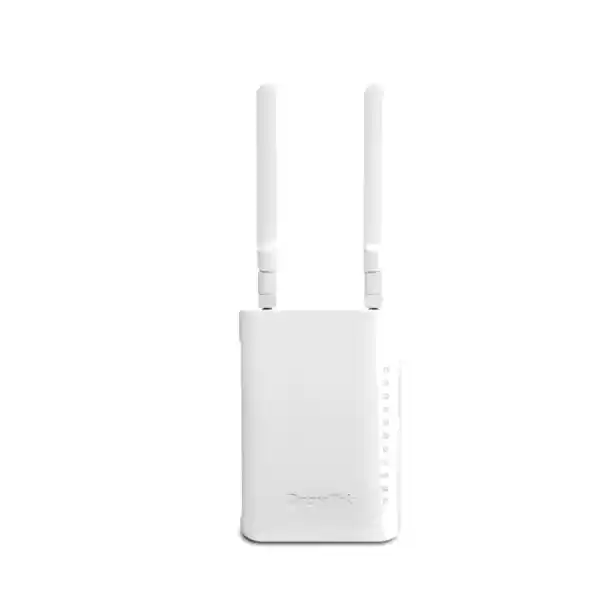
DrayTek VigorAP 905 UAE – AX3000 Wi-Fi 6 Access Point with 2.5GbE and PoE+
The DrayTek VigorAP 905 is designed for organisations that need more than basic wireless coverage. It combines dual-band Wi-Fi 6 performance with a multi-gigabit uplink, four additional Gigabit Ethernet interfaces, enterprise authentication options, segmentation controls, roaming support and flexible DrayTek management. For UAE offices, clinics, professional practices, retail premises, training rooms, hospitality spaces, villas and branch environments, that combination allows one compact device to serve as a high-capacity access point while also providing convenient wired access for nearby endpoints.
Direct answer: what is the VigorAP 905 best suited for?
The VigorAP 905 is a dual-band Wi-Fi 6 access point in the AX3000 class. DrayTek specifies up to 600 Mbps PHY link rate on 2.4 GHz and up to 2400 Mbps on 5 GHz, with support for up to 256 concurrent wireless clients. It includes one 2.5 Gigabit Ethernet port that can accept PoE+ power and four additional Gigabit Ethernet LAN ports. This makes it especially practical where an access point must serve both wireless devices and a small cluster of nearby wired equipment without requiring a separate edge switch at every location.
In real deployments, the headline wireless link rates are not the same as application throughput. Client radio design, channel width, interference, distance, walls, airtime contention, encryption overhead, upstream bandwidth and server performance all affect the speed users observe. The value of the VigorAP 905 is therefore not only peak link speed; it is the combination of Wi-Fi 6 efficiency, 2.5GbE uplink capacity, segmentation, security, roaming and management features that lets a network designer build a predictable business WLAN.
Core technical specification at a glance
Wireless class
Dual-band Wi-Fi 6 / IEEE 802.11ax with 2.4 GHz and 5 GHz radios. AX3000 class, with up to 600 Mbps at 2.4 GHz and 2400 Mbps at 5 GHz under supported conditions.
Ethernet
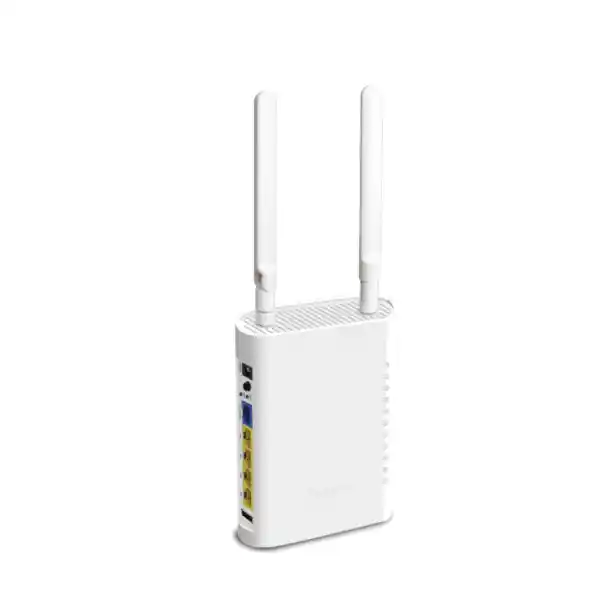
One 2.5G/1G/100M/10M RJ-45 LAN port plus four 1G/100M/10M RJ-45 LAN ports. The 2.5GbE port supports PoE+ input for simplified power and uplink design.
Client scale
Up to 256 concurrent clients are specified for the access point. Practical design capacity depends on application type, airtime use, RF conditions, client capabilities and service-level expectations.
SSID and security
Up to 16 SSIDs in total, eight per band, with WPA3, WPA2, enterprise authentication, RADIUS capability, MAC controls and 802.1Q VLAN mapping for segmented wireless services.
Mobility
Mesh Root, Mesh Node and Range Extender operating modes plus AP-assisted roaming, pre-authentication and support for 802.11k, 802.11v and 802.11r roaming mechanisms.
Power and form factor
Powered by 802.3af/at PoE input or 12V DC. Maximum stated power consumption is 17 W. The unit measures 115 × 158 × 40 mm and weighs about 330 g.
Why AX3000 Wi-Fi 6 matters in a business WLAN
Wi-Fi 6 was developed not simply to raise maximum data rates but to improve the efficiency of a shared radio medium. In an office, a wireless channel is used by notebooks, smartphones, printers, meeting-room systems, scanners, tablets, voice devices and numerous background services at the same time. Traditional peak-speed comparisons can hide the real challenge: airtime is finite. A well-designed Wi-Fi 6 network attempts to make more productive use of that airtime while reducing unnecessary contention.
The VigorAP 905 supports OFDMA, MU-MIMO, 1024-QAM, transmit beamforming and BSS colouring capabilities associated with Wi-Fi 6 operation. OFDMA can subdivide channel resources so that multiple compatible clients can be served more efficiently than a simple one-client-at-a-time model. MU-MIMO helps the radio exchange data with multiple compatible stations concurrently. BSS colouring is designed to improve spatial reuse by helping devices distinguish overlapping basic service sets. These mechanisms are particularly useful when many users generate short, frequent packets rather than a single device consuming the entire channel.
For procurement teams, AX3000 should be understood as a class designation rather than a promise that one user will see 3 Gbps. The 2.4 GHz and 5 GHz link rates are aggregated in the marketing class, and real traffic remains constrained by client capabilities and protocol overhead. The benefit is a more capable radio platform with a fast wired uplink that can reduce the chance of the Ethernet side becoming the first bottleneck when multiple 5 GHz clients are active.
2.4 GHz and 5 GHz radio design
The VigorAP 905 operates concurrently on 2.4 GHz and 5 GHz. The 2.4 GHz radio provides broad compatibility with older devices and can offer useful coverage through typical indoor partitions, while the 5 GHz radio provides more spectrum and higher link rates for modern clients. DrayTek specifies 20/40 MHz channel widths on 2.4 GHz and 20/40/80/160 MHz widths on 5 GHz. A 160 MHz channel can provide high peak throughput when both the environment and the client support it, but it also occupies a large portion of available spectrum. In multi-AP business deployments, narrower channels may deliver better overall reuse and more predictable capacity.
A common design mistake is to maximise transmit power and channel width on every AP. That can create overlapping cells, excess co-channel contention and sticky clients that remain associated with a distant access point. Enterprise WLAN design normally starts with coverage requirements, desired minimum signal levels, client density and expected applications. Channel width and transmit power are then selected to create manageable cells. The VigorAP 905 gives administrators the features needed for that design, but physical placement and RF planning still determine the result.
In a UAE office with gypsum partitions and glass meeting rooms, the propagation pattern can differ significantly from a villa built with dense blockwork or a retail space containing metal shelving. A pre-deployment survey is useful for important sites, while post-installation validation should check signal quality, interference, roaming behaviour and actual application performance at desks, meeting rooms, reception zones and transitional areas.
2.5GbE uplink: protecting wired capacity behind a fast 5 GHz radio
A notable hardware advantage of the VigorAP 905 is its 2.5GbE Ethernet interface. A Wi-Fi 6 access point with a 2400 Mbps maximum 5 GHz PHY rate can, under favourable conditions and with multiple active clients, move enough aggregate traffic that a single 1GbE uplink becomes a meaningful limitation. A 2.5GbE link provides additional headroom between the access point and the switching infrastructure. It does not guarantee 2.5 Gbps application throughput, but it removes a common wired ceiling from the design.
The 2.5GbE interface negotiates down to Gigabit, Fast Ethernet and 10 Mbps modes, allowing the AP to operate on existing infrastructure while providing an upgrade path when a multi-gigabit switch is available. For a greenfield office, pairing the access point with a PoE+ switch that offers 2.5GbE access ports is the cleanest approach. In an existing site, the AP can initially run at 1GbE and later move to 2.5GbE when the switch layer is refreshed.
PoE+ on the uplink also reduces installation complexity. With suitable structured cabling and switch power budget, a single Ethernet cable can carry both data and power. This is valuable when the AP is mounted away from convenient electrical outlets. Designers should still verify PoE budget across the whole switch, cable quality, patch-panel condition and the length of each run. Multi-gigabit Ethernet is more sensitive to marginal cabling than basic 100 Mbps operation, so proper testing is recommended when reusing older copper infrastructure.
Four additional Gigabit LAN ports: an access point that can also simplify the edge
The VigorAP 905 includes four extra Gigabit Ethernet LAN ports in addition to the 2.5GbE uplink. This can simplify deployments where several fixed devices sit beside the access point. A clinic room might need an IP phone, a registration workstation and a local printer. A small retail counter might have a POS terminal, IP phone, receipt printer and management PC. A villa entertainment area might use a television, gaming console, media player and NAS connection. In these cases, built-in Ethernet ports may reduce the need for a separate small switch.
These ports should be considered as part of the overall network design rather than as isolated sockets. VLAN membership, IP addressing, DHCP scope, upstream switch configuration and security policy should be planned together. Where wired devices belong to different trust zones, administrators need to ensure that the port and VLAN configuration reflects the intended separation. The access point supports 802.1Q VLAN functionality, enabling integration into segmented networks.
For sensitive business environments, it remains important to distinguish convenience from security. A nearby wired port should not automatically be treated as trusted simply because it is physically inside an office. Network access control, switch policies, role-based administration and disciplined patching processes may still be appropriate. The VigorAP 905 provides flexible edge connectivity, while the broader network architecture determines how safely that connectivity is used.
SSID architecture, VLAN mapping and user separation
DrayTek supports up to eight SSIDs per radio on the VigorAP 905, giving a total of sixteen possible wireless network definitions. The fact that many SSIDs are available does not mean every deployment should use all of them. Each additional beacon consumes airtime, and an excessively complex SSID plan can make troubleshooting and user onboarding harder. A disciplined design commonly uses a small number of clearly defined services such as Corporate, Guest, Voice or IoT, each mapped to the VLAN and policy set appropriate for its users.
For example, an internal employee SSID can use WPA2/WPA3 Enterprise authentication against RADIUS, a visitor SSID can be placed in an internet-only VLAN, and building or IoT devices can be isolated in a separate segment with tightly limited east-west access. The access point’s support for 802.1Q tagging allows the wireless side to align with VLANs configured on the upstream switch and firewall. The firewall can then enforce which segments may reach servers, printers, management interfaces or only the internet.
This architecture is useful for UAE organisations that need to mix corporate endpoints with contractor devices, visitor connectivity, surveillance-adjacent systems and specialist equipment. Segmentation does not itself create complete security, but it reduces unnecessary trust relationships and can make policy enforcement more transparent. When planning SSIDs, administrators should document the purpose, authentication method, VLAN ID, addressing scope, DNS policy, firewall access and expected client population for each network.
FourTeck can align the AP design with broader switching and firewall requirements through its UAE IT services practice, particularly where wireless deployment is part of a wider LAN refresh, segmentation project or branch rollout.
WPA3, enterprise authentication and RADIUS
Wireless security is strongest when authentication and network policy are matched to the sensitivity of the environment. The VigorAP 905 supports WPA3 as well as WPA2 and mixed modes. WPA3-Personal strengthens password-based protection compared with legacy pre-shared-key approaches, while enterprise authentication can use a RADIUS service to identify users or devices individually. In a managed organisation, individual authentication is generally easier to revoke and audit than a single shared password distributed to many employees.
The AP also supports certificate-related functions and trusted CA handling. In an enterprise design, certificates can form part of an 802.1X authentication workflow where client devices validate the authentication infrastructure and present managed credentials. The exact implementation depends on identity systems, endpoint management, certificate authority design and the RADIUS platform. These elements should be tested together before broad rollout, particularly when multiple operating systems and device types are present.
Legacy compatibility requires care. Older barcode scanners, printers or embedded devices may not support modern WPA3 modes, which can force a mixed-security design. Rather than weakening the main employee SSID, it is usually cleaner to place incompatible equipment on a dedicated VLAN and apply restrictive firewall rules around that segment. This preserves modern security for capable endpoints while containing risk from equipment that cannot be upgraded.
Guest networks deserve equal attention. A guest SSID should normally be isolated from internal subnets, management interfaces and other guests unless there is a clear business need. Internet access can be rate-limited or scheduled where appropriate. The AP’s multiple-SSID and VLAN capabilities make this separation practical without deploying separate physical access points for each user group.
OFDMA, MU-MIMO and airtime fairness in high-client environments
Business WLAN performance is often limited by contention rather than raw internet bandwidth. A meeting room can suddenly fill with dozens of smartphones and laptops. A training area can have many students connecting at once. A clinic waiting room may mix staff devices with guest phones. In these scenarios, Wi-Fi 6 mechanisms such as OFDMA and MU-MIMO help the access point schedule wireless resources more efficiently when compatible clients are present.
Airtime fairness adds another layer of protection by preventing slow legacy clients from consuming a disproportionate amount of channel time. A station connected at a low data rate may require far more airtime to transfer the same amount of data as a newer client. Without fair scheduling, a few weak or old clients can reduce perceived performance for everyone. The goal of airtime fairness is not to make every device equally fast; it is to stop inefficient clients from monopolising the shared medium.
Band steering can encourage dual-band clients toward 5 GHz, where there is usually more spectrum and greater capacity. This can relieve congestion on 2.4 GHz, which is often crowded by Bluetooth, legacy Wi-Fi and other unlicensed-band devices. Administrators should still validate client behaviour because steering is advisory and different endpoint drivers respond differently.
The most effective approach combines these features with sensible RF planning. If the AP is overloaded by too many demanding users, no scheduling feature can create unlimited airtime. Capacity planning should therefore estimate active rather than merely associated devices, the applications they run, expected concurrency and the minimum service quality required.
Mesh networking: useful flexibility with important design trade-offs
The VigorAP 905 supports Mesh Root and Mesh Node roles, enabling compatible DrayTek access points to extend wireless coverage when a wired Ethernet path is difficult to provide. Mesh can be practical for temporary spaces, retrofit projects, villas or parts of a building where new structured cabling would be disruptive. The Root AP connects to the wired network, while mesh nodes use wireless links to reach it or other nodes in the topology.
Mesh should not automatically be treated as equivalent to a wired backhaul. When the same radio spectrum carries both client traffic and backhaul traffic, available airtime is shared. Performance can therefore decline as traffic crosses wireless hops, particularly under heavy load. For high-demand office floors, voice-heavy environments, media production, large file transfers or dense user areas, wired backhaul is normally preferable when it can be installed economically.
The right decision depends on the site. A lightly used meeting annex may work well as a mesh node. A crowded open-plan office with hundreds of active sessions should usually be planned around Ethernet-connected APs. Hybrid designs are also possible, using wired APs in core high-density zones and mesh only where cabling is impractical.
When evaluating mesh, survey the link between nodes as carefully as client coverage. A node placed at the edge of weak Root AP coverage may broadcast a strong local SSID while still suffering a poor backhaul. Good mesh placement requires a strong, clean path between APs, not just signal at the final client location.
Seamless roaming with 802.11k, 802.11v and 802.11r support
Roaming matters when users move through a multi-AP site while maintaining voice calls, video meetings, warehouse applications or other latency-sensitive sessions. The VigorAP 905 supports AP-assisted roaming together with 802.11k, 802.11v and 802.11r mechanisms. These standards can help compatible clients discover neighbouring APs, receive steering information and reduce the time required to transition authentication between access points.
It is important to remember that roaming decisions are ultimately made by the client. An access point can provide information, thresholds and assistance, but a notebook or handset chooses when to leave its current association. Some devices roam aggressively; others remain attached to a weak AP until signal quality is poor. This is why consistent RF cell design is as important as enabling roaming features.
For voice-over-Wi-Fi or real-time collaboration, a deployment should be validated with the actual endpoint models used by staff. Walk tests can reveal whether calls remain stable when moving between rooms, stairwells and corridors. Administrators should also review transmit power so adjacent AP cells overlap sufficiently for handoff without creating excessive co-channel interference.
In branch and hospitality designs, roaming can improve user experience even when applications are not strictly real-time. A device that quickly transitions to the strongest appropriate AP is less likely to suffer slow browsing, retransmissions and unexplained stalls. The VigorAP 905 provides the protocol toolkit; careful channel planning and client testing convert that toolkit into a reliable mobility experience.
Virtual AP Controller for distributed DrayTek wireless environments
One of the VigorAP 905’s practical management features is its Virtual AP Controller capability. DrayTek specifies management for up to 20 devices in the relevant AP management mode. This lets an administrator discover, monitor and coordinate multiple compatible VigorAP units without necessarily deploying a separate hardware controller appliance for a modest site.
For smaller environments, the device can participate in root-and-node mesh management. DrayTek describes automated detection and configuration behaviour intended to simplify adoption of node access points. Central visibility can include client information, connection state, SSIDs, mesh status and firmware status. This reduces the need to log into every AP individually when checking the health of a multi-AP network.
A controller function should be planned with operational responsibility in mind. Decide who owns WLAN changes, how configuration backups are stored, how firmware upgrades are staged, and what happens if the controller AP is unavailable. Management credentials should be unique and protected, remote administration should be restricted to appropriate networks, and configuration changes should follow a documented procedure for production sites.
For organisations with several locations or larger fleets, DrayTek also supports VigorACS management. Centralised management can help with provisioning, monitoring, alarms, hierarchy views, scheduled maintenance and remote maintenance tasks. This is particularly useful where IT staff support multiple UAE branches and need one operational view instead of treating each access point as an independent island.
Monitoring, logging and administrative control
The VigorAP 905 includes operational tools that help administrators troubleshoot day-to-day network issues. DrayTek lists DHCP table visibility, ARP information, LLDP neighbour information, web syslog, internet detection and client lists. Utility functions include ping, trace and a web CLI. These are useful when diagnosing whether a problem sits on the wireless link, LAN path, default gateway, DNS service or upstream internet connection.
SNMP support includes v1, v2c and v3. For monitored environments, SNMPv3 is preferable when supported by the organisation’s network management platform because it offers stronger security controls than older community-string approaches. Syslog can provide an event trail for authentication, management and wireless conditions. Administrators should centralise logs where they need historical visibility beyond what the AP itself retains.
Role-based privilege support helps separate administrative responsibilities. This is useful in managed-service environments where a help-desk technician may need monitoring access while a senior engineer controls firmware and security changes. Access to HTTP, HTTPS and Telnet services can also be governed through service control. In security-conscious deployments, unnecessary management protocols should be disabled and encrypted administration should be preferred.
Routine operations should include configuration backup, firmware review, channel and client analysis, authentication-log review and periodic validation of guest isolation. A wireless network is not finished on installation day. User density changes, neighbouring networks appear, new devices arrive and application requirements evolve. The monitoring features of the VigorAP 905 support an operational lifecycle rather than a one-time setup.
Firmware lifecycle and change management
DrayTek continues to publish firmware and documentation for the VigorAP 905. As of September 2026, DrayTek’s resource pages list firmware version 5.1.1, following the DrayOS 5 generation used by the platform. Firmware should be treated as part of the security and reliability lifecycle. Updates can contain fixes, feature adjustments and compatibility improvements, but production networks should still follow a controlled upgrade process rather than applying changes without review.
Before an upgrade, record the current firmware version, export a configuration backup and review the relevant release notes. Where several APs serve one site, test an update on a limited portion of the network if operational risk is significant. After upgrading, verify client association, RADIUS authentication, VLAN tagging, DHCP behaviour, roaming, mesh links where used, and central management visibility.
DrayTek supports firmware upgrade methods through the web interface, TFTP and TR-069-related management. The best method depends on fleet size and management architecture. A single office may use the local interface; a distributed estate benefits from centralised maintenance processes. Avoid exposing management services directly to untrusted networks merely for convenience. Remote administration should pass through a secure management path consistent with organisational policy.
Configuration backups are equally important. Wireless problems can sometimes result from accidental configuration drift rather than hardware failure. A known-good backup, change log and clear naming convention for APs, SSIDs and VLANs make recovery faster. FourTeck can incorporate access-point configuration into broader LAN documentation available through the FourTeck UAE network integration portfolio.
Sizing the VigorAP 905: client count is not the same as capacity
The specification of up to 256 concurrent clients is useful for understanding platform limits, but it should not be treated as a design target for every application. A client that is associated but idle consumes far fewer radio resources than a laptop participating in a high-definition video conference or transferring a large file. Capacity planning should therefore focus on active users, traffic patterns, required throughput, latency sensitivity and acceptable contention.
A small professional office with twenty users may have sixty wireless devices once phones, laptops and meeting-room systems are counted. Yet only a fraction may be busy at the same instant. Conversely, a training room with forty students can create a heavy burst when everyone downloads the same software image or joins a live video session. Both sites may have similar client counts but very different capacity requirements.
For planning, estimate the number of simultaneously active devices in each coverage zone, the approximate bandwidth requirement per active device and the applications that are most sensitive to delay. Then consider channel reuse, 5 GHz adoption, client spatial-stream capability and the capacity of the wired uplink. In high-density rooms, more APs running narrower channels and controlled power may be preferable to one AP transmitting at maximum power.
The VigorAP 905 fits particularly well where client density is moderate to high but also where the local wired ports provide operational value. If the project has very high density, unusual antenna needs, outdoor coverage or 6 GHz requirements, a different access-point class may be more appropriate. Product selection should follow a site design, not the other way around.
Deployment scenario: UAE offices and branch locations
For a typical UAE branch office, the VigorAP 905 can provide employee Wi-Fi, guest access and local Ethernet connectivity from one device. The 2.5GbE PoE+ uplink connects to a capable access switch, while SSIDs map to separate VLANs. Corporate clients can authenticate through RADIUS, guest devices can be isolated to internet-only access, and IoT or facilities equipment can be placed in a constrained segment. The four Gigabit ports can connect nearby fixed endpoints if the physical layout makes that useful.
In a multi-floor environment, access points should be connected by wired backhaul wherever possible. Channel plans should avoid simply repeating the same 2.4 GHz channel in adjacent cells. On 5 GHz, designers can use available channels and appropriate widths to balance capacity with reuse. Transmit power should be adjusted so the network encourages sensible roaming rather than creating oversized cells.
A branch architecture should also consider WAN resilience and firewall segmentation. The WLAN may be functioning perfectly even when users experience slow cloud applications because the internet circuit is saturated. Monitoring therefore needs visibility from client to access point, switch, gateway and WAN. If the branch uses IP telephony, voice VLANs and QoS policy should be coordinated with the wireless design.
For offices that are being built or refurbished, run adequate cabling to expected AP locations even if fewer APs are initially installed. Spare cabling gives future capacity options and reduces the cost of expansion. Cat6 or better structured cabling is a sensible baseline for multi-gigabit access links where distance and installation conditions permit.
Deployment scenario: clinics, medical practices and reception areas
Clinics and professional practices often mix very different device types: staff laptops, tablets, reception PCs, printers, VoIP phones, guest devices and sometimes building or registration equipment. A VigorAP 905 can support this environment by combining segmented Wi-Fi with nearby wired connections. The key design requirement is to separate systems according to trust and function rather than placing every device on one flat LAN.
A staff SSID can use enterprise authentication, while visitor Wi-Fi terminates in a guest VLAN with no path to internal systems. Devices that cannot support modern authentication can be placed in a restricted IoT or equipment segment. Wired ports near reception can connect phones or PCs, subject to the same VLAN and firewall policy. Central logging can help administrators distinguish wireless authentication failures from upstream network problems.
Coverage design should account for walls, doors and the need for reliable mobility between consultation areas. The AP’s roaming features can help supported devices transition between cells, but survey work remains important. A weakly covered corridor may produce call or application interruptions even when every room separately shows good signal.
For regulated or privacy-sensitive environments, wireless configuration is only one layer. Endpoint security, identity, firewall policy, data protection, patching and physical controls remain essential. The VigorAP 905 provides the transport and segmentation features required for a professional WLAN, while overall compliance depends on the complete system design and organisational procedures.
Deployment scenario: retail, cafés and customer-facing spaces
Retail and café networks frequently combine business-critical POS traffic with public Wi-Fi, IP telephony, cameras, ordering kiosks and staff devices. The VigorAP 905’s combination of multiple SSIDs, VLAN tagging, PoE+ and four local Gigabit ports can reduce hardware clutter while preserving logical separation. A POS system should not share the same unrestricted broadcast domain as visitor devices merely because both are physically near the counter.
Guest Wi-Fi can be placed on its own VLAN, while POS, staff and operations devices are separated according to policy. Where a self-order kiosk or IP phone sits beside the AP, one of the integrated LAN ports may provide a clean wired connection. Band steering can move suitable client devices toward 5 GHz, leaving 2.4 GHz available for legacy equipment that requires it.
Customer environments can also be noisy from an RF perspective. Nearby tenants, personal hotspots and dense smartphone populations may create significant interference. A site survey should review both bands during busy periods, not just when the premises are empty. Administrators can then adjust channels and power to improve reuse.
If IP phones are part of the same project, FourTeck’s IP phone solutions can be coordinated with switching, VLAN and Wi-Fi policies so wired and wireless communications share a consistent network architecture.
Deployment scenario: villas, executive homes and advanced residential networks
Although designed with business capabilities, the VigorAP 905 can also suit large villas and advanced home networks where users want managed Wi-Fi, VLAN segmentation and wired connectivity behind televisions or entertainment systems. A residence may have separate networks for family devices, guests, smart-home equipment, cameras and work-from-home systems. Multiple SSIDs and VLANs allow those services to remain distinct while sharing the same physical access-point infrastructure.
The four Gigabit ports are useful near an entertainment centre or study. Smart TVs, gaming consoles and media players often perform better on wired Ethernet, leaving wireless airtime available for mobile devices. The 2.5GbE uplink can connect the AP to a multi-gigabit switch or gateway where high-speed local storage and broadband justify the extra capacity.
Large villas should rarely rely on a single access point placed at one end of the building. Dense masonry, reinforced concrete and multiple floors can attenuate Wi-Fi significantly. Several strategically positioned APs using wired backhaul usually provide a better result. Where cabling is impossible, mesh can extend coverage, but node placement must preserve a strong backhaul path.
Outdoor gardens and pool areas require different hardware if the access point is exposed to weather. The VigorAP 905 is specified as an indoor product. Outdoor coverage should use equipment designed for the environmental conditions, with suitable ingress protection and installation practices.
Physical installation, power and environmental limits
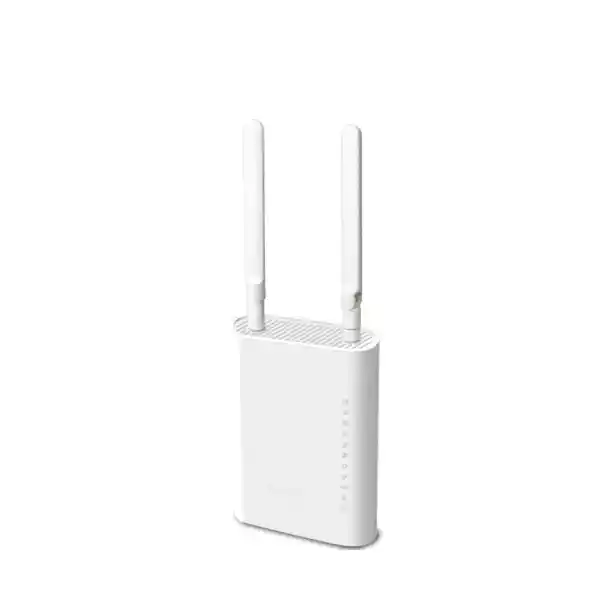
The VigorAP 905 measures approximately 115 mm wide, 158 mm high and 40 mm deep, with a weight around 330 g. DrayTek supports wall and desktop installation. The unit uses external antennas along with an internal 5 GHz antenna arrangement, so the orientation of the product and antennas should follow the installation guidance rather than being treated as cosmetic.
Power can be supplied through 802.3af/at PoE input or by the 12V DC power input. DrayTek states a maximum power consumption of 17 W. When using PoE, calculate switch budget across all powered devices, not only one AP. A switch may support PoE+ per port while still having a total chassis power budget that limits how many high-draw devices can run simultaneously.
The stated operating temperature range is 0°C to 40°C, with operating humidity of 10% to 90% non-condensing. This is especially relevant in the UAE. Indoor equipment should not be installed in unconditioned roof spaces, exposed outdoor enclosures or locations that can exceed the supported range. High ambient temperature can reduce reliability and may place the device outside its specified operating environment.
Cable routing should protect Ethernet from sharp bends, electrical interference and physical damage. Wall installations should provide enough slack for service without leaving connectors under tension. Label both ends of every cable and record the switch port, VLAN role and AP location. Good physical documentation shortens troubleshooting and makes future upgrades far easier.
Antenna characteristics and placement strategy
DrayTek lists two external dipole antennas and an internal 5 GHz antenna arrangement for the VigorAP 905. The international specifications state antenna gain around 1.87 dBi for 2.4 GHz and 5.72 dBi for 5 GHz, while regional documentation may describe the antenna implementation in slightly different terms. Rather than choosing placement based on gain figures alone, installers should focus on the actual coverage pattern at the site.
Access points should generally be placed near the users they serve, not hidden inside dense cabinets or behind metal structures. Metal shelving, lift shafts, reinforced concrete and reflective surfaces can distort radio propagation. Mounting an AP at one extreme of a floor and increasing power is rarely as effective as placing APs where the client population is located.
The uplink cable path can influence placement decisions. Because the unit supports PoE+, it does not require a nearby mains outlet when powered from a suitable switch. This allows the network design to prioritise RF position instead of electrical convenience. In a new fit-out, coordinate AP cabling with ceiling, wall and furniture plans before finishes are complete.
After installation, verify signal from both bands with representative client devices. A phone may have a weaker antenna system than an enterprise laptop, so surveying only with a powerful test adapter can overestimate practical coverage. Validation should include edge locations, closed-door conditions and expected occupancy where possible.
Understanding 160 MHz channels: maximum rate versus channel reuse
The VigorAP 905 supports 5 GHz channel widths up to 160 MHz. This is useful when a compatible client requires high local throughput and the RF environment has enough contiguous spectrum. However, a wider channel consumes more frequency resources and reduces the number of non-overlapping channels available for neighbouring APs. In a multi-AP office, 80 MHz or even 40 MHz operation can sometimes deliver higher aggregate capacity because the network can reuse spectrum more effectively.
A practical design therefore starts with the application. If a single creative workstation regularly transfers large files to a local server and the site has low interference, a wide channel may be valuable. If dozens of users share several APs across one floor, narrower channels can reduce contention between cells. The fastest configuration for one benchmark is not automatically the best configuration for a whole building.
DFS channels can provide additional 5 GHz spectrum, but access points using DFS must respond to radar-detection requirements in applicable regulatory domains. Channel availability and transmit-power limits vary by country and firmware region. UAE deployments should use hardware and firmware intended for the local market and follow the applicable national spectrum requirements rather than copying channel settings from another region.
Auto-channel features can provide a starting point, but managed networks benefit from periodic review. Neighbouring tenants can change their Wi-Fi configuration, new APs may appear and interference patterns can evolve. A channel plan that worked at commissioning should not be assumed to remain optimal indefinitely.
Network integration with firewalls, switches and servers
The access point is only one component in the end-to-end path. A strong Wi-Fi signal does not guarantee a fast or secure application experience if the switching layer is congested, VLANs are misconfigured, the firewall is overloaded or DNS and server services are slow. Integrating the VigorAP 905 therefore requires coordinated planning across the LAN, security gateway and service infrastructure.
The upstream switch should provide the required VLAN trunking, PoE budget and port speed. If the AP is expected to benefit from the 2.5GbE uplink, the switch port must also support 2.5GbE. The firewall or router should terminate VLAN gateways, enforce inter-segment policy and provide the necessary WAN capacity. DHCP and DNS services must be reachable from each allowed segment. RADIUS services must be available to enterprise-authenticated SSIDs.
Where on-premises workloads, surveillance archives or file services generate substantial east-west traffic, server and storage connectivity should be sized accordingly. FourTeck’s Server Dubai solutions can be incorporated into a wider design where WLAN users require reliable access to local compute and storage resources.
For security architecture, the wireless VLAN plan should align with firewall zones. Management interfaces can be isolated to an administrative subnet, guest users can be restricted to internet access, and IoT devices can be limited to only the services they require. This reduces lateral exposure and creates clearer troubleshooting boundaries when an issue occurs.
Backward compatibility and legacy device strategy
The VigorAP 905 supports modern Wi-Fi 6 while remaining compatible with earlier 802.11 standards on the relevant bands. This matters because many organisations cannot replace every wireless endpoint at once. Legacy printers, handheld scanners, older laptops and embedded systems may continue operating while newer devices take advantage of Wi-Fi 6 capabilities.
Backward compatibility is useful, but very old devices can have a disproportionate impact on airtime and security. Low data rates consume more channel time, and obsolete security methods may weaken a shared SSID. Administrators should inventory legacy clients and decide whether they genuinely need wireless access. Where replacement is not immediately possible, place them in dedicated segments and apply restrictive policy.
Airtime fairness can help reduce the effect of slower stations, but it cannot turn old radios into modern ones. Likewise, band steering only helps dual-band clients; a 2.4 GHz-only device will remain on 2.4 GHz. The best long-term strategy is lifecycle management: identify old endpoints, understand why they remain, and plan replacement before they become a security or support problem.
During migration, test key legacy systems before replacing an existing WLAN wholesale. Authentication behaviour, hidden SSIDs, unusual power-saving implementations and old drivers can produce surprises. A pilot AP in a representative zone can reveal compatibility issues while the legacy network is still available as a fallback.
Wi-Fi scheduling and operational policy
The VigorAP 905 supports scheduling functions that can be used to control wireless availability according to business hours or operational policy. In some environments, a guest SSID may only be needed during customer-facing hours. A training SSID might be enabled for scheduled events. Turning off unnecessary services outside their required window can reduce exposure and make the active network easier to understand.
Schedules should be used carefully when critical devices depend on Wi-Fi around the clock. Facilities teams, security staff, overnight maintenance or automated systems may still require connectivity after normal office hours. Document which SSID is subject to which schedule and confirm that emergency or operational workflows are not unintentionally interrupted.
Time-based control can also support policy enforcement for environments such as classrooms or shared venues. However, a schedule is not a substitute for authentication and firewall controls. If a network must be protected during its active hours, it still requires appropriate encryption, identity and segmentation.
When central management is used, standardised schedules can be applied consistently across access points. This reduces configuration drift between branches. Naming conventions, configuration templates and change records are particularly valuable when the same SSID appears in many locations.
USB, controls and serviceability
The VigorAP 905 includes a USB 2.0 interface, WPS button, factory reset control, power button and DC input in addition to its Ethernet ports. Physical controls simplify bench setup and recovery, but production installations should be located so unauthorised users cannot casually reset or manipulate the device. A reset can remove configuration and create avoidable downtime.
WPS can simplify onboarding in some consumer-style scenarios, but enterprise environments often disable convenience mechanisms that are not required by policy. Where corporate devices use RADIUS or managed pre-shared credentials, standardised onboarding procedures provide better control and auditability than ad hoc button-based pairing.
Serviceability should be considered when selecting a wall location. The AP should be reachable by technicians without major disruption, yet not so accessible that it can be unplugged accidentally. Patch leads should be labelled, and the upstream switch port description should include the AP name and physical location. A logical naming standard such as DXB-HQ-F2-AP03 is more useful operationally than relying on default hostnames.
Keep the serial number, purchase reference, firmware version and installation date in the asset register. This information assists warranty handling, lifecycle planning and troubleshooting. If multiple models are deployed, also record each model’s power and port requirements so replacement units are chosen correctly.
Performance expectations: how to read the numbers correctly
Wireless product specifications use PHY link rates because they describe the radio connection negotiated under supported conditions. Application throughput is always lower. Wi-Fi carries protocol overhead, acknowledgements, contention intervals, encryption overhead and management traffic. The client’s own radio may support fewer spatial streams or narrower channels than the access point. Distance and interference can force lower modulation rates. For these reasons, a 2400 Mbps link-rate specification should not be presented to users as a guaranteed 2.4 Gbps file-transfer speed.
The 2.5GbE uplink is still valuable because it gives the access point room to carry aggregate traffic from many clients without being automatically capped at one gigabit on the wired side. In practice, aggregate throughput also depends on the switching path, firewall, server, internet service and the number of simultaneous radios and clients.
For acceptance testing, define metrics that match the business requirement. A voice deployment may prioritise stable latency, roaming and packet loss. A creative office may prioritise local file-transfer speed. A guest network may focus on fairness and internet browsing rather than maximum per-user rate. Testing should be performed from multiple locations and at representative load levels.
A single speed-test result next to the AP is not sufficient evidence of overall WLAN quality. Measure coverage, retransmissions, channel utilisation, client distribution, uplink negotiation speed and application performance. The strongest deployment is one where the technical acceptance criteria are documented before installation and verified afterward.
How to position the VigorAP 905 in a modern network refresh
The VigorAP 905 is well positioned for organisations that are moving from older Wi-Fi 5 or early Wi-Fi 6 equipment and want a strong dual-band platform without requiring 6 GHz. Its 2.5GbE uplink makes it more suitable for multi-gigabit access switching than access points limited to 1GbE. The four additional LAN ports also differentiate it for edge locations where nearby wired equipment would otherwise require an extra switch.
A refresh project should begin with current-state assessment. Record AP locations, switch models, PoE budgets, cable categories, VLANs, SSIDs, security modes, client counts and recurring user complaints. Then identify which constraints are caused by RF coverage, which by capacity, and which by upstream infrastructure. Replacing the AP cannot fix a saturated WAN circuit or an overloaded firewall.
Where the network has unmanaged switches and one flat subnet, a Wi-Fi refresh is an opportunity to improve architecture. Introduce managed switching, VLANs, central authentication and documented management networks. The VigorAP 905 supports these practices and therefore can form part of a larger modernisation rather than merely replacing a radio device.
If the organisation expects to adopt Wi-Fi 7 or 6 GHz immediately, the AP selection should be revisited because the VigorAP 905 is a Wi-Fi 6 dual-band product, not a Wi-Fi 7 tri-band model. Choosing the right generation depends on client roadmap, spectrum needs, budget and expected service life.
Procurement guidance for UAE buyers
A business access-point purchase should include more than the unit price. Confirm the exact regional model, power accessories, warranty terms, firmware support path, required mounting parts and whether the switching infrastructure can provide PoE+ at the desired port speed. If multi-gigabit operation is important, verify that both switch and cabling support 2.5GbE rather than assuming every Gigabit installation can negotiate faster.
Ask for a design bill of materials rather than buying APs in isolation. The bill should account for switches, PoE budget, patch panels, cabling, firewall interfaces, UPS capacity, any central management requirements and installation labour. For multiple branches, standardising the model can simplify spares and operations, but the quantity at each site should be based on coverage and capacity needs.
Regional radio settings must follow the applicable local requirements. Use authorised hardware and the correct regulatory domain. Channel availability and transmit power should not be copied from documentation intended for another geography. For critical deployments, request an RF survey and post-install validation rather than relying only on floor-plan estimates.
FourTeck can support procurement, configuration and rollout planning through its UAE network portfolio. Product selection can be combined with switching, security gateway, structured cabling and endpoint requirements so the WLAN is purchased as part of a complete system rather than as a collection of isolated access points.
Recommended network architecture for a small-to-medium site
A practical architecture starts with an internet edge firewall connected to a managed PoE+ access switch. The switch provides a 2.5GbE trunk to each VigorAP 905 where supported, carrying the required VLANs. The firewall or Layer 3 core provides inter-VLAN routing and security policy. Corporate, guest, voice and IoT networks receive separate addressing and firewall rules. A RADIUS service provides identity for employee Wi-Fi, while DHCP and DNS are centrally managed.
Management traffic should be isolated from ordinary users. AP management interfaces can reside in a dedicated VLAN reachable only from approved administrator networks or a secure remote-access platform. Switch management and firewall management can use the same or a related restricted segment. This reduces exposure of infrastructure interfaces to compromised endpoints.
For resilience, the UPS should support the firewall, core switch and PoE load for the required hold-up period. If the access switch loses power, PoE-powered APs also shut down, so the wireless network’s availability depends on switching power. Distributed sites may require dual WAN or cellular backup, but that is separate from access-point redundancy.
Central logging should collect relevant firewall, switch, RADIUS and AP events so troubleshooting can follow the full connection path. Where several APs are deployed, VigorACS or the virtual controller features can provide consolidated operational visibility. The result is a manageable architecture where configuration, identity, routing, security and wireless behaviour are deliberately coordinated.
Common deployment mistakes to avoid
Using maximum channel width everywhere: 160 MHz can be useful, but in multi-AP environments it can reduce channel reuse. Choose width based on density and interference, not the largest available setting.
Placing the AP for cabling convenience: wireless coverage should drive location. PoE exists partly so the AP can be installed where RF performance is best rather than beside a mains outlet.
Treating 256 clients as a recommended load: the supported association count is not the same as the number of simultaneous high-bandwidth users that should share one radio cell.
Running one flat network: corporate users, guests and IoT devices should not automatically share unrestricted access. Use SSIDs and VLANs to create meaningful trust boundaries.
Ignoring the switch: a 2.5GbE access point connected to a 1GbE-only switch will operate, but it cannot gain multi-gigabit uplink capacity. Confirm port speed and PoE budget.
Assuming roaming is automatic: client behaviour, RF overlap and power levels matter. Test representative devices while moving through the site.
Skipping post-install validation: floor plans cannot fully predict real propagation. Measure the deployed network under realistic conditions and adjust it.
Technical specification details
| Wireless generation | Wi-Fi 6 / IEEE 802.11ax, dual band |
| 2.4 GHz standards | 802.11 b/g/n/ax |
| 5 GHz standards | 802.11 a/n/ac Wave 2/ax |
| Maximum link rates | Up to 600 Mbps at 2.4 GHz and up to 2400 Mbps at 5 GHz |
| Maximum concurrent clients | Up to 256 total |
| SSIDs | Up to 16 total, eight per band |
| Wireless efficiency | OFDMA, MU-MIMO, BSS colouring, transmit beamforming, 1024-QAM, airtime fairness and band steering |
| Roaming | AP-assisted roaming, pre-authentication, 802.11k, 802.11v and 802.11r |
| Operating modes | Access Point, Mesh Root, Mesh Node and Range Extender |
| Security | OWE, WPA, WPA2, WPA3 and mixed modes; Personal and Enterprise authentication options |
| RADIUS | Supported |
| VLAN | 802.1Q tag-based VLAN support |
| Primary LAN | 1 × 2.5G/1G/100M/10M RJ-45, PoE input |
| Additional LAN | 4 × 1G/100M/10M RJ-45 |
| USB | 1 × USB 2.0 |
| Power | 802.3af/at PoE input or 12V DC |
| Maximum power consumption | 17 W |
| Management | Web UI, TR-069, Virtual AP Controller, VigorConnect and VigorACS support |
| Monitoring | SNMP v1/v2c/v3, syslog, client lists, LLDP neighbour information, ping and trace tools |
| Dimensions | 115 × 158 × 40 mm |
| Weight | Approximately 330 g |
| Operating temperature | 0°C to 40°C |
| Operating humidity | 10% to 90% non-condensing |
Specifications can vary by regional hardware or firmware build. Confirm the exact UAE-supplied unit, firmware train and regulatory settings before final deployment.
What is included and what else may be required
DrayTek’s standard package information lists the VigorAP 905, Ethernet cable, external antennas, power adapter and quick-start documentation. Actual local packaging should be confirmed at quotation stage because regional bundles can differ. If the unit is powered by PoE+, the supplied DC adapter may not be required for day-to-day operation but remains useful for bench configuration or troubleshooting.
A complete installation may additionally require a PoE+ switch or injector, multi-gigabit switching if 2.5GbE is desired, structured cabling, patch cords, wall fixings appropriate to the surface, a UPS and a firewall/router with VLAN support. Enterprise authentication may require a RADIUS service and certificate infrastructure. Central management across multiple sites may justify VigorACS deployment.
For office rollouts, include professional configuration time in the project budget. SSIDs, VLANs, security modes, DHCP, firewall policy, monitoring and naming should be standardised before technicians deploy many units. Pre-staging reduces site time and makes troubleshooting more consistent.
Spare strategy depends on business criticality. A single small office may accept next-business-day replacement, while a chain of branches may keep one preconfigured spare per region. Configuration backups should be stored securely so replacement hardware can be restored quickly.
Frequently asked technical questions
Is the VigorAP 905 a router?
Its primary role is a wireless access point rather than a full internet-edge security router. It includes DHCP-related functions and multiple operating modes, but most business deployments connect it to an upstream router or firewall that handles WAN connectivity, routing and security policy.
Does it support Wi-Fi 6E or Wi-Fi 7?
No. The VigorAP 905 is a dual-band Wi-Fi 6 product operating on 2.4 GHz and 5 GHz. It does not provide a 6 GHz radio or Wi-Fi 7 features such as multi-link operation.
Can it run from a standard Gigabit switch?
Yes, the 2.5GbE port can negotiate at lower Ethernet rates, so the AP can operate on Gigabit infrastructure. To use PoE power, the switch must provide a compatible PoE standard. To gain 2.5GbE wired capacity, the switch port and cabling must support 2.5GbE.
Can one VigorAP 905 cover an entire office?
Possibly in a small open space, but coverage depends on floor area, walls, interference, client requirements and placement. Business designs should use survey data and capacity estimates rather than a generic square-metre promise.
Can it support separate employee and guest Wi-Fi?
Yes. Multiple SSIDs and 802.1Q VLAN support allow employee, guest and other services to be separated, with the upstream firewall enforcing different access policies.
Does it support WPA3 Enterprise?
DrayTek lists WPA3 and enterprise authentication support together with RADIUS capability. Exact security-mode availability can depend on firmware and client compatibility, so enterprise authentication should be validated in the intended deployment profile.
Is mesh a replacement for Ethernet?
Mesh is a useful alternative where cabling is impractical, but wired backhaul generally provides more predictable capacity because it does not consume wireless airtime for inter-AP transport. Use mesh where its deployment flexibility outweighs that trade-off.
How many access points can it manage?
DrayTek lists a Virtual AP Controller capability for up to 20 devices in the applicable management mode. Larger or multi-site estates can use dedicated central-management platforms such as VigorACS.
Decision recap: when the VigorAP 905 is a strong fit
Choose it for Wi-Fi 6 efficiency
Suitable when a dual-band AX3000 platform with OFDMA, MU-MIMO, WPA3 and modern roaming support matches the client roadmap.
Choose it for multi-gigabit uplink
The 2.5GbE PoE+ port is valuable when aggregate wireless traffic can exceed what a 1GbE uplink comfortably handles.
Choose it for local wired devices
Four additional Gigabit ports can simplify clinics, counters, meeting areas and advanced residential installations.
Choose it for segmented WLANs
Multiple SSIDs, VLAN tagging and enterprise authentication support make it appropriate for corporate, guest and IoT separation.
Choose it for managed deployments
Virtual controller and VigorACS support help standardise configuration and monitoring across multiple access points or sites.
Reconsider if 6 GHz is mandatory
The VigorAP 905 is dual-band Wi-Fi 6. Projects requiring Wi-Fi 6E or Wi-Fi 7 should evaluate a different radio platform.
Quotation input checklist
For an accurate VigorAP 905 quotation and deployment plan in the UAE, provide the information below. This helps determine AP quantity, switching requirements, PoE budget, cabling scope, configuration effort and whether mesh is appropriate.
Emirate, building type, approximate area, number of floors and available drawings.
Typical and peak users by zone, plus expected number of phones, laptops and specialist devices.
Voice, video meetings, cloud apps, local servers, POS, guest access, scanning, streaming or large file transfers.
Switch model, PoE capability, available ports, 2.5GbE support and remaining power budget.
Cable category, patch-panel condition, existing AP drops and whether new structured cabling is permitted.
Required SSIDs, VLANs, RADIUS, guest isolation, firewall rules and management access model.
Current AP models, known dead zones, interference problems, roaming issues and client complaints.
Standalone site, multiple branches, central monitoring needs, reporting expectations and maintenance ownership.
Plan a DrayTek VigorAP 905 deployment with FourTeck UAE
The VigorAP 905 is most effective when it is selected as part of a complete network design. Its AX3000 Wi-Fi 6 radios, 2.5GbE PoE+ uplink, four integrated Gigabit ports, WPA3 security, enterprise authentication, VLAN support, mesh functionality and roaming features give network designers a flexible platform for offices, clinics, retail spaces, hospitality environments and advanced residential networks. The hardware can deliver strong capability, but the final user experience still depends on AP placement, channel planning, switching capacity, firewall policy, cabling quality and client behaviour.
FourTeck can help define the WLAN architecture, validate existing switching and cabling, create SSID and VLAN policy, coordinate firewall rules, stage the access points and plan site acceptance testing. For security-gateway integration and perimeter design, visit Firewall Dubai. The objective is to deliver a wireless network that is not merely fast beside the access point, but stable, segmented and manageable throughout the areas where users actually work.
When requesting a quotation, include the site size, floor plans where available, expected user count, number of AP locations, existing switch model, required SSIDs and VLANs, authentication method, and whether installation or configuration services are required. This information allows the solution to be sized around the environment instead of relying on generic coverage claims.

Reviews
There are no reviews yet.