
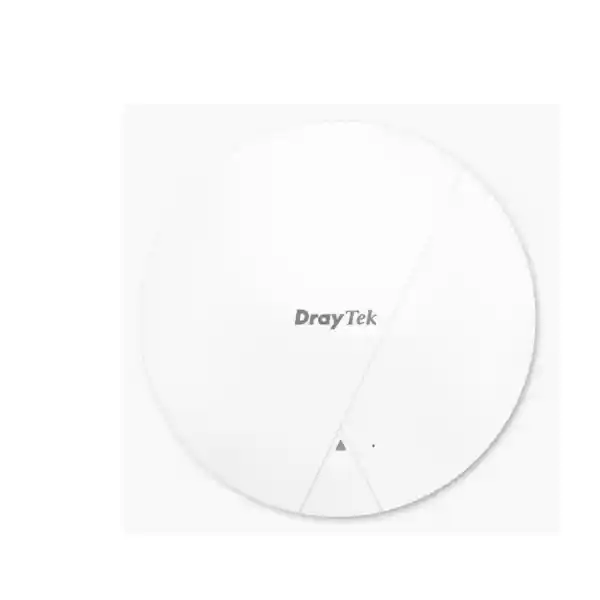
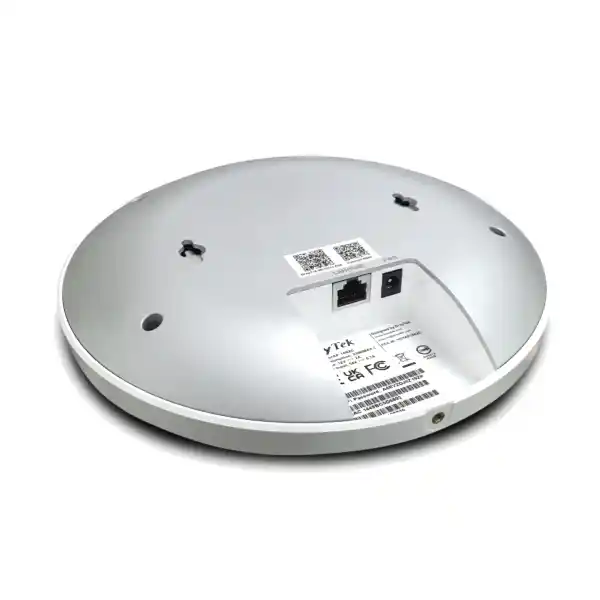
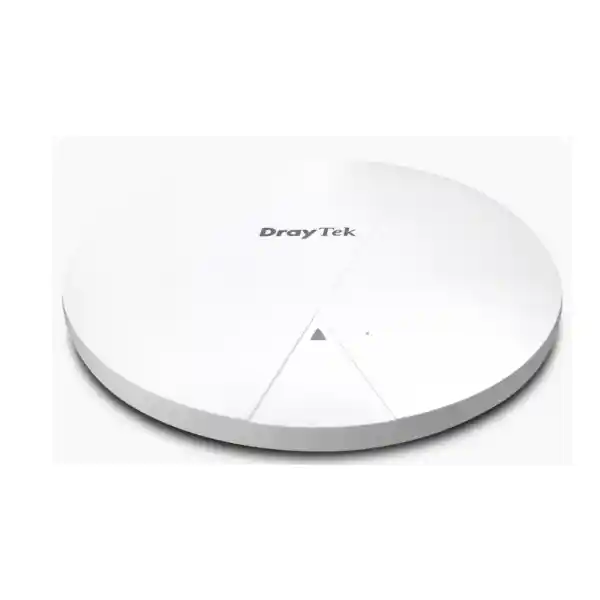
DrayTek VigorAP 1062C in Dubai & UAE
A high-density ceiling-mount Wi-Fi 6 access point for organizations that need fast 5 GHz capacity, a multi-gigabit wired uplink, secure SSID segmentation, assisted roaming, mesh flexibility and centralized DrayTek management without moving to a cloud-only WLAN architecture.
Direct answer: where the VigorAP 1062C fits
The DrayTek VigorAP 1062C is an indoor dual-band Wi-Fi 6 access point aimed at busy business networks rather than simple residential coverage. Its strongest design case is a location where many laptops, phones, tablets, collaboration devices, handheld terminals and IoT clients must share the same RF space while the wired infrastructure is capable of feeding more than 1 Gbps to the access layer. The access point combines four internal antennas, OFDMA, MU-MIMO, airtime fairness, band steering, multiple SSIDs, VLAN support and enterprise authentication options with a 2.5GbE LAN port. That combination matters because a modern AP can have substantial aggregate radio capacity even when individual client devices connect at much lower rates.
For Dubai and UAE deployments, the product is particularly relevant to professional offices, education environments, clinics, retail branches, hospitality spaces, meeting-heavy workplaces, warehouses with office zones, managed service deployments and sites already standardized on DrayTek routing or management. It can operate as a conventional wired access point, a Mesh Root, a Mesh Node or a range extender. It also supports DrayTek management approaches ranging from direct web administration to router-based AP management, the built-in Wireless Virtual Controller function, VigorConnect and VigorACS. This gives network designers a choice between local administration and broader centralized operations.
The model should not be confused with Wi-Fi 6E or Wi-Fi 7 products. VigorAP 1062C uses the 2.4 GHz and 5 GHz bands and does not provide a 6 GHz radio, Multi-Link Operation or 4K-QAM. For organizations that specifically require 6 GHz spectrum, a different access-point class is appropriate. For organizations whose client fleet remains predominantly 2.4 GHz and 5 GHz, however, the VigorAP 1062C focuses its radio resources on the bands that most existing enterprise devices can use.
Maximum advertised link rate for 802.11b/g/n/ax clients on the 2.4 GHz radio.
Maximum advertised link rate for compatible 802.11a/n/ac/ax clients on the 5 GHz radio.
One RJ-45 port supporting 2.5G/1G/100M/10M connectivity and PoE power input.
DrayTek states support for up to 256 concurrent clients shared across the two radios.
Technical specification overview
| Category | DrayTek VigorAP 1062C |
|---|---|
| Wireless generation | Wi-Fi 6 / IEEE 802.11ax with backward compatibility for earlier 2.4 GHz and 5 GHz standards. |
| Radio bands | Concurrent 2.4 GHz and 5 GHz. No 6 GHz radio. |
| Maximum link rates | Up to 1,200 Mbps on 2.4 GHz and up to 4,800 Mbps on 5 GHz. |
| Ethernet | 1 × RJ-45 supporting 2.5G/1G/100M/10M. |
| Power | PoE+ input through Ethernet or 12 V DC at 2 A. Maximum listed power consumption: 23 W. |
| Antennas | 4 internal dual-band antennas; listed gain 4.2 dBi at 2.4 GHz and 4.9 dBi at 5 GHz. |
| Efficiency features | OFDMA, MU-MIMO, airtime fairness and band steering. |
| Roaming | AP-assisted roaming, PMK caching, pre-authentication and support for 802.11r, 802.11v and 802.11k. |
| Security | WPA3, WPA3/WPA2, WPA2 and enterprise authentication options including RADIUS. |
| VLAN | 802.1Q tag-based VLAN support for segmented WLAN designs. |
| Operating modes | Access Point, Mesh Root, Mesh Node and Range Extender. |
| Management | Local management, compatible DrayTek router AP management, Wireless Virtual Controller, VigorConnect and VigorACS. |
| Virtual AP controller scale | Up to 50 AP devices in AP management mode; smaller managed deployments can use root/mesh behavior depending on topology. |
| Physical size | 208 × 208 × 32.1 mm; approximately 812.6 g. |
| Environment | Indoor ceiling installation; 0°C to 40°C operating temperature and 10% to 90% non-condensing humidity. |
Advertised wireless rates are PHY/link-rate figures under supported configurations, not guaranteed application throughput. Client capability, channel width, RF noise, distance, contention, security processing, upstream capacity and application behavior all influence real-world performance.
Why AX6000 matters in a business WLAN
AX6000 is an aggregate radio-class designation, not a promise that a single laptop will transfer data at 6 Gbps. The practical value is that the access point has substantial aggregate radio capability across both bands. In a busy office, dozens of clients are continuously taking turns to transmit management traffic, DNS requests, cloud application data, voice packets, meeting video, synchronization traffic and background updates. A higher-capacity radio platform gives the scheduler more resources to distribute among active clients, especially when those clients support modern Wi-Fi 6 features.
The 5 GHz radio is the primary performance engine for most modern enterprise endpoints. Its advertised maximum link rate of 4.8 Gbps reflects a high-capacity radio configuration that can exploit wide channels and multiple spatial streams when client support and local spectrum conditions permit. In real deployments, a network engineer may deliberately choose narrower channels than the maximum because channel reuse and predictable capacity can be more valuable than headline per-client speed. In dense office floors, multiple access points using carefully planned 20 MHz or 40 MHz channels can often support more simultaneous users than a small number of APs each occupying very wide spectrum.
The 2.4 GHz radio remains important for legacy clients, IoT endpoints, scanners, printers and devices that value coverage more than raw speed. Wi-Fi 6 functionality on 2.4 GHz is useful because the band is typically congested, and scheduling efficiency can be more important than peak throughput. However, 2.4 GHz has fewer non-overlapping channels and is exposed to interference from neighboring WLANs and non-Wi-Fi devices. A good UAE deployment therefore treats 2.4 GHz as a capacity and compatibility resource that must be engineered, not simply enabled at maximum power everywhere.
The combination of two radios also enables band steering. Compatible clients can be encouraged toward 5 GHz, preserving the 2.4 GHz band for equipment that genuinely needs it. Band steering is not magic: client devices still make many association decisions themselves. Its value is in influencing behavior across a managed WLAN so that a larger proportion of capable clients operate on the band that generally offers more channels and higher throughput.
Wi-Fi 6 efficiency: OFDMA, MU-MIMO and airtime use
Wi-Fi capacity is fundamentally shared airtime. Every associated endpoint does not receive a private radio channel; instead, stations compete and cooperate for transmission opportunities. This is why a network can show a strong signal while users still experience delay. High client counts, retransmissions, low data rates, hidden nodes and background chatter can consume airtime even when internet bandwidth is plentiful. The VigorAP 1062C uses Wi-Fi 6 mechanisms intended to make that shared medium more efficient.
OFDMA divides a wireless channel into smaller resource units so the access point can schedule transmission resources more efficiently for multiple clients. This is valuable when many endpoints are exchanging small or moderate amounts of data rather than one client dominating the channel. Typical enterprise traffic includes application acknowledgments, messaging, telemetry, web requests and short cloud transactions. Coordinating these transmissions can reduce wasted airtime compared with a purely sequential approach, assuming client devices support the relevant Wi-Fi 6 behavior.
MU-MIMO allows the radio system to serve multiple compatible clients concurrently using different spatial streams. Its benefit depends on RF conditions, client capabilities and traffic patterns, but in suitable environments it improves aggregate efficiency. Airtime fairness complements these features by preventing slower clients from consuming a disproportionate share of transmission time. This matters because an older device connected at a low data rate may need much longer to send the same amount of data than a modern client operating at a high rate.
For solution sizing, these technologies should be viewed as efficiency multipliers rather than substitutes for proper AP density. A single access point placed in a corridor cannot solve every coverage and capacity problem merely because it is Wi-Fi 6. Building materials, room geometry, ceiling height, neighboring WLANs, user distribution and application demand remain decisive. FourTeck designs should therefore begin with physical layout, expected devices, traffic types and wired infrastructure before deciding AP count and channel policy.
2.5GbE uplink: protecting the wired side from becoming the bottleneck
A high-capacity Wi-Fi 6 access point can aggregate traffic from many clients. If that AP were limited to a 1GbE uplink, the wired connection could become a constraint in demanding scenarios. The VigorAP 1062C therefore includes one 2.5GbE RJ-45 port supporting lower Ethernet rates as well. When connected to a compatible multi-gigabit switch, the AP can move more than 1 Gbps of aggregate wired traffic without requiring a 10GbE edge port.
Multi-gigabit switching is especially useful where cabling is already installed and the organization wants higher access-layer bandwidth without replacing every copper run. Actual 2.5GbE operation still depends on cabling condition, termination quality, switch support and distance. A structured cabling audit is therefore valuable before assuming that every existing run can negotiate multi-gigabit speed reliably. Patch panels, couplers, old patch cords and poor terminations can be the weak point even when horizontal cabling itself is adequate.
The upstream design must also be considered. If ten APs each have a 2.5GbE connection to an access switch, the switch uplinks to the distribution layer need enough capacity for realistic simultaneous traffic. It is not necessary to provision the theoretical sum of every radio and Ethernet port, because wireless users do not all transmit at maximum rate continuously, but oversubscription should be intentional rather than accidental. Meeting rooms, design teams, local file transfers and backup windows can create concentrated bursts that expose undersized uplinks.
For organizations planning an upgrade, FourTeck IT Services UAE can align the access point deployment with switching, VLAN, cabling and uplink requirements. The AP is only one component of the end-to-end path; the user experience also depends on DHCP, DNS, routing, firewall policy, WAN capacity and application services.
PoE+ and power design for clean ceiling deployment
Single-cable installation
PoE allows data and power to reach the AP over the Ethernet run, which avoids placing a local electrical outlet beside every ceiling unit. This simplifies visual presentation and can make centralized UPS protection practical when the PoE switch itself is backed by a UPS.
Budget the switch, not only the port
A switch may advertise PoE on every port while providing a total chassis power budget that is lower than the sum of all maximum port values. The VigorAP 1062C lists maximum consumption of 23 W, so designs should consider the number of APs, other PoE devices and headroom.
The AP supports PoE input as well as 12 V DC power. In enterprise deployments, PoE is usually the more manageable option because power can be monitored and cycled centrally from the access switch. This can simplify troubleshooting when an AP must be restarted remotely. The design should still confirm supported PoE standard, switch budget and cable length. Running every PoE switch at its absolute rated power leaves little room for expansion, transient conditions or additional endpoints such as IP phones, cameras and door controllers.
SSID and VLAN architecture: make wireless part of the security model
A professional WLAN should not place every wireless device into the same Layer 2 network. The VigorAP 1062C supports multiple SSIDs and 802.1Q VLAN tagging so different wireless roles can map into different network segments. A typical office may have a corporate SSID for managed staff endpoints, a guest SSID with internet-only access, an IoT SSID for devices that cannot support enterprise authentication, and a specialist SSID for voice, scanners or operations equipment.
Segmentation becomes effective only when the rest of the network enforces it. The switch port connected to the AP must carry the required VLANs, the Layer 3 gateway must route them, DHCP scopes must exist for each relevant segment, and firewall rules must define which networks can communicate. For example, guest clients may be allowed to reach the internet but denied access to RFC1918 corporate ranges. IoT endpoints may be permitted to reach a management server and DNS while being blocked from user subnets. Corporate devices can receive broader internal access based on policy.
This layered approach is stronger than trying to use an SSID name as a security boundary. The SSID provides the wireless association context; VLANs create network separation; authentication identifies users or devices; firewall policy controls inter-segment access; logging supports operations and investigation. The AP therefore participates in a wider architecture rather than functioning as an isolated radio appliance.
Organizations combining wireless segmentation with next-generation firewall policy can review FourTeck Firewall Dubai for broader gateway and security integration. The objective is not to force every environment into one vendor stack, but to make sure WLAN design, switching and security policy share the same logical segmentation plan.
WPA3, enterprise authentication and wireless hardening
The VigorAP 1062C supports modern wireless security choices including WPA3 and mixed WPA3/WPA2 modes. WPA3 is the preferred direction for capable managed clients, but enterprise environments often need a transition period because not every embedded device, printer or specialist terminal supports the newest security mode. Mixed operation can preserve compatibility while the organization gradually removes older endpoints. The exact policy should be based on the client inventory, not on a desire to expose every compatibility option indefinitely.
For staff networks, enterprise authentication through a RADIUS-backed design is usually preferable to one shared password across an entire organization. Individual or device-based credentials make access easier to revoke, improve accountability and reduce the operational impact of password disclosure. Depending on the identity platform, network policy can be coordinated with certificates, directory credentials or other enterprise mechanisms. Certificate-based approaches can also reduce phishing exposure compared with passwords, though they require certificate lifecycle management.
Legacy modes should be disabled where they are not required. WEP and older WPA options exist for compatibility in many networking products, but they should not be selected for a modern protected business WLAN. Security design should also consider management-plane access. Administrative interfaces should be reachable only from trusted management networks, strong unique credentials should be used, unused services should be disabled, firmware should be maintained, and logs should be sent to an appropriate monitoring destination when operational requirements justify it.
Wireless security is strongest when combined with endpoint posture, segmentation and gateway policy. A secure SSID cannot compensate for an unmanaged device that is already compromised, and a firewall cannot correct weak radio authentication if unauthorized users can join the corporate VLAN. Defense in depth means treating association security, VLAN design, identity, switching, routing and endpoint controls as connected parts of the same system.
Roaming: 802.11k, 802.11v, 802.11r and client behavior
In a multi-AP network, users expect their devices to remain connected as they move between meeting rooms, work areas and corridors. Roaming is not simply an AP feature because the client device makes the final decision about when to leave one access point and join another. Some clients roam aggressively; others remain attached to a distant AP even when a closer one offers better conditions. This is the classic sticky-client problem.
The VigorAP 1062C supports assisted roaming functions including 802.11k, 802.11v and 802.11r, plus PMK caching and pre-authentication mechanisms. In broad terms, these technologies can provide clients with information about neighboring access points, suggest better roaming candidates and reduce some of the authentication overhead associated with a transition. Their practical effectiveness still depends on endpoint operating systems, drivers and application sensitivity.
Voice-over-Wi-Fi, real-time collaboration and mobile warehouse applications benefit most from disciplined roaming design because short interruptions may be noticeable. AP placement should create useful cell overlap without setting transmit power so high that clients can hear an AP long after they should have moved to the next one. The goal is neither maximum signal everywhere nor the largest possible cell. The goal is a sequence of predictable RF cells with enough overlap to support transitions and enough separation to preserve channel reuse.
A roaming issue should therefore be diagnosed using more than RSSI. Engineers should examine client capabilities, AP association history, retry rates, data rates, channel utilization, authentication timing and application behavior. Treating every roaming complaint as a coverage gap can lead to over-deployment, excessive co-channel contention and a worse overall WLAN.
Mesh Root, Mesh Node and range-extender modes
A wired Ethernet connection is generally the preferred backhaul for enterprise access points because it provides predictable capacity, low latency and a clear path into the switching fabric. However, there are sites where pulling a new cable to every location is difficult or temporarily impractical. The VigorAP 1062C includes mesh capabilities that allow compatible DrayTek access points to extend connectivity wirelessly.
In mesh operation, one AP acts as the root with wired access to the network while node APs use wireless backhaul. This can simplify expansion into areas where structured cabling is unavailable. The tradeoff is that wireless backhaul consumes RF airtime that would otherwise be available to client traffic. The effect depends on topology, channel choice and the number of hops. For bandwidth-intensive or latency-sensitive areas, wired backhaul remains the recommended target whenever it can be delivered economically.
DrayTek describes an intelligent auto-configuration behavior in which the VigorAP 1062C can determine topology and, in smaller managed deployments, operate as a Root AP managing up to seven Node APs. For larger environments, its Wireless Virtual Controller function can move into AP management mode for up to 50 access points. This creates a useful path from small branch deployment to a larger centrally managed WLAN without requiring a dedicated hardware controller for every site.
Mesh should still be designed rather than improvised. Node placement, signal strength to the parent, channel reuse and expected client traffic all matter. A mesh node installed at the edge of weak root coverage cannot create capacity from nothing; it must first receive a healthy backhaul signal. The best location for a mesh node is therefore usually not the location with no coverage, but an intermediate point that still has strong connectivity to the root and can extend service farther.
Management choices: local, router-based, virtual controller, VigorConnect and VigorACS
One of the practical strengths of the DrayTek ecosystem is that the same AP can participate in several management models. A very small site can use direct device administration. A location with a compatible DrayTek router can use router-based AP management for discovery, provisioning, monitoring and maintenance. A group of VigorAP devices can use the VigorAP 1062C’s Wireless Virtual Controller capability. Organizations needing broader management can use VigorConnect or VigorACS according to scale and operational requirements.
Router-based AP management
A compatible Vigor router can discover APs on the LAN, apply prepared WLAN profiles, show online status and trigger actions such as reboot, reset or configuration backup. This can be attractive for branches where the router is already the central network appliance.
Wireless Virtual Controller
The AP can act as a controller for a group of DrayTek access points, with the official specification listing management for up to 50 devices. This reduces the need for a separate physical controller in many small and mid-sized deployments.
VigorConnect
VigorConnect provides centralized discovery, provisioning, monitoring, alarms, maintenance and hierarchy functions for compatible DrayTek devices, making it useful when a local software management layer is preferred.
VigorACS
VigorACS extends centralized operations with provisioning, monitoring, hierarchy, alarms, scheduled maintenance and reporting, supporting service-provider or multi-site operational models where consistent policy and remote visibility are important.
The correct management model depends on ownership and scale. A single-site IT team may prefer local control, while an MSP may prioritize hierarchy, alarms and scheduled maintenance. The technical selection should account for firmware governance, role-based access, logging, backup, change control and the ability to recover quickly from a misconfiguration.
Capacity planning: count active devices, not only employees
The headline client capacity of up to 256 concurrent clients does not mean every design should load one AP with 256 busy devices. Association capacity and performance capacity are different. A lightly active IoT sensor consumes very little airtime compared with a laptop running an HD video meeting, cloud synchronization and large file transfers. A good WLAN design therefore estimates active device density, application demand and concurrency rather than dividing the number of employees by the maximum client count.
A modern employee may carry a laptop and smartphone and may also use a tablet, wearable or specialist device. A 100-person office can therefore have more than 200 client associations before considering meeting-room appliances, printers, TVs and IoT. The important question is how many of these endpoints will be active in the same RF cell at the same time. Conference rooms are a classic example: they may contain few users for much of the day and then become the highest-density location during an all-hands session.
Capacity planning should identify high-concurrency zones separately from general workspace. Reception areas, training rooms, classrooms, cafeterias, event areas and meeting suites can have short periods of intense demand. Placing APs only according to square meters can under-serve these areas. Conversely, adding APs too close together without power and channel tuning can increase co-channel contention. The engineering objective is balanced cell size, suitable channel reuse and sufficient wired capacity.
For organizations requesting a quotation, FourTeck can size the WLAN based on floor drawings, construction materials, ceiling heights, user distribution, critical applications, client mix and existing cabling rather than using a simplistic one-AP-per-area formula. Procurement becomes more accurate when quantity is derived from operational requirements instead of generic coverage claims.
RF planning for Dubai and UAE buildings
Wireless propagation changes substantially with building construction. Open offices with lightweight partitions behave differently from reinforced concrete interiors, glass-heavy fit-outs, warehouses with metal racking or hospitality properties with many small rooms. The VigorAP 1062C’s internal antenna system is designed for ceiling placement, where the AP can serve the area below and around it with fewer obstructions than a unit placed inside a cabinet or above dense mechanical infrastructure.
Ceiling height matters. Mounting an AP far above the user plane can change cell shape and reduce effective signal at client level, particularly when obstacles sit below the AP. Warehouse deployments may therefore need different placement and quantity assumptions than conventional offices. In spaces with metal shelving, the RF environment can change when racks are filled, because inventory alters reflection and attenuation. A survey conducted in an empty shell should be treated as a preliminary baseline rather than a perfect model of the finished site.
Transmit power should be engineered with the client in mind. Access points can often transmit more strongly than battery-powered client devices. A phone may hear the AP at a distance but be unable to return a signal with equal strength, producing an asymmetric link. Excessive AP power can also make cells too large, causing sticky associations and increasing co-channel overlap. Balanced power settings help create cleaner roaming boundaries and better channel reuse.
The regulatory domain and permitted channel behavior must match the country of installation. Channel selection, DFS behavior and transmit limits should be configured according to UAE regulations and the product’s supported regional configuration. Importing equipment intended for another market without confirming regulatory compatibility is not a sound enterprise practice. Local procurement and correct regional firmware/configuration reduce avoidable compliance and support issues.
Channel width strategy: fastest is not always best
Wide channels can deliver high link rates to capable clients, but they consume more spectrum. In a small isolated office with limited neighboring networks, wide 5 GHz channels may be appropriate. In a dense multi-AP floor, narrower channels can create more reusable channel assignments and reduce the probability that nearby cells compete on the same frequency. This can improve total system capacity even though a single client sees a lower maximum link rate.
The decision should consider the number of APs, neighboring WLANs, application profile and client capabilities. A design optimized for large local file transfers is different from a design optimized for hundreds of cloud application clients. Many enterprise applications need consistent low latency and moderate throughput, not multi-gigabit speed to each endpoint. Consistency across the floor is therefore a better goal than maximizing one speed-test result beneath a single AP.
Automatic channel selection can be useful, but it should be monitored rather than treated as infallible. RF conditions change with neighboring tenants, temporary events and new equipment. Periodic review of channel utilization, retries and client experience helps determine whether the automatic plan remains appropriate.
Application design: collaboration, voice, video and cloud workloads
Business WLANs now carry traffic that once depended on wired desktops. Video meetings are sensitive to packet loss, jitter and latency; voice is even more sensitive to short interruptions; cloud productivity tools generate many small interactive transactions; browser applications require reliable DNS and internet routing; and large synchronization jobs can create sustained background load. The VigorAP 1062C has the radio and wired characteristics to participate in these environments, but application quality depends on the entire network path.
For real-time traffic, quality of service should be coordinated across wireless, switching and WAN components. WMM support on the WLAN is one element. The network should also prevent bulk traffic from saturating uplinks, make sure internet connectivity has sufficient headroom, and monitor WAN latency. A meeting can fail even with an excellent Wi-Fi signal if the site firewall is overloaded or the internet circuit has upstream packet loss.
Roaming deserves special attention for voice handsets and mobile softphone users. A phone moving between cells must reassociate quickly enough that the user does not hear a noticeable break. Assisted roaming features can help, but handset behavior and authentication design are equally important. Testing should therefore use the actual client models that matter to the business rather than assuming every Wi-Fi 6 device behaves identically.
For high-throughput local workflows such as media transfer, CAD files or backup, 2.5GbE uplink capability is beneficial, but the server and switching path must be capable of receiving the traffic. If storage remains connected through a congested 1GbE path, faster wireless at the edge will not improve end-to-end transfer beyond that bottleneck.
Guest Wi-Fi and BYOD without exposing the corporate LAN
Guest access is common in UAE offices, clinics, showrooms and hospitality-facing businesses. A guest SSID should be designed as an untrusted network, even when visitors are known personally. The safest default is internet access without reachability to internal servers, printers, management interfaces or other sensitive VLANs. Guest traffic can be mapped to a dedicated VLAN and controlled at the firewall so that policy remains clear and auditable.
BYOD is different from guest access because employees may need limited internal resources from personally owned devices. Rather than collapsing BYOD into the same network as managed corporate laptops, organizations can define a separate SSID and VLAN with constrained access to specific applications. Identity-aware authentication can further differentiate users where the supporting infrastructure allows it.
IoT should usually be treated as a third category. Many IoT products have long lifecycles, limited patching capability and weak authentication support. Placing them in a dedicated VLAN limits the impact of a compromised device and makes traffic easier to monitor. Firewall policy can allow only the destinations and protocols needed for the device to function. This is more robust than trusting an endpoint solely because it knows a Wi-Fi password.
The VigorAP 1062C’s multiple SSID and VLAN features provide the wireless entry point for these segmented designs. The final security outcome, however, depends on consistent switch trunks, gateway interfaces, DHCP scopes and firewall rules.
Deployment patterns for UAE organizations
Corporate office
Use wired 2.5GbE uplinks where available, separate staff, guest and IoT SSIDs with VLANs, tune transmit power for predictable roaming and use central monitoring for AP status and configuration consistency.
School or training centre
Plan around classroom concurrency rather than corridor coverage. Consider narrower channels for reuse, segment student and administrative traffic, and ensure switching and WAN capacity can handle synchronized cloud activity.
Clinic or healthcare office
Keep clinical, administrative, guest and device networks separated. Prioritize reliable roaming and strong authentication while validating that specialist devices support the selected Wi-Fi security mode.
Retail and showroom
Separate POS and business systems from guest access, design for customer peaks and ensure back-office devices maintain stable connectivity even when public areas become busy.
Hospitality common areas
Model high client turnover and varied device capabilities, engineer capacity around lobbies, meeting areas and lounges, and use segmentation to isolate guests from operational systems.
Branch network
Use standardized SSIDs, VLAN IDs and management templates across sites. Remote monitoring and backup become important when local technical staff are limited.
Multi-site standardization and operations
A multi-site WLAN succeeds when configuration is repeatable. SSID names, VLAN mappings, authentication methods, management addressing, firmware versions and monitoring policies should follow a defined standard. This reduces troubleshooting time because engineers know what to expect at each site. Standardization also simplifies replacement: a new AP can be provisioned according to a known template rather than configured ad hoc.
Central management is valuable not merely because it displays devices on one screen. Its deeper benefit is configuration governance. Changes can be planned, scheduled, documented and reviewed. Firmware upgrades can follow pilot groups rather than being applied everywhere at once. Alarm thresholds can highlight offline access points or abnormal conditions. Reports can show fleet health over time. These capabilities become increasingly important as the number of sites grows.
For organizations operating both UAE and African locations, FourTeck Africa can serve as a regional reference point alongside the UAE operation. Cross-region standardization should still account for local regulatory domains, procurement channels, support arrangements and internet conditions rather than assuming every site is identical.
Operational documentation should include AP naming convention, physical location, switch port, cable ID, management IP, serial number, firmware baseline, SSID mapping and escalation owner. These details are easy to omit during installation but become extremely valuable when troubleshooting months later.
Installation and structured cabling considerations
The physical installation should place the VigorAP 1062C where its internal antennas can serve the intended user area without unnecessary obstruction. Ceiling mounting is preferable to hiding the AP above metal ceiling infrastructure, inside a cabinet or behind dense building materials. A clean installation also makes the device accessible for inspection while keeping it out of normal user traffic.
Each cable run should be labeled at both ends and tested. For 2.5GbE operation, cable quality is particularly relevant. An AP that repeatedly negotiates down to 1GbE or experiences intermittent errors may have a cabling problem rather than a wireless problem. Switch diagnostics, cable certification and error counters can help isolate such issues. Patch leads should not be treated as insignificant; a poor short patch cord can undermine an otherwise good permanent link.
The switch port should be configured according to the VLAN design. If multiple SSIDs map to different tagged VLANs, the AP uplink generally needs to carry those tags, while management traffic may be tagged or untagged according to the chosen architecture. A mismatch between AP configuration and switch trunk configuration is a common deployment fault. The wireless client may associate successfully yet fail to receive DHCP because the VLAN is not allowed on the wired port.
PoE power budget should be documented alongside data configuration. The VigorAP 1062C lists a maximum consumption of 23 W. A design with twenty APs therefore needs a switch or set of switches with sufficient aggregate PoE budget plus suitable headroom for additional PoE devices and future expansion. UPS sizing should include the PoE load if wireless availability is expected during short power disturbances.
Performance expectations: what the numbers do and do not mean
Wireless link rates are negotiated physical-layer rates. They include protocol overhead and do not equal TCP or application throughput. Real throughput is lower and varies over time as the client changes modulation and coding based on signal quality. Distance, walls, interference, competing clients and client antenna design all affect the negotiated rate.
The maximum 4.8 Gbps figure on 5 GHz requires a compatible configuration that many ordinary business laptops will not reproduce individually. Most client devices have fewer spatial streams than the AP and may use narrower channel widths. This is normal. The AP’s additional radio capacity is still useful because it can serve a mix of clients and keep aggregate performance healthy.
Internet speed tests are also incomplete WLAN diagnostics. A 500 Mbps internet connection will cap the result even if the Wi-Fi and LAN can go faster. Conversely, a fast internet test near the AP does not prove that roaming, edge coverage, guest isolation or high-density performance is correct. Professional validation should include local throughput where appropriate, latency, packet loss, roaming tests, channel utilization, retry rates and user experience in representative locations.
The correct success criteria should therefore be tied to the application. A call centre may care most about latency and roaming stability. A design office may need sustained local throughput. A school may prioritize simultaneous client capacity. A clinic may place security segmentation and predictable coverage above raw speed.
What the VigorAP 1062C does not include
A clear product page should identify limitations as well as strengths. The VigorAP 1062C is a Wi-Fi 6 product, not Wi-Fi 6E or Wi-Fi 7. It does not provide a 6 GHz radio. It does not support Wi-Fi 7 Multi-Link Operation or 4K-QAM. It also has one 2.5GbE wired port rather than a 10GbE uplink. These are not defects; they define the product category and help determine whether it matches the intended lifecycle.
If an organization is purchasing for a client population that will rapidly move to 6 GHz or Wi-Fi 7, it may prefer a newer radio generation. If most devices will remain dual-band Wi-Fi 5 and Wi-Fi 6 for the useful life of the deployment, the VigorAP 1062C can be a more focused choice. Many corporate fleets replace laptops and phones gradually, so the installed client mix should be reviewed rather than assuming that the newest wireless standard is automatically required.
The absence of a dedicated hardware controller is also not a limitation for every design because the AP can participate in DrayTek’s router-based management, virtual controller and software/cloud management approaches. The correct question is whether the chosen management model provides the governance, scale and operational workflow the organization needs.
Compatibility with existing networks
The VigorAP 1062C can connect to standard Ethernet switching and does not require every surrounding network component to be DrayTek. Its 2.5GbE port can negotiate lower Ethernet speeds, so it can be introduced into an existing 1GbE access layer if necessary. Doing so means the wired uplink is capped at that lower rate, but this may still be acceptable during a staged upgrade. Organizations can therefore upgrade APs before replacing every switch, provided PoE and VLAN requirements are met.
VLAN interoperability requires standard 802.1Q configuration. The switch does not need to share the AP brand, but VLAN IDs and tagging expectations must align. Enterprise authentication similarly depends on standards-based RADIUS design and compatible identity infrastructure. The firewall or router can also be from another vendor as long as it provides the required Layer 3 interfaces, DHCP relay or server functions and policy controls.
Management integration is the area where vendor alignment offers the greatest convenience. DrayTek router AP management, Virtual AP Controller, VigorConnect and VigorACS are designed for the DrayTek ecosystem. Organizations that already use another centralized WLAN platform should compare operational workflows before mixing control systems. A technically interoperable AP may still create extra management overhead if it sits outside the team’s normal monitoring and configuration process.
For broader network architecture and product sourcing in the UAE, FourTeck UAE can combine access points with switching, firewalls, structured cabling and deployment services so compatibility is assessed as an end-to-end requirement.
Firmware, monitoring and lifecycle operations
Wireless infrastructure is not a fit-and-forget asset. Firmware updates can address security vulnerabilities, interoperability issues, management behavior and radio performance. An enterprise should establish a firmware lifecycle that includes review, testing, scheduled deployment and rollback planning. Applying every update immediately without testing can create unnecessary risk, while never updating leaves known issues unresolved.
DrayTek provides firmware resources for the VigorAP 1062C and supports management through tools such as VigorACS and VigorConnect. Centralized platforms can make it easier to see version distribution across many APs and schedule maintenance. Even in smaller environments, configuration backups should be retained before major changes. A documented baseline also helps distinguish a newly introduced issue from a long-standing condition.
Monitoring should include more than online/offline status. Useful indicators include client count, channel utilization, signal levels, retries, negotiated rates, uplink speed, authentication failures, DHCP behavior and system events. A sudden rise in retries may indicate interference; repeated authentication failures may indicate an identity or certificate problem; an AP negotiating at 100 Mbps may indicate a cabling fault.
Operational ownership should be explicit. Someone should be responsible for reviewing alerts, planning firmware, maintaining credentials and responding to user complaints. Wireless infrastructure spans multiple disciplines, so escalation paths between network, security, cabling and ISP teams reduce mean time to resolution.
Troubleshooting methodology for enterprise Wi-Fi
When a user reports that Wi-Fi is slow, the symptom can originate at several layers. The first step is to define the scope: one device, one area, one SSID, one AP, one application or the whole site. If only one laptop is affected, the client driver or endpoint may be responsible. If every client under one AP is affected, investigate the AP uplink, channel utilization, power, cabling and switch port. If all sites are affected at the same time, look farther upstream at WAN or cloud services.
Signal strength should be paired with signal-to-noise ratio. A strong signal in a noisy channel can still perform poorly. Retransmissions and low data rates consume airtime and reduce effective capacity. Channel utilization helps show whether the medium is busy, though it does not by itself identify the source. Neighboring WLANs, non-Wi-Fi interference and excessive AP overlap can all contribute.
On the wired side, confirm that the AP negotiated the expected Ethernet speed and that the switch port shows no abnormal errors. Confirm VLAN membership and DHCP operation. Test gateway and local server latency before testing the internet. If the problem occurs only on a guest SSID, the issue may be policy or captive access behavior rather than radio performance. If roaming is the issue, collect the client’s AP transition history and authentication timing.
A disciplined approach avoids random configuration changes. Changing channel width, power, security and VLANs simultaneously makes it difficult to know which action solved or worsened the issue. Change one controlled variable at a time, record the result and retain a known-good configuration.
Procurement considerations for Dubai and the UAE
Enterprise access-point procurement should consider more than unit price. The project needs the correct number of APs, suitable PoE switching, multi-gigabit ports where required, patching, mounting, management licensing or software where applicable, installation labor, testing and ongoing support. A low unit price can become expensive if the design later requires switch replacement, re-cabling or additional APs because capacity was underestimated.
Availability and regional support also matter. The selected product should be sourced through a channel that can provide the correct regional unit and warranty pathway. Project schedules should include lead time for the complete bill of materials rather than the AP alone. A deployment can be delayed by missing PoE injectors, insufficient switch power, patch panels or mounting accessories even when the access points have arrived.
For competitive quotations, provide floor plans, AP quantity if already known, expected user count, existing switch models, internet bandwidth and target deployment date. If AP quantity is not known, a design-led quotation can calculate it. For replacement projects, include the current AP model and pain points. This helps distinguish whether the requirement is additional coverage, higher density, faster wired uplinks, better roaming, improved management or stronger security segmentation.
The resulting quotation should separate hardware, support, installation and optional services so the buyer can understand what is included. For business-critical WLANs, post-installation validation and documentation are worth budgeting because they establish a baseline for future troubleshooting.
Frequently asked questions about the DrayTek VigorAP 1062C
Is the VigorAP 1062C Wi-Fi 6E?
No. It is a dual-band Wi-Fi 6 access point using 2.4 GHz and 5 GHz. It does not include a 6 GHz radio. Organizations requiring 6 GHz should select a Wi-Fi 6E or Wi-Fi 7 product designed for that spectrum.
What is the maximum wireless rate?
DrayTek lists up to 1.2 Gbps on 2.4 GHz and up to 4.8 Gbps on 5 GHz, for an AX6000 aggregate class. These are maximum PHY/link rates, not guaranteed application throughput for a single device.
Does it have 2.5GbE?
Yes. It has one RJ-45 LAN port supporting 2.5G, 1G, 100M and 10M Ethernet. Using 2.5GbE requires a compatible switch port and suitable cabling.
Can it be powered by PoE?
Yes. The VigorAP 1062C supports PoE input, and DrayTek lists PoE+ support. It can also use 12 V DC power. Maximum listed power consumption is 23 W, which should be included in switch power-budget calculations.
How many clients can it support?
DrayTek states support for up to 256 concurrent clients shared across 2.4 GHz and 5 GHz. Real design density should be lower when clients are active and bandwidth-intensive. Association capacity should not be treated as a performance target.
Does it support WPA3?
Yes. WPA3 and mixed WPA3/WPA2 security modes are supported, along with enterprise authentication options. The selected mode should match the organization’s endpoint compatibility and security policy.
Can it use VLANs for separate SSIDs?
Yes. The AP supports 802.1Q tag-based VLANs and multiple SSIDs. The connected switch and Layer 3 gateway must be configured with corresponding VLANs, DHCP and firewall policy.
Does it support roaming?
Yes. Supported mechanisms include AP-assisted roaming, PMK caching, pre-authentication and 802.11r, 802.11v and 802.11k. Final roaming decisions are still influenced by the client device.
Can the VigorAP 1062C operate in mesh mode?
Yes. Supported operating modes include Mesh Root and Mesh Node, in addition to standard AP and range-extender modes. Wired backhaul remains preferable when maximum capacity and predictable latency are required.
Can it manage other DrayTek access points?
Yes. DrayTek lists a Wireless Virtual Controller function with management for up to 50 devices in AP management mode. Smaller mesh deployments can use root and node behavior as supported by the topology.
Is a dedicated hardware controller required?
Not necessarily. Management options include direct administration, compatible Vigor router AP management, the built-in Wireless Virtual Controller capability, VigorConnect and VigorACS. The best method depends on site count, AP count and operational workflow.
What comes in the box?
DrayTek lists a ceiling-mount bracket, T-rail mounting kits and screws, ceiling-mount screws, an RJ-45 Ethernet cable and a quick start guide. Power accessories can vary by channel or region, so the commercial quotation should state exactly what is supplied.
Is it suitable for outdoor installation?
No. The official specification identifies it as an indoor access point with an operating temperature range of 0°C to 40°C. Outdoor or harsh-environment sites should use an access point designed and rated for those conditions.
How to decide whether the VigorAP 1062C is the right fit
The VigorAP 1062C is a strong fit when the project needs dual-band Wi-Fi 6, high 5 GHz aggregate capacity, a 2.5GbE uplink, PoE-powered ceiling deployment, WPA3, VLAN-based SSID segmentation, assisted roaming and flexible DrayTek management. It is especially relevant when organizations want to improve wireless capacity without moving immediately to 6 GHz or Wi-Fi 7.
It is less suitable when 6 GHz operation is a mandatory requirement, when the future client fleet specifically depends on Wi-Fi 7 features such as MLO, when outdoor environmental ratings are required, or when the organization’s WLAN strategy mandates a different controller ecosystem. Those requirements should be identified at design stage so procurement does not force a compromise later.
The most important decision is not the AP model in isolation but the architecture around it. A well-deployed VigorAP 1062C with suitable placement, VLAN design, PoE switching, multi-gigabit uplinks, security policy and monitoring will generally deliver a better business result than a newer AP installed without RF planning or operational discipline.
FourTeck deployment approach
Requirements and floor plan
Review user count, device mix, applications, floor drawings, materials, current WLAN pain points, switch inventory and ISP capacity.
RF, VLAN and PoE plan
Define AP quantity and placement, channel strategy, transmit-power targets, SSID roles, VLAN mapping, switch requirements and management approach.
Installation and configuration
Mount and cable APs, configure switching and WLAN policy, verify PoE and uplink speeds, apply security settings and document device locations.
Coverage and service testing
Check association, DHCP, VLAN policy, roaming, representative performance, application behavior and problem zones before handover.
Decision recap for IT managers and procurement teams
Choose it when
- Your client fleet primarily uses 2.4 GHz and 5 GHz Wi-Fi.
- You need Wi-Fi 6 efficiency in a busy indoor environment.
- A 2.5GbE uplink is useful for aggregate WLAN traffic.
- PoE ceiling installation is preferred.
- You require VLANs, WPA3, RADIUS options and assisted roaming.
- You want flexible DrayTek management without a mandatory dedicated controller appliance.
Reassess the model when
- 6 GHz spectrum is a formal project requirement.
- Wi-Fi 7 and Multi-Link Operation are required now.
- The installation is outdoors or above the environmental rating.
- Your WLAN must be controlled by another vendor’s proprietary controller.
- You need a 10GbE AP uplink rather than 2.5GbE.
- The project requires specialized directional or external antennas.
Quotation input checklist
Providing the following information allows FourTeck to produce a more accurate hardware and services quotation and reduces redesign after purchase.
Plan the VigorAP 1062C as part of the complete network
For the best result, size the AP quantity together with multi-gigabit switching, PoE capacity, VLANs, firewall policy, structured cabling, management and post-installation validation. FourTeck can support supply-only requirements or a complete deployment scope for Dubai and other UAE locations.
WLAN design
PoE switching
VLAN integration
Installation
Validation & support
Final consultation guidance
The DrayTek VigorAP 1062C is most valuable when its AX6000 radio capacity, 2.5GbE uplink and enterprise WLAN features are matched with an equally capable wired and security foundation. Before ordering, verify whether 6 GHz is required, confirm the client mix, identify high-density rooms, audit switch PoE capacity, and decide how SSIDs map to VLANs. These steps prevent the most common causes of underperforming wireless projects.
For a new build, include access-point placement in the structured cabling design early so cable routes and ceiling locations can be planned cleanly. For an upgrade, collect evidence from the current WLAN: coverage complaints, speed tests, channel utilization, client counts and roaming issues. This allows the replacement design to solve specific problems rather than simply swapping hardware one-for-one.
A FourTeck proposal can be scoped around hardware supply, design assistance, installation or a complete network refresh. The objective is a WLAN that can be operated predictably after handover, with documented configuration and a clear path for future expansion.

Reviews
There are no reviews yet.