
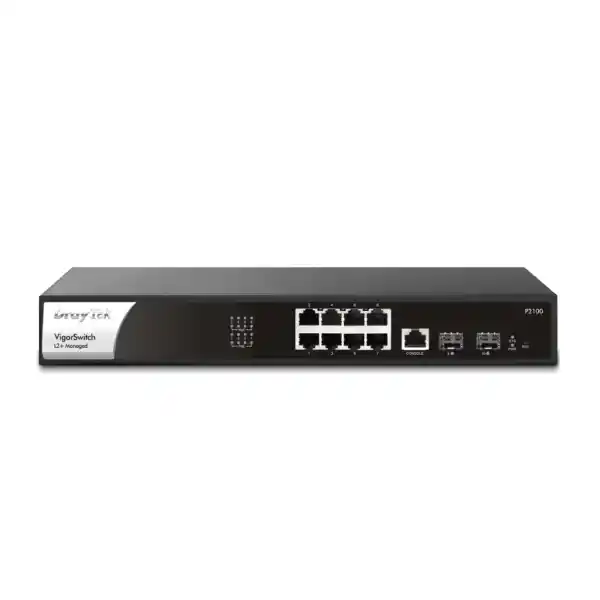
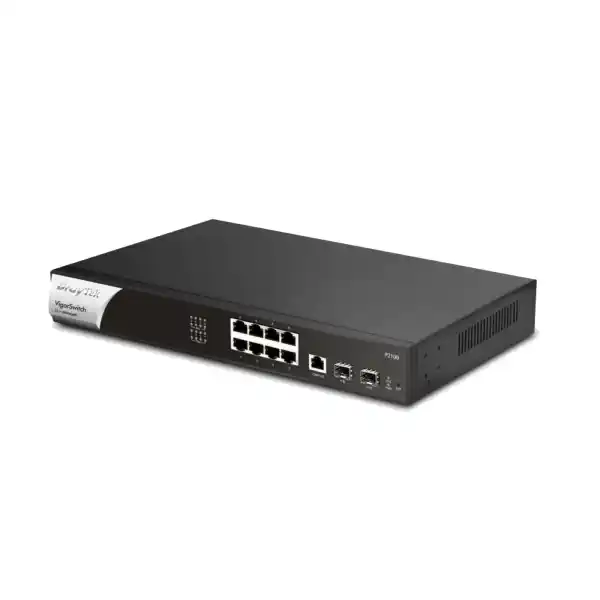
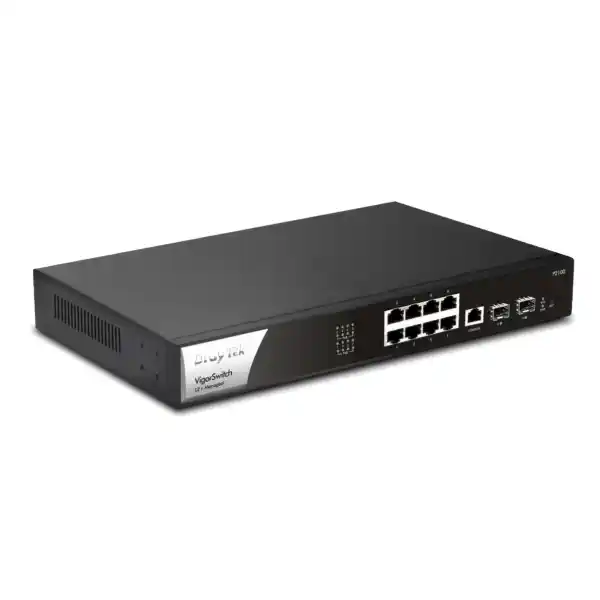
DrayTek VigorSwitch P2100 — Compact 8-Port PoE+ Managed Switch with 2× SFP Uplinks
The DrayTek VigorSwitch P2100 is designed for organizations that need enterprise-style segmentation, PoE power delivery, surveillance awareness, access control and practical Layer 3 functionality without moving to a larger multi-gigabit campus switch. Its eight Gigabit Ethernet PoE/PoE+ access ports, two dedicated 1GbE SFP uplinks, 140-watt PoE budget and 20Gbps switching capacity make it a strong fit for small offices, retail branches, clinics, schools, hospitality sites, smart buildings, CCTV aggregation points and distributed enterprise locations across Dubai and the wider UAE.
What the DrayTek VigorSwitch P2100 is built to solve
Many small and medium network environments have outgrown unmanaged switching but do not require a 24-port or 48-port enterprise access switch. The typical requirement is more specific: a handful of IP cameras, access points, VoIP phones, door controllers or other powered endpoints need reliable Gigabit connectivity; traffic must be separated into VLANs; business-critical voice and video should receive predictable quality of service; and administrators need visibility into loops, unauthorized devices, IP conflicts and PoE health. The VigorSwitch P2100 targets exactly this space.
Its eight copper ports provide standard Gigabit Ethernet while supporting both IEEE 802.3af PoE and IEEE 802.3at PoE+. That means one structured-cabling run can transport both data and power to compatible devices. The two SFP interfaces are independent uplink interfaces rather than copper/SFP combo ports, which helps preserve all eight PoE access ports for endpoints while still providing fiber connectivity toward an aggregation switch, router location, network cabinet or another building area. In a compact deployment this separation is operationally valuable because there is no need to sacrifice a powered copper port simply to create a fiber uplink.
The switch is classified by DrayTek as Layer 2+, which is important when comparing it with basic smart switches. It retains the familiar switching functions expected in a managed access layer—VLANs, spanning tree, link aggregation, multicast controls, access control and QoS—while adding useful Layer 3 functions such as static routing, VLAN routing and an integrated DHCP server. The result is a device that can handle local inter-VLAN traffic and basic addressing duties without forcing every local packet through the upstream gateway. For appropriately sized branch and edge networks, this can improve efficiency and make the design more resilient to gateway bottlenecks.
Direct answer: who should consider it?
Choose the P2100 when you need up to eight powered Gigabit edge devices, prefer dedicated SFP uplinks, want managed VLAN and security controls, and need more than a simple web-smart switch. It is particularly well matched to surveillance cabinets, small branch racks, Wi-Fi deployments, retail stores, cafés, clinics, small offices and floor-level access switching where the power demand remains within the 140W PoE budget.
Direct answer: when is a larger switch better?
Use a higher-capacity model when the project needs more than eight powered endpoints, multi-gigabit access for Wi-Fi 6/6E/7 APs, 10GbE SFP+ uplinks, PoE++ power levels, redundant power inputs or a substantially larger power budget. Correct sizing depends on endpoint count, uplink demand, camera bitrate, AP radio capacity, growth margin and the per-device PoE draw rather than port count alone.
Hardware architecture, forwarding capacity and port map
The physical interface layout is straightforward and useful for technicians working in compact racks. Ports 1 through 8 are 10/100/1000Base-T copper interfaces and can supply PoE or PoE+ to compatible powered devices. Two additional SFP slots support 1GbE fiber transceivers for uplink or inter-switch connectivity. A dedicated RJ-45 console interface supports local administration during deployment and troubleshooting. The product is rack-mountable in a 1U form factor, with published dimensions of approximately 319 × 208 × 45 mm and a published weight of about 2.61 kg. This size makes it suitable for smaller wall cabinets and branch racks where depth can be more restrictive than in a full data-center enclosure.
DrayTek specifies 20Gbps switching capacity and approximately 14.88 million packets per second forwarding performance at 64-byte packet size. These two numbers describe different aspects of the forwarding subsystem. Switching capacity expresses the aggregate bidirectional bandwidth the switch fabric can handle, while packets-per-second performance indicates the packet processing rate under a small-frame test condition. In practical deployments, application performance also depends on packet size distribution, oversubscription, uplink topology, QoS policy, multicast behaviour and the capabilities of connected endpoints. The published figures therefore provide a sizing ceiling rather than a guaranteed application throughput for every traffic pattern.
A 20Gbps switching fabric is logically aligned with a ten-interface Gigabit design: eight copper Gigabit interfaces plus two Gigabit SFP interfaces can be active simultaneously without the switch architecture being reduced to the capacity of a single shared uplink. This matters in camera, voice and branch-office networks where traffic may be local as well as northbound. A camera stream can remain within the surveillance VLAN, a local workstation can communicate with an on-site server, and voice endpoints can reach a local call-control platform while other traffic uses the upstream router.
The switch supports jumbo frames up to the size specified by DrayTek for this platform, enabling larger Ethernet frames where the network design benefits from them. Jumbo frames should be deployed only when the full path—including servers, storage targets, NICs, routers and other switches—supports a compatible MTU. A mismatched MTU can create difficult-to-diagnose reachability and performance problems, so FourTeck recommends treating jumbo-frame configuration as an end-to-end design decision rather than a per-switch optimization.
PoE and PoE+ engineering: turning 140 watts into a reliable endpoint plan
The 140-watt PoE budget is one of the defining characteristics of the VigorSwitch P2100. The switch supports IEEE 802.3af and 802.3at power delivery on all eight Gigabit access ports. This is enough for many combinations of desk phones, indoor access points, fixed IP cameras, small PTZ cameras, intercoms and access-control devices, but the correct design method is to total the maximum expected power requirement of every endpoint rather than simply counting how many ports are occupied.
For example, eight low-power devices may fit comfortably within 140 watts, while a smaller number of high-draw devices can approach the limit much faster. A PoE+ endpoint can negotiate more power than a basic PoE endpoint, and the actual draw may rise when access point radios transmit at higher power, cameras enable infrared illuminators, heaters activate in outdoor housings, or PTZ motors operate. This is why a professional bill of materials should capture both nominal and peak power requirements. A sensible engineering margin also reduces the risk of instability when equipment is replaced later with a slightly higher-power model.
PoE scheduling allows administrators to switch power on and off according to defined schedules. In UAE offices this can be useful for non-critical wireless access points, digital signage endpoints or lab devices that do not need to run continuously. Scheduling can reduce unnecessary power use and can form part of an operational security policy where certain edge devices are intentionally disabled outside working hours. The same feature should be applied carefully to security cameras, phones and access systems because powering these down may conflict with safety, monitoring or business-continuity requirements.
The P2100 also supports device monitoring with ping checks and PoE recovery behaviour. When a monitored PoE endpoint becomes unreachable, the switch can be configured to power-cycle the relevant port. This is valuable for remote branch locations where a frozen camera or access point would otherwise require an on-site technician to disconnect and reconnect power manually. Auto-recovery does not replace root-cause analysis—repeatedly failing endpoints, unstable cabling, environmental overheating and firmware defects still require investigation—but it can reduce operational downtime.
For structured cabling, PoE reliability is closely tied to cable category, conductor quality, termination, bundle temperature and run length. UAE deployments in ceiling spaces and communications rooms can experience elevated ambient temperatures, making it important to use standards-compliant copper cabling and maintain suitable airflow. The switch itself is specified for operation from 0°C to 45°C. Projects expected to exceed this environmental range should use suitable industrial or climate-controlled designs instead of assuming an indoor enterprise switch can tolerate any cabinet condition.
VLAN segmentation for voice, cameras, Wi-Fi and business data
Segmentation is a central reason to deploy a managed switch. The VigorSwitch P2100 supports IEEE 802.1Q tag-based VLANs and multiple VLAN classification approaches including MAC-based and protocol-based VLAN features. It also supports management VLAN, voice VLAN and surveillance VLAN functions. DrayTek publishes support for up to 512 VLANs on this model, which is substantially more than most eight-port branch scenarios require and leaves room for structured multi-tenant or multi-service designs.
A common Dubai branch design might place corporate workstations in one VLAN, guest Wi-Fi in another, IP phones in a dedicated voice VLAN, surveillance devices in a camera VLAN and network-management interfaces in a restricted management VLAN. The trunk toward the firewall or router can carry tagged traffic for these segments while access ports deliver untagged connectivity to endpoints that do not understand VLAN tagging. Access points and virtualization hosts can use tagged trunks when they need to transport multiple logical networks over a single physical connection.
Voice VLAN functionality helps separate and prioritize VoIP traffic. When used with LLDP-MED and compatible IP phones, the network can advertise relevant settings and simplify endpoint deployment. Surveillance VLAN functions provide a comparable mechanism for camera-oriented networks. The value is not simply organizational neatness: separating device classes allows administrators to apply different firewall policies, quality-of-service treatment, addressing ranges, multicast controls and monitoring rules to each category.
The P2100 also supports QinQ in its basic form, enabling service-provider style VLAN stacking for scenarios where a customer VLAN tag needs to traverse a broader tagged infrastructure. QinQ is not required for most small business LANs, but it can be useful in managed service, multi-building or carrier handoff designs. As with all encapsulation features, MTU planning and end-to-end compatibility should be considered before deployment.
For VLAN planning, FourTeck recommends documenting the VLAN ID, subnet, gateway, DHCP source, tagged and untagged port membership, allowed inter-VLAN flows, expected client type and monitoring requirements before configuration begins. This prevents configuration drift and makes future changes easier to audit. For broader UAE network architecture and structured deployment support, organizations can also review FourTeck UAE for integrated switching, security, wireless and infrastructure services.
Layer 3 functions: static routes, VLAN routing and DHCP services
Although the VigorSwitch P2100 is not positioned as a full enterprise router or next-generation firewall, its Layer 2+ feature set includes static routing, VLAN routing and DHCP server capability. These functions can reduce unnecessary traffic hairpinning through the gateway. Consider two local VLANs that exchange a significant amount of permitted traffic—such as a workstation VLAN accessing a local application server VLAN. If all inter-VLAN communication must reach a router over a single uplink, that uplink and the router become part of every local transaction. Where policy permits, routing directly on the switch can keep local flows local.
This design should not be confused with firewall segmentation. A VLAN interface on a switch can route packets efficiently, but a security firewall typically provides deeper stateful inspection, application controls, threat prevention, VPN, logging and policy enforcement. The correct architecture depends on risk. Highly sensitive segments—such as guest access, payment systems, administration networks or internet-exposed services—should usually traverse security controls appropriate to the organization. Inter-VLAN routing on the switch is most suitable for trusted or carefully controlled east-west flows where performance and simplicity are priorities.
The integrated DHCP server can be useful in compact sites, test environments or contingency designs. Centralized DHCP on a firewall, Windows server or dedicated IPAM platform may still be preferable for larger organizations because it provides a single source of lease information and policy. The P2100’s local DHCP capability nevertheless gives administrators an additional deployment option, particularly when a branch must continue assigning addresses even if centralized infrastructure is temporarily unavailable.
Static route configuration should be kept intentionally simple. Small access switches are best used for deterministic local routes rather than complex dynamic-routing topologies. Document next hops, avoid overlapping subnets, confirm return paths, and verify that upstream security devices understand the local prefixes. A route that exists in only one direction can produce asymmetric or failed connectivity even when the switch configuration itself appears correct.
QoS engineering for VoIP, video and latency-sensitive applications
The P2100 provides eight QoS queues and supports strict-priority and weighted round-robin scheduling. It can classify traffic using mechanisms including IEEE 802.1p Class of Service, DSCP and IP precedence, with rate limiting available for bandwidth control. These features matter when the access network carries mixed traffic types that compete for the same uplink. Voice packets, interactive video, business applications, backups, surveillance traffic and guest internet access do not all have the same sensitivity to delay, jitter and loss.
Strict priority can protect a high-priority queue by servicing it before lower-priority traffic. It should be used carefully because an incorrectly sized priority class can starve other traffic. Weighted round robin distributes service across queues according to defined weights and is often appropriate where several traffic classes require predictable access to bandwidth. QoS works best when classification is consistent end to end. Marking a packet at the access switch has limited value if an upstream router, firewall or WAN service discards or ignores the marking.
For VoIP, prioritize real-time media and call-control traffic according to the phone system design rather than assigning the highest queue to every packet from a voice VLAN. For cameras, remember that surveillance traffic can be high in aggregate but is usually more tolerant of small delays than interactive voice. Critical live-view or control traffic may deserve priority, whereas continuous recording streams can often use a controlled class. Guest traffic is a typical candidate for rate limiting so that visitors cannot consume bandwidth needed by business systems.
A good QoS project begins with measurement. Identify application flows, expected average and peak rates, WAN bottlenecks, camera bitrates, codec requirements and service-provider markings. Then configure only the classes that have a real business requirement. Overly complex QoS policies on small networks can become harder to troubleshoot than the congestion they were intended to solve.
Surveillance-centric design: ONVIF discovery, topology and recovery
Surveillance support is unusually prominent for a compact managed switch. The VigorSwitch P2100 is designed to recognize ONVIF-compatible devices and can present surveillance topology information, device details and maintenance functions through its management interface. DrayTek lists ONVIF discovery, topology visualization, real-time video streaming and device maintenance functions such as network settings, time settings, reboot and factory reset. These features can simplify operations in installations where the switch sits directly between cameras and a recorder or surveillance server.
ONVIF awareness should be viewed as an operational aid rather than a replacement for a full VMS or NVR. A video-management platform remains responsible for recording policy, retention, user permissions, analytics and evidence handling. The switch contributes by exposing the physical and logical connectivity layer. When a camera fails, it is valuable to know which switch port powers it, whether the link is up, whether the device is still visible and whether a PoE restart can restore service.
DrayTek also highlights ONVIF snapshot alerting and availability monitoring. For sites with many distributed cameras, this can shorten diagnosis because the network team can correlate endpoint availability with the switch port and power state. If a camera repeatedly disappears, the switch can help determine whether the issue is power-related, connectivity-related or upstream from the camera network. Persistent faults should still trigger physical cabling tests, connector inspection, endpoint firmware checks and environmental review.
Bandwidth planning remains essential. A switch with eight Gigabit camera ports has far more edge bandwidth than most camera deployments will consume, but the two 1GbE uplinks set the northbound capacity. Calculate camera count × average bitrate, then account for peak scenes, multiple viewing clients, firmware updates, recording replication and other traffic using the same uplink. Most typical eight-camera systems fit easily within a Gigabit uplink, yet high-resolution, high-frame-rate and multi-stream environments should still be engineered rather than assumed.
For security-focused deployments that combine switching with firewall segmentation, VPN access or protected remote management, Firewall Dubai by FourTeck provides a relevant regional reference point for integrated network-security planning.
Access control and Layer 2 security
A managed switch is part of the security boundary, especially in offices where physical Ethernet ports are accessible to users, visitors or contractors. The VigorSwitch P2100 supports 802.1X and MAC authentication, with RADIUS and TACACS+ listed among its authentication-server capabilities. It also supports access lists, IP Source Guard, Dynamic ARP Inspection, DHCP Snooping, storm control, DoS defence, loop protection and IP conflict detection and prevention.
802.1X provides port-based network access control by requiring a compatible endpoint or user supplicant to authenticate before normal access is permitted. When paired with a RADIUS server, this can support centralized credential policy and more consistent access decisions. MAC authentication can assist with devices that do not support a full 802.1X supplicant, such as some printers, cameras or embedded equipment, although MAC addresses are easier to spoof and therefore should not be treated as equivalent to certificate-based authentication.
DHCP Snooping establishes trust boundaries around DHCP messaging and helps protect clients from rogue DHCP servers. Dynamic ARP Inspection can use trusted binding information to reduce ARP spoofing risk, while IP Source Guard can restrict traffic based on valid source bindings. These controls are most effective when designed together because they rely on accurate information about trusted uplinks, DHCP behaviour and expected client attachment points.
IP Conflict Detection and Prevention is useful in small networks where static addresses are common. An accidental duplicate IP can create intermittent connectivity, unexpected ARP changes and difficult support cases. The switch can detect conflicts and can help block a misconfigured or malicious host. This feature is particularly useful in camera and building-automation networks where installers sometimes assign addresses manually during commissioning.
Storm control and loop protection help contain another common access-layer problem: accidental topology loops and broadcast storms. Even with spanning tree enabled, edge protection remains valuable because a user can connect two wall outlets together, an unmanaged switch can be cabled incorrectly, or a bridged device can create an unexpected forwarding path. Loop events can rapidly consume switch and uplink capacity, so prevention and alerting should be part of the operational baseline.
No switch feature eliminates the need for layered security. Keep management interfaces on a restricted VLAN, use HTTPS or SSH instead of clear-text protocols where possible, disable unused services, apply strong administrator credentials, maintain current firmware, back up configuration after approved changes and restrict physical access to network cabinets. For organizations that need help aligning switching, firewalling, endpoint and support operations, FourTeck IT Services UAE can support broader infrastructure planning.
Spanning tree, link aggregation and resilient topology design
The P2100 supports classic Spanning Tree Protocol, Rapid Spanning Tree Protocol and Multiple Spanning Tree Protocol. STP prevents Layer 2 loops by placing redundant paths into a non-forwarding state until they are needed. RSTP converges faster than traditional STP and is generally preferred for modern enterprise edge networks. MSTP allows multiple spanning-tree instances to support more advanced designs where groups of VLANs need different logical topologies.
On a compact eight-port switch, spanning tree may seem unnecessary, but loops can occur even in small environments. Dual uplinks, downstream unmanaged switches, redundant wireless bridges and accidental patching can all create forwarding loops. Enabling the correct spanning-tree mode and establishing root-bridge priorities is therefore good practice. The root bridge should be an intentional infrastructure device rather than whichever switch happens to have the lowest default bridge identifier.
The switch supports static and LACP link aggregation, with up to four groups and up to eight members per group according to the published specification. LACP combines multiple physical links into one logical bundle for redundancy and aggregate bandwidth. Traffic is distributed according to a hashing algorithm, so a single flow typically remains limited to one physical member link even when the bundle has multiple links. Aggregation improves total capacity across multiple simultaneous flows rather than turning several 1GbE links into one faster single-flow connection.
When using the two SFP interfaces as an aggregated uplink, the upstream switch must support a compatible LACP configuration and both links should follow a documented design. If the upstream ports terminate on two separate chassis, multi-chassis aggregation requires upstream support that the P2100 cannot create by itself. For most small sites, a simple single SFP uplink plus a secondary spanning-tree path is easier to understand and troubleshoot.
Multicast, IPTV and video distribution controls
Multicast traffic can consume unnecessary bandwidth when a switch floods it to ports that did not request it. The VigorSwitch P2100 includes IGMP Snooping for IPv4 multicast, MLD Snooping for IPv6 multicast, an IGMP querier function, multicast group filtering and throttling, and Multicast VLAN Registration. DrayTek specifies support for up to 256 multicast groups on the platform.
IGMP Snooping listens to membership signalling between receivers and multicast routers so the switch can forward multicast streams only to ports that have interested clients. This is useful for IPTV distribution, some surveillance platforms, digital signage and specialist AV-over-IP deployments. Without snooping, a high-bitrate multicast stream may behave like broadcast traffic inside the VLAN and unnecessarily load every access port.
An IGMP querier is important when there is no multicast router on the VLAN. The querier periodically asks which receivers still want each multicast group so membership can be maintained accurately. MLD Snooping provides the comparable function for IPv6 multicast membership. These controls should be configured with awareness of the application because some poorly designed devices depend on flooding behaviour and may require troubleshooting when multicast optimization is introduced.
MVR can be helpful where multicast content needs to reach clients located in different VLANs without duplicating the source stream across every user VLAN. This is more specialized than a standard office configuration, but it demonstrates that the P2100 offers a deeper multicast feature set than many basic eight-port PoE switches.
IPv6 readiness and dual-stack network planning
The VigorSwitch P2100 includes IPv6-oriented functions such as MLD Snooping, IPv6 access-control support and IPv6 DNS resolver capability. Even if a business currently operates primarily on IPv4, selecting switching equipment that understands IPv6 control traffic helps avoid operational blind spots as service providers, cloud services and internal systems transition toward dual-stack networking.
IPv6 should not be treated as an optional protocol that can safely remain unmanaged simply because administrators do not intentionally use it. Modern operating systems often enable IPv6 by default. If the network ignores IPv6 policy, endpoints may still exchange IPv6 traffic in ways that are not covered by the IPv4 security model. A managed access switch provides tools to classify, filter and observe this traffic as part of a consistent network policy.
For UAE organizations planning IPv6 adoption, the practical sequence is to inventory application support, confirm firewall policies, understand ISP capability, define addressing and DNS strategy, and then validate switching and wireless behaviour. The P2100 can participate in that transition at the access layer, but a complete dual-stack project still requires compatible routing, security, monitoring and operational processes.
Management interfaces, monitoring and configuration control
Local management options listed for the P2100 include HTTP, HTTPS, Telnet and SSH v2. For production deployment, encrypted interfaces such as HTTPS and SSH should be preferred, while clear-text services should be disabled unless there is a documented operational reason to keep them. The switch supports configuration backup and restore, dual firmware images and two levels of administrator privilege. These functions help reduce change risk and support controlled rollback during firmware upgrades.
SNMP versions 1, 2c and 3 are supported. SNMPv3 should be preferred where the monitoring platform supports it because it can provide authentication and encryption. RMON groups are also available for additional traffic and network statistics. LLDP and LLDP-MED help administrators identify neighboring devices and advertise endpoint information, particularly in voice networks. SNTP can synchronize system time so event logs and alerts align with other infrastructure devices.
The email alert system can report conditions such as port status changes, port speed changes, system restart, IP conflicts, hardware monitor events, device-check failures and ONVIF camera snapshot events. Alerting is valuable only when it is routed to a monitored destination and tuned to actionable conditions. Sending every possible event to an unattended mailbox creates noise without improving service levels.
A well-managed switch should have a configuration baseline. Record firmware version, management IP, VLAN membership, spanning-tree settings, trunk definitions, PoE policy, authentication configuration, uplink details and monitoring settings. After commissioning, export a known-good configuration and store it in a controlled repository. This makes replacement and disaster recovery much faster than rebuilding settings manually from screenshots or memory.
Centralized DrayTek management: VigorRouter SWM, VigorConnect and VigorACS
The P2100 can be managed individually, but its operational value increases when it is part of a wider DrayTek environment. DrayTek’s Switch Management functions available through compatible Vigor routers can discover supported switches, apply provisioning profiles, show a centralized hierarchy, assist with VLAN configuration and perform maintenance actions. This is useful for small organizations that want centralized visibility without deploying a separate management server.
VigorConnect provides a software-based management option for supported access points and switches. It can discover devices, support automatic provisioning, monitoring, topology views, alarms and scheduled maintenance. For businesses with multiple branches, consistent templates reduce configuration drift and make it easier to verify that switches follow a standard build.
VigorACS extends centralized management across routers, access points and switches with provisioning, monitoring, alarms, reporting, hierarchical views and remote maintenance. DrayTek lists P2100 support for VigorConnect and VigorACS from the relevant firmware train indicated in the model specification. Before a project depends on a specific management feature, check the installed switch firmware and the management-platform compatibility matrix so that the planned function is actually available in the deployed release.
Central management does not eliminate the need for change control. Use templates for repeatable configuration, but validate site-specific variables such as uplink VLANs, management addressing, PoE schedules and local DHCP settings. A globally applied template with the wrong assumptions can affect many branches at once. Staged rollout, backup, pilot testing and documented rollback remain essential.
Dubai and UAE deployment scenarios
Small office and branch
Use separate VLANs for corporate users, voice, guest Wi-Fi and management. Power one or two access points and several phones from the PoE ports, then use an SFP uplink to the firewall or building aggregation switch. Local VLAN routing can handle selected trusted east-west traffic while the security gateway remains responsible for internet, VPN and sensitive inter-zone policy.
Retail and hospitality
A compact branch may connect POS terminals, staff devices, IP phones, access points and cameras. Segmentation is especially important because payment, guest and operational traffic should not share a flat broadcast domain. PoE scheduling can control non-critical devices after hours while cameras and essential communications remain continuously powered.
CCTV aggregation cabinet
Deploy up to eight powered cameras, reserve one or both SFP interfaces for fiber uplinks to the NVR/core location, and use surveillance VLAN plus ONVIF-aware tools for visibility. Calculate aggregate camera bitrate and peak PoE draw before finalizing the design. For outdoor or high-temperature locations, ensure the cabinet maintains the switch within its published operating range.
Education and training rooms
Connect classroom APs, IP phones, cameras and instructor devices while separating student, staff and management traffic. Multicast controls can help with video distribution, and rate limits can prevent high-bandwidth guest or lab activity from overwhelming the uplink. Centralized monitoring is useful when several small switches are distributed around a campus.
Clinic and professional office
Create separate zones for staff systems, VoIP, guest Wi-Fi, cameras and building devices. Apply 802.1X where supported and isolate unmanaged endpoints. Keep management traffic restricted and use encrypted administration. Sensitive application flows should pass through the appropriate security controls instead of relying on VLAN separation alone.
Smart building edge
The P2100 can power and connect IP intercoms, controllers, cameras and monitoring gateways when those devices are compatible with standard PoE/PoE+. Use dedicated VLANs for building systems, document static addressing carefully and enable IP conflict monitoring. Confirm vendor protocols before applying aggressive multicast or access-control restrictions.
Uplink design: when 1GbE SFP is enough and when it is not
The two SFP ports operate at Gigabit speed, not 10GbE. For many eight-port edge deployments this is entirely appropriate. Eight office endpoints rarely transmit at line rate simultaneously, and typical camera systems generate a fraction of one Gigabit. A 1GbE fiber uplink can therefore provide substantial headroom while allowing longer distance, electrical isolation between buildings and compatibility with existing fiber infrastructure.
However, modern wireless access points can be a different case. A high-end Wi-Fi 6E or Wi-Fi 7 AP may support 2.5GbE or faster Ethernet and may also require PoE++ power. The P2100 has neither multi-gigabit copper nor 802.3bt PoE++, so it should not be selected for an AP simply because the AP can physically connect at 1GbE. If the design objective is to exploit multi-gigabit wireless throughput or supply higher-power radios, choose a switch platform with the required access-port speed and PoE class.
The same principle applies to servers and storage. A branch file server can operate adequately at 1GbE, but backup windows, virtualization hosts and high-performance NAS devices may benefit from 2.5GbE, 10GbE or faster interfaces. The P2100 is primarily an access switch for standard Gigabit endpoints, not a data-center aggregation platform.
For fiber planning, specify transceiver type, wavelength, fiber mode, connector type and distance. Single-mode and multimode optics are not interchangeable simply because they fit an SFP cage. The optics used at both ends of the link must be compatible, and the fiber plant must meet the optical budget and connector requirements. FourTeck can incorporate the switch, SFPs, patch cords and fiber path into one tested bill of materials rather than treating the switch as an isolated item.
Power input, thermals and rack installation
DrayTek specifies an AC input of 100–240V at 2.6A and maximum power consumption of approximately 164.3 watts for the P2100. The difference between switch consumption and the 140W PoE budget reflects the power required by the switching electronics and power-conversion system. The exact real-world draw depends on PoE load, traffic activity and operating conditions.
Published environmental specifications include a 0°C to 45°C operating temperature range, storage from approximately -20°C to 70°C, operating humidity from 10% to 90% non-condensing and storage humidity from 5% to 90% non-condensing. These limits matter in UAE installations where poorly ventilated wall cabinets can become much hotter than the surrounding office. The network cabinet should not be installed in direct sun or an unconditioned environment that causes the internal temperature to exceed the device rating.
A 1U rack-mount design simplifies cabinet integration. Maintain cable bend radius, allow airflow around the chassis, keep copper patch cords organized and label each powered endpoint. Because PoE troubleshooting often requires correlating device, patch-panel port and switch interface, consistent labeling saves significant time during incidents. If the cabinet uses a UPS, size the UPS for the switch plus the maximum expected PoE load rather than the switch electronics alone.
For business-continuity planning, calculate desired runtime based on actual powered-device load. A 140W-capable PoE switch with several active cameras can drain a small UPS much faster than an unloaded switch. Where surveillance or voice must remain operational during utility interruptions, include the network switch, firewall, ISP equipment, NVR and any required local servers in the power budget.
Procurement and compatibility checklist for UAE buyers
A switch purchase should start with a topology, not a model number. Count the number of present endpoints and forecast near-term growth. Identify which endpoints require PoE, their IEEE power class and worst-case wattage. Confirm whether any endpoint requires PoE++ or multi-gigabit Ethernet. Determine whether uplinks need copper or fiber, and whether 1GbE is sufficient. Define the number of VLANs, the expected routing boundary and the management platform. Only then should the P2100 be matched against the requirement.
For SFP connectivity, include the correct optics in the quotation. The switch ships as a platform with SFP slots; the exact transceivers depend on the fiber design. For copper endpoints, confirm patch leads and horizontal cabling meet the required Ethernet and PoE standard. Where cameras or access points are installed outdoors, surge protection, grounding and environmental enclosures may be necessary depending on the site and cable route.
Firmware status should be checked during commissioning. New switches may have firmware older than the current recommended release, while very old configuration backups may reference features differently. Schedule upgrades during a controlled maintenance window, preserve a backup and verify critical services after reboot. For environments under centralized DrayTek management, verify management-platform compatibility before changing major firmware versions.
UAE procurement also benefits from checking warranty path, regional support channel, lead time, replacement availability and serial-number traceability. The cheapest quotation is not necessarily the lowest operational cost if it excludes compatible optics, rack accessories, configuration, firmware preparation, delivery or post-installation support. A complete quotation should make these items explicit.
FourTeck can support cross-region standardization where UAE infrastructure is part of a wider multi-country deployment. Organizations that need a broader international coordination point can also reference FourTeck Global for multi-site infrastructure engagement.
Sizing methodology: validate ports, power, bandwidth and growth
Correct switch sizing can be reduced to four primary dimensions: port count, PoE power, forwarding/uplink capacity and feature requirement. Port count is the easiest. If the site needs more than eight copper endpoints today, the P2100 is already too small unless some devices connect through another downstream switch. If the site needs six or seven ports, consider whether new cameras, APs or phones are likely during the expected service life. Using every port on day one leaves no room for change.
PoE sizing requires more care. Add the maximum draw for each powered device and compare the total against 140 watts. Then include an engineering margin rather than designing to exactly 140 watts. If endpoint documentation lists both typical and maximum draw, use maximum for capacity planning unless the manufacturer provides a validated method for diversity. Cameras with heaters, infrared arrays or PTZ motors and APs with multiple active radios can draw more under peak conditions than in a quiet lab.
Bandwidth sizing should focus on bottlenecks. Eight 1GbE edge ports do not imply an 8Gbps upstream requirement because traffic patterns differ. Calculate expected northbound traffic: internet access, WAN applications, camera recording, backup traffic, server access and inter-VLAN flows that traverse the router. If local routing occurs on the switch, some east-west traffic does not use the uplink. If most traffic is northbound, one or two 1GbE uplinks may become the limiting factor before the switching fabric does.
Feature sizing means checking the actual operational requirement. If the organization needs 802.1X, DHCP Snooping, DAI, LLDP-MED, ONVIF visibility and centralized DrayTek management, the P2100 is aligned. If the project requires dynamic routing protocols, high-density stacking, redundant hot-swap power supplies, multi-gigabit Ethernet or 10GbE uplinks, a different platform is appropriate. Avoid paying for features that are not needed, but also avoid under-specifying a switch that will have to be replaced when the first new requirement appears.
Growth should be estimated over the actual refresh cycle. A switch expected to serve for several years should accommodate plausible endpoint additions and traffic growth. In a fast-changing Wi-Fi environment, uplink and PoE standards may evolve faster than office desktop needs. A mixed strategy can therefore make sense: use the P2100 for cameras, phones and standard Gigabit devices while deploying a separate multi-gigabit switch for next-generation access points.
Commissioning workflow for a production deployment
A disciplined commissioning sequence reduces downtime and configuration mistakes. Begin by recording the switch serial number, firmware version and asset location. Connect a management workstation in an isolated staging environment, change default credentials, set the management IP and time source, and upgrade firmware if required. Build VLANs and trunk definitions before connecting production endpoints so the switch does not temporarily bridge devices into an unintended flat network.
Next, configure spanning-tree mode, uplink parameters and link aggregation if used. Set the desired management VLAN and restrict administrative access. Configure SNMP, email alerts and centralized management registration. Apply PoE policies and schedules only after confirming which ports connect to critical devices. An incorrect schedule on a phone, access-control panel or camera can create an outage at a predictable time every day.
Connect endpoints in a controlled sequence. For each port, verify link speed, VLAN assignment, PoE delivery, IP addressing and reachability. Test DHCP Snooping and authentication controls before enabling them network-wide because a missing trusted-uplink definition can block legitimate clients. If inter-VLAN routing is configured, test both permitted and intentionally denied paths so the final behaviour matches policy.
For camera networks, verify ONVIF discovery, NVR recording, live view and PoE recovery. For voice networks, place test calls while generating data traffic to confirm QoS behaves as intended. For Wi-Fi, validate AP power mode and negotiated Ethernet speed; an AP that falls back to reduced radio capability due to insufficient power may still appear online while delivering lower performance.
Finish by exporting the final configuration, updating the network diagram and recording port-to-device mappings. Capture photos of rack layout and labeling when useful. A commissioning report should list any deviations from design, spare ports, remaining PoE headroom and open actions. These details provide the baseline for future troubleshooting and capacity planning.
Troubleshooting methodology for common P2100 deployments
When an endpoint fails, start at the physical layer. Confirm the switch reports link, check negotiated speed, inspect PoE state and compare the expected endpoint against the labeled cable. Swap the patch lead or move the device to a known-good port when appropriate. For fiber uplinks, verify both optics, connector cleanliness, fiber polarity and received signal where diagnostic information is available.
If link and power are healthy but the device has no connectivity, inspect VLAN membership. A port configured for the wrong untagged VLAN can still show link while placing the endpoint into an incorrect subnet. On trunk ports, confirm the required tags are allowed at both ends and that the native or untagged VLAN expectations match. Check DHCP leases, IP Source Guard and DHCP Snooping bindings if security features are enabled.
For intermittent problems, review logs for link flaps, IP conflicts, spanning-tree transitions, loop events or PoE restarts. An endpoint that repeatedly reconnects can indicate damaged cabling, unstable power demand, overheating or a device firmware issue. Do not assume the switch is the cause simply because it is the central observation point.
For performance problems, identify whether the bottleneck is an access port, uplink, WAN circuit or application server. Check errors and utilization rather than relying only on a speed-test result. A congested 1GbE uplink can affect several endpoints even though every access port individually negotiates at 1GbE. QoS may improve latency for critical traffic but cannot create bandwidth that does not exist.
For PoE faults, compare actual endpoint draw with the total power budget. If several devices fail simultaneously after adding a new camera or AP, the switch may be approaching the available budget. Also confirm that the endpoint uses standard IEEE PoE/PoE+ rather than a proprietary passive-power method. Passive PoE equipment should never be assumed compatible based solely on connector type.
Technical specification summary
Interfaces
8× 10/100/1000Base-T PoE/PoE+ copper ports, 2× 1GbE SFP slots and 1× RJ-45 console port. The SFP interfaces are dedicated uplinks rather than copper/SFP combo ports.
PoE
IEEE 802.3af and 802.3at support across eight ports, up to 140W total PoE power budget, scheduling and device-check based PoE recovery features.
Performance
20Gbps switching capacity and approximately 14.88Mpps forwarding rate at 64-byte packet size according to DrayTek’s published platform specification.
VLAN & Layer 3
Up to 512 VLANs, 802.1Q, MAC/protocol VLAN modes, voice and surveillance VLAN, management VLAN, static routing, VLAN routing and DHCP server functions.
Security
802.1X/MAC authentication, RADIUS/TACACS+, DHCP Snooping, DAI, IP Source Guard, ACLs, storm control, DoS defence, loop protection and IP conflict prevention.
Operations
HTTPS/SSH management, SNMP, LLDP/LLDP-MED, configuration backup/restore, dual image, mail alerts, VigorRouter SWM, VigorConnect and VigorACS management options.
How the P2100 compares with simpler unmanaged or web-smart switches
An unmanaged PoE switch may provide power and basic connectivity at lower cost, but it cannot provide the same segmentation, security or operational visibility. Without VLANs, cameras, phones, guest devices and business systems can end up sharing one broadcast domain. Without SNMP and alerts, administrators have less information when a port flaps or a powered device fails. Without spanning tree and loop controls, accidental topology mistakes can have a larger impact.
A web-smart switch adds some configuration features but may still lack deeper security controls, Layer 3 functions, ONVIF integration or centralized management. The P2100’s value is therefore not simply that it has eight PoE ports; it combines that port density with features that support professional network operations. Organizations should compare the required control plane and support model, not only port count and price.
There are also cases where the P2100 is more capable than necessary. A small isolated camera installation with no VLAN requirement, no central monitoring and no need for fiber uplinks may work adequately with a simpler PoE switch. The business decision should account for the cost of future troubleshooting and change. Managed features are often justified when the switch is remote, business-critical or expected to support multiple device classes over several years.
At the other end of the spectrum, a large enterprise access switch may offer stacking, redundant power, 10GbE or 25GbE uplinks, multi-gigabit access ports and higher PoE budgets. Those features are important at scale but also increase cost, complexity, power and rack requirements. The P2100 occupies the middle ground: compact physical size with a surprisingly broad L2+/security/management feature set for smaller sites.
Lifecycle, firmware and operational governance
The switch should be treated as managed infrastructure throughout its service life. Establish an owner for firmware review, configuration changes and monitoring. Firmware updates can address bugs, improve compatibility and add or modify management functionality. They should be applied using a controlled process: read release notes, back up the configuration, confirm management-platform compatibility, schedule downtime where necessary and validate services after the upgrade.
Dual-image support gives administrators an additional safety mechanism during firmware management, but it is not a substitute for backups. Maintain a current configuration export outside the switch. If the hardware fails, a replacement unit can be staged more quickly when the configuration and documentation are readily available.
Administrative access should follow least privilege. Use separate accounts where operational processes require accountability, restrict management by source network and disable unused protocols. Synchronize time using SNTP so logs correlate with the firewall, access points and servers. Send monitoring data to a central system where practical instead of relying solely on local logs that may be lost during a device failure.
Finally, review capacity periodically. An initially comfortable PoE budget can erode as higher-power devices are added. A single new AP may change uplink utilization significantly. Monitoring trends allows the organization to upgrade before the switch becomes an unplanned bottleneck.
Decision recap: where the VigorSwitch P2100 fits best
The P2100 is best understood as a feature-rich compact access switch. It gives a branch or edge location eight powered Gigabit Ethernet ports, two dedicated fiber uplinks, a 140W PoE budget, 20Gbps switching capacity and an unusually broad management feature set for its size. Its strongest use cases are networks where endpoint count is modest but control requirements are not: VLAN segmentation, secure access, monitored PoE, surveillance integration, QoS, multicast control and centralized administration all matter.
Strong fit
Up to eight standard Gigabit PoE/PoE+ endpoints; camera or phone deployments; branch-office segmentation; fiber uplinks at 1GbE; ONVIF-aware surveillance; managed voice and Wi-Fi edges; environments using DrayTek centralized management.
Reconsider if required
More than eight access ports; 2.5GbE/5GbE access; 10GbE uplinks; PoE++ 802.3bt; redundant power; high-density stacking; large enterprise campus switching; very high-temperature industrial environments.
Quotation input checklist
For an accurate FourTeck UAE quotation, provide the information below. These details allow the switch, optics, cabling and services to be sized as one solution rather than pricing only the chassis.
Number of IP phones, cameras, wireless APs, door controllers, computers, printers and other network devices.
Manufacturer/model and maximum wattage for each powered endpoint, including any PoE++ requirement.
Copper or fiber, distance, single-mode or multimode, connector type and available upstream interfaces.
Required network segments, authentication method, inter-VLAN access and management restrictions.
Cabinet depth, available rack units, UPS availability, expected runtime and environmental conditions.
Standalone switch, VigorRouter SWM, VigorConnect, VigorACS, SNMP/NMS integration or managed-service requirement.
Plan the P2100 as part of the complete network, not as an isolated switch
FourTeck can help validate port density, PoE headroom, SFP selection, VLAN design, QoS, surveillance requirements, firewall integration, rack power and centralized management before procurement. This reduces the risk of buying a switch that looks correct on port count but misses a power, uplink or security requirement.
Recommended consultation inputs
Share your site count, endpoint list, camera or AP models, rack location, uplink distance, existing firewall/router and required VLANs.
FourTeck can then confirm whether the VigorSwitch P2100 is correctly sized or whether another DrayTek or enterprise switching platform better matches the project.

Reviews
There are no reviews yet.