
2.5 Gigabit PoE++ L2+ Managed Switching for Dubai and UAE Networks
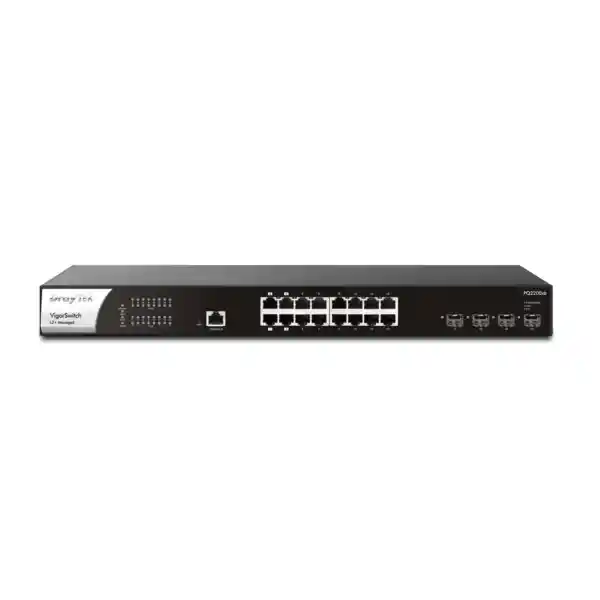
DrayTek VigorSwitch PQ2200xb
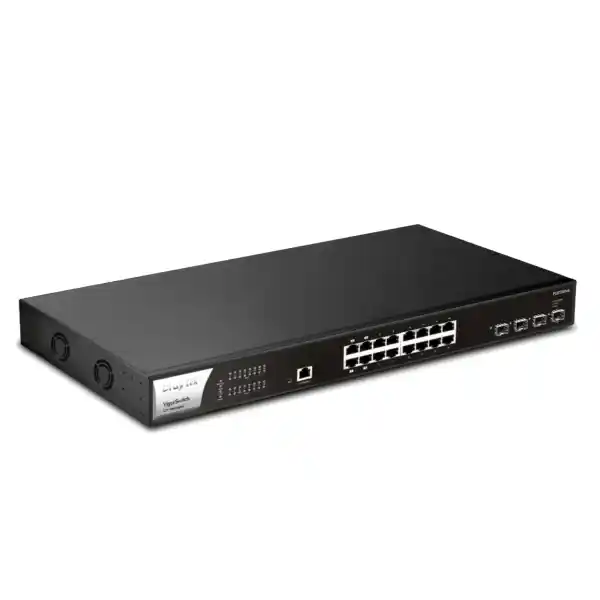
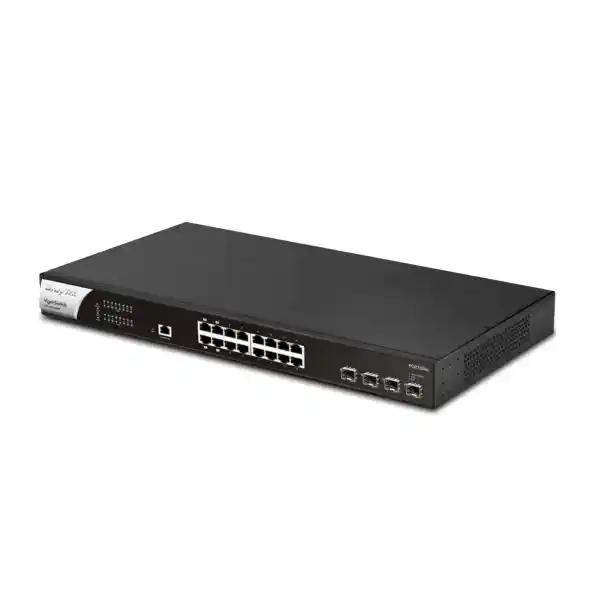
The DrayTek VigorSwitch PQ2200xb is a 1U rackmount multigigabit managed switch designed for organizations that need more access-layer bandwidth than traditional Gigabit Ethernet can provide, while also needing substantial Power over Ethernet capacity for modern wireless access points, cameras, phones, displays, sensors and other powered devices. Its front-panel architecture combines sixteen 2.5GbE copper ports with four 10G SFP+ fiber or direct-attach uplinks. Four copper ports support IEEE 802.3bt PoE++ with power delivery of up to 90 watts per port, while the remaining twelve copper ports support IEEE 802.3af and 802.3at PoE/PoE+ with delivery of up to 30 watts per port. The total published PoE budget is 400 watts, giving network designers practical headroom for mixed estates instead of forcing every endpoint into the same power class.
What the DrayTek VigorSwitch PQ2200xb is designed to solve
Many business networks have reached a point where one-gigabit access ports are no longer the obvious long-term default. A Wi-Fi 6 or newer access point can aggregate more than a gigabit of client traffic, high-resolution IP cameras can create continuous streams that add up quickly, and local servers or storage appliances may need faster east-west transfer without the cost of running 10GbE to every desk. The VigorSwitch PQ2200xb addresses that middle ground with 2.5GbE over conventional twisted-pair copper and 10G SFP+ for aggregation. This lets an organization upgrade the access layer selectively: endpoints that benefit from multigigabit bandwidth can negotiate at 2.5Gbps, while older 100Mbps and 1Gbps devices remain usable on the same copper interfaces.
For a Dubai office, hotel, school, clinic, retail location or multi-tenant commercial site, the benefit is not simply a larger headline speed. The more important design advantage is consolidation. A single switch can feed wireless access points, IP phones, cameras, access-control devices, digital signage and ordinary wired clients, while four 10G SFP+ interfaces carry aggregated traffic toward a firewall, distribution switch, storage system or another building. The 400-watt PoE budget also reduces the need for separate midspan injectors and local power adapters. Fewer external power bricks usually means cleaner racks, easier remote troubleshooting, simpler UPS planning and a more consistent maintenance procedure.
The model is categorized by DrayTek as an L2+ managed switch. In practical terms, it delivers the switching controls expected from a managed access or small-core platform—VLANs, spanning tree, link aggregation, multicast controls, QoS, authentication and monitoring—while also providing selected Layer 3 capabilities such as static routes and inter-VLAN routing. It should not be treated as a replacement for a security firewall: internet security policies, VPN termination, threat inspection and WAN controls remain functions for an appropriate firewall or router. The PQ2200xb is instead positioned to keep high-volume local traffic on a high-speed switching path and to enforce useful segmentation at the LAN layer.
Published hardware and interface specification
Performance figures are manufacturer-published maximum values. Real throughput depends on frame size, traffic pattern, enabled features, endpoint capabilities, cabling, optical modules and network design.
2.5GbE access: a practical upgrade path beyond Gigabit Ethernet
The sixteen copper ports are the defining feature of the PQ2200xb. Each port can negotiate at 10Mbps, 100Mbps, 1Gbps or 2.5Gbps, making the switch useful in mixed-generation networks where replacement happens gradually. In a typical UAE office, legacy printers or building controllers may still operate at 100Mbps, user computers may operate at 1Gbps, and Wi-Fi 6 access points or high-performance workstations may need 2.5Gbps. The switch can host all of these endpoint classes without forcing a separate access switch solely for compatibility.
For wireless networks, 2.5GbE matters because the wired uplink should not become a bottleneck before the radio does. A capable access point can serve many clients across multiple spatial streams and channels. Even when no single wireless client reaches 2.5Gbps, aggregate traffic from a busy AP can exceed the practical ceiling of a one-gigabit Ethernet uplink. Connecting that AP to a multigigabit port gives the radio platform more room to use its available capacity, especially when clients are accessing local servers, cloud services and voice or video applications at the same time.
2.5GBASE-T is also attractive for existing structured cabling because it is specifically intended to provide additional bandwidth over familiar twisted-pair infrastructure. Actual support still depends on cable category, length, termination quality, patch panels, electromagnetic environment and the connected network interface. For brownfield upgrades, a cable certification or qualification exercise is worthwhile before assuming that every existing run will sustain 2.5Gbps reliably. A deployment can then reserve proven multigigabit runs for APs, servers and high-demand users while allowing other drops to negotiate at lower speeds.
The switch does not contain native 5GbE or 10GBASE-T copper access ports, so designs that require those speeds at the edge should use the SFP+ interfaces with appropriate supported media or select a different switch architecture. This is an important sizing distinction. The PQ2200xb is strongest when the access requirement is predominantly 1GbE and 2.5GbE, with 10GbE concentrated at uplinks, aggregation points and selected SFP+ devices.
Four 10G SFP+ uplinks for aggregation, fiber and resilient topology design
Four SFP+ interfaces provide a separate high-speed tier for the traffic collected by the sixteen copper access ports. These interfaces support 1GbE or 10GbE operation according to the manufacturer specification. Depending on distance and physical design, a network can use supported optical transceivers for fiber, direct-attach copper for short rack-to-rack connections, or other supported SFP+ media where appropriate. This gives the switch flexibility in a main distribution frame, an intermediate distribution frame, a server room or a floor cabinet.
A common topology is to use one 10G SFP+ port as the primary uplink to a core or firewall and a second port for resilience or link aggregation, while retaining the remaining SFP+ ports for a storage appliance, virtualization host, downstream switch or a second building segment. The best allocation depends on traffic. If most communication is internet-bound and the WAN link is below 10Gbps, a single 10G uplink may be sufficient for throughput but a second link can still improve resilience. If substantial traffic remains inside the LAN—backup, video recording, VM migration, file services or media workflows—multiple 10G links can provide more useful east-west capacity.
The switch supports static aggregation and IEEE 802.3ad LACP, with up to eight groups and up to eight members in each group according to DrayTek’s published table. Aggregation does not mean that one ordinary traffic flow automatically gains the sum of all member-link bandwidth; distribution is normally based on a hashing decision, so multiple flows benefit most. The design value is cumulative throughput plus link redundancy. For a critical uplink, an LACP bundle can keep the logical connection operational after loss of one member, provided both ends are configured consistently and the remaining capacity is sufficient.
Fiber planning should consider more than the transceiver speed. Confirm wavelength, fiber type, connector standard, optical budget, distance and module compatibility. For direct-attach cables, confirm length and supported cable type. Where links leave a building or connect electrically noisy areas, fiber can also provide useful galvanic isolation. FourTeck can integrate the switch into wider UAE IT infrastructure and deployment services that include cabinet layout, patching, uplink design and migration sequencing.
PoE architecture: 90 W PoE++ where it matters, 30 W PoE+ across the remaining access ports
Power over Ethernet is not simply an on/off feature on this model. Ports 1 through 4 support IEEE 802.3bt in addition to 802.3af and 802.3at, enabling a published maximum of 90 watts per port. Ports 5 through 16 support 802.3af and 802.3at with up to 30 watts per port. That split is useful because not every powered endpoint requires high power. A designer can reserve the four bt ports for devices such as high-performance wireless access points, advanced PTZ cameras, integrated displays or other equipment with larger power requirements, while allocating phones, standard cameras and lower-power APs to the twelve PoE+ interfaces.
The 400-watt total budget is a shared system resource, so per-port maxima should never be added as though all ports can simultaneously draw their individual maximum. Four ports at 90 watts would already account for 360 watts before considering any of the twelve PoE+ ports. Real designs therefore need a power budget. List every powered device, record its expected or manufacturer-rated demand, add a practical margin for startup and future expansion, and compare the total with the 400-watt switch budget. If the calculated demand is too close to the ceiling, distribute devices across additional switches instead of designing for permanent operation at the maximum.
PoE scheduling allows administrators to turn PoE supply on or off according to time policies. In selected environments this can reduce unnecessary consumption or enforce operational windows. Device Check adds another practical maintenance tool: the switch can ping a selected endpoint and, when configured criteria are met, power-cycle a PoE port and/or send an alert. This can be valuable for remote cameras or APs that occasionally become unresponsive, because the first recovery action can occur without a technician physically visiting the cabinet.
For critical systems, automatic recovery should be configured conservatively. A failed ping can also be caused by an upstream network fault, an ACL, temporary congestion or a device that intentionally does not answer ICMP. The health-check address, retry interval and failure action should be validated during commissioning. PoE control is a powerful operational feature, but it should complement monitoring rather than replace fault diagnosis.
L2+ switching and inter-VLAN routing
The PQ2200xb supports conventional Layer 2 segmentation with IEEE 802.1Q VLAN tagging, along with management, voice and surveillance VLAN capabilities. The manufacturer also lists MAC-based and protocol-based VLAN functions. Up to 512 VLANs are listed in the product specification, providing ample logical separation for most SMB, hospitality, education and distributed-enterprise designs. A network might separate staff, guest Wi-Fi, IP phones, surveillance, access control, building management, point-of-sale systems, servers and network-management devices into different broadcast domains even though they share the same physical switch.
Its L2+ feature set adds VLAN routing and static routing. This is particularly useful when two local VLANs exchange a large amount of traffic. If all inter-VLAN traffic must travel to a router over a slower link and then return over the same path, the router link can become a bottleneck. By creating Layer 3 interfaces on the switch and routing appropriate local networks at the switching layer, selected traffic can stay on the high-capacity LAN fabric. Internet-bound traffic and security-sensitive flows can still be sent toward a firewall or router using static routes and defined network design.
This architecture requires policy discipline. Routing a VLAN directly on the switch means traffic between those routed networks may not traverse a firewall unless the design intentionally forces it there. Therefore, do not enable local inter-VLAN routing merely because the feature exists. Decide which segments require firewall inspection and which can be safely routed locally. For example, a storage network and trusted server network might be candidates for local routing in one environment, while a guest network, IoT network or camera network may require strict firewall enforcement in another.
The PQ2200xb also provides DHCP server functionality. This can be useful for branch continuity or self-contained LAN segments, but enterprises with centralized DHCP, IP address management or compliance requirements may prefer to keep address assignment on existing infrastructure. The objective should be a consistent operational model. Document the default gateway for every VLAN, the DHCP authority, any helper or relay behavior in the broader network, and all static routes so that support teams can troubleshoot predictably.
STP, RSTP and MSTP
Spanning Tree Protocol, Rapid Spanning Tree and Multiple Spanning Tree are supported. These protocols help prevent Layer 2 loops when redundant physical paths exist. RSTP can provide faster convergence than classic STP, while MSTP lets multiple VLANs map to spanning-tree instances for more structured topologies. In practice, root-bridge placement, edge-port behavior and topology-change handling should be defined deliberately. A redundant cable without spanning-tree planning can cause broadcast storms; a carefully designed redundant topology can instead improve service continuity.
LACP and static trunks
Link aggregation combines multiple physical interfaces into one logical link for higher aggregate throughput and resilience. The switch supports static trunks and LACP. When connecting to another managed switch, server or router, both sides must use compatible aggregation settings. Plan VLAN tagging on the logical bundle rather than treating members inconsistently. For servers using NIC teaming, confirm that the host operating system, hypervisor or appliance supports the selected mode and that the hashing method aligns with expected traffic patterns.
QinQ capability
Basic IEEE 802.1ad QinQ support is listed in the product specification. QinQ can encapsulate customer VLAN tags inside a service VLAN, which may be useful in multi-tenant or provider-style designs where Layer 2 separation must be preserved across a shared transport. This function should be implemented only with a clear tagging plan, because accidental double-tagging or mismatched native VLAN assumptions can make troubleshooting difficult. For ordinary office deployments, standard 802.1Q is usually simpler.
Loop protection
Loop protection provides another defensive mechanism for access-layer mistakes. It is especially relevant in open office, classroom, hospitality and retail environments where users can connect unmanaged switches or accidentally patch wall outlets together. Spanning-tree remains the primary topology protocol for designed redundancy, but access-layer loop defenses can reduce the operational impact of accidental cabling errors when configured appropriately.
Access security: 802.1X, MAC authentication, DHCP Snooping, DAI and IP Source Guard
A managed switch is often the first network enforcement point encountered by a wired device. The PQ2200xb supports 802.1X and MAC-based authentication, with RADIUS and TACACS+ listed among its authentication-server options. 802.1X can be used to control port access based on user or device credentials rather than assuming that anything plugged into a wall outlet should gain network connectivity. MAC authentication can provide an alternative for devices that do not implement a full 802.1X supplicant, although MAC addresses are not secrets and should not be treated as strong authentication by themselves.
DHCP Snooping, Dynamic ARP Inspection and IP Source Guard are complementary controls for protecting the local network. DHCP Snooping helps distinguish trusted DHCP sources from untrusted access ports and builds binding information. Dynamic ARP Inspection can use trusted information to reduce certain ARP-spoofing risks. IP Source Guard can restrict source IP behavior at the port. These controls are most effective when the trusted/untrusted port model, DHCP topology and static-device exceptions are understood before activation. Turning them on without planning can interrupt legitimate hosts such as printers, statically addressed appliances or downstream infrastructure.
The switch also lists storm control and DoS defense. Storm control helps limit excessive broadcast, multicast or unknown-unicast traffic that could otherwise consume resources across a Layer 2 domain. This is useful for containing failures, but thresholds should reflect normal traffic. Overly aggressive limits can drop legitimate bursts. A staged approach is safer: observe traffic, set policies with headroom, generate alerts where possible, and validate business applications during a controlled change window.
Management-plane access deserves equal attention. The PQ2200xb supports HTTPS and SSH v2 alongside HTTP and Telnet. Production deployments should favor encrypted protocols, restrict management access to dedicated administrator networks or approved source addresses, use unique administrator credentials, integrate centralized authentication where appropriate, back up configuration after changes, and keep firmware maintained. The device also supports two levels of administrator privilege, which allows operational roles to be separated instead of giving every support user unrestricted access.
Firmware and security maintenance for 2026 deployments
For any new deployment, firmware should be treated as part of commissioning rather than as an afterthought. DrayTek published a September 2026 security advisory covering multiple VigorSwitch models, including the VigorSwitch Q2200x/PQ2200xb family, and identifies firmware 2.9.12 as the fixed version for the affected issues in that advisory. A buyer should therefore not assume that the factory-loaded firmware, an older online manual or a historical management-platform compatibility table represents the correct current security baseline.
The deployment process should record the hardware model, current firmware, target firmware, configuration backup and maintenance date. Before upgrade, review release notes and vendor instructions, confirm power stability, preserve the configuration and schedule the change so that any unexpected behavior can be resolved without disrupting critical operations. After upgrade, validate uplinks, VLANs, PoE devices, LACP, routing, monitoring and management access. For remote branches, ensure there is an out-of-band or physical recovery plan before changing firmware.
This is also why procurement should focus on the complete lifecycle rather than only the switch chassis. A well-run network has an owner for firmware review, a documented maintenance cadence and monitoring that can identify configuration drift or device failure. FourTeck can assist customers buying through FourTeck UAE with deployment planning, firmware validation and handover documentation as part of a wider network implementation scope.
QoS for voice, video and business-critical traffic
The switch provides eight QoS queues and supports SPQ and WRR scheduling, with classification options including CoS, DSCP and IP Precedence. QoS is valuable when several traffic types compete for the same uplink. Voice packets, interactive business applications and control traffic are sensitive to delay or jitter, while backups and bulk transfers can usually tolerate waiting. By classifying and scheduling traffic appropriately, the switch can protect time-sensitive applications during periods of congestion.
Voice VLAN support simplifies the separation of IP phones from ordinary data clients, and LLDP-MED can assist compatible endpoints with network-policy information. A common desk layout uses a phone with an integrated PC pass-through, which means voice and data may share the same physical access port but remain logically separated. The implementation should coordinate switch policy, phone configuration, DHCP options if used, call-server requirements and firewall rules. Auto Voice VLAN features can reduce manual work, but organizations should verify how phones are identified and whether automatic classification matches their security expectations.
Rate limiting provides another control for preventing a single interface or traffic class from consuming disproportionate bandwidth. This can be useful on guest, camera or tenant networks, but rate limits should be based on business requirements rather than arbitrary values. For example, limiting a camera below its encoded stream rate will create loss, while limiting a guest segment above the internet circuit capacity may provide no meaningful protection. QoS is most effective when configured end-to-end: marking at endpoints or access ports, preservation through switching, and corresponding policy on routers and firewalls.
The switch’s 160Gbps published switching capacity provides substantial fabric headroom for its interface mix, but congestion can still occur at oversubscribed uplinks, on links to lower-speed devices, or where multiple sources converge on one destination. QoS does not create bandwidth. It determines which traffic receives preferential treatment when a bottleneck exists. Capacity planning and QoS therefore solve different problems and should be designed together.
Multicast control for surveillance, IPTV and streaming environments
The PQ2200xb supports IGMP Snooping, IGMP Querier and MLD Snooping, with the published specification listing IGMP v2 and v3 including BISS and MLD v1 and v2. These features matter whenever multicast is used for video, IPTV, service discovery or other one-to-many traffic. Without snooping, multicast can behave more like broadcast traffic and reach ports that did not request it. With appropriate snooping, the switch can forward streams toward interested receivers instead of flooding every access port.
An IGMP Querier is useful when the relevant VLAN lacks a multicast-capable router performing query duties. Without a querier, snooping tables may not be maintained as expected, resulting in unpredictable behavior over time. The network design should identify which device owns the querier role for each multicast VLAN and avoid accidental competition between multiple devices. For IPv6 multicast, MLD Snooping performs a related function.
Multicast Group Filtering and throttling functions are listed in the specification, allowing administrators to place boundaries around multicast behavior. These controls can be useful in hospitality or campus networks where many channels or streams exist. Multicast VLAN Registration can support designs in which a common multicast source needs to serve users in multiple access VLANs without duplicating every stream unnecessarily.
Surveillance platforms are often unicast rather than multicast, so do not assume that CCTV automatically needs multicast configuration. Start with the requirements of the actual VMS, cameras and viewing clients. The switch’s ONVIF features serve a different purpose: device discovery, surveillance topology visibility and supported maintenance workflows for compatible cameras.
ONVIF-aware surveillance operations and PoE recovery
For CCTV-oriented deployments, the PQ2200xb can recognize supported ONVIF devices and present surveillance-focused information through its management interface. DrayTek lists ONVIF discovery, surveillance topology, real-time video streaming access and ONVIF device maintenance among the product features. This can reduce troubleshooting time because the network operator can correlate a camera with the physical switch port and PoE state instead of treating the switching layer and camera layer as unrelated systems.
The platform also supports monitoring behavior around camera availability. If a device stops responding to configured checks, the switch can alert and, for PoE-connected endpoints, can be configured to power-cycle the port. Recent DrayTek product material also describes ONVIF snapshot alert functionality intended to help operators identify the affected location and speed incident response. Feature behavior can depend on firmware, camera interoperability and configuration, so these functions should be validated with the exact camera models used in the project.
For a surveillance network, switch sizing must consider both power and bandwidth. A 4K camera may consume relatively modest average bandwidth compared with 2.5Gbps port capacity, yet dozens of continuous streams converging toward a recorder can make uplink planning critical. The 10G SFP+ interfaces are valuable here because they can carry aggregate camera traffic toward an NVR, VMS server or core. The design should calculate stream bitrate, number of cameras, retention architecture, viewing traffic and failover behavior rather than relying on port count alone.
Centralized management with Vigor Router SWM, VigorConnect and VigorACS
The switch has its own web-based management interface for local configuration and monitoring, but it can also participate in DrayTek’s broader management ecosystem. Vigor Router Switch Management can discover compatible switches on the LAN, present hierarchy information and support centralized functions such as VLAN provisioning and remote PoE actions. This is useful for smaller branch networks where the router is already the natural operational control point and the administrator wants to avoid logging into each device individually.
VigorConnect provides local software-based management for compatible DrayTek access points and switches. A site with several VigorSwitch and VigorAP units can use centralized discovery, provisioning, monitoring, maintenance and alarms. This becomes increasingly valuable as the number of network devices grows: consistent templates can reduce misconfiguration, while a hierarchy view helps support engineers see which devices are connected and where a fault might be located.
VigorACS is DrayTek’s centralized management platform for larger or distributed deployments. The PQ2200xb specification lists VigorACS management support from firmware 2.7.1, with functions such as provisioning, monitoring, alarms, remote maintenance, scheduled maintenance and reporting in the wider platform. For service providers, multi-site organizations or managed networks, centralized visibility can reduce the cost of routine changes and troubleshooting.
The switch also supports SNMP v1, v2c and v3, sFlow, RMON groups, SNTP, LLDP and LLDP-MED. These protocols let the device integrate with independent monitoring systems instead of forcing an all-DrayTek management stack. SNMPv3 is preferable when secure authentication and privacy are required. sFlow can provide traffic visibility for compatible collectors, while LLDP helps document connected infrastructure and LLDP-MED assists with media endpoints such as IP phones.
Configuration backup and restore plus dual-image support provide operational safeguards around changes and upgrades. A disciplined workflow should export a known-good configuration before major modifications, store it in an access-controlled repository, document the firmware associated with that configuration and maintain a rollback plan. Central management can simplify operations, but good change control remains essential.
Recommended deployment patterns
Wi-Fi 6 access aggregation
Connect multigigabit access points to the 2.5GbE copper interfaces, reserve the four PoE++ ports for APs requiring higher power, and use one or more 10G SFP+ links toward the core. Separate corporate, guest, voice and IoT SSIDs into VLANs. Decide whether inter-VLAN traffic should be locally routed or sent to a firewall. Use LLDP, PoE monitoring and central management to simplify operations. This pattern is appropriate for offices, schools, training centers and hospitality spaces with high wireless density.
Surveillance access switch
Connect cameras to PoE+ or PoE++ ports based on their power draw, isolate surveillance in a dedicated VLAN and use a 10G uplink toward the recorder or core. Enable ONVIF-focused management where compatible and configure Device Check only after verifying ping behavior. Calculate the 400 W budget using camera maximum consumption, including heaters, IR illumination and PTZ motors where relevant. Consider a dedicated UPS sized for switch plus PoE load.
SMB core or collapsed core
For a smaller organization, the switch can aggregate access devices while also routing selected local VLANs. 10G SFP+ can connect servers, a firewall or another switch. Use static routing deliberately and maintain firewall inspection for untrusted segments. This reduces the need for a separate high-capacity Layer 3 switch in some designs, but the decision should be based on routing scale, redundancy requirements, security architecture and expected growth.
Retail and branch infrastructure
A branch can run POS terminals, APs, phones, cameras and building devices from one managed platform. VLANs keep payment, guest, corporate and surveillance networks separate, while PoE schedules and remote recovery reduce onsite support. For business-critical branches, use redundant upstream links where possible, maintain configuration backups and ensure firmware changes are performed under controlled maintenance procedures.
How to size the 400 W PoE budget correctly
Begin with a device inventory, not with the number of available ports. For each planned PoE endpoint, record its standard—802.3af, 802.3at or 802.3bt—along with expected and maximum wattage. Note whether the device has transient demand during startup, whether accessories increase consumption and whether the manufacturer quotes power at the powered-device input or at another point. Add the endpoints that will operate simultaneously. Then add design headroom for future additions and uncertainty.
Consider a hypothetical deployment with four high-performance APs at 35 W each, eight cameras at 15 W each and four phones at 8 W each. The nominal total is 292 W. That fits inside 400 W with reasonable margin. However, if four high-end PTZ cameras each needed 60 W and were added later, the design would exceed the budget. The correct solution would be to redistribute loads or add another PoE switch rather than assuming the switch can deliver every per-port maximum simultaneously.
Port placement matters because only ports 1–4 support 802.3bt up to 90 W. A 60 W endpoint cannot be placed arbitrarily on ports 5–16 and expected to operate. During installation, label high-power endpoints and reserve bt ports before patching. This avoids a common commissioning problem in which a device works on one port but fails when moved during cable cleanup.
UPS sizing must include the switch’s own electronics plus the PoE load. The product specification lists maximum switch power consumption at 550 W, which provides a useful upper reference for infrastructure planning, though real draw depends on connected devices and load. If the business requires cameras, APs or phones to remain online during an outage, calculate runtime from the actual expected load and UPS efficiency rather than from switch chassis consumption alone.
Cooling also follows power. A heavily loaded PoE switch converts part of its electrical input into heat inside the cabinet. Do not install high-power switches into sealed, overloaded or poorly ventilated enclosures. UAE equipment rooms should maintain controlled temperature, clean airflow and appropriate dust management. The published operating range is 0–50°C, but designing close to the upper limit leaves little thermal margin and may reduce overall equipment reliability.
Cabling guidance for 2.5GbE and PoE++
A switch upgrade cannot compensate for damaged or marginal cabling. Before a multigigabit rollout, review permanent links, patch cords, termination quality, patch panels and cable management. 2.5GbE is designed to extend useful performance over installed copper, but actual negotiation and error rates still depend on the physical channel. Cable bundles carrying high PoE loads also deserve attention because current produces heat, and bundle temperature can influence cabling performance.
For new structured cabling, select standards-compliant components suitable for the intended speed, PoE level and environmental conditions. Maintain bend radius, separation from power sources and correct grounding practices. Avoid low-quality patch leads that become the weakest part of an otherwise certified link. For existing cabling, test representative or critical runs at the target data rate and record results before migrating APs or servers.
PoE++ also raises connector-quality expectations. A loose, damaged or poorly terminated connector can create heat and intermittent behavior under load. Use quality jacks and patch panels, inspect high-power links, and avoid unplugging connectors under heavy PoE load as routine practice. During maintenance, disable PoE on a port where practical before repeatedly connecting and disconnecting a high-power endpoint.
For fiber uplinks, document every transceiver pair, fiber type and patch path. Label both ends. Keep spare supported optics for critical links and protect fiber connectors from dust. A 10G uplink failure caused by an incorrect optic or contaminated connector can affect far more users than a single access-port fault, so uplink hygiene belongs in the operational checklist.
UAE deployment considerations: power, cooling, racks and supportability
The PQ2200xb accepts 100–240 V AC input, making it suitable for standard UAE electrical environments when installed with the correct power lead, protective devices and rack infrastructure. For commercial networks, connect switching equipment to an appropriately sized UPS rather than directly to an uncontrolled wall socket. The UPS should support the intended PoE runtime, not merely keep the switch logic alive for a few minutes. If IP telephony, cameras or Wi-Fi must remain available through short utility interruptions, include their PoE consumption in the runtime calculation.
The 1U chassis is 440 mm wide, 281 mm deep and 44 mm high. That depth fits many standard network cabinets, but a complete fit check should include front patch-cord clearance, rear power-cable bend radius, airflow and rack rail position. High-density PoE deployments should avoid shallow wall cabinets with blocked ventilation. Leave sufficient space around the switch to prevent cable bundles from obstructing air paths.
Environmental control is important in the Gulf climate. The published operating range extends to 50°C, but network rooms should be kept well below equipment limits. Cooling systems can fail, doors can be left open and filters can become clogged. Temperature monitoring and clean cable management make faults easier to identify before they become outages. Where cabinets are located in warehouses, plant rooms or other dusty spaces, filtration and maintenance intervals should reflect the environment.
Procurement should also include local operational requirements: the number and type of SFP+ modules, rack-mount accessories, patch leads, fiber jumpers, UPS capacity, spare optics, spare switch strategy, implementation labor and support handover. Buying only the switch can leave a project delayed by a missing transceiver or undersized power system. FourTeck can supply broader network equipment through the Firewall Dubai and enterprise networking portal as part of a coordinated infrastructure bill of materials.
For organizations with multi-country operations or centralized procurement, the FourTeck global site can provide a wider point of reference, while the UAE project itself should be quoted against local stock status, delivery schedule, implementation scope and support requirements at the time of purchase.
Switching capacity, forwarding rate and what the numbers mean
DrayTek publishes a switching capacity of 160Gbps and a forwarding rate of 119.04 million packets per second for 64-byte frames. These figures describe the platform’s theoretical forwarding capability under defined conditions, not an application-level guarantee. Actual user throughput depends on Ethernet overhead, packet sizes, traffic direction, congestion, endpoint performance, routing features and the capacity of links beyond the switch.
The interface mix helps explain the 160Gbps fabric figure. Sixteen 2.5GbE ports represent 40Gbps of one-way access bandwidth, and four 10GbE interfaces add another 40Gbps. Accounting for full-duplex transmission gives 160Gbps of aggregate bidirectional interface capacity. This is a useful design characteristic because it indicates that the published switching capacity is aligned with the total full-duplex port bandwidth, avoiding an obvious fabric oversubscription at the headline interface level.
That does not mean every destination can receive traffic at the combined rate of all sources. A single 10G server link, for example, can still receive only up to its own link capacity. If sixteen 2.5GbE clients simultaneously send data to that one 10G server, congestion can occur at the egress interface. Similarly, a firewall with a 2.5GbE LAN port may limit internet-bound aggregate traffic even though the switch fabric is faster. Network design therefore needs to identify convergence points and size them based on realistic simultaneous usage.
The 12Mbit buffer and 10KB maximum jumbo-frame support are additional published characteristics. Jumbo frames can reduce processing overhead for selected storage or server workloads, but every device along the relevant path must support a consistent MTU. Do not enable jumbo frames globally without a clear requirement. MTU mismatch can create difficult-to-diagnose connectivity problems, especially when some applications work while larger packets fail.
Designing VLANs for a business deployment
A practical VLAN design starts with trust boundaries, not departmental names. Staff computers may require access to business servers, while guest devices should reach only the internet. Cameras need access to a recorder but rarely need unrestricted access to staff PCs. Phones require call-control and DNS services, and building-management devices may need tightly scoped communication with a controller. Separating these functions into VLANs makes policy easier to express and reduces the size of broadcast domains.
On access ports, use an untagged VLAN or appropriate access-mode configuration for simple endpoints. On uplinks, carry required VLANs as tags and avoid allowing every VLAN everywhere by default. A narrow trunk configuration reduces accidental exposure and simplifies troubleshooting. Management traffic should use a dedicated VLAN where practical, with management interfaces reachable only from approved administrator networks.
For wireless APs, the AP-management network may be untagged or tagged depending on the platform, while individual SSIDs are commonly mapped to tagged VLANs. The switch port therefore becomes a trunk. Confirm native/PVID behavior carefully because a mismatch between AP and switch can cause an AP to obtain management connectivity while client SSIDs fail, or vice versa.
Voice deployments may use Voice VLAN functions to identify phones and apply QoS. Surveillance VLAN functions can assist camera-focused deployments. Automatic features reduce configuration time but must still align with the intended security model. A switch that automatically recognizes a device type should not be the only control preventing an unauthorized endpoint from entering a sensitive VLAN.
After VLAN creation, document routing. For every VLAN, record its subnet, gateway, DHCP source, DNS policy, permitted destinations and whether routing occurs on the PQ2200xb or an upstream firewall/router. This documentation becomes the reference for change control and troubleshooting. VLANs without documented routing intent often become sources of hidden connectivity and security problems over time.
When to use local VLAN routing and when to use the firewall
Local VLAN routing is most attractive when two trusted networks exchange large volumes of data and do not require advanced security inspection between them. Examples might include a virtualization cluster and a backup network or two internal server segments with clearly defined trust. Routing on the switch can keep this traffic on the 2.5G/10G LAN fabric instead of hairpinning through a slower router interface.
Firewall routing is preferable when traffic crosses a meaningful security boundary. Guest-to-corporate, IoT-to-server, camera-to-user and payment-to-general-data paths are examples where security policy, logging and threat controls may matter more than the lowest possible latency. A firewall can enforce stateful rules and, depending on the platform, application control, intrusion prevention and other inspection not provided by an L2+ switch.
Hybrid design is often the answer. The PQ2200xb can route selected high-volume trusted VLANs while using a default or static route toward the firewall for internet and restricted destinations. This allows the switching layer to do what it does efficiently while keeping sensitive boundaries under the security platform. The trade-off is operational complexity: support engineers must know which device owns each gateway and where a packet is expected to be filtered.
Before enabling switch-based routing, diagram the path in both directions. Static routes must exist where required so return traffic knows how to reach networks whose gateway is on the switch. Asymmetric routing can create confusing behavior, particularly through stateful firewalls. Test from representative clients and verify both permitted and denied paths during commissioning.
High availability and resilience planning
The PQ2200xb has a single AC power input in the published specification and no listed backup power input. That is an important design fact for critical environments. An external UPS can protect against utility failure, but it does not provide internal power-supply redundancy. If continuous operation is essential, consider network-level redundancy using multiple switches and diverse power feeds rather than relying on one chassis.
Link resilience can be created with LACP or spanning-tree topologies. Two uplinks to a resilient upstream pair can reduce the chance that one cable or optic failure isolates the access switch, but the exact design depends on what the upstream equipment supports. Traditional LACP generally expects members to terminate on the same logical system unless the upstream pair implements a multi-chassis technology. Where that capability is unavailable, spanning tree may be the safer mechanism for dual physical paths.
Endpoint redundancy also matters. A PoE phone, AP or camera with only one Ethernet interface remains dependent on the access switch serving it. For high-priority services, distribute devices across two access switches so a single switch failure does not remove every AP or camera in an area. Wireless coverage design can deliberately overlap AP cells connected to different switches, and surveillance coverage can consider camera placement so that a single switch outage does not blind an entire zone.
Configuration backup, documented spare strategy and consistent firmware reduce recovery time. A spare switch is much more useful when the team knows which firmware to load, where the latest configuration is stored, how VLANs map to physical ports and which SFP+ modules are required. Resilience is a combination of hardware, topology and operational preparation.
Management and monitoring checklist
Secure access
Prefer HTTPS and SSH v2 for administration. Restrict management to approved subnets, use strong unique credentials, apply role separation and disable unnecessary clear-text management services wherever operationally feasible.
Time and logs
Configure SNTP so event timestamps are accurate. Forward or collect relevant alerts, and make sure monitoring teams know which events require action, particularly link flaps, PoE failures, IP conflicts and system restarts.
SNMP and telemetry
Use SNMPv3 where supported by the monitoring platform, and consider sFlow for traffic analysis. Track interface utilization, errors, PoE consumption, temperature or hardware health indicators exposed by the device, and uplink saturation.
Configuration control
Take backups after commissioned changes, use descriptive file names with model and date, retain previous known-good versions and document the relationship between backup files and firmware versions.
Where the PQ2200xb fits compared with the non-PoE Q2200x
DrayTek’s Q2200x and PQ2200xb share the same broad 16-port 2.5GbE plus four-port 10G SFP+ architecture and the same published 160Gbps switching capacity. The major distinction is power delivery. The Q2200x is the non-PoE option, while the PQ2200xb adds a 400 W power budget with four 90 W PoE++ ports and twelve 30 W PoE+ ports. If endpoints use local power or PoE is supplied elsewhere, the Q2200x may satisfy the data requirement. If the switch must directly power APs, phones, cameras or IoT devices, the PQ2200xb is the appropriate family member.
This distinction also affects rack power, cooling and UPS design. A non-PoE switch has a very different load profile from a 400 W PoE access switch. Selecting the PoE model simply because it offers more capability can lead to unnecessary cost if no powered devices are planned. Conversely, selecting a non-PoE model for a camera or Wi-Fi project can create a rack full of injectors and external adapters that complicate maintenance.
A quotation should therefore capture endpoint power requirements before the switch is ordered. FourTeck can prepare a bill of materials that aligns the switch, optics, patching and PoE requirements instead of treating the chassis as an isolated line item.
Ideal use cases in Dubai and across the UAE
Corporate offices: The switch can support high-density Wi-Fi, VoIP, meeting-room systems, security cameras and multigigabit workstations while using 10G fiber or DAC links toward the server/core environment. VLANs keep guest, corporate and facilities traffic separated, and centralized management helps IT teams support multiple floors or branches.
Schools and training centers: Multiple classrooms can require APs, cameras and interactive devices. A 400 W PoE budget plus 2.5GbE access gives room for modern wireless infrastructure, while VLAN and multicast functions support separated student, staff, guest and media networks. Uplink design should consider peak classroom usage rather than average daytime traffic.
Hotels and serviced apartments: Wireless access points, IP phones, cameras and operational IoT devices can be consolidated onto one managed platform. Multicast and VLAN controls help separate guest services from operations, while 10G uplinks allow high aggregate traffic from multiple rooms and public areas to reach the distribution layer.
Retail: POS systems, guest Wi-Fi, staff terminals, digital signage and surveillance have different security requirements. The switch provides the segmentation and PoE tools needed to keep these endpoint groups organized. Device Check and centralized monitoring can reduce the number of onsite interventions for distributed branches.
Warehousing and light industrial sites: APs, cameras, handheld-terminal networks and access-control devices can benefit from high PoE capacity and multigigabit uplinks. Environmental design is critical: install the switch in a controlled cabinet rather than exposing it to heat, dust or humidity beyond its published operating conditions.
Clinics and professional services: Segmentation can separate staff systems, guest Wi-Fi, voice, CCTV and specialist equipment. Where local servers exchange large volumes of data, 10G SFP+ and selected inter-VLAN routing can improve LAN efficiency while the firewall continues to enforce internet and sensitive-segment policy.
Frequently asked technical questions
Does every RJ45 port support 2.5GbE?
Yes. All sixteen copper ports support 10/100/1000/2500 Mbps operation. Endpoint and cabling capability determine the negotiated speed.
Are all sixteen ports 90 W PoE++?
No. Ports 1–4 support 802.3bt up to 90 W. Ports 5–16 support 802.3af/at up to 30 W. Total PoE budget is 400 W.
Can all PoE ports run at maximum power simultaneously?
No. The shared 400 W budget is lower than the sum of all individual per-port maxima, so endpoint power must be budgeted across the switch.
Does the switch have 10GbE copper ports?
The native copper access ports are up to 2.5GbE. The four 10G interfaces are SFP+ slots supporting 1G/10G operation.
Can it route between VLANs?
Yes. DrayTek lists VLAN routing and static routing among its L2+ features. Security-sensitive traffic may still be better routed through a firewall.
Does it provide DHCP?
Yes, DHCP Server is part of the published feature set. Organizations with centralized DHCP can continue using their existing service instead.
Is LACP supported?
Yes. Static and LACP aggregation are supported, with up to eight groups and up to eight members per group in the manufacturer specification.
Can it power Wi-Fi 6 access points?
Yes, provided the AP’s power requirement matches the selected port class and the total 400 W switch budget. The 2.5GbE access speed is also well suited to multigigabit AP uplinks.
Does it support ONVIF cameras?
The switch includes ONVIF-oriented discovery, topology and maintenance features for compatible devices. Validate interoperability with the exact camera models and firmware used.
Can it automatically reboot a failed PoE device?
Device Check can monitor a configured endpoint with ping and can power-cycle a PoE port based on configured failure criteria. Test the health-check logic before production use.
Does it support IPv6 controls?
Yes. DrayTek highlights IPv6 support including MLD Snooping, IPv6 ACL capability and an IPv6 DNS resolver in the product material.
Is it rackmountable?
Yes. The chassis is 1U and the standard package includes a rack-mount kit according to DrayTek’s product information.
Does it support SNMPv3?
Yes. SNMP v1, v2c and v3 are listed. SNMPv3 is the preferred choice when authenticated and encrypted monitoring is required.
What is the latest security-relevant firmware guidance?
DrayTek’s September 2026 VigorSwitch security advisory identifies firmware 2.9.12 as the fixed version for Q2200x/PQ2200xb. Always verify current vendor guidance at deployment time.
Commissioning sequence for a clean installation
Start on the bench or in a controlled rack position. Record the switch serial information for asset management, inspect the chassis and accessories, confirm the intended firmware baseline and take an initial configuration backup after first login. Set secure administrator credentials and management addressing before connecting the device to a production trunk. If centralized authentication is planned, retain a tested local recovery account according to organizational policy.
Create management, user, voice, camera, guest and infrastructure VLANs according to the approved design. Configure access ports in batches where possible, then define uplink trunks explicitly. Apply spanning-tree settings, edge-port behavior and loop protection. Create LACP groups before connecting all member links so that accidental parallel Layer 2 paths do not create loops.
Configure PoE port classes and schedules only after endpoints are mapped. Reserve ports 1–4 for devices that require 802.3bt. Verify total budget under normal operation and, where possible, under worst-case device states such as camera IR activation or AP peak load. Configure Device Check carefully and test a controlled failure so that automatic reboot behavior is understood.
Enable Layer 3 interfaces and static routes only after Layer 2 operation is stable. Test connectivity from every VLAN to its intended destinations and confirm that traffic expected to cross the firewall actually does so. Validate DHCP, DNS and time services. For multicast applications, confirm the querier role and observe group membership during real use.
Integrate the switch with monitoring. Add SNMPv3 credentials or the chosen management platform, set alerts and verify that interface failures generate useful events. Run traffic tests across 2.5GbE and 10G paths using capable endpoints so that cabling or transceiver problems are discovered before handover. Save the final configuration and create an as-built document with port labels, VLANs, IP addresses, LAG membership and optic types.
Finally, perform a handover that explains both normal operation and recovery. Support staff should know how to identify a PoE fault, check port negotiation, locate an uplink, restore a configuration and escalate a firmware issue. A documented network is faster to support than one that depends on the memory of the installer.
Procurement guidance: what to request with the switch
A complete quotation should state the exact model, quantity and target deployment. Add the required number and type of SFP/SFP+ modules, DAC cables where used, fiber patch leads, copper patch cords and rack accessories. If uplinks cross buildings or long distances, include fiber type and optical reach. If a connection is short and within the same rack, a supported DAC may be simpler than two optical modules and a fiber jumper.
For PoE deployments, include an endpoint schedule with device model and power requirement. This lets the bill of materials confirm that the four 90 W ports and total 400 W budget meet the design. Include the UPS and rack power distribution if they are part of the project. A high-power PoE switch connected to an undersized UPS is not a resilient solution.
Implementation scope should identify who supplies VLAN design, configuration, firmware update, rack installation, patching, labeling, testing and handover documentation. If the switch replaces an existing device, define the migration window and rollback plan. If it is added to a live network, confirm available rack space, power, cooling and upstream ports before delivery.
Stock, lead time and commercial terms can change, so they should be confirmed at quotation stage rather than embedded as permanent web-page claims. The same applies to warranty and support: request the applicable warranty conditions for the exact supply channel and region. FourTeck can coordinate these details for UAE projects and can align the switch with compatible firewalls, wireless infrastructure, structured cabling and managed IT requirements.
For a technical quote, provide the number of users, APs, cameras, phones, servers, uplinks and cabinets, plus desired fiber distances and PoE requirements. Better input produces a more accurate design and reduces post-order changes.
Decision recap: is the VigorSwitch PQ2200xb a good technical fit?
Choose the PQ2200xb when the project needs a concentration of 1GbE and 2.5GbE copper access, four high-speed SFP+ uplinks, substantial PoE and an L2+ feature set in a single rack unit. It is particularly well aligned with Wi-Fi access layers, surveillance, converged voice/data networks and SMB core designs where selected local VLANs can benefit from switch-based routing.
The model is less appropriate when the project requires large numbers of native 10GBASE-T access ports, more than sixteen copper endpoints per switch, redundant internal power supplies, or a full enterprise Layer 3 routing platform with dynamic routing at large scale. Those requirements point toward a different switch category. The correct choice is driven by interface mix, PoE budget, redundancy and routing scope rather than by model name alone.
Strong fit
16 or fewer multigigabit copper endpoints per switch; Wi-Fi 6 APs; PoE cameras and phones; up to four 10G uplinks; local VLAN routing; 400 W total PoE demand or less; 1U rack environment.
Review carefully
PoE designs close to 400 W; more than four devices needing over 30 W; requirements for internal PSU redundancy; dense 10GBASE-T access; advanced dynamic routing; or environmental conditions near published limits.
Quotation input checklist for Dubai and UAE projects
To prepare a technically accurate quotation, send the key network facts below. The objective is to match switching, PoE, optics and implementation effort before equipment is ordered.
Plan the VigorSwitch PQ2200xb as part of the complete network
The value of the DrayTek VigorSwitch PQ2200xb is strongest when the switch is engineered as part of a complete topology. Start with endpoint speed and power, then define VLANs, uplink bandwidth, fiber media, routing boundaries, firewall policy, UPS runtime, monitoring and maintenance. This turns the switch from a simple port-expansion device into a manageable access or small-core platform with clear operational intent.
FourTeck can help scope the PQ2200xb for a new installation or an upgrade from legacy Gigabit switching. A technical consultation can determine whether one switch is sufficient, where the 90 W ports should be reserved, how the 10G SFP+ links should be used and whether VLAN routing belongs on the switch or on the firewall. The same exercise can identify cabling or UPS constraints before they become commissioning delays.
When requesting a quote, include the site location in the UAE, required quantity, endpoint list, uplink distances and preferred installation window. This allows the hardware, optics and service scope to be aligned in one proposal rather than assembled after purchase.

Reviews
There are no reviews yet.