
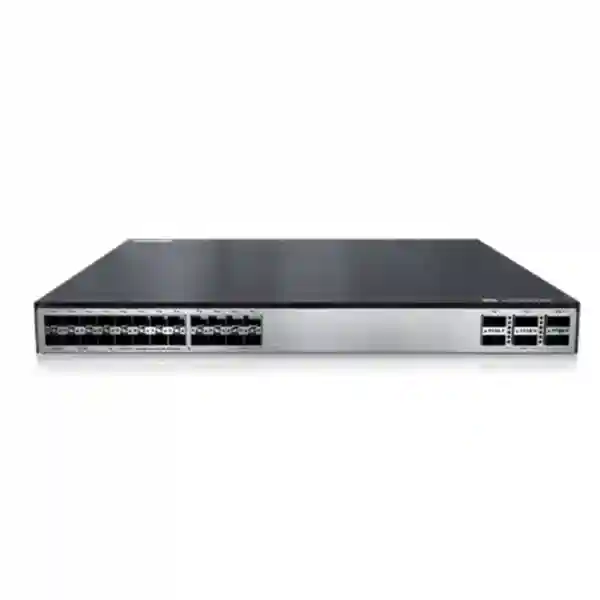
Huawei CloudEngine S5732-H24UM2CC in UAE
A high-performance 24-port Multi-GE PoE++ switch for modern campus access, high-density wireless, resilient aggregation and converged enterprise services.
The CloudEngine S5732-H24UM2CC is built for environments where traditional 1 Gigabit Ethernet access has become a bottleneck. Its copper interfaces can support multi-gigabit rates, while dedicated 25GE and 40/100GE uplink options give architects enough northbound bandwidth for Wi-Fi-heavy floors, digital workplaces, multimedia networks and edge-compute workloads. UAE enterprises can use the platform as an advanced access switch, a compact aggregation switch, or a core device in smaller campus designs, depending on the intended topology and software package.
Direct answer: what is the Huawei CloudEngine S5732-H24UM2CC?
The Huawei CloudEngine S5732-H24UM2CC is an enhanced Multi-GE campus switch in the CloudEngine S5732-H family. The hardware is designed around twenty-four RJ45 access ports capable of operating across 100M, 1G, 2.5G, 5G and 10G speed classes subject to the specific regional bundle, RTU entitlements and software configuration. Northbound connectivity is provided by four SFP28 interfaces that support 10GE/25GE operation and two QSFP28-class interfaces capable of 40GE/100GE operation. An additional expansion slot allows the switching fabric to be adapted for different optical uplink or aggregation requirements.
For UAE deployments, this combination is particularly relevant where high-speed wireless access points are replacing legacy APs. A Wi-Fi 6, Wi-Fi 6E or Wi-Fi 7 access point can create more than one gigabit of aggregate traffic, so the wired access layer needs both Multi-GE downlinks and substantially faster uplinks. The S5732-H24UM2CC gives network architects a practical way to increase edge capacity without converting every endpoint connection to fiber. Existing structured cabling can often continue to serve copper devices, while 25GE and 100GE-class optical links connect the access layer to distribution or core switches.
The platform also addresses operational requirements rather than raw port speed alone. PoE++ support enables power delivery to access points, cameras, terminals and other powered devices. Native wireless-controller functions can manage large AP estates in supported designs. Telemetry, iPCA and intelligent operations features assist fault isolation. iStack, SVF and automated campus functions can reduce the number of independently managed elements. VXLAN and BGP-EVPN capabilities are available when the appropriate software licensing is selected, enabling segmented campus fabrics and policy-based virtual networks. Because Huawei sells different bundles and software packages, a correct UAE quotation should always state the exact BOM, included power modules, port-speed RTUs, software entitlement, optics and support service.
Core hardware specifications and port architecture
| Category | S5732-H24UM2CC design | Deployment meaning |
|---|---|---|
| Copper access | 24 × 100M/1G/2.5G/5G/10G Base-T hardware-class interfaces | Suitable for multigig APs, workstations, cameras and edge devices; enabled rates can depend on RTU/bundle. |
| Fixed optical uplinks | 4 × SFP28 for 10/25GE plus 2 × QSFP28-class 40/100GE interfaces | Supports high-capacity uplinks, LAG designs and aggregation/core connectivity. |
| Expansion | One extended slot for supported optical interface cards | Allows more uplink density or alternative port mix where the fixed uplinks are insufficient. |
| Forwarding performance | 490 Mpps | Built for sustained enterprise traffic volumes across a dense edge. |
| Switching capacity | Published platform figures vary by documentation generation; current international material identifies 1.48 Tbps device capability / 2.4 Tbps system capability. | Capacity should be interpreted using the exact datasheet and software train quoted for the supplied BOM. |
| PoE | PoE++ support | Converges power and data for high-draw APs and other powered endpoints. |
| Power design | Dual power-module positions with 1+1 redundancy options | Supports resilient campus closets and larger PoE budgets when correctly configured. |
| Form factor | Approx. 43.6 × 442 × 420 mm chassis class | Rack-friendly enterprise format; confirm depth, airflow and power-cable clearance in the cabinet design. |
Important: Huawei has released multiple BOMs and licensing bundles for this model. Port-speed entitlement, exact power budget, included power module and uplink behavior should be validated against the part number on the final quotation.
Multi-GE access without redesigning the edge
The most important practical benefit of the S5732-H24UM2CC is its ability to preserve familiar RJ45 connectivity while delivering more than 1 Gbit/s to capable endpoints. That matters in offices, education campuses, hospitality, healthcare and high-density public venues because upgrading access points does not automatically require an all-fiber horizontal cabling project. Multi-GE technology uses intermediate rates such as 2.5G and 5G as well as 10G, helping network teams match the switch port to the endpoint, cable quality and application demand. A Wi-Fi 6 access point may operate efficiently at 2.5G; a high-capacity tri-band AP may justify 5G or 10G. The same switch can serve both categories.
High-speed uplinks prevent access-layer oversubscription
A 24-port access switch capable of multi-gigabit edge rates can overwhelm legacy 10G uplinks if many ports are active simultaneously. Four 25GE SFP28 interfaces and two high-capacity QSFP interfaces give designers several uplink choices. A pair of 25GE links may be sufficient for a moderate office floor. Dual 100GE-class uplinks may be more appropriate when the switch serves dense wireless, large media transfers, storage-adjacent traffic or multiple downstream access switches. The goal is not to eliminate oversubscription entirely; it is to size it intentionally so expected traffic peaks, failure conditions and future growth remain inside the design envelope.
Port-speed RTU licensing: the procurement detail that must be checked
The hardware name alone is not enough to determine the exact speed entitlement of every copper interface in every regional shipment. Huawei uses right-to-use licensing on S5732-H Multi-GE platforms, and regional bundles can ship with different rates enabled on groups of access ports. In UAE channel material, one common S5732-H24UM2CC bundle is described with twelve copper ports enabled through 2.5G and twelve copper ports enabled through 10G, with optional RTU upgrades used to unlock additional rates. Other product documentation describes the physical interfaces by their maximum hardware-class speed capability. Both statements can be true at the same time: the interface silicon may support higher rates while the commercial entitlement controls which speed is available in the purchased configuration.
This distinction matters during WLAN refresh projects. Suppose a customer plans twenty-four Wi-Fi 7 access points and assumes every AP will receive a 10G wired connection. A quotation that includes only the base regional bundle could leave part of the access layer limited to a lower licensed rate. The correct process is to create a port map before purchase, identify the required negotiated rate of every AP or endpoint, then verify how many ports require 2.5G, 5G and 10G. From there, the correct RTU items can be added to the BOM. This prevents an implementation team from discovering a licensing limitation after the access points are installed.
RTU planning also supports cost control. Not every endpoint needs 10G. A CCTV camera may use far less than 1G while still benefiting from PoE. Many office access points perform well with 2.5G. Video production workstations, high-density APs or specific edge appliances may need 5G or 10G. Treating port speed as a design variable rather than enabling the maximum rate everywhere lets the enterprise invest where bandwidth is genuinely useful. The resulting configuration is easier to justify and can be expanded later if the licensing model and hardware revision support the required upgrade.
FourTeck therefore recommends that every S5732-H24UM2CC quotation list five items explicitly: the switch part number, copper port-speed entitlement, software package, power modules, and transceivers or DAC/AOC assemblies. This approach removes ambiguity between marketing-level specifications and the exact hardware delivered to the rack. For broader UAE campus planning and structured switching projects, organizations can also review FourTeck UAE enterprise infrastructure services as part of the design and procurement process.
PoE++ engineering for Wi-Fi, cameras and smart-building endpoints
PoE capacity is often misunderstood because the maximum power of an individual port is not the same as the switch-wide power budget. The S5732-H24UM2CC supports PoE++ operation, making it suitable for endpoints that require more than traditional 802.3af or 802.3at delivery. However, the number of high-power devices that can run simultaneously depends on the installed power modules, input voltage, system reserve and power-allocation policy. A design should therefore start with an endpoint-by-endpoint wattage table rather than a simple port count.
Huawei documentation for the series shows dual power-module positions and 1000 W-class PoE power modules, with the available PoE budget changing according to the power configuration. A representative single 1000 W module at appropriate AC input can provide a substantial shared PoE budget, while dual-module configurations can increase power availability and resilience. Published portfolio material also identifies large platform PoE budgets for the model when suitably powered. The engineering interpretation is straightforward: a switch that can electrically supply high power on a port does not automatically mean all twenty-four ports can simultaneously draw the maximum. The required total must be calculated and then compared with the chosen PSU arrangement.
For a wireless deployment, collect the AP maximum draw, typical draw and feature-dependent draw. Radio chains, USB accessories, IoT modules, BLE radios and environmental conditions can change consumption. If an AP supports a reduced-function mode when insufficient power is available, the network may appear operational but deliver lower radio capacity. For surveillance, account for infrared illumination, heaters, PTZ motors and analytics modules. For desk devices, include video phones, touch panels and peripheral expansion. Add a practical engineering reserve instead of sizing the system at exactly 100 percent of the calculated peak.
Power redundancy introduces another question: should the network maintain the full PoE load after one PSU fails? A configuration may be electrically redundant for the switch logic while losing enough available PoE wattage to shed some endpoints during a PSU failure. Mission-critical sites should size the dual supplies so that the required priority devices remain powered under the intended failure scenario. Configure power priorities where supported, identify essential APs and security cameras, and document which lower-priority endpoints may be disconnected if the remaining budget is exceeded.
UAE installations add practical facility considerations. Telecom rooms can run warm, and higher PoE draw increases thermal load inside the cabinet. The UPS must be sized for the switch, PoE endpoints, uplink optics and expected runtime. Power distribution units need the correct socket count and load rating. Rack depth must accommodate the approximately 420 mm chassis plus power connectors and bend radius. Proper front-to-back airflow and cable management are more important on a high-power Multi-GE switch than on a lightweight legacy access switch. These details directly affect reliability.
Designing 25GE and 100GE uplinks correctly
25GE uplink strategy
The four SFP28 interfaces provide a useful middle ground between 10GE and 100GE. A single 25GE uplink can substantially improve headroom over a legacy 10GE design without requiring 100GE optics at both ends. Two 25GE links can be combined in a link aggregation group for bandwidth and path resilience where the upstream switch and software design permit it. The remaining interfaces can support separate uplinks, dedicated services, stacking-related designs where appropriate, or future expansion. When specifying optics, match wavelength, fiber type, connector, reach and compatibility at both ends.
40/100GE uplink strategy
The QSFP-class uplinks are intended for higher aggregation bandwidth. They are useful when the switch serves a large number of multigigabit APs, when multiple switches converge through an aggregation tier, or when the design aims to preserve substantial failure-state capacity. Some port modes also support breakout behavior, allowing a high-speed interface to be divided into lower-speed channels when the platform, transceiver and cable assembly support the required mode. Breakout should be validated against the exact software release and upstream device before purchasing cables.
Optical budget and fiber plant
Uplink speed is only one part of optical design. The fiber plant must support the selected optic. Multimode links have reach limits that vary with OM class and transceiver type. Single-mode links require the correct wavelength and optical budget. Patch-panel loss, splice loss, connector contamination and polarity must be accounted for. For new UAE campus projects, document the exact fiber route and measured length before choosing optics. This prevents an expensive mismatch between a switch capable of 100GE and a building backbone that cannot support the chosen optical standard.
Resilience and failure-state bandwidth
A pair of uplinks should be sized for the condition that occurs after one path fails, not only for normal operation. If two 25GE links normally share 35 Gbit/s of busy-hour traffic, the remaining 25GE path cannot carry the same load without congestion. The same principle applies to 100GE. Design teams should estimate peak access traffic, control-plane overhead and growth, then validate whether the surviving path can preserve critical application performance. Fast convergence technologies are valuable, but they cannot create bandwidth that was never provisioned.
Why the S5732-H24UM2CC fits Wi-Fi 6, Wi-Fi 6E and Wi-Fi 7 access layers
Modern wireless has changed the relationship between the AP and the switch. Earlier enterprise access points were often constrained by 1GE Ethernet, and many real deployments never approached that ceiling. Newer generations can aggregate traffic from multiple radios, wider channels and many simultaneous clients. Even when an AP does not continuously transmit above 1 Gbit/s, a 2.5G, 5G or 10G wired interface prevents the Ethernet backhaul from becoming the limiting component during short traffic bursts. This is especially relevant for high-density meeting areas, lecture spaces, auditoriums, training centers, hospitality ballrooms and large offices with heavy cloud usage.
The S5732-H24UM2CC addresses this shift in three ways. First, its Multi-GE copper ports allow an AP to negotiate above 1G without requiring an optical connection to each ceiling location. Second, PoE++ can provide the higher power classes required by feature-rich access points. Third, the uplink architecture gives the access layer a path toward 25GE or 100GE aggregation. These capabilities should be considered together. Deploying a multigig AP on a 10G copper port is not useful if the switch is connected upstream by an oversubscribed single 10G link, and a high-power AP cannot enable all radios if the switch-wide PoE budget is undersized.
Huawei also positions the S5732-H family for wired and wireless convergence. Native AC functions can manage a large number of APs in supported designs, with features for AP access control, AP domains, configuration templates, radio management, WLAN services, QoS, security and user management. This can simplify certain campus architectures by combining switching and wireless-control functions. However, enterprises should decide deliberately whether to use the integrated controller role or a dedicated/controller-cloud architecture. The preferred model depends on scale, failure domains, operations practice, software licensing and lifecycle plans.
For a UAE Wi-Fi refresh, the cabling assessment should happen before switch procurement. Cat 5e, Cat 6, Cat 6A and installed-channel quality influence achievable Multi-GE rates and 10G reach. Certification testing is preferable to assuming that an existing cable category will perform at the desired rate. Heat accumulation in large PoE cable bundles also deserves attention. Higher current delivery and dense bundles can increase conductor temperature, especially in warm pathways. Cable gauge, bundle size, ambient temperature and standards-compliant installation practice should all be considered.
When the wireless project also involves security segmentation, identity-based access or application visibility, coordinate the switching configuration with firewall policy. FourTeck can align campus switching with enterprise perimeter and segmentation projects through the Firewall Dubai solutions practice, helping avoid a design in which high-performance access is undermined by inconsistent VLAN, routing or security policy upstream.
iStack, high availability and operational simplification
Huawei documents iStack support for the S5732-H family, with stacks of up to nine member switches in the applicable architecture. Stacking can simplify management by presenting multiple physical switches as a more unified logical system and can provide flexible link and device redundancy. In a campus environment, this is useful when a telecom room contains several access switches serving the same floor or building. Instead of configuring every device as a completely independent island, the stack can centralize certain operational tasks and allow cross-member link aggregation where supported.
Stack design still requires engineering discipline. Physical topology, stack bandwidth, member numbering, master election behavior, software compatibility and maintenance procedure all matter. The failure of one member should be modeled: which access ports disappear, how uplinks reconverge, and whether critical services remain reachable. The failure of a stack link should also be considered, particularly in ring topologies. Maintenance teams need a documented process for replacing a failed member, restoring the configuration and validating traffic after insertion.
Power redundancy operates at a different layer from stack redundancy. A dual-PSU switch can continue operating after a power-module failure, but only if both supplies are connected correctly and the remaining source can support the required load. For meaningful facility resilience, connect redundant PSUs to separate PDUs and, where possible, separate UPS or electrical feeds. Plugging two PSUs into the same overloaded PDU provides component redundancy but little protection against upstream power failure.
Link redundancy should use an architecture aligned with the upstream network. This may involve link aggregation, routed uplinks, multi-chassis designs on the distribution layer, or fabric-based connectivity. Traditional spanning-tree designs can still be valid but must be tuned carefully to avoid unnecessary blocked capacity and slow failure recovery. Routed access or EVPN/VXLAN designs can offer different failure characteristics, but they add control-plane and licensing considerations. The S5732-H24UM2CC is capable enough to participate in sophisticated designs; that does not mean every site should use every feature.
A reliable campus design therefore separates four questions: device redundancy, power redundancy, path redundancy and control-plane redundancy. The selected topology should state which failures it is intended to survive and what service impact remains during each failure. This is more useful than describing a switch as simply “redundant.”
VXLAN, BGP-EVPN and virtualized campus networking
Virtual networks on shared infrastructure
VXLAN lets an enterprise build multiple logical network segments across a common physical switching infrastructure. Rather than extending every VLAN manually through every intermediate device, the fabric can use overlay tunnels and a control plane to transport segmented services. This supports use cases such as separating corporate users, guests, IoT, building systems, CCTV and contractors while still using the same access and aggregation hardware. The S5732-H family supports VXLAN Layer 2 and Layer 3 gateway functions, centralized and distributed gateway models, and BGP-EVPN in supported software packages.
Licensing and controller integration
VXLAN is not simply a base feature that should be assumed in every quotation. Huawei documentation identifies software-package requirements for advanced automation and VXLAN capabilities. Enterprises considering a fabric should verify whether the selected N1 package, license and controller architecture include the intended feature set. iMaster NCE-Campus can participate in automation, topology, monitoring, policy and fabric workflows depending on the purchased package. Licensing should be treated as part of the network architecture, not an administrative detail added after hardware installation.
BGP-EVPN improves the control-plane model for distributing reachability and segmentation information across a VXLAN fabric. For a large campus, this can reduce the operational complexity of manually extending VLANs and can support scalable anycast gateway or distributed gateway designs. However, it also changes the skill requirements for operations teams. Engineers must understand underlay routing, VTEP reachability, overlay route types, route targets, failure behavior and controller interactions. Before deploying EVPN in production, build a lab or staged pilot using the same software train and policy model planned for the final network.
For smaller sites, a conventional VLAN and Layer 3 design may remain the best answer. The advantage of buying a capable switch is not that the organization must activate every advanced feature immediately; it is that the platform can support a broader architecture when the business requires it. A UAE customer may initially deploy the S5732-H24UM2CC as a straightforward Multi-GE PoE access switch and later introduce fabric segmentation, automation or identity-based mobility as the campus grows.
When evaluating software-defined campus options, document the operational ownership model as carefully as the technical topology. Define who administers the controller, who approves policy changes, how backups are taken, how certificates are managed, how software is upgraded and how emergency access works if the controller is unavailable. These governance details determine whether network automation genuinely reduces risk.
Telemetry, iPCA and intelligent operations
High-speed campus networks need observability that is faster and more granular than periodic manual troubleshooting. The S5732-H family supports telemetry-driven data collection and Huawei’s iPCA quality-awareness functions. Telemetry can stream operational data at a useful cadence to management and analytics platforms, helping teams identify trends and abnormalities without relying solely on traditional polling. iPCA can collect packet-loss statistics at network and device levels, supporting service-path analysis when users report intermittent quality problems.
This becomes particularly valuable in wireless-heavy sites because the symptom experienced by a user may originate anywhere between the radio, AP Ethernet interface, access switch, aggregation path, DHCP service, authentication infrastructure, firewall or application. A conventional troubleshooting workflow often requires engineers to collect evidence from several systems after the incident has already passed. Continuous telemetry increases the chance that the relevant measurements already exist when the ticket is opened.
Operational data should still be designed intentionally. Streaming every available metric at the highest rate can overwhelm a collector and make useful signals harder to find. Define a monitoring model around business services: uplink utilization, interface errors, queue drops, PoE state, stack health, CPU and memory, routing adjacency state, AP reachability, packet loss and latency. Set thresholds based on normal baselines rather than generic numbers. A 60 percent uplink utilization level may be perfectly healthy on one site and a sign of imminent congestion on another depending on traffic burstiness and failure-state capacity.
Traditional tools remain relevant. SNMP, logs, alarms, RMON and NetStream-style traffic visibility complement streaming telemetry. The goal is a layered operational picture: logs explain discrete events, counters reveal interface condition, flow information identifies traffic patterns, telemetry shows fast-changing state, and controller analytics correlates symptoms. When integrated into a clear NOC workflow, these capabilities shorten mean time to isolate faults.
FourTeck can combine switching implementation with broader monitoring, server and infrastructure integration through FourTeck IT Services UAE. This is useful when the project includes network management servers, authentication systems, logging, controller platforms or migration support rather than switch supply alone.
Security controls at the campus access layer
The access switch is one of the first enforcement points a device encounters after connecting to the enterprise network. For that reason, the S5732-H24UM2CC should be integrated into the security architecture rather than treated as an unmanaged transport device. Campus designs commonly combine authentication, endpoint classification, VLAN or virtual-network assignment, ACL policy, DHCP protection, ARP protection, storm control, port security and management-plane hardening. The exact functions and scale depend on software release and license, so the production design should be validated against Huawei’s release-specific documentation.
The S5732-H family also participates in Huawei’s broader campus security and analytics ecosystem, including security collaboration capabilities in supported architectures. These features can help identify unusual traffic and coordinate response with management or security platforms. Their value depends on integration. A security feature enabled without a monitoring process, tuned policy or responsible owner often produces alarms that nobody investigates. Conversely, a well-integrated access layer can provide context about which port, user or device generated suspicious activity.
Management-plane security deserves equal attention. Use secure protocols, role-based administration, centralized AAA where appropriate, strong credential policy, management ACLs, dedicated management segmentation and synchronized time. Disable unused services. Back up configurations after approved changes. Restrict who can upload software images. Maintain an inventory of software versions and security advisories. For remote administration, route management traffic through controlled VPN or bastion access rather than exposing device management directly to the Internet.
Physical port security is relevant in public or semi-public spaces. Unused access ports should be administratively disabled or assigned to a restricted state. Desk ports can be configured for the intended authentication model. AP uplinks, cameras and building systems should be separated from general user access. If a switch supplies power to security devices, consider the effect of a switch reboot or PSU failure on the physical-security system as part of the risk assessment.
Segmentation should be designed end to end. A VLAN boundary at the access switch has limited security value if traffic is later bridged or routed without policy enforcement. Coordinate access segmentation with the distribution/core, firewalls, identity systems and wireless controller. The switch provides the attachment and policy-enforcement building blocks; the overall architecture determines whether those controls remain consistent across the user journey.
Practical deployment roles in UAE enterprise networks
High-density office access
Use the switch in floor telecom rooms to connect Wi-Fi APs, user workstations, IP phones, collaboration endpoints, cameras and printers. Multigig interfaces can be reserved for APs or high-bandwidth users while standard endpoints continue to operate at lower negotiated rates. Dual high-speed uplinks connect each floor to a resilient aggregation pair. This is a natural fit for headquarters, financial offices, technology companies and government buildings with dense wireless usage.
Education and training campuses
Classrooms, labs and lecture halls can generate significant burst traffic when many students access cloud platforms simultaneously. PoE++ supports modern ceiling APs, while Multi-GE backhaul helps prevent the AP Ethernet link from constraining radio capacity. Segmentation can separate students, staff, guests, labs, CCTV and building systems. Telemetry helps operations teams investigate localized performance complaints without dispatching engineers to every floor.
Hospitality and large venues
Hotels, event spaces and conference facilities combine high guest density with operational systems. A single closet may serve guest APs, IP cameras, signage and back-office devices. Multi-GE and PoE reduce the number of separate power and data systems. High-speed uplinks are important because traffic can surge during events. Network segmentation and centralized operations support separation between guest, corporate and building-management services.
Healthcare and smart facilities
Healthcare campuses and intelligent buildings contain a broad device mix: staff terminals, wireless clients, monitoring devices, cameras, IoT sensors, access control and automation systems. The access switch must offer predictable uptime and clear segmentation. PoE planning should prioritize essential devices under failure conditions. Software features and security controls should be validated carefully for the regulated or operational environment in which the switch will run.
Cabling, rack, cooling and electrical planning
A Multi-GE PoE++ switch places more demands on the passive and facility layers than a traditional 1GE non-PoE device. Start with horizontal cabling. The negotiated rate depends on cable category, channel length, termination quality, interference and the condition of the existing plant. Multi-GE standards are designed to provide higher rates over installed twisted-pair cabling, but the exact achievable speed cannot be assumed from the jacket label alone. For critical upgrades, certify representative links or all AP links with an appropriate field tester.
Cable bundles carrying substantial PoE current can experience temperature rise. The effect varies with conductor gauge, bundle size, ambient temperature and power level. This is especially important in UAE environments where ceiling voids, risers and non-conditioned pathways may already operate at elevated temperatures. The correct response is standards-based cable engineering: use suitable cable, observe bundle and pathway guidance, avoid overfilling trays, and verify the derating rules applicable to the installation.
The switch chassis is approximately 442 mm wide and 420 mm deep in published portfolio data, so shallow wall cabinets should be checked before ordering. Add clearance for PSU handles, power cords, optical modules, fiber bend radius and front patch leads. A cabinet that barely accommodates the metal chassis may still be operationally unsuitable once cables are connected. Ensure the rail kit and mounting hardware match the rack type and load.
Cooling is driven by both switch consumption and delivered PoE. The switch’s own typical consumption is much lower than the maximum power delivered to attached devices, but the power supplies and internal electronics still generate heat. Provide adequate airflow and avoid blocking intake or exhaust paths with cable bundles. In small telecom rooms, calculate total equipment heat and confirm that air conditioning remains available after normal office hours if the network is expected to operate continuously.
UPS sizing must use real power and expected battery runtime. Include the switch base load, PoE endpoint draw, optics, controller appliances if present, and growth reserve. If the design requires the network to remain available during an outage, verify how long the UPS can carry the full load near end-of-battery life, not only when the battery is new. For dual PSUs, determine whether they connect to one UPS, separate UPS units or separate electrical circuits.
Finally, label everything: rack unit, switch hostname, stack member, PSU feed, uplink destination, optic type, fiber pair, patch-panel position and endpoint purpose. High-density switches become difficult to troubleshoot when cabling is undocumented. A clear labeling and as-built package often saves more operational time than any single software feature.
Routing, Layer 2 design and interoperability considerations
The S5732-H class can operate beyond simple Layer 2 access, making it suitable for routed campus designs as well as VLAN-based edge switching. Which approach is preferable depends on the failure domain and operational model. A conventional Layer 2 access layer centralizes default gateways upstream and can be familiar to many teams. Routed access limits Layer 2 fault domains and can improve convergence, but it requires a routing design, address planning and operational competence closer to the edge. EVPN/VXLAN introduces another option by combining routed underlay connectivity with virtualized overlay segments.
Interoperability matters in multi-vendor estates. Huawei documents compatibility-oriented technologies such as VBST for environments that interact with PVST/PVST+/RPVST behavior, as well as other campus interoperability mechanisms. Even when protocols are standards-based, test the exact topology before migration. Differences in default timers, link-type assumptions, VLAN handling and control-protocol implementation can create unexpected behavior during cutover.
Link aggregation should be configured consistently on both ends. Decide whether LACP will be used, how member links are distributed, and what happens when one member fails. Where traffic volumes are high, understand the hashing algorithm: a multi-link bundle increases aggregate capacity, but a single flow may remain limited to one member. For storage-like or large-transfer workloads, this can influence observed throughput.
Quality of service is another design layer. Voice, video, wireless control traffic and business applications may need differentiated treatment. The correct model begins at the endpoint or AP, maps trust boundaries, and preserves markings through the campus. Avoid building complex QoS policies without a measured congestion problem. On high-capacity networks, simple classification and well-sized uplinks may solve more problems than aggressive queuing. Where congestion is unavoidable, document queue behavior and validate it with representative traffic.
Multicast should also be considered for IPTV, video distribution and service discovery. Features such as IGMP snooping can limit unnecessary multicast flooding at Layer 2, while routed multicast requires additional protocol design. Large hospitality and campus deployments should identify multicast applications early because they can alter VLAN boundaries, querier placement and uplink requirements.
Software lifecycle, licensing and support planning
Enterprise switch procurement should include a software lifecycle plan. The S5732-H24UM2CC has appeared across multiple VRP software generations, and feature support can depend on the selected release. Before deployment, identify the recommended software train for the exact hardware BOM and verify support for required optics, expansion cards, licenses, stacking features and controller integration. Do not assume that a configuration copied from another S5700-family model will behave identically.
Licensing should be documented in a customer-facing entitlement matrix. One line should cover port-speed RTUs, another the N1 software package, another any controller subscriptions or licenses, and another support entitlement. This prevents a common operational problem in which the hardware is installed correctly but advanced functions cannot be activated because the necessary license was never purchased. It also simplifies future renewals and audits.
Upgrade procedure is especially important for stacked or fabric-connected switches. Review release notes, feature changes, known issues, upgrade paths and rollback requirements. Back up the configuration and license state. Confirm that management and monitoring systems support the target version. If the switch also provides wireless-controller functions, include AP compatibility and wireless service impact in the maintenance plan. A campus switch upgrade can affect far more users than the number of physical Ethernet ports suggests.
Support coverage should match business criticality. A small office may tolerate next-business-day replacement. A hospital, trading environment, hotel or large education campus may require faster restoration and on-site spares. Consider holding a compatible cold spare for remote locations where logistics could delay replacement. If using a spare, ensure its software and license state can be brought into service rapidly.
Maintain an asset record containing serial number, part number, installed PSUs, expansion card, optical modules, software version, license identifiers, rack location and support expiry. This data becomes essential during fault escalation and lifecycle planning. For projects that also include servers, virtualization hosts or data-room infrastructure, FourTeck Server Dubai can be referenced for complementary compute and rack-side requirements.
Migration methodology from 1GE access switching
A successful migration starts with discovery. Export the existing switch inventory, interface descriptions, VLAN membership, uplink configuration, PoE consumption, MAC address tables and error counters. Record which ports are unused, which are connected to phones or APs, and which carry special services. Many migration problems come from undocumented exceptions rather than from the new switch itself. A port that looks inactive may serve an after-hours device; an access port may carry a voice VLAN; a trunk may connect a third-party controller.
Next, classify endpoints by bandwidth and power requirement. This determines which devices need Multi-GE, which need high-power PoE, and which can remain at 1G. Map the endpoints to the port-speed entitlement included in the S5732-H24UM2CC bundle. If additional RTU licenses are needed, resolve that before the installation date. At the same time, verify that existing copper cabling can support the target rates and that new uplink fiber is available.
Build the new configuration from a reviewed template rather than converting the old configuration line by line. Keep required VLANs and policies, but remove obsolete settings. Standardize interface descriptions, management addressing, AAA, NTP, SNMP/telemetry, syslog destinations and configuration backup. Define storm control, spanning-tree edge behavior and security defaults consistently. For stack deployments, stage the complete stack in advance so member numbering and software versions are correct before it enters the production rack.
Cutover planning should separate physical work from logical validation. Prepare patching schedules and labels before the outage. After each group of ports is moved, validate link speed, VLAN, DHCP, authentication, DNS, Internet access, internal application reachability and PoE status. For APs, verify that the radio system sees the correct uplink speed and full power mode. For cameras and IoT devices, confirm that the management platform reports them online.
The uplink cutover deserves its own rollback plan. If the new switch connects to a distribution pair using 25GE or 100GE optics, validate optical levels and LACP or routing adjacencies before migrating users where possible. Keep old uplinks available until the new path is proven. If changing spanning-tree or routing design at the same time, increase the test window because the project is no longer a simple hardware replacement.
After the migration, capture a new baseline. Save interface statistics, uplink utilization, PoE draw, CPU, memory, temperature, topology and latency. Compare user experience and application performance with the old environment. A baseline turns the upgrade into measurable infrastructure improvement and gives the operations team a reference point for future troubleshooting.
Sizing examples for common S5732-H24UM2CC deployments
Example A: Wi-Fi-first office floor
Assume twelve high-capacity APs, eight workstations or room devices, and four spare ports. APs negotiate at 2.5G or 5G and require PoE. User devices operate at 1G. Two 25GE uplinks connect to the distribution layer. This is a balanced design when the measured busy-hour traffic stays well below the combined uplink capacity. If the AP generation changes later, port-speed RTUs can be reviewed before moving selected APs to 10G.
Example B: high-density wireless venue
Assume twenty-four APs, many operating above 2.5G during events. The switch-wide PoE requirement and cable bundle temperature become primary design inputs. Dual high-speed uplinks, potentially 100GE-class depending on traffic engineering, preserve headroom. A redundant PSU configuration is selected so critical APs remain powered after a module failure. Telemetry and WLAN analytics are enabled because user density can create short-lived performance events that are difficult to diagnose manually.
Example C: mixed smart-building closet
Assume six APs, eight cameras, four access-control devices, four office endpoints and two reserved ports. Most endpoints need little bandwidth, but several require PoE. The switch is selected for its power flexibility, uplink headroom and lifecycle rather than because every port needs 10G. VLAN or virtual-network segmentation separates security, building automation, corporate and wireless traffic. Power priority is assigned so cameras and access-control devices remain online during constrained power conditions.
Example D: compact aggregation role
The S5732-H24UM2CC can also be used where several copper-connected systems and downstream devices need aggregation into 25GE/100GE uplinks. In this role, the network may use more Layer 3 functionality and less PoE. The expansion slot can add interface flexibility. Evaluate whether the forwarding, table scale, uplink density and software features match the aggregation workload; for very large sites, a purpose-built aggregation or core platform may still be more appropriate.
What to verify before ordering in Dubai and the UAE
The exact commercial configuration should be treated as part of the technical design. Start with the part number. The same model name can appear in multiple bundles, and a suffix or BOM code can determine the included software entitlement, port-speed RTU or power module. Ask for the full Huawei part number on the quotation and compare it with the intended project specification. If a supplier quotes only the generic model name, request the detailed BOM before issuing a purchase order.
Second, verify power. Confirm whether the switch ships with one AC module, two modules, DC power, or no power module in the quoted bundle. Calculate the required PoE budget and decide whether one module is sufficient. If redundancy is required, confirm that the second module is included and that the chosen electrical design provides independent feeds. Include UAE-compatible power cords or PDU connectors in the bill of materials.
Third, verify optics. SFP28 and QSFP28 interfaces need transceivers or compatible direct-attach/active optical cable assemblies. Select them according to upstream port type, distance and fiber. Do not assume the switch includes optics. If breakout is planned, confirm the required port mode, cable and upstream compatibility. Include spare optics for critical links where replacement lead time matters.
Fourth, verify software and license. Identify the N1 software package, advanced feature requirement, port-speed RTU and controller licensing. If the design uses VXLAN, BGP-EVPN, free mobility, advanced CampusInsight functions or controller-based automation, list those requirements explicitly. If the switch is being purchased only for high-speed Layer 2 access, avoid paying for software capabilities that are not part of the approved architecture unless future growth justifies them.
Fifth, verify support. Record warranty terms, software-access entitlement, replacement SLA and escalation path. UAE projects often involve tight maintenance windows and multi-site operations. A clearly defined support route can be as important as spare hardware during an outage. For remote branches, consider staged spares and documented replacement procedures.
Finally, verify integration services. Decide whether the requirement is supply-only, staging, rack installation, migration, controller integration, wireless configuration, firewall changes, monitoring integration or complete campus rollout. A detailed scope prevents commercial gaps and reduces the chance of a technically capable switch being deployed with incomplete configuration.
Performance interpretation: bandwidth, packets and real application demand
Forwarding performance and switching capacity are useful platform indicators, but they should not be read as direct predictions of application throughput. The published 490 Mpps forwarding figure describes packet-processing capability under defined conditions. Real enterprise traffic contains packets of different sizes, bursts, multicast, control traffic and congestion. Application performance is also influenced by uplink design, routing, firewall capacity, WAN performance, server response and wireless conditions. A properly sized S5732-H24UM2CC removes the access switch as a likely bottleneck, but end-to-end performance still depends on the rest of the path.
Small packets place more pressure on packet-per-second processing than large packets at the same bit rate. Voice, transactional systems and some security workloads can produce different forwarding characteristics from large file transfers. For most campus deployments, the platform’s forwarding capability is more than sufficient for ordinary access traffic, but architects should still validate unusual workloads. A switch serving lab equipment, packet brokers, specialized appliances or very high-rate east-west flows may require a different analysis than a normal office floor.
Oversubscription is not inherently bad. Access networks are normally designed around the fact that all endpoints do not transmit at line rate simultaneously. The engineering task is to choose an oversubscription ratio appropriate to the users and applications. Twenty-four 10G-capable interfaces do not imply a requirement for 240 Gbit/s of continuous northbound bandwidth. Measure or estimate actual demand, then include growth and failure-state headroom. High-density wireless and media workloads justify lower oversubscription than typical office desktops.
Queue drops are often a better indicator of user-impacting congestion than average link utilization. A 100GE uplink can show low five-minute average use while still experiencing microbursts. Telemetry and interface queue statistics help identify this. If microbursts are causing loss, options include increasing uplink capacity, changing traffic distribution, tuning QoS where appropriate, or addressing the traffic source. Simply replacing copper access links with faster rates can move the congestion point upstream.
Performance testing should therefore use realistic traffic paths. Validate AP-to-LAN, AP-to-Internet, wired-client-to-server and inter-VLAN flows as required. Test during a controlled window, record switch counters before and after, and distinguish application limitations from network limitations. This creates a defensible acceptance baseline.
Operations checklist after commissioning
Daily and alert-driven checks
Monitor PSU state, stack state, uplink availability, interface errors, temperature, CPU, memory, PoE alarms and routing or LAG adjacency changes. Alert on conditions that require action rather than every state transition. Correlate network alerts with controller, firewall and server logs when troubleshooting user-impacting incidents.
Monthly capacity review
Review busy-hour uplink utilization, port growth, PoE consumption and error trends. Identify links approaching the design threshold under normal and failure conditions. Check whether new APs or devices are negotiating expected speeds. Capacity management is easier when growth is addressed before users experience congestion.
Quarterly configuration governance
Compare running configuration with the approved baseline, review local administrator accounts, verify AAA and management ACLs, test configuration backups and confirm time synchronization. Remove obsolete VLANs, disabled projects and temporary access rules only after checking ownership.
Lifecycle review
Track software advisories, support dates, license renewals and hardware spares. Schedule upgrades using documented maintenance and rollback procedures. Revalidate controller compatibility and stack interoperability before major release changes.
Frequently asked technical questions
Does every RJ45 port automatically operate at 10G?
The hardware family supports multi-gigabit rates up to 10G, but enabled rates can depend on the exact UAE bundle and RTU entitlement. Verify the part number and port-speed license in the quotation.
Can it power modern enterprise APs?
Yes, the platform supports PoE++. The number of high-power APs supported simultaneously depends on the installed PSU configuration and total PoE budget. Build a wattage schedule before ordering.
Can it use 100GE uplinks?
The model provides QSFP28-class high-speed uplink capability, with 40/100GE operation described in Huawei international material. Confirm port mode, optics and software for the exact supplied BOM.
Does it support stacking?
Huawei documents iStack support for the S5732-H family, with up to nine members in applicable designs. Validate topology and software compatibility before deployment.
Does it support VXLAN and BGP-EVPN?
Yes, the S5732-H family supports VXLAN gateway functions and BGP-EVPN, but advanced software licensing is required in relevant packages. Include the license in the BOM if fabric features are needed.
Is the built-in wireless controller mandatory?
No. Native AC capability is an architectural option. Organizations can choose the wireless-management model that best fits their controller, cloud, resilience and operational requirements.
Can it replace a core switch?
It can serve as a compact core in some smaller campus designs, but large enterprises should size table scale, uplink density, redundancy and feature requirements before selecting it for a core role.
What should be included in a complete UAE quote?
At minimum: switch BOM, power modules, power cords, port-speed RTU, software package, expansion card if required, optics/cables, support entitlement, staging and installation scope.
Decision recap: when this model is a strong fit
Choose the Huawei CloudEngine S5732-H24UM2CC when the access layer needs more than ordinary 1G switching and the project benefits from a combination of copper Multi-GE, high-power PoE, high-speed optical uplinks, resilient power and advanced campus software. It is particularly well aligned with high-density wireless, smart buildings, modern offices, education, hospitality and environments where future Wi-Fi growth could make a conventional 1GE access switch a short-lived investment.
Do not select it solely from the headline port count. The correct configuration depends on how many endpoints need 2.5G, 5G or 10G, the required PoE wattage, uplink bandwidth, fiber type, controller strategy, license package and failure model. A carefully configured S5732-H24UM2CC can support a sophisticated campus edge for years; an incomplete BOM can create avoidable licensing, optics or power problems on day one.
FourTeck’s role is to turn the model into a complete working solution: validate the design, map endpoint speeds, size PoE, select optics, align software and RTU licensing, stage the switch, integrate it with the existing distribution/core, and document the deployed state. The objective is a production network rather than a box-only sale.
Quotation input checklist
For an accurate FourTeck UAE quotation, provide as much of the following as possible:
- Number of S5732-H24UM2CC switches required.
- Number and model of Wi-Fi access points.
- Required copper speeds: 1G, 2.5G, 5G and 10G.
- PoE endpoint count and maximum watts per device.
- Preferred AC or DC power arrangement.
- Requirement for 1+1 PSU redundancy.
- Uplink speed: 10GE, 25GE, 40GE or 100GE.
- Fiber type, distance and connector information.
- Need for expansion interface card.
- Stacking requirement and number of members.
- VLAN, routing or VXLAN architecture.
- Need for native wireless-controller functionality.
- iMaster NCE-Campus or CampusInsight requirement.
- Required software/N1 package.
- Support SLA and installation location in UAE.
Implementation deliverables to request
For enterprise projects, ask the integrator to define deliverables rather than using a generic “installation” line item. A complete scope can include site survey, low-level design, finalized BOM, staging, software upgrade, configuration template, stacking, optics installation, uplink migration, VLAN and routing changes, wireless-controller integration, monitoring integration, acceptance testing and as-built documentation.
The acceptance test should record negotiated access speeds, PoE state, stack health, uplink status, routing or LAG state, redundancy behavior, management reachability and representative user traffic. For wireless projects, validate AP adoption, power mode and Ethernet rate. For critical sites, test the agreed PSU or uplink failure scenario during the commissioning window.
A documented handover should include configuration backup, network diagram, rack and port map, software version, license inventory, serial numbers, optics list, IP plan, support contacts and maintenance procedure. This turns the deployment into an operational asset that the customer can support after project closure.
FourTeck UAE consultation for Huawei S5732-H24UM2CC
For Dubai and UAE projects, FourTeck can support supply, license validation, power and PoE sizing, optical selection, staging, migration and integration of the Huawei CloudEngine S5732-H24UM2CC. The recommended workflow begins with the endpoint and traffic requirement, then works backward through port speed, power budget, uplink capacity, software entitlement and redundancy. This prevents overbuying in one area while leaving a hidden bottleneck elsewhere.
If your project combines switching with broader enterprise infrastructure, FourTeck can coordinate server, firewall, monitoring and IT-service dependencies so that the campus edge is designed as part of the complete network. Use the approved FourTeck resources linked throughout this page for related UAE solution areas, or submit the technical checklist with the desired site quantity and implementation scope.

Reviews
There are no reviews yet.