
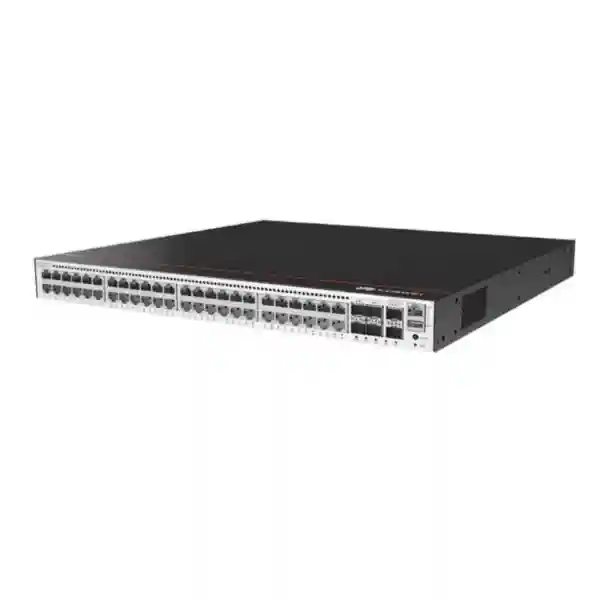
Huawei CloudEngine S5735-S48T4XE-V2
A 48-port Gigabit Ethernet access switch with four 10GE SFP+ uplinks, dedicated stacking connectivity, advanced IPv4/IPv6 routing, enterprise segmentation, intelligent operations and maintenance, and resilient power design for business networks that need dense wired access without PoE.
Choose the S5735-S48T4XE-V2 when the access layer needs forty-eight copper Gigabit ports, multiple 10GE fiber uplinks, non-PoE economics, strong Layer 2/Layer 3 control, and power redundancy. For phones, cameras, Wi-Fi access points or other powered endpoints, compare a PoE-capable sibling instead of assuming this T-series model supplies endpoint power.
What the Huawei CloudEngine S5735-S48T4XE-V2 is designed to do
The Huawei CloudEngine S5735-S48T4XE-V2 belongs to Huawei’s CloudEngine S5735-S-V2 campus switching family and is positioned as a standard Gigabit Ethernet access switch for enterprise networks. In practical design terms, it provides the port density needed to terminate users, printers, building systems, IP endpoints that have independent power, desktop devices, small servers, wireless controllers, security appliances, and other copper Ethernet equipment at the edge of a campus. The forty-eight 10/100/1000BASE-T interfaces allow a single rack unit to serve a full patch-panel block, while four 10GE SFP+ interfaces provide higher-speed paths toward a distribution switch, core switch, firewall cluster, server aggregation point, or another switch in a resilient uplink topology.
For Dubai and wider UAE deployments, that combination is especially useful in office towers, schools, universities, clinics, hospitals, hotels, retail environments, government facilities, logistics sites, warehouses, and branch networks where the structured-cabling plant remains predominantly Category 6 or Category 6A copper at the access layer but fiber is preferred for risers, building-to-building paths, MDF-to-IDF links, or redundant connections to a central network room. The model is also appropriate where power sourcing is deliberately separated from switching, for example when IP phones use local adapters, cameras connect through dedicated PoE switches, access points are served by specialized multigigabit PoE equipment, or the rack contains distinct switching roles for powered and non-powered endpoints.
A core advantage is that the device is not limited to basic Layer 2 forwarding. Huawei’s international product information for this series lists static routing, RIP, OSPF, IS-IS, BGP, ECMP, VRRP and their supported IPv6 counterparts, allowing the switch to participate in more advanced enterprise designs. It also supports a broad VLAN feature set, loop-prevention mechanisms, multicast functions, authentication and access control, DHCP security, traffic classification, quality of service, monitoring, telemetry, cloud-oriented management using NETCONF/YANG, and Huawei iStack. That breadth allows the same hardware to serve a conventional access role today while retaining options for routed access, branch aggregation, segmentation, resilient gateway functions, or more centralized management later.
Key hardware specification snapshot
Forty-eight 10/100/1000BASE-T interfaces for standard copper Ethernet access.
Four optical or DAC-capable 10 Gigabit SFP+ interfaces for uplink and aggregation designs.
Published international forwarding performance for the S5735-S48T4XE-V2.
Huawei lists device switching capacity before the slash and system switching capability after the slash for the international model.
Dedicated stack connectivity supports iStack-based logical consolidation and operational simplification.
Designed for redundant power operation; confirm the exact AC or DC module BOM when ordering.
Important regional note: Huawei publishes different performance values for some mainland-China documentation and later domestic software or hardware portfolios. For a Dubai/UAE procurement, the international specification set should be used when validating the exact export SKU, quotation and software release.
Port architecture: forty-eight copper access ports plus four 10GE uplinks
The most important physical design decision is the port map. The S5735-S48T4XE-V2 gives an engineer forty-eight Gigabit Ethernet copper access interfaces and four 10GE SFP+ interfaces. That makes it straightforward to align the switch with standard forty-eight-port copper patch panels in an IDF. A common enterprise layout places user desks, printers, meeting-room systems, building-management interfaces and non-PoE edge devices on the copper ports, then reserves the SFP+ interfaces for two or more diverse fiber uplinks. Where the distribution layer supports link aggregation, multiple 10GE ports can be grouped to increase aggregate bandwidth and provide path resilience. Where the campus core is physically remote, single-mode optical transceivers can be selected to match the distance and fiber plant. Within a rack or adjacent racks, compatible direct-attach cabling may be considered where supported by the chosen optics and cabling policy.
The four-uplink count is significant because it gives more design flexibility than a switch with only two high-speed uplinks. Two ports can be used as an LACP bundle toward one logical upstream system, while the remaining interfaces can serve another aggregation path, a local server, a firewall, or a separate service network. Alternatively, links can be split across two upstream switches. The exact topology should depend on the behavior of the distribution pair, whether multi-chassis aggregation is available, how spanning tree or routed access is designed, and whether deterministic failure domains are more important than maximum link utilization. The switch supports common Ethernet protection and spanning-tree mechanisms, so it can be integrated into conventional enterprise designs without forcing a single architectural model.
Because the access ports are Gigabit Ethernet rather than 2.5GE or 10GE, the model is best matched to endpoints whose practical throughput requirements remain within a 1 Gbps interface. That covers most desktops, printers, traditional office devices, industrial controllers with standard Ethernet, signage players, point-of-sale equipment and many fixed business appliances. It is less appropriate for new high-density Wi-Fi access points that require multigigabit copper or very high PoE budgets. A sound bill of materials therefore starts with endpoint classification: count the devices that only need data, count the devices that need switch-supplied power, identify any endpoints that need more than 1 Gbps, and place each class on hardware designed for its electrical and bandwidth profile.
The SFP+ ports also need to be treated as a complete optical design rather than merely four empty uplink sockets. Specify the fiber type, connector presentation, distance, optical budget, transceiver compatibility, redundancy policy, patch leads, cleaning procedure and spare strategy. In UAE facilities where IDFs may be distributed across large floor plates or multiple buildings, documenting fiber paths and labeling both ends of each uplink reduces troubleshooting time. For critical environments, route redundant fibers through different trays or risers where possible so that an accidental fiber cut, tray issue or localized maintenance event does not remove both uplinks at once.
Forwarding performance, switching capacity and what the numbers mean
Huawei’s international product page lists 168 Mpps forwarding performance and 224 Gbps device switching capacity, with 520 Gbps shown as the associated system switching capability. These figures should be interpreted together with the physical port inventory rather than as isolated marketing numbers. Forty-eight 1GE access interfaces account for 48 Gbps of one-way line-rate access bandwidth, while four 10GE uplinks add 40 Gbps. Full-duplex switching considers traffic in both directions, and the published forwarding performance indicates the packet-processing capability of the platform. In a correctly engineered access-layer deployment, the practical bottleneck is more likely to be uplink oversubscription, server or WAN capacity, application behavior, or a deliberate QoS policy than the simple sum of access ports.
The central sizing question is therefore not whether every endpoint can theoretically transmit at 1 Gbps simultaneously. It is whether the expected traffic profile can be carried through the selected uplink design during busy periods and failure conditions. For general office access, many endpoints are idle or bursty, and a pair of 10GE uplinks can provide substantial headroom. For engineering workstations, local backup traffic, storage replication, surveillance recording, large file movement or media workflows, utilization can be much more sustained. In those situations, the designer should measure or estimate real traffic, calculate the oversubscription ratio, evaluate the effect of losing one uplink, and decide whether two, three or four 10GE interfaces should participate in upstream connectivity.
Packet rate also matters when traffic consists of many small frames. A link carrying minimum-sized packets creates a much higher packet-per-second requirement than the same bandwidth used by large frames. Huawei’s published 168 Mpps figure provides a useful platform benchmark for evaluating dense transactional, voice, control-plane-adjacent and mixed enterprise traffic. As always, specific performance can depend on enabled features, software release, traffic patterns and table utilization, so high-assurance designs should validate the intended feature set and software image rather than relying on one headline number.
Layer 2 switching, VLAN segmentation and loop protection
At Layer 2, the S5735-S-V2 family supports the controls needed to build segmented enterprise access networks rather than one large broadcast domain. Huawei lists support for approximately 4K VLANs, multiple VLAN interface constructs, voice VLAN, MUX VLAN, QinQ-related functions, VLAN mapping, and assignment methods based on criteria such as MAC address, protocol, IP subnet, policy and physical port. For a typical Dubai office, that allows one physical switch to carry separate logical networks for employees, guests, printers, facilities, security appliances, laboratory devices and management. Segmentation can reduce broadcast scope, improve security policy clarity, simplify troubleshooting and allow different services to be routed or filtered at appropriate boundaries.
The MAC address table supports automatic learning and aging as well as static, dynamic and blackhole entries, and Huawei’s series datasheet lists a maximum of 32K MAC entries. This is ample for many access and aggregation use cases, but table scale should still be considered in environments with extensive virtualization, large Layer 2 domains, provider-style QinQ, or unusually high endpoint churn. The correct design is usually to keep Layer 2 failure domains intentional rather than stretching them across the entire campus simply because the hardware can learn a large number of addresses.
For loop avoidance and fast recovery, the product family supports STP, RSTP and MSTP, along with protections such as BPDU protection, root protection and loop protection. It also supports ERPS according to G.8032 and Smart Link-related mechanisms. These capabilities are useful where redundant Ethernet links are required but the network is not operating as a fully routed fabric. In a traditional campus, MSTP can map groups of VLANs to spanning-tree instances, while ERPS may be suitable for ring-based topologies that need rapid protection switching. The choice should be architectural: use the simplest mechanism that provides the required convergence and operational visibility, and avoid enabling multiple overlapping loop-protection systems without a clear interaction plan.
LLDP and LLDP-MED provide neighbor discovery and endpoint information exchange that can improve inventory, troubleshooting and voice-network integration. Even in a non-PoE switch, LLDP remains valuable because it helps identify connected systems and physical topology. A disciplined deployment should standardize interface descriptions, VLAN naming, allowed VLAN lists, edge-port behavior, storm controls, spanning-tree protections and unused-port policy so that the switch configuration remains predictable across every IDF.
Layer 3 routing for access, aggregation and resilient gateway designs
The S5735-S48T4XE-V2 is more capable than a basic Layer 2 access switch. Huawei’s international specifications list static routing, RIPv1/v2, RIPng, OSPF, OSPFv3, IS-IS, IS-ISv6, BGP, BGP4+, ECMP, VRRP and VRRP6. The series datasheet also describes routing policies and policy-based routing. This allows network architects to place routing boundaries closer to users when that improves scale or fault isolation, or to use the switch as a compact branch aggregation device where multiple VLANs need local Layer 3 interfaces and upstream dynamic routing.
A routed-access design can reduce spanning-tree dependence by using Layer 3 links from the access switch toward a distribution pair. OSPF or IS-IS can advertise local subnets, ECMP can provide multiple active next hops, and route policies can control advertisement and preference. In a conventional design where VLAN gateways remain on a distribution or firewall layer, the S5735-S48T4XE-V2 can still provide Layer 2 access while using a management SVI and static or dynamic routes for operational reachability. The presence of routing features is therefore an option rather than a requirement; the best design depends on the existing campus architecture and the operations team’s skill set.
VRRP and VRRP6 support resilient first-hop gateway designs when two Layer 3 devices provide a virtual default gateway to downstream systems. Although a single access switch cannot create device redundancy by itself, it can participate in architectures where gateway resiliency is distributed across a pair of switches. If a stack is used, engineers should understand how the logical stack interacts with gateway redundancy and avoid building unnecessary protocol layers. The objective is deterministic recovery: an uplink, member, power module or upstream device should be able to fail without creating an ambiguous forwarding state.
Huawei’s series documentation lists up to 8192 IPv4 FIB entries and up to 3072 IPv6 FIB entries for the relevant S5735-S-V2 datasheet generation. Those figures are more than a basic office access switch typically needs, but they are important if the switch is considered for a routed branch, aggregation point or segmented campus with many prefixes. Route scale should be planned with margin and validated against the exact software version because feature interactions, resource profiles and firmware evolution can affect practical limits.
BGP support may be useful in larger enterprises, data-center-adjacent campus designs, segmented routing domains or branches that exchange multiple networks with WAN infrastructure. However, using BGP simply because it is available can increase operational complexity. For many campuses, OSPF with carefully defined areas and route summarization remains easier to operate. The switch provides options; architecture should choose the protocol that matches scale, convergence goals, support processes and team experience.
Multicast support for video, IPTV, collaboration and controlled one-to-many traffic
Enterprise networks increasingly carry multicast for digital signage, IPTV, market data, discovery protocols, software distribution, building systems and certain collaboration or streaming applications. Huawei’s S5735-S-V2 documentation lists IGMPv1/v2/v3, IGMP snooping, MLD snooping for IPv6, PIM-DM, PIM-SM and PIM-SSM, along with multicast VLAN functions and traffic statistics. These capabilities allow the switch to constrain multicast delivery to interested receivers instead of flooding every access port.
At the access layer, IGMP snooping is usually the first control to consider. The switch observes membership signaling and forwards multicast streams only to interfaces that have joined the relevant group, reducing unnecessary traffic on user ports. In a routed multicast design, PIM can be used between Layer 3 devices. Source-specific multicast is particularly useful where receivers should subscribe to a known source and group combination. The architecture should also define the querier location, rendezvous-point strategy where applicable, VLAN boundaries, bandwidth expectations and failover behavior.
For hospitality or education deployments in the UAE, multicast control can be important because many receivers may exist on the same floor or building. A few high-bitrate streams replicated incorrectly can consume significant uplink bandwidth. Proper snooping, group limits, monitoring and QoS classification help maintain predictable service while avoiding an accidental multicast flood.
Important: this model is non-PoE
The T in S5735-S48T4XE-V2 identifies a copper data-focused model, and Huawei’s international specification table lists PoE as unavailable for this exact variant. That distinction matters during procurement. A forty-eight-port switch can appear suitable on port count alone, but if the connected phones, cameras, Wi-Fi access points, access-control readers or sensors require IEEE 802.3af/at/bt power from the network, this model will not provide it.
There are several legitimate reasons to choose a non-PoE switch. It can lower unnecessary power-system cost when endpoints already have local power. It avoids allocating PoE budget to desks or devices that do not need it. It can also simplify thermal planning in racks where powered devices are handled by dedicated PoE switches. In mixed environments, a common approach is to deploy the S5735-S48T4XE-V2 for desktop data and infrastructure ports, while using a PoE-capable access switch for phones, cameras and wireless access points.
Before issuing a purchase order, build an endpoint matrix that lists quantity, data rate, copper or fiber medium, PoE requirement, maximum expected power, VLAN role and criticality. This one document prevents a large class of mistakes, including buying a non-PoE model for powered endpoints or overpaying for high-power PoE on ports that will never use it.
Power redundancy, rack design and physical deployment
Huawei lists 1+1 power backup for the S5735-S48T4XE-V2. In practical resilience terms, a correctly populated redundant power configuration allows the switch to continue operating when one power module or one upstream electrical feed is lost, subject to the installed modules and wiring design. Procurement teams should verify whether the quoted unit includes one or two power modules, whether they are AC or DC, the plug type, the supported input range, and whether the selected modules are approved for the exact chassis revision. Redundancy is a system property: two power modules connected to the same single PDU and the same upstream circuit still share an electrical failure domain.
For higher availability, connect redundant switch power supplies to separate PDUs where the facility supports it, and ideally to independently protected electrical paths. UPS runtime should be calculated for the entire network stack, not just one switch. A non-PoE switch generally contributes less variable load than a large PoE access switch because it does not supply endpoint power, which can make backup-power planning more predictable. The rack design should also reserve capacity for optics, cable managers, patch panels, redundant uplink routing and service access.
The model is a 1U-class rack switch. Huawei documentation for the exact model family lists a chassis envelope of approximately 43.6 mm high, 442 mm wide and 420 mm deep. Rack depth should therefore be checked together with rear cable clearance, power-module access, airflow requirements and front patching. In compact wall cabinets, depth is often the overlooked constraint. A switch may fit nominally but become difficult to service once power connectors, fiber bend radius and cable-management hardware are added.
UAE equipment rooms also require disciplined environmental control. Even where the building is fully air-conditioned, telecommunications closets can experience high thermal load if doors remain closed, filters are blocked or cooling stops after office hours. Keep rack airflow unobstructed, avoid recirculating hot exhaust into device intakes, monitor temperature, maintain clean filters, and ensure dust control. For sites with challenging environmental conditions, verify the manufacturer’s permitted operating temperature, humidity and altitude ranges for the exact shipment before installation.
iStack and resilient switch operations
Huawei’s S5735-S-V2 series supports iStack, allowing multiple compatible switches to operate as a more unified logical system. The relevant series datasheet lists dedicated stack connectivity and an 80 Gbps stack-bandwidth figure. Stacking can simplify access-layer management because multiple physical members can be configured and monitored as one logical unit, and link aggregation can be distributed across members so an uplink bundle is not dependent on a single chassis.
A stack is not a substitute for all forms of network redundancy, however. Members can still share software state, configuration errors and some operational dependencies. Designers should decide whether the benefits of a common control plane outweigh the isolation provided by two independent switches. In many enterprise access closets, stacking is appropriate because it simplifies operations and allows cross-member uplink aggregation. In high-assurance environments, independent devices with Layer 3 routing may provide stronger fault-domain separation. Both approaches can be valid.
When planning a stack, document member order, stack-link cabling, master-election behavior, software version, upgrade procedure, configuration backups and spare strategy. Stack links should be cabled to avoid a single physical mistake disconnecting the stack ring or chain. Label every stack cable and member. Before production rollout, test the failure of one member, one stack link and one uplink so the operations team understands actual convergence behavior.
Huawei also describes fast stack upgrade capabilities for the series. Upgrade planning should still include release-note review, configuration compatibility checks, maintenance windows, rollback criteria and confirmation that all members run the intended image. Mission-critical networks should avoid ad hoc firmware changes during busy operating periods.
Security controls at the access layer
The access switch is one of the first enforcement points encountered by users and devices, so security cannot be limited to the internet firewall. Huawei’s series documentation lists 802.1X authentication, portal authentication, AAA, RADIUS, HWTACACS, NAC integration, port security, sticky MAC, blackhole MAC entries, learned-MAC limits, IP/MAC/interface/VLAN binding, port isolation, DHCP snooping, CPU protection, blacklists and whitelists, as well as defenses against DoS, ARP and ICMP attacks. Used properly, these functions can reduce unauthorized network access, limit spoofing opportunities and improve visibility at the point where endpoints connect.
IEEE 802.1X is particularly relevant in enterprise environments where identity should determine network access. A device or user can authenticate through a RADIUS-backed system before receiving normal network privileges. Dynamic authorization policies can then place the endpoint in an appropriate VLAN or apply an access policy. Where legacy devices cannot perform 802.1X, MAC-based methods or controlled exception processes can be used, but those should be treated as weaker identity signals. Network access control is strongest when it combines switch enforcement with endpoint identity, certificate management, device profiling and a documented fallback policy.
DHCP snooping helps create a trust boundary between authorized DHCP server paths and untrusted access ports. This is useful for preventing accidental or malicious rogue DHCP servers from assigning incorrect gateways or DNS information. Address bindings learned through trusted DHCP exchanges can also support other anti-spoofing mechanisms. For static-address devices, administrators should define how exceptions are recorded and protected rather than disabling controls globally.
Port security and MAC-learning limits can prevent an access interface from learning an uncontrolled number of devices, which is useful on office ports that should normally serve one workstation, one phone plus workstation, or another known topology. Unused ports should be administratively disabled or placed in a restricted VLAN. Native VLAN use should be minimized, trunk ports should have explicit allowed-VLAN lists, and access ports should not be allowed to negotiate unintended trunk behavior.
Management-plane security is equally important. Huawei supports SSH v2 and HTTPS, and SNMPv3 is available for authenticated and encrypted monitoring. Telnet and older SNMP versions may exist for compatibility, but new deployments should prefer secure protocols. Management access should come from dedicated administrative networks, be restricted with ACLs, use centralized AAA, and be logged. Device credentials should not be shared among administrators, and configuration backups should be protected because they can contain topology, addressing and credential-related information.
These switch controls complement rather than replace perimeter and internal security systems. FourTeck can integrate the switching layer with broader network-security design through the Firewall Dubai practice, allowing VLAN boundaries, routed segments, access controls and firewall policy to be designed as one system instead of separate projects.
QoS, traffic policing and application predictability
Enterprise access networks carry traffic with very different sensitivity to delay and loss. Voice, interactive video and control traffic may be latency-sensitive, while backups and software distribution can tolerate delay but consume large bursts of bandwidth. Huawei’s S5735-S-V2 datasheet describes eight queues per interface, SP and DRR-based scheduling, traffic policing, two-rate three-color CAR, packet redirection, 802.1p and DSCP remarking, Layer 2-to-Layer 4 traffic filtering, per-queue rate controls and traffic shaping. These functions allow the switch to classify, mark, queue and regulate traffic according to policy.
The best QoS design starts with a small number of meaningful traffic classes rather than dozens of application-specific rules. Define which applications genuinely need priority, establish a trust boundary, decide where DSCP markings are accepted or rewritten, and ensure the upstream network follows the same policy. Giving every application a priority marking defeats the purpose of QoS. Critical traffic should receive predictable treatment while bulk traffic remains controlled without being starved.
On access ports, it is generally safer not to trust arbitrary endpoint markings unless the device is managed and the policy explicitly allows it. The switch can classify traffic based on fields such as source or destination addresses, protocol and TCP/UDP ports, then remark the traffic into a consistent enterprise class. On uplinks, queue scheduling can protect real-time applications during congestion. Policing can cap traffic from a user, service or class that would otherwise consume disproportionate resources.
QoS should be validated during failure scenarios because congestion often appears when a redundant uplink is lost and traffic shifts to a smaller remaining path. A design that is uncongested during normal operation may oversubscribe the surviving link. Therefore, size links and queue policies for the degraded state as well as the healthy state.
Operations, telemetry and management integration
Modern network operations require more than ping and interface counters. Huawei’s S5735-S-V2 documentation includes SNMPv1/v2c/v3, RMON, web-based management, system logs and alarms, port mirroring, remote switched port analyzer functions in the family, NQA, sFlow, telemetry, iPCA-related capabilities and cloud-oriented management based on NETCONF/YANG. Huawei also positions the family for integration with iMaster NCE-Campus and related campus operations platforms, enabling centralized provisioning and experience-oriented visibility where the required management system and licenses are deployed.
SNMPv3 remains useful for conventional monitoring platforms because it provides authenticated and encrypted polling. Interface utilization, errors, discards, CPU and memory indicators, environmental alarms and power status should be monitored continuously. Syslog should be sent to a centralized logging platform with correct time synchronization so events from the switch, firewall, authentication system and servers can be correlated. The operations team should define severity thresholds and avoid generating so many low-value alarms that important events are ignored.
Telemetry can provide more frequent and structured data than traditional polling, which is valuable for congestion analysis, microburst visibility and large campus environments. NETCONF/YANG can support automation and configuration workflows. These functions are most effective when paired with disciplined templates, version control and change management. Automating an inconsistent configuration simply propagates inconsistency faster, so baseline standards should be created first.
Huawei’s Virtual Cable Test capability can help diagnose common copper-cabling faults from the switch side. In a large office or hotel with hundreds of horizontal cable runs, being able to distinguish a likely cabling issue from an endpoint or configuration issue can reduce troubleshooting time. Physical certification tools are still required for formal structured-cabling acceptance, but switch-side diagnostics are valuable for operational triage.
For organizations that want the switching platform integrated into broader managed infrastructure, FourTeck IT Services UAE can support design, deployment, monitoring, lifecycle planning and operational standardization around the campus network.
Forwarding silicon and ASIC architecture: what can be stated reliably
Enterprise switch buyers sometimes ask for the exact forwarding ASIC name because chip architecture can influence buffers, table scale, feature support and lifecycle behavior. Huawei’s public product materials for the S5735-S48T4XE-V2 emphasize platform capabilities, forwarding rate, switching capacity, interface types, protocol scale and software features rather than publishing a consumer-style chipset specification for the exact switch. It is therefore better engineering practice to evaluate the verified forwarding behavior and resource limits than to invent or assume a silicon part number.
For this model, the measurable design inputs include 168 Mpps published forwarding performance, 224 Gbps device switching capacity for the international version, forty-eight Gigabit Ethernet access interfaces, four 10GE SFP+ uplinks, dedicated stack connectivity, the documented MAC and route-table capabilities, QoS queues, ACL behavior and supported protocols. Those parameters describe what matters to most enterprise designs: how many endpoints can connect, how fast traffic can move, how routes and MAC entries scale, which control-plane protocols are supported, and how traffic can be classified and protected.
If a project has a specialized requirement around shared versus dedicated packet buffers, exact on-chip memory, microburst absorption, ASIC generation, latency under a specific packet distribution or feature resource partitioning, request the relevant Huawei technical documentation for the shipping hardware revision and software release. Those questions should be answered from platform-specific engineering data, not inferred from another switch in the same family.
This approach is especially important during long project cycles because vendors may introduce hardware revisions while retaining a commercial model name. A validated bill of materials should capture the exact part number, hardware version, software train, transceivers, power modules and support entitlement expected at delivery.
Licensing and software considerations
The hardware capability list is only one part of a production deployment. Enterprise switch features can depend on software release, feature license, management subscription or controller entitlement. Before purchase, confirm which functions are included in the base software for the quoted unit and which require additional licensing. This is particularly important for centralized campus management, advanced analytics, orchestration and certain value-added operations features. The exact entitlement model can change over a product lifecycle, so a quotation should state software and support items explicitly rather than assuming that every platform capability is licensed by default.
The software release should also be selected deliberately. A new switch may ship with an image that differs from the standardized version already used in the customer’s network. Mixing releases can complicate stacking, configuration consistency and troubleshooting. Define an approved target image, read release notes, verify transceiver support, confirm management-platform compatibility, and test critical protocols in a staging environment where practical.
Support coverage is another lifecycle decision. Enterprise networks often operate for many years, so the procurement package should specify warranty or support level, access to software updates, replacement procedures, escalation contacts and local spare strategy. A low initial hardware price can be offset by operational risk if replacement lead times are unclear or the software entitlement is incomplete.
For multi-site deployments, create a golden configuration template that defines AAA, SNMPv3, NTP, syslog, management ACLs, VLAN naming, spanning-tree settings, uplink policy, security defaults and configuration backup. Then treat site-specific parameters such as hostname, management address and local VLAN IDs as controlled variables. This reduces drift and makes support much more predictable.
Recommended deployment patterns
1. Office access layer
Use the 48 GE ports for desktops, printers and non-PoE business devices. Connect two or more 10GE uplinks to the distribution layer. Apply user, printer, facilities and management VLANs, with 802.1X where supported by the endpoint environment.
2. Non-PoE server or appliance edge
Use copper ports for appliances that only require Gigabit Ethernet and independent power. Reserve SFP+ links for upstream aggregation. Confirm that server traffic does not require more per-host bandwidth than 1GE.
3. Branch aggregation
Terminate multiple local VLANs, use static or dynamic routing upstream, and deploy VRRP or routed resiliency where two devices are present. This can reduce the number of Layer 2 failure domains across a branch.
4. Education and training facilities
Serve labs and classrooms with dense wired copper access. Separate students, staff, administrative systems and lab devices by VLAN and access policy. Use multicast controls if local streaming or digital-signage services are deployed.
5. Hospitality back-office networks
Use the switch for back-office PCs, property systems, printers and non-PoE infrastructure while keeping powered phones, access points and cameras on purpose-built PoE access switches.
6. Segmented facilities networks
Connect controllers and building systems that use standard Ethernet, place them in dedicated VLANs, restrict east-west access, and route toward security enforcement points using explicit policy boundaries.
Sizing methodology for a 48-port access switch
Correct sizing begins with usable port count rather than the advertised number forty-eight. Decide how many ports are reserved for growth, temporary devices, test connections, local management or special services. If an IDF has forty-five known endpoints today, filling a forty-eight-port switch nearly to capacity may create immediate pressure when staff move, a printer is added or a new building system appears. Many organizations target a practical utilization level that leaves spare ports for normal change. The exact headroom should reflect the site’s growth rate and how quickly another switch can be installed.
Next, separate endpoint bandwidth from uplink bandwidth. Forty-eight access ports do not imply that the uplinks must provide 48 Gbps of sustained capacity, because office traffic is usually bursty. But the uplink design must carry the expected simultaneous demand with adequate headroom. Use monitoring from the existing network when available. Measure 95th-percentile utilization, peak bursts, backup windows, video traffic, software distribution and large file transfers. If no measurements exist, classify user groups and estimate conservative concurrency. Engineering and media users should not be modeled like ordinary office users.
Then size for failure. If two 10GE uplinks operate as a 20 Gbps bundle and one fails, the surviving 10GE path should still carry critical traffic acceptably. If a four-link bundle is used, decide whether the network can tolerate one-link or two-link loss. The ratio between normal and degraded capacity should be understood before the design is approved. QoS can protect critical traffic under congestion, but it cannot create bandwidth that does not exist.
Table scale should also be considered. A simple office VLAN with a few hundred devices will use only a small portion of the available MAC and routing resources. A large campus with many stretched VLANs, virtual machines, dynamic routing and multicast groups can consume more. Use the manufacturer’s table limits as ceilings and maintain operational margin. Avoid designs that depend on running a hardware table close to its maximum because endpoint churn, feature interaction and future expansion can create unpredictable pressure.
Finally, size the management and operational model. A technically correct switch can still be the wrong choice if the organization lacks compatible monitoring, trained support staff, spare hardware or a standard configuration. Confirm who will own firmware upgrades, incident response, configuration backup, security hardening, RMA handling and documentation. The best access-layer platform is one that fits both the traffic requirement and the support process.
For a UAE campus refresh, FourTeck can combine switch sizing with rack, fiber, firewall and service planning through the FourTeck UAE engineering team so that the hardware bill of materials reflects the complete deployment rather than an isolated switch count.
Optics, fiber and copper cabling design
The four SFP+ uplink interfaces are only useful when the optical layer is specified correctly. Start by identifying whether each link uses multimode fiber, single-mode fiber or a short-reach direct-attach option. Verify the installed fiber type and connector format; do not select transceivers only from distance assumptions. Older buildings may contain mixed fiber generations, undocumented patch fields or connectors that have been adapted over time. A site survey and optical-path documentation can prevent compatibility issues during cutover.
For each uplink, document the A-end switch, A-end port, transceiver type, patch lead, fiber pair, intermediate panel, B-end patch lead, B-end transceiver, B-end device and B-end port. Labeling should match drawings and configuration descriptions. If redundant uplinks are intended to protect against cable failure, use physically diverse paths where the building allows it. Two fibers in the same tray can be lost by the same incident.
On the copper side, horizontal links should be certified to the applicable structured-cabling standard for Gigabit Ethernet. Maintain bend radius, separation from electrical interference sources, correct patch-panel termination and good rack cable management. The switch’s Virtual Cable Test can assist troubleshooting, but it does not replace formal certification results from an installer. Retain those test records as part of the as-built package.
Transceiver compatibility should be validated against the exact Huawei software and hardware release. Include spare optics in the procurement plan for critical sites, because a low-cost transceiver can still become a single point of outage if no replacement is locally available.
UAE deployment considerations: power, heat, support and logistics
A Dubai network design should account for the operating environment around the switch, not only the data sheet. Telecommunications rooms need continuous cooling, clean power, protected rack access and reliable UPS coverage. In commercial buildings, air-conditioning schedules may differ between occupied office space and back-of-house rooms. Confirm that IDF cooling remains active during nights, weekends and holidays when the network continues to operate. Temperature alarms should be integrated into facility or network monitoring where possible.
Power redundancy should be mapped to the building’s actual electrical topology. Two switch power supplies connected to separate outlets may still feed the same branch circuit. Where resilience matters, trace each PDU to the upstream UPS and distribution board. Label feeds so maintenance staff can identify them. During commissioning, perform a controlled test of each feed and verify that switch operation continues without unexpected reboot.
Local support and spare strategy can have more operational value than small differences in purchase price. Determine how quickly a failed switch, power module or optical transceiver must be replaced. For a single office, a compatible cold spare may be economical. For a large multi-site estate, regional spares and a documented RMA process can reduce downtime. Keep backup configurations, software images, license information and serial-number records in a controlled repository.
Import and procurement teams should verify exact part numbers because a model family can include variants with similar names but different PoE capability, expansion slots, power arrangements or region-specific specifications. The S5735-S48T4XE-V2 should not be confused with S5735-S48P4XE-V2, S5735-S48T4XEZ-V2 or XA variants. Quotes should repeat the complete model string and list power modules, optics, licenses, support and accessories as separate line items.
For organizations extending a standard architecture beyond the UAE, the same discipline applies to regional projects: confirm power standards, environmental conditions, local stock, support coverage, customs lead times and software entitlement before assuming that a Dubai bill of materials can be copied unchanged. FourTeck’s global technology practice can help coordinate multi-country requirements while keeping core design standards consistent.
Finally, record the acceptance criteria before installation. Typical checks include physical inspection, firmware version, serial numbers, power redundancy, stack status where used, uplink light levels, LACP state, VLAN and routing reachability, AAA login, monitoring visibility, syslog delivery, NTP synchronization, failover behavior and configuration backup. A structured acceptance test converts a shipment of hardware into a verified production system.
Migration from an older access switch
Replacing an access switch is not merely a cable-moving exercise. Begin by collecting the existing configuration, interface descriptions, VLAN membership, trunks, port security, spanning-tree state, routing relationships, DHCP relay settings, authentication policy, monitoring configuration and connected-device inventory. Compare actual switch state with drawings because legacy documentation is often incomplete. Identify critical endpoints that cannot tolerate a long outage and schedule the migration around operational requirements.
Build the new S5735-S48T4XE-V2 configuration in advance using a reviewed template. Configure management addressing, secure AAA, NTP, SNMPv3 or telemetry, syslog, VLANs, spanning-tree protections, uplink bundles, routing and ACLs before connecting users. If the replacement changes the spanning-tree root, routed adjacency or gateway behavior, test that change independently rather than discovering it during the final patch move.
During cutover, move uplinks deliberately and verify control-plane stability before migrating all access ports. Then move endpoints in labeled groups and validate representative devices from each VLAN or policy class. Check DHCP assignment, DNS reachability, gateway access, application connectivity and authentication. For static devices, verify the documented address and VLAN. A rollback threshold should be defined in advance so the team knows when to revert instead of troubleshooting indefinitely during a maintenance window.
After migration, compare monitoring graphs and error counters with the old baseline. Unexpected CRC errors may indicate cabling or optics issues, while high discards can reveal oversubscription or QoS problems. Save the final configuration, update rack diagrams and cable schedules, record serial numbers and support information, and remove obsolete credentials or management entries from the retired switch.
Interoperability in mixed-vendor networks
Many enterprises in the UAE operate mixed switching environments, so interoperability matters. Huawei documents support for standards-based STP, RSTP, MSTP, LLDP, LACP-related Ethernet aggregation behavior, IPv4 and IPv6 routing protocols, VRRP, 802.1X, RADIUS, SNMP, standard VLAN tagging and common multicast protocols. Huawei also lists VBST interoperability with PVST/PVST+/RPVST-style environments and LNP behavior similar to DTP for link negotiation. These features can help integrate the switch into networks that contain equipment from other enterprise vendors.
Standards support does not mean every vendor’s default behavior is identical. Before connecting to an existing distribution switch, compare native VLAN configuration, trunk allowed lists, LACP mode, spanning-tree mode, bridge priority, MST region parameters, MTU, routing timers, authentication settings and transceiver support. Small default differences can create intermittent or difficult-to-diagnose problems.
For routing, establish explicit protocol parameters instead of relying on defaults. OSPF area type, authentication, reference bandwidth, interface cost and passive-interface policy should be standardized. For BGP, define neighbors, AS numbers, route filters, maximum-prefix protections and communities according to a documented policy. For VRRP, coordinate priorities, preemption and tracking behavior. For multicast, confirm IGMP versions and PIM design across vendor boundaries.
A lab test or controlled pilot is valuable when the switch must interoperate with legacy equipment or a complex multi-vendor core. Test the normal forwarding path and at least one failure event. The goal is not simply that links come up, but that they reconverge predictably and remain manageable after a fault.
Comparison logic: when this model fits and when another switch is better
The S5735-S48T4XE-V2 fits well when: the site needs approximately forty-eight copper Gigabit access connections; endpoints do not require switch-supplied PoE; 10GE fiber uplinks are sufficient; enterprise VLAN, routing, QoS, authentication and management features are required; 1+1 power redundancy is desired; and the organization wants a Huawei campus switch that can participate in iStack and centralized operations.
A PoE model is better when: the same access switch must power IP phones, cameras, wireless access points or other powered devices. In that case, calculate the total PoE budget under maximum load and redundancy conditions rather than selecting solely by the number of PoE-capable ports.
A multigigabit model is better when: Wi-Fi 6/6E/7 access points, high-performance workstations or other endpoints need more than 1 Gbps over copper. Using a 1GE access switch in front of a multigigabit endpoint creates an avoidable bottleneck even if the uplink is 10GE.
A higher-capacity aggregation switch is better when: the device must aggregate many downstream switches, carry numerous high-speed server links, or provide 25GE/40GE/100GE uplinks. The S5735-S48T4XE-V2 is primarily a dense Gigabit campus access platform, not a substitute for a large core or data-center leaf switch.
An independent-switch design may be better than stacking when: the application requires stronger control-plane fault isolation. Stacking simplifies management and can improve link-resiliency options, but independent routed switches can contain some software or configuration failures more effectively. Select based on availability objectives rather than habit.
Procurement checklist for the complete bill of materials
A reliable quotation should include more than one line that says Huawei S5735-S48T4XE-V2. Start with the exact chassis part number and region, then add the intended power modules and confirm whether one or two are included. List every required SFP+ optic or DAC by link type and distance. Add compatible fiber patch leads, rack-mount accessories, console or management accessories where required, support entitlement, software or controller licensing, and any spare units or spare power modules.
The purchase specification should also state whether the switch must arrive with a particular software release or whether the implementation team will standardize firmware before deployment. If stacking will be used, include the required stack cables and verify that all members are compatible. If the switch will be monitored by an existing management platform, confirm device support and required licenses before delivery.
For optics, avoid vague wording such as ’10G module’. Specify reach, wavelength, fiber type and connector requirements. For redundant power, specify the expected feed type. For support, specify the desired replacement or response target. For project installations, include staging, configuration, rack installation, patching, testing, documentation and handover if those services are required.
This level of detail prevents a common procurement failure: the switch arrives on time, but the project is delayed because the second power module, correct optics, licenses or patch cords were not included. A complete BOM is part of network engineering, not an administrative afterthought.
Why buy and deploy through FourTeck in the UAE
A campus-switch project is most successful when the hardware selection, network architecture, optics, security policy, power design and implementation plan are handled together. FourTeck can support UAE customers with model validation, bill-of-material review, switch configuration, VLAN and routing design, fiber and uplink planning, secure management setup, monitoring integration, migration assistance, testing and documentation. That matters for the S5735-S48T4XE-V2 because closely named Huawei variants can differ in PoE capability, expansion options or power configuration, and those differences should be resolved before the purchase order is released.
FourTeck’s role can range from supply-only coordination to full deployment. In a greenfield office, that may include rack layout, structured cabling coordination, VLAN architecture, firewall handoff and acceptance testing. In an existing enterprise, the work may focus on replacing legacy switches while preserving addressing, authentication and monitoring standards. In either case, the objective is a verified production result rather than simply delivery of a sealed box.
Customers can review the wider enterprise networking portfolio through FourTeck UAE, while cross-border organizations can coordinate regional infrastructure through FourTeck Global.
Technical validation notes for network architects
When approving the S5735-S48T4XE-V2 for a design, validate five layers of information. First, verify the physical layer: rack depth, airflow, power feeds, copper cabling, fiber type and optics. Second, verify capacity: access-port count, uplink bandwidth, forwarding rate, route and MAC scale, multicast load and failure-state oversubscription. Third, verify control protocols: VLANs, spanning tree or ERPS, LACP, OSPF or other routing, VRRP and multicast. Fourth, verify security: AAA, 802.1X, DHCP snooping, management ACLs, SSH, SNMPv3, logging and secure configuration backup. Fifth, verify operations: firmware standard, management platform, monitoring, telemetry, spare strategy, support entitlement and change process.
Document assumptions explicitly. If the design assumes two 10GE uplinks, state the expected peak traffic and the acceptable utilization after one link fails. If it assumes 802.1X, state how printers and legacy devices authenticate. If it assumes stack operation, state the stack topology and upgrade procedure. If it assumes redundant power, state where each module is connected. Clear assumptions make future troubleshooting and capacity upgrades much easier.
Also distinguish manufacturer capabilities from configured capabilities. A switch may support BGP, telemetry and advanced QoS, but those features do not provide benefit unless they are included in the architecture, licensed where necessary, configured correctly and monitored. Conversely, unnecessary features can increase complexity. The strongest production configurations are usually selective: they enable the controls required by the design and leave unused services disabled.
Finally, preserve the exact source of truth for the device version. Huawei publishes regional documentation, and some mainland-China performance figures differ from the international specification set. UAE procurement should therefore validate against the international/export datasheet associated with the quoted hardware and software release. This prevents accidental comparison of two regional specifications that share the same product-family name but not the same published performance figures.
Decision recap
Strong fit
Dense wired office or campus access, forty-eight standard Gigabit copper endpoints, non-PoE use cases, 10GE fiber uplinks, enterprise segmentation, dynamic routing and resilient power design.
Check carefully
Actual uplink utilization, optics, rack depth, power-module BOM, software release, feature licensing, stack design, management-platform compatibility and local spare requirements.
Choose another model if
Endpoints need PoE, copper access must exceed 1 Gbps, aggregation requires uplinks faster than 10GE, or the project requires a higher-capacity core or data-center switching role.
Key verified profile
48 × 10/100/1000BASE-T, 4 × 10GE SFP+, dedicated stacking, 168 Mpps forwarding, 224 Gbps device switching capacity and 1+1 power backup in the international specification set.
Quotation input checklist
How many active copper ports are needed now, and what growth headroom should be reserved?
Confirm that connected endpoints do not require PoE from this switch, or identify separate PoE switching.
Specify number of 10GE links, upstream devices, LACP or routed design, and failure-state bandwidth.
Provide fiber type, distance, connector, path count and required spare transceivers.
Confirm AC or DC requirement, number of power modules, redundant PDU feeds and UPS policy.
List VLAN count, gateway location, OSPF/BGP/VRRP requirements and multicast needs.
Define 802.1X, RADIUS/HWTACACS, DHCP snooping, management ACL and logging requirements.
State monitoring platform, firmware standard, telemetry needs, support level and spare strategy.
Plan the S5735-S48T4XE-V2 as part of the complete network
Send FourTeck your endpoint count, PoE needs, uplink distances, fiber type, rack location, preferred power configuration, VLAN and routing requirements, security controls, management platform and support expectations. The engineering team can then validate whether this exact non-PoE model fits, prepare the required optics and power bill of materials, and align the switch configuration with the firewall, distribution layer and operational standards.

Reviews
There are no reviews yet.