
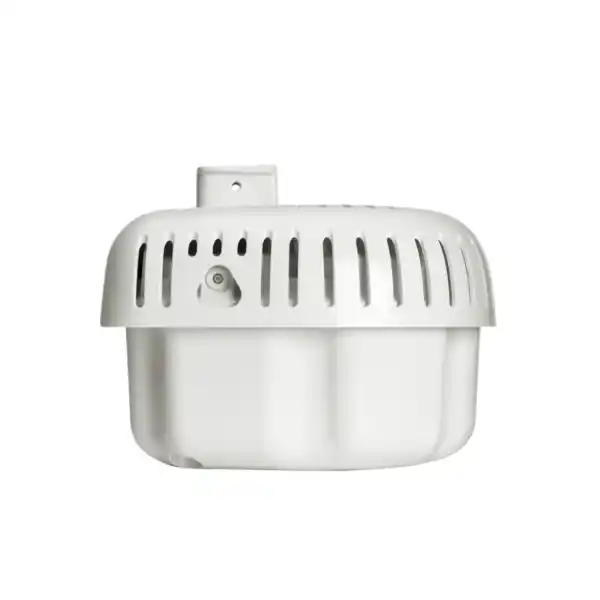
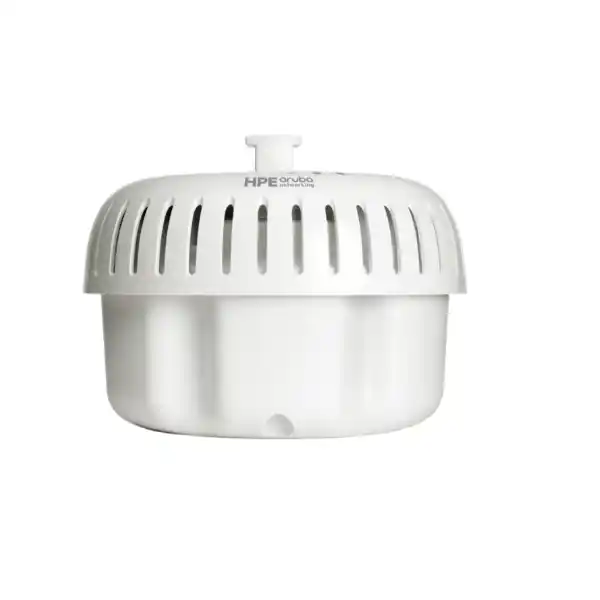
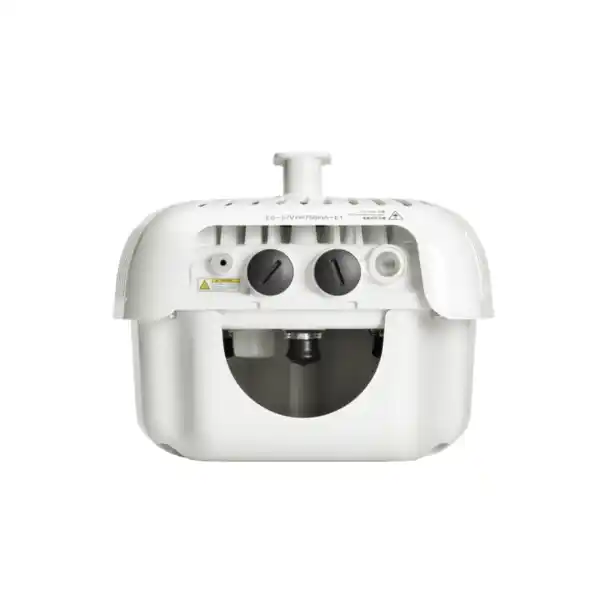
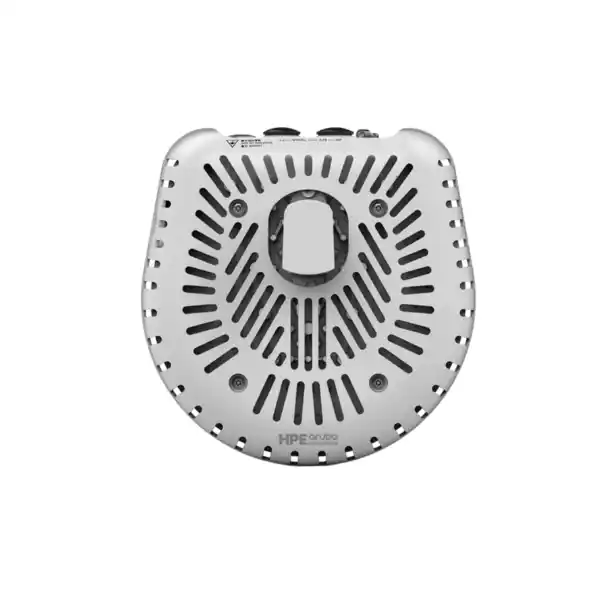
HPE Aruba Networking AP-574 in Dubai, UAE
The AP-574 is an outdoor-hardened HPE Aruba Networking 570 Series access point with external antenna connectors, dual-band Wi-Fi 6 radios and enterprise management options. Its main buying advantage is design flexibility: the antenna pattern can be matched to the site instead of accepting a fixed integrated antenna profile.
Confirm regional SKU, external antennas, mounting bracket, power method and management approach. These details materially affect the bill of materials.
Direct answer for buyers
HPE Aruba Networking AP-574 is a connectorized outdoor Wi-Fi 6 access point in the 570 Series. It is mainly used where an organisation needs enterprise wireless coverage outdoors but wants to choose external antennas to suit a specific direction, sector, corridor, yard or coverage geometry. It can suit campuses, industrial premises, transport areas, hospitality grounds and public-space projects that already use, or plan to use, the HPE Aruba Networking architecture. Before proceeding, confirm the correct regulatory-domain SKU, antenna types and gains, mounting method, PoE or DC power design, Ethernet uplinks, software and management mode, required accessories and site-specific RF conditions. FourTeck can help translate those requirements into a quotation-ready bill of materials.
What the AP-574 does
The AP-574 extends enterprise Wi-Fi 6 into weather-exposed areas while giving the wireless designer control over the antenna system. HPE specifies four N(f) connectors for 5 GHz antenna operation and two N(f) connectors for 2.4 GHz. This differentiates the AP-574 from related 570 Series models that use integrated antennas.
Its job is not simply to provide “outdoor Wi-Fi.” The device becomes one element of a wider RF design that includes antenna selection, mounting height, azimuth, cable losses, interference, channel planning, client behaviour, PoE or DC power, Ethernet backhaul and network policy. That makes it useful when a fixed omni-directional or fixed directional antenna pattern is not the right fit.
Who should consider it
Consider the AP-574 when the site needs outdoor enterprise WLAN coverage and external antennas are desirable for engineering control. Typical buyers include IT teams, network integrators, facility operators, hospitality groups, campuses, warehouses with open yards, logistics operators, industrial sites and organisations connecting outdoor user or IoT zones.
It may be less appropriate when a simpler integrated-antenna access point meets the requirement. In those situations, a related model such as an integrated omni or directional 570 Series unit may reduce antenna and cabling decisions. FourTeck can help compare the design consequences rather than choosing solely by headline radio specification.
Business problems this access point can help address
Coverage that must follow the site
Outdoor spaces rarely form neat circles. Connectorized antennas let designers shape coverage toward walkways, loading areas, courtyards, vehicle lanes or defined sectors instead of radiating energy equally in every direction.
Harsh environmental exposure
HPE rates the 570 Series for outdoor operation, including IP66/67 protection and an operating range down to -40°C and up to +65°C with full solar loading. That supports deployments exposed to heat, dust, rain and substantial weather variation when installed correctly.
Dense user and device activity
Wi-Fi 6 features such as OFDMA and multi-user operation are intended to improve airtime efficiency in environments with many clients. Actual user experience still depends on spectrum, client capabilities, design density and uplink capacity.
Unified operational policy
In an Aruba-managed network, outdoor APs can participate in the same operational and policy framework used elsewhere in the WLAN. The exact management architecture, software release and licensing should be confirmed for the customer environment.
Core capabilities that matter in an outdoor design
AP-574 fit matrix
| Requirement | Suitable when | Confirm before ordering |
|---|---|---|
| Outdoor directional or customised coverage | The project needs antennas selected for a particular beam shape or coverage target. | Antenna model, gain, polarization, mounting and cable losses. |
| High environmental exposure | The AP will be outdoors in heat, dust, rain or similar conditions within published limits. | Mounting location, seals, drip loops, grounding, surge protection and cable entry practice. |
| Enterprise Aruba WLAN | The customer wants alignment with Aruba management and policy architecture. | AOS/Instant/AOS 10 architecture, management subscriptions and software compatibility. |
| Multi-gigabit wired backhaul | The switch and cabling can support 2.5GbE where needed. | Switch port capability, PoE budget, cable distance and outdoor Ethernet protection. |
| Simple outdoor coverage with no antenna engineering | Possibly not the simplest choice; an integrated-antenna model may reduce design complexity. | Whether AP-575 or AP-577 style integrated antennas better match the target area. |
Configuration, antenna and licensing dependencies
The AP-574 should not be treated as a self-contained radio with an automatically complete bill of materials. External antennas are fundamental to the design. Antenna type, gain, cable assembly, connector weatherproofing, mounting position and local regulatory limits affect both coverage and compliance. The correct regional regulatory-domain SKU also matters because available channels and allowed transmit behaviour differ by country.
Management is another dependency. HPE documentation supports several Aruba operating and management approaches, but the correct software version, controller or gateway architecture, cloud management subscription and feature licensing depend on the customer’s existing environment. Buyers migrating from an older Aruba WLAN should confirm version compatibility before assuming a drop-in replacement.
Power and mounting choices also belong in the purchase decision. Confirm switch PoE capability and budget, or the need for an optional DC supply. Select the bracket for wall, pole or hanging installation, and review outdoor grounding, lightning/surge protection, structured-cabling pathway and waterproofing practices. FourTeck can include these dependencies in requirement review so the quotation reflects more than the AP chassis alone.
A practical purchase and deployment journey
Define the coverage objective
Identify the actual outdoor area, client types, expected concurrency, application sensitivity and any roaming path. A site map with dimensions is more useful than a broad request for “long range.”
Choose antenna behaviour
Decide whether the target requires an omni pattern, a focused sector, a narrow directional pattern or another design. Antenna gain and orientation should follow the RF requirement and local rules.
Validate infrastructure
Review PoE budget, switch capability, Ethernet cable category and distance, outdoor pathway, surge protection, mounting point and physical access for maintenance.
Confirm platform fit
Check the desired Aruba OS, controller or gateway architecture, Central management requirements, software release and any license or subscription dependencies.
Build the bill of materials
Combine the correct AP regional SKU with antennas, mounts, power components, cable accessories and required software or support items. Request a quotation against that complete scope.
Install, validate and tune
After installation, validate coverage, channel use, client association, throughput where relevant, roaming behaviour and policy operation. Outdoor WLAN performance should be verified at the actual client locations.
Capability focus: RF design freedom with external antennas
The strongest reason to choose the AP-574 over an integrated-antenna outdoor AP is control over the coverage geometry. Four dedicated 5 GHz connectors and two 2.4 GHz connectors allow the wireless designer to select antenna systems appropriate for the project. This can be useful when an outdoor area is long and narrow, when the AP must cover a defined sector from the edge of a site, or when radio energy should be concentrated toward a target zone rather than wasted behind the mounting position.
This flexibility creates design responsibility. A higher-gain antenna is not automatically “better,” because gain changes beam shape and can affect effective radiated power. Cable length introduces loss. Antenna polarization and physical orientation influence how client devices receive the signal. Local regulatory rules also constrain what can be configured. For those reasons, antenna selection should be treated as an engineering choice rather than an accessory choice made after the AP is ordered.
For procurement teams, the practical implication is simple: do not compare AP-574 quotations by chassis price alone. Ask whether each quotation includes the same external antennas, mounts, outdoor cable components and power assumptions. A lower chassis-only quote can become more expensive once missing parts are added.
Useful RF inputs for FourTeck
- Site drawing or map with dimensions
- Proposed mounting points and heights
- Coverage direction and boundaries
- Estimated client count and device types
- Expected applications and performance sensitivity
- Existing AP locations and channel plan if available
- Obstructions such as walls, containers, trees or structures
- Preferred Aruba management architecture
Capability focus: Wi-Fi 6 efficiency and wired uplink planning
The AP-574 uses a 4×4 5 GHz radio and a 2×2 2.4 GHz radio. Wi-Fi 6 features such as OFDMA, multi-user MIMO and Target Wake Time are intended to improve the way airtime is shared among compatible clients. In a busy outdoor environment, this can be more valuable than simply chasing the highest single-client speed. A well-designed WLAN balances user density, channel reuse, contention, interference and client capability.
The wired side deserves equal attention. HPE lists a 2.5GbE Smart Rate interface plus a 1GbE interface. If the project expects to use the multi-gigabit uplink, the upstream switch port and cabling must support it. If the AP will be powered by PoE, the switch also needs sufficient PoE budget for the selected deployment. Existing outdoor cabling should not automatically be assumed suitable merely because it provides link; distance, quality, surge exposure and environmental protection matter.
Published Wi-Fi data rates are not guarantees of application throughput. Real results depend on channel width, regulatory domain, client spatial streams, interference, distance, antenna pattern, protocol overhead, congestion and backhaul. FourTeck can help buyers separate radio capability from a realistic site target and plan the supporting switch and cabling requirement accordingly.
Capability focus: outdoor resilience, IoT and operational control
HPE positions the 570 Series for difficult outdoor environments. The IP66/67 enclosure rating, wide operating temperature range, high wind survival figure and industrial surge-protection design are relevant to UAE installations where heat, dust and exposed mounting can be significant planning factors. These ratings do not remove the need for correct installation. Cable glands, connectors, grounding, surge devices, mounting hardware and cable routing all influence long-term reliability.
The AP-574 also includes Bluetooth 5 and 802.15.4/Zigbee capability. That can support compatible IoT and location-related use cases within the wider Aruba architecture. Buyers should confirm the specific application, software requirement and device interoperability rather than assuming the presence of an IoT radio automatically enables every sensor or location service.
Operationally, the AP can participate in HPE Aruba Networking management architectures listed for the series, including on-premises and cloud-oriented approaches. That can help organisations manage outdoor wireless as part of a broader network rather than as isolated standalone equipment. The exact Central, AOS, Instant or AOS 10 design needs to match the installed environment and software lifecycle.
Where the AP-574 can fit well
Campus outdoor paths and courtyards
External antennas can be selected to cover walking routes, gathering spaces or building perimeters while reducing unnecessary spill into unrelated areas.
Logistics yards and loading zones
Coverage can be aimed toward vehicle lanes, scanning points or staging areas. Mounting, metal reflections and moving obstructions should be considered in the RF design.
Hospitality grounds
Resorts and outdoor guest areas may need coverage that follows pools, gardens, terraces or pathways. Antenna placement should balance guest experience with building and landscaping constraints.
Industrial and utility environments
Hardened construction can suit exposed operational zones, but industrial interference, hazardous-area requirements and site safety rules must be reviewed separately where applicable.
Public venues and event spaces
Wi-Fi 6 efficiency can assist dense client populations, but capacity design normally requires multiple APs, careful channel reuse and realistic concurrency estimates rather than one high-power AP.
Transport and parking environments
Connectorized antennas can help cover lanes or bays from suitable mounting points. Vehicle obstruction, concrete structures and client movement are important survey factors.
Integration and operational considerations
An outdoor AP is only one component in the end-to-end network. Confirm VLAN and policy design, DHCP and DNS reachability, authentication method, guest-access requirements, firewall rules, routing, controller or gateway placement, cloud access and monitoring expectations. If the AP participates in an existing Aruba WLAN, verify software and hardware compatibility before change approval.
Outdoor locations also affect operations. Maintenance access may require lifts or permits. Physical tampering risk may influence mounting height. Power failures can affect remote zones. Monitoring thresholds and alerting should therefore be agreed during deployment, not after users report poor service.
When another model may be simpler
Choose the AP-574 because you need external antenna control, not simply because it appears flexible on paper. If the desired outdoor coverage is broadly omni-directional and the mounting point is straightforward, the integrated omni antenna design of the AP-575 may reduce accessory planning. If a fixed integrated directional pattern matches the requirement, an AP-577 may be worth evaluating.
Those alternatives are related members of the 570 Series, not automatic replacements. RF pattern, regional SKU, software lifecycle, availability and physical installation should be compared for the specific project.
Buyer questions to resolve before ordering
Provide dimensions, mounting position and desired coverage boundary so antenna selection can be engineered.
The AP-574 has country and regulatory-domain variants. Do not substitute a US, JP, IL, EG or other variant without confirming suitability.
Specify band, pattern, gain, mounting, polarization and cable arrangement. External antennas are a core part of the AP-574 design.
Confirm IEEE 802.3at PoE capability and switch budget or plan for the appropriate optional DC power method.
Clarify Aruba Central, controller, Instant or other supported architecture, plus software and subscription requirements.
Separate physical mounting and cabling from logical configuration, RF tuning, testing and documentation when defining scope.
Procurement checklist for an AP-574 quotation
How FourTeck can assist with AP-574 planning
FourTeck can help turn a general outdoor wireless request into a procurement-ready requirement. That may include clarifying the AP model and regulatory variant, reviewing the intended coverage area, identifying antenna and mounting needs, checking power and uplink assumptions, discussing management architecture and preparing a bill of materials for quotation. Where the customer requires installation or configuration, that scope can be discussed separately so responsibilities are clear.
For projects that involve an existing Aruba network, share current controller, gateway, Central, software-version and licensing information. For new deployments, share the wider LAN and WAN design, expected user or device count, authentication needs and desired operational model. FourTeck can then help identify what must be validated before purchase.
You can also browse FourTeck networking products, review technology services, or send the project requirement to FourTeck for quotation coordination.
UAE availability and support guidance
Contact FourTeck to confirm current UAE availability for the exact AP-574 regional SKU, required quantity and accessory combination. Availability can change by model, regulatory variant, antenna selection, mounting hardware, support option and vendor lead time. A website listing elsewhere should not be treated as confirmation that the same configuration is available for a UAE project.
For Dubai projects, FourTeck can discuss quotation, delivery coordination, installation scope, configuration assistance and RF planning after the requirement is defined. For projects in Dubai, Abu Dhabi, Sharjah and Ajman, the same disciplined approach applies: confirm the bill of materials, destination, deployment environment and service scope before committing to a timeline.
For a current quotation, use the FourTeck contact page and include your quantity, site type, preferred deployment date and whether you need antennas, mounting, installation or configuration.
GCC Availability
FourTeck can support requirement review and quotation coordination for AP-574 projects across GCC markets when the destination, regulatory requirements and exact bill of materials are known. For deployments in the United Arab Emirates, Saudi Arabia, Kuwait, Qatar, Bahrain or Oman, the first step is to confirm the correct regional SKU and whether the external antennas, power method, mounting hardware and management design align with local requirements. Wireless regulatory domains and permitted channel behaviour can vary, so an AP intended for one market should not be assumed suitable for another.
Product availability, licensing or subscription requirements, delivery schedules, service visits and vendor lead times can also differ by country, quantity and project scope. Buyers should provide the destination country, AP quantity, intended deployment environment, antenna plan, management platform, desired license term where applicable and target schedule. FourTeck can then help coordinate an appropriate quotation and discuss configuration or installation planning. No regional stock level, customs outcome or fixed deployment date should be assumed until the exact requirement has been checked.
Africa Availability
Organisations planning outdoor Aruba Wi-Fi in African markets can ask FourTeck for product and project guidance based on the destination, regulatory domain, required quantity and deployment conditions. This can include reviewing the AP-574 model, external antenna requirements, mounting, power, management architecture, subscription or license dependencies, accessories and installation scope. Projects in East Africa, including Kenya and Uganda, as well as other regions of the continent, should be evaluated against local radio regulations and site conditions rather than using a generic international bill of materials.
Availability and fulfilment can depend on the exact product variant, vendor lead time, shipping arrangement, destination, local power and regulatory requirements, project access and support expectations. Buyers should share the destination country, exact AP and accessory requirement, quantity, preferred deployment schedule and whether they need installation, configuration, renewal or ongoing support coordination. FourTeck can use those details to provide practical guidance without assuming local inventory or guaranteed delivery. For regional enquiries, see FourTeck Africa or FourTeck Kenya.
Related products and services to evaluate
HPE Aruba Networking AP-575
A related 570 Series outdoor AP with integrated omni-directional antennas. It may simplify projects that do not require external antenna engineering. Confirm current model and regional availability.
HPE Aruba Networking AP-577
A related outdoor model with integrated directional antennas. It can be relevant when a fixed directional pattern suits the coverage target. Compare actual RF requirements before substituting.
Outdoor antenna and mounting design
For the AP-574, antenna and mounting choices are central to success. FourTeck can discuss requirement definition before a quotation is finalised.
Installation and configuration support
Physical installation, cabling, logical configuration, migration and validation can be scoped separately according to the site and customer responsibilities.
Why businesses contact FourTeck for this type of project
The AP-574 is a product where the correct purchase depends on design context. Buyers often need help confirming whether the connectorized model is preferable to an integrated-antenna alternative, which regional SKU should be quoted, which antenna and mounting choices belong in the bill of materials, and how the AP will be powered and managed. These are practical procurement questions rather than marketing claims.
FourTeck can assist with requirement clarification, model and accessory selection, compatibility review, bill-of-material guidance, quotation coordination, installation planning, configuration scope and migration discussions. Where a project includes existing infrastructure, sharing switch models, Aruba management information and network diagrams can reduce assumptions.
For more about the company, visit About FourTeck. For a project-specific discussion, use the FourTeck UAE contact channel.
How buyers compare the AP-574 before committing to an outdoor WLAN design
A common search for the AP-574 starts with speed, range or price, but those three terms can be misleading when evaluated alone. Outdoor WLAN design is highly dependent on RF geometry. The AP-574 is connectorized, which means range is not a single fixed number published by the access point. The chosen antenna pattern, antenna gain, mounting height, cable loss, transmit power allowed in the local regulatory domain, client radio capability and physical environment all influence usable coverage. A buyer who asks “How far will an AP-574 reach?” should therefore expect an engineering answer based on the site rather than a universal distance claim.
The same applies to performance. HPE’s current product material lists Wi-Fi 6, a 4×4 5 GHz radio and a 2×2 2.4 GHz radio, with channel-width options up to 160 MHz on 5 GHz. Those capabilities can support high radio-layer rates in suitable conditions, but real application throughput is usually much lower than the headline PHY figure. Outdoor spectrum can be affected by neighbouring networks, radar-related DFS behaviour, client mix, non-Wi-Fi interference and the number of users sharing each channel. A realistic design sets an application target first—such as reliable voice roaming, handheld scanning, guest internet access, camera-management traffic or field-worker connectivity—and then determines AP density and antenna choices.
Buyers also compare the AP-574 with the AP-575 and AP-577. The important distinction is antenna strategy. The AP-574 uses external antennas, the AP-575 has integrated omni-directional antennas, and the AP-577 uses integrated directional antennas. That comparison is more meaningful than asking which model is “better.” If a site has several different coverage shapes, AP-574 flexibility may be valuable. If the coverage requirement is standard and repeatable, an integrated-antenna model can reduce parts, cable assemblies and installation decisions. In either case, model selection should be supported by a map, mounting assumptions and the desired signal boundary.
Another frequent buying question concerns PoE. HPE documentation lists IEEE 802.3at PoE or direct DC power options for the AP-574. That does not mean every existing PoE switch will be ideal. Confirm available power budget per port and across the switch, the required uplink speed, cable quality and outdoor surge protection. If 2.5GbE uplink is part of the design, verify that the switching infrastructure supports HPE Smart Rate or compatible multi-gigabit operation on the intended port. Many upgrade projects focus on the new AP and overlook that an older access switch can become the limiting component.
Management and licensing are another area buyers investigate. Current HPE product data identifies support for Aruba operating and management approaches including AOS 8, Instant OS and AOS 10, and management options that can include cloud or on-premises designs. The exact architecture cannot be chosen from the AP model alone. An existing Aruba environment may already dictate controller, gateway, Central or software-release requirements. A new environment may need a complete management and subscription decision. Before requesting a quote, provide FourTeck with the current platform details or state that the project is greenfield so the required software components are not left out.
Availability and price searches can also produce very different numbers because listings may refer to different regulatory variants, TAA versions, countries, tax treatment, support terms or accessory bundles. Some online offers are chassis-only. Others may include services or simply reflect older stock. The safe procurement method is to compare like for like: exact regional SKU, quantity, antenna set, mount, power components, licenses or subscriptions, warranty/support conditions and delivery destination. FourTeck can help align those variables before a commercial comparison is made.
Finally, outdoor installation should be treated as infrastructure work, not only AP mounting. A successful project accounts for safe access, bracket orientation, strain relief, connector weather sealing, lightning and surge exposure, grounding, cable pathway, service loops and future maintenance. After activation, a validation survey can confirm whether the design is delivering the expected coverage and capacity. These considerations are especially important in UAE heat and solar exposure, where a product’s environmental rating is only one part of dependable operation.
Site drawing, AP quantity, preferred mounting points, antenna objective, switch model, Aruba software platform, user/device estimate, project destination and installation scope.
Questions worth settling before you shortlist this model
Do I need the AP-574 specifically, or just an outdoor Aruba Wi-Fi 6 AP?
Choose the AP-574 when external antennas are part of the design requirement. If you only need general outdoor coverage, an integrated-antenna model may be easier to specify and install. The decision should be based on coverage geometry, not only radio generation.
Can I order the AP first and choose antennas later?
Technically the components can be sourced separately, but procurement is safer when antennas are designed at the same time as the AP. Antenna gain, pattern, connector arrangement, mounting and regional transmit limits affect the intended coverage and can change the bill of materials.
Will an existing Aruba controller or Central tenant support it?
Possibly, but do not assume compatibility from the brand name alone. Confirm the exact Aruba operating architecture, controller or gateway models, current software release, Central subscription design and any planned migration to AOS 10.
Is 2.5GbE necessary for every AP-574 deployment?
Not necessarily. The need depends on expected traffic, radio configuration, client density and network design. However, if you want to use the AP’s 2.5GbE capability, the upstream switch port and cabling must also support multi-gigabit operation.
What should I include in a quote request to avoid revisions?
Include country, site type, quantity, coverage map, antenna preference if known, mount type, switch and power details, current Aruba platform, desired licenses or subscriptions, installation requirement and target schedule. FourTeck can then identify missing dependencies before pricing.
How should I evaluate a lower online price?
Check whether it is the same regional part number and whether antennas, mounts, power accessories, subscriptions, tax, delivery, warranty conditions and support are comparable. A chassis-only listing may not represent the cost of a deployable solution.
Frequently asked questions about HPE Aruba Networking AP-574
1. Is the AP-574 an indoor or outdoor access point?
It is an outdoor-hardened Wi-Fi 6 access point. HPE lists IP66/67 protection and a -40°C to +65°C operating range with full solar loading. Correct outdoor installation practices remain essential.
2. Does the AP-574 include built-in Wi-Fi antennas?
The Wi-Fi radios are designed for external antennas. HPE specifies four N(f) connectors for 5 GHz and two N(f) connectors for 2.4 GHz. The external antenna system should be selected for the site’s RF requirement.
3. What is the difference between AP-574 and AP-575?
The main practical difference is antenna design. AP-574 is connectorized for external Wi-Fi antennas, while AP-575 uses integrated omni-directional antennas. Other project factors should also be checked before selecting a model.
4. Does AP-574 support Wi-Fi 6?
Yes. HPE lists Wi-Fi 6 (802.11ax), with a 2×2 radio on 2.4 GHz and 4×4 on 5 GHz. Channel availability and width depend on regulatory domain and configuration.
5. What Ethernet interfaces are available?
HPE lists one 2.5GbE Smart Rate RJ-45 interface and one 100/1000BASE-T RJ-45 interface, plus a USB-C console interface. Switch and cabling compatibility should be checked.
6. Can the AP-574 be powered by PoE?
Yes, HPE documentation lists IEEE 802.3at PoE, with direct DC power also available through an appropriate optional supply. Confirm the switch’s PoE budget and the complete power design.
7. Does it support Bluetooth or Zigbee?
HPE lists Bluetooth 5 and 802.15.4/Zigbee support for the series. The specific IoT application, management software and endpoint compatibility should be verified for the intended use case.
8. Which AP-574 SKU should be used in the UAE?
The RW variant R4H12A is commonly associated with rest-of-world deployments, but the correct regulatory SKU for the UAE should be confirmed at quotation time. Do not assume a country-specific variant is interchangeable.
9. Are antennas and mounting brackets automatically included?
Do not assume they are included. The AP-574 uses external antennas and HPE lists multiple optional outdoor mounting brackets. The quotation should state exactly which accessories are supplied.
10. How can I request AP-574 pricing in Dubai?
Send FourTeck the required quantity, deployment location, antenna and mounting needs, management platform, power method and installation scope. FourTeck can then confirm current UAE availability and prepare a suitable quotation.
Plan the AP-574 as a complete outdoor wireless requirement
Share your site, quantity, antenna objective, mounting points, switch and PoE information, current Aruba platform and required service scope. FourTeck can help confirm the model and accessory set before a quotation is finalised.


Reviews
There are no reviews yet.