
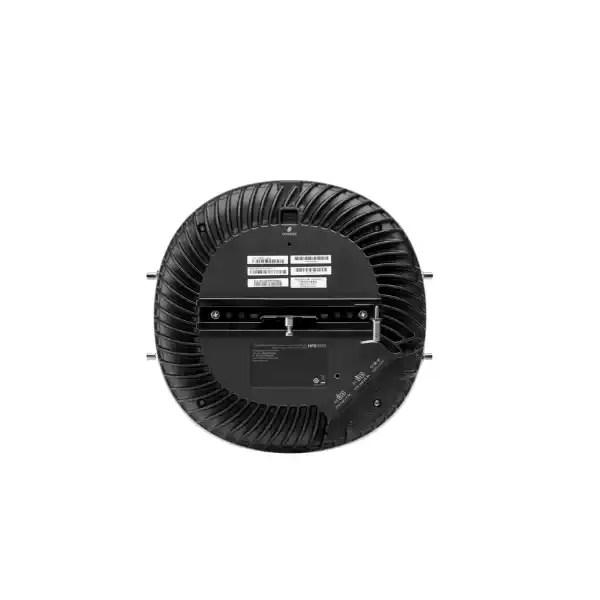
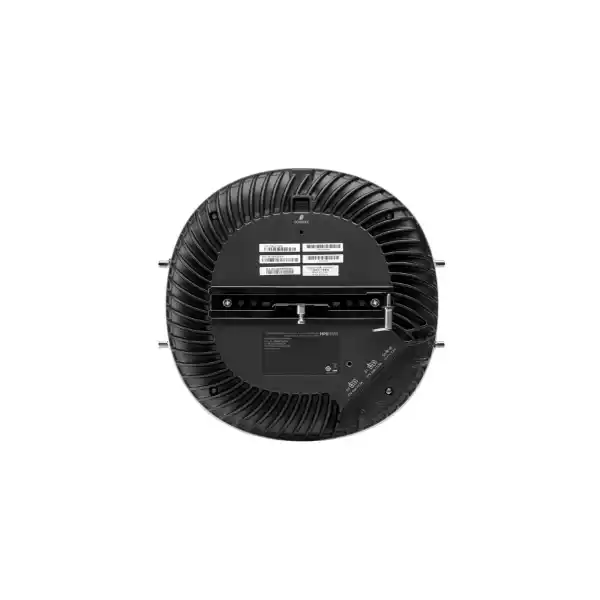

Indoor tri-radio Wi-Fi 6E, 2×2 MIMO
External RP-SMA antenna connections
Two 100/1000/2500Base-T Ethernet ports
Mount kit and antennas are separate items
Country, software and mode dependent
Direct answer for buyers
The HPE Aruba Networking AP-634 is an enterprise indoor Wi-Fi 6E access point intended for campus, branch and similar business environments that need simultaneous 2.4 GHz, 5 GHz and 6 GHz wireless service with external antennas. It is most relevant where RF design requirements justify selecting approved antennas rather than relying on an integrated-antenna model. Buyers should confirm the regional product code, antenna types and gain, mount kit, PoE or DC power arrangement, management platform, minimum software version and the regulatory status of 6 GHz external-antenna operation at the deployment country. FourTeck can help convert those technical dependencies into a quotation and bill of materials for the UAE project.
What the AP-634 does
The AP-634 provides three concurrent 802.11ax radios so an organisation can serve established 2.4 GHz devices, mainstream 5 GHz clients and newer Wi-Fi 6E clients in the 6 GHz band from one indoor access point platform. HPE lists the radio design as 2×2 MIMO across all three bands. The 2.4 GHz radio supports up to 574 Mbps with compatible two-spatial-stream HE40 clients, the 5 GHz radio supports up to 1.2 Gbps with HE80 clients, and the 6 GHz radio supports up to 2.4 Gbps with HE160 clients. The wider 6 GHz channels can be useful for applications that benefit from additional spectrum and lower legacy-device contention, but actual throughput depends on clients, RF conditions, channel plan, backhaul, configuration and local spectrum rules.
Unlike the AP-635, which is the internal-antenna model in the same family, the AP-634 exposes external antenna connectors. That distinction matters. External antennas create more design freedom, yet they also move antenna selection, gain, installation quality and regulatory responsibility into the project plan. HPE requires manufacturer-approved antennas and professional installation for the AP-634 external antenna system.
Who should consider it
The AP-634 may be appropriate for organisations with an established HPE Aruba Networking wireless architecture, new Wi-Fi 6E projects that need an external antenna strategy, or locations where RF engineering calls for specific antenna placement or radiation patterns. Potential environments include corporate offices, universities, hospitals, hotels, conference spaces, retail campuses, warehouses with controlled indoor conditions and branch facilities where wireless coverage must be planned around walls, shelving, equipment or unusual floor layouts.
It is not automatically the right choice for every Wi-Fi 6E deployment. If the project simply needs a straightforward ceiling-mounted access point with internal antennas, an internal-antenna model may reduce design complexity. If the location is outdoors, the AP-634 is not the correct product class because the installation guide specifies indoor use. If the organisation cannot use 6 GHz in the target country or cannot meet the software and management requirements, the value of this specific model should be reassessed before purchase.
Business challenges the AP-634 can help address
Growing wireless demand
A tri-band architecture gives organisations another band to plan for compatible Wi-Fi 6E clients, helping IT teams separate newer high-capability devices from heavily used legacy spectrum where the local regulatory domain permits 6 GHz operation.
Difficult RF layouts
External antennas can be selected to suit a defined RF objective, giving designers more control in spaces where an integrated omni-directional pattern may not be ideal. The approved antenna list and gain limits must be respected.
Uplink resilience
Two 2.5 GbE ports provide options for high-speed wired connectivity and support HPE Aruba Networking high-availability functions such as Ethernet and power failover when the surrounding network design is built to support them.
IoT and location use cases
The integrated Bluetooth 5.0 Low Energy and IEEE 802.15.4 radio can support location-beacon, wireless-console and IoT gateway scenarios, subject to platform configuration and the wider solution design.
Core capabilities at a glance
2.4 GHz, 5 GHz and 6 GHz radios operate concurrently using 802.11ax, giving the wireless design three bands to work with where regulation allows.
Each Wi-Fi radio uses a two-spatial-stream 2×2 MIMO architecture. Capacity planning should be based on actual client mix and application demand rather than theoretical rate alone.
Two RP-SMA connectors serve the combined 2.4/5 GHz radio chains and two additional connectors serve the 6 GHz radio chains.
Two auto-sensing 100/1000/2500Base-T RJ45 ports support 802.3at and 802.3bt PoE input, giving the wired design headroom above 1 GbE.
The 630 Series supports cloud, controller and controllerless operation modes, but supported features and 6 GHz behaviour depend on the chosen software architecture and version.
Intelligent Power Monitoring can help manage feature restrictions when the available PoE budget is lower than the AP would otherwise use.
Is the AP-634 a fit for your requirement?
| Requirement | Suitable when | Confirm before ordering |
|---|---|---|
| Wi-Fi 6E expansion | The organisation has compatible clients and a defined reason to introduce 6 GHz capacity. | Country approval, software release, management mode and channel plan. |
| External antenna design | RF engineering requires approved antennas for a specific coverage pattern or installation geometry. | Antenna part number, quantity, gain, connector mapping and professional installation. |
| Multi-gigabit uplink | The access layer can provide 2.5 GbE and suitable PoE power. | Switch port speed, PoE class, cabling quality and redundancy design. |
| Indoor enterprise deployment | The AP will be mounted inside a protected, partly temperature-controlled business environment. | Mounting surface, ceiling or wall kit, cable path and site survey findings. |
| Existing Aruba environment | The buyer wants to align the AP with existing HPE Aruba Networking operations and policy. | Current software train, licensing, Central or controller design and migration plan. |
Dependencies that should be resolved before purchase
The AP-634 is not a single-box purchase in the same way as a small-office wireless router. HPE’s current ordering information specifically notes that a mount kit and antenna or antennas must be added. The external antenna system also has a regulatory dimension: installers must use approved antennas, respect the maximum permitted effective radiated power and record antenna gain in the management software. That makes the RF bill of materials part of the compliance plan, not merely an accessory choice.
The 6 GHz band introduces a second dependency. HPE limits AP-634 availability to countries where there is a defined regulatory path for 6 GHz radios using external connectorised antennas, either Low-Power Indoor or Standard Power operation. In addition, 6 GHz support requires specified software versions. Standard Power operation has stricter platform requirements and is not supported in every Instant or older controller deployment. A buyer should therefore confirm the intended UAE regulatory domain and management mode before treating the 6 GHz radio as an available production feature.
A practical purchase and deployment journey
Define the wireless objective
State the floor area, user count, device types, important applications, density zones and any reason external antennas are required. This prevents the project from starting with a model number rather than a design requirement.
Validate 6 GHz and regional rules
Confirm the deployment country, approved regulatory domain and whether the required 6 GHz operating class is available for external antennas at the time of the project.
Build the bill of materials
Select the AP regional SKU, approved antennas, mounting kit, cabling, PoE source or power adapter, and any platform licensing or subscriptions required by the chosen management architecture.
Plan RF and wired access
Survey placement, obstructions, interference, antenna pattern, cable paths, switch capacity and power budget. The two 2.5 GbE ports only provide value when the access layer can support the intended design.
Install and configure
Use professional installation, apply the correct regulatory domain and antenna gain, adopt the required software release, then join the AP to the selected cloud, controller or controllerless management model.
Verify service
Check power state, uplink speed, radio status, channel plan, roaming, authentication, application behaviour and coverage against the project objectives before considering the installation complete.
Why the external antenna design matters
The main purchasing distinction of the AP-634 within the 630 Series is its external antenna architecture. HPE provides two RP-SMA female connectors labelled A0 and A1 for the combined 2.4 GHz and 5 GHz radio chains, plus two RP-SMA female connectors labelled B0 and B1 for the 6 GHz radio chains. That separation means the project can use manufacturer-approved antenna choices appropriate to each radio group, but it also means the final radiation pattern is not defined by the AP alone.
For the buyer, this changes how the product should be evaluated. An external antenna can help when the AP needs to cover a specific aisle, room orientation, high-ceiling area or non-standard mounting location. It can also introduce errors if the antenna pattern, gain, orientation or connector mapping is wrong. HPE’s installation guidance requires a professional installer to use approved antennas and to ensure that effective radiated power stays within the host country’s regulatory limits. Antenna gain must be recorded in the management software. Therefore the antenna part number should appear in the quotation and deployment document, not be selected informally after the access points arrive.
If the project does not have an RF reason for external antennas, the design team should compare the AP-634 with an internal-antenna alternative in the same or another suitable product family. Choosing the more flexible hardware is only useful when the project will actually use that flexibility. FourTeck can help buyers frame this decision around floor plans, mounting conditions, ceiling height, coverage targets and the existing WLAN architecture.
6 GHz capacity should be planned, not assumed
Wi-Fi 6E extends 802.11ax operation into the 6 GHz band. On the AP-634, the 6 GHz radio supports two spatial streams and channel widths up to 160 MHz, with a maximum radio data rate of up to 2.4 Gbps for compatible clients under the appropriate configuration. The 630 Series can take advantage of additional 6 GHz spectrum and multiple 160 MHz channels where allowed, which can help reduce contention for modern clients and create room for high-throughput or latency-sensitive applications.
However, a 6 GHz specification on a datasheet does not mean every client, country or WLAN design will use it. Client devices must themselves support Wi-Fi 6E and the correct channels. The local regulatory domain determines which frequencies and operating classes are permitted. The AP-634 also has model-specific software requirements. HPE states that 6 GHz support requires at least the 8.12 software train for AOS/Instant and 10.7 for AOS 10, while Standard Power operation carries additional architecture requirements. These details are important in organisations with older controllers, mixed AP generations or a staged software-upgrade policy.
A sensible evaluation should therefore look at the percentage of Wi-Fi 6E-capable endpoints, application demand, roaming behaviour, channel availability and upgrade timing. The strongest business case may be capacity growth over the planned life of the wireless network rather than an immediate speed increase for every device. FourTeck can help map those requirements to product selection and a practical migration sequence.
Dual 2.5 GbE, power and operational resilience
The AP-634 has two auto-sensing 100/1000/2500Base-T Ethernet ports. In a new deployment, that matters because a tri-band Wi-Fi 6E access point can create more aggregate wireless capacity than a legacy 1 GbE edge connection can comfortably serve under some traffic conditions. A 2.5 GbE-capable access switch allows the wired side of the design to provide additional headroom without requiring fibre to every access point. Existing Cat5e or better cabling may be usable depending on length, condition and installation quality, but the cabling plant should be validated rather than assumed.
Both Ethernet ports support PoE input using 802.3at and 802.3bt compliant power sources. HPE also supports 12V DC using the appropriate power adapter. The AP includes Intelligent Power Monitoring to manage feature restrictions when available power is constrained. The current QuickSpecs list maximum worst-case consumption of 23.8W when PoE powered and 20.7W when DC powered without a USB load; those values rise when the USB port supplies up to 5W to a peripheral. This is why the switch PoE budget should be calculated across the planned AP quantity rather than checked one port at a time.
HPE describes high availability with dual-port hitless failover for Ethernet and power within the 630 Series. Whether a project gains that resilience depends on the complete switching and power design. Two physical ports alone do not create redundant paths unless they are cabled, configured and supported by an appropriate network topology. Procurement teams should therefore ask whether the second uplink is part of the intended production design or simply available for future use.
Where the AP-634 can make sense
Corporate campuses
Suitable where meeting rooms, collaboration zones and high-device-density areas need a structured Wi-Fi 6E plan and the organisation already uses or is adopting HPE Aruba Networking management.
Education and training
Universities and training environments can use multi-band capacity for growing student and staff device populations, provided the RF design and endpoint estate justify 6 GHz investment.
Healthcare buildings
Hospitals and clinics may value predictable RF planning and device segmentation. Site survey, medical-device coexistence and organisational wireless policies should guide final antenna and channel choices.
Hospitality and event spaces
External antenna flexibility can be useful where room geometry, function spaces or public areas require tailored coverage. Guest capacity estimates and roaming design remain essential.
Retail and indoor operational sites
The AP can serve business applications, staff devices, scanners and guest access when the broader WLAN architecture is designed for the expected mix of device generations and traffic types.
Non-standard indoor RF zones
Warehouses, halls or specialised rooms may benefit from approved external antennas when an internal antenna pattern does not match the required coverage geometry.
Integration and operational considerations
The AP should be evaluated as part of the wireless system, access switching, authentication, identity, monitoring and support model. If the organisation already uses HPE Aruba Networking, confirm the controller or Central architecture, software train and any subscriptions needed for the required management functions. If the project is migrating from another platform, define the cutover method, SSID and security policy mapping, RADIUS or identity integrations, guest-access requirements and how older clients will behave during the transition.
On the wired side, confirm the access switch can provide the desired 2.5 GbE speed and PoE budget, and that uplinks from the access switch to the rest of the network will not become the next bottleneck. On the RF side, perform a survey or design exercise that accounts for concrete, metal, shelving, HVAC ducts, glass, high ceilings and other structures that can absorb or reflect radio energy. For external antennas, document physical orientation and cable handling as part of the installation quality process.
Security design should also match the client population. The 630 Series supports modern WLAN security capabilities including WPA3, but the policy deployed in production must consider older devices, certificate provisioning, onboarding and any segmented IoT estate. Feature availability can depend on software release and management mode, so the intended configuration should be validated before the bill of materials is final.
Questions to resolve before ordering
Which AP-634 regional SKU is appropriate for the deployment country?
Is 6 GHz external-antenna operation approved for the intended UAE site and operating class?
Which HPE-approved antennas are required, and what gain and coverage pattern should they provide?
Which mount kit fits the ceiling or wall construction?
Will the AP use one or two 2.5 GbE uplinks?
Can the switch deliver the required PoE class across the full AP quantity?
Which Aruba software version and management model will operate the access points?
Does the quotation need installation, configuration, survey, migration or post-deployment support?
Procurement checklist for an AP-634 project
✓ Confirm AP-634 versus an internal-antenna alternative based on the RF design.
✓ Confirm the regional SKU and country regulatory domain.
✓ Confirm the required AP quantity and spare strategy.
✓ Select HPE-approved 2.4/5 GHz and 6 GHz antennas.
✓ Confirm antenna gain, orientation and installation responsibility.
✓ Select compatible ceiling or wall mounting kits.
✓ Check 2.5 GbE switch ports and cable capability.
✓ Confirm 802.3at/802.3bt PoE budget or the DC power option.
✓ Verify software version for 6 GHz and chosen management mode.
✓ Confirm any cloud, controller or support subscriptions required by the design.
✓ Define SSID, authentication, guest and segmentation requirements.
✓ Include survey, installation, configuration or migration services if required.
✓ Confirm current UAE availability, lead time and warranty/support terms in the quotation.
How FourTeck can support the decision
FourTeck can help turn the AP-634 specification into a purchase-ready requirement. That can include checking whether an external-antenna model is appropriate, reviewing the regional SKU, identifying the antenna and mount-kit dependencies, estimating switch PoE and multi-gigabit needs, and discussing the management platform or software release that will be used. For projects that need deployment assistance, installation and configuration scope can be added to the quotation rather than treated as an afterthought.
A useful first step is to share the deployment country, building type, approximate floor area, expected user and device count, existing Aruba environment, target installation date and whether floor plans or a wireless survey are available. FourTeck can then help structure a bill of materials and clarify open items before the purchasing team commits to product quantities.
Explore FourTeck networking products, review technology services, or contact FourTeck to discuss the AP-634 requirement.
UAE availability and support guidance
HPE lists the AP-634 RW variant S1G49A in its UAE store, but that should not be interpreted as a promise of FourTeck stock, a fixed lead time or automatic permission for every 6 GHz external-antenna deployment. Availability may depend on the regional SKU, quantity, antenna requirements, vendor lead time and current regulatory position. Contact FourTeck to confirm current UAE availability for the exact project. If installation or configuration is required, include that scope in the quotation so hardware, mounting, antennas, cabling, power and software readiness can be coordinated together.
For a useful availability check, provide the number of access points, intended deployment site, required timeline and whether the project is new, an expansion or a replacement. If the organisation already runs HPE Aruba Networking, include the current controller, Central or software environment. That information helps distinguish a straightforward product quotation from a project that also needs compatibility review, RF planning or migration assistance.
Dubai, Abu Dhabi, Sharjah and Ajman project coordination
Businesses planning AP-634 deployments in Dubai, Abu Dhabi, Sharjah and Ajman can discuss product selection, bill-of-material preparation, delivery coordination and implementation requirements with FourTeck as one combined UAE engagement. The most useful information is the exact site type, number of access points, desired wireless-management model, switch and PoE environment, antenna requirement and whether a survey or floor plan is available. Project timing should be agreed only after the final model, accessory list, regulatory position and service scope are confirmed. For broader company information, visit FourTeck UAE or the UAE contact page.
GCC Availability
For organisations coordinating wireless projects across the GCC, FourTeck can assist with requirement review, AP model selection, antenna and accessory planning, quotation coordination and deployment-scope discussions for the HPE Aruba Networking AP-634. A project spanning the United Arab Emirates, Saudi Arabia, Kuwait, Qatar, Bahrain or Oman should not assume that one 6 GHz external-antenna configuration applies unchanged in every country. Product variants, approved channels, antenna rules, licensing, software requirements, service visits and vendor lead times can differ by market and by the exact operating class. Buyers should share the destination country, quantity, desired deployment date, management platform, antenna plan and whether installation or configuration support is required. FourTeck can then help identify the items that need regional confirmation before purchase. For requirements involving Kuwait, the FourTeck Kuwait resource may also be relevant. No fixed delivery, local inventory or country-specific approval should be assumed until the final requirement is reviewed.
Africa Availability
FourTeck can also support organisations evaluating the AP-634 for projects in Africa, including deployments where procurement, design and rollout coordination may involve multiple offices or regional IT teams. Because the AP-634 relies on external antennas and includes a 6 GHz radio, the destination country’s regulatory framework is an important early check. Product availability, regional SKU, antenna approvals, power arrangements, shipping requirements, support options and vendor lead times may vary. Buyers should provide the destination country, exact access-point quantity, expected deployment schedule, desired management platform and whether survey, installation, configuration or support assistance is needed. FourTeck can help structure the bill of materials and flag dependencies before ordering. Organisations with projects in East Africa can also review FourTeck Kenya or FourTeck Africa for broader regional contact and solution information. Local inventory, customs outcomes or onsite coverage should be confirmed for each project rather than assumed.
Related options and services to consider
HPE Aruba Networking AP-635
An internal-antenna member of the 630 Series. It may be worth comparing when the project does not need external antennas. Exact regional model and current compatibility should be confirmed.
Approved external antennas
The AP-634 requires approved antennas selected for the RF plan. Antenna type, gain and quantity should be specified as part of the bill of materials.
Mounting kits
A compatible ceiling or wall mount kit is required. The correct kit depends on the installation surface and should be chosen before deployment day.
Multi-gigabit PoE switching
Access switches with 2.5 GbE and appropriate PoE budgets help the wired network support the AP’s uplink and power requirements. Switch selection should be sized for the full AP count.
Wireless survey and design
A survey or design service can reduce uncertainty around AP placement, antenna choice, channel planning and expected coverage in complex indoor spaces.
Installation and configuration
Professional installation is particularly important for external antennas. Configuration scope can include regulatory settings, management onboarding, SSIDs and policy integration where agreed.
Why businesses contact FourTeck for this type of requirement
The difficulty in buying an enterprise access point is rarely finding the model name. The difficult part is making sure the model, accessories, software and site conditions produce a workable deployment. FourTeck can assist with requirement clarification, model and regional SKU review, antenna and mounting choices, multi-gigabit switching and PoE checks, quotation coordination, installation planning and configuration scope. That is particularly useful for the AP-634 because the external antenna design and 6 GHz rules create dependencies that a simple one-line purchase order can miss.
FourTeck can also help procurement and IT teams speak the same language. Procurement may need a clear bill of materials, quantities, support terms and lead-time guidance, while IT needs confidence that the chosen items match the RF plan, controller or cloud architecture and software baseline. Bringing those questions together before the order reduces the risk of missing antennas, mount kits, power components or a required platform upgrade.
What buyers are usually trying to work out before choosing the AP-634
A buyer researching the AP-634 usually has a more specific question than “is this a Wi-Fi 6E access point?” The useful questions are about whether the model fits an existing Aruba environment, whether 6 GHz will actually be usable at the target site, how external antennas change the design, which accessories are missing from the base AP, and what needs to be upgraded around the access point so the wireless investment is not limited by the wired network. Those questions are more important than repeating the maximum radio rates.
Is AP-634 the same as AP-635?
They belong to the same 630 Series family but are not the same hardware choice. The AP-634 is the external-antenna model; the AP-635 uses internal antennas. That difference affects the bill of materials, installation method and RF design. A project that wants a conventional ceiling AP should compare both instead of assuming the higher-flexibility model is automatically preferable.
Does the AP include antennas?
The ordering guidance for AP-634 specifically requires antennas to be added. Buyers should therefore treat antenna selection as a separate line item. Approved antenna choice depends on coverage objective, gain, connector mapping and local regulatory limits. A quotation that lists only the AP quantity is incomplete for an external-antenna deployment.
Will 6 GHz work immediately?
Not necessarily. The client must support Wi-Fi 6E, the country must allow the required 6 GHz operation, and the AP must run a software release that enables 6 GHz. Standard Power operation has additional management and software requirements. Treat 6 GHz as a planned capability that must be validated, not a universal default.
Do I need a 2.5 GbE switch?
The AP can connect at 100 Mbps, 1 GbE or 2.5 GbE, but a Wi-Fi 6E deployment intended to use higher aggregate capacity should evaluate multi-gigabit switching. The correct answer depends on traffic, uplink design, AP density and the broader access-layer architecture. A 1 GbE connection may run the AP, but it may not align with the project’s capacity objective.
Another common question is whether the AP-634 requires an Aruba Central subscription. The 630 Series supports cloud, controller and controllerless operating models, so the answer depends on how the organisation chooses to manage the WLAN and which features are required. A buyer should describe the existing environment rather than asking for a generic yes-or-no licensing answer. If Central is already the management standard, the project should confirm the correct subscription or device assignment. If a controller-based architecture is used, software compatibility and controller capacity become part of the check. If the deployment is controllerless, the supported software train and 6 GHz operating mode still need to be validated.
Power is another area where buyers can make a mistake. Two Ethernet ports supporting PoE does not mean every PoE source provides the same operating headroom. The AP supports both 802.3at and 802.3bt, and HPE’s Intelligent Power Monitoring can manage restrictions when power is limited. The practical design question is whether the chosen switch can provide enough power to all APs simultaneously after accounting for its total PoE budget, other powered devices and any USB peripherals attached to the access points. If the project expects to use both Ethernet ports for resilience, that design should be documented explicitly.
Buyers also search for the number of users an AP-634 can support. HPE states that the platform can associate up to 512 clients per radio, but that number is a protocol-scale limit, not a recommended planning target for active users. Useful capacity depends on airtime, application mix, channel width, signal quality, client capability, roaming, interference and the experience the business considers acceptable. A video-heavy training room and a low-traffic sensor area can have very different AP-density needs even with the same number of devices. A site survey and capacity plan are therefore more meaningful than designing around the maximum association count.
The final buying question is usually price. Search-visible prices for this product vary significantly by reseller, condition, region and support context, which is why a web price should not be treated as a UAE selling price. A valid business quotation should identify the exact regional SKU, quantity, antenna parts, mounting kits, power accessories if needed, licenses or subscriptions, support terms and any professional services. FourTeck can use that information to produce a project-specific quotation rather than relying on a headline access-point price that excludes necessary components.
Decision questions that matter in a real deployment
What would make the AP-634 a poor choice?
It may be unnecessary if the site does not need external antennas, if the project is outdoors, if the organisation cannot use the required 6 GHz operating mode, or if the surrounding switching and software environment cannot support the intended design without disproportionate changes. In those cases, compare an internal-antenna or different product class before ordering.
How should antenna choice be documented?
Record the manufacturer-approved antenna part number, supported band, quantity, gain, connector mapping, orientation and intended coverage purpose. For external antennas, installation and antenna gain are part of the regulatory and RF configuration, so these details belong in the bill of materials and deployment record.
What should be checked on an older Aruba network?
Identify the current software release, controller or Central architecture, existing AP mix, authentication services, roaming design and support policy. The AP-634 has explicit minimum software versions, and 6 GHz has a higher minimum than operation without 6 GHz. Upgrade sequencing may therefore be part of the project.
How much information is needed for a quotation?
At minimum, provide the deployment country, quantity, site type, preferred timing and whether the project needs antennas, mounts, power items, licenses or services. Better quotations are possible when floor plans, existing switch models, Aruba management details and installation expectations are also available.
Should both Ethernet ports be connected?
Only if the network design has a reason to use the second path and the surrounding switches and configuration support the required resilience model. Otherwise, a single 2.5 GbE connection can be the planned operating path while the second interface remains available. The decision should be made during design, not during installation.
When is a site survey worth doing?
A survey is especially valuable when external antennas are being used, the building contains significant concrete or metal, user density varies sharply by room, ceiling heights are unusual, or the WLAN supports business-critical applications. The survey helps convert a product specification into placement and antenna decisions that reflect the real environment.
These questions illustrate why enterprise wireless procurement benefits from a short design review before purchase. The AP itself is only one component. Switch capacity, PoE budget, cabling, antenna choice, mounting, software, management, identity services and client capability all influence the result. FourTeck can help gather these inputs, identify gaps and separate “must-have for first deployment” items from optional future features. That helps the buyer request a quotation that can be implemented rather than a partial shopping list that has to be corrected later.
Frequently asked questions
Is the HPE Aruba Networking AP-634 a Wi-Fi 6E access point?
Yes. It is an indoor tri-radio 802.11ax access point with concurrent 2.4 GHz, 5 GHz and 6 GHz radios. Actual 6 GHz use depends on the regulatory domain, software version and deployment mode.
What is the main difference between AP-634 and AP-635?
The AP-634 is the external-antenna model, while the AP-635 is the internal-antenna model in the 630 Series. That difference affects RF design, accessories and installation.
Are antennas included with the AP-634?
The current HPE ordering guidance says to add antenna or antennas, so buyers should plan approved antenna parts separately and include them in the bill of materials.
Does the AP-634 include a mounting kit?
A mount bracket is fitted to the access point, but the compatible mount kit for the ceiling or wall surface is sold separately and should be selected for the installation.
What wired connections does the AP-634 provide?
It has two auto-sensing 100/1000/2500Base-T RJ45 Ethernet ports. Both support PoE input using 802.3at or 802.3bt compliant sources.
What software is needed for 6 GHz support?
HPE lists minimum 6 GHz support at HPE Aruba Networking OS / InstantOS 8.12.0.0 and AOS 10.7.0.0. Standard Power operation has additional management-mode requirements, so the exact architecture should be checked.
Can the AP-634 be installed outdoors?
No. HPE’s installation guidance identifies the 630 Series AP-634 as an indoor access point. Outdoor projects should use a product designed and approved for that environment.
Is the AP-634 available in Dubai and the UAE?
HPE lists the RW variant for the UAE market, but current FourTeck availability, quantity, lead time and the permitted 6 GHz operating mode should be confirmed for the specific project before ordering.
What information should I send FourTeck for an AP-634 quote?
Share the deployment country, required quantity, site type, desired timeline, existing Aruba environment, antenna needs, switch and PoE details, and whether survey, installation, configuration or support services are required.
Build the AP-634 quotation around the real deployment
Send FourTeck the AP quantity, site details, antenna requirement, existing Aruba platform and target timing. We can help identify the regional model, accessory dependencies, PoE and switching considerations, configuration scope and current UAE availability before the order is finalised.


Reviews
There are no reviews yet.