
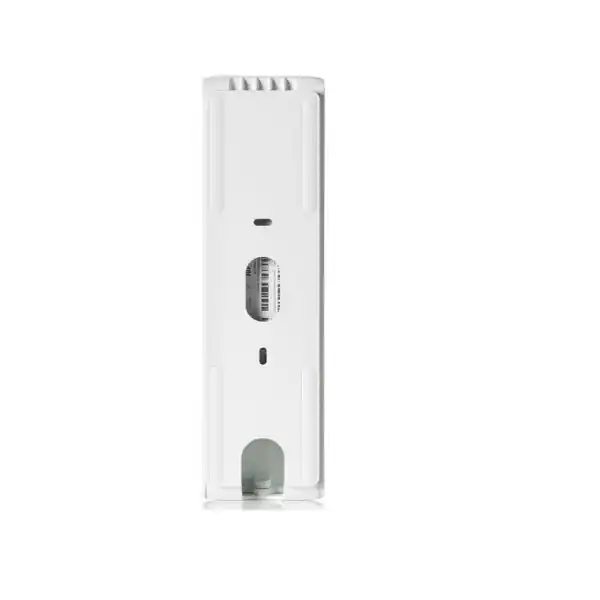
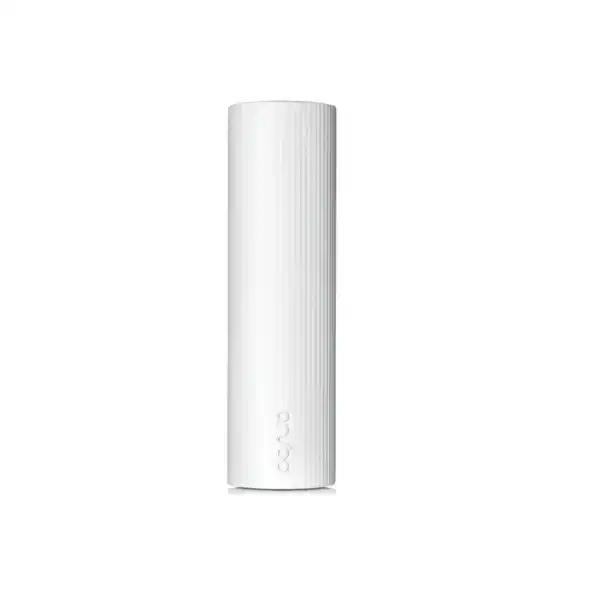
HPE Aruba Networking UXI Wi-Fi 7 Ethernet Cellular Sensor in Dubai
A dedicated digital-experience monitoring sensor for organizations that want to test Wi-Fi 7, wired connectivity, applications and internet paths from the user’s point of view—while retaining cellular connectivity for onboarding and out-of-band operational visibility.
Buyer signals at a glance
Direct answer: what is the S4W53A UXI sensor?
A purpose-built HPE Aruba Networking User Experience Insight hardware sensor that behaves like a monitored endpoint rather than an access point.
Proactive synthetic testing of wireless, wired, application and internet experience so IT teams can detect faults before users create tickets.
Organizations with important branches, campuses, stores, offices or guest environments where digital experience must be measured continuously.
Subscription, LTE service, sensor quantity, placement and network readiness must be sized together; the hardware alone is not the complete UXI service.
Whether S4W53A is the correct cellular model, where sensors should be deployed, which subscriptions are required and what quotation inputs must be captured.
Product identity and where it fits
The HPE Aruba Networking User Experience Insight Wi-Fi 7 Ethernet Cellular Sensor is identified by HPE as product number S4W53A. It sits within the UXI hardware sensor family and is the Wi-Fi 7 model that adds cellular connectivity alongside the Ethernet interface. This distinction matters during procurement because HPE also offers the S4W52A Wi-Fi 7 Ethernet sensor without the cellular capability. Buyers who only need wired backhaul and Wi-Fi monitoring should compare the non-cellular model; buyers who value cellular-assisted onboarding and out-of-band operational functions should assess S4W53A.
This device is not a wireless access point, firewall or general-purpose router. It is a monitoring endpoint. Its job is to continuously experience the network as a client would, execute configured synthetic tests, collect performance evidence and send the resulting telemetry into the HPE Aruba Networking UXI service. That role gives it a different value proposition from infrastructure monitoring. A controller, switch or access point can report its own health, while a UXI sensor can reveal whether users at a particular location can actually associate, authenticate, resolve DNS, reach a cloud service or complete an application transaction with acceptable performance.
Why a Wi-Fi 7 sensor changes the monitoring conversation
Wi-Fi 7 deployments introduce 802.11be client behavior while many organizations are still operating mixed estates of Wi-Fi 5, Wi-Fi 6, Wi-Fi 6E and Wi-Fi 7 infrastructure. S4W53A is built to participate as a modern tri-band client on 2.4 GHz, 5 GHz and 6 GHz, helping teams validate the experience of newer WLAN environments instead of relying only on older-generation test clients.
The practical benefit is not simply a newer radio specification. A branch may show healthy access points while a Wi-Fi 7 endpoint still encounters authentication delay, DNS failure, application latency or a path problem outside the local WLAN. UXI monitoring is useful when the troubleshooting question is, “What did the user experience at this site?” rather than only, “Is the access point online?”
Core monitoring architecture
S4W53A combines separate wireless monitoring functions, Gigabit Ethernet and cellular service into one physical sensor. That combination is valuable when the deployment requires more than a single test path.
Wi-Fi client radio
Supports 802.11a/b/g/n/ac/ax/be across 2.4, 5 and 6 GHz with two spatial streams, allowing the sensor to connect and test services as a wireless client.
Receive-only radio
A second tri-band receive-only radio helps provide additional RF visibility while the sensor operates its client tests, improving troubleshooting context around the local wireless environment.
Gigabit Ethernet
The RJ-45 interface supports 10/100/1000BASE-T. Wired monitoring can help distinguish WLAN symptoms from broader LAN, WAN, DNS or application-path problems.
Cellular connectivity
The cellular model includes 3G/LTE connectivity used with the managed cellular service for onboarding and out-of-band failure analytics and alerting. This is not a substitute for designing the site’s production WAN.
Verified technical specifications buyers should capture
| Product number | S4W53A |
|---|---|
| Wireless client radio | 802.11a/b/g/n/ac/ax/be, 2.4 GHz, 5 GHz and 6 GHz, two spatial streams |
| Receive-only radio | 802.11a/b/g/n/ac/ax/be, 2.4 GHz, 5 GHz and 6 GHz, two spatial streams |
| Ethernet | 10/100/1000BASE-T, RJ-45; Gigabit Ethernet 100/1000 connectivity |
| Bluetooth | Bluetooth Low Energy 5.4 radio in the UXI 7 family |
| Cellular | 3G/LTE connection for the cellular model, used with managed SIM/service capabilities |
| Power input | 802.3af Power over Ethernet |
| Power consumption | 12 W |
| 6 GHz operating note | Low Power Indoor operation is supported; Standard Power client operation is not supported at this time |
| Mounting | Wall or pillar placement around 4–5 ft / approximately 1.5 m from the floor is recommended; bracket and Kensington lock slot are included; non-skid feet support flat-surface placement; optional T-bar kit is available |
| Warranty/support note | HPE lists a 1-year replacement warranty with 10-day shipment; software support is included with subscription, while hardware support can be covered through HPE Aruba Networking Foundational Care |
Specifications should be validated against the final HPE regional quotation and current documentation before purchase, especially cellular service, subscription term, power accessories and local regulatory availability.
What the cellular connection is—and what it is not
The cellular function is one of the strongest reasons to choose S4W53A over the S4W52A Ethernet-only Wi-Fi 7 sensor. HPE describes the LTE-enabled service as supporting Zero Touch Provisioning, onboarding, out-of-band failure analytics and issue alerting. In operational terms, the sensor can retain an independent management path for selected UXI functions when the production network is the thing being investigated.
That does not mean the sensor should be purchased as a branch LTE router or backup internet gateway for users. The cellular connection belongs to the UXI monitoring architecture and is tied to HPE’s managed cellular subscription. Procurement teams should therefore treat the sensor hardware and its service entitlements as a single design decision.
For Dubai deployments, cellular service availability, supported subscription SKUs and any regional activation requirements should be confirmed on the final bill of materials. This is especially important for multinational organizations that intend to standardize one UXI design across the UAE and other countries, because cellular service conditions can differ by market.
Subscription is not optional to the solution design
A common purchasing mistake is to quote only the sensor appliance. HPE states that a UXI cloud subscription is required with each sensor. The subscription provides access to the dashboard, analytics, trending and software support for the selected term. HPE offers one-, three- and five-year subscription options in the UXI portfolio, and the same term should be selected across multiple sensors in a deployment.
For an LTE-enabled sensor, a separate LTE subscription is also required to enable the managed cellular functions. That means a complete commercial comparison between S4W53A and S4W52A should include the recurring service difference, not only the hardware price difference.
The right term depends on procurement policy, expected asset lifecycle, budget treatment and the organization’s appetite for renewal administration. Three- or five-year terms can simplify lifecycle planning, while a shorter term may suit a pilot or phased rollout. The quotation should make entitlement term, quantity and renewal responsibilities explicit.
How UXI turns synthetic tests into troubleshooting evidence
1. Reproduce user actions
Configured synthetic tests can continuously perform representative network and application actions. This creates a repeatable baseline even when no employee is actively reporting a fault.
2. Detect degradation
The platform watches the measured experience rather than waiting for device-up/device-down alarms. A site can therefore show degraded DNS, authentication, internet or application behavior before the problem becomes a major ticket volume.
3. Triage automatically
When a test detects an issue, UXI can move into automatic triage. The purpose is to capture evidence while the problem is occurring instead of asking support staff to recreate an intermittent incident later.
4. Separate fault domains
Path analysis, wired and wireless measurements, and application testing help teams determine whether the likely issue sits in RF, access, switching, DNS, WAN, internet transit or the destination service.
Operational capabilities that matter after deployment
The business value of UXI is created by the operating workflow, not by radio specifications alone. HPE positions the platform around continuous network and application visibility, path analysis, AI-assisted incident detection and data access for broader analysis. The following capabilities are particularly relevant when evaluating the system for a Dubai headquarters, a UAE branch network or a distributed regional estate.
Single-glance experience health
The dashboard is designed to surface how a campus or branch is functioning from the end-user perspective. This gives service-desk and network teams a common starting point when an office reports “the network is slow.”
Path analysis
UXI path analysis visualizes outbound traffic over the network path so operators can identify where a user-experience issue is emerging beyond the local access layer. This is especially useful for SaaS-heavy environments where the fault may sit outside the site.
AI-powered incident grouping
HPE uses AI-assisted incident detection to group common issues observed across the network. The aim is to reduce alert fatigue and help teams move more quickly toward a shared cause instead of handling every symptom as a separate event.
Historical troubleshooting
HPE describes the ability to return to historical data for up to 30 days when validating network changes or troubleshooting intermittent behavior. This can be more useful than a point-in-time dashboard when a user reports a problem after the event.
Packet capture evidence
For deeper troubleshooting, IT teams can use captured evidence such as downloadable PCAP files where the workflow supports it. This can shorten the handoff between service desk, network engineering and specialist support teams.
Data push destination
Organizations that already operate data or observability platforms can export UXI network and application performance data for broader analysis. Integration requirements should be defined during solution design rather than treated as an afterthought.
Where S4W53A can be especially useful
Retail and customer-facing sites
A store may depend on Wi-Fi, payment-related services, cloud applications and WAN connectivity while having little local IT presence. A sensor provides a consistent measurement point that can reveal degradation before it becomes a widespread operational complaint.
Branch offices
Branches often rely on central services and SaaS applications. UXI can help determine whether a reported user issue is local Wi-Fi, switching, DNS, WAN path, internet transit or a remote application problem, reducing unnecessary escalation between teams.
Campus Wi-Fi 7 rollout
When an organization is introducing Wi-Fi 7 infrastructure, a Wi-Fi 7-capable monitoring endpoint provides a more relevant validation point for the new network generation. Placement should still represent real user zones rather than simply being close to an access point.
Hospitality and shared environments
Hotels, event spaces and other shared environments can suffer from time-dependent wireless and internet conditions. Continuous testing can expose recurring patterns and provide evidence that is difficult to reproduce in a short manual support visit.
Sensor quantity and placement: do not size by floor count alone
There is no universal “one sensor per floor” rule that fits every UXI deployment. The correct quantity depends on the business questions the organization wants the platform to answer. A single sensor in a large office can tell you what happens at that sensor’s location, but it cannot reliably represent every RF zone, VLAN, SSID, authentication path or application dependency on the floor.
A stronger sizing approach starts with experience zones. Identify where important users work, where customer-facing transactions occur, which SSIDs and networks matter, which branches are expensive to support remotely, and which applications have meaningful service expectations. Sensors can then be positioned to represent those conditions. For a multi-floor Dubai office, for example, reception, executive areas, open-plan workspaces and high-density meeting zones may have different RF and usage profiles even when they share the same WLAN architecture.
HPE’s mounting guidance places the sensor roughly 4 to 5 feet, or around 1.5 metres, from the floor on a wall, pillar or similar location. That is useful because the sensor should experience the WLAN more like an endpoint than a ceiling-mounted access point does. The included bracket, Kensington lock slot, non-skid feet and optional T-bar mounting option give installers several choices, but security and accessibility should be considered. A device placed in a public area may need a physically secure mounting position.
During planning, record the proposed physical location, switch port, PoE source, VLAN, SSID, authentication method and the synthetic tests to be run from each sensor. This creates a deployment map that can later be reconciled with the dashboard and support documentation.
Power and switch-port readiness
The S4W53A supports 802.3af PoE and HPE lists 12 W power consumption. That makes installation straightforward in many enterprise switching environments, but PoE should still be part of the readiness check. Confirm that the selected access switch has available PoE budget, an appropriate port configuration and the required network reachability for the sensor.
If a site cannot provide PoE at the intended position, the quotation must account for the supported power arrangement and any cabling work. Power accessories should not be assumed from product-name wording alone because HPE product pages and regional QuickSpecs can describe supply inclusion differently by model or ordering context. The final bill of materials should therefore state exactly what power hardware is included.
6 GHz and local wireless design
The UXI 7 family supports Low Power Indoor operation on 6 GHz, while HPE notes that Standard Power client operation is not supported at this time. For most indoor enterprise Wi-Fi 6E and Wi-Fi 7 designs this may align with the intended deployment, but it remains an important technical limitation to record rather than assuming every 6 GHz operating model is covered.
The presence of a 6 GHz radio also does not guarantee that the sensor will use 6 GHz for every test. SSID configuration, regulatory domain, access-point design, security policy and client steering all influence the connection that a Wi-Fi endpoint experiences. If validating a specific Wi-Fi 7 feature or 6 GHz service is a core acceptance requirement, it should be written into the test plan.
S4W53A vs S4W52A: which Wi-Fi 7 UXI sensor should you shortlist?
| Decision factor | S4W53A Ethernet Cellular | S4W52A Ethernet |
|---|---|---|
| Wi-Fi 7 tri-band monitoring | Yes | Yes |
| Gigabit Ethernet | Yes | Yes |
| Managed cellular capability | Yes, with LTE service entitlement | No cellular service path |
| Best fit | Sites where independent onboarding/out-of-band capabilities justify the additional service layer | Sites where Ethernet and Wi-Fi monitoring are sufficient and cellular service is unnecessary |
| Commercial implication | Budget for UXI cloud plus applicable LTE subscription | Budget for UXI cloud subscription without LTE service |
Choosing the cellular model simply because it is the higher-feature SKU is not always the best decision. If sites have reliable onboarding paths and out-of-band cellular monitoring is not operationally valuable, the S4W52A can be the more economical architecture. Conversely, for remote or business-critical locations where diagnosing an outage without an alternate management path is difficult, S4W53A may justify its additional service requirement.
Deployment journey for a controlled UXI rollout
Define experience goals
List the SSIDs, wired networks, applications, authentication flows and internet services that matter. Decide what outage or degradation the sensor must detect.
Select sensor type
Choose S4W53A when LTE-assisted onboarding and out-of-band functions are required; otherwise compare S4W52A.
Confirm subscriptions
Align the cloud term across the sensor estate and include the LTE subscription for each applicable cellular-enabled unit.
Prepare network and power
Validate PoE budget, Ethernet cabling, VLANs, internet reachability, wireless credentials and any security controls that affect sensor communication.
Install at representative height
Place units in representative user zones around the recommended endpoint-like height, secure them appropriately and label each physical position.
Tune tests and ownership
Create useful tests, thresholds, alert routing and escalation ownership. A sensor that generates data without a response workflow will deliver limited operational value.
Procurement risks to resolve before ordering
Hardware-only quote
A sensor without the required UXI cloud entitlement does not represent the complete solution. Cellular models also need the relevant LTE service subscription.
Wrong sensor variant
S4W52A and S4W53A look close in naming but have different service implications. Confirm whether cellular functionality is operationally required.
Unplanned PoE or cabling
A good logical placement is useless if the sensor cannot be powered or connected there. Include switch-port and structured-cabling readiness in the site survey.
Insufficient coverage of experience zones
Too few sensors can create false confidence. Quantity should reflect business-critical zones and distinct network conditions, not only buildings or floors.
No operational owner
Decide who monitors UXI, who receives incidents and who owns escalation to WLAN, LAN, WAN, security or application teams.
Unverified regional service detail
Cellular availability, subscription SKUs, support options and power inclusions should be reconfirmed against the current UAE quotation before purchase.
When this sensor may not be the right answer
S4W53A is a strong fit when the organization needs a dedicated, always-on experience-monitoring point and values cellular-assisted operational resilience. It is less compelling when the requirement is only conventional infrastructure monitoring, because switches, access points and network-management platforms already provide device-centric telemetry. UXI should be justified by the need to measure services from the endpoint perspective.
It may also be unnecessary to deploy the cellular variant at every site. A high-availability headquarters with mature out-of-band management and reliable local IT support may not benefit from cellular UXI to the same degree as a remote branch. A mixed architecture using S4W53A at critical remote sites and S4W52A at lower-risk sites can sometimes provide a better cost-to-visibility balance.
Organizations seeking to monitor actual employee devices rather than fixed synthetic sensors should also evaluate UXI agent options. HPE offers agents for supported endpoint platforms, and these can complement hardware sensors by adding device-level experience data. Hardware sensors remain useful because they provide a stable test point with a controlled configuration, while agents show the diversity of real endpoints. The correct architecture can use one or both depending on the troubleshooting objective.
Finally, a UXI sensor does not compensate for poor WLAN design. If the root issue is inadequate RF coverage, unsuitable channel planning, congested switching, weak WAN capacity or application architecture, monitoring will help reveal the symptom but will not replace remediation. Treat UXI as an observability layer within a broader network design and operations practice.
Dubai and UAE deployment considerations
Distributed-site support
UAE organizations with retail, hospitality, logistics, healthcare, education or branch operations often need to support sites without a resident network engineer. A fixed UXI sensor can create consistent evidence that remote operations teams can review centrally.
Internet and SaaS dependency
Cloud-first businesses depend on paths that extend beyond the local LAN. UXI path and application testing can help separate local network issues from upstream internet or service problems, improving provider and application escalation.
Regional quotation validation
The final UAE quotation should validate current HPE part availability, subscription entitlement, cellular service support, warranty options, lead time and any mounting or power accessories needed at the chosen installation points.
Frequently asked buyer questions
Does S4W53A provide Wi-Fi to users?
No. It is a monitoring sensor that acts as a client and test endpoint. It should not be confused with a Wi-Fi 7 access point.
Is cellular service built into the purchase forever?
No. The LTE-enabled functions depend on the applicable managed LTE subscription. The service term should be included and clearly stated in the quotation.
Do I still need the UXI cloud subscription?
Yes. HPE requires a cloud subscription with each sensor so that the dashboard, analytics, trending and software support functions are available for the chosen term.
Can it monitor 6 GHz Wi-Fi?
Yes. The Wi-Fi 7 sensor supports 2.4, 5 and 6 GHz client monitoring. HPE notes Low Power Indoor 6 GHz support and states that Standard Power client operation is not currently supported.
Can it be powered from an enterprise switch?
Yes, provided the switch port supports the required 802.3af PoE and has sufficient power budget. HPE lists the sensor at 12 W power consumption.
How many sensors do I need?
The answer depends on experience zones, SSIDs, floors, branch criticality, application paths and the diversity of network conditions. Quantity should be designed around troubleshooting goals rather than a generic count.
Should every site use the cellular model?
Not necessarily. S4W53A is most attractive where cellular onboarding and out-of-band visibility provide operational value. Other sites can compare the S4W52A Ethernet-only Wi-Fi 7 sensor.
Can UXI replace WLAN troubleshooting tools?
It adds valuable endpoint-perspective evidence but does not replace good RF design, packet analysis, infrastructure telemetry or engineering expertise. Its strength is showing what a client experiences over time.
Decision recap: the six points that determine fit
What FourTeck needs for an accurate S4W53A quotation
A precise quote is easier when the technical and commercial assumptions are stated up front. Share the following information where available; unknown items can be resolved during consultation.
Plan the right UXI Wi-Fi 7 sensor deployment for your UAE network
FourTeck can help verify S4W53A fit, compare the Ethernet-only alternative, size sensor placement, align UXI and LTE subscription terms, check PoE readiness and prepare a clean bill of materials for Dubai and wider UAE deployment.

Reviews
There are no reviews yet.