
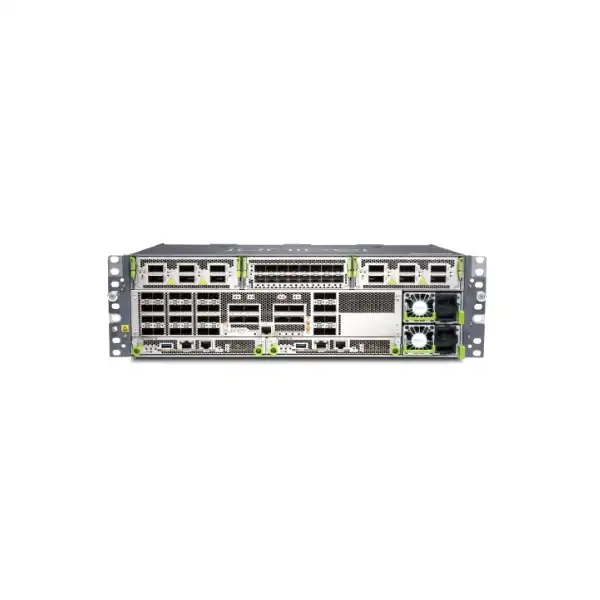
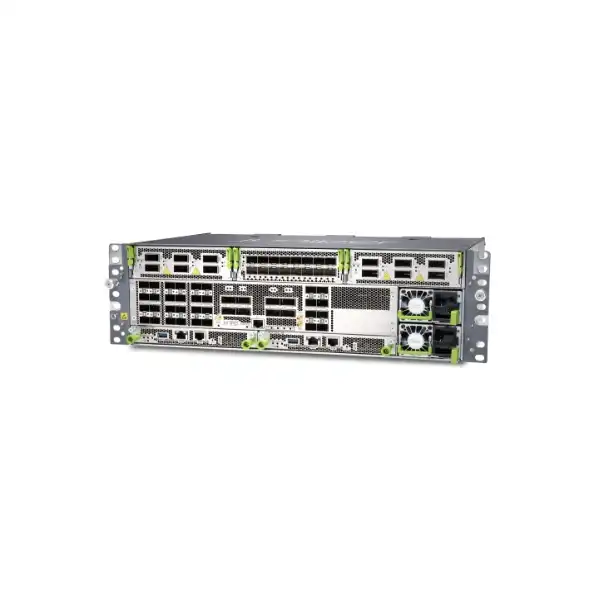
Juniper ACX7332 Cloud Metro Router Dubai
A compact 3U, 2.4 Tbps metro aggregation platform for operators and enterprises that need dense 1/10/25GbE access, 40/100GbE aggregation, optional 50/200/400GbE expansion, resilient control and power, carrier timing, and a Junos OS Evolved operating model in a shallow chassis.
Direct answer: what the ACX7332 is and when to consider it
What exactly is it?
The Juniper ACX7332 is a multiservice Cloud Metro router in the ACX7300 line. It combines a fixed access and aggregation interface bank with three bays for pluggable I/O modules, allowing a buyer to start with dense native Ethernet connectivity and add higher-speed interfaces when the architecture requires them. The platform runs Junos OS Evolved and is designed for metro access, pre-aggregation, aggregation, lean-edge and related service-provider or large-enterprise roles.
What is it mainly used for?
Its strongest fit is high-density metro aggregation where many 1/10/25GbE circuits must converge onto 40/100GbE links, with the option to introduce 50GbE, 200GbE or 400GbE through the modular bays. It can also suit mobile transport, business services aggregation, distributed cloud interconnection and large enterprise networks that value shallow depth, redundant system components and timing features.
Who should consider it?
Network operators, ISPs, carriers, data-center edge teams, utilities, government networks and large enterprises should evaluate the ACX7332 when they need metro-class routing with flexible Ethernet speeds and a 3U footprint. It is particularly relevant when a site must aggregate a large number of lower-speed links while preserving a migration path toward 400GbE without committing to a much deeper modular chassis.
What matters most before ordering?
The most important step is to validate the complete interface and service design, not only the chassis model. Required port speeds, breakout use, optic reach, MACsec placement, timing requirements, expansion modules, routing features, software release, support entitlement, power feed and rack airflow can all change the correct bill of materials. A technically complete quotation depends on these details.
What can FourTeck help determine?
FourTeck can help a Dubai buyer translate circuit counts, uplink targets, fibre distances, resiliency expectations, timing sources, management requirements and migration constraints into an ACX7332 configuration. That includes checking whether the fixed ports are sufficient, whether one or more I/O modules are needed, which supported optics should be quoted, whether AC or DC power is appropriate, and whether another ACX7000 model should be compared before purchase.
Why the ACX7332 occupies a useful position in the ACX7000 family
The ACX7332 is not simply a fixed-port router and it is not a traditional large modular chassis. Its value comes from the middle ground. Juniper designed it as a compact, environmentally rated 3U platform with a shallow depth of roughly 29 cm, a substantial fixed interface bank and three slots for additional I/O. This architecture matters in metro sites because access and aggregation racks often have stricter depth, cooling and power constraints than data-center rows. A device that can place dozens of 1/10/25GbE connections and multiple 100GbE uplinks in a shallow footprint can simplify rack planning without removing the option for higher-speed expansion.
The fixed FPC provides thirty-two SFP28 ports supporting 1GbE, 10GbE and 25GbE, plus eight QSFP28 ports supporting 40GbE and 100GbE. The QSFP28 ports can also be used with documented breakout modes, including 4 x 10GbE from a 40GbE interface and 4 x 25GbE from a 100GbE interface where the chosen optics or cables and software configuration support that design. This gives architects more freedom than a simple headline port count suggests. One deployment may use the SFP28 bank for enterprise handoffs and the QSFP28 bank for aggregation uplinks; another may exploit breakouts to increase fan-out while preserving the expansion bays for future 400GbE requirements.
The ACX7332 also differs from the closely related ACX7348 in a way that can matter during model selection. The ACX7332 has 32 fixed SFP28 access-facing ports and integrated eTCAM, while the ACX7348 has 48 fixed SFP28 ports and is positioned with a different environmental rating. A buyer should therefore avoid selecting only by the apparent larger or smaller port count. If the architecture requires additional fixed 1/10/25GbE density, ACX7348 may deserve comparison. If eTCAM scale characteristics, the ACX7332 environmental profile or the particular intended role are more important, ACX7332 can be the more appropriate platform.
This middle-ground design also affects lifecycle planning. A network can begin with the fixed interfaces, reserve the bays for expected growth, and later introduce suitable pluggable FPCs without replacing the entire chassis simply to gain faster interfaces. That does not mean every expansion path is automatic: the precise FPC type, port mode, optic, Junos release and feature support still need to be checked. The practical advantage is architectural flexibility, not an assumption that every combination of port speed and feature is available simultaneously.
Juniper ACX7332 key hardware specifications
The table below summarises verified hardware characteristics that are useful during an initial shortlist. Final ordering still requires validation against the current Juniper hardware compatibility information, software release notes and the exact service design.
| Item | ACX7332 detail | Buyer relevance |
|---|---|---|
| System throughput | 2.4 Tbps | Defines the platform class, but actual design must still account for interface combinations, services and traffic engineering. |
| Form factor | Compact 3U, approximately 29 cm deep | Useful in shallow metro racks and constrained edge facilities; verify rack depth, rail and clearance requirements. |
| Fixed SFP28 ports | 32 x 1/10/25GbE | Provides dense lower-speed access or aggregation fan-in with multi-rate flexibility. |
| Fixed QSFP28 ports | 8 x 40/100GbE | Suitable for high-capacity uplinks, inter-node links and supported breakout applications. |
| I/O bays | 3 bays: two higher-capacity bays and one 400G-class bay | Allows modular growth rather than forcing all capacity decisions into the fixed port bank. |
| Optional FPC examples | ACX7K3-FPC-16Y: 16 x multi-rate SFP56; ACX7K3-FPC-2CD4C: 2 x higher-speed QSFP56/QSFP-DD-class and 4 x QSFP28 interfaces | Enables 50GbE and up to 400GbE expansion; exact port modes and optics must be validated. |
| Routing Engines | Supports one or two Routing Engines; redundant system uses primary and backup | Dual RE design improves control-plane resilience and supports maintenance planning. |
| Power | AC 180–264 VAC or DC 40–72 VDC; two 2200 W hot-removable/hot-insertable PSMs supported | Choose the correct feed type and confirm redundancy, PDU, cable and site electrical requirements. |
| Typical power draw | About 520 W for a base chassis with dual RE, without optics, under Juniper’s stated test conditions | Optics, modules, traffic and ambient conditions affect practical rack power and cooling budgets. |
| Operating environment | 0°C to 55°C at up to 1828 m altitude; 5% to 90% noncondensing humidity | Important for UAE edge sites, cabinets and rooms where ambient temperature and airflow can become the limiting factor. |
| Timing | GNSS, BITS, 10 MHz and 1PPS-related timing interfaces | Relevant for mobile transport and synchronized services; timing architecture should be designed, not treated as an accessory afterthought. |
| Operating system | Junos OS Evolved | Feature support must be checked against the intended release, configuration and platform-specific documentation. |
Port architecture: fixed density first, modular speed where it is needed
For many buyers, the most important ACX7332 design question is not whether the platform supports a certain Ethernet speed, but where that speed is delivered and how the ports will be consumed. The fixed FPC includes 32 SFP28 interfaces that can operate at 1GbE, 10GbE or 25GbE. This is a practical match for aggregation sites receiving a mixture of legacy 1GbE handoffs, established 10GbE services and newer 25GbE connections. Instead of dedicating a separate device tier to each access speed, an operator can often standardize on a common platform and use port mode, optics and configuration to adapt the physical interface to the circuit requirement.
The eight fixed QSFP28 interfaces serve the higher-speed side of the design. They support 40GbE and 100GbE, and Juniper documents breakout options including four 10GbE lanes from 40GbE and four 25GbE lanes from 100GbE. Breakouts can be valuable when a site temporarily needs greater fan-out than native port counts provide, but they should be planned carefully. A breakout consumes the parent port, requires the correct cable or optical assembly, changes labeling and operational practice, and may affect how cleanly capacity is expanded later. For a greenfield site with a predictable growth curve, native ports are often easier to operate. For a migration where many lower-speed links must be absorbed quickly, breakout can be an efficient transitional mechanism.
MACsec support is another reason to map services to physical ports before ordering. Juniper specifies MACsec capability on the 32 fixed SFP28 ports, while the eight fixed QSFP28 ports are not documented with MACsec support on that fixed bank. A buyer who intends to encrypt selected Ethernet links should therefore identify exactly which circuits need link-layer protection and confirm the supported port, speed, optic and software combination. It is risky to assume that an encryption requirement can be moved to any interface after installation.
The three I/O bays provide the next layer of flexibility. Optional FPCs can add multi-rate SFP56 connectivity and higher-speed interfaces reaching 400GbE. This is particularly useful when the fixed bank adequately covers current access circuits but the backbone architecture is expected to move from 100GbE to 200GbE or 400GbE. Rather than overbuying a large chassis at the start, the ACX7332 can be planned around a known base requirement plus a documented expansion path. The quotation should still include enough information to validate the intended bay placement, supported module combinations, optics, cooling and software release.
How to think about the optional I/O modules
ACX7K3-FPC-16Y
This module provides sixteen multi-rate SFP56 interfaces and is relevant when the site needs additional 1/10/25/50GbE density beyond the fixed bank or specifically needs 50GbE connectivity. It can support designs where access or aggregation speeds are moving upward but 400GbE uplinks are not the immediate priority.
The purchasing decision should include the expected number of 50GbE links, optic form factor, reach, fibre type, redundancy model and whether lower-rate ports are being added for capacity or simply for port-count relief. Using a modular bay solely because the base fixed ports were not counted carefully is avoidable; using it as part of a documented growth plan is a sound design choice.
ACX7K3-FPC-2CD4C
This module addresses the higher-speed side of the portfolio, combining four 100GbE-class QSFP28 ports with two interfaces designed for substantially higher rates including 200GbE or 400GbE modes according to the supported configuration. It is the natural area to investigate when the backbone or inter-site design needs to move beyond the fixed 100GbE uplinks.
Higher-rate optics can have meaningful power, thermal, fibre and reach implications. Long-reach 400G optics may require additional cabinet clearance considerations, and the exact transceiver must be checked in Juniper’s Hardware Compatibility Tool. Treat the FPC, optic, fibre plant and target Junos release as one design object rather than four independent purchase items.
2.4 Tbps throughput, eTCAM and what performance figures actually mean
Juniper specifies 2.4 Tbps of system throughput for the ACX7332. That figure helps position the router within the ACX7000 portfolio, but a production design should not be reduced to a single throughput number. Metro routers perform multiple jobs at once: forwarding customer and infrastructure traffic, applying policies, maintaining route and label state, protecting links, processing control protocols, collecting telemetry and supporting redundancy. Whether the ACX7332 is the right size therefore depends on more than aggregate bits per second.
The ACX7332 is also distinguished by integrated eTCAM technology, which Juniper associates with enhanced scale and low-latency performance. For buyers, the important implication is that forwarding scale and table requirements deserve explicit review. If the router will sit in a role with large routing, label, policy or service scale, the proposed design should be checked against the relevant Juniper scale documentation and the exact Junos OS Evolved release. A generic assumption such as “2.4 Tbps means it can handle any configuration below 2.4 Tbps” is not a safe sizing method.
Traffic shape also matters. A site dominated by a few large flows has different operational behavior from one carrying a very large number of small packets, business services, mobile sessions or encapsulated overlays. The ACX7332 power figures published by Juniper use specific traffic and packet-size conditions, which is a reminder that laboratory reference numbers are not identical to every field workload. Architecture review should cover traffic growth, oversubscription, uplink diversity, expected packet characteristics and the failure scenario in which one uplink or path is unavailable.
A sound capacity plan asks how much traffic the router must forward during normal operation and how much it must still carry during maintenance or failure. If two 100GbE paths are normally balanced but one must absorb the other’s traffic during an outage, the peak design load is not the normal average. The same principle applies to modular 400GbE links. Capacity should be sized around the intended resilience model, not around a dashboard snapshot taken on a quiet day.
Resilience: control plane, power and serviceability
Dual Routing Engines
The ACX7332 can be equipped with one or two Routing Engines. In a redundant design, one operates as primary and the other as backup. The Routing Engine is a hot-pluggable field-replaceable unit. Buyers designing a high-availability metro node should normally evaluate the dual-RE configuration rather than treat the second RE as an optional convenience.
Redundant power supplies
Two AC or DC power supply modules can provide full device power redundancy. Each 2200 W PSM can power the system, allowing the remaining module to carry the load if one is removed or fails. The design only delivers meaningful resilience when the feeds themselves are independent and correctly provisioned.
Fan and maintenance planning
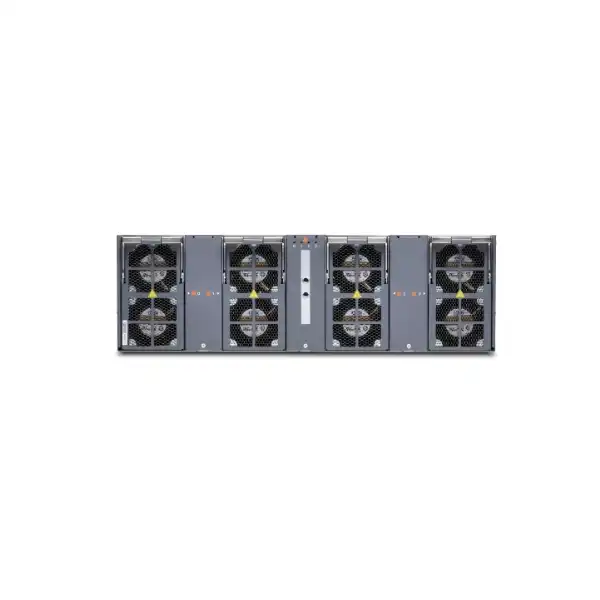
The chassis uses four fan trays, each containing two fans. Airflow and maintenance clearance are part of system availability: a technically redundant router can still become vulnerable if the rack layout restricts intake, recirculates hot exhaust or makes front and rear components difficult to service safely.
Operational redundancy
Hardware redundancy is only one layer. A resilient design also needs diverse uplinks, tested routing convergence, configuration backups, software maintenance procedures and a support plan. The ACX7332 provides building blocks; the network design determines whether those building blocks become a genuinely fault-tolerant service.
Power and thermal planning for Dubai and UAE edge sites
The ACX7332 supports both AC and DC power architectures. Juniper documents an AC operating range of 180 to 264 VAC and a DC operating range of 40 to 72 VDC. Two 2200 W power supply modules can be installed for redundancy. Juniper also publishes a typical base-chassis power figure around 520 W for a dual-Routing-Engine configuration without optics under its stated test conditions, and a maximum figure near 992 W for a defined full-load test. These values are useful for planning, but they should not be copied directly into a facility budget without considering the actual modules and optics.
Optics are a major variable. A rack populated with short-reach lower-power transceivers behaves differently from one using multiple high-power coherent or long-reach 400G optics. Juniper’s site guidance specifically distinguishes clearance considerations when high-power 400G XR, ZR or ZR+ optics are used. This is especially relevant in Dubai and the wider UAE, where the external climate can be severe even though telecom and data rooms are normally conditioned. The router must operate within its specified inlet conditions, and the cooling system needs clean, unrestricted airflow.
Juniper specifies an operating temperature range from 0°C to 55°C at up to 1828 m altitude, with 5% to 90% noncondensing relative humidity. These are equipment limits, not a recommendation to run the room near the upper boundary. For higher reliability, facility design should preserve cooling margin, avoid hot-air recirculation and account for air-conditioning failure scenarios. Dust control is also important because clogged intake paths reduce cooling effectiveness.
Electrical resilience requires more than installing two power supplies. If both PSMs connect to the same upstream PDU, breaker or source, the system still has a shared failure point. In a high-availability deployment, the two power paths should be designed according to the facility’s A/B power model. DC deployments additionally require the correct cable sizing, lugs, polarity practices and local electrical standards. Juniper’s grounding guidance must be followed, including suitable protective earth and properly prepared lugs.
A quotation request should therefore state whether the site uses AC or -48/-60 VDC infrastructure, how many independent feeds are available, whether the chassis will be installed in a standard 19-inch or telco rack, the expected ambient conditions and which optics are planned. Those details make the power and thermal discussion concrete instead of leaving them as post-purchase installation issues.
Timing and synchronization for mobile and precision transport networks
One reason the ACX7332 is relevant to carrier and mobile transport designs is its timing interface set. Juniper documents GNSS, BITS, 10 MHz and 1PPS-related interfaces on the chassis. These physical timing connections give architects options for integrating the router into a broader synchronization design, but the existence of the ports does not by itself define the timing architecture.
In mobile networks, timing errors can affect radio performance and service stability, so clock source, holdover expectations, distribution method and failure behavior need deliberate design. A GNSS input may be part of the plan at some locations, while others may receive timing from network or building sources. BITS can connect the router to external timing equipment, and 10 MHz or 1PPS connections can be used in appropriate synchronization arrangements. Juniper notes specific electrical and cable considerations for these connectors, including a recommended cable length of 3 m or less for the 10 MHz and 1PPS connections documented in the hardware guide.
The practical buying question is whether the router is expected merely to participate in packet timing, to accept an external reference, to provide a reference to other equipment, or to support a more complex synchronization chain. That decision affects cabling, antenna requirements, surge and grounding considerations, rack placement, software configuration and testing. A GNSS antenna, for example, is not simply a patch lead; antenna placement and building penetration may need coordination with the site team.
For enterprises that do not require precision timing, these interfaces may not influence the bill of materials. For operators building 4G/5G transport or other synchronized infrastructure, they can be central to model selection. FourTeck can help document the expected timing source and handoff so the network design is reviewed as a system rather than as an isolated router purchase.
MACsec, segmentation and security expectations
The ACX7332 includes MACsec capability on the thirty-two fixed SFP28 interfaces. MACsec can protect Ethernet links by providing link-layer confidentiality and integrity on supported interfaces and configurations. This is useful when a buyer needs to secure traffic across a fibre path while preserving the behavior of an Ethernet transport service, but it is not a generic substitute for every security technology.
Port placement is important because the fixed QSFP28 ports are not documented by Juniper as supporting MACsec on that fixed bank. A design that requires encrypted 100GbE or higher-speed uplinks therefore needs a careful feature and hardware review. The correct answer may involve a different interface, module, topology or security layer depending on the service. This is an area where assuming that “the router supports MACsec” without checking the exact port can create a late-stage design change.
Security also extends beyond encryption. The router will normally participate in a wider control and management plane with routing protocols, authentication, logging, access control, telemetry and software maintenance. Management access should be placed on an appropriate out-of-band or protected network. Juniper provides a dedicated MGMT interface and a console interface on the Routing Engine, which supports a cleaner operational design than relying only on in-band reachability.
Buyers should define who will administer the platform, how credentials and role-based access will be handled, where logs and telemetry will be sent, how configuration changes are reviewed and how software images are maintained. Hardware security capabilities are most effective when they are integrated into these operating procedures. For regulated environments, the required controls should be mapped before procurement so any feature, software or support dependencies are identified early.
Junos OS Evolved and management model
The ACX7332 runs Junos OS Evolved, Juniper’s modernized operating system architecture for selected platforms. Junos OS Evolved is Linux-based and modular, separating system components in a way intended to improve resilience, portability and software lifecycle operations. For network teams already using Junos, the platform preserves familiar operational concepts while introducing an architecture designed for newer high-scale systems.
From a buyer’s perspective, the key requirement is release planning. A hardware feature shown in a datasheet and a routing feature available somewhere in the Junos portfolio do not automatically mean that every feature is supported on every ACX7332 software release. The intended configuration should be checked in Juniper Feature Explorer, platform documentation and release notes. This is particularly important for advanced services, encryption, telemetry, routing-scale features and newer interface modes.
Juniper documents onboarding, management and monitoring of the ACX7332 through Juniper Routing Director, previously referenced as Juniper Paragon Automation, as well as configuration through the Junos OS Evolved CLI. The right operational model depends on the network. A small number of routers may be managed primarily by an experienced CLI-based operations team. A larger metro estate can benefit from standardized automation, inventory, telemetry and assurance workflows. Buyers should therefore distinguish the chassis purchase from the management architecture that will surround it.
Out-of-band management deserves explicit planning. The ACX7332 Routing Engine provides a dedicated RJ-45 management interface and an RJ-45 console interface. The management port supports 10/100BASE-T connectivity for out-of-band access. This is not intended as a traffic interface; its role is operational reachability. A proper OOB design may include terminal servers, separate management switches, management VRFs, AAA infrastructure, secure jump hosts and remote recovery procedures.
Before deployment, teams should also define configuration backup, software image policy, change control, telemetry destinations, syslog, NTP/PTP relationships, AAA and incident procedures. These choices are not accessories to the router. They determine how reliably the platform can be operated over years of service and how quickly the team can recover from a failed change, component fault or loss of in-band connectivity.
Where the Juniper ACX7332 can fit
Metro aggregation
The fixed 1/10/25GbE density and 40/100GbE uplinks make the ACX7332 a natural candidate for aggregating access nodes, enterprise circuits or distributed sites. Modular higher-speed bays allow a design to migrate toward 400GbE where backbone traffic grows.
Mobile transport
Advanced timing interfaces, high-capacity Ethernet and a compact environmental profile can suit transport roles supporting 4G and 5G infrastructure. The exact timing, QoS, synchronization and resiliency design should be validated for the mobile architecture.
Business services edge
Service providers delivering Ethernet, IP VPN or internet services to business customers can use the platform as part of an aggregation layer where many lower-speed customer-facing links converge onto larger uplinks. Feature and scale requirements should be matched to the service catalogue.
Large enterprise WAN aggregation
Enterprises with campus, industrial, utility or distributed data-center networks may consider the ACX7332 when they need carrier-class interface density and routing capabilities at the edge. It is generally more specialized than a typical branch router, so requirements should justify the platform class.
Distributed cloud and edge
The shallow form factor can be useful where local compute or service nodes need high-speed network aggregation but rack depth is limited. Designers should check whether the desired service model is routed, switched, EVPN-based or otherwise and confirm software support.
Migration from 10/100G metro
A network that currently operates large numbers of 10GbE services and 100GbE uplinks can use the ACX7332 as a transition point toward 25/50/200/400GbE. Multi-rate ports and modular I/O reduce the need for a single disruptive speed transition.
Deployment planning: what should be resolved before the chassis arrives
Metro equipment is often purchased for sites where installation windows are short and access is restricted. The most expensive mistake is therefore not necessarily choosing the wrong headline model; it is discovering during implementation that a required optic, cable, power feed, rack clearance, timing lead or software feature was not part of the original plan. A deployment-ready ACX7332 bill of materials should be built from the site outward.
Rack and physical fit. The chassis is approximately 3U high and about 29 cm deep, but the usable cabinet space must include rails, cable bend radius, airflow clearance and service access. A shallow router can still become difficult to maintain if dense patching is routed across removable components or if rear clearance is consumed by unrelated equipment. Confirm the rack standard, available U positions, front-to-rear service access and any cabinet-door limitations.
Power and grounding. Determine whether the site is AC or DC, whether true A/B feeds exist, what connectors and cable lengths are required and how grounding will be completed. The installation team should not be asked to improvise high-current DC cabling or grounding lugs on the day of cutover. Local electrical practice and Juniper’s hardware requirements both matter.
Fibre and optics. Create an interface schedule showing each port, required speed, optic type, fibre type, connector, distance, remote device and whether breakout is used. Verify every transceiver against Juniper’s Hardware Compatibility Tool. The remote endpoint must also support the chosen wavelength, lane structure, FEC and breakout mode. A supported optic on one side does not guarantee end-to-end interoperability.
Software and configuration. Select a Junos OS Evolved release appropriate to the intended feature set and organizational support policy. Build a baseline configuration before the change window, including management, AAA, logging, timing, routing, interface descriptions and required policies. Where possible, stage and test the chassis before it reaches the final site.
Migration sequence. Map old and new interface names, circuits, VLANs, routing adjacencies, labels, service instances and monitoring points. Decide how traffic will be moved, how rollback will work, and what acceptance tests confirm success. A good migration plan reduces the number of unknowns during the live window and makes the ACX7332 deployment repeatable across multiple sites.
Optics, cabling and interoperability: do not leave this to the purchase order footer
The ACX7332 can support a broad range of Ethernet speeds, but the physical medium is what turns a port into a working link. Juniper directs customers to the Hardware Compatibility Tool for supported transceivers and cable details. That tool should be treated as part of the design process because connector type, reach, fibre, optical budget and supported port mode vary by transceiver.
For short in-rack connections, direct-attach copper or active optical assemblies may be appropriate where supported. For building, campus or metro links, the design may require multimode or single-mode optics with LC, MPO or other connector types. Higher-speed interfaces increasingly use multi-lane optics, so the fibre plant must be evaluated rather than assumed compatible with an older 10G deployment. A fibre that is physically present is not automatically suitable for the target optic and distance.
Juniper notes that third-party optics can complicate support troubleshooting. JTAC may ask the customer to test with a qualified Juniper optic or cable when diagnosing an issue involving an unqualified third-party component. Organizations that standardize on third-party optics for commercial reasons should understand this operational consequence and keep an appropriate support and spares strategy.
Breakout links add another layer. A 100GbE QSFP28 broken into four 25GbE lanes requires the correct breakout cable or optical architecture and compatible remote interfaces. Naming, monitoring and failure handling also change because several logical links share one physical parent port. This can be entirely valid, but it should be captured in diagrams and inventory systems so operations teams can understand the dependency.
For each requested ACX7332, a precise optics schedule should include port speed, link distance, fibre type, connector, remote platform, redundancy class and spare quantity. FourTeck can use that schedule to help refine a bill of materials and identify where a compatibility check is needed before the commercial quote is finalized.
Sizing the ACX7332 correctly
A model number is only the start of a sizing discussion. The questions below reveal whether the ACX7332 fixed ports are sufficient, whether modular expansion is required, and whether another platform should be compared.
How many physical links are needed on day one?
Count circuits by speed and connector, not simply by customer or site. Separate 1GbE, 10GbE, 25GbE, 40GbE, 100GbE and expected higher-speed links. Include redundant interfaces, management, spare ports and the failure design. This determines whether the fixed bank has enough native connectivity.
How quickly will the uplinks grow?
If 100GbE is sufficient for the full planned lifecycle, the fixed QSFP28 bank may cover the requirement. If the network expects 200GbE or 400GbE uplinks, reserve the appropriate modular bays and verify the FPC and optics roadmap as part of the initial design.
What happens during a failure?
Normal traffic is not the only sizing point. Determine the traffic that a surviving uplink, path or router must carry when another element is unavailable. Oversubscription that looks acceptable in steady state can become a service problem when redundancy is exercised.
Is MACsec required, and on which links?
Map encryption requirements to specific physical interfaces. Because MACsec support is not identical across every fixed port type, the secure-link design may influence which port bank, module or alternative architecture is suitable.
What scale must the control and forwarding planes support?
Document route counts, labels, service instances, policies, MAC addresses, tunnels or other relevant state. Performance should be validated against platform and software scale documentation rather than inferred solely from interface capacity.
ACX7332 versus nearby alternatives
A balanced procurement process should compare the ACX7332 with nearby platforms when one of the following conditions is true. The goal is not to move away from the ACX7332 automatically, but to confirm that the selected chassis matches the actual port density, environmental requirement and capacity path.
| Comparison | Why ACX7332 may fit | When to evaluate the alternative |
|---|---|---|
| ACX7332 vs ACX7348 | ACX7332 provides 32 fixed 1/10/25GbE ports, eight 100GbE-class fixed ports, modular bays, eTCAM and an extended-temperature profile in the ACX7300 design. | Evaluate ACX7348 when greater fixed 1/10/25GbE density is important or its industrial-temperature profile better matches the deployment. It provides 48 fixed 1/10/25GbE ports while retaining the 3U ACX7300 approach. |
| ACX7332 vs ACX7100-32C | ACX7332 is compelling when mixed low-to-high Ethernet speeds, shallow depth, timing and modular I/O expansion are central requirements. | Evaluate ACX7100-32C when the requirement is dominated by much higher 100/400GbE fan-out and a different capacity/port-density profile. Juniper positions it as a 4.8 Tbps, high-density 1U option. |
| ACX7332 vs larger modular systems | ACX7332 keeps rack depth and chassis size modest while still offering three expansion bays and a 2.4 Tbps platform class. | A larger modular chassis should be considered when required total capacity, line-card scale, control-plane design or growth expectations exceed what the 3U platform can deliver comfortably. |
The right comparison is determined by constraints. A buyer with 36 required 25GbE circuits may find ACX7332 possible only through modular expansion, while ACX7348 offers more fixed density. A buyer with 20 such circuits but important eTCAM or environmental considerations may prefer ACX7332. A site that expects many 400GbE links may need a different platform class entirely. A useful quote therefore includes at least one sentence explaining why the chosen model fits better than the nearest alternative.
Licensing, software support and lifecycle considerations
The hardware bill of materials is only one part of an ACX7332 purchase. The intended software features, Junos OS Evolved release and support entitlement must be considered at the same time. Feature availability can vary by release and platform, so buyers should identify required routing protocols, service types, telemetry, security capabilities, timing behavior and automation integrations before the quote is finalized.
For production networks, support coverage should match the organization’s risk model. A metro router may carry many downstream services, which means the commercial value of fast access to vendor support can be greater than the cost difference between support tiers. The procurement team should align the support term with expected deployment date, hardware lifecycle and internal sparing strategy instead of treating support as a generic annual line item.
Lifecycle planning also includes software upgrades. Junos OS Evolved releases introduce features and fixes but can also change recommended practices or platform behavior. Operations teams need a validated upgrade path, maintenance window plan and rollback procedure. Where the network contains multiple ACX7000 models, software standardization should be considered so the estate does not become fragmented across unnecessarily different versions.
FourTeck can help structure the commercial request around the intended deployment rather than quoting only a chassis SKU. The result should identify the router configuration, Routing Engine quantity, power option, I/O modules, optics, cables, support requirement and any software entitlement that is known to be necessary. Where licensing details depend on a final feature review, that dependency should remain explicit rather than being hidden behind a generic “license included” statement.
Procurement guidance for Dubai buyers
Enterprise and service-provider router procurement is most reliable when technical and commercial teams work from the same bill of materials. A request that says only “Juniper ACX7332, quantity two” is not enough to guarantee a deployable solution. The chassis may require a specific power variant, second Routing Engine, selected I/O modules, transceivers, fibre assemblies, timing accessories, mounting hardware, spare components and support coverage depending on the architecture.
Start with a port schedule. List every active connection, its speed, optic reach and remote endpoint. Then add the expected links for the next expansion phase. This immediately shows whether the 32 fixed SFP28 and eight fixed QSFP28 interfaces are sufficient or whether optional FPCs are required. It also prevents a quote from being padded with expansion hardware that the network will not use.
Next, document resilience. State whether dual Routing Engines are required, whether the site provides independent AC or DC feeds, and whether redundant uplinks must use physically diverse modules or paths. If the router is part of a pair, define whether capacity is active/active, active/standby or shared by a routing protocol. These details affect both the hardware quantity and the traffic design.
For UAE delivery planning, installation location and project schedule also matter. A central Dubai data center has different access, rack and logistics constraints from a remote telecom room, utility substation or industrial site. If FourTeck installation or migration support is required, provide the site type, access restrictions, planned cutover window and whether existing circuits must be moved from another platform.
Finally, avoid treating optics as interchangeable commodities. Specify fibre type, reach, wavelength or topology requirements and whether the remote endpoint is another Juniper device or a third-party platform. This allows compatibility to be reviewed before delivery and reduces the chance that the physical layer becomes the critical path during commissioning.
Implementation journey
Document circuit counts, speeds, growth, routing and service requirements, MACsec needs, timing sources, resilience and site conditions. This becomes the technical baseline for model validation.
Choose Routing Engine quantity, AC or DC power, required I/O FPCs, optic types, cables and spares. Confirm rack fit, airflow and grounding before purchase.
Select the target Junos OS Evolved release and verify required features against current platform documentation, Feature Explorer and release notes.
Inventory the chassis, install modules and optics, apply baseline configuration, test management access, confirm interfaces and capture a known-good configuration before site delivery.
Move circuits using a documented sequence, verify routing and service state, test redundancy and timing where relevant, validate monitoring, then record the final port and serial inventory.
Provide diagrams, interface schedules, support details, software version, backup configuration, escalation contacts and maintenance procedures to the operations team.
Frequently asked questions about the Juniper ACX7332
Is the ACX7332 a fixed or modular router?
It is best described as a fixed-plus-modular platform. The router has a substantial fixed FPC with 32 multi-rate SFP28 ports and eight QSFP28 ports, plus three bays for optional I/O modules. This means a base deployment can use the fixed ports while retaining modular expansion for additional 50GbE, 100GbE, 200GbE or 400GbE connectivity. The exact expansion capability depends on the selected FPC, port mode, optics and Junos OS Evolved support.
How much throughput does the ACX7332 provide?
Juniper specifies 2.4 Tbps of system throughput. That figure is useful for positioning the platform but should not be the only sizing input. Real deployments must consider traffic growth, failure-state loading, route and service scale, policy, encapsulation and feature usage. A design can be within a headline throughput figure yet still be constrained by a different resource if scale and service requirements are not checked.
Does the ACX7332 support 400GbE?
Yes, the ACX7332 supports a 1GbE-to-400GbE design range when suitable optional I/O modules are installed. The fixed ports do not provide native 400GbE; that speed comes through the modular expansion architecture. Buyers should identify the required 400GbE optic type, reach and quantity, then verify the supported FPC, transceiver, software release, thermal considerations and remote-end compatibility.
Can the fixed 100GbE ports be broken out?
Juniper documents breakout support on the fixed QSFP28 bank, including 4 x 25GbE breakout from 100GbE and 4 x 10GbE breakout from 40GbE. Breakout should be validated with the chosen cable or optic and remote equipment. It also changes how port inventory and fault domains are managed, so the design should show each breakout lane rather than treating the parent QSFP as one ordinary link.
Does the ACX7332 support MACsec?
The fixed 32 SFP28 ports have MACsec capability. Juniper’s hardware documentation notes that MACsec is not supported on the eight fixed QSFP28 ports. Because secure-link requirements can influence physical port selection, buyers should map MACsec needs to exact interfaces and speeds before ordering. If encrypted higher-speed links are mandatory, the architecture requires a more detailed platform and feature review.
Can I order the ACX7332 with redundant power?
Yes. The chassis supports two hot-removable and hot-insertable 2200 W power supply modules, available in AC or DC variants. With two correctly configured PSMs, the system can retain power if one module fails or is removed. True power resilience also requires independent upstream feeds, so the facility design should be checked along with the chassis configuration.
Does it support dual Routing Engines?
Yes. One or two Routing Engines can be installed. A redundant configuration uses a primary and a backup Routing Engine, and the RE is a hot-pluggable field-replaceable unit. For a production metro aggregation node, dual REs should be evaluated as part of the availability design, particularly where the router carries many downstream services or has limited maintenance windows.
What operating system does the ACX7332 use?
The ACX7332 runs Junos OS Evolved. It can be configured through the Junos CLI and can be onboarded, managed and monitored using Juniper’s supported automation and management tooling such as Juniper Routing Director. Required protocol and feature support should be checked against the selected Junos OS Evolved release before deployment.
Is the ACX7332 suitable for mobile transport?
It can be well suited to mobile transport when its capacity, interface density and timing capabilities match the architecture. The chassis provides GNSS, BITS, 10 MHz and 1PPS-related timing interfaces, and the ACX7000 family is positioned for modern metro use cases including 4G/5G. The exact synchronization profile, PTP behavior, resilience and software support should be validated for the mobile network design.
What is the difference between ACX7332 and ACX7348?
Both are 3U ACX7300 Cloud Metro routers with 2.4 Tbps throughput and three I/O bays. The ACX7332 provides 32 fixed 1/10/25GbE ports and includes eTCAM, while the ACX7348 provides 48 fixed 1/10/25GbE ports. They also have different environmental positioning. The choice should be based on fixed-port density, environmental needs, scale characteristics and the expected expansion path rather than model number alone.
Can third-party optics be used?
A third-party optic may operate, but Juniper’s support guidance matters. If a fault occurs and a third-party optic or cable is involved, JTAC may recommend replacing it with a Juniper-qualified equivalent during diagnosis. Buyers should decide whether any savings justify the support and operational implications, and should verify interoperability rather than assuming all standards-compliant optics behave identically.
What should I provide for an accurate ACX7332 quotation?
Provide quantity, required delivery location, AC or DC power, Routing Engine redundancy, port counts by speed, expected use of breakouts, optic reach and fibre type, I/O module requirements, MACsec and timing needs, software features, support term, installation scope and migration requirements. If some details are unknown, a network diagram and list of remote endpoints can help derive them without guessing.
Decision recap for ACX7332 buyers
What FourTeck needs from you for a precise quotation
You do not need to know every Juniper part number. The most useful input is a clear description of the network requirement. The following information lets the configuration and commercial scope be narrowed without inventing assumptions.
Plan the ACX7332 as a complete metro system, not a chassis-only purchase
The Juniper ACX7332 can be a strong fit for Dubai metro aggregation, mobile transport, enterprise edge and distributed cloud roles when its fixed port bank, optional I/O modules, timing, resiliency and software capabilities are mapped to the real network requirement. A precise design should show how the router will be powered, how traffic survives failures, which optics connect every link, where MACsec is required, how timing is sourced and what growth must be supported over the lifecycle.



Reviews
There are no reviews yet.