
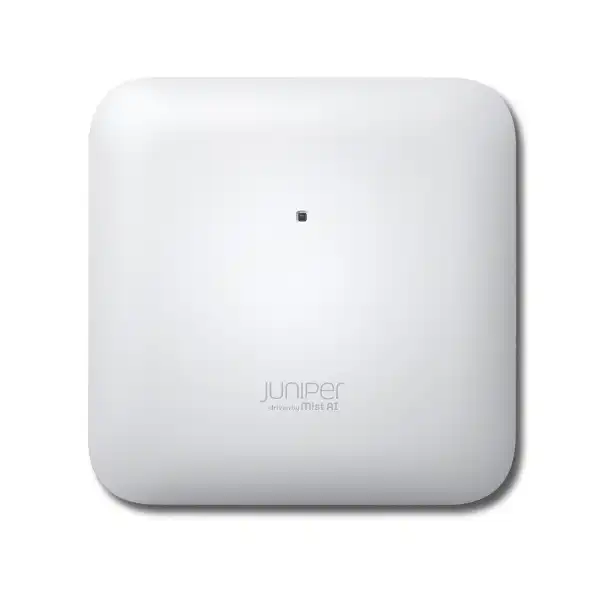
Juniper AP24 Access Point Dubai
A practical entry-level Wi-Fi 6E access point for organizations that want Juniper Mist cloud operations, 2×2:2 radio efficiency, 6 GHz capability, dedicated RF scanning, BLE visibility, and multigigabit Ethernet without moving immediately to a higher-capacity 4×4 platform.
Buyer signals at a glance
Direct answer: what is the Juniper AP24?
The Juniper AP24 is an indoor, cloud-managed Wi-Fi 6E access point with two client-serving radios, two spatial streams per radio, and a separate third radio for functions such as wireless scanning, spectrum awareness, security monitoring, and location analytics. It can work with 2.4 GHz, 5 GHz, and 6 GHz spectrum, while serving clients on two bands concurrently. The product is positioned for moderate-density environments rather than the most demanding high-density venues.
Its main use is business wireless access where an organization wants modern 802.11ax efficiency, 6 GHz capability for suitable Wi-Fi 6E clients, centralized Juniper Mist visibility, and a cost-conscious access-point tier. Offices, meeting areas, classrooms, clinics, retail locations, professional services environments, distributed branches, and similar indoor sites can all be reasonable candidates when capacity and RF requirements match the AP24 profile.
The most important factor to confirm before ordering is not simply whether the AP24 supports Wi-Fi 6E. Buyers should confirm the complete deployment design: which two client bands will be used, whether the local regulatory domain permits the intended 6 GHz operation, whether client devices can benefit from 6 GHz, whether the wired network can provide the required VLANs and PoE, whether the desired ceiling or wall mounting method is supported, and which Juniper Mist subscriptions are needed.
FourTeck can help translate those questions into a bill of materials covering AP24-WW hardware for the non-US market, Wireless Assurance subscription term, switching and PoE readiness, brackets or adapters, cabling, site survey requirements, quantity, installation, configuration, migration, and support scope.
Where the AP24 fits in an enterprise wireless design
The AP24 is best understood as a compact business access point that brings Wi-Fi 6E and Juniper Mist operations to locations where 2×2:2 client radios are appropriate. This matters because buyers often compare wireless access points only by generation labels. Two devices may both say Wi-Fi 6E, yet their radio chains, client density targets, location capabilities, antenna design, uplink requirements, and subscription model can be materially different. The AP24 is not intended to be a universal answer for every indoor WLAN. It gives organizations a way to deploy modern spectrum and cloud operations at a tier suited to moderate demand.
Juniper describes the AP24 as tri-band capable but dual-band concurrent. That distinction deserves attention during design. The unit can support the 2.4 GHz, 5 GHz, and 6 GHz frequency ranges, but the client-serving architecture uses two bands simultaneously rather than serving all three client bands concurrently as three full client radios. The dedicated third radio is used for monitoring and related functions. A deployment therefore needs an intentional band strategy rather than assuming that every AP24 will simultaneously provide independent client service across all three frequency ranges.
This architecture can be attractive when a site is introducing 6 GHz but still has a significant base of 5 GHz devices, or when selected areas can move away from 2.4 GHz client service while retaining strong monitoring. The correct choice depends on endpoints, roaming behavior, floor plan, RF attenuation, application sensitivity, neighboring networks, and the future device mix. For an organization with a large percentage of legacy 2.4 GHz-only devices, for example, the migration conversation differs from that of a new office where most laptops and phones already support 5 GHz and an increasing share support Wi-Fi 6E.
Verified Juniper AP24 technical specifications
| Specification | AP24 detail | Buyer relevance |
|---|---|---|
| Deployment | Indoor | Do not select it for exposed outdoor installation. Outdoor environments require a product designed and rated for that use. |
| Wireless standard | 802.11ax Wi-Fi 6 / Wi-Fi 6E with backward compatibility for earlier Wi-Fi generations including 802.11a/b/g/n/ac. | Existing clients can continue to connect, while capable endpoints can take advantage of newer 802.11ax features. |
| Radio architecture | Tri-band capable, dual-band concurrent, 2×2:2 client radios plus dedicated third radio. | Band selection and client mix should be planned; do not treat the AP as three simultaneous client-serving radios. |
| 2.4 GHz maximum PHY rate | Up to 575 Mbps, 2×2:2 802.11ax | Useful for compatible IoT and legacy coverage needs, but real application throughput will be lower and depends on RF conditions and airtime contention. |
| 5 GHz maximum PHY rate | Up to 1,200 Mbps, 2×2:2 802.11ax | Likely to remain a core enterprise band for a mixed installed base of modern laptops, phones, and business devices. |
| 6 GHz maximum PHY rate | Up to 2,400 Mbps, 2×2:2 802.11ax | Relevant where regulatory conditions and client support permit 6 GHz use; practical performance depends on channel width, distance, attenuation, interference, and client capability. |
| Ethernet | One 100/1000/2500BASE-T RJ45 Ethernet port supporting PoE power input. | A 2.5GbE-capable access switch can avoid a 1GbE wired bottleneck when traffic conditions justify it, though not every deployment requires a multigigabit switch port. |
| Power | 802.3af with full functionality in documented operating combinations. | Existing PoE infrastructure may be reusable, but switch PoE budget must still be checked for the total number of APs and other powered devices. |
| Antennas | Internal omnidirectional antennas; two 2.4 GHz antennas at 4 dBi peak gain, two 5 GHz antennas at 6 dBi, and two 6 GHz antennas at 6 dBi. | The integrated-antenna form is suited to many office ceilings and walls; special directional coverage requirements may point to another model. |
| Bluetooth | BLE 5.3 with omnidirectional antenna. | Supports BLE-related visibility use cases, but AP24 does not provide Juniper virtual BLE functionality found on selected higher models. |
| Sensors | Temperature and accelerometer | Operational telemetry can add context, but it should not be confused with building-management environmental instrumentation. |
| USB | USB 2.0 support interface, up to 900 mA output. | Confirm the intended accessory and supported software use before including USB-connected devices in a design. |
| Security hardware | Trusted Platform Module included. | Adds a hardware trust component to the access-point platform; WLAN security policy still depends on authentication, encryption, identity, configuration, and operational controls. |
| Dimensions | Approximately 185 x 185 x 39 mm | Useful for ceiling coordination, drawings, ceiling-service congestion reviews, and physical installation planning. |
| Weight | About 0.75 kg | Mounting surfaces and adapters should be selected and installed correctly rather than improvising attachment methods. |
| Operating temperature | 0°C to 40°C for the internal-antenna model. | Important in UAE projects: indoor does not automatically mean temperature-safe. Unconditioned ceilings, warehouses, plant spaces, or hot roof voids require environmental review. |
| Humidity | 10% to 90% maximum relative humidity, non-condensing. | Avoid spaces where condensation or environmental exposure exceeds the product specification. |
| Regional ordering | AP24-US for United States only; AP24-WW for outside the United States. | Dubai and UAE buyers should normally validate the AP24-WW ordering path and local regulatory suitability with the supplier before purchase. |
Wi-Fi 6E on the AP24: what changes for the buyer
6 GHz is not just another speed label
The practical attraction of Wi-Fi 6E is access to 6 GHz spectrum for compatible clients, potentially giving the WLAN additional clean spectrum and wider channel choices where regulations allow them. In a well-designed environment, this can reduce pressure on 5 GHz and improve the experience for modern endpoints. It does not guarantee that every client becomes faster. A device must support 6 GHz, the RF design must provide usable signal at the client, channel planning must be sensible, and the wired path must not introduce a smaller bottleneck.
Propagation needs deliberate planning
Higher-frequency 6 GHz coverage can be more sensitive to walls, partitions, doors, glazing, shelving, people, and distance than lower-frequency service. A floor plan that was acceptable for an older 2.4/5 GHz network should not be assumed to provide equivalent 6 GHz coverage. Reusing historical AP positions without modeling or survey work can produce a network that technically enables 6 GHz but delivers inconsistent practical value to users.
Client capability decides the return
If most corporate laptops, handheld devices, scanners, printers, cameras, and IoT equipment remain on 2.4 or 5 GHz, then the immediate benefit of 6 GHz may be concentrated among a smaller group of devices. That can still be worthwhile because moving capable clients away from 5 GHz can release airtime for the rest of the estate. The business case should therefore consider both direct 6 GHz users and the secondary capacity benefit created by redistributing clients across spectrum.
Dual-band concurrent design and the dedicated scanning radio
One of the most important AP24 details is its radio architecture. The access point is tri-band capable because its platform can operate across 2.4 GHz, 5 GHz, and 6 GHz, yet it serves clients on two bands concurrently. Juniper also provides a dedicated third radio used for wireless intrusion detection and prevention functions, spectrum analysis, location analytics, and scanning. This separation lets the access point monitor the RF environment without relying entirely on client-serving radios to stop serving users while they scan.
For design teams, that means the AP24 should be placed with an explicit policy for band use. A site that depends heavily on 2.4 GHz devices may prefer 2.4 + 5 GHz service in some areas, while areas with a strong Wi-Fi 6E endpoint population may prefer 5 + 6 GHz. The correct pattern can also vary within the same building. Reception areas, meeting rooms, executive offices, training spaces, clinics, stock areas, and back-of-house zones often have different device populations and traffic characteristics.
The dedicated monitoring radio also contributes operational value. Spectrum events, unauthorized wireless devices, channel conditions, and RF changes are easier to investigate when the management platform receives continuous information. However, monitoring does not remove the need for good design. An access point installed behind dense obstacles, near sources of interference, above inappropriate ceilings, or outside its environmental specification cannot be corrected by analytics alone. Cloud insight is most valuable when the physical RF and wired foundations are sound.
Understanding AP24 performance numbers correctly
Juniper lists maximum radio data rates of up to 575 Mbps on 2.4 GHz, 1,200 Mbps on 5 GHz, and 2,400 Mbps on 6 GHz. These are wireless PHY-rate figures under supported configurations; they should not be treated as guaranteed application throughput to one user. Real throughput is affected by protocol overhead, client radio capability, channel width, signal-to-noise ratio, interference, distance, retransmissions, airtime contention, roaming, security processing, upstream switching, internet bandwidth, application servers, and the number of active devices competing for transmission opportunities.
This distinction becomes especially important when a quotation is compared against an internet circuit. A 2,400 Mbps theoretical wireless rate does not mean a single client will receive 2.4 Gbps from the internet, nor does it mean every AP needs a 2.5 Gbps internet path. The 2.5GbE uplink is useful because aggregate wireless traffic can exceed the comfort zone of a 1GbE port under certain conditions, and multigigabit access switching provides headroom for modern APs. But the wired design should be sized against expected aggregate traffic, application requirements, and switch architecture rather than peak radio numbers alone.
When planning voice, video meetings, collaboration, cloud applications, VDI, large file transfers, guest access, handheld scanners, or IoT, use application behavior and concurrency as the sizing language. A moderate number of busy video users can require more consistent airtime and backhaul than many mostly idle devices. Conversely, a high device count does not automatically mean high throughput if most endpoints transmit only small periodic packets. Capacity design should separate associated-client count, simultaneously active users, latency sensitivity, and bandwidth demand.
Juniper Mist cloud management and subscription planning
Wireless Assurance is foundational
Juniper states that Mist Wi-Fi Assurance is a mandatory subscription when using Juniper access points. Buyers should therefore treat licensing as part of the operating design, not as an optional line item to consider after hardware purchase. Available subscription terms include 1-year, 3-year, and 5-year choices, allowing procurement teams to align coverage with budget cycles and support policy.
Cloud operations affect architecture
The AP24 is managed through the Juniper Mist cloud architecture. That influences onboarding, configuration, telemetry, troubleshooting, firmware operations, administrator access, and organizational design. The WLAN project should therefore include the Mist organization and site structure, administrator roles, subscription assignment, access policies, naming standards, and change-control procedures.
Optional services need a use case
Additional Mist services can extend wireless operations, identity, analytics, asset visibility, and engagement capabilities, but they should be selected according to business requirements. Purchasing every available subscription is not automatically the correct design. Determine which teams need which outcomes, which data must be retained or analyzed, and which capabilities are already provided by other systems.
Renewal planning matters
Because cloud services are subscription-based, buyers should record renewal dates, license ownership, administrator contacts, and procurement responsibility. A deployment can be technically well designed and still create operational friction if subscription renewal is treated as an afterthought. Multi-site organizations should also decide whether licensing and operations are handled centrally or by business unit.
Dubai and UAE procurement note: confirm regional and regulatory suitability
Juniper identifies AP24-US for the United States and AP24-WW for regions outside the United States. For a Dubai or wider UAE deployment, the procurement process should normally focus on the worldwide AP24-WW model and verify that the supplied unit, regulatory domain, firmware behavior, enabled channels, channel widths, and transmit-power settings are appropriate for the local environment. Wireless regulations can evolve, and 6 GHz availability is particularly important to validate because a Wi-Fi 6E design relies on regulatory authorization as well as device capability.
The practical buying lesson is simple: do not import a US-only SKU because it appears cheaper or immediately available. Regional wireless products are built and configured around allowed operating domains. Using the wrong regional model can create compliance, support, warranty, or operational problems. A correct quotation should identify the intended regional SKU and should not hide that detail behind a generic description such as “AP24 access point.”
For projects where 6 GHz is a central justification, make local confirmation part of the design acceptance criteria. Confirm the client estate, approved operating conditions, firmware, country configuration, and the organization’s security policy before promising 6 GHz service to users. If the immediate requirement is primarily reliable 5 GHz coverage, the project can still evaluate AP24 for its cloud operations and modern platform, but the business case should not overstate 6 GHz benefits that the existing devices cannot yet use.
2.5GbE uplink, PoE and the wired network behind the AP
A wireless refresh often exposes weaknesses in the switching layer. The AP24 provides a single 100/1000/2500BASE-T Ethernet interface, giving the design an option to use 2.5GbE where the access switch and cabling support it. That does not mean every AP24 must be connected at 2.5 Gbps, but a project should examine why an AP is being upgraded. If the objective is to improve capacity for modern clients, leaving every access point on a congested 1GbE switching topology may reduce the value of the wireless investment.
PoE deserves the same attention. Juniper documents full AP24 functionality with 802.3af in the supported operating combinations, which can make the product attractive for sites with existing standards-based PoE. Yet the total PoE budget remains a system-level question. A switch may support 802.3af per port while still lacking enough aggregate power for every planned AP, camera, phone, sensor, and other powered endpoint. During migration, count the expected powered devices per switch, the available power supply capacity, redundancy policy, and any planned growth.
Cabling quality also matters for multigigabit operation. Existing copper should be checked for category, length, termination quality, patch-panel condition, interference, and historical faults. A cable that was stable at 1GbE may not necessarily be the cable you want to trust for a new multigigabit wireless edge without testing. The quotation can separate hardware supply from cable certification and remediation so buyers understand where risk resides.
Finally, review VLAN design, DHCP scope, DNS, gateway capacity, firewall policy, internet egress, QoS, authentication services, and logging. Users experience Wi-Fi as one service, but the access point is only one component. If the WLAN associates successfully while DHCP is exhausted, RADIUS is slow, WAN links are saturated, or firewall policies are inconsistent, users will still report “bad Wi-Fi.” A successful AP24 rollout therefore includes the path beyond the radio.
RF planning: coverage, capacity and channel design
Access-point quantity should not be calculated from floor area alone. Coverage depends on construction materials, ceiling height, doors, glass, partitions, furniture, shelving, machinery, people, adjacent tenants, external interference, client radio characteristics, and the required service level. Capacity depends on a different set of variables: active client count, application mix, airtime, channel widths, traffic direction, roaming, and concurrency. A design that meets a basic signal threshold can still perform poorly if too many active devices contend for the same airtime.
For new construction or major refurbishment, predictive design can establish initial AP positions from floor plans and material assumptions. For existing sites, an active or passive survey can expose conditions that drawings do not reveal. After installation, validation should check actual coverage, roaming paths, channel use, interference, uplink status, user experience, and expected 6 GHz behavior where applicable. The goal is not to create a perfect heat map; it is to reduce uncertainty before users discover coverage gaps in production.
Channel width is a particularly important design decision. Wider channels can support higher peak rates but consume more spectrum and may increase contention or reduce the number of non-overlapping channels available in a dense environment. An executive meeting room with a modest number of high-performance clients may justify a different approach from a training floor with many simultaneous users. The AP24 supports advanced 802.11ax capabilities, but those features work best when basic RF discipline is maintained.
Transmit power should also be coordinated with client capability. An AP that transmits much more strongly than a handheld client can create an asymmetric link: the client hears the AP, but the AP struggles to hear the client. This is one reason simply increasing power does not solve all coverage problems. Proper AP placement, cell sizing, band steering policy, minimum data rates, and roaming design are more reliable tools.
Security and wireless monitoring considerations
The AP24 includes a Trusted Platform Module and a dedicated third radio that supports wireless monitoring functions such as WIDS/WIPS and spectrum analysis. Those hardware capabilities are useful foundations, but they should not be mistaken for a complete security design. The protection of a corporate WLAN depends on how users and devices authenticate, which encryption modes are allowed, how guest traffic is separated, how administrative access is controlled, how configuration changes are audited, and how alerts are triaged.
For employee networks, organizations should decide whether authentication uses enterprise credentials, certificates, identity-aware policy, pre-shared keys, or another approved mechanism. IoT and operational devices often require a different approach because many cannot support the same authentication methods as managed laptops. Segmentation should follow business risk rather than creating one broad wireless VLAN for convenience. Printers, cameras, meeting-room systems, guest devices, corporate endpoints, handheld scanners, and building devices may need different access policies even when they connect to the same physical AP24 infrastructure.
Wireless intrusion and spectrum data is most valuable when someone owns the operational workflow. Decide who receives alerts, which conditions are actionable, how false positives are handled, and whether the network team has a process to investigate interference or unauthorized devices. In a multi-tenant building, neighboring access points are normal; the challenge is distinguishing harmless RF activity from policy violations or performance issues.
Firmware management should also be included in governance. Cloud-managed networking can simplify coordinated upgrades, but organizations still need maintenance windows, test groups, change approval, rollback planning, and awareness of critical application periods. Retail trading hours, examinations, medical operations, customer events, and executive meetings are examples of business conditions that may influence when changes should occur.
BLE 5.3 and asset visibility: useful, but understand the AP24 limitation
The AP24 includes BLE 5.3 and an omnidirectional Bluetooth antenna. Juniper positions this capability for asset visibility use cases, including work with compatible tags and telemetry. This can be useful for organizations that want wireless infrastructure to contribute to awareness of tagged assets without deploying a completely separate Bluetooth receiver network in every area.
A key product-specific limitation is that the AP24 does not support Juniper virtual BLE, or vBLE. Selected Juniper access points such as AP45, AP43, AP33, and AP63 provide vBLE capabilities that can support more advanced location experiences. Therefore, a buyer should not choose AP24 solely because it has BLE and assume it offers the same location architecture as those models. If precise or advanced location-based engagement is a central requirement, compare the relevant higher-capability access points before standardizing.
For straightforward asset presence or zonal visibility, the AP24 may still be appropriate depending on the application and subscription. The design should identify which tags are used, what accuracy is required, whether historical location information matters, how many assets are expected, which integrations consume the data, and who operates the system. “Asset tracking” can mean anything from knowing which room contains a device to providing near-real-time location across a campus; those are very different technical requirements.
This is a good example of why product selection should begin with outcomes rather than feature names. BLE support is a capability. The actual buyer decision is the level of location intelligence required, the supported device ecosystem, the software service, and the operational process built around it.
Indoor environmental fit in Dubai: temperature is a real design constraint
The AP24 internal-antenna model is specified for operation from 0°C to 40°C and for 10% to 90% relative humidity, non-condensing. In an air-conditioned office, hotel administrative area, school, clinic, retail space, or similar indoor environment, those limits may be straightforward to maintain. In the UAE, however, the word “indoor” can cover spaces with very different thermal conditions. Warehouses, false-ceiling voids, plant rooms, loading areas, workshops, temporary buildings, partially conditioned zones, and spaces near roofs can become significantly hotter than occupied office areas.
That means the installer should evaluate the temperature where the access point will actually be mounted, not simply the room temperature at desk height. A ceiling cavity can trap heat. An AP placed near HVAC equipment may experience unusual airflow or condensation risk. A device installed close to an exterior wall or skylight can experience local heating. Environmental limits are part of the product specification and should be considered during the site survey.
If the intended location cannot reliably remain within the indoor AP24 specification, the right response is not to assume that a warranty will cover environmental stress. Evaluate a platform rated for the actual conditions, adjust the mounting location, improve the environment, or redesign coverage. This is particularly important in mission-critical deployments where an access point failure would affect operations or safety communications.
Mounting choices and accessories
Juniper documentation states that AP24 ships with the APBR-U universal bracket. The bracket supports common wall, ceiling, and junction-box installation methods. Additional adapters are available for specific recessed rails, T-bars, and threaded-rod scenarios. This is useful because enterprise sites rarely have one universal ceiling type. A project may contain exposed ceilings, standard office T-grid ceilings, gypsum areas, junction boxes, decorative ceilings, and service corridors, each requiring a different installation detail.
The quotation should therefore distinguish the included universal bracket from any adapter that must be ordered separately. Accessories such as APBR-ADP-M16, APBR-ADP-T58, APBR-ADP-CR9, APBR-ADP-RT15, APBR-ADP-WS15, and APBR-ADP-T12 exist for specific mounting conditions. The exact part number should be matched to the physical ceiling or support structure rather than selected from a generic bill of materials.
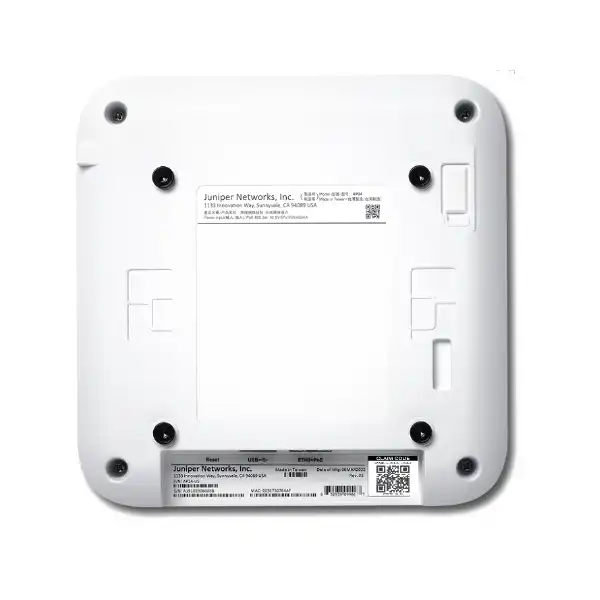
Installation planning should also consider cable approach, service access, device labeling, ceiling access permits, working-at-height requirements, and future replacement. Juniper recommends claiming the AP before mounting because the claim code is located on the rear and may become difficult to access once installed. That small operational detail can save time on large deployments. A staged rollout can claim, label, map, and preconfigure devices before technicians move into ceilings and occupied spaces.
Physical placement should follow the RF design. Mounting an AP in the nearest convenient corner because an Ethernet cable already exists may reduce coverage quality or distort roaming behavior. The best result comes when RF placement, cabling, aesthetics, installation safety, and maintenance access are solved together.
AP24 deployment journey
Discover the requirements
Document user groups, device types, applications, voice and video needs, guest requirements, IoT, security policy, target areas, coverage gaps, existing switching, internet capacity, and management expectations. Separate business-critical requirements from nice-to-have features. This prevents the RF design from being driven only by a floor-plan square-meter calculation.
Design RF and wired capacity
Create predictive placement or survey the existing site, choose band strategy, estimate active-client load, decide channel-width policy, identify roaming paths, and map each proposed AP to switch ports and PoE capacity. This stage should also identify whether 2.5GbE switching is needed everywhere, only in selected areas, or not yet required.
Validate regional, license and accessory BOM
Confirm AP24-WW for the intended market, the Wi-Fi Assurance term, optional Mist services, brackets or adapters, switching requirements, patching, cabling work, support, and any deployment services. Hardware quantity and subscription quantity should reconcile before the purchase order is released.
Prepare Mist and network services
Set up or review the Mist organization, sites, administrator roles, subscriptions, WLAN definitions, VLAN mappings, authentication, DHCP, DNS, firewall rules, guest design, monitoring, and naming standards. Claim and label devices in a controlled workflow so the physical AP can be associated with the correct site and planned location.
Install and migrate
Mount APs at designed positions, test cabling and PoE, confirm switch negotiation, bring devices online, and migrate SSIDs or users according to a defined sequence. For live environments, use pilot areas and rollback criteria rather than replacing an entire campus at once without validation.
Validate user experience
Check coverage, roaming, association, authentication, DHCP, DNS, application response, expected band use, client distribution, channel utilization, RF events, and wired uplinks. Validation should focus on the actual user journey rather than simply confirming that access-point LEDs are normal.
Migration from an existing wireless network
Replacing access points is usually easier than migrating the service built around them. An existing WLAN may include SSID names, VLAN assignments, RADIUS policies, certificates, captive portals, guest workflows, firewall rules, DNS filtering, DHCP reservations, quality-of-service settings, device onboarding processes, monitoring tools, and support procedures. Before introducing AP24, document which of these should be preserved, improved, retired, or redesigned.
A like-for-like SSID migration can reduce user disruption, but it can also preserve old technical debt. For example, too many SSIDs increase management overhead and consume airtime through management frames. Legacy encryption or broad pre-shared-key use may not meet the organization’s current security policy. Old VLAN structures may make segmentation difficult. A wireless refresh is therefore an opportunity to simplify the service if business owners are prepared for the change.
Pilot migration is especially useful when moving between wireless vendors. Select a representative area with normal client diversity, not only an IT test room. Include laptops, phones, meeting-room equipment, printers, scanners, specialist devices, and guest workflows. Observe roaming, sleep/wake behavior, authentication retries, application performance, 2.4/5/6 GHz band selection, and any client drivers that behave differently on the new infrastructure.
The rollback plan should be practical. If a critical device family fails after migration, the team should know whether it can return the area to the previous WLAN, adjust an SSID policy, update a driver, move the device to another network, or temporarily maintain a legacy band. This reduces pressure during change windows and makes troubleshooting more disciplined.
Common AP24 use cases
Corporate offices and branch sites
AP24 can suit general office floors where client density is moderate and the organization values Mist cloud operations. The design should focus on meeting rooms, collaboration areas, roaming paths, device mix, and uplink capacity rather than simply placing one AP per fixed area. Branches can benefit from centralized visibility when local IT staffing is limited.
Education and training environments
Classrooms and training rooms can have bursty, synchronized demand as many users join sessions, download material, or use video at the same time. AP24 may fit smaller or moderate-density rooms, but large lecture spaces should be capacity-modeled carefully and may justify a higher-radio-capacity Juniper model.
Clinics and professional services
Professional environments often need dependable roaming, secure staff access, guest separation, and reliable cloud application performance. Device certification and security policy may matter more than peak speed. If specialized medical or business devices are present, include them in the pilot and confirm their supported Wi-Fi bands and authentication methods.
Retail and customer-facing locations
Retail sites may combine staff handhelds, POS-related devices, guest Wi-Fi, cameras, digital signage, and inventory equipment. Segmentation and operational uptime are central. AP24 can be a good fit in indoor areas where density is moderate, while larger venues or areas requiring advanced location services should compare other Juniper APs.
Warehouses with controlled environment
A warehouse can be suitable only when the AP mounting environment stays within the product’s indoor temperature and humidity specification and RF propagation is modeled around racks, inventory, vehicles, and changing stock. For hot, dusty, exposed, or partially outdoor areas, an indoor AP should not be selected by convenience.
When the AP24 may not be the right Juniper access point
A balanced product recommendation includes cases where another model is more appropriate. The AP24 is a 2×2:2 platform aimed at moderate-density indoor use. If a venue has very high client concurrency, demanding traffic patterns, advanced location requirements, specialized antenna needs, or outdoor exposure, selecting AP24 solely because it is the lowest-cost Wi-Fi 6E option can create a false economy.
For higher-capacity indoor designs, Juniper offers models such as the AP45 family with 4×4:4 Wi-Fi 6E capability and additional location features. AP34 is another Wi-Fi 6E model that should be compared where its radio and feature profile better matches the project. For outdoor installations, Juniper’s outdoor access-point families are more appropriate than an indoor AP24. The exact alternative should be selected from the current portfolio and regulatory availability at quotation time.
Advanced location is another separator. AP24 provides BLE and asset visibility support but not virtual BLE. If the business requirement includes richer location-based engagement or vBLE-driven workflows, compare models that explicitly support those capabilities. Likewise, if a site needs external antennas or a specific directional RF pattern, the AP24’s internal omnidirectional antenna design may be unsuitable.
Finally, existing infrastructure can change the economics. If a site would need major switching, cabling, license, and authentication changes to adopt Juniper Mist, the business case should account for the full migration. That does not make AP24 a poor product; it simply means the decision should compare total operating architecture rather than only access-point unit price.
AP24 versus nearby Juniper choices
| Decision area | AP24 | Why compare another model |
|---|---|---|
| Indoor moderate-density Wi-Fi 6E | Strong fit when 2×2:2 is sufficient and Mist management is desired. | Compare AP34 or AP45 when capacity, radio architecture, or richer feature requirements justify a different tier. |
| Very high client density | May be undersized depending on concurrency and application load. | Higher-capacity radios can provide more headroom in busy lecture halls, auditoriums, event spaces, or dense collaboration zones. |
| Virtual BLE | Not supported. | Choose a Juniper AP model that explicitly supports vBLE if advanced location workflows depend on it. |
| External antenna requirement | Internal antennas. | A different model may be needed for directional coverage, unusual spaces, or specialist antenna placement. |
| Outdoor or exposed environment | Not an outdoor AP. | Use an outdoor-rated Juniper model suited to temperature, weather exposure, ingress protection, and mounting conditions. |
Capacity planning: questions that change AP quantity
The number of AP24 units required is driven by both coverage and capacity. A low-density office with open partitions may need fewer radios than a similarly sized training center with dense seating and synchronized application use. Meeting rooms can create local hotspots even when the surrounding floor is lightly used. Corridors, elevators, stairwells, kitchens, storerooms, clinics, and service areas may have distinct coverage requirements. A bill of materials that uses only square meters will miss these differences.
Start by estimating the number of associated devices, then identify how many are likely to be actively transmitting at the same time. Split clients by capability: 2.4 GHz only, 5 GHz, Wi-Fi 6, and Wi-Fi 6E. Document high-demand device groups such as video-conferencing laptops and low-demand groups such as sensors. Note roaming devices such as phones, scanners, and carts. This turns a device inventory into a useful RF model.
Next, define a service objective. Voice and interactive video care about latency, jitter, packet loss, and roaming. Large file transfers care more about throughput. Browsing and email are comparatively forgiving. Guest networks may tolerate different performance from operational WLANs. If every user population is put under one generic “fast Wi-Fi” requirement, the design cannot be tested meaningfully after installation.
Finally, account for growth. If a new office expects headcount or device count to rise significantly during the subscription term, it may be sensible to include extra RF or switching headroom. That does not always mean installing more APs immediately. It can mean placing cabling for future APs, selecting switches with spare PoE budget, or choosing a higher-capacity model in known hotspots.
Operational management after installation
The value of Juniper Mist becomes most visible after the installation team leaves. Cloud telemetry can help operators see client experience, radio conditions, connectivity events, and service-level information without traveling to every branch. That can be especially useful for organizations with multiple UAE locations or distributed offices where local staff are not wireless specialists.
To turn telemetry into better operations, define naming standards and site structure from the beginning. An access point named “AP-27” is less useful than a naming convention that identifies building, floor, zone, and device number. Switch ports should be documented against AP identities. Floor plans should reflect actual mounting positions. If an AP is moved, the logical record should be updated. These practices make dashboards and support cases much easier to interpret.
Alerting should be tuned to business relevance. A temporary client disconnect may not require a ticket, while repeated DHCP failures across a floor can indicate a service problem that needs immediate attention. Operations teams should know which issues are owned by wireless, switching, security, server, internet, or application teams. Cross-domain troubleshooting is faster when logs and timestamps are aligned.
Firmware and configuration changes need governance. Test new releases in a representative pilot site when policy requires it, particularly when specialist clients are involved. Record change windows and success criteria. Use maintenance periods that match business operations. Cloud management reduces hands-on device-by-device work, but it should complement—not replace—change discipline.
Subscription renewal should also be part of the operational calendar. Maintain entitlement records, vendor contacts, renewal dates, quantities, and ownership. If the organization expands, ensure added access points are covered by the appropriate subscription and assigned correctly within the Mist organization.
Procurement considerations for a complete AP24 quotation
A hardware-only quotation is rarely enough for an enterprise WLAN project. The purchase should identify the exact AP24 regional model, quantity, subscription term, mounting hardware, switching dependencies, cabling work, installation services, configuration scope, survey scope, migration tasks, testing, training, and support. Separating these components makes it easier to compare quotations fairly and prevents low headline hardware prices from hiding missing services.
The AP24-WW regional identity is particularly important for Dubai and UAE projects. A reseller quote should not substitute an AP24-US model without clear authorization and regulatory justification. The bill of materials should also identify whether the APBR-U universal bracket is included with the access point and list any additional ceiling adapters separately. If the site has multiple ceiling types, adapter quantities may not equal AP quantities.
Wireless Assurance subscription term should match procurement policy. A longer subscription can simplify renewal frequency, while a shorter term may better align with lease dates, technology refresh cycles, or budget constraints. Buyers should compare the total cost across the intended operating period rather than looking only at the first-year figure. Optional services should be priced separately so decision-makers can understand which business outcome each one enables.
Support scope should be explicit. Does the price include only manufacturer entitlement, or does it also include local troubleshooting, remote configuration assistance, onsite engineer visits, hardware replacement coordination, after-hours work, and documentation updates? The answer can materially affect operating risk. For branch networks, local response arrangements may be more important than for a headquarters with a large internal IT team.
If the project includes migration from another vendor, quotation accuracy improves when the current controller or cloud platform, SSIDs, VLANs, authentication systems, switch models, PoE capacity, floor plans, and existing AP count are provided. Without those inputs, suppliers are forced to make assumptions that can later become change requests.
Buyer checklist before ordering Juniper AP24 in Dubai
Frequently asked questions about Juniper AP24
Is Juniper AP24 a Wi-Fi 6 or Wi-Fi 6E access point?
It supports 802.11ax and includes 6 GHz capability, so Juniper positions it as a Wi-Fi 6E access point. It is also backward compatible with earlier Wi-Fi standards. The practical value of Wi-Fi 6E depends on compatible client devices and locally permitted 6 GHz operation.
Does AP24 serve 2.4, 5 and 6 GHz clients at the same time?
The AP24 is tri-band capable but dual-band concurrent. It has two client-serving radios and a dedicated third scanning radio. A deployment should therefore define which client bands are used rather than assuming three concurrent client-serving bands.
What is the maximum 6 GHz data rate?
Juniper specifies up to 2,400 Mbps on the 6 GHz 2×2:2 radio. This is a maximum PHY data rate, not guaranteed application throughput. Real speed varies with client capability, channel width, RF conditions, protocol overhead, wired uplink, and traffic load.
Does AP24 need a Juniper Mist subscription?
Yes. Juniper states that Wi-Fi Assurance is a mandatory subscription when using Juniper access points. One-, three-, and five-year terms are available. Optional Mist services can be considered where their capabilities match the organization’s requirements.
Can AP24 run from standard PoE?
Juniper documents 802.3af with full functionality for supported operating combinations. The design still needs to verify the switch’s total PoE budget, power-supply redundancy, and the number of other powered devices connected to the same switch.
Does AP24 have 2.5GbE?
Yes. Its Ethernet interface supports 100 Mbps, 1 Gbps, and 2.5 Gbps over RJ45. Whether 2.5GbE is necessary should be decided from expected traffic, switch support, cabling condition, and the desired amount of wired headroom.
Can AP24 be installed outdoors?
No. The AP24 is designed for indoor deployment. Outdoor, exposed, hot, dusty, wet, or otherwise harsh locations should be evaluated for an access point designed for those conditions rather than relying on an indoor enclosure.
Does AP24 support virtual BLE?
No. It includes BLE 5.3 and can support asset visibility use cases, but Juniper states that AP24 does not support vBLE. If advanced virtual-BLE location is a requirement, compare Juniper models that explicitly provide it.
Which AP24 model is relevant outside the United States?
Juniper lists AP24-WW for markets outside the United States and AP24-US for the United States only. Dubai and UAE buyers should validate the worldwide model and local regulatory conditions before ordering.
Is the universal mounting bracket included?
Juniper documentation says the APBR-U universal bracket ships with the AP. Additional adapters for certain recessed rails, threaded rods, and ceiling types are ordered separately. The installer should survey the actual mounting condition before finalizing accessory quantities.
Is AP24 suitable for high-density halls?
It is positioned for moderate-density use. Some high-density spaces may require a higher-capacity model, additional APs, narrower cells, and a more detailed channel plan. A capacity design should be based on active users and applications rather than the room’s floor area alone.
What information is needed for an accurate Dubai quotation?
Useful inputs include site location, floor plans, AP quantity or coverage requirement, user and device counts, application profile, existing switches and PoE, current cabling, desired subscription term, ceiling type, authentication design, migration scope, installation requirement, and support expectations.
Technical limitations and assumptions to keep visible
The AP24’s specifications are strong for its intended tier, but successful procurement depends on acknowledging what the numbers do not promise. Maximum PHY rates are not guaranteed user throughput. A 2.5GbE port does not guarantee multigigabit traffic. Wi-Fi 6E branding does not guarantee every client will use 6 GHz. BLE support does not equal virtual BLE. An indoor rating does not make the device suitable for every space inside a building. Cloud management does not remove the need for subscriptions, governance, authentication design, or reliable internet connectivity.
Likewise, backward compatibility does not guarantee that every legacy client will behave well with every modern WLAN policy. Old device drivers, power-saving behavior, unsupported security methods, and roaming quirks can appear during migration. Specialized devices should be tested rather than assumed compatible based only on the 802.11 standard printed on their data sheet.
A strong WLAN design uses the AP24 specification as a starting boundary and then validates the real environment. That approach gives the buyer a more accurate total cost, avoids overselling, and creates acceptance criteria that can be tested after deployment.
How FourTeck can scope a Juniper AP24 project
FourTeck can structure an AP24 quotation around the buyer’s actual project rather than a generic unit price. For a simple expansion, that may mean AP24-WW hardware, Wireless Assurance, and confirmation of existing PoE and ceiling mounting. For a new office, the scope may include predictive RF planning, switching, VLAN and firewall coordination, installation, Mist onboarding, SSID configuration, authentication, migration, validation, documentation, and handover.
For replacement projects, supplying the existing wireless vendor, AP count, floor plans, switch models, controller or cloud configuration, authentication system, and known pain points helps identify what can be reused. A recurring complaint such as poor meeting-room video, dead zones in corridors, unstable handheld roaming, overloaded guest Wi-Fi, or difficult branch troubleshooting should be linked to measurable design changes. The AP24 should be selected because it addresses the requirement within the intended architecture, not simply because it is a current model.
If the requirement is larger than the AP24’s intended tier, the scope can compare other Juniper access points before procurement. That keeps the recommendation balanced and can prevent a design that later needs an early hardware refresh.
Decision recap for the Juniper AP24
Model fit
Choose AP24 for indoor moderate-density environments where 2×2:2 Wi-Fi 6E, Mist operations, internal antennas, and dedicated RF scanning align with requirements.
Capacity
Size by active clients, applications, airtime, roaming, band capability, and RF conditions. Do not infer AP quantity from square meters or maximum PHY rates alone.
Licensing
Include Juniper Mist Wi-Fi Assurance as a required operating subscription and select the term that fits the organization’s budget and lifecycle plan.
Compatibility
Validate Wi-Fi clients, authentication, VLANs, switch uplinks, PoE, cabling, cloud access, and local 6 GHz regulatory conditions before deployment.
Installation
Check RF placement, ceiling type, included APBR-U bracket, any required adapters, environmental conditions, labeling, and cable test results.
Alternatives
Compare higher-capacity or different-form-factor Juniper models when high density, advanced location, external antennas, or outdoor deployment is required.
What FourTeck needs for an accurate AP24 quotation
Build the AP24 quote around your real Wi-Fi requirement
A useful Juniper AP24 quotation should show more than an access-point quantity. It should confirm AP24-WW regional suitability, Wi-Fi Assurance licensing, expected client and application load, RF placement, 6 GHz considerations, PoE and switch readiness, mounting accessories, migration work, validation, and support. Share your site details with FourTeck to turn those inputs into a practical Dubai/UAE bill of materials and deployment scope.

Reviews
There are no reviews yet.