
Juniper AP32 Access Point Dubai
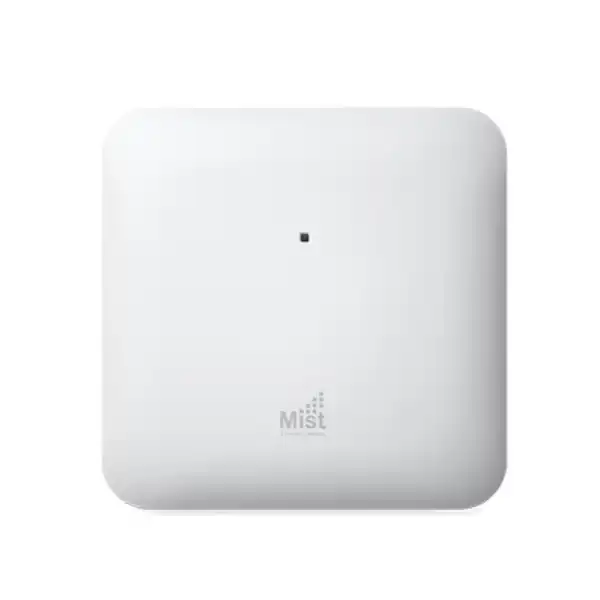
The Juniper AP32 is a six-stream indoor Wi-Fi 6 access point built for organisations that want stronger 5 GHz capacity, dedicated radio visibility and cloud-led WLAN operations through Juniper Mist. For a Dubai deployment, the important buying decision is not only the access point itself: the correct regulatory model, antenna type, PoE design, switch uplink, Mist subscription, mounting method and RF plan all need to fit the site.
Get a Juniper AP32 Dubai Quote
Direct answer for buyers
FourTeck can help translate a floor plan, expected client count, application mix, ceiling type and existing switching environment into a practical AP quantity and quotation scope rather than treating the access point as a standalone box.
Understanding the Juniper AP32 before you buy
The AP32 sits in Juniper’s enterprise indoor wireless portfolio as a Wi-Fi 6 access point focused on 2.4 GHz and 5 GHz operation. Its defining radio profile is asymmetric by design: the 2.4 GHz client radio supports 2×2 MIMO with two spatial streams, while the 5 GHz client radio supports 4×4 MIMO with four spatial streams. Juniper specifies maximum supported data rates of up to 575 Mbps on 2.4 GHz and up to 2,400 Mbps on 5 GHz, with a combined highest supported rate of 3.0 Gbps. Those figures are physical-layer capabilities, not a promise that an individual laptop or phone will see a 3 Gbps speed test. Real throughput depends on client radio capability, channel width, modulation, signal level, interference, airtime contention, wired uplink capacity and the application path beyond the AP.
A major reason to look beyond headline speed is the dedicated third radio. The AP32 does not have to sacrifice its primary client-serving radios every time the system needs to scan the RF environment. Juniper uses the extra dual-band radio for WIDS/WIPS functions, spectrum analysis, location analytics and synthetic client testing. In an operational WLAN, this architecture can be more valuable than a simple increase in peak PHY rate because it gives the management platform a continuous stream of radio and client-experience information while the service radios continue their normal role.
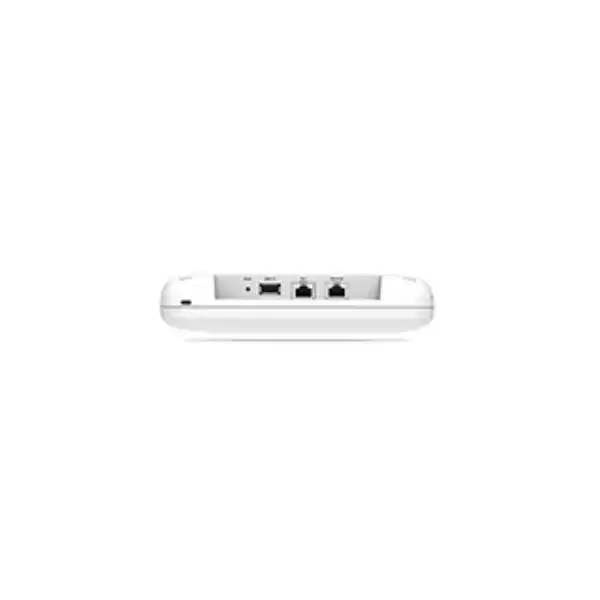
The AP32 also incorporates Bluetooth 5.0, a Trusted Platform Module, dual Ethernet interfaces, a USB 2.0 support interface and PoE input. The standard AP32 is the internal-antenna form suited to many ceiling and wall deployments. The AP32E is the external-antenna version and is relevant when the RF design needs antenna placement or pattern flexibility. The correct model therefore depends on the site, not on the product family name alone. A suspended-ceiling office, a stockroom with tall racking and a specialist indoor venue may all use Wi-Fi 6, but they can require very different antenna and mounting decisions.
Verified AP32 technical profile
| Wireless standard | 802.11ax (Wi-Fi 6), with OFDMA, 1024-QAM, MU-MIMO, Target Wake Time and BSS Coloring; backward compatibility with 802.11a/b/g/n/ac clients. |
|---|---|
| 2.4 GHz radio | 2×2:2, up to 575 Mbps with 802.11ax; legacy operation is also supported. |
| 5 GHz radio | 4×4:4, up to 2,400 Mbps with 802.11ax. |
| Dedicated third radio | Dual-band 2.4/5 GHz radio for WIDS/WIPS, spectrum analysis, synthetic client functions and location analytics. |
| Highest combined supported rate | 3.0 Gbps across the client-serving 2.4 GHz and 5 GHz radios. |
| Primary wired uplink | Eth0: 100/1000BASE-T and 2.5GBASE-T (802.3bz), RJ45, PoE powered-device interface. |
| Secondary Ethernet | Eth1: 10/100/1000BASE-T RJ45. |
| Power | 802.3at PoE and 802.3bt PoE. |
| Bluetooth | Bluetooth 5.0 with an omnidirectional Bluetooth antenna and support for superbeacon mode with iBeacon and Eddystone. |
| Internal antennas | Two 2.4 GHz omnidirectional antennas with 5 dBi peak gain and four 5 GHz omnidirectional antennas with 6 dBi peak gain. |
| AP32E antenna connections | Five male RP-SMA connectors: four for Wi-Fi data and one for the sensor radio. |
| Dimensions | 202 x 202 x 44 mm. |
| Weight | AP32: 0.83 kg; AP32E: 0.81 kg, excluding mount and accessories. |
| Environment | Internal-antenna operating temperature 0°C to 40°C; external-antenna model -20°C to 50°C; 10% to 90% maximum relative humidity, non-condensing; operating altitude up to 3,048 m. |
Specification figures describe supported platform capabilities. Capacity planning should be based on the real client population and RF conditions rather than adding headline radio rates together.
Why the six-stream radio design matters
The AP32’s six client-serving spatial streams are split between the two Wi-Fi bands: two streams on 2.4 GHz and four on 5 GHz. That distribution aligns with how many enterprise networks are designed today. The 2.4 GHz band remains important for legacy equipment, scanners, IoT endpoints and devices that favour range over speed, but it has much less spectrum available and is often more congested. The 5 GHz band generally carries the heavier business traffic, including laptops, phones, collaboration devices and modern handhelds. Giving 5 GHz a 4×4 radio therefore lets the AP support higher aggregate capacity and four-spatial-stream operation for capable endpoints while retaining a dedicated 2.4 GHz service for compatibility.
MU-MIMO and OFDMA should also be understood as efficiency tools rather than magic speed multipliers. MU-MIMO allows the access point to make better use of radio resources when compatible clients can be served concurrently. OFDMA divides channel resources into smaller units so that the system can schedule transmissions more efficiently, particularly when many devices exchange smaller amounts of data. BSS Coloring helps neighbouring Wi-Fi 6 basic service sets coexist more intelligently where channel reuse is unavoidable. Target Wake Time can help compatible battery-powered devices coordinate their wake cycles, which is useful in IoT-heavy environments. The value of these functions grows when the network has enough compatible clients and the RF plan is disciplined.
A buyer should therefore avoid choosing an AP based only on the number of antennas or the peak rate. A high-density meeting floor with many 2×2 laptops may benefit from more APs at controlled power levels rather than one access point with maximum transmit power. A warehouse with scanners may prioritise coverage continuity, roaming and antenna placement. A clinic may prioritise predictable application performance and segmentation. The AP32 gives the RF designer a capable Wi-Fi 6 platform, but the design still determines how effectively that platform is used.
Performance: what the 3.0 Gbps figure does and does not mean
Juniper lists a combined highest supported data rate of 3.0 Gbps for the AP32. This combines the maximum supported 2.4 GHz and 5 GHz PHY rates; it is not an Ethernet throughput guarantee, a per-user speed promise or an indication that every device can aggregate both bands. Wireless is a shared medium. The usable application throughput seen by users is lower than the raw PHY rate because Wi-Fi carries management frames, acknowledgements, contention overhead, encryption overhead and retransmissions. Client devices also differ substantially. A typical business laptop may use two spatial streams even though the AP32 can support four on 5 GHz. Phones often have smaller antenna systems and different power constraints. Older clients may negotiate at legacy rates that consume disproportionately more airtime.
The wired side matters too. The AP32’s primary Eth0 interface is specified for 2.5GBASE-T as well as lower Ethernet rates, so a compatible multigigabit switch can provide more than a 1 Gbps uplink. That is useful when the AP is deployed where aggregate wireless demand could exceed a gigabit. However, not every site automatically needs 2.5GbE on every AP. A branch office with light traffic can function well with a gigabit uplink if the measured demand is below that level. The better procurement question is whether the switching infrastructure should preserve the AP’s headroom for the expected lifespan of the deployment. If new switches are being purchased at the same time, multigigabit access ports can be a sensible design choice for growth and for other high-capacity AP models.
Application performance must be tied to service objectives. Voice and video need low latency, controlled loss and reliable roaming more than they need headline bandwidth. Large file transfers care more about sustained throughput. Cloud applications depend on internet and WAN paths beyond the WLAN. Warehouse scanners may exchange little data but become operationally critical if coverage has holes. FourTeck can use expected client counts, peak concurrent usage, application types and the existing LAN design to judge whether AP32 density, uplink speed or another AP tier is the limiting factor.
Dedicated third radio: continuous visibility without treating scanning as an afterthought
One of the AP32’s most useful architectural features is the dedicated dual-band third radio. In many WLAN designs, monitoring and spectrum tasks compete with client service because a primary radio has to leave its serving channel temporarily to inspect other channels. The AP32 gives Juniper Mist a separate radio that can be used for WIDS/WIPS monitoring, spectrum analysis, location analytics and synthetic client activity. This creates a better foundation for continuous telemetry and for the automated RF decisions that are central to the Mist operating model.
Juniper’s Radio Resource Management uses information about Wi-Fi conditions and external interference when assigning channels and power. The goal is not simply to maximise signal strength. Too much AP power can increase co-channel contention, encourage clients to remain attached to a distant access point and reduce the efficiency of dense deployments. A controlled RF plan balances coverage, capacity and reuse. The dedicated sensor radio helps the platform observe conditions while client-serving radios stay focused on connectivity. In a changing environment such as a busy office floor or store, this gives operations teams a richer picture than a one-time installation survey alone.
Synthetic testing is also important for troubleshooting because an access point can participate in tests that help identify service problems before a user opens a support ticket. This does not remove the need for sound LAN, DHCP, DNS, authentication and WAN design. It does mean that the wireless infrastructure can contribute more evidence to root-cause analysis. For a buyer comparing access points with similar client radio specifications, the operational value of the dedicated scanning radio can be a meaningful differentiator, especially when the IT team is responsible for multiple sites and cannot keep engineers physically present at each location.
Wired interfaces and switching requirements
Eth0 primary uplink
Juniper’s AP32 datasheet lists Eth0 as a 100/1000BASE-T and 2.5GBASE-T RJ45 interface and identifies it as the PoE powered-device port. For new installations, this is the port that normally links the AP to the access switch. A 2.5GbE-capable switch preserves more wired headroom, but the link can also negotiate at supported lower rates when the existing switch is gigabit-only.
Eth1 secondary interface
Eth1 is specified as 10/100/1000BASE-T. The presence of a second interface can be useful in supported deployment designs, but its role should be decided from Juniper’s current configuration guidance rather than assumed to provide unrestricted switch-like connectivity. If a project depends on a specific dual-port design, include that requirement in the technical review.
USB 2.0 support interface
The AP32 includes a USB 2.0 support interface. Do not treat the presence of USB as evidence that an arbitrary modem, storage device or accessory is supported. Accessory use depends on Juniper’s software and product support. If USB is part of the project requirement, confirm the intended peripheral and supported workflow before purchase.
Switch design should consider more than port speed. PoE budget, VLAN architecture, access control, uplink redundancy, switch stack capacity and the number of APs per wiring closet all affect the result. An access switch may have enough physical PoE ports but insufficient total PoE budget to power every planned AP together with phones, cameras and other powered devices. A switch may also offer multigigabit ports only on selected interfaces. For a multi-floor deployment, FourTeck can map each AP to the intended closet and verify whether the existing switch inventory has the correct port type and power budget before hardware is ordered.
Cabling should be assessed at the same time. A negotiated 2.5GbE link depends on cabling quality and installation conditions. Reusing old horizontal cabling without testing can make a wireless upgrade appear unstable when the real problem is the copper path. Where the site is being renovated, documenting cable category, length, patching and certification alongside AP locations reduces commissioning risk and makes future troubleshooting faster.
PoE planning: confirm power before the ceiling is closed
The AP32 supports 802.3at PoE and 802.3bt PoE. That gives network teams flexibility when connecting to enterprise access switches, but a successful installation still depends on the switch providing an appropriate negotiated power class and on the total switch power budget being sufficient for the full device mix. Do not calculate PoE only by multiplying the number of APs by a nominal port rating. Include IP phones, cameras, access-control devices and other PoE endpoints that share the same switch, then preserve engineering margin for growth and real-world power allocation behaviour.
For retrofit projects, the critical question is whether existing switches support the required PoE standard on the actual ports assigned to the APs. Older switches may supply basic PoE but not 802.3at. Some models have different power capabilities depending on the installed power supply. Stack members can also have uneven available budget. When the AP32 is part of a broader refresh, aligning AP hardware with a multigigabit PoE+ or higher access layer avoids building a WLAN whose radio capacity is immediately constrained by the wired edge.
Power design becomes especially important in Dubai installations where access points may be mounted above ceilings or in spaces that are inconvenient to revisit. Confirm PoE, cabling and switch capacity before mounting so that commissioning does not become a cycle of ladder access, cable swaps and switch changes. If the switching platform is unknown, provide FourTeck with the switch model, installed power-supply details and planned AP quantity as part of the quotation request.
AP32 or AP32E: antenna choice is a design decision
The internal-antenna AP32 is suited to many ordinary indoor ceiling and wall deployments because the radio and antenna system arrive as an integrated unit. Juniper specifies two internal omnidirectional 2.4 GHz antennas with 5 dBi peak gain and four internal omnidirectional 5 GHz antennas with 6 dBi peak gain. This is convenient when AP placement can follow a conventional ceiling grid and when the coverage goal is relatively even around the installation point.
The AP32E provides external antenna connectors instead. Juniper specifies five male RP-SMA connectors, four for Wi-Fi data and one for the sensor radio. External antennas can be useful where the RF environment requires more deliberate antenna positioning, but they add engineering dependencies. Antenna type, gain, cable loss, connector arrangement, mounting direction and local regulatory limits must all be handled correctly. An external-antenna AP is not automatically stronger or better than the internal model. Used badly, an unsuitable antenna can create coverage imbalance, excessive signal in the wrong direction or weak performance in the intended service area.
This distinction is particularly relevant in warehouses and unusual indoor spaces. Tall metal racks, long aisles, machinery and stock materials can create reflections and shadowing that do not resemble an open-plan office. Directional or strategically positioned antennas may be useful, but the correct design should come from a survey and the physical layout. In a standard office with normal ceiling heights, the internal-antenna AP32 is often simpler to deploy and support.
The operating-temperature specifications also differ: Juniper lists 0°C to 40°C for the internal-antenna model and -20°C to 50°C for the external-antenna model. These are indoor access points, so the temperature range should not be interpreted as an outdoor weather rating. If a proposed AP location is near a loading bay, unconditioned plant space or another harsh environment, confirm whether an indoor AP is appropriate at all rather than relying on temperature alone.
Bluetooth, location analytics and asset visibility
The AP32 includes Bluetooth 5.0 with an omnidirectional Bluetooth antenna and supports superbeacon mode with iBeacon and Eddystone. Juniper positions its Mist platform to use access-point telemetry for location and asset-related services. The AP32 can therefore be relevant to organisations that want the WLAN infrastructure to contribute to more than Wi-Fi connectivity, for example by supporting workflows around tagged assets or location-aware operations.
The commercial and licensing design must be checked carefully. Juniper Mist Asset Visibility is an optional cloud service rather than something that should be assumed to be included simply because the AP contains Bluetooth hardware. The exact location workflow also depends on tags, platform configuration, site design and the capabilities supported by the chosen access-point model. If asset tracking is a procurement requirement, describe the target use case in measurable terms: what is being tracked, how many assets exist, what room or zone accuracy is expected, which tags are already used and how the location data must integrate with other applications.
This prevents a common buying mistake: purchasing wireless infrastructure based on a generic statement that it supports Bluetooth, then discovering later that the desired application requires additional subscriptions, compatible tags or a different location architecture. FourTeck can separate the core Wi-Fi bill of materials from optional location-service components so the buyer can see which costs are necessary for connectivity and which are tied to a business-specific asset-visibility objective.
Juniper Mist cloud management and subscription planning
The AP32 is designed to be managed through Juniper Mist. Juniper’s current subscription documentation states that Wi-Fi Assurance is a mandatory subscription when using Juniper access points. This point belongs in the initial budget, not as a post-purchase surprise. The hardware and the cloud service together form the operating model: the AP connects to Mist, receives configuration, participates in service-level telemetry and can be managed and upgraded through the cloud platform.
Wi-Fi Assurance covers core wireless management capabilities such as WLAN configuration, Radio Resource Management, service-level expectations, policy features, guest access functions and dynamic troubleshooting workflows. Juniper offers subscription terms that can be purchased for different durations, including one-, three- and five-year options in its documented subscription structure. The correct term often depends on the organisation’s budgeting model, hardware lifecycle and support policy. A three- or five-year term can simplify renewal planning for a standardised deployment, while a shorter term may suit a pilot or a site with an uncertain lease period.
Optional services need separate evaluation. Juniper documents services such as Marvis, Asset Visibility and Premium Analytics around the Mist platform. Premium Analytics is relevant when the organisation needs longer historical analysis, expanded reports and additional analytics capabilities beyond standard retained data. Asset Visibility is relevant to location-based asset workflows. Marvis adds AI-assisted operational capabilities. These should be selected because they solve a defined operational problem, not because every optional feature is automatically required for the AP to provide Wi-Fi.
Subscription scope also matters in multi-site organisations. Juniper Mist can apply subscriptions at organisation or site level depending on the feature. A network team should understand how many APs consume each entitlement and how new sites will be added. If an enterprise has ten Dubai APs today and expects to add branches elsewhere in the UAE, it is better to design organisation structure, site naming, administrator roles and renewal ownership at the beginning rather than treat each branch as an isolated deployment.
For quotation accuracy, specify whether the request is hardware only, hardware plus mandatory Wi-Fi Assurance, or a full subscription bundle with additional Mist services. FourTeck can then quote a package whose recurring-service assumptions are explicit. This also makes comparison with other vendors fairer because the buyer can compare multi-year operating cost and feature scope instead of comparing one vendor’s bare hardware price with another vendor’s hardware-plus-management bundle.
Security and troubleshooting architecture
WIDS/WIPS monitoring
The dedicated third radio can monitor 2.4 GHz and 5 GHz for wireless intrusion detection and prevention functions. The operational value is better continuous visibility without using the main service radios as the only monitoring mechanism.
Dynamic packet capture
Juniper Mist can trigger packet capture around detected issues and make troubleshooting evidence available through the cloud workflow. This can reduce the need to reproduce every intermittent problem with a technician and a local packet sniffer.
Trusted Platform Module
Juniper specifies a TPM in the AP32 for infrastructure security. Hardware-rooted platform functions are useful, but they should be considered one layer within a broader design that also includes authentication, segmentation, secure administration and lifecycle management.
A secure WLAN still depends on the way SSIDs, authentication, network access policy, VLANs, guest isolation and administrative permissions are designed. An access point cannot compensate for shared credentials that are never rotated, poorly segmented guest traffic or an identity system that has not been planned. For an enterprise deployment, the wireless bill of materials and the security design should be reviewed together.
Deployment workflow: from claim code to an operational WLAN
Juniper’s setup flow is cloud-led. A practical AP32 deployment can be organised into a short sequence of technical checkpoints. Keeping these steps separate makes troubleshooting easier because the team can distinguish hardware onboarding, wired connectivity, RF commissioning and application validation.
Large rollouts benefit from a pilot area before mass deployment. A pilot can reveal unexpected ceiling materials, cabling problems, client-driver issues, captive-portal behaviour and application dependencies while the cost of changing the design is still low. After the pilot is accepted, the same templates and naming conventions can be rolled out more consistently across the rest of the site.
Mounting, brackets and physical placement
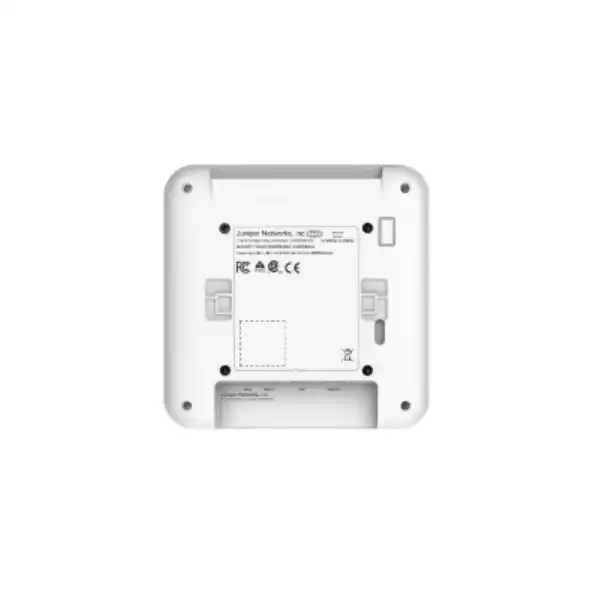
Juniper documents wall, ceiling and junction-box mounting for the AP32. The AP package includes the APBR-U universal bracket. Other adapters are available for specific ceiling rails and threaded-rod arrangements, including APBR-T58, APBR-M16, APBR-ADP-CR9, APBR-ADP-RT15, APBR-ADP-WS15 and a threaded-rod adapter. The important procurement point is that the universal bracket does not automatically solve every ceiling type. A site survey should identify the actual rail or mounting surface so that accessory quantities can be included in the order.
Physical placement has direct RF consequences. An AP installed above a metal ceiling tile, next to dense ductwork or behind a large obstacle can perform very differently from the same unit mounted in open view below a standard ceiling. Decorative ceilings, acoustic baffles, concrete structures, glass partitions and metal shelving can all change propagation. The cleanest-looking location is not always the best radio location, and the easiest cable route is not always the best coverage location.
Juniper specifies dimensions of 202 x 202 x 44 mm and a weight of 0.83 kg for the AP32 excluding mount and accessories. These figures are useful for planning ceiling load, clearance and installation logistics, but installers should still follow approved mounting practice and local site requirements. The AP also has a Kensington-style lock slot and a safety-tie point, which can be useful where the location requires physical-security or retention measures.
For projects with many APs, create a mounting schedule that records AP name, floor, room or grid reference, switch and port, cable identifier, bracket type and installation height. This simple commissioning record becomes valuable during moves, renovations and fault isolation because the logical Mist inventory can be linked to the physical building without relying on memory.
Dubai and UAE deployment considerations
A Dubai quotation should confirm the regulatory variant intended for the UAE. Wireless channel availability and allowed transmit behaviour are governed by the local regulatory domain, so the correct regional hardware and cloud configuration matter. Do not import a differently coded unit merely because the model name is AP32. The purchasing documentation should identify the exact part number supplied and the intended country of operation.
Indoor environmental conditions deserve attention as well. The standard internal-antenna AP32 is specified for 0°C to 40°C operation. Air-conditioned office, retail, clinic and education spaces are generally the type of environments for which an indoor AP is intended, but spaces above ceilings or near exterior building fabric can be significantly hotter than the occupied room. A loading area, roof void or unconditioned warehouse zone can exceed expectations. Temperature should therefore be measured or reasonably estimated at the AP location, not inferred from the thermostat setting in the room below.
Building materials common in commercial fit-outs can also affect RF design. Reinforced concrete, metalised glass, dense partitions, elevator cores and service rooms can create strong attenuation. In hospitality-style interiors, decorative metal, mirrors and enclosed ceilings can change propagation. The answer is not automatically to increase transmit power. Better placement, more carefully controlled cell sizes and a site-specific channel plan usually produce a more predictable network.
For a quotation, identify whether the site is an existing occupied office, a new fit-out, a warehouse, a clinic, a school or another property type. New fit-outs can coordinate AP locations with cable pathways and ceiling works. Existing sites may need after-hours surveys, staged installation and minimal-disruption migration. FourTeck can scope hardware and implementation differently for each situation so that labour, brackets and testing are not guessed after the hardware arrives.
How many AP32 access points does a site need?
There is no reliable square-metre rule that can size every AP32 deployment. Floor area is only one input. The correct AP count depends on wall materials, ceiling height, desired signal level, interference, client density, device capabilities, applications, roaming requirements, channel plan and the distribution of users through the day. Two offices with the same area can need different AP counts if one is an open-plan workspace and the other is divided into meeting rooms with dense walls.
Capacity can also require more APs than coverage alone. A single AP might produce an acceptable signal across a large open area, but if hundreds of active clients share the same airtime, the user experience can still be poor. Conference rooms, classrooms, training rooms and public waiting areas often need capacity-driven design. Conversely, a corridor with little active traffic may be adequately served by nearby APs if the roaming and signal targets are maintained.
Client mix is important because access points communicate at rates the client can support. A fleet of modern Wi-Fi 6 laptops behaves differently from a collection of older 1×1 or 2×2 devices, scanners and IoT sensors. Slow or distant clients consume more airtime for the same data. Sticky clients that resist roaming can also undermine a good AP layout. During design, identify critical device classes and test the ones that matter operationally instead of assuming every endpoint follows ideal roaming behaviour.
A predictive design can estimate initial placement using floor plans and material assumptions. An onsite survey validates those assumptions. For a new build, post-install validation is still useful because furniture, partitions and active interference may differ from drawings. For an existing site, measured RF data can guide placement more accurately. The strongest projects use design, installation and validation as a loop rather than treating the AP count on the quotation as final before anyone has looked at the environment.
FourTeck can size more accurately when the buyer provides floor plans, ceiling heights, known wall types, expected concurrent users, critical application list, existing AP locations and target areas that must have reliable coverage. If voice over Wi-Fi, handheld scanning or real-time collaboration is important, state that explicitly because those applications influence acceptance criteria and roaming tests.
Where the AP32 can fit well
Corporate offices
The 4×4 5 GHz radio and Mist management model suit offices where laptops, phones and collaboration clients dominate. The design should pay special attention to meeting rooms, high-density collaboration zones, voice roaming and the wired switch capacity behind each AP.
Retail
Retail networks may combine staff devices, POS, handhelds, guest access and location-related services. Dedicated RF monitoring is useful in busy radio environments, while segmentation and application-path validation are essential for payment and operational systems.
Schools and training centres
Classrooms can be capacity-heavy because many devices become active at the same time. AP count should follow per-room user density, application use and wall layout. A predictable management platform can help small IT teams monitor many teaching spaces.
Clinics
Clinics need consistent coverage for staff workflows and often have a mixed device population. Network access policy, guest separation, roaming and operational continuity can matter more than raw speed. Site materials and specialised rooms may affect propagation.
Warehouses
Warehouse Wi-Fi is highly dependent on rack layout, stock type, ceiling height and handheld behaviour. The AP32E may be worth evaluating when external antennas are needed. A survey should drive the antenna and placement decision rather than a generic AP-per-area ratio.
These examples are not automatic recommendations. A site that requires outdoor operation, native 6 GHz Wi-Fi 6E service, a wall-plate form factor or another radio architecture should compare a different Juniper access point. The purpose of a fit assessment is to identify where the AP32’s capabilities align with the requirement and where another model removes a constraint.
Roaming, real-time applications and user experience
A well-designed WLAN is judged by what users experience while moving through the building, not by the signal strength directly under an access point. Roaming is a cooperative behaviour between the wireless infrastructure and the client. The AP can provide a sensible RF environment and standards-based mechanisms, but the client decides when to leave one AP and join another. Driver quality, device power settings and application behaviour therefore affect the result.
For voice, video and handheld workflows, validate transitions across real walking routes. Test from offices into corridors, between warehouse aisles, around lift lobbies and through doors that are normally closed. Look for packet loss, latency spikes, authentication delays and application interruptions. A static speed test in the middle of a room does not prove roaming quality. Juniper Mist service-level telemetry can help identify patterns, but acceptance testing should still use representative endpoints and business applications.
Cell size should be engineered with roaming in mind. APs that are too far apart create weak handoff zones; APs running unnecessarily high power can create oversized cells that encourage clients to remain connected longer than desired. Channel reuse, power settings and AP placement work together. This is another reason to value the AP32’s dedicated monitoring radio and cloud RF management as part of an overall design rather than as a substitute for it.
Guest Wi-Fi, policy and segmentation
Many business networks need more than one wireless user group. Employees may authenticate with enterprise credentials, visitors may use a guest portal, handheld scanners may need a dedicated policy, and IoT devices may require tightly limited network access. Juniper Mist Wi-Fi Assurance includes WLAN and policy capabilities that can support role-based designs, but the security architecture should be decided from the organisation’s identity and network requirements rather than by creating a large number of SSIDs.
Too many SSIDs increase management overhead and consume airtime with additional beacon traffic. A better approach is often to use a controlled number of WLANs and apply identity or policy to differentiate access where the surrounding architecture supports it. Network segmentation then continues beyond the AP through VLANs, routing, firewalls and access-control systems. The wireless design should document where traffic is bridged or tunneled, which services each user group can reach and how guest traffic is isolated from internal resources.
Juniper Mist Edge can be relevant where traffic needs to be tunnelled to an on-premises termination point, including use cases such as guest traffic to a DMZ, IoT segmentation or campus mobility. This is an architectural option, not an automatic AP32 requirement. If the project requires central tunnelling, seamless mobility across a large campus or a specific DMZ path, include that in the solution scope so the necessary Mist Edge design and licensing can be evaluated separately from the access point count.
Operational monitoring and troubleshooting after deployment
The AP32 is most valuable when the operational team uses the telemetry generated by the Mist platform rather than treating cloud management as a remote configuration screen. Service Level Expectations provide a way to view user experience through metrics rather than relying only on whether an AP is online. When a user reports poor Wi-Fi, the question can move from “is the access point up?” to “where in the connection process did the experience degrade?” That distinction helps teams separate association, authentication, DHCP, DNS, capacity, coverage and application-path problems.
Dynamic packet capture can provide evidence around certain detected issues without requiring an engineer to stand onsite waiting for the problem to happen again. The dedicated radio also contributes spectrum and RF visibility. Marvis can add a conversational and AI-assisted layer for organisations that license it. These tools can reduce investigation time, but they work best when the deployment is documented. AP names should correspond to physical locations, switch-port mappings should be recorded and site configurations should follow consistent templates.
Firmware management is another operational responsibility. Juniper documents cloud-based AP upgrade workflows and automatic configuration retrieval. Organisations should still use a change policy appropriate to their environment. A small office may accept a straightforward maintenance window; a clinic, warehouse or 24-hour operation may require staged upgrades and rollback planning. Pilot groups can help detect unexpected client compatibility issues before a new firmware version reaches every AP.
Over time, RF conditions also change. New neighbouring networks appear, furniture moves, warehouse inventory changes and client populations grow. Review service-level trends and capacity rather than assuming the original AP layout remains optimal indefinitely. The benefit of an AI-driven platform is strongest when its recommendations and telemetry are incorporated into regular network operations instead of being viewed only during outages.
When the Juniper AP32 may not be the right choice
The AP32 is a Wi-Fi 6 access point for 2.4 GHz and 5 GHz. If the requirement specifically calls for 6 GHz operation and Wi-Fi 6E, the AP32 is not the correct model. Juniper’s AP34 and AP45 families are examples in the same broader portfolio that support 6 GHz. A business making a long-term refresh should decide whether 6 GHz support is a present requirement, a near-term roadmap priority or unnecessary for the expected client fleet.
The AP32 is also an indoor product. Outdoor courtyards, exposed loading areas and harsh industrial environments require an access point designed and rated for those conditions. Do not place an indoor AP outside simply because it is sheltered from direct rain. Temperature cycling, humidity, dust and weather exposure can create reliability and compliance problems that are not solved by a simple enclosure.
The internal AP32 may be unsuitable where the RF design needs specialised antennas. In those cases, AP32E or another external-antenna model should be evaluated. Conversely, choosing AP32E for a normal office can add cost and installation complexity without improving the result. The antenna decision should follow the environment.
A wall-plate or desk-mount requirement also points elsewhere. Juniper lists AP12 as a wall-plate/desk-mount Wi-Fi 6 option. Hospitality rooms, small offices or locations where an AP must replace an existing wall outlet may therefore need a different form factor. Likewise, an organisation that does not want a subscription-based cloud management model should examine whether Juniper Mist aligns with its operational policy before standardising on the AP32.
Finally, a site can outgrow the AP32 even when the model technically provides coverage. Very high-density or future-focused environments may justify a higher-tier radio platform. The correct approach is to compare the performance requirement, client roadmap, spectrum strategy and lifecycle horizon rather than defaulting to the lowest-cost model that can produce a signal.
AP32 family-position comparison
| Model | Band / generation | Antenna / form factor | Why compare it |
|---|---|---|---|
| AP32 | Wi-Fi 6, 2.4 + 5 GHz | Internal antennas; AP32E external-antenna variant | Balanced indoor option with 4×4 5 GHz, 2×2 2.4 GHz and a dedicated third radio. |
| AP33 | Wi-Fi 6, 2.4 + 5 GHz | Internal antennas | Compare when internal antennas are acceptable and AP33-specific location features or portfolio positioning better match the requirement. |
| AP43 | Wi-Fi 6, 2.4 + 5 GHz | Internal / external options | Compare for higher radio capability or feature requirements within a 2.4/5 GHz Wi-Fi 6 design. |
| AP34 | Wi-Fi 6E, 2.4 + 5 + 6 GHz | Internal antennas | Compare when native 6 GHz support matters more than AP32’s specific radio profile. |
| AP45 | Wi-Fi 6E, 2.4 + 5 + 6 GHz | Internal / external options | Compare for a higher-tier 6 GHz-capable design and broader future client roadmap. |
| AP12 | Wi-Fi 6, 2.4 + 5 GHz | Wall-plate / desk mount | Compare when room-by-room wall placement or a compact desk/wall form factor is the overriding requirement. |
Portfolio names and availability can evolve, so a current quotation should confirm which models are orderable in the UAE and whether a newer generation better fits the intended lifecycle. The comparison above is a decision framework, not a claim that one model is universally superior.
Migration from an older WLAN
Replacing older access points with AP32 units is not always a one-for-one exercise. Wi-Fi 6 radios, different antenna patterns, changed transmit powers and a new management architecture can alter the optimal AP layout. If an old AP was placed mainly for coverage, the new design may need more or fewer units depending on capacity goals and the building. Reusing every old mounting position without review can preserve weaknesses from the previous WLAN.
Start by documenting the current network: AP models, controller or cloud platform, SSIDs, VLANs, authentication methods, guest portal, DHCP scopes, RADIUS servers, firewall rules, switch ports, PoE capabilities and problem areas. Identify which parts must remain unchanged for business continuity and which can be redesigned. A migration can then separate wireless replacement from unrelated network changes, reducing the number of variables introduced at once.
Client compatibility should be tested with representative devices. The AP32 is backward compatible with earlier 802.11 standards, but old clients can still have driver or authentication behaviour that deserves validation. Test important scanners, printers, handhelds, medical devices, POS endpoints and specialised equipment. If the existing WLAN uses pre-shared keys or legacy security solely because of old devices, the refresh is an opportunity to identify those dependencies and plan a safer replacement path.
For phased migration, decide whether old and new WLAN systems will coexist temporarily. Overlapping infrastructure can create RF contention if channels and power are not coordinated. Duplicate SSIDs across different platforms may also create roaming behaviours that are difficult to predict. A staged floor-by-floor plan should define which APs are active, which SSIDs they broadcast and when the legacy equipment is removed.
Finally, establish acceptance tests before cutover. Examples include successful authentication, DHCP completion, access to critical applications, guest isolation, roaming through key routes, voice quality and target service-level metrics. A migration is easier to approve when success is defined in advance instead of being judged by subjective feedback after the old system has already been removed.
Accessories and quotation dependencies
A complete AP32 quotation may involve more than the AP line item. The exact bill of materials depends on whether the project is a new build, a replacement, an internal-antenna or external-antenna design, and whether the existing LAN can support the target PoE and uplink plan.
Current availability, commercial lead time and regional part numbers should be confirmed at quotation stage rather than assumed from global product pages. This is especially important for external-antenna and subscription bundles where a technically compatible but incorrectly scoped part can delay deployment.
Frequently asked buyer questions about the Juniper AP32
Is the AP32 Wi-Fi 6 or Wi-Fi 6E?
The AP32 is Wi-Fi 6 and operates on 2.4 GHz and 5 GHz. It does not provide a 6 GHz client radio. If 6 GHz is a requirement, compare a Juniper Wi-Fi 6E model such as AP34 or AP45, subject to current regional availability and design fit.
Does the AP32 need a Mist subscription?
Yes. Juniper’s current Mist subscription documentation states that Wi-Fi Assurance is mandatory for Juniper access points. The subscription term should be included in the initial commercial plan rather than treated as an optional afterthought.
What is the maximum AP32 wireless rate?
Juniper specifies up to 575 Mbps on the 2.4 GHz Wi-Fi 6 radio and up to 2,400 Mbps on the 5 GHz radio, with a combined highest supported rate of 3.0 Gbps. Real user throughput is lower and depends on client capability, RF conditions and the wired path.
Does the AP32 support 2.5GbE?
The AP32 datasheet specifies Eth0 for 100/1000BASE-T and 2.5GBASE-T. Eth1 is a separate 10/100/1000BASE-T interface. A 2.5GbE switch is useful when preserving higher wired headroom is part of the design.
What PoE does the AP32 use?
Juniper lists 802.3at and 802.3bt PoE power options. The project should verify both per-port capability and total switch PoE budget, especially when APs share a switch with phones, cameras and other powered equipment.
What is the difference between AP32 and AP32E?
The standard AP32 uses internal antennas. AP32E is the external-antenna version with five male RP-SMA connectors, four for Wi-Fi data and one for the sensor radio. External antennas should be selected as part of an RF design, not as a generic performance upgrade.
Can the AP32 be mounted on a ceiling?
Yes. Juniper documents wall, ceiling and junction-box mounting. A universal APBR-U bracket ships with the AP, while certain ceiling rails and threaded-rod installations require additional adapters. The ceiling type should be identified before ordering accessories.
Is the AP32 suitable for a warehouse?
It can be suitable for indoor warehouses, but warehouse RF design depends strongly on rack height, aisle geometry, stock, client type and installation height. AP32E may be worth evaluating when external antennas are needed. A survey should determine placement and antenna choice.
Does Bluetooth mean asset tracking is automatically included?
No. The AP32 includes Bluetooth 5.0 capability, but Juniper Mist Asset Visibility is an optional service and the complete solution depends on the intended tags, location workflow and subscription scope. Asset tracking should be quoted as a defined use case.
Can old Wi-Fi clients still connect?
The AP32 is backward compatible with 802.11a/b/g/n/ac standards in addition to 802.11ax. Compatibility does not mean every legacy device will behave perfectly, so business-critical scanners, printers and specialised endpoints should be tested during a migration.
Can I reuse my existing access switches?
Possibly. Verify PoE standard, available power budget, port speed, cabling quality, VLAN design and uplink capacity. A gigabit PoE+ switch may be sufficient for lighter sites, while higher-demand deployments may benefit from 2.5GbE-capable access switching.
How many AP32 units should I order?
Quantity should come from RF and capacity design, not a fixed square-metre formula. Provide floor plans, wall materials, ceiling heights, expected concurrent clients, application requirements and critical coverage areas so the AP count can be estimated and validated.
Decision recap: the six checks that matter most
What FourTeck needs for an accurate AP32 quotation
A useful quotation should reflect the deployment, not just a unit price. The following inputs let the scope cover the right hardware, subscriptions and implementation dependencies.
Plan the Juniper AP32 as a complete WLAN decision
The AP32 is a capable Wi-Fi 6 platform, but the quality of the final network depends on model selection, RF design, PoE and switching, Mist licensing, mounting and validation. Share your Dubai or UAE site requirements with FourTeck to build a quotation that reflects the real deployment rather than a hardware-only estimate.

Reviews
There are no reviews yet.