
Enterprise Wi-Fi 6E for indoor business networks
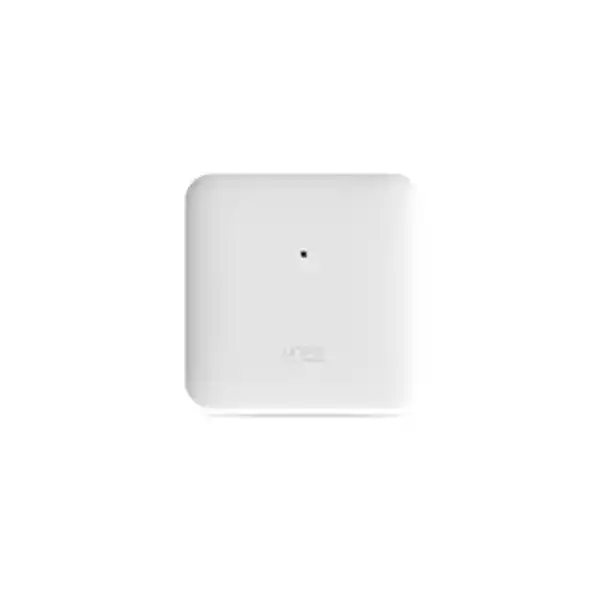
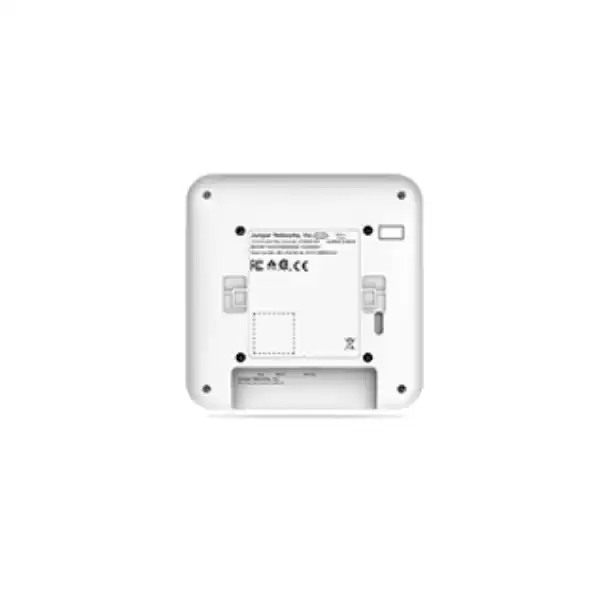
Juniper AP34 Access Point Dubai
A tri-band 2×2:2 Juniper Mist access point for organizations that want 2.4 GHz, 5 GHz, and 6 GHz connectivity, cloud-led operations, multigigabit Ethernet, and a dedicated radio for wireless monitoring without stepping up to a model intended for advanced location services.
Direct answer: what the Juniper AP34 is and when to consider it
Where the AP34 sits in an enterprise wireless design
The Juniper AP34 is best understood as a mid-tier indoor Wi-Fi 6E access point rather than simply as a faster replacement for an older Wi-Fi unit. Its defining architectural feature is simultaneous operation across the familiar 2.4 GHz and 5 GHz bands plus the newer 6 GHz band. For organizations in Dubai that are modernizing wireless networks, the practical value of that third client-serving band is additional clean spectrum for compatible devices. This can create more room for high-throughput clients and reduce pressure on heavily used 5 GHz channels, but only when the site has enough 6 GHz-capable endpoints and the RF design reflects the propagation characteristics of the higher-frequency band.
Each client band uses a 2×2:2 802.11ax radio. Juniper specifies maximum data rates of up to 575 Mbps on 2.4 GHz, 1,200 Mbps on 5 GHz, and 2,400 Mbps on 6 GHz. Those are PHY-layer maximums rather than application throughput guarantees. Real user throughput is lower and depends on channel width, signal quality, interference, protocol overhead, client capabilities, airtime competition, application behavior, backhaul, and WAN performance. The useful buying question is therefore not “does the AP34 add up to several gigabits?” but “does its radio architecture and available spectrum match the number and type of devices that will actually be active in this area?”
Juniper positions the AP34 for environments that need high-performance tri-band Wi-Fi but do not require advanced location-based services. That distinction matters. The AP34 does include Bluetooth 5.1 with an omnidirectional Bluetooth antenna and can participate in asset-visibility use cases, yet the family comparison distinguishes it from models that include Juniper’s Virtual BLE capability. If indoor location precision, engagement functions, or advanced BLE-based location architecture is a primary project objective, the AP45 family deserves explicit comparison rather than assuming every Mist access point provides the same location feature set.
Juniper AP34 specifications that matter to buyers
The specification table below focuses on procurement and design details that materially affect deployment. Exact firmware behavior, channel availability, regulatory permissions, and cloud features can vary by software release, country configuration, and subscribed services, so the table should be treated as a hardware and architecture baseline rather than a substitute for final design validation.
| Specification | Juniper AP34 | Buyer implication |
|---|---|---|
| Deployment | Indoor | Do not specify it for outdoor or weather-exposed areas; use an outdoor-rated Juniper model where environmental protection is required. |
| Wi-Fi architecture | Tri-band Wi-Fi 6E, 802.11ax, 2×2:2 on 2.4, 5, and 6 GHz | The design gets three simultaneous client-serving bands, but each is a two-spatial-stream radio. Capacity must be planned around actual client mix and airtime demand. |
| 2.4 GHz maximum data rate | Up to 575 Mbps | Suitable for legacy, IoT, and coverage-oriented clients, but this band is usually the most constrained by channel reuse and interference. |
| 5 GHz maximum data rate | Up to 1,200 Mbps | 5 GHz remains important for the large installed base of Wi-Fi 5 and Wi-Fi 6 clients and often carries the majority of enterprise traffic during transition to 6 GHz. |
| 6 GHz maximum data rate | Up to 2,400 Mbps | The headline advantage is access to 6 GHz for compatible clients; actual usable channels and power are governed by the regional regulatory domain. |
| Dedicated sensor radio | Fourth tri-band radio for WIDS/WIPS, spectrum analysis, monitoring, and related analytics | Monitoring does not have to consume one of the primary client radios, supporting continuous operational visibility. |
| Ethernet | One 100/1000/2500/5000BASE-T RJ45 Eth0 port with PoE PD | A multigigabit switch port can prevent a 1GbE uplink from becoming the obvious wired bottleneck in high-demand areas. Existing cabling quality still matters. |
| Power | 802.3af provides limited operation; 802.3at provides full functionality. Juniper lists 20.9 W for full-functionality power planning. | Budget PoE+ at the access switch. A link coming up under insufficient power does not mean the AP is operating with all intended radios and features. |
| Antennas | Internal omnidirectional; 4 dBi peak gain at 2.4 GHz and 6 dBi peak gain at 5/6 GHz | The AP34 is intended for common indoor ceiling/wall-style deployments using its integrated antenna system rather than external directional antenna design. |
| Bluetooth | Bluetooth 5.1, omnidirectional Bluetooth antenna | Useful for supported asset-visibility workflows, but buyers needing Juniper Virtual BLE should compare a model that explicitly includes that capability. |
| USB | USB 2.0 support interface, up to 900 mA output | Any USB-dependent accessory or workflow should be checked for support, power demand, and software compatibility. |
| Security hardware | Trusted Platform Module (TPM) | The hardware platform includes a TPM as part of Juniper’s infrastructure-security design. |
| Dimensions | 230 x 230 x 50 mm | Check mounting clearances, ceiling type, aesthetics, and cable-entry path before installation. |
| Weight | 1.89 kg | Mounting surfaces and suspended-ceiling hardware should be appropriate for the installed unit and bracket. |
| Operating environment | 0°C to 40°C; 10% to 90% RH, non-condensing | In Dubai, ceiling voids, warehouses, plant areas, and intermittently cooled rooms should be checked rather than assuming every indoor location stays within the AP’s environmental envelope. |
| Regional ordering | AP34-WW is the published ordering designation outside the United States | The final UAE quote should use the correct approved regional SKU and comply with Juniper’s country-specific regulatory requirements. |
| Warranty | Limited lifetime | Warranty terms are not a replacement for the operational support plan; support entitlement, replacement workflow, subscriptions, and project response requirements should be scoped separately. |
Wi-Fi 6E does not remove the need for RF design
The AP34 adds 6 GHz capability, but additional spectrum is not the same as automatic coverage. Higher-frequency signals generally experience greater path loss and can be more sensitive to walls, doors, glazing, partitions, shelving, and other building materials. A plan based on the locations of older 2.4 GHz access points can therefore produce disappointing 6 GHz results even when the AP34 itself is functioning correctly. For a new site, AP placement should be derived from the intended service level: device types, required applications, minimum signal objectives, roaming behavior, expected concurrency, floor plan, wall materials, ceiling conditions, and channel plan. For a refresh, the existing AP count should be treated as an input, not as a fixed design constraint.
A useful deployment usually starts by deciding which band will carry which classes of device. Legacy or low-bandwidth IoT equipment may remain on 2.4 GHz. A large population of laptops and phones may continue using 5 GHz because many installed clients do not support 6 GHz. Newer Wi-Fi 6E devices can use 6 GHz when enabled by the client, operating system, security policy, regulatory configuration, and radio conditions. During the transition period, a tri-band AP can therefore distribute clients more intelligently across available spectrum, but administrators still need sensible SSID design, authentication policy, client steering behavior, and minimum data-rate choices.
Channel width also has to be chosen deliberately. Wider channels can deliver higher peak rates to capable clients, but they consume more spectrum and can reduce the number of non-overlapping channels available for reuse. In offices with many adjacent APs, a narrower channel plan may produce better aggregate capacity and more stable roaming than a design that maximizes channel width everywhere. The correct answer depends on density, interference, regulatory channels, and application demand. The AP34 gives the design options; it does not eliminate those trade-offs.
6 GHz operation in the UAE: a procurement detail, not a checkbox
For a Dubai deployment, the 6 GHz band must be considered in the context of UAE spectrum rules. The UAE regulator designated 5925–6425 MHz for indoor Wi-Fi use under class authorization with a maximum stated EIRP of 250 mW. The national frequency framework also allocates upper portions of the broader 6 GHz range to other services, so a buyer should never assume that every 6 GHz channel available in another country will be usable in the UAE. The AP must operate with the correct regulatory domain, approved regional hardware, software configuration, and local channel/power restrictions.
This matters when international groups copy a WLAN template from the United States or Europe into a Dubai site. The same AP family may support different channel availability and power behavior depending on country. A configuration that looks valid in a global design document can be reduced, blocked, or changed once the device is operating under the UAE regulatory profile. That is expected behavior and should be accounted for during capacity planning. The correct comparison is therefore between usable local spectrum, not just worldwide theoretical capability.
Because the AP34 is an indoor access point and UAE 6 GHz Wi-Fi authorization is also defined for indoor use in the cited range, the deployment case aligns naturally for offices and other conditioned indoor environments. Outdoor terraces, semi-exposed areas, warehouses with open loading bays, temporary event locations, and unconventional industrial spaces need more careful interpretation. Where a design extends beyond normal indoor enterprise use, the regulatory and environmental requirements should be confirmed before hardware is selected.
PoE and switching: the wired network can decide whether the AP34 reaches its intended capability
Use PoE+ for full functionality
Juniper documents limited operation on 802.3af and full functionality on 802.3at. The current power-planning table lists 20.9 W for full-functionality AP34 operation. A switch may successfully power the AP at a lower class while still restricting radios or features, so the acceptance test should verify negotiated power and operating state rather than checking only that the status LED turns on.
Budget the whole switch, not one port
A 24-port or 48-port access switch may advertise PoE+ on every interface while its total power supply cannot deliver maximum power to all ports simultaneously. Multiply the expected AP draw by quantity, then include phones, cameras, sensors, and other powered devices. Redundant-power behavior should also be considered if the network is expected to retain Wi-Fi service after a power-supply failure.
Match uplink speed to real traffic
The AP34 Ethernet interface supports 100 Mbps, 1 Gbps, 2.5 Gbps, and 5 Gbps. Connecting it to a 1GbE switch is technically possible, but a 1GbE uplink can become the wired ceiling before the aggregate wireless system reaches its potential. High-demand collaboration areas, media-heavy workflows, and dense client groups are stronger candidates for multigigabit access switching.
Check the cable plant
Multigigabit Ethernet was designed to make better use of existing twisted-pair cabling, but achievable link rate still depends on cable category, installation quality, distance, termination, patch panels, bundles, interference, and switch capability. Juniper recommends a maximum 100 m Ethernet cable run to the AP. Existing cabling should be tested when the project depends on 2.5GbE or 5GbE operation.
Juniper Mist management and the subscription decision
The AP34 is managed through the Juniper Mist cloud architecture. For procurement, that means hardware and cloud service should be quoted together. Juniper states that Wi-Fi Assurance is a mandatory subscription when using Juniper access points. The commonly published Wireless Assurance subscriptions are available in one-year, three-year, and five-year terms. Treat the subscription term as part of the lifecycle budget rather than as an optional software add-on discovered after installation.
Wi-Fi Assurance provides the operational layer that makes the Mist platform valuable: WLAN configuration, radio resource management, service-level expectations, guest functions, policy controls, dynamic packet capture, and day-to-day monitoring. The practical benefit is that the network team can assess user experience rather than relying only on whether an AP is reachable. In a multi-site organization, this can simplify standardization because configuration, firmware, analytics, and troubleshooting can be handled through a common cloud service. That still requires sound network design; cloud visibility cannot compensate for poor AP placement, underpowered switches, congested WAN links, or incompatible authentication infrastructure.
Optional Mist services should be selected only when there is a defined use case. Asset Visibility is relevant to organizations that need location information for tagged assets. Premium Analytics extends analytics functions beyond the baseline. Access Assurance addresses identity-based network access control. Other services cover wired and WAN domains. Buying every subscription without an operating requirement adds unnecessary cost; buying only the hardware without the mandatory Wireless Assurance entitlement leaves the project incomplete. A quotation should therefore state the required base subscription, term, quantity, start-date assumptions, optional services, and renewal responsibility.
Subscription scope also affects how organizations plan growth. Mist subscriptions can be applied at organization or site level depending on the service. For site-scoped features, all APs at that site may consume the corresponding entitlement. This matters during pilot deployments and phased rollouts: a site with a few initial APs can grow into a larger license requirement as more units are assigned. Network teams should keep hardware inventory and subscription counts aligned so capacity expansion does not become an administrative surprise.
What 2×2:2 means for capacity planning
The AP34 uses two spatial streams per client-serving radio. That is an important sizing characteristic. Many mainstream business laptops, tablets, and phones are themselves 2×2 clients, so a 2×2 access point can align well with common endpoint capabilities. However, the right AP is selected for the aggregate environment, not for a single client. The number of active stations, application mix, airtime utilization, channel reuse, roaming behavior, multicast/broadcast load, and interference all determine how many access points are needed and whether a higher-radio-chain model provides useful headroom.
In a moderate-density office with regular SaaS use, voice/video meetings, web applications, and a mixture of Wi-Fi 6 and Wi-Fi 6E devices, the AP34 can be a strong architectural fit. In a lecture hall, conference venue, training center, trading floor, or other space with unusually high concurrency, the design should compare the AP34 with higher-capacity alternatives rather than multiplying units without an RF model. Adding too many APs can create unnecessary co-channel contention if channel reuse and transmit power are not managed properly.
Capacity and coverage also pull in different directions. One AP might provide detectable signal across a large room while still lacking enough airtime for every client during peak activity. Conversely, multiple APs may be required for capacity even when a single AP appears to cover the area. A useful survey distinguishes coverage cells from capacity cells and looks at peak concurrent demand. This is especially important in Dubai offices with flexible seating, meeting-room clusters, dense collaboration zones, and periodic events where user concentration changes during the day.
Five capabilities that create practical buyer value
1. Three simultaneous client bands
The AP34 does not force the administrator to choose between 5 GHz and 6 GHz operation. It serves 2.4, 5, and 6 GHz concurrently, allowing older and newer client populations to coexist while Wi-Fi 6E adoption grows.
2. Dedicated monitoring radio
The fourth radio is reserved for scanning, security, spectrum, and related telemetry rather than carrying normal client traffic. This supports ongoing radio awareness without sacrificing one of the three service radios for monitoring duties.
3. Multigigabit wired path
The 5GbE-capable RJ45 interface gives designers room to pair the access point with 2.5GbE or 5GbE switching where wireless demand justifies it, instead of being structurally limited to a 1GbE uplink.
4. Cloud-led operations
Mist management centralizes WLAN configuration, telemetry, SLEs, firmware workflow, and troubleshooting. This is useful when a small IT team supports many floors, branches, or sites and wants a common operating model.
5. Internal omnidirectional design
Integrated antennas simplify common indoor deployment. The trade-off is that specialized directional coverage or unusual antenna placement is not the AP34’s design objective, so warehouses, high-bay areas, and challenging directional environments should be assessed separately.
Security, wireless monitoring, and policy considerations
A modern access point is part of a larger security system. The AP34’s dedicated tri-band scanning radio supports wireless intrusion detection and prevention functions, spectrum analysis, and monitoring. This provides the platform with information about the surrounding RF environment while the three client radios continue serving devices. The hardware also includes a Trusted Platform Module. These are useful design elements, but they do not replace identity, segmentation, certificate, endpoint, firewall, logging, and incident-response controls elsewhere in the network.
For enterprise authentication, the WLAN design should define how employees, contractors, guests, IoT devices, and unmanaged endpoints are separated. Organizations using 802.1X should validate RADIUS reachability, certificate lifecycle, identity-store integration, EAP methods, VLAN or policy assignment, and failure behavior before migrating users. Guest networks need their own security and routing decisions: captive portal, sponsor workflow, bandwidth policy, data retention, Internet breakout, acceptable-use messaging, and whether guest traffic should be tunneled or locally forwarded.
The arrival of 6 GHz also has security implications because 6 GHz Wi-Fi uses newer security requirements than legacy open or WPA2-only network designs. This can expose older endpoint or policy assumptions during a refresh. A migration plan should inventory device operating systems, drivers, authentication methods, and network profiles so that a modernized WLAN does not strand specialist devices. It may be appropriate to keep a separate compatibility SSID on 2.4/5 GHz for approved legacy equipment while applying stronger policy to newer clients.
Mist Access Assurance can be evaluated when cloud-based identity-driven network access control is part of the project, but it is an additional service rather than an automatic consequence of buying an AP34. Some organizations already have a mature NAC platform and should integrate the WLAN with that system. Others may use a Juniper-led architecture across wired and wireless domains. The best choice depends on installed infrastructure, operational ownership, identity sources, device profiling requirements, and licensing economics.
Important limitation: the AP34 is not the answer to every indoor Wi-Fi project
The AP34 is attractive when the design needs Wi-Fi 6E and a balanced 2×2:2 tri-band architecture, but a good procurement process also defines where it is not the preferred model. Sites needing advanced location-based services should compare the AP45 family because the published Juniper family matrix distinguishes AP34 from models with Virtual BLE. Extremely dense user zones may justify a higher-capacity AP after an RF capacity assessment. Simple branches with mostly legacy clients and low demand may not gain enough from 6 GHz to justify a Wi-Fi 6E refresh immediately.
The AP34 is indoor-only. Outdoor courtyards, loading areas, exposed parking structures, outdoor hospitality spaces, and industrial yards require an outdoor-rated platform. The internal antenna design is also not ideal for every specialized geometry. High-ceiling warehouses, aisles, auditoriums, sports facilities, and long corridors sometimes benefit from directional or external-antenna choices that shape RF energy more precisely.
Finally, the access point does not solve upstream bottlenecks. If the site has a congested Internet circuit, oversubscribed switch uplinks, poorly performing DNS, unreliable DHCP, slow authentication servers, cabling faults, or overloaded applications, users can still report “bad Wi-Fi” even with excellent RF. Mist telemetry can help expose parts of that path, but remediation may be outside the AP itself. The buyer should treat the AP34 as one component in an end-to-end service rather than as a standalone speed upgrade.
Typical AP34 use cases in Dubai and the UAE
Modern corporate offices
The AP34 fits offices moving toward Wi-Fi 6E laptops and mobile devices while retaining a large 5 GHz population. Meeting rooms, hot desks, collaboration spaces, softphone traffic, and SaaS applications benefit from a design that distributes client demand across three bands. Survey work should focus on meeting-room concentration and 6 GHz coverage rather than only whole-floor signal.
Education and training spaces
Classrooms and training rooms can produce predictable bursts of concurrent use when sessions start, files are downloaded, or video is streamed. The AP34 can be appropriate for moderate density, but lecture halls and high-seat-count rooms should be capacity modeled rather than treated as ordinary classrooms.
Healthcare and professional services
Clinics, consulting offices, legal firms, and finance environments often need dependable roaming, secure employee access, segmented guest connectivity, and strong operational visibility. Device compatibility must be checked carefully when specialist equipment or older embedded wireless clients share the same premises.
Retail administration and indoor customer areas
Retail environments may combine corporate devices, handheld scanners, guest access, payment-related systems, digital signage, and IoT. AP34 can serve the indoor wireless layer where client density is moderate, but location/engagement objectives should be compared with higher-end models if they are central to the business case.
Multi-site branches
Mist cloud management is useful for branch estates that need centralized configuration and troubleshooting. Standard templates can reduce operational drift, but each site still needs local validation of floor plan, cabling, switch power, WAN path, and regulatory domain rather than treating every branch as physically identical.
Controlled indoor hospitality spaces
Back-office, conference support, meeting, and selected indoor guest areas can be candidates where the AP34’s antenna pattern and density fit. Large ballrooms and public-event spaces can require different capacity assumptions, and semi-outdoor hospitality areas should not be treated as normal indoor AP34 placements.
Client compatibility: the 6 GHz experience depends on the endpoint
A Wi-Fi 6E access point does not make an older client a 6 GHz client. To use the 6 GHz band, the endpoint must contain compatible Wi-Fi 6E or later radio hardware, appropriate drivers, an operating system that supports the band, and a security configuration permitted for 6 GHz operation. Corporate device fleets should therefore be inventoried before using 6 GHz capability as the main justification for a refresh. If most endpoints are Wi-Fi 5 or standard Wi-Fi 6 without 6 GHz support, the AP34 can still serve them on 2.4/5 GHz, but the immediate business value of the third band will be lower.
Driver maturity matters. Two laptops with similar hardware can behave differently if one has an outdated WLAN driver, aggressive power-saving settings, or a different roaming algorithm. Mobile devices also make their own decisions about band selection and roaming. Administrators can influence the environment, but they do not have total control over client behavior. Pilot testing with representative devices is particularly valuable for voice, video, VDI, low-latency applications, and specialized line-of-business software.
Legacy IoT devices deserve separate attention. Many sensors, printers, controllers, and embedded systems support only 2.4 GHz, may require WPA2, or have unusual DHCP and multicast behavior. A WLAN modernization project should not force these devices onto a design they cannot support. Instead, define a controlled compatibility path with segmentation, security policy, and a planned retirement strategy. The AP34’s backward compatibility with 802.11a/b/g/n/ac helps during migration, but backward compatibility should not become an excuse to preserve weak security or inefficient radio settings indefinitely.
Installation planning: physical details that influence performance
Juniper includes a universal bracket with the AP package and publishes additional bracket options for threaded rods, T-rails, channel rails, and other mounting scenarios. The correct bracket should match the ceiling or structural surface rather than being improvised on site. A visually neat installation also keeps the AP orientation consistent with the antenna design, preserves service access, and reduces the risk of a unit being relocated casually after commissioning.
Cable entry and switch topology need to be considered before ceiling work begins. The AP34 has a single Ethernet uplink, so the cable path should terminate at the intended access switch and be certified for the desired link rate. Long patch leads, poor connectors, split pairs, excessive bundling, damaged cable, or an old patch panel can reduce negotiated speed or cause intermittent faults. For PoE, Juniper recommends the standard maximum cable length of 100 m. A powered extender may make the AP turn on beyond that distance without providing a reliable data link, so structured cabling should be corrected rather than stretching Ethernet beyond design limits.
The operating temperature for the internal-antenna AP34 is 0°C to 40°C, with 10% to 90% non-condensing relative humidity. This specification is particularly relevant in the Gulf climate. A room can be “indoors” while the ceiling void above it becomes significantly hotter because of weak air conditioning, roof exposure, mechanical equipment, or shutdown periods. Surveyors should consider the temperature where the AP is actually mounted, not only the thermostat reading at desk level.
Finally, avoid installing access points merely where cable outlets already exist. Metal ductwork, large light fixtures, signage, display screens, mirrored surfaces, reinforced walls, storage racks, and lift cores can all influence propagation. A survey-led placement may require relocating outlets or adding new cable runs. The extra installation effort is often cheaper than years of operating a compromised RF layout.
A practical AP34 deployment journey
Define service objectives
Document coverage areas, applications, device types, concurrency, security, roaming, guest access, voice/video expectations, and any asset-visibility requirement. This prevents a generic “full coverage” requirement from hiding the real performance target.
Survey and model the RF environment
Use floor plans, wall types, ceiling conditions, existing RF data, and expected client density to propose AP locations. Validate 6 GHz coverage expectations separately from 2.4/5 GHz assumptions.
Validate switching and PoE
Check port speed, PoE class, total power budget, switch uplinks, VLAN design, DHCP, DNS, NTP, Internet access, authentication reachability, and cable certification. Decide where multigigabit access is justified.
Create the Mist organization and subscriptions
Prepare the Mist account, organization, sites, administrator roles, required Wi-Fi Assurance subscriptions, optional services, and license ownership. Claim APs in a controlled inventory process.
Pilot WLAN configuration
Configure SSIDs, security, RADIUS, VLAN/policy behavior, guest workflows, channel strategy, firmware baseline, and monitoring. Test representative Wi-Fi 6E, Wi-Fi 6, older, and IoT clients rather than a single administrator laptop.
Install and validate
Mount units at surveyed locations, verify negotiated PoE and Ethernet speed, confirm country/radio settings, test roaming and application experience, review SLEs, and perform post-installation RF validation before accepting the project.
AP34 versus nearby Juniper choices
A balanced shortlist should compare the AP34 with models that solve adjacent problems. The purpose is not to declare one access point universally better, but to match radio architecture, location features, deployment environment, and budget to the site. Exact current ordering availability and software support should be confirmed at quotation time.
| Model direction | Why compare it | When it may be more appropriate |
|---|---|---|
| Juniper AP34 | Tri-band Wi-Fi 6E, 2×2:2 on all three client bands, dedicated fourth scanning radio, internal antennas, 5GbE-capable uplink. | Moderate-density indoor environments that want 6 GHz and Mist operations without a requirement for advanced Virtual BLE location functions. |
| Juniper AP45 family | Higher-tier Wi-Fi 6E family option with advanced location-service positioning and Virtual BLE in Juniper’s published family comparison. | Projects where advanced location capabilities, higher radio capacity, or a more feature-rich high-end indoor platform are central requirements. |
| Juniper AP33 / other Wi-Fi 6 indoor options | Wi-Fi 6 models can serve organizations that do not yet need 6 GHz and want to compare lifecycle cost against immediate benefit. | Sites dominated by older 2.4/5 GHz clients, or phased programs where 6 GHz adoption is not yet a business priority. |
| Outdoor Juniper APs | Outdoor-rated models address weather exposure, temperature range, ingress protection, and antenna needs that the indoor AP34 is not designed to satisfy. | External areas, loading zones, outdoor hospitality, yards, campuses, and other spaces outside a controlled indoor environment. |
Migration from older Wi-Fi access points
Replacing older access points with AP34 units is rarely a one-for-one hardware exercise. Older WLANs may have been designed around 2.4 GHz coverage, static channel plans, centralized controllers, 1GbE switch ports, or lower PoE budgets. A modern Wi-Fi 6E design can change all of those assumptions. Reusing old mounting positions can leave 6 GHz coverage gaps, while reusing old access switches can cap wired throughput or constrain power. The migration plan should therefore separate what can be retained from what must be redesigned.
Start with the client estate and network services. Confirm DHCP scopes, DNS, RADIUS, certificates, VLANs, firewall rules, captive portals, printer discovery, multicast applications, voice systems, and management access. If the current WLAN uses another vendor’s controller, document SSIDs and policies but avoid blindly cloning every legacy setting. A refresh is an opportunity to remove unused WLANs, reduce SSID count, modernize security, and simplify policy. Too many SSIDs consume airtime because management traffic is transmitted on each radio.
Pilot migration is safer than a floor-wide overnight swap. Install a small number of AP34 units in a representative area, onboard them to Mist, apply proposed WLAN policy, and test real users and devices. Pay particular attention to roaming between old and new zones if both systems will coexist. Differences in RF power, channel width, minimum data rates, 802.11k/v/r behavior, and security configuration can change client decisions. A staged transition should define which system owns each coverage area rather than creating uncontrolled overlap.
When the new WLAN is stable, decommission legacy controllers, licenses, and support contracts deliberately. Keep an asset list of removed APs, switch-port changes, subscription start dates, and new serial numbers. This turns the migration into a controlled lifecycle change instead of leaving old infrastructure active “just in case” for years.
Mist Edge and traffic-forwarding architecture
The AP34 can forward traffic locally through Eth0, and Juniper also supports Mist Edge architectures for use cases that require a tunnel termination service on premises. Mist Edge can be relevant when an organization wants seamless mobility across large campus environments, centralized guest traffic tunneling to a DMZ, IoT segmentation, or other designs where the data path needs more control than simple local breakout.
Mist Edge is not mandatory for every AP34 deployment. Many offices can use local forwarding and let Mist cloud provide the management and analytics plane while application traffic exits locally through the wired network. That design avoids hauling user traffic to the cloud merely because the AP is cloud managed. Buyers should distinguish management-plane cloud dependency from data-plane architecture; the correct forwarding model depends on routing, security zones, guest design, mobility domain, WAN topology, and compliance requirements.
If Mist Edge is being considered, include it in the architecture from the beginning. Size tunnel capacity, redundancy, interfaces, network placement, routing, firewall rules, and failure behavior. A high-availability campus WLAN should not introduce an unexamined tunnel concentrator as a single point of failure. Conversely, a small branch should not add on-premises appliances without a use case. The AP34 supports flexible integration, but the operational model should remain as simple as the business requirement allows.
Procurement questions that change an AP34 quotation
How many access points are required?
Quantity should follow coverage and capacity design, not only floor area. Provide floor plans, wall materials, ceiling height, user concentration, target applications, and existing survey data where available.
Which regional SKU is appropriate?
Juniper publishes AP34-WW for markets outside the United States. The quote should use the UAE-authorized regional product and configuration rather than importing a country-specific unit intended for another regulatory domain.
What subscription term is required?
Wi-Fi Assurance is mandatory for Juniper APs. Choose an entitlement term that aligns with procurement policy, expected hardware lifecycle, project budget, and renewal planning. Optional Mist services should be itemized separately.
Can the existing switches support the design?
Provide switch models, software versions, free port count, current PoE load, total power budget, uplink capacity, and whether 2.5/5GbE interfaces are available. The answer can materially change project cost.
Is installation included?
Clarify whether the scope covers brackets, cabling, patching, access equipment, ceiling work, labeling, testing, configuration, commissioning, post-install survey, documentation, and removal of old APs.
Is support required beyond warranty?
Define business-hours versus 24×7 expectations, remote versus onsite support, spare strategy, escalation path, target response, configuration assistance, and who owns Mist administration after handover.
Operational lifecycle after installation
Wireless networks change after the installer leaves. New laptops arrive, operating systems are upgraded, office layouts change, conference rooms are added, neighboring RF sources appear, and application traffic grows. Mist provides centralized telemetry and ongoing firmware management, but organizations still need an operating process for reviewing SLEs, investigating recurring user issues, approving firmware changes, tracking subscriptions, and updating network documentation.
Firmware should be managed as a lifecycle activity rather than ignored until a fault occurs. New releases may contain fixes, security improvements, and feature changes. Production organizations often use a pilot site or small AP group to observe behavior before a broad rollout. Maintenance windows, rollback expectations, client compatibility, and vendor advisories should be part of the change process. Cloud-managed does not mean change-free; it means the tools for controlled change are centralized.
Subscription renewal is equally important. The network team should know renewal dates well before expiry and maintain ownership information for the Mist organization. Staff turnover can create operational risk if the only administrator account belongs to a former employee or partner. Use role-based administration, documented ownership, and appropriate corporate identities. Keep AP serials, sites, licenses, and physical locations mapped in an asset register.
Finally, revisit the RF design when the environment materially changes. A new partition wall, dense shelving, office expansion, increased user count, or migration to more 6 GHz-capable devices can change the optimal plan. SLE data is valuable for identifying symptoms, but periodic physical validation remains useful in areas where the user experience is business-critical.
Frequently asked questions about the Juniper AP34
Is the Juniper AP34 Wi-Fi 6 or Wi-Fi 6E?
It is a Wi-Fi 6E access point based on 802.11ax. Wi-Fi 6E extends 802.11ax operation into the 6 GHz band. The AP34 serves 2.4 GHz, 5 GHz, and 6 GHz simultaneously, while remaining backward compatible with older 802.11a/b/g/n/ac clients on the bands those clients support.
Does AP34 support 6 GHz in Dubai?
The UAE has designated 5925–6425 MHz for indoor Wi-Fi under stated power conditions. The AP34 is a 6 GHz-capable indoor AP, but it must operate using the correct UAE regulatory domain and approved regional configuration. Channel availability should be validated in the deployed software rather than assumed from specifications for another country.
What PoE does the AP34 need?
For full functionality, plan for 802.3at PoE+. Juniper documents 802.3af as a reduced-function mode and lists 20.9 W as the full-functionality power-planning figure. Check both the switch port capability and the switch’s total PoE budget across all powered devices.
Does AP34 need a Mist subscription?
Yes. Juniper states that Mist Wi-Fi Assurance is a mandatory subscription for Juniper access points. The subscription should be included in the procurement scope with a suitable term. Optional services such as Asset Visibility or Premium Analytics are selected separately where they support a defined requirement.
Can I connect AP34 to a 1GbE switch?
Yes, because the Ethernet interface supports 100 Mbps and 1 Gbps as well as 2.5 and 5 Gbps. The question is whether 1GbE is sufficient for the expected aggregate traffic. In a high-demand area, multigigabit switching may provide better headroom. Power capability must also be confirmed separately.
Does the AP34 have an extra monitoring radio?
Yes. In addition to the three client-serving radios, the AP34 has a dedicated fourth tri-band radio for scanning functions including wireless security monitoring, spectrum analysis, radio resource management, and related analytics. This is separate from the radios carrying normal client traffic.
Is AP34 suitable for outdoor use?
No. Juniper classifies the AP34 as an indoor access point. Outdoor, weather-exposed, or uncontrolled environmental deployments should use an appropriately rated outdoor model. Semi-outdoor spaces should be assessed carefully rather than relying on the fact that they have a roof.
Does AP34 have external antennas?
The AP34 uses internal omnidirectional antennas. Juniper publishes peak gains of 4 dBi for 2.4 GHz and 6 dBi for 5 and 6 GHz. If the site requires directional patterns or specialized external antenna placement, another model should be considered.
Can AP34 be used for asset visibility?
The AP34 includes Bluetooth 5.1 with an omnidirectional Bluetooth antenna, and Juniper describes asset-visibility capability. However, the family comparison does not mark AP34 as supporting Virtual BLE. Projects centered on advanced location services should compare AP45 or another explicitly suitable model and confirm the required Mist subscription.
Is one AP34 enough for a large office?
There is no reliable floor-area-only answer. One AP may provide signal over a large space while lacking capacity or 6 GHz coverage at the required service level. Wall materials, ceiling height, user count, meeting rooms, channel plan, neighboring RF, and application demand should determine quantity and placement.
Does 5GbE mean every user gets multi-gigabit speed?
No. The 5GbE-capable port describes the wired uplink options. Individual wireless throughput is limited by the client radio, channel conditions, protocol overhead, airtime sharing, security, application path, and other factors. The multigigabit port mainly prevents the access point from being unnecessarily constrained by a slower wired interface.
What should I send for an accurate quotation?
Provide site location, floor plans, required coverage areas, user/device count, application profile, AP quantity if already surveyed, existing switch models, PoE availability, cabling information, desired Mist subscription term, optional services, installation requirement, migration scope, and support expectations. This is enough to move from a hardware price request to a project-ready bill of materials.
Designing for voice, video, and collaboration
Voice and video performance depends more on consistency than on headline speed. A video meeting can use relatively modest throughput and still fail if packet loss, latency, jitter, roaming delays, or intermittent RF interference are high. In collaboration-heavy offices, the AP34 should therefore be designed around predictable coverage and airtime rather than the maximum 6 GHz PHY rate. Meeting-room clusters deserve special attention because many users can become active at once, often with laptops, phones, and room systems all connected simultaneously.
Roaming is partly controlled by the client. WLAN features and radio tuning can make better roaming decisions possible, but the endpoint ultimately decides when to move between APs in many normal enterprise scenarios. For voice clients, test real roaming paths rather than assuming that a strong stationary speed test proves mobility performance. Corridors, lift lobbies, stairwells, transition areas, and spaces between meeting rooms may reveal weak handoff behavior that a desk-based survey misses.
Application visibility from Mist can help correlate user experience with RF and network conditions, especially when issues are intermittent. However, use the data to narrow causes rather than labelling every slow call as a WLAN problem. WAN congestion, SaaS service incidents, endpoint CPU load, VPN overhead, DNS latency, or Internet security inspection can create similar symptoms. An effective support process traces the full client-to-application path.
When a multigigabit switch upgrade makes sense
Because the AP34 supports up to 5GbE on Eth0, buyers often ask whether every installation needs 5GbE access switching. Not necessarily. A 1GbE uplink can be sufficient in moderate-use areas where aggregate real traffic rarely approaches a gigabit. The best design uses traffic expectations and switch economics rather than matching the maximum interface speed by reflex. In some sites, 2.5GbE is a sensible middle ground because it provides headroom beyond 1GbE while reusing suitable copper cabling and controlling switch cost.
The strongest case for multigigabit switching is a high-concurrency area where many capable clients use fast local or cloud applications, especially if wide 6 GHz channels are planned. File transfer, local media workflows, virtual desktop traffic, high-resolution collaboration, and dense classroom activity can raise aggregate demand. It is also easier to justify multigigabit ports during a switch refresh than as a later retrofit when every access switch must be replaced again.
Switch uplinks must be sized at the same time. Forty-eight AP ports capable of multi-gigabit access do not produce value if the access switch itself has an undersized uplink to distribution. The design should model oversubscription, peak traffic, redundancy, PoE power, and growth together. This is why AP procurement and switching procurement should not be treated as unrelated line items in a Wi-Fi 6E project.
Availability, regional model control, and lifecycle in the UAE
Juniper’s published ordering information identifies AP34-US for the United States and AP34-WW outside the United States. For a Dubai/UAE project, the quotation should therefore be built around the regionally appropriate and authorized unit rather than a grey-market import. Juniper also warns that regional or country-specific SKUs must be used only in their authorized area. This is more than a warranty detail: radio devices operate under national spectrum rules, and region control is part of keeping the deployment compliant.
Commercial availability can change independently of technical suitability. A project scheduled several months ahead should confirm lead time, hardware revision, subscription availability, support entitlement, and lifecycle notices close to the order date. If the selected model has a long lead time, compare a nearby Juniper option rather than substituting an unrelated region code or changing architecture without review. A technically equivalent-looking AP may have different antennas, power requirements, location features, radio chains, or licensing.
For enterprise rollouts, keep a small controlled spare pool if business continuity justifies it. A spare strategy can reduce restore time after hardware failure, but the spare still needs correct inventory handling, subscription planning, and configuration procedures. Document how a replacement is claimed in Mist, moved to the correct site, assigned the right template, and physically labeled. Operational readiness is often more valuable than holding a large untracked stock of devices.
What a complete AP34 bill of materials may include
The access point is only one line in a professional WLAN scope. The exact bill of materials varies by project, but the following categories help identify omissions before purchase. Not every project needs every item.
Correct AP34 regional SKU and surveyed quantity, including a deliberate spare strategy if required by operations.
Mandatory Wi-Fi Assurance entitlement for the chosen term, plus optional Asset Visibility, Premium Analytics, Access Assurance, or other services where justified.
PoE+ access ports, sufficient total power budget, suitable uplink capacity, and 1/2.5/5GbE port speed according to the performance plan.
Certified copper runs, patch leads, patch-panel work, labeling, universal or alternative brackets, access equipment, and any ceiling or containment work.
Survey, design, Mist setup, WLAN policy, RADIUS integration, installation, migration, testing, documentation, handover, and post-install validation where required.
Vendor/support entitlement as applicable, partner support, replacement process, administrator ownership, renewal tracking, firmware workflow, and managed-service scope.
Buyer decision recap
What FourTeck needs from you for an accurate AP34 quotation
A useful quote should reflect the real deployment, not only a unit price. Share as much of the following information as is available. Missing data can be identified during consultation, but early detail reduces assumptions and helps prevent scope changes after purchase.
Dubai/UAE location, floor drawings, ceiling height, wall types, controlled indoor areas, and any restricted spaces.
Approximate concurrent users, laptops, phones, scanners, IoT, specialist devices, and expected Wi-Fi 6E adoption.
Voice, video, VDI, SaaS, local file access, guest services, low-latency workflows, and any business-critical wireless applications.
Switch models, PoE budget, uplink speeds, cabling category, VLANs, RADIUS/NAC, firewall, DHCP/DNS, and WAN design.
Existing Mist organization or new deployment, Wi-Fi Assurance term, optional services, administrator ownership, and multi-site scope.
Survey, supply only, installation, migration, configuration, commissioning, documentation, post-install survey, training, and ongoing support.
Build the AP34 quote around the network you actually need
The Juniper AP34 is a strong candidate for indoor Dubai deployments that need tri-band Wi-Fi 6E, 2×2:2 radios, a dedicated monitoring radio, Mist cloud operations, and a multigigabit Ethernet path. The final decision should confirm the UAE regional model, 6 GHz operating profile, AP quantity and placement, client compatibility, PoE+ budget, switching speed, subscription term, cabling, and installation conditions. A design-led quotation gives the buyer a clearer total cost and reduces the risk of purchasing access points that are technically capable but poorly matched to the site.


Reviews
There are no reviews yet.