
Dubai & UAE procurement guidance
Juniper EX4300M Ethernet Switch Dubai
A lifecycle-aware buyer guide to the Juniper EX4300 multigigabit platform, centered on the EX4300-48MP: 48 copper access ports, multigigabit edge connectivity, high-power PoE, Virtual Chassis, Junos OS, Mist Wired Assurance options, MACsec and flexible uplink choices.
Direct answer: what is the EX4300M and who should consider it?
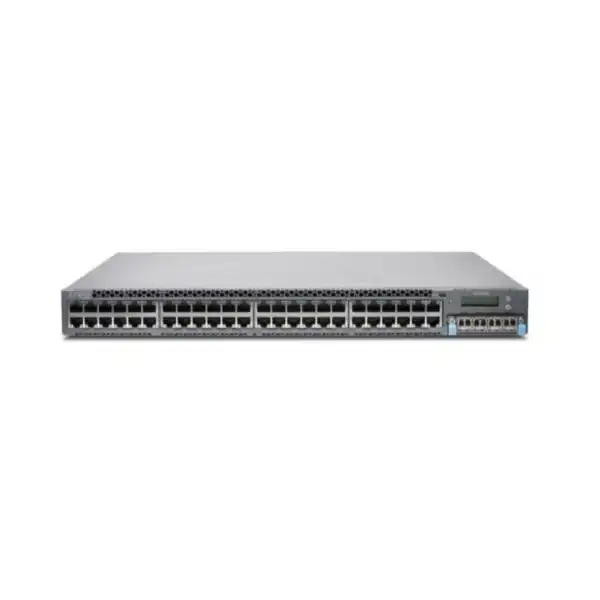
The Juniper EX4300M is the multigigabit member of the EX4300 enterprise switching family. In practical purchasing terms, the relevant hardware model is the EX4300-48MP, a fixed 1U access switch built for environments where a portion of edge devices needs more than 1GbE and where PoE demand can be substantially higher than ordinary phone-and-desktop access switching. It is mainly used in campus wiring closets, large offices, education, hospitality, healthcare, branch environments and other networks supporting high-performance wireless access points, cameras, collaboration devices, building systems and mixed-speed endpoints.
Organizations should consider it when they already operate Junos-based switching, need compatibility with an established EX4300 Virtual Chassis design, require a multigigabit expansion within that generation, or have a defined lifecycle reason to procure EX4300-48MP hardware. The most important factor to confirm in 2026 is not simply port count. Juniper announced end of life for the EX4300-48MP on 29 June 2026, with a listed last-order date of 29 December 2026 and end-of-support date of 29 December 2031. That makes lifecycle planning, software strategy, support entitlement and migration timing part of the purchase decision.
FourTeck can help determine whether an EX4300M purchase is appropriate for an existing estate, whether a current-generation alternative is the better long-term choice, how many multigigabit and high-power PoE ports are actually required, which uplink module and optics are suitable, how the PoE budget should be sized, and what information is needed for a technically accurate Dubai or UAE quotation.
Understanding the EX4300M product identity
The naming around the EX4300 platform can cause confusion during procurement. Juniper markets the multigigabit platform as the EX4300M, while the hardware ordering model most buyers encounter is EX4300-48MP. That distinction matters because a request written only as “EX4300M” is not enough to finalize every accessory, license, power, optics and lifecycle line item. A correct quotation should reference the exact chassis SKU and then identify the supporting parts required for the intended architecture.
The EX4300-48MP is not simply a 48-port switch in which every access port has identical data-rate characteristics. It provides two useful access-port groups. Twenty-four ports are conventional 10/100/1000BASE-T interfaces. The other twenty-four are IEEE 802.3bz-capable multigigabit copper interfaces that can negotiate 100 Mbps, 1 Gbps, 2.5 Gbps, 5 Gbps or 10 Gbps depending on the attached device and cabling conditions. This mixed arrangement can be attractive in real-world upgrade projects because an organization may not need 2.5, 5 or 10GbE on every desk port. It can reserve the higher-rate interfaces for wireless access points or other demanding endpoints while keeping ordinary 1GbE devices on standard ports.
The switch is a fixed-form-factor 1U platform, but it retains modularity in areas that affect deployment resilience and uplink design. Power supplies are hot swappable and can be installed redundantly. Fans are field replaceable. A front uplink module can be selected according to the required upstream media and speed. The system also includes dedicated high-speed ports for Virtual Chassis operation. That architecture gave the EX4300 family a chassis-like operational model without requiring a large modular chassis in every closet.
For buyers in Dubai, the exact identity should be recorded in the bill of materials rather than relying on a family nickname. The chassis, power supply count, power-cord type, uplink module, transceivers or direct-attach cables, support coverage and any relevant software subscription need to be aligned. This is especially important when a project is adding one switch to an older Virtual Chassis, replacing a failed member, or extending a standardized network where software versions and feature assumptions have already been established.
Core capabilities that shape the buying decision
Multigigabit edge
The EX4300-48MP gives twenty-four access ports the ability to operate above 1GbE, supporting 2.5, 5 and 10GbE rates as well as lower speeds. This is useful when existing enterprise copper cabling can support faster endpoint links and when high-capacity wireless APs or specialist devices would otherwise be constrained by a 1GbE edge port.
High-power PoE design
The multigigabit model supports power levels beyond conventional 802.3at PoE+. Juniper documents up to 95 W on an access port and up to 1100 W of PoE power with the 1400 W AC supply configuration. Actual endpoint planning must use simultaneous device demand, cable length, redundancy goals and total available switch budget rather than the maximum-per-port figure alone.
Virtual Chassis
Dedicated 40GbE interfaces can interconnect as many as ten EX4300 members as one logical device. For the multigigabit model, this provides a practical path to scale access ports while retaining a single logical management construct. Mixed EX4300 Virtual Chassis designs are possible, but member roles and software compatibility must be checked carefully.
Flexible uplinks
The EX4300-48MP can use an uplink module providing four dual-mode 1/10GbE SFP/SFP+ ports or a higher-speed module providing 40GbE and 100GbE interfaces. The choice should follow the aggregation design, optic reach, redundancy method and expected traffic, not simply the highest headline speed available.
Junos and cloud operations
The platform runs Junos OS and can participate in Juniper Mist cloud-managed workflows with Wired Assurance. Zero-touch onboarding, cloud visibility and operational analytics may be valuable in distributed environments, but subscription requirements and software support should be confirmed for the exact deployment and lifecycle period.
Link-layer security
The EX4300 multigigabit model supports MACsec AES-256 on access and uplink ports. This can protect Ethernet traffic on a hop-by-hop basis where the network design calls for link encryption. Feature availability, peer compatibility, licensing and the intended trust boundary should be validated before MACsec becomes a mandatory project requirement.
Juniper EX4300-48MP specification summary
The table below highlights practical specifications that commonly influence a bill of materials. It is intended for selection and quotation planning, not as a substitute for validating the exact Juniper hardware guide, software release notes and compatibility information applicable to the deployment date.
| Decision area | EX4300-48MP detail |
|---|---|
| Form factor | Fixed 1U access switch. |
| Access ports | 24 × 10/100/1000BASE-T plus 24 × 100/1000/2500/5000/10000BASE-T multigigabit copper ports. |
| PoE | PoE capability on 48 access ports; Juniper documents up to 95 W per access port on the multigigabit model, subject to total available power. |
| PoE budget | Up to 1100 W with the 1400 W AC power-supply configuration shown for EX4300-48MP. |
| Virtual Chassis | Four dedicated 40GbE QSFP+ ports; 320 Gbps Virtual Chassis backplane; up to ten EX4300 members in supported configurations. |
| Optional uplink choices | EX-UM-4SFPP-MR for four 1/10GbE SFP/SFP+ ports, or EX-UM-2QSFP-MR for higher-speed QSFP+/QSFP28 uplink options. |
| Throughput | Juniper lists 714 Mpps maximum Layer 2/Layer 3 throughput with 64-byte packets for EX4300-48MP. |
| MAC addresses | 272,000. |
| VLANs | 4093. |
| ARP entries | 64,000. |
| Jumbo frames | 9216 bytes. |
| QoS queues | 12 queues per port. |
| Traffic monitoring | sFlow. |
| Security | MACsec AES-256 support on access and uplink ports on the multigigabit model. |
| Memory and storage | 8 GB ECC DRAM and 50 GB storage listed for EX4300-48MP. |
| CPU | 2.2 GHz dual-core Intel Broadwell CPU. |
| Base dimensions | Approximately 44.1 × 4.37 × 46.7 cm; installed depth increases when power supply and front module are fitted. |
| Lifecycle position | EOL announced 29 June 2026; listed last order 29 December 2026; listed end of support 29 December 2031. Lifecycle dates should be revalidated at order time. |
Why multigigabit access matters in a campus network
A conventional 1GbE access layer remains adequate for many desktops, printers, handsets and embedded devices, but wireless infrastructure changed the requirements of some switch ports. Modern access points can aggregate substantial traffic from many clients, and the wired backhaul can become a bottleneck if every AP is restricted to 1GbE. Multigigabit Ethernet was designed to provide intermediate rates such as 2.5GbE and 5GbE over suitable copper cabling, allowing organizations to increase access-point backhaul performance without immediately converting every edge link to fiber or every endpoint to native 10GbE.
The EX4300-48MP reflects that transitional requirement well. Half of its access interfaces are conventional Gigabit Ethernet, while the other half can operate through 10GbE. In a school, hotel, healthcare building, corporate office or public venue, this lets the designer place higher-performance APs on the multigigabit ports and use the standard ports for devices that do not justify the additional capability. The result can be more economical than paying for a uniformly high-speed edge when only a subset of connections needs it.
However, faster switch ports do not automatically create faster application performance. The endpoint must support the selected rate, the cabling channel must be appropriate, and the uplink from the access switch must have enough capacity to carry aggregated traffic. A closet containing many multigigabit APs can generate a considerably larger northbound requirement than a legacy 1GbE access switch. That is why uplink module choice, core or distribution capacity and oversubscription policy must be evaluated together.
Cabling deserves particular attention in existing UAE buildings. A multigigabit port may negotiate at different speeds depending on cable category, installation quality, distance, patching and interference. A design that assumes every existing copper run will sustain 10GbE can produce expensive surprises during commissioning. A sensible migration includes cable records, certification where necessary and a realistic per-port speed expectation. In many installations the value of multigigabit switching is not “10GbE everywhere”; it is the ability to choose the fastest appropriate rate for each high-demand endpoint without rebuilding the whole access layer.
PoE planning: power budget is as important as port count
The EX4300-48MP is frequently considered for wireless and smart-building deployments because its access ports can supply power as well as data. Juniper documents support on the multigigabit model for power levels up to 95 W on an access port, and the switch configuration with a 1400 W AC power supply can provide up to 1100 W of PoE power. Those numbers are useful, but a professional design should not multiply the maximum per-port wattage by forty-eight and assume the result is available simultaneously. The real constraint is the total power budget, the power-supply arrangement, the negotiated demand of each powered device and the desired level of redundancy.
Start by classifying endpoints. A desk phone may require relatively little power. A camera with heaters, motors or illuminators may require more. High-radio-count wireless access points, video systems, displays, intelligent lighting gateways and building devices can require substantially higher levels. Record the expected or maximum draw for each endpoint category and the number of units per switch. Then include a sensible engineering margin for growth and operational variation.
Power redundancy changes the calculation. Two hot-swappable supplies can improve resilience, but the design must determine whether the remaining supply can carry the required system and PoE load after one supply fails. If the switch is loaded close to the combined capacity of two supplies, a PSU failure can create a power-shortfall condition even though the switch itself remains operational. Mission-critical APs, cameras or building devices should therefore be prioritized in the PoE policy and mapped to an explicit redundancy objective.
UPS sizing is another often-overlooked dependency. The network switch is not the only load in the closet; routers, firewalls, controllers, optical equipment and environmental systems may share the same backup power system. A high-PoE access switch can dominate the UPS power budget. The required runtime, battery age, supply efficiency and future PoE load all influence the correct UPS specification. Simply reusing the UPS sized for an old low-power access switch can reduce runtime dramatically.
For a Dubai installation, thermal planning accompanies electrical planning. The access switch and powered endpoints ultimately convert much of the consumed electrical energy into heat. A wiring closet supporting high-density PoE requires reliable cooling and ventilation. The EX4300-48MP uses front-to-back airflow in the documented configuration, so rack layout should avoid recirculating hot exhaust air into equipment intakes. A site survey should consider room temperature, rack doors, cable congestion, power distribution, UPS capacity and cooling before the final switch count is approved.
Virtual Chassis: operational simplicity with design obligations
Virtual Chassis is one of the defining operational capabilities of the EX4300 family. Up to ten supported EX4300 switches can operate as a single logical device, with common management and a shared configuration model. For the multigigabit platform, dedicated 40GbE ports provide the Virtual Chassis interconnect and create a 320 Gbps backplane. This can simplify a building or campus access design by presenting multiple physical switches as one managed system.
The benefit is more than having fewer management IP addresses. A well-designed Virtual Chassis can centralize configuration, make port provisioning more consistent and provide control-plane redundancy. Juniper documents primary and backup Routing Engine roles within a Virtual Chassis, with graceful switchover capabilities. In an operational environment, this can reduce the impact of a member-level fault or control-plane transition when the topology and software are correctly engineered.
But Virtual Chassis should not be treated as an automatic checkbox. Cabling topology affects resilience. A ring, line or other supported arrangement can behave differently when a cable or member fails. Link media and distance must also be matched to the physical placement of members. Short in-rack connections may use direct-attach cabling, while longer inter-closet or building links may require appropriate optics and fiber. The precise design should be validated against the supported Juniper documentation for the software release in use.
Mixed EX4300 Virtual Chassis designs require another layer of attention. Juniper states that the multigigabit EX4300 can participate in a mixed-mode configuration with other 1GbE EX4300 access switches, but the multigigabit members must assume the Routing Engine role while the 1GbE access models operate as line cards. This is a concrete example of why an expansion quote must include the existing member models, current Junos version and Virtual Chassis topology. Buying an additional chassis without that information can lead to a technically incompatible or operationally awkward result.
Lifecycle also enters the design now. If an organization relies heavily on EX4300 Virtual Chassis and intends to continue through the support horizon, spare strategy and migration planning should be addressed before last-order milestones pass. If the network is due for major redesign, introducing another EOL-announced member may extend dependence on the older platform. The correct choice depends on the remaining estate life, budget, change window, installed licenses, operational skills and the feasibility of moving to a newer switching generation.
Uplinks, optics and northbound capacity
An access switch with multigigabit edge ports can create substantial aggregated traffic, so uplink selection should be designed from expected demand rather than inherited by habit. The EX4300-48MP accepts an uplink module. One option, EX-UM-4SFPP-MR, provides four dual-mode 1/10GbE SFP/SFP+ interfaces. Another, EX-UM-2QSFP-MR, provides higher-speed QSFP+/QSFP28 capability for 40GbE and 100GbE uplink use. The right module depends on the upstream switch, optic support, redundancy model and the throughput expected from the connected edge.
A pair of 10GbE uplinks may be perfectly reasonable for a moderate office where the twenty-four multigigabit ports are lightly loaded and most traffic is internet-bound through a lower-capacity WAN. The same uplink design may be restrictive in a dense Wi-Fi environment with local data-center traffic, high-resolution video, large backup flows or substantial east-west movement. Therefore, the buyer should supply traffic expectations or at least endpoint categories, user count and upstream topology so the quotation can distinguish a minimum viable configuration from a growth-ready one.
Optics should be quoted by media type and reach. A 10GbE short-range multimode optic is not interchangeable with a long-reach single-mode requirement. Connector type, fiber grade, link distance, patch-panel path, loss budget and upstream transceiver compatibility matter. Direct-attach copper can reduce cost for short in-rack or adjacent-rack links, but it has strict distance and physical-routing constraints. Where an existing distribution switch is retained, its supported transceiver matrix should be checked before ordering new optics.
Redundancy may require two upstream links to different devices, a link aggregation design, or a fabric architecture. The choice has implications for spanning tree, MC-LAG or other upstream technologies, routing, failure domains and change procedures. The EX4300-48MP also supports EVPN-VXLAN capabilities for campus fabric designs, but that should be considered an architecture decision rather than a decorative feature. Software version, license entitlement, role in the fabric and compatibility with the rest of the Juniper design must be validated.
In procurement terms, “switch only” and “deployment-ready switch” are different bills of materials. A deployment-ready line may require the chassis, one or two power supplies, correct power cords, uplink module, uplink optics or DACs, Virtual Chassis cables or optics, rack hardware, support coverage and software subscriptions. Recording these items at quotation stage reduces last-minute commissioning delays caused by a missing transceiver, unsuitable power cord or unplanned uplink module.
Junos OS, Mist Wired Assurance and management choices
The EX4300M belongs to the Junos operating environment. For teams already managing Juniper switching, this can preserve familiar configuration concepts, automation methods, operational commands and troubleshooting workflows. For teams moving from another vendor, however, the software operating model is part of the migration scope. Interface naming, VLAN configuration, spanning-tree choices, link aggregation, routing, authentication, logging and automation practices should be mapped before the cutover.
Juniper also supports cloud-oriented management for the EX4300 family through the Mist architecture and Wired Assurance. The cloud service can provide onboarding, visibility and operational features that differ from a purely CLI-managed switch. Buyers considering Mist should distinguish the hardware purchase from the software subscription. The intended management term, feature tier and support period must match the organization’s operational model and the lifecycle remaining on the hardware.
Zero-touch provisioning can be valuable for distributed deployments because new switches can be staged with less local configuration, but ZTP still requires disciplined network prerequisites. Management reachability, DNS and DHCP behavior, cloud access policy, device assignment and configuration templates should be prepared. For a secure enterprise environment, outbound connectivity to cloud services and administrative access should be reviewed by security teams rather than assumed.
Logging and observability are equally important. A switch upgrade should preserve syslog destinations, time synchronization, SNMP or telemetry requirements, configuration backup, authentication records and alerting. sFlow support can contribute traffic visibility, but the collector architecture and sampling policy are separate design choices. When the EX4300M is introduced into an established monitoring platform, naming standards, location metadata, interface descriptions and alert thresholds should be part of deployment acceptance.
Because Juniper’s current lifecycle listing for EX4300-48MP identifies Junos 25.4 as the last software version, organizations should plan around the software train that will be supported for the remaining hardware lifecycle. A long-lived new installation should compare that constraint with newer platforms that have a longer forward software roadmap. An existing EX4300 estate may still justify a controlled expansion, but the decision should be explicit.
Security capabilities and where they fit
Access switching security is built from multiple controls. At the physical edge, the objective is usually to decide which device or user may connect, which network or VLAN should be assigned, what traffic is permitted, and how the switch reacts to abnormal behavior. The EX4300 platform supports the Junos feature set associated with enterprise access networks, while the multigigabit model adds MACsec AES-256 capability across access and uplink ports.
MACsec is especially useful when an organization needs encryption at Layer 2 between directly connected Ethernet peers. It protects frames on the wire and can reduce exposure to interception or tampering on links that pass through less trusted physical areas. It does not replace end-to-end application encryption or a complete access-control policy, because its trust boundary and peer arrangement are different. A project that specifies MACsec should identify which exact links need encryption, whether the peer equipment supports compatible operation and what key-management approach is approved.
Access control may also include 802.1X, MAC-based authentication, dynamic policy or guest behavior depending on the Junos design and surrounding identity systems. Before replacing an existing switch, document the current RADIUS servers, authentication methods, fail-open or fail-closed expectations, voice-device handling, guest VLAN behavior and exception lists. A technically capable switch can still cause disruption if its access-control migration is not aligned with the existing identity service.
Segmentation is another major decision. The EX4300 supports conventional VLAN-based access and can participate in more advanced campus fabric designs. The question is not whether the platform can create many VLANs; it is how the enterprise intends to separate users, IoT equipment, cameras, voice, building systems, management and guest traffic. VLAN numbering, routing boundaries, DHCP relay, firewall policy and monitoring should be defined as one design. A large VLAN table alone does not create meaningful security.
For Dubai businesses handling regulated or sensitive environments, switch security should also include operational controls: restricted administrative access, centralized authentication, configuration backups, software maintenance, logging, physical rack protection and documented change control. The end-of-life status makes patch planning and the supported software horizon particularly relevant. Security teams should know not only the features available today but also how long the hardware is expected to receive supported software and technical assistance.
Where the EX4300M can still make sense in 2026
Existing EX4300 expansion
An organization with a substantial supported EX4300 estate may need a compatible multigigabit member to complete a planned expansion, replace failed capacity or avoid an immediate building-wide migration. In this case, architectural consistency and transition timing can outweigh the benefit of introducing a new switch generation in one isolated closet.
Defined short-to-medium lifecycle
A project with a clear retirement date inside the support horizon may use EX4300-48MP intentionally, particularly when it aligns with existing operations and spare stock. The decision should be documented so that hardware is not accidentally left in service beyond the organization’s accepted support window.
Targeted multigigabit requirement
The mixed 24 × 1GbE plus 24 × multigigabit access layout can fit environments where only a portion of ports needs higher speed. If a closet has a known set of demanding APs or endpoints and ordinary clients on the remaining ports, the port mix can be efficient.
High-power edge devices
Sites supporting APs, cameras or specialized powered devices that exceed standard PoE+ can benefit from the higher per-port power capability, provided the complete PoE budget, PSU redundancy and UPS environment are engineered correctly.
Junos operational standardization
Organizations with automation, monitoring, configuration standards and engineers centered on Junos may value continuity. This is strongest when the EX4300M is part of an established lifecycle plan rather than a fresh ten-year access-layer strategy.
When a newer switch should be evaluated instead
A brand-new access-layer project expected to remain in service for many years should not select the EX4300M merely because its specifications meet today’s requirements. The EOL announcement changes the strategic comparison. A newer Juniper access platform may provide a longer software and support runway, more current hardware architecture, and a cleaner basis for a new standard. The exact alternative depends on port mix, PoE level, uplink speed, redundancy, management and campus-fabric design.
The comparison should be based on the full life of the project. Acquisition price is only one component. Consider support renewal, spares, software maintenance, staff training, migration effort, power consumption, future Wi-Fi upgrades and the likelihood that new endpoint demands will exceed the current design. If a newer platform costs more initially but avoids an early second migration, the overall business case can be stronger.
A newer model should also be evaluated when the planned deployment needs a different port balance. The EX4300-48MP gives twenty-four multigigabit and twenty-four standard copper ports. A site needing multigigabit capability on almost every edge connection may be better served by a platform whose port density matches that demand directly. Conversely, a small branch with only a few high-speed APs may not need the capacity, power and 1U footprint of an EX4300-48MP at all.
Resilience requirements can point to another platform as well. If the organization wants a newer high-availability design, more recent campus-fabric features, different stacking behavior or a specific cloud-management roadmap, those should be included in the shortlist. Avoid assuming that “same vendor” means “same architecture.” Juniper’s newer product families may use different stacking, fabric, subscription or licensing constructs that should be understood before migration.
FourTeck can structure a comparison around practical requirements rather than model names: number of 1G and multigigabit ports, peak PoE draw, required uplink capacity, redundant power, desired support horizon, cloud-management term, rack depth, optics, existing Junos skills and migration constraints. This makes it easier to decide whether EX4300M continuity is valuable or whether the project should move directly to a current-generation platform.
Lifecycle status and procurement timing
Juniper’s current EX Series lifecycle listing shows the EX4300-48MP EOL announcement date as 29 June 2026, last order as 29 December 2026, end of hardware failure analysis as 29 December 2027, end of engineering as 29 December 2029, last software version as 25.4, and end of support as 29 December 2031. These dates can directly affect whether a new purchase is strategically suitable and should be rechecked before a purchase order is placed.
End of life does not mean a switch instantly stops functioning. It means the vendor has defined a sequence of commercial and support milestones. An organization may continue operating deployed equipment during the supported period, but new orders, replacement strategy, engineering changes and software availability are progressively constrained by the published schedule. The business question is therefore whether the remaining lifecycle aligns with the expected service life of the intended deployment.
For an existing estate, the answer may be yes. A customer could have a standardized EX4300 environment scheduled for replacement in 2029 or 2030 and need a compatible switch now. Introducing a newer family for one small expansion might increase operational complexity. In that situation, procuring EX4300-48MP before the last-order milestone can be rational, especially if support is aligned and migration funding is already planned.
For a greenfield campus scheduled to operate through the mid-2030s, the conclusion is different. Starting with hardware whose end-of-support date is already known for 2031 can compress the usable supported lifetime. A current-generation alternative should be compared even if EX4300M is familiar and meets immediate technical requirements. Procurement teams should consider the cost and disruption of replacing an access layer earlier than expected.
Supply conditions can also change around last-order dates. FourTeck should not represent stock or lead time as guaranteed without a current distributor check. An accurate quotation near lifecycle milestones should identify whether the unit is new authorized supply, the available warranty or support options, and whether accessories such as uplink modules and power supplies remain orderable on matching timelines. A chassis is only useful when the full deployment bill of materials can be completed.
Lifecycle-aware buying also includes spares. Organizations intending to keep a large EX4300 estate until 2031 should decide whether they need on-site spare chassis, power supplies, fans, uplink modules or optics. The quantity depends on installed base, service-level expectations, geographic distribution and vendor support response. Spares should not be purchased blindly, but neither should they be left until a critical accessory becomes difficult to source.
Physical installation in Dubai and UAE network rooms
The EX4300-48MP is a 1U rack-mount switch. Juniper lists the base chassis at approximately 44.1 cm wide, 4.37 cm high and 46.7 cm deep. Installed depth grows when the power supply and front module are fitted, reaching approximately 50.96 cm in the documented configuration. That difference matters in shallow wall-mount cabinets, older IDF enclosures and racks with heavy rear cable managers. Verify usable rail-to-door depth rather than relying on nominal rack depth.
Cable management can become dense because the front of the switch may carry forty-eight copper access cables plus uplink and Virtual Chassis connections. Patch-panel placement, horizontal managers and bend radius should be planned before installation. Poor cable organization can obstruct airflow, make module replacement difficult and increase the time required to trace faults. A multigigabit deployment should also keep category and certification records for the copper runs assigned to higher-speed endpoints.
The documented EX4300-48MP airflow is front-to-back. In a standard hot-aisle/cold-aisle design, equipment orientation should be consistent so that cool air reaches the intake and hot exhaust is not recirculated. The published operating range for AFO models extends to 45°C, but operating close to the upper environmental limit is poor practice for a high-value network closet. Reliable room cooling, clean airflow paths and environmental monitoring improve hardware reliability and preserve engineering margin.
Power feeds should be matched to the selected power supplies and local electrical environment. The EX4300-48MP supports AC supply options including 715 W, 1100 W and 1400 W units, with autosensing voltage ranges documented by Juniper. A power cord may need to be ordered separately for the supply SKU. The UAE installation should therefore specify the correct cord type, PDU interface, circuit capacity and whether dual supplies are connected to independent protected feeds.
Grounding and rack bonding should follow the facility and vendor installation requirements. Network equipment in a production environment should not depend on improvised power strips or unverified earthing. Where the switch powers cameras, access points or building systems, the impact of a closet power failure can extend beyond data connectivity. UPS and generator integration may be part of the availability design.
A site survey is particularly useful for retrofit projects. It should capture rack space, rack depth, front and rear clearance, PDU socket types, available protected power, UPS loading, cooling, patch-panel organization, fiber termination, uplink path, cable categories and access windows. These inputs turn a generic switch quotation into an installation-ready scope.
Licensing, subscriptions and support should be quoted separately
Enterprise switch pricing can be misleading when the chassis is treated as the entire solution. The EX4300 family has historically used feature licenses, and Juniper’s current portfolio also includes subscription options associated with cloud management and Wired Assurance. The exact requirement depends on which routing, security, automation and cloud features the project intends to use. A base hardware quote should therefore distinguish included functionality from optional entitlements.
For an existing EX4300 deployment, license continuity needs special care. The organization may already hold feature licenses or subscriptions under a particular entitlement structure. Adding an EX4300-48MP should not assume those entitlements automatically transfer to new hardware. Procurement should provide the current license type, support contract, Juniper account context and intended feature set so that the new line items can be validated.
Mist Wired Assurance introduces a term-based operational decision. A buyer should decide whether cloud management is required, for how many switches, for what duration and at what service level. A three-year hardware plan paired with a one-year management subscription creates a renewal event that needs budget and ownership. Conversely, buying a long subscription against hardware approaching a lifecycle boundary should be checked for alignment. Subscription duration should follow the deployment roadmap.
Support is a separate consideration from software feature licensing. The published end-of-support date defines the outer lifecycle boundary, but actual technical support depends on an active service entitlement and the terms offered for the hardware. Businesses should identify required response time, replacement logistics, local spare strategy and whether advanced hardware replacement is needed. A branch office with spare capacity can tolerate a different service level from a hospital, hotel or campus distribution closet serving hundreds of users.
The quotation should therefore avoid a single ambiguous “EX4300M” line when the customer expects a complete solution. It should break out the chassis, power supplies, cables, uplink module, optics, Virtual Chassis accessories, software subscription where applicable, support service, installation and configuration scope. That makes commercial comparisons fair and reduces the risk that a low headline price excludes components required for commissioning.
A practical deployment journey
Capture the existing network
Record current switches, Junos version, VLANs, routing, authentication, uplinks, Virtual Chassis topology, PoE devices, monitoring, rack conditions and support contracts. This prevents a design from being based only on a port-count spreadsheet.
Classify endpoints
Separate ordinary 1GbE devices from multigigabit endpoints. Record PoE demand for APs, phones, cameras and specialty systems. This determines whether the EX4300-48MP port mix and power budget match the actual closet.
Design uplinks and resilience
Choose the uplink module, optic media, link speed, upstream redundancy and Virtual Chassis arrangement. Confirm that the aggregation layer can support the proposed capacity and transceivers.
Validate lifecycle choice
Compare the remaining EX4300M lifecycle with the desired project lifetime. Decide whether continuity with an existing estate outweighs the benefits of moving to a newer Juniper access platform.
Build the complete BOM
Include chassis, redundant power if required, power cords, uplink module, transceivers, Virtual Chassis media, rack accessories, licenses or subscriptions, support and professional services.
Stage and migrate
Upgrade or align software if required, preconfigure management and access policies, test representative endpoints, schedule a rollback-capable change window and document the resulting configuration and asset information.
Migration from an older access switch
Replacing an access switch is often described as moving cables from old ports to new ports, but that is the final physical step of a larger migration. Start with a port-level discovery. Identify which interfaces are active, their VLAN membership, voice VLANs, descriptions, PoE state, authentication settings, link speed, trunk configuration, aggregation membership and any special security policy. Unused legacy configuration should not automatically be copied to the new system.
Endpoint behavior should then be grouped. Wireless APs may use trunks and require higher PoE. Phones may use LLDP-MED and voice VLANs. Cameras may be fixed to a security VLAN and depend on continuous power. Building systems may have static addresses or vendor-specific connectivity. Servers or appliances may use link aggregation. Understanding these categories lets the migration team test a representative device from each group before moving an entire floor.
If the EX4300M joins an existing Virtual Chassis, software and member compatibility become central. The new member should be staged before the maintenance window, and the production Virtual Chassis configuration should be backed up. The team should know the expected member ID, role, cable arrangement and software version. It should also know the recovery method if the new member fails to join cleanly.
A standalone replacement has different risks. Uplink trunks or routed interfaces must be brought up in the correct order to avoid loops, duplicate gateways or unintended Layer 2 extension. Spanning-tree priority and link-aggregation settings should be checked against the upstream network. Management reachability should be confirmed before access ports are moved so that engineers can observe logs and interface status during the cutover.
PoE devices may reboot when moved, so application owners should understand the service impact. Cameras may have recording gaps; access points may take time to rejoin controllers or cloud services; phones may re-register. A migration window should be sized for these device behaviors, not only the physical patching time. If high-power endpoints are involved, monitor the new switch PoE budget as devices come online.
After cutover, validate more than ping. Check interface errors, negotiated speed, PoE draw, authentication success, VLAN placement, uplink utilization, Virtual Chassis health, environmental readings, logs and monitoring integration. Update rack diagrams, asset records, configuration backups and support details. A migration is complete only when the network is stable and the operational documentation matches reality.
Wireless access point deployments
One of the strongest historical use cases for the EX4300M is supporting high-performance wireless access points. The multigigabit copper ports allow an AP to exceed a 1GbE wired backhaul while retaining conventional copper cabling where suitable, and the high-power PoE capability can support devices with larger power envelopes. This combination is valuable because Wi-Fi upgrades often raise both data-rate and power requirements at the same time.
The correct design begins with the AP model. Record its supported Ethernet rates, number of wired interfaces, maximum or typical PoE draw, PoE standard and behavior under reduced power. Some APs disable radios or features when powered below their preferred level. Others provide dual Ethernet interfaces that may be used differently depending on the architecture. The switch configuration should be derived from the AP datasheet rather than from a generic assumption that “multigigabit PoE” is enough.
Next, determine how many APs share the switch and how much traffic can realistically reach the uplinks. A floor with a handful of APs and many low-use desk ports creates a different load from a conference venue or education building with large simultaneous client populations. Uplink capacity should be based on expected aggregate behavior, not the sum of every theoretical wireless radio rate, but it also should not blindly reuse a single 1GbE or 10GbE uplink from the previous generation.
Cabling verification is essential. Multigigabit Ethernet can extend the useful life of suitable installed copper, but cable category and installation quality still matter. Patch panels, couplers, damaged pairs and excessive bundle conditions can prevent the expected rate. For a large AP refresh, sample certification of representative cable runs can identify whether the intended 2.5, 5 or 10GbE service is realistic before all switches and APs are ordered.
Finally, align switching and wireless lifecycle. If the AP platform is expected to remain in service substantially beyond 2031, installing EOL-announced EX4300M switches in 2026 may create an earlier wired infrastructure replacement than the wireless program expects. In an existing EX4300 campus with a planned transition, that may still be acceptable. In a new campus, a newer switch family deserves direct comparison.
Video surveillance, IoT and building systems
High-density edge networks increasingly combine user devices with cameras, access control, sensors, digital signage, building gateways and other operational systems. The EX4300M can provide the data rate and PoE capability required for many of these endpoints, but mixed-purpose networks need more design discipline than ordinary office switching.
Surveillance cameras should be sized by both power and bandwidth. A fixed camera with modest resolution may use little power and bandwidth, while PTZ, heated, high-resolution or multi-sensor cameras can demand more. Recording architecture matters as well. If video flows to a central recorder or data center, uplink utilization can be sustained rather than bursty. The network should therefore estimate average and peak camera traffic and ensure redundancy is appropriate to the security requirement.
Building and IoT devices can create a different challenge: long service lives and inconsistent update practices. Segmentation becomes important. These devices should often be placed in dedicated VLANs or policy groups with tightly controlled access to management services and business systems. The switch can enforce edge connectivity, but firewalls, identity services and monitoring systems are usually required to implement the broader security model.
PoE can simplify installation by removing local power adapters, but it concentrates dependency on the network closet. A switch or UPS failure can simultaneously remove connectivity and electrical power from dozens of devices. For critical physical-security or access-control systems, redundant power supplies, suitable UPS runtime, spare strategy and maintenance procedures should be designed accordingly.
The EX4300M should therefore be selected as part of an endpoint architecture, not just for its maximum PoE number. The quote should include endpoint counts, device types, expected draw, retention or uptime requirements, VLAN/security design, uplink path and the intended switch replacement horizon. Those inputs determine whether the EX4300-48MP is appropriate or whether a newer high-power access platform is the better foundation.
Performance, oversubscription and realistic capacity planning
Juniper lists maximum Layer 2/Layer 3 throughput of 714 Mpps for the EX4300-48MP with 64-byte packets. That is a hardware-scale indicator, but enterprise buyers should not use a single laboratory-style throughput figure as the only sizing criterion. Access-network performance depends on traffic distribution, uplink capacity, feature configuration, packet mix, endpoint behavior and the rest of the network path.
Oversubscription is normal in access networks. Forty-eight edge ports do not usually transmit at maximum rate simultaneously. The goal is to choose an uplink ratio appropriate for the user and application profile. A knowledge-worker office with cloud applications and moderate local traffic can tolerate more oversubscription than a media workflow, dense Wi-Fi event space, engineering lab or storage-heavy environment.
The multigigabit portion of the switch deserves extra attention because twenty-four ports can each negotiate above 1GbE. If several 5GbE or 10GbE devices become active at once, a pair of 10GbE uplinks may become the dominant bottleneck. A 40GbE or 100GbE-capable uplink architecture may provide better headroom, but it only makes sense if the upstream distribution platform and optics support that speed and the traffic profile justifies it.
Quality of service also influences application behavior. The EX4300 platform provides multiple queues per port, allowing traffic classes to receive differentiated treatment. The design should map business priorities such as voice, real-time collaboration, control traffic and general data to a consistent campus QoS policy. QoS does not create bandwidth; it determines how congestion is handled. Poor classification can simply move the problem from one application to another.
Jumbo frames may be relevant for some server, storage or specialized applications, and the platform supports frames up to 9216 bytes. End-to-end consistency is required. Enabling a larger MTU only on the access switch does not help if an upstream device drops or fragments traffic. MTU changes should be planned across the complete path and tested with the actual application.
For most campus purchases, the best capacity inputs are not theoretical packets per second. They are the number and type of high-speed endpoints, existing uplink utilization, anticipated Wi-Fi or application growth, local versus internet traffic ratios, resilience requirements and the upstream switch capabilities. Those factors lead to a more useful uplink and platform decision.
Operations, monitoring and maintenance
A managed access switch should be incorporated into operational processes on day one. Assign consistent hostnames, management addressing, device location, rack and unit information, interface descriptions and asset identifiers. This seems basic, but high-density access networks become difficult to troubleshoot when a monitoring alert identifies only a generic switch name or an undocumented port.
Time synchronization is essential for logs and event correlation. Configure NTP according to the organization’s standard and ensure syslog records reach the chosen logging platform. Authentication events, interface flaps, PoE changes, Virtual Chassis transitions and environmental alarms can all be valuable during troubleshooting. Retention should match operational and compliance needs.
Configuration backups should be automated or at least embedded in the change process. A Virtual Chassis simplifies logical management, but it also means the shared configuration is especially important. Store backups securely, control administrative access and record software versions. Before an upgrade, review release notes and known issues for the exact hardware and feature set rather than assuming every Junos release behaves identically across models.
Hardware health monitoring should include power-supply state, fan status, temperature and Virtual Chassis links. A redundant PSU provides little value if a failed unit remains unnoticed for months. Similarly, a Virtual Chassis ring that has silently lost one interconnect may continue operating but have reduced resilience. Alerting should detect degraded states before a second fault occurs.
PoE monitoring can reveal both capacity and endpoint problems. Track total budget use, high-draw devices and ports that repeatedly cycle power. During a new wireless deployment, this data helps confirm that access points are receiving the expected power level. Unexpected low-power operation may point to cable issues, endpoint configuration or insufficient budget.
The lifecycle timeline should be included in the maintenance calendar. Organizations running EX4300-48MP should identify the last supported software strategy, support-renewal boundaries and migration window well before 2031. A planned refresh is easier and cheaper than an emergency replacement prompted by support expiration, hardware scarcity or a newly discovered requirement that cannot be met on the older platform.
Common purchasing mistakes to avoid
Ordering only the chassis name
“EX4300M” does not specify every accessory. Confirm EX4300-48MP, power supplies, cords, uplink module, optics, Virtual Chassis media, licenses, support and rack requirements.
Ignoring the EOL announcement
The platform may still fit an existing estate, but a new long-term deployment should not be approved without comparing the 2031 support boundary to the project lifecycle.
Sizing PoE by port maximum
A 95 W per-port capability does not mean all ports can supply that amount at once. Build a device-level power plan and verify total budget under the chosen PSU redundancy condition.
Assuming old copper will run 10GbE
Multigigabit negotiation depends on the cabling channel. Verify category, distance and installation quality, especially when AP upgrades depend on 5 or 10GbE links.
Reusing uplink assumptions
A legacy access switch may have needed only 1 or 10GbE northbound. Higher-rate APs and multigigabit endpoints can change the traffic profile significantly.
Forgetting installed depth and cooling
The switch exceeds 50 cm depth with power supply and front module in the documented configuration. Check cabinet clearance, airflow, cable management and cooling before delivery.
Buyer questions and direct answers
Is the Juniper EX4300M still a current product?
The EX4300-48MP has entered the Juniper end-of-life process. EOL was announced on 29 June 2026. The published lifecycle table currently lists 29 December 2026 as the last-order date and 29 December 2031 as end of support. That means it can still be relevant for specific 2026 procurement scenarios, but buyers should treat lifecycle as a primary decision factor.
Does every port support 10GbE?
No. The EX4300-48MP has 24 conventional 10/100/1000BASE-T ports and 24 multigigabit ports that support 100 Mbps, 1, 2.5, 5 and 10GbE. The mixed layout should be mapped to endpoint requirements before purchase.
Can it power high-demand wireless access points?
The multigigabit model supports higher-power PoE, with Juniper documenting up to 95 W on an access port. The practical design must also respect the total switch PoE budget, selected power supplies and the endpoint’s actual negotiated requirements.
Can EX4300M join an existing EX4300 Virtual Chassis?
Juniper documents mixed-mode Virtual Chassis operation with 1GbE EX4300 access switches. In such a design, the multigigabit EX4300 members must take Routing Engine roles while the 1GbE access members act as line cards. Exact software and topology compatibility should be checked before an expansion order.
Does it include 100GbE uplinks by default?
The switch supports an optional higher-speed uplink module for QSFP+/QSFP28 connectivity. Uplink modules and optics should be treated as explicit bill-of-material items. The exact module depends on the required speed, media, reach and upstream switch.
Is Mist Wired Assurance mandatory?
The EX4300 can be managed through Junos operational methods and can also be onboarded to the Mist cloud. Whether Wired Assurance is required depends on the desired management architecture. Subscription terms and feature requirements should be confirmed for the project.
What information is needed for an accurate Dubai quotation?
Provide quantity, existing switch models, multigigabit port count, endpoint PoE requirements, uplink speed and fiber type, Virtual Chassis requirement, redundant power need, management preference, license or subscription term, support level, rack environment and installation scope.
Should a new project choose EX4300M in 2026?
Not automatically. Existing-estate compatibility can make it a sensible transitional purchase, but a greenfield or long-life project should compare a newer Juniper access platform because EX4300-48MP already has published EOL milestones.
Dubai and UAE quotation considerations
A local quotation should answer more than “what is the switch price?” Enterprise network equipment is highly configuration dependent, and lifecycle status makes this product especially sensitive to exact sourcing and support conditions. The commercial response should identify the exact chassis SKU and distinguish each accessory. It should also indicate whether lead time and availability have been validated at the time of quotation rather than implying permanent stock.
For UAE projects, power-cord and PDU compatibility should be confirmed. The power supply SKU may not include the final country-specific cord. If the switch is going into an existing rack, record the PDU outlet type and whether redundant PSUs will connect to separate protected feeds. This is a small line item compared with the chassis, but it can prevent a same-day installation.
Optical transceivers should be matched to the actual fiber plant. Ask for multimode or single-mode, connector type, approximate distance, patch-panel count and upstream switch model. If the project uses existing optics, compatibility should be verified rather than assumed. For short links, direct-attach cabling may be suitable, but route length and rack layout determine whether it is practical.
Support logistics are also regional. Determine whether the customer expects next-business-day replacement, on-site spare stock, remote technical support or professional services. The appropriate level depends on the business impact of a failed access switch and whether a Virtual Chassis or redundant design can absorb the fault.
Installation scope should state whether FourTeck is providing rack mounting, patching, configuration, Virtual Chassis setup, software alignment, migration, testing, documentation and handover. A customer that only needs supply should not pay for unnecessary services; a customer requiring a full cutover should not discover after delivery that configuration or migration was outside the quote.
Finally, the quotation should state the lifecycle position clearly. Buyers should know that EX4300-48MP is an EOL-announced product and should understand the published last-order and end-of-support dates before approval. This transparency supports better asset planning and reduces the risk of a procurement decision that conflicts with the organization’s technology roadmap.
Decision recap
Model fit
Confirm that the EX4300-48MP’s 24 standard plus 24 multigigabit access-port mix matches the actual endpoint population.
Power
Size the PoE budget from device requirements and redundancy conditions; do not use the maximum-per-port figure as a total-budget assumption.
Uplinks
Choose the uplink module, optics and northbound capacity from traffic demand, fiber reach and upstream-switch support.
Compatibility
For Virtual Chassis expansion, provide existing member models, Junos version, topology and intended member roles before ordering.
Lifecycle
Treat the June 2026 EOL announcement and December 2031 support boundary as central business requirements, not footnotes.
Deployment readiness
Check rack depth, airflow, cooling, PDU type, UPS capacity, cabling, licenses, support and migration services.
What FourTeck needs from the buyer
The fastest route to a useful quotation is to provide the technical inputs that change the bill of materials. Exact information also helps determine whether EX4300M continuity or migration to a newer platform is the better outcome.
Number of switches and the Dubai/UAE sites or wiring closets involved.
Current switch models, Virtual Chassis membership and Junos software version.
Counts of 1GbE, 2.5/5/10GbE devices, APs, phones, cameras and special powered equipment.
Maximum or expected wattage by endpoint and whether full PSU redundancy is required.
Required speed, upstream switch, fiber type, connector, approximate distance and redundancy method.
CLI/Junos operations, Mist Wired Assurance requirements, subscription term and monitoring integrations.
Rack depth, free rack units, airflow, PDU sockets, protected power, UPS and cooling conditions.
Supply only, staging, installation, migration, testing, documentation and desired support service level.
Plan the EX4300M purchase around your network lifecycle
The Juniper EX4300M remains technically relevant for multigigabit access, high-power PoE and EX4300 Virtual Chassis environments, but the 2026 EOL announcement makes selection context critical. A good decision connects the exact EX4300-48MP bill of materials to port requirements, PoE load, uplink design, software, support horizon and the organization’s migration roadmap.
Share the existing switch environment and required endpoint profile with FourTeck to receive a lifecycle-aware Dubai quotation. The objective is not to force the supplied model into every project; it is to determine whether EX4300M is the right continuity choice or whether a newer access-switch platform creates a better long-term outcome.


Reviews
There are no reviews yet.