
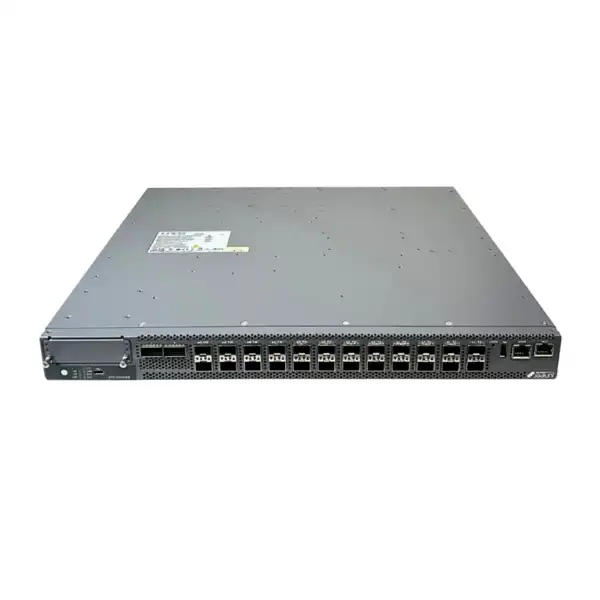
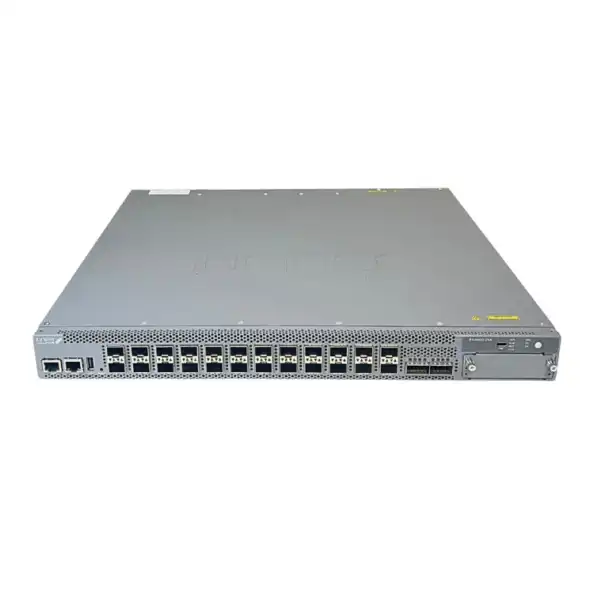
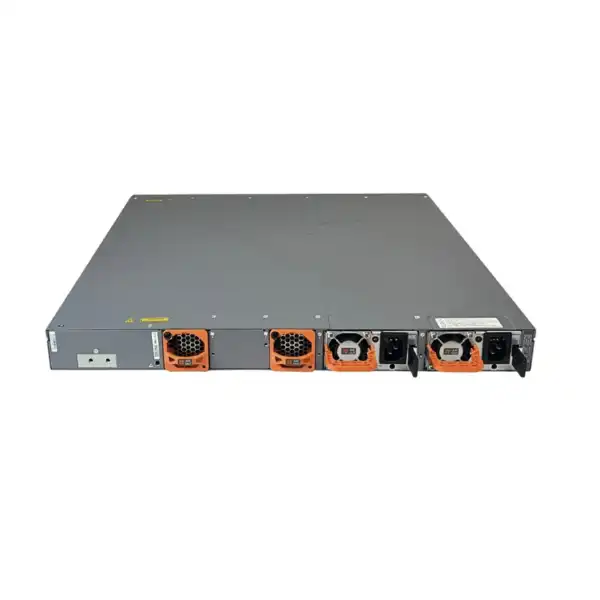
Juniper EX4400-24X Ethernet Switch Dubai
A fiber-focused EX4400 platform for enterprise campus distribution, compact core and high-speed access designs where 10GbE edge density, 100GbE-class uplinks, resilient switching and modern Junos or Mist operations need to fit into a single rack unit.
Direct answer: what is the Juniper EX4400-24X?
The Juniper EX4400-24X is a fixed 1RU Ethernet switch with 24 fiber-facing 1/10GbE SFP+ ports. It is primarily intended for enterprise campus distribution, compact campus core, fiber aggregation and selected high-speed access roles where a network team wants dense 10GbE connectivity without moving immediately to a larger 25GbE-centric platform. Juniper also positions the model for access or distribution use, which is important because the same hardware can serve very different network designs depending on optics, uplink requirements, routing scale and the software features that are enabled.
The main buyer profile is an organization aggregating access switches, servers, fiber-connected buildings, Wi-Fi infrastructure, security appliances or other 1GbE/10GbE endpoints into a resilient campus switching layer. The EX4400-24X provides two 100GbE/40GbE-capable ports and supports optional extension modules for additional 10GbE, 25GbE or 100GbE connectivity. It also supports EVPN-VXLAN, Juniper Virtual Chassis, Junos OS, flow-based telemetry and Juniper Mist Wired Assurance when the appropriate subscription is used.
The most important factor to confirm before ordering is the complete port-and-optics plan, not simply the switch model. The base EX4400-24X contains SFP+ interfaces rather than copper RJ45 access ports, and the standard ordering description states that optics are ordered separately. A technically correct quotation therefore needs the number of 1GbE and 10GbE links, fiber type, distance, connector type, required 40GbE/100GbE uplinks, any DAC/AOC requirements, expansion-module choice and whether MACsec or Mist cloud operations are part of the design.
FourTeck can help determine whether EX4400-24X is the right model, whether a related EX4400 or EX4650 class platform should be compared, which transceivers and uplink modules are needed, whether a second power supply is required for resilience, which airflow direction suits the rack, and which Juniper Flex or Wired Assurance license terms should be included in the commercial proposal.
Where the EX4400-24X fits in an enterprise network
The EX4400-24X occupies a useful middle ground in the Juniper EX portfolio. It is not a conventional 24-port copper access switch, because its primary interfaces are 1/10GbE SFP+ fiber ports. It is also not positioned as the highest-density 25GbE campus distribution platform. Its value comes from combining a relatively compact 1RU footprint with enough 10GbE fiber density to aggregate multiple downstream switches or high-bandwidth endpoints, plus dedicated 100GbE/40GbE-capable connectivity that can be used for uplinks or Virtual Chassis functions. For many campuses, that combination is more practical than deploying a chassis switch where port counts are modest but performance and resiliency expectations remain high.
In a distribution deployment, twenty-four 10GbE-capable ports can collect traffic from access-layer switches distributed across floors, buildings or wiring closets. The two high-speed ports can then connect toward a core, another distribution node or a Virtual Chassis peer. This is especially relevant where existing access switches already provide 10GbE uplinks and the organization wants to avoid creating a 1GbE bottleneck at aggregation. Because the EX4400-24X supports Layer 3 protocols including OSPF, BGP and IS-IS, it can participate in routed campus designs rather than functioning only as a large Layer 2 aggregation bridge.
In a compact campus core, the model can be attractive when the number of distribution or server-facing links is within the 24-port SFP+ range and the organization wants Junos routing, VRF-Lite, link aggregation, high-speed uplinks, EVPN-VXLAN and Virtual Chassis capabilities in a pair of 1RU devices. That does not mean every campus core should use EX4400-24X. A design that expects substantial 25GbE growth, very high 100GbE density or a larger fabric scale may justify moving to a platform such as EX4650. The correct decision depends on actual interface count and expected growth rather than headline switch capacity alone.
The model can also be used as fiber access where users or devices are served through optical links, but buyers should distinguish that use case from a normal desktop access switch. EX4400-24X does not provide the PoE access-port profile of EX4400-24P or EX4400-24MP. If phones, wireless access points, cameras or IoT devices require power from the switch over copper cabling, a PoE-capable EX4400 variant may be more appropriate. The 24X becomes compelling when fiber connectivity and 10GbE aggregation are the real priorities.
Verified EX4400-24X hardware and performance specifications
| Specification | EX4400-24X value | Buyer relevance |
|---|---|---|
| Form factor | Fixed 1RU switch | Fits conventional 19-inch rack deployments while preserving rack space for redundant units, patching and security infrastructure. |
| Primary ports | 24 x 1/10GbE SFP+ | Suitable for fiber aggregation and 10GbE edge or server connectivity; optics must be selected separately. |
| High-speed ports | 2 x 100GbE/40GbE-capable ports | Can provide core uplinks or Virtual Chassis connectivity, subject to configuration and optics. |
| Switching capacity | 540 Gbps unidirectional / 1080 Gbps bidirectional | Provides substantial switching headroom for a dense 10GbE distribution role. |
| Throughput | Up to 803 Mpps with 64-byte packets | Useful for assessing small-packet forwarding demands rather than relying only on Gbps capacity. |
| Virtual Chassis interconnect | 400 Gbps; up to 10 EX4400 units | Supports scale-out management as one logical device where the topology and HGoE requirements are correctly designed. |
| MAC addresses | 112,000 | Provides a high Layer 2 scale ceiling for enterprise aggregation and fabric designs. |
| VLANs | 4093 supported | Supports segmented enterprise designs with significant VLAN scale. |
| Jumbo frames | 9216 bytes | Relevant to storage, virtualization and selected data-transfer use cases where end-to-end MTU planning is required. |
| ARP / ND | 24,000 ARP; 12,000 IPv6 ND entries | Helps validate the scale of routed endpoint environments. |
| Physical dimensions | 44.17 x 4.37 x 43 cm (W x H x D) | Important for rack depth, cable bend radius and service clearance planning. |
| Operating environment | 0°C to 45°C; 5% to 90% RH noncondensing | Rack cooling and room conditions must stay within the supported range, particularly in UAE facilities with high external ambient temperatures. |
These figures describe platform capability, not a substitute for a complete design. Real deployments must also account for transceiver type, oversubscription targets, traffic patterns, software feature use, redundancy policy and the capacity of connected devices.
Port architecture: plan the fiber design before the purchase order
The twenty-four front-facing 1/10GbE SFP+ ports are the defining characteristic of EX4400-24X. That means the switch is best understood as an optical or SFP+-based aggregation platform rather than as a conventional user-edge switch. Depending on the deployed media and validated Juniper compatibility, these ports can provide 1GbE or 10GbE connections for downstream access switches, security appliances, servers, building links and other devices. A purchase order containing only the chassis part number is therefore rarely the complete solution. The transceiver or direct-attach choice determines the actual medium, distance, connector, power budget and link behavior.
For multimode fiber within a building, the design may use short-reach optical modules where the installed cable plant and distance support them. For longer campus links, single-mode optics may be required. If the connected equipment is in the same rack or nearby racks, direct-attach copper or active optical cable may be more economical and operationally simpler than installing paired optical transceivers plus fiber patch cords. These are engineering decisions that should be made from the physical topology, not from a generic bill of materials. Connector cleanliness, patch-panel losses, existing fiber grade and the total optical budget all matter.
The two 100GbE/40GbE-capable ports add another design choice. They can be used for very high-speed uplinks or for Virtual Chassis connectivity. Juniper documentation also notes that 100GbE uplinks can be channelized for multiple 10GbE/25GbE Ethernet uplinks. This flexibility is valuable, but it should not be treated as free extra capacity without checking how those ports are allocated in the intended topology. A buyer designing a pair of switches for Virtual Chassis may use high-speed interfaces differently from a buyer running two independent switches with Layer 3 uplinks.
The EX4400 platform also supports optional extension modules: EX4400-EM-4S with four SFP+ ports, EX4400-EM-4Y with four SFP28 ports, and EX4400-EM-1C with one QSFP28 port. For EX4400-24X this creates useful expansion paths. The 4Y module is particularly relevant where a design needs limited 25GbE connectivity without changing the whole switch family. The 1C option can add a further 100GbE-class interface. However, an organization that expects a large proportion of endpoints to migrate to 25GbE may be better served by evaluating a platform with native higher-density 25GbE access rather than relying on a small extension module.
Optics checklist
Confirm speed, multimode or single-mode fiber, link distance, connector type, optic quantity at both ends, and whether spares should be included.
Uplink checklist
Decide whether the high-speed ports are dedicated to core uplinks, Virtual Chassis, breakout connectivity or a combination supported by the final design.
Expansion checklist
Choose an extension module only after identifying the exact extra 10GbE, 25GbE or 100GbE interfaces required during the expected lifecycle.
Performance, routing scale and oversubscription decisions
The published 1080 Gbps bidirectional switching capacity and 803 Mpps maximum Layer 2/Layer 3 throughput are strong figures for a 24-port 10GbE-focused switch, but network design should translate those numbers into actual traffic patterns. A distribution layer does not automatically need every downstream port to send at line rate simultaneously, yet a poorly planned uplink can create congestion long before the switching fabric itself becomes the constraint. The buyer should calculate expected aggregate demand from downstream access switches, servers or buildings, then size the northbound links and link-aggregation design around realistic peak behavior and growth.
For example, a switch aggregating twelve downstream access switches with 10GbE uplinks does not necessarily require 120Gbps of sustained northbound bandwidth, but the answer depends on where applications, Internet gateways, data centers and east-west services are located. If most traffic exits toward a central core, the uplink design is more important than when significant traffic remains local. The two 100GbE/40GbE-capable ports provide substantial headroom, yet resilience often requires dividing capacity across two upstream systems rather than treating both ports as a single bandwidth pool.
Routing scale also deserves attention in larger deployments. The EX4400 family documentation lists up to 130,048 IPv4 unicast prefixes in hardware and 81,000 IPv4 host routes, along with up to 87,000 IPv6 unicast prefixes and 40,000 IPv6 host routes. Routing protocols include OSPF, BGP, IS-IS, static routing and BFD. Those capabilities support serious campus Layer 3 designs, but they do not automatically mean the platform should be selected as a full Internet edge router or for every large routing table. The network role, route-policy complexity and expected scale must match the platform.
Other scale figures—112,000 MAC addresses, 4,093 VLANs, 128 LAGs and up to 16 ports per LAG—can be useful in dense enterprise fabrics. In practical buying terms, these values mean the EX4400-24X is capable of more than simple aggregation, but architecture still matters. The right question is not merely whether a feature exists; it is whether the feature scale, forwarding behavior and license level fit the planned topology for the next several years.
EVPN-VXLAN and campus fabric use
EX4400 supports EVPN-VXLAN, allowing the switch family to participate in modern campus fabric architectures that separate a routed IP underlay from an overlay used to extend logical connectivity and policy. This matters to organizations that want to reduce large spanning-tree domains, create more predictable Layer 3 boundaries, preserve logical segmentation across multiple physical locations or standardize design principles between campus and data-center networks. The benefit is not that every campus suddenly needs VXLAN; the benefit is that the platform can support a fabric approach when the organization has a justified operational or segmentation requirement.
In a traditional campus, VLANs and Layer 2 domains often expand as new floors and buildings are added. That can make changes slower and failure domains larger. An EVPN-VXLAN design can keep the physical transport routed while providing controlled Layer 2 or Layer 3 services through the overlay. Juniper also supports group-based policy in its campus fabric approach, enabling policy to follow logical endpoint groups rather than depending entirely on physical port or VLAN location. For multi-building enterprises, universities, healthcare networks and large offices, this can be a meaningful design improvement when the operational team is ready for a fabric model.
The EX4400-24X is particularly relevant in fabric designs when 10GbE fiber links are needed at the distribution boundary. It can aggregate downstream switches while participating in the routed underlay and EVPN control plane. However, the fabric architecture determines required routing, redundancy, automation and licensing. A buyer should not add EVPN-VXLAN to a specification simply because the switch supports it. The design should define what problem the fabric solves, how many sites or distribution blocks are involved, how endpoints are segmented, how gateways are placed and how operations will be handled during migration.
For organizations moving from a conventional Layer 2 campus, a staged migration is often safer than a single cutover. Existing access layers can be connected to a new routed distribution block, management and telemetry can be validated, and fabric services can be introduced in controlled phases. The EX4400-24X can fit that journey well because it combines familiar Junos switching and routing with cloud-ready fabric capabilities rather than forcing a single operating model from day one.
Virtual Chassis: resilience and operational simplicity
Juniper Virtual Chassis lets multiple EX4400 switches operate as a single logical device, with support for up to ten units in the family. This can simplify management and provide a scale-out model for organizations that prefer one logical switching system instead of managing many independent boxes. The EX4400 platform provides a 400 Gbps Virtual Chassis interconnect capability, and the 24X uses its high-speed interfaces differently from several other EX4400 models because those ports are located on the front and are not configured as Virtual Chassis ports by default.
One EX4400-24X-specific detail is important for mixed or homogeneous Virtual Chassis planning: Juniper documentation states that EX4400-24X supports HGoE for Virtual Chassis formation, and a Virtual Chassis containing EX4400-24X units must use HGoE. This is exactly the type of model-specific dependency that should be validated before installation. A buyer replacing an older EX platform should not assume the new switch will use identical Virtual Chassis cabling, protocol defaults or port placement.
Virtual Chassis can be useful when a distribution pair needs unified management and multi-chassis link behavior, but it is not the only resilience architecture. Some organizations prefer two independently managed switches with Layer 3 routing between them, EVPN multihoming or another design that reduces dependence on a single logical control plane. The right choice depends on operational preference, failure-domain strategy, maintenance procedures and the skills of the network team. The platform supports sophisticated approaches, but the architecture should be chosen deliberately.
When pricing a resilient EX4400-24X deployment, include more than two chassis. Check the Virtual Chassis media or optics, redundant power requirements, rack power feeds, uplink optics, any required expansion modules, support entitlement and spare strategy. A pair of switches can be physically redundant yet still depend on the same upstream device, patch panel or power source. Resilience is an end-to-end property, so the bill of materials and rack design should reflect the intended failure scenarios.
Juniper Mist Wired Assurance, Junos and licensing choices
EX4400 is cloud-ready and can be managed through Juniper Mist Wired Assurance when the appropriate Mist subscription is present. It can also be configured through Junos CLI without a Mist Wired Assurance subscription. That distinction gives buyers flexibility: an organization can adopt the platform for Junos-based switching and routing, use Mist from day one, or design a phased operational transition. The commercial quote should reflect the intended management model rather than automatically adding or omitting cloud subscriptions.
For the 24-port EX4400 models, Juniper classifies software licensing as Class 2. Standard-tier Junos functionality is available with the software image that ships with the EX Series switch, while Advanced and Premium Flex tiers unlock additional capabilities. Juniper offers both perpetual and subscription approaches for supported Flex licensing, and current product information identifies perpetual Class 2 Advanced and Premium licenses as S-EX-A-C2-P and S-EX-P-C2-P. Juniper also lists S-EX-MACSEC-C2-P for the Class 2 MACsec AES-256 capability. License policy and feature packaging can evolve, so the exact SKU should be validated against the intended Junos release and procurement date.
Wired Assurance subscriptions for 24-port EX switches use the EX24 subscription family. Juniper documentation lists 1-, 3- and 5-year subscription options for Mist-managed 24-port switches, including EX4400-24X. Advanced and Premium subscription packages can include Juniper Mist Wired Assurance and virtual network assistant functions. For a multi-year infrastructure project, matching subscription terms across switches can simplify renewal management, but organizations should still align contract duration with refresh cycles and support policy.
Mist operations add value through cloud onboarding, configuration workflows, telemetry, switch health visibility, service-level insights and troubleshooting. The EX4400 sends rich Junos telemetry that can be used by the Mist platform for operational insight. That can be particularly helpful for distributed estates where a central team manages many campus switches and needs consistent configuration templates, event correlation and user-to-switch visibility. The value is operational rather than simply a checkbox feature: a business with a small, highly experienced Junos team may have different priorities from an organization managing dozens of branches with limited local IT staff.
Before quotation, decide which features actually depend on a paid license, whether the organization needs cloud management, whether MACsec encryption is required, whether flow-based telemetry licensing applies to the intended use and what support level is expected. A complete license plan avoids two common purchasing problems: paying for a tier that is never used, or discovering during deployment that an important automation, security or assurance function was not included.
Security, segmentation and traffic visibility
The EX4400 family includes a broad set of campus security controls. Relevant capabilities include 802.1X port access control, DHCP snooping, Dynamic ARP Inspection, IP source guard, MAC limiting, private VLANs and CPU control-plane protection. These functions help build a layered access and distribution security model, but they are only effective when policy, authentication and endpoint identity are designed consistently. A switch does not replace a firewall or NAC platform; it enforces network policy at the point where devices and segments connect.
MACsec AES-256 support is another significant capability for organizations that require encryption of Ethernet links. In campus deployments, link-layer encryption can protect data moving over selected fiber links between switches or network zones. The requirement should be identified before procurement because Juniper lists a separate Class 2 MACsec license for EX4400-24X. Optic and interface compatibility should also be checked where MACsec is expected, particularly when extension modules or nonstandard uplink designs are involved.
Flow-based telemetry provides a different security and operations benefit. The platform can monitor large numbers of traffic flows and export information such as IPFIX data for analysis. This can help baseline application behavior, identify anomalies and investigate unusual traffic without relying solely on endpoint agents. In a modern campus, that visibility is useful because many operational incidents first appear as performance complaints rather than obvious device failures. Flow information can narrow the question from “the network is slow” to which endpoints, paths or applications are producing unexpected patterns.
For buyers, the practical requirement is to define which security controls are mandatory and where they will be enforced. If 802.1X authentication, group-based policy, MACsec, telemetry export and EVPN segmentation are all part of the design, the network team should map those functions to identity services, logging systems, management tools and license tiers before the hardware arrives. Security architecture should drive the switch configuration and commercial package, not be added as a post-installation assumption.
Power, cooling, airflow and Dubai rack planning
The standard EX4400-24X ordering entry includes a 550W AC power supply with front-to-back airflow, and optics are ordered separately. Juniper also lists variants for back-to-front airflow and DC power. Airflow direction should be selected to match the rack and facility cooling design. Mixing opposite airflow directions in the same hot-aisle/cold-aisle layout can create recirculation and higher component temperatures, so this is not a cosmetic SKU choice. It is a physical deployment dependency.
The EX4400 supports dual load-sharing, hot-swappable internal power supplies, with one PSU being the minimum required for a fully loaded chassis. A second compatible power supply is therefore a common resilience decision rather than an automatic inclusion in every order. If the business requires switch operation to survive a PSU failure or needs maintenance flexibility, quote the second PSU and ensure it is connected to an independent power source where possible. Two power supplies connected to the same single UPS or same power distribution failure domain do not provide the same protection as truly diverse feeds.
The chassis dimensions with power supplies and fans installed are approximately 44.17 cm wide, 4.37 cm high and 43 cm deep. The bare switch chassis is listed at 5.9 kg, with power supplies and fan modules adding weight. These dimensions are generally straightforward for enterprise racks, but real installation depth must also include power connectors, transceivers, fiber bend radius, cable-management arms or horizontal managers. In dense fiber racks, patching space can become the limiting factor even when the switch itself is only 1RU.
Juniper specifies an operating temperature range of 0°C to 45°C and 5% to 90% relative humidity noncondensing. For Dubai and wider UAE deployments, the external climate makes reliable indoor cooling particularly important. The switch should be operated in an appropriately conditioned equipment room or data-center environment rather than evaluated against outdoor temperature. Facility design should consider HVAC redundancy, rack inlet temperature, dust control, generator and UPS behavior, and the heat produced by adjacent devices.
The EX4400 uses field-replaceable fans, and Juniper lists two fans with a maximum total airflow of 61 CFM when two power supplies are installed. When ordering spares or building a maintenance plan, verify the correct fan direction and compatible PSU variant. A well-designed bill of materials should keep airflow, power type and replacement parts consistent across the deployment, especially when multiple sites are supported by the same operations team.
Practical deployment scenarios
Campus distribution pair
Two EX4400-24X switches can aggregate 10GbE uplinks from access switches across multiple floors or buildings, with 100GbE-class connectivity toward a core. The design should define whether the pair uses Virtual Chassis or independent Layer 3 control planes, how downstream links are dual-homed, and what failure behavior is expected during maintenance.
Compact enterprise core
A smaller campus with a limited number of distribution blocks may use EX4400-24X as a compact core where 10GbE fiber density and 100GbE uplink capability are sufficient. This can be more space-efficient than a modular chassis, but expected 25GbE and 100GbE growth should be reviewed carefully before committing to the platform.
Fiber access aggregation
Where buildings, labs, control systems or special endpoints connect over fiber, the 24 SFP+ ports can serve as a dense optical access layer. This is a stronger fit than copper PoE environments. Each link should be documented by speed, optical reach and endpoint transceiver requirement.
Server and appliance aggregation
The 10GbE SFP+ density can connect virtualization hosts, firewalls, storage-adjacent systems and other appliances where 10GbE interfaces remain common. This use case requires careful VLAN, LACP and redundancy design, and data-center buyers should compare EX4400-24X with purpose-built higher-speed alternatives when east-west traffic is heavy.
EVPN-VXLAN campus fabric
EX4400-24X can operate as part of an EVPN-VXLAN campus fabric, supporting a routed underlay and policy-aware overlay. The business case is strongest when segmentation, multi-building scalability and operational consistency justify the added architectural sophistication.
Mist-managed distributed estate
Organizations standardizing on Juniper Mist can use EX4400 telemetry and Wired Assurance to improve provisioning, configuration consistency and troubleshooting. The value increases when multiple sites are managed centrally and the subscription model is aligned with the lifecycle of the switching estate.
When the EX4400-24X may not be the right choice
A technically capable switch can still be the wrong purchase if its port mix does not match the environment. The clearest mismatch is a normal office access layer that needs copper ports and PoE for wireless access points, IP phones, cameras or IoT devices. EX4400-24X is fiber-centric and does not provide the PoE access profile of EX4400-24P, EX4400-24MP or larger PoE models. Adding media converters or separate power infrastructure simply to force the 24X into a copper PoE role usually complicates the design unnecessarily.
Another mismatch is an environment rapidly standardizing on 25GbE server or distribution interfaces. The EX4400-24X can add four 25GbE ports through the SFP28 extension module, but its twenty-four primary ports remain 1/10GbE SFP+. If the expected steady-state requirement is dozens of 25GbE connections, a platform such as EX4650 with native 10/25GbE density may offer a more appropriate growth path despite a potentially different cost profile.
A third concern is high 100GbE port density. EX4400-24X provides two 100GbE/40GbE-capable ports and can add a 100GbE port using the optional QSFP28 extension module. That is useful for campus uplinks, but it is not equivalent to a switch designed around many 100GbE interfaces. If the core topology expects multiple 100GbE connections to distribution blocks, data-center fabrics, storage networks and security clusters, the overall architecture should be compared with higher-capacity platforms.
Finally, buyers who do not need fiber aggregation, advanced campus fabrics, 10GbE density or cloud-ready switching may find a simpler EX model more economical. Good procurement starts by defining the problem—port types, scale, resilience, management, security and growth—then selecting the switch. Choosing EX4400-24X simply because it is a higher-performance model can produce unnecessary cost in optics, licensing and infrastructure.
EX4400-24X versus nearby Juniper options
| Option | Best reason to consider it | Key buyer distinction |
|---|---|---|
| EX4400-24X | Dense 1/10GbE SFP+ campus distribution or fiber aggregation in 1RU. | 24 x 1/10GbE SFP+ plus two 100/40GbE-capable ports; strong fit where 10GbE fiber is the dominant edge requirement. |
| EX4400-48F | Higher fiber port count where many endpoints are 1GbE rather than 10GbE. | Provides a mixed fiber profile with 36 x 100/1000BASE-X and 12 x 1/10GbE SFP+ ports, which can suit legacy 1GbE optical access better. |
| EX4400-24MP | Copper multigigabit access with PoE requirements. | A better fit for Wi-Fi access points and high-power PoE endpoints when copper 100M/1/2.5/5/10GbE access is required. |
| EX4600 | Alternative 10GbE distribution and selected top-of-rack designs. | Older architectural position with 24 x 1/10GbE and 40GbE-oriented connectivity; compare software roadmap, uplinks and management strategy carefully. |
| EX4650 | Higher-density 10/25GbE and 40/100GbE campus distribution. | Better candidate when native 25GbE density and multiple 100GbE uplinks are central to the long-term design rather than occasional expansion needs. |
The comparison should be driven by required interface types over the expected lifecycle. A campus that is predominantly 10GbE fiber today and expects modest growth may find EX4400-24X well balanced. A campus dominated by 1GbE optical endpoints may prefer EX4400-48F. A wireless-heavy access layer usually needs a PoE-capable copper model. A distribution network moving quickly toward 25GbE and denser 100GbE should evaluate EX4650 before standardizing. This avoids the cost of replacing a switch early simply because the original purchase focused on current port counts and ignored the next speed transition.
Migration and implementation journey
1. Discover the existing environment
Document current switches, uplink speeds, optical part numbers, fiber types, VLANs, routing adjacencies, spanning-tree roles, link aggregation, management addresses, authentication, monitoring systems and maintenance dependencies. This establishes what must be preserved and what can be improved.
2. Define the target topology
Choose whether EX4400-24X operates as access, distribution or compact core; define independent versus Virtual Chassis operation; calculate port counts and uplink capacity; and identify where Layer 2 boundaries, gateways and routing protocols will reside.
3. Build the bill of materials
Add chassis, second PSUs if required, correct airflow components, SFP/SFP+/QSFP optics, DACs or AOCs, extension modules, patch leads, rack accessories, support and licenses. Confirm that every physical link has compatible media at both ends.
4. Stage configuration
Prepare Junos templates or Mist configuration, management connectivity, routing policy, VLANs, LAGs, 802.1X policy, telemetry and logging before the maintenance window. If the switch will be cloud-managed, validate subscription entitlement and onboarding workflow in advance.
5. Test failure scenarios
Test uplink loss, PSU loss, member failure, routing convergence and management visibility according to the chosen architecture. Redundancy is only useful when the actual failover behavior is understood and documented.
6. Cut over and validate
Move links in controlled groups, confirm optics and interface errors, verify routing and VLAN reachability, check application performance, validate telemetry and retain a rollback plan until the new distribution block is stable.
For a live campus, the safest migration is usually the one that minimizes simultaneous changes. Replacing hardware, changing the routing architecture, introducing EVPN-VXLAN and moving to cloud management in one maintenance window creates more variables than most teams need. A staged plan can preserve business continuity while still moving toward the target architecture.
Procurement details that affect an accurate Dubai quotation
The chassis is only one line in a production-ready EX4400-24X quote. First confirm quantity and topology. A single switch used for a lab or low-criticality access role has different resilience requirements from a dual-switch distribution block supporting an entire building. If two switches are required, specify whether they will operate independently or as a Virtual Chassis because that changes interconnect media and operational planning.
Next define every port by speed and media. Count 1GbE optical links, 10GbE optical links, short-reach rack connections, long-reach single-mode runs, 40GbE and 100GbE uplinks, and any planned 25GbE expansion. Include spare optics where operational policy requires them. Optical modules are easy to underquote because a switch can be fully populated only after the transceiver inventory is understood. Mixing old optics from an existing network should be approached carefully and checked against current compatibility guidance.
Power and airflow are equally important. The standard EX4400-24X includes a 550W AC PSU with front-to-back airflow; alternative airflow and DC variants exist. Decide whether a second PSU is required, whether the rack has independent A/B feeds and whether spare PSUs or fans are part of the support model. For sites with strict hot-aisle/cold-aisle standards, verify airflow direction before issuing the purchase order because changing the wrong variant later adds cost and delay.
Software should be quoted from actual requirements. Identify whether Junos Standard features are sufficient, whether Advanced or Premium Flex functions are required, whether MACsec is needed, whether flow telemetry licensing applies, and whether Juniper Mist Wired Assurance will be used. If Mist is part of the operational model, choose the subscription term and support level deliberately. Multi-year subscriptions can reduce administrative fragmentation, but the contract should match the hardware lifecycle and organization’s budgeting policy.
Finally, define implementation and support scope. Some buyers require supply only; others need rack installation, configuration, migration, testing, documentation and post-cutover support. The quotation should state what is included so that product price can be compared fairly between suppliers. A low hardware-only figure is not equivalent to a complete design-and-deployment proposal containing optics, licenses, support and implementation.
For Dubai projects, also provide delivery location, site access requirements, desired delivery timeline and whether multiple UAE locations are involved. These details allow procurement and engineering teams to separate hardware lead-time questions from installation scheduling and to prepare the right commercial structure for a single site or phased rollout.
Buyer cautions that prevent expensive mistakes
Do not assume the 24 ports are RJ45. They are 1/10GbE SFP+ interfaces. If the project requires copper desktop access or PoE, another EX4400 model is usually the correct direction.
Do not omit optics from the budget. The standard EX4400-24X ordering description specifies that optics are ordered separately. A 24-port fiber switch can require a meaningful transceiver budget, especially with long-reach or 100GbE links.
Do not treat high-speed ports as unlimited extra uplinks. Decide how the 100GbE/40GbE-capable interfaces are used for uplinks, Virtual Chassis or channelized connectivity. The topology determines what is available.
Do not ignore the EX4400-24X Virtual Chassis protocol detail. Juniper documentation specifies HGoE for Virtual Chassis designs that include EX4400-24X. Validate the final Virtual Chassis design rather than applying assumptions from another EX model.
Do not assume all features are included in the base software entitlement. Flex Advanced, Premium, MACsec and Mist subscriptions can affect feature availability and cost. Map requirements to licensing before approval.
Do not select airflow after the hardware arrives. Front-to-back, back-to-front and DC variants are separate choices. Align the SKU with the facility power and rack cooling standard before the purchase order is released.
Frequently asked questions about Juniper EX4400-24X
Is EX4400-24X an access switch or a distribution switch?
It can be used in either role. Juniper specifically identifies the EX4400-24X as suitable for access or distribution. In practice, its 24 x 1/10GbE SFP+ port mix makes it particularly attractive for fiber aggregation and campus distribution. Whether it belongs at access, distribution or compact core depends on the physical topology and port requirements.
Does the EX4400-24X include optical transceivers?
No. The standard ordering description states that optics are ordered separately. The quote should identify each required 1GbE, 10GbE, 40GbE or 100GbE optic, or any DAC/AOC connection, based on distance and media. This is one of the most important bill-of-material details for the 24X.
How many 10GbE ports does it provide?
The base EX4400-24X provides 24 x 1/10GbE SFP+ ports. With the optional EX4400-EM-4S module, the platform can add four more SFP+ interfaces. The exact usable layout should be checked against the final module and high-speed uplink requirements rather than assuming every port serves the same role.
Can it support 25GbE?
Yes, through the optional four-port SFP28 extension module, which supports 1/10/25GbE connectivity. The twenty-four primary SFP+ ports remain 1/10GbE. If a project requires many 25GbE connections, compare EX4650 or another native 25GbE platform rather than relying on a small expansion module.
Does it support 100GbE?
Yes. The EX4400-24X includes two 100GbE/40GbE-capable ports. An optional QSFP28 extension module can add another 100GbE-class port. The final design should define whether these high-speed interfaces are used for uplinks, Virtual Chassis or channelized connectivity.
What is the switching capacity?
Juniper specifies 540 Gbps unidirectional and 1080 Gbps bidirectional packet-switching capacity for EX4400-24X, with maximum Layer 2/Layer 3 throughput of 803 Mpps using 64-byte packets. Uplink sizing and real traffic patterns still determine whether a deployment experiences congestion.
Can EX4400-24X be managed from Juniper Mist?
Yes. EX4400 is cloud-ready and supports Juniper Mist Wired Assurance with the appropriate subscription. Juniper also documents configuration through Junos CLI when a Mist Wired Assurance license is not present. This lets the buyer choose cloud-centric or traditional Junos operations based on policy and budget.
Which software license class applies?
EX4400-24X is a 24-port Class 2 switch for Juniper Flex licensing. Advanced and Premium perpetual options are available, as are subscription choices that can include Mist Wired Assurance. MACsec AES-256 is also associated with a separate Class 2 license. Exact current SKUs should be validated during quotation.
Does the switch provide PoE?
The EX4400-24X is not the PoE access model in the EX4400 family. Its primary role is SFP+ fiber switching. If the project needs to power wireless access points, IP phones, cameras or other PoE devices through copper access ports, compare EX4400-24P, EX4400-24MP or other PoE-capable variants.
How many switches can form a Virtual Chassis?
The EX4400 family supports up to ten units in a Virtual Chassis. For EX4400-24X, the design must account for its front-panel high-speed ports and HGoE requirement for Virtual Chassis formation. Cabling and configuration should therefore be planned specifically for the 24X rather than copied from another EX4400 model.
Does the base switch include redundant power supplies?
The standard EX4400-24X ordering description includes one 550W AC power supply with front-to-back airflow. The platform supports dual load-sharing hot-swappable power supplies, so a second compatible PSU can be added when redundancy is required. Quote the second PSU explicitly if the design needs it.
Is it suitable for a Dubai data room?
Yes, when installed in a rack and environmental conditions remain within Juniper specifications. The supported operating range is 0°C to 45°C with noncondensing humidity limits. UAE deployments should pay close attention to HVAC reliability, airflow direction, clean power and rack inlet temperature because outdoor climate conditions make facility cooling especially important.
Support, lifecycle and operational ownership
Enterprise switching is a long-lifecycle purchase, so support should be considered alongside the initial bill of materials. Juniper’s EX4400 family is covered by an enhanced limited lifetime hardware warranty framework, but warranty terms, software updates, advanced replacement conditions and support entitlements should be reviewed for the specific purchasing channel and service level. Organizations with strict uptime commitments typically require more than base warranty coverage because response time and replacement logistics are operational requirements, not simply legal warranty questions.
Operational ownership also matters. A switch deployed with Mist Wired Assurance requires an administrator to maintain organization access, subscriptions, configuration templates, alerts and integration with the wider network-management process. A Junos-managed switch requires disciplined configuration backup, software maintenance, monitoring and change control. Neither model eliminates operational work; the goal is to choose the model that reduces risk and effort for the actual IT team.
Software lifecycle planning should include a validated Junos release, upgrade process and maintenance windows. New switches should not automatically be placed into production on whatever software version happens to arrive from distribution. The target release should be checked against required features, optics, Virtual Chassis design, Mist compatibility and organizational software standards. In redundant environments, teams should document the sequence for rolling upgrades and expected convergence behavior.
Spare strategy is another practical consideration. A business with one switch at a low-criticality site may rely on supplier replacement, while a campus with many EX4400 units may keep common optics, fan modules, power supplies or a spare chassis locally. Standardizing airflow, PSU types and software versions across sites makes those spares more useful. The financial decision should compare the cost of carrying a spare against the business impact and logistics delay of an outage.
Before purchase, assign responsibility for configuration, monitoring, security policy, subscription renewal, software updates, backups, spare stock and escalation. Hardware choice is only part of network resilience. Clear ownership ensures the EX4400-24X remains supportable throughout its deployment rather than becoming a well-specified switch with an unmanaged lifecycle.
Decision recap: is EX4400-24X the right fit?
Strong fit
Choose it when 10GbE SFP+ fiber density, 100GbE-class uplinks, campus distribution, EVPN-VXLAN, Junos or Mist operations and 1RU form factor align with the design.
Compare alternatives
Evaluate another model when copper PoE access, many 1GbE optical ports, dense 25GbE connectivity or a larger number of 100GbE interfaces is the real requirement.
Confirm before ordering
Lock down optics, uplink use, airflow, second PSU, expansion module, software tier, Mist term, support level and implementation scope before finalizing the quote.
What FourTeck needs for an accurate EX4400-24X quotation
Providing the following information allows the switch, optics, licenses and resilience components to be quoted as one coherent solution rather than as disconnected part numbers.
Plan the Juniper EX4400-24X around your real fiber and uplink requirements
The EX4400-24X is most valuable when its 24 x 1/10GbE SFP+ ports, high-speed uplinks, licensing and resilience architecture are matched to the actual campus design. FourTeck can review the topology and prepare a Dubai quotation that includes the correct switch variant, optics, extension module, redundant power, Juniper software subscriptions and implementation scope without forcing unnecessary components into the bill of materials.


Reviews
There are no reviews yet.