
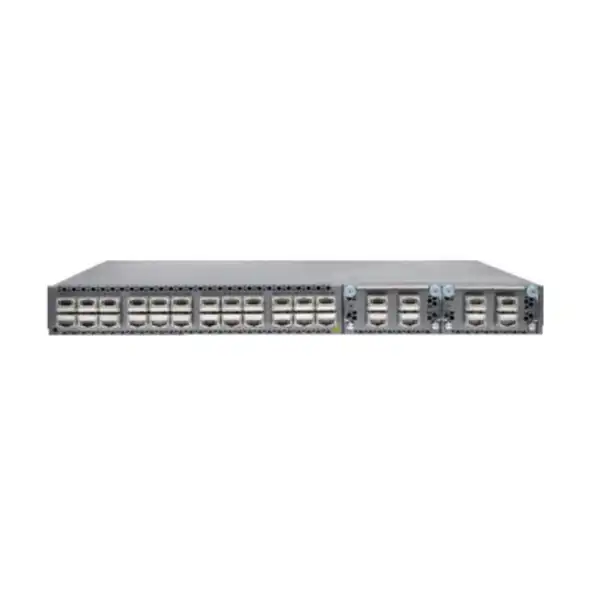
Juniper QFX5110-48S Data Center Switch Dubai
A 1U fixed-form-factor switch for data center server access, leaf deployments, enterprise aggregation edges, and Junos-based fabrics where 48 native 10GbE server-facing ports and four flexible 40/100GbE uplinks match the network design. The purchasing decision should be based on port-speed fit, optics, airflow, power, software feature support, redundancy architecture, and lifecycle requirements rather than model name alone.
Direct answer: what is the Juniper QFX5110-48S?
Why this model exists in a modern data center
The QFX5110-48S occupies a specific position in Juniper’s switching portfolio: it is a dense 10GbE access or leaf switch with four high-speed uplink ports, rather than a general-purpose office access switch or a current-generation 25/100/400GbE platform. That distinction matters because the value of the product comes from matching the installed server interfaces and fabric architecture. In a rack where most hosts expose 10GbE network interfaces, the switch provides a straightforward way to connect a large number of endpoints without consuming excessive rack space. Each of the 48 SFP+ access ports can be matched to supported 10GbE optics, DACs, AOCs, or—where the use case requires it—supported 1GbE optics. Four QSFP28 ports then provide the bandwidth required to connect the rack toward spines, aggregation switches, or other high-capacity network devices.
This design can be attractive in environments with a stable 10GbE server estate because it avoids paying for port speeds that the attached equipment cannot use. A virtualization cluster with 10GbE adapters, a security appliance stack with SFP+ interfaces, a storage system designed around 10GbE iSCSI or Ethernet links, or a compute rack that is not moving to 25GbE during the expected service life can all be sensible candidates. The model also fits organizations extending existing QFX5100/QFX5110 operational practices, because Junos OS provides a consistent configuration and troubleshooting approach across many Juniper switching and routing platforms.
The same architecture can be the wrong choice if the rack refresh already includes 25GbE NICs, if the fabric standard is moving to 100/400GbE at the server-access layer, or if the project requires a new platform selected primarily for a long future lifecycle. In those cases, the correct question is not whether the QFX5110-48S is technically capable; it is whether buying a 10GbE-focused switch would create an avoidable upgrade step. FourTeck’s role in the quotation process is therefore to establish whether the supplied model genuinely matches the deployment horizon, not simply to repeat the published port count.
Core QFX5110-48S specifications buyers should verify
| Specification | QFX5110-48S detail | Buyer relevance |
|---|---|---|
| Form factor | Fixed 1U chassis | Useful for top-of-rack and dense rack deployments where space efficiency matters. |
| Access interfaces | 48 × SFP+ ports, primarily 10GbE; supported 1GbE operation is available with appropriate optics. Certain Junos releases also support 100 Mbps with the appropriate supported copper SFP. | Confirms that the platform is optimized for 10GbE access rather than native 25GbE access. |
| High-speed interfaces | 4 × QSFP28 ports supporting 40GbE or 100GbE; 40GbE mode can be channelized to 4 × 10GbE with supported breakout cabling. | These ports determine uplink capacity, redundancy, and whether breakout is needed for additional 10GbE connectivity. |
| Switching capacity | Up to 1.76 Tbps bidirectional switching capacity and 1.32 Bpps forwarding capacity in published Juniper specifications. | Supports dense 10GbE rack access with high-speed uplinks when the forwarding design and traffic profile are appropriate. |
| Latency | Published low-latency operation around 550 ns under specified conditions. | Relevant to latency-sensitive east-west traffic, though application performance depends on the full path rather than one switch metric. |
| Buffer capacity | 16 MB | Buffer behavior should be considered for bursty traffic, oversubscription, storage flows, and incast-heavy applications. |
| Control plane | 1.8 GHz quad-core Intel CPU, 16 GB memory, and 64 GB SSD as published for the QFX5110 family. | Supports the Junos control and management functions expected of the platform; release selection still matters. |
| Power supplies | Redundant hot-removable power supply design; AC and DC variants exist, with airflow-specific part numbers. | The quotation must match the site power source and hot/cold aisle airflow direction. |
| Software | Junos OS | Feature availability and behavior depend on the Junos release, configuration mode, topology, and support status. |
Port architecture: what 48 SFP+ and four QSFP28 ports actually mean
48 server-facing SFP+ positions
Ports 0 through 47 are the core of the QFX5110-48S value proposition. In the typical data center design they connect 10GbE servers, hypervisors, storage systems, firewalls, load balancers, network appliances, or downstream switching devices. The physical SFP+ form factor does not mean that every optic or cable on the market is automatically appropriate. The exact transceiver type, reach, fiber grade, connector type, DAC length, AOC requirement, and Juniper compatibility should be validated. Supported 1GbE operation can help with mixed-speed estates, but a project with many low-speed copper endpoints is usually better served by a different access platform rather than filling a data center SFP+ switch with copper adapters.
Four flexible high-speed ports
Ports 48 through 51 are QSFP28 positions that can operate as independent 100GbE or 40GbE interfaces. This is where the uplink design is usually built. A pair of 100GbE uplinks to separate spines can provide resilient northbound bandwidth while leaving additional high-speed interfaces for growth, inter-switch connectivity, or other design needs. In 40GbE mode, supported breakout cabling can channelize a port into four 10GbE interfaces. Buyers should not interpret that flexibility as native 25GbE server support: the QFX5110-48S is fundamentally a 10GbE access platform, and its port-mode choices must be mapped carefully before optics are ordered.
The uplink choice directly affects oversubscription. With forty-eight 10GbE access ports, theoretical downstream bandwidth is 480Gbps if every port is active at line rate. Four 100GbE uplinks provide up to 400Gbps of raw northbound port bandwidth before considering topology and traffic direction, which is why Juniper positions the model for low-oversubscription access. Real designs are often more nuanced: two ports may be dedicated to redundant spine uplinks, another may serve inter-rack connectivity, and some workloads communicate largely within the rack. For an accurate design, FourTeck should be given expected server counts, host NIC speed, bonding method, uplink topology, traffic patterns, and growth expectations rather than only the number of switch ports required.
Optics, DACs, AOCs, and breakout cabling are part of the solution
A QFX5110-48S chassis without the correct interconnects is not a complete deployable rack solution. Every populated port needs a compatible media choice. Short 10GbE connections inside the same rack may be practical with supported direct-attach copper cables because DACs are simple, low power, and eliminate separate optics at each end. Longer connections, cross-row links, or structured fiber plant typically require appropriate optical transceivers and patch leads. Active optical cables can also be useful in selected short-to-medium reach cases. The correct choice depends on distance, cable routing, transceiver support at both endpoints, fiber type, connector presentation, bend radius, patch-panel design, and the operational preference of the data center team.
The QSFP28 uplink side requires equal discipline. A 100GbE link to a spine may use SR, LR, CWDM or other supported optical technologies depending on the design, while short same-row connections may use supported copper or active cable options. A 40GbE design has its own optic and cabling choices. When breakout is required, both the port configuration and the physical breakout assembly must match the intended channelization. The project team should therefore identify every endpoint model and port type before choosing part numbers. Matching only speed is not sufficient; supported media, lane mapping, connector format, and distance all matter.
For brownfield environments, the optical inventory should be audited rather than assumed reusable. Existing SFP+ and QSFP modules may have been purchased for another vendor, another reach class, or another encoding requirement. Some third-party optics may function operationally but can complicate support and fault isolation. For production systems that depend on vendor support, the procurement decision should explicitly state whether Juniper-qualified optics are required. FourTeck can structure the bill of materials so chassis, power, airflow, optics, DAC/AOC lengths, breakout cables, and spare modules are reviewed together instead of being purchased in disconnected stages.
Where the QFX5110-48S fits in a leaf-spine architecture
In a conventional leaf-spine data center, each leaf switch connects to every spine switch, and servers connect to one or two leaves depending on the redundancy model. The QFX5110-48S can occupy the leaf role when 10GbE is the required host-facing speed. Its four 40/100GbE ports give the designer enough high-speed interfaces for common two-spine topologies while preserving options for additional connectivity. The benefit of leaf-spine is predictable hop count and strong east-west scaling, but the switch alone does not create those properties. Cabling symmetry, routing design, ECMP, addressing, failure domains, underlay protocol selection, and the overlay or VLAN strategy must all be planned together.
For a simple Layer 3 fabric, the QFX5110-48S can participate in routed leaf-spine designs using Junos routing capabilities. In environments that need network virtualization, QFX5110 platforms also support EVPN-VXLAN functionality in supported Junos releases and topologies. EVPN provides a standards-based control plane, while VXLAN supplies the overlay encapsulation used to extend logical networks across a routed fabric. This can reduce dependence on large spanning-tree domains and support more scalable data center segmentation, but the exact feature set is release dependent. A configuration copied from a newer QFX platform should never be assumed to map feature-for-feature onto the QFX5110.
Redundant server attachment is another design decision. Traditional MC-LAG can be appropriate in certain non-VXLAN designs, while EVPN multihoming is the relevant active-active mechanism in EVPN-VXLAN fabrics. Juniper specifically documents that MC-LAG and VXLAN are not used together in the same way; in EVPN-VXLAN environments, EVPN multihoming is the standards-based approach for multihomed endpoints. This is an important migration point for organizations moving from older dual-switch Layer 2 designs into an overlay fabric.
The number of spines, uplink speed, ECMP path count, server dual-homing method, and failure behavior should be decided before ordering the physical uplinks. A design with two 100GbE links may be sufficient for one rack but inadequate for another with storage-heavy east-west traffic. Conversely, populating all four 100GbE ports may add cost without business value if the rack traffic never approaches that level. Capacity planning should use measured or defensible expected throughput rather than assuming every server port will run continuously at maximum line rate.
Junos OS and operational consistency
Familiar operating model
Organizations already running Juniper routing, security, or switching products may value the consistency of Junos syntax, commit-based configuration, operational commands, logging conventions, and automation interfaces. This can reduce the number of distinct network operating environments that engineers must maintain, but operational consistency should still be validated against the exact Junos release and hardware capabilities.
Release planning matters
A data center switch should not be purchased without a software plan. The target Junos release must support the intended features, optics, protocols, and interoperability requirements. Mature platforms can have a broad release history, so simply choosing the newest image available is not automatically the best production strategy. Approved release guidance, security fixes, known issues, and support entitlement should be checked.
Automation should follow design discipline
Junos environments can be integrated into structured automation and configuration-management workflows. The practical value comes from standardized templates, version control, validation, staged rollout, and rollback procedures rather than automation for its own sake. FourTeck can help scope whether the requirement is basic switch configuration, repeatable fabric build, migration automation, or integration with an existing orchestration process.
Virtual Chassis, Virtual Chassis Fabric, and legacy topology decisions
The QFX5110 family has supported Juniper Virtual Chassis configurations in which multiple compatible switches operate as a logical system. Juniper documentation describes QFX5110 Virtual Chassis designs with up to ten members, including supported combinations with certain QFX5100 models. This can simplify management in some environments because several physical switches are presented through a coordinated control model. However, the operational benefits must be weighed against the failure-domain and upgrade behavior of the chosen topology. A design should never use Virtual Chassis merely because the feature exists; the decision should be based on how the organization wants to handle control-plane redundancy, maintenance, software upgrades, inter-switch bandwidth, and fault isolation.
Juniper also documented Virtual Chassis Fabric for QFX5110/QFX5100 environments, with QFX5110-48S devices functioning as leaf members and suitable QFX5110-32Q devices acting as spine or leaf. Historical VCF support allowed larger logical fabrics, but current Juniper documentation notes deprecation of VCF support in later Junos generations. That makes lifecycle context especially important for new projects. A brownfield customer maintaining an existing VCF has a different requirement from a customer building a net-new 2026 data center fabric. The former may need exact replacement compatibility; the latter should compare contemporary EVPN-VXLAN and current-generation QFX alternatives before choosing a legacy logical-fabric architecture.
For procurement, the topology name is not enough. FourTeck should be given the existing switch models, software release, role of each device, interconnect speeds, current virtual-chassis or fabric configuration, and the reason for the purchase. A spare for an established QFX5110 Virtual Chassis may need to match hardware, optics, power, and software constraints very closely. A new leaf, by contrast, may be better served by a newer model if the design is already moving toward 25GbE access or higher-density 100/400GbE fabrics.
Important limitation: this is not a native 25GbE access switch
One of the most important buying decisions is also one of the easiest to miss. The QFX5110-48S has 48 SFP+ access ports centered on 10GbE connectivity. Those ports are not the same as SFP28 server-access ports on newer 25GbE leaf switches. If the server refresh includes 25GbE network adapters, selecting the QFX5110-48S can create an immediate mismatch between endpoint capability and switch-port capability. The presence of QSFP28 uplinks does not change that limitation: QSFP28 identifies the high-speed uplink form factor, not 25GbE support on the 48 access ports.
This matters because many current data center refreshes use 25GbE as the host-facing baseline, often with 100GbE or 400GbE uplinks. In Juniper’s portfolio, platforms such as the QFX5120-48Y provide native 1/10/25GbE access with 40/100GbE uplinks, while newer QFX5130 variants move further into 100/400GbE-era designs. Those models may be more appropriate for a net-new deployment with a long forward-looking lifecycle. On the other hand, replacing a perfectly adequate 10GbE rack with a newer platform can be unnecessary if endpoint bandwidth, application behavior, and refresh timing do not justify the change.
The decision should therefore be made with the server roadmap in hand. If 80 percent of the connected estate will remain 10GbE for the next several years, the QFX5110-48S can still be a rational fit where support and lifecycle conditions are acceptable. If the project will introduce 25GbE hosts within the first year, the cost of a second switch migration may outweigh any initial saving. FourTeck can compare port counts, uplink bandwidth, optics, support requirements, and migration effort rather than recommending a model solely from its purchase price.
Power, airflow, and rack planning in Dubai data centers
The physical deployment must match the facility. QFX5110 switches are available with airflow-specific fan and power-supply variants, including FRU-to-port and port-to-FRU airflow directions. Juniper requires the fan and power-supply airflow to match; mixing airflow directions can generate alarms and undermine the rack’s thermal design. In a hot-aisle/cold-aisle environment, the switch orientation and airflow direction should be confirmed before the purchase order is finalized. This is particularly important when a network switch is installed with server ports facing the rear of the rack while facility airflow is planned around a different equipment orientation.
Power sourcing must also be explicit. QFX5110 configurations exist with AC and DC power supplies. Published Juniper hardware documentation describes redundant, load-sharing supplies and hot-removable behavior when the second supply remains installed and operational. The correct part number depends on power type and airflow. A quotation should therefore state whether the site needs AC or DC, the required power cords or connector arrangements, the PDU standard, and whether each supply will be fed from a separate power source for resilience.
Power-consumption figures vary by test condition, optics, traffic, ambient temperature, and documentation context. Juniper’s detailed power guide gives typical QFX5110-48S consumption around 167W and maximum around 226W for its specified AC/DC measurement scenarios, while broader product-specification pages may show different planning figures. For facility sizing, the safest approach is to use the latest hardware guide for the exact SKU and then include optical-module consumption and operational margin rather than treating one marketing number as a guaranteed rack draw.
Dubai and UAE deployments can involve high external temperatures even though the data hall itself is controlled. Reliable operation therefore depends on the room, rack inlet temperature, blanking panels, cable management, airflow separation, dust control, and UPS/PDU design, not on the switch alone. FourTeck can help verify chassis direction, dual-feed power, rack depth, cable routing, and spare fan or PSU requirements as part of the bill of materials.
High availability: design resilience instead of assuming it
Power resilience
Use both compatible power supplies and, where the facility supports it, connect them to separate PDU or UPS feeds. Redundant hardware does not protect against a shared upstream power failure when both supplies depend on the same source.
Uplink resilience
Connect leaf uplinks across separate upstream devices where the architecture requires continued operation during a spine, link, or optic failure. Redundancy should be tested with the actual routing or multihoming design, not inferred from multiple cables.
Host resilience
Dual-homed servers need a deliberate LACP, MC-LAG, EVPN multihoming, or routed-host strategy depending on the topology. Cabling a server to two switches does not by itself create a stable active-active design.
Operational resilience
Backups, configuration versioning, tested maintenance procedures, known-good Junos releases, spare optics, and clear rollback plans are just as important as redundant hardware. Many outages occur during change rather than from a physical component failure.
Layer 2, Layer 3, EVPN, and VXLAN design considerations
The QFX5110-48S can operate in rich Layer 2 and Layer 3 environments, but the intended role should be defined before configuration begins. A simple rack may only need VLANs, LAGs, redundant uplinks, and routed links to an upstream core. A larger data center may use a Layer 3 underlay with BGP or another routing protocol, ECMP paths to spines, and an EVPN-VXLAN overlay for tenant or application segmentation. The latter design introduces additional control-plane objects such as route distinguishers, route targets, VTEPs, EVPN routes, and multihoming identifiers. That complexity is manageable when standardized, but it should not be introduced without a clear operational reason.
EVPN-VXLAN is especially relevant where organizations want Layer 2 adjacency across a routed fabric, distributed gateway functions, scalable segmentation, or standards-based multihoming. Juniper documents QFX5110 support for EVPN-VXLAN in appropriate software releases and topologies. However, feature support is not uniform across every QFX model, every Junos version, or every topology. Some combinations have specific constraints, and historical VCF behavior should not be assumed appropriate for a current deployment. The planned Junos release should be checked against Juniper Feature Explorer and the relevant technical documentation before the design is frozen.
MC-LAG deserves separate attention. It can be useful for active-active Layer 2 attachment in conventional designs, but it is not the mechanism to carry into an EVPN-VXLAN fabric. Juniper documents that MC-LAG is not supported with VXLAN in the way a buyer might expect; EVPN multihoming is used instead for redundant host connectivity in EVPN-VXLAN architectures. This distinction affects configuration, migration sequencing, failure testing, and the skill set required of the operations team.
A successful deployment starts with a topology diagram that identifies every L2 domain, routed adjacency, VLAN or VNI, gateway location, server bond, upstream peer, management path, and failure case. Once those are known, the QFX5110-48S can be evaluated against the feature set rather than used as the starting assumption. FourTeck can assist with the hardware and implementation scope, but production designs should always be validated against the exact supported software matrix for the customer’s chosen release.
Sizing the switch for real traffic
Port count is the first sizing check, not the last. A rack with 36 dual-port servers may appear to need 72 interfaces, but the correct design depends on whether every server uses two active 10GbE links, whether hosts are split across two leaf switches, whether ports are dedicated to storage, and whether hypervisor clusters require physically diverse switching. The count should include production ports, management or appliance ports where applicable, uplinks, inter-switch links, and planned spare capacity. Overfilling a new switch on day one creates an avoidable expansion problem, while excessive unused capacity can increase cost without improving resilience.
Bandwidth sizing should use application behavior. A web application tier may have modest average throughput but sharp east-west bursts. Backup networks can produce sustained high utilization. Storage replication may be sensitive to both latency and oversubscription. Virtualization hosts can concentrate traffic from dozens of workloads onto two physical NICs. The aggregate forwarding capability of the QFX5110-48S is strong for its class, but the relevant question is whether the chosen number and speed of uplinks can carry the expected north-south and cross-rack traffic during normal operation and during a link or spine failure.
Failure-state sizing is frequently overlooked. If a rack normally uses four 100GbE uplinks but loses one path, can the remaining paths carry the traffic without unacceptable congestion? If the design uses two 100GbE uplinks, what happens when one is removed for maintenance? If server links are dual-homed, does loss of one leaf cause the surviving switch to absorb a major traffic increase? Capacity should be assessed both in steady state and during the credible failures that the redundancy design is intended to survive.
FourTeck can use server count, NIC speed, utilization data, application categories, uplink topology, redundancy requirements, and growth horizon to decide whether one QFX5110-48S per rack, a redundant pair, additional uplink capacity, or a different platform is the more defensible choice. The resulting bill of materials should reflect the architecture rather than a simple one-chassis-per-rack rule.
Management, monitoring, and troubleshooting expectations
Data center switching is operational infrastructure, so the management design matters from the first day. The switch should have a defined out-of-band or in-band management path, secure administrative access, time synchronization, DNS and NTP planning where required, centralized logging, configuration backup, authentication policy, and monitoring integration. Interface counters, optics diagnostics, routing state, MAC tables, EVPN state, alarms, power-supply status, fan health, CPU and memory trends, and environmental readings should all fit into the organization’s monitoring and incident-response process.
Junos provides detailed operational commands that experienced teams can use for troubleshooting, but a good deployment does not rely on engineers manually logging into a switch after an alert. Telemetry and monitoring should identify degrading optics, increasing errors, flapping links, unexpected routing changes, or resource pressure before the condition becomes a broad outage. Where a customer already uses a network management platform, the project should confirm how QFX5110 devices will be polled, logged, inventoried, backed up, and included in software-compliance workflows.
Optics deserve proactive monitoring because many intermittent data center faults originate in the physical layer. Light levels, temperature, bias current, CRC errors, FEC behavior where applicable, and link flaps can reveal dirty connectors, damaged fiber, marginal optics, unsupported modules, or cabling stress. A disciplined operations process records the expected optical budget and keeps known-good spare modules and patch leads available so that fault isolation does not depend on swapping random components.
The management requirement should be included in the quotation scope. A hardware-only purchase differs from a project that includes staging, base configuration, management integration, monitoring setup, migration support, and post-cutover validation. Defining that boundary before ordering avoids the common situation in which the hardware arrives but no one has agreed who will prepare the configuration or integrate it into the production toolchain.
Deployment workflow for a controlled QFX5110-48S rollout
Confirm the requirement
Record server count, NIC speeds, uplink targets, redundancy model, VLAN or EVPN design, routing protocols, optics distances, airflow direction, power type, rack position, software expectations, and support needs.
Create the bill of materials
Select the exact QFX5110-48S variant, compatible power supplies, fan airflow, rack accessories, SFP/SFP+ optics, QSFP28 modules, DAC/AOC assemblies, breakout cables, patching, spares, and required support or software entitlements.
Preconfigure and test
Verify hardware inventory, Junos version, management access, interface modes, optics recognition, VLAN/routing configuration, redundancy behavior, logging, NTP, authentication, and backup procedures before production cabling.
Move traffic in controlled waves
Use a port map and documented rollback plan. Move low-risk links first where practical, validate forwarding and application health, then migrate critical systems with owners available for testing.
Test failure scenarios
Confirm behavior when an uplink fails, a spine becomes unavailable, a PSU feed is removed, or a redundant server link changes state. High availability is only credible after it has been tested.
Baseline the production state
Save final configurations, interface descriptions, optical levels, routing neighbors, alarm state, software details, serial numbers, support data, topology diagrams, and monitoring thresholds for future troubleshooting.
Migration from older 1GbE or 10GbE switching
A migration project should start with discovery, not cabling. Existing switch configurations often contain historical VLANs, unused trunks, static routes, legacy spanning-tree settings, port security, monitoring addresses, old ACLs, and undocumented server dependencies. Copying every command into a new QFX switch can reproduce years of configuration debt. The better approach is to classify each function as required, obsolete, or to be redesigned, then build the QFX5110 configuration around the intended target architecture.
Moving from 1GbE to 10GbE requires endpoint validation. Servers need suitable NICs, optics or DACs, drivers, firmware, and operating-system configuration. Storage devices may have specific link-aggregation or MTU requirements. Virtualization hosts can require coordination with virtual switches and hypervisor teams. If the old network uses copper RJ-45 extensively, the migration may also require a physical-cabling change to fiber or DAC. The QFX5110-48S can support certain lower-speed modes, but it should not be treated as a substitute for a high-density copper access switch.
Moving from an older 10GbE switch may be simpler physically but more complex logically. The project may be an opportunity to replace large Layer 2 domains with routed leaf-spine connectivity, introduce ECMP, migrate from MC-LAG to EVPN multihoming, or standardize automation. Those changes can improve scalability, but combining every architectural change into one maintenance window increases risk. A staged migration can separate physical switch replacement from overlay redesign when business continuity is more important than immediate transformation.
The rollback plan must be specific. It should state which cables return to which old ports, which configuration is restored, which upstream routes or LAGs must be changed back, how long rollback takes, and what test determines success. FourTeck can help structure the hardware and implementation plan, but application owners and network administrators should agree on validation criteria before any production link is moved.
Use cases where the QFX5110-48S can be a strong fit
10GbE virtualization rack
A rack of hypervisors with 10GbE adapters can use the 48 SFP+ ports for host connectivity and 100GbE uplinks toward the fabric. The design should account for host bonding, storage traffic, vMotion or live-migration bursts, failure-state utilization, and whether future servers will remain 10GbE.
Appliance aggregation
Firewalls, load balancers, IDS/IPS appliances, monitoring systems, storage controllers, and service nodes often expose SFP+ interfaces. The QFX5110-48S can aggregate these systems when their link speeds, redundancy method, optics, and traffic profile fit the 10GbE access architecture.
Existing QFX expansion
Organizations already operating compatible QFX5110 or QFX5100 environments may use the model to expand a known architecture or maintain hardware consistency. Compatibility with the exact Junos release, Virtual Chassis design, optics, support policy, and lifecycle plan should be verified before treating it as a drop-in replacement.
10GbE leaf in a routed fabric
A new or brownfield leaf-spine fabric can use QFX5110-48S switches at the rack edge when 10GbE remains the host baseline. Routed uplinks and ECMP can reduce reliance on spanning tree, while EVPN-VXLAN can be added where its segmentation and multihoming benefits justify the additional operational complexity.
Lab, DR, or secondary site
A 10GbE-focused platform can remain useful for disaster recovery, development, staging, or secondary facilities where workloads do not require the newest 25/100/400GbE access speeds. Support expectations and hardware condition still need to match the business importance of the site.
When another switch should be evaluated
A responsible product page should explain the limits of fit. The QFX5110-48S should not be selected automatically for every data center refresh simply because it is a Juniper QFX model with 100GbE uplinks. Native host-facing speed is the clearest dividing line. Projects standardized on 25GbE server NICs should compare platforms with native SFP28 access. Projects requiring 100GbE server connectivity or 400GbE fabric links should look at newer high-speed QFX families. High-density 40/100GbE aggregation roles may also fit a different model more naturally than a 48-port 10GbE leaf.
The QFX5110-32Q, for example, is a different QFX5110 family member oriented toward 40GbE/100GbE connectivity rather than forty-eight native SFP+ access ports. A customer choosing between the 48S and 32Q should therefore start with endpoint interface types, not total port count. In newer Juniper generations, QFX5120 models add 25GbE-capable access variants, while QFX5130 platforms address higher-speed 100/400GbE-era fabrics. These alternatives can change optics cost, switch count, cable plant, oversubscription, and future migration requirements.
Lifecycle is equally important. Even when the QFX5110-48S meets every technical requirement, the customer should confirm current product lifecycle information, software support windows, entitlement availability, spare strategy, and vendor support options for the intended ownership period. A lower acquisition cost can be outweighed by operational risk if the platform cannot be supported for as long as the application needs it. FourTeck can help compare the supplied model against a current alternative when the project is not constrained by compatibility with an existing QFX5110 environment.
Licensing, software entitlement, and support questions
Hardware capability and usable software functionality are not always the same purchasing question. The QFX5110 runs Junos OS, but the customer should confirm which software features are required, whether those features are supported on the target release, what entitlement or subscription terms apply to the chosen commercial package, and how software updates will be obtained. Licensing models and support programs can change over a platform’s life, so old bills of materials or inherited part numbers should not be assumed valid for a new order.
For a straightforward Layer 2 or Layer 3 deployment, the required software scope may be relatively simple. EVPN-VXLAN, advanced routing, automation, or other data center features can introduce additional software and design dependencies. The project should list required protocols and functions rather than asking generically for an “advanced license.” That makes it possible to validate each requirement against the exact QFX5110-48S and Junos combination.
Support entitlement should also match operational criticality. A lab switch can tolerate a different replacement objective from a production leaf supporting revenue-generating systems. Buyers should decide the desired hardware-replacement response, access to software updates, technical-support coverage, and whether on-site assistance is required. If the product is sourced as replacement or secondary-market equipment, support eligibility and software access should be verified explicitly rather than inferred from the hardware serial number alone.
FourTeck can include the commercial support requirement in the quotation process, but the buyer should provide the expected service life, criticality, existing Juniper support arrangement, and target software functions. This prevents the common mismatch where a chassis is technically suitable yet the associated support or software plan does not meet operational policy.
Security and segmentation considerations
A data center switch is part of the security architecture even when it is not a firewall. VLAN segmentation, routed boundaries, ACLs where supported and appropriate, EVPN segmentation, secure management access, authentication, logging, and control-plane protection all influence the blast radius of a mistake or compromise. The QFX5110-48S should be configured according to a defined trust model: which systems may communicate at Layer 2, which networks are routed, where policy enforcement occurs, and how administrative access is separated from production traffic.
Management interfaces should not simply be placed on an unrestricted production VLAN. Dedicated out-of-band management is preferable where the site architecture supports it because it preserves administrative access during certain production-network failures and separates device control from user traffic. Administrative access should use secure protocols, centralized identity or authentication policy where available, limited source addresses, and monitored change procedures. Default or shared local credentials create unnecessary operational and security risk.
Segmentation design should also reflect the chosen fabric. Traditional VLANs can be sufficient for smaller environments. EVPN-VXLAN can provide scalable logical segmentation across a routed underlay, but it does not eliminate the need for policy. Inter-VRF or inter-segment communication, firewall insertion, gateway placement, route leaking, and shared services must be designed deliberately. The switch should not be expected to replace security controls that belong on firewalls, distributed policy systems, or application platforms.
Before production, the customer should review unused interfaces, management services, logging destinations, NTP, AAA configuration, routing adjacencies, ACLs, SNMP or telemetry access, and software security advisories relevant to the selected Junos release. A secure deployment is a combination of supported software, disciplined configuration, and ongoing operations rather than a one-time hardware feature.
Procurement checklist for the exact QFX5110-48S order
Quotation accuracy: information FourTeck needs from the project team
A meaningful quote should reflect the final topology. The fastest way to improve accuracy is to provide a simple port schedule: how many 1GbE or 10GbE devices will connect, which require single or dual links, what the remote interface type is, and the cable distance. For uplinks, identify whether the requirement is 40GbE or 100GbE, how many independent upstream devices are involved, and whether any high-speed port will be channelized into 10GbE breakouts. That information immediately determines much of the optics and cabling bill.
The rack and facility details matter just as much. State whether the switch ports should face the cold aisle or hot aisle, whether the rack expects front-to-back or reverse airflow, whether power is AC or DC, and whether dual power feeds are available. Include rack depth, PDU type, and cable-management constraints if the installation is tight. This avoids discovering after delivery that the chassis airflow or power assembly is unsuitable for the site.
The logical design should identify whether the QFX5110-48S will be standalone, part of a Virtual Chassis, a leaf in a routed fabric, an EVPN-VXLAN VTEP, or a replacement member in an existing architecture. If it joins existing Juniper switches, provide model numbers and Junos versions. If it connects to third-party spines, servers, or storage, provide those interface specifications as well. Interoperability is often straightforward at Ethernet and routing standards, but exact optics and feature behavior should be tested when the network is business critical.
Finally, state the commercial objective: new equipment, replacement hardware, project spares, expected support level, desired warranty, installation requirement, target delivery location in the UAE, and project timescale. These details allow the quotation to distinguish between a bare chassis request and a deployable production solution.
Compatibility checks before connecting production systems
Compatibility has several layers. At the physical layer, the optic or cable must be supported by the QFX5110-48S and by the remote endpoint. A 10GbE SR optic, for example, requires the correct multimode fiber and a matching optic at the far end. A DAC must be supported on both devices and within the required length. A 100GbE link needs matching lane, optic, fiber, and connector standards. Vendor hardware compatibility tools should be used for final transceiver selection rather than relying on assumptions based only on form factor.
At the link layer, speed, autonegotiation behavior, FEC expectations where relevant, LACP settings, VLAN tagging, MTU, and interface mode must align. Juniper documentation notes that certain 1GbE SFP operation on the QFX5110-48S does not use autonegotiation in the same way buyers may expect. This is a good example of why low-speed compatibility should be tested rather than assumed. Brownfield server or appliance interfaces can also have firmware limitations that only become visible during migration.
At the network layer, routing protocol timers, BGP capabilities, MTU, ECMP behavior, addressing, and failover policy should match the upstream design. EVPN-VXLAN adds additional compatibility requirements around route types, multihoming, VNI mapping, gateway design, and supported software versions. Standards-based protocols improve interoperability, but production deployments still benefit from a lab or staging test when multiple vendors are involved.
For Virtual Chassis or replacement-member scenarios, compatibility becomes even more specific. The exact supported member models, software release, roles, VCP links, and upgrade path must be checked. A physically similar QFX switch is not automatically a supported member in every logical chassis combination. FourTeck should be given the existing topology before quoting a replacement intended to join an established cluster.
QFX5110-48S compared with nearby Juniper choices
| Model direction | Best reason to consider it | Main decision against QFX5110-48S |
|---|---|---|
| QFX5110-48S | Dense 10GbE SFP+ access with four 40/100GbE uplinks in a compact 1U chassis. | Choose it when 10GbE access is genuinely the requirement and the platform’s lifecycle/support fit is acceptable. |
| QFX5110-32Q | QFX5110 family option oriented toward higher-density 40GbE and 100GbE roles rather than forty-eight native SFP+ access ports. | Compare when the requirement is aggregation, 40GbE connectivity, or a different mix of high-speed interfaces. |
| QFX5120-48Y class | Native 1/10/25GbE access with high-speed uplinks for server estates moving to 25GbE. | Prefer this direction when 25GbE host connectivity is a firm near-term requirement rather than an optional future idea. |
| QFX5130 class | Current high-speed fabrics that need substantially more 100GbE/400GbE capability and a newer performance envelope. | Evaluate for modern AI, large-scale leaf-spine, high-density 100GbE, or 400GbE designs where QFX5110 is not the architectural target. |
The comparison is architectural, not a universal ranking. A QFX5110-48S can be a better commercial and operational choice for an existing 10GbE estate, while a newer platform can be the better lifecycle choice for net-new 25/100/400GbE infrastructure. The correct shortlist depends on endpoints, software requirements, support horizon, optics inventory, and migration cost.
Frequently asked buyer questions
Is the QFX5110-48S a 25GbE switch?
No. Its 48 access ports are SFP+ ports centered on 10GbE operation, with supported lower-speed modes in specific conditions. The four QSFP28 ports provide 40GbE or 100GbE connectivity. If native 25GbE server access is required, compare a platform designed with SFP28 access ports.
Can the four QSFP28 ports be used as uplinks?
Yes. They are commonly used as 40GbE or 100GbE uplinks and can also be used as access interfaces where the design calls for it. In 40GbE mode, supported breakout arrangements can provide 4 × 10GbE channels. The exact optic or cable must match the remote device and distance.
Does it support EVPN-VXLAN?
The QFX5110 family supports EVPN-VXLAN in supported Junos releases and topologies. The exact feature set, constraints, and recommended architecture should be checked against the selected software release before production design. Do not assume a configuration from a newer QFX platform is identical.
Can it be used in Virtual Chassis?
Yes, QFX5110 platforms support Virtual Chassis in documented configurations, including supported combinations with certain QFX5100 models. Member compatibility, software version, VCP design, roles, and upgrade planning must be verified for the exact existing topology.
Are power supplies redundant?
QFX5110 hardware is designed with redundant power-supply capability, and Juniper documentation describes hot-removable operation when the second supply is present and running. Both supplies should match the chassis airflow and power type, and they should ideally be connected to separate power feeds where true source redundancy is required.
Do optics come automatically with the switch?
Do not assume so. Optics, DACs, AOCs, breakout cables, and patch leads are part of the project bill of materials and should be listed explicitly. Required quantities depend on populated ports, distances, remote endpoints, fiber standards, spare policy, and the selected uplink design.
Can it replace a QFX5100 switch directly?
It may fit some replacement or mixed-topology scenarios, but a direct replacement should never be assumed from the family name. Compare access-port type, uplink count and speed, optics, Junos release, Virtual Chassis membership, configuration, airflow, power, and support status.
Is it suitable for a new data center in 2026?
It can be suitable when the requirement is specifically 10GbE access and the lifecycle/support plan is acceptable. For net-new environments expecting 25GbE server access or 400GbE fabric growth, newer QFX options should be compared before selecting the QFX5110-48S.
What information is needed for a Dubai quotation?
Provide quantity, deployment role, server port count and speed, uplink speed and destination, optics distances, AC or DC power, airflow direction, redundancy requirement, Junos features, support expectation, installation scope, and delivery location. This produces a materially more accurate bill of materials than a chassis-only request.
Operational risks to address before purchase
The most common risk is buying the right family but the wrong variant. Airflow, power type, optic compatibility, and support status are easy to overlook when a part number is treated as interchangeable. The second risk is architectural: choosing a 10GbE access platform for a project already moving to 25GbE. The third is software-related: assuming that every desired feature works the same way on every Junos release. These risks can be reduced by making the bill of materials the output of a design review rather than the starting point.
A further risk is underestimating migration complexity. Existing racks may contain undocumented links, management dependencies, special MTU settings, storage VLANs, static MAC entries, legacy spanning-tree tuning, or monitoring systems tied to old interface names. A thorough pre-migration discovery and port map prevents these details from becoming emergency troubleshooting items during the maintenance window.
Supply-chain and lifecycle conditions should also be explicit. The QFX5110 remains documented by Juniper, but buyers should verify the exact lifecycle and support status that applies to the requested SKU at the time of purchase. If the requirement is for a long-lived new production platform, support horizon can be as important as switching capacity. If the requirement is a compatible spare for an existing estate, continuity with the installed base may carry more weight than adopting the newest hardware generation.
Finally, redundancy must be validated rather than assumed. Dual PSUs, dual uplinks, and dual-homed servers are only components of availability. The routing design, LACP behavior, EVPN multihoming, configuration consistency, power feeds, upstream diversity, and operational procedures determine whether traffic continues during failure. Include failure testing in the acceptance plan.
Support and lifecycle planning
Enterprise buyers should treat lifecycle as a design input. A switch can meet every technical requirement today yet still be a poor net-new choice if the planned application lifetime extends beyond practical software or hardware support. Conversely, a mature model can be exactly the right purchase when it is being added to an established environment that already depends on compatible hardware and software. The business context determines which factor should dominate.
For new projects, check the current Juniper lifecycle notices, recommended software release, security-fix availability, hardware replacement options, and the commercial support term that can be attached to the unit. For replacement projects, confirm the existing software image and whether the new unit must join a Virtual Chassis or other tightly coupled topology before it can be upgraded. In mixed environments, planned maintenance may need to account for version compatibility across several devices.
Spare strategy is also relevant. Critical data centers often keep spare optics, DACs, power supplies, or complete switches depending on replacement objectives. The correct approach depends on vendor support response, local inventory, lead time, the number of identical deployed units, and the financial cost of downtime. FourTeck can help buyers in Dubai and the UAE structure a procurement plan that distinguishes production units, strategic spares, and accessories rather than treating every item as an isolated purchase.
Why buyer context matters more than headline throughput
Published switching capacity and packet-rate figures are useful because they describe the hardware’s forwarding envelope, but they do not decide whether the switch is right for a particular rack. A low-latency 1.76Tbps platform can still be the wrong choice if the endpoints need 25GbE. Likewise, a newer 400GbE-capable switch can be unnecessary if the entire server estate is fixed at 10GbE and the project values compatibility with an existing QFX5110 environment. Engineering value comes from matching the performance envelope to the application and service-life plan.
Traffic distribution is particularly important. Data center workloads do not all behave like a benchmark. Some racks have mostly north-south traffic toward security and Internet edges; others have heavy east-west traffic between compute and storage nodes. Backup windows can create hours of sustained load while normal business traffic remains light. Machine-learning or analytics clusters may have burst patterns very different from traditional enterprise applications. The QFX5110-48S should be assessed using traffic assumptions relevant to the actual workload.
The same logic applies to latency. A 550ns-class switching figure is impressive, but application response time includes host stacks, virtualization, storage, firewalling, routing, distance, and queueing across the full path. Low switch latency is valuable when the rest of the design is engineered accordingly; it is not a substitute for end-to-end performance analysis. Buyers should avoid paying for a metric that does not materially affect the application while overlooking a port-speed or support dependency that does.
A well-scoped QFX5110-48S project therefore begins with the business service and works backward: what workloads are connected, what bandwidth and resilience they need, what upgrade path is expected, and what network architecture supports those needs. The product is then selected because it matches the requirement, not because the specification sheet is impressive in isolation.
Planning a resilient pair of QFX5110-48S leaf switches
Many production racks use two leaf switches so that a server or appliance can connect redundantly across separate devices. In a 10GbE environment, each server may have two SFP+ links, one to each leaf, with a suitable bonding or multihoming method. This doubles the physical-path diversity but also changes port sizing: a rack of 24 dual-connected servers consumes 24 access ports on each leaf, not 48 ports on a single switch. The remaining ports can serve additional servers, appliances, or growth.
Each leaf also needs independent uplinks. In a two-spine design, each QFX5110-48S can connect to both spines with 40GbE or 100GbE interfaces. The exact number of uplinks depends on desired bandwidth and failure-state capacity. Routed leaf-spine designs can use ECMP so that traffic is distributed across available paths. EVPN-VXLAN fabrics can add overlay services and active-active multihoming where appropriate. More traditional Layer 2 designs may use other redundancy mechanisms, but they should be selected with full awareness of loop prevention and convergence behavior.
Operations teams should test what happens when one leaf is rebooted, one spine is isolated, one host cable is removed, and one power feed is lost. The expected answer is not simply “traffic keeps working.” Engineers should verify which paths remain active, how quickly sessions recover, whether bandwidth is reduced, whether alarms are generated, and whether monitoring sees the degraded state. The acceptance criteria should reflect application tolerance for packet loss or reconvergence.
A paired design also affects the optics budget and rack power. Two switches, twice the number of server-side links for dual-homed hosts, multiple uplinks, and separate PDU feeds all increase the bill of materials. That additional cost is justified only when the business requirement needs device-level redundancy. FourTeck can quote both single-leaf and redundant-pair options when the customer wants to compare acquisition cost against availability objectives.
Common ordering mistakes to avoid
Dubai and UAE deployment considerations
For UAE buyers, the local part of the project is not simply delivery. Data center rack standards, power distribution, airflow orientation, installation access, structured cabling, remote-hands procedures, and support response all influence the final solution. A device that is technically correct can still delay deployment if the wrong power cords, optics, or cable lengths arrive. The quotation should therefore identify the destination facility and whether installation will be performed by the customer’s team, a data center contractor, or FourTeck-supported engineers.
Many Dubai deployments also span multiple locations such as a primary data center, disaster-recovery site, branch aggregation facility, or hosted colocation environment. When several sites are involved, standardizing the exact airflow, software release, optics policy, interface descriptions, and spare strategy can reduce operational complexity. At the same time, each site may have different fiber distances or power arrangements, so a single identical accessory bundle is not always appropriate.
Lead time and hardware condition should be handled transparently. Depending on the sourcing route and product lifecycle, a requested QFX5110-48S may be supplied through different commercial channels. The buyer should state whether only factory-new equipment is acceptable, whether certified replacement or spare options can be considered, and what warranty or support coverage is mandatory. Those constraints can materially affect price and availability.
FourTeck can use the deployment location, project schedule, quantity, exact model requirement, accessories, support level, and installation scope to prepare a more relevant offer. For urgent replacement situations, providing the failed unit’s full part number, airflow type, power type, Junos version, and role in the network can accelerate compatibility checks.
Decision recap: should you shortlist the QFX5110-48S?
What FourTeck needs from you for an accurate quotation
The best quotation request is short but specific. Provide the following information where available; unknown items can be resolved during consultation rather than guessed.
Plan the QFX5110-48S around your rack, not around a generic SKU
For a Dubai or UAE deployment, FourTeck can help translate your port schedule, uplink topology, optics distances, airflow, power, Junos feature requirements, redundancy model, lifecycle expectations, and migration scope into a practical bill of materials. If the QFX5110-48S is the right 10GbE leaf for the job, the quote can be built around the exact accessories and support needed. If native 25GbE or a newer high-speed fabric platform is a better fit, that should be identified before the purchase order is placed.

Reviews
There are no reviews yet.