
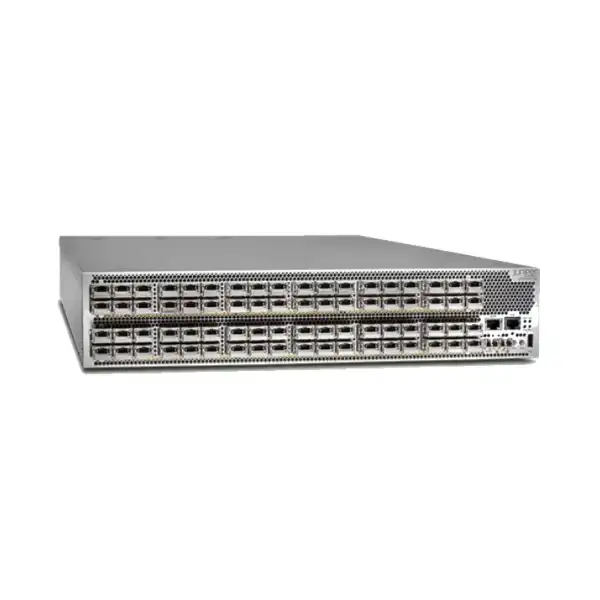
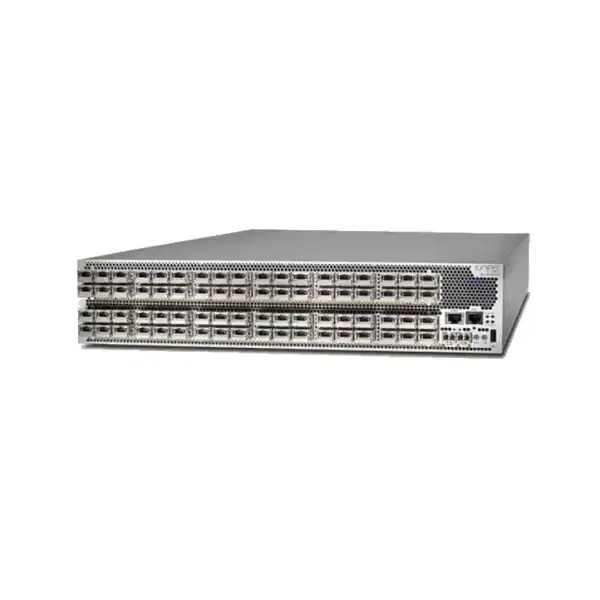
Juniper QFX10002 Data Center Switch Dubai
A fixed 2U QFX10000-family platform for dense 10GbE, 40GbE and 100GbE switching, with deep buffering, Junos OS and deployment roles that can span data center spine, core and selected routing environments. The most important buying decision is not simply whether QFX10002 fits the architecture, but which exact hardware variant, optics, power configuration and lifecycle plan can be supported in the intended UAE environment.
Direct answer: what is the Juniper QFX10002?
The Juniper QFX10002 is a fixed-configuration, high-density Ethernet switch family in the QFX10000 line. It is designed for demanding data center switching and routing roles where 10GbE, 40GbE and 100GbE connectivity, deep packet buffering and high aggregate forwarding capacity are more important than access-layer features intended for ordinary office endpoints.
QFX10002 family position and why exact model identity matters
QFX10002 is not one single port layout. It is a family of fixed 2U platforms, and the suffix changes the practical capacity available to a design. Published Juniper specifications identify QFX10002-36Q, QFX10002-72Q and QFX10002-60C variants. The 36Q and 72Q models are strongly associated with dense 40GbE connectivity while also supporting 100GbE use, whereas the 60C shifts the balance toward much denser 100GbE connectivity. Treating all of these units as interchangeable simply because the chassis name begins with QFX10002 can lead to a wrong bill of materials, insufficient uplink density or an unnecessarily high power requirement.
For a buyer in Dubai, the first useful step is therefore to document the exact part number already installed or required. A project replacing a failed QFX10002-72Q in an existing fabric has different constraints from a greenfield project that merely needs a high-density 100GbE spine. The first case may prioritize configuration continuity, optic reuse, cable compatibility and operational familiarity. The second should compare current-generation alternatives because lifecycle, software longevity, power efficiency and ongoing vendor support may outweigh the convenience of using a familiar legacy platform.
This distinction is especially important because Juniper currently labels QFX10002 documentation and hardware information as end of life. EOL does not mean every installed unit stops functioning. It means procurement and architecture decisions must incorporate lifecycle realities rather than assuming the product has the same support horizon as an actively sold current platform. Existing operators may still have legitimate needs for maintenance spares, like-for-like replacements, laboratory equipment, migration bridges or tightly controlled expansions. However, any such deployment should be evaluated with clear expectations regarding entitlement, software access, recommended Junos versions, security maintenance, replacement stock and the timing of the next network refresh.
FourTeck’s role in this type of engagement is to make the model identity explicit before discussing price. The useful quotation is the one that reflects the required QFX10002 variant, AC or DC power expectations, compatible optics or DACs, desired quantities, rack constraints, support requirement and intended operational lifetime. If those items are not defined, a low headline price can hide a much larger integration or lifecycle cost.
Published QFX10002 capacity at a glance
Juniper publishes materially different throughput, forwarding and port-density figures across the three main models. The table below is a model-selection aid, not a substitute for verifying the exact hardware revision, optic support and Junos release for the intended deployment.
| Specification | QFX10002-36Q | QFX10002-72Q | QFX10002-60C |
|---|---|---|---|
| System throughput | Up to 2.88 Tbps | Up to 5.76 Tbps | Up to 12 Tbps |
| Forwarding capacity | Up to 1 Bpps | Up to 2 Bpps | Up to 4 Bpps |
| Maximum 40GbE density | 36 ports | 72 ports | 60 ports |
| Maximum 100GbE density | 12 ports | 24 ports | 60 ports |
| Maximum 10GbE density | 144 ports | 288 ports | 192 ports |
| Packet buffer | 12 GB | 24 GB | 24 GB |
| Form factor | 2U | 2U | 2U |
Understanding the 36Q, 72Q and 60C choices
QFX10002-36Q
The 36Q is the lower-density member of the group, published with up to 36 40GbE ports, 12 100GbE ports and 144 10GbE ports depending on interface configuration. Its published switching capacity is up to 2.88 Tbps with forwarding up to 1 Bpps, and Juniper lists 12 GB of packet buffer. This model can make sense where an existing 36Q footprint must be maintained or where the required fabric scale does not justify the denser 72Q. It should not be selected purely because it is physically the same 2U height as its larger siblings; port headroom, expected oversubscription and future migration to 100GbE should be considered first.
QFX10002-72Q
The 72Q doubles much of the 36Q density profile, with published maximums of 72 40GbE ports, 24 100GbE ports and 288 10GbE ports. Juniper lists up to 5.76 Tbps throughput, up to 2 Bpps forwarding and 24 GB buffer. It is therefore a more natural fit for large 40GbE-era spine or core environments and for estates that need a larger number of connections without moving immediately to the 60C. Power and thermal planning must reflect the larger hardware configuration rather than assuming the 36Q design can simply be reused unchanged.
QFX10002-60C
The 60C is the most 100GbE-oriented model listed in Juniper’s QFX10002 specifications, with up to 60 100GbE ports, 60 40GbE ports or 192 10GbE ports depending on configuration. Published throughput rises to up to 12 Tbps and forwarding to up to 4 Bpps, with 24 GB of buffer. It is a substantially different capacity proposition from the 36Q and 72Q even though the family name is shared. In a greenfield design, however, its EOL context still means current-generation Juniper platforms should be evaluated alongside it.
Deep buffering and the traffic patterns that make it relevant
One of the distinguishing architectural points Juniper emphasizes for QFX10002 is deep buffering implemented with Hybrid Memory Cube technology. Buffering matters when traffic arrives in bursts or when a faster ingress path feeds a slower egress path for short periods. In a data center, those conditions can occur during distributed storage operations, large backup jobs, east-west application bursts, fan-in patterns, elephant flows or connections between different link speeds. The buffer does not eliminate the need for correct network design, but it gives the switch more room to absorb temporary congestion before packets must be dropped.
This is particularly relevant at boundaries where data center traffic meets links with different bandwidth characteristics. Juniper’s own QFX10002 system overview points to deep buffers as useful where there is a speed mismatch between WAN-facing and data-center-facing interfaces. A buyer should translate that statement into a real topology rather than treating “deep buffer” as a generic performance badge. Identify which links can become oversubscribed, which traffic classes are latency sensitive, whether large bursts are expected, and whether the proposed queueing and class-of-service configuration matches application behavior.
Buffer capacity also differs between models. Juniper lists 12 GB for the 36Q and 24 GB for the 72Q and 60C. That difference belongs in the overall capacity discussion, but buffer size alone is not a sizing formula. Forwarding architecture, traffic distribution, queue configuration, packet size, interface speed transitions and software behavior all affect observed performance. A design team should therefore avoid assuming that twice the buffer produces twice the application performance. The practical benefit appears when buffering characteristics match the congestion patterns the network actually experiences.
For an existing QFX10002 deployment, reviewing interface counters, queue drops, telemetry and traffic peaks can be more useful than simply comparing headline specifications. If the project is replacing an older unit because congestion has become chronic rather than transient, the correct answer may be a higher-capacity architecture or a different oversubscription model instead of another identical chassis.
Interfaces, breakouts, optics and cabling: where quotations often go wrong
The QFX10002 family uses QSFP-class interfaces for 40GbE and QSFP28 for 100GbE on the relevant models, and published port-density figures can also represent lower-speed connectivity through supported interface modes and breakout arrangements. That means a port count in a datasheet is not automatically the same as the number of optical modules or cable assemblies required in a particular design. A 10GbE breakout design, for example, may require breakout cables and supported configurations rather than one independent SFP+ cage for every logical 10GbE connection.
A proper UAE quotation should therefore start from the physical link plan. Record each link speed, medium, approximate distance, fibre type, connector method and the device at the far end. Short intra-rack or adjacent-rack connections may be candidates for direct-attach or active cable options where supported, while longer distances normally require optics suited to the fibre plant. Single-mode and multimode requirements are not interchangeable, and reach must be matched to the actual path rather than to a rough room-to-room estimate. Patch panels, structured cabling and intermediate cross-connects can materially change the optical path budget.
Compatibility should also be checked against the precise QFX10002 model, Junos OS release and hardware support tables. An optic that is mechanically QSFP28 does not become a supported choice merely because it can be inserted into a QSFP28 cage. The relevant vendor compatibility matrix, supported speed, FEC behavior where applicable, breakout support and peer-device expectations all matter. In an EOL platform, this verification becomes even more important because operators may be tempted to mix old and new optics from different generations during a partial refresh.
For expansion projects, provide FourTeck with the existing optic part numbers if reuse is expected. That single step can expose hidden constraints early: a new link may need a different reach, a 40GbE optic may not support the planned breakout, or the far-end switch may impose its own transceiver requirements. Optics and cabling are part of the architecture, not accessories to add after the chassis has been selected.
Power, cooling and rack planning for a 2U high-capacity platform
All three published QFX10002 variants use a fixed 2U chassis, but their power configurations and consumption are not identical. Juniper’s current specifications list typical and maximum consumption figures of approximately 560 W typical and 800 W maximum for QFX10002-36Q, 1050 W typical and 1425 W maximum for QFX10002-72Q, and 1728 W typical and 1824 W maximum for QFX10002-60C. These figures immediately show why a data center team should not reserve power based only on rack-unit count.
The 36Q and 72Q published ordering information includes AC and DC options, and Juniper describes redundant power-supply arrangements that differ by model. The 36Q is associated with two 1600 W power supplies, while the 72Q and 60C are associated with four 1600 W supplies in the published product information. The exact installed supply type and feed design must be confirmed on the equipment being sourced. In a dual-feed data center, power distribution should preserve redundancy across independent PDUs or feeds where the facility design supports it. A technically redundant switch can still have a single point of failure if all power inputs ultimately depend on one upstream source.
Cooling is front-to-back according to Juniper’s published system specifications, with three hot-swappable fan modules and redundant fans. Airflow direction should be checked against the hot-aisle/cold-aisle plan. A 2U appliance placed in the wrong airflow orientation can create recirculation or local hotspots even when total room cooling capacity appears adequate. Rack depth matters as well: Juniper publishes a chassis depth around 31 inches, with hardware specifications showing additional depth when field-replaceable units are included. Rear clearance for cabling, power leads and service access must therefore be considered.
When planning a replacement in a live rack, capture more than available U-space. Record rack depth, rail compatibility, front and rear clearance, PDU outlet type, feed voltage, cable route, neighboring high-heat devices and whether maintenance access can be achieved without disturbing adjacent equipment. This avoids the common problem of confirming that a switch “fits 2U” while overlooking the operational space required to install and maintain it safely.
Junos OS, EVPN-VXLAN and management considerations
QFX10002 runs Junos OS, giving operators a familiar Juniper control and operations model for switching and routing. Published product information lists a broad Layer 2 and Layer 3 feature set, including technologies such as LACP, spanning-tree variants, static routing, OSPF, IPv6, VRRP and BFD. Juniper also identifies EVPN-VXLAN capabilities across the family, with the published specification page listing VXLAN Layer 2 and Layer 3 gateway functions and EVPN-VXLAN support. The 60C listing additionally calls out EVPN multihoming.
The presence of a feature in a product-family datasheet should not be interpreted as a guarantee that every historical Junos release, exact hardware revision or license state delivers the identical feature set. For an existing network, the safest approach is to document the current Junos version, the target version, active feature usage, configuration dependencies and any automation or telemetry systems that interact with the switch. Then verify that the proposed replacement or expansion unit can run the required software and that the organization retains the necessary software and support rights.
Juniper currently presents Apstra as a management option for QFX10002, positioning it for intent-based data center operations and lifecycle automation. In practical terms, this can be useful for teams that manage fabrics through a higher-level source of truth rather than only through box-by-box CLI changes. However, a buyer should separate “platform can be onboarded” from “our existing design is ready for automated management.” Device support, software versions, cabling intent, topology, role definitions and operational process all have to align.
For a migration, management method affects risk. If the existing fabric is fully automated, inserting a manually configured replacement without reconciling source-of-truth state can create drift. If the environment is predominantly CLI-managed, a new automation project should not be introduced casually during an emergency hardware replacement. Decide first whether the project is a like-for-like restoration, a controlled fabric expansion or an architectural modernization. Each objective suggests a different change plan.
Logging, time synchronization, out-of-band management and configuration backup also belong in the procurement discussion. Juniper’s published hardware information includes management and timing interfaces, including Ethernet management, console, USB and PTP-related interfaces. These are operationally significant for data centers that require precise timing, isolated management networks or tightly controlled recovery procedures.
Lifecycle alert: QFX10002 is currently identified by Juniper as EOL
Juniper’s current QFX10002 documentation and hardware explorer mark the product as end of life. This fact should be visible in any serious buying discussion because it changes the meaning of availability. A unit may still be obtainable through channel inventory, spares pools, refurbished supply or the secondary market, but physical availability is only one part of a viable deployment. Buyers must also consider software access, active support entitlement, security maintenance expectations, replacement-part availability, RMA options, internal standards and the planned retirement date of the surrounding network.
For an existing installation, EOL hardware can still have a rational role. Keeping a controlled spare can reduce recovery time while a migration is being prepared. A like-for-like unit can support a short bridge period when replacing the entire fabric immediately would create excessive operational risk. Laboratory or compatibility testing may require the same platform used in production. These are different decisions from choosing QFX10002 as the foundation for a new multi-year data center build.
For greenfield deployments, the burden of proof should be higher. The buyer should compare current-generation QFX platforms with suitable port density and fabric roles, looking at 100GbE or higher-speed evolution, power efficiency, software longevity, automation support, telemetry, vendor lifecycle and future serviceability. Even if the initial acquisition cost of legacy hardware appears attractive, the total cost can increase if spares become difficult to source, if software compatibility blocks upgrades, or if the architecture must be replaced again sooner than planned.
FourTeck can frame a quotation around the intended lifetime. Tell us whether the QFX10002 is a replacement spare, an expansion for a known estate, a temporary migration platform or a candidate for a new network. That context is more valuable than a generic request for “one QFX10002,” because the right commercial and technical recommendation may be a specific legacy model, a spare strategy or a move to a newer platform.
Data center spine design: when QFX10002 fits and when it may not
A spine switch must be evaluated as part of a fabric, not as a standalone appliance. The number of leaf switches, uplinks per leaf, uplink speed, desired oversubscription, failure-domain strategy and growth plan determine how many spine ports are needed. The QFX10002 variants provide very different answers. A 36Q may be sufficient in a smaller 40GbE design, while the 72Q offers more spine-facing capacity, and the 60C is materially better aligned with dense 100GbE connectivity. Selecting between them requires a port-by-port topology, not an approximate device count.
Consider a fabric where each leaf uses multiple uplinks to every spine for resiliency and bandwidth. The relevant question is not just how many leaf switches exist today, but how many spine-facing ports are consumed after redundancy and planned expansion are included. Reserve realistic headroom. A spine running almost completely full on day one can make routine growth disproportionately difficult, because adding leafs may require immediate architecture changes or optic reallocation. Conversely, overbuying an EOL platform solely for theoretical future scale may lock the network into aging hardware longer than intended.
Latency requirements should also be interpreted correctly. Juniper publishes latency as low as 2.5 microseconds within a packet-forwarding engine and 5.5 microseconds across packet-forwarding engines in the product specifications. Those values describe device forwarding conditions and are useful for understanding the platform class, but application latency depends on far more than switch silicon. Queuing, optical distance, server stacks, congestion, routing path and application architecture contribute to end-to-end behavior.
A QFX10002 may be a practical fit when continuity with an existing fabric is essential, the required port speeds are within 10/40/100GbE, deep buffering is useful, the team is comfortable with Junos OS and lifecycle risks are explicitly managed. It may be a poor fit when the project needs a long current-vendor support horizon, higher-speed interfaces beyond the platform’s published focus, substantially better power efficiency, an architecture standardized on another management stack, or a greenfield design intended to remain unchanged for many years.
The decision should therefore be made against the fabric lifecycle, not only the switch lifecycle. If the surrounding leaf switches are also due for replacement soon, investing in another legacy spine can delay but not remove the modernization requirement. If the fabric must remain stable for a short defined period, a matched replacement can be the lower-risk operational choice.
Routing and core use: validate scale against the real control plane
Juniper positions QFX10002 not only for data center switching but also for demanding core and routing environments. Published scale figures include support for large MAC, ARP and route tables, with values differing by model for several resources. For example, Juniper’s current comparison information lists MAC address scale of 256,000 for the 36Q, 512,000 for the 72Q and 1,000,000 for the 60C. ARP entries are listed at 192,000 for 36Q and 340,000 for both 72Q and 60C, while IPv4 and IPv6 unicast/multicast route figures are listed at 128,000 in the current specifications.
These headline values are useful, but route-scale procurement should never rely on one table row in isolation. Hardware resource use can depend on how features are combined, which address families are active, how forwarding tables are partitioned and what Junos release is deployed. A network that simultaneously needs large host tables, extensive ACLs, multicast state and overlay functions can stress resources differently from a network that uses one scale dimension heavily. Juniper’s own material labels several values as unidimensional, which is a strong reminder that maximum figures are not always simultaneously achievable.
Before selecting QFX10002 for a routing or core role, capture current control-plane scale from the live network. Count prefixes, neighbors, ARP or ND entries, MAC addresses, VLANs, VRFs, multicast groups, policy filters and expected growth. Also record routing protocols, convergence requirements and whether BFD is used. If the existing device is already close to a resource limit, replacing it with the same model can restore hardware redundancy without solving the capacity issue that caused operational concern.
For core deployments in Dubai enterprise or service environments, resilience design is equally important. Determine whether redundancy is achieved through multiple fixed switches, routing protocols, EVPN multihoming, MC-LAG or another architecture. A fixed chassis can be highly capable, but the network must be designed so maintenance or a full chassis failure does not create an unacceptable outage. The appropriate comparison is therefore between complete resilient designs, not between one QFX10002 and one competing box.
Migration planning for an existing QFX10002 environment
Replacing or retiring a spine/core switch affects more than the chassis. A controlled migration begins with an inventory of physical links, optics, breakout cables, interface descriptions, VLANs, routing adjacencies, EVPN state, link aggregation groups, out-of-band management, monitoring, automation and dependencies on timing or external services. This inventory should be compared with both the replacement platform and the current configuration rather than assuming the running network matches the original design documents.
For like-for-like replacement, configuration portability must still be tested. Hardware identifiers, interface naming, software release differences, feature deprecations and unsupported statements can complicate a nominally simple swap. Back up the configuration and operational state, but also capture the facts needed to prove the new unit has joined correctly: routing neighbor counts, EVPN routes, MAC learning, LAG member state, interface errors, queue statistics, software alarms and monitoring visibility. A backup file is not a validation plan.
For migration to a newer Juniper platform, focus on service equivalence rather than line-by-line configuration translation. The new hardware may use different interface speeds, breakout capabilities, ASIC behavior or recommended fabric design. Use the opportunity to remove obsolete configuration, rationalize unused VLANs and policies, and confirm whether the target architecture should continue the same control plane. Where Apstra or another automation system is used, model changes in the source of truth and validate the intended topology before production cutover.
A phased migration is often safer when the fabric design allows it. New and old spines may coexist temporarily if protocol compatibility and topology are carefully planned, but temporary states can add complexity. Define how traffic will move during each phase, how to roll back, what constitutes acceptance, and which failure conditions trigger rollback. Maintenance windows should account for verification time, not only cable-moving time.
FourTeck can support the hardware and planning side by mapping the required replacement or successor against current ports, optics, power and topology. For a migration quotation, provide the current model list, Junos release, desired target speeds, device quantities and whether installation or configuration assistance is required. That information helps separate a straightforward hardware replacement from a larger network transformation.
Operational resilience, maintenance and spares strategy
Because QFX10002 is a fixed platform, a resilient network should assume that a complete chassis can fail or need maintenance. Redundancy at the network level is therefore central. Dual-spine or multi-spine topologies, redundant routing adjacencies and appropriately distributed uplinks can allow traffic to continue when one switch is unavailable. The exact mechanism depends on the architecture, but the objective is consistent: no single QFX10002 should carry a business service that cannot tolerate its removal from service.
Hot-swappable power supplies and fan modules improve field serviceability, but they do not replace network redundancy. A switch may require a software reboot, control-plane maintenance or full replacement even if individual fans and power supplies are replaceable. Organizations with strict recovery targets should therefore keep critical FRUs and possibly a full compatible spare, especially as platform age and EOL status reduce the certainty of rapid replacement supply.
A spare strategy should be based on restoration time rather than fear. If the network can tolerate a 24-hour hardware replacement because redundant spines carry the load comfortably, a locally stored full chassis may not be necessary. If a failed legacy unit would leave the fabric operating without redundancy for an unacceptable period, holding a tested spare can be justified. Test spares periodically: verify boot, software version, licenses or entitlement assumptions, management access, power supplies and the ability to accept the intended configuration.
Maintenance planning should also include upgrade compatibility. A spare running a much older Junos release may not be appropriate for immediate insertion into a production fabric. Conversely, upgrading an EOL platform without checking release support can introduce risk. Keep a documented software baseline and recovery image where licensing and support rights permit. Record serial numbers and hardware revisions so replacement planning is based on the actual estate.
For UAE deployments with equipment distributed across multiple sites, decide which locations need local spares and which can rely on central stock in Dubai. Transit time, site access rules and the availability of trained staff are part of the recovery calculation. The best spare is one that can be identified, transported, installed and validated within the required service window.
Security, software currency and support entitlement
Network infrastructure security depends heavily on software maintenance and operational discipline. For an EOL platform, buyers should make software supportability a procurement gate rather than a post-purchase question. Determine which Junos release is currently deployed, which release the organization intends to run, whether software downloads remain available under its entitlement, and what vendor support coverage applies to the exact hardware and software combination.
Do not assume that acquiring hardware automatically transfers every right associated with a previous owner’s support contract or software access. Secondary-market hardware may arrive without the commercial entitlements expected in an existing account. The organization should validate licensing and support terms through the appropriate channels before relying on the switch for a long-lived production service. This is particularly important where internal audit or cyber-security policy requires supported software and defined patch timelines.
Configuration hardening should be reviewed whenever hardware is replaced. Restrict management services, use authenticated administrative access, integrate with the organization’s AAA design where appropriate, keep management traffic on controlled networks, send logs to centralized collectors and monitor configuration changes. Disable services that are not required. These are general operational controls, but they become more important during migrations because emergency replacements can tempt teams to bypass normal standards.
Software currency must be balanced with platform stability. Upgrading only because a newer image exists is not a strategy; staying indefinitely on an obsolete image is not one either. Review release notes, known issues, hardware compatibility and required features. Test changes in a representative environment when possible. If the platform’s lifecycle prevents the software posture required by policy, the correct remediation is platform migration rather than an attempt to compensate indefinitely with operational workarounds.
A FourTeck quotation can distinguish hardware supply from support and deployment services. If vendor support, software entitlement or implementation assistance is mandatory, state that requirement explicitly so it can be treated as a design constraint rather than assumed.
Performance sizing beyond headline terabits
Published switching capacity is an important sanity check, but data center sizing should start from traffic flows. Measure or estimate east-west traffic between server groups, north-south traffic to WAN or internet edges, replication traffic, storage flows, backup windows and expected growth. Then map those flows onto physical links and failure scenarios. A fabric that appears lightly loaded in normal operation may become heavily oversubscribed after one spine or uplink group fails.
The 36Q, 72Q and 60C capacity differences matter most when they are translated into the intended topology. Up to 2.88 Tbps on 36Q, 5.76 Tbps on 72Q and 12 Tbps on 60C indicate progressively larger switching envelopes, but the usable design depends on how ports are configured and how traffic is distributed. If most links run at lower speeds through breakout, logical port count increases while the physical high-speed lane budget remains tied to the platform architecture. If most links run at full 100GbE, the 60C offers a very different scale from the 36Q.
Packet-per-second capacity can also matter for workloads dominated by smaller packets. Juniper publishes up to 1 Bpps, 2 Bpps and 4 Bpps for the 36Q, 72Q and 60C respectively. Again, these figures should be viewed as platform limits, not guaranteed application throughput. ACL processing, routing scale, encapsulation, telemetry and other enabled features can influence resource usage and behavior. Validate the combination of features used in production.
For capacity planning, include a defined headroom policy. Many operators avoid designing links to run continuously near saturation because bursts, failure reroutes and growth can cause abrupt congestion. The exact headroom target depends on application tolerance and cost, but it should be explicit. If the network consistently needs the top end of a QFX10002 variant’s capacity, a newer or larger platform may provide a cleaner operating margin and a longer lifecycle.
FourTeck can use a simple traffic and port matrix to narrow the hardware choice: current average and peak traffic, desired link speeds, number of leaf or peer devices, redundancy model, growth horizon and expected failure-state utilization. This produces a more defensible recommendation than choosing the model with the highest published number.
Use-case fit matrix for Dubai and UAE data centers
Existing QFX10002 spine replacement
Often the strongest fit. Exact model matching, configuration compatibility, optics reuse, software baseline and replacement urgency are the main questions. A spare or like-for-like unit can restore redundancy while a broader migration is planned.
Expansion of a 40GbE fabric
Potential fit, particularly where 36Q or 72Q compatibility is important. Port headroom, optical reuse and the remaining useful life of the entire fabric should be examined before adding more legacy capacity.
Dense 100GbE legacy environment
The 60C offers the family’s strongest published 100GbE density. It can be relevant where an installed 60C architecture must be preserved, but current-generation alternatives should be evaluated for new capacity.
New long-life greenfield fabric
Usually requires comparison with newer QFX platforms. EOL status, future support, software longevity, higher-speed roadmap and power efficiency can outweigh compatibility advantages where no legacy QFX10002 estate exists.
Lab, staging or migration bridge
A practical use when production behavior must be reproduced or a temporary interconnect is required. Hardware condition, software rights and non-production support expectations should still be documented.
High-buffer boundary role
Potentially useful where burst absorption and speed mismatches matter. Confirm that the specific topology, queue behavior and interface requirements align with the platform rather than selecting it solely for buffer size.
What to inspect when buying refurbished, secondary-market or spare QFX10002 hardware
End-of-life infrastructure is frequently sourced outside ordinary current-product distribution, so hardware condition becomes part of technical due diligence. Confirm the exact chassis part number, power-supply type, fan modules, included mounting hardware and cosmetic or physical condition. Request serial information where appropriate and ensure the received unit matches the quoted model. A QFX10002-36Q is not an acceptable substitute for 72Q simply because both occupy 2U and share the same product family.
Power supplies and airflow components deserve special attention. Mixed or missing FRUs can complicate deployment. Verify that all required power supplies are present, the supply type matches the facility, fan trays are installed, and airflow direction is suitable. Do not assume cables are included unless the quotation lists them. UAE sites can use different PDU arrangements, and a power cord that is physically supplied may still be unsuitable for the target rack.
Ask how the unit has been tested. Useful checks include successful boot, hardware self-test status, fan operation, power-supply recognition, management access and basic port testing. For a production spare, the buyer may also want burn-in testing or a staging process that loads the intended Junos version and validates configuration compatibility. A device that merely powers on is not necessarily ready to replace a failed spine during a maintenance emergency.
Optics require separate scrutiny. If transceivers are included, identify their exact part numbers and whether the buyer expects vendor-supported optics, third-party compatibility or reuse of existing modules. Mixing unknown optics into a troubleshooting event can add uncertainty at the worst possible time. Maintaining a known-good set of optics and cables for critical links can simplify recovery.
Finally, distinguish hardware warranty from manufacturer support. A reseller may offer a warranty covering physical replacement, but that is not the same as an active Juniper support entitlement with software and technical-support rights. The commercial proposal should make this distinction clear. Buyers with compliance requirements should have their procurement and IT governance teams confirm what type of coverage is acceptable before ordering.
When FourTeck sources a QFX10002 requirement, the useful request specifies whether the priority is a production-grade replacement, a cold spare, lab use or a short migration bridge. That purpose guides the acceptable condition, testing level, required accessories and support expectations.
Installation preparation and commissioning sequence
Installation should begin before the switch reaches the rack. Confirm the site readiness: available 2U space, rack depth, rail or mounting arrangement, front-to-back airflow, power feeds, PDU outlets, grounding practices, cable-management space and out-of-band management availability. Label every planned network link and map it to a switch interface. If breakouts are used, document both the parent port and individual logical lanes so operations teams can troubleshoot the physical path later.
Stage the software and configuration in a controlled area when possible. Verify the installed Junos release, boot media health, chassis alarms, fan status, power supplies and management connectivity. Apply the organization’s baseline configuration for authentication, logging, NTP or PTP as required, DNS, SNMP or telemetry, and secure management services. Then load the role-specific configuration and compare it against the intended architecture.
During rack installation, preserve airflow and service access. Route power from redundant supplies to the intended independent feeds, then verify the switch continues operating as expected under permitted feed-failure tests if change procedures allow. Connect out-of-band management before production interfaces so the device remains reachable during the rest of commissioning. Clean fibre connectors and inspect patching practices; optical faults can resemble switching or software problems.
Bring production links up in a controlled order. Validate interface speed, FEC or other link settings where relevant, LACP membership, routing neighbors, EVPN state, VLAN reachability and any expected overlay tunnels. Monitor errors, drops and alarms. A successful link light is only the first checkpoint. The device should also be visible in monitoring, logging and configuration-management systems before the installation is considered complete.
For a replacement in a redundant spine pair, observe traffic behavior before and after restoring the second device. Confirm that traffic redistributes as intended and that the fabric has returned to its expected failure tolerance. If the replacement changes the software version, watch for protocol or feature differences. Keep rollback steps available until post-change validation is complete.
A commissioning record should capture final serial number, software version, management address, rack position, power feed mapping, optic part numbers, interface assignments and test results. This information becomes especially valuable years later when another legacy component must be replaced quickly.
Capacity, resilience and cost trade-offs in model selection
The cheapest QFX10002 variant is not automatically the lowest-cost solution, and the largest variant is not automatically the safest. Capacity has value only when the architecture can use it. A 72Q may reduce chassis count relative to multiple smaller devices, but a design should still preserve suitable failure domains. A 60C can deliver far more 100GbE density, but its higher power profile and legacy lifecycle need to be justified by actual requirements.
For existing networks, compatibility can dominate the calculation. Reusing optics, cables, configuration patterns and operational knowledge may lower migration risk. However, reuse can also hide future cost if it locks the organization into 40GbE when the next server or storage refresh expects 100GbE or higher. Compare the cost of extending the existing fabric for a defined period with the cost of moving to a newer architecture. The time horizon should be explicit: “keep this fabric for 18 months” is a different business case from “build the next five-year core.”
Resilience also has a cost dimension. Two moderately sized switches can sometimes provide a better operational design than one larger switch if the architecture can spread risk effectively. Conversely, too many small units can increase management overhead, optics count, power use and rack consumption. Evaluate complete bills of materials, including chassis, power, optics, cables, spares and support—not only switch price.
Power cost matters over time. The published typical consumption difference between 36Q and 60C is substantial. In a large deployment, energy and cooling can become a meaningful operating expense. Current-generation platforms may deliver more capacity per watt, so a legacy purchase should not be justified solely by low acquisition cost if it will operate continuously for years.
A balanced selection therefore weighs immediate compatibility, required capacity, failure tolerance, operational workload, lifecycle horizon and total ownership cost. FourTeck can build the quotation around those inputs and, when appropriate, highlight where a newer QFX platform deserves comparison before the organization commits to legacy expansion.
Buyer questions to settle before requesting a QFX10002 quotation
Which exact model?
Provide 36Q, 72Q or 60C and the AC/DC requirement if known. If replacing a failed unit, include the exact part number from the installed chassis.
How many links and at what speed?
List current and planned 10GbE, 40GbE and 100GbE connections, including redundancy and growth headroom.
Which optics and fibre?
Identify reach, fibre type, connector path, peer device and whether existing optics must be reused.
What software baseline?
Record the current Junos release, required features, automation integrations and any entitlement or support constraints.
What is the intended lifetime?
State whether the unit is a spare, temporary bridge, legacy expansion or planned production platform. EOL status makes this distinction essential.
What services are required?
Specify hardware-only supply, staging, installation, migration support, configuration assistance, testing, warranty expectations and support requirements.
Frequently asked questions about Juniper QFX10002
Is QFX10002 still a current Juniper product?
Juniper currently marks QFX10002 documentation and hardware information as EOL. Existing systems can continue to operate, but new purchases should be evaluated with lifecycle, support, software and migration implications clearly understood.
What is the difference between 36Q and 72Q?
The 72Q provides higher published port density, throughput and buffer capacity. Juniper lists up to 72 40GbE or 24 100GbE ports for 72Q versus up to 36 40GbE or 12 100GbE ports for 36Q, with 24 GB versus 12 GB buffer.
Which QFX10002 model is best for 100GbE?
Within the published family, the 60C has the highest 100GbE density at up to 60 ports and the highest switching capacity at up to 12 Tbps. For a new design, newer Juniper platforms should still be compared because QFX10002 is EOL.
Does QFX10002 support EVPN-VXLAN?
Juniper publishes EVPN-VXLAN and VXLAN Layer 2/Layer 3 gateway capabilities for the family. Exact feature behavior should be verified against the selected model, Junos release and current support documentation.
Can existing 40GbE optics be reused?
Possibly, but reuse should never be assumed. Check the exact optic part number, QFX10002 hardware variant, Junos release, breakout requirements, fibre plant and far-end device. Unsupported optics can create reliability or support issues.
Is QFX10002 suitable as a spare?
Yes, a tested compatible spare can be useful for an installed legacy estate, especially when restoration time matters. The spare should match required hardware, power, software and configuration assumptions and should be periodically validated.
Does QFX10002 need special rack planning?
It is 2U, but depth, power and cooling are significant. Juniper publishes approximately 31 inches of chassis depth and front-to-back airflow. Confirm rack depth, rear clearance, PDU capacity and cable-management space.
Can FourTeck quote installation as well as hardware?
State the required scope when requesting a quotation. Hardware supply, staging, rack installation, optics, cabling, configuration assistance and migration planning are different service components and should be priced and scheduled according to the project.
Technical procurement checklist for UAE projects
A complete QFX10002 request should be detailed enough that two technical reviewers would independently understand what must be supplied. The checklist below is intentionally practical because legacy data center procurement often fails at the boundaries between hardware, optics, software and deployment responsibility.
How to compare QFX10002 with a newer alternative
A meaningful comparison should use the intended architecture as the benchmark. Start with port speeds and counts, then evaluate switching capacity, packet buffer behavior, route and host scale, physical size, power consumption, airflow, optics, automation, telemetry, software lifecycle and support. A newer switch that looks expensive can be the lower-risk option if it removes the need for another near-term refresh and reduces operational complexity.
Do not compare only maximum throughput. If the existing network depends on 40GbE optics and a specific breakout pattern, migration cost may be dominated by transceivers and cabling rather than chassis price. If the project is moving to 100GbE server or storage connectivity, a newer platform with denser native 100GbE or higher-speed uplinks may provide a more natural growth path. If the fabric uses EVPN-VXLAN, compare validated feature support, scale and operational tooling rather than assuming every platform implements overlays identically.
Power and cooling deserve explicit comparison. Legacy high-capacity switches can consume significant energy. A newer platform may offer more capacity in the same or smaller rack footprint with better efficiency. Over a multi-year service period, the difference can affect both power cost and data-center cooling allocation. This is particularly relevant for dense UAE facilities where rack power budgets are carefully managed.
Lifecycle may be the decisive factor. QFX10002’s EOL status means a buyer should define how long the platform must remain supported and what software posture the organization requires. A current product family may offer a clearer upgrade path, longer availability of spares and more predictable vendor support. For a short bridge, those benefits may not justify a complete migration. For a new five-year design, they often carry substantial weight.
The most balanced procurement decision can therefore be “use QFX10002 here, but not everywhere.” An existing pair may receive a matched spare while new racks adopt a modern fabric. A legacy expansion may be approved only as a temporary measure tied to a funded migration date. FourTeck can structure options so the buyer sees the immediate replacement cost and the alternative modernization path rather than receiving a single unqualified recommendation.
Decision recap
What FourTeck needs for an accurate QFX10002 quotation
Send the following information where available. Missing details can be worked through during consultation, but supplying them early reduces the risk of quoting the wrong legacy variant or incomplete accessory set.
Plan the QFX10002 decision around your real network, not just the chassis name
Whether you need a QFX10002-36Q replacement, a 72Q spare, a 60C capacity match or a migration path away from the QFX10002 family, the right starting point is an exact technical requirement. FourTeck can help compare model density, optics, power, rack fit, Junos compatibility, support expectations and lifecycle risk for Dubai and UAE data center environments.

Reviews
There are no reviews yet.