
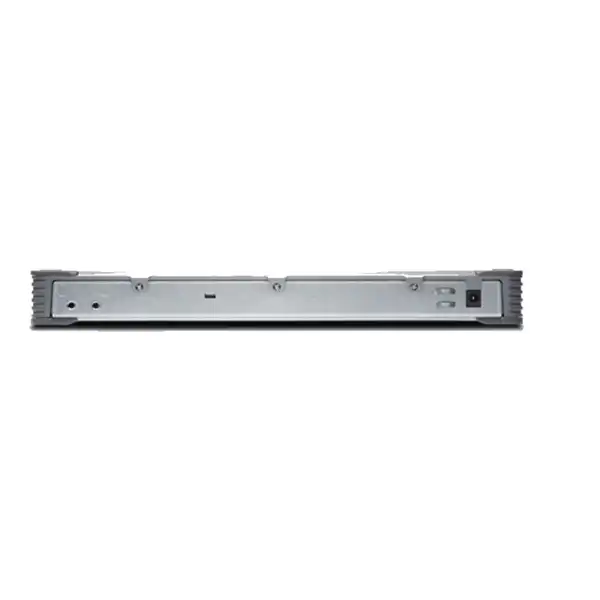
Juniper SRX300 Firewall in Dubai, UAE
A compact Junos OS services gateway for small branches, retail locations and remote offices that need routing, switching, IPsec VPN, stateful security and an upgrade path to advanced threat protection without moving to a large rack appliance.
Direct answer: is the Juniper SRX300 the right firewall for your branch?
The Juniper SRX300 is a fixed, desktop-form-factor firewall and services gateway running Junos OS. It is mainly used at small branch, retail and remote-office edges where a business wants firewalling, routing, switching and secure VPN connectivity in one compact platform. It should be considered when the site fits within 1GbE access connectivity, does not require PoE+ from the firewall itself, and does not need the higher interface density or expansion slots available further up the SRX300 family.
The most important factor to confirm is not the headline firewall number alone. Juniper publishes different throughput figures depending on packet size and enabled security functions. The SRX300 hardware compatibility data lists 1,900Mbps firewall throughput with 1518-byte packets, 600Mbps firewall throughput with IMIX traffic, 336Mbps IPsec VPN throughput with 1400-byte packets, and a recommended IPS figure of 200Mbps. Real branch performance therefore depends on traffic mix, encryption, inspection features, application control, logging and policy design.
FourTeck can help determine whether the SRX300 has enough practical capacity for the intended UAE site, which subscriptions are required for the desired security services, whether SFP optics or rack accessories are needed, and whether a larger SRX model would provide safer growth headroom.
Why the SRX300 remains a distinctive small-branch platform
The SRX300 is not simply an eight-port appliance with a firewall feature switched on. Its main identity comes from the way Juniper combines a branch router, security gateway and Ethernet switching functions under Junos OS. For organizations already operating Juniper infrastructure, this can matter more than raw appliance size. Teams can work with familiar policy concepts, routing protocols, operational commands and lifecycle processes rather than introducing a completely different branch operating model for small sites.
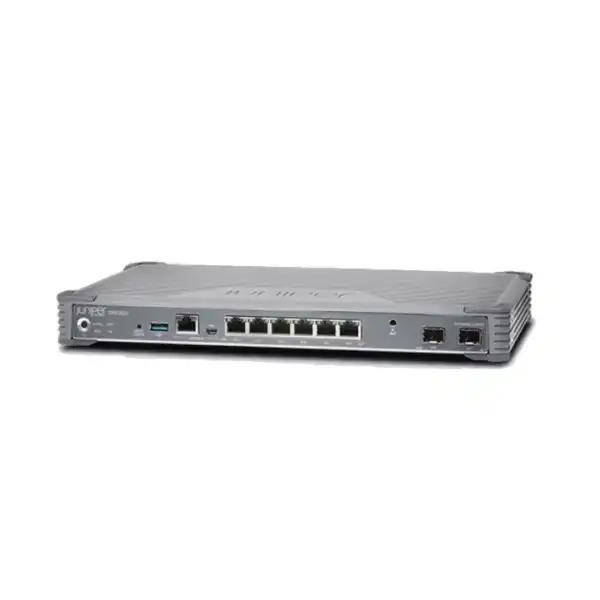
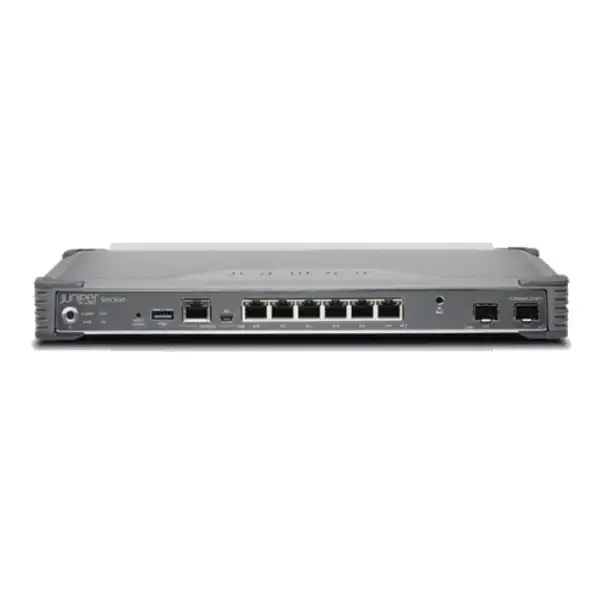
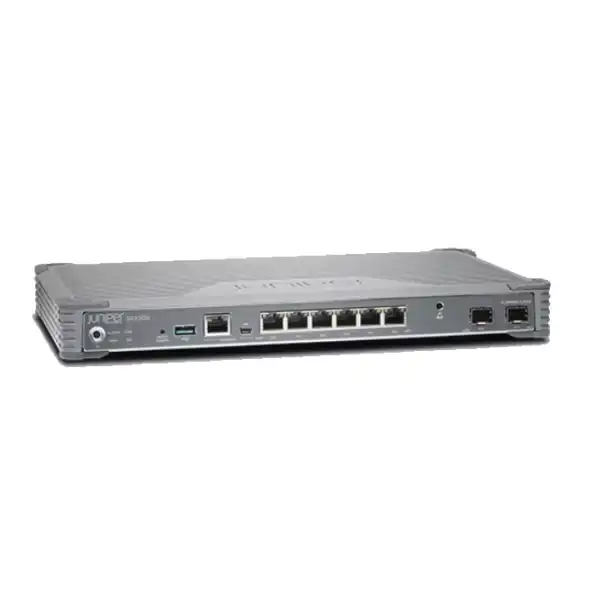
Its physical design also tells buyers where it belongs. The unit is a compact fixed chassis rather than a modular appliance. Juniper lists six 1GbE copper RJ-45 network ports and two 1GbE SFP ports. The two SFP ports are MACsec capable. There are no Mini-PIM expansion slots on the SRX300, which sharply distinguishes it from models such as the SRX320 and larger siblings when a project requires integrated LTE, VDSL or other modular WAN options. This limitation is important because it means connectivity planning should be done before purchase, not after installation.
The appliance has 4GB of DRAM and 8GB of internal flash storage. Juniper describes it as a small desktop firewall for small branch or retail offices, and its hardware footprint supports that positioning: approximately 3.505cm high, 32.106cm wide and 19.304cm deep, with an as-shipped weight of about 1.99kg. Convection cooling avoids the acoustic behavior associated with larger fan-cooled appliances, which can be useful in compact offices where the firewall may sit near staff rather than in a dedicated equipment room.
For a Dubai buyer, this combination is most attractive when the requirement is a stable, professionally managed branch edge with 1GbE connectivity, established Junos operational skills, IPsec connectivity to headquarters or cloud networks, and a preference for a single security and routing platform. It is less compelling where the branch is expected to exceed its practical inspection capacity quickly, where PoE+ must be delivered directly from the firewall, or where integrated modular WAN interfaces are mandatory.
Verified SRX300 hardware and performance profile
| Specification | Juniper-listed value | Buyer relevance |
|---|---|---|
| Form factor | Fixed desktop chassis | Suitable for compact branch installations; rack mounting requires the appropriate rack kit. |
| Built-in Ethernet | 6 x 1GbE RJ-45 and 2 x 1GbE SFP | Enough for modest branch segmentation, but there is no 10GbE on this model. |
| MACsec support | Supported on the 2 x 1GbE SFP ports | Useful where supported Layer 2 link encryption is part of the design; optic compatibility still needs checking. |
| Memory and storage | 4GB DRAM, 8GB flash | Fixed platform resources should be considered when planning feature density and software lifecycle. |
| Firewall throughput | 1,900Mbps at 1518B; 600Mbps IMIX | Packet size materially changes the result; use the IMIX figure as a useful reality check for mixed traffic. |
| IPsec VPN throughput | 336Mbps at 1400B; 116Mbps IMIX | Critical for branches carrying a large share of traffic through encrypted site-to-site tunnels. |
| Recommended IPS | 200Mbps | Deep inspection can become the governing capacity metric rather than basic firewall throughput. |
| Concurrent sessions | 64,000 | Useful for checking fit in busy user, guest, SaaS and IoT-heavy environments. |
| IPsec VPN tunnels | 256 | Provides substantial tunnel-count headroom for a small branch, though throughput remains the more common constraint. |
| Security policies / zones | Up to 1,000 policies and 16 zones | Supports meaningful branch segmentation without implying enterprise-core policy scale. |
| Power and cooling | Approx. 24.9W average; convection cooling | Useful for small offices and cabinets where heat, sound and power budget matter. |
| Operating temperature | -20°C to 60°C | The device has a broad specified range, but Dubai deployments still need good cabinet ventilation and sensible environmental design. |
Published performance numbers are test results, not a promise that every production configuration will deliver the same throughput. Encryption, IPS, application identification, content-security functions, logging, packet size, tunnel overhead, policy count and software release all influence real-world behavior.
How to interpret SRX300 throughput before buying
A common firewall purchasing mistake is to compare the branch Internet circuit directly with the largest firewall throughput number on a datasheet. On the SRX300, that approach can create an unrealistic result because Juniper publishes multiple measurements for different workloads. The 1.9Gbps figure is associated with large 1518-byte packets. Mixed Internet traffic contains a combination of packet sizes and tends to produce a lower throughput ceiling, reflected by Juniper’s 600Mbps IMIX firewall figure. If security inspection is enabled, a still lower service-specific metric can become more relevant.
For a small branch with a 100Mbps or 200Mbps Internet service, this can leave comfortable room for ordinary stateful firewalling. For a branch with a 500Mbps or 1Gbps circuit, the question becomes more nuanced. If most traffic is simply routed and statefully inspected, the SRX300 may still be technically workable depending on traffic mix. If the plan is to run IPS broadly, identify applications, decrypt selected traffic, inspect content, and carry a significant portion of traffic through IPsec, the performance envelope needs to be modeled around those services rather than around the maximum firewall figure.
VPN design deserves its own calculation. Juniper lists 336Mbps IPsec VPN throughput with 1400-byte packets and 116Mbps for IMIX. A site that sends almost all branch traffic through an encrypted tunnel to a UAE data center, regional hub or cloud gateway can therefore reach its practical limit earlier than a site that breaks out ordinary Internet traffic locally. Add tunnel encapsulation, application behavior and bidirectional peaks, and a seemingly modest user count can still generate meaningful encrypted throughput.
Sizing should also include growth. A firewall installed today often remains in service through multiple WAN upgrades. If a 200Mbps circuit is likely to become 500Mbps, or if an initially basic policy will later add IPS and richer application control, comparing the SRX300 with the next appropriate SRX model during the quotation stage can be less expensive than replacing an undersized appliance after deployment.
Port architecture: what the eight 1GbE interfaces really mean
Six copper 1GbE ports
The six RJ-45 interfaces can be used for LAN and WAN connectivity, links to switches, local servers or other Ethernet devices. They give a small office enough flexibility for common inside, outside, guest, voice or infrastructure zones, but they should not be confused with PoE access-switch ports. The SRX300 does not provide PoE+.
Two 1GbE SFP ports
The SFP interfaces make fibre handoff or other supported 1GbE transceiver options possible, and Juniper lists these two ports as MACsec capable. The correct optical module is not assumed simply because the physical slot is present. Fibre type, wavelength, distance, connector, provider handoff and the Juniper hardware compatibility listing should be checked.
No Mini-PIM expansion
The SRX300 has no Mini-PIM slots. That matters if the project expects an integrated LTE, VDSL, T1/E1 or Wi-Fi module. In the SRX300 family those modular requirements point toward other models. External carrier equipment can still be used, but the architecture and cabling are different.
Port count should be planned from the actual topology, not from a generic assumption that one port equals one user network. In a typical branch, at least one interface is consumed by the primary WAN, another may be reserved for secondary WAN or out-of-band connectivity, and uplinks to access switches may use one or more additional interfaces. If the design also separates staff, guest, IP phones, cameras, building systems and local servers physically rather than with VLANs, the six copper ports can be allocated quickly.
Routing, switching and branch-edge consolidation
The SRX300 is useful in branches where security cannot be separated from routing decisions. Junos OS supports enterprise routing functions that can make the device more than a simple Internet perimeter box. Juniper’s SRX300 line documentation lists static routing as well as protocols including OSPF, BGP, IS-IS and RIP, alongside multicast capabilities. In a multi-site design, that allows the branch firewall to participate in a routed topology instead of relying exclusively on static default routes.
That capability is particularly relevant when a branch has more than one WAN path, needs route control toward a corporate network, or connects to an MPLS service and an Internet VPN at the same time. Security policies and routing policy can then be designed together. The benefit is operational coherence: one appliance can determine where traffic goes and whether the traffic is permitted, logged, translated or inspected.
The same platform also supports Ethernet switching functions, but buyers should still distinguish a branch firewall from a dedicated access switch. The SRX300 has a limited number of physical ports and no PoE+. A branch with many desks, phones, access points or cameras will normally continue to use one or more Ethernet switches, with the SRX300 acting as the security and routing boundary. VLANs can allow a single switch uplink to carry several logical networks, which helps conserve physical firewall ports when the topology is designed correctly.
For organizations standardizing on Juniper routing and switching, this consolidation can simplify operational skills. For organizations that only need a basic unmanaged Internet firewall, the richness of Junos may be more than required. The purchasing decision should therefore consider the team’s operating model as well as the appliance specifications.
Security functions and the licensing question
At its foundation, the SRX300 provides the stateful firewall, security-zone and policy framework expected from Juniper’s SRX platform. Juniper also positions the product for next-generation security capabilities such as intrusion prevention, application visibility and control, content-security services and integration with advanced threat-protection services. The commercial detail is important: not every advanced security function should be assumed to be included perpetually with the base hardware purchase.
A correct quote begins by deciding what the firewall is expected to do. A branch used primarily for secure routing, NAT, segmentation and IPsec connectivity can have a different software and subscription requirement from a branch that needs active IPS signatures, web categorization, anti-malware functions, cloud-delivered threat intelligence and centrally managed security policy. The quote should therefore identify the exact license or subscription bundle, term length and support coverage rather than presenting the chassis price as the complete project cost.
This also affects sizing. Advanced inspection consumes processing resources. A security design that enables every service because it is available may reduce headroom unnecessarily and complicate troubleshooting. A better approach is to map controls to traffic risk. For example, guest Internet traffic, corporate SaaS traffic, site-to-site ERP traffic and management traffic may warrant different policy treatment. The security architecture should state where IPS applies, whether any encrypted traffic is decrypted, what logging depth is required, and which application controls are operationally useful.
Management services can carry their own commercial dependencies. Juniper documentation notes onboarding options through Mist and Security Director Cloud, while local configuration remains possible through Junos OS CLI and J-Web. Cloud-based operational models can improve visibility and standardization across many branches, but a buyer should confirm the required entitlement and whether it fits the organization’s existing Juniper subscriptions.
FourTeck can prepare the quotation around the desired operational outcome rather than around a vague request for “full security.” That means separating base hardware, security subscriptions, support, compatible optics, rack accessories and implementation services so that procurement can see what each line item enables.
Management choices: Junos CLI, J-Web, Mist and Security Director
Junos OS CLI
A strong fit for network teams that want precise, repeatable configuration, structured operational commands and familiar Juniper workflows. It also makes configuration review and controlled change practices easier for experienced Junos engineers.
J-Web
The local graphical interface can be useful for basic setup and administration when a branch is managed individually. Buyers should still plan documentation, backups and access control rather than treating the browser interface as the whole management strategy.
Mist onboarding
Juniper documents cloud-ready SRX onboarding through Mist, with relevant licensing for the desired service. This is attractive for distributed operations where branch visibility and standardized workflows matter.
Security Director Cloud
Security Director Cloud provides another centralized management path when the organization already uses Juniper’s security-management ecosystem. Entitlement, architecture and workflow fit should be confirmed before purchase.
The SRX300 does not have the dedicated management Ethernet port found on some larger SRX300-series models. Juniper’s branch guided setup specifically distinguishes the SRX300 and SRX320 from models such as the SRX340 and SRX345 in this respect. This is a small detail with practical consequences: management and trust-interface planning should follow the correct model-specific topology rather than a generic configuration copied from another SRX appliance.
IPsec VPN planning for UAE branch connectivity
Site-to-site VPN is one of the strongest reasons to consider the SRX300 in a small branch. Juniper lists support for IPsec VPN and up to 256 IPsec tunnels on the hardware specification page. The tunnel count, however, is only one dimension. The more important question is how much traffic those tunnels will carry and what else the firewall is doing at the same time.
A branch that sends only selected corporate applications through a tunnel may place a modest encryption load on the appliance. A branch using full-tunnel architecture can be very different. If every SaaS session, software update, voice flow and file transfer traverses an encrypted tunnel to a central security stack, the VPN throughput figures become central to sizing. Juniper publishes 336Mbps for IPsec with large 1400-byte packets and 116Mbps with IMIX traffic. The mixed-packet number is particularly useful when planning typical office applications because business traffic is rarely composed of only large packets.
Resilience should also be defined. A second ISP can provide failover, but the design has to specify how routes, tunnel endpoints, NAT, DNS behavior and application sessions respond when the primary path fails. Stateful high availability is a broader option in SRX designs, but purchasing two appliances only creates value when clustering, cabling, addressing, switch connectivity and operational procedures are designed as one system. For a very small site, simpler WAN failover may be more appropriate than a full chassis-cluster architecture.
For Dubai and UAE organizations linking branches to a head office, colocation facility, public cloud or regional hub, the quotation should include the target VPN topology, expected encrypted throughput, number of peer sites, authentication method, public-address availability and whether migration from an existing vendor must occur with a controlled cutover.
High availability and business-continuity design
Juniper lists high availability among the capabilities of the SRX300 platform. In practical branch design, high availability should not be reduced to the question, “Can two firewalls be clustered?” The relevant question is which failures the business wants to survive. A second firewall does not protect against an upstream ISP outage if both appliances use the same single circuit. Two ISPs do not protect against a failed access switch if every critical system depends on one switch. Redundant equipment adds value only when the surrounding topology supports the intended failure paths.
For a retail outlet or small office with moderate downtime tolerance, one SRX300 plus a documented spare strategy may be sufficient. For a branch that supports revenue-critical transactions, customer-facing services or operational technology, a pair of appliances with redundant WAN and LAN paths may be justified. The decision depends on the financial cost of interruption, not just on the price difference between one and two firewalls.
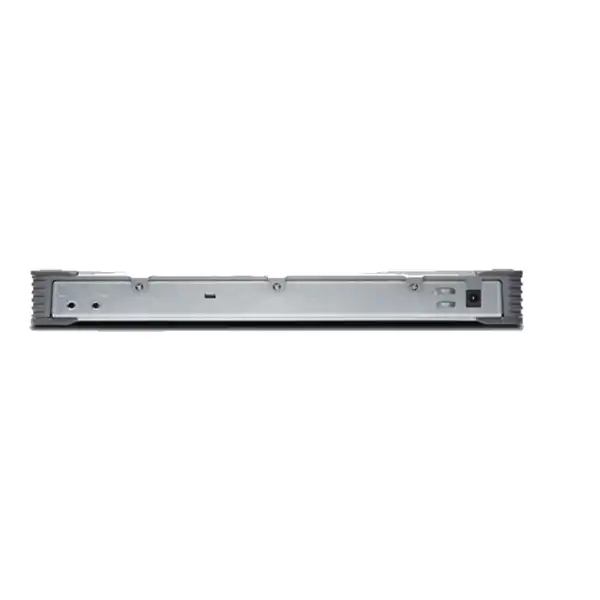
Cluster planning also affects port availability. Interfaces may be consumed by control or fabric requirements depending on the architecture, and upstream/downstream switches must be cabled accordingly. Power design matters as well. The SRX300 uses an external AC-to-DC adapter and has a single fixed power-system arrangement rather than the dual hot-swappable power supplies associated with larger enterprise appliances. If true power-path redundancy is required, the complete site design may point toward a different model or a higher-level architecture.
A quotation should therefore state the availability goal in plain terms: single appliance, dual-WAN single appliance, two-node firewall resilience, or broader site redundancy. That prevents procurement from paying for duplicate hardware without the networking components needed to make resilience effective.
Physical installation, rack mounting and Dubai operating conditions
The SRX300 is designed for flexible small-site installation. Juniper documents desktop, wall and rack deployment options. For rack mounting, the correct rack-mount kit is needed; Juniper’s quick-start guidance identifies rack accessory options rather than treating rack ears as universally included. This matters in procurement because a firewall can arrive technically correct but still be difficult to install cleanly if the mounting accessory was omitted from the order.
The compact chassis is approximately 12.64 inches wide, 7.60 inches deep and 1.38 inches high. Its small size can suit shallow cabinets and branch communications rooms, but installer convenience should not replace site planning. Cables need bend radius, the power adapter needs secure placement, and service access requires enough clearance. Juniper’s hardware specification lists 24 inches, or 60.96cm, of maintenance clearance.
Thermally, Juniper specifies an operating temperature range from -20°C to 60°C and non-condensing operating humidity of 10% to 90%. Those figures do not make air-conditioning optional in every UAE deployment. An enclosed cabinet in a warehouse, back office or retail storeroom can run far hotter than the occupied room, particularly when switches, UPS units and carrier equipment share the enclosure. Dust accumulation and restricted convection can also raise operating temperature. The SRX300 relies on convection cooling, so clear airflow around the chassis is sensible.
Average power consumption is listed at approximately 24.9W, which is modest, but a site UPS should be sized for the entire communications stack and the required runtime. Include the firewall, access switches, provider ONT or modem, Wi-Fi controller or local appliance if present, and any PoE load on external switches. A UPS that supports only the firewall may leave the branch offline because the switch or carrier termination loses power first.
Grounding and electrical safety should follow Juniper’s installation guidance and local site standards. For projects in professional racks, grounding, PDU selection, patch-panel layout, labeling and power-adapter retention are small implementation details that materially improve maintainability.
Where the SRX300 fits well
Small branch office
A team using cloud applications, site-to-site VPN, local Internet breakout and segmented staff/guest networks can use the SRX300 as the routing and security edge while an access switch handles user ports and PoE devices.
Retail location
The compact form factor is suited to retail back rooms where POS, corporate access, guest services and management traffic need policy separation without deploying a large appliance.
Remote office on Junos
Organizations already standardized on Juniper can extend familiar routing, policy and operational practices to a smaller site instead of introducing another firewall operating system.
VPN-focused site
Branches with moderate encrypted throughput and clear IPsec requirements can use the SRX300 effectively when the VPN workload is checked against Juniper’s performance figures rather than the maximum firewall number.
Compact edge with fibre handoff
The two 1GbE SFP interfaces can accommodate supported fibre transceivers when the carrier or campus handoff requires them, subject to correct optic selection and 1GbE speed requirements.
When a larger or different SRX should be evaluated
A balanced product page must identify where the supplied model stops being the comfortable choice. The SRX300 has no PoE+ ports, no Mini-PIM slots and no 10GbE interfaces. Those are architectural facts, not minor accessories. If the project expects the firewall itself to power access points, IP phones or cameras, requires an integrated LTE/VDSL module, or needs 10GbE uplinks, another platform should be shortlisted.
Performance can create the same conclusion. A site may have only 40 employees yet still generate heavy inspection demand because it uses high-speed broadband, cloud backup, large media files or extensive encrypted application traffic. Conversely, a 100-user office may have modest throughput if application usage is light. User count is therefore a secondary sizing input; traffic volume and enabled features are stronger signals.
The SRX320 is a natural comparison when a buyer wants a similar branch class but needs features the SRX300 lacks, including Mini-PIM expansion and PoE+ support on selected ports. Further up the line, the SRX340 and SRX345 increase port density and performance. The SRX380 introduces substantially higher throughput and 10GbE connectivity. The exact alternative should be based on the project rather than on an automatic “next model up” rule.
Another reason to evaluate a larger platform is lifecycle headroom. Security policies, tunnel count and bandwidth usually grow after deployment. If the current requirement already approaches the SRX300’s practical inspection or VPN envelope, purchasing close to the limit can create a short useful life even if the initial installation succeeds.
SRX300 versus nearby branch choices
| Decision | SRX300 | When to compare another SRX |
|---|---|---|
| Branch size | Best aligned to small branch and retail use | Compare upward when bandwidth, sessions or inspection demand exceed the small-branch envelope. |
| Copper/SFP connectivity | 6 x 1GbE RJ-45 + 2 x 1GbE SFP | Compare if more ports, dedicated management or 10GbE uplinks are required. |
| PoE+ | Not provided | Compare SRX320 or use an external PoE switch if powering edge devices is part of the design. |
| WAN modules | No Mini-PIM slots | Compare models with Mini-PIM expansion when integrated LTE, VDSL or other module support is required. |
| Firewall speed | Up to 1.9Gbps with large packets; 600Mbps IMIX | Compare upward if the site’s realistic inspected traffic approaches these limits. |
| Growth path | Strong for a compact fixed edge | Use a larger model where future WAN speed, port count or security-service load is expected to rise materially. |
Migration from an existing firewall to SRX300
Replacing a firewall is not a simple file-copy exercise, particularly when moving from another vendor. Policy syntax, object models, NAT processing, route preference, VPN negotiation, user identification and logging can differ. A successful SRX300 migration starts by documenting the current traffic intent rather than trying to translate every legacy rule literally.
The first task is inventory. Export the existing address objects, services, policies, NAT rules, VPN definitions, static routes, dynamic-routing parameters, DHCP settings, VLANs, public addresses and management restrictions. Then classify which entries are still required. Old firewalls frequently contain years of duplicate objects, disabled policies and temporary exceptions. Migrating that clutter recreates technical debt on the new appliance.
Next, map interfaces and zones. The SRX300 has six copper network ports and two SFP ports, so the physical design must match the incoming circuit, LAN switching and any secondary WAN requirement. If the old appliance had more physical interfaces, VLAN trunking may be needed or a larger SRX may be more appropriate. If the carrier handoff is optical, the exact SFP needs to be chosen before cutover.
VPN migration should be tested separately. Record peer addresses, IKE versions, proposals, authentication credentials, phase-two parameters, protected subnets, route behavior and failover expectations. Where a third party controls the remote peer, schedule coordination because both ends may require changes. A clear rollback plan is essential if the site depends on the tunnel for line-of-business systems.
Finally, define acceptance tests. Successful ping responses are not enough. Test DNS, Internet access, critical SaaS applications, ERP or line-of-business systems, inbound publishing if used, remote administration, voice flows, VPN reachability and logging. Compare performance and error counters under real traffic. Only after the service is validated should the old firewall be removed from the rollback plan.
FourTeck can scope migration as a separate professional-service activity so the hardware quotation remains clear while deployment work reflects the real complexity of the existing environment.
A practical SRX300 deployment journey
Security policy design on a small branch firewall
The SRX300 supports up to 1,000 security policies and 16 security zones according to Juniper’s hardware specification data. Those limits are generous for many small branches, but good design is not about filling the policy table. A smaller, well-structured rule base is easier to review, troubleshoot and audit than hundreds of overlapping exceptions.
Start with zones that reflect real trust boundaries. A common small office might separate corporate users, guest Wi-Fi, infrastructure management, servers or local appliances, and the Internet. A retail site may additionally isolate payment or operational systems. IoT devices such as cameras, access-control controllers or building systems often benefit from a distinct policy domain because their communication needs are narrow and their patching lifecycle differs from managed laptops.
Policies should be written around required communication. A guest network may need DNS and Internet access but no route to corporate subnets. A printer network may need access from managed users but not arbitrary outbound Internet sessions. A management zone may be reachable only from designated administrator addresses through secure protocols. The firewall’s ability to enforce this structure is more valuable than simply blocking unsolicited inbound Internet traffic.
NAT is another planning area. Juniper lists support for source NAT, static NAT and destination NAT functions. Public-facing services should be documented with their external address, internal destination, service ports, certificate dependencies and security controls. If a legacy firewall uses complex NAT behavior, the new Junos configuration should be tested carefully because the operational model may differ.
Logging should be purposeful. Logging every allowed session can create high event volume and consume storage or SIEM capacity, while logging too little removes investigative evidence. The branch design should identify which denies, privileged access attempts, VPN events, configuration changes and high-value application flows need durable records.
Application visibility, IPS and threat-protection planning
Juniper positions the SRX300 for application visibility and control, intrusion prevention and content-security functions, with integration into broader threat-protection services. These capabilities can strengthen a small branch, but they should be treated as an engineered security stack rather than a set of boxes to enable indiscriminately.
IPS requires current signatures, policy tuning and operational ownership. A default broad rule may detect useful threats, but it can also create alerts that need triage. The recommended IPS performance figure of 200Mbps is a strong reminder that enabling inspection changes the capacity picture. If the branch has a 500Mbps Internet connection and expects all traffic to be inspected at full rate, the SRX300 deserves careful validation or comparison with a larger model.
Application identification can add control beyond ports and protocols. Modern applications often share TCP 443, making a traditional port-based rule less expressive than it once was. Application-aware policy can help distinguish categories of traffic or apply business intent more accurately. The operational tradeoff is that application databases, policy definitions and exceptions need maintenance. A control that nobody reviews eventually becomes either too permissive or too disruptive.
Encrypted traffic introduces another constraint. Many modern applications are encrypted end to end. If the security architecture includes SSL forward-proxy inspection, the organization must consider certificate distribution, privacy policy, excluded application categories, endpoint compatibility and the additional performance impact. The decision is a business and architecture question, not simply a firewall checkbox.
For a branch rollout, an effective approach is to define a baseline security profile, test it under realistic traffic, measure utilization and then add controls where risk justifies them. That preserves both security value and performance headroom.
Procurement details that prevent an incomplete SRX300 order
Enterprise firewall procurement is often delayed by details that appear minor until the installation team is on site. The first requirement is the exact system SKU and regional supply status. A product family name such as “SRX300” may not be enough for procurement if the distributor quote uses a specific system bundle. The commercial quote should clearly state the chassis or system SKU, warranty/support line and any subscription licenses.
Next are optics. The two SFP slots do not automatically include the transceiver required by a carrier or campus fibre. The buyer should provide the handoff speed, fibre mode, wavelength where known, connector type, approximate distance and the provider’s interface specification. FourTeck can then match the requirement to supported Juniper optics rather than assuming that any generic SFP is appropriate.
Rack installation needs the correct mount accessory. Juniper’s quick-start documentation identifies specific rack-mount kit options depending on whether the required power-supply adapter tray is already available. A desktop installation may not need that kit, but a structured communications rack usually does. The quote should therefore ask where the firewall will physically be installed.
Power cords and regional electrical requirements should also be confirmed. The SRX300 uses an external AC-to-DC adapter, and the order should match the deployment region. For UAE projects, confirm the supplied cord, rack PDU outlet type and UPS design rather than relying on an adapter at the last minute.
Finally, separate product supply from implementation. If the buyer needs configuration, migration, onsite installation, testing, rack work or after-hours cutover, those services should appear explicitly. This avoids a common misunderstanding in which a hardware quote is expected to include engineering work that was never scoped.
A complete order is therefore more than a firewall line item: it is the correct SRX300 system, the right software entitlement, required support, optics and mounting accessories, plus any deployment services the project actually needs.
Support, software lifecycle and operational readiness
A firewall’s useful life depends as much on software and support discipline as on hardware. Juniper continues to publish SRX300 documentation, hardware guidance and Junos release information. Buyers should pair the appliance with an appropriate support plan and maintain a defined software policy instead of leaving the branch on the version that happened to ship in the box.
Before deployment, identify the approved Junos release for the organization. This may be driven by Juniper recommendations, interoperability with existing SRX devices, security features, management-system compatibility or internal change standards. Upgrading immediately to the newest available code is not always the same as choosing the best production release; the release decision should be tested against the feature set and operational environment.
Configuration backup is another basic requirement. Store recoverable, access-controlled copies of the running configuration after meaningful changes. Record device serial numbers, support entitlements, software versions, license information, management addresses and installation location. If a branch device fails, this information can reduce recovery time dramatically.
Monitoring should cover more than reachability. Track interface errors, WAN loss and latency, CPU and memory trends, session utilization, VPN status, environmental alarms, security events and configuration changes. A firewall can still respond to a ping while users suffer from packet loss, tunnel instability or resource pressure. Good telemetry creates the evidence needed to distinguish ISP problems from firewall issues.
Lifecycle planning also means knowing when the branch has outgrown the appliance. If bandwidth upgrades, security inspection or additional services push utilization close to the design ceiling, replacement planning should start before users experience instability. Capacity trends are more useful than waiting for a single outage to trigger an emergency upgrade.
Frequently asked buyer questions about the Juniper SRX300
Is the SRX300 a next-generation firewall?
Juniper positions the SRX300 as an enterprise firewall capable of next-generation security functions including intrusion prevention, application visibility and control, and content-security capabilities. The exact advanced services available in a deployment depend on software, subscription and configuration choices.
How many Ethernet ports does the SRX300 have?
It provides eight built-in 1GbE network ports: six RJ-45 copper ports and two SFP ports. The SFP ports are listed by Juniper as MACsec capable. The platform also has console and USB connectivity for administration and related functions.
Does the SRX300 provide PoE?
No. Juniper lists zero PoE+ ports for the SRX300. If the site needs to power access points, phones or cameras, use an external PoE-capable access switch or compare a suitable SRX model with PoE support.
Can the SRX300 use LTE or VDSL modules?
The SRX300 has no Mini-PIM slots, and Juniper’s WAN interface support matrix does not list the branch Mini-PIM LTE, VDSL or T1/E1 modules for this model. External carrier equipment can still connect through Ethernet, but buyers needing integrated modules should compare another SRX platform.
What firewall speed should I use for sizing?
Use the workload that resembles your environment. Juniper lists 1.9Gbps with 1518-byte packets and 600Mbps for IMIX firewall traffic. If IPS, VPN or other security services are central to the design, use those service-specific numbers as a more conservative guide.
What is the published IPsec VPN performance?
Juniper’s hardware specification data lists 336Mbps IPsec VPN throughput with 1400-byte packets and 116Mbps with IMIX traffic. Actual VPN throughput depends on tunnel design, packet mix, encryption overhead and concurrent security services.
How many sessions can the SRX300 handle?
Juniper lists a maximum of 64,000 concurrent IPv4/IPv6 sessions. Session count is one capacity dimension; bandwidth, connections per second and enabled inspection services also need consideration.
Can the SRX300 be rack mounted?
Yes. Juniper documents rack installation as well as desktop and wall mounting. The appropriate rack-mount kit should be included in the procurement plan because rack hardware is a separate installation consideration.
Does the SRX300 have a dedicated management port?
Juniper’s branch guided-setup documentation indicates that the SRX300 does not have the dedicated management interface used on some larger branch models. Management planning should follow the SRX300-specific configuration rather than copying another platform’s port assumptions.
Can FourTeck supply and configure the SRX300 in Dubai?
FourTeck can prepare a Dubai/UAE quotation around the exact hardware requirement, subscriptions, support, compatible optics, rack accessories and requested implementation scope. Availability and delivery timing should be confirmed against the specific order and quantity.
Deeper sizing: users, devices, sessions and traffic behavior
Buyer questionnaires often start with “How many users?” because it is easy to answer, but user count alone is a poor firewall sizing metric. Ten video-production users can move more data than a hundred transactional-office users. A small branch with cloud backup, high-resolution video conferencing and centralized file synchronization can create sustained bandwidth that looks nothing like a similarly sized branch running browser-based business applications.
Device count also matters because each user may operate several endpoints. Laptops, phones, tablets, printers, cameras, access points, sensors and guest devices all create sessions. The SRX300 supports up to 64,000 concurrent sessions, but planners should consider how applications behave. Modern browsers open many parallel connections, software updates can create bursts, and guest networks can introduce unpredictable consumption. The branch should be sized for peak behavior rather than average employee count.
Connections per second are another capacity dimension. Juniper’s public SRX300 specifications list 5,000 new sessions per second on the current product specification page. This is normally ample for a small branch, but highly transactional or automated environments can produce short-lived connections at a surprising rate. Security scanning, compromised endpoints or poorly designed applications can also create abnormal session churn, which is why monitoring remains valuable even when normal utilization looks low.
Traffic direction affects design too. A branch may download far more than it uploads, while cloud backup or CCTV offload can reverse that pattern. Site-to-site VPNs may add symmetric encryption overhead. Internet circuit marketing rates are not always sustained application rates, and carrier handoffs may include service-provider devices that influence MTU or link behavior. The sizing worksheet should therefore capture measured peaks where possible rather than relying on package speed alone.
When these inputs are available, the SRX300 can be evaluated with much greater confidence. The result may be that the appliance is comfortably sized, that a specific inspection policy should be limited to selected traffic, or that a larger branch firewall is a more durable investment.
Compatibility checks for optics, ISP handoffs and existing switches
The SRX300’s two 1GbE SFP ports create useful flexibility, but optical compatibility should be treated as a real engineering item. A carrier may deliver single-mode fibre at a particular wavelength, a multimode campus link may use a different optic, or the provider may instead terminate service on an Ethernet ONT and present copper RJ-45 to the firewall. Buying an SFP before confirming the handoff can waste time and budget.
Juniper directs SRX300 buyers to its Hardware Compatibility Tool for supported transceivers. That is the right place to validate specific optic part numbers. A generic statement such as “1G SFP supported” is not enough because transceiver electronics, digital diagnostics and optical characteristics vary. Where third-party optics are proposed, support-policy implications should be understood before deployment.
Switch compatibility is usually straightforward at standard Ethernet speeds, but VLAN and spanning-tree design deserve attention. If the SRX300 connects to a managed switch using a trunk, define which VLANs cross the link and how untagged traffic is handled. Avoid creating an accidental Layer 2 path around the firewall between networks that were intended to be isolated. If multiple uplinks are used for resilience or capacity, design link aggregation and failure behavior deliberately rather than connecting redundant cables without a protocol plan.
Internet provider details should include handoff type, static or dynamic addressing, VLAN tagging, PPP requirements if any, public subnet allocation and whether the carrier device operates in bridge or routing mode. Double NAT caused by an unmanaged provider router can complicate inbound services and VPNs. If the ISP uses dynamic addressing, remote-access and site-to-site designs may require additional consideration.
Compatibility work is mostly about removing assumptions. A small amount of pre-order information about the carrier, fibre, switch and existing addressing plan can prevent a branch installation from turning into an onsite troubleshooting exercise.
Operational security after installation
The firewall should be treated as a high-value administrative system. Management access should come only from approved networks or management hosts, use strong authenticated accounts, and be protected by the organization’s access-control standard. Default credentials and unnecessary management services should not remain in place after commissioning.
Administrative change control matters even at a small branch. Junos supports structured configuration practices that make it possible to review changes and maintain an operational record. Teams should document who can change policy, how emergency access is handled, where backups are stored and how configuration revisions are reviewed. A branch firewall can affect every local user, so “small device” does not mean “low operational impact.”
Logs should be sent to an appropriate remote system when audit or incident-response requirements justify it. Local logs can be useful for immediate troubleshooting, but a remote syslog, SIEM or management platform preserves evidence if the firewall fails or is compromised. Time synchronization should be reliable so events can be correlated with servers, endpoints and cloud services.
Backups need testing. A copied configuration is useful only if the team knows which software release it expects, which device it belongs to and how to restore service. Keep a current network diagram, interface map, ISP details, VPN peer information and support contacts alongside the configuration archive. That small documentation set can cut recovery time dramatically during a site outage.
Finally, review policy periodically. Staff change, SaaS platforms move, public addresses are reassigned and temporary exceptions outlive the projects that created them. A six-month or annual rule review for a small branch is often more valuable than continuously adding controls without removing obsolete ones.
Cost of ownership: what sits beyond the hardware price
The purchase price of an SRX300 is only one part of branch-edge cost. The complete budget can include security subscriptions, support, optics, rack-mount hardware, UPS capacity, engineering, migration, onsite installation, remote monitoring and later software-maintenance work. Buyers comparing vendors should normalize these items so that a low chassis price is not mistaken for a lower project cost.
Operational skill is another cost variable. An organization with an established Junos team may gain efficiency because the SRX300 uses a familiar operating system and policy model. A business with no Juniper experience may need initial engineering or training, especially if the design uses dynamic routing, advanced VPNs or centralized security management. That does not make the product unsuitable; it simply changes implementation economics.
Power consumption is modest at roughly 24.9W average according to Juniper’s hardware specification, so electricity is unlikely to dominate total ownership cost. More significant recurring costs are support and any advanced security subscriptions. Those should be evaluated against the business risk they address and the operational resources available to use them effectively.
Replacement timing also matters. An appliance that is correctly sized for five years can have a lower lifecycle cost than one that is inexpensive today but needs replacement after a bandwidth upgrade. Growth headroom is therefore part of financial planning. The right choice is not always the smallest unit that can pass today’s traffic.
FourTeck can structure a quote so decision-makers can separate mandatory infrastructure from optional security services and professional services. That makes technical and commercial comparisons easier and reduces surprise costs after the purchase order is issued.
UAE buying guidance for multi-branch rollouts
A single SRX300 installation can be handled as an individual project, but a rollout across many UAE branches benefits from standardization. Define a repeatable hardware bill of materials, software release, baseline security policy, addressing pattern, naming standard, management method and monitoring template before ordering the full quantity. Pilot the design at one or two representative sites first.
Not every branch must be identical. A useful standard can include tiers. A small office with 100Mbps Internet may use the SRX300, while a busier regional site uses a larger SRX model. The important point is to define the rule that places a site in each tier: circuit speed, inspected throughput, number of WAN links, required ports, resilience level or local services. That avoids arbitrary model selection.
Logistics should include serial-number tracking, asset labels, site addresses, installation contacts and staging status. If devices are preconfigured centrally, protect configuration files and credentials during transport. If Zero Touch Provisioning or cloud onboarding is used, test the claiming process and ensure the site has the upstream connectivity required for first boot.
Carrier variation is common across branch estates. One site may receive copper Ethernet, another fibre, and another service through an ISP router. Maintain a handoff worksheet for each location so the correct optics and cabling ship with the firewall. The SRX300’s lack of Mini-PIM expansion makes external carrier devices especially relevant for sites using cellular backup or non-Ethernet last-mile services.
Support operations should also be standardized. Decide who owns first-line branch troubleshooting, how remote access is obtained, when a device is escalated to Juniper support, how spare units are held, and what evidence must be collected before replacement. A strong rollout design reduces the amount of site-specific knowledge required during an outage.
Decision recap: six points to settle before ordering
What FourTeck needs for an accurate SRX300 quotation
The following project inputs let the quotation reflect the actual deployment rather than a generic chassis-only estimate. Not every item is mandatory, but the more complete the information, the easier it is to identify hidden dependencies before the order is placed.
Plan the Juniper SRX300 around your real branch workload
The SRX300 is a capable compact Junos firewall when the site matches its 1GbE interface design and the expected VPN and inspection workload is within its practical performance envelope. A reliable purchase starts with the branch topology, security controls, software subscriptions, optics and lifecycle headroom—not with the chassis price alone. Share your Dubai or UAE site requirements and FourTeck can prepare a focused hardware, licensing and implementation quotation.


Reviews
There are no reviews yet.