
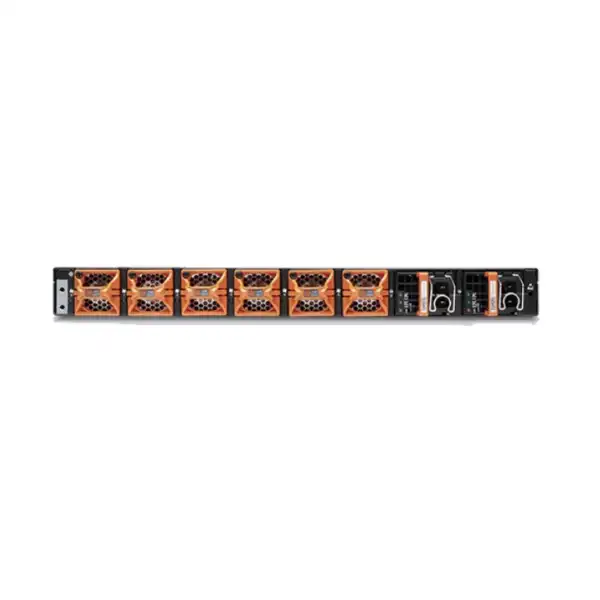
Enterprise next-generation firewall • Dubai & UAE
Juniper SRX4300 Firewall Dubai
The Juniper SRX4300 is a 1U high-performance SRX Series firewall for enterprise campus, data center edge and core, regional headquarters, secure hub and SD-WAN designs that need dense high-speed connectivity, strong session scale, advanced threat controls and Junos-based routing in one platform.
Direct answer: what the SRX4300 is and who should consider it
SRX4300 product position: a dense 1U firewall for high-speed enterprise security
The SRX4300 sits in an important part of Juniper’s enterprise firewall range because it combines a compact fixed chassis with unusually broad onboard interface choices. It is not a small branch appliance simply equipped with faster ports. The platform is intended for environments where firewall throughput, IPsec acceleration, application-layer inspection, large session tables, high-speed server or fabric links and routing scale all need to coexist. Juniper describes the platform for enterprise campus, data center edge and core use, and also identifies roaming and SD-WAN secure hub roles. That makes the buying discussion broader than “how many gigabits of Internet bandwidth do we have?” The relevant design may include east-west data center traffic, north-south Internet traffic, private WAN paths, cloud interconnects, encrypted overlays, internal segmentation and high-availability synchronization.
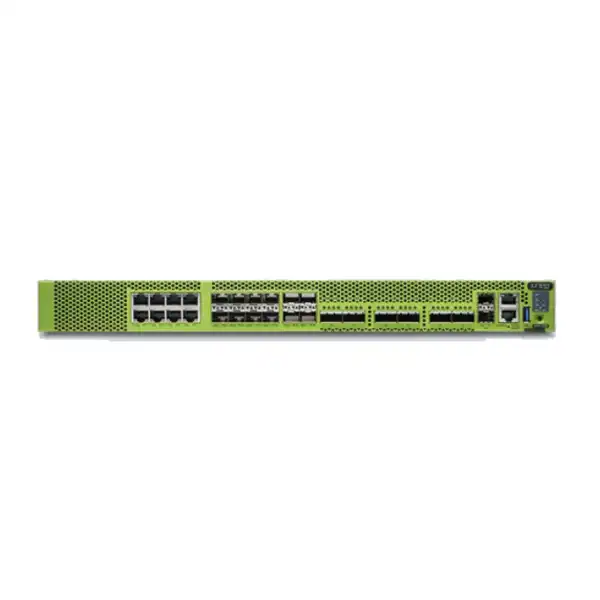
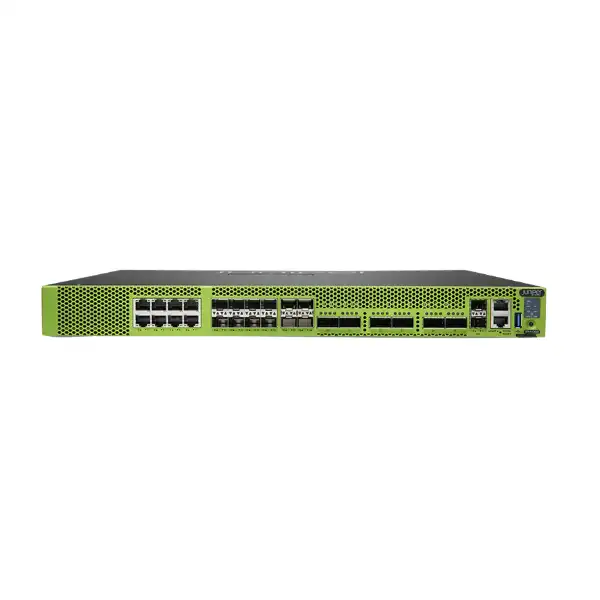
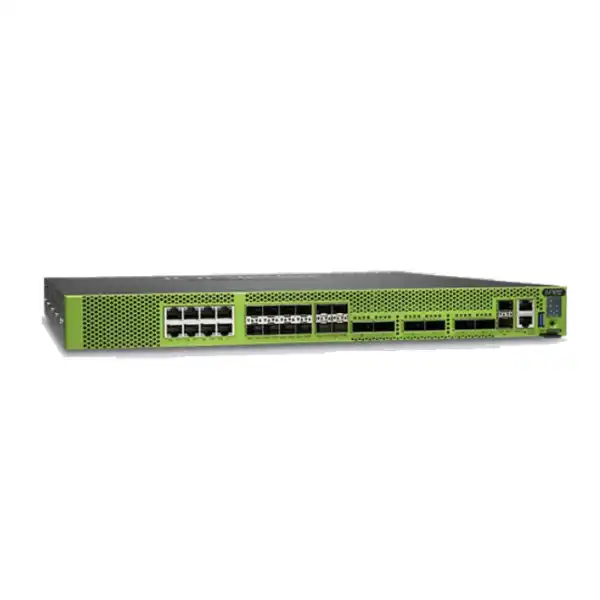
The SRX4300 is a fixed 1U device, so buyers receive predictable density without modular interface cards. Its onboard mix includes eight multi-gigabit copper ports capable of 1/2.5/5/10GbE, eight 1/10GbE SFP+ ports, four 1/10/25GbE SFP28 ports and six 40/100GbE QSFP28 ports. There is also a dedicated out-of-band management interface, two dedicated SFP high-availability ports, an RJ-45 console interface and a USB 3.0 Type-A port. That mix is particularly useful when a security design must bridge several generations of network infrastructure: legacy 1GbE, modern 10/25GbE access or server links and 40/100GbE uplinks can be accommodated on one firewall without consuming expansion slots.
The important caveat is that port count does not equal usable production capacity under every policy set. A firewall can have many high-speed physical interfaces while the real inspected throughput is constrained by the services enabled, packet size, traffic composition, encryption, TLS inspection, application behavior and policy architecture. For that reason, the SRX4300 should be treated as a security system that happens to provide dense connectivity, not as an Ethernet aggregation switch with security added as an afterthought. The right design starts with protected traffic flows and security outcomes, then maps those flows onto interfaces.
For Dubai enterprises, the platform is especially relevant to data center refreshes, office-campus consolidation, large regional hubs and private-cloud designs where rack space is valuable. A single rack unit can accommodate high interface density, but the physical infrastructure still needs to be checked carefully: front-to-back airflow, adequate cooling, appropriate rack depth and clearance, correct AC or DC power, cable-management space, and compatible optics or direct-attach cabling. Compactness does not remove these requirements; it concentrates them into a smaller footprint.
Performance figures: understand the test condition before using a number for sizing
Juniper currently presents headline SRX4300 specifications of up to 90 Gbps firewall performance, 45 Gbps IPS performance and 75 Gbps VPN performance, together with 10 million maximum concurrent sessions, 550,000 sustained new TCP sessions per second using a three-way handshake and up to 60,000 security policies. The detailed SRX4300 datasheet also publishes performance under specific benchmarking methods. It lists 70 Gbps firewall throughput with IMIX traffic and 98 Gbps with 1518-byte packets; 40 Gbps IPsec VPN throughput with IMIX and 94 Gbps with 1400-byte packets; 85/45 Gbps application security performance under its TPS/CPS methods; 83/24 Gbps next-generation firewall performance; 21 Gbps Secure Web Access Firewall performance; and 11 Gbps Advanced Threat performance. These values are not contradictory when they are read with their individual benchmark definitions rather than treated as one interchangeable “speed.”
| Metric | Juniper published figure | Buyer interpretation |
|---|---|---|
| Current headline firewall performance | Up to 90 Gbps | Useful family-level headline; not a substitute for service-specific sizing. |
| Firewall, IMIX | 70 Gbps | More representative than large-packet testing when traffic contains varied packet sizes. |
| Firewall, 1518-byte packets | 98 Gbps | Large-packet benchmark; should not be assumed for mixed application traffic. |
| IPsec VPN, IMIX | 40 Gbps | Relevant to encrypted WAN or site-to-site designs with mixed traffic. |
| IPsec VPN, 1400-byte packets | 94 Gbps | Demonstrates crypto acceleration under favorable packet sizing. |
| NGFW performance | 83 Gbps TPS / 24 Gbps CPS | Measured with firewall, application security and IPS enabled; session behavior changes the result. |
| Advanced Threat performance | 11 Gbps CPS | Relevant when the full security stack adds URL, intelligence and malware functions. |
| Concurrent sessions | 10 million | Important for large user populations, data-center services, NAT and high-connection applications. |
A practical sizing exercise therefore needs at least two numbers: the aggregate protected bandwidth and the service stack that will inspect it. A buyer with a 20 Gbps Internet connection but heavy application inspection, URL filtering, threat intelligence and malware controls can place a different load on the system than a buyer carrying 40 Gbps of mostly site-to-site IPsec with simpler policy inspection. Session duration matters too. Long-lived database or replication flows may consume bandwidth without generating extreme connection rates, while web, API, microservice or public-facing application environments can create many short-lived sessions and place greater pressure on connection setup and security processing.
Capacity should also include growth and failure conditions. In an HA design, sizing both nodes only for normal-day traffic can create a problem during maintenance or failure if one unit must carry the full protected load. For a data center, consider planned east-west segmentation growth, cloud migrations and future 25/100GbE links. For a regional hub, include branch growth and increasing encrypted WAN usage. For an Internet edge, include peak traffic rather than monthly averages and account for the inspection services required by the security policy.
Interfaces and cabling: where the SRX4300 is unusually flexible
8 × multi-gigabit BASE-T
Each onboard copper interface supports 1, 2.5, 5 or 10GbE. This can simplify transitions from existing copper networks to higher-speed access or appliance links without requiring every local connection to move to fibre immediately.
8 × SFP+ plus 4 × SFP28
The dedicated SFP+ group supports 1/10GbE, while the SFP28 group supports 1/10/25GbE. This is useful for redundant 10GbE distribution links, 25GbE server or fabric handoffs and mixed migration environments.
6 × QSFP28 40/100GbE
Six high-speed ports give the SRX4300 strong connectivity for data center fabrics, aggregation layers, high-capacity upstream networks and redundant 100GbE designs. Port speed alone must still be matched to inspected throughput and architecture.
Dedicated management and HA
A 1GbE RJ-45 out-of-band management port, two 1GbE SFP dedicated HA ports, an RJ-45 console port and USB provide separation between production forwarding, cluster communication and administration.
Juniper states that all SRX4300 ports, including the dedicated HA ports, are MACsec-capable. MACsec can be valuable when link-layer encryption is required on suitable Ethernet connections, particularly inside campus or data center architectures where protection of traffic in motion is required without pushing all traffic through IPsec overlays. The design still has to validate the peer devices, optics, link mode, software support and operational keying model. A checkbox saying “MACsec required” is not enough to produce a complete bill of materials.
Optics and cabling deserve their own line in the quotation. SFP+, SFP28 and QSFP28 cages support physical media through compatible transceivers, DACs or AOCs, but the correct part depends on distance, fibre type, connector, speed, peer hardware and supported component list. A 100GbE data center uplink may use a very different optic from a short in-rack connection. Likewise, a 25GbE server connection may be best served by a short DAC in one rack but require optical modules across a facility. Procurement teams should therefore provide not only “six 100G links” but also expected distance and media for each link.
The fixed-port architecture is an advantage when the required mix aligns well with the chassis. It can be a limitation when a project needs a very different physical interface profile, unusually large numbers of one port type or future modular expansion. In such cases, the appropriate comparison is not only another firewall’s throughput but also its available interface geometry. A platform that looks faster on paper can create unnecessary switching or breakout complexity if the port map does not match the deployment.
Security services: from stateful firewalling to application and threat controls
The SRX4300 is built around Junos OS firewall services rather than a single-purpose packet filter. At the base level, it supports stateful and zone-based firewalling, traffic and protocol anomaly protection, policy enforcement, network address translation and routing. For organizations with more advanced requirements, Juniper’s application security and threat-defense subscriptions add controls such as application visibility, IPS, security intelligence, URL filtering, antivirus-related functions, AI-predictive threat prevention, encrypted-traffic analysis capabilities and cloud-delivered threat services depending on the selected bundle. The most important commercial point is that the hardware model and the subscription model are separate decisions. Owning an SRX4300 chassis does not automatically mean every advanced security service is licensed for the desired term.
Application visibility and control
Security policy can be built around application context rather than only ports and addresses. This is useful when SaaS, web applications and dynamic services make traditional port-based rules too broad.
Intrusion prevention
IPS inspects traffic for exploit patterns and malicious activity. For sizing, the relevant number is inspected throughput with the required services enabled, not the maximum stateful firewall figure.
Threat intelligence
SecIntel and related intelligence services can inform policy with known malicious indicators. Operations teams need a process for monitoring, exceptions and incident response rather than treating feeds as a set-and-forget feature.
Encrypted traffic strategy
TLS and encrypted application traffic can materially affect firewall design. Decide where decryption is required, where privacy or application constraints prevent it, and what certificate and endpoint trust processes are needed.
Advanced threat prevention
Premium service bundles can incorporate cloud-based analysis and additional threat capabilities. Use them where the risk case supports the added inspection and operational workflow, not simply because they are available.
User-aware policy
Identity-aware controls can help organizations express access rules around users and roles. Integration dependencies should be captured in the deployment plan before a legacy rule base is converted.
Security architecture should begin by categorizing traffic. Public-facing applications, outbound users, site-to-site WAN, management traffic, backup replication and internal server tiers do not necessarily need identical inspection profiles. Applying every available security function to every flow can waste capacity, complicate troubleshooting and increase the chance of application disruption. Applying too little inspection to sensitive flows defeats the purpose of the NGFW. The policy design should therefore connect each traffic class to a security objective and define which services are justified.
This approach also helps the commercial discussion. If a buyer requires advanced URL filtering and ATP for Internet browsing but needs high-speed policy enforcement for trusted backup replication, the sizing model should represent both classes rather than assuming one uniform performance number. The result is a more defensible platform choice and a clearer license requirement.
EVPN-VXLAN, Zero Trust and fabric-aware security
One of the SRX4300’s differentiating architectural roles is its integration into modern EVPN-VXLAN environments. Juniper documents EVPN Type 5 support and the ability to inspect VXLAN-encapsulated traffic with Layer 4 through Layer 7 security services without requiring the firewall to decapsulate traffic in the conventional way first. For data center teams, that can reduce the tension between a scalable routed overlay and centralized security enforcement. It is especially relevant when the firewall is expected to participate as a fabric-aware security element rather than sit only at an external perimeter.
The practical buyer question is whether the existing switching fabric, routing design and operations model are already aligned with that architecture. An EVPN-VXLAN-capable firewall does not automatically make a legacy network an EVPN-VXLAN fabric. The project may require route-target design, BGP control-plane planning, segmentation policy mapping, change coordination with QFX or other switching platforms, lab validation and a migration sequence that avoids asymmetric traffic. The firewall’s feature capability is only one dependency in a larger design.
The SRX4300 also incorporates a Trusted Platform Module 2.0 and cryptographically signed device identity for hardware and software attestation workflows. Juniper positions these capabilities as part of built-in Zero Trust and secure zero-touch provisioning. In practical terms, this helps establish stronger trust in the device itself and can support automated deployment practices where a new appliance must prove its identity before receiving configuration. That is valuable in distributed environments, but organizations still need secure provisioning processes, access controls and lifecycle governance around the management system.
Juniper also supports the SRX4300 within its Connected Security Distributed Services Architecture, where multiple security engines can be used to scale security services horizontally and be operated as a larger logical system. Buyers considering this architecture should treat it as a design project, not a simple appliance feature. The decision should cover traffic steering, failure behavior, observability, operational ownership and the number of locations or firewall engines involved. For a single-campus edge, a conventional HA pair may remain simpler. For a large distributed data center security fabric, horizontal scaling can become more relevant.
VPN, remote access and secure hub considerations
Juniper publishes up to 4,000 IPsec VPN tunnels for the SRX4300 and describes support for site-to-site, hub-and-spoke, dynamic endpoint, AutoVPN, ADVPN and related VPN designs, as well as Juniper Secure Connect for remote-access use cases. The detailed datasheet shows strong crypto throughput under large-packet conditions and lower performance under IMIX, reinforcing why a VPN concentrator should be sized from real traffic patterns rather than peak lab numbers.
A regional secure hub can be demanding in ways that are not obvious from tunnel count. Hundreds or thousands of tunnels may carry uneven loads, and branch reconnection events can create bursts in control-plane activity. Dynamic routing over tunnels, application-aware path selection, failover between carriers and route convergence can all influence the operational design. If the SRX4300 is also enforcing Internet edge policy or data center segmentation, those workloads share the same platform and must be represented in the capacity model.
Remote access requires another set of inputs: expected concurrent remote users, authentication method, identity provider, endpoint operating systems, split-tunnel policy, application access model, certificate workflow and whether traffic will be decrypted or inspected after entering the network. A remote-access feature checkbox does not answer those questions. The implementation plan should also include client deployment and support procedures so that the help desk is not discovering certificate, DNS or routing behavior after launch.
For site-to-site VPN migration, gather the current IKE and IPsec proposals, peer addressing, pre-shared key or PKI requirements, protected networks, route advertisements, NAT exemptions, DPD behavior and failover design. This inventory reduces the risk of rebuilding tunnels from incomplete screenshots or undocumented legacy settings during a change window.
Routing, NAT and network services on Junos OS
The SRX4300 is not limited to basic static routing. Juniper documents support for IPv4 and IPv6 routing, OSPF, BGP, IS-IS, multicast protocols, virtual routers, policy-based routing, source-based routing, ECMP and EVPN-VXLAN Type 5 routes. The platform also supports QoS mechanisms such as classification, marking, policing, shaping and scheduling. This depth matters when the firewall is inserted into a campus core, regional hub or data center where it must participate in routing rather than simply act as a transparent perimeter device.
The published IPv4 route scale is up to 2 million RIB entries and 1.2 million FIB entries. That is substantial for enterprise designs, but the need for large route tables should be justified. Importing full Internet tables into a firewall when only a small subset of routes is operationally useful can add complexity to troubleshooting, convergence and policy design. The routing architecture should define which prefixes the firewall truly needs, how default routes are handled, whether route reflectors are involved, and what happens when an upstream path fails.
NAT support includes common source and destination translation plus carrier-grade and IPv4/IPv6 translation functions such as NAT44, NAT64 and NAT46. The buyer relevance is broader than feature presence. NAT policy must be mapped carefully during migration because changes in rule order, object definitions, translated source pools or destination mappings can break public services and partner integrations even when security policy is correct. High-volume NAT environments should also consider session scale, logging requirements and port usage.
Because routing and security coexist on Junos OS, operational ownership matters. Some organizations separate network and security teams; others manage the firewall as part of a unified infrastructure platform. Before deployment, define who owns BGP changes, firewall policy, VPN configuration, upgrades, certificate management and incident response. A powerful combined platform delivers the most value when process boundaries are clear.
High availability and hardware resilience: specify the complete design
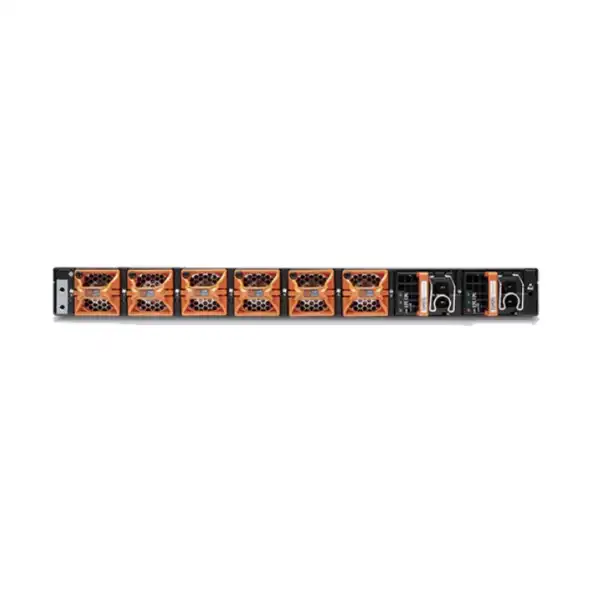
The SRX4300 supports stateful chassis clustering with active/passive and active/active deployment options, configuration synchronization, firewall session synchronization, link and device detection, route/interface failover monitoring, BFD monitoring and other HA mechanisms. Juniper also documents redundant power and fan capabilities. These are meaningful enterprise resilience features, but high availability is an architecture rather than a line item. Two firewalls only become a resilient service when the network, power, cabling, synchronization and operational procedures avoid shared failure points.
A resilient Dubai data center deployment should ideally connect each PSU to an independent power feed or UPS path if the facility supports it. The firewall pair should use diverse switch paths, and management access should remain available even when production routing is degraded. Logging and monitoring should make failover visible rather than relying on users to report an outage. Planned failover tests should be part of acceptance, including application sessions that matter to the business.
Active/active is not automatically better than active/passive. Active/active can improve asset utilization in designs that can use it safely, while active/passive can offer a simpler failure model. The right choice depends on traffic symmetry, routing, NAT behavior, operational skill and application requirements. The design should prefer predictable recovery over theoretical utilization.
Management, automation, logging and day-two operations
Juniper supports SRX4300 management through Junos OS tools, an on-box web interface, Juniper Security Director Cloud and cloud-oriented operational workflows including Juniper Mist integrations. The datasheet also documents CLI and API-based automation options. This gives enterprises flexibility, but it creates an early design decision: which system is the authoritative source for firewall policy and configuration? Mixing manual CLI changes, local GUI edits and centralized policy without governance can create configuration drift and change-control confusion.
For a single pair, local management may be adequate when the operations team is experienced with Junos and the policy set is manageable. For multiple sites or a broader Juniper security estate, centralized management becomes more attractive because it can standardize policy, improve visibility and reduce repetitive device-level configuration. The value grows further when zero-touch provisioning or automated workflows are part of the operating model.
Logging design should be decided before production. Identify which events must be retained, for how long, where they will be sent, how security analysts will search them and whether local storage is only a buffer or part of the retention plan. The SRX4300 hardware includes a 120 GB primary SSD and a 960 GB secondary/logging SSD, but enterprise retention should still be aligned with the organization’s SIEM, compliance and incident-response requirements. High traffic volumes can produce significant logs, especially when session logging is enabled broadly.
Operational readiness also includes backup and rollback procedures, administrator roles, credential policy, MFA around management systems, software upgrade testing, monitoring of interface and cluster health, subscription renewal ownership and change documentation. These tasks determine whether an enterprise firewall remains secure after deployment. The SRX4300’s automation capabilities can reduce repetitive work, but automation should be version-controlled, tested and reviewed like any other production change mechanism.
Licensing: match the SRX4300 subscription to the actual security outcome
Licensing is one of the most important SRX4300 quotation decisions. Juniper documents Data Protection (DP) and Edge Protection (EP) software bundles for the SRX4300, with Advanced and Premium tiers and one-, three- or five-year terms reflected in license SKUs. The hardware includes Junos base capabilities such as routing, firewalling, switching, NAT, VPN and MPLS under the applicable standard entitlement, while advanced application and threat functions require the corresponding security subscriptions. A buyer should therefore avoid comparing two quotations only by chassis price. A less expensive quote may simply omit the security services or term that the project requires.
| Bundle | Juniper-described scope | Where it may fit |
|---|---|---|
| DP Advanced 1 | Application Security, IPS, AI-predictive threat with antivirus, SecIntel and Security Director Cloud functions described for the DP tier. | Data protection and data center-oriented security where core application and threat inspection is required. |
| EP Advanced 2 | Builds on Advanced capabilities and includes NextGen URL Filtering for edge-protection use cases. | Enterprise edge deployments where user web access and URL policy are a central requirement. |
| DP Premium 1 | Adds ATP Cloud and further advanced threat functions including Adaptive Threat Profiling, Encrypted Traffic Insights, DNS Security and IoT-related capabilities over the DP feature set. | Data protection where cloud-assisted threat analysis and richer threat services are required. |
| EP Premium 2 | Adds ATP Cloud and extended threat capabilities over the edge-protection feature set. | Internet or enterprise edge security where broad web, threat and cloud-assisted protection is required. |
The first licensing question is not “Which bundle is best?” but “Which security functions are mandatory for this traffic?” For example, a data center segmentation firewall protecting east-west server traffic may prioritize IPS, application controls and SecIntel without needing the same URL filtering profile as an employee Internet gateway. An enterprise edge may place much more importance on URL categorization, malware protection, DNS security and user-oriented application visibility. Premium services may be justified for higher-risk environments, but the organization also needs operational processes to use the resulting telemetry and threat workflows effectively.
Term length is a commercial and operational decision. One-year terms can provide flexibility for short projects or uncertain architectures but create more frequent renewal events. Three- or five-year terms may align better with a hardware lifecycle, reduce annual procurement effort and make total-cost comparisons clearer. The correct choice depends on budget policy, refresh timing and the organization’s commitment to the feature set. Quotations should state the exact license SKU, bundle, quantity and term rather than a generic phrase such as “security subscription included.”
Licensing also influences performance planning because advanced services consume processing resources and may introduce cloud dependencies or policy complexity. If a proof of concept is conducted with basic firewall rules but production will enable IPS, application security, URL filtering and malware functions, the test does not represent the intended operating condition. The proof-of-concept policy should resemble production closely enough to validate capacity and application compatibility.
Finally, plan for renewal ownership. Assign a business or IT owner who tracks subscription expiry, support status and renewal lead time. Security capability should not unexpectedly change because a subscription was treated as an administrative afterthought. FourTeck can structure the quote so the chassis, required security tier and requested term are explicit and comparable.
Physical installation in Dubai: rack, power, cooling and serviceability
The SRX4300 is a 1U fixed appliance measuring approximately 17.28 inches wide, 1.74 inches high and 18.20 inches deep, or 43.89 × 4.42 × 46.23 cm. Juniper’s hardware information lists front-to-back airflow and an operating temperature range of 0°C to 40°C at the specified altitude, with 5% to 90% non-condensing operating humidity. The platform uses field-replaceable cooling components and supports redundant power-supply operation. These specifications are straightforward, but the local facility still needs to be checked rather than assuming every rack is suitable.
Dubai equipment rooms and data centers rely heavily on effective cooling because ambient external conditions are severe for much of the year. The relevant temperature is the air entering the firewall at the rack, not the outdoor temperature or thermostat reading at the far side of the room. Hot spots, blocked perforated tiles, recirculation from rear exhaust, crowded cable bundles and failed CRAC capacity can raise inlet temperature even when the room appears generally cool. Maintain clear front intake and rear exhaust paths and avoid placing the firewall where another device’s exhaust feeds directly into its intake.
Power planning should identify whether the ordered model uses AC or DC power and whether one or two supplies are included in the bill of materials. Juniper documents 850 W AC and DC PSU options and 1+1 redundancy capability. Because the hardware guide states that the chassis ships with one PSU, resilient deployments should explicitly add and verify the second PSU. For AC deployments, check plug type, PDU outlet availability and whether each PSU can connect to a different UPS or power feed. For DC facilities, confirm voltage, distribution and installation standards with the data center team.
Rack depth and service clearance also matter. Juniper’s hardware explorer lists a chassis depth with FRUs of roughly 19.9 inches and maintenance clearance of approximately 24 inches. A shallow wall cabinet designed for access switches is not necessarily suitable even though the unit is only 1U high. The rack should provide secure mounting, cable bend radius for fibre, enough rear space for power and airflow, and front/rear access for maintenance.
Before installation day, label every optic, DAC, patch lead and power cable against the port plan. Confirm console access and out-of-band management addressing. Pre-stage the intended Junos release if the change process allows it. Small preparation tasks reduce the amount of troubleshooting performed under a maintenance-window deadline.
How to size the SRX4300 for a real environment
A defensible sizing exercise should connect measured traffic to the exact security and network functions that will run on the firewall. This is more reliable than choosing a model from Internet circuit speed alone. The following sequence gives buyers a practical framework for deciding whether the SRX4300 has the right amount of capacity and the right interface mix.
Use peak or high-percentile traffic for Internet, WAN, data center and internal segmentation paths. Separate inbound, outbound and east-west flows where they exercise different policy sets.
List which flows require stateful firewalling, IPS, application control, URL filtering, malware functions, threat intelligence or TLS inspection. Do not assume every flow needs every service.
Record concurrent sessions and connection rates if available. API platforms, web farms, NAT gateways and short-lived cloud connections can stress session setup even when aggregate throughput appears moderate.
Translate each upstream, downstream, HA, management, server and fabric connection into required port speed, media and redundancy. Include optics and cable distance rather than counting cages only.
If an HA pair is planned, validate that one node can carry the intended service load during maintenance or failure without breaching acceptable latency or security-service capacity.
Include planned 25/100GbE migration, branch additions, cloud traffic, new data center segments, remote-access growth and higher inspection coverage over the expected lifecycle.
For an Internet edge, the most important constraints may be inspected throughput, SSL/TLS behavior, public application connections and security subscriptions. For a data center segmentation role, east-west bandwidth, low latency, session scale and 25/100GbE topology may dominate. For a secure WAN hub, IPsec throughput, tunnel count, routing scale and failure convergence become more important. The same SRX4300 chassis can address all three categories, but a single generic sizing rule cannot.
An organization replacing an older firewall should gather at least 30 days of utilization if monitoring is available, including normal peaks and exceptional events. Add policy and session statistics, not only interface graphs. If the legacy platform has already reached a CPU, session or SSL inspection limit, traffic throughput alone may understate the requirement. The goal is to understand what the old firewall could not do as well as what it currently carries.
Practical SRX4300 use cases
Data center edge and core security
The six 40/100GbE QSFP28 ports, four 25GbE-capable SFP28 ports, high session scale and EVPN-VXLAN capabilities make the SRX4300 relevant when a compact firewall must connect to modern switching fabrics. Sizing should emphasize real NGFW throughput, east-west flows, routing design and HA failure capacity.
Large campus edge
A campus with multiple Internet or WAN circuits, thousands of users and substantial SaaS traffic can use the SRX4300 for perimeter security, application-aware control and routing. The subscription tier and encrypted traffic policy often matter as much as raw link speed.
Regional headquarters and secure WAN hub
Organizations terminating many IPsec connections or centralizing branch connectivity can use the platform’s VPN, routing and policy functions. The design should model tunnel traffic, branch growth, route convergence, connection bursts and carrier diversity.
Internal segmentation
The SRX4300 can separate server zones, business units or sensitive network tiers where high throughput and application-aware policy are required. Avoid forcing all internal traffic through one choke point without modeling latency, capacity and asymmetric paths.
Hybrid-cloud interconnection
High-speed routed connectivity, IPsec and policy controls can support cloud interconnect designs where on-premises networks exchange significant traffic with public or private cloud environments. Route ownership, encryption and cloud-side controls must be coordinated.
Migration planning: move the policy and network behavior, not just the configuration text
A firewall replacement is often treated as a hardware swap, but the real migration is a translation of security intent and network behavior. Existing rules may contain years of exceptions, duplicate objects, temporary changes that became permanent, unused NAT entries and services that no one recognizes. Copying all of that into an SRX4300 can preserve unnecessary risk and make the new platform harder to operate. A better migration uses the old configuration as evidence, then validates which policies and flows are still required.
Start with an inventory of interfaces, VLANs, zones, IP addresses, routing protocols, static routes, VPNs, NAT rules, security policies, address objects, service objects, certificates, administrative accounts, authentication integrations and logging destinations. Map every public IP and partner dependency. Record which systems are sensitive to source address, return path or certificate changes. If the current firewall performs DHCP relay, DNS proxy, routing redistribution or other network services, capture those too; small utility functions are easily missed when teams focus only on security rules.
Next, analyze policy use. Identify rules that have no recent hits, broad any-to-any entries, shadowed policies, expired change requests and objects that no longer resolve to active systems. Cleanup should be controlled rather than aggressive. A rule with no recent hits may support a quarterly process, disaster recovery or an emergency integration. The right approach is to ask the application owner and preserve evidence for removal decisions.
Build the target SRX4300 policy around zones, applications, users and services in a structure that operations can understand. Where advanced application security or URL controls will be introduced, test them against real applications before the cutover. TLS inspection requires particular care because certificate pinning, unsupported clients, mutual TLS and privacy requirements can create exceptions. Define those exceptions deliberately instead of discovering them through production outages.
Routing migration needs an equally explicit plan. If the new firewall will peer with BGP or OSPF neighbors, confirm timers, authentication, route filters, communities, redistribution rules and expected prefixes. For static-routing environments, confirm next-hop reachability and track objects. For HA, test how routes and upstream devices react when the active node changes. A firewall failover that preserves sessions but leaves a stale route elsewhere in the network is not a successful resilience design.
The cutover plan should define a freeze point, configuration backup, pre-change validation, implementation steps, test cases, rollback criteria and decision authority. Test cases should be business-specific: public website access, ERP connectivity, branch VPN, remote access, cloud applications, partner links, DNS, email, payment services or any other critical workflow. “Internet works” is too weak as an acceptance criterion for an enterprise firewall migration.
After cutover, compare session counts, traffic rates, dropped packets, IPS events, application identification, routing tables, VPN state and log flow against expectations. Keep the rollback option available until the critical paths are stable. Then complete documentation while the change is fresh. A successful migration leaves the operations team with a cleaner policy structure and a clearer understanding of the network than before the project began.
SRX4300 compared with nearby Juniper options
The SRX4300 should not be recommended automatically. A smaller SRX may deliver the required security outcome at lower cost and power if the traffic and port needs are modest, while a larger platform may be appropriate when session scale, firewall capacity or future growth is substantially higher. Two useful reference points are the SRX2300 and SRX4600, although exact platform selection should always use the current Juniper specifications and the project’s feature requirements.
| Decision point | SRX2300 | SRX4300 | SRX4600 |
|---|---|---|---|
| Firewall throughput, published detailed figure | 28 Gbps IMIX / 39 Gbps 1518B | 70 Gbps IMIX / 98 Gbps 1518B | 400 Gbps IMIX / 400 Gbps 1518B |
| Concurrent sessions | 5 million | 10 million | 60 million |
| 100GbE QSFP28 ports | 2 | 6 | 4 |
| Typical reason to evaluate | Lower-capacity edge or data center role where SRX4300 headroom is unnecessary. | Dense mixed-speed connectivity and mid-to-high enterprise security scale in 1U. | Much larger raw firewall and session scale, especially for very high-capacity environments. |
The SRX2300 has a similar modern interface pattern but fewer QSFP28 ports and materially lower published throughput and session scale. It can be the more sensible choice for a campus edge or data center where the SRX4300’s additional capacity would remain unused. Right-sizing down is not a compromise when the smaller system meets the required security services, growth margin and resilience target.
The SRX4600 provides dramatically higher published stateful firewall throughput and a much larger session table, but it has a different interface mix and different performance characteristics for individual security-service tests. An organization should not choose it merely because the model number is larger. It becomes relevant when the traffic scale, session scale or architecture genuinely exceeds the SRX4300 design envelope, or when a specific SRX4600 platform characteristic is required.
The best comparison uses the same traffic profile, enabled services and HA assumptions across all candidate models. Comparing one platform’s maximum firewall benchmark with another platform’s advanced-threat benchmark leads to poor decisions. FourTeck can normalize the requirements before producing a shortlist.
Buyer questions and detailed answers
Is the SRX4300 a 100 Gbps firewall?
It has multiple 100GbE-capable interfaces, but interface speed and security throughput are different concepts. Juniper’s detailed firewall benchmarks list 98 Gbps with 1518-byte packets and 70 Gbps with IMIX, while the current headline page lists up to 90 Gbps firewall performance. Security-service throughput is lower for more advanced inspection. Size from the intended services and traffic profile, not the 100GbE port label.
Does the SRX4300 include redundant power supplies?
The platform supports 1+1 redundant PSUs, but Juniper’s hardware guide states that the SRX4300 ships with one PSU. If the project requires redundant power, the quote should explicitly include and identify the second compatible PSU. Also confirm whether AC or DC power is required and how the two supplies will connect to independent facility power paths.
Are advanced threat services included with the hardware?
Advanced application and threat services depend on the selected Juniper subscription bundle and term. The hardware purchase should therefore be accompanied by a clear licensing decision. Ask for exact bundle names, license SKUs and term length in the quotation so different offers can be compared fairly.
Can the SRX4300 be used in a high-availability pair?
Yes. Juniper supports stateful dual-box clustering with active/passive and active/active modes, session synchronization and failover monitoring. A complete HA design also needs redundant network paths, correct HA links, power diversity, tested routing behavior and enough capacity for one node to carry the required load during a failure.
Which Junos OS release supports the SRX4300?
Juniper’s hardware explorer lists Junos OS 24.2R1 as the first supported release, and the current SRX4300 specs page also identifies 24.2R1 as the tested software version for its published headline specifications. Production deployments should validate the current recommended Junos release, feature support and interoperability at the time of installation rather than assuming the first supported release is the desired long-term version.
Can it secure EVPN-VXLAN data center fabrics?
Juniper documents EVPN Type 5 and VXLAN-aware security capabilities for the SRX4300, including Layer 4 through Layer 7 inspection of relevant encapsulated traffic. Successful deployment still depends on the switching fabric, BGP design, route targets, traffic symmetry and migration architecture. Treat it as a fabric integration project rather than a stand-alone feature enablement.
How many IPsec tunnels can it support?
Juniper publishes up to 4,000 IPsec VPN tunnels. Tunnel count is only one sizing input. Aggregate encrypted bandwidth, packet size, routing over tunnels, failover behavior, branch reconnection bursts and the security services applied to VPN traffic all influence whether the platform is appropriate for a particular hub design.
Does the SRX4300 support 25GbE?
Yes. Four onboard SFP28 interfaces support 1/10/25GbE. The chassis also provides eight 1/10GbE SFP+ ports, eight 1/2.5/5/10GbE copper ports and six 40/100GbE QSFP28 ports. The optic or cable for each link must be chosen for the required speed, distance, media and peer device.
Is the SRX4300 suitable for a branch office?
It can technically serve many edge roles, but it is often oversized for a normal branch. The SRX4300 is more compelling where high-speed links, large session scale, 25/100GbE connectivity, substantial VPN concentration or data center/campus functions justify it. A smaller SRX model may be more economical and operationally appropriate for typical branches.
What information is needed for an accurate Dubai quote?
Provide quantity, required security bundle and term, AC or DC preference, need for a second PSU, HA design, interface speeds, optics or cable distances, Internet/WAN/data center throughput, session or user scale, VPN requirements, deployment location, migration scope, installation requirement and support expectations. This avoids a quote that contains only a chassis and leaves key project dependencies unspecified.
Procurement details that prevent incomplete SRX4300 orders
Enterprise firewall orders often become delayed because the chassis is selected before the surrounding bill of materials is complete. For the SRX4300, the quote should explicitly state the chassis power variant, PSU quantity, subscription bundle, license term, support entitlement, optics or cables, rack accessories if required and any implementation services. If an HA pair is required, every component should be considered in pairs or in the quantity appropriate to the topology rather than duplicating the chassis line only.
Interface planning should identify the exact media. A line reading “100GbE uplink” does not tell the supplier whether the project needs short-reach multimode optics, long-reach single-mode optics, direct-attach copper, active optical cable or another supported option. Fibre connector types and patch-panel architecture can introduce additional parts. The same applies to 25GbE and 10GbE links. Providing distance and peer equipment reduces rework.
Support and software expectations should be stated as clearly as the hardware. Enterprise teams may require vendor support aligned to the project lifecycle, access to updates and a defined escalation path. If the firewall will be centrally managed, include the required management licensing or service entitlement. If professional implementation is requested, distinguish between physical installation, base configuration, policy migration, VPN migration, centralized management onboarding, HA testing and post-change support.
Availability and commercial lead time can change. FourTeck should confirm current UAE sourcing, exact part numbers and delivery expectations at quotation rather than publishing unverified stock promises. This is more useful to procurement teams than a generic “in stock” claim that may not apply to the required PSU, license or optic combination.
Decision recap: the six questions that determine SRX4300 fit
What FourTeck needs from the buyer for an accurate quotation
Single appliance, HA pair or a larger distributed design.
Peak Gbps, user/device count, concurrent sessions where known and growth target.
IPS, application control, URL filtering, ATP, malware, SecIntel, TLS inspection and related requirements.
1/2.5/5/10/25/40/100GbE links, optic or cable distance, fibre type and peer equipment.
AC or DC, second PSU requirement, rack type, cooling and data center power diversity.
Required DP/EP tier and preferred one-, three- or five-year subscription period.
Current firewall vendor/model, policy count, NAT, VPNs, routing, certificates and centralized management.
Delivery only, installation, configuration, migration, testing, documentation, training or ongoing support.
Build the right Juniper SRX4300 configuration for your Dubai network
The SRX4300 is a strong 1U option when its high-speed port mix, session scale, VPN capacity and Junos security architecture align with the real project. The next step is to turn traffic, security services, HA requirements, licensing term, optics and migration scope into a complete bill of materials rather than quoting the chassis in isolation. FourTeck can review those inputs and identify whether the SRX4300 is the right fit or whether another SRX model should be evaluated.

Reviews
There are no reviews yet.