
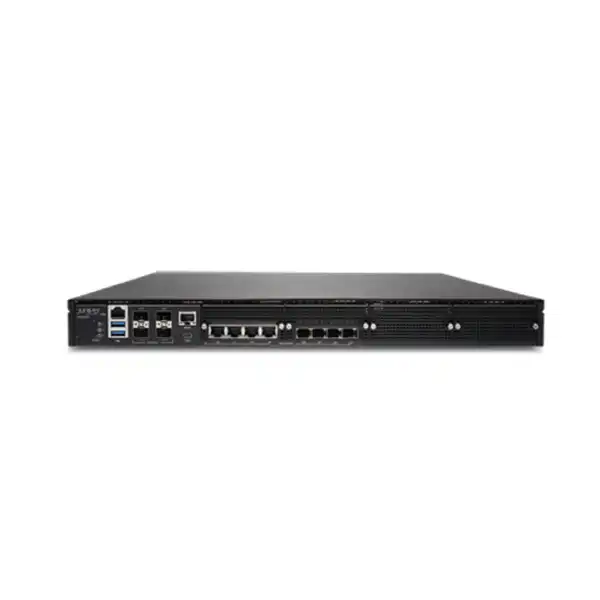
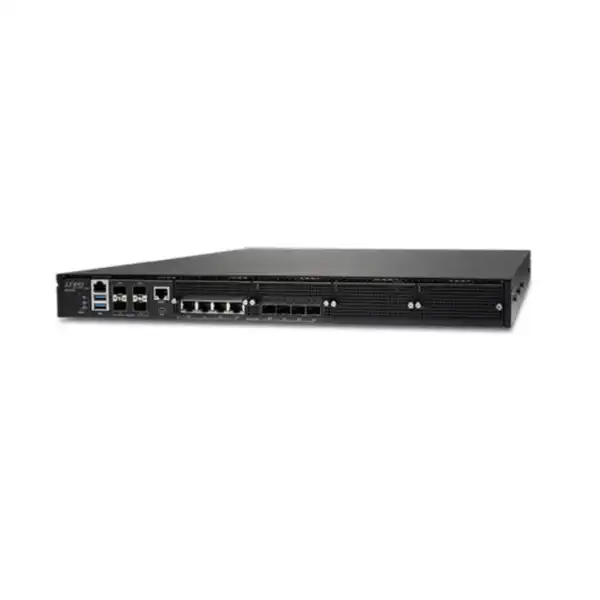
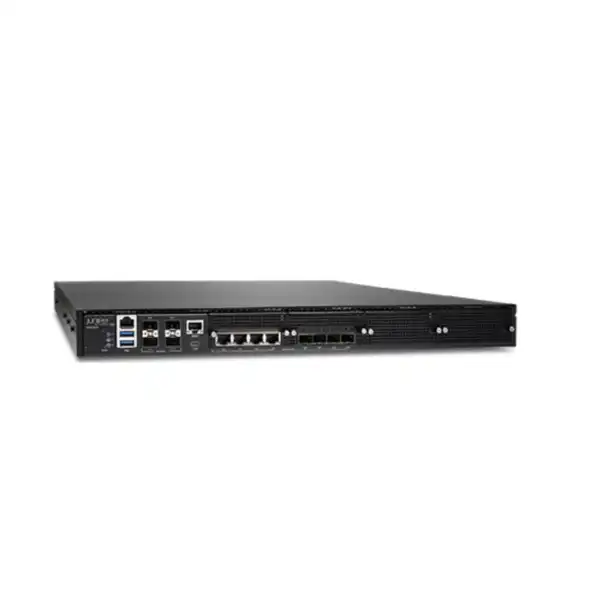
Juniper SSR1300 Session Smart Router in Dubai, UAE
The SSR1300 is Juniper’s 1U fixed appliance for medium campus, hub and data-center deployments that need a high-capacity Session Smart edge. It combines mixed 1GbE and 10GbE connectivity, published unencrypted aggregate performance up to 20 Gbps, resilient hardware and the software-driven policy model behind Juniper Session Smart networking.
Direct answer: what is the Juniper SSR1300 and who should consider it?
The Juniper SSR1300 Session Smart Router is a fixed 1U enterprise routing appliance in Juniper’s SSR1000 family. Juniper positions it for medium-size campus, hub and data-center deployments. Its main role is to provide secure, resilient and application-aware WAN connectivity using Session Smart software and Juniper’s service-centric, session-aware routing architecture. It can participate in Juniper AI-native SD-WAN designs and can be onboarded and monitored through Juniper Mist WAN Assurance, while Session Smart Conductor is another management and orchestration option.
Organizations should consider the SSR1300 when an edge or hub requires more capacity than a typical branch appliance, multiple 10GbE-facing links, redundant power and a platform designed for Session Smart networking. The most important factor to confirm is not the chassis name alone: it is whether the real traffic profile, encryption mode, packet-size mix, WAN interface design, optics and software subscription align with the intended deployment. Published throughput varies materially depending on whether traffic is unencrypted, encrypted, or encrypted with HMAC, so a design based only on the headline 20 Gbps figure can be misleading.
FourTeck can help translate site requirements into a practical bill of materials for Dubai and UAE deployments by checking expected aggregate traffic, link speeds, copper versus fibre interfaces, transceiver requirements, software subscription, management model, rack and power conditions, redundancy expectations and whether the SSR1200, SSR1300, SSR1400 or SSR1500 is the more appropriate family member.
Where the SSR1300 sits in the Session Smart Router portfolio
The SSR1300 belongs to the SSR1000 line, which Juniper uses for higher-capacity branch, campus, hub and data-center roles. The family position matters because it gives buyers a more useful way to evaluate the appliance than treating every Session Smart Router as interchangeable. The SSR1200 is aimed at a large branch or small campus/data-center role, the SSR1300 moves into the medium campus or data-center position, the SSR1400 targets a larger environment, and the SSR1500 is the highest-capacity fixed platform in this group.
Capacity position
Juniper publishes 20 Gbps unencrypted aggregate performance for the SSR1300, with the maximum constrained by a single NIC. That places it above the SSR1200’s 10 Gbps published unencrypted IMIX figure and below the SSR1400’s 40 Gbps. The resulting shortlist should still be based on the encrypted traffic mix and actual interface topology rather than a single headline number.
Interface position
The SSR1300 provides four 1GbE RJ-45 data ports, four fixed 10GbE SFP+ data ports and four additional 1/10GbE SFP+ data ports. It therefore suits designs that need a mixture of legacy or local 1GbE copper connections and multiple fibre or DAC-based 10GbE uplinks without moving to the 25GbE-capable SSR1400.
Operational position
The appliance is not simply a conventional router with an SD-WAN feature added later. Session Smart software supplies the service-centric control model, session-aware forwarding, routing policy, security and telemetry. This distinction is important for teams comparing it with legacy tunnel-heavy SD-WAN or traditional routing platforms.
Deployment position
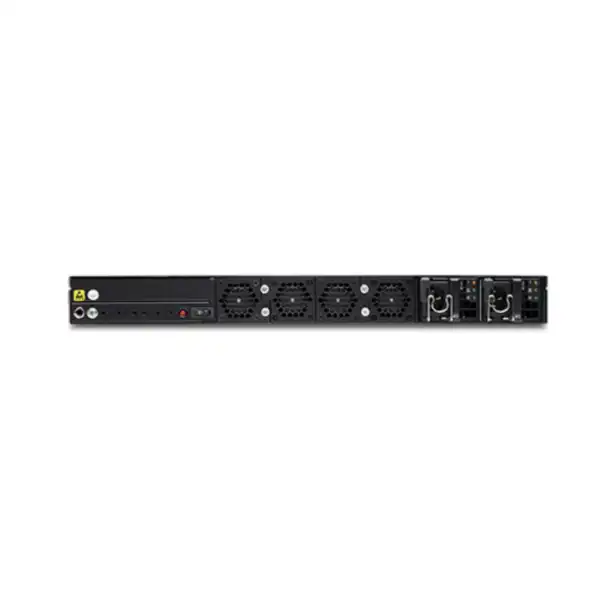
At 1U, with redundant AC power supplies and removable fans, the SSR1300 fits rack-based infrastructure rather than desktop branch placement. Buyers should treat rack depth, airflow, power distribution, fibre reach and physical service access as part of the purchase decision, especially in shared data-center racks.
Session Smart architecture: why the software changes the buying decision
The defining technology behind the SSR1300 is Juniper Session Smart Router software. Instead of approaching the WAN only as a set of tunnel endpoints, Session Smart is built around sessions and services. Juniper describes the solution as using Secure Vector Routing, a tunnel-free forwarding architecture that exchanges routing metadata between Session Smart peers and creates engineered paths for traffic. For buyers, the practical point is that the appliance should be evaluated as part of a Session Smart fabric, not merely as a box with twelve data interfaces.
A session-aware platform can apply policy with knowledge of the service that a user, device or application is attempting to reach. This service-centric approach supports segmentation and a deny-by-default security model. In operational terms, policy can follow the intended service relationship rather than relying exclusively on a large collection of static tunnel constructs. The architecture also avoids wrapping every intersite flow in the same kind of overlay tunnel overhead that characterizes many conventional SD-WAN designs. That does not remove the need for good underlay design: circuit quality, routing reachability, path diversity, MTU consistency, DNS, addressing and security policy still matter.
Secure Vector Routing is particularly relevant when the SSR1300 is being considered as a hub. A hub can be a concentration point for numerous remote Session Smart edges, so efficiency, route advertisement, application policy and resilience have a wider blast radius than at a single small branch. Juniper’s Mist design guidance uses hub profiles and overlay endpoints for SSR-based SD-WAN. In practical deployments, hub endpoint addressing, BGP route exchange where used by the design, transport diversity and traffic-steering policy should be planned before the first remote site is onboarded.
The architecture also affects migration strategy. An organization moving from a traditional routed WAN, IPsec mesh or another SD-WAN vendor should map existing applications, route domains, segmentation constructs and failover behavior into the Session Smart model. That mapping is more important than simply recreating old tunnels one-for-one. The project should define which services need to communicate, which users or networks are permitted to initiate those sessions, which links are preferred, and what should happen when link quality changes.
This is also why licensing and management choices belong near the beginning of the buying process. The SSR1300 hardware is sold separately from the required Session Smart software subscription. A chassis without the correct software entitlement is not a complete deployable Session Smart solution. Likewise, deciding whether operations will be built around Mist WAN Assurance, Session Smart Conductor, or an existing organizational standard influences onboarding, monitoring, change control and day-two support.
SSR1300 performance: read the numbers in context
Juniper publishes several performance figures because cryptographic processing and packet size materially affect forwarding rates. The values below are useful for platform comparison, but they should not be treated as guaranteed application throughput for every network. Juniper’s published SSR1000 performance table identifies measurements observed on Session Smart software v5.4.4 for the SSR1300 and distinguishes IMIX from 1500-byte traffic.
| Traffic mode | IMIX published result | 1500-byte published result | Buyer interpretation |
|---|---|---|---|
| Encrypted + HMAC, aggregate | 5 Gbps | 12 Gbps | Use this as the more conservative reference when authentication-integrity processing applies and the traffic mix includes smaller packets. |
| Encrypted only, aggregate | 18 Gbps | 20 Gbps, limited by single NIC capacity | Relevant where encrypted forwarding dominates, but application mix, packet size and real interface design still determine usable headroom. |
| Unencrypted, aggregate | 20 Gbps, limited by single NIC capacity | 20 Gbps, limited by single NIC capacity | The headline figure is a platform reference, not a promise that every topology or workload can consume 20 Gbps of useful application traffic. |
Size for encrypted reality
A hub carrying encrypted intersite traffic should not be sized from the unencrypted number alone. Estimate peak aggregate encrypted traffic, packet-size distribution, future circuit upgrades and failure scenarios. A platform that appears comfortable during normal load can lose headroom when one of two devices or paths is unavailable.
Understand the NIC ceiling
Juniper annotates several SSR1300 results as maximum throughput on a single NIC. This matters when designing link aggregation, traffic distribution or multiple high-speed services. A sum of port labels does not automatically equal the maximum forwarding throughput of the appliance.
Leave operating headroom
A production design normally needs capacity beyond today’s measured peak. Include growth, burst traffic, maintenance windows, telemetry, encryption changes and the possibility of traffic shifting after a circuit or node failure. Where those conditions push the SSR1300 close to its planned ceiling, compare the SSR1400 rather than relying on optimistic averages.
Interfaces and physical connectivity
The SSR1300’s port mix is one of the strongest reasons to choose it over a smaller branch appliance. It combines four copper data ports with eight SFP+ data ports, allowing a design to connect lower-speed local infrastructure while retaining multiple 10GbE-capable links for WAN, core, aggregation or service-facing roles. The exact assignment of ports should be planned from the topology rather than assuming that every SFP+ cage will operate at 10GbE.
| 1GbE RJ-45 data ports | 4 x 1GbE RJ-45. These are onboard fixed interfaces and are not field-configurable NIC slots. |
|---|---|
| Dedicated 10GbE SFP+ data ports | 4 x 10GbE SFP+. Suitable optics or compatible direct-attach media must be selected separately for the actual link environment. |
| Flexible SFP+ data ports | 4 x 1GbE/10GbE SFP+. This gives useful flexibility where some fibre services remain at 1GbE while others run at 10GbE. |
| Management | 1 x 1GbE RJ-45 management port for Mist operations. Keep management addressing, cloud reachability and operational access separate from assumptions about forwarding data ports. |
| Console and USB | The front panel includes an RJ-45 console port, a Micro-USB console interface and two USB 3.0 ports, supporting local staging and maintenance workflows. |
| Integrated LTE / PoE+ | Not supported on the SSR1300 platform. Designs needing integrated cellular or PoE functionality should evaluate a different edge architecture rather than assuming those capabilities are built into this chassis. |
Optics deserve separate attention in a Dubai or UAE quotation because Juniper lists the SSR1300 hardware with optics sold separately. The bill of materials should identify link speed, fibre type, connector type, reach and the peer device on each optical connection. A 10GbE SFP+ cage does not itself determine whether the correct transceiver is short-reach multimode, long-reach single-mode, DAC or another supported option. Using the exact peer platform and cabling plant reduces the risk of ordering optics that are electrically supported but unsuitable for the site.
Hardware, rack and power planning
The SSR1300 is a 1U rack appliance with 128 GB of RAM and a 256 GB enterprise-grade SSD. Juniper’s SSR1000 datasheet lists the system at approximately 438 mm wide, 650 mm deep and 44 mm high, with a system weight of 19.2 kg. The depth is significant enough that buyers should verify cabinet depth, rail clearance, rear cabling and service access rather than assuming every compact network rack will accommodate the platform comfortably.
The standard SSR1300 ordering description includes redundant AC power supplies in a 1+1 arrangement and the rackmount kit. Four removable fan trays provide hardware cooling redundancy. The published AC input range is 100-240 V AC at 50-60 Hz and Juniper lists an estimated maximum power draw of 411.75 W. For data-center planning, power distribution should provide independent protected feeds where the resilience objective requires it. Plugging both PSUs into the same unprotected PDU defeats much of the value of dual power supplies.
Juniper lists an operating range of 0°C to 40°C for the SSR1300. UAE deployments should therefore focus on the conditioned rack environment, not outdoor ambient temperature. Confirm airflow, cabinet cooling, room temperature, dust control, power quality and maintenance access. If the appliance is being installed in a remote communications room rather than a managed data center, environmental conditions deserve the same attention as bandwidth sizing.
Physical planning checklist
- Reserve 1U rack space with sufficient depth for a roughly 650 mm chassis plus cables.
- Confirm the included rackmount hardware matches the cabinet standard and installation method.
- Plan dual AC feeds if PSU redundancy must survive a PDU or circuit failure.
- Allow front and rear access for console, optics, power supplies, fans and cable management.
- Verify cooling can maintain the published operating range under expected load.
- Document transceiver and patch-lead requirements before staging.
- Include grounding, labeling and change-control requirements in the installation plan.
Security model and adaptive encryption
Juniper positions the SSR1000 line around Zero Trust security principles. The Session Smart model authenticates routes and applies access policy before allowing sessions, with a deny-by-default philosophy intended to restrict connectivity to authorized relationships. Juniper documents stateful firewall functions across Layers 2 through 5, including traffic filtering, NAT, encryption, VPN and DoS/DDoS protection. The significance for an enterprise buyer is that routing and policy enforcement are designed as one service-aware system rather than independent devices that must be chained together for every WAN decision.
That does not mean an SSR1300 automatically replaces every firewall or security service. Security architecture should be mapped to the organization’s requirements. Juniper’s own Mist platform guidance distinguishes Session Smart Routers from SRX Series firewalls and notes that advanced security requirements can influence WAN-edge platform choice. If a project requires deep Layer 7 inspection, a particular threat-prevention stack, a mandated firewall certification profile or existing SRX operational workflows, those requirements should be compared directly with the intended SSR design instead of assuming feature equivalence.
Adaptive encryption is a particularly practical Session Smart capability. Juniper states that the SSR can recognize traffic already protected by HTTPS or IPsec and avoid re-encrypting it, reducing the overhead associated with unnecessary double encryption. This can improve efficiency, but architects should still confirm the organization’s security policy. Some environments may have specific requirements for transport encryption regardless of application-layer protection, and compliance requirements should take precedence over generalized performance optimization.
Segmentation should be designed from business intent. Instead of starting with a flat reachability matrix, identify user groups, device categories, applications and services that need to communicate, then define the permitted relationships. This approach is especially useful when the SSR1300 serves as a data-center or campus hub because a mistake at the hub can affect many sites. A controlled pilot should validate route exchange, tenancy, NAT behavior, policy enforcement and failure handling before migration expands to production traffic.
Management choices: Juniper Mist WAN Assurance or Session Smart Conductor
The SSR1300 can be operated within Juniper’s broader Session Smart management ecosystem. Juniper documents Mist WAN Assurance for cloud-based onboarding and monitoring, including claim-code or QR-code workflows, and also documents Session Smart Conductor as a centralized management and policy engine. The correct option depends on the customer’s operating model, existing Juniper investment, cloud-management policy and automation requirements.
Mist WAN Assurance
Mist WAN Assurance provides cloud-based lifecycle operations for WAN edges, including orchestration, monitoring, telemetry and AI-assisted operational insight. For teams already using Mist Wireless or Wired Assurance, bringing WAN operations into the same cloud environment can simplify visibility across users, access networks and WAN paths.
Physical onboarding can use the device claim code, but successful zero-touch deployment still depends on network reachability. Juniper’s design guidance notes the need for DHCP for physical ZTP unless a device is manually staged and later migrated. Firewall egress, DNS, addressing and management-port connectivity should therefore be verified before remote installation.
Session Smart Conductor
Session Smart Conductor is Juniper’s centralized management and policy engine for distributed SSR deployments. Juniper describes it as supporting orchestration, administration, ZTP, monitoring and analytics while maintaining a network-wide service and policy model.
Conductor can suit organizations that already operate Session Smart environments with established management architecture or that prefer specific on-premises, private-cloud or public-cloud deployment models. The design should include Conductor resilience, management reachability, software lifecycle ownership, backup procedures and access control rather than treating management as an afterthought.
A procurement request should state the intended management approach because the answer can affect subscription selection, deployment effort and handover. It also changes how operations teams troubleshoot incidents. A Mist-managed design may emphasize experience telemetry and cloud workflows, while a Conductor-led design may align with an established Session Smart operational model. The hardware remains the same appliance, but the surrounding operational architecture is not interchangeable without planning.
High availability and resilience: separate chassis redundancy from network resilience
The SSR1300 has useful hardware redundancy: Juniper documents dual AC power supplies and four removable fan trays. Those features help reduce the risk that a single PSU or fan fault takes the appliance out of service, but they do not make one chassis equivalent to a redundant WAN architecture. A resilient design should distinguish component redundancy, path redundancy and node redundancy.
Session Smart supports high-availability designs with active/active clustering and stateful failover. In Juniper’s HA model, paired router nodes can share traffic and state, with a fabric link helping preserve forwarding during a failure. For a critical SSR1300 hub, this can justify deploying two appliances rather than relying on one chassis with redundant internal components. The network should then be designed so that WAN circuits, upstream switches, power feeds and rack dependencies do not recreate a single point of failure outside the routers.
Path diversity is equally important. Two broadband circuits that enter the building through the same carrier duct can fail together. Two router nodes connected to the same single access switch can also share a failure domain. A real resilience review should follow traffic from user or server to destination and identify common devices, power, optics, patch panels, carriers and physical routes. Session Smart multipath and failover capabilities work best when the underlay actually provides diverse paths to choose from.
Capacity planning must include degraded mode. If two SSR1300s normally share a 20 Gbps class workload, each remaining node may have to carry a much larger percentage of traffic after a failure. The same principle applies to WAN links. Define the acceptable performance during maintenance or failure, then size the surviving components for that state rather than for the average normal condition.
Licensing, subscriptions and what the hardware SKU does not include
One of the most important procurement facts is that the SSR1300 hardware is not the complete software entitlement. Juniper explicitly states that a Session Smart software subscription license is required and sold separately. The SSR1000 ordering description also notes that optics are sold separately. A purchase order that contains only the hardware line can therefore arrive without two things that are essential to the intended deployment: the correct software subscription and the optical media needed for fibre links.
The subscription should be quoted against the actual deployment rather than guessed from the chassis model. Confirm the required term, management model, software features, support expectations and any organization-wide licensing dependencies before finalizing the order. If the project is a renewal or expansion of an existing Session Smart environment, provide the current subscription details and management organization so the new appliance can be aligned with the existing entitlement structure.
Optics should be treated as a separate technical workstream. The SSR1300 includes four 10GbE SFP+ ports and four 1/10GbE SFP+ ports, but the correct transceiver depends on the fibre or copper medium, distance and remote interface. For example, a short intra-rack connection may be solved differently from a cross-building single-mode run. The quote should list each intended optical connection and identify the required quantity, including spares if the operational policy calls for them.
Support coverage should also be deliberate. Juniper documents an Enhanced Limited Lifetime Warranty for the SSR100 and SSR1000 lines and offers service options such as Next-Day Delivery and Same-Day service, subject to service availability and terms. An organization running an SSR1300 as a central hub may need a different replacement SLA from a lab or non-critical site. Service level, location eligibility and spare strategy should be validated at quotation time for the UAE site rather than assumed from a global datasheet.
Practical deployment scenarios for the SSR1300
The SSR1300 is most valuable when its capacity, port mix and Session Smart architecture address a real network problem. The following scenarios illustrate where the platform can make sense without implying that every medium-size organization should use the same design.
Medium data-center WAN hub
An enterprise with many remote sites may use an SSR1300 at a data-center hub where multiple WAN paths, 10GbE handoffs and centralized services converge. The design should account for aggregate encrypted traffic, route scale, hub redundancy and the possibility that one node carries more load during maintenance or failure.
Campus WAN and service edge
A campus can use the SSR1300 where routed services, WAN circuits and core-facing connections require a mix of copper and 10GbE optical interfaces. In this role, segmentation and application policy should be coordinated with campus switching, identity, security and addressing rather than configured independently.
Regional SD-WAN aggregation
Organizations with branches across the UAE or wider region can use a Session Smart hub to aggregate overlay connectivity and service access. Underlay provider diversity, latency, route advertisement and policy should be validated for the actual branch mix; geographic reach does not by itself determine which SSR model is appropriate.
Migration from tunnel-heavy WAN designs
A business replacing legacy IPsec mesh or another SD-WAN platform may evaluate the SSR1300 for its tunnel-free Secure Vector Routing approach. The migration should map services and security intent, coexistence routing, cutover sequence and rollback conditions; it should not be treated as a simple port-for-port replacement.
Cloud-connected enterprise edge
Where SaaS, public cloud and private data-center services share the WAN, Session Smart policy can steer sessions according to service intent and available paths. The design still needs clear boundaries between direct internet access, private routes, cloud security services and data-center applications.
When the SSR1300 may be too small, too large or simply the wrong fit
A balanced product decision includes reasons not to buy the supplied model. The SSR1300 is a strong middle platform in the SSR1000 line, but its suitability depends on what the network needs now and during the intended service life. If the site is a smaller branch with modest bandwidth, mostly 1GbE connectivity and limited rack requirements, the SSR1200 or another branch-oriented Session Smart appliance may be more economical and operationally appropriate.
At the other end, a hub expecting sustained traffic beyond the SSR1300’s practical encrypted headroom, 25GbE interface requirements, substantially higher growth or larger failure-mode loads should compare the SSR1400. Juniper positions that model for large campus and data-center roles and provides 1/10/25GbE SFP28 capability on part of its interface set. The SSR1500 goes further for extra-large roles. Upgrading the platform before deployment is usually easier than redesigning a central hub after traffic has outgrown it.
The SSR1300 also lacks integrated LTE and PoE+. If cellular backup must be built directly into the edge device, or if the router is expected to power downstream devices, the topology needs another component or a different platform. Those requirements should be written into the scope before a quote is generated. Likewise, organizations whose primary requirement is a traditional next-generation firewall with a particular inspection or security-services feature set may find a Juniper SRX-based architecture more suitable, potentially still managed through Mist depending on the design.
Finally, operational fit matters. Session Smart introduces a service-centric, session-aware way of building the WAN. Teams that are not prepared to adopt that policy model, management platform and software lifecycle should account for design and training effort. The goal is not to preserve every legacy construct; it is to migrate deliberately while protecting required reachability, security and service levels.
SSR1200 vs SSR1300 vs SSR1400 vs SSR1500
Family comparison is useful because the SSR1300’s value becomes clearer when viewed against neighboring models. The figures below summarize Juniper’s published positioning and selected hardware differences; detailed sizing should still use the customer’s encrypted traffic and interface requirements.
| Model | Juniper positioning | Published max unencrypted | High-speed interface direction | Memory / storage |
|---|---|---|---|---|
| SSR1200 | Large branch or small campus/data center | 10 Gbps IMIX; 20 Gbps at 1500 bytes with NIC limit noted | 4 x 1/10GbE SFP+ | 64 GB / 256 GB SSD |
| SSR1300 | Medium campus/data center | 20 Gbps, NIC limit noted | 4 x 10GbE SFP+ plus 4 x 1/10GbE SFP+ | 128 GB / 256 GB SSD |
| SSR1400 | Large campus/data center | 40 Gbps IMIX | 4 x 10GbE SFP+ plus 4 x 1/10/25GbE SFP28 | 256 GB / 512 GB SSD |
| SSR1500 | Extra-large campus/data center | 50 Gbps, NIC limit noted | 12 x 1/10/25GbE SFP28 | 512 GB / 1 TB SSD |
The comparison reveals two common decision thresholds. The first is traffic headroom: an encrypted medium-hub design can justify the SSR1400 before the nominal unencrypted headline is reached. The second is interface speed: a requirement for native 25GbE immediately changes the shortlist because the SSR1300’s SFP+ ports top out at 10GbE. Conversely, a site with no meaningful 10GbE requirement may not gain enough from the SSR1300 to justify it over the SSR1200. The best choice is the smallest platform that satisfies performance, ports, redundancy and growth with an appropriate engineering margin.
A practical SSR1300 sizing method
Sizing should begin with traffic and failure requirements, not with the model. Start by collecting current peak WAN usage from the existing routers, firewalls, carrier portals or monitoring system. Separate internet-bound traffic from private WAN, cloud, inter-data-center and other flows because they may use different interfaces and security treatment. Where possible, look at a representative business period rather than a short sample that misses month-end processing, backups, replication, video events or other bursts.
Next, classify the traffic according to encryption expectations. The SSR1300’s published results show why this matters: encrypted plus HMAC IMIX is substantially lower than the 20 Gbps unencrypted figure. If the production traffic consists of many smaller packets or requires additional integrity processing, a design based on large-frame testing can overstate usable capacity. The correct goal is not to reproduce a lab benchmark; it is to maintain acceptable utilization and latency under the organization’s real packet profile.
Then map each circuit to a physical interface. List carrier handoff speed, media type and peer device. Determine which links require the four 10GbE SFP+ ports, which can use the flexible 1/10GbE SFP+ ports and which local connections can use the 1GbE RJ-45 ports. Leave room for migration or maintenance where possible. A design that consumes every appropriate port on day one may create avoidable complexity during future carrier upgrades.
Model degraded operation. If the design contains two SSR1300 appliances, calculate the traffic each unit may need to process when its partner is unavailable. If there are two WAN circuits, determine whether one circuit can absorb critical services when the other fails. Apply the same reasoning to upstream switches, firewalls and cloud connections. High availability is only as strong as the surviving path.
Finally, add growth based on known business plans rather than an arbitrary percentage alone. New sites, cloud migrations, data replication, video workloads, security changes or 10GbE carrier upgrades can change the traffic profile much faster than ordinary year-on-year growth. If these plans push the SSR1300 close to a conservative limit during its expected life, moving to the SSR1400 can be a better procurement decision even if today’s average load appears modest.
Migration and installation journey
A Session Smart deployment benefits from a staged approach that separates design, hardware installation, policy validation and cutover. This reduces the risk that a physical installation problem is confused with a routing or policy problem during a high-pressure migration window.
Discovery
Capture current topology, carrier handoffs, routes, addressing, applications, segmentation, security policy, monitoring, maintenance constraints and target service levels. Identify existing pain points so the new design solves a defined problem rather than only changing hardware.
Sizing and BOM
Confirm performance headroom, interface assignments, optics, rack kit, power, software subscription, management method, support level and any second appliance required for HA. This stage should produce an orderable list rather than a generic model recommendation.
Pre-stage
Register the device in the intended management environment, verify software entitlement, prepare addressing and policy, confirm cloud or Conductor reachability, and label interfaces. If using ZTP, validate DHCP, DNS and required outbound connectivity before shipping the appliance to a remote site.
Rack and cable
Install the 1U chassis with proper support, connect independent power feeds where required, fit approved optics and patch cables, connect management and console access, then verify link state before introducing production routing.
Validate services
Test route exchange, allowed and denied sessions, NAT behavior, application reachability, path selection, telemetry, DNS, management access and failover. Validate both normal and degraded conditions so HA behavior is understood before the old environment is removed.
Cutover and observe
Move production traffic in controlled phases, watch path quality and session behavior, compare actual utilization with the sizing model, and keep a documented rollback path until the service is stable. Afterward, update diagrams, support contacts and operating procedures.
Dubai and UAE procurement considerations
For a UAE purchase, the most useful quotation is one that identifies a complete deployable requirement rather than quoting a bare chassis. FourTeck can source and scope the SSR1300 for Dubai and UAE projects subject to current distributor availability, commercial terms and the exact requested configuration. Stock should never be inferred from a web page, and software subscriptions or optics should not be assumed to be included unless they appear explicitly on the quotation.
Provide the delivery location and target deployment date early, especially for projects tied to a carrier cutover, new office opening or data-center migration. Hardware lead time is only one dependency. Software entitlement, optics, rack readiness, cross-connect scheduling, carrier handoff and change-control approval can all affect the date on which the router becomes operational. A realistic project plan treats these as parallel workstreams.
For data-center installations in Dubai, confirm whether the appliance will be installed in a customer-owned rack or a colocation facility. Colocation sites may have specific procedures for remote hands, rack elevations, power-feed types, cross-connects, access requests and delivery acceptance. The SSR1300’s 650 mm chassis depth and rear power/fan service area should be included in the rack plan, not checked after the unit arrives.
If the organization operates multiple UAE sites, identify whether the SSR1300 is being purchased as a hub, a campus edge, a disaster-recovery counterpart or an expansion node in an existing Session Smart fabric. That role determines the questions FourTeck should ask about peer devices, management, capacity, HA, optics and subscriptions. It also helps avoid overbuying a high-capacity appliance for a site that would be better served by a smaller member of the portfolio.
Important ordering dependencies
Software subscription: Juniper states that the Session Smart software subscription license required to use the SSR1300 is sold separately. Confirm the licensing term and management environment before the purchase order is finalized.
Optics: The hardware SKU does not include the SFP/SFP+ optics needed for the intended fibre links. Specify speed, fibre type, connector, distance and peer equipment for each link.
Capacity: Do not use the 20 Gbps unencrypted figure as a universal encrypted throughput guarantee. The published encrypted plus HMAC IMIX result is 5 Gbps, illustrating how strongly workload conditions matter.
High availability: Redundant PSUs and fans protect against internal component failures but do not replace a second router where node-level availability is required. Define the failure model before deciding quantity.
Frequently asked buyer questions about the Juniper SSR1300
Is the SSR1300 a firewall or a router?
It is a Session Smart Router with integrated security functions. Juniper documents stateful firewall capabilities, NAT, encryption, VPN, traffic filtering and Zero Trust policy as part of the platform. Whether it replaces a dedicated next-generation firewall depends on the security controls, inspection depth, certifications and operational model required by the organization. For a perimeter-security project, compare those requirements explicitly rather than choosing solely by the router label.
Does the SSR1300 include the Session Smart software license?
No. Juniper states that the required Session Smart software subscription license is sold separately. The hardware line and the software entitlement should both appear in the commercial scope. For an existing Session Smart customer, share the current licensing and management details so the new node can be quoted consistently with the installed environment.
Are SFP+ transceivers included?
Juniper’s ordering information says optics are sold separately. The SSR1300 has eight SFP+ data ports, but the transceiver must match the required link speed, fibre plant, reach and peer interface. A quote should therefore list optics as specific line items rather than leaving them implied.
Can the SSR1300 deliver 20 Gbps with encryption?
Juniper publishes a 20 Gbps encrypted-only result with 1500-byte traffic and notes a single-NIC ceiling, while the encrypted-only IMIX result is 18 Gbps. For encrypted plus HMAC, the published figures are lower: 5 Gbps IMIX and 12 Gbps with 1500-byte traffic. Real sizing should use the relevant security mode and packet mix, then retain engineering headroom.
Does the SSR1300 support 25GbE?
No 25GbE data ports are listed for the SSR1300. Its high-speed interfaces are 10GbE SFP+ and 1/10GbE SFP+. If 25GbE is a requirement, compare the SSR1400, which adds 1/10/25GbE SFP28 capability, or the SSR1500 for a larger high-speed interface requirement.
Does the SSR1300 have built-in LTE?
No. Juniper lists LTE modules as not supported on the SSR1000 appliances. If cellular backup is needed, plan an external modem or another supported WAN-edge design. The resilience objective should also consider whether the cellular path is truly diverse from the primary wired service.
Can the SSR1300 be managed in Juniper Mist?
Yes. Juniper documents onboarding and monitoring of the SSR1300 through Mist WAN Assurance and states that support for managing SSR1300 through Mist began with SSR Release 6.0. The management design should still validate organization licensing, cloud reachability, claim process, role-based access and operational ownership.
Can Session Smart Conductor manage the SSR1300?
Yes. Session Smart Conductor is Juniper’s centralized management and policy engine for SSR deployments, supporting orchestration, administration, ZTP, monitoring and analytics. Organizations should choose the management architecture that fits their existing estate and operational policies rather than mixing approaches without a plan.
Is one SSR1300 enough for a data-center hub?
It can be enough where the business accepts a single node as a failure domain, but critical hubs commonly need node-level redundancy. Session Smart supports active/active HA and stateful failover designs. The correct quantity depends on service availability objectives, failure-mode capacity, maintenance requirements and whether the upstream and WAN paths are also redundant.
What information is needed for an accurate Dubai quotation?
Provide quantity, deployment role, current and expected peak traffic, encryption requirements, WAN circuit speeds, interface media, fibre reach, management method, desired subscription term, HA requirement, rack location, delivery site, support level and whether installation or migration services are required. Existing Session Smart customers should also provide the current management and licensing context.
Detailed procurement checklist before issuing the purchase order
Enterprise router purchases often fail at the edges of the bill of materials rather than at the main chassis line. A structured procurement review for the SSR1300 should confirm the following items and record who owns each decision. This is particularly important where hardware, software, optics, carriers and implementation services are purchased through different teams.
Model and quantity
Confirm that SSR1300 is the intended platform after comparing SSR1200 and SSR1400 thresholds. Decide whether quantity includes an HA peer, disaster-recovery unit or operational spare.
Software entitlement
Specify the required Session Smart subscription, term and management context. Do not assume a hardware-only SKU provides the software rights needed for production operation.
Optics and cabling
List every SFP+ connection with speed, medium, reach, connector and peer equipment. Include DAC or fibre patch leads and approved spares where required.
Rack and power
Verify 1U rack space, cabinet depth, airflow, dual power-feed availability, PDU outlet type, grounding and front/rear maintenance clearance.
Support and logistics
Match the support SLA to the role of the router, confirm local service availability, delivery destination, access procedures and whether a spare is required for business continuity.
Implementation scope
Define whether the quote covers supply only, pre-staging, configuration, rack installation, migration, testing, documentation, training and post-cutover support.
Operational considerations after deployment
A successful SSR1300 project does not end at cutover. Day-two operations should define who owns software upgrades, configuration approval, incident response, performance baselines, entitlement renewals, support escalation and hardware replacement. These responsibilities are particularly important for a hub because configuration or capacity problems can affect many dependent sites.
Establish normal baselines for traffic volume, path latency, loss, jitter, session counts and circuit utilization. Mist WAN Assurance can add rich telemetry and AI-assisted operational insight, while Session Smart management tools provide detailed platform visibility. Baselines make it easier to identify whether a future complaint is caused by the local LAN, the WAN underlay, remote services, application behavior or the router itself. Without a baseline, troubleshooting often begins with guesswork.
Plan software lifecycle changes deliberately. Read release notes, validate compatibility with the management environment and schedule upgrades around business risk. An HA pair may reduce disruption, but maintenance still needs a tested sequence and capacity should be adequate while one unit is being serviced. Configuration backups, access credentials and recovery procedures should be verified before a change window, not reconstructed during an incident.
Monitor growth against the sizing assumptions used during procurement. If aggregate encrypted load, circuit speeds or 10GbE port utilization are approaching the engineering margin, review expansion before users experience congestion. The same applies to topology: a new cloud region, acquisition or branch rollout can change hub traffic patterns even if individual sites remain small. Treat the original design model as a living capacity plan rather than a one-time document.
Decision recap: the points that should drive an SSR1300 purchase
Model fit
Best aligned with medium campus, hub and data-center roles where the SSR1200 is too limited and 25GbE or higher SSR1400-class capacity is not yet required.
Capacity
Size from encrypted and failure-mode traffic, not only the 20 Gbps unencrypted headline. Packet size and security processing materially change published results.
Licensing
The required Session Smart software subscription is sold separately. Confirm term, management environment and support before purchase.
Interfaces
Match 4 x 1GbE RJ-45, 4 x 10GbE SFP+ and 4 x 1/10GbE SFP+ to actual carrier, core and service links. Optics are separate.
Resilience
Redundant internal hardware is valuable, but critical hubs may require a second router, diverse links and independent upstream infrastructure.
Operations
Choose Mist WAN Assurance or Session Smart Conductor deliberately and include onboarding, monitoring, upgrade and handover requirements in project scope.
What FourTeck needs to prepare an accurate SSR1300 quotation
The fastest route to an accurate Dubai or UAE quote is to provide the technical facts that determine the chassis, software and accessories. Even partial information is useful; unknown items can be resolved during consultation rather than guessed into the order.
Campus edge, data-center hub, regional aggregation, DR site or expansion of an existing SSR fabric.
Current peak, expected growth, encryption mode, critical applications and failure-mode load.
Carrier speeds, copper/fibre media, 1GbE/10GbE needs, fibre type, distance and peer devices.
Subscription term, existing entitlement, Mist WAN Assurance or Session Smart Conductor.
Single appliance, active/active HA pair, diverse WAN links, spare policy and required support SLA.
Quantity, delivery location, target date, rack installation, configuration, migration, testing and documentation.
Plan the Juniper SSR1300 around your real WAN, not a headline specification
For the right medium campus or data-center design, the SSR1300 provides a strong combination of Session Smart routing, mixed 1/10GbE connectivity, resilient 1U hardware and cloud or Conductor-based operations. The purchasing decision becomes reliable when performance, encryption, interfaces, optics, subscription, HA and migration scope are confirmed together.

Reviews
There are no reviews yet.