
Juniper ACX7348 Cloud Metro Router Dubai
The ACX7348 is a dense 3U Juniper ACX7300-series router built for metro aggregation and other multiservice environments that need high interface density, 1GbE-to-400GbE flexibility, environmental resilience and carrier-class operational options. Its 2.4 Tbps forwarding platform combines a substantial fixed-port base with modular expansion, helping network architects consolidate services while preserving room for higher-speed uplinks.
Direct answer: what the ACX7348 is and when it makes sense
The Juniper ACX7348 is an ACX7300-series Cloud Metro router with a fixed-plus-modular 3U architecture. It is designed as a multiservice aggregation platform rather than a small branch router or simple Ethernet switch. The platform combines fixed 1/10/25GbE and 100GbE interfaces with modular higher-speed interface options and runs Junos OS Evolved.
Its strongest fit is metro aggregation and converged service transport: aggregating many lower-speed access links, handing traffic into 100GbE, 200GbE or 400GbE uplinks, supporting residential, enterprise, wholesale or mobile services, and serving locations where environmental range, timing and high availability matter.
Service providers, telecom operators, wholesale carriers, utilities, transport networks, large enterprises and organizations building serious metro or edge aggregation should evaluate the ACX7348 when they need dense fan-in, multiple Ethernet speeds, Juniper routing operations and a hardened compact platform.
Confirm the complete bill of materials, not just the chassis name. Routing Engine count, AC versus DC power, modular FPC choice, optics and breakout requirements, timing design, software feature needs, support term, rack conditions and target port-speed mix can materially change the configuration.
FourTeck can translate a Dubai or UAE network requirement into an ACX7348 ordering plan: required fixed and modular ports, uplink speeds, redundancy level, compatible optics, power feed, environmental considerations, rack accessories, software and support expectations, migration scope and whether the ACX7348 is the right ACX family member for the projected traffic profile.
Where the ACX7348 sits in a metro network
The ACX7348 is best understood as an aggregation platform with enough fixed access-facing density to collect a large number of Ethernet services and enough modularity to evolve its uplink profile. In many metro designs, the practical challenge is not simply achieving a headline throughput number. Operators must combine a varied mix of customer, access, radio, wholesale or infrastructure links and then move that traffic toward a metro core, peering location, data center, service edge or transport backbone. A chassis that supports 1GbE, 10GbE, 25GbE, 100GbE, 200GbE and 400GbE across fixed and modular capabilities can reduce the number of separate platforms required for those transitions.
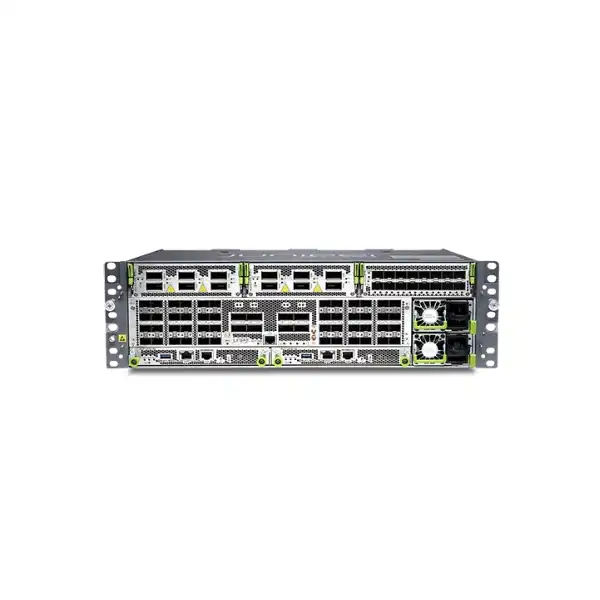
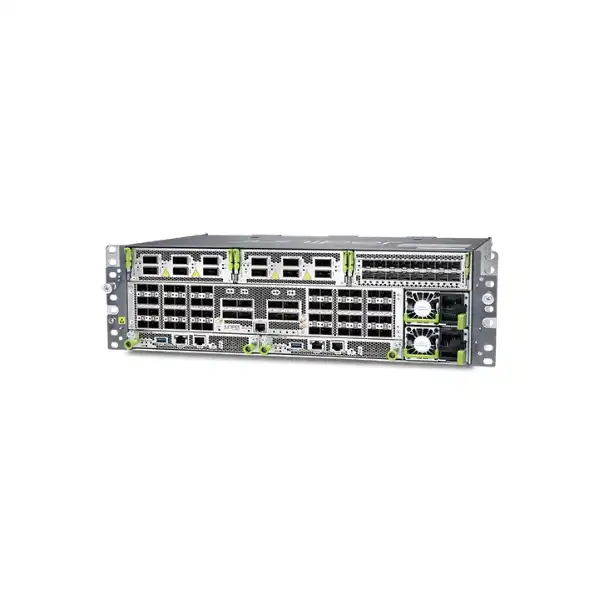
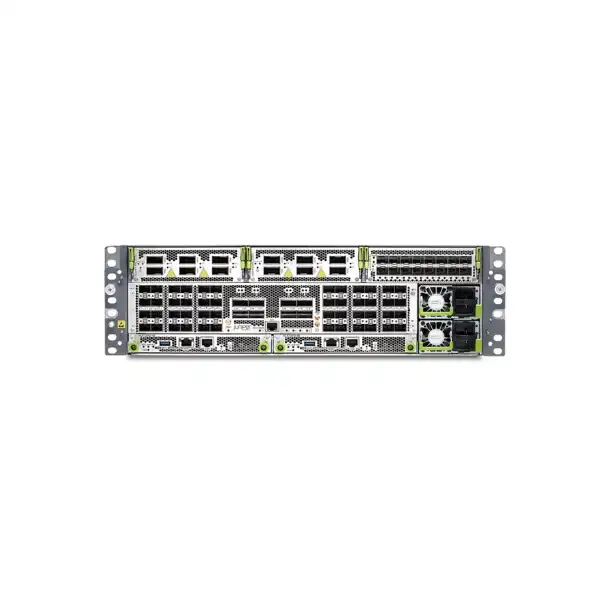
The fixed portion of the ACX7348 provides 48 SFP-family ports that can operate at 1GbE, 10GbE or 25GbE, plus eight fixed 100GbE QSFP28 ports. That combination immediately makes the model distinct from the lower fixed-port-density ACX7332. The difference matters when the design has many access or service handoffs and the rack must remain compact. Rather than consuming multiple access routers simply to gain port count, an architect can start with a denser fixed front panel and reserve the modular bays for capacity growth, high-speed uplinks or a different interface mix.
The ACX7348 is also industrial-temperature rated, which can make it relevant to less controlled environments than ordinary data-center equipment. Environmental rating does not remove the need for proper airflow, dust control, power design or site engineering, but it broadens the class of locations in which the platform may be considered. This is particularly relevant for telecom huts, roadside or utility infrastructure, industrial facilities and edge locations where temperature conditions can be more demanding than a conventional conditioned server room.
For a Dubai buyer, the core selection question is therefore architectural: do you need a dense aggregation router that can start with dozens of lower-speed interfaces and scale into 100GbE-to-400GbE service transport while preserving routing, timing, security and redundancy options? If the answer is yes, the ACX7348 deserves a detailed bill-of-materials exercise. If the requirement is a small branch WAN edge, a pure campus access switch, or a high-capacity core with substantially more than 2.4 Tbps of platform throughput, another product class is likely to fit better.
ACX7348 core specifications
The following values describe the platform at a buyer-planning level. Final orders should still be checked against the current Juniper hardware guide, compatibility tool and software release requirements because supported transceivers, breakout combinations and feature behavior can depend on the installed module and release.
| Specification | ACX7348 buyer-relevant detail |
|---|---|
| Platform family | Juniper ACX7300 line within the ACX7000 Cloud Metro family. |
| Form factor | Compact 3U chassis, approximately 29 cm deep, using a fixed-plus-modular architecture. |
| System throughput | 2.4 Tbps. |
| Fixed lower-speed interfaces | 48 × 1/10/25GbE SFP/SFP+/SFP28 ports. |
| Fixed high-speed interfaces | 8 × 100GbE QSFP28 ports. |
| Modular expansion | Three I/O bays supporting ACX7300 modular interface options. Practical port speeds and breakout patterns depend on module type and slot. |
| Supported Ethernet range | 1GbE through 400GbE across fixed and modular capabilities. |
| Operating system | Junos OS Evolved. |
| Routing Engines | One or two Routing Engines may be installed; a dual-RE design provides primary/backup control-plane redundancy. |
| Power | Redundant power supply design with AC or DC variants. The correct input type and site feeds must be chosen at ordering time. |
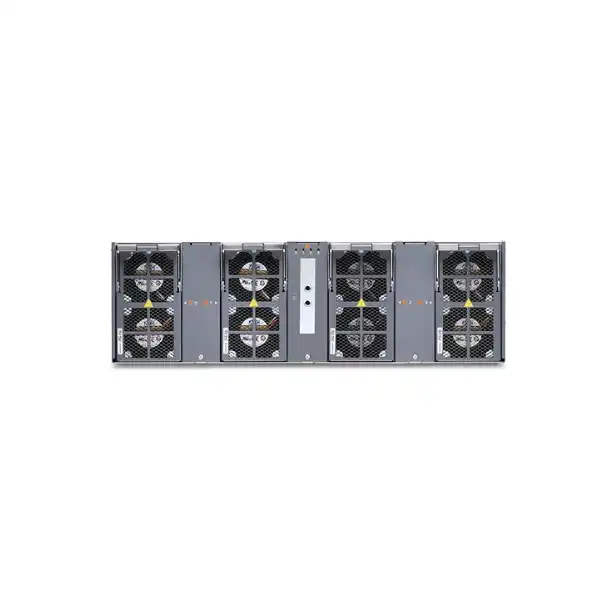
| Cooling | Four fan trays with two fans per tray; the platform is designed with fan redundancy. |
| Temperature class | Industrial-temperature rated; Juniper publishes an operating range down to -40°C and up to 65°C under specified conditions for the ACX7348. |
| Timing | Capabilities include SyncE, Precision Time Protocol, Class C timing support, 1PPS, 10 MHz, BITS and integrated GNSS options/capabilities described by Juniper for the platform. |
| Link security | MACsec support is available on relevant fixed and modular interfaces; exact deployment requirements should be matched to the intended port speed, optics and software release. |
Fixed ports: why 48 access-facing interfaces matter
The ACX7348 starts with 48 fixed ports capable of 1GbE, 10GbE or 25GbE operation. In a metro aggregation role, this gives the designer a broad fan-in surface for customer-facing Ethernet handoffs, access nodes, cell-site or radio aggregation, infrastructure devices, wholesale circuits or enterprise links. The value is not simply the number forty-eight. It is the ability to mix speeds in a common platform while moving the overall service architecture toward higher-capacity uplinks.
A brownfield network may contain a large installed base of 1GbE and 10GbE circuits while new deployments are shifting toward 25GbE. Replacing every downstream device at the same time is rarely economical. A multi-rate SFP-family front panel can therefore act as a practical transition layer, letting an operator retain legacy service speeds where required and introduce 25GbE where it offers a capacity or efficiency advantage. Each physical interface still has transceiver, fiber type, reach, wavelength, connector and compatibility requirements, so the purchasing plan should map every port category to an approved optic or cable rather than assuming one generic SFP choice.
The eight fixed 100GbE QSFP28 ports add another planning dimension. They can be used for high-speed aggregation or uplinks without consuming the modular bays, leaving those bays available for additional density or for 200GbE/400GbE growth. This is particularly useful when the initial deployment needs several 100GbE connections but the long-term architecture may add 400GbE interconnection. It also reduces pressure to install an expansion card purely to obtain the first set of 100GbE interfaces.
Port count should always be converted into a real interface schedule. A design that appears to need forty 10GbE ports today may actually require more once separate resiliency paths, management links, test ports, migration overlap and spare capacity are included. Conversely, a proposal that consumes all 48 fixed ports on day one leaves little headroom for organic additions. FourTeck can help turn a logical topology into a physical port plan so the chosen chassis, optics and modular cards match the real first-day and growth requirements.
Modular I/O: the key to ACX7348 growth planning
The ACX7348 includes three I/O bays for pluggable interface modules. Juniper documents two important ACX7300 module types that buyers commonly need to understand: the ACX7300-16Y and ACX7300-2CD4C. The first provides a 16-port SFP56-oriented interface module for multi-rate service, while the second provides a combination of QSFP56-DD/QSFP28-family high-speed ports capable of supporting configurations up to 400GbE. These modules are not interchangeable in purpose; they solve different density and uplink problems.
ACX7300-16Y
This line card provides sixteen SFP56 ports supporting multi-rate operation that includes 1GbE, 10GbE, 25GbE and 50GbE capabilities. It is most relevant when the aggregation design needs more medium-speed fan-in density rather than a small number of very high-speed ports.
The practical buyer question is whether the fixed 48 ports are sufficient. If not, a 16Y module can extend the access or aggregation-facing density, but the proposed speed mix and optics still need to be checked against the exact Juniper compatibility and software requirements.
ACX7300-2CD4C
This module is aimed at higher-speed connectivity and provides a physical interface combination that includes two high-capacity QSFP56-DD positions and four 100GbE-class QSFP28 positions. Juniper documents support for port-speed combinations reaching 400GbE, with behavior depending on slot and breakout mode.
It is a natural option when the design requires 200GbE or 400GbE uplinks, or more 100GbE connectivity than the fixed front panel can provide. Slot-specific limitations and breakout interactions make exact port mapping important before purchase.
One ordering detail deserves special attention: the model labels visible on module faceplates can differ from the ordering names used in Juniper tools. Juniper documentation identifies the faceplate names ACX7K3-FPC-16Y and ACX7K3-FPC-2CD4C, while the ordering model names are ACX7300-16Y and ACX7300-2CD4C. This distinction can prevent procurement confusion when a technical team specifies a module from documentation but a purchasing team searches a distributor catalog for the faceplate label.
The three I/O bays should not be treated as three identical blank slots without constraints. Supported speed combinations, usable ports and breakout behavior can vary by installed slot. For example, Juniper documents different port availability for the 2CD4C module depending on the FPC slot. A high-level statement such as “we need two 400G ports and eight 100G ports” therefore needs to be converted into a slot-by-slot configuration before a quote is finalized.
Throughput, oversubscription and capacity sizing
The ACX7348 is specified at 2.4 Tbps of throughput, but responsible sizing requires more than comparing that figure with a sum of customer circuit rates. Metro networks are designed around traffic distribution, redundancy, expected growth, oversubscription policy, service-level objectives, packet behavior and failure scenarios. A collection of access interfaces may never all transmit at line rate simultaneously, while an uplink pair may need to accommodate a large traffic shift when one path fails. Capacity planning therefore needs a model of how the network behaves during both normal operation and faults.
Start by separating physical port capacity from actual service demand. Forty 10GbE handoffs could represent 400 Gbps of physical edge capacity, yet their contracted traffic profiles might be much lower. On the other hand, a handful of 100GbE links carrying mobile or data-center traffic may run at much higher sustained utilization. The design should identify expected busy-hour traffic, peak burst conditions, growth assumptions and the traffic that moves during maintenance or link failure. These figures determine whether the ACX7348 has comfortable operating headroom rather than merely fitting the first-day interface count.
Uplink sizing is equally important. A router can have many access ports but still deliver poor service if the northbound links are underbuilt. Determine how many 100GbE, 200GbE or 400GbE uplinks are required, whether they operate as diverse paths, and whether the surviving path after a failure can carry the required traffic. If the design uses 400GbE modules, verify the intended optics, fiber plant and receiving platform as part of the same exercise. A 400GbE port alone does not guarantee a workable 400GbE connection.
The most useful sizing outcome is not “2.4 Tbps is enough.” It is a port and traffic matrix that shows first-day services, three-year or five-year growth, redundancy behavior, spare interfaces and modular bay usage. That model reveals whether the ACX7348 offers healthy headroom, whether the smaller ACX7332 would be sufficient, or whether a higher-capacity ACX platform should be evaluated instead.
High availability: Routing Engines, power and cooling
Routing Engine redundancy
The ACX7348 supports one or two Routing Engines. In a redundant system, one operates as the primary and the other as backup. A single-RE configuration can reduce initial hardware cost, but a dual-RE design is typically the stronger choice where control-plane resilience, maintenance flexibility and service continuity are important.
Redundant power
The chassis supports redundant AC or DC power supply modules. Buyers should match power type to the facility and ideally connect redundant supplies to appropriately independent feeds where the site architecture allows. Redundant PSUs provide much less value when both depend on the same single upstream failure point.
Fan resiliency
Four fan trays with two fans per tray provide the cooling system. Juniper describes redundant fan behavior for the platform. Site teams should still keep airflow paths unobstructed and maintain the environmental conditions required by the hardware guide.
High availability should be designed end to end. Two Routing Engines do not create resilient service if the router has only one uplink, one fiber path, one power source or one upstream peer. Similarly, dual uplinks connected to the same remote line card or same physical conduit may provide less real-world protection than the topology diagram suggests. For critical deployments, the bill of materials should be reviewed alongside the physical path design, routing protocol behavior, convergence targets and planned maintenance procedures.
A buyer should also define what must remain operational during a component replacement. Juniper identifies the Routing Engine and certain I/O modules as field-replaceable, and modular components are designed for serviceability. Operational procedures, software state, redundancy configuration and trained personnel still determine whether a replacement can be performed with minimal user impact.
Junos OS Evolved and operational consistency
The ACX7348 runs Junos OS Evolved, Juniper’s cloud-optimized operating system used across modern ACX platforms. For organizations already operating Juniper routing, this matters because platform selection is not only a hardware decision. The operational model, automation interfaces, configuration practices, telemetry approach, software lifecycle and engineering skill set can have more long-term impact than the purchase price of the chassis.
Junos OS Evolved uses a modernized architecture while preserving the Junos operating approach that network teams associate with Juniper. The ACX7348 can therefore be incorporated into broader Juniper metro designs rather than treated as an isolated appliance. When evaluating the router, the design team should list required routing protocols, MPLS or service functions, segment-routing expectations, traffic-engineering requirements, telemetry, timing, encryption and automation workflows, then map those requirements to a specific supported software release.
Software release selection deserves deliberate planning. The newest release is not automatically the best operational release for every environment. Production networks often standardize on a validated train that aligns with feature support, maintenance policy and organizational testing. Newer optics, FPC capabilities or features may require a minimum release, while an established network may be running an older release for stability reasons. The quotation phase should therefore capture the target software version and any feature dependencies that could change that decision.
Automation should also be considered early. If the ACX7348 will be deployed repeatedly across metro sites, zero-touch or templated provisioning, configuration compliance, streaming telemetry and service assurance can reduce operational effort and configuration drift. Juniper positions the ACX7000 family within its Cloud Metro and Paragon automation strategy, and ACX7000 platforms can participate in service-assurance workflows. The actual automation scope should be designed around the customer’s management architecture rather than assumed to be included merely because the hardware is capable of integration.
Timing and synchronization for mobile and critical transport
Timing is one of the reasons the ACX7348 is more than a generic high-density Ethernet box. Juniper documents support for Synchronous Ethernet, Precision Time Protocol and Class C timing capabilities, along with physical timing interfaces such as 1PPS, 10 MHz and BITS plus integrated GNSS functionality. These features can be important in mobile transport and other networks where frequency and phase synchronization must be distributed with controlled accuracy.
A timing-capable router does not by itself guarantee an end-to-end synchronization objective. The design must establish the timing source, reference quality, PTP profile, clock roles, boundary or transparent clock behavior where applicable, SyncE use, holdover expectations, failure behavior and the capabilities of every device in the timing chain. Optics, topology and asymmetry can also influence precision. For 4G/5G transport, these details should be reviewed with the radio and transport engineering requirements rather than added after the routing design is complete.
If timing is not needed, these capabilities do not need to dominate the purchase decision. If timing is critical, however, it should be a first-class quotation input. FourTeck can use the required synchronization architecture to help identify which ACX7348 hardware, cabling, software and integration details must be validated before the deployment is approved.
MACsec and link-level security
The ACX7348 platform includes MACsec support on relevant fixed and modular interfaces. MACsec provides encryption and integrity protection at the Ethernet link layer and can be valuable when high-capacity links cross facilities, shared transport environments or other locations where link confidentiality is required without shifting all protection to an IP-layer tunnel.
Security planning should be interface-specific. Verify whether the intended port speed, interface type, module, peer device and software release support the required MACsec mode. Also define the key-management approach, operational ownership and monitoring expectations. A physical interface labeled as MACsec-capable is only one element of a working encrypted link; both ends must be compatible and configured to the same operational design.
Buyers should also separate link encryption from broader network security. MACsec does not replace routing policy, control-plane protection, management-plane hardening, authentication, segmentation, DDoS strategy or application security. The ACX7348 can contribute to a secure transport architecture, but it should be deployed within a complete security model.
Industrial-temperature design and site suitability in the UAE
Juniper positions the ACX7348 as the industrial-temperature member of the ACX7300 pair. Its published operating range extends from -40°C to 65°C under specified conditions, making it suitable for consideration in environments beyond a conventional climate-controlled data center. This can be useful for telecom edge rooms, transport or utility sites, industrial facilities and distributed metro infrastructure.
The temperature rating should not be interpreted as permission to ignore site engineering. UAE deployments can involve high ambient heat, dust, challenging outdoor-adjacent spaces and electrical conditions that require careful enclosure and HVAC planning. The router’s inlet temperature, airflow path, rack loading, cable congestion and surrounding equipment all affect thermal behavior. The official hardware guide should be used to confirm altitude derating, clearance and airflow requirements for the exact site.
Power planning is another environmental dependency. The ACX7348 is available with AC or DC power configurations. Juniper documents an AC operating range of 180–264 VAC for the AC power system and DC operation across the published telecom-oriented DC input range. Typical consumption depends on Routing Engine count, optics, traffic and configuration. Juniper documentation gives approximately 520 W typical consumption without optics for a dual-RE configuration under its stated test condition, while maximum platform consumption can be materially higher once optics and full traffic are included. UPS capacity, breaker sizing and facility feed design should therefore use the current maximum design figures, not only the typical number.
For remote sites, serviceability also matters. The ACX7348 uses replaceable power, fan and control components. A spares strategy may be warranted when travel time to the site is long or service-level objectives are strict. The correct spare set depends on how many routers are deployed, whether AC and DC variants are mixed, which FPCs are installed and the organization’s replacement policy.
Optics, cabling and breakout planning
A large portion of ACX7348 deployment risk sits outside the chassis. A router with 1GbE-to-400GbE capability still needs the correct transceiver or cable for each connection. Fiber type, distance, wavelength, connector, patching, optical budget, breakout mode and peer compatibility must all be resolved. High-speed optics can also contribute meaningfully to power and thermal load, so the interface plan and facility plan should be developed together.
Use Juniper’s current hardware compatibility information to validate every planned transceiver against the ACX7348 and the installed FPC. Do not assume that an optic supported on another Juniper router, or even another ACX model, is automatically supported here. The same caution applies to direct-attach and active optical cables. Support can depend on hardware revision and software release as well as physical form factor.
Breakout configurations require special care on the high-speed module. A physical 400GbE-capable port may support multiple lower-speed logical interfaces in selected modes, but using a specific breakout can affect adjacent port availability or supported combinations. Juniper’s documentation for the ACX7300-2CD4C explicitly distinguishes behavior by FPC slot. The right way to order is to build a port-by-port schedule that shows desired line rate and breakout for every modular interface, then validate that schedule before selecting optics.
For procurement, it is useful to separate the quote into chassis hardware, Routing Engines, power supplies, I/O modules, rack hardware, optics/cables, software or subscriptions where required, and support. That structure makes omissions easier to detect and helps the customer understand which parts are reusable if the design changes.
Deployment scenarios where ACX7348 can be a strong fit
Metro access aggregation
Use the dense 1/10/25GbE front panel to aggregate many downstream nodes or service handoffs, then carry traffic northbound over fixed 100GbE or modular 200/400GbE links. This is a natural fit when rack space is constrained but the interface mix is broad.
Mobile backhaul and xHaul aggregation
Advanced timing capabilities, environmental rating, multi-rate Ethernet and high-speed uplinks make the platform relevant to mobile transport designs. The exact timing profile, synchronization source, QoS and service architecture must still be validated against the mobile network requirements.
Wholesale and business services
The router can aggregate enterprise and wholesale Ethernet services where a provider needs multiple line rates, routed or packet-transport functions and a consistent Juniper operational model. Capacity, service scale and protection design should be sized to the commercial service mix.
Utility and industrial networks
Industrial-temperature capability can make the ACX7348 relevant to utility, transport and industrial edge facilities. Buyers should assess environmental, EMC, power, timing and physical security requirements as a complete site package.
Large enterprise metro edge
Enterprises operating multiple campuses, data centers or distributed facilities may use ACX-class routing where they need provider-style scale, MPLS-oriented transport, high interface density or precise operational control beyond a conventional branch WAN device.
Cloud and edge interconnect aggregation
The modular high-speed interface strategy can support edge aggregation toward cloud on-ramps, data centers or metro fabrics. It should be selected only after validating throughput, routing scale, interface reach and the receiving platform’s speeds and optics.
When the ACX7348 may not be the right choice
A technically capable platform is not automatically the best platform for every network. The ACX7348 may be excessive for a branch or small enterprise edge that needs only a few WAN links and ordinary Internet routing. In that case, the cost, operational complexity and 3U footprint may be difficult to justify. A smaller router could meet the requirement more economically and with simpler support.
It may also be the wrong fit when the design requires substantially more than 2.4 Tbps of throughput or a much larger concentration of 400GbE interfaces. Juniper has higher-capacity ACX platforms, and an architect should compare them if the growth model shows the ACX7348 operating near its ceiling early in the planned lifecycle. Buying a router that meets only the first-year requirement can create an expensive replacement cycle.
The ACX7348 should not be selected simply because an environmental rating sounds reassuring. If the location is a conventional data center and the design needs a different port geometry, another ACX model may provide a better density or form-factor tradeoff. Likewise, if the network does not require service-provider routing features, timing or hardened deployment characteristics, a switching platform may be more appropriate.
Balanced product selection therefore starts with constraints rather than brand preference: required throughput, port counts by speed, expected growth, environmental conditions, redundancy, protocol and service features, operational skills, support policy and budget. The ACX7348 is compelling when those constraints align with its specific strengths.
ACX7348 vs ACX7332 vs ACX7100: practical shortlist logic
| Decision point | ACX7348 | ACX7332 | ACX7100 family |
|---|---|---|---|
| Primary attraction | Dense fixed 1/10/25GbE aggregation plus modular expansion in an industrial-rated 3U platform. | Similar ACX7300 architecture with fewer fixed lower-speed ports and extended-temperature positioning. | Higher throughput fixed platforms with different high-speed port geometry, depending on model. |
| Throughput | 2.4 Tbps. | 2.4 Tbps. | Up to 4.8 Tbps on ACX7100 variants cited by Juniper. |
| Fixed 1/10/25GbE density | 48 ports. | 32 ports. | Different model-specific port mix; not a direct equivalent to ACX7300 fixed-plus-modular layout. |
| Environmental emphasis | Industrial-temperature. | Extended-temperature. | Model dependent; compare specific ACX7100 variant and site requirements. |
| When to compare | Choose for high fixed lower-speed density plus ACX7300 modularity and hardened operation. | Compare when 32 fixed lower-speed ports are enough and the ACX7348 density or industrial range is unnecessary. | Compare when higher overall throughput or a more 100/400GbE-centric port design is a priority. |
The closest sibling comparison is ACX7332 versus ACX7348. Both are 3U ACX7300 platforms with 2.4 Tbps throughput, eight fixed 100GbE ports and three modular bays, but the ACX7348 raises the fixed 1/10/25GbE port count from 32 to 48 and is positioned for a wider industrial temperature range. If a deployment does not need those additional sixteen fixed ports or the broader environmental specification, the ACX7332 may deserve consideration.
The ACX7100 comparison is different. Juniper’s ACX7100 models are compact high-capacity fixed routers that can deliver up to 4.8 Tbps with port mixes centered more heavily on high-speed interfaces. A network dominated by 100GbE and 400GbE links may prefer that geometry, while a network aggregating many 1/10/25GbE services may find the ACX7348 front panel and modular architecture more natural.
Installation planning: rack, power, airflow and cabling
The ACX7348’s compact depth is helpful at edge sites, but physical installation still requires a deliberate checklist. Reserve 3U of rack height and verify the rack type, mounting hardware, front and rear service clearances, cable management and the maximum supported equipment depth. Juniper offers rack-mounting and rail options for the ACX7300 platform, and the exact accessory should be matched to the rack in use.
Power architecture should be documented before shipment. AC and DC versions have different site requirements, and redundant power works best when the feeds are genuinely independent. Confirm connector type, circuit rating, UPS or rectifier capacity, grounding, PDU position and cable routing. If the router is being installed in a telecom DC-power environment, the site team should validate the full DC feed design rather than simply requesting “DC PSUs.”
Airflow and ambient temperature need the same attention. The platform is environmentally rated, but blocked intake or exhaust paths can still create thermal problems. Dense fiber bundles should not obstruct fan trays or service access. In dusty environments, the enclosure and room design should manage particulate exposure while preserving required airflow. Do not assume that a hardened temperature range makes an unconditioned cabinet automatically acceptable.
Cable planning becomes especially important with 48 SFP-family ports and multiple QSFP interfaces. Label both ends, reserve bend radius, use appropriate fiber management and document patch-panel destinations. A front panel that is easy to understand on an engineering drawing can become difficult to service if dozens of fibers are installed without disciplined routing. High-speed breakout assemblies also need physical space and a clear labeling convention for child interfaces.
Finally, plan the management path before the production cutover. Console access, out-of-band management, IP addressing, AAA integration, time sources, software image, configuration backup and monitoring should be ready before service interfaces are migrated. A technically correct chassis installation is only the first stage of a successful router deployment.
Migration from an existing aggregation router
Replacing an existing metro aggregation platform is usually more complex than moving interface cables. The migration plan should capture every service, routing adjacency, VLAN, MPLS construct, QoS policy, timing dependency, security policy, monitoring integration and operational script associated with the old node. The ACX7348 may support the required functions, but the syntax, behavior or release prerequisites may differ from the legacy platform.
A useful first step is to classify services by business impact and technical dependency. Low-risk Ethernet handoffs can be moved early to validate physical connectivity and monitoring. Services with complex routing, timing or strict availability requirements should be migrated only after the target configuration has been tested. If both old and new routers can run in parallel, a staged migration often reduces risk because engineers can move groups of services and observe behavior before the final cutover.
Port mapping must account for speed and optic changes. A legacy 10GbE link may remain 10GbE on the ACX7348, or the migration may be an opportunity to move to 25GbE. Existing 100GbE optics may or may not be reusable; compatibility should be checked rather than assumed. If the new design introduces 400GbE uplinks, the upstream router, fiber plant and optical budget become part of the migration project.
Routing convergence and failure behavior should be tested before production traffic depends on them. Validate primary and backup paths, link failures, Routing Engine switchover where applicable, upstream failure, service restoration and monitoring alarms. For timed networks, test synchronization source changes and holdover behavior. For MACsec links, test key establishment and recovery across interface or peer restarts.
The migration is complete only when the old platform can be removed without leaving undocumented dependencies. Update topology diagrams, IP plans, circuit records, inventory, monitoring systems, configuration repositories and spares lists. This documentation work often determines whether future incidents are easy or difficult to resolve.
Software, features and support: what the quote must clarify
Hardware is only part of an ACX7348 solution. The buyer should identify the exact features required in production and verify their entitlement and release support. Routing and service-provider functions can evolve across Junos OS Evolved releases, and some operational capabilities may be associated with software licensing or broader Juniper subscription offerings. A quotation should therefore be based on the actual feature set rather than on the assumption that every possible function is automatically included with the base chassis.
Support coverage should be selected according to the business impact of the node. A router aggregating revenue-generating customer services or mobile traffic may justify stronger response and replacement objectives than a lab unit. Buyers should define desired support duration, service level, software access expectations and whether local implementation assistance is required. Support term can also affect total cost of ownership and should be compared across the full expected service life rather than treated as an afterthought.
For organizations standardizing on a specific Junos release, confirm that the chosen FPCs, optics and desired features are supported on that release. A module that requires a later software version can force an upgrade program if it is added to an established network. Conversely, a new deployment can often simplify operations by selecting a release that supports the complete planned hardware set from day one.
FourTeck can structure the commercial discussion around chassis, hardware options, optics, software needs, support and implementation services so the customer can see what is essential for launch and what can be added later. This is more useful than quoting a base part number that does not represent a deployable configuration.
Procurement guidance for Dubai and UAE buyers
Specify the full configuration
Provide required port speeds, quantity, uplink design, Routing Engine redundancy, power type, modules, optics, rack accessories and support term. “ACX7348” alone is not enough to produce a technically complete production quote.
Separate mandatory and growth items
Identify what must ship on day one and what is planned for later expansion. This helps determine whether unused I/O bays should remain empty initially or whether buying future capacity now reduces operational disruption.
Validate delivery assumptions
Enterprise routing hardware, specific FPCs and high-speed optics can have different availability. Confirm current lead time, warranty/support activation, country requirements and project milestones before committing a cutover date.
Check optics and peer compatibility
An interface schedule should state both ends of every high-speed link. This reduces the risk of buying an optic with the correct speed but the wrong reach, wavelength, connector or supported platform combination.
Plan installation responsibility
Clarify whether the requirement is hardware supply only, rack-and-stack, configuration, migration, testing or complete implementation. Each scope requires different project inputs and commercial assumptions.
How to size an ACX7348 request before asking for price
The fastest route to an accurate quotation is a short technical requirements sheet. Begin with the number of live interfaces by speed: how many 1GbE, 10GbE, 25GbE, 50GbE, 100GbE, 200GbE and 400GbE connections are needed at launch? Then add expected growth. Identify which connections are single links and which require redundant pairs. This establishes whether the fixed ports are sufficient and which modular FPCs may be necessary.
Next document the traffic requirement. Provide expected aggregate busy-hour traffic, key service peaks, growth period and the capacity that must remain available after a link or device failure. If exact traffic data is not available, a reasonable estimate with clear assumptions is better than relying only on circuit face rates. The objective is to avoid both under-sizing and unnecessary hardware.
Then describe the service architecture. Note whether the router will carry plain routed IP, MPLS-based services, wholesale Ethernet, mobile transport, timing-sensitive traffic, encrypted MACsec links, or a mixture. Identify routing protocols and major operational features. This lets the software and control-plane design be checked alongside the physical configuration.
Finally capture physical site constraints: AC or DC power, rack type and depth, ambient environment, fiber type, patching, desired optics, and whether the site has redundant power feeds and diverse uplink paths. For Dubai projects, include the deployment location and project schedule because delivery, installation access and implementation planning can differ between a data center, telecom room, industrial site and remote edge facility.
With these inputs, the commercial discussion becomes a design validation exercise rather than a price-only request. The result is more likely to be a configuration that can actually be installed and commissioned without unexpected module, optic or infrastructure gaps.
Buyer FAQ: Juniper ACX7348 Cloud Metro Router
Is the ACX7348 a switch or a router?
It is a Juniper Cloud Metro router and multiservice aggregation platform. Although it has high Ethernet port density, it is designed for routed and service-provider transport roles rather than as a conventional campus access switch. Selection should therefore be based on routing, service, timing, security and metro architecture requirements as well as port count.
What is the throughput of the ACX7348?
Juniper specifies the ACX7348 at 2.4 Tbps of throughput. This should be treated as a platform capacity figure, not as a substitute for traffic engineering. The network design still needs to account for access oversubscription, uplink capacity, growth and failure scenarios so that the router operates with appropriate headroom.
How many fixed ports does it provide?
The ACX7348 provides 48 fixed 1/10/25GbE SFP-family ports and eight fixed 100GbE QSFP28 ports. This fixed density is one of its defining characteristics and is a key difference from the ACX7332, which has 32 fixed 1/10/25GbE ports while retaining eight fixed 100GbE ports.
Can the ACX7348 support 400GbE?
Yes. The platform supports interface speeds up to 400GbE through the appropriate modular FPC configuration. The ACX7300-2CD4C module provides the high-speed physical interface capability. Exact port combinations and breakout behavior depend on module position and configuration, so a port map should be validated before purchase.
Does it support 50GbE?
The modular ACX7300-16Y provides SFP56 interfaces with multi-rate operation including 50GbE. The fixed 48-port front panel is focused on 1/10/25GbE, so a requirement for 50GbE density should be included in the modular-bay design rather than assumed to be available on every fixed port.
Does the ACX7348 have redundant Routing Engines?
The chassis can operate with one or two Routing Engines. A redundant configuration uses two, with primary and backup roles. Buyers should specify the desired redundancy level in the quote because control-plane resiliency is a configuration choice rather than something to infer from the chassis model name alone.
Is AC or DC power available?
Juniper supports AC and DC power variants for the ACX7348, with redundant power-supply capability. The site power architecture should be confirmed before ordering. For resilient deployments, the design should also consider whether each PSU is connected to an independent upstream feed or whether both share a single point of failure.
What operating system does it use?
The ACX7348 runs Junos OS Evolved. The exact release should be selected against required features, installed FPCs, optics, operational standards and support policy. A production team should validate the intended software train before shipment instead of assuming any available release will behave identically.
Does it support timing for mobile networks?
The platform includes synchronization capabilities such as SyncE, PTP, Class C support and physical timing interfaces, with integrated GNSS functionality described by Juniper. A mobile transport design still needs an end-to-end timing architecture covering source, clock roles, profiles, holdover and all devices in the path.
Does ACX7348 support MACsec?
Yes, MACsec is supported on relevant fixed and modular interfaces. The exact interface, line rate, module, peer and software release should be checked for the proposed encrypted link. MACsec should also be integrated with broader management and security controls rather than treated as a complete security architecture by itself.
Are optics included with the router?
Optics should be treated as separate configuration items unless a particular commercial bundle explicitly states otherwise. The correct transceiver depends on speed, fiber, distance, wavelength and peer equipment. Each optic should be validated against Juniper compatibility information for the ACX7348 and intended software release.
Can modular cards be added later?
The ACX7348 is specifically designed with modular I/O bays to allow configuration flexibility and growth. Juniper documents the pluggable FPCs as field-replaceable and serviceable. A future expansion plan should still reserve throughput, rack power, optics, software support and compatible slot combinations so that later upgrades do not reveal an avoidable constraint.
What is the difference between ACX7K3-FPC labels and ACX7300 ordering names?
Juniper documentation notes that faceplates may show ACX7K3-FPC-16Y and ACX7K3-FPC-2CD4C, while ordering uses ACX7300-16Y and ACX7300-2CD4C. Procurement teams should use the ordering names in the commercial bill of materials while keeping the faceplate names in engineering documentation for clarity.
How does ACX7348 differ from ACX7332?
Both are 3U, 2.4 Tbps ACX7300 platforms with fixed plus modular I/O. The ACX7348 provides 48 fixed 1/10/25GbE ports and industrial-temperature positioning, while the ACX7332 provides 32 fixed 1/10/25GbE ports and extended-temperature positioning. The correct choice depends on required access density and site conditions.
Is the ACX7348 suitable for a normal office branch?
Usually it would be more platform than a conventional office branch requires. The ACX7348 is aimed at metro, service-provider, large enterprise and infrastructure aggregation roles. A branch that needs only Internet access, SD-WAN and a handful of Ethernet interfaces would normally be better served by a different router family.
What information is needed for a Dubai quotation?
Provide quantity, required port speeds, expected traffic, redundancy level, AC or DC power, desired FPCs, optic reaches, timing or MACsec needs, rack environment, software requirements, support term and deployment scope. Those details allow the quote to represent a deployable solution rather than only a bare chassis.
Operational lifecycle and expansion strategy
A metro router is normally purchased for a multi-year service life, so the first bill of materials should be evaluated against future operational changes. The ACX7348’s combination of fixed density and modular bays is useful only when expansion remains within the platform’s throughput, slot and supported interface constraints. Create a roadmap for port growth, uplink speed increases, expected service types and software evolution rather than leaving future expansion undefined.
For example, a first deployment might use the 48 fixed 1/10/25GbE ports for access, four fixed 100GbE ports for uplinks and no modular cards. A later phase could add a high-speed FPC for 400GbE interconnection. That path is attractive because it delays part of the capital expense, but it should be tested on paper at the initial design stage. Confirm that the intended future card, slot, software release, optics and upstream peer are compatible with the planned topology.
Spares and support also evolve with fleet size. A single deployment may rely on vendor replacement coverage, while a network with many ACX7348 nodes could justify holding spare power supplies, fan components, Routing Engines or FPCs. The economic calculation depends on failure impact, logistics and service commitments. Standardizing module types across sites can reduce spare diversity and simplify field engineering.
Software lifecycle should be incorporated into maintenance planning. Establish a process for evaluating recommended releases, testing upgrades, backing up configurations, checking hardware compatibility and scheduling maintenance. Where dual Routing Engines and redundant links are used, test the actual upgrade and switchover procedure in a lab or noncritical environment before applying it broadly.
Documentation is part of lifecycle management. Record serials, FPC positions, optic types, fiber destinations, power feeds, software versions, licenses, support contracts and configuration ownership. Dense modular routers are easier to operate when their physical and logical state can be understood without opening the rack or reverse-engineering a live configuration during an incident.
Decision recap for the Juniper ACX7348
What FourTeck needs from the buyer for an accurate ACX7348 quotation
How many routers are needed, and are they all the same configuration?
Required 1G, 10G, 25G, 50G, 100G, 200G and 400G port quantities at launch and during growth.
Expected aggregate traffic, peak load, failover requirement and planning horizon.
Single or dual Routing Engines, power-feed diversity and uplink protection requirements.
AC or DC feeds, UPS/rectifier context and site electrical constraints.
Fiber type, distances, wavelengths, connector expectations and peer devices.
Routing, services, timing, MACsec, telemetry, automation and management integrations.
Hardware supply only, installation, configuration, migration, testing, documentation or full implementation.
Required support duration, response level and operational service objectives.
Deployment city/site type, project milestone and any access or installation constraints.
Plan the ACX7348 as a complete metro solution, not just a chassis
For Dubai and UAE deployments, the best ACX7348 outcome starts with a verified interface map, realistic traffic model, suitable Routing Engine and power redundancy, validated FPC placement, compatible optics, correct software assumptions and an implementation plan that reflects the site. Share your required port speeds, quantity, topology, power type and growth target with FourTeck to build a configuration that is ready for technical review and commercial quotation.

Reviews
There are no reviews yet.