
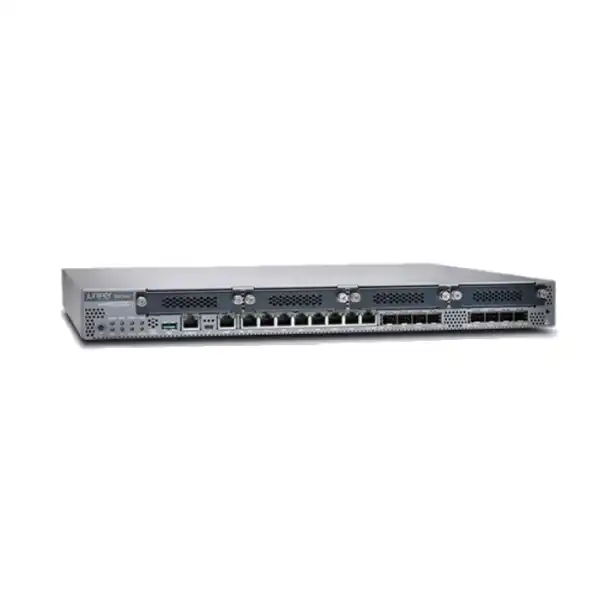
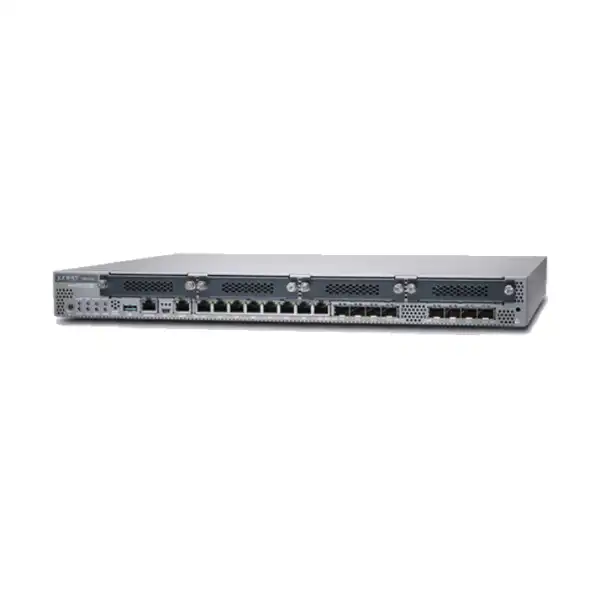
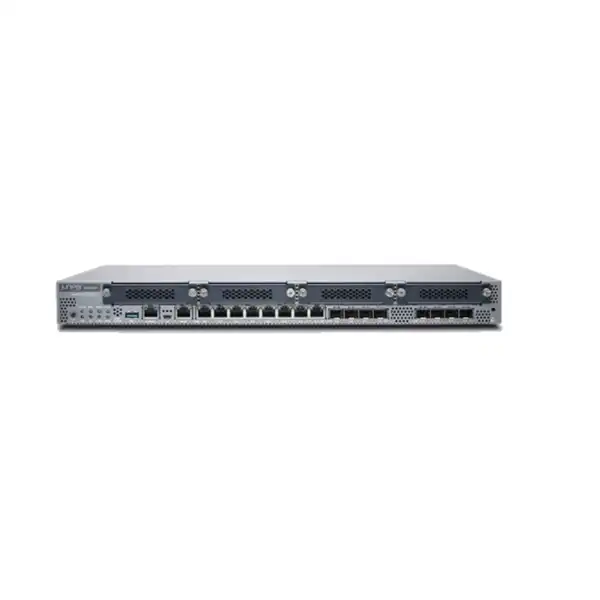
Juniper SRX340 Firewall Dubai
A compact 1U next-generation branch firewall for organisations that need security, routing, switching and flexible WAN connectivity in one Junos OS platform. The SRX340 is positioned for midsize distributed enterprise branches where interface choice, VPN capacity, segmentation, operational consistency and future WAN requirements matter as much as headline throughput.
Direct answer: what is the Juniper SRX340?
The Juniper SRX340 is a fixed 1U SRX Series firewall and services gateway built for midsize distributed enterprise branch offices. It combines stateful firewalling, IPsec VPN, routing, switching, network segmentation and software-enabled next-generation security functions with a practical mix of copper, fibre and optional WAN interfaces. It runs Junos OS, which is important for organisations already standardising on Juniper routing, switching or security operations because policy, routing and lifecycle practices can be aligned around a familiar operating model.
Main use
Secure a branch or distributed site while consolidating WAN edge routing, LAN segmentation, site-to-site VPN and policy enforcement in a single platform.
Who should consider it
Businesses with moderate branch traffic, multiple network segments, fibre or copper uplinks, VPN requirements, or a need for optional LTE, VDSL2, T1/E1, serial or Wi-Fi Mini-PIM connectivity.
Most important item to confirm
Size the appliance against enabled security services and real traffic patterns, not only the maximum firewall figure. IPS, VPN, application controls, logging and inspection can change practical capacity.
What FourTeck can determine
The appropriate hardware SKU, subscription and support term, SFP optics, Mini-PIM modules, HA quantity, migration scope, rack and power requirements, and whether an SRX345 or SRX380 should be evaluated instead.
Where the SRX340 fits in a branch network
The SRX340 sits in the middle of Juniper’s branch-oriented SRX300 family. Its value is not simply that it is faster than the smallest models. It offers a more useful combination of interface density and expansion flexibility for branches that must terminate more links, segment more internal networks, or retain legacy and wireless WAN choices while moving toward modern broadband, fibre and SD-WAN designs. Eight onboard 1GbE RJ-45 interfaces and eight 1GbE SFP interfaces give the device sixteen traffic ports before optional Mini-PIM modules are considered. All sixteen onboard 1GbE traffic ports are listed as MACsec capable, which can matter in designs that require link-layer encryption across supported Ethernet connections.
A typical deployment places the SRX340 between one or more WAN services and the internal switching environment. The firewall can establish security zones for user networks, servers, voice, guest traffic, operational technology, management and DMZ services. It can then enforce policy between those zones, perform source or destination NAT where required, and terminate IPsec tunnels to a headquarters, data centre, cloud edge or other branch. Because the platform also provides routing and switching functions, it can replace several small edge devices in locations where operational simplicity is more valuable than maintaining separate appliances for every function.
The product is especially relevant when the branch has a mixed transport environment. A company may have a primary Ethernet internet circuit, a second fibre link from another carrier, an MPLS service that must remain for selected applications, and an LTE backup path. The SRX340’s four Mini-PIM slots provide options for supported WAN or wireless modules without consuming all onboard Ethernet ports. This does not mean every possible transport can be installed in every combination without checks; the exact module, regulatory region, Junos release, slot placement and carrier compatibility should be confirmed before procurement.
For UAE buyers, that architecture is useful across headquarters satellites, larger retail sites, warehouses, clinics, schools, professional-services branches and industrial offices where a basic desktop firewall may not provide enough interfaces or routing flexibility. The SRX340 is less compelling where multigigabit inspected traffic, 10GbE interfaces, very high session creation rates or substantial near-term growth are already expected. In those cases, comparing the SRX380 or another higher-capacity SRX platform early can avoid an unnecessarily short refresh cycle.
SRX340 specifications that matter during selection
| Specification | Juniper SRX340 detail | Buyer relevance |
|---|---|---|
| Form factor | 1U fixed chassis | Designed for rack installation in branch network cabinets and equipment rooms. |
| Firewall performance | Current product page: up to 4.7 Gbps maximum | A laboratory maximum, not a guarantee of throughput with every security feature enabled. |
| IPS performance | 400 Mbps | Important if intrusion prevention will inspect a meaningful share of branch internet traffic. |
| VPN performance | 733 Mbps on the current product listing | Relevant for site-to-site encryption and branch-to-hub architectures; actual results depend on traffic and cryptographic profile. |
| Concurrent sessions | 256,000 maximum | Provides a better sizing signal than user count alone for busy branches with many cloud applications and endpoints. |
| New sessions per second | 10,000 sustained TCP 3-way sessions/second | Useful when evaluating bursts from web-heavy, SaaS-rich or guest networks. |
| Security policies | Up to 2,000 | Supports substantial branch segmentation, but policy structure should remain maintainable rather than using the limit as a design target. |
| Onboard traffic ports | 8 × 1GbE RJ-45 and 8 × 1GbE SFP | Supports copper and fibre handoffs without immediately relying on expansion modules. |
| Mini-PIM slots | 4 | Allows supported serial, T1/E1, VDSL2, LTE or Wi-Fi options depending on module and region. |
| Memory | 4 GB DRAM; 8 GB flash | Part of the fixed platform profile; software planning should follow Juniper-supported releases for this hardware. |
| Dimensions | 44.09 cm W × 4.37 cm H × 37.01 cm D | Check cabinet depth, rear cable bend space and airflow clearance before installation. |
| Weight | Approximately 4.89 kg | Suitable for standard rack deployment with the supplied mounting hardware when installed according to Juniper guidance. |
| Average power | 122 W average; 100–240 VAC, 50–60 Hz input | Important for UPS sizing, branch power budgets and rack heat planning. |
| Operating temperature | 0°C to 40°C | A conditioned equipment space is strongly preferred in UAE deployments; cabinet temperature, not room thermostat setting alone, must remain within specification. |
Performance figures are test-dependent. Juniper’s current SRX340 product/specification pages list 4.7 Gbps maximum firewall, 400 Mbps IPS and 733 Mbps VPN performance, while some hardware guides and quick-start documents retain earlier 3 Gbps firewall and 600 Mbps IPsec figures. Use the current Juniper release, feature set and validated sizing assumptions for procurement rather than mixing results from different test generations.
Performance: interpreting the numbers correctly
Firewall data sheets are easiest to misuse when a single maximum number is treated as the speed a branch will always achieve. The SRX340’s current maximum firewall figure of 4.7 Gbps describes a specific test condition. It does not mean a branch can enable intrusion prevention, application identification, content services, detailed logging, VPN encryption and other functions simultaneously and still expect every flow to pass at that headline rate. Juniper separately lists 400 Mbps IPS performance and 733 Mbps VPN performance for the SRX340, which immediately shows why feature-aware sizing is necessary.
A useful sizing exercise begins with traffic classification. Identify the internet circuit capacity, expected peak utilisation, the percentage of traffic that will traverse site-to-site VPNs, the amount of east-west traffic between internal zones, guest traffic, cloud application usage and any large backup or replication flows. Then identify which security services will inspect those paths. A branch with a 300 Mbps internet circuit and moderate IPS requirements can have a very different load profile from a site with dual 1 Gbps carriers, hundreds of SaaS users and encrypted tunnels carrying most corporate traffic.
Session count also matters. Modern endpoints create many simultaneous connections to SaaS platforms, content-delivery networks, collaboration tools, update services and embedded web resources. The SRX340 is listed for up to 256,000 concurrent sessions and 10,000 new TCP sessions per second. Those numbers are comfortably above the requirements of many branch environments, but a user count by itself does not predict them. A hundred engineering workstations, a public Wi-Fi service and hundreds of IoT devices can create a very different session profile from a hundred users working mainly with a small set of internal applications.
VPN planning should consider more than raw encrypted throughput. The number of tunnels, chosen encryption, traffic direction, packet size, routing model and failover behaviour all influence practical performance. Juniper’s Hardware Explorer lists support for up to 1,024 IPsec VPN tunnels on the SRX340 hardware profile. A business might never approach that tunnel count but could still be limited by throughput if several busy sites backhaul internet or application traffic through the device. Conversely, a deployment with many lightly used tunnels may stress route, policy and operational complexity more than bandwidth.
For procurement, the right question is therefore not “Is 4.7 Gbps enough?” but “What sustained traffic must the firewall process when the security and VPN services we actually intend to use are enabled?” FourTeck can convert circuit speeds, traffic mix, user/device counts, enabled services and growth expectations into a more defensible sizing recommendation. If the resulting requirement approaches the SRX340’s inspected-security limits or leaves very little growth margin, moving to the SRX345, SRX380 or another platform can be more economical than replacing the firewall early.
Ports, fibre, Mini-PIMs and physical connectivity
Eight 1GbE RJ-45 ports
The eight copper Gigabit Ethernet ports can connect to carrier handoffs, switches, servers or other Ethernet devices depending on the design. They support autonegotiation and can operate as LAN or WAN interfaces. Their value is flexibility: a branch can assign ports to separate security zones, redundant uplinks, dedicated management-adjacent paths or service networks without immediately adding external interface hardware.
Eight 1GbE SFP ports
Eight SFP slots support fibre or other compatible 1GbE transceiver choices. The optics are not a generic afterthought: wavelength, fibre type, connector, distance and Juniper compatibility must match the actual circuit or switching environment. The SRX340 Hardware Compatibility Tool should be used to select supported transceivers rather than assuming any third-party SFP will behave identically.
Four Mini-PIM slots
The four field-replaceable Mini-PIM positions extend the WAN and access options. Juniper documentation lists supported modules including serial, T1/E1, VDSL2, LTE and Wi-Fi variants. These modules are not hot-swappable, so the firewall must be powered down before a Mini-PIM is installed or removed. Empty slots should retain the proper blank panels to preserve airflow.
Management and console access
A dedicated management port supports network-based administration, while serial and USB console options provide local access for installation and recovery. Juniper’s current quick-start package information notes that a DB-9 to RJ-45 console adapter/cable is no longer included as standard, so buyers who require that legacy console method should confirm the accessory separately.
The large number of 1GbE interfaces is one of the reasons the SRX340 has remained useful for branch designs. It is possible to dedicate fibre ports to carrier links, copper ports to internal segments, and Mini-PIMs to special WAN services without placing an unmanaged switch in front of the firewall merely to increase connection count. That said, the platform does not provide onboard 10GbE. If the branch is already built around multigigabit server, campus or internet links, the SRX380 or another model with higher-speed interfaces deserves consideration before final selection.
Security capabilities and what may require subscriptions
At its foundation, the SRX340 is a zone-based firewall running Junos OS. Administrators can define trust boundaries, policies, NAT, routes and VPNs while keeping routing and security behaviour in the same operating environment. Juniper positions the platform as a next-generation firewall when software-enabled services such as intrusion prevention, application security, user or role awareness, content security and advanced threat functions are included in the design. The important procurement point is that the hardware model name alone does not automatically define every entitlement.
Security subscriptions should therefore be treated as part of the architecture, not as optional paperwork to resolve after the appliance arrives. If the requirement includes IPS signatures, advanced threat protection, web filtering, content security, application visibility or other cloud-assisted services, the quotation needs to identify the appropriate entitlement and term. Juniper offers security licensing and support through its current licensing programs, but exact bundles and names can change over time. The purchase order should list the hardware, software subscriptions and support coverage in a way that makes the intended feature set unambiguous.
For a branch that only needs routing, basic policy enforcement, NAT and IPsec, the security-service profile may be relatively light. A branch that is expected to enforce application controls, inspect traffic with IPS, use advanced threat intelligence and retain more detailed logs has a different commercial and performance profile. The same SRX340 chassis can therefore represent quite different solutions depending on the licenses and operational design attached to it. Comparing quotations only by appliance price can hide those differences.
Encrypted traffic deserves particular attention. A growing share of internet traffic uses TLS, and organisations may have requirements for visibility or inspection that affect firewall resources, certificates, privacy decisions and application compatibility. Do not assume that enabling every available inspection technique is operationally neutral. Applications that use certificate pinning, sensitive services, performance-critical traffic and regulated data may need explicit policy decisions. The inspection architecture should be defined with security and application owners before go-live.
The practical recommendation is to write the desired security outcomes first. State whether the branch needs IPS, application control, web categorisation, malware defence, user-aware policy, VPN, SD-WAN-related features, centralised management and specific log retention. From that list, confirm the Junos release, subscription, cloud service and management dependencies that apply to the proposed SRX340 bill of materials. This avoids a common procurement failure in which the correct appliance is purchased but the licenses needed for the security design are missing or have the wrong duration.
Important performance-document note
Juniper currently publishes 4.7 Gbps maximum firewall performance, 400 Mbps IPS and 733 Mbps VPN on the SRX340 product and specification pages. Some SRX340 hardware guide and quick-start documents still describe the platform using older “up to 3 Gbps firewall” and “600 Mbps IPsec VPN” wording. Those figures should not be averaged or treated as contradictory guarantees; they reflect different published test generations and documentation contexts.
For an active project, use the most current Juniper specification applicable to the intended Junos release and feature set, then size against the lower service-specific performance that is relevant to your traffic. If a tender, compliance document or internal standard cites a particular Juniper datasheet revision, keep that version attached to the quotation so technical acceptance is based on one defined reference.
Routing, segmentation and WAN-edge roles
The SRX340 is not limited to filtering traffic between an inside and outside interface. Junos OS gives the device established routing capabilities that let a branch use dynamic and static routing, multiple security zones, virtual routing constructs and policy-based security in one platform. Juniper’s hardware overview also lists QoS and MPLS support, which is relevant for sites where the firewall participates in a more sophisticated enterprise WAN rather than acting as a simple internet gateway.
Segmentation is often the first place where the platform creates value beyond a basic small-office firewall. A branch can separate corporate users from guests, voice devices, cameras, building systems, servers, payment systems, laboratory equipment or other trust groups. Security policy can then describe which services are allowed between those zones and which traffic must remain isolated. Virtual routers can be used where independent routing contexts are required. Juniper’s current hardware specifications list a maximum of 64 security zones and 64 virtual routers for the SRX340, which is ample for many branch designs but still benefits from disciplined architecture.
For WAN edge use, interface flexibility can reduce the number of external devices. An Ethernet circuit can terminate on RJ-45 or SFP depending on handoff. Supported Mini-PIMs can retain VDSL2, T1/E1 or serial connectivity during a transition period, while LTE can be considered for backup or out-of-band-oriented designs where supported by the selected module, carrier and configuration. This is useful during branch migration projects because a company does not always have the freedom to replace every carrier service on the same day.
The limitation is bandwidth generation. The SRX340 is built around 1GbE onboard interfaces. It is a strong fit where the branch needs many Gigabit connections and flexible routing; it is not the natural choice where the architecture requires multiple 10GbE links or expects several gigabits of fully inspected traffic. Interface count and interface speed should therefore be reviewed together. A firewall with many ports can still be the wrong platform if the required uplinks exceed the speed of those ports.
High availability: when to buy one SRX340 and when to buy two
Juniper SRX Series firewalls support chassis clustering, allowing a pair of devices to operate as a highly available firewall system. For branches where network access is business critical, an HA pair can reduce the risk of a single appliance failure becoming a complete site outage. The decision should be made before ordering because a resilient design affects appliance quantity, interfaces, rack units, power feeds, carrier handoffs, switching, cabling, configuration and support coverage.
Single SRX340 may be reasonable when
The branch can tolerate a maintenance window or appliance outage, there is an alternate connectivity path outside the firewall, the site is small enough for rapid hardware replacement, or cost constraints intentionally accept a single point of failure. Even then, configuration backups, spare optics and a support process should be documented.
Two SRX340 units should be evaluated when
Internet, WAN or site-to-site VPN availability is tied directly to revenue, customer service, remote operations, safety systems or time-sensitive business processes. An HA design is also sensible where maintenance must be performed with minimal interruption or where carrier diversity would otherwise be undermined by one firewall.
A chassis cluster is not a substitute for end-to-end redundancy. If both firewalls share one power source, one upstream switch, one carrier handoff or one rack failure domain, the design may still have a single point of failure. The cluster links and interfaces must be cabled correctly, the two devices should use compatible hardware and software, and failover behaviour should be tested under realistic conditions. Juniper’s J-Web cluster guidance notes that the paired units need the same hardware and software version for cluster setup.
Management, Junos OS and operational consistency
The SRX340 ships with Junos OS and can be configured through the command-line interface and browser-based J-Web workflows. Juniper documentation also describes centralised and automated operational approaches across the SRX family. For organisations that already operate Juniper infrastructure, the familiar configuration model can reduce the number of unrelated network operating systems that engineers must maintain. That benefit is strongest when configuration standards, software-release policies, logging and change management are genuinely standardised rather than simply purchasing devices from the same vendor.
Initial configuration can be performed through local management and guided setup workflows. The dedicated management interface is useful because administrative connectivity can be separated from production traffic. Console access remains important for recovery, first installation and troubleshooting when network management is unavailable. Branch deployment procedures should document IP addressing, administrator authentication, time synchronisation, DNS, software image, licenses, rescue configuration, backup destination, logging targets and monitoring before the firewall is connected to live WAN circuits.
Zero-touch deployment is attractive for distributed estates because it can reduce the need for a network engineer to physically visit every branch. Juniper has historically documented ZTP methods for the SRX300 line, and current product positioning emphasises simple deployment and WAN operations. The exact orchestration path depends on the organisation’s Juniper management architecture and software version. Do not treat “ZTP” as a single universal process independent of controller, licensing and release; confirm the onboarding workflow that applies to the target environment.
Operationally, the most important benefit of a branch firewall is often predictability. Standard templates for interfaces, zones, VPNs, logging, administrator access and software versions make changes easier to review and failures easier to diagnose. A highly customised configuration on every site defeats much of that advantage. When the SRX340 is part of a larger rollout, design a repeatable branch standard first and limit site-specific changes to values such as circuit addressing, local subnets, VLAN assignments and policy exceptions that are genuinely required.
Deployment journey for a new SRX340 branch
Document the traffic requirement
Record carrier speeds, VPN flows, user and device counts, important applications, security services, guest networks, remote access, growth expectations and availability target. This turns the firewall choice into a measurable capacity decision rather than a brand or model preference.
Map interfaces and zones
Identify each WAN handoff, fibre optic requirement, LAN trunk, dedicated segment, HA link and management connection. Confirm whether Mini-PIMs are needed and whether the site requires one appliance or a cluster.
Match entitlements to policy goals
Determine whether the site requires IPS, advanced threat services, application controls, web filtering, content security, support and central management. Align subscription duration with the organisation’s support and refresh cycle.
Validate rack, power and cooling
Reserve 1U per appliance, ensure the rack depth is suitable, provide stable AC power and grounding, check UPS capacity and verify cabinet temperature remains inside the 0°C to 40°C operating range with adequate airflow.
Stage configuration before cutover
Set management access, software, administrator authentication, routing, zones, policies, NAT, VPNs, logging and monitoring in a controlled staging environment wherever possible. Save a known-good configuration and rollback plan.
Test security and failover
Verify allowed and denied paths, DNS, business applications, VPNs, public services, logging, monitoring and performance. For HA sites, fail links and nodes deliberately so the team knows the real recovery behaviour before production acceptance.
Migration from an existing firewall
Replacing a firewall is not a simple cable move, even when the new appliance has enough ports. Existing policy sets often contain years of accumulated exceptions, unused objects, duplicate rules and undocumented dependencies. A migration to the SRX340 is an opportunity to clean that structure, but cleanup should be evidence-based. Removing an apparently unused rule without reviewing logs, application ownership or seasonal processes can cause failures that appear days or weeks after cutover.
Start by collecting the existing configuration, topology, interface addressing, VLANs, routing, NAT, VPN definitions, authentication dependencies and management services. Record public IP addresses and confirm whether they move with the circuit. Identify applications that rely on source addresses, inbound publishing, partner allow-lists or hard-coded VPN peers. If the current firewall also provides DHCP, DNS forwarding, remote access, web filtering or network monitoring functions, those services must be deliberately mapped to the SRX340 or another platform.
Policy translation should focus on intent. A rule from another vendor may not have a one-to-one Junos equivalent, especially where application awareness, address groups, user identity, NAT order or security-zone logic differs. Rebuilding the policy according to business flows is usually safer than mechanically converting every line. During staging, validate route preference, NAT precedence and asymmetric path risks because those are common causes of apparently random post-migration failures.
VPN migration deserves its own worksheet. Record peer addresses, IKE versions, proposals, pre-shared keys or certificates, proxy IDs or traffic selectors, tunnel addressing, routing, dead-peer detection, NAT traversal and failover requirements. Coordinate changes with the remote party before the cutover. If the remote endpoint is managed by a partner, obtain a contact who can change or troubleshoot it during the migration window rather than discovering after hours that no one can modify the other side.
A credible rollback plan defines more than “reconnect the old firewall.” It includes preserved configuration, known cable mapping, unchanged carrier parameters, rollback decision criteria, test contacts and a time threshold after which the team returns to the previous state. For an HA migration, test both normal forwarding and failover before declaring success. FourTeck can scope migration assistance based on the source firewall, number of policies, VPN count, NAT complexity, required downtime and whether the change is remote or on site.
Power, heat and rack planning in UAE environments
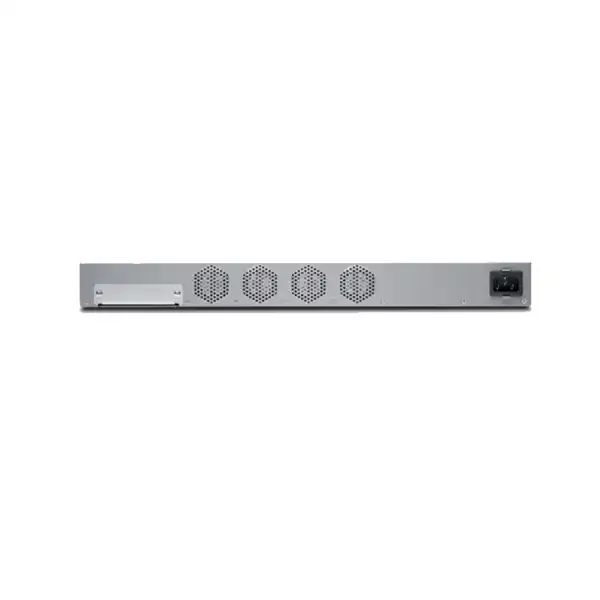
Juniper specifies an internal fixed AC power supply for the SRX340 with a 100 to 240 VAC, 50 to 60 Hz input range. The power supply is not field-replaceable and uses a single AC inlet. That matters in resilience planning: an HA pair provides appliance redundancy, but each unit still has one internal power supply, so separate protected power circuits or UPS outputs should be considered if the site design requires power-path diversity.
Average power consumption is listed at 122 W with average heat dissipation around 420 BTU per hour. These are not unusually high values for a 1U branch firewall, but they are important in a densely populated communications cabinet. Heat from switches, UPS batteries, access controllers and other appliances accumulates, and a cabinet located in a warehouse, plant room or back office can run substantially warmer than the room’s air-conditioning set point. Juniper specifies normal operation from 0°C to 40°C and 5% to 95% relative humidity, noncondensing.
The chassis is approximately 44.09 cm wide, 4.37 cm high and 37.01 cm deep, weighing about 4.89 kg. A nominally “standard” rack can still cause problems if it is shallow, wall-mounted or crowded with rear cable managers and power strips. Fibre connectors also need appropriate bend radius and protection. Reserve enough front and rear clearance for airflow and service access rather than planning from chassis depth alone.
Grounding is part of the installation requirement, not an optional finishing step. Juniper’s installation guidance requires the chassis to be connected to earth ground before power is connected, and recommends surge protection. UAE sites with long copper runs, outdoor handoffs or industrial electrical environments should pay particular attention to grounding, surge exposure and electromagnetic conditions. The firewall should be installed as network infrastructure, not simply placed on a shelf because it is compact.
Practical SRX340 use cases
Midsize corporate branch
A branch with a primary fibre circuit, backup broadband or LTE, several VLANs and encrypted connectivity to headquarters can use the SRX340 as a combined WAN edge and security gateway. The interface count is useful where user, voice, guest and server networks must be separated without consuming every port immediately.
Warehouse or logistics site
Warehouses often combine office users, scanners, cameras, IoT equipment, Wi-Fi, carrier links and operational systems. Zone-based segmentation can keep those trust groups separate while VPNs connect central services. The equipment room must remain within environmental limits despite heat, dust and restricted cabinet space.
Retail or customer-facing site
Retail branches can separate payment, corporate, guest and building systems, then route selected traffic through central or cloud services. Availability requirements should be assessed carefully because a firewall outage can affect payment, inventory, voice and customer Wi-Fi at the same time.
Professional-services office
A consultancy, engineering office or legal branch may need secure SaaS access, IPsec connectivity, guest isolation and reliable internet more than specialised legacy WAN ports. In this case the SRX340’s operational fit and security subscriptions can matter more than using all four Mini-PIM slots.
Hybrid or transitional WAN
The four Mini-PIM slots are useful when a company is migrating gradually from legacy carrier services to Ethernet or LTE. A branch can preserve an existing circuit while a new service is introduced, reducing the pressure to complete carrier, routing and firewall changes in one event.
Sizing checklist: confirm these before selecting the SRX340
Good firewall sizing is a workload exercise. These questions reveal whether the SRX340 has appropriate capacity and interfaces or whether a larger model should be shortlisted.
Internet capacity
What are the current and planned carrier speeds? Is traffic balanced across multiple links, used in active/standby mode, or aggregated through policy?
Security inspection
Will IPS, application controls, threat services, content filtering or encrypted-traffic inspection be enabled on most internet traffic or only selected flows?
VPN profile
How many site-to-site tunnels are required and what throughput will they carry during busy periods? Is internet traffic backhauled over VPN?
Session behaviour
How many users, servers, phones, cameras, wireless clients and IoT devices generate connections? Are there public or guest networks with bursty session creation?
Interface speed
Are 1GbE copper and SFP interfaces sufficient for every WAN, LAN and server-facing connection, or does the design require 10GbE now or within the refresh period?
Growth margin
What circuit, user, cloud, segmentation and security-service growth is expected over three to five years? A platform that is sufficient today may not be economical if it starts near its practical limit.
When a design requires dual 1 Gbps circuits but only a small fraction of traffic receives deep inspection, the SRX340 may remain appropriate. When the requirement is sustained high-rate IPS or multiple multigigabit uplinks, the SRX340’s service-specific performance and 1GbE interfaces become more important constraints. This is why sizing should combine throughput, interfaces and security services instead of selecting solely by the fastest published number.
SRX340 compared with nearby SRX branch models
The nearest comparison is not always the cheapest or most expensive appliance. It is the model that changes the specific limitation affecting the branch. Current Juniper comparison specifications provide a useful starting point:
| Model | Max firewall | IPS | VPN | Concurrent sessions | Onboard ports |
|---|---|---|---|---|---|
| SRX300 | 1.9 Gbps | 200 Mbps | 336 Mbps | 64,000 | 8 × 1GbE |
| SRX340 | 4.7 Gbps | 400 Mbps | 733 Mbps | 256,000 | 16 × 1GbE |
| SRX345 | 5 Gbps | 600 Mbps | 977 Mbps | 375,000 | 16 × 1GbE |
| SRX380 | 20 Gbps | 2.0 Gbps | 4.4 Gbps | 380,000 | 16 × 1GbE + 4 × 10GbE |
The SRX300 can be a better value for smaller branches that do not need the SRX340’s interface density, Mini-PIM flexibility or higher session scale. Buying the SRX340 for a very light site may add cost without changing the business outcome. The SRX345 is a closer step up: it retains the same broad 16 × 1GbE onboard port count and four Mini-PIM slots but provides higher IPS, VPN, session and new-session capacity. If the main concern is stronger inspected-security performance while staying in a similar branch form factor, it deserves comparison.
The SRX380 changes the decision more materially because it adds four 10GbE interfaces and significantly higher listed firewall, IPS and VPN performance. A branch with 10GbE aggregation, faster internet, substantial inspected traffic or a longer growth horizon may justify the larger performance envelope even if the SRX340 could handle today’s average load. The objective is not to “future proof” without limit; it is to avoid choosing a model whose known bottleneck is already visible in the project requirements.
When the SRX340 may not be the right choice
The SRX340 should not be selected simply because it is a familiar Juniper model. It may be undersized where the project requires sustained high-rate IPS or other inspection close to or above the platform’s service-specific limits. It may also be the wrong interface platform where 10GbE handoffs are a firm requirement. A large public guest network, internet-facing service farm or unusual connection burst profile can create session behaviour that deserves closer modelling than a normal office branch.
It can also be oversized. A small branch with one sub-gigabit broadband connection, modest VPN requirements and only a few VLANs may achieve the same outcome with an SRX300 or SRX320, depending on port and WAN requirements. Choosing the smallest model that meets performance, resilience and lifecycle needs usually produces a cleaner budget than standardising on one larger appliance for every site regardless of workload.
Finally, consider the organisation’s operating model. A technically capable firewall can still be a poor fit if the support team does not have Junos skills, the required central management platform is not part of the architecture, or the security subscriptions do not align with company policy. Platform standardisation should reduce operational friction, not merely satisfy a hardware specification.
Logging, monitoring and operational evidence
A firewall configuration is only as useful as the team’s ability to see what it is doing. The SRX340 includes a rear SSD slot for optional logging storage, and Juniper platforms can also send logs to external systems. Whether local storage is required depends on log volume, retention policy, central logging architecture and troubleshooting needs. Buyers should not assume that an optional SSD is automatically included with the base chassis or that local storage replaces a central security information and event management platform.
Define what must be monitored before deployment. At minimum, operations teams usually need device health, interface state, routing changes, VPN status, HA state, security events, policy denies, system resource trends and software alarms. Security teams may need richer event data from IPS, application controls or threat services. The logging policy should balance investigative value with volume; recording every low-value event can make meaningful anomalies harder to find and increase storage or ingestion costs.
Time synchronisation is essential because logs from the firewall, switches, authentication servers, endpoints and cloud systems must line up during an incident. Administrator changes should also be attributable, which requires appropriate authentication, role control and change processes. A branch firewall should not rely on one shared administrator password simply because it is physically remote. Remote management paths should be restricted to known networks or secure management infrastructure rather than exposed broadly.
Monitoring should be tested during acceptance. Disconnect a WAN circuit, stop a VPN, create a denied test connection and trigger a controlled HA event if clustering is in scope. Confirm that the expected alarms reach the responsible team and contain enough context to act. This converts monitoring from a configuration checkbox into evidence that the support process can detect and respond to real branch failures.
Procurement guidance for Dubai and UAE buyers
A useful SRX340 quotation should identify more than “one firewall.” The final bill of materials needs to reflect how the appliance will actually be connected, secured and supported. The exact hardware SKU can vary by bundle or commercial program, and regional power cord, software, subscription and support requirements should be matched to the UAE deployment. If the project is replacing an existing device, the quotation should also state whether configuration migration and onsite cutover are included or excluded.
Hardware identity
Confirm SRX340 chassis SKU, quantity, rack accessories and whether one unit or an HA pair is required. Do not rely on a generic line description when the tender requires an exact manufacturer part.
Optics and WAN modules
List each required SFP by fibre type and distance, plus any Mini-PIM module for LTE, VDSL2, T1/E1, serial or Wi-Fi. Module region and carrier requirements must be checked.
Security entitlements
Identify IPS, threat, filtering, application or other security services required and the subscription duration. Make the intended feature set explicit so quotations can be compared on equivalent scope.
Support term
Match vendor support to the organisation’s operational requirements and refresh horizon. A hardware purchase without an agreed support process can create avoidable risk during software updates or hardware faults.
Services scope
State whether installation, configuration, policy migration, VPN migration, testing, documentation, training, after-hours cutover or onsite attendance is needed. Hardware pricing alone does not describe implementation effort.
FourTeck can prepare a Dubai/UAE quotation around these inputs rather than using a one-line appliance price that leaves necessary components unresolved. This is particularly important for fibre projects, because an SRX340 with empty SFP slots does not by itself provide the optical interface required by a carrier or switch. The transceiver type must match the medium and supported hardware list.
Frequently asked buyer questions
Is the Juniper SRX340 suitable for a 1 Gbps internet connection?
It can be, but the answer depends on enabled services. The current Juniper listing shows a 4.7 Gbps maximum firewall figure, yet IPS is listed at 400 Mbps and VPN at 733 Mbps. If a 1 Gbps circuit will carry mostly basic stateful firewall traffic, the capacity picture is different from a design that expects IPS or other inspection across nearly the entire link. Size against the security profile and peak traffic rather than the carrier speed alone.
How many network ports does the SRX340 have?
The chassis has eight 1GbE RJ-45 traffic ports and eight 1GbE SFP traffic ports, for sixteen onboard 1GbE traffic interfaces. It also has a dedicated management port and console connectivity. Four Mini-PIM slots provide expansion for supported WAN or wireless interface modules. The sixteen onboard RJ-45 and SFP traffic ports are listed by Juniper as MACsec capable.
Does the SRX340 include 10GbE?
No. The onboard traffic interfaces are 1GbE. If a project requires 10GbE uplinks, compare a model such as the SRX380, which Juniper lists with four 10GbE interfaces in addition to sixteen 1GbE ports. This can be a decisive architecture difference even if today’s average traffic could otherwise fit the SRX340.
Can the SRX340 use fibre internet or fibre uplinks?
Yes, the eight 1GbE SFP ports can support compatible pluggable transceivers. The correct SFP depends on fibre type, wavelength, connector and distance, and should be selected from Juniper’s supported transceiver information. Fibre service from a carrier may also terminate on a provider device that presents copper Ethernet, so the circuit handoff should be confirmed before ordering optics.
Does it support LTE backup?
Juniper documents LTE Mini-PIM options for the SRX340. A valid design still needs the correct regional module, supported Junos release, SIM and carrier service. Antenna placement and signal quality also affect practical resilience. An LTE path should be failover-tested rather than assumed to work because the module is installed.
Can Mini-PIM modules be changed while the firewall is running?
No. Juniper states that SRX340 Mini-PIMs are not hot-swappable. The appliance must be powered off before a Mini-PIM is installed or removed. This maintenance requirement is important at branches that depend on the firewall for all connectivity; schedule downtime or use an HA architecture if module changes must not interrupt the site.
Does the SRX340 support high availability?
Yes. SRX Series firewalls can be configured as a chassis cluster using a pair of compatible units. High availability should be designed end to end, including carrier links, switches, power and cabling. Two firewalls connected to one upstream device and one power source may still leave a major single point of failure.
Are IPS and advanced security services included automatically?
Do not assume that every software-enabled security function is included indefinitely with the base hardware. The required subscriptions and support terms depend on the chosen security services and commercial bundle. Define the needed functions first, then make sure the quotation lists the corresponding entitlements and duration.
What is the difference between the SRX340 and SRX345?
Both are 1U branch platforms with sixteen onboard 1GbE ports and four Mini-PIM slots, but Juniper’s current comparison data gives the SRX345 higher security and session capacity: 600 Mbps IPS, 977 Mbps VPN and 375,000 concurrent sessions versus 400 Mbps, 733 Mbps and 256,000 on the SRX340. If inspected traffic or growth margin is the main concern, the SRX345 is a sensible comparison.
What is the difference between the SRX340 and SRX380?
The SRX380 is a substantially higher-capacity branch platform. Current Juniper figures list 20 Gbps maximum firewall, 2 Gbps IPS and 4.4 Gbps VPN performance, and it adds four 10GbE ports. It is more appropriate when the branch needs multigigabit links, higher inspected throughput or a larger growth envelope. The SRX340 remains attractive where 1GbE interfaces and its lower service-specific performance are sufficient.
What should be included in an SRX340 quotation?
At minimum, confirm appliance quantity and exact SKU, support, security subscriptions, required SFP transceivers, Mini-PIM modules, rack and power accessories, optional logging storage if needed, installation location and implementation scope. For migrations, include the source firewall, policy count, VPN count, NAT requirements, cutover window and documentation expectations.
Is the SRX340 still a current product?
Juniper continues to publish an active SRX340 product page, current specification pages and hardware documentation. For any purchase, especially a multi-year support commitment or large rollout, confirm the exact quoted SKU, support entitlement and product lifecycle position at the time of order. Lifecycle status can change independently of the technical suitability described on this page.
Decision recap
Model fit
Choose the SRX340 when a midsize branch benefits from sixteen 1GbE onboard ports, four Mini-PIM slots, Junos routing/security and moderate next-generation security capacity.
Capacity
Size against IPS, VPN, session creation and actual traffic patterns. The 4.7 Gbps maximum firewall number is only one part of the performance picture.
Licensing
Define the security services and support term before comparing prices. The chassis alone does not describe all subscription-enabled security functionality.
Compatibility
Confirm transceivers, Mini-PIM variants, Junos release, carrier requirements and management architecture rather than assuming every accessory or module is universal.
Resilience
For critical branches, evaluate a two-node chassis cluster and remove shared power, switching and carrier failure points where the availability requirement justifies it.
Alternatives
Compare SRX345 for higher inspected security/session capacity and SRX380 when 10GbE or substantially higher throughput is required.
What FourTeck needs for an accurate SRX340 quotation
The more clearly the network requirement is defined, the less likely the final quotation will omit a license, optic, module or implementation dependency. Send the information you already know; unknown items can be resolved during consultation.
Build the right SRX340 solution for your UAE branch
The Juniper SRX340 is a strong branch platform when its 1GbE interface model, security-service performance, Junos operations and Mini-PIM flexibility align with the real site requirement. A correct quotation should bring the appliance, licenses, support, optics, WAN modules, HA design and implementation scope together as one solution. FourTeck can review your circuit speeds, traffic profile and topology and help determine whether the SRX340 is the right fit or whether an adjacent SRX model gives a better capacity margin.

Reviews
There are no reviews yet.