
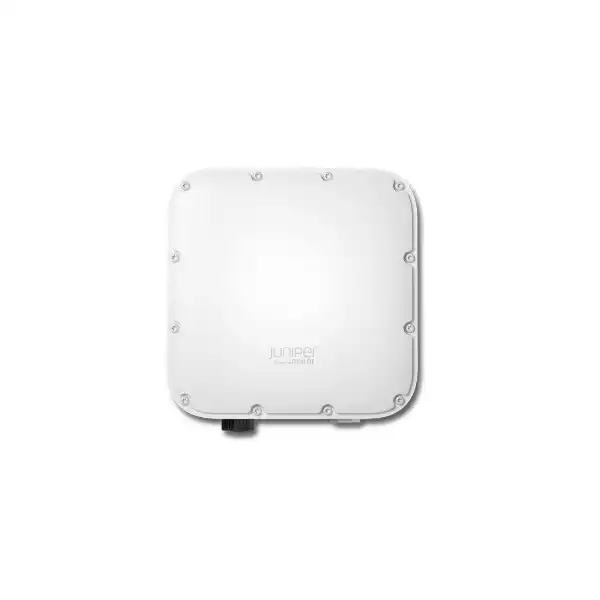
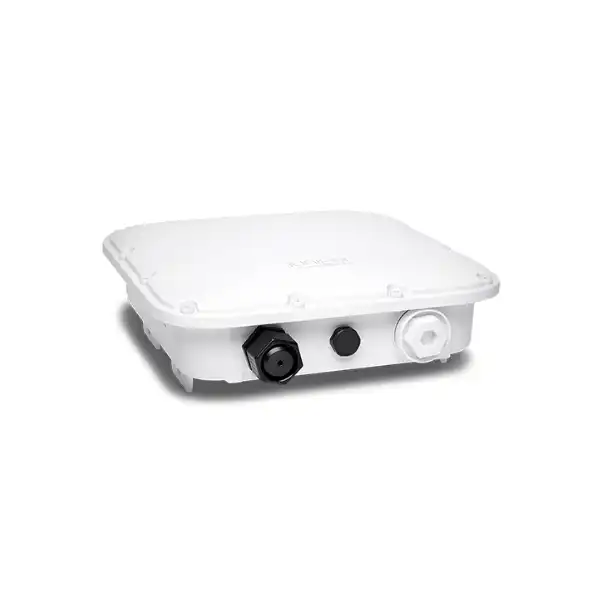
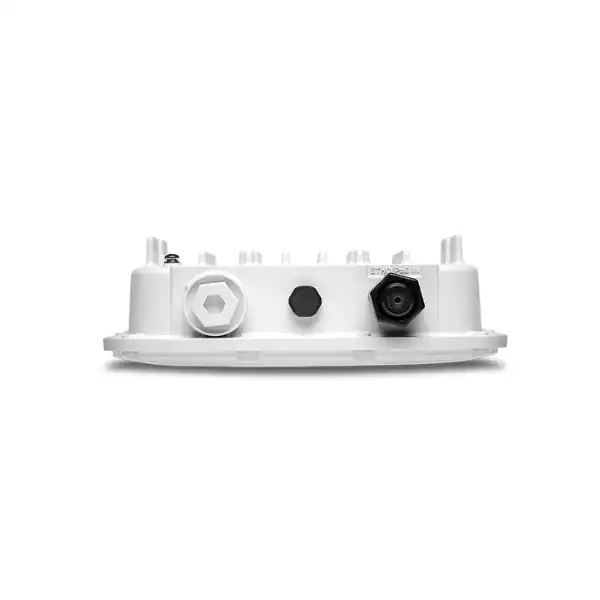
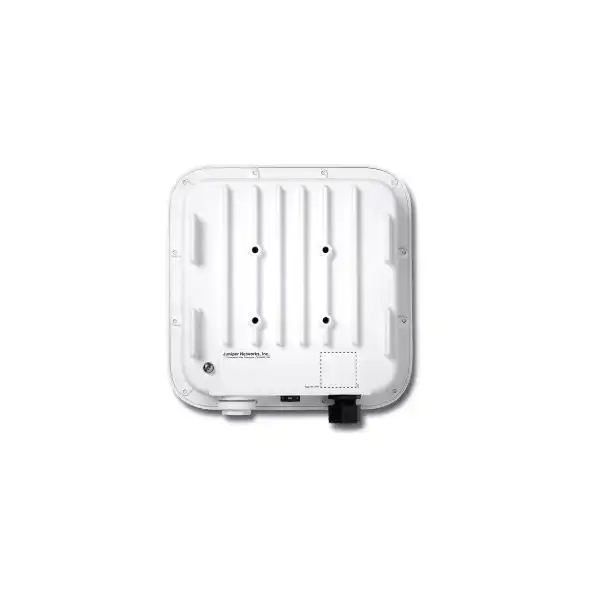
Juniper AP64 Access Point Dubai
The Juniper AP64 is a compact, weather-resistant Wi-Fi 6E access point for organizations that need dependable wireless service in exposed, industrial, campus and edge environments. It combines tri-band 802.11ax capability, two spatial streams, a dedicated monitoring radio function, integrated BLE, 2.5GbE connectivity and Juniper Mist cloud operations in an IP67/NEMA 4 enclosure.
Direct answer: what should a Dubai buyer know about the AP64?
The Juniper AP64 is a ruggedized, weather-resistant Wi-Fi 6E access point designed for indoor or outdoor business networks. It is mainly used where standard indoor access points are not appropriate because the deployment is exposed to weather, temperature variation or physically demanding site conditions. Typical candidates include enterprise campuses, outdoor stations, retail curbside areas, public venues and industrial environments.
Organizations should consider it when they want Juniper Mist cloud-managed wireless, 2×2:2 Wi-Fi 6E radios, 6 GHz capability, integrated spectrum and security monitoring, and a hardened enclosure in a relatively compact access point. The most important factor to confirm before ordering is not simply radio speed: it is whether the exact regional AP64 SKU, 6 GHz regulatory operation, switch PoE capability, cabling, mounting position, Mist service subscription and RF design all match the intended Dubai deployment.
FourTeck can help determine the correct regional model, quantity, mounting accessories, switch-side requirements, Mist subscription scope and whether AP64 is the right fit compared with an indoor AP or a higher-capacity outdoor model. This matters because a successful outdoor WLAN depends on the whole design—radio placement, client mix, backhaul, power, licensing and local regulatory rules—not only the access point specification.
What the Juniper AP64 is designed to do
AP64 sits in the part of Juniper’s wireless portfolio aimed at sites that need enterprise WLAN capability outside the controlled conditions of a normal office ceiling. Juniper describes it as a high-performance, ruggedized indoor/outdoor Wi-Fi 6E access point and as its smallest ruggedized access point. That combination is important for buyers who want a hardened device without selecting a physically larger platform than the coverage zone requires.
The radio architecture is tri-band capable and uses three IEEE 802.11ax radios. Each client-serving radio supports up to 2×2 MIMO with two spatial streams. The access point can work with 2.4 GHz, 5 GHz and 6 GHz capability, while the third radio can be dedicated to scanning for radio-resource management, wireless security, spectrum analysis and location-related telemetry. This is different from treating every radio only as a client-capacity engine. In a Mist design, the monitoring function contributes to ongoing RF optimization and troubleshooting.
For the UAE buyer, the practical value is the combination of environmental protection and cloud operations. An access point on a loading area, external walkway, industrial yard or semi-exposed campus zone can be difficult to service frequently. Mist-based configuration, automated RF decisions, telemetry and remote troubleshooting can reduce the number of issues that require an engineer to visit the physical AP location. That does not eliminate the need for correct survey and installation, but it can make post-deployment operations more measurable.
AP64 should not be selected simply because Wi-Fi 6E is newer than Wi-Fi 6. A business should first establish whether its client devices support 6 GHz, whether the local regulatory domain permits the desired 6 GHz operation, how much concurrent load is expected, whether 2×2 spatial streams are adequate and whether outdoor environmental protection is genuinely needed. When most users are indoors and the installation point is protected, a conventional indoor Juniper AP may be more economical and easier to mount. When the environment is exposed, the AP64’s enclosure and temperature characteristics become central selection criteria.
AP64 capabilities translated into business decisions
Wi-Fi 6E and 6 GHz
The 6 GHz radio can provide additional clean spectrum for compatible clients, helping reduce pressure on crowded legacy bands. The benefit depends on client support and regulatory availability. A business with mostly Wi-Fi 5 or Wi-Fi 6 clients will not suddenly move those devices into 6 GHz, so the device inventory should be part of the purchasing decision.
2×2:2 radio design
Two spatial streams are appropriate for many enterprise client populations, especially phones, tablets, handhelds and typical laptops. Buyers should evaluate density and throughput demand rather than relying on headline aggregate data rates. Extremely dense venues or very high aggregate traffic may justify comparison with a higher-radio or higher-spatial-stream platform.
Dedicated scanning capability
The third radio can monitor the RF environment for security and optimization work rather than consuming client-serving airtime for every scan. This is relevant in sites where stable service and troubleshooting data matter. The operational advantage is strongest when the AP is actively managed through the Mist ecosystem and the organization uses the available assurance and analytics functions.
2.5GbE-capable uplink
Eth0 supports 100/1000/2500 Base-T. This avoids forcing the AP onto a one-gigabit uplink when the design and switch infrastructure can use multi-gigabit Ethernet. The practical check is whether the access switch provides an appropriate multi-gigabit port, enough PoE budget and cabling capable of supporting the intended Ethernet rate over the installed distance.
IP67 / NEMA 4 enclosure
The environmental rating is a key reason to choose AP64 over an indoor model. The mounting surface, cable entry and installer workmanship still matter. A hardened AP does not make an improperly sealed cable run weatherproof, and outdoor copper requires appropriate planning for pathway, grounding, surge exposure and building entry practices.
Mist cloud operations
The AP automatically connects to the Juniper Mist cloud, downloads configuration and joins the network after it is claimed and correctly connected. This supports centralized provisioning, firmware workflows, service-level measurements and troubleshooting. The subscription plan should be treated as part of the solution cost rather than an afterthought.
Verified AP64 technical specification overview
The figures below are based on Juniper’s AP64 product documentation and datasheet. Environmental and power details should still be checked against the current regional documentation and quotation because published hardware references can be revised over a product lifecycle.
| Specification | AP64 detail | Buyer relevance |
|---|---|---|
| Wi-Fi standard | 802.11ax / Wi-Fi 6E; backward compatible with 802.11a/b/g/n/ac | Supports modern 6 GHz-capable clients while retaining service for older generations on supported bands. |
| 2.4 GHz | 2×2:2, up to 575 Mbps | Useful for legacy clients and longer-range/IoT-oriented use cases, but usually the most congested band. |
| 5 GHz | 2×2:2, up to 1,200 Mbps | Common primary enterprise band with broad client support. |
| 6 GHz | 2×2:2, up to 2,400 Mbps | Requires compatible clients and permitted local channels; it is not a benefit for devices that cannot use 6 GHz. |
| Radio architecture | Tri-band capable, dual-band concurrent tri-radio design with dedicated scanning function | Allows client service plus continuous monitoring and RF/security insight. |
| Antennas | Internal omnidirectional; peak gain listed as 4 dBi at 2.4 GHz and 6 dBi at 5/6 GHz | Simplifies deployment where an internal-antenna radiation pattern is appropriate; directional requirements may need another design. |
| Ethernet | 1 x 100/1000/2500 Base-T RJ45, PoE PD | Check switch multi-gigabit support, PoE budget and cable quality. |
| Enclosure | IP67 / NEMA 4 compliant | Suitable for harsh indoor/outdoor conditions when installed correctly. |
| Dimensions | 215 x 215 x 64 mm | Plan bracket clearance, cable bend radius and service access. |
| Weight | Approximately 1.5 kg | Mounting substrate and hardware must support the installed load and environmental exposure. |
| IoT radio | BLE 5.3 with omnidirectional antenna | Can support compatible asset and engagement use cases where licensed and designed for them. |
| GNSS and sensors | GNSS support plus temperature and accelerometer sensors | Useful operational telemetry, but not a substitute for a full site monitoring system. |
| Security hardware | Trusted Platform Module (TPM) | Adds a hardware-rooted infrastructure security component. |
Understanding AP64 radio performance without relying on headline speed
The AP64 datasheet lists maximum data rates of 575 Mbps at 2.4 GHz, 1,200 Mbps at 5 GHz and 2,400 Mbps at 6 GHz. Those are useful technical ceilings for understanding the radio design, but they are not application throughput guarantees. Real user performance depends on channel width, signal-to-noise ratio, distance, interference, client capability, protocol overhead, airtime contention, application behavior, backhaul and the number of active users.
The 6 GHz figure assumes a client and regulatory environment that can use the relevant 802.11ax features and channel width. A 2×2 laptop close to the AP can behave very differently from a handheld scanner behind industrial shelving, a phone on the edge of an outdoor cell or an IoT endpoint limited to 2.4 GHz. The right design therefore starts from devices and applications, not from adding together published data rates.
The AP64 hardware specification lists a maximum of up to 512 clients per radio. That figure should be read as a platform limit, not a recommended design density. Hundreds of associated devices may generate almost no traffic, while a much smaller number of actively transmitting cameras, collaboration endpoints or large-file users can create significant airtime and uplink demand. Capacity planning should consider active devices, traffic type and busy-hour concurrency rather than association count alone.
For high-density outdoor public venues, transport environments or event spaces, a predictive model and on-site validation are particularly valuable. The AP64’s internal omnidirectional antennas are convenient, but an omnidirectional pattern is not always the best way to control cell boundaries or reuse spectrum. If the design needs tightly shaped sectors, long point-to-area coverage or specialized external antennas, compare a model built for those antenna options rather than forcing AP64 into an unsuitable RF geometry.
Where AP64 can make sense in Dubai and the UAE
Campus outdoor spaces
Covered walkways, courtyards, building approaches and external common areas may need managed Wi-Fi that remains part of the same Mist-operated network as indoor APs. AP64 can provide a hardened endpoint while retaining centralized policies and visibility.
Retail curbside and service areas
Mobile point-of-service devices, staff handhelds and operational applications can extend beyond the shop floor. The radio survey should account for glass, metal façades, vehicles and changing obstruction patterns rather than assuming indoor coverage will reach the required external zone.
Industrial and logistics sites
Warehouses, loading areas, yards and production-adjacent spaces can expose APs to dust, temperature changes and physical risk. RF performance can also change with stock, racking, machinery and vehicle movement, so placement and validation are as important as the enclosure rating.
Outdoor stations and transport zones
Operational users may roam through semi-open areas where weather hardening and remote telemetry are valuable. High user turnover can create different capacity requirements from a static office, so association behavior and authentication design should be tested.
Public venues
A rugged AP can fit exposed concourses and outdoor gathering zones, but public Wi-Fi designs often need careful capacity planning, guest segmentation and policy control. AP64 is one building block; internet edge, security, authentication and switching still determine the complete experience.
6 GHz in an AP64 design: what needs to be confirmed
Wi-Fi 6E extends 802.11ax operation into the 6 GHz band. In practice, 6 GHz can provide more spectrum and less legacy-client contention, which is attractive for newer laptops, phones and specialist endpoints. However, a buyer should never assume that every AP64 installation will expose the same 6 GHz channels, power levels or operating modes in every country. Wireless regulations are jurisdiction-specific and may change over time.
Juniper offers AP64-US for the United States and AP64-WW for outside the United States. Juniper explicitly states that regional or country-specific SKUs must be used only in their authorized area. For a Dubai quotation, the regional SKU should therefore be confirmed against the current Juniper ordering and UAE regulatory requirements rather than importing a US-domain unit because it appears available from another market.
Client capability is the second part of the equation. Wi-Fi 6E clients can use 6 GHz where permitted; Wi-Fi 6 devices that support only 2.4 GHz and 5 GHz cannot. Older Wi-Fi 5 devices remain on their supported bands. If a company is refreshing its laptop fleet gradually, the AP64 can provide a path to 6 GHz adoption while continuing to support legacy devices, but the immediate capacity benefit will be proportional to how many clients can actually move.
The RF design must also consider propagation. Higher-frequency 6 GHz signals generally attenuate more quickly through obstacles than lower-frequency signals. That means a deployment based purely on an existing 2.4 GHz cell map may not deliver the expected 6 GHz experience. For outdoor spaces with clear line of sight the behavior can be favorable, while walls, coated glass, metal structures and dense equipment can change the cell shape substantially. A predictive survey followed by validation gives a better basis for AP count than simply replacing older APs one-for-one.
Mist cloud management and the operational model
AP64 is designed to be managed through the Juniper Mist cloud architecture. After the AP is claimed to the correct Mist organization, associated with a site, connected to a suitable network and powered, it can retrieve its configuration and join the managed WLAN. This model moves much of day-to-day configuration, telemetry and troubleshooting into the Mist portal rather than depending on a traditional on-premises WLAN controller for every operation.
A major operational benefit is the collection of detailed client and RF telemetry that feeds service-level expectations and AI-assisted troubleshooting. Juniper’s Marvis Virtual Network Assistant can use Mist data to identify issues and help narrow root cause. For teams supporting multiple UAE branches or geographically separated sites, centralized visibility can reduce the time spent correlating individual AP logs manually. It is still important to define administrative roles, change-control practices and alert ownership so that a technically capable platform translates into an effective support process.
Juniper also provides dynamic packet capture workflows in which relevant packets can be captured and sent to the cloud when major issues are detected. That can accelerate investigation of intermittent wireless problems because the evidence may exist by the time an engineer examines the incident. As with any cloud telemetry function, the organization should include privacy, data-handling, retention and security requirements in its design review.
Mist firmware management is another part of the operational model. The AP can receive firmware updates through the platform, allowing administrators to maintain release consistency and schedule upgrades. Before a production rollout, organizations should establish a pilot or staged upgrade method, define maintenance windows and understand how critical client types behave with the selected release. Automated delivery is useful, but enterprise change discipline remains relevant.
For more complex architectures, Juniper Mist Edge can be used where traffic tunneling or specific data-plane requirements call for it. This is not automatically required for a straightforward locally bridged AP64 deployment. It becomes relevant in designs involving centralized guest traffic, campus mobility, IoT segmentation or other architectures that benefit from tunnel termination. The quotation should therefore distinguish between the AP and cloud subscription requirements and any optional Mist Edge infrastructure.
Licensing and subscription planning
A Juniper wireless purchase should be budgeted as a managed solution, not as a standalone hardware box. The AP64 works within the Mist cloud ecosystem, and the usable assurance, analytics, engagement, asset visibility and AI-assisted operations depend on the services included in the selected subscription. Wi-Fi Assurance is commonly associated with enterprise WLAN assurance and service-level visibility, while other services such as Premium Analytics or location-related capabilities can be licensed separately where required.
The right subscription term depends on procurement policy, project lifespan and how the organization wants renewal dates aligned. A multi-site enterprise may prefer standardized renewal dates across access points, while a project-based deployment may need licensing tied to a contract period. The quote should make the term, service level and quantity explicit so that hardware pricing is not mistaken for the total operating cost.
Do not assume that every feature shown in a Juniper product demonstration is included with the base hardware purchase. Before approval, map required outcomes—WLAN management, assurance, analytics, asset visibility, guest engagement or advanced reporting—to the applicable Mist subscriptions. This avoids discovering after installation that a desired workflow requires an additional service.
Power, Ethernet and switching dependencies
The AP64 has a single Eth0 copper interface supporting 100/1000/2500 Base-T and receiving power over Ethernet. That makes the access switch an important part of the wireless design. A legacy gigabit PoE switch may allow the AP to operate, but it can limit uplink capacity compared with a 2.5GbE-capable access port. Whether that matters depends on actual traffic rather than theoretical radio rates, yet new infrastructure projects should at least evaluate multi-gigabit switching where AP64 is being deployed at scale.
Juniper’s current AP64 datasheet lists 802.3af operation with full functionality under the stated radio combinations, while Juniper Hardware Explorer provides a 13 W full-functionality figure and its current power section may list additional PoE standards. Because vendor hardware references can be revised, the safest procurement practice is to verify the latest AP64 power requirement and the exact switch model’s PoE delivery before finalizing a bill of materials. This is especially important where many APs share a switch power supply and the total PoE budget is close to the chassis limit.
Copper cabling must also support the intended link speed. Existing Cat5e may support 2.5GbE in suitable installations, but cable length, workmanship, patching and environmental exposure affect real results. Outdoor or semi-outdoor paths require the correct cable type and pathway for the local environment. Do not route an indoor-rated patch cable through exposed areas simply because the AP enclosure itself is weather-resistant.
Network design should define the switch VLANs, management reachability, DHCP/DNS requirements, internet access to the Mist cloud and any firewall rules before installation day. If APs cannot reach required cloud services, zero-touch provisioning cannot complete. A commissioning checklist that validates cabling, link rate, power, cloud reachability, site assignment and WLAN broadcast is more efficient than troubleshooting each dependency after the APs are already mounted.
Outdoor installation and environmental considerations
AP64’s IP67 and NEMA 4 ratings are meaningful for harsh environments, but environmental protection is a system property as much as a product label. Water can enter through an incorrectly installed cable gland, poorly routed conduit or compromised junction box even when the AP chassis is rated for exposure. The installation plan should identify cable entry orientation, drip loops where appropriate, sealed transitions, mounting hardware and safe maintenance access.
Juniper’s datasheet lists operating temperatures as low as -40°C and up to 55°C with solar loading, and up to 65°C without solar loading. A current Hardware Explorer page may show a narrower range, illustrating why the exact current regional hardware documentation should be checked for a high-temperature UAE project. Direct sun on an exterior wall or pole can create a different thermal condition from the ambient air reading shown on a building-management system. Shade, enclosure color, reflected heat and surrounding surfaces all affect real thermal exposure.
Mounting also affects RF behavior. Juniper lists an APOUTBR-FM2 flush mount bracket as included and an APOUTBR-ART2 articulating mount as an option. A flush-mounted AP may be appropriate for a wall or stable flat surface, while an articulating bracket can help position the AP where the installation geometry requires adjustment. The bracket choice should follow both mechanical and RF requirements; changing AP angle can change where an internal omnidirectional antenna pattern delivers useful energy.
For exposed copper runs, site engineering should review surge and lightning risk, grounding requirements, separation from power circuits, conduit, building entry protection and local electrical practices. An outdoor AP is not a substitute for electrical protection. The correct approach depends on the building, cable route and code requirements, so these details should be planned by qualified installers rather than improvised during mounting.
Physical access is another operational consideration. An AP mounted too high or in a restricted area can be costly to service, yet mounting too low may increase tampering risk and create poor RF coverage. The ideal location balances coverage, capacity, environmental exposure, cable distance, security and maintainability. This is why a survey plan should include realistic installation positions rather than placing AP icons at mathematically convenient points that cannot be reached in the actual building or site.
A practical AP64 deployment journey
1. Define applications and client types
List staff devices, handhelds, tablets, scanners, voice clients, IoT endpoints and guest devices. Record whether they support 2.4, 5 or 6 GHz, their expected traffic and any roaming sensitivity. This prevents overestimating the immediate value of 6 GHz or underestimating legacy-band demand.
2. Survey the RF environment
Model coverage at target frequencies, identify interference sources and inspect physical obstacles. Outdoor metal, vehicles, shelving, glazing and neighboring WLANs can change the design. Use realistic mounting positions and validate critical areas after installation.
3. Confirm regulatory domain
Select the Juniper regional SKU authorized for the installation country and verify the permitted 6 GHz operation. Do not substitute a US-domain unit for a UAE deployment merely because part numbers appear similar.
4. Validate switching and PoE
Check switch port speed, PoE delivery, total chassis budget, VLAN design, cable condition and cloud reachability. Where 2.5GbE is part of the design objective, verify the entire copper channel rather than only the switch datasheet.
5. Build the Mist organization and sites
Create or review the Mist organization, admin roles, sites, WLAN templates, RF settings and subscription assignments. Standardize naming so that large deployments remain operationally clear after the installer leaves.
6. Claim and stage APs
Claim the AP64 units to Mist, assign them to sites and verify firmware and configuration before difficult physical mounting where possible. Staging reduces the risk of discovering account or serial-number issues after equipment is already installed at height.
7. Install and weather-seal correctly
Use the appropriate bracket, secure the mounting surface, protect cable entries and observe local electrical and safety practices. Document AP orientation and final location because those details matter when comparing live RF behavior with the design.
8. Validate user experience
Test representative clients across required areas, including roaming paths and edge locations. Review Mist service-level data, retries, signal quality and throughput rather than relying only on a successful association. Tune channels, power or placement if the measured experience differs from the design.
Security, monitoring and troubleshooting value
Wireless security is broader than encryption. The AP64’s dedicated monitoring radio can contribute to wireless intrusion detection and prevention, spectrum analysis and ongoing RF awareness. This is useful because a client-serving radio that constantly leaves its channel to scan can trade user airtime for visibility. A dedicated scanning function provides a cleaner operational model for networks that value continuous insight.
The Trusted Platform Module listed for AP64 adds a hardware-rooted component to infrastructure security. At the network level, organizations should still use appropriate WLAN authentication, segmentation, role design and security policy. Enterprise users may require 802.1X and certificate-backed identity, while guest or IoT networks can need different controls. These decisions belong in the WLAN architecture rather than being left to default settings.
Mist telemetry is particularly valuable when an issue is intermittent. A traditional support call may begin with a user saying Wi-Fi was slow earlier, after the RF conditions have already changed. Historical service-level data, client events and packet capture can provide evidence about authentication failures, DHCP problems, poor signal, interference or capacity at the time of the incident. That can shorten the distance between symptom and root cause.
However, monitoring data only becomes useful when the support team has defined ownership. Decide who receives alerts, which thresholds matter, how long telemetry is retained for operational needs and when an incident should be escalated to switching, security, ISP or application teams. Wireless problems frequently cross layers, and a well-instrumented AP can show that the actual fault is upstream rather than on the radio.
BLE, location and IoT considerations
AP64 includes an omnidirectional Bluetooth Low Energy radio supporting BLE 5.3. This gives the platform an IoT and location-related capability beyond Wi-Fi client access. Depending on the Mist services and application design, BLE can contribute to asset visibility, engagement or other beacon-related workflows. The important buyer point is that the presence of a BLE radio does not automatically deliver a complete tracking solution.
Asset-location accuracy depends on beacon design, tag behavior, AP placement, signal conditions, calibration assumptions and the licensed cloud service. Outdoor geometry can differ significantly from indoor location models because there may be fewer reflective surfaces and larger spaces between reference points. If asset tracking is a primary business requirement, it deserves its own location design rather than being treated as a bonus feature of the WLAN.
Juniper also lists GNSS support and onboard temperature and accelerometer sensors. These elements can contribute context to the AP’s operational state and deployment information. They should not be confused with specialized environmental monitoring equipment where regulatory or safety-grade sensor accuracy is required. Use them according to the documented Mist feature set and application need.
For a Dubai logistics or industrial project, a useful design workshop separates three different questions: how workers connect to Wi-Fi, how tagged assets are detected, and how operational systems consume that location or telemetry data. Combining them under a generic “IoT” label can lead to incomplete licensing and integration assumptions. Each workflow may involve different endpoints, APIs, analytics and support owners.
Compatibility checklist before ordering AP64
Client radios
Identify which devices support Wi-Fi 6E and 6 GHz, which remain 5 GHz-only and which rely on 2.4 GHz. This influences band strategy and realistic benefits.
Access switching
Verify 2.5GbE capability where desired, PoE output per port, total power budget, VLAN configuration and switch software compatibility.
Cabling
Confirm cable category, test results, patching, length, outdoor rating and surge/grounding design as appropriate for the route.
Mist organization
Confirm the organization and site structure, administrative access and subscription ownership before claiming units.
Cloud reachability
Plan DNS, DHCP, routing and security policy so APs can reach required Mist services from the intended management network.
Authentication
Check RADIUS, identity provider, certificates, guest portals and any NAC integration used by corporate or visitor WLANs.
Mounting environment
Validate surface, bracket, orientation, access height, weather exposure, thermal conditions and cable-entry protection.
Regulatory domain
Use the Juniper SKU authorized for the UAE and verify the current permitted 6 GHz operation. Regional model choice is not interchangeable.
When AP64 may not be the right access point
AP64 is compelling when environmental hardening and a compact internal-antenna Wi-Fi 6E design match the requirement, but those features can be unnecessary in a standard indoor office. If the AP will be installed on a suspended ceiling in a climate-controlled area, compare Juniper indoor models with similar generation and Mist integration. An indoor model may offer a better cost and mounting fit without paying for weather hardening that provides no practical benefit.
The internal omnidirectional antenna can also be a limitation for specialized outdoor RF. Long narrow yards, directional coverage from a building edge, stadium sectors or areas requiring strict cell shaping may benefit from an access point with external antenna options or a different antenna architecture. A physically rugged AP is not automatically the best outdoor RF tool for every geometry.
For extremely high user densities, 2×2 spatial streams may be less attractive than a platform designed for greater aggregate capacity. The correct comparison depends on channel availability, client capability and how many users are simultaneously active. High-capacity design often needs more APs with smaller cells rather than a single more powerful transmitter, so a survey should determine whether the issue is radio capability, cell layout or both.
Finally, organizations that do not want cloud-managed WLAN operations should consider whether the Mist architecture fits their governance model. AP64’s value is closely tied to the Mist operating experience. If policy requires a different management model, that architectural constraint should be resolved before hardware selection rather than after purchase.
AP64 procurement details that reduce purchasing risk
A clean quotation should identify the AP model, regional domain, quantity, included mounting hardware, optional brackets, required Mist subscriptions and term, support requirement and any associated switching or cabling. The model line should not simply say “Juniper outdoor AP” because regional SKUs and licensing can affect what is delivered and how it can be used.
Juniper’s ordering information identifies AP64-US for the United States and AP64-WW for the rest of the world. For Dubai, the WW family is the relevant starting point, but the final authorized SKU and software regulatory behavior still need confirmation for the UAE. Buying from an unrelated region can create regulatory and warranty risk, so part-number verification is part of procurement quality, not administrative detail.
The included flush-mount bracket may be sufficient for many surfaces. If the survey calls for angle adjustment, an articulating bracket should be added to the bill of materials. It is cheaper to identify that requirement during design than to stop installation because the AP cannot be aimed or mounted safely with the hardware on site.
Subscription dates are another common source of confusion. If equipment is delivered significantly before deployment, confirm how service term activation is handled and how renewals should align with the wider Mist estate. Enterprises with dozens or hundreds of APs can create avoidable administrative overhead if every project has a different renewal date without deliberate planning.
Finally, ask the supplier to separate optional services—survey, configuration, installation, testing, migration and post-deployment support—from hardware and licensing. This makes it easier to compare quotations on a like-for-like basis and prevents a lower hardware price from hiding missing implementation work.
Sizing the number of AP64 units
There is no reliable square-metre-per-AP rule for an enterprise outdoor deployment. Coverage area changes with frequency, transmit power, mounting height, obstructions, client transmit capability, antenna pattern and minimum signal requirement. Capacity can require more APs than coverage alone, especially when many active users share the same outdoor zone.
Start with the required service, not the building plan. Voice roaming may need stronger cell overlap and stricter latency than occasional barcode scans. Video and large-file traffic create more airtime and backhaul demand than messaging. Guest Wi-Fi in a public space may experience short bursts of very high concurrency that are absent on a normal day. The AP count should support the hardest credible operating condition, not just an empty-site test.
For 6 GHz, model the client mix carefully. A design can include excellent 6 GHz capacity while older devices remain congested on 5 GHz. If business-critical handhelds are 2.4 GHz-only, they may drive AP placement even when modern laptops can use 6 GHz. Band steering cannot give a device a radio it does not have.
A predictive survey produces an initial AP count and placement plan. On-site validation then checks actual signal, noise, roaming and throughput at critical locations. For warehouses or yards whose RF environment changes with inventory and vehicles, periodic review may be necessary after major layout changes. Mist telemetry can help show whether the production environment is diverging from the original design assumptions.
Migration from an older outdoor WLAN
Replacing older access points with AP64 is not always a one-for-one exercise. Older APs may have different antenna patterns, mounting positions, radio power, channel widths and controller behavior. A new Wi-Fi 6E deployment also introduces 6 GHz, which has different propagation and client-support characteristics. Reusing every old mounting point without analysis can preserve weaknesses that were created for a previous generation of devices.
The migration plan should inventory current SSIDs, VLANs, authentication methods, RADIUS policies, guest portals, DHCP scopes, firewall rules and QoS behavior. Decide which settings genuinely need to be preserved and which should be simplified. Moving to Mist can be an opportunity to standardize naming, site templates and operational policies rather than reproducing years of accumulated WLAN exceptions.
Client migration deserves particular attention where specialized handhelds, industrial terminals or legacy IoT devices are used. Test representative devices against the new SSID and security settings before a large cutover. Some older clients support 802.11 standards but behave poorly with modern roaming, encryption or management-frame configurations. A pilot area allows these issues to be identified without affecting the whole site.
Physical migration can also be staged. New AP64 units can be installed and commissioned in sections while old coverage remains available, provided channel planning avoids unnecessary interference. The project team should define how client transitions are handled and how each zone is accepted before the next one is moved.
After cutover, use Mist telemetry and real user tests to compare service quality with baseline requirements. Removing the old APs is not the final success criterion; the goal is that critical applications work reliably in the places and at the times that matter. A short post-migration tuning window should be included in the project schedule.
Buyer questions to answer before approving the AP64 bill of materials
Comparing AP64 with alternative design choices
| Requirement | AP64 is worth considering when… | Compare another option when… |
|---|---|---|
| Environment | The AP is exposed to weather or harsh indoor conditions and IP67/NEMA 4 protection is valuable. | The site is a protected office, classroom or standard indoor ceiling where ruggedization adds little value. |
| Antenna | Internal omnidirectional antennas match the required cell shape and simplify installation. | The design requires directional sectors, special coverage patterns or external antenna selection. |
| Capacity | A 2×2:2 radio design meets measured or modelled client demand. | The zone has unusually high active-client density or throughput and a higher-capacity platform may reduce risk. |
| Management | The organization wants Mist cloud operations, assurance and AI-assisted troubleshooting. | Cloud-managed WLAN does not fit governance, architecture or commercial requirements. |
| 6 GHz | The client roadmap includes Wi-Fi 6E devices and local 6 GHz operation supports the intended use. | No relevant clients can use 6 GHz and a lower-cost model satisfies the actual requirement. |
Operations after installation
A successful WLAN should be operated against measurable expectations. Mist’s service-level framework can help teams look beyond “the AP is up” to user-oriented metrics such as connection success and service quality. Establish a small set of operational thresholds that map to business impact. Too many alerts create noise; too few can hide gradual degradation.
Review client distribution across bands, retry behavior, channel utilization and interference after the network has real users. An outdoor site may behave differently at midday than early morning because vehicles, people or equipment change the RF environment. Public venues can have event-driven spikes. Industrial sites may change when inventory or racking is moved. Operational data should feed periodic tuning rather than assuming the initial configuration remains ideal indefinitely.
Firmware policy should define test, approval and rollout. New releases can bring features, bug fixes and security updates, but critical specialized devices should be represented in testing. For multi-site estates, a staged ring approach—lab or pilot, limited production, then broad deployment—reduces change risk while preserving the benefits of centralized software management.
Keep installation records current. Document AP serial number, site assignment, switch port, cable identifier, mounting location, bracket type and photograph where useful. This information speeds troubleshooting and replacement. It is particularly important for outdoor APs whose physical positions may not be obvious from a floor plan.
Finally, review subscriptions and support well before renewal. Wireless becomes operational infrastructure quickly, and an expired service can affect management expectations or access to licensed features. Procurement teams should know the renewal owner, contract date and device count so that commercial administration does not create an avoidable service risk.
Frequently asked questions about Juniper AP64 in Dubai
Is AP64 Wi-Fi 6E or Wi-Fi 7?
AP64 is an 802.11ax Wi-Fi 6E access point, not a Wi-Fi 7 access point. Its 6 GHz capability is part of Wi-Fi 6E. Buyers specifically seeking 802.11be/Wi-Fi 7 should compare Juniper’s current Wi-Fi 7 portfolio instead.
Can AP64 be installed outdoors?
Yes. Juniper positions AP64 for indoor/outdoor use and lists an IP67/NEMA 4 enclosure. Correct mounting, cable sealing, power/cabling protection and environmental engineering are still required.
Does AP64 support 6 GHz?
Yes, the AP64 radio platform supports 6 GHz as part of Wi-Fi 6E. Actual channels and operation depend on the regional regulatory domain and local rules, and clients need their own 6 GHz support.
What is the AP64 uplink?
Eth0 supports 100/1000/2500 Base-T on RJ45 and receives PoE. A 2.5GbE-capable switch port can be useful where the traffic design warrants it.
Does AP64 use external antennas?
The standard AP64 models use internal antennas. That keeps the form factor straightforward, but a project needing directional or specialized external antennas should compare another hardware option.
Is a Mist subscription needed?
AP64 is designed around Juniper Mist cloud management. The exact subscription package should be selected according to the required assurance, analytics, engagement, location and support functions, and it should be quoted with the hardware.
How many AP64 units are needed?
That depends on coverage, capacity, client type, band support, mounting height, obstructions, outdoor geometry and performance targets. A survey is more reliable than a fixed area-per-AP rule.
Which regional model is used outside the US?
Juniper lists AP64-WW for the rest of the world and AP64-US for the United States. The specific authorized SKU for the UAE should be confirmed in the final order.
Can AP64 support older Wi-Fi devices?
Yes. Juniper lists backward compatibility with 802.11a/b/g/n/ac. Older devices operate on the bands and capabilities they support; they do not gain 6 GHz simply because the AP supports Wi-Fi 6E.
What mounting bracket is included?
Juniper’s datasheet lists the APOUTBR-FM2 flush-mount bracket as included and APOUTBR-ART2 as an articulating option. Confirm the final pack contents and bracket requirement on the quotation.
Building an accurate AP64 quotation for Dubai
The quickest route to an accurate quote is to provide enough design context for the supplier to identify dependencies. Quantity alone is not always sufficient. A request for 20 AP64 units could represent twenty replacements on an existing Mist network, a new outdoor deployment that needs switching and subscriptions, or a full migration from another WLAN platform. Those projects require different bills of materials even though the AP quantity is identical.
For an existing Mist customer, provide the organization details relevant to licensing, current subscription type and renewal date if available. State whether the new APs will join an existing site or create new sites. This makes it easier to align subscriptions and implementation with the current estate. For a new Mist customer, identify the administrators, sites, WLANs and authentication requirements that need to be established.
For outdoor or industrial projects, add photos or drawings of mounting locations, approximate cable distances and known environmental conditions. If the APs will be pole-mounted, wall-mounted or positioned under canopies, mention it. The hardware may be the same, but the bracket, pathway and installation effort can differ.
If the project goal is performance rather than simple replacement, include user density and applications. For example, a workforce handheld deployment, outdoor guest Wi-Fi and a logistics yard carrying mobile video can have very different traffic profiles. State whether 6 GHz clients are expected and whether 2.5GbE switching is already available.
A good quote makes assumptions visible. It should say what is included, what is optional and what still depends on survey results. That provides a clearer basis for approval than a single line item that hides licensing, mounting or implementation decisions.
Decision recap
What FourTeck needs for an accurate AP64 consultation
Providing the following information allows the quotation to distinguish required items from optional ones and helps identify whether a survey or model comparison is necessary.
Plan the Juniper AP64 deployment around the site—not just the part number
For a Dubai AP64 project, the right purchase combines the authorized regional hardware, correct Mist service subscription, adequate switching and PoE, suitable mounting hardware and an RF plan that reflects real clients and environmental conditions. FourTeck can help turn those requirements into a clear bill of materials and implementation scope, including survey, migration and deployment support where needed.


Reviews
There are no reviews yet.