
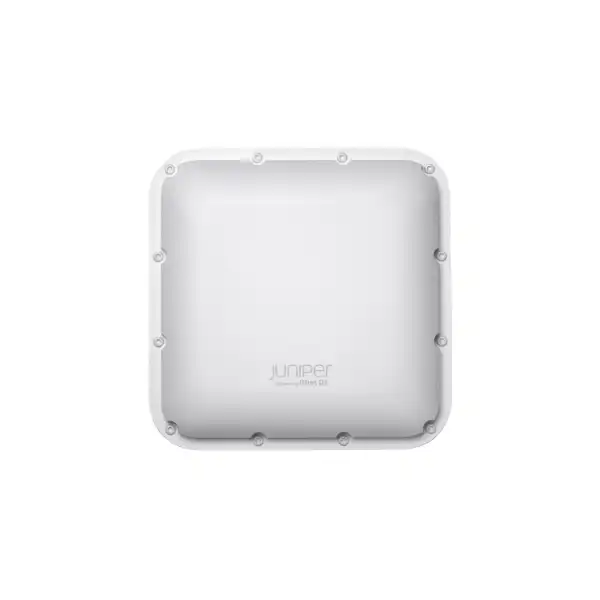
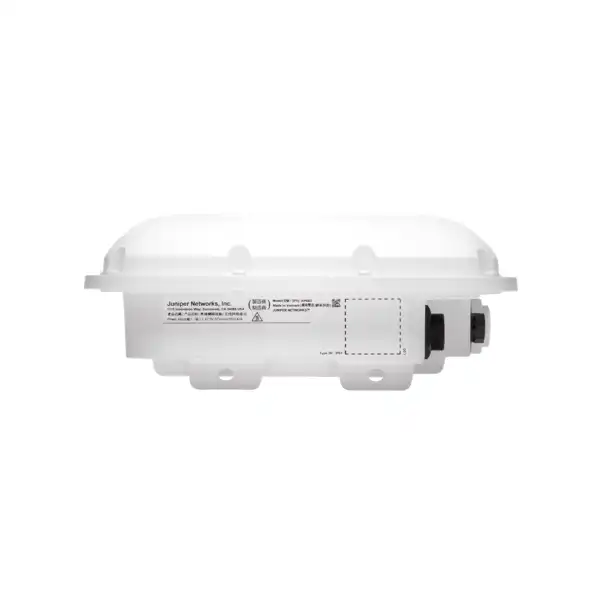
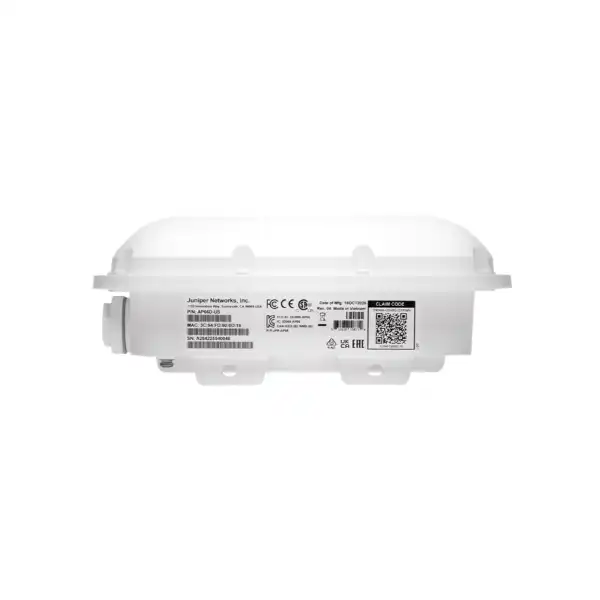
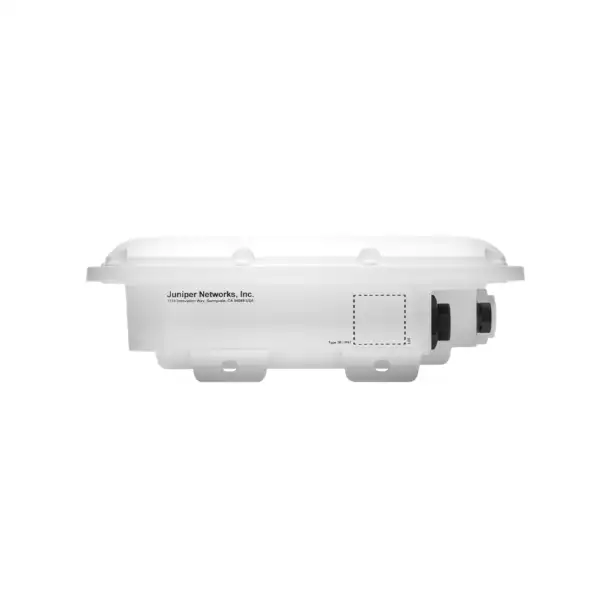
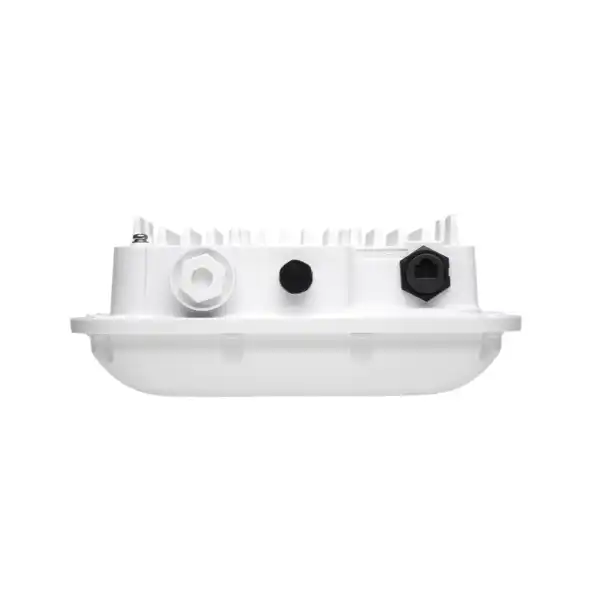
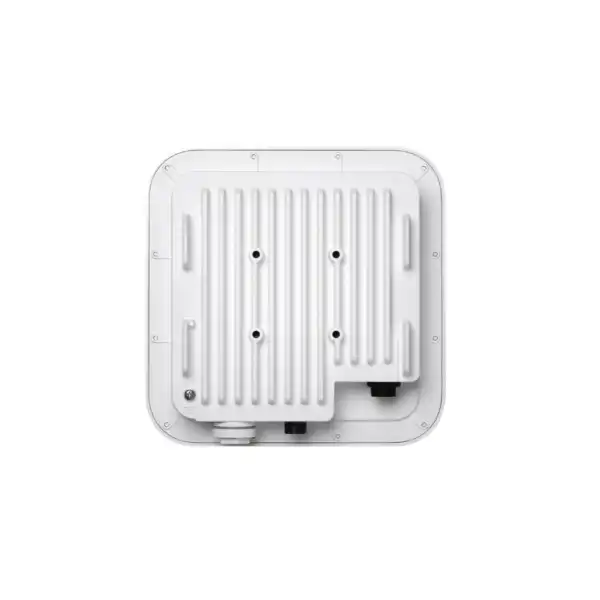
Juniper AP66 Access Point Dubai
The Juniper AP66 is a hardened tri-band Wi-Fi 7 access point for organizations that need modern 6 GHz wireless capacity in outdoor, exposed, dusty, humid or otherwise demanding enterprise locations. Its value is not simply faster Wi-Fi: the design combines three 2×2:2 client-serving radios, a dedicated scanning radio, an IP67 enclosure, a 10GbE-capable PoE Ethernet interface, integrated omnidirectional antennas and Juniper Mist cloud operations in one platform.
For Dubai and UAE projects, the purchase decision should include more than the AP hardware. Regional SKU suitability, 6 GHz regulatory operation, PoE budget, uplink switching, mounting method, site-survey results and the mandatory Juniper Mist Wireless Assurance subscription all affect whether the installation performs as intended.
Direct answer: what the Juniper AP66 is and where it fits
What exactly is it?
The AP66 is a Juniper ruggedized Wi-Fi 7 access point built for demanding indoor and outdoor deployments. The AP66 version uses integrated omnidirectional antennas. Juniper also offers the closely related AP66D, which uses software-selectable directional antenna patterns for installations where controlled coverage is more important than broad omnidirectional radiation.
What is it mainly used for?
It is primarily used to extend enterprise Wi-Fi into locations such as outdoor campus areas, covered walkways, courtyards, loading areas, logistics zones, industrial floors and weather-exposed indoor spaces. It is especially relevant where a normal indoor ceiling AP would not be an appropriate environmental fit.
Who should consider it?
Enterprises, campuses, warehouses, logistics operators, hospitality sites, education environments, public venues and industrial organizations should shortlist AP66 when they need Wi-Fi 7, 6 GHz capability and a hardened enclosure in the same access point. Buyers focused only on conventional indoor office coverage should also compare Juniper indoor Wi-Fi 7 models before standardizing on AP66.
What is the most important factor to confirm?
Confirm the complete deployment design, not just the headline wireless data rates. RF coverage, local regulatory availability of 6 GHz channels, client capabilities, Ethernet uplink capacity, 802.3at PoE availability, mounting orientation and Mist subscriptions can each determine the practical result.
What can FourTeck help determine?
FourTeck can help identify the appropriate AP66 regional SKU, quantity, mounting approach, PoE switch requirements, Mist subscription term, indoor/outdoor placement strategy and whether AP66 or another Juniper AP is a better technical fit. For a serious deployment, that evaluation should be based on drawings, coverage objectives, device mix, expected concurrency and the existing wired infrastructure rather than on a simple square-metre estimate.
AP66 product identity and why it is different
Juniper positions the AP66 Series as high-performance hardened tri-band Wi-Fi 7 access points integrated with the Juniper Mist platform. The important word is hardened. Many Wi-Fi 7 access points are designed around controlled indoor environments, while the AP66 is intended for locations where dust, moisture, heat, cold or outdoor exposure influence the hardware choice. Its IP67 rating and stated operating range of -40°C to +55°C with solar loading make it a distinct deployment tool rather than simply another indoor radio with a faster wireless standard.
The AP66 serves 2.4 GHz, 5 GHz and 6 GHz simultaneously using two spatial streams per band. Juniper lists maximum PHY data rates of up to 688 Mbps at 2.4 GHz, 2.9 Gbps at 5 GHz and 5.8 Gbps at 6 GHz, for a combined highest supported tri-band figure of 9.38 Gbps. Those figures describe radio capability rather than the throughput an individual client should expect. Client radio design, channel width, modulation, interference, signal quality, airtime contention, protocol overhead and the wired path all reduce real application throughput. For procurement, the useful takeaway is that AP66 is designed to give Wi-Fi 7 clients access to the wider 6 GHz channel options while continuing to serve older client populations on 2.4 and 5 GHz.
The product also includes a dedicated tri-band scanning radio rather than forcing client-serving radios to spend all their time on monitoring. That separate radio can support wireless intrusion detection and prevention functions, spectrum analysis, sensor activity and location analytics. In high-change environments this matters operationally because visibility into interference and RF conditions becomes part of day-to-day troubleshooting rather than an occasional specialist exercise.
AP66 further combines dual 802.15.4 IoT radios, Bluetooth capability, GNSS/GPS support, temperature and accelerometer sensors and a Trusted Platform Module. These elements do not mean every organization automatically needs location or IoT functions, but they give the AP a broader operational role where asset, sensor or positioning services are part of the Mist design. Buyers should decide which of those functions are actually required because subscription choices and project scope can change accordingly.
Juniper AP66 key specifications
The table below concentrates on specifications that affect selection, switch compatibility, physical installation and long-term operation. Regulatory availability of channels and power levels remains country specific.
| Specification | AP66 detail | Buyer relevance |
|---|---|---|
| Wi-Fi standard | Wi-Fi 7 / 802.11be, backward compatible with earlier supported Wi-Fi generations | Supports a mixed client estate while enabling new Wi-Fi 7 features for capable devices. |
| Client-serving radios | 2.4 GHz, 5 GHz and 6 GHz; 2×2:2 per band | Tri-band capacity with two spatial streams on each client band. |
| Maximum listed radio data rates | 688 Mbps at 2.4 GHz, 2.9 Gbps at 5 GHz and 5.8 Gbps at 6 GHz | Useful for understanding platform ceiling; not a guarantee of client throughput. |
| Dedicated radio | Tri-band scanning radio for WIDS/WIPS, spectrum, sensor and location analytics | Adds monitoring capability without relying only on the serving radios. |
| Ethernet | One RJ45 Eth0 supporting 100/1000/2500/5000/10000Base-T and PoE PD | The access switch and cabling should be planned to avoid an unnecessary uplink bottleneck. |
| Power | 802.3at for full functionality; 802.3af provides cloud connectivity only with radios disabled | Verify switch PoE class and total PoE budget before deployment. |
| Maximum full-function power figure | 25.5 W listed in Juniper PoE requirements | Useful for switch-power budgeting across multiple APs. |
| Environmental protection | IP67; -40°C to +55°C operating range with solar loading; 10% to 90% RH non-condensing | Supports harsh or exposed deployment scenarios, subject to correct installation. |
| Antenna | AP66: integrated omnidirectional antennas for 2.4, 5 and 6 GHz | Best suited when broad-area coverage is appropriate; compare AP66D where directional patterns are preferable. |
| Size and weight | 232 × 232 × 71 mm; approximately 2.0 kg | Relevant to wall or pole loading, access, bracket choice and installation labor. |
| Location / IoT | GNSS L1/L5, Bluetooth, dual 802.15.4 radios, temperature and accelerometer sensors | Can support broader Mist location and IoT use cases when the design and subscriptions require them. |
| Regional ordering | AP66-WW is Juniper’s outside-US ordering variant | Dubai/UAE orders should still validate authorized regional SKU and local regulatory operation before supply. |
Understanding AP66 Wi-Fi 7 performance
Wi-Fi 7 introduces a collection of improvements rather than one universal speed uplift. On AP66, the most visible hardware change is simultaneous tri-band operation with a 6 GHz radio that can use very wide channels where permitted. Juniper lists 320 MHz support in the 6 GHz performance description, which is one reason the 6 GHz PHY rate is materially higher than the 5 GHz figure. A compatible Wi-Fi 7 client in clean RF conditions can therefore gain far more spectrum than a legacy client limited to older standards and narrower channels.
Multi-Link Operation is another Wi-Fi 7 capability named for AP66. MLO allows compatible devices and infrastructure to make coordinated use of multiple links. The real-world result depends on client support, software, channel availability and implementation, so MLO should be treated as a capability to validate rather than a blanket promise that every user immediately combines multiple bands at full advertised speed. During an upgrade, the client fleet matters as much as the AP. If most devices remain Wi-Fi 5 or early Wi-Fi 6, users can still benefit from a better RF design and modern cloud operations, but the specific Wi-Fi 7 advantages will appear gradually as endpoints are refreshed.
OFDMA, MU-MIMO and BSS Coloring are also part of the platform’s efficiency story. These mechanisms are most valuable in environments where many clients are contending for airtime. The AP66 is a 2×2 platform, however, so a buyer comparing it with a 4×4 indoor model should not judge only by standard generation. Spatial streams, antenna design, physical environment, client distribution and desired coverage geometry all matter. Juniper’s own Wi-Fi 7 selection guidance notes that 4×4 access points can handle more client activity at one time, while 2×2 models can be appropriate for different density, cost and deployment requirements.
The combined 9.38 Gbps figure is also easy to misunderstand. It is the sum of maximum supported radio data rates across three bands, not a single-client Ethernet benchmark. A single AP66 has one Ethernet interface, and all traffic eventually depends on that wired connection or on any configured traffic-forwarding architecture. A design that places Wi-Fi 7 APs on a 1GbE access layer can still work for many workloads, but it may not make full use of the platform under high aggregate demand. The correct uplink rate should therefore be selected from expected concurrency, application behavior, internet/WAN capacity and site traffic patterns rather than by assuming 10GbE must always be enabled.
For Dubai projects, the 6 GHz dimension needs extra attention. Juniper states that supported frequency bands are subject to country-specific restrictions. Local regulations determine which channels, power levels and operating modes are available. A responsible design should therefore use the correct regulatory domain and current local rules, then run the RF plan with those constraints. It is not good practice to calculate AP quantities from US channel availability or from a generic Wi-Fi 7 marketing diagram and assume the same spectrum plan applies everywhere.
Why the IP67 hardened design matters
The environmental design is one of the strongest reasons for choosing AP66 instead of a normal office access point. IP67 indicates a protected enclosure intended to withstand dust ingress and temporary water immersion under the conditions defined by the rating. In practical enterprise use, that makes the AP relevant to exposed and semi-exposed zones where wind-blown dust, washdown risk, humidity or weather could make an indoor AP unsuitable. The rating does not remove the need for correct installation. Cable entry, mounting, drainage, connector handling, upstream cabling and the physical condition of the surrounding structure still influence reliability.
The specified -40°C to +55°C operating range with solar loading is significant in hot climates because an outdoor enclosure can experience thermal conditions beyond the shaded ambient reading. Dubai buyers should still assess the exact mounting location. A device installed on a sun-exposed metal structure, near heat-producing equipment or inside a poorly ventilated enclosure can face different conditions from an AP mounted in open shade. Temperature ratings are a design boundary, not a substitute for site engineering.
The AP66 can also be useful indoors when the environment is unusually harsh. Warehouses with dust, manufacturing spaces, utility areas, loading bays and wet or semi-wet operational zones can all justify hardened hardware even though the AP never sees rain. That is an important distinction for procurement because indoor/outdoor classification should describe environmental risk, not merely whether there is a roof.
At the same time, a hardened AP is not automatically the best choice for every space. Standard offices, meeting areas and hospitality interiors may be better served by an indoor Juniper Wi-Fi 7 model with a form factor and radio configuration designed for ceiling deployment. A mixed estate can be more rational than forcing one AP model everywhere. AP66 should be used where its environmental protection, antenna pattern and physical mounting characteristics solve a genuine problem.
AP66 versus AP66D: choose the antenna pattern deliberately
AP66: integrated omnidirectional antennas
The standard AP66 uses internal omnidirectional antennas for all three client bands. This is the natural choice when coverage should radiate broadly around the access point and the installation position supports that geometry. Courtyards, open logistics areas, campus zones and some warehouse locations can fit this pattern well.
Omnidirectional does not mean equal performance at every angle, nor does it remove the need for orientation planning. Physical structures, shelving, metal, glass, walls, vehicles and people influence propagation. A predictive model should be validated by measurements in complicated spaces.
AP66D: dynamic directional coverage
The AP66D is the directional member of the family. Juniper describes software-selectable approximate patterns of 90×90 degrees, 90×30 degrees or 30×30 degrees. Directional control can be valuable when the objective is to push coverage along a corridor-like outdoor area, toward a yard, down an aisle or away from an unwanted zone.
A directional AP is not inherently faster. Its benefit is control of RF energy and coverage shape. When a design needs targeted reach or tighter sectoring, AP66D may be a better engineering choice than adding more omnidirectional AP66 units.
A quotation should therefore distinguish the model, not just say “AP66 Series.” The AP66 and AP66D have different antenna behavior and different physical depth and weight. If a project includes both broad-area and sector coverage, it may intentionally use both variants. FourTeck can help map each mounting location to the coverage objective so the BOM does not substitute one antenna style for the other.
Ethernet and PoE: the wired network must match the wireless plan
AP66 has one RJ45 Eth0 interface supporting 100 Mbps, 1 Gbps, 2.5 Gbps, 5 Gbps and 10 Gbps Ethernet. This wide negotiation range gives designers flexibility, but the installed result depends on switch capability and cabling. If an existing access switch exposes only 1GbE, the AP can still operate but high aggregate wireless demand can become constrained by the uplink. If the switch supports multigigabit Ethernet, the design can choose 2.5GbE, 5GbE or 10GbE where the traffic model justifies it.
Power is even more important because the AP’s radio state depends on the PoE level. Juniper specifies 802.3at for full functionality. With 802.3af, the AP can maintain cloud connectivity but its radios are disabled. This is a critical procurement detail: an installation may appear electrically connected while still failing to provide Wi-Fi if the PoE source is insufficient. Juniper’s PoE requirement table lists 25.5 watts for AP66/AP66D full functionality.
When many access points are connected to the same switch, verify both per-port PoE capability and the switch’s total power budget. A 48-port switch can support 802.3at on each port electrically while still having a power-supply configuration that cannot deliver maximum power to every port simultaneously. The correct check is the full deployed load, including phones, cameras and other PoE devices, plus the switch’s redundancy requirements.
Outdoor cabling also deserves project attention. Copper length, cable category, pathway exposure, surge protection policy, grounding practice and environmental sealing should be addressed by qualified installers. The AP’s 10GbE capability does not guarantee that an old or marginal cable run will reliably sustain 10GbE. For brownfield upgrades, cable certification can be one of the most valuable early project steps because it reveals whether the new AP can be connected at the intended rate without recabling.
Juniper Mist management and mandatory Wireless Assurance
AP66 is designed around the Juniper Mist cloud operating model. After an access point is claimed to the appropriate organization and site, it connects to the Mist cloud, obtains configuration and can receive firmware updates. This reduces the need to treat each AP as an individually configured appliance and makes large distributed estates easier to operate under consistent policy.
For buyers, the most important licensing fact is that Juniper Mist Wireless Assurance is a mandatory subscription when using Juniper access points. That subscription covers core day-to-day wireless functions such as radio resource management, service-level expectations, dynamic packet capture, guest Wi-Fi capability and WLAN policy creation. Juniper offers common subscription terms of one, three and five years. Hardware budgeting without the required subscription therefore produces an incomplete total cost of ownership.
Mist’s service-level expectation approach can also change how wireless support teams work. Instead of relying only on complaints, IT can examine measurable experience indicators and use telemetry to understand why users are having trouble. That is especially useful for dispersed outdoor or industrial networks because a technician may not be standing near every access point. Remote visibility can narrow the problem before someone is dispatched to site.
A dedicated scanning radio strengthens that operational model by continuously observing the RF environment. Wireless intrusion detection and prevention, spectrum analysis and analytics can run without relying solely on the client radios. The operational benefit is not merely “AI Wi-Fi” as a marketing phrase; it is the ability to maintain a higher-resolution picture of radio conditions, client experience and network behavior over time.
Juniper also offers optional services around the wireless platform. Asset Visibility can be relevant to location-oriented use cases, User Engagement can support location-driven engagement workflows, Premium Analytics can extend reporting and analytics, and Access Assurance can provide cloud-based network access control. These subscriptions should be selected from the business requirement, not added automatically. A warehouse that only needs reliable corporate Wi-Fi may require a different entitlement set from a venue that wants asset workflows, guest analytics and identity-based access control.
If an organization already uses Mist for wired switching or WAN operations, AP66 can become part of a broader operational view. If the organization is new to Mist, the project should include organization setup, admin roles, site structure, AP claiming, subscription activation, WLAN policy and operational ownership. Those onboarding tasks are simple when planned but can create unnecessary delay if hardware arrives before cloud administration and subscriptions are ready.
Security and infrastructure assurance
The AP66 platform includes a Trusted Platform Module for infrastructure security. In a modern enterprise deployment, hardware trust is only one layer. Wireless security policy also depends on authentication method, credential handling, segmentation, switch configuration, upstream firewall policy, DNS/DHCP services, logging, firmware lifecycle and administrator access controls. A Wi-Fi 7 upgrade should therefore be treated as part of the access-security architecture rather than as a standalone radio replacement.
For corporate WLANs, organizations commonly need to decide between certificate-based 802.1X, other enterprise authentication methods and carefully controlled pre-shared-key approaches for devices that cannot support enterprise authentication. IoT and operational devices often complicate this decision because they may have limited supplicant functionality. Juniper Mist Access Assurance is available for identity-based network access control, while Wireless Assurance provides core WLAN operations. The correct combination depends on whether the project includes NAC transformation or only AP modernization.
Outdoor or publicly reachable coverage also increases the importance of RF and authentication boundaries. A signal that extends beyond the intended premises can be operationally acceptable if access control is robust, but the organization should understand where users can connect and which SSIDs are visible. Directional coverage with AP66D may sometimes help reduce overspill, while AP66 may be preferable where broad service coverage is the objective.
Security design should also include administrator roles in Mist, change-control ownership, firmware update policy and log retention requirements. Cloud management provides agility, but organizations still need governance around who can change WLANs, RF settings or site assignments. For regulated or high-availability environments, these operational controls should be documented before production cutover.
Location, Bluetooth, IoT radios and GNSS: useful when the use case is defined
AP66 includes capabilities beyond normal client Wi-Fi. Juniper lists dual 802.15.4 radios and antennas, Bluetooth support, GNSS L1/L5 and environmental sensors including temperature and accelerometer. GNSS support includes multiple satellite systems across the supported L1 and L5 bands. These functions can support location, IoT and operational workflows depending on software and subscription choices.
The right question is not whether the access point “has IoT,” but which devices and applications need to interact with the WLAN infrastructure. Asset tracking, sensor networks, location analytics and building or operational technology can have different protocols, update rates and accuracy expectations. Some use cases require additional tags or third-party systems. Others only need Wi-Fi and never use these onboard radios. A buyer should therefore describe the desired business outcome first and map the supporting Mist service second.
GNSS can also assist with location awareness of the infrastructure itself, which is useful when outdoor assets are distributed across a large campus. Still, satellite visibility and mounting location affect GNSS performance. A unit under heavy structural shielding is not equivalent to one with a clear view of the sky. It is better to treat GNSS as a supported capability with environmental dependencies than to promise a particular positioning result without site validation.
The same principle applies to Bluetooth and 802.15.4: radio presence is only the first part of the solution. Confirm endpoint protocol compatibility, desired analytics, data path, security policy and subscription requirements. Doing this during design prevents a common procurement mistake where hardware is purchased for a future IoT ambition but the actual application architecture has not been defined.
Sizing AP66 correctly: coverage, capacity and client behavior
Access-point quantity should never be calculated from a single square-metre coverage number. Outdoor spaces and industrial buildings behave differently from open offices. Coverage is shaped by mounting height, antenna orientation, walls, glass, shelving, machinery, vehicles, landscaping, weather exposure, neighboring RF activity and the client device’s own transmit power. A phone may hear an AP from a long distance while lacking enough transmit power to send a reliable return signal. Designing only from AP transmit capability can therefore create one-way coverage assumptions.
Capacity adds another layer. A courtyard with 200 users during an event has a different design requirement from the same courtyard with 20 maintenance devices. A logistics yard dominated by handheld scanners may prioritize dependable roaming and low latency rather than high peak throughput. A manufacturing floor may include fixed IoT devices plus mobile terminals. Each environment needs an expected device count, concurrency estimate and application profile before the AP count is credible.
Client capability strongly affects 6 GHz planning. Only devices that support Wi-Fi 6E or Wi-Fi 7 can use the 6 GHz band. Older clients remain on 2.4 or 5 GHz. A site with mostly legacy scanners may gain little immediate capacity from 6 GHz even though AP66 is fully capable. Conversely, a campus refreshing laptops and phones to Wi-Fi 7 may gain substantial new spectrum options. The client-refresh roadmap belongs in the WLAN roadmap.
Channel width should also be selected deliberately. Wider channels can deliver higher peak rates but consume more spectrum and can reduce the number of non-overlapping cells available for dense reuse. A 320 MHz channel may be attractive for a specific high-throughput use case, while a dense multi-AP deployment may benefit from narrower channels that allow better spatial reuse. Good RF engineering often favors consistent user experience over maximum headline rate.
Roaming requirements can change placement. A user walking through a campus path, a forklift traversing a warehouse or a handheld terminal moving between loading zones needs overlapping coverage and client behavior that supports timely transitions. Too little overlap creates disconnects; too much uncontrolled overlap can make channel reuse more difficult. The optimum design considers both the AP side and the client roaming implementation.
For outdoor coverage, directional choice matters. AP66 is appropriate for broad omnidirectional coverage, while AP66D can shape energy into narrower sectors. A long building perimeter, narrow service road or yard edge may be better handled with a directional pattern than with multiple omnidirectional cells. This is one reason a physical plan is more useful than a simple device-per-area calculator.
FourTeck can use floor plans or site drawings, expected client counts, critical application details, available mounting points and existing switch information to produce a more defensible BOM. For complex sites, a predictive design should be validated with onsite measurements, and post-installation verification should confirm that the built network matches the assumptions.
Where AP66 can make sense in Dubai and UAE deployments
Campus outdoor zones
Universities, corporate campuses and large institutional sites may need coverage between buildings, around courtyards, near entrances and across pedestrian areas. AP66 provides a hardened enclosure and tri-band Wi-Fi 7 platform for those locations, while Mist centralization keeps outdoor APs in the same operational model as indoor infrastructure.
Warehouses and logistics
Warehousing creates complex RF conditions because racks, goods, vehicles and moving inventory continually alter propagation. A hardened AP can suit dusty loading and storage areas, but the RF design should model aisle geometry, mounting height, roaming scanners and the capacity required during peak operations.
Hospitality outdoor areas
Resorts, hotels and venues may want enterprise Wi-Fi around pools, terraces, outdoor event spaces or landscaped areas. AP66 can fit exposed zones, but coverage must be integrated with indoor WLAN design so guests move between areas without inconsistent SSID, authentication or roaming behavior.
Industrial environments
Manufacturing, utilities and semi-industrial sites may combine dust, heat, large metal structures and operational devices. AP66’s environmental design is relevant, but the project should classify hazardous areas, electromagnetic conditions and safety restrictions separately. An IP67 WLAN AP does not replace equipment specifically certified for hazardous locations.
Loading docks and service yards
Dock doors and yard transitions often sit between indoor and outdoor RF environments. Coverage must support devices as they move between warehouse aisles, dock positions and vehicles. AP66 can provide the hardened portion of that architecture while indoor Juniper APs serve climate-controlled areas.
Public and high-footfall spaces
Outdoor public-facing zones can produce sharp changes in client count. The network should be sized for peak concurrent demand, authentication flows and upstream internet capacity rather than average daily occupancy. AP66’s Wi-Fi 7 radio platform is useful only when the rest of the service path can support the target experience.
Mounting and physical installation
Juniper supports AP66 wall and pole mounting. The APOUTBR-FM2 flush-mount bracket is applicable to AP66, and the APOUTBR-ART2 articulating mount can be used for wall or pole installations where angle adjustment is needed. The datasheet identifies APOUTBR-FM2 as the flush mount included in the AP66 package, while the articulating option is ordered for installations that need more positioning flexibility.
Bracket choice should follow the RF design. A flush mount can be mechanically simple and visually compact, but an articulating mount can help orient the AP when the installation surface does not naturally face the target service area. The benefit is particularly clear for outdoor poles or building walls where mounting geometry is constrained.
Physical access is another planning factor. The AP66 weighs about 2.0 kg before considering bracket, cabling and installation hardware. Work at height may require lifts, access permits or specialist contractors. The total project cost can therefore be influenced more by installation conditions than by the difference between two AP hardware prices. Capturing those conditions early improves quotation accuracy.
Cable pathways should be reviewed before installation. A new Wi-Fi 7 AP may expose limitations in old copper, especially if the target is multigigabit Ethernet. Cable length, category, terminations and environmental condition should be verified. Outdoor pathways may also require practices for surge protection, bonding, weather sealing and mechanical protection that are outside the access point itself.
Mounting height influences both coverage and serviceability. Higher is not always better. Excessive height can expand cell size, reduce usable signal at client level, complicate maintenance and worsen the geometry for some client devices. In warehouses, ceiling height and rack structure can create deep shadow zones. In courtyards, surrounding facades can create reflections. Installation should therefore follow measured RF objectives rather than an assumption that the AP belongs at the highest available point.
After mounting, deployment should include verification of PoE state, Ethernet negotiated speed, cloud connectivity, firmware, site assignment, WLAN broadcasting, client association and performance at representative locations. A visual check that the AP powers on is not an adequate acceptance test for an enterprise wireless project.
Switching, cabling and upstream network dependencies
A high-performance access point is only one component of the service chain. The AP66’s 10GbE-capable port creates an opportunity for multigigabit access, but the actual design must consider the switching layer, uplink oversubscription, VLANs, gateway capacity, firewall throughput, DHCP/DNS services and internet/WAN capacity. If any of those components are significantly undersized, users may experience poor performance even while the radio link is healthy.
Brownfield networks deserve particular scrutiny. An older access switch might provide only 1GbE and 802.3af. In that scenario, the PoE limitation is more serious than the Ethernet rate because AP66 requires 802.3at for full radio functionality. Replacing only the APs without validating the switch can therefore create a failed rollout. A project BOM may need new switches, power supplies, uplink optics or cabling in addition to the APs and licenses.
Where switches already support 2.5GbE or 5GbE with 802.3at, that may be a sensible balance between capability and infrastructure cost. 10GbE to every AP is not automatically necessary. The decision should follow predicted aggregate traffic and the organization’s lifecycle strategy. Sites planning very long hardware cycles may prefer more uplink headroom, while lower-demand sites may not benefit from the maximum port rate.
Network segmentation should be designed at the same time. Corporate, guest, IoT and operational WLANs may require different VLANs, policies, firewall controls and quality-of-service behavior. Mist can simplify WLAN policy, but the wired infrastructure still needs to carry and enforce the intended design. For multi-site deployments, consistent templates reduce configuration drift and make troubleshooting easier.
Subscription planning and total cost of ownership
When comparing AP66 quotations, ensure each option includes the same licensing scope. Juniper Mist Wireless Assurance is mandatory for Juniper access points, and common terms include one, three and five years. A lower hardware-only quote can therefore be misleading if another supplier has included the required subscription. Procurement teams should compare the complete bill of materials and subscription duration.
Optional subscriptions should be tied to use cases. Asset Visibility, User Engagement, Premium Analytics and Access Assurance add capabilities beyond basic WLAN operation. If those services are required only at specific sites, scope them carefully. Juniper Mist supports organization- and site-level subscription behavior depending on the service, so a large enterprise should understand how entitlements will be allocated and consumed.
Renewal planning is part of operational continuity. The person purchasing hardware today may not be the team responsible for subscriptions several years later. Record subscription terms, renewal ownership, purchase dates and site assignments in the asset-management process. Where a three- or five-year term aligns with budget and hardware lifecycle, it can reduce annual administrative effort; where the environment is changing rapidly, a shorter term may offer different commercial flexibility.
Support requirements also belong in the same cost model. The AP66 datasheet comparison identifies a one-year warranty for AP66, unlike several indoor Wi-Fi 7 models shown with limited lifetime warranty. Buyers that need longer coverage should therefore discuss support and replacement expectations at quotation stage rather than assuming all Juniper APs share the same warranty structure.
A useful total-cost comparison covers hardware, subscriptions, switches or PoE upgrades, mounting accessories, installation labor, cabling remediation, survey work, configuration, migration effort, support and future renewal. That structure is more meaningful than comparing access-point unit prices in isolation.
Migrating to AP66 from an older wireless platform
A migration project should start with the existing service objectives, not with a one-for-one AP replacement count. Older access points may have different transmit characteristics, antenna patterns, channel plans and mounting positions. Wi-Fi 7 also introduces 6 GHz, which has different propagation behavior from 2.4 GHz. A location that was acceptable for a dual-band AP is not automatically optimal for a tri-band AP66.
Inventory the current WLANs, authentication methods, VLAN assignments, firewall paths, guest flows, device types and roaming-critical applications. That inventory determines what must be reproduced and what can be improved. It is common to discover old SSIDs, redundant VLANs or legacy security settings that should not be carried forward simply because they exist.
Client readiness should be classified. Devices can be grouped into legacy 2.4 GHz-only, 5 GHz capable, Wi-Fi 6E and Wi-Fi 7 populations. This helps predict how quickly 6 GHz will absorb traffic. It also identifies operational devices that may need special testing, such as barcode scanners, handheld terminals, voice devices or IoT equipment with older drivers.
The wired audit follows. Validate PoE, port speeds, switch capacity and cable condition for every planned AP66 location. If a site has only 802.3af access switches, the upgrade scope necessarily expands because full AP66 radio operation requires 802.3at. Addressing that before installation prevents a disruptive discovery during cutover.
For staged migrations, define coexistence between old and new APs, including channel planning and SSID behavior. The safest approach is usually to create a controlled pilot area, validate client compatibility and roaming, then expand in manageable phases. Mist telemetry can help the team compare user experience and identify issues before the whole site is converted.
Operational monitoring, firmware and troubleshooting
Cloud management changes the day-two operating model. AP66 automatically connects to Juniper Mist and can receive configuration and firmware through the platform. This centralization is useful when APs are physically difficult to reach, but organizations still need a controlled process for firmware selection, maintenance windows and change validation.
Wireless incidents should be investigated across several layers. A client problem can originate in RF coverage, interference, authentication, DHCP, DNS, routing, firewall policy, internet performance or the client itself. Mist service-level metrics and dynamic packet capture can help narrow the cause, while the dedicated scanning radio contributes RF visibility. A support team that understands this layered model can avoid replacing AP hardware when the fault sits elsewhere.
Outdoor networks also benefit from proactive physical checks. After severe weather, construction, landscaping changes or new structures, coverage can shift. Poles can move, brackets can be disturbed and new obstructions can appear. Periodic validation at critical sites is therefore sensible even when the AP remains online and healthy in the cloud.
Monitoring should include Ethernet negotiated speed and PoE state, not only wireless metrics. A cabling fault may cause a link to renegotiate lower than designed. A switch power event may affect AP functionality. Because AP66 has only one Ethernet port, the integrity of that connection is central to service continuity. Designs that require physical link redundancy at the AP should compare other models or architectures rather than assume a second port is available.
Finally, operational documentation should record model, serial, site, mounting location, switch port, cable ID, IP addressing behavior, Mist site, subscription term and support ownership. That information makes future troubleshooting, moves and renewals significantly easier.
AP66 compared with other Juniper Wi-Fi 7 access points
Juniper’s Wi-Fi 7 family includes indoor models such as AP47, AP37 and AP36 alongside the indoor/outdoor AP66. The comparison is not simply “higher number means better.” Each model has different spatial streams, antenna options, ports, auxiliary radios and intended deployment conditions. AP66’s distinctive strength is ruggedized indoor/outdoor operation with integrated omnidirectional or dynamic-directional antenna variants.
| Decision point | AP66 | Other Juniper Wi-Fi 7 models | What it means |
|---|---|---|---|
| Environment | Indoor / outdoor hardened | AP47, AP37 and AP36 are positioned for indoor deployment | AP66 is the natural shortlist where environmental exposure drives the hardware choice. |
| Spatial streams | 2×2:2 | AP47 is 4×4:4; AP37/AP36 use 4×4 on 5/6 GHz and 2×2 on 2.4 GHz | Dense indoor capacity requirements may favor a 4×4 platform where ruggedization is unnecessary. |
| Antenna choices | Internal omni AP66; dynamic directional AP66D | Varies by indoor model, including internal, directional or external options on selected platforms | Select by coverage geometry and mounting environment, not only by radio specification. |
| Secondary Ethernet | No | Juniper lists secondary Ethernet on AP47, AP37 and AP36 | If dual Ethernet or link redundancy is a hard requirement, AP66 needs careful comparison. |
| Warranty shown in family comparison | One year | Selected indoor models show limited lifetime warranty | Support planning should be explicit for long-life outdoor deployments. |
For a mixed building-and-campus project, the right architecture may use indoor models in offices and AP66/AP66D only in harsh or exposed zones. That can deliver the correct radio density and physical form factor in each area while preserving one Mist operating model.
When AP66 is a strong fit — and when to compare something else
AP66 is a strong candidate when
- The AP must operate in an outdoor, exposed or hardened indoor environment.
- You want Wi-Fi 7 with 2.4, 5 and 6 GHz service in the same rugged platform.
- Integrated omnidirectional antennas match the coverage geometry.
- A dedicated scanning radio and Mist cloud operations are part of the WLAN strategy.
- The switch can provide 802.3at and the required Ethernet rate.
- The organization is ready to license and operate Juniper Mist Wireless Assurance.
Compare another option when
- The deployment is a normal indoor office where hardened hardware adds little value.
- You need 4×4 radio capacity for very dense indoor client populations.
- You require a secondary Ethernet port or a specific redundancy design at the AP.
- A directional pattern is necessary, in which case AP66D may fit better.
- The installed access switch cannot deliver 802.3at and no switch upgrade is planned.
- The organization does not want a cloud subscription operating model.
UAE procurement and regional ordering considerations
Juniper’s AP66 ordering information distinguishes US-only SKUs from the outside-US variants. AP66-WW is listed for the hardened internal-antenna model outside the United States, while AP66D-WW is the corresponding dynamic-directional version. That is a useful starting point for Dubai procurement, but the final order should still be validated for UAE authorization and the current regulatory domain.
This is especially relevant to 6 GHz. Juniper explicitly notes that supported frequency bands are subject to country-specific restrictions. Local rules can define the channels and operating modes available to the device. A quotation should therefore avoid presenting every globally listed 6 GHz frequency as automatically usable in the UAE. The correct deployment profile comes from the authorized SKU, software regulatory domain and current local spectrum rules.
Organizations importing equipment through multinational procurement should also keep regional SKU control in the asset process. Juniper warns that regional-designated products should be used only in authorized areas and that failure to comply can affect warranty. Moving equipment between regions without checking regulatory designation creates unnecessary compliance and support risk.
Commercially, the quotation should show AP hardware, Wireless Assurance term, optional Mist services, brackets if the standard flush mount is not appropriate, switching or PoE upgrades, installation, survey scope and support. Buyers should also specify whether pricing is required per site, per phase or for the full project so licensing and implementation services align with the rollout plan.
For large projects, request a BOM that identifies each AP location or at least each deployment type. A blanket line item for “outdoor AP” makes it hard to verify whether omnidirectional AP66 and directional AP66D units are allocated correctly. Location-based BOMs also simplify installation handover and later support.
Important AP66 limitations and design cautions
802.3af is not enough for normal Wi-Fi service. Juniper states that with 802.3af the AP has cloud connectivity only and all radios are disabled. Full functionality requires 802.3at. This should be checked before installation, particularly on older switches and injectors.
AP66 is 2×2:2, not 4×4:4. Its Wi-Fi 7 generation and high 6 GHz PHY rate do not change the spatial-stream architecture. Very high-density indoor locations may justify comparison with Juniper Wi-Fi 7 models that provide 4×4 radios on key bands.
There is one Ethernet port. If the architecture requires dual Ethernet, link failover at the AP or a second local wired connection, compare alternative Juniper models and designs. Do not infer redundancy from the 10GbE capability.
6 GHz is dependent on both regulation and clients. Not all endpoints can use 6 GHz, and local rules affect what the AP can operate. A Wi-Fi 7 AP does not move legacy devices to 6 GHz.
The environmental rating does not solve every outdoor engineering issue. Correct bracket installation, cable protection, surge strategy, safe mounting and local site conditions still need attention. Hazardous-location requirements should be assessed separately.
Mist Wireless Assurance is a subscription requirement. Procurement should budget it from the beginning and define renewal ownership. Optional location, analytics or NAC services may need additional subscriptions.
Headline data rates are not application-throughput guarantees. Real performance depends on client capability, channel width, RF conditions, contention, cabling, switch rate and upstream network capacity. Design validation matters more than marketing-rate arithmetic.
Frequently asked buyer questions about Juniper AP66
Is the Juniper AP66 an outdoor access point?
Yes. Juniper positions AP66 as a ruggedized indoor/outdoor Wi-Fi 7 access point. Its IP67 enclosure and wide operating-temperature specification make it suitable for exposed deployment conditions when installed correctly. It can also be used in harsh indoor areas where environmental protection is needed.
Does AP66 support Wi-Fi 7 and 6 GHz?
Yes. AP66 supports Wi-Fi 7 / 802.11be and includes client-serving radios for 2.4 GHz, 5 GHz and 6 GHz. Country regulations determine which 6 GHz channels and operating modes are available, and only compatible Wi-Fi 6E or Wi-Fi 7 clients can use the 6 GHz band.
What is the difference between AP66 and AP66D?
AP66 uses integrated omnidirectional antennas. AP66D uses software-selectable dynamic directional patterns. The AP66 is generally appropriate where broad surrounding coverage is required; AP66D deserves consideration when a sector, aisle, road, perimeter or other directional coverage shape is more efficient.
What PoE does AP66 require?
Juniper specifies 802.3at for full functionality. With 802.3af, the access point can maintain cloud connectivity but the radios are disabled. Juniper’s PoE requirements list 25.5 W for AP66/AP66D full functionality, so both per-port power and total switch PoE budget should be checked.
Does AP66 need a Juniper Mist subscription?
Yes. Juniper documentation states that Mist Wireless Assurance is mandatory when using Juniper access points. One-, three- and five-year subscription terms are commonly available. Optional Mist services can be added when the project needs capabilities such as asset visibility, advanced analytics or access assurance.
Does AP66 have a 10GbE port?
Yes. Its Eth0 RJ45 interface supports rates from 100 Mbps through 10GbE, including 2.5GbE and 5GbE. The switch and copper cabling must support the negotiated rate. 10GbE is capability, not a requirement for every deployment; choose the uplink from expected traffic and lifecycle needs.
Can I replace an old outdoor AP one-for-one with AP66?
Physical replacement may be possible in some locations, but a one-for-one design assumption is risky. AP66 uses tri-band Wi-Fi 7, different antenna characteristics and 6 GHz behavior, and it needs 802.3at. Survey the existing mounting, cable, switch power, client mix and RF coverage before fixing the new AP count.
Is AP66 suitable for warehouses?
It can be a strong candidate because the rugged enclosure suits dusty or semi-exposed areas, but warehouses require careful RF engineering. Rack height, aisle geometry, materials, moving stock, forklifts and handheld-device behavior can create complex propagation. Directional AP66D may also be worth evaluating for long aisle or targeted coverage patterns.
Can AP66 be used indoors?
Yes. Juniper identifies it for indoor/outdoor use. It is particularly sensible in harsh indoor environments. For ordinary offices, however, compare Juniper indoor Wi-Fi 7 access points because they may provide a more suitable form factor or higher spatial-stream configuration without paying for environmental hardening that the location does not need.
Does AP66 support location and IoT functions?
The platform includes GNSS, Bluetooth, dual 802.15.4 radios and sensors. The actual business solution depends on device compatibility, the desired location or IoT workflow and the Mist services selected. Hardware capability alone should not be treated as proof that a particular third-party application will work without integration review.
Which AP66 SKU is relevant outside the United States?
Juniper lists AP66-WW for the hardened internal-antenna model outside the United States and AP66D-WW for the directional model. UAE projects should still confirm the authorized regional SKU and regulatory operation at order time rather than relying only on the “WW” label.
What information is needed for an accurate AP66 quotation?
Provide quantity or floor plans, deployment environment, expected client count, key applications, preferred coverage zones, switch model and PoE capability, cabling condition, mounting type, Mist subscription term, any optional services, installation scope and support expectations. For a new site, include project timing and whether survey work is required.
A practical AP66 deployment journey
Document coverage areas, client types, peak concurrency, critical applications, roaming needs and whether the network must support guest, corporate, IoT or operational WLANs.
Classify each mounting zone as normal indoor, harsh indoor, semi-exposed or outdoor. Confirm AP66 is being selected because its hardened design is useful rather than simply because it is the newest model.
Use drawings, attenuation assumptions, mounting points and local regulatory constraints to choose AP placement, antenna type, channel strategy and initial power plan.
Verify 802.3at, available switch PoE budget, Ethernet rate, cable category and condition, uplink capacity, VLAN design and upstream security services.
Include mandatory Wireless Assurance, optional Mist services, correct regional AP66 or AP66D variants, brackets, switching upgrades, support and installation services.
Claim APs in Mist, configure WLANs, validate representative clients, test roaming and performance, and confirm the built coverage matches the plan before full rollout.
What an AP66 site survey should answer
A useful survey produces decisions, not just heat maps. For each zone it should establish where clients actually operate, what signal and service level they need, which obstructions dominate propagation, and where APs can be mounted safely. Outdoor surveys should also consider seasonal or operational changes such as temporary structures, parked vehicles, event crowds or landscaping that can alter RF behavior.
The survey should identify whether omnidirectional AP66 coverage is appropriate or whether directional AP66D patterns offer a cleaner design. It should also flag areas where an indoor AP might be sufficient because the environment is protected. That prevents over-specification and creates a more coherent mixed-device architecture.
Client measurements matter. A design tuned only to a high-performance survey adapter may overestimate the experience of lower-power phones or scanners. Representative client types should therefore be included in validation. Voice, barcode scanning and real-time operational applications may have stricter roaming and latency tolerance than normal web browsing.
The wired side should be surveyed alongside RF. Record the switch port, PoE capability, cable route and likely negotiated rate for each AP location. If a mounting point has excellent RF value but no practical cable path, the design is incomplete. Conversely, choosing AP positions only because cables already exist can compromise wireless performance.
Post-installation validation should compare measured results with the design. If coverage differs, adjust channel, power, mounting orientation or AP placement based on data. Wi-Fi commissioning is an engineering loop, not a single installation event.
Planning for growth without overbuying
A Wi-Fi 7 purchase often has a longer useful life than the current client fleet. That makes growth planning important, but future-proofing should still be evidence based. Ask how many new Wi-Fi 6E and Wi-Fi 7 devices the organization expects over the next three to five years, whether application traffic is becoming more real-time or media heavy, and whether outdoor operational systems will expand.
The AP66’s 6 GHz capability and multigigabit Ethernet provide headroom, yet there is no value in buying the maximum switch port speed everywhere if actual traffic remains modest. A layered approach can preserve flexibility: choose switches with enough PoE and multigigabit capacity for the forecast, then enable higher rates where measured demand supports them.
Subscription term is another growth decision. A longer Wireless Assurance term can align with a planned hardware lifecycle, while shorter terms may align with budget cycles or uncertain expansion. Optional analytics and location services can be introduced when business requirements mature rather than being purchased solely because the hardware supports them.
The best growth plan leaves room for more APs in high-demand zones, preserves switch power and uplink capacity, and maintains a channel plan that can absorb new cells. It does not assume one AP must cover the largest possible area. Capacity-oriented Wi-Fi often works better with appropriately sized cells and predictable reuse.
Procurement checklist for a Juniper AP66 quotation
A complete quotation should make technical assumptions visible. The following checklist is designed to reduce delays between purchasing, installation and activation.
Hardware identity
Confirm AP66 versus AP66D, regional ordering variant, quantity, required mounting brackets and any spares policy. Do not collapse directional and omnidirectional variants into a single undifferentiated line.
Mist subscription
Include mandatory Wireless Assurance and define the term. Add optional Asset Visibility, Premium Analytics, User Engagement or Access Assurance only where the solution design requires them.
PoE and switching
Identify switch models, 802.3at support, PoE budget, intended Ethernet rate, uplink capacity and any switch upgrades. AP66 cannot deliver normal radio service from 802.3af alone.
Installation scope
State wall or pole mounting, work-at-height requirements, cable availability, outdoor protection needs, expected bracket type and whether installation includes testing and commissioning.
RF design inputs
Provide drawings, service areas, mounting constraints, client types, peak users and critical applications. State whether predictive design, onsite survey and post-install validation are required.
Support and lifecycle
Define support expectations, replacement needs, firmware governance, subscription renewal ownership, spare units and the expected operating life of the deployment.
Decision recap for Juniper AP66 buyers
What FourTeck needs for an accurate AP66 recommendation and quote
The fastest route to a useful quotation is to provide enough information to distinguish a simple hardware purchase from a complete wireless project. Even partial information helps FourTeck identify which assumptions still need validation.
Quantity or site drawings
Indoor / outdoor environment
Peak client count
Critical applications
Existing switch model
PoE budget and port speed
Mounting type and height
Wireless Assurance term
Optional Mist services
Survey / installation scope
Support expectations
Plan a Juniper AP66 deployment that matches the site, not just the datasheet
AP66 is a strong Wi-Fi 7 platform when ruggedization, 6 GHz access, omnidirectional coverage and Mist operations align with the project. The important next step is to validate the surrounding design: authorized UAE SKU, RF coverage, AP66 versus AP66D placement, 802.3at power, Ethernet capacity, subscriptions and installation requirements.
FourTeck can help turn those inputs into a practical bill of materials and deployment scope for Dubai and UAE sites, including the access points, required Mist licensing, mounting approach and any wired-infrastructure changes that should be addressed before rollout.

Reviews
There are no reviews yet.