
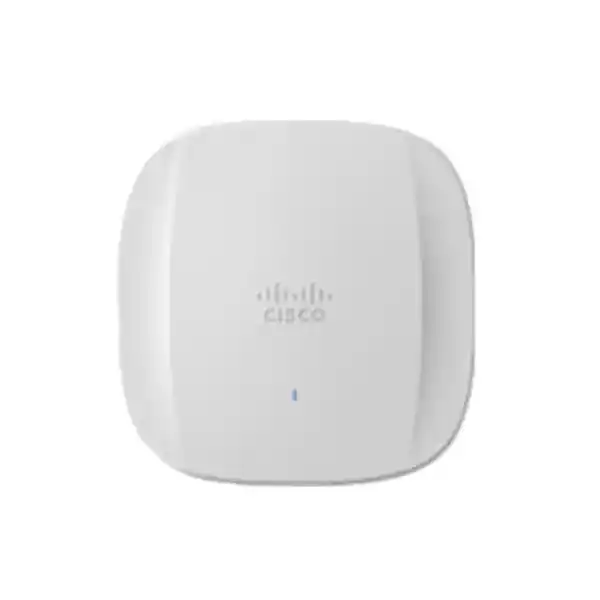
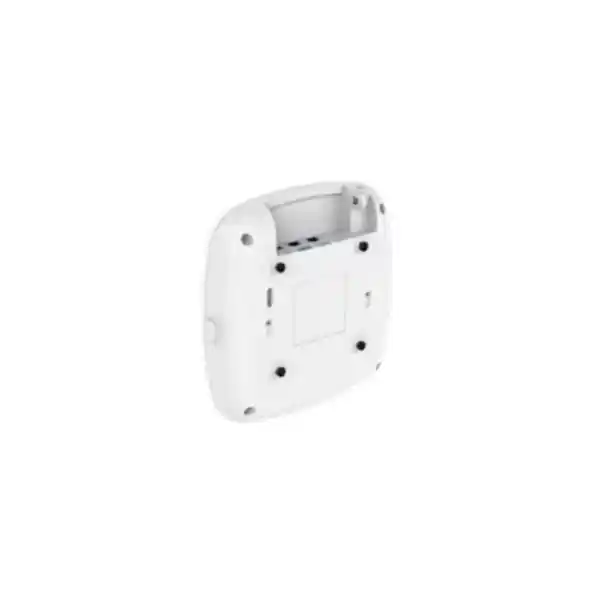
Cisco Meraki CW9166I-MR Wi-Fi 6E Access Point
The CW9166I-MR is the Meraki-managed version of Cisco’s Catalyst 9166I indoor access point: a tri-band 802.11ax platform with 4×4 radios, integrated omnidirectional antennas, a 5 GbE multigigabit uplink and cloud-based operations for demanding enterprise wireless environments.
Direct answer for buyers evaluating the CW9166I-MR
What exactly is it?
The Cisco Meraki CW9166I-MR is an indoor, cloud-managed Wi-Fi 6E access point in the Catalyst 9166 family. The “I” identifies the integrated omnidirectional antenna version, while “MR” identifies the Meraki management mode supplied for operation through the Meraki Dashboard.
What is it mainly used for?
It is primarily used to provide high-capacity indoor wireless connectivity in offices, campuses, education, hospitality, healthcare and other environments with many users, modern Wi-Fi 6/6E clients, demanding collaboration traffic or a requirement for centralized cloud operations.
Who should consider it?
Organizations that need stronger capacity than general-purpose APs, want 6 GHz support, have multigigabit switching available or planned, and prefer Meraki cloud management should shortlist it. It is especially relevant when operational simplicity and consistent policy across multiple sites matter as much as raw radio capability.
What must be confirmed first?
Confirm the correct UAE-approved hardware/regulatory configuration, Meraki licensing, PoE budget, switch-port speed, cabling, client capability and RF design. The access point can support 6 GHz, but practical value depends on compatible clients and permitted local operation.
What can FourTeck help determine?
FourTeck can help translate floor plans, user density, switch capability, application demand and licensing requirements into a practical AP quantity, placement approach, power requirement and quotation scope instead of treating the CW9166I-MR as an isolated hardware purchase.
Why the CW9166I-MR is a different class of access point
The CW9166I-MR should not be assessed simply by comparing a headline wireless speed with another access point. Its value comes from the combination of a high-capacity radio architecture, 6 GHz support, a multigigabit wired uplink, integrated security and RF monitoring functions, and Meraki cloud management. That combination is aimed at organizations where wireless is a production service rather than a convenience layer. In a modern UAE office, for example, staff may rely on video meetings, cloud applications, virtual desktops, large file synchronization and voice applications at the same time. In a university or training environment, hundreds of devices may associate and roam during short class-change periods. In hospitality, users expect consistent service in conference spaces, guest rooms and common areas while operations teams need visibility across many APs. These are the conditions where design choices around channel use, client distribution and switching capacity become important.
Cisco positions the CW9166 class as an ultra-high-performance Wi-Fi 6E option. It uses 4×4 uplink and downlink MU-MIMO with four spatial streams on the 2.4 GHz, 5 GHz and 6 GHz radios, and it supports OFDMA, beamforming, BSS coloring and Target Wake Time. The maximum aggregate PHY rate is up to 7.78 Gbps across the three client bands under supported channel conditions. That figure is not an application throughput guarantee. Real user throughput is always lower and depends on protocol overhead, client capabilities, spectrum availability, channel width, interference, RF attenuation, distance, roaming behavior, network policies and the wired path behind the AP. The buyer value is that the platform gives designers considerably more radio capacity and spectrum options than older Wi-Fi generations when the surrounding network and client population can use them.
The integrated-antenna CW9166I is also intended for conventional indoor ceiling or wall-oriented deployments where an omnidirectional coverage pattern is appropriate. Buyers with high ceilings, aisles, warehouses or coverage areas that benefit from directional energy should not assume the CW9166I is automatically the right member of the family. Cisco also offers the CW9166D1 with integrated directional antennas for such use cases. That distinction matters because antenna choice is a design decision, not a cosmetic model variation.
Verified hardware and radio specifications
| Specification | CW9166I-MR detail and buyer relevance |
|---|---|
| Product identity | Cisco Catalyst 9166I access point supplied for Meraki cloud management. The -MR model requires Meraki licensing for operation in the Meraki Dashboard. |
| Wireless generation | IEEE 802.11ax, including Wi-Fi 6E operation in the 6 GHz band where enabled and permitted. |
| Client radios | 4×4 radios for 2.4 GHz, 5 GHz and 6 GHz, providing up to twelve spatial streams across the three client bands. |
| Aggregate PHY rate | Up to 7.78 Gbps across the 2.4, 5 and 6 GHz radios under supported channel configurations. This is a radio PHY figure, not guaranteed usable application throughput. |
| Channel support | 2.4 GHz uses 20 MHz channels; 5 GHz supports 20, 40, 80 and 80+80 MHz; 6 GHz supports 20, 40, 80 and 160 MHz subject to regulatory and client conditions. |
| XOR capability | The dual-band XOR design can shift capacity between 6 GHz and a secondary 5 GHz role, giving designers flexibility when the client mix does not yet justify full-time 6 GHz use. |
| Integrated antennas | Internal omnidirectional antennas. Cisco lists peak gains of 3 dBi at 2.4 GHz, 5 dBi at 5 GHz, 5 dBi for the 5 GHz XOR function and 4 dBi at 6 GHz. |
| Wired uplink | One RJ-45 100M/1G/2.5G/5G multigigabit Ethernet interface. A 5 GbE-capable switch port is appropriate when the design needs to avoid a lower-speed wired bottleneck. |
| Other interfaces | RJ-45 management console port and USB 2.0 interface. USB power availability depends on the AP power source. |
| Power | Supports 802.3bt/UPOE and 802.3at PoE+. Cisco lists maximum PoE consumption of about 30.5 W with 802.3bt and 25.5 W with 802.3at. 802.3af is intended for staging with radios off, not normal production operation. |
| Dimensions | Approximately 241.3 x 241.3 x 56.9 mm without mounting brackets. |
| Weight | Approximately 1.60 kg for the CW9166I. |
| Operating environment | Indoor operating temperature 0°C to 50°C and 10% to 90% non-condensing humidity according to Cisco specifications. |
| Memory | 2048 MB DRAM and 1024 MB flash. |
| Warranty | Cisco lists a limited lifetime hardware warranty for the Catalyst 9166 Series. Support entitlement and replacement processes should still be checked against the purchased service and licensing arrangement. |
Specifications establish what the access point can support, but a wireless design should be based on client density, application demand, RF conditions, local spectrum rules, switch capability and power availability rather than maximum data-sheet values alone.
Understanding Wi-Fi 6E and the practical value of 6 GHz
Wi-Fi 6E extends 802.11ax into the 6 GHz spectrum. For a buyer, the most important benefit is not a new marketing label; it is access to additional spectrum that can provide cleaner channel planning and reduce contention for compatible clients. In busy 5 GHz environments, especially multi-tenant offices, conference centers, campuses and dense commercial buildings, channel reuse and neighboring networks can constrain performance even when AP hardware is capable. The 6 GHz band gives a properly designed network another place to serve supported devices, potentially reducing pressure on legacy bands.
The CW9166I-MR can use channel widths up to 160 MHz in 6 GHz, which can support very high PHY rates for compatible clients. Wider channels are not automatically the best design choice. A 160 MHz channel consumes considerably more spectrum than an 80 MHz or 40 MHz channel, which reduces the number of non-overlapping channels available for reuse. In a dense deployment, narrower channels can deliver better aggregate capacity because more APs can operate on distinct channels. A design for a boardroom or low-density high-throughput workspace may therefore use spectrum differently from a university lecture area or a large open office. The correct channel plan depends on density, interference, application behavior and how many clients actually support 6 GHz.
Client compatibility is equally important. A Wi-Fi 5 laptop cannot use 6 GHz simply because the AP supports it. A Wi-Fi 6 client is not necessarily a Wi-Fi 6E client. Organizations should review the endpoint estate by chipset, operating system, driver support and expected refresh cycle. In many enterprises, the strongest business case for Wi-Fi 6E appears during a multi-year device refresh, where new laptops, tablets and mobile devices gradually move traffic to 6 GHz while older devices remain on 5 GHz or 2.4 GHz.
For UAE deployments, TDRA has made 5925–6425 MHz available for indoor Wi-Fi under class authorization, but the ordered access point and software configuration must still correspond to applicable regulatory approval. Cisco explicitly instructs customers to verify country approval and the correct regulatory domain. A quotation should therefore validate the precise hardware, permitted configuration and current country support rather than assuming that any international 6 GHz SKU can be deployed unchanged.
Radio architecture: capacity is more than a single speed number
Three 4×4 client bands
The CW9166I uses 4×4 radio capability on 2.4, 5 and 6 GHz. This supports four spatial streams per band and gives the AP strong multi-client capacity. It does not mean every endpoint will establish four spatial streams. Many phones, tablets and laptops are 2×2 clients, so the AP’s value often comes from serving many simultaneous clients efficiently rather than giving one device the full theoretical radio capability.
OFDMA and MU-MIMO
OFDMA divides channel resources into smaller resource units so multiple clients can be scheduled more efficiently, while MU-MIMO allows spatial streams to be allocated across devices. These technologies are most useful when client support, traffic patterns and airtime conditions allow the AP to coordinate transmissions effectively. They improve efficiency; they do not remove RF physics or eliminate the need for good placement.
XOR radio flexibility
Cisco’s XOR capability allows capacity to shift between 6 GHz and an additional 5 GHz role. This can be valuable during a staged client transition. A site with very few 6 GHz endpoints may initially benefit more from additional 5 GHz capacity, while the same AP estate can evolve as Wi-Fi 6E client adoption increases. The chosen operating profile should be validated against actual RF demand.
Dedicated RF visibility
The platform includes dedicated scanning and RF-management capabilities rather than forcing all monitoring work onto the client-serving radios. This supports interference analysis, rogue detection and optimization functions. For buyers, that means operational visibility is part of the platform design, but the usefulness of that telemetry still depends on licensing, management configuration and how actively the IT team uses the data.
The 5 GbE uplink: check the switching layer before buying the AP
The CW9166I-MR includes one multigigabit Ethernet uplink supporting 100 Mbps, 1 Gbps, 2.5 Gbps and 5 Gbps. This is important because a high-capacity tri-band access point can exceed the practical ceiling of a conventional 1 GbE switch port under heavy aggregate load. A buyer paying for a premium AP but connecting it to an older 1 GbE access layer may still get excellent wireless service, but the wired link can become a limiting factor before the radio hardware does. Whether that matters depends on traffic patterns. Many office networks never sustain multi-gigabit traffic per AP, while engineering, media, high-density education or very large collaborative spaces may create much higher peaks.
Do not check link speed in isolation. The switch must support the desired multigigabit rate on the relevant access ports, provide sufficient PoE power, and have enough uplink/backplane capacity to aggregate traffic from multiple APs. If twenty high-performance APs connect to a switch, the design question is not only whether each port can negotiate at 5 Gbps. The distribution/uplink architecture must also accommodate the realistic concurrent load. Network oversubscription may be perfectly acceptable when planned deliberately; it is risky when it appears accidentally because only edge-port numbers were reviewed.
Cabling must also be considered. Existing structured cabling should be inspected for category, condition, length, termination quality and certification. Multigigabit Ethernet was designed to provide higher speeds over installed copper under supported conditions, but the real result depends on the cable plant. A refurbishment project that reuses years-old cabling should budget for testing instead of assuming every existing drop will sustain the intended negotiated rate and PoE delivery.
For a quotation, provide the existing switch models, available PoE standard, intended switch refresh if any, approximate cable lengths and whether new structured cabling is in scope. This allows the AP purchase to be treated as part of an end-to-end access network rather than a box-by-box replacement.
PoE planning and why 802.3at versus 802.3bt matters
Power design is a common source of avoidable deployment problems. Cisco lists support for 802.3bt/UPOE and 802.3at PoE+. With 802.3bt, the CW9166 can operate its 4×4 radios with a 5 Gbps link and USB available, with Cisco listing maximum PoE consumption around 30.5 W. With 802.3at, the three 4×4 radios and 5 Gbps link remain available, while USB is not powered, and maximum PoE consumption is listed around 25.5 W. 802.3af is not a normal production mode for this AP; Cisco describes it for configuration staging with radios off and a 1 Gbps link. A site should therefore not deploy the CW9166I-MR on the assumption that any PoE port is sufficient.
The switch’s total power budget matters as much as the per-port standard. A 48-port switch may support PoE+ on every port electrically but still have a chassis-level budget that cannot deliver maximum power to every attached AP simultaneously. If the same switch also powers cameras, phones, sensors and access-control devices, the available headroom can shrink further. A design should calculate expected and worst-case load, reserve sensible capacity and account for power-supply redundancy where uptime requirements justify it.
Cisco also recommends enabling LLDP/CDP so appropriate power negotiation can occur. This is more than a configuration footnote. If the AP and switch do not negotiate the intended power level correctly, features may not operate as expected even though the Ethernet link comes up. During commissioning, engineers should verify the negotiated PoE class, actual link speed, AP operating state and any dashboard alerts instead of considering the device complete as soon as its status LED becomes active.
Where a compatible PoE switch is unavailable, supported injectors or DC power options may be considered, but they affect cabling, rack space, maintenance and operational simplicity. In a greenfield network, the cleaner approach is usually to size the access switch correctly. In a selective retrofit, injectors can be useful when replacing the switching layer is not yet practical.
Meraki management and licensing: a mandatory part of the -MR purchase
The “MR” in CW9166I-MR is commercially important. Cisco’s ordering guidance states that 9160 access points shipped in Meraki Management Mode require a Meraki license to operate with the Meraki Dashboard. The license is therefore not an optional enhancement to be considered after the hardware arrives. It is part of the operating model and should be included in budget, renewal planning and the purchase order. Buyers should specify the desired license term, whether the APs will join an existing Meraki organization, and whether co-termination or another applicable licensing arrangement must align with current assets.
Meraki cloud management gives administrators centralized configuration, monitoring, firmware management and network visibility without deploying a traditional on-premises WLAN controller for the MR-managed environment. For multi-site organizations, this can simplify operating consistency because SSIDs, policy, monitoring and troubleshooting are handled from a common dashboard. The operational advantage can be significant when IT staff support branches across the UAE or across multiple countries and do not want to maintain a controller stack at every location.
Licensing should still be evaluated as an architectural commitment. The organization needs a process for renewals, ownership of the Meraki organization, administrative roles, change control and account security. Procurement teams should not purchase licenses under an individual employee identity that may later become unavailable. IT governance should define who controls the dashboard, how administrator access is protected, how alerts are routed and how device inventory is reconciled against physical sites.
Cisco’s broader Catalyst 9166 platform can support different management modes, and Cisco documentation discusses flexibility between cloud and on-premises operation. A buyer specifically ordering CW9166I-MR, however, should design the initial project around the Meraki-managed operating model unless a planned migration path has been technically validated. Migration is not the same as simply pointing the AP to a different URL. Software compatibility, licensing, controller readiness, feature parity, maintenance windows and organizational operating processes should be reviewed before any management-mode change.
The practical quotation question is therefore: how many APs, what license tier and term, which Meraki organization, what support expectation, and whether deployment services are required? Those answers prevent a hardware-only quote that later omits the subscription necessary for normal operations.
Security, RF intelligence and operational visibility
WPA3 and enterprise authentication
The Catalyst 9166 family supports WPA2 and WPA3 modes, including enterprise 802.1X options. The AP alone does not create an enterprise identity architecture. For certificate-based authentication, organizations still need properly configured identity services, certificates, RADIUS integration, client supplicant settings and a plan for device onboarding.
RF interference awareness
Cisco CleanAir Pro and dedicated scanning functions help identify and classify RF conditions across supported bands. This is valuable in environments where non-Wi-Fi interference, neighboring networks or changing occupancy can affect performance. Monitoring data is most useful when teams establish baselines and investigate trends instead of reacting only after users complain.
Rogue and threat monitoring
Meraki wireless operations can detect unauthorized or suspicious wireless activity and provide security visibility. Policy decisions such as containment should follow local governance and careful classification. A detected neighboring SSID is not automatically a malicious rogue device, especially in dense multi-tenant buildings.
Trustworthy platform features
Cisco documents hardware and software trust features including image signing, Secure Boot and a Cisco Trust Anchor module. These platform protections strengthen device integrity, but they complement rather than replace network segmentation, secure administrative access, patching, identity controls and monitoring.
Application-aware operations
Meraki provides application visibility and Layer 7 policy capabilities that can help operators understand and shape traffic. Policy should be based on business requirements and measured impact. Overly aggressive shaping can create user complaints that resemble RF problems even when the radio layer is healthy.
Telemetry for troubleshooting
Cloud monitoring can reduce time spent gathering basic device status, client history and RF information. It does not remove the need for disciplined troubleshooting. Engineers still need to separate authentication failures, DHCP/DNS problems, switch issues, WAN constraints and application latency from genuine wireless coverage or interference problems.
Client compatibility and why endpoint inventory affects the business case
A premium access point can only deliver features that client devices know how to use. Before standardizing on the CW9166I-MR, inventory the expected endpoint population. Record not just device type but wireless generation, spatial-stream capability, supported bands and critical operating-system constraints. A new corporate laptop with Wi-Fi 6E may use 6 GHz and take advantage of wider channels. A legacy barcode scanner may operate only on 2.4 GHz. A typical smartphone may be 2×2 even though the AP is 4×4. A meeting-room appliance may use Ethernet and place no load on the WLAN at all. Designing from real endpoint data produces better AP density and spectrum decisions than applying a single user-per-AP number to every room.
Organizations with many 2.4 GHz-only IoT devices should pay special attention to 2.4 GHz airtime. Adding a high-end AP does not create more 2.4 GHz non-overlapping channels. Excessive AP density can actually increase co-channel contention if power and channel planning are poor. In those environments, the design may use lower transmit power, disable 2.4 GHz on selected APs, segment IoT traffic, or place specialized devices on a carefully planned SSID. The CW9166I-MR provides advanced hardware, but the design must still respect the limited spectrum available to older clients.
For 6 GHz, client readiness includes security requirements. Wi-Fi 6E deployments generally rely on modern security behavior, and older WPA2-only workflows may not translate directly to the new band. Organizations using legacy authentication methods should test their identity and onboarding process before moving large numbers of users. This is especially relevant in education, healthcare and BYOD environments where endpoint diversity is wide.
A phased migration can be sensible. Keep legacy devices on stable 2.4/5 GHz service while directing capable corporate endpoints toward 6 GHz. Measure association distribution, roaming and application quality, then adjust RF profiles. This produces evidence for future device refresh and helps the business understand whether additional 6 GHz capacity is translating into a better user experience.
RF design and site survey: do not size by floor area alone
Wireless coverage is shaped by walls, doors, glass, metal, furniture, ceiling height, device orientation, neighboring networks and user density. Two offices with the same square-meter area can require different AP counts because the physical and operational environments are different. A floor composed mainly of open desks may allow broad cells, while a clinic with treatment rooms and dense partitions can attenuate 5 and 6 GHz much more rapidly. A warehouse may have long aisles, moving inventory and high ceilings that favor directional coverage. This is why the integrated omnidirectional CW9166I should not be specified from area alone.
Predictive design is a useful first step. With accurate floor plans and material assumptions, a planner can estimate AP placement, channel reuse and expected signal levels. Predictive design should be followed by validation when the environment is critical or uncertain. A physical survey can confirm attenuation, interference sources, existing RF occupancy and mounting constraints. Post-install validation is equally important because a correct design on paper can be undermined by ceiling changes, inaccessible cable routes or APs mounted in different locations than planned.
Coverage and capacity should be treated as separate questions. A single AP might provide a usable signal across a large room yet still be insufficient for hundreds of active clients. Conversely, adding APs purely for capacity can create excessive overlap if transmit power and channel allocation are not tuned. High-density design often uses smaller cells, lower power and careful channel reuse. Voice and real-time collaboration also require attention to roaming and cell-edge performance, not merely whether a speed test works directly beneath the AP.
The 6 GHz band introduces an additional planning consideration because higher frequencies generally experience greater path loss and building-material attenuation than lower frequencies. A layout that delivered acceptable 5 GHz coverage may not provide identical 6 GHz cell boundaries. That is not a reason to avoid 6 GHz; it means the design should evaluate it explicitly. In some environments, a denser AP layout chosen for capacity already provides excellent 6 GHz coverage. In others, the planned AP positions may need adjustment.
For quotation and design, useful inputs include CAD/PDF floor plans, ceiling height, wall materials if known, expected concurrent users, critical device types, application classes, existing AP locations, switch closets and cable routes. These inputs produce a far more defensible design than a generic statement such as “one AP per 100 square meters.”
Deployment scenarios where the CW9166I-MR can be a strong fit
High-density corporate offices
Large open-plan offices with video collaboration, cloud applications, managed laptops and frequent mobility can benefit from additional spectrum and strong client capacity. The AP is particularly attractive when the switching layer already supports multigigabit Ethernet and the endpoint refresh program includes Wi-Fi 6E devices.
Education and training
Lecture rooms and training spaces can experience synchronized bursts when many students connect, download material or join online assessments at once. Capacity planning must account for concurrent activity and device diversity. Meraki cloud operations can also simplify management across multiple buildings or campuses.
Hotels and conference facilities
Guest density can vary dramatically between ordinary rooms and event areas. The CW9166I-MR can serve high-capacity indoor zones, but conference halls with unusual geometry or high ceilings may require a different antenna strategy. Guest segmentation, bandwidth policy and WAN capacity should be designed with the RF layer.
Healthcare and clinics
Clinical environments combine managed endpoints, voice, mobile workstations, guest access and specialized devices. High performance is useful, but change control, device compatibility and predictable roaming can matter more than peak speed. RF surveys should account for room construction and equipment that may affect propagation.
Distributed branch estates
Organizations with many sites can benefit operationally from a common Meraki dashboard. The CW9166I-MR may be more capacity than a small branch needs, so model selection should vary by site. Standardizing management does not require every location to use the same highest-end AP.
The recurring pattern is that the CW9166I-MR is best justified when capacity, 6 GHz, operations and future device growth all matter. Small low-density offices with modest traffic may achieve the same business outcome with a lower-tier model and lower switching requirements.
When another Cisco wireless option may be a better fit
A responsible shortlist should include situations where the CW9166I-MR is not the most efficient choice. The CW9164I-MR is a relevant comparison for midsize deployments. It retains Wi-Fi 6E and high performance on the 5 and 6 GHz bands but uses a lower radio configuration on 2.4 GHz and a 2.5 GbE-class uplink. If the site does not need the CW9166’s additional capacity or 5 GbE interface, the CW9164 can reduce hardware and switching cost while still supporting a modern 6 GHz strategy.
The CW9166D1-MR is the comparison when integrated directional antennas are more appropriate. Cisco specifically positions the directional model for areas such as auditoriums, warehouses and other large open spaces where coverage needs to be focused. Choosing between CW9166I and CW9166D1 should therefore follow antenna-pattern and mounting requirements, not a simple preference for one part number.
Cisco also has newer Wi-Fi 7 access points in its current portfolio. A greenfield project with a long investment horizon should compare Wi-Fi 6E and Wi-Fi 7 rather than automatically buying the previous generation. The correct decision depends on endpoint roadmap, feature requirements, price, licensing, switching capacity, regulatory support and lifecycle planning. Wi-Fi 7 can provide a stronger future-facing platform, but organizations with mostly Wi-Fi 6/6E clients may find that the CW9166I-MR already exceeds practical performance requirements.
At the other end of the spectrum, small branches, lightly used offices or guest-only spaces may not need a high-capacity 4×4 tri-band AP. A lower-tier model can be more cost effective while preserving cloud management. The goal is not to install the most powerful AP everywhere; it is to use the right radio, antenna and management model for each environment while keeping operations coherent.
Installation planning: mounting, cabling, environment and physical access
The CW9166I is an indoor access point with internal omnidirectional antennas. Its approximate 241.3 mm square footprint and 1.60 kg weight should be considered when selecting mounting positions and ceiling hardware. Mounting location affects both RF behavior and maintainability. The AP should not be hidden above metal ceiling structures, mounted inside cabinets or placed behind architectural materials without understanding the attenuation effect. A visually discreet installation is useful only if it still allows the antenna system to serve the intended area.
Cable routing should reach the AP without creating tension on the Ethernet connector, violating bend radius or compromising fire stopping. In new builds, coordinate access-point cabling with MEP, ceiling and interior-design teams before ceilings are closed. In occupied buildings, identify permitted drilling times, access permits, working-at-height requirements and any restrictions on ceiling tiles. A wireless project can be technically simple but operationally delayed by building-management rules if these issues are discovered late.
Environmental specifications also matter in the UAE. The CW9166I is rated for indoor operation from 0°C to 50°C and non-condensing humidity within Cisco’s stated range. This does not make it an outdoor or weatherproof AP. Semi-outdoor locations, loading bays, unconditioned utility areas or spaces exposed to direct sun can exceed the intended environment even if they are physically beneath a roof. Those areas should be evaluated for an outdoor-rated product instead of forcing an indoor AP into unsuitable conditions.
Post-install commissioning should verify more than association. Check negotiated Ethernet rate, PoE state, dashboard connectivity, firmware status, radio operation, SSIDs, VLAN mapping, DHCP/DNS reachability, authentication, roaming, coverage and client distribution. If 6 GHz is part of the design, test with known-compatible devices and confirm that local configuration permits operation as expected. Document the final AP name, serial number, switch port and physical location to simplify future support.
For larger projects, photograph installed positions and update floor plans. An accurate as-built record is one of the most valuable troubleshooting tools an operations team can inherit.
Migration from an existing wireless network
Replacing older access points is not simply a one-for-one hardware swap. Existing AP locations were chosen for the propagation and capacity characteristics of a previous generation. A new Wi-Fi 6E platform may support different channel plans, different client behavior and an additional 6 GHz band. Reusing every old mounting location without validation can preserve weak design decisions and prevent the new platform from delivering its full value.
Start by documenting the current environment: AP models, controller or cloud platform, SSIDs, authentication methods, VLANs, guest workflow, captive portals, firewall rules, QoS, RF settings, switch ports and PoE capabilities. Identify known complaints and areas of excessive or insufficient coverage. A migration should solve those issues rather than reproducing them. If the current network uses static channel and power settings, decide whether the Meraki deployment will adopt automated RF management and how the team will validate resulting changes.
Plan coexistence if old and new APs will run simultaneously. Overlapping networks can increase interference and create roaming surprises if SSIDs and security settings are duplicated without a staged strategy. A floor-by-floor or zone-based cutover may be cleaner than activating a second complete WLAN over the same physical area. For business-critical sites, define rollback criteria and keep enough access to the old environment until authentication, DHCP, DNS, application reachability and roaming have been validated.
Identity integration deserves dedicated testing. If users authenticate through RADIUS, certificates or directory services, validate the full chain before migration day. Guest access should be tested from the perspective of a new visitor rather than an administrator whose device already holds cookies or certificates. Voice handsets, scanners and specialized devices should have a representative acceptance test, particularly when their chipsets or security methods are older.
Finally, update monitoring and support procedures. A new dashboard changes how incidents are diagnosed, how alerts are routed and how firmware is controlled. Operational readiness is part of the migration deliverable, not a separate activity after users are moved.
Performance expectations: what 7.78 Gbps does and does not mean
Cisco specifies up to 7.78 Gbps aggregate PHY rate for the CW9166’s 802.11ax radios under supported channel conditions. Buyers should treat this as a capability indicator, not a speed-test promise. PHY rate is the signaling rate at the radio layer. Usable application throughput is reduced by contention, protocol overhead, acknowledgments, encryption, management frames and retransmissions. A single client also uses only one radio band at a time and is limited by its own number of spatial streams and supported channel width.
A typical 2×2 client cannot consume a 4×4 AP’s full spatial capacity in a single connection. The AP’s 4×4 design becomes valuable when serving multiple clients and maintaining aggregate efficiency. Likewise, a 160 MHz-capable 6 GHz client may achieve very high rates close to the AP, but a deployment may deliberately choose 80 MHz channels to increase channel reuse and overall network capacity. The best enterprise design optimizes user experience across the population rather than chasing the highest result for one test device.
The WAN and application path can also dominate user experience. An AP connected at 5 GbE cannot make a 500 Mbps internet circuit deliver more than its service limit. A cloud application may be constrained by server latency, VPN inspection, firewall throughput or upstream congestion. During troubleshooting, compare local LAN tests, internet tests and application-specific metrics to identify where latency or throughput is actually being lost.
Success criteria should therefore be business-oriented: reliable association, low authentication failure rate, acceptable roaming, stable voice/video, target application latency, expected capacity during peak occupancy and adequate coverage in defined work areas. These measurements are more meaningful than using the maximum data-sheet figure as the acceptance threshold.
Environmental sensors, BLE and IoT considerations
Cisco documents integrated environmental sensing capabilities in the Catalyst 9166 family for measurements such as temperature, humidity and total volatile organic compounds, along with Bluetooth Low Energy support for location-oriented use cases. These capabilities can add value when the wireless platform is part of a wider smart-building or asset-visibility strategy. They should not be purchased on the assumption that they automatically replace certified building-management, life-safety or environmental-monitoring systems. The business use case, required accuracy, data path and application integration should be defined separately.
The integrated BLE 5.1 radio can support scenarios such as asset tracking, wayfinding and analytics when combined with compatible tags, applications and location services. The access point provides infrastructure capability; a complete solution may still require tags, licensing, maps, calibration and application integration. Procurement should therefore distinguish “the AP has BLE” from “the organization has an operational asset-tracking system.”
The USB interface also creates possibilities for supported modules or edge applications, but power availability depends on how the AP is powered. With 802.3at, Cisco indicates USB is not available in the normal 4×4/5 GbE operating profile, while 802.3bt can support USB power. If a project intends to use USB-attached functionality, that requirement should be stated before the switch and PoE design are finalized.
For most buyers, these IoT capabilities are secondary to Wi-Fi performance and operations. They become strategically important when the organization wants the wireless estate to act as shared digital infrastructure for connectivity, location and environmental data. In that case, evaluate application ownership, data governance, retention and integration early rather than discovering after installation that the sensors exist but no business system consumes their output.
Operations after deployment: how to preserve performance
Wireless networks change even when the APs remain physically fixed. Users bring new devices, tenants move into neighboring offices, furniture changes, meeting rooms become denser and new applications alter traffic patterns. A deployment that performed well on launch day should therefore be monitored rather than treated as complete. Meraki cloud management makes visibility easier, but teams still need operational routines that turn telemetry into action.
Track client distribution by band, failed connections, authentication latency, channel utilization, interference, uplink negotiation and application experience. Sudden increases in 2.4 GHz usage may indicate new legacy devices or a steering problem. Persistent high channel utilization on particular APs may suggest localized density. An AP negotiating at 1 GbE instead of the intended multigigabit rate may indicate cabling or switch-port configuration issues. Repeated authentication failures can originate in RADIUS or certificate services rather than RF coverage.
Firmware management also needs governance. Cloud-managed platforms simplify software distribution, but organizations should still understand release channels, maintenance windows, change approvals and application-sensitive periods. Critical sites may prefer staged validation in a representative area before broad rollout. The objective is to benefit from fixes and enhancements without introducing avoidable operational surprises.
Capacity reviews should align with business changes. If a floor increases from 150 to 300 people, the original RF design may no longer be suitable even though every AP remains healthy. Likewise, a laptop refresh can shift a large portion of traffic to 6 GHz and improve conditions on 5 GHz, changing the optimum radio profile. Wireless design is therefore a lifecycle process.
Keep asset records current. Map each AP serial number to its physical location, switch port, cable identifier and dashboard name. When a problem appears months later, that documentation saves far more time than trying to identify devices from ceiling LEDs.
Limitations and purchasing risks to understand
It is not an outdoor AP. The CW9166I is designed for indoor operation. Covered terraces, loading areas and hot unconditioned spaces should not be treated as equivalent to a controlled indoor office. Use an appropriately rated model when temperature, moisture or exposure falls outside the published environment.
6 GHz value depends on compatible clients. A site dominated by older endpoints may obtain limited immediate benefit from 6 GHz. The XOR capability provides useful flexibility, but the business case should still consider the endpoint refresh roadmap.
A Meraki license is required for the -MR operating model. Do not budget hardware alone. License term, renewal ownership and dashboard administration are part of total lifecycle cost.
Premium radio hardware can expose switch limitations. If the access layer provides only 1 GbE or insufficient PoE, the AP may not operate with the intended feature set or may be bottlenecked by the wired edge. Check port speed, PoE class, total switch power budget, cabling and upstream capacity.
Maximum wireless speed is not end-user throughput. Real performance depends on clients, channel plan, RF conditions and upstream services. A quote should not promise an internet speed based on the 7.78 Gbps aggregate PHY specification.
Omnidirectional antennas are not ideal for every space. Warehouses, high ceilings and long aisles may benefit from the directional CW9166D1 or another antenna strategy. Confirm the RF pattern before standardizing one model across every building type.
Regulatory configuration must be correct. UAE 6 GHz use and equipment approval operate within TDRA rules, while Cisco requires country-specific regulatory approval to be verified. Source the correct approved SKU and configuration for the intended deployment.
Procurement and quotation guidance for UAE buyers
A useful quotation should specify more than “Cisco CW9166I-MR, quantity X.” Start with the exact part identity and required quantity, then include the Meraki license term and any support or service entitlement. State whether mounting hardware, power injectors, switches, optics, cabling, patching and installation are included or excluded. This prevents comparison problems where one supplier appears cheaper simply because necessary items are missing.
For existing Meraki customers, provide the organization and license context so the new APs can be aligned with the current environment. For a new Meraki deployment, define who will own the dashboard organization and which administrators require access. If the project is part of a larger network refresh, include switch models and port requirements in the same bill of materials rather than allowing wireless and switching purchases to be designed independently.
Quantity should follow an RF/capacity plan. If accurate floor drawings are not available, a provisional hardware estimate can be made, but the quotation should identify it as provisional and reserve final quantity for survey/design validation. This is especially important for buildings with thick walls, irregular floor shapes, very high ceilings or unusually dense spaces.
Lead time and lifecycle status should be checked at the time of order. Cisco portfolios evolve, and newer Wi-Fi 7 products may affect availability or long-term standardization choices. A buyer with an immediate expansion of an existing CW9166 estate may prioritize consistency, while a new campus planned for many years may prefer to compare newer models before committing.
Finally, distinguish supply from implementation. Hardware can be delivered without configuration, or the project can include design, dashboard configuration, installation, testing, migration and documentation. The quotation should state the scope so the buyer understands who is responsible for converting boxes into a working WLAN.
A practical implementation journey
Define users and applications
Record concurrent users, endpoint types, collaboration needs, guest access, voice, IoT and any critical applications. Identify whether Wi-Fi 6E clients already exist or are expected during the hardware lifecycle.
Check switches, PoE and cabling
Confirm multigigabit port capability, available PoE standard, chassis power budget, upstream capacity and cable condition. Decide whether switch upgrades are required before the AP rollout.
Plan placement and channel strategy
Use floor plans, wall materials, ceiling heights and density assumptions to position APs. Evaluate whether omnidirectional CW9166I coverage is appropriate or whether directional models are needed in selected areas.
Align Meraki terms and ownership
Choose the appropriate license term, confirm the Meraki organization, define administrator ownership and document renewal responsibility. Treat licensing as part of the deployment from day one.
Install, configure and migrate
Mount APs at planned positions, connect the correct switch ports, configure SSIDs, security and segmentation, then stage user or site migration with defined validation and rollback steps.
Measure the real outcome
Test coverage, authentication, roaming, application quality, client band distribution, negotiated Ethernet speed and PoE state. Update floor plans and support records with the final installed design.
UAE availability, compliance and regional deployment context
The UAE has been an early adopter of additional spectrum for indoor Wi-Fi, including 5925–6425 MHz. That makes Wi-Fi 6E a relevant technology for UAE enterprise projects, but regulatory availability should never be interpreted as permission to import or configure any radio product without regard to type approval and country-specific settings. TDRA maintains equipment-approval requirements for telecommunications devices, while Cisco specifies that customers must verify approval and regulatory domain for individual countries. Procurement should therefore use the correct approved product and current vendor guidance.
Building conditions in the UAE also influence wireless planning. Modern offices may use extensive glass, metal framing and architectural finishes; hotels and residential towers may have dense concrete partitions; warehouses may have high ceilings and changing inventory. Climate-controlled indoor spaces suit the CW9166I, while semi-outdoor or unconditioned areas may require a different product class. Site design should reflect the actual space rather than treating “Dubai” or “UAE” as a single RF environment.
For customers seeking broader infrastructure coordination, FourTeck UAE can be used as a regional technology reference, while FourTeck IT Services UAE covers related implementation and support capabilities. Organizations with operations outside the UAE can also review FourTeck for broader company information.
Because a wireless project often touches switching, security and WAN policy, buyers can also use Firewall Dubai by FourTeck when the WLAN refresh is part of a wider secure-network modernization. These areas should be coordinated so authentication, VLANs, firewall rules and internet capacity are ready when the new APs go live.
Frequently asked buyer questions
Is the CW9166I-MR a Wi-Fi 6 or Wi-Fi 6E access point?
It is an 802.11ax platform that supports Wi-Fi 6E, meaning it can operate in 6 GHz in addition to 2.4 and 5 GHz where local regulations, software and client support allow. The 6 GHz capability is one of the key reasons to choose this model over older Wi-Fi 6-only designs.
Does it need a Meraki license?
Yes. Cisco’s ordering guidance states that 9160 access points shipped in Meraki Management Mode with the -MR designation require a Meraki license to operate with the Meraki Dashboard. The license term should be included in the quotation.
Can I connect it to a 1 GbE switch port?
The Ethernet interface can negotiate at 1 Gbps, but a 1 GbE uplink can constrain aggregate throughput compared with the AP’s radio capacity. More importantly, confirm the switch’s PoE capability. For high-performance deployment, a multigigabit PoE+ or 802.3bt access switch is normally the better match.
Is 802.3af PoE enough?
Not for normal production operation. Cisco specifies 802.3af for staging with radios off. Use a supported higher-power method such as 802.3at or 802.3bt/UPOE for operational deployment, and verify total switch power budget.
Will every user get multi-gigabit Wi-Fi?
No. The 7.78 Gbps figure is an aggregate PHY capability across radios, not a per-user throughput guarantee. Endpoint radio capability, channel width, RF conditions, contention, Ethernet uplink, WAN speed and application behavior determine actual performance.
Does every Wi-Fi 6 device use the 6 GHz band?
No. Wi-Fi 6E support is specifically required for 6 GHz. Many Wi-Fi 6 devices operate only on 2.4 and 5 GHz. Check the actual chipset, operating system and driver capability of critical endpoints.
Is the CW9166I suitable for warehouses?
It can be used in appropriate indoor environments, but warehouses often benefit from directional antenna patterns, especially with high ceilings and aisles. The CW9166D1-MR is a relevant family comparison because it has integrated directional antennas. An RF design should decide between them.
Can it be mounted outdoors if it is under a roof?
Do not treat a covered area as automatically suitable. The CW9166I is an indoor model with published indoor environmental limits. Use an outdoor-rated access point when temperature, moisture, dust or exposure can exceed the intended operating environment.
How many CW9166I-MR access points do I need?
There is no reliable universal number per square meter. Quantity depends on floor layout, wall materials, ceiling height, user density, endpoint mix, application demand, channel strategy and coverage targets. Use predictive design and site validation for a defensible quantity.
Should a new project compare Wi-Fi 7?
Yes, particularly for a greenfield network with a long lifecycle. Cisco’s portfolio now includes Wi-Fi 7 options. Compare total cost, endpoint roadmap, switching requirements, available features and lifecycle rather than selecting by generation name alone.
What information improves quotation accuracy?
Provide quantity, floor plans, concurrent users, device types, switch models, PoE capability, cabling condition, required license term, installation locations, migration scope and whether design, configuration, installation and post-deployment testing are required.
Decision recap before ordering
Model fit
Choose the CW9166I-MR when indoor omnidirectional coverage, high client capacity, Wi-Fi 6E and Meraki cloud operations match the site. Compare the CW9166D1 for directional use cases and lower-tier APs where capacity requirements are lighter.
Capacity
Use real concurrent-user and application data. The 7.78 Gbps aggregate PHY figure is not a substitute for density planning, client inventory or channel design.
Licensing
Include the required Meraki license and define renewal ownership. Verify how new licenses will align with an existing Meraki organization if the customer already operates Meraki infrastructure.
Switching and PoE
Confirm multigigabit ports, supported PoE standard, total switch power budget, cable condition and upstream capacity. Avoid purchasing an AP whose surrounding infrastructure cannot support the intended design.
Regulatory and 6 GHz
Use the correct UAE-approved hardware and confirm current country support. TDRA permits defined indoor 6 GHz Wi-Fi use, but Cisco still requires regulatory-domain and country approval to be verified.
Installation and lifecycle
Plan mounting, cabling, migration, validation, documentation and support. For a new long-life network, compare current Wi-Fi 7 options as part of lifecycle planning before final standardization.
What FourTeck needs for an accurate CW9166I-MR quotation
If some details are not yet available, provide the known site size, floor plans and expected user count. The initial scope can identify where a survey or additional infrastructure check is needed before final bill-of-material confirmation.
Plan the CW9166I-MR as a complete wireless solution
The right result depends on more than the access point itself. Confirm RF placement, user density, switch capacity, PoE, cabling, Meraki licensing, UAE regulatory suitability and migration requirements before ordering. FourTeck can help turn those inputs into a practical hardware and deployment scope for your site.

Reviews
There are no reviews yet.