
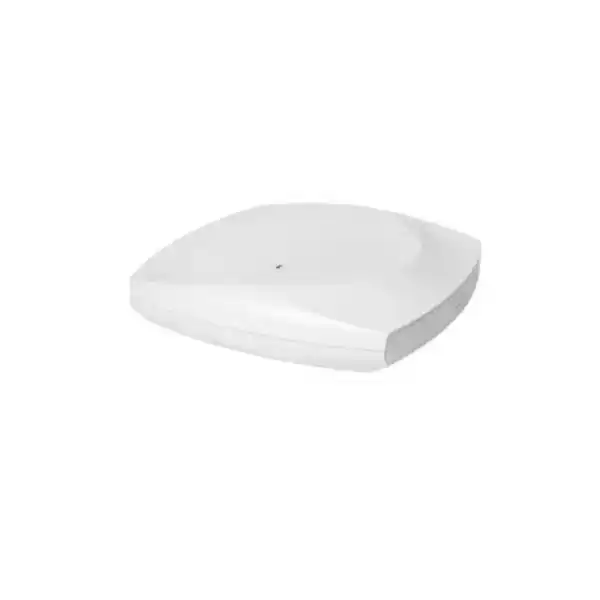
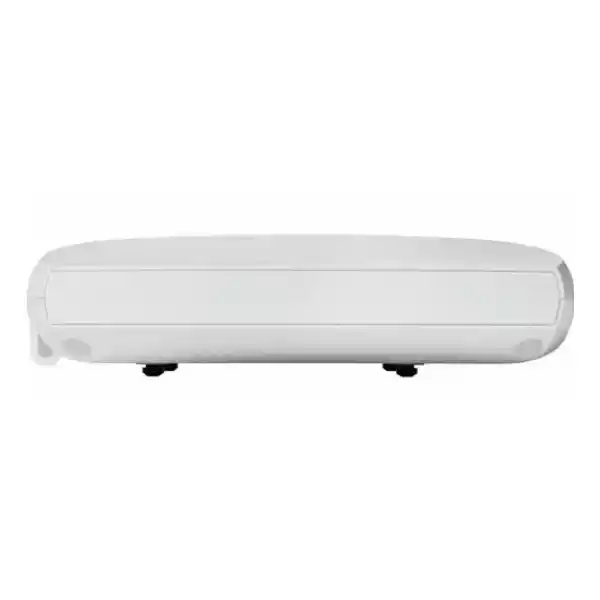
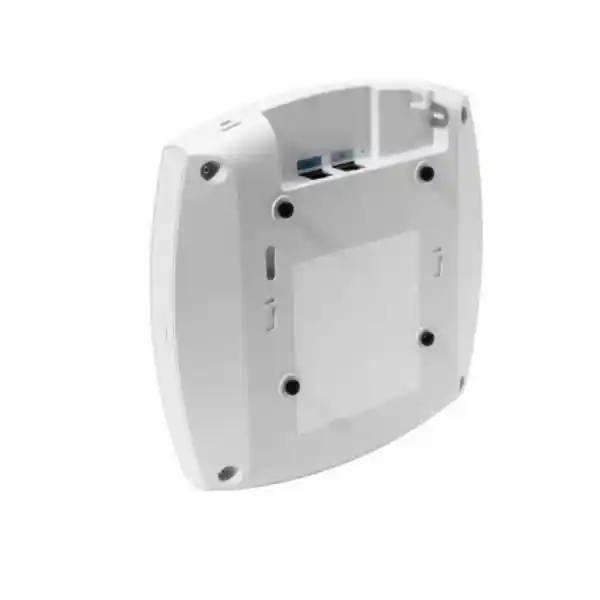
Cisco Meraki CW9176D1 in Dubai
The Cisco Meraki CW9176D1 is a high-performance indoor Wi-Fi 7 access point with integrated directional antennas, designed for organizations that need controlled RF coverage, multigigabit uplink capacity and flexible Cisco cloud or controller-based operational models. Its real value is not simply a newer Wi-Fi generation: the D1 variant is about placing radio energy deliberately where users and devices actually are.
Direct answer: what is the Cisco Meraki CW9176D1?
The CW9176D1 is an indoor enterprise Wi-Fi 7 access point in Cisco’s 9176 family. The D1 model uses integrated directional antennas rather than the omnidirectional antenna pattern of the CW9176I.
It is primarily suited to planned wireless cells where coverage should be projected into a defined area, such as a corridor, aisle, auditorium section, warehouse lane, focused office zone or other space where an omnidirectional pattern would waste RF energy.
Organizations moving to Wi-Fi 7, refreshing high-density wireless infrastructure, adopting 6 GHz-capable clients, or standardizing on Cisco networking while needing a directional indoor antenna pattern should evaluate this model.
Confirm the RF design before ordering. Directional access points are selected for where they send signal, not simply for headline speed. Mounting position, orientation, ceiling or wall geometry, client distribution and neighbouring AP cells can determine whether the D1 is appropriate.
FourTeck can help establish whether the CW9176D1 or an omnidirectional alternative is the better RF fit, calculate likely AP quantities, identify switching and PoE dependencies, confirm subscription requirements, review mounting choices and prepare a UAE-focused bill of materials for the intended deployment.
Why the D1 variant matters in a real wireless design
A buyer comparing enterprise access points can easily focus on Wi-Fi generation, spatial streams and theoretical data rates while missing the decision that often matters more in the finished deployment: antenna pattern. The CW9176D1 is not simply another 9176 model with a different suffix. Cisco identifies it as the directional-antenna version of the family. Its integrated antennas have a peak gain of 7 dBi in 2.4 GHz with an approximately 80 by 80 degree beamwidth, and peak gain of 8 dBi in both 5 GHz and 6 GHz with approximately 70 by 70 degree directional beamwidths. That geometry changes where RF energy is concentrated and therefore changes how the access point should be mounted, aimed and included in a channel plan.
Directional coverage can be valuable when a wireless cell should extend forward into a defined user area rather than radiate broadly around the AP. Think about a long teaching room, a lecture seating block, a warehouse aisle, a narrow retail area, a corridor intersection, a hospitality function room edge, or a workspace where the AP is mounted on a wall and users are primarily in front of it. In these cases, concentrating RF energy can improve useful coverage while reducing unnecessary energy behind the access point. It can also make channel reuse more deliberate when neighbouring cells are carefully engineered. The advantage, however, only appears when placement and orientation are correct.
The same directional characteristic can be a poor choice in a conventional open office where users surround a centrally ceiling-mounted AP in all directions. In that situation, a model such as the CW9176I with omnidirectional internal antennas may be easier to design around. This is why the CW9176D1 should not be treated as a universally superior version. It is a specialized indoor access point that offers strong Wi-Fi 7 capability with an antenna pattern intended to solve specific coverage problems.
For procurement teams in Dubai, the practical lesson is simple: specify the radio design and antenna pattern together. A quotation containing only model quantity and license term can still be technically incomplete if no one has confirmed where the APs will be mounted and what area each AP is expected to serve. A plan based on floor drawings, wall materials, ceiling heights, expected user density and available cable routes gives the D1 a clear design context and reduces the risk of buying a powerful access point that is pointed in the wrong direction.
4×4 Wi-Fi 7 client-serving radios
The platform supports 4×4 uplink and downlink MU-MIMO with four spatial streams across its supported client-serving radio configurations. This creates substantial capacity for modern enterprise client populations, particularly when channel width, spectrum availability and client capabilities are appropriate. Real throughput remains lower than aggregate PHY rates because wireless is shared, protocol overhead exists, channel conditions vary and client devices often have fewer spatial streams than the AP.
Flexible radio assignment
Cisco documents flexible operation that can use 2.4 GHz, 5 GHz and 6 GHz, or a 5 GHz, 5 GHz and 6 GHz arrangement. This matters in environments where 2.4 GHz is congested or has limited strategic value. The right mode depends on client mix, local spectrum rules, legacy device needs and how the surrounding WLAN is designed.
Dedicated scanning and IoT functions
The CW9176D1 includes a dedicated scan radio as well as integrated IoT capabilities. A separate scanning function is useful because RF monitoring and security tasks can be performed without relying entirely on a client-serving radio. The platform also incorporates Bluetooth Low Energy, UWB and GNSS/GPS capabilities that can support broader location, sensing and operational use cases where the relevant Cisco services are deployed.
Wi-Fi 7 efficiency features
802.11be features include 4096-QAM, Multi-Link Operation, preamble puncturing, uplink and downlink OFDMA, Target Wake Time and BSS coloring. These features can improve efficiency, latency behavior and spectrum utilization, but they deliver their best results only when compatible client devices, firmware, channel plans and security settings are aligned with the desired operating mode.
Cisco Meraki CW9176D1 key specifications
These specifications are the most useful baseline for purchasing and infrastructure planning. Final regulatory, software and feature support should still be checked for the intended country and management mode at the time of deployment.
| Item | CW9176D1 specification / buyer relevance |
|---|---|
| Product type | Indoor enterprise Wi-Fi 7 access point with integrated directional antennas. |
| Client radio architecture | Tri-radio platform supporting 4×4 operation and flexible 2.4/5/6 GHz or 5/5/6 GHz configurations, depending on software, management and regulatory conditions. |
| Wireless standard | IEEE 802.11be Wi-Fi 7, with backward support for relevant earlier Wi-Fi generations. |
| Maximum channel width | Up to 320 MHz in 6 GHz; up to 160 MHz in 5 GHz. Wide channels require adequate clean spectrum and compatible clients and are not automatically the best design choice for every dense enterprise environment. |
| Integrated antenna gain | 2.4 GHz: peak 7 dBi, directional, approximately 80 x 80 degree beamwidth. 5 GHz: peak 8 dBi, directional, approximately 70 x 70 degrees. 6 GHz: peak 8 dBi, directional, approximately 70 x 70 degrees. |
| Ethernet | One 100M/1G/2.5G/5G/10G BASE-T RJ-45 multigigabit port. |
| Full-power PoE mode | 802.3bt Class 5/UPOE supports 4×4 radios, 10 Gbps link operation and USB availability; Cisco lists a maximum PoE consumption of 39 W in the relevant power table. |
| Reduced-power PoE+ | 802.3at can operate the AP with restrictions: the 2.4 GHz radio is reduced to 2×2, Ethernet is limited to 2.5 Gbps and USB is disabled in Cisco’s documented power mode table. |
| 802.3af behavior | Cisco describes 802.3af as a staging/configuration state with radios off rather than a normal production operating mode. |
| IoT and location | Dedicated IoT radio, Bluetooth Low Energy 5.3, integrated ultra-wideband and GNSS/GPS capability. |
| Dimensions | Approximately 9.5 x 9.5 x 2.0 inches; Cisco also lists metric dimensions around 24 x 25 x 5.1 cm for the D1 unit without mounting brackets. |
| Weight | Approximately 3.4 lb / 1.56 kg. |
| Operating environment | 0°C to 50°C operating temperature and 10% to 90% non-condensing operating humidity. It is an indoor product and should be selected accordingly. |
| Subscription | Cisco Networking Subscription for wireless, with Essentials or Advantage licensing depending on required entitlements and support. |
Wi-Fi 7 capability: what the headline features mean for buyers
The CW9176D1 belongs to a generation of access points designed for 802.11be, commonly known as Wi-Fi 7. Cisco lists 4096-QAM, Multi-Link Operation, preamble puncturing, uplink and downlink OFDMA, Target Wake Time, BSS coloring and support for channel widths up to 320 MHz in the 6 GHz band. These capabilities can make a WLAN more efficient and can increase peak link rates, but an enterprise purchasing decision should be based on the interaction between the AP, client devices, spectrum, switch uplinks, power delivery and the application profile rather than on a single maximum-speed number.
4096-QAM can carry more bits per symbol than lower modulation schemes when signal quality is excellent. That condition normally exists only when a capable client has strong signal, low interference and an RF path suitable for the chosen modulation. It should therefore be viewed as a high-quality-link capability rather than a guaranteed building-wide data rate. Preamble puncturing is useful because a wide channel can potentially continue operating around interference that affects part of its spectrum, but the result still depends on compatible Wi-Fi 7 clients and how the WLAN is configured.
Multi-Link Operation is one of the most important architectural additions in Wi-Fi 7 because compatible devices can use multiple links in ways that can improve throughput, latency or resilience. The practical benefit varies by client chipset and software support. A network with mostly Wi-Fi 5 and Wi-Fi 6 endpoints will not suddenly behave like a fully Wi-Fi 7 client population simply because the AP is upgraded. Many organizations therefore deploy Wi-Fi 7 as infrastructure preparation: they obtain a current platform now while endpoint refresh cycles gradually increase the proportion of Wi-Fi 7-capable laptops, phones and specialist devices.
For Dubai enterprises, this is especially relevant in offices, education, hospitality, retail and mixed-use environments where endpoint populations turn over over several years. The CW9176D1 can be a forward-looking access layer, but design decisions should still optimize for the devices that exist on day one. Channel widths, SSID strategy, security, roaming and power settings should be chosen to maintain a stable service for the whole client population rather than maximizing a benchmark that only a small subset of devices can reach.
6 GHz in the UAE: useful spectrum, but still a design dependency
The 6 GHz radio is a major reason organizations look at Wi-Fi 7. In the UAE, the regulator has designated 5925–6425 MHz for indoor wireless access use under specified power conditions. This provides 500 MHz of additional spectrum that can materially reduce congestion compared with relying only on 2.4 GHz and 5 GHz. For office and enterprise deployments, that extra spectrum can create cleaner channels for capable devices and can support a more predictable high-capacity design.
A crucial purchasing detail is that global product capability and local usable spectrum are not the same thing. Cisco notes that the 6 GHz radio can be disabled in countries where the band is unavailable or unsupported. In the UAE, buyers should plan against the locally permitted range rather than assume that every 6 GHz channel referenced in global Wi-Fi literature can be used. The AP, its regulatory configuration and the WLAN software need to operate in accordance with the UAE domain and current local rules.
6 GHz also has different propagation behavior from lower bands. Higher-frequency signals generally experience greater path loss through distance and building materials, so the number and placement of access points should not be estimated by copying a legacy 2.4 GHz coverage plan. The D1’s directional gain can be valuable when the objective is to project 6 GHz service into a defined area, but the design still needs to account for walls, partitions, glass, shelving, doors, ceilings and the orientation of the client devices.
The strongest approach is to treat 6 GHz as a capacity and quality layer rather than a reason to remove design discipline. Verify the client population, the percentage of 6 GHz-capable devices, required roaming behavior, the application’s latency sensitivity and the existing AP spacing. Where a site survey is justified, measure the actual environment. Where the building is still under construction, use predictive modeling and update it once final materials and furniture plans are available.
The 10GbE uplink is only useful when the access layer can feed it
Cisco equips the CW9176D1 with one multigigabit RJ-45 Ethernet interface supporting 100 Mbps, 1 Gbps, 2.5 Gbps, 5 Gbps and 10 Gbps link rates. This prevents the wired uplink from being artificially capped at 1 Gbps as wireless capacity increases. It is a strong fit for a modern access-layer design, but the presence of a 10 Gbps port on the AP does not mean every deployment needs a 10 Gbps switch port or will observe 10 Gbps of application throughput from a single client.
The correct uplink choice is a capacity planning question. If the AP serves a dense population of modern devices across multiple bands, is expected to carry significant local traffic, or is deployed as part of a high-performance refresh where the switching infrastructure already provides multigigabit access ports, 5 Gbps or 10 Gbps access can remove a potential bottleneck. In moderate office environments, 2.5 Gbps may still be operationally adequate for many usage profiles. The switch platform, uplink oversubscription, cable plant and budget should all be considered together.
Cabling is equally important. Existing horizontal copper runs should be assessed for supported link speed, run length, installation quality and electromagnetic environment. A switch port capable of 10GBASE-T does not guarantee a stable 10 Gbps link over every legacy cable run. Projects that are replacing access points without replacing structured cabling should test representative runs before assuming that the whole estate can move directly to 10 Gbps.
There is also a power interaction. Cisco’s documented power table shows full 4×4 operation, 10 Gbps link speed and USB availability with 802.3bt Class 5/UPOE. On 802.3at PoE+, the 2.4 GHz radio is reduced to 2×2, the link speed is shown as 2.5 Gbps and USB is disabled. Therefore, the wired access switch must be evaluated for both multigigabit data and PoE capability. Looking at one without the other can produce an installation that works but does not deliver the configuration the buyer expected.
PoE planning: a small line item that can change the entire deployment
802.3bt / Class 5
This is the preferred design point when the project expects the CW9176D1 to use its full 4×4 radio configuration, a 10 Gbps Ethernet link and USB capability. Cisco lists a maximum PoE consumption of 39 W for this mode in the 9176D1 power table.
802.3at / PoE+
The AP remains operational, but Cisco documents restrictions: 2.4 GHz operates at 2×2, the Ethernet link is 2.5 Gbps and USB is disabled. This can be acceptable for some upgrades, provided the limitations are intentional rather than discovered after installation.
802.3af / PoE
Cisco positions this as a staging/configuration condition with radios off, not the normal production power mode. A legacy PoE-only access switch should therefore trigger a switching or power remediation discussion before the AP quantity is finalized.
Power budget is not only a per-port question. A switch may support the necessary PoE standard on each access port but lack sufficient total chassis power budget to operate every connected AP at the desired level simultaneously. In a large deployment, calculate the number of APs per switch, the maximum planned draw, other powered devices on the same switch and the power supplies installed in the chassis or stack. Leave appropriate design margin rather than sizing the switch exactly to the theoretical total.
Cisco also recommends enabling LLDP or Cisco Discovery Protocol as appropriate so power negotiation can occur correctly. This matters in mixed-vendor or inherited switching environments where power settings may have been manually restricted. A field team should not assume that an AP negotiating a link is automatically receiving the intended power class. Validation should include the negotiated PoE level, radio state and Ethernet rate once the AP is online.
For quotation purposes, identify the exact access switch model, available PoE standard, per-port and total power budget, uplink capacity and cabling category. If these details are unknown, include a switch assessment or site survey in the project scope. That small amount of preparation avoids one of the most common enterprise WLAN refresh problems: deploying new high-performance access points on an access layer designed for an earlier generation.
Cisco management flexibility: cloud, controller and subscription decisions
The 9176 platform represents Cisco’s move toward global-use access points and a more unified hardware approach. Cisco states that the 9176 Series can operate in different management modes, allowing organizations to use Meraki cloud management or controller-based Cisco architectures. This is important for procurement because a buyer can standardize on the hardware family while choosing the operational model that aligns with existing tools, skills and architecture.
In Meraki cloud-managed environments, the dashboard provides centralized visibility, configuration, monitoring, policy deployment and wireless health functions. This is attractive to distributed businesses that want to manage multiple sites without maintaining a controller at each location. It can also suit lean IT teams that value a consistent web-based operational workflow. However, cloud management should still be evaluated against internal security policy, administrative roles, change-control requirements, internet dependencies and the wider Cisco/Meraki estate.
For controller-based deployments, Cisco lists Catalyst 9800 Series Wireless Controllers, including physical and virtual options, and Catalyst 9000 switching with Embedded Wireless Controller in SDA mode among supported controller paths. Organizations already operating Catalyst wireless may prefer that model to preserve established processes, policy architecture and integration with tools such as Cisco Identity Services Engine or Catalyst Center. The correct management mode is therefore an architectural choice rather than a cosmetic configuration setting.
Licensing must be included from the beginning. Cisco’s current model for these Wi-Fi 7 access points requires a Cisco Networking Subscription for wireless, with Essentials or Advantage options. The appropriate tier depends on the feature set, support expectations and broader subscription strategy. Do not compare hardware prices while excluding the subscription term, because that creates an incomplete lifecycle cost. The project should specify license tier, duration, renewal approach and whether existing Cisco subscription entitlements can be aligned with the new APs.
A buyer migrating from older Meraki MR hardware, older Catalyst APs or a third-party WLAN should also determine whether the desired management stack is changing at the same time. Hardware replacement and management migration can be combined, but that increases the number of dependencies that need testing. In larger environments, a controlled pilot with representative authentication, roaming, voice, guest access, IoT and management workflows is usually more informative than treating the project as a direct one-for-one hardware swap.
Security and assurance considerations
Enterprise wireless security is broader than encryption. The CW9176D1 platform supports WPA3 and enterprise authentication mechanisms such as 802.1X, and Cisco’s Meraki feature set includes Air Marshal wireless intrusion prevention capabilities, application visibility and policy tools. In a mature deployment, these functions should sit inside a defined identity, segmentation and monitoring design rather than being enabled as isolated features.
For corporate access, 802.1X with certificate-based EAP-TLS is often a strong option where endpoint management and public key infrastructure are available, because it reduces reliance on shared credentials. Guest access, contractor access, IoT devices and older specialist equipment may require different onboarding methods. The WLAN design should map each device class to an authentication method, VLAN or policy segment, access-control rule set and logging requirement. A new Wi-Fi 7 access point does not remove the need to rationalize legacy security exceptions.
Dedicated scanning capability is useful because it can improve RF monitoring and threat visibility without asking the same client-serving radio to perform every monitoring task. In Meraki environments, Air Marshal can detect and classify rogue or potentially malicious wireless activity. The security team should still define how alerts are triaged, what constitutes an authorized neighbouring network and which automatic containment actions are permitted under policy and local regulation.
WPA3 migration deserves deliberate testing. Modern managed clients generally support WPA3 well, but legacy barcode scanners, printers, building-management devices and specialized medical or industrial endpoints can behave differently. Mixed-mode SSIDs can ease transition, though they may not deliver the same policy posture as a fully modern client base. A client inventory is therefore part of wireless security planning, not merely endpoint administration.
Where the WLAN integrates with Cisco Identity Services Engine, Cisco Spaces, Meraki cameras, sensors or broader full-stack Meraki infrastructure, clarify which data flows, identities and telemetry are required. Security teams should know what is logged, how long logs are retained, who has administrative access and how operational incidents will be investigated. The CW9176D1 provides a capable radio platform, but the security outcome depends on the policy and operational environment built around it.
Where directional Wi-Fi 7 can make sense
Warehouse aisles
Long aisles can benefit from directional RF when access points are positioned to project coverage along predictable device paths. Before selecting quantities, account for rack height, stored materials, forklift movement, scanners, handheld terminals and whether clients operate near floor level or higher shelving positions.
Auditoriums and teaching spaces
Directional cells can help serve a defined seating area or room section without radiating equally behind the mounting position. Capacity still depends on associated users, client capability, channel plan and expected simultaneous applications such as video, assessment platforms or collaboration tools.
Hospitality function areas
Ballrooms, meeting rooms and event areas can have changing user density. A directional design may help isolate cells or aim coverage into a room from walls or perimeter locations. Reconfigurable partitions and event layouts should be included in the RF plan because they can change propagation and capacity demand.
Retail and customer zones
Retailers can use directional coverage to serve a defined floor area, queue zone or customer-facing section while controlling overlap with back-of-house or adjacent tenant spaces. Payment devices, handheld inventory terminals and guest Wi-Fi may each need distinct security and roaming treatment.
Corridors and elongated offices
A wall-mounted directional AP can be useful where users are concentrated down a corridor or elongated workspace. The design should avoid creating excessively strong signal far down the corridor while leaving rooms behind dense walls under-served, so measurements remain important.
Focused enterprise zones
Project rooms, operations areas, training centers and other spaces with known user concentration may justify a directional cell when the RF boundary is clear. If users surround the AP in all directions, an omnidirectional model is usually the more natural starting point for evaluation.
When the CW9176D1 may not be the best choice
A technically strong access point can still be the wrong product for a particular location. The most obvious case is a conventional ceiling-centered cell where users are distributed relatively evenly around the access point. An integrated directional pattern may make the design unnecessarily sensitive to orientation. In that scenario, the CW9176I’s omnidirectional internal antennas may align more naturally with the coverage requirement while preserving the same general 9176 family platform.
The D1 may also be excessive where the switching layer cannot provide the required power or multigigabit access and there is no business case to refresh that infrastructure. The AP can operate in reduced modes, but if the project will intentionally remain on 802.3at and 2.5 Gbps for its full lifecycle, procurement should compare whether a different AP could meet the actual demand at lower cost. Buying capability that the rest of the network cannot use is not automatically investment protection.
For outdoor areas, semi-exposed loading bays or environments outside the product’s indoor environmental conditions, select an access point designed for the location rather than relying on enclosure improvisation. Dubai sites can experience substantial temperature, dust and humidity variation near building edges, plant rooms and non-conditioned spaces. The CW9176D1’s listed operating range is 0°C to 50°C with 10% to 90% non-condensing humidity, and the unit should be deployed according to its indoor product classification and Cisco installation guidance.
Very high-density public venues can also justify evaluation of higher-tier Wi-Fi 7 models with different radio, port or antenna architectures. Conversely, a small office with light client demand may not need a platform at this performance level. The correct comparison is therefore not simply newer versus older. It is coverage pattern, user density, application demand, client generation, switching capacity, power, management model and expected growth considered as one system.
FourTeck’s role in a quotation is most useful when these constraints are explicit. A smaller or different AP is not a downgrade if it better matches the environment. Likewise, a directional D1 is not an unnecessary premium if it solves a coverage geometry problem that would otherwise require more APs, more interference management or awkward mounting compromises.
CW9176D1 versus CW9176I: the practical shortlist
| Decision | CW9176D1 | CW9176I |
|---|---|---|
| Antenna intent | Directional internal antenna pattern intended to focus coverage. | Omnidirectional internal antenna pattern intended for more even azimuth coverage. |
| Typical placement logic | Wall, edge or oriented placement where the target area is in front of the AP. | Commonly easier for central ceiling placement where users surround the AP. |
| Wi-Fi generation | Wi-Fi 7 / 802.11be family platform. | Wi-Fi 7 / 802.11be family platform. |
| Primary reason to choose | You need controlled coverage geometry or focused RF energy. | You need broad indoor coverage without directional aiming. |
The comparison should not be reduced to antenna gain alone. A higher peak gain does not automatically mean better coverage everywhere. Directional gain concentrates energy into part of the surrounding space; omnidirectional designs distribute energy differently. The correct model is the one whose radiation pattern matches the physical geometry and capacity plan. For mixed sites, it is entirely reasonable for a design to use both directional and omnidirectional APs in different areas.
Mounting and orientation are part of the specification
Cisco’s installation guidance includes the universal mounting bracket supplied with the access point and references optional mounting accessories such as an articulating arm and T-rail attachment. For the directional D1 model, mounting hardware is not just a mechanical detail. The bracket and orientation determine where the antenna pattern points, so the installation drawing should show AP direction as well as AP location.
In a warehouse, for example, two access points mounted at the same coordinate but aimed differently can produce very different coverage. In a corridor, rotating or tilting a directional AP can affect both the intended cell and interference into adjacent areas. In a classroom or auditorium, an AP placed at the rear wall may need to project toward seating, while one mounted on a side wall needs a different orientation. The RF plan should therefore be usable by the installation team, not remain an abstract heat map that does not show physical mounting intent.
The installer should also consider ceiling type, wall construction, structural supports, cable access and physical security. Cisco documents a Kensington lock provision and a run-dark mode that can disable the visible status LED. These details may be useful in public-facing or aesthetically sensitive environments. If the AP is mounted high above a floor, future access for maintenance and replacement should also be considered before choosing a location that requires specialist access equipment.
Where an articulating bracket is required, include it in the bill of materials rather than assuming it ships with every unit. Optional accessories, PoE injectors and specialty mounting parts can cause project delays if they are discovered only after the APs arrive. The quotation should distinguish standard-in-box mounting components from optional items needed for the actual site geometry.
After installation, verify more than a green or blue LED. Confirm the AP has joined the intended management platform, negotiated the correct Ethernet rate and PoE class, loaded the expected firmware, received the intended regulatory configuration and is broadcasting the planned radios and SSIDs. Then test coverage and roaming using representative client devices. That closes the loop between procurement, physical installation and wireless performance.
Capacity planning: AP count should follow demand, not floor area alone
Wireless projects often start with a floor plan and a request for an access-point quantity. Floor area matters, but it is only one input. Capacity is driven by how many devices are active at the same time, what those devices are doing, which bands they support, how much airtime each application consumes and what performance level the business actually requires. A reception area with hundreds of transient devices can need a different design from an archive room of the same size with almost no active users.
For the CW9176D1, directional coverage adds another variable: cell geometry. An AP may cover a long defined zone efficiently while providing less useful coverage behind it. This can be beneficial when the design objective matches that geometry, but it means simple radius-based planning is misleading. The planner should define target cell boundaries, expected co-channel overlap, minimum signal criteria, minimum data rates and roaming thresholds where real-time applications are important.
Client capability deserves particular attention during Wi-Fi 7 adoption. Many enterprise laptops and phones are 2×2 clients even when the AP is 4×4. Some devices may support 6 GHz while others remain on 5 GHz or 2.4 GHz. IoT equipment can be especially conservative in band and security support. If a site has thousands of low-bandwidth IoT endpoints, airtime behavior and association density may matter more than raw throughput. If a site runs high-bitrate video, large local file transfers or latency-sensitive collaboration, channel quality and wired backhaul become more prominent.
Do not oversize channels automatically. A 320 MHz channel can provide very high peak rates in the right 6 GHz environment, but wider channels consume more spectrum. In a multi-AP design, narrower channels may allow better reuse and more predictable capacity. The best channel width depends on the number of APs, available spectrum, interference, client support and application requirements. This is a network-design decision rather than a product checkbox.
FourTeck can build a quotation from a customer-supplied design or help scope the inputs for a new design. Useful data includes floor plans, scale, ceiling height, wall materials, user counts by area, device types, critical applications, existing AP positions, switch locations, cabling routes and future expansion. When those inputs are available, the CW9176D1 quantity can be justified rather than guessed.
Migration from an existing wireless network
A Wi-Fi 7 refresh can be staged rather than treated as a single cutover. In larger environments, a pilot area can validate management integration, authentication, roaming, client behavior, PoE negotiation and application performance before the organization commits to a site-wide replacement. This is particularly valuable when the project changes both AP hardware and management architecture at the same time.
Start by documenting the current WLAN. Identify SSIDs, VLAN mappings, authentication methods, guest workflows, RADIUS servers, certificate dependencies, captive portals, firewall rules, DHCP scopes, DNS dependencies, location services, voice policies and any device-specific exceptions. A replacement AP can broadcast the same SSID name, but that does not mean the underlying policy is equivalent. Migration planning should preserve what is intentionally required and remove obsolete exceptions rather than copying every historical setting.
Switching needs to be assessed early. If existing access ports are 1 Gbps PoE+, the new APs may come online but operate below their full designed capability. Decide whether the project includes multigigabit switching and 802.3bt power, whether a phased switch refresh will follow later, or whether reduced AP operation is acceptable for an interim period. Document that decision so future teams understand why an AP may be negotiating 2.5 Gbps rather than 10 Gbps.
RF migration also matters. A direct one-for-one physical replacement assumes that the old AP locations remain suitable for new antenna patterns and new bands. That assumption can be wrong, especially when moving from omnidirectional 5 GHz-centric designs to a directional model with 6 GHz requirements. Some old locations may remain ideal, others may need reorientation, and some areas may need additional APs to meet a 6 GHz coverage target.
Finally, define rollback and acceptance criteria. A successful cutover is not merely an AP appearing online. Acceptance can include client authentication success, expected roaming performance, voice or video quality, critical application tests, coverage measurements, switch-port negotiation, alert visibility and administrative access. These measurable checkpoints make migration more controlled and give the project team a clear definition of completion.
BLE, UWB and GNSS: useful capabilities when there is a real use case
The CW9176D1 includes more than client Wi-Fi radios. Cisco lists Bluetooth Low Energy 5.3, an integrated ultra-wideband capability, an IoT radio and GNSS/GPS functions. These can support location-aware and IoT workflows when paired with the relevant software and ecosystem, but buyers should distinguish between a hardware capability being present and a business use case being fully implemented.
BLE can be used in location and asset-oriented scenarios, depending on tags, applications and platform integration. UWB can support more precise ranging and location use cases than conventional proximity technologies in suitable architectures. GNSS can provide location-related inputs to the platform. The value of these functions depends on what the organization wants to measure, how accurate the result must be, where tags or devices are placed and which Cisco services are licensed and configured.
A facilities team considering asset tracking should define the asset classes, movement patterns and response workflow. Knowing that an asset is nearby has limited value if there is no process for acting on the information. A retail team considering location analytics should define privacy requirements, retention policy and the business questions the data is expected to answer. A warehouse team should test performance around metal shelving, moving stock and industrial equipment rather than assume that laboratory location accuracy will transfer directly to the site.
These radios can nevertheless improve platform longevity because the same access-point estate can participate in broader operational use cases without deploying a separate overlay for every function. That can reduce device count and simplify site infrastructure where the use case is supported. The important procurement step is to list any desired location or IoT application before ordering so required licenses, sensors, tags or platform services can be included in the architecture.
If no IoT or location project is planned, these capabilities should be treated as future options rather than justification on their own. The primary purchasing case for the CW9176D1 should still be strong Wi-Fi 7 service with a directional antenna pattern and the management model required by the organization.
Performance expectations: understand PHY rate versus application throughput
Cisco documents very high aggregate PHY data rates for the 9176 platform under specific radio configurations and channel widths. Those figures are useful for understanding radio capability, but they are not equivalent to a single user’s TCP or application throughput. Wi-Fi is a shared medium. Protocol overhead, contention, retransmissions, interference, client spatial streams, signal level, channel width, modulation, upstream switching and the destination service all influence what a user experiences.
A 2×2 laptop, for example, cannot use four spatial streams simply because the AP is 4×4. A client far from the AP will step down to more robust modulation and coding rates. A crowded channel divides airtime among active devices. A cloud application may be limited by WAN bandwidth or server response. A speed test can also select a remote service path that says more about internet transit than the local WLAN. Therefore, acceptance testing should use metrics that reflect the business requirement.
For general office use, stable roaming, low retransmission rates, low latency, adequate per-user throughput and predictable application behavior are often more important than the highest possible speed-test result. For local media workflows or engineering datasets, very high LAN throughput may be valuable and can justify 10GbE AP uplinks and wider channels. For voice and collaboration, jitter, latency and roaming transitions may matter more than bulk throughput.
The directional antenna can improve link quality in the intended zone when it is correctly aimed, which may help clients maintain better modulation rates. However, the design should also avoid creating cells that are too large. Excessively strong coverage from one AP can make clients hold onto it while moving toward another area, producing sticky-client behavior and poor roaming. Transmit power and cell boundaries should be tuned as part of the overall WLAN, not left at maximum values by default.
A good project defines target performance before installation. Examples include minimum RSSI or SNR targets, maximum channel utilization, roaming success for specified applications, minimum throughput in designated work areas and acceptable latency under representative load. These targets let the deployment team tune the CW9176D1 for the environment rather than judge success from product specifications alone.
UAE procurement and quotation guidance
A reliable quotation for the Cisco Meraki CW9176D1 should separate hardware, subscription, mounting accessories, power dependencies, switching requirements, installation and support. That structure makes the commercial proposal easier to compare and prevents an apparently lower hardware price from hiding missing components that must be purchased later.
Start with exact quantities and the intended management model. Specify whether the project is Meraki cloud-managed or controller-based, then identify the required Cisco Wireless Essentials or Advantage subscription and term. If the organization already has Cisco subscriptions, provide the relevant contract or renewal context so co-terming or entitlement alignment can be evaluated. License duration affects lifecycle cost and should be visible in the quotation.
Next, define power and switching. List the current access switch models, available multigigabit port speeds, supported PoE classes and total power budget. If new switches are required, include stack or chassis design, uplinks, optics, redundancy and power supplies rather than quoting only access ports. If the customer intends to use PoE injectors, confirm the specific injector model, electrical outlet availability and cable layout. An injector-based design can be useful for limited locations but may be less operationally elegant at scale.
Mounting should be based on the RF plan. Standard universal brackets may be sufficient for some sites, while articulated mounting can be important when the directional beam needs to be aimed from a wall, pole or other structure. Include any T-rail attachments, articulating arms, security hardware, cable-management materials and access equipment needed for high-level installation.
For UAE operation, make sure regulatory configuration and 6 GHz expectations are aligned with local rules. Indoor 5925–6425 MHz Wi-Fi use is available under UAE conditions, but the final channel plan should be generated by equipment configured for the correct country and current regulatory domain. Do not import assumptions from US or other regional channel plans into the project design.
Commercial buyers can use FourTeck UAE for regional infrastructure enquiries and can also review broader networking capabilities through FourTeck. The objective is to turn the AP request into a complete bill of materials rather than leave subscription, power and mounting decisions unresolved.
Installation workflow for a controlled enterprise rollout
Validate floor plans, target areas, AP quantity, antenna direction, switch locations, cable paths, ceiling or wall type, user density and critical applications.
Claim or stage devices in the chosen Cisco management environment, apply the correct subscription, define networks, policies and administrative roles, and verify internet or controller reachability.
Check PoE negotiation, multigigabit support, LLDP/CDP, VLAN configuration, DHCP, DNS, upstream firewall rules, switch uplink capacity and total PoE budget before field installation begins.
Mount the AP using the specified bracket, orient the directional face according to the RF design, secure cabling, apply any physical security measures and record the installed position.
Confirm firmware, regulatory domain, radio configuration, PoE class, Ethernet rate, SSID operation and management visibility. A functioning LED alone is not sufficient acceptance evidence.
Run coverage, roaming and application tests with representative devices. Adjust transmit power, channel plan or orientation where required, then document final settings and acceptance results.
A disciplined rollout is especially important with directional access points because installation orientation is part of the RF design. Marking the AP location without marking the direction can leave the field team to make an assumption that changes the intended cell. For larger deployments, installation drawings should use a consistent arrow or orientation notation and include mounting height.
Operational management after deployment
Once the CW9176D1 estate is installed, day-two operations determine whether the WLAN remains healthy as users, applications and neighbouring RF environments change. Cloud or controller dashboards can provide extensive telemetry, but operations teams should define which metrics drive action. Alert fatigue is reduced when thresholds and ownership are established in advance.
Useful operational signals include AP availability, uplink speed, PoE state, channel utilization, interference, client health, authentication failures, DHCP failures, DNS problems, latency, retransmissions and unusual changes in client distribution. Directional APs should also be reviewed after physical workspace changes. A warehouse aisle that is reconfigured, a new partition wall, relocated shelving or a renovated conference room can alter the RF environment even when the network configuration is unchanged.
Firmware management should follow change control. Cisco and Meraki platforms support managed upgrade workflows, but a production organization should still review release notes, feature dependencies and known issues, then schedule changes around business requirements. High-risk sites can use staged upgrades or pilot groups before broad deployment. If the network supports voice, point-of-sale, scanners or specialist operational systems, include those devices in post-upgrade validation.
Capacity trends are also valuable. A Wi-Fi 7 deployment may begin with mostly Wi-Fi 6 endpoints and evolve over time. As more clients use 6 GHz and new application patterns emerge, channel plans and radio modes may be revisited. The investment is therefore not static. The flexible radio architecture and modern management capabilities give the organization options, but someone still needs to review telemetry and make informed changes.
Support arrangements should define who owns first-line troubleshooting, who can access Cisco support, what information must be captured before escalation and how replacement hardware is handled. Cisco publishes a limited lifetime hardware warranty for the 9176 family, while subscription and support entitlements determine broader service access. Buyers should make those responsibilities clear in the commercial agreement rather than leave them implicit.
Common buyer questions about the CW9176D1
Is the CW9176D1 a Meraki access point or a Catalyst access point?
It belongs to Cisco’s unified Wi-Fi 7 generation and can support multiple management modes. It is marketed in the Meraki access-point portfolio for cloud-managed use, while Cisco also documents controller-based support for the 9176 family. The management model should be confirmed in the project architecture and licensing.
Does it require a license?
Yes. Cisco’s current licensing model for the Wi-Fi 7 9176 family uses a Cisco Networking Subscription for wireless, with Essentials or Advantage tiers. Quote the required subscription term alongside the hardware so total cost is clear.
Can it run from normal PoE+?
It can operate on 802.3at PoE+, but Cisco documents reduced functionality compared with 802.3bt: the 2.4 GHz radio is 2×2, USB is disabled and the Ethernet link is limited to 2.5 Gbps. Use 802.3bt when full planned capability is required.
Is 10GbE mandatory?
No. The AP can negotiate lower Ethernet rates. The correct uplink speed depends on user density and application demand. However, projects purchasing the platform specifically for maximum capacity should ensure that switch ports, cabling and PoE can support the intended operating mode.
Does it support 6 GHz in the UAE?
The UAE permits indoor Wi-Fi operation in 5925–6425 MHz under local regulatory conditions. The deployed AP must use the correct UAE regulatory configuration. Do not assume that every 6 GHz channel described in global documentation is available locally.
Why choose D1 instead of the 9176I?
Choose D1 when a directional antenna pattern solves the coverage requirement. Choose the I model when broad omnidirectional indoor coverage is the better geometry. The radio generation is not the deciding factor; the antenna pattern is.
Is it suitable for outdoor Dubai installations?
It is an indoor access point. Outdoor or exposed locations should use hardware specifically designed for the environmental conditions. Do not treat a generic enclosure as a substitute for an outdoor-rated access-point design without engineering review.
Can FourTeck supply installation as well as hardware?
Project scope can include hardware, licensing, switching review, mounting, configuration and deployment support depending on requirement. For broader UAE infrastructure and support planning, buyers can also review FourTeck IT Services UAE.
How to evaluate price rather than comparing hardware cost alone
Enterprise Wi-Fi cost has several layers: access-point hardware, subscription, switching, power, mounting, cabling, installation, testing and support. A comparison that includes only the AP unit price can favor a proposal that later becomes more expensive when missing dependencies are added. This is particularly relevant to the CW9176D1 because full 10GbE and 4×4 operation depend on an 802.3bt-capable access layer.
First compare like-for-like license terms. A one-year subscription and a multi-year subscription are not equivalent commercial packages. Then compare whether mounting accessories are included and whether the quote assumes existing multigigabit PoE switching. If one proposal includes installation and RF validation while another includes only boxed hardware, they should not be evaluated as identical offers.
Lifecycle cost also includes operational time. A management platform that fits the IT team’s existing workflow can reduce the effort required to deploy, troubleshoot and maintain distributed sites. Conversely, introducing a new management model can create training and integration work. That cost may be justified, but it should be part of the decision. Cisco’s unified subscription approach is designed to support flexible management choices, yet the organization still needs to select and operate one coherent architecture.
Consider the cost of under-design as well. Too few APs can produce support tickets, poor roaming and user dissatisfaction. Too many APs can increase interference, licensing cost and switch-port demand. Using the wrong antenna pattern can force additional APs or leave coverage gaps. A proper design can therefore reduce total cost even if the planning stage adds professional-service expense.
If budget is constrained, prioritize requirements. Determine whether Wi-Fi 7 client growth, 6 GHz, directional coverage, 10GbE uplinks, location features and premium license capabilities are all needed in the first phase. A phased roadmap can preserve the strategic target while aligning expenditure with business timing. The strongest quotation is the one that explains these tradeoffs rather than hiding them behind a single unit price.
Support, lifecycle and documentation considerations
Cisco identifies the 9176 family as a current Wi-Fi 7 platform and publishes installation, hardware, licensing and feature documentation for it. Buyers should retain the final bill of materials, subscription details, serial-number records, management organization information, switch-port mapping and RF design as part of the deployment handover. Those records make later support much faster than reconstructing the environment during an incident.
The access point includes a status LED with documented states, and Meraki mode can use a run-dark option where the LED is disabled. While LED state is useful for local troubleshooting, centralized management should be the primary operational source for a multi-site deployment. Support teams should know how to distinguish an uplink failure, authentication issue, DHCP issue, RF problem and client-specific problem before replacing hardware.
Warranty should be read together with subscription support. Cisco documents a limited lifetime warranty for the 9176 Series hardware, including advance hardware replacement terms subject to Cisco’s warranty conditions. The active networking subscription provides the software and support entitlement model relevant to the platform. Organizations with strict replacement-time requirements should confirm the exact service level they are purchasing rather than relying on a general warranty statement.
Lifecycle planning should also consider the surrounding access layer. A Wi-Fi 7 AP may remain in service through multiple generations of endpoint refresh. If the project is installing new Cat6A cabling and multigigabit 802.3bt switches at the same time, the resulting infrastructure can support future bandwidth growth more effectively than an AP-only replacement. If budget requires reusing older switching, document the expected limitations and plan when the wired layer will be upgraded.
For organizations that manage firewalls, switching and wireless as one wider infrastructure program, Firewall Dubai by FourTeck provides an additional specialist route for security-focused projects. The wireless purchase should still remain technically scoped around the CW9176D1’s own RF, power, licensing and management requirements.
Detailed pre-order checklist for Cisco Meraki CW9176D1 Dubai projects
The following questions are designed to prevent the most common specification gaps. They can be answered internally by the customer’s network team or worked through during pre-sales consultation.
Where will each AP be mounted? What area is in front of the directional antenna? Are there users or rooms behind it that also require service? What materials lie between AP and clients? Is there a predictive design or survey?
How many concurrent devices are expected per zone? What percentage support Wi-Fi 6E or Wi-Fi 7? Are there legacy 2.4 GHz-only devices? Are voice handsets, scanners, cameras or specialist IoT endpoints present?
Is the WLAN mainly for office SaaS and collaboration, or will it carry local high-throughput workloads? Are there latency-sensitive voice, video, AR/VR or operational applications? What performance target defines success?
Which switch models serve the APs? Do they provide 2.5/5/10GbE? Do they support 802.3bt Class 5? Is sufficient total PoE budget available? What cable category and run lengths exist?
Will the APs use Meraki cloud management or a controller-based Cisco design? Is there an existing organization, controller, subscription or support contract? Who will own day-two administration?
Is Wireless Essentials sufficient, or are Advantage entitlements required? What term should be quoted? Does the customer need renewal dates aligned with existing Cisco subscriptions or cost-center schedules?
Which authentication methods are required? Is Cisco ISE involved? Are guest, contractor and IoT policies separate? Do legacy devices need transitional security settings? Which logs and alerts must be retained?
Will standard brackets work, or is an articulating mount needed to aim the D1? Are T-rail attachments required? What is the mounting height? Are lifts, permits or after-hours access needed?
Will old APs be replaced in place or will locations change? Is there a pilot? What are the rollback conditions? Which client types and business applications must pass acceptance testing before handover?
A deeper look at directional RF planning in offices and warehouses
Directional access points are often discussed as a way to “extend range,” but that phrase can create the wrong expectation. A directional antenna redistributes energy so more of it is concentrated in intended directions and less is sent elsewhere. The engineering objective is not simply to reach farther; it is to shape the cell. In enterprise WLAN design, a well-shaped cell can improve channel reuse, reduce unintended coverage and give designers more control over where clients associate.
In an office, this can be helpful near a building edge where an omnidirectional AP would send substantial RF outside the usable floor or into an adjacent tenant. A directional AP can be mounted so its main lobe serves the occupied area. It can also help in a long training room or a space with limited central ceiling access. However, reflective materials, glass partitions and open-plan geometry can produce paths that differ from an ideal antenna diagram, so predictive models should be validated in representative areas.
Warehouses introduce more dramatic variables. Metal racks create reflections and shadowing. Inventory changes over time. Aisles can act like RF corridors, while cross-aisle coverage may be weaker. Mobile scanners may be carried close to the body or mounted on vehicles, changing antenna orientation. Directional APs can work extremely well when designed along aisle geometry, but the project should test at expected rack fill and operational movement if the wireless network is mission-critical.
The 6 GHz band increases the importance of this planning because propagation through obstacles can be less forgiving than lower bands. If the business requires strong 6 GHz service at every client location, AP spacing may need to be tighter than an older 5 GHz design. If 6 GHz is primarily an opportunistic high-capacity layer while 5 GHz provides broader continuity, the design can be more flexible. That policy should be decided consciously.
A good RF design therefore defines which band is expected to carry which client classes, what minimum signal or SNR is required, how AP cells overlap for roaming and how much co-channel interference is acceptable. The CW9176D1 gives designers a directional tool; it does not replace the design process.
Network architecture around the AP
A high-performance access point is only one component in the packet path. Traffic leaves the CW9176D1 through the access switch, crosses distribution and core infrastructure, reaches firewalls or SD-WAN devices where appropriate, and then reaches local or cloud services. If any of those layers is constrained, users may not experience the benefit of a modern wireless edge.
Access switching should provide the required multigigabit interface, PoE standard, VLAN configuration and uplink bandwidth. Distribution design should account for aggregate traffic from multiple APs rather than one access point in isolation. A stack of switches each supporting many 5 or 10 Gbps AP ports can oversubscribe its uplinks if every port is planned as if it were dedicated bandwidth. Oversubscription is normal in enterprise networks, but it should reflect realistic traffic patterns and business risk.
Firewall capacity also matters for internet-bound traffic. A WLAN refresh can increase the volume of traffic that reaches the security edge. If security policies enable TLS inspection, intrusion prevention, application control or other computationally intensive services, evaluate throughput with those services enabled rather than using a raw firewall interface-speed figure. Guest Wi-Fi can also change session counts and NAT load, particularly in hospitality, education and event environments.
WAN or internet service may be the real bottleneck in distributed branches. Installing Wi-Fi 7 inside a site with a small WAN circuit can improve local wireless quality while leaving cloud application throughput limited by the external link. That may still be a successful outcome if the problem was coverage, reliability or device density. Expectations should simply be framed correctly.
For wider infrastructure projects, the wireless refresh can be coordinated with switching, security and support services rather than treated as an isolated purchase. This is where a systems view matters more than the AP data sheet. The CW9176D1 should be connected to an access layer that can power it, a network that can carry its traffic and a security architecture that can enforce the required policy.
What to include in an RFP or internal approval request
If the purchase needs formal approval, a concise requirement statement can make supplier responses easier to compare. Specify Cisco Meraki CW9176D1 by exact model where the directional antenna is mandatory, but describe the business requirement as well. That allows suppliers to flag any mismatch rather than quoting blindly.
The RFP can state the number of sites, approximate AP quantity, intended management model, required subscription tier and term, existing Cisco environment, expected user density, 6 GHz requirement, switch models, desired uplink rate and PoE availability. If exact quantities depend on survey results, ask suppliers to separate design services from final hardware quantities.
Require the proposal to identify every accessory and dependency. This can include universal or articulating brackets, T-rail attachments, PoE injectors where needed, multigigabit switch ports, optics for switch uplinks, licenses, support and installation. Ask whether taxes, delivery, configuration and after-hours work are included. Commercial ambiguity is easier to resolve before a purchase order is issued.
For technical acceptance, request documented verification of AP registration, firmware, PoE mode, Ethernet rate, SSID operation and key authentication flows. If a survey or validation is part of scope, define the deliverables: updated floor plans, measured coverage, remediation notes and final configuration records. Where voice or mission-critical mobile workflows exist, include application-specific testing.
Finally, identify support ownership. The proposal should state who opens Cisco support cases, what service window applies, whether remote support is included, whether onsite troubleshooting is available and how replacement units are handled. This turns the purchase from a box-delivery transaction into an operationally complete service definition.
Decision recap: is the CW9176D1 the right fit?
Select the CW9176D1 when a directional indoor antenna pattern is intentional. If users surround a central AP, compare the CW9176I or another omnidirectional model.
Size for users, devices, applications, spectrum and cell geometry. Do not derive AP count from square meters alone or assume maximum PHY rate equals real application throughput.
Use 802.3bt when full 4×4 operation, 10GbE and USB capability are required. PoE+ can operate the AP with documented restrictions.
Include the Cisco Networking Subscription, selecting Wireless Essentials or Advantage and an appropriate term as part of the total lifecycle price.
Check switching, cabling, management mode, authentication, client generations, regulatory settings and existing Cisco integrations before treating the deployment as a simple AP swap.
Document mounting height and antenna direction. Directional coverage depends on where the unit faces, so orientation belongs in the installation plan and acceptance process.
What FourTeck needs for an accurate CW9176D1 quotation
A short set of project inputs is enough to turn a general product request into a much more accurate bill of materials. Provide as many of the following as are available; unknown items can be identified during consultation.
Expected number of APs, number of floors, branches or deployment phases.
Scaled drawings showing rooms, walls, ceiling heights and target coverage areas.
Concurrent users, device types, Wi-Fi generations and any specialist endpoints.
Switch model, PoE capability, multigigabit port support, uplinks and power budget.
Meraki cloud management, Catalyst controller architecture or migration requirement.
Essentials or Advantage preference and required subscription duration.
Wall, ceiling, T-rail, pole or special orientation needs and installation height.
Supply only, survey, configuration, installation, migration, testing or ongoing support.
For multi-vendor infrastructure or ongoing support requirements, FourTeck IT Services UAE can be used as a reference point for wider service scope. The final wireless quotation should still state the exact Cisco model, licenses and installation dependencies explicitly.
Plan the CW9176D1 as part of the network, not as a standalone box
The Cisco Meraki CW9176D1 is a compelling Wi-Fi 7 option when directional indoor coverage, modern 6 GHz capability, multigigabit access and Cisco management flexibility match the project. The strongest deployment starts by confirming RF geometry, client demand, switch power, uplink capacity, licensing and mounting before quantities are locked. FourTeck can use those inputs to prepare a Dubai/UAE quotation that reflects the whole deployment rather than hardware alone.


Reviews
There are no reviews yet.