
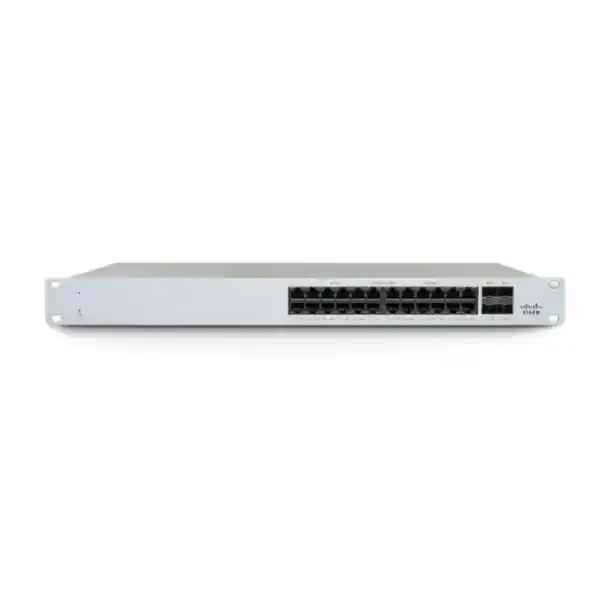
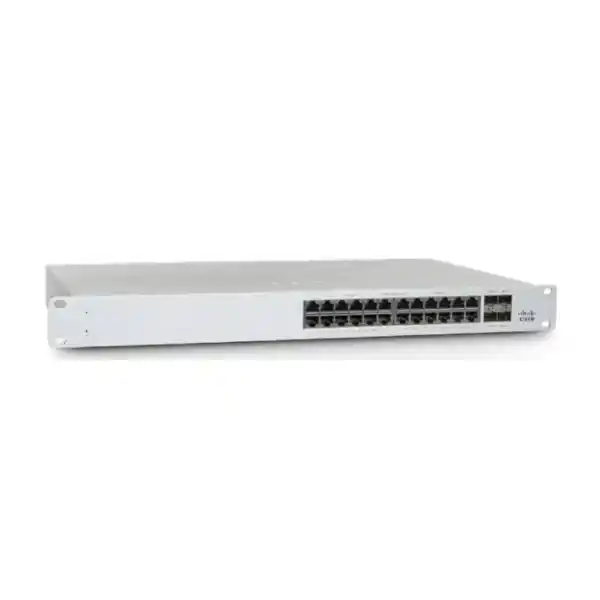
Cisco Meraki MS130-24P Cloud-Managed 24-Port PoE Switch
A practical 1U Layer 2 access switch for organizations that need 24 Gigabit copper ports, a substantial 370W PoE budget, four 1GbE SFP uplinks and Meraki Dashboard operations without moving into a higher-bandwidth multigigabit access model.
4 × 1GbE SFP
370W PoE budget
56Gbps switching capacity
Direct answer: what the MS130-24P is and when it fits
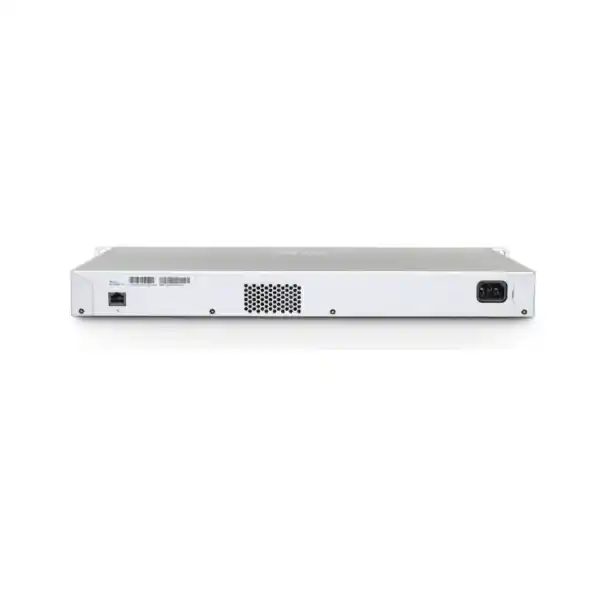
The Cisco Meraki MS130-24P is a fixed-configuration, cloud-managed Layer 2 access switch in the MS130 family. Its exact hardware profile is 24 Gigabit Ethernet RJ45 access ports, four 1GbE SFP uplink ports, one dedicated management interface, a fixed internal power supply and integrated 1U rack mounting. The powered access ports support up to 30W per port, while the switch provides a 370W total PoE budget. Cisco positions the MS130 family for branch and campus access switching, and this model is most relevant where conventional 1GbE edge connectivity remains appropriate.
It is mainly used to connect and power business endpoints such as Wi-Fi access points, IP phones, video surveillance cameras, access-control devices, building systems, printers, workstations and other Ethernet equipment while centralizing switch configuration and monitoring in the Meraki Dashboard. Organizations that already use Meraki networking, operate multiple sites, want simpler remote administration or prefer policy-driven access switching should consider it.
The most important point to confirm is not simply the number of ports. Buyers need to validate the combined PoE requirement, uplink bandwidth, license model and license tier, fibre or copper uplink media, cabinet environment, future wireless bandwidth and anticipated growth. The MS130-24P has four 1GbE SFP uplinks; it does not provide the 10GbE SFP+ uplinks or multigigabit access ports of the MS130-24X. That distinction can materially affect a deployment with Wi-Fi 6E/7, dense camera traffic or heavily aggregated access traffic.
FourTeck can help map the device count, PoE load, uplink design, Meraki organization licensing, optics, installation scope and migration requirements into an accurate UAE quotation rather than treating the switch as a standalone hardware purchase.
Why this exact model deserves a separate buying decision
The MS130-24P sits in a specific place within Cisco Meraki’s access-switch portfolio. It is not merely an MS130-24 with a different label, and it is not a lower-cost substitute for the MS130-24X in every environment. Its value comes from combining a conventional 24-port Gigabit access layer with a meaningful PoE reserve and cloud operations. That profile suits many offices, schools, clinics, retail locations, hospitality spaces and distributed branch sites where endpoint links are predominantly 1GbE and where operational simplicity matters more than multigigabit edge speed.
The 24 access ports give a network designer enough density for a typical wiring closet without jumping to a 48-port chassis. The 370W PoE budget is substantial enough to support a mixed endpoint population, but it must still be engineered. Twenty-four endpoints each drawing 15W would consume 360W, leaving little reserve. Twenty-four devices requesting 30W simultaneously would exceed the total switch budget by a wide margin even though each individual port can support up to 30W. The correct question is therefore the real and worst-case power profile of the connected devices, not simply whether a PoE logo appears on the datasheet.
The four 1GbE SFP uplinks also define the model’s natural ceiling. They offer useful fibre connectivity and topology flexibility for standard branch or campus distribution links, but they do not provide 10GbE SFP+ connectivity. A site with modest aggregated traffic can operate comfortably within that design. A site planning many high-throughput wireless access points, dense high-resolution cameras, large east-west file transfers or uplink consolidation may need to evaluate the MS130-24X or another Meraki model with faster uplinks.
This is why a technically sound purchase should evaluate the MS130-24P as a complete access-layer design choice. Port count, PoE, uplinks, licensing, cooling, cable plant and future client behavior all interact. The switch is attractive when those variables align; it is less attractive when the network is already approaching the limits of 1GbE access and 1GbE fibre aggregation.
Cisco Meraki MS130-24P verified hardware profile
| Specification | MS130-24P | Buyer significance |
|---|---|---|
| Access ports | 24 × 10/100/1000 Mbps RJ45 | Suited to conventional 1GbE endpoint access; no 2.5GbE access ports on this model. |
| Uplinks | 4 × 1GbE SFP | Good for standard fibre or supported 1G copper SFP connectivity; not a 10GbE SFP+ uplink platform. |
| PoE per port | Up to 30W | Check each endpoint’s negotiated power class and maximum requirement. |
| Total PoE budget | 370W | The aggregate power budget, not the number of ports alone, determines how many powered devices can be supported at full demand. |
| Switching capacity | 56Gbps | Appropriate to the port profile; evaluate the uplink architecture for aggregated traffic. |
| Power input | 100–240V AC, 8A–4A, 50–60Hz | Compatible with common UAE mains environments when installed with the correct regional power cord and electrical protection. |
| Power load | 32W idle / 406W maximum | Useful for UPS sizing, rack power planning and heat-load estimation. |
| Operating temperature | 0°C to 45°C | Closet cooling and airflow are important in UAE deployments, especially under sustained PoE load. |
| Humidity | 5% to 95% | Use in controlled indoor network spaces and follow environmental specifications. |
| Dimensions | 1.73 × 17.32 × 10 in (4.4 × 44 × 25 cm) | Standard 1U-width deployment with moderate depth; confirm cabinet clearance, cable bend radius and rear airflow. |
| Weight | 8.91 lb (4.04 kg) | Relevant to rack loading and installation handling. |
| Cooling | Fixed internal fan | Not fanless; consider acoustics if the rack is placed close to occupied work areas. |
| MTBF at 25°C | 768,152 hours | A reliability statistic, not a guarantee of individual service life; resilient network design still matters. |
PoE engineering: turn the 370W figure into a reliable endpoint plan
Power over Ethernet is one of the main reasons to choose the MS130-24P over the non-PoE MS130-24. It allows one Ethernet cable to carry both data and electrical power to compatible endpoints. That can simplify ceiling access-point installations, desk-phone deployments, cameras, badge readers, door controllers and other devices located away from convenient AC outlets. The benefit is operational as well as architectural: centralizing device power at the wiring closet makes it possible to protect many endpoints with one UPS strategy and to perform controlled power cycles remotely when appropriate.
The essential sizing figure is 370W for the switch as a whole. Cisco documents up to 30W on an individual powered port, but the total available budget must be shared. A mixed deployment rarely draws the same power on every port. An IP phone may consume far less than an access point with multiple radios, and a camera may change draw when infrared illumination, heaters or other functions engage. Procurement should therefore gather the maximum or negotiated power requirement for each endpoint class, multiply by the planned quantities and then add design margin for future devices and transient conditions.
Consider a branch with eight wireless access points, ten IP phones and six cameras. The port count totals 24, which looks like a perfect match, but port count alone does not prove power suitability. If the access points can request 25W each, the phones 8W each and the cameras 12W each, the theoretical combined requirement is 352W. That fits beneath 370W but leaves only 18W of headroom. A buyer expecting later upgrades or higher-power access points should view that as a constrained design even though the initial arithmetic passes. A second switch, a higher-power architecture or a different distribution of powered endpoints could provide healthier margin.
UPS sizing also deserves attention. Cisco lists a 406W maximum power load for the MS130-24P. The UPS is not sized only against the switch’s idle draw. A resilient design considers the switch plus active PoE load, any companion firewall, routers, fibre devices and the required battery runtime. UAE branches that need continued telephony, Wi-Fi or camera operation during brief utility interruptions should model the whole rack load rather than simply choosing a UPS by VA rating.
Another practical issue is heat. Electrical power delivered to endpoints is not the only source of heat in the cabinet; the switch itself consumes power and uses fixed internal fan cooling. A network closet that operates near the upper limit of the specified 0°C to 45°C range is a poor place to rely on optimistic thermal assumptions. In Dubai and other UAE locations, cabinet temperature can rise rapidly if a building cooling system is reduced after business hours, if the rack is in a service room with weak ventilation or if dust restricts airflow. Environmental planning should be treated as part of PoE planning.
A good quotation therefore records endpoint type, quantity, worst-case wattage, expected future additions, UPS runtime target and cabinet conditions. The result is a switch choice that remains stable when the network is fully populated rather than one that works only under average daytime load.
Uplink design: four SFP ports are useful, but they are 1GbE
The MS130-24P provides four 1GbE SFP uplink interfaces. Cisco lists the MA-SFP-1GB-SX, MA-SFP-1GB-LX10 and MA-SFP-1GB-TX among supported modules for SFP-based MS130 models. This gives designers choices for multimode fibre, longer-distance single-mode fibre and supported 1GbE copper transceiver scenarios. The optic must match the installed cable type, connector system, distance and device at the opposite end of the link.
The key limitation is speed. These are not SFP+ ports. A buyer who sees four fibre slots may assume 10GbE capability because 10GbE has become common on many newer access switches, but the MS130-24P specifically uses 1GbE SFP. Cisco reserves 10GbE SFP+ uplinks within this family for X variants such as the MS130-24X. That difference should drive model selection where the access switch will aggregate significant traffic.
For a conventional branch with office workstations, phones, printers, a moderate number of cameras and ordinary internet-bound traffic, one or more 1GbE uplinks may fit the application. For a high-density wireless environment, the picture changes. Modern access points can serve many clients and generate traffic that exceeds the practical capacity of a single gigabit path. Even where each AP connects at 1GbE, aggregating many busy APs through a 1GbE upstream design may create a bottleneck. The same issue can appear with camera networks if many video streams traverse the uplink continuously.
The presence of four uplink ports provides topology choices, but an engineering plan should not treat four physical interfaces as an automatic 4Gbps pipe. Link aggregation, redundancy design, spanning-tree behavior, upstream switch capabilities, fibre paths and configuration all affect what can be achieved. The desired result may be resiliency rather than raw aggregate throughput. Understanding that goal is more useful than counting optics.
Before ordering, document the current peak uplink utilization, the number and type of endpoints, expected growth, whether traffic remains local or crosses the distribution layer, required redundancy and the upstream switch interface type. If the network is expected to need 10GbE access uplinks soon, moving to an appropriate SFP+ model at procurement time can be more economical than replacing a newly purchased switch later.
Meraki Dashboard operations and remote administration
The MS130-24P is designed around Meraki’s cloud-managed operating model. Cisco identifies Dashboard management, remote packet capture, automatic firmware upgrades, SNMP and syslog integration as core MS130 features. This changes the day-to-day experience compared with a switch estate managed primarily through independent device command lines. Administrators can work from an organization-level interface, apply configuration at scale, monitor status, review events and use remote troubleshooting functions without being physically present at every site.
That operating model is especially relevant to businesses with distributed UAE branches. A small branch may not justify an on-site network engineer, yet it still needs consistent VLANs, access policies, firmware, alerts and troubleshooting. Central management allows a network team or managed service provider to maintain standardized configurations and investigate many issues remotely. The value is usually strongest when several Meraki devices are managed together because operational context becomes broader than one switch.
Cloud management does not eliminate the need for sound local networking. The switch must obtain appropriate IP connectivity and reach the Meraki cloud. Cisco’s documented onboarding flow includes claiming the device into a Dashboard organization, adding it to a network, physically connecting it, allowing it to check in and complete initial firmware activity, and then finishing VLAN and port configuration. If the switch cannot reach the required cloud services, local physical switching behavior and troubleshooting considerations need to be understood in the context of the deployed configuration.
Remote packet capture can be particularly useful when troubleshooting intermittent client behavior, DHCP issues, authentication failures or application flows. SNMP and syslog integration also matter for organizations that already operate centralized monitoring or security-event platforms. They make it possible to include Meraki switching within a broader operational model rather than leaving Dashboard as an isolated console.
Automatic firmware management reduces the manual burden of downloading images and touching each switch, but maintenance governance still matters. Enterprises should define maintenance windows, change-management expectations, alerting, rollback procedures where supported, and ownership of post-change validation. A cloud-managed switch is operationally simple only when the organization’s processes are equally clear.
For buyers comparing the MS130-24P with a traditional locally managed switch, the practical question is not whether one interface style is universally better. It is whether centralized policy, remote visibility, cloud-based troubleshooting and Meraki’s licensing model fit the organization’s staffing, governance and lifecycle preferences.
Layer 2 access controls, segmentation and edge security
Cisco describes the MS130 line as Layer 2 access switching and lists IPv4/IPv6 ACL support, 802.1Q VLAN tagging, DHCP snooping and 802.1X authentication among its features. These capabilities matter because an access switch is where users and devices physically enter the network. A well-designed access layer should do more than provide link lights; it should map endpoints to appropriate network segments and enforce the organization’s access model.
VLAN design is the foundation. Corporate users, voice endpoints, cameras, guest devices, building systems, payment terminals and management interfaces often have different trust levels and traffic requirements. Separating them into appropriate VLANs reduces unnecessary broadcast domains and creates policy boundaries that firewalls or routing layers can enforce. The MS130-24P can participate in that design through per-port configuration and 802.1Q tagging.
802.1X authentication can strengthen network access by requiring supported users or devices to authenticate before receiving normal network access. Its success depends on the broader identity architecture, including supplicant support, RADIUS services, certificates or credentials, fallback methods for non-802.1X devices and operational procedures for onboarding. A switch purchase should not assume 802.1X instantly creates a zero-trust architecture. It provides an enforcement point that must be integrated with identity and policy systems.
DHCP snooping helps protect the local network from unauthorized DHCP behavior by distinguishing trusted and untrusted DHCP paths according to configuration. That can reduce the risk of accidental or malicious rogue DHCP services redirecting clients. As with any security feature, deployment requires understanding legitimate DHCP topology, relay behavior and uplink roles so controls do not disrupt valid services.
Access control lists can add another layer of traffic restriction where the feature set and design call for it. In practice, network security is strongest when switch controls, firewall policy, endpoint identity, wireless access controls, logging and monitoring are designed together. The MS130-24P belongs at the access layer; it should not be purchased under the assumption that a Layer 2 switch replaces a security appliance or a full Layer 3 segmentation strategy.
For procurement, the meaningful requirement is a port-by-port policy map: which endpoints connect where, which VLAN they use, whether authentication is required, which ports are trunks, how voice VLANs are handled, which uplinks are trusted and how exceptions are governed. That map determines whether the switch’s capabilities are being used purposefully rather than left at defaults.
Licensing is part of the product, not an optional afterthought
Meraki switching requires appropriate licensing, and the MS130 family has specific licensing rules. Cisco documents Enterprise and Advanced tiers for the MS130. For the 24-port models, traditional co-term license families include LIC-MS130-24-xY for Enterprise and LIC-MS130-24A-xY for Advanced, with the term represented in the SKU. Enterprise terms are available in 1, 3, 5, 7 and 10 years. Advanced is available in 1, 3 and 5 years for this family; Cisco states that 7- and 10-year Advanced terms are not available for the MS130.
The tier decision needs to consider the existing Meraki organization. Cisco states that in co-termination organizations, MS130 switches cannot mix Enterprise and Advanced tiers within the relevant organization rules, and compatibility with other switch families that support both tiers must also be considered. A buyer adding one MS130-24P to an established Meraki estate should therefore inspect the current licensing position before a purchase order is issued. Selecting the hardware first and discovering a tier mismatch later creates avoidable procurement friction.
Cisco indicates that the MS130 Advanced license adds Adaptive Policy as the additional feature over Enterprise for this model family. That makes the business requirement important. An organization that does not intend to use the relevant advanced policy capability should evaluate whether the Enterprise tier is the appropriate commercial fit, while an organization standardizing on Advanced across compatible infrastructure needs to preserve that consistency.
Cisco also offers subscription licensing for the MS130. The MS130-24, MS130-24P and MS130-24X map to the MS100 Medium class in Cisco’s subscription licensing structure, with Essentials and Advantage editions. Subscription licensing is hardware-class oriented rather than simply replicating every classic model-specific license. Procurement teams should identify which licensing model the customer is using before quoting, because ordering identifiers, feature terminology and lifecycle handling differ between classic co-term and subscription approaches.
Licensing should be treated as an operational lifecycle commitment. The selected term affects renewal timing and budget planning. The organization should record the Dashboard organization, license model, existing tier, renewal owner and preferred term. For multi-site rollouts, aligning renewal strategy can be just as important as aligning switch hardware because fragmented expiry dates add administrative overhead.
A quotation request should therefore state whether the buyer is creating a new Meraki organization or adding to an existing one, which licensing model is in use, whether Enterprise/Advanced or Essentials/Advantage terminology applies, the desired term and whether Adaptive Policy is part of the requirement. This avoids the common mistake of comparing hardware-only prices that do not represent the actual deployable solution.
MS130-24, MS130-24P or MS130-24X? Choose by architecture
MS130-24
Choose the non-PoE model when 24 × 1GbE copper ports and four 1GbE SFP uplinks fit the design but powered endpoints are unnecessary or are powered separately. It avoids paying for PoE capability that the site will not use. It is also fanless according to Cisco’s current MS130 technical breakdown, unlike the MS130-24P.
MS130-24P
Best aligned to conventional 1GbE access environments that need PoE. It keeps the same 24 × 1GbE copper and four 1GbE SFP profile as the non-PoE model but adds a 370W switch PoE budget and fixed internal fan cooling. It is the balanced choice when powered endpoints matter but 2.5GbE access and 10GbE uplinks are not required.
MS130-24X
Evaluate this model when higher-speed access and uplinks are important. Cisco specifies 18 × 1GbE RJ45 plus 6 × 2.5GbE multigigabit RJ45, four 10GbE SFP+ uplinks and the same 370W PoE budget. It can be a stronger fit for newer wireless deployments or access closets expected to aggregate more traffic.
The comparison should not stop at purchase price. A site with no PoE devices may save cost and power by selecting the MS130-24. A site with powered endpoints but conventional bandwidth can use the MS130-24P effectively. A site expecting multigigabit wireless or 10GbE distribution connectivity should seriously evaluate the MS130-24X or a higher family. Paying slightly more for the right uplink architecture can be cheaper than replacing an access layer before the normal lifecycle ends.
Deployment planning from rack to Dashboard
A successful MS130-24P deployment can be organized as a sequence of design and implementation checks. The first is inventory. Record every endpoint that will connect, whether it needs PoE, its expected speed, VLAN, authentication method and business criticality. This establishes the port plan and exposes whether 24 physical access ports leave enough reserve. Using all 24 ports on day one may be technically possible but operationally inflexible, especially if the branch is still expanding.
The second check is cabling. The switch has 1GbE RJ45 access ports, so the installed structured cabling should be verified for Gigabit Ethernet operation and PoE suitability. Old, damaged or poorly terminated cabling can create intermittent negotiation, packet loss or power issues that are mistakenly blamed on the switch. Cable test results, patch-panel labeling and port documentation reduce troubleshooting time later.
The third check is the rack environment. Cisco specifies integrated 1U rack mounting and dimensions of approximately 4.4 × 44 × 25 cm. Rack depth should leave room for front patching, rear power and airflow. The switch uses fixed internal fans, so airflow paths must remain unobstructed. Patching should avoid tightly bending fibre leads or blocking vents. If the rack is in an office rather than a dedicated closet, fan noise should be considered before placement.
The fourth check is power and backup. The correct regional power cord must be ordered because Cisco notes that region-specific power cords are not generally included with these models. In the UAE, the appropriate cord and plug arrangement should be confirmed in the quotation. UPS capacity should reflect the switch plus powered endpoints and the desired runtime. Network services such as IP telephony or access control may remain critical even during a short outage, which makes runtime planning a business continuity decision.
The fifth check is uplink media. Decide whether the upstream connection uses multimode fibre, single-mode fibre or copper, measure the distance and verify the corresponding interface on the upstream device. Cisco lists specific 1GbE SFP accessories for the MS130-24P. Optic selection should be matched end to end rather than ordered by connector appearance alone.
The sixth check is Meraki organization readiness. The switch needs to be claimed into the correct Dashboard organization and added to the appropriate network. Licensing must align with the organization. Configuration templates, VLAN definitions, management addressing, authentication services, logging destinations and alert recipients should be prepared before the physical change window when possible.
The seventh check is migration sequencing. When replacing an existing switch, record the current port mappings and configurations before disconnecting cables. Identify special ports such as firewall trunks, access-point trunks, voice VLAN ports, printers with static addressing, camera uplinks or building controllers. Moving cables without a validated mapping is one of the fastest ways to create avoidable downtime.
The eighth check is post-installation validation. Confirm cloud connectivity, firmware state, uplink status, VLAN reachability, client addressing, DNS, authentication, PoE delivery, voice registration, wireless AP status and camera streams. Compare port errors and negotiated speeds against expectations. A switch that appears healthy in Dashboard can still have an application-level issue elsewhere in the path, so validation should include user-facing services.
For larger rollouts, document these checks as a repeatable deployment template. Standardization is one of the strengths of cloud-managed networking, but it only produces consistent outcomes when the physical and logical installation process is equally standardized.
Practical UAE use cases
Branch office access layer
A branch with desk phones, employee computers, printers, a few cameras and several wireless access points can use the MS130-24P to consolidate endpoint connectivity in one rack. The model is especially logical where WAN capacity and client traffic remain comfortably within a conventional Gigabit access architecture. Central Meraki administration can reduce the need for local technical staff.
Retail and distributed sites
Retail branches often combine point-of-sale systems, cameras, Wi-Fi, telephony and back-office devices. The 24-port format can be a good physical fit if the PoE and uplink calculations also pass. Dashboard visibility is valuable for a central IT team supporting many locations, but payment and security systems should still be segmented according to the broader security architecture.
Clinic or professional office
Professional environments may require reliable wired access, secure wireless coverage, IP telephony and camera connectivity without complex local operations. The MS130-24P can support that access role while keeping management centralized. The network designer should maintain separation between staff, guest, voice, IoT and other device categories where appropriate.
Education or training facility
A classroom wing or training center may need powered access points and cameras plus conventional wired endpoints. The main sizing risk is future wireless demand. If newer access points require multigigabit connections or if many busy APs share the uplink, the MS130-24X or another model with 10GbE uplinks may be a more durable choice.
Camera and physical-security edge
PoE makes the model useful for IP cameras and related devices, but a camera-heavy design should calculate sustained video throughput, retention architecture and total power. A switch serving many high-bitrate cameras can meet its port count while still putting pressure on 1GbE uplinks. Traffic-path analysis is therefore essential.
Meraki-standardized multi-site network
Organizations already using Meraki MX security appliances or MR wireless often value a common operational model. The MS130-24P can extend that model to the access switch layer. The commercial benefit depends on correctly aligning licensing and lifecycle planning across the Meraki organization rather than purchasing isolated devices with inconsistent terms.
Dubai and UAE environmental considerations
The UAE does not change the switch’s electrical or thermal specifications, but local installation conditions make those specifications important. Cisco publishes an operating range of 0°C to 45°C for the MS130-24P. A properly air-conditioned data room is normally well within this range. The risk is the small communications closet, back room, warehouse cabinet or service corridor where ambient temperature rises after business hours or where airflow is obstructed.
PoE load increases the importance of cooling because the switch may be delivering hundreds of watts to connected equipment while also dissipating its own internal heat. Rack doors, cable bundles, dust filters and adjacent heat-producing devices can reduce effective airflow. A clean, ventilated rack with monitored temperature is a better investment than operating close to the upper limit and treating cooling as someone else’s responsibility.
Power quality and backup should also be planned. The switch accepts 100–240V AC at 50–60Hz, but stable operation of the wider network still depends on proper electrical installation, surge protection, grounding and UPS architecture. A PoE switch can become a single power source for many critical endpoints, so a power interruption may simultaneously affect phones, Wi-Fi and cameras. The business impact can be much larger than the failure of one desktop device.
Physical security matters where network racks are located in shared or publicly accessible areas. Unauthorized access to patching can bypass or undermine logical controls. Cabinets should be secured, labelled, documented and kept away from water sources and excessive dust. Fibre patch leads require appropriate routing and bend radius, while copper patching should avoid excessive strain on ports.
For organizations planning installations across Dubai, Abu Dhabi, Sharjah or other emirates, a consistent rack, power, labelling and environmental standard can simplify support. Hardware standardization is valuable, but standardizing the installation conditions around the hardware often produces even greater operational consistency.
Accessories and ordering details that can delay a deployment
The MS130-24P hardware does not automatically solve every physical requirement. Cisco’s documentation notes that region-specific power cords are generally ordered separately for these full-size MS130 models. For UAE deployments, the quotation should include the appropriate regional cord rather than assuming one will be present in the carton. Rack-mount screws are included for the 24- and 48-port full-size models according to Cisco’s current MS130 documentation.
SFP transceivers are another common omission. The four uplink slots are only useful when paired with appropriate supported modules and a matching remote endpoint. Cisco lists MA-SFP-1GB-SX, MA-SFP-1GB-LX10 and MA-SFP-1GB-TX for SFP models including the MS130-24P. The correct selection depends on fibre type, distance, patching, connector standard and the transceiver at the far side. Optical budget and cabling quality matter on longer links.
Licensing must appear on the bill of materials where required. Hardware-only comparison is misleading if one quotation includes the correct Meraki license and another does not. The requested license model, tier and term should be explicit, with any renewal or subscription assumptions documented. Existing Meraki customers should provide organization licensing details so the new switch is ordered in a compatible way.
UPS capacity, rack accessories, patch cords, fibre jumpers, cable-management hardware and environmental monitoring may also belong in the project scope. These are not glamorous items, but missing one can turn an otherwise complete switch delivery into a delayed installation. Where a project includes migration, installation services, after-hours change windows or post-cutover support, those services should be quoted separately and clearly.
A procurement-ready bill of materials should therefore contain the switch, correct licensing, required optics, power cord, any patching or rack accessories, UPS requirements and service scope. For larger deployments, spare optics or a defined replacement strategy may also be sensible depending on the organization’s support model.
Migration from an existing access switch
Replacing a switch is easy mechanically and potentially disruptive logically. The existing device may contain years of accumulated port settings, undocumented trunks, voice VLAN exceptions, static MAC behavior, authentication overrides or special spanning-tree decisions. A disciplined migration begins by exporting or documenting the current configuration and then separating intentional design from historical residue.
Create a port map that associates each existing port with a physical endpoint, VLAN, PoE requirement, speed/duplex expectation and special policy. Flag uplinks, firewalls, wireless APs, hypervisors, cameras, access-control panels and any equipment that serves multiple VLANs. This map becomes the cutover runbook and the validation checklist after migration.
When moving to Meraki Dashboard management for the first time, define naming standards and network organization structure before the change. A clear switch name, location, tags and port descriptions make future remote operations far easier. If the environment already uses Meraki, confirm whether a template or existing network configuration should be cloned or adapted. Configuration reuse can reduce effort, but inherited settings still need to match the new site.
The uplink migration deserves a separate check because the MS130-24P uses 1GbE SFP. An old switch may have copper uplinks, proprietary stacking cables or 10GbE optics that cannot simply be moved across. Verify the upstream interface and transceiver compatibility in advance. Where the design uses redundant uplinks, document spanning-tree and aggregation behavior so the new switch does not introduce a loop or unexpected blocking state.
Cutover validation should include more than ping tests. Verify DHCP, DNS, authentication, internet access, internal applications, voice registration, wireless connectivity, camera streams, printing, monitoring, syslog and any building systems. Check for unexpected PoE denial, port errors or clients negotiating below 1GbE where higher speed is expected. Review the Dashboard event log after the change for unusual STP or port-status events.
A rollback plan is equally important. Keep the previous switch configuration, cable map and old hardware available until the critical services are validated. The goal of a migration is not just to make the new switch come online; it is to preserve business service with a controlled path back if an unexpected dependency appears.
Operational monitoring after installation
Once the MS130-24P is in production, the organization should establish a small set of operational baselines. Record normal uplink utilization, active client count, PoE usage, common port-error levels and typical environmental conditions. Baselines make troubleshooting faster because an engineer can distinguish a genuine change from a normal pattern.
PoE headroom should be reviewed whenever new cameras, phones or access points are added. A switch that started with comfortable reserve can slowly approach its 370W budget as the site evolves. Port occupancy can follow the same pattern. Keeping several unused ports may be desirable for temporary devices, fault isolation or growth. When occupancy and power both become tight, adding another access switch may be better than running the existing one at its practical limits.
Uplink utilization deserves special attention because 1GbE SFP is a defining characteristic of the model. A branch may work well at launch and later add high-bandwidth wireless, video or cloud applications. If uplink peaks become sustained, the appropriate response may be architectural rather than cosmetic. Link design, endpoint distribution or switch model may need to change.
Event and log review should be integrated into the organization’s support process. Cisco lists syslog and SNMP integration, which can help incorporate the switch into centralized monitoring. Dashboard alerts should have clear recipients and escalation paths. An alert that no one owns is not an operational control.
Firmware maintenance should follow organizational change practice. Cloud-managed updates reduce manual image handling but should still be associated with maintenance windows, validation and communication for critical sites. Network teams should understand which applications are sensitive to short interruptions and schedule accordingly.
The strongest long-term operating model combines Dashboard visibility with disciplined asset records: serial number, site, rack position, license information, uplink circuit, optic type, support owner, UPS association and cable documentation. Those records reduce time to resolution during faults and simplify future lifecycle replacement.
When the MS130-24P may not be the right choice
A balanced product page should be clear about limitations. The MS130-24P is not a multigigabit access switch. All 24 RJ45 access ports are 10/100/1000 Mbps. If the project includes access points or other endpoints that need 2.5GbE, this model can constrain them to 1GbE. The MS130-24X adds six 2.5GbE ports and may be the more appropriate family member for that requirement.
It also does not provide 10GbE SFP+ uplinks. Its four fibre uplinks are 1GbE SFP. That can be sufficient for many branches, but not for every campus or high-density access closet. If the expected aggregate traffic is high, buying a switch with 10GbE uplinks from the outset can protect the design from an early refresh.
The switch uses a fixed internal power supply and fixed internal fan. Buyers seeking redundant field-replaceable power supplies, hot-swappable fans, physical stacking or higher-resilience enterprise access features should evaluate other Meraki families. The exact alternative depends on required port speed, Layer 3 functions, stacking, power architecture and uplink capacity.
It is a Layer 2 access switch rather than a full-featured Layer 3 distribution platform. If the project expects advanced routing at the access layer, large routed interfaces or distribution/core duties, the architecture should be reconsidered rather than forcing the MS130-24P into a role it was not selected to perform.
Licensing is also a fit consideration. Organizations that do not want a cloud-managed subscription or licensing lifecycle may prefer a different platform. Conversely, organizations that already standardize on Meraki may see the same licensing requirement as an operational advantage because it supports a consistent cloud management model.
Finally, the 24-port density may be too small or too large. A lightly equipped micro-branch could be better served by a compact MS130 model, while a crowded closet may justify a 48-port version. The best model is the one that meets actual capacity and lifecycle requirements with sensible reserve.
Buyer questions about the Cisco Meraki MS130-24P
Does the MS130-24P have 24 PoE-capable access ports?
Cisco identifies the model as the PoE member of the 24-port MS130 group and documents up to 30W per port with a 370W total switch PoE budget. The aggregate budget is the limiting factor when many endpoints draw substantial power simultaneously, so a port-by-port power calculation is required.
Are the uplinks 10GbE?
No. The MS130-24P has four 1GbE SFP uplinks. The MS130-24X is the 24-port-family variant with four 10GbE SFP+ uplinks, along with six 2.5GbE access ports. This distinction is important for higher-bandwidth wireless and aggregation designs.
Is a Meraki license required?
Yes, the Meraki operating model requires appropriate licensing. Cisco documents Enterprise and Advanced licensing for the MS130 under classic models and Essentials/Advantage options under subscription licensing. The correct SKU and term depend on the customer’s licensing model and existing Meraki organization.
What does Advanced add for MS130?
Cisco’s current MS130 documentation states that the Advanced tier adds Adaptive Policy for this family. Buyers should confirm whether that capability is part of the network design and whether the existing Meraki organization already uses a particular license tier before selecting the new license.
Can Enterprise and Advanced MS130 licenses be mixed?
Cisco states that co-termination organizations cannot mix MS130 Enterprise and Advanced tiers, and tier consistency can also affect other supported switch models in the organization. Per-device licensing has different allowances, while subscription licensing uses different edition terminology. Always inspect the current organization before quoting.
Is the switch fanless?
No. Cisco lists fixed internal fan operation for the MS130-24P. The non-PoE MS130-24 is fanless. For an occupied office or quiet room, confirm the proposed rack location and acoustics rather than assuming the PoE model is silent.
Does the box include a UAE power cord?
Cisco states that region-specific power cords are not generally included with the full-size MS130 models and should be ordered appropriately. A UAE quotation should therefore explicitly include or confirm the correct power-cord requirement to avoid installation delays.
Which SFP modules are supported?
Cisco lists MA-SFP-1GB-SX, MA-SFP-1GB-LX10 and MA-SFP-1GB-TX for the SFP-based MS130 models including the MS130-24P. The right choice depends on the physical media, distance and upstream device. Confirm both ends of the link before ordering optics.
Can it power 24 devices at 30W each?
No. Twenty-four devices at 30W would require 720W, while the switch’s documented PoE budget is 370W. Individual ports can supply up to 30W, but the combined demand across all powered ports must remain within the total budget.
Is it appropriate for Wi-Fi 7 access points?
It may connect an access point that can operate over 1GbE and within the available power, but the model does not provide multigigabit access ports. For high-throughput Wi-Fi 7 designs, an MS130-24X, MS150 or another model with faster access links and uplinks may be more appropriate. The specific AP requirements should drive the decision.
What should be checked for a camera deployment?
Calculate camera power, sustained bitrate, recording destination, VLAN policy and uplink utilization. A 24-camera design can fit the port count but still strain the PoE budget or 1GbE uplinks depending on camera type and traffic path. The correct design uses measured or vendor-specified worst-case values.
Can FourTeck supply and install the switch in Dubai?
FourTeck can scope supply, licensing, optics, rack installation, migration and related network services for Dubai and UAE requirements. A useful request includes quantity, current network, license model, endpoint count, PoE demand, uplink medium, site location and desired installation scope.
FourTeck resources for the wider project
A switch purchase often sits inside a larger infrastructure project. Buyers planning UAE network refreshes can review Firewall Dubai by FourTeck when access switching must integrate with firewall, segmentation or secure branch architecture. This is particularly relevant where new VLANs, guest networks, voice networks or camera segments require corresponding firewall policy.
For installation, maintenance and broader infrastructure work, FourTeck IT Services UAE provides a useful route for discussing implementation scope beyond the hardware line item. Projects may include rack preparation, patching, migration planning, site surveys, testing, documentation and ongoing support.
Organizations coordinating technology across regions can also review FourTeck for broader company and solution context. These supporting resources do not replace the product sizing process; they help connect the switch decision to the security, service and lifecycle responsibilities around it.
Decision recap before purchase
What FourTeck needs for an accurate MS130-24P quotation
✓ Number and type of PoE endpoints
✓ Total and per-device PoE requirements
✓ Existing Meraki license model and tier
✓ Preferred license term
✓ Uplink medium, distance and upstream port type
✓ Rack, UPS and environmental requirements
✓ Installation, migration and after-hours support scope
Build the MS130-24P around the network you actually have
The Cisco Meraki MS130-24P is a strong fit when 24 Gigabit access ports, 370W of PoE, 1GbE SFP uplinks and Meraki cloud operations align with the site. The right quotation should also account for licensing, optics, power, cooling, migration and growth so the switch remains useful throughout its intended lifecycle.

Reviews
There are no reviews yet.