
Cloud-managed access switching for UAE branch and campus networks
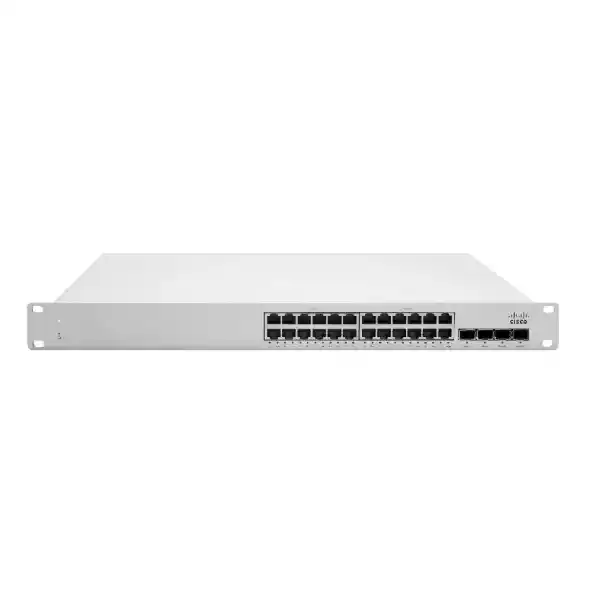
Cisco Meraki MS150-24P-4X
A 24-port Gigabit PoE+ access switch with four 10GbE SFP+ uplinks, a 370W PoE budget, physical stacking and Meraki Dashboard management for organizations that want simple operations without giving up the practical capabilities expected at the wired access layer.
Direct answer: what the MS150-24P-4X is and when it makes sense
The Cisco Meraki MS150-24P-4X is a cloud-managed, stackable Layer 2 access switch with static routing capability. This exact model provides 24 10/100/1000 Mbps copper access ports, PoE support with up to 30W per port, four 10GbE SFP+ uplinks, one dedicated management interface, and two dedicated physical stacking ports.
It is primarily an access-layer switch for offices, branches, schools, hospitality sites, clinics, retail facilities and campus blocks where wired users, IP phones, cameras, wireless access points and other Ethernet devices need Gigabit connectivity and centralized Meraki management.
Organizations that standardize on the Meraki Dashboard, need around 24 powered access ports, want 10GbE fiber or DAC uplinks, and value physical stacking should shortlist this model. It is particularly relevant where operational consistency across multiple sites matters as much as raw port count.
Confirm the real PoE requirement and licensing model before ordering. A 370W total budget can be excellent for normal PoE and PoE+ endpoint mixes, but it is not the same as having 30W simultaneously available on all 24 ports, and the chosen Meraki licensing tier must fit the existing organization.
FourTeck can help translate the endpoint list, port plan, uplink design, optics, stack topology, license term, rack environment and migration requirements into a practical bill of materials so that the quotation reflects the actual deployment rather than only the switch chassis.
Where the Cisco Meraki MS150-24P-4X fits in a modern access network
The MS150 family is positioned as stackable access switching for branch and campus deployments. That positioning matters because it explains what the MS150-24P-4X is designed to do well. It is not intended to be an all-purpose core switch, a high-density multigigabit aggregation platform, or a replacement for every routed campus role. Instead, it combines the everyday requirements of the access layer—copper user/device connectivity, Power over Ethernet, VLAN control, authentication, monitoring and resilient uplinks—with the operational model of the Meraki cloud.
For a buyer, the most useful way to think about this model is to separate access-port needs from uplink and power needs. On the access side, the switch offers 24 Gigabit Ethernet RJ45 interfaces. That is an appropriate fit for many desktops, printers, standard IP phones, cameras, room systems, building devices and access points whose wired Ethernet requirement is 1Gbps. On the uplink side, the four SFP+ slots provide 10GbE capability, which can remove an obvious bottleneck that would exist if a 24-port access switch were limited to 1Gbps uplinks. The dedicated stack interfaces further separate stacking traffic from normal front-panel uplinks, preserving the SFP+ ports for connectivity to distribution switches, servers, appliances or other network links.
The PoE design is equally important. The MS150-24P-4X is the powered 24-port, 10GbE-uplink variant in its part of the family. Cisco specifies up to 30W per access port and a 370W switch PoE budget. That makes it suitable for a substantial population of PoE devices, but sizing should be based on endpoint consumption rather than port count alone. A phone using a few watts and an access point drawing considerably more power both occupy one switch port, yet they affect the power budget differently. If the deployment includes high-power devices or a large number of endpoints that may approach their maximum classified draw simultaneously, the power calculation should be completed before the hardware choice is finalized.
The result is a switch that is attractive for organizations wanting a manageable, stackable 24-port access layer with stronger uplinks than entry-level Gigabit SFP models. It becomes especially compelling when the network already uses Meraki wireless, security or switching, because the same cloud management approach can reduce operational fragmentation. However, if the endpoint roadmap calls for widespread 2.5GbE or 5GbE access, or 60W power on selected ports, the MS150-24MP-4X should be evaluated instead of assuming the 24P-4X will remain sufficient for the full lifecycle.
Verified MS150-24P-4X specifications
| Specification | Cisco Meraki MS150-24P-4X | Buyer relevance |
|---|---|---|
| Access ports | 24 × 10/100/1000 Mbps RJ45 | Fits conventional Gigabit wired endpoints; no native multigigabit access on this model. |
| Uplinks | 4 × 10GbE SFP+ | Allows higher-speed links to distribution, aggregation or adjacent infrastructure using compatible optics or DAC cables. |
| PoE capability | Up to 30W per port; 370W switch budget | Suitable for many phones, cameras and access points, provided aggregate consumption is sized correctly. |
| Stacking | 2 dedicated stack ports; 80Gbps stacking bandwidth | Useful for building a physically stacked access block without consuming the normal SFP+ uplinks. |
| Switching capacity | 128Gbps | Provides the switching fabric capacity specified by Cisco for this 24-port SFP+ model. |
| Layer 3 | Static routing | Can support selected routed access needs, but requirements for dynamic routing or broader core functions should be checked against another platform. |
| Management | Meraki Dashboard; dedicated management interface | Centralizes configuration, visibility, troubleshooting and firmware workflows. |
| Power input | 100–240VAC | Suitable for standard enterprise AC environments; correct regional power cord should be ordered for UAE use. |
| Power load | 22.9W idle / 422.2W maximum | Useful when calculating rack PDU and UPS capacity, particularly in PoE-heavy deployments. |
| Operating temperature | 0°C to 45°C | Rack-room cooling and enclosure conditions must keep the switch within the specified range. |
| Humidity | 5% to 95% | Important for comms rooms and remote sites where environmental control may vary. |
| Mounting | Integrated 1U rack mount | Consumes one rack unit; rack depth, cable bend radius and power access still need to be planned. |
| Dimensions | 1.72 × 19 × 9.84 in (4.4 × 48.2 × 25 cm) | Relatively shallow chassis depth can simplify placement in some branch and access-layer cabinets. |
| Weight | 7.94 lb (3.6 kg) | Relevant for cabinet loading, shipping and installation handling. |
The specification list should be read as a starting point for design, not a substitute for a port-by-port deployment plan. A technically compatible switch can still be the wrong purchase if PoE demand, fiber type, license alignment, rack environment or future access-speed requirements are not considered.
PoE planning: why the 370W budget deserves a real calculation
Power over Ethernet is one of the strongest reasons to choose the MS150-24P-4X, but it is also the area where a superficial specification check can create the most avoidable deployment problems. Cisco identifies this model as supporting up to 30W per access port and a 370W switch-wide PoE budget. Those two figures describe different limits. The per-port figure tells you the maximum class of load the port can serve within the model’s supported design; the total budget tells you how much power can be supplied across the switch at the same time. Twenty-four ports multiplied by 30W would exceed the total switch budget, so a network with many high-draw endpoints needs an aggregate power plan rather than a simple port-count match.
A practical PoE worksheet should list each powered device type, quantity, expected operating draw, worst-case or classified power where relevant, and whether devices are likely to reach peak draw simultaneously. Standard desk phones often consume far less than the maximum available power, while access points, PTZ cameras, room systems and specialized IoT devices may create much heavier loads. The safest design does not merely prove that today’s average consumption is below 370W; it leaves sensible headroom for device variation, firmware changes, replacements and small future additions. Where the project is close to the budget ceiling, it may be better to split endpoints across more switches or select a model with a higher total budget rather than rely on a permanently tight power envelope.
Meraki Dashboard can help operations teams monitor PoE consumption after deployment. Cisco documents per-switch and per-port visibility for power use, and PoE can be enabled or disabled on ports from Dashboard. That is useful for troubleshooting, remote remediation and understanding whether a site is consuming the amount of power predicted during design. Cisco also documents that PoE budgeting is influenced by device classification. If consumption ultimately exceeds what the switch can supply, power shedding behavior can affect higher-numbered ports. That operational detail is a strong reason to plan port assignment deliberately for critical endpoints rather than treating all port numbers as interchangeable.
The model also supports Meraki features such as Perpetual PoE and Fast PoE. In operational terms, these capabilities are intended to reduce the disruption that powered devices can experience around switch reboots or power restoration scenarios. Their practical value is greatest for endpoints such as phones, cameras and access points where unnecessary power cycling increases recovery time or service impact. Even so, availability design should still consider UPS runtime, upstream dependencies and whether critical services rely on a single physical switch. PoE continuity is one piece of resilience, not a replacement for resilient topology and power architecture.
Good fit
A mixed endpoint population in which total realistic PoE draw stays comfortably within 370W and individual devices do not require more than the model’s supported per-port level.
Needs closer sizing
Dense access-point, camera or collaboration deployments where many devices can draw substantial power at the same time, leaving little spare budget.
Consider another model
Endpoints that require 60W power or a roadmap dominated by higher-power, multigigabit wireless devices may justify evaluating the MS150-24MP-4X.
Four 10GbE SFP+ uplinks: where they add value
The four SFP+ interfaces are one of the most important differentiators between the MS150-24P-4X and the 24P-4G variant. The 4G model provides Gigabit SFP uplinks, while the 4X model provides 10GbE SFP+ interfaces. For a 24-port access switch, that additional uplink headroom can materially change the design. It allows the aggregate traffic from many Gigabit endpoints to reach the distribution layer without forcing all traffic through a single 1Gbps link, and it gives the designer more flexibility for redundant uplinks, link aggregation or separate connectivity roles.
The correct transceiver depends on the medium, distance and far-end interface. Cisco lists a range of compatible Meraki SFP and SFP+ options for this family, including 1GbE SX and LX10 modules, a 1GbE copper module, and 10GbE SR, LR, ER and ZR optics, plus supported direct-attach cables in selected lengths. The presence of an SFP+ slot does not mean every third-party optic or every fiber path should be assumed compatible. The bill of materials should identify the fiber type, connector path, approximate distance, patching method and remote device before the optic is selected. A link between cabinets in the same room may call for a different solution from a campus-building link or a service-provider handoff.
Four uplink ports also create design choices. Two could be used as a redundant pair toward a distribution stack, leaving others for localized high-speed connections, or multiple ports could participate in an aggregate where the topology and far-end device support it. The exact architecture should be driven by failure domains and traffic paths rather than by the desire to use every available interface. A single 10GbE uplink may be adequate for a modest branch today, while a campus access block may benefit from dual diverse uplinks. When several MS150 switches are physically stacked, the dedicated stack ports carry stack connectivity, so the front SFP+ ports remain available for network uplinks instead of being consumed by the stack itself.
For procurement, the important point is that optics and DAC cables are separate design items. The switch can be correct while the order is incomplete if the required transceivers, fiber patch leads or compatible far-end modules are omitted. A quotation request should therefore describe the intended uplink topology rather than asking only for “one MS150-24P-4X.”
Physical stacking and scalability
Cisco specifies two dedicated stack ports and 80Gbps stacking bandwidth for the MS150-24P-4X, and the MS150 platform can be deployed in physical stacks. This matters in access-layer design because a stack can simplify management and create a more coherent switching block when a cabinet requires more than one switch. Instead of treating each chassis as an isolated device, the network team can design the access layer around a stack topology, while still retaining the individual switches as physical units.
Stacking should be planned before installation because cable length and physical rack placement matter. Cisco lists supported MS150 stacking cables including 50cm, 1m and 3m options. A short cable may be ideal for adjacent switches in the same rack; a longer cable can be required where equipment is separated by rack layout or cable-management constraints. Selecting cable length after the cabinet is already dressed can lead to awkward routing or unnecessary rework. The preferred arrangement should also consider how switches are distributed across rack units, where uplink fiber enters, and whether power feeds are arranged for resilience.
A stack does not automatically make every failure invisible. Buyers should distinguish management convenience and stack interconnection from end-to-end availability. Critical users or devices may still rely on one access switch port, one local power supply, one patch lead or one upstream path. Redundant uplinks, spanning-tree design, link aggregation, dual-homed downstream devices where supported, diverse power feeds and UPS design remain separate decisions. The MS150 supports common access-layer resilience mechanisms such as STP/RSTP and LACP within the broader Meraki switching feature set, but the topology has to be intentionally engineered.
For sites that expect to grow from one switch to several, physical stacking is a strong reason to choose the MS150 family over a design that offers only virtual grouping. However, the growth plan should still review port density and endpoint speed. If the site is likely to jump from 24 Gigabit PoE endpoints to many multigigabit Wi-Fi access points, simply adding more 24P-4X units may not be as efficient as introducing MP variants where higher-speed access is needed.
Meraki Dashboard management: the operational case for this switch
The central management model is often the deciding factor for a Meraki purchase. The MS150-24P-4X is managed through the Cisco Meraki Dashboard, which gives administrators a common web-based environment for configuration, monitoring and troubleshooting. This can be particularly useful for UAE businesses with multiple branches, distributed IT teams or managed-service arrangements because routine tasks do not require engineers to be physically present at each switch console.
Cisco lists remote packet capture, automatic firmware upgrades, SNMP and syslog integration among the MS150 features. Those capabilities support different operational workflows. Remote packet capture can shorten fault isolation when a user or application has an intermittent network problem. Centralized firmware workflows can make it easier to maintain a consistent software baseline. SNMP and syslog integration let organizations continue feeding network events into broader monitoring or logging systems rather than treating Dashboard as the only source of operational information.
Cloud management does create dependencies that should be understood. The switches need appropriate connectivity for normal cloud communication, and licensing is part of the platform model. However, a cloud-management interruption is not the same thing as the switch becoming unable to forward local traffic. Cisco’s cloud architecture documentation explains that Meraki hardware continues operating with its last known configuration if cloud connectivity is lost, with management communication resuming when connectivity is restored. That distinction is important for buyers who initially interpret “cloud-managed” as meaning that every packet depends on an active Internet session.
Zero-touch deployment is another practical benefit when many sites are involved. Configuration can be prepared centrally, hardware can be shipped toward the deployment location, and the device can retrieve its intended configuration after it is connected in the correct organization and network. The operational value grows as site count rises because the same standardized templates, naming conventions and monitoring practices can be applied repeatedly. Nevertheless, zero-touch does not eliminate physical design work. VLAN trunks, uplink fiber, local patching, PoE endpoint requirements, management reachability and firewall rules for cloud communication all need to be correct.
Organizations evaluating this model should therefore value it not just as a 24-port switch but as part of a management architecture. If the enterprise already operates a completely different switching management stack and has no intention of adopting Meraki operations, the hardware specifications alone may not justify a platform change. Conversely, when Meraki Dashboard is already an established standard, operational consistency can be a major purchasing advantage.
Access-layer security and segmentation capabilities
The MS150-24P-4X supports the control mechanisms expected in an enterprise access switch. Cisco lists IPv4/IPv6 access control lists, 802.1Q VLAN tagging, broadcast storm control, 802.1X authentication, Dynamic ARP Inspection and DHCP snooping in the MS150 feature set. Each feature solves a different access-layer problem, and the design is stronger when they are treated as complementary controls rather than a checklist to enable indiscriminately.
VLANs provide the basic logical separation used to keep user groups, voice devices, cameras, guest services, building systems and management traffic in appropriate network segments. The switch can enforce how access and trunk ports participate in those VLANs, while upstream security policy determines which segments are permitted to communicate. 802.1X adds identity-aware access control by requiring a device or user to authenticate according to the organization’s network access design. This is relevant to enterprises moving away from the assumption that any device connected to a wall jack should automatically receive full internal access.
DHCP snooping and Dynamic ARP Inspection address common Layer 2 trust problems. DHCP snooping can help distinguish legitimate DHCP behavior from unauthorized sources, while Dynamic ARP Inspection can use trusted information to reduce the risk associated with malicious or incorrect ARP behavior. These controls should be deployed with an understanding of uplink trust, DHCP paths, static devices and exception handling. Enabling a security feature without validating the network’s addressing workflow can create an outage just as easily as it can reduce risk.
Cisco also lists Adaptive Policy for the MS150, with licensing implications. The Advanced license adds Adaptive Policy to the MS150 feature set, and organizations considering policy-based segmentation should validate not only whether the feature is desired but whether the wider Meraki organization and connected infrastructure are aligned with the required license tier and design. This is a good example of why the product cannot be purchased intelligently by comparing port counts alone.
For security-focused deployments, the switch should be considered one enforcement point in a broader architecture. Firewall policy, secure DNS, endpoint controls, identity services, wireless policy and monitoring all contribute to the final security posture. Buyers who need help aligning switching with the wider network-security design can also review FourTeck UAE for regional infrastructure capabilities.
Sizing the MS150-24P-4X correctly
A reliable switch selection starts with five dimensions: port quantity, endpoint speed, PoE demand, uplink capacity and growth. The MS150-24P-4X is a strong fit only when all five line up. It is easy to focus on the first number—24 ports—and overlook the others. A branch with 18 active endpoints may appear to have generous spare capacity, but if six future access points require multigigabit links, or if several high-power devices push total PoE consumption close to 370W, the spare port count does not necessarily translate into a comfortable lifecycle.
1. Port quantity
Count active ports, near-term growth ports, infrastructure ports and any local cross-connect requirements. Avoid filling a new switch to 100% on day one unless expansion is intentionally handled elsewhere.
2. Access speed
The 24 copper ports are Gigabit. If the endpoint roadmap includes substantial 2.5GbE or 5GbE demand, especially for newer wireless access points, evaluate an mGig-capable model.
3. PoE demand
Build an endpoint power inventory and compare realistic aggregate demand with the 370W total budget. Keep headroom rather than designing to a theoretical edge.
4. Uplink design
Determine whether one, two or more 10GbE links are required, which fiber or DAC medium will be used, and whether the far-end device supports the intended optics and aggregation.
5. Growth pattern
Decide whether growth is best served by another stacked switch, a move to 48-port density, or a different access technology. Growth is about type of endpoint, not just number of endpoints.
Uplink oversubscription should also be considered. Twenty-four Gigabit access ports do not mean all endpoints transmit at line rate simultaneously, and in most office networks they do not. A 10GbE uplink may therefore offer excellent practical performance. But traffic profiles differ. Video production, local backup flows, large software distribution, dense wireless aggregation and east-west application traffic can create very different patterns from ordinary office productivity. If the site is expected to generate heavy sustained traffic, the uplink design should be based on measured or estimated workload rather than a generic ratio.
The best purchase is not necessarily the switch with the largest numbers. It is the model that meets today’s verified requirements, provides reasonable growth room and avoids paying for capabilities the environment is unlikely to use. The MS150-24P-4X often occupies that balanced middle ground for sites that need Gigabit PoE access and 10GbE uplinks but do not need multigigabit edge ports.
Licensing is part of the product decision, not an afterthought
Meraki licensing should be established before the purchase order because it affects both functionality and how the switch fits into the existing Dashboard organization. Cisco documents Enterprise and Advanced license tiers for the MS150 in traditional Meraki licensing, with 1-, 3-, 5-, 7- and 10-year terms. For 24-port MS150 models including the MS150-24P-4X, Cisco identifies the relevant 24-port license family. The Advanced tier adds Adaptive Policy capability for the MS150, while Enterprise covers the normal feature set without that additional policy capability.
The important complication is organization-level license compatibility. Cisco documents that in co-termination licensing, an organization using MS150 switches must maintain consistent Enterprise or Advanced tiering for applicable switches that offer both tiers. Existing switches such as MS390, Catalyst 9300 in Meraki-managed contexts, or MS130 can therefore influence which tier should be added for a new MS150. A buyer should not select an Advanced license for one switch simply because the feature name sounds preferable, nor should an Enterprise license be added automatically without checking the current organization. The correct tier depends on the existing licensing structure and whether Adaptive Policy is part of the design.
Cisco also offers subscription licensing for the MS150 family. For the 24-port MS150 models, the documented subscription family maps to MS100 Medium licensing, with Essentials and Advantage options. Subscription licensing and traditional Meraki license models have different commercial and administrative implications. The organization should decide which model it is operating under, whether the new device is being added to an existing estate or a new organization, and what term aligns with budget and lifecycle expectations.
License duration also deserves deliberate consideration. A shorter term reduces the initial commitment but creates an earlier renewal event. A longer term may simplify lifecycle planning and align with a multi-year hardware refresh strategy. The most appropriate term can depend on project funding, managed-service agreements, lease periods, branch tenancy and the expected duration of the network standard. For project quotations, it is better to request the exact preferred term than to compare hardware prices while leaving licensing ambiguous.
Support entitlement is intertwined with licensing in the Meraki model, so buyers should evaluate the complete operational cost rather than only the chassis price. Comparing a cloud-managed Meraki switch with a conventionally managed competitor on hardware price alone can be misleading because the management, software and support models are structured differently. A sound comparison looks at the full intended ownership period, including licenses, optics, stack cables, installation, migration work and any managed operations.
For a quotation, provide the existing Meraki organization type if known, current switch license tier, preferred term, and whether Adaptive Policy is required. If those details are unclear, a pre-sales review is more useful than guessing. This is one area where a few minutes of license validation can prevent a technically correct hardware order from becoming administratively incompatible with the production organization.
Accessories and dependencies that may need to be ordered separately
Cisco lists the MS150 switch and rack-mount screw kit as the standard box contents. Region-specific power cords are not generally included automatically outside the United States, so a UAE order should explicitly include the appropriate local power cord rather than assuming it will be in the carton. This small detail is easy to miss in procurement and can delay installation even though the main hardware has arrived correctly.
Uplink optics or DACs
Select the correct Meraki-compatible SFP/SFP+ modules or direct-attach cables according to speed, medium, distance and far-end interface. Do not choose optics from port speed alone.
Stacking cables
Physical stacks require compatible dedicated stack cables. Cisco lists 50cm, 1m and 3m options for MS150 stacking, so cabinet layout should determine the length.
Regional power cord
Specify the UAE-appropriate cord and confirm PDU/socket compatibility. Do not depend on a generic regional assumption when the rack standard is known.
Meraki license
Choose the correct licensing model, tier and term. For an existing organization, confirm license alignment before the switch is claimed and deployed.
Other project items may include fiber patch cords, copper patch leads, rack organizers, labels, UPS capacity, rack PDUs and installation services. These are not model-specific accessories in the same sense as an optic or stack cable, but they influence whether the site can be commissioned cleanly. A complete quotation should distinguish mandatory model dependencies from environment-specific project materials.
Deployment workflow for a UAE branch or campus cabinet
A well-run deployment separates design, staging, physical installation, migration and validation. The MS150’s cloud management model can simplify staging, but it should not compress all of these steps into a single change window. The following approach is appropriate for many business environments, with the exact sequence adjusted for site constraints.
Document the current network
Record existing port usage, VLANs, uplinks, trunk settings, voice configuration, DHCP paths, spanning-tree role, link aggregation, PoE endpoints, management addresses and dependencies. If this is a replacement, capture the old switch configuration and identify features that may not map one-for-one into Meraki terminology or behavior.
Confirm the bill of materials
Validate switch quantity, license, stack cables, uplink optics or DACs, regional power cords and any rack or patching materials. The BOM should match the physical topology rather than being a generic list of components.
Prepare Dashboard
Claim the hardware according to the organization’s process, place it in the correct network, create or verify VLAN and port profiles, prepare uplink settings, define management connectivity and schedule any required firmware workflow. Template-based configuration can reduce inconsistency across repeated sites.
Install and cable
Mount the 1U switch, connect the correct power source, route stack and uplink cables with appropriate bend radius, label interfaces, and patch endpoints according to the approved port plan. Keep airflow and service access clear rather than packing cabling tightly around the chassis.
Migrate in controlled groups
Move uplinks and endpoint groups in a sequence that makes fault isolation possible. Critical phones, wireless access points or cameras should not all be moved without intermediate validation. Where practical, keep a rollback path until the new switch is verified.
Validate service and monitoring
Check uplink speed, VLAN reachability, DHCP, authentication, PoE draw, client visibility, syslog or SNMP integrations, spanning-tree state and alerting. A migration is complete only when both user service and management visibility are working as expected.
For organizations that want implementation or managed operational help rather than hardware-only supply, FourTeck IT Services UAE can be included in the project discussion.
Migration considerations from an existing switch platform
Replacing an older access switch is not just a hardware swap. The real migration task is translating the existing network behavior into the Meraki operating model without losing necessary functionality. Start by identifying every active VLAN, tagged and untagged port, voice VLAN, trunk allowance, port-channel, spanning-tree dependency, authentication rule, DHCP-related control, static route and monitoring integration. The new port profile should be derived from that inventory rather than reconstructed from memory during the maintenance window.
Some legacy Cisco environments may use technologies that Meraki does not implement in the same way. Cisco documents, for example, that Meraki switches do not support VTP as an active configuration-distribution mechanism, although they forward VTP updates in transparent behavior, and ISL encapsulation is not supported. Modern enterprise networks generally use 802.1Q trunks and explicit VLAN management, but an older switch configuration should still be checked for legacy dependencies. A migration review is particularly important when replacing long-lived Catalyst infrastructure that may contain inherited commands no one has examined recently.
Spanning-tree behavior deserves attention whenever uplinks are redundant. Meraki switches support STP/RSTP, but the root-bridge design and port roles should be intentional. If the old switch has a specific bridge priority or participates in an unusual ring, simply reproducing cable connections may change the active path or create a loop. Link aggregation should likewise be rebuilt with matching far-end settings and validated after cutover. The availability of four 10GbE uplinks makes redundant designs possible, but it does not determine the correct topology by itself.
Authentication migrations need coordination with identity services. If 802.1X is being enabled for the first time, the project is larger than the switch replacement because supplicant behavior, RADIUS policy, fallback methods, certificate deployment and exception devices all need testing. If 802.1X already exists, verify that the Meraki configuration reproduces the intended access policy. Do not combine an untested security architecture change with a hardware migration merely because both changes involve the same access ports.
Finally, monitor PoE after the move. A legacy switch may have had a different power budget or classification behavior. The endpoint list should be reconciled against Dashboard consumption, especially if access points, cameras or phones reboot unexpectedly. A successful migration should leave the site with a documented port map, known license state, working cloud connectivity, validated alerts and a clear rollback record—not merely green link lights.
Practical use cases for the MS150-24P-4X
Branch office access layer
A branch with desktops, printers, IP phones, several access points and cameras can use the 24 copper ports for endpoint access while 10GbE uplinks connect toward a local firewall, distribution switch or building backbone. Cloud management is especially useful when the local office has limited IT staffing.
Campus edge cabinet
In a school, training facility or multi-floor office, several MS150 switches can form a physically stacked access block. Dedicated stack ports preserve SFP+ interfaces for resilient 10GbE uplinks to the distribution layer.
IP telephony and collaboration
The PoE budget can support a substantial mix of IP phones and room endpoints, while VLAN and QoS policy help separate and prioritize voice-related traffic. The exact power requirement should still be calculated from the selected endpoints.
Security camera aggregation
Cameras can receive data and power over the access ports, with VLAN segmentation and centralized monitoring supporting a cleaner operational model. Dense PTZ or high-power camera deployments require careful PoE budgeting.
Meraki-standardized multi-site network
Organizations already using Meraki across branches can deploy the MS150-24P-4X where 24 Gigabit PoE ports and 10GbE uplinks are sufficient, maintaining a common Dashboard workflow for visibility, updates and troubleshooting.
When the MS150-24P-4X may not be the best fit
Balanced product selection includes reasons not to buy the model. The MS150-24P-4X should be reconsidered when the access layer requires capabilities outside its design. The most obvious example is multigigabit Ethernet. Its copper access ports are 1GbE. If a major part of the deployment involves access points or other endpoints that need 2.5GbE or 5GbE wired links, the 24MP-4X model is a more natural family comparison because it introduces multigigabit ports on part of the access edge.
High-power PoE is another reason to compare. The 24P-4X provides up to 30W per access port with a 370W total budget. If selected endpoints require power above that level, the fact that the family includes higher-power options does not make this exact model suitable. Requirements should be matched to the exact SKU. The 24MP-4X provides selected higher-power capabilities and therefore belongs in the shortlist for next-generation wireless or specialized devices whose power demands exceed normal PoE+ design.
Port density can also drive a different choice. If a cabinet needs 35 or 40 access ports immediately, buying two 24-port switches may be justified for resilience or physical distribution, but it may also create unnecessary rack use and management objects compared with a suitable 48-port model. The correct answer depends on failure-domain design, PoE budget, future growth and whether splitting users across two switches is operationally desirable. A 48-port switch is not automatically more efficient if losing one chassis would affect too many critical endpoints.
At the other end of the spectrum, a small site needing fewer than 10 ports may not benefit from a 24-port stackable platform unless there is planned expansion or a standardization reason. Hardware should follow the actual branch profile. Standardizing every site on the same switch can simplify spares and operations, but it can also add cost and unused capacity.
Finally, networks requiring dynamic routing, specialized data-center functions or very high-speed access should be evaluated against a platform designed for those roles. The MS150-24P-4X offers static routing and strong access-layer capabilities, but its primary identity remains a branch/campus access switch. Keeping the product in that role leads to cleaner architecture and fewer compromises.
MS150 family comparison for nearby buying decisions
| Model | Access | Uplinks | Power profile | Best reason to compare |
|---|---|---|---|---|
| MS150-24P-4G | 24 × 1GbE | 4 × 1GbE SFP | 30W per port, 370W budget | Consider when 10GbE uplinks are unnecessary and Gigabit fiber uplinks are sufficient. |
| MS150-24P-4X | 24 × 1GbE | 4 × 10GbE SFP+ | 30W per port, 370W budget | Balanced 24-port Gigabit PoE access with faster uplinks and physical stacking. |
| MS150-24MP-4X | 16 × 1GbE + 8 × up to 5GbE | 4 × 10GbE SFP+ | Higher-power capability on selected ports; 370W budget | Compare for Wi-Fi 7 or other endpoints needing multigigabit access and higher per-port power. |
| MS150-48LP-4X | 48 × 1GbE | 4 × 10GbE SFP+ | 30W per port, 370W budget | Compare when port density is the constraint but overall PoE demand remains moderate. |
| MS150-48FP-4X | 48 × 1GbE | 4 × 10GbE SFP+ | 30W per port, 740W budget | Compare when both 48-port density and a larger aggregate PoE budget are required. |
The comparison shows why the suffix matters. “P” identifies a powered access model, “X” indicates the faster SFP+ uplink option in this family, and the “MP” variants add multigigabit access capabilities. Buyers should quote the complete model name on purchase orders and internal approvals so a similar-looking 4G or non-PoE variant is not substituted accidentally.
UAE rack, power and environmental considerations
The MS150-24P-4X is a 1U rack-mount switch with a relatively shallow chassis depth of approximately 25cm. That can make it easier to deploy in branch cabinets where depth is limited, but the rack design still needs room for rear power, front cable management and the bend radius of fiber patch cords. The switch’s physical depth should never be treated as the total cabinet depth requirement because connectors and cable-management hardware extend beyond the chassis itself.
Cisco specifies an operating temperature range of 0°C to 45°C and humidity from 5% to 95%. In the UAE, this makes environmental control an important practical consideration for comms rooms, warehouse cabinets and remote sites. A switch installed in a properly conditioned office rack is a different thermal environment from a cabinet located near a loading area, plant space or poorly ventilated utility room. The design should account for ambient temperature, neighboring equipment, cabinet ventilation and HVAC failure conditions rather than assuming the room temperature shown on a building-management dashboard reflects the temperature at the switch intake.
Power planning must include both the switch’s own consumption and the PoE load it supplies. Cisco lists 22.9W idle and 422.2W maximum power load for the MS150-24P-4X. UPS sizing should therefore consider the intended endpoint population, desired runtime and other equipment connected to the same UPS. If a branch relies on the switch to power phones, cameras and wireless access points, UPS runtime for the switch may determine whether those services remain available during an outage. A UPS sized only for the idle switch load can materially understate the actual requirement.
The input range is 100–240VAC, but the correct region-specific cord and PDU outlet type still need to be confirmed. Enterprise racks in the UAE may use different PDU standards depending on site age and project design. Providing a clear photo or PDU model can prevent confusion when a supplier is asked to include power cords.
For broader regional sourcing, infrastructure planning and vendor coordination, buyers can also use FourTeck as a reference point for multi-market technology requirements.
Operational monitoring, troubleshooting and lifecycle discipline
After installation, the value of cloud-managed switching comes from using the operational tools consistently. Meraki Dashboard provides visibility into switch and client status, and Cisco includes remote packet capture in the MS150 feature set. For distributed branches, this can reduce the number of incidents that require a site visit. An engineer can inspect whether a client is seen on the expected port and VLAN, review port events, monitor link status and capture traffic remotely when deeper troubleshooting is necessary.
Cable issues remain common at the access layer. A switch replacement should not be expected to solve poor copper cabling, damaged patch leads or marginal fiber. Network teams should use available diagnostics and physical inspection to distinguish switch problems from cabling faults. When a port negotiates below expected speed, flaps intermittently or reports errors, verify the physical layer before changing higher-level policies. A disciplined troubleshooting sequence prevents configuration changes from masking the original issue.
PoE monitoring is especially valuable after device changes. Meraki Dashboard can show overall and port-level power information, helping teams identify when a newly installed camera or access point changes the power profile of the switch. Maintain a margin between typical consumption and total budget so a replacement endpoint with a different power class does not unexpectedly push the switch toward its limit. The network documentation should be updated when endpoint types change, not only when switches change.
Firmware management should follow the organization’s change process. Automatic cloud workflows make upgrades easier to schedule, but business-critical sites still benefit from maintenance windows, release review, communication and post-change validation. Where many similar branches exist, a pilot-site approach can help confirm behavior before a broader rollout. Standardizing software versions also simplifies support because troubleshooting is not complicated by a wide spread of old releases.
Finally, review the switch against the network roadmap periodically. A model selected for Gigabit office access may continue serving that role effectively for years even as other parts of the network adopt faster technologies. The key is to upgrade where workload changes justify it, not because a newer model exists. When Wi-Fi, cameras or collaboration systems begin to require more speed or power than the MS150-24P-4X provides, the access block can be redesigned deliberately instead of waiting for capacity pressure to create an urgent replacement.
Procurement guidance for Cisco Meraki MS150-24P-4X in Dubai and the UAE
A useful quotation request gives enough information to price the complete deployment rather than only the base switch. For the MS150-24P-4X, start with exact model and quantity, then state whether the switches will operate individually or in a physical stack. If stacking is required, specify the rack arrangement or desired cable length. If the uplinks will use fiber, identify the fiber type, distance and far-end equipment so compatible optics can be included. If DAC is preferred for short in-rack links, state the required cable length.
For PoE, provide an endpoint list. Even an approximate table showing the number of phones, access points, cameras and other powered devices is more valuable than a generic statement that “PoE is required.” The endpoint models may reveal that some devices need only modest power while others approach the upper range. If the project is intended for future Wi-Fi generations, call that out so access speed and power requirements can be checked before the purchase is locked.
Licensing information should include whether this is a new or existing Meraki organization, which licensing model is in use if known, the current switch tier, required term and whether Adaptive Policy is part of the security design. When the current estate is unclear, provide a screenshot or inventory summary from Dashboard to the pre-sales team rather than guessing. License mismatches can be more disruptive administratively than a missing patch cord, so they deserve equivalent attention during procurement.
Installation scope should also be explicit. Hardware supply only, rack installation, patching, configuration, migration, testing and documentation are different service levels. A branch cutover outside business hours may require additional planning compared with a new-site installation where no production users are connected yet. For multi-site projects, provide the number of branches, approximate location, standard design and any site exceptions so deployment effort can be scoped realistically.
Delivery timing and stock should be confirmed at quotation time rather than assumed from a product page. Enterprise networking supply can vary by region and project quantity. The page therefore avoids fake stock claims or fixed lead-time promises. The useful commercial question is whether the requested quantity, licenses and accessories can be supplied within the project schedule.
For UAE network infrastructure procurement, buyers can review Server Dubai by FourTeck when the switching project is part of a wider rack, server or virtualization refresh. Keeping network, server, power and rack dependencies visible in one project conversation can reduce integration gaps.
Frequently asked buyer questions
Does the MS150-24P-4X have 24 PoE ports?
It has 24 Gigabit Ethernet RJ45 access ports on the PoE-capable 24P model. Cisco specifies up to 30W per port and a 370W total switch PoE budget. The total budget means you should not assume every port can deliver 30W simultaneously. Calculate the expected aggregate load for the actual endpoint mix.
Are the uplinks 1GbE or 10GbE?
This exact 4X model provides four 10GbE SFP+ uplink interfaces. The similar MS150-24P-4G uses 1GbE SFP uplinks. Confirm the full suffix when ordering because the two products can look similar in a short description but serve different uplink requirements.
Does it support multigigabit access ports?
No. The 24 access ports on the MS150-24P-4X are Gigabit Ethernet. If selected endpoints require 2.5GbE or 5GbE access, compare the MS150-24MP-4X, which includes multigigabit ports on part of the access edge.
Can the switch be physically stacked?
Yes. Cisco specifies two dedicated stacking ports and 80Gbps stacking bandwidth. Compatible stacking cables are required and should be ordered in a length that suits the rack layout. Stack topology should be designed together with uplink redundancy and power architecture.
How many MS150 switches can be stacked?
Cisco positions the MS150 as a stackable platform and states that up to eight MS150 switches can be stacked. The practical design should still consider rack layout, port density, failure domains and whether one very large access stack is appropriate for the site.
Does the MS150-24P-4X provide Layer 3 routing?
Cisco lists static routing for the MS150 family. That can support selected routed access requirements, but environments that depend on dynamic routing protocols or more extensive routed-core functions should evaluate whether a different switching tier is more appropriate.
What happens if the switch temporarily loses access to the Meraki cloud?
Cisco’s Meraki cloud architecture states that hardware continues operating with its last known configuration during a cloud-connectivity loss. Management updates and cloud communication are affected until connectivity returns, but local packet forwarding does not inherently stop simply because Dashboard is temporarily unreachable.
Is a Meraki license required?
Yes, licensing is part of the Meraki operating model. The correct model, tier and term depend on the licensing approach used by the organization. Cisco documents Enterprise and Advanced tiers for MS150 traditional licensing and also provides subscription licensing options for the family.
Can Enterprise and Advanced switch licenses be mixed?
It depends on the licensing model, but co-termination organizations have tier-consistency rules for switches that offer Enterprise and Advanced licensing. Cisco documents that MS150 licensing must align with applicable switch tiers in a co-term organization. Per-device licensing can allow mixing, although some features such as Adaptive Policy may require broader Advanced alignment. Verify the current organization before ordering.
What does the Advanced license add for MS150?
Cisco documents Adaptive Policy as the additional MS150 capability associated with the Advanced tier. If Adaptive Policy is not part of the intended design, do not select a tier by name alone; review the existing organization and required feature set.
Are SFP+ transceivers included with the switch?
Do not assume they are included. The standard box contents listed by Cisco are the MS150 switch and rack-mount screw kit. Uplink transceivers or DAC cables should be selected and quoted separately according to the actual link medium and distance.
Which optics are supported?
Cisco lists multiple compatible Meraki optics for SFP+ MS150 models, including 1GbE SX, LX10 and copper options plus 10GbE SR, LR, ER and ZR modules, along with supported direct-attach cables. The correct choice depends on fiber type, link distance and the far-end interface.
Is the power cord included for UAE orders?
Cisco notes that region-specific power cords are not generally included automatically outside US orders. The UAE-appropriate power cord should therefore be specified in the quotation and checked against the rack PDU or wall outlet standard.
How much rack space does it need?
The switch is an integrated 1U rack-mount unit. Cisco lists dimensions of approximately 4.4 × 48.2 × 25cm. Allow additional physical room for power and network cables, cable managers and proper airflow.
Is 370W enough for 24 phones and access points?
It may be, but the answer depends on the exact endpoint models. Twenty-four low-draw phones can use far less power than a mix of high-performance access points and cameras. Build a device-level power estimate and leave operating headroom. If projected load is close to the total budget, compare a different switch or distribute devices across more than one chassis.
Can PoE be controlled remotely?
Meraki Dashboard supports per-port PoE configuration and monitoring on supported MS switches. This can help remote teams disable, re-enable or inspect powered ports without visiting the site, which is valuable for branch troubleshooting and device recovery workflows.
Does it support VLANs and 802.1X?
Yes. Cisco lists 802.1Q VLAN tagging and 802.1X authentication among MS150 capabilities. The design should still define RADIUS behavior, exception handling, voice devices, guest access and management VLANs before deployment.
Can it integrate with existing monitoring systems?
Cisco lists SNMP and syslog integration for the MS150, allowing organizations to feed operational data and events into existing monitoring or logging workflows in addition to using Meraki Dashboard.
What should be checked before replacing a Catalyst or another vendor’s switch?
Inventory VLANs, trunks, port channels, spanning-tree settings, PoE endpoints, authentication, management IPs, routing, DHCP controls and monitoring. Also look for legacy technologies or vendor-specific behavior that may not translate directly. Build the Meraki configuration in advance and use a staged migration with a rollback path.
Is the MS150-24P-4X suitable for Wi-Fi 7 access points?
It can power and connect endpoints that fit its 1GbE access speed and 30W-per-port power profile, but Cisco also positions the MS150 family with multigigabit and higher-power variants for next-generation wireless. If the selected Wi-Fi 7 access point can benefit from more than 1GbE or needs higher power, compare the MS150-24MP-4X rather than assuming the 24P-4X is the optimum match.
What information is needed for an accurate FourTeck quotation?
Provide model and quantity, endpoint count and PoE types, uplink speed and medium, optic requirements, stack topology, license model and term, rack location, power-cord requirement, installation scope and target project date. This lets the quotation cover the deployable solution instead of only the switch chassis.
Decision recap: the six points that determine whether this model is right
Choose it when 24 Gigabit access ports, PoE+ and 10GbE uplinks match the actual endpoint and backbone requirements.
Validate the full powered-device inventory against the 370W total budget and up-to-30W per-port capability, with room for growth.
Specify optic or DAC type, link distance, far-end compatibility and whether one or multiple 10GbE uplinks are needed.
Match the Meraki licensing model, tier and term to the existing organization and planned features before placing the order.
Decide whether physical stacking is required and design stack cables, redundant uplinks, spanning tree and power resilience together.
If multigigabit access or higher-power endpoints are likely soon, compare an MP variant now rather than forcing a premature replacement later.
What FourTeck needs from you for an accurate quotation
A short, structured requirement is enough to start. The more of the following information you can provide, the more accurately the switch, licenses and accessories can be matched to the project.
If the project also includes voice endpoints, servers, wireless or security infrastructure, include those dependencies in the same conversation. FourTeck’s specialist resources such as FourTeck IP Phones can help connect the PoE access-switch decision to the endpoint side of the design.
Plan the MS150-24P-4X as a complete access-layer solution
The strongest quotation will confirm not only the switch, but also the PoE load, 10GbE uplink method, stacking cables, license tier and term, regional power cord, rack conditions and migration scope. That avoids the common situation where the right chassis arrives with the wrong or incomplete deployment dependencies.

Reviews
There are no reviews yet.