
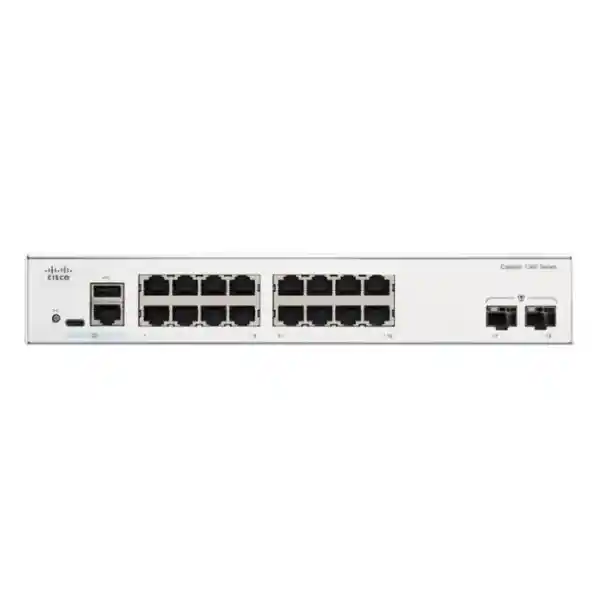
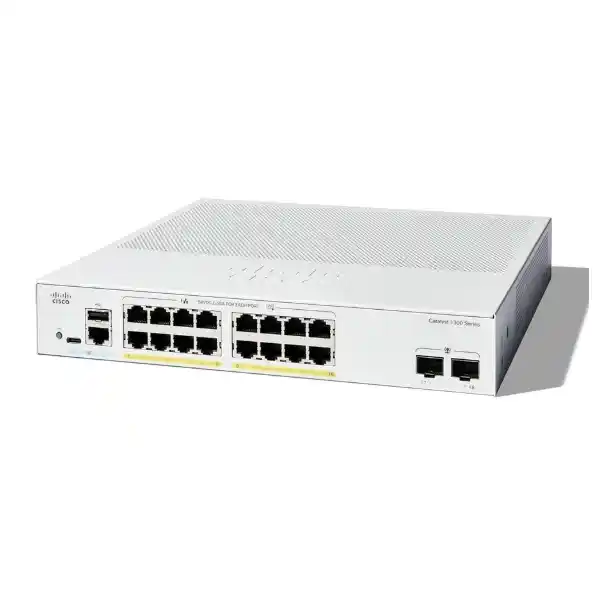
Cisco Catalyst 1300 Series • UAE Business Networking
Cisco Catalyst C1300-16FP-2G Network Switch in UAE
The Cisco Catalyst C1300-16FP-2G is a compact managed Layer 3 Gigabit access switch built for small and medium business networks, branch offices, retail locations, classrooms and distributed enterprise sites that need strong Power over Ethernet capacity without the footprint of a 24-port or 48-port platform. The model combines sixteen 10/100/1000 Ethernet access ports with IEEE 802.3af and 802.3at PoE/PoE+ delivery, a 240-watt PoE budget, two dedicated Gigabit SFP uplinks, wire-speed nonblocking switching, advanced segmentation, policy controls, IPv4/IPv6 routing and practical Cisco management functions. For UAE buyers planning voice, wireless, CCTV and business-data convergence on a single access switch, it offers a balanced design that is easy to size, straightforward to install and capable enough for more demanding branch networks.
240W PoE budget
2 × 1G SFP uplinks
36 Gbps switching
Layer 3 managed switching
Access Ports
16 Gigabit RJ-45 access ports support 10/100/1000 Mbps connectivity and PoE/PoE+ for phones, cameras, access points and other powered devices.
Power Budget
A 240W shared PoE budget allows meaningful endpoint density while supporting up to 30W per port when the overall switch power budget is respected.
Uplink Design
Two dedicated 1 Gigabit SFP interfaces provide fiber or compatible SFP-based uplink options without consuming the sixteen copper access ports.
Forwarding Engine
Cisco specifies 36 Gbps switching capacity and 26.78 million packets per second at 64-byte packet size for wire-speed, nonblocking forwarding.
Direct answer: what is the Cisco C1300-16FP-2G designed to do?
The Cisco Catalyst C1300-16FP-2G is designed to function as a managed access-layer switch for networks that need to connect and power up to sixteen Ethernet endpoints while maintaining enterprise-style control over segmentation, traffic priority, authentication, security and local routing. Its most obvious buying advantage is the combination of sixteen PoE+ access ports and a 240W power pool. That specification makes it particularly relevant where a branch needs a mixture of IP phones, indoor wireless access points, fixed surveillance cameras, door-control interfaces, time-attendance terminals and ordinary data devices from one compact switch.
It should not be viewed as a simple unmanaged PoE splitter. The C1300 family provides managed Layer 2 and Layer 3 functions, including VLANs, spanning-tree protocols, LACP link aggregation, multicast controls, IPv4 and IPv6 routing, RIP v2, policy-based routing, DHCP services and relay functions, access control lists, 802.1X authentication, RADIUS/TACACS+ integration, DHCP snooping, Dynamic ARP Inspection, IP Source Guard, port security and extensive quality-of-service functions. This matters because the endpoints powered by a PoE switch often belong to very different trust zones. A camera should not automatically sit in the same broadcast domain as finance workstations, a visitor wireless SSID should not inherit the same access as corporate users, and an IP phone may require strict QoS treatment even when data traffic spikes.
For a UAE procurement team, the model therefore sits in a useful middle ground: more capable than entry-level unmanaged or lightly managed switches, but compact enough for smaller communications rooms and branch racks. It is especially attractive when sixteen access ports are sufficient, when 1 Gigabit uplinks match the expected branch traffic profile, and when the 240W PoE budget comfortably covers the calculated endpoint load with operating reserve.
Cisco C1300-16FP-2G technical specification overview
| Specification | C1300-16FP-2G | Design significance |
|---|---|---|
| Copper access ports | 16 × 10/100/1000 RJ-45 | One-Gigabit access for typical user, voice, WLAN and surveillance endpoints. |
| PoE standards | IEEE 802.3af PoE and 802.3at PoE+ | Supports a broad class of standard powered devices with up to 30W delivery per port subject to budget. |
| PoE budget | 240W | Enough for substantial mixed endpoint density when loads are engineered rather than assumed. |
| Uplinks | 2 × 1 Gigabit SFP | Dedicated optical/uplink interfaces preserve all sixteen copper ports for access devices. |
| Switching capacity | 36 Gbps | Matches full-duplex aggregate port bandwidth for nonblocking forwarding at the platform level. |
| Forwarding rate | 26.78 Mpps | Wire-speed forwarding specification measured with 64-byte packets. |
| Packet buffer | 1.5 MB aggregate, dynamically shared | Helps absorb short bursts while QoS and flow-control policies manage contention. |
| CPU / memory | 1.5 GHz dual-core ARM CPU, 1 GB DDR4, 1 GB SLC flash | Supports the platform management and control-plane feature set. |
| Power input | 100–240V AC, 50–60 Hz, internal universal supply | Straightforward deployment on standard UAE rack power distribution with correct plug/PDU planning. |
| Dimensions | 268 × 323.3 × 43.94 mm | Compact 1U-height chassis with reduced width relative to many conventional 19-inch switches. |
| Weight | 2.49 kg | Manageable for branch rack installation and maintenance. |
| Operating temperature | -5°C to 50°C; cold start minimum 0°C | Suitable for conditioned communications spaces; UAE rack thermal management still remains essential. |
Understanding the 16-port PoE+ design
Endpoint density
Sixteen powered access ports make the switch particularly easy to map to real branch requirements. A small floor might use eight ports for phones, four for cameras, two for access points and two for miscellaneous building or IoT devices. Another site might reserve ten ports for cameras, four for phones and two for wireless. The key is that the port count and power budget must be evaluated together.
A port being PoE+ capable does not mean every port can simultaneously consume the 30W maximum. The 240W shared pool is the real design boundary. In an all-30W theoretical case, sixteen ports would request 480W, which exceeds the available budget. Correct design therefore starts with each endpoint’s expected and maximum power draw.
PoE budget engineering
A practical PoE worksheet should list endpoint model, IEEE class, nominal consumption, peak consumption and quantity. Add the worst-case or approved design load for each device rather than the marketing average. Then retain headroom for device replacement, firmware changes, cold-start behavior and future adds. A branch that calculates 185W of maximum endpoint draw has materially more operating reserve than one engineered to 235W.
For critical deployments, power design must also include the UPS. The UPS is not sized only for the switch’s base electronics; it must account for the PoE load delivered through the switch, conversion losses and the desired battery runtime.
Port map and uplink strategy
The physical port architecture is straightforward: sixteen copper Gigabit Ethernet downlinks and two dedicated 1 Gigabit SFP uplinks. This separation is useful operationally because connecting the switch upstream does not consume one of the access ports. In a branch design, one SFP can serve as the primary uplink to the distribution switch, firewall-side LAN aggregation device or optical handoff location, while the second can be reserved for a redundant path, a second distribution point or a separate transport requirement where the topology supports it.
The 1 Gigabit nature of the uplinks must be considered in capacity planning. Sixteen access devices rarely generate sustained line-rate traffic simultaneously, so a 1G uplink can be entirely appropriate for voice, typical office data, moderate CCTV and cloud application use. However, environments with high-density Wi-Fi, large local backups, high-bit-rate surveillance recording, workstation imaging, media production or heavy east-west traffic should calculate the expected uplink utilization. If the branch truly requires multiple gigabits of sustained upstream throughput, a Catalyst 1300 model with 10 Gigabit SFP+ uplinks may be a better architectural fit.
For fiber selection, the SFP optics, fiber type, connector presentation, distance and upstream transceiver must all match. Multimode fiber can be appropriate for shorter in-building links, while single-mode is often selected for longer campus or inter-building runs. Procurement should confirm the exact optic part numbers and compatibility rather than treating “SFP” as a single universal specification.
Switching performance, packet forwarding and traffic behavior
Cisco rates the C1300-16FP-2G at 36 Gbps of switching capacity and 26.78 Mpps of forwarding performance using 64-byte packets. Those numbers are important because they indicate that the internal switching system is designed for wire-speed, nonblocking operation across the port configuration. The 36 Gbps figure corresponds logically to the full-duplex aggregate bandwidth of eighteen 1 Gigabit interfaces: sixteen access ports plus two SFP uplinks, with transmit and receive directions considered. This means the platform is not intentionally oversubscribed inside the switching fabric simply because all physical interfaces are active.
The 1.5 MB aggregate dynamically shared packet buffer helps handle short bursts, but buffering should not be mistaken for a substitute for correct uplink engineering. If several Gigabit access ports simultaneously transmit toward one 1G uplink for a prolonged period, congestion still occurs because the egress interface is the bottleneck. QoS, traffic shaping and endpoint/application design determine which packets are prioritized or delayed during those contention periods. This is particularly relevant in converged branches where phone traffic shares uplinks with backups, cloud sync, camera streams and guest internet use.
The switch also supports head-of-line blocking prevention and configurable quality-of-service mechanisms. For network designers, the useful takeaway is that the C1300-16FP-2G is not just about headline port speed. It provides the control functions needed to turn a simple collection of Gigabit links into a predictable business access layer, provided the QoS model, uplink ratios and traffic classes are deliberately configured.
Layer 2 segmentation and resiliency
VLAN architecture
Catalyst 1300 supports a broad VLAN feature set, including port-based and 802.1Q tagged VLANs, management VLAN, private VLAN constructs, guest and unauthenticated VLANs, dynamic VLAN assignment with RADIUS and 802.1X, voice VLAN and other segmentation options. In a UAE office this enables clear separation of corporate users, voice, CCTV, wireless management, guest internet, building systems and network administration.
Cisco lists support for up to 4094 VLAN IDs, with a small upper range reserved internally. Most SMBs will use far fewer, but the available feature depth means the switch can participate cleanly in a structured enterprise segmentation plan.
Spanning tree and loop control
The platform supports classic STP, Rapid STP and Multiple STP along with Cisco-oriented PVST+ and Rapid PVST+ options. These technologies are essential when redundant Layer 2 links exist because they help prevent broadcast loops while preserving alternate connectivity paths. Loopback detection offers another protection mechanism that can operate independently of spanning tree.
BPDU Guard, Root Guard and loop guard are valuable access-edge controls. They reduce the chance that an incorrectly connected endpoint or unmanaged downstream device can alter spanning-tree behavior or create a damaging topology loop.
LACP aggregation
IEEE 802.3ad Link Aggregation Control Protocol support enables multiple physical links to form a logical group where compatible peer design and port availability allow it. Cisco specifies up to eight link aggregation groups with up to eight active ports per group, subject to the platform configuration rules.
On this 16-port SKU, designers should use aggregation judiciously because every copper port assigned to a LAG is no longer available for an endpoint. The two SFP ports may be more naturally aligned with uplink duties, but the final topology should be based on physical media and peer capabilities.
Multicast control
IGMP snooping versions 1, 2 and 3, IGMP querier and IGMP proxy functions help contain multicast traffic so that it is not unnecessarily flooded to every access port. Cisco specifies support for 2000 multicast groups on the 1 Gigabit Catalyst 1300 models.
This matters in video, signage, hospitality television, market-data or other multicast environments because uncontrolled multicast can consume bandwidth and endpoint processing resources. Correct querier placement and VLAN design remain important parts of deployment.
Layer 3 routing capabilities for branch segmentation
The C1300-16FP-2G is part of a managed Layer 3 switch family, which means it can do more than bridge VLANs. Cisco specifies wire-speed IPv4 and IPv6 routing, Layer 3 interfaces on physical ports, LAGs, VLAN interfaces or loopbacks, Classless Interdomain Routing, RIP v2 dynamic routing, policy-based routing, DHCP server functionality, Layer 3 DHCP relay and UDP relay. For the 1 Gigabit C1300 class, Cisco specifies up to 990 combined dynamic and static IPv4 routes and up to 128 IP interfaces.
That capability can simplify branch design. Instead of sending every inter-VLAN conversation through an external firewall or router, selected trusted east-west traffic can be routed locally at the switch. For example, a voice VLAN may need to reach call-control services, an infrastructure VLAN may need access to monitoring systems, and internal user VLANs may need access to local servers. Local Layer 3 routing can reduce unnecessary upstream traffic and preserve router or firewall resources for internet, WAN and security inspection duties.
However, local routing is not automatically the best security choice for every network. If policy requires deep inspection between VLANs, those flows should traverse the firewall rather than bypass it through switch-local routing. The correct design depends on trust boundaries, application dependencies, regulatory expectations and operational simplicity. A common approach is to route infrastructure or trusted internal segments at the switch while forcing guest, IoT or high-risk segments through the security gateway.
It is also important to distinguish this exact C1300 model from the newer C1300X family. OSPF v2/v3 is listed for C1300X SKUs, not the standard 1G C1300-16FP-2G. Buyers who specifically require OSPF should select a supported model rather than assuming the feature is universal across every Catalyst 1300 variant.
Access-layer security: protecting users, phones, cameras and IoT
An access switch is physically close to endpoints, which makes it one of the most important places to enforce basic network trust. The Catalyst 1300 feature set includes 802.1X authentication with RADIUS integration, MAC authentication options, guest and unauthenticated VLAN workflows, web authentication, port security, private VLAN functions and extensive access control lists. These controls help determine not only which device is connected, but also which VLAN, privileges and traffic rules it receives.
DHCP snooping is particularly useful in branch networks because it can restrict DHCP server messages to approved paths and create trusted address-binding information. IP Source Guard can then use bindings to reject traffic with invalid source addressing, while Dynamic ARP Inspection can validate ARP behavior and help reduce spoofing or man-in-the-middle risk. Cisco positions these functions together as IP/MAC/port binding controls that improve first-hop integrity at the access layer.
For operational access, SSH and HTTPS provide encrypted management channels, while RADIUS and TACACS+ support centralized administrator authentication models. Multiple CLI privilege levels can separate routine operator tasks from full administrative control. The switch also includes protections such as Secure Core Technology and mechanisms for handling sensitive data. In practical deployments, these features should be combined with a dedicated management VLAN, restricted management-source ACLs, strong administrator credentials, time synchronization, centralized logging and configuration backup procedures.
Security should also extend to unused ports. Disable unused interfaces, remove them from production VLANs, apply port-security or authentication policies where appropriate, and document intended endpoint assignments. Physical access to an unlocked rack can undermine logical controls, so communications rooms and floor cabinets should be treated as part of the security perimeter.
QoS for converged voice, video and business applications
Eight hardware queues
Cisco specifies eight hardware queues with strict-priority and weighted round-robin scheduling options. This gives administrators the building blocks to prioritize delay-sensitive voice or control traffic while still ensuring ordinary data classes receive bandwidth.
Classification and remarking
Traffic can be classified using port, 802.1p, IP precedence, ToS, DSCP and ACL-related information. Trusted boundaries should be deliberate: an endpoint should not necessarily be allowed to mark its own traffic as highest priority without policy validation.
Rate control
Ingress policing and egress shaping/rate-control capabilities can prevent one class, port or flow from monopolizing constrained uplinks. This is useful for guest access, backup traffic, noncritical camera transfers or other workloads that can tolerate controlled throughput.
Voice VLAN behavior
Voice VLAN support helps automatically identify and place voice endpoints into a dedicated segment with appropriate QoS treatment. This simplifies IP telephony rollouts, but DHCP options, call-control reachability, LLDP/CDP behavior and end-to-end QoS still need validation.
Management and deployment workflow
Cisco provides several management approaches for the Catalyst 1300 series. The switch includes a browser-based management interface and command-line access, while the broader platform supports Cisco Business Dashboard integration, the Cisco Business mobile application and Cisco Network Plug and Play. This range is useful because different UAE customers have different operational models. A single-site office may value an intuitive local GUI, while a managed-services provider or multi-branch company may prefer centralized discovery, monitoring and repeatable provisioning.
A disciplined deployment starts before the switch is mounted. Administrators should define the management subnet, device hostname, administrator authentication model, NTP source, DNS requirements, SNMP or monitoring destination, syslog destination, firmware baseline and configuration-backup method. VLANs should be created from a documented IP plan rather than improvised during installation. Access-port templates for phone, camera, access point, user, printer and IoT roles reduce configuration drift.
When the switch powers many endpoints, deployment sequencing also matters. Bringing every PoE device online at once can create a large startup load, and powered devices may take different amounts of time to negotiate power, obtain addressing and complete software boot. Commissioning should verify PoE status, port speed and duplex, VLAN assignment, LLDP/CDP neighbor information, DHCP behavior, gateway reachability, DNS, application connectivity and monitoring visibility. For IP phones, verify voice VLAN and call registration; for cameras, verify stream quality and recording; for access points, verify uplink speed, PoE status, management adoption and SSID reachability.
FourTeck can align the switch deployment with broader UAE infrastructure planning through its IT Services UAE practice, particularly where VLAN redesign, structured cabling, rack remediation, Wi-Fi, surveillance or firewall changes are part of the same rollout.
Important stacking clarification for the C1300-16FP-2G
Cisco discusses front-panel hardware stacking as a Catalyst 1300 family capability, but stacking is supported only on specific SKUs. The C1300-16FP-2G is not listed among Cisco’s hardware-stacking models. This distinction is important in procurement because the name “Catalyst 1300” alone is not enough to determine stack support. Models such as certain C1300 variants with 10G uplinks are listed for hardware stacking, while this 16-port, two-Gigabit-SFP model is not.
If the requirement is simply to add another access switch in the same branch, lack of hardware stacking may not be a problem. Two standalone switches can still be configured with consistent VLANs, uplinks and management policies. If the requirement specifically calls for a single logical control plane, cross-stack LAG, unified stack failover or a single hardware stack identity, the project should move to an explicitly supported stacking SKU.
This is a good example of why model-level validation matters. Port count, PoE budget, uplink speed, routing needs and high-availability requirements should all be confirmed before purchase. Buying only by series name can lead to hidden gaps in uplink bandwidth or resiliency design.
Where the C1300-16FP-2G fits best in UAE networks
Small and medium offices
A 10-to-30-user office may need fewer switch ports than its employee count suggests if wireless is primary, but still require PoE for phones, access points and cameras. Sixteen powered ports with two SFP uplinks can create a compact and manageable access layer without purchasing a much larger switch solely for PoE capacity.
Retail and branch outlets
Retail sites often combine POS support systems, phones, CCTV, wireless access points, digital signage controllers and back-office computers. VLAN segmentation and PoE simplify the physical installation while allowing payment-related, guest and operational devices to be logically separated.
CCTV access switching
The 240W PoE pool can power a meaningful number of standard PoE/PoE+ cameras, subject to per-camera draw. The 1G uplink must be checked against total video bitrate, recording architecture and any simultaneous viewing or analytics traffic.
IP telephony
Voice VLAN, LLDP-MED-related discovery behavior, QoS queues and PoE make the platform suitable for IP phone access. Buyers planning a wider telephony refresh can also review FourTeck’s IP Phone solutions for endpoint selection and deployment alignment.
Classrooms and training rooms
The compact form factor and PoE capacity fit classroom access points, phones, cameras, AV endpoints and instructor devices. Proper VLAN and QoS planning can separate guest/student access from administration and building systems.
Hospitality and service locations
Small hotel areas, clinics, salons, professional service offices and reception-heavy environments can benefit from a switch that consolidates power and data for distributed endpoints while keeping back-office and visitor traffic segmented.
UAE PoE sizing methodology: calculate before ordering
PoE planning is one of the most common sources of avoidable access-switch mistakes. A buyer sees “16 PoE+ ports” and assumes that any combination of sixteen powered devices is safe. In reality, the switch has a finite 240W PoE budget, so the combined maximum draw of all attached powered devices must fit inside that pool. The correct method is to inventory each powered device by exact model and use its documented worst-case or design power requirement.
Consider a sample branch with eight IP phones at 7W each, four cameras at 12W each and two wireless access points at 22W each. The estimated powered-device load is 56W + 48W + 44W = 148W. That leaves approximately 92W of the nominal PoE budget before accounting for design reserve. This is comfortable. Now consider eight cameras at 18W, four access points at 25W and four feature-rich phones at 10W. The estimate becomes 144W + 100W + 40W = 284W, which exceeds the switch budget. The port count still fits, but the power architecture does not.
A sensible design also avoids operating continuously at the absolute budget ceiling. Headroom helps absorb endpoint replacement with higher-power models, temporary devices, power-class negotiation differences and future growth. The reserve percentage depends on the customer’s standards and risk tolerance, but documenting it is more important than relying on guesswork. For branches with critical cameras or phones, decide which ports should have the highest priority if PoE power becomes constrained.
Finally, remember that the switch’s AC and UPS requirements reflect both switch electronics and the power passed to endpoints. Cisco’s datasheet shows materially higher maximum power consumption when PoE is fully loaded than when the switch is operating without PoE load. UPS runtime calculations should therefore use realistic loaded consumption, not the idle or non-PoE figure.
Thermal design and rack planning for Dubai and the wider UAE
Cisco specifies an operating range up to 50°C for this model, but that should never be interpreted as permission to ignore rack cooling in UAE conditions. Network equipment is most reliable when installed in a clean, conditioned communications environment with predictable airflow and adequate clearance. High ambient temperatures, blocked vents, dust accumulation, overloaded cabinets and poorly maintained air-conditioning reduce thermal margin and may shorten equipment life even when a device technically remains inside its published operating limits.
The C1300-16FP-2G measures approximately 268mm wide, 323.3mm deep and 43.94mm high, and weighs about 2.49kg. It is rack-mountable, but its compact width means installers should use the correct Cisco-supplied or compatible mounting hardware rather than improvising shelf placement. Before installation, confirm cabinet depth, front and rear clearance, PDU socket availability, cable-management space and the bend radius of any fiber patch leads.
The model is listed as fanless, which can be valuable in noise-sensitive branch locations and reduces dependence on a mechanical fan. Fanless does not mean heatless. Under high PoE load the switch still handles substantial power, and the rack must allow that heat to dissipate. Keep high-heat equipment from creating localized hot spots, and avoid placing the switch in a sealed non-ventilated cabinet exposed to direct solar gain.
For broader site design, FourTeck’s UAE team can coordinate switching requirements with network security and perimeter architecture through Firewall Dubai, especially where VLAN routing, secure guest access, branch VPN and internet failover need to be designed as one system.
Designing the switch for voice, Wi-Fi and CCTV together
Voice
Place phones into a dedicated voice VLAN, either by explicit port policy or supported discovery mechanisms. Apply QoS so voice bearer and signaling traffic are protected during bursts. Verify DHCP, DNS, NTP and call-control reachability. Where a PC connects through the phone’s embedded switch, confirm data-VLAN behavior and 802.1X policy for multi-domain access.
For high availability, remember that a PoE access switch is part of the voice power chain. UPS runtime should be aligned with the expected continuity target for phones and upstream network services.
Wireless
Wireless access points require both enough PoE and enough wired uplink capacity. Many modern APs can generate substantial aggregate traffic, so do not assume that the switch’s sixteen 1G access ports are appropriate for every Wi-Fi generation or density profile. Confirm the AP Ethernet interface speed and PoE requirement.
For conventional 1G APs within PoE+ power limits, the switch can be a strong branch choice. Separate AP management, corporate wireless and guest wireless with VLANs according to the WLAN architecture.
CCTV
Camera power is only one dimension. Calculate average and peak video bitrate per camera, recording destination, codec, frame rate, resolution and retention workflow. Sixteen cameras at modest bitrates may fit easily within a 1G uplink, but higher-resolution streams, analytics or concurrent playback can change the bandwidth profile.
Use a dedicated surveillance VLAN, restrict camera reachability with ACL or firewall policy, and permit only required NVR, management and time services. Avoid exposing camera management directly to user networks.
Shared access layer
The advantage of a managed PoE switch is convergence without loss of logical control. Phones, APs and cameras can share the same physical access switch while remaining segmented by VLAN, prioritized by QoS and restricted by policy.
Convergence also concentrates dependency. A switch outage affects several services simultaneously, so UPS protection, configuration backup, spare strategy and upstream path design become more important as more endpoint categories share the platform.
IPv6 readiness without abandoning IPv4
The Catalyst 1300 family supports dual IPv4/IPv6 operation, allowing organizations to introduce IPv6 without forcing an immediate replacement of the existing IPv4 design. Cisco lists IPv6 host mode, neighbor and router discovery, stateless address autoconfiguration, path MTU discovery, duplicate-address detection, DHCPv6 client behavior, IPv6 QoS, IPv6 ACLs and first-hop security functions such as Router Advertisement guard, Neighbor Discovery inspection and DHCPv6 guard.
For many UAE SMBs, IPv6 deployment is not yet the dominant day-to-day switching requirement, but buying infrastructure with credible IPv6 control helps avoid a future situation where the access layer becomes the blocker. Dual-stack projects should treat IPv6 security as a first-class design issue rather than enabling it after IPv4 policy has been completed. A network can be well protected in IPv4 and still be exposed through ungoverned IPv6 behavior.
Administrators should document which VLANs use IPv6, where default gateways reside, which routing mode is used, how address assignment works, how DNS operates and which ACLs or firewall policies protect inter-VLAN and external traffic. Monitoring should include IPv6 neighbor and route visibility so troubleshooting is not dependent on IPv4-only tools.
Operational monitoring and troubleshooting
A managed switch creates value only if it is monitored. At minimum, operations teams should watch interface status, speed and duplex, error counters, packet drops, PoE allocation and consumption, CPU and memory indicators, spanning-tree state, uplink utilization, environmental status where available, and configuration-change events. SNMP and syslog should feed the organization’s monitoring platform so a failing uplink or power-budget issue is detected before users submit support tickets.
Troubleshooting should follow the network stack systematically. For a powered endpoint that is offline, first verify whether the port is administratively enabled and whether PoE is being delivered. Then check link state, negotiated speed, VLAN assignment, authentication status, MAC learning, DHCP lease behavior, ARP/neighbor information, default gateway reachability and upstream ACL or firewall policy. For a phone, also verify voice VLAN discovery. For an AP, verify controller/cloud adoption. For a camera, verify NVR routing and codec stream behavior.
Traffic mirroring can assist deeper diagnostics when packet captures are required. LACP status, spanning-tree roles and root bridge placement should be reviewed when redundancy behaves unexpectedly. DHCP snooping and Dynamic ARP Inspection logs deserve attention when a device has link but cannot communicate, because first-hop security can correctly block traffic when bindings are missing or incorrectly trusted.
Configuration backups should be taken after commissioning and after controlled changes. Store the running configuration, firmware version, switch serial details, optics used, cable labels, VLAN map, management addressing and upstream port assignments in the project documentation. That information reduces restoration time if the switch is replaced or reset.
C1300-16FP-2G compared with nearby design choices
Versus a lower-PoE 16-port model
The C1300-16P-2G offers the same basic 16-port plus 2-SFP access format but a lower 120W PoE budget. If your endpoint calculation stays comfortably below that level, the lower-budget SKU may be sufficient. The C1300-16FP-2G is more appropriate when the branch expects more powered devices, higher average endpoint draw or more growth headroom.
The decision should therefore be driven by the PoE worksheet, not merely by port count.
Versus 24-port access switching
A 24-port switch provides more immediate endpoint capacity and often more uplink flexibility, but it may consume more rack space, budget and power than a compact branch needs. If the site is likely to exceed sixteen endpoints in the near term, starting with 24 ports can reduce expansion complexity.
If the site is stable at ten to fourteen endpoints, a well-sized 16-port model may be cleaner and more cost-effective.
Versus 10G-uplink C1300 models
The two 1G SFP uplinks are suitable for many SMB and branch workloads, but they are the main scaling boundary for high-throughput access. Sites with several heavy APs, high-bandwidth local servers or large east-west data flows may benefit from C1300 models with 10G SFP+ uplinks.
Some 10G-uplink C1300 models also support hardware stacking, which this exact SKU does not.
Versus unmanaged PoE switches
An unmanaged PoE switch can power devices and forward frames, but it cannot offer the same depth of VLAN segmentation, 802.1X access control, Layer 3 routing, QoS, ACLs, first-hop security, multicast handling or centralized operational visibility.
For business networks where security, troubleshooting and predictable behavior matter, the management features often justify the step up.
Example UAE branch topology
A practical branch might connect the C1300-16FP-2G upstream to a security gateway using one SFP link, with the second SFP reserved for an alternate distribution path or other approved uplink role. The switch could host six user/IP-phone positions, four PoE cameras, two wireless access points, one door-access controller and one meeting-room endpoint, leaving two copper ports for growth. The exact power calculation would be based on the endpoint models rather than generic assumptions.
VLAN 10 could serve corporate users, VLAN 20 voice, VLAN 30 CCTV, VLAN 40 wireless management, VLAN 50 building/IoT devices, VLAN 60 guest traffic and VLAN 99 switch management. Voice receives strict QoS treatment, guest traffic is rate limited, CCTV is prevented from initiating sessions toward user subnets, and management access is permitted only from the administrator subnet. DHCP snooping is enabled with only the trusted uplink permitted to deliver server responses, while Dynamic ARP Inspection and IP Source Guard protect endpoint VLANs where supported by the complete design.
The branch firewall terminates internet and WAN connectivity, VPN services and security inspection. Inter-VLAN routing may be split between the switch and firewall according to trust level: low-risk infrastructure communication can be routed locally, while guest and IoT traffic is forced through firewall policy. The important principle is that switching, routing and security boundaries are decided together.
Customers who need a complete UAE architecture rather than a standalone switch can review FourTeck’s broader solutions at FourTeck UAE.
Procurement guidance for UAE buyers
A technically correct quotation should include more than the switch model. Confirm the exact C1300-16FP-2G part number, power-cord requirement, rack-mount hardware, transceiver types, fiber patch leads, copper patch cords, UPS sizing and any support coverage required by company policy. If the switch replaces an older model, document the existing VLANs, spanning-tree settings, trunk tags, voice settings, uplink optics and management IP before migration.
Optics deserve specific attention because the switch’s SFP cages do not define the reach by themselves. The transceiver must match wavelength, fiber mode, connector type, distance and the peer device. For installed fiber, inspect the termination type and condition before ordering. A single-mode optic connected to an incorrectly specified path can create unnecessary cost or interoperability issues; a multimode optic cannot be assumed to work on any fiber simply because the connector fits.
Support and warranty requirements should also be written into the purchase request. Cisco lists limited lifetime warranty protection and one-year access to the Small Business Support Center for the series, but commercial support expectations vary by customer. Organizations with strict replacement SLAs should confirm the chosen support service, local stock strategy and escalation route rather than relying on a generic warranty statement.
For regulated sectors, free zones, healthcare, education, hospitality or financial organizations, the network design may need to align with internal cyber-security standards, audit requirements, structured-cabling rules or site-specific approval procedures. The switch itself provides strong security building blocks, but compliance is achieved by the complete architecture, documented configuration and operating process rather than by a product badge alone.
Where a UAE customer has multi-country operations, additional FourTeck engineering and sourcing coordination can also be explored through FourTeck Global.
Deployment checklist before the switch goes live
Physical
Confirm rack space, mounting kit, cabinet depth, grounding approach, airflow, ambient temperature, UPS capacity, PDU outlets, patch-panel labeling, copper category and fiber path. Verify that the switch can be serviced without disturbing unrelated equipment.
Logical
Define hostname, management IP, VLANs, trunks, access-port roles, gateway placement, DHCP relay, ACLs, QoS policy, NTP, DNS and administrator authentication before connection. Decide whether inter-VLAN routing occurs locally or through the firewall.
PoE
Record powered-device models, maximum draw, port allocation and total budget. Keep reserve for growth and confirm UPS runtime under expected load. Prioritize critical ports if the operating policy requires graceful handling of power constraints.
Security
Change default credentials, use HTTPS/SSH, restrict management sources, enable centralized AAA where required, disable unused ports, review 802.1X policy, configure first-hop protections, harden spanning tree and send logs to central monitoring.
Validation
Test every uplink, endpoint class and VLAN. Confirm internet, WAN, internal service and DNS reachability. Validate phones, cameras and APs at the application level, not just with ping. Measure uplink load during representative business traffic.
Documentation
Save the final configuration, firmware version, asset details, port map, VLAN matrix, uplink optics, IP plan, support information and change history. Label switch ports and patch panels so field troubleshooting matches the logical design.
Frequently asked technical questions
Does every port support PoE+?
Yes. The sixteen 10/100/1000 RJ-45 access ports are PoE capable, with 802.3af and 802.3at support. The total switch PoE budget is 240W, so simultaneous endpoint draw must remain within that shared limit.
Can one endpoint receive 30W?
PoE+ supports up to 30W per port at the power-sourcing equipment side, subject to device negotiation and the overall budget. Do not multiply 30W by sixteen and assume the chassis can supply 480W; its specified total budget is 240W.
Are the uplinks 10 Gigabit?
No. The C1300-16FP-2G has two 1 Gigabit SFP uplink interfaces. If the project needs 10G uplinks, select a Catalyst 1300 SKU specifically equipped with SFP+ or other 10G interfaces.
Does this exact model hardware-stack?
Cisco’s published hardware-stacking list does not include the C1300-16FP-2G. Do not design a hardware stack around this SKU. If stacking is mandatory, choose an explicitly supported Catalyst 1300 or C1300X model.
Can it route between VLANs?
Yes. The Catalyst 1300 series provides Layer 3 IPv4 and IPv6 routing capabilities. Whether to route locally or through a firewall should be decided according to security policy, inspection requirements and topology.
Does it support OSPF?
Cisco lists OSPF v2/v3 for C1300X SKUs. The standard C1300-16FP-2G should not be purchased on the assumption that OSPF is available. It supports other Layer 3 functions including static routing and RIP v2.
Is it suitable for CCTV?
Yes for many CCTV access deployments, provided camera power draw and aggregate video throughput fit the 240W PoE pool and 1G uplink architecture. High-resolution, high-frame-rate or analytics-heavy systems require a formal bandwidth calculation.
Is it fanless?
Cisco lists the C1300-16FP-2G as fanless. That supports quieter operation, but correct ambient temperature, ventilation and rack airflow remain important, especially when the PoE load is high.
Why the 240W model can be a better long-term choice
Many branch networks grow in power demand faster than they grow in port count. Replacing an ordinary phone with a larger video phone may increase consumption. Adding a second radio or higher-performance wireless access point may increase consumption. A basic fixed camera may later become a PTZ or analytics-capable device. Even if the number of cables stays at twelve or fourteen, the electrical load on the switch can rise materially.
The C1300-16FP-2G’s 240W budget provides more room than lower-power 16-port variants. That does not eliminate the need for calculation, but it can reduce the chance that modest endpoint upgrades force an early switch replacement. For customers who know the branch will remain within sixteen copper access connections yet expect a meaningful number of powered devices, spending on PoE headroom can be more rational than buying a larger physical port count.
The tradeoff is that power budget is only one dimension. A site may outgrow the two 1G uplinks before it outgrows 240W, or it may require hardware stacking for resilience. A good procurement decision therefore balances endpoint count, endpoint power, uplink bandwidth, routing features, resiliency and management—not a single headline specification.
Lifecycle, firmware and change control
Network switching is long-lived infrastructure. After installation, keep the switch on an approved firmware baseline, review Cisco security advisories, test upgrades according to change-control policy and retain a current configuration backup. Firmware should not be upgraded blindly in the middle of production hours, but it also should not remain untouched for years. Maintenance windows should include pre-checks, rollback planning, post-upgrade validation and confirmation that connected PoE endpoints recover as expected.
Configuration changes should be tracked. A VLAN added for a temporary contractor, an ACL exception created for testing or a trunk allowed-list expanded during troubleshooting can become permanent risk if undocumented. Treat the access switch as managed infrastructure with an owner, baseline and review process. Centralized AAA and logging help establish accountability for administrative actions.
Maintain a spare or replacement strategy appropriate to the site’s business impact. A small retail outlet with one switch may lose phones, cameras, Wi-Fi and POS-related connectivity from a single hardware failure. Critical sites should define how quickly a replacement can be sourced, who holds the configuration backup and which engineer can perform the swap.
For complete product sourcing, integration and support planning, FourTeck can combine the switch with compatible optics, UPS, rack accessories, structured cabling and security infrastructure rather than treating the switch as an isolated line item.
Detailed sizing scenarios
Scenario A — professional office: six PoE phones, two ceiling access points, four fixed cameras and four wired desktops. The desktops do not need PoE, so the power pool is used by twelve devices. Assuming typical business-grade endpoint consumption, this configuration will often sit well below 240W, but the exact models must still be calculated. VLANs can separate voice, corporate data, wireless management and cameras, while the desktops receive standard access VLAN assignments. The 1G uplink is typically reasonable if internet/WAN service is at or below Gigabit speed and local traffic is moderate.
Scenario B — camera-heavy branch: twelve PoE cameras, one access point, one phone and two non-PoE endpoints. Port count fits, but PoE and uplink capacity require more careful validation. Twelve cameras at 15W would use 180W before adding the AP and phone. If the AP uses 25W and the phone 8W, total estimate becomes 213W, leaving only 27W nominal reserve. The design may still work, but a higher-power camera replacement or PTZ unit could eliminate headroom. Video bitrate must also be summed to confirm the 1G uplink remains comfortable.
Scenario C — voice-heavy branch: fourteen phones and two access points. If the phones average around 7W and the APs require 25W each, estimated power is around 148W. This leaves substantial nominal reserve. QoS and voice VLAN configuration become central, and the UPS should be designed around desired telephony runtime. If users connect PCs through phone passthrough ports, the switch’s sixteen physical ports can still serve more than sixteen logical end devices.
Scenario D — high-throughput creative office: sixteen workstations connected at 1G with frequent large transfers to an upstream NAS. The PoE budget is largely irrelevant, but the two 1G SFP uplinks may become the constraint. If many users transfer large media files simultaneously, a model with 10G uplinks is more appropriate even though the C1300-16FP-2G has enough access ports. This example shows why PoE capacity should never overshadow traffic engineering.
Scenario E — mixed IoT and guest environment: cameras, access control, wireless APs, digital signage controllers and administrative endpoints share the same switch. The critical design issue is segmentation and trust. Private VLANs, ACLs, 802.1X/MAC authentication, DHCP snooping and firewall policy can keep low-trust devices from becoming a bridge into sensitive systems. The switch provides the enforcement building blocks, but the complete security architecture must define which device class can talk to which service.
Configuration principles that improve reliability
Use role-based port templates
Standardize configurations for phone, camera, AP, user, printer and uplink ports. Each template should define VLANs, QoS trust, 802.1X state, port security, spanning-tree edge behavior, PoE policy and description format. Templates reduce accidental differences between ports that should behave identically.
Control trunks explicitly
Do not allow every VLAN across every uplink by default. Use explicit allowed-VLAN lists that reflect actual requirements. This limits broadcast domains, reduces configuration ambiguity and makes troubleshooting easier when tracing a VLAN between switches, firewall and wireless infrastructure.
Protect the management plane
Place switch management on a dedicated VLAN or subnet, restrict access to approved administrator sources, use encrypted protocols, centralize authentication when possible and send logs off-box. Management should not be reachable from guest or untrusted IoT networks.
Document root-bridge intent
Spanning tree should have an intentional root bridge placement. Do not let default priorities randomly decide the topology in a multi-switch environment. Apply BPDU Guard to appropriate access ports and Root Guard where downstream devices must not influence root selection.
Treat QoS end to end
Prioritizing voice on one switch is not sufficient if the firewall, WAN router or upstream switches ignore the markings. Define the trust boundary, classification and queue behavior across the complete path. Monitor actual congestion so policy is based on evidence rather than assumption.
Keep spare capacity visible
Track free ports, PoE headroom and uplink utilization as operational metrics. A switch may have four empty ports yet only 15W of PoE reserve, or plenty of PoE reserve but an uplink already running near capacity. Capacity planning should consider all three dimensions.
When not to choose the C1300-16FP-2G
Choose a different switch if the site requires more than sixteen direct copper access ports, sustained multi-gigabit upstream throughput, multigigabit 2.5G/5G access for high-performance wireless, 60W PoE++ endpoints or hardware stacking. The C1300-16FP-2G is a strong 1G PoE+ access switch, but it should not be forced into roles beyond its physical interfaces and supported feature set.
It may also be the wrong choice for environments that demand redundant internal power supplies or specialized industrial hardening. This is a compact business access switch, not a modular campus core or industrial Ethernet platform. Environmental and resiliency requirements should be matched to the appropriate Cisco product family.
A good switch selection is one that leaves sensible headroom without dramatically overbuying. FourTeck’s role in specification is to translate endpoint counts, power, bandwidth, fiber, routing and security requirements into the right SKU rather than simply selling the highest port count.
Decision recap: is this the right Cisco switch for your UAE site?
Choose it when
You need up to sixteen Gigabit copper access ports, most or many endpoints require PoE/PoE+, the calculated power draw fits comfortably within 240W, two 1G SFP uplinks are sufficient, advanced VLAN/security/QoS features are required and compact rack deployment is desirable.
Reconsider when
You expect more than sixteen direct copper devices, need 10G uplinks, require hardware stacking, have 2.5G/5G access-point links, need 60W PoE++ per endpoint, or expect sustained traffic that would make 1G upstream links a clear bottleneck.
Validate before purchase
Endpoint inventory, PoE maximum load, fiber type and reach, SFP compatibility, uplink utilization, VLAN count, routing protocol needs, security policy, UPS runtime, rack dimensions, support coverage and deployment timeline.
Best-value principle
Buy enough power and bandwidth headroom for the realistic branch lifecycle, but do not pay for larger port counts or high-speed uplinks that the traffic model will never use. The best-fit switch is the one matched to measured requirements.
Quotation input checklist
To receive a technically accurate quotation for the Cisco Catalyst C1300-16FP-2G in the UAE, provide the following project information. This allows FourTeck to validate the switch, optics, PoE reserve and installation accessories as one bill of materials rather than quoting a standalone chassis without context.
Emirate, site type, number of switches and whether the deployment is new, expansion or replacement.
Count and exact models of phones, APs, cameras, controllers and other powered devices.
Multimode or single-mode fiber, approximate distance, connector type and upstream switch/firewall model.
Number of VLANs, gateway placement, required routing protocols and whether inter-VLAN inspection is required.
Single or dual uplink design, acceptable outage window, spare strategy and whether hardware stacking is mandatory.
Required Cisco support, rack/UPS needs, configuration scope, migration window and on-site engineering requirement.
FourTeck consultation for Cisco Catalyst C1300-16FP-2G UAE deployments
The C1300-16FP-2G is best specified as part of an access-layer design, not as an isolated product code. FourTeck can review the number and type of connected devices, PoE reserve, fiber distances, uplink bandwidth, VLAN plan, security boundaries, UPS requirements and migration method before finalizing the bill of materials. This avoids common procurement errors such as insufficient PoE headroom, wrong optics, unsupported stacking assumptions, inadequate uplink capacity or missing rack accessories.
For a typical UAE branch, the switch is especially compelling when sixteen Gigabit access ports are enough and the 240W power pool provides comfortable margin for the endpoint set. Its managed Layer 2/Layer 3 feature depth gives network administrators substantially more control than unmanaged PoE alternatives, while the compact chassis fits sites that do not need a full 24-port or 48-port access platform.
Before order confirmation, share your endpoint schedule and upstream topology. FourTeck can recommend whether to stay with this model or move to a higher-port, 10G-uplink, multigigabit or stacking-capable alternative. That model-level validation is especially important for Wi-Fi refreshes, surveillance projects and branch consolidations where power and throughput can change rapidly.
For broader enterprise infrastructure procurement, integration and deployment, visit FourTeck’s approved UAE and global service resources linked throughout this page or request a project consultation using the contact control below.


Reviews
There are no reviews yet.