
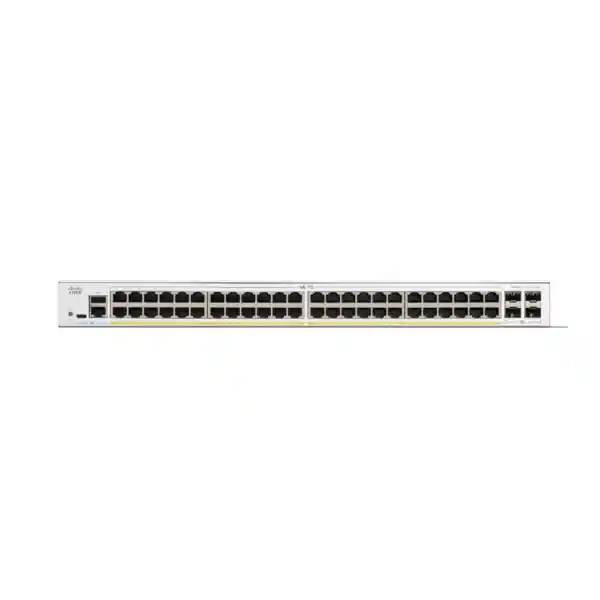
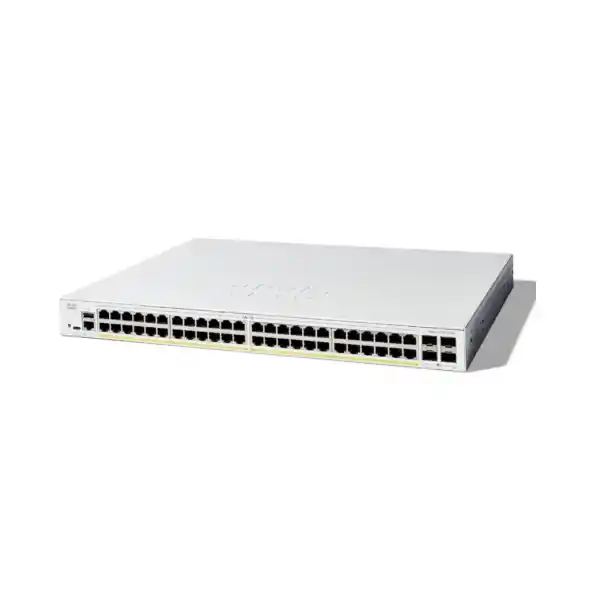
Cisco Catalyst C1300-48FP-4X Network Switch
A high-density 48-port Gigabit PoE+ managed access switch with a 740W PoE budget, four 10 Gigabit SFP+ uplinks, advanced Layer 2 and Layer 3 capabilities, robust access security and hardware stacking for scalable business and campus networks in Dubai and across the UAE.
Choose the C1300-48FP-4X when your access layer needs forty-eight 1G powered ports, a large 740W PoE pool and 10G fiber aggregation. It is especially well suited to IP telephony, Wi-Fi access points, CCTV, office endpoints and branch or campus access designs where stacking, VLAN segmentation and policy control are required without moving to a substantially more complex switching platform.
10/100/1000 Mbps copper ports with IEEE 802.3at PoE+ support.
Large shared power pool for dense voice, wireless and surveillance deployments.
High-speed fiber or compatible direct-attach connectivity to distribution, core or peer switches.
Wire-speed, nonblocking design with a published 130.94 Mpps forwarding rate.
What the Cisco Catalyst C1300-48FP-4X is designed to do
The Cisco Catalyst C1300-48FP-4X sits at the access layer of a business, branch, hospitality, education, retail, healthcare or multi-floor office network. Its primary role is to terminate user and device connections, supply inline power to compatible endpoints, apply VLAN and access policies, and aggregate traffic toward higher-capacity distribution or core switching. That combination matters because modern access networks are no longer made up only of desktop PCs. A single floor can contain dozens of IP phones, ceiling-mounted wireless access points, IP cameras, door controllers, meeting-room devices, printers, building systems and conventional workstations. A useful access switch must therefore provide not just port count, but also predictable power availability, traffic segmentation, security controls, monitoring and resilient uplinks.
The C1300-48FP-4X is the full-power 48-port PoE+ model in the 10G-uplink portion of the Catalyst 1300 family. Its forty-eight copper ports operate at 10/100/1000 Mbps and can provide PoE/PoE+ to attached devices. The switch carries a 740W PoE budget, which is the defining difference between this model and lower-budget 48-port PoE variants. Four 10G SFP+ uplink interfaces give network designers substantially more headroom than a switch limited to 1G uplinks. In a practical access design, those interfaces can be allocated to redundant upstream links, Link Aggregation Control Protocol bundles, stack connections where the supported architecture calls for them, or separate high-bandwidth paths for distribution and services.
For UAE deployments, the model is most compelling when the bill of materials contains a large number of powered edge devices. The switch can simplify rack design by reducing the need for individual power injectors and by centralizing power control at the network layer. It also gives administrators a single policy point for VLAN assignment, spanning tree, link aggregation, DHCP protection, access authentication, quality of service and IPv4/IPv6 forwarding. FourTeck can position the switch as part of a broader wired infrastructure project through the FourTeck UAE network portfolio, with design choices based on endpoint count, PoE draw, uplink topology, redundancy requirements and growth expectations rather than port count alone.
Hardware architecture and forwarding performance
176 Gbps switching fabric
Cisco publishes a 176 Gbps switching capacity for the C1300-48FP-4X. That figure is consistent with a nonblocking access design built around forty-eight 1G downlinks and four 10G uplinks when full-duplex traffic is considered. In engineering terms, this is important because it reduces the risk that the internal switching path becomes the limiting factor when multiple edge ports are active at once. The switch is specified for wire-speed, nonblocking operation rather than a heavily oversubscribed internal forwarding architecture.
130.94 Mpps forwarding
The published forwarding rate is 130.94 million packets per second using 64-byte packets. Small-packet forwarding is an important stress case because packet-processing overhead is highest when traffic is composed of many short frames. A high packet rate therefore complements the raw Gbps figure and helps indicate that the switch is designed to sustain business access workloads without relying on unusually large frames to reach its rated throughput.
Shared packet buffering
The Catalyst 1300 specifications list a 1.5 MB aggregate packet buffer for this model family, dynamically shared across ports. Buffer size should not be read in isolation as a quality score; the relevant question is whether traffic patterns produce sustained congestion or microbursts. In a correctly sized campus access layer, 10G uplinks, sensible QoS policy and appropriate link aggregation usually matter more than attempting to solve persistent oversubscription with buffer memory alone.
Control-plane resources
The C1300 platform uses an ARM dual-core 1.5 GHz CPU, 1 GB DDR4 system memory and 1 GB SLC flash according to the current family data sheet. User traffic is switched in hardware; the CPU is primarily relevant to management, control protocols, telemetry, configuration and software operations. This separation is one reason an access switch can continue forwarding ordinary traffic while simultaneously supporting management and network-control functions.
From a design perspective, the most useful way to interpret these numbers is to compare them with the expected oversubscription ratio. Forty-eight users connected at 1G do not all transmit at line rate continuously. Office applications are bursty, voice is low bandwidth, video surveillance is relatively predictable, and wireless access points aggregate client traffic before presenting it to the switch. Four 10G uplinks therefore give substantial flexibility. Two 10G links can be bundled toward one upstream device while another pair provides a path to a second upstream device or a stack design, subject to the intended topology. Where every endpoint is expected to sustain high-rate east-west transfers simultaneously, a higher-tier campus architecture may be preferable, but for the majority of enterprise access cases the C1300-48FP-4X offers a strong balance between access density and uplink capacity.
PoE engineering: why the 740W budget matters
The letters “FP” in the model name are operationally important because this is the high-power 48-port PoE+ version. Each powered copper interface can support IEEE 802.3af PoE and IEEE 802.3at PoE+, with PoE+ providing up to 30W at the switch port for a compatible powered device. The overall available PoE pool is 740W. That does not mean every port can simultaneously deliver 30W, because forty-eight times 30W would equal 1,440W. Instead, the switch allocates the shared budget across connected endpoints according to negotiation, classification, configured priorities and actual demand.
A useful sizing method begins with the powered-device list, not the switch. Record each IP phone, camera, wireless access point, access-control panel, IoT gateway or other PoE endpoint. Use the device’s maximum expected PoE draw or its negotiated class as a design input. Then add a reserve for growth and for devices whose consumption can rise during startup, radio activation, heater operation, PTZ motor use or accessory attachment. If a floor has thirty IP phones averaging modest power, ten cameras, six access points and a few miscellaneous PoE devices, the total may fit comfortably within 740W. If the design contains many high-draw devices close to the 30W PoE+ ceiling, the same switch may run out of budget before it runs out of Ethernet ports.
Phones are generally predictable loads and can be placed in voice VLANs with QoS treatment. The switch can power the handset while carrying tagged voice and data traffic over the same access connection where the phone provides a PC pass-through port.
PoE simplifies ceiling AP installation by eliminating local AC outlets. Because this model’s access ports are 1G, confirm that the chosen AP’s wired requirement is compatible; high-end multi-gigabit APs may justify a multigigabit switch instead.
Fixed cameras often have steady draw, while IR illuminators, heaters and PTZ functions can create higher peaks. Design power from manufacturer maximums rather than average idle readings when the objective is dependable 24/7 operation.
Cisco supports time-based PoE and persistent PoE on the platform. These features can help schedule noncritical loads and maintain power to endpoints through certain switch reboot operations, reducing unnecessary device interruptions.
PoE also influences UPS and cooling design. The switch’s worst-case input power with PoE can be far higher than the base system consumption because it is supplying downstream devices. An access rack with several full-power PoE switches therefore requires adequate electrical circuits, UPS capacity and thermal management. The current Cisco data sheet lists worst-case PoE-inclusive draw for this model above 800W depending on input voltage, so treating it as “just another 1U switch” can lead to an undersized power design. In Dubai and other UAE environments, where telecom rooms can experience high ambient heat if cooling is poorly controlled, cabinet ventilation and air-conditioning continuity are important parts of PoE reliability planning.
Four 10G SFP+ uplinks: design options and bandwidth planning
The four SFP+ interfaces distinguish the C1300-48FP-4X from models limited to Gigabit uplinks. A 48-port access switch can easily collect more than 1 Gbps of aggregate traffic during busy periods, particularly when it serves wireless, cameras, local servers or high-density users. A 10G uplink reduces that bottleneck. Four such interfaces also allow the architecture to separate concerns: one pair can form a logical aggregated uplink, while the remaining pair can connect to another upstream device, support a redundant path or be used in a supported stack configuration.
For short in-rack links, compatible SFP+ direct-attach cabling can be cost effective where distance and equipment compatibility permit. For inter-rack, inter-floor or building-distribution links, optical SFP+ transceivers are typically used with fiber suited to the selected optic and distance. The transceiver choice should be made from an approved compatibility perspective rather than simply matching connector shape. The design must consider fiber type, loss budget, connector cleanliness, distance, patching, redundancy and whether the upstream platform supports the same physical interface and speed.
Link aggregation can combine multiple physical links into a logical bundle. The Catalyst 1300 family supports IEEE 802.3ad LACP, up to eight link aggregation groups and up to eight ports per group, subject to platform configuration. In access designs, LACP is valuable because it can provide both additional aggregate bandwidth and link resilience. It does not turn a single traffic flow into a 20G flow when two 10G links are bundled; hashing normally distributes different flows across member links. The value comes from balancing many simultaneous conversations and surviving the loss of an individual member without dropping the entire logical uplink.
When redundant upstream switches are used, the exact design must reflect what those upstream devices support. A simple dual-homed topology, a cross-stack LAG, an upstream virtual chassis or another multi-chassis technology can each have different requirements. This is where a switch quote should be tied to a topology diagram. FourTeck’s UAE IT services team can align the access switch, transceivers, fiber, upstream switching, addressing and change plan so that the purchased hardware maps cleanly to the intended resilient architecture.
Hardware stacking for scalable access layers
Cisco lists the C1300-48FP-4X among the Catalyst 1300 models that support hardware stacking. Up to eight switches can participate in a stack, with the stack managed as a single system and hardware failover available. Cisco also specifies up to 400 ports managed as one system across supported stack members. That makes stacking useful when a wiring closet needs more than forty-eight access ports or when an organization wants a unified management and resiliency model across several switches.
The key word is “supported.” Catalyst 1300 stacking has family restrictions, and product IDs from the same defined family can be stacked together while cross-family stacking is not supported. Therefore, a future expansion plan should be checked before mixing models. If a site starts with C1300-48FP-4X switches but expects to add different port-density or multigigabit models later, the compatibility of those exact product IDs should be validated as part of the bill of materials. Planning this early avoids discovering during expansion that devices cannot participate in the same hardware stack.
A stack can simplify operations because administrators can work with one logical system rather than separately managing every access switch. Active/standby control, auto-numbering, hot-swap support for units, ring or chain options and fast failover features reduce day-to-day complexity. Cross-unit LAG is particularly valuable because uplinks can be distributed across different physical members, reducing the chance that the failure of one switch removes all upstream connectivity for the stack. However, stacking does not eliminate the need for good fault-domain design. Power should still be distributed sensibly, uplinks should land on different members where appropriate, and the rack should not depend on a single UPS or single upstream chassis if the business requires higher availability.
Stacking interfaces consume ports that might otherwise be available for uplinks, so capacity must be budgeted explicitly. In a design with two or more 10G links used for stack interconnects and additional links used northbound, the four SFP+ interfaces provide useful flexibility but are not unlimited. A drawing showing member count, stack links, uplinks and expected traffic is the best way to confirm the architecture. For small sites, standalone operation may be simpler; for dense floors and larger branches, stacking can deliver a cleaner operational model.
Layer 2 switching: segmentation, loop control and multicast discipline
At the access layer, Layer 2 behavior directly affects stability. The C1300 platform supports traditional 802.1D Spanning Tree, Rapid Spanning Tree under 802.1w and Multiple Spanning Tree under 802.1s, along with Cisco-compatible PVST+ and Rapid PVST+ capabilities. These protocols prevent redundant Ethernet paths from creating broadcast loops while allowing backup links to participate in controlled failover. The most appropriate mode depends on the upstream network, number of VLANs, interoperability requirements and operational conventions.
VLAN support is extensive. Cisco specifies support for up to 4094 VLAN identifiers, with part of the range reserved for internal use. The platform supports port-based and 802.1Q tagged VLANs as well as MAC-based, protocol-based and IP subnet-based VLAN mechanisms. Private VLAN features can isolate endpoints within a shared Layer 2 domain, while guest and unauthenticated VLAN options integrate with access-control workflows. Dynamic VLAN assignment through RADIUS can place authenticated users or devices into policy-appropriate segments without requiring every access port to have a permanently fixed role.
Voice VLAN support is particularly relevant to offices. IP phones can be assigned to a voice-specific VLAN and receive suitable quality-of-service treatment. This keeps voice logically separate from ordinary user traffic even when a phone and workstation share one physical switch port through the phone’s internal pass-through. In a properly integrated design, the switch can use discovery protocols and policy settings to make deployment consistent across many desks. Surveillance networks can use dedicated camera VLANs, wireless infrastructure can use management and client VLAN trunks, and building-control devices can be placed into restricted segments to minimize lateral exposure.
Multicast is another area where access switching quality matters. Uncontrolled multicast can behave like broadcast traffic and consume bandwidth on ports that do not need it. The Catalyst 1300 platform supports IGMP snooping for versions 1, 2 and 3, with source-specific multicast capabilities. IGMP snooping observes group membership and forwards multicast only where receivers have requested it. IGMP querier and proxy functions provide additional flexibility in environments where multicast routers or more complex routing protocols are absent. For IPTV, digital signage, video distribution or certain surveillance applications, these controls can materially reduce unnecessary flooding.
Loopback detection, BPDU protections and unidirectional-link detection contribute to operational safety. In real offices, loops are often accidental: a user patches two wall sockets together, an unmanaged downstream switch is connected incorrectly, or a fiber pair becomes partially defective. Features that detect and contain these conditions reduce the chance that a small wiring error becomes a building-wide outage. The design should still include clear port descriptions, patch-panel labeling, disabled unused ports and documented change procedures; protocol protection is strongest when combined with disciplined physical-layer management.
Layer 3 routing and inter-VLAN design
The Catalyst 1300 family is not limited to simple Layer 2 access. The platform supports hardware-based IPv4 and IPv6 routing, allowing the switch to create Layer 3 interfaces on VLANs, physical ports, link aggregations or loopbacks. This can be useful in branch and campus designs where local inter-VLAN traffic should be routed directly at the access or distribution point rather than hairpinning through a firewall for every conversation. The architectural choice should be deliberate: security-sensitive flows may still need firewall inspection even when the switch is capable of routing them locally.
Cisco distinguishes higher route-scale capabilities for Catalyst 1300 10 Gigabit Ethernet SKUs. The family specification lists up to 7,168 combined dynamic and static IPv4 routes and up to 256 IP interfaces for this class of models, while lower-end 1G-only members have smaller limits. Those numbers are far above what most small and midsize branch access deployments require. The practical value is not that every customer should build thousands of routes at the edge, but that the switch has enough Layer 3 headroom for segmented branch or campus designs where several routed VLANs, static paths, summaries and routing policies are needed.
RIP version 2 is supported for dynamic routing, as is policy-based routing for directing selected IPv4 or IPv6 traffic toward different next hops based on access-control criteria. Cisco’s current family data distinguishes OSPF support as a C1300X feature, so the C1300-48FP-4X should not be selected on the assumption that it provides C1300X OSPF capabilities. This distinction is important in enterprise procurement. If the intended topology requires OSPF adjacency at the access layer, the correct platform family must be chosen from the start rather than attempting to retrofit the design after installation.
The switch can also operate DHCP server functions for IPv4 scopes, relay DHCP across Layer 3 boundaries and relay selected UDP broadcast traffic. In many enterprises the DHCP server remains centralized on a Windows, Linux, appliance or cloud-managed service, making relay the more common role. DHCP relay allows endpoints in multiple VLANs to receive addresses from remote servers while preserving segmentation. Correct helper configuration, Option 82 policy where used, default gateways and firewall rules should all be validated during deployment.
A common UAE branch architecture places user, voice, CCTV, wireless management, guest, printers and building systems in separate VLANs. The switch can route some low-risk infrastructure VLANs locally while sending guest or sensitive business traffic to a firewall for inspection. Another design centralizes all inter-VLAN routing at the firewall or core. Neither approach is universally correct. The choice depends on bandwidth, security policy, firewall throughput, logging requirements, failure domains and operational ownership. The C1300-48FP-4X gives designers options rather than forcing one model.
Access security: protecting the edge where users and devices connect
The access layer is a security boundary because it is where uncontrolled endpoints physically attach to the network. The C1300 platform includes 802.1X authenticator capabilities with RADIUS integration, accounting, guest and unauthenticated VLAN handling, single- and multiple-host modes, time-based authentication, dynamic VLAN assignment and MAC-based authentication options. In a mature network access-control design, these features can help ensure that a wall port does not automatically become a trusted path simply because someone can reach it with a cable.
DHCP snooping protects against rogue DHCP servers by allowing administrators to distinguish trusted and untrusted interfaces. IP Source Guard can then use learned or configured bindings to block traffic whose source address does not match expected information on a port. Together with related first-hop protections, these controls reduce common forms of spoofing and accidental service disruption. They are particularly useful in offices with shared spaces, classrooms, retail environments, hotels or other locations where physical ports may be accessible to users who are not network administrators.
Spanning-tree guards provide another security and stability layer. BPDU Guard can shut an edge port when unexpected bridge protocol traffic appears, helping prevent a user-installed switch from influencing the production spanning-tree topology. Root Guard helps prevent an uncontrolled downstream device from becoming the root bridge. Loop guard and loopback-detection mechanisms contribute additional protection against forwarding loops. These controls should be applied through a documented access-port template so that security is consistent rather than manually improvised on each interface.
Management-plane security is equally important. The switch supports HTTPS for encrypted browser management, SSH for secure command-line access and SNMPv3 for authenticated and encrypted monitoring workflows. RADIUS and TACACS+ can centralize administrator authentication, depending on the management design. Legacy protocols should be disabled when not required. Management traffic should be placed in a dedicated VLAN or routed management segment, filtered to known administration hosts and protected by strong credentials. Logging, NTP/SNTP time synchronization and configuration backup are operational controls that make later incident review significantly easier.
IPv6 first-hop security features are also relevant even in networks that are primarily IPv4. The platform supports controls such as router advertisement guard, neighbor discovery inspection and DHCPv6 guard. An organization that has not intentionally deployed IPv6 may still see IPv6 behavior on endpoints, so ignoring the protocol can leave a blind spot. A well-built access policy explicitly decides whether IPv6 is enabled, filtered or disabled in a given segment rather than allowing uncontrolled defaults.
Quality of service for voice, video and business applications
Bandwidth is only one dimension of network performance. Voice and interactive traffic can be disrupted by delay, jitter or loss even when average link utilization appears low. The C1300 platform provides quality-of-service functions that allow administrators to classify traffic, mark or trust appropriate fields, place frames into queues and apply scheduling or rate controls. This is especially useful when a 1G access link or an uplink carries a mix of voice calls, cloud applications, backups, software downloads, video streams and general web traffic.
A voice deployment typically starts by placing phones in a dedicated voice VLAN and applying a policy that preserves appropriate priority through the access layer. The switch’s discovery and voice-VLAN features can help standardize this behavior across desks. Priority should not be granted broadly to all traffic coming from a user device; trust boundaries matter. If every endpoint is allowed to mark its traffic as highest priority, the QoS scheme becomes meaningless. Administrators should decide where classification is trusted and where the switch should remark or police traffic.
CCTV is different from voice. Camera streams are generally high in volume but less delay sensitive than a live conversation. They often benefit from predictable VLAN paths, multicast controls when applicable and adequate uplink capacity more than from absolute highest queue priority. Backups and bulk transfers can be rate-limited or assigned lower scheduling preference so they do not create avoidable congestion during business hours. Wireless access points can carry multiple classes of client traffic over one trunk, making consistency between wired and WLAN QoS policy important.
QoS should be engineered from application requirements, not from a generic “enable priority” checkbox. Measure the uplinks, identify congestion points, understand where traffic is encrypted or encapsulated, and preserve markings end to end only where the organization trusts them. In many UAE offices with cloud calling and SaaS applications, Internet and WAN links remain more constrained than the local 10G uplink. The access-switch policy must therefore align with firewall, SD-WAN, router and service-provider QoS behavior to deliver meaningful end-to-end results.
Management, monitoring and day-two operations
A switch is easy to buy and harder to operate well for five or more years. The C1300 platform supports a built-in web user interface with simple and advanced configuration modes, dashboard views, wizards, maintenance functions, monitoring and search. It also supports command-line management, secure remote administration and standard telemetry mechanisms. The right interface depends on the operations team: smaller sites may prefer the web GUI, while experienced network administrators may standardize configuration through CLI, templates and centralized management systems.
SNMP versions 1, 2c and 3 are supported, although SNMPv3 is preferable for secure production monitoring. A monitoring platform can poll interface counters, link state, errors, PoE information, CPU or memory indicators and environmental data, then alert the support team before users report a problem. Syslog provides event records, while time synchronization ensures those records have accurate timestamps. Port mirroring can copy traffic to a diagnostic tool when deeper analysis is required. Cable diagnostics can help distinguish a switch configuration problem from a damaged or incorrectly terminated copper run.
Cisco Network Plug and Play capabilities can simplify staged deployments by reducing the amount of manual per-device provisioning, and the family supports Cisco Business Dashboard integration. The exact management approach should match the scale of the environment. A three-switch office does not need the same operational tooling as a fifty-site retail network. What matters is that configuration standards, firmware lifecycle, backups, monitoring, administrator access and asset records are defined before the switch becomes critical infrastructure.
Firmware management deserves particular attention. Production switches should run a release that is appropriate for the organization’s feature requirements and security policy, not simply the newest version installed immediately without testing. Review release notes, confirm feature behavior, stage upgrades when possible, back up configuration and establish rollback steps. In stacked environments, understand how the software upgrade affects all members. Maintenance windows should account for PoE-attached devices because a switch reboot can affect phones, cameras and access points even when data-plane downtime is brief.
Configuration backup is equally important. Keep an external copy of the running and startup configuration, plus a record of the switch model, serial number, installed transceivers, rack location, uplink destinations, IP address and support entitlement. If hardware fails, this documentation turns replacement from a discovery exercise into a controlled restore procedure. For organizations that want broader multi-vendor support and operational assistance, the FourTeck global infrastructure practice can support projects that span branches beyond the UAE while retaining a consistent technical standard.
UAE deployment engineering: power, heat, rack space and cabling
The physical environment can determine switch reliability as much as the logical configuration. The C1300-48FP-4X is a 1U rack-mountable switch with published dimensions of approximately 444.3 x 350 x 43.94 mm and a listed weight around 5.16 kg. Depth matters in wall-mounted cabinets and shallow telecom enclosures; a cabinet that can physically hold a 1U front panel may still lack sufficient rear clearance for the chassis, power cable, fiber bend radius and copper patching. Before ordering, confirm usable internal depth rather than nominal rack-unit count alone.
Cisco lists an operating temperature range from -5°C to 50°C for this model family, with a minimum ambient temperature of 0°C for cold start. UAE installations rarely face the low end, but the upper range is highly relevant. An uncooled IDF, utility closet or poorly ventilated cabinet can become much hotter than the surrounding office, especially when several PoE switches are delivering hundreds of watts to endpoints. The fact that a switch has a published 50°C operating limit should not be treated as permission to run it continuously at the edge of that range. Lower, stable ambient temperature generally provides more thermal margin and reduces stress on electronics and fans.
The C1300-48FP-4X uses active cooling rather than being fanless. Cisco publishes one fan for this model and an acoustic figure around 48.7 dBA at 25°C. That makes it appropriate for telecom rooms and racks but potentially noticeable if placed directly beside office occupants in a quiet workspace. If noise is a critical constraint, placement should be considered during design. The full-power PoE capability is one reason active cooling is expected; a high-density powered access switch has substantially greater thermal demands than a fanless low-port-count desktop model.
Power input is universal 100–240V, 50–60 Hz with an internal supply. For UAE sites using 230V nominal power, the electrical design should still account for maximum current, plug and PDU type, UPS output, circuit loading and redundancy. A rack with four fully loaded 740W-PoE switches can represent several kilowatts of downstream power plus switch overhead. The UPS must be sized for the actual PoE load and desired runtime, not just the base idle draw. If phones and cameras are expected to remain operational during a utility outage, their power is effectively part of the network UPS requirement because it is delivered through the switch.
Copper access cabling should be Category 5e or better for 1000BASE-T, with Category 6 often preferred for new structured cabling because of installation standards and future planning. Permanent links should be certified, patch leads should be properly rated, and PoE bundles should follow appropriate cabling practices so heat is not trapped in overly dense pathways. SFP+ uplinks require the correct optic and fiber type, with careful attention to cleaning and connector inspection. Many “switch problems” traced during commissioning are actually cabling, polarity, optic or patching problems.
Label both ends of every copper and fiber link, document the patch-panel position, and record the switchport description. In a busy Dubai office, a clear label can save far more time than a sophisticated protocol when a contractor needs to identify one camera or access point among hundreds of cables. Physical discipline and logical configuration should reinforce each other.
Sizing methodology for a C1300-48FP-4X deployment
A professional switch selection should answer five questions: how many ports are required, how much PoE power is required, how much uplink bandwidth is required, what resiliency model is required, and what software features are required. Port count is only the first gate. The following methodology turns those questions into a repeatable design process.
1. Count active and reserved ports
Inventory every workstation, phone, AP, camera, printer, AV device, controller and fixed network appliance. Add reserved ports for planned desks and growth. Avoid designing a new 48-port switch to open with all 48 ports occupied; operational headroom reduces emergency expansion work and allows temporary connections during moves and changes.
2. Build a PoE budget
List maximum expected wattage per powered device, then total it by switch. Add design reserve. A 740W budget is substantial, but a floor containing many 25–30W endpoints can exhaust power before all ports are used. If the load approaches the budget, decide which ports are critical and whether another switch should share the powered-device population.
3. Estimate uplink utilization
Measure existing traffic where possible. Estimate camera bitrates, wireless throughput, backup flows and user concurrency. One 10G link may be more than adequate for typical office access, while two links in LACP can increase aggregate capacity and resilience. Reserve SFP+ interfaces for stack or redundant paths where the topology requires them.
4. Decide Layer 2 versus Layer 3 boundaries
Identify where each VLAN’s default gateway will live. Routing on the C1300 can reduce unnecessary northbound traffic, while routing at a firewall or core can simplify security inspection and central policy. Document DHCP relay, route dependencies and failure behavior before choosing the final model and configuration.
5. Define redundancy
Determine whether a single switch outage is acceptable. If not, distribute critical endpoints, use supported stacking, provide diverse uplinks, separate power sources or UPS feeds where feasible, and design upstream redundancy. Redundancy is a system property; buying two switches alone does not automatically create a resilient network.
6. Validate feature dependencies
Check requirements for 802.1X, dynamic routing, stack compatibility, multicast, private VLANs, QoS, IPv6 and management. Do not assume all Catalyst 1300 and C1300X models provide identical capabilities. Platform selection should be based on the exact required feature set and current Cisco documentation.
Deployment topologies that fit the C1300-48FP-4X
Single-switch branch access
A branch with fewer than forty-eight wired endpoints can use one C1300-48FP-4X as its primary access switch. The switch powers phones, APs and cameras, while one or two 10G uplinks connect to a firewall, router or compact core depending on the architecture. This design is simple and cost efficient, but the switch remains a single point of failure for the attached devices. It is most appropriate where short hardware outages are acceptable or where a spare unit and rapid replacement procedure provide sufficient business continuity.
Two-switch resilient floor
Two switches can split critical endpoints and uplinks so that a single access-switch failure affects only part of the floor. Phones for important teams, wireless APs and cameras can be divided between units. Each switch can have one or more 10G paths upstream, or the units can participate in a supported stack design. This topology requires more rack space and power but substantially improves fault isolation. If both switches feed the same UPS and the same upstream chassis, those components remain shared failure points.
Stacked access block
A multi-switch stack is useful in larger IDFs where several hundred copper ports are required. Stack members can be managed as one system, and cross-member uplink strategies can improve resilience. The design should reserve enough 10G interfaces for stack connectivity and northbound bandwidth, ensure same-family stack compatibility and distribute uplinks across members. Patch-panel layout should mirror switch placement so cable management remains clean as the stack grows.
Voice, CCTV and corporate LAN convergence
One physical C1300-48FP-4X can support several service classes simultaneously by using VLANs, QoS, security policies and PoE management. For example, ports can carry user data and voice to desks, camera VLANs to surveillance devices, management VLANs to APs and restricted segments to access-control systems. The operational advantage is infrastructure consolidation. The design obligation is to keep policy boundaries explicit so that converged physical infrastructure does not become an uncontrolled flat network.
Common UAE use cases
Corporate offices
A 48-port full-PoE switch works well for floor-by-floor office access where desks use IP phones, PCs connect through phones or directly, APs require ceiling PoE and meeting-room systems need stable wired connectivity. VLANs can separate corporate users, voice, guest infrastructure and building systems, while 10G uplinks reduce congestion between floors and the central core.
Hotels and hospitality
Hospitality sites often have dense access-point, phone, camera and operational-device populations. The 740W budget provides useful power headroom, while private VLAN and access-control features can support stronger segmentation. Because guest traffic and operational systems have different security needs, switch policy should be coordinated with wireless and firewall design.
Education
Schools and training facilities may connect classroom APs, phones, cameras, smart displays and administrative users through the same IDF. 802.1X and dynamic VLAN mechanisms can help differentiate trusted staff, shared devices and other endpoint classes. Multicast controls are useful where lecture streaming or digital signage is deployed.
Retail and branch networks
Retail environments may combine POS, phones, cameras, wireless APs, signage and back-office systems. The switch provides enough density to consolidate these services while applying VLAN and security boundaries. Remote management, logging and standardized templates are important when the same design is repeated across many locations.
Healthcare and clinics
Clinics need predictable wired access for staff, phones, cameras and infrastructure devices. Segmentation should separate clinical, administrative, guest and building systems, while redundant uplinks and UPS-backed PoE can preserve communications during localized failures. Final design must reflect the organization’s own compliance and risk requirements.
Surveillance-heavy sites
Warehouses, offices and compounds with dozens of PoE cameras benefit directly from the 740W pool. Camera bitrates should be totaled against uplink capacity, and recorder location should be considered because local east-west traffic may stay within the switching domain while remote recorder traffic traverses the uplinks. PoE priority can protect the most critical cameras during constrained power scenarios.
When the C1300-48FP-4X is the right choice — and when it is not
This model is an excellent fit when the requirement is fundamentally “many 1G powered edge ports plus fast fiber aggregation.” It is especially strong when the connected devices remain within Gigabit Ethernet requirements and the project values a large PoE budget, advanced access features and hardware stacking. The 740W pool avoids the compromise associated with lower-power 48-port PoE switches in dense powered-device environments, while the four 10G SFP+ uplinks provide enough flexibility for typical enterprise access aggregation.
It is not automatically the best choice for new wireless designs using high-performance access points that require 2.5G or 5G multigigabit Ethernet. The forty-eight copper downlinks on this model are Gigabit Ethernet. If the AP or endpoint genuinely needs more than 1G wired throughput, a multigigabit Catalyst 1300 variant or a higher enterprise switching family should be evaluated. The same applies if the design requires PoE++ power above the 802.3at PoE+ level on edge ports. Full-power PoE+ and PoE++ are not interchangeable requirements.
Similarly, the C1300-48FP-4X should not be treated as a substitute for every higher-end campus platform. Large enterprises may require more advanced routing protocols, telemetry, policy automation, redundant field-replaceable power supplies, higher-density multigigabit access, 25G/40G/100G uplinks or integration into a broader enterprise campus architecture. Cisco’s own family differentiation places additional capabilities in C1300X and other Catalyst portfolios. The correct decision depends on requirements, not simply brand or port count.
Conversely, a small office with ten phones and a few PCs may not need a 48-port 740W switch. Lower-port-count or lower-PoE-budget models can reduce cost, rack depth and power use. The best product is the one whose capacity aligns with a measured requirement plus reasonable growth headroom. FourTeck can help compare the C1300-48FP-4X with alternative access models and coordinate firewall connectivity through the Firewall Dubai solution practice when segmentation and northbound security design are part of the same project.
C1300-48FP-4X versus nearby model choices
| Model direction | Best reason to choose | Primary trade-off | Typical fit |
|---|---|---|---|
| C1300-48FP-4X | 48 × 1G PoE+, 740W PoE, 4 × 10G SFP+ | No multigigabit copper; PoE+ rather than PoE++ | Dense phones, CCTV, standard 1G APs, general enterprise access |
| C1300-48P-4X direction | Same basic 48-port and 10G-uplink density with a smaller PoE pool | Less PoE headroom for high-density powered devices | Mostly low-draw phones and limited powered endpoints |
| C1300 multigigabit direction | 2.5G access ports on selected models | Different port mix and cost profile | Higher-throughput Wi-Fi APs and multigigabit edge devices |
| C1300X direction | Additional platform features on selected models, including capabilities beyond standard C1300 | Higher requirements and pricing should be justified by design | Networks needing specific C1300X features such as OSPF on supported SKUs |
The comparison should always be made against actual endpoint requirements. For example, if forty-eight PoE cameras each draw only a few watts, the full 740W budget may be unnecessary. If twenty-four APs each need 2.5G Ethernet, the C1300-48FP-4X may have ample PoE but the wrong copper speed. If routing requirements include OSPF, the standard C1300 family’s routing profile may not satisfy the design even though port and power numbers look perfect. Product selection is therefore a multi-variable engineering exercise.
Transceivers, fiber and uplink bill of materials
The switch itself is only part of a functional uplink. Each SFP+ port requires a compatible connectivity method: an approved optical transceiver with the correct fiber, or a compatible direct-attach option for supported short links. The bill of materials should specify both ends of every connection. An SFP+ optic on the access switch is not sufficient if the upstream switch has a different speed, connector type or optical standard.
For multimode fiber inside a building, 10G short-reach optics are commonly used where installed fiber type and distance are appropriate. For longer building-to-building or campus links, single-mode optics may be required. The designer should verify fiber core type, patch-panel connectors, total channel loss, splice count, patch leads and pathway distance. Where legacy fiber is being reused, test results are valuable because a cable labeled “fiber” does not guarantee that it meets the required optical budget or bandwidth class for the chosen 10G standard.
Redundant uplinks should ideally follow diverse physical paths where the business impact justifies it. Two fibers in the same sheath, same tray and same riser protect against a failed optic or port but not against a cut cable. True path diversity may require separate risers or routes. Similarly, two uplinks terminating on different ports of the same upstream chassis protect against a port failure but not a chassis or power failure. The physical and logical redundancy objectives should be explicit.
When requesting a quotation, include uplink distance, fiber type, connector type and upstream switch model. That information enables the quote to include correct transceivers and patching rather than leaving the customer with a switch that cannot be connected on installation day. It also allows the design to reserve enough SFP+ ports for stacking, uplinks and future growth.
Configuration framework for a production deployment
A production switch should be commissioned from a documented baseline. The exact syntax and commands depend on the software release and chosen management method, but the engineering sequence is consistent. Begin with identity and management: hostname, management IP or routed management interface, default route as required, DNS, time synchronization, administrator authentication and secure management protocols. Disable unnecessary services and ensure remote administration is restricted to authorized networks.
Next create the VLAN database and define trunk or access behavior. User ports should have a clear access VLAN, voice ports should follow the voice design, AP ports may require tagged trunks, and cameras should be placed in surveillance segments. Disable unused ports or put them into an unused quarantine VLAN according to policy. Apply port descriptions that match patch-panel and asset labels. These details materially improve troubleshooting because an engineer can identify the endpoint purpose without tracing every cable physically.
Then configure loop and edge protection. Decide the intended spanning-tree mode, define root behavior at the upstream layer, enable BPDU Guard on true edge ports, consider Root Guard where appropriate and configure link aggregation using LACP. Verify VLAN allowance on trunks rather than passing every VLAN everywhere by default. Limiting trunks to required VLANs reduces accidental Layer 2 exposure and makes the topology easier to understand.
Security configuration comes next: 802.1X or MAC authentication where required, RADIUS or TACACS+ integration, DHCP snooping, trusted uplink definitions, source guard and ACLs. First-hop security must be tested carefully because an incorrect trust boundary can block legitimate DHCP or endpoint traffic. Roll out controls in stages, begin with a pilot set of ports and maintain console access during early enforcement changes.
PoE should be reviewed port by port. Confirm the switch sees expected device classes and actual power draw, establish priorities for critical endpoints and ensure aggregate consumption remains below the budget with reserve. If time-based PoE is used for signage or noncritical devices, document schedules so an off-hours power event is not misdiagnosed as a hardware fault.
Finally, validate monitoring and backups. Send logs to the appropriate collector, configure SNMPv3 or another monitoring method, verify alerts for link or power events, save configuration and export a backup. Record the final firmware, serial number, rack location and uplink mapping. A switch is fully deployed only when it is both forwarding traffic and incorporated into the organization’s operating process.
Migration from an older access switch
Replacing an existing switch is not simply a matter of moving cables. First capture the old configuration and interface status. Record VLAN memberships, trunks, port channels, spanning-tree settings, routing, ACLs, DHCP snooping, voice VLAN behavior, authentication settings, PoE consumption and management parameters. Identify undocumented special ports before the maintenance window. A printer that works only because of an old untagged VLAN or a camera recorder using an unexpected static route can turn an otherwise straightforward cutover into extended troubleshooting.
Build the C1300-48FP-4X configuration in advance wherever possible. Match interface roles rather than blindly translating every legacy command. Older switch syntax or behavior may not map one-to-one, and a migration is an opportunity to remove obsolete settings. Pre-stage VLANs, secure management, uplinks and standard port profiles. Keep the new switch isolated until management addressing and loop-prevention settings are correct.
During cutover, move uplinks in a controlled sequence and verify reachability before moving all endpoints. If the switch supplies phones, cameras or APs, PoE startup can create a visible wave of device reboots. Allow endpoints time to negotiate power, boot, receive DHCP and register with controllers or call platforms. Verify not only link lights but also application function: phone registration, Wi-Fi client access, camera recording, printer reachability and any building-system integrations.
A rollback plan should remain available until validation is complete. Keep the old switch powered and labeled when feasible, preserve the original patching sequence and define a decision point for rollback. Once the new unit is stable, update diagrams and asset records so the operational documentation reflects reality. This discipline is particularly valuable for after-hours migrations in Dubai offices where a short maintenance window must lead to a fully functional start of business the next morning.
Reliability, energy features and lifecycle considerations
Cisco publishes a mean time between failures figure for the C1300-48FP-4X and provides a limited lifetime warranty framework for the Catalyst 1300 family, along with an initial support period through the Small Business Support Center. Warranty terms, regional service process and entitlement details should be confirmed at the time of purchase because operational requirements differ by organization. A business that cannot tolerate waiting for return-to-factory replacement may choose to maintain a cold spare onsite or purchase a support option aligned with its recovery objectives.
Energy Efficient Ethernet under IEEE 802.3az can reduce power use during quiet periods on copper links. The platform also supports automatic power adjustment based on cable length, disabling port LEDs and time-based port or PoE schedules. These features are useful but should not override availability requirements. Turning off an AP or camera to save a few watts is only sensible if the device is genuinely noncritical during the scheduled period. Energy policy should be applied by endpoint category rather than globally.
Persistent PoE can maintain power to attached devices while the switch itself reboots under supported conditions. This can reduce disruption to endpoints whose data path may briefly reset but which do not need to perform a full power-cycle boot. The benefit varies by endpoint behavior and maintenance type, so it should be tested in the actual environment rather than assumed. Critical devices should still be designed for possible power interruption because maintenance, hardware failure or UPS events can remove PoE entirely.
Lifecycle planning should include firmware, spare strategy, expansion compatibility and transceiver standardization. If a customer expects to add more C1300 stack members later, document the approved family and model plan. If the network may move to multigigabit Wi-Fi in two years, consider whether the current 1G access design is an acceptable interim step or whether selected closets should receive multigigabit-capable hardware now. Investment protection comes from matching today’s requirement to a realistic growth path, not from buying the largest possible device without analysis.
Procurement guidance for Dubai and the UAE
A complete switch quotation should include more than the chassis part number. For the Cisco Catalyst C1300-48FP-4X, the project team should define required SFP+ optics or DAC cables, fiber patch leads, rack accessories, patch panels where needed, copper patch cords, UPS capacity, PDU connections and support requirements. If the switch is replacing an older platform, professional migration and configuration services may be part of the same scope. Leaving these items until installation often creates delays that cost more than planning them up front.
Lead time and exact product identification matter. Cisco product names can be similar, and the distinction between C1300-48P-4X and C1300-48FP-4X directly affects the PoE power budget. The purchase order should therefore show the exact PID, not only “Cisco 48-port PoE switch.” Likewise, the uplink suffix matters: a model with 10G SFP+ uplinks is not equivalent to one with Gigabit SFP interfaces. Clear model control prevents an apparently minor substitution from undermining the engineering design.
For multi-site customers, standardization can reduce support overhead. Using the same switch family across branches makes configuration templates, spares, firmware procedures and engineer training more consistent. However, standardization should not force the wrong hardware into every site. A small office may need only a compact model, while a headquarters floor may justify full-power 48-port switches and resilient stacks. Standardize the architecture and operational process, then select the appropriate member of the family for each site.
FourTeck can support UAE customers from the UAE main site and coordinate larger international requirements through its broader portfolio. A useful quotation request includes site location, endpoint counts, PoE device models, rack details, uplink distance, upstream switch or firewall model, required VLANs, redundancy expectations and preferred implementation window.
Frequently asked technical questions
Can all 48 ports provide PoE+?
The model provides PoE+ capability across forty-eight 1G access ports, but the shared switch budget is 740W. Whether every port can simultaneously power a connected device depends on each endpoint’s negotiated consumption. Forty-eight devices at the full 30W PoE+ port maximum would exceed the shared budget.
Does it support 10G to desktop devices?
No. The forty-eight RJ-45 access ports are 10/100/1000 Mbps. The four 10G interfaces are SFP+ uplinks. If desktop, server or AP edge connections need multigigabit speeds, evaluate a model with the appropriate 2.5G, 5G or 10G access interfaces.
Can the switch route between VLANs?
Yes. Catalyst 1300 supports IPv4 and IPv6 Layer 3 interfaces and hardware routing. The decision to route locally should be coordinated with firewall policy, because some VLAN-to-VLAN traffic may need inspection, logging or security controls beyond ordinary switch routing.
Does it support OSPF?
Cisco’s current Catalyst 1300/1300X specification identifies OSPF v2/v3 as a C1300X capability. Do not select the standard C1300-48FP-4X if OSPF adjacency is a mandatory design requirement without validating an alternative platform.
Can multiple C1300-48FP-4X switches be stacked?
Yes. This product ID is listed among supported C1300 hardware-stacking models. Up to eight switches can be stacked within supported family rules. Same-family compatibility should be checked when mixing different product IDs.
Is the switch fanless?
No. Cisco lists one fan for the C1300-48FP-4X, which is expected for a high-density full-power PoE model. Place it in a suitable rack or telecom room if acoustic noise would be disruptive in occupied office space.
What is the maximum frame size?
The Catalyst 1300 family supports jumbo frames up to 9000 bytes, while the default MTU is lower. Jumbo-frame use should be consistent end to end; a mismatch between hosts, switches and routed interfaces can create application problems rather than performance gains.
Is it suitable for CCTV networks?
Yes, provided the camera PoE demand and total video bitrate fit the design. The 740W budget is attractive for dense camera deployments. Use dedicated VLANs, appropriate access security, uplink capacity and recorder placement to keep the surveillance network predictable and isolated.
Decision recap: who should shortlist the C1300-48FP-4X?
Strong fit
Choose it for dense 1G edge networks with many PoE devices, especially when the project needs up to 48 powered access ports, a 740W PoE pool, 10G fiber aggregation, VLAN segmentation, access security and supported hardware stacking.
Validate first
Check endpoint power, actual PoE draw, fiber optics, stack-family compatibility, upstream redundancy and routing requirements. Confirm whether all wireless APs are satisfied with 1G copper rather than multigigabit access.
Consider another model
Look elsewhere if edge devices need 2.5G/5G, PoE++ above standard PoE+, OSPF on the access switch, higher-speed uplinks, enterprise modular power redundancy or other features outside the standard C1300 design envelope.
Operational priority
Budget rack power and cooling from the PoE load, deploy secure management, monitor the switch, keep configuration backups and document every uplink, VLAN and patch-panel relationship. Hardware capability only translates into reliability when operations are engineered as carefully as the initial design.
Quotation input checklist
To receive a technically accurate quotation for the Cisco Catalyst C1300-48FP-4X in the UAE, provide the following inputs. These details allow the switch, optics, power and services to be sized as one working solution rather than as disconnected line items.
Dubai, Abu Dhabi, Sharjah or other UAE location; number of switches; number of IDFs; expected expansion.
PCs, phones, APs, cameras, printers, access-control and other wired devices per switch.
Device models or maximum wattage for every powered endpoint; priority devices; UPS runtime target.
Upstream switch/firewall model, required number of 10G links, fiber type, connector and distance.
Standalone or stack, redundant uplinks, diverse power, spare strategy and acceptable outage duration.
Configuration, migration, rack installation, testing, monitoring integration, documentation and support requirements.
Build the C1300-48FP-4X into a complete UAE access-network design
FourTeck can help translate switch specifications into an implementable access design covering PoE calculations, VLANs, uplink optics, stacking, firewall handoff, rack power, UPS sizing, configuration standards and migration. The goal is not simply to supply a 48-port switch; it is to ensure that every port, watt and uplink is allocated against a documented business requirement. For wider solution planning, explore IT Services UAE or the FourTeck global site.
Send the endpoint schedule and uplink requirements. A technically complete quotation can then include the exact switch quantity, compatible optics, cabling and implementation scope needed for the site.

Reviews
There are no reviews yet.