
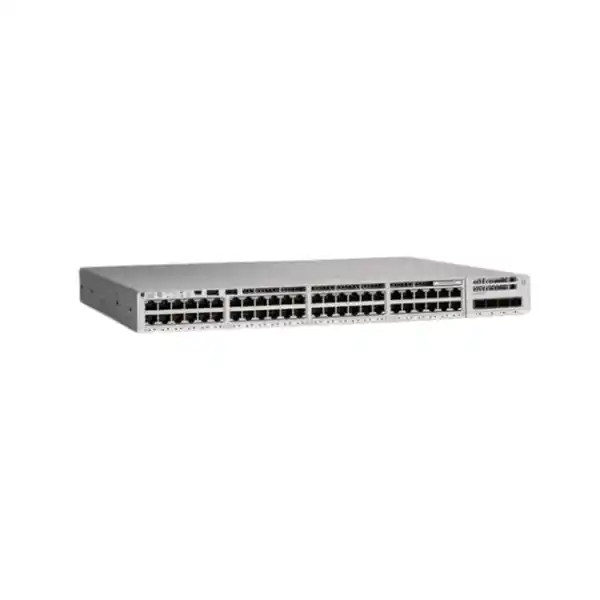
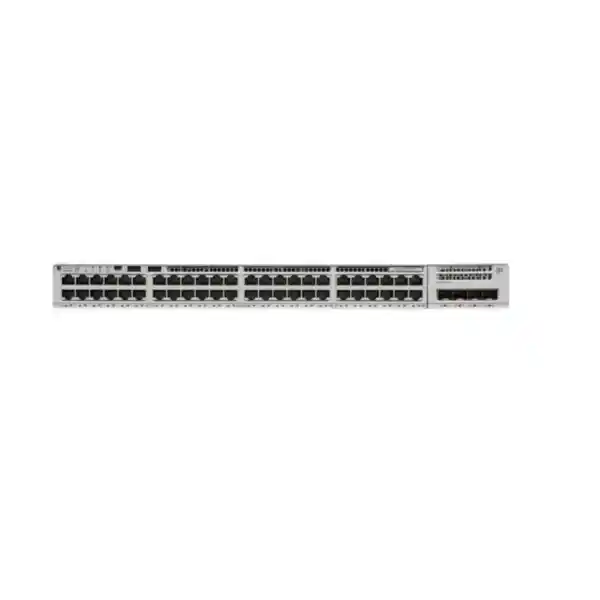
Cisco Catalyst C9200-48P Network Switch
A resilient 48-port full-PoE+ access-layer switch for organizations that need predictable Gigabit Ethernet edge performance, modular uplink flexibility, StackWise-160, Cisco IOS XE operations, replaceable power and fan components, hardware-assisted policy enforcement, and room to scale without redesigning the entire wiring-closet architecture.
Choose the C9200-48P when the access layer needs forty-eight copper Gigabit Ethernet ports with IEEE 802.3at PoE+, a field-replaceable modular uplink bay, redundant power-supply capability, replaceable fans and Cisco StackWise-160 support.
For purchasing, specify the software tier, uplink module, optics, stacking kit, secondary PSU requirement and support entitlement because the base switch name alone does not define a complete production bill of materials.
Full PoE+ copper access for phones, cameras, access points, IoT gateways and user devices.
Published standalone switching capacity for the C9200-48P platform.
Hardware forwarding rate published for the 48-port Gigabit Ethernet model.
Optional backplane stacking for a unified access-layer operational domain.
What the Cisco Catalyst C9200-48P is designed to do
The Cisco Catalyst C9200-48P is an enterprise access-layer switch in the modular-uplink Catalyst 9200 family. Its core role is to aggregate wired endpoints at the edge of a campus or branch network while applying policy, quality of service, segmentation, authentication, telemetry and routing close to users and devices. Forty-eight 10/100/1000BASE-T access ports provide a familiar copper edge that maps well to structured cabling in office floors, schools, clinics, hotels, retail environments, logistics sites, government buildings and distributed enterprise branches across the UAE. Every downlink on the full-PoE+ C9200-48P model can participate in the switch power budget, so the same rack unit can provide data and electrical power to compatible endpoints without deploying local power bricks at every desk, ceiling, corridor or camera position.
The platform is particularly useful where IT teams want more resilience and lifecycle flexibility than a fixed-uplink entry switch. C9200 models use a field-replaceable uplink network module, support optional StackWise-160 hardware, and provide field-replaceable power supplies and fans. Those design choices matter in production because the network can be built around a serviceable wiring-closet platform rather than a sealed appliance. A site may begin with 1 Gigabit Ethernet fiber uplinks using a C9200-NM-4G module, migrate to 10 Gigabit Ethernet by changing to a C9200-NM-4X, add a second power supply for redundancy or increased PoE headroom, and join multiple switches into a stack as port density grows. Procurement can therefore separate the long-lived access chassis decision from some of the uplink and resiliency choices.
For UAE projects, that modularity is valuable because buildings frequently mix copper access, fiber risers, IP telephony, surveillance, wireless access points, access control and building-management devices on the same physical switching layer. The C9200-48P gives designers a structured way to consolidate those edge services while retaining enterprise Cisco IOS XE operational practices. It is not automatically the correct switch for every environment: high-density Wi-Fi 6E or 7 access points that need multigigabit copper and higher per-port power may point toward a multigigabit Catalyst model, while a basic non-PoE user floor can often use a data-only model. The C9200-48P is strongest when one-gigabit PoE+ access, modular fiber uplinks, stackability and serviceability are the primary design requirements.
Verified C9200-48P platform specifications
| Specification | C9200-48P detail |
|---|---|
| Downlink ports | 48 × 10/100/1000BASE-T full PoE+ access ports |
| Uplinks | Modular uplink bay; C9200-NM-4G provides four 1G SFP slots, while C9200-NM-4X provides four SFP/SFP+ slots capable of 1G or 10G operation |
| Switching capacity | 176 Gbps standalone; 336 Gbps published switch capacity with stacking |
| Forwarding rate | 130.95 Mpps standalone; 250 Mpps published forwarding rate with stacking |
| Stacking | StackWise-160, up to 160 Gbps stacking bandwidth; stack hardware is ordered separately |
| PoE budget | Up to 740 W with one PWR-C6-1KWAC; up to 1,440 W with an additional compatible 1 kW AC supply |
| Power resilience | Field-replaceable redundant power-supply capability |
| Cooling | Dual field-replaceable fan architecture on modular C9200 models |
| MAC addresses | 32,000 |
| IPv4 route scale | 14,000 total IPv4 routes in published platform scale, including direct and indirect entries; 4,000 IPv4 routing entries |
| IPv6 routing entries | 2,000 |
| ACL / QoS scale | 1,600 ACL scale entries and 1,000 QoS scale entries in Cisco published platform metrics |
| Packet buffer | 6 MB for 24- and 48-port Gigabit Ethernet C9200 models |
| Flexible NetFlow | Up to 16,000 flow entries on 24- and 48-port Gigabit Ethernet models |
| Memory | 4 GB DRAM and 4 GB flash for C9200 SKUs |
| VLAN IDs / SVIs | 4,094 VLAN IDs and up to 512 switched virtual interfaces in published scale |
| Jumbo frames | Up to 9,198 bytes |
| Security encryption | IEEE 802.1AE MACsec with AES-128 support on C9200 models, subject to software and feature requirements |
| Chassis size | Approximately 1.73 × 17.5 × 13.8 in / 4.4 × 44.5 × 35.0 cm chassis dimensions; depth increases with power-supply installation |
| Weight | Approximately 12.12 lb / 5.5 kg for the C9200-48P chassis configuration in Cisco published specifications |
Specifications should be validated against the exact orderable SKU, software release, power supply, uplink module and licensing combination at quotation stage. Platform-scale values describe supported architectural limits and are not a promise that every maximum can be simultaneously achieved in every feature template.
48-port full PoE+ access
PoE is one of the principal reasons to select the C9200-48P rather than the C9200-48T data-only model. IEEE 802.3af and 802.3at support allows the switch to power a broad set of common enterprise endpoints over the same Category 5e, Category 6 or better structured cabling used for Ethernet data. Typical loads include desk IP phones, fixed dome cameras, video intercoms, badge readers, room-scheduling panels, compact IoT gateways and many mainstream wireless access points. Centralizing power at the access switch also makes UPS-backed continuity easier: when the wiring closet is protected by a correctly sized UPS, powered edge devices can continue operating without individual local UPS units.
The phrase full PoE+ does not mean an unlimited 30 watts is available on all forty-eight ports under every power-supply configuration. The power budget governs aggregate delivery. With one 1 kW AC power supply, Cisco publishes up to 740 W available for PoE. If every port were simultaneously active, that budget averages roughly 15.4 W per port, although actual allocation is dynamic and individual ports can draw more where the remaining budget allows. Adding a second compatible 1 kW AC supply raises the published PoE budget to as much as 1,440 W, which aligns with 48 ports at the 30 W PoE+ ceiling. A proper design therefore inventories device classes and real power demand instead of relying only on port count.
Perpetual PoE and Fast PoE behavior
Cisco documents Perpetual PoE for the Catalyst 9200 Series. The purpose is operational continuity for powered endpoints during a switch reload: where supported and configured, PoE power can remain present while the switching software reloads. This can be important for devices whose power interruption has a larger operational impact than a short loss of packet forwarding, such as security cameras that take time to reboot, access-control devices, medical peripherals or building automation components. Keeping electrical power present does not make the network outage-free—the endpoint may still lose data connectivity while the switch control plane restarts—but it can reduce the total recovery cycle because the powered device itself does not necessarily have to perform a full cold boot.
Fast PoE addresses power restoration after an electrical outage. Instead of waiting for the complete network operating system startup before energizing compatible powered devices, the platform can begin delivering power earlier in the boot process. That helps cameras, phones and other endpoints start their own initialization sooner. For UAE sites where a generator or UPS transition may occasionally produce a sustained outage rather than a momentary dip, this behavior can materially shorten service restoration. Designers should still validate device compatibility, switch configuration and UPS/generator sequencing, and should not substitute PoE features for a complete electrical resilience plan.
PoE sizing methodology for a 48-port UAE access closet
A technically correct PoE bill of materials starts with a device schedule rather than the switch model. List every powered device, its expected IEEE power class, its maximum draw, its normal draw, whether it is mission-critical, and whether future growth is expected. A sample floor might contain twenty IP phones at 8 W each, twelve cameras at 13 W, six access points at 21 W, four door controllers at 12 W and four spare ports reserved for future devices. The normal engineering sum is not simply the number of ports multiplied by 30 W. In this example, the named devices represent approximately 490 W before adding design margin. A single 740 W PoE budget can therefore be adequate while retaining useful headroom, assuming the specific endpoints stay within the stated assumptions. If the floor instead has forty-eight devices close to 30 W, the second 1 kW supply becomes necessary for power capacity rather than only redundancy.
Power-supply redundancy and maximum PoE capacity are separate design questions. If a switch has two power supplies and relies on both to deliver a PoE load above what a single PSU can sustain, loss of one supply may force power shedding or leave the design without full endpoint continuity. For high-availability environments, calculate the required PoE load under an N+1 condition. In other words, determine how many watts must remain available after one power supply fails. If that surviving budget is lower than the critical load, classify endpoints by priority so phones, access control or life-safety-adjacent devices keep power while noncritical loads can be disabled. The switch features can support intelligent allocation, but the hierarchy has to reflect business requirements.
Cabling is part of the same calculation. Long bundled copper runs carrying PoE generate heat, especially at higher current levels, and poor terminations create voltage drop and reliability issues. Use standards-compliant cabling, patch panels and connectors, and keep cable management and cabinet ventilation appropriate for the local ambient conditions. In Dubai and other Gulf installations, equipment rooms can face high ambient temperatures when HVAC is marginal or doors are frequently opened. A network design that looks correct on a spreadsheet can become unstable if a small cabinet is packed with switches, patch panels, UPS equipment and power supplies without sufficient airflow. PoE engineering should therefore include the electrical circuit, UPS capacity, rack thermal load, cable bundle design and maintenance access.
Modular uplinks: choose 1G or 10G based on traffic, not habit
Unlike a C9200L fixed-uplink model, the C9200-48P uses a replaceable network-module bay. For this specific 1G downlink platform, the two most relevant modules are the C9200-NM-4G and C9200-NM-4X. The C9200-NM-4G provides four 1 Gigabit Ethernet SFP slots and is appropriate when the upstream design is intentionally 1G and traffic demand is modest. The C9200-NM-4X provides four SFP/SFP+ slots with 1G or 10G operation per port, allowing the access switch to connect to a distribution or core layer at 10 Gigabit Ethernet. The uplink module is a separate design and procurement item; an order that simply says “C9200-48P” should not be assumed to include the desired fiber interface configuration.
For a new forty-eight-port deployment, 10G uplinks are often the more defensible architectural choice even when current average utilization is low. User traffic is bursty, local application servers can generate concentrated flows, video surveillance can create sustained upstream load, and modern wireless access points can aggregate many clients. A single 1G uplink can become the narrowest point in a switch carrying dozens of active endpoints. Two or more links in an EtherChannel can add capacity and resilience, but a 10G physical uplink usually provides cleaner growth headroom when the distribution layer supports it. The correct answer still depends on measured and forecast traffic, oversubscription policy, uplink diversity and transceiver distance.
Optics must match the module, fiber type, wavelength, distance and remote equipment. Short-range multimode fiber inside a building, single-mode links between buildings, direct-attach arrangements in limited rack scenarios and copper handoffs all require different transceiver choices. Do not quote “4X” as if it were four 10G optics; it denotes the network module capability, while transceivers are selected separately. A production bill of materials should specify the exact module, Cisco-supported optic or compatible approved optic policy, fiber connector type, patch cord, expected span, and whether each uplink is standalone, LACP-bundled or routed.
C9200-NM-4G
Four 1G SFP module slots. This option fits established Gigabit fiber distribution designs, low-bandwidth branches and cost-sensitive sites where one-gigabit uplinks are a deliberate capacity decision rather than a temporary limitation.
SFP+ 10G transceivers do not operate as 10G devices in the 4G module. If 10G is needed, specify the 4X module.
C9200-NM-4X
Four SFP/SFP+ uplink slots, each supporting 1G or 10G operation. This is the preferred growth-oriented choice when a distribution pair or core switch offers 10G interfaces and the access layer may carry significant user, voice, wireless or video traffic.
The flexibility to run at 1G initially and move to 10G later can simplify staged migrations, provided the cabling, optics and upstream interfaces are planned accordingly.
StackWise-160: when stacking is worth adding
The modular C9200 family supports Cisco StackWise-160 using separately ordered stack hardware. Cisco publishes up to 160 Gbps of stack bandwidth and supports stacks of up to eight members within the supported model and licensing rules. In a conventional wiring closet, stacking can simplify administration because multiple physical switches operate as a coordinated system rather than as unrelated management islands. This can reduce the number of management touch points, allow cross-stack link aggregation in supported designs, and create a more coherent access-layer topology for floors requiring more than forty-eight ports.
Stacking is not merely a cable purchase. A proper design checks software compatibility, license level consistency, stack member support, stack cable length, physical rack order, power-feed diversity, uplink distribution and failure domains. If six switches are placed in one large stack but all uplinks terminate on one distribution device or all power comes from one electrical circuit, the topology can still contain major single points of failure. Conversely, stacking may be unnecessary in a small branch where two switches can be managed independently without operational burden. The business value comes from the operational and topology model, not from the stack feature alone.
Rack layout should be designed before ordering stack cables. The standard C9200 stack kit includes adapters and a default stack cable, but larger rack separations can require different cable lengths. Keep members physically arranged so stack connections are serviceable and can form the intended ring topology. Label both ends, document member numbers and serial numbers, and record which power supplies feed which electrical circuits. During expansion, verify that the incoming switch is running a compatible software release and has the correct licensing level before inserting it into production. This avoids turning a straightforward capacity increase into an extended maintenance window.
Cisco IOS XE and the UADP 2.0 Mini architecture
The C9200 family runs Cisco IOS XE, the common enterprise operating system used across major Catalyst platforms. That matters operationally because network teams can retain familiar CLI concepts while adding model-driven programmability, streaming telemetry, automated provisioning and centralized management integrations. The switch is built around Cisco’s UADP 2.0 Mini architecture with an integrated CPU and a programmable forwarding pipeline. Instead of treating policy, quality of service, access control and forwarding as entirely independent fixed-function islands, the ASIC architecture supports template-based allocation of hardware resources for Layer 2, Layer 3, ACL and QoS functions.
For a buyer, this means the platform should be evaluated as an enterprise policy edge, not just a box with forty-eight RJ45 sockets. VLAN assignment, 802.1X authentication, device classification, DHCP snooping, dynamic ARP inspection, IP source guard, port security, ACL enforcement, QoS marking, routing and telemetry can all contribute to a consistent access policy. Feature availability depends on license tier and software release, so the implementation plan must map the desired capabilities to the exact entitlement. The hardware scale also matters: a site with complex segmentation and many ACL entries should validate the forwarding resource template and scale requirements rather than assuming every theoretical table maximum can coexist at once.
Cisco IOS XE also improves lifecycle consistency when an enterprise standardizes on Catalyst 9000. Configuration automation can be developed against standardized interfaces, operational telemetry can be collected in structured form, and software images can be managed centrally through Cisco management platforms where licensed. Traditional teams can continue using SSH and CLI, while automation-focused teams can build repeatable workflows. The most successful deployments establish a golden configuration template covering management VRF, NTP, DNS, AAA, SNMP or streaming telemetry, syslog, authentication policy, spanning tree, QoS, uplink routing, security controls and software maintenance. The switch then becomes part of an engineered operating model instead of a manually configured exception.
Layer 2 foundation
The platform supports enterprise VLAN and spanning-tree operations, 802.1Q trunking, EtherChannel, LLDP, link-layer controls and large MAC-table scale. Cisco publishes 4,094 VLAN IDs, 128 PVST instances, up to 13,000 STP virtual ports in relevant templates and 32,000 MAC addresses for C9200 SKUs. These figures provide useful headroom for campus access, but actual design should limit VLAN sprawl, define root-bridge placement and prevent accidental Layer 2 extension across unnecessary failure domains.
Layer 3 access
Routed access can reduce large Layer 2 domains and provide deterministic convergence. Network Essentials supports foundational static and routing capabilities including RIP and OSPF use cases documented by Cisco, while advanced routing functions depend on the appropriate license tier. The published C9200 scale includes 4,000 IPv4 routing entries, 2,000 IPv6 routing entries and 512 SVIs. Use those numbers as platform planning limits, then validate the required routing protocol and feature set against the purchased entitlement.
Security controls at the access edge
A modern access switch participates directly in security. The physical Ethernet edge is where users, phones, printers, cameras, building controllers and unmanaged devices first enter the network, so controls applied here can stop malformed or unauthorized traffic before it reaches the core. The C9200 family supports IEEE 802.1X authentication and enterprise access controls that can be integrated with identity services. In a mature deployment, authentication policy can distinguish corporate users, phones, cameras and guest or unknown devices, then place them into appropriate VLAN or policy domains. Where 802.1X is not possible, controlled fallback methods can be used for devices that cannot run a supplicant.
First-hop security features are equally important. DHCP snooping establishes trust boundaries around address assignment, Dynamic ARP Inspection helps prevent forged ARP behavior, IP Source Guard can bind traffic to validated address information, and port security can limit unexpected MAC behavior. Storm control, BPDU Guard and Root Guard help contain common Layer 2 mistakes. These controls should be built into an access template so every floor switch behaves consistently. Enabling features without an operational plan can create support problems, so logging, exception handling and device onboarding procedures must accompany the technical configuration.
Cisco also documents IEEE 802.1AE MACsec using AES-128 on C9200 models. MACsec can protect Ethernet traffic on supported links by providing link-layer encryption and integrity. It is particularly relevant where a fiber or copper inter-switch path crosses a less-trusted physical area. MACsec is not a blanket encryption switch for every traffic flow; peer capability, key agreement, licensing, software support and topology all need verification. Treat it as one control within a broader architecture that includes authenticated administration, management-plane ACLs, secure SNMP, SSH, role-based access, centralized AAA and change logging.
Hardware trust and software lifecycle are also part of the security story. Catalyst 9000 platforms include secure boot and trustworthy system concepts intended to reduce the risk of unauthorized software and hardware tampering. Operationally, the organization still needs a patch policy, image validation process, configuration backup, administrative MFA through central identity systems where possible, and restricted management reachability. Buying an enterprise switch provides the controls; security comes from configuring and maintaining them coherently.
Quality of service for voice, video and business applications
PoE access switches frequently carry IP telephony and real-time media, which makes QoS a practical design requirement rather than an academic feature. The C9200 architecture supports classification, marking, queuing and policy controls, with Cisco publishing a QoS scale of 1,000 entries for C9200 SKUs. A typical enterprise design defines a trust boundary: the switch may trust markings from a managed IP phone while remarking traffic from an ordinary endpoint, then preserve DSCP treatment across uplinks. Voice receives latency-sensitive handling, interactive video can receive appropriate priority, and bulk backup or software-distribution traffic can be constrained so it does not dominate egress queues during congestion.
QoS cannot create bandwidth. If forty-eight active ports feed a single saturated 1G uplink, queues merely decide which packets are delayed or dropped first. That is another reason uplink sizing must be done alongside QoS design. With 10G uplinks, congestion may move deeper into the network, where distribution or WAN links become the bottleneck. End-to-end consistency is essential: a carefully marked packet loses its treatment if an upstream firewall, router or provider circuit ignores the classification. The switch configuration should therefore align with the enterprise QoS policy from endpoint to WAN edge.
In unified communications deployments, use LLDP-MED or the approved voice-device discovery method to simplify voice VLAN assignment and provide endpoint information. Keep phone-plus-PC daisy-chain designs in mind when planning authentication because a single switch port may see more than one logical device. For contact-center floors, conferencing rooms and hospitality environments, test failover, DHCP option delivery, call-manager reachability and emergency-calling requirements before mass rollout. QoS is most effective when application teams, voice engineers and network engineers agree on a small set of documented traffic classes rather than allowing each project to invent new markings.
Flexible NetFlow, telemetry and troubleshooting visibility
Cisco publishes support for up to 16,000 Flexible NetFlow entries on 24- and 48-port Gigabit Ethernet Catalyst 9200 models. Flow telemetry can help operations teams answer questions that interface counters alone cannot: which sources are generating the most traffic, what application patterns changed before an incident, which destinations are consuming uplink capacity, and whether a suspected host is communicating with unexpected networks. A properly designed flow-monitoring policy improves capacity planning and incident investigation, especially in branch networks where a small number of uplinks aggregate many endpoint types.
Traditional monitoring remains important. SNMPv3, syslog, interface counters, environmental sensors, power measurements and spanning-tree state provide a comprehensive operational baseline. The PoE MIB and per-port power sensing can expose how much power endpoints are actually drawing, which is valuable when validating the original PoE sizing model after deployment. Administrators can compare allocated versus consumed power, identify ports that unexpectedly change class, and forecast whether adding more cameras or access points will require a second power supply.
IOS XE supports model-driven programmability and streaming telemetry, allowing organizations to move beyond slow polling for selected operational data. Centralized Cisco management platforms can add software-image management, assurance and automation capabilities based on license tier. The monitoring architecture should define a source of truth, naming convention, management IP plan, NTP source, DNS resolution, syslog destination, telemetry collector and alert thresholds. Without those basics, even a feature-rich switch becomes difficult to diagnose during a production outage.
Branch office
A C9200-48P can consolidate user desks, IP phones, cameras and wireless access points in a medium branch while providing Layer 3 demarcation toward a WAN firewall or SD-WAN edge. The modular 10G uplink option is useful when local servers, backup traffic or a high-speed campus handoff justify more than 1G upstream capacity. Use a second PSU when endpoint power continuity or aggregate PoE demand requires it.
Campus access floor
Multiple C9200-48P units can form a StackWise-160 access block feeding redundant distribution switches. This arrangement fits office towers and education buildings where each floor requires predictable copper density, centralized policy and resilient uplinks. Cross-stack uplink design and power diversity should be engineered so the loss of one member, PSU or distribution path does not isolate the entire floor.
IP surveillance
Forty-eight PoE+ ports can support dense camera deployments when the total power budget, uplink bandwidth and retention architecture are correctly sized. Camera bitrate is continuous rather than bursty, so calculate expected aggregate traffic and avoid concentrating too many high-resolution streams behind a 1G uplink. Segment cameras, restrict management access and provide UPS-backed power where recording continuity matters.
Hospitality and mixed IoT
Hotels and mixed-use properties can place phones, cameras, access control, guest wireless and building devices on one physical platform while separating them logically through VLAN and policy. The engineering priority is isolation: guest, operational technology and security networks should not become a flat Layer 2 domain simply because they share a switch. Identity, ACLs, routing and monitoring should reinforce segmentation.
Routing architecture and where the access layer should stop
The C9200 family supports Layer 3 access designs using Cisco Express Forwarding. Cisco documents foundational IP unicast routing capabilities including static routes, RIPv1/RIPv2, RIPng and OSPF for small routed applications with the Network Essentials stack, plus advanced routing features with the appropriate higher licensing. This gives architects freedom to choose between a traditional Layer 2 access model, in which VLANs extend to distribution switches, and a routed access model, in which the Layer 3 boundary moves closer to endpoints. Routed access can reduce spanning-tree dependence and confine broadcast domains, but it changes first-hop gateway placement and policy design.
A pure Layer 2 access deployment remains common where operational simplicity and centralized gateway services are priorities. In that design, uplinks carry 802.1Q trunks, distribution switches provide SVIs and redundancy, and the C9200-48P focuses on endpoint access, policy, PoE and local Layer 2 protection. The risk is oversized failure domains when too many closets share the same VLANs. Spanning-tree root placement, loop guards and link aggregation must be deliberate. Avoid extending VLANs across sites merely because the technology allows it.
Routed access replaces trunk dependence with Layer 3 adjacencies and can enable equal-cost routing across uplinks. It is attractive in larger campuses where deterministic convergence and fault isolation are important. Before choosing it, verify the exact routing protocols and features required by the enterprise standard and map them to Network Essentials, Network Advantage, Switching Essentials or Switching Advantage licensing as applicable to the chosen software model. Do not assume the word “Layer 3” means every advanced routing feature is included in every orderable SKU.
Licensing: C9200-48P-E, C9200-48P-A and current subscription choices
The hardware family name C9200-48P does not by itself define the software entitlement. Cisco orderable variants include C9200-48P-E for Network Essentials and C9200-48P-A for Network Advantage under the established perpetual network-license model. Cisco has also introduced unified switching licensing through Cisco Networking Subscription, with Switching Essentials and Switching Advantage tiers on supported software releases, while Cisco DNA subscription SKUs remain documented for the Catalyst 9200 family. The exact commercial licensing path available to a customer can depend on Cisco program rules, software release and agreement structure at the time of purchase.
This is why a professional quote should start with required features rather than an arbitrary “E” or “A” suffix. If the site needs basic Layer 2 access, foundational routing, standard security and monitoring, an Essentials-level design may be sufficient. If the architecture requires advanced routing, deeper assurance, policy-based automation, segmentation or other higher-tier functions, Advantage may be justified. The network architect should list mandatory capabilities, then select the license that covers them. Over-licensing increases cost, while under-licensing can block the intended production design after hardware installation.
Subscription term also belongs in the bill of materials. Cisco documentation lists 3-, 5- and 7-year terms for relevant Catalyst licensing, and the newer unified subscription model has its own commercial rules. The project should record the selected term, renewal ownership, Smart Account or licensing-account details, and whether centralized management such as Cisco Catalyst Center is part of scope. For organizations purchasing multiple switches over time, aligning renewal dates can simplify budgeting and reduce administrative overhead.
Before final purchase, FourTeck should validate the exact orderable suffix, subscription SKU, term and support contract against the customer’s feature requirements. Licensing changes over product lifecycles, so quoting from an old bill of materials or copying a part number from another site can create entitlement mismatches. The switch hardware is only one line of a complete enterprise access solution.
Choose Essentials when
The design emphasizes standard enterprise access switching, VLANs, PoE+, foundational routing, ordinary edge security, monitoring and operational consistency without advanced fabric or analytics requirements. Validate every required feature against the current Cisco feature matrix and intended IOS XE release before procurement.
Choose Advantage when
The architecture explicitly depends on higher-tier routing, segmentation, assurance, analytics, automation or policy functions. Advantage should be selected because the requirements demand it, not simply because it is the more expensive suffix. Document the feature-to-license mapping in the design record.
C9200-48P versus C9200L-48P: why the modular model costs more
A common procurement question is whether to select the modular C9200-48P or a fixed-uplink C9200L-48P model. Both can provide forty-eight PoE+ copper access ports, but they are not operationally equivalent. The C9200-48P offers a replaceable uplink network module, StackWise-160 rather than the lower StackWise bandwidth of C9200L, field-replaceable fans and the broader serviceability associated with the modular C9200 architecture. C9200L uses fixed uplinks chosen at purchase and fixed fans. If the intended network is static and cost sensitivity is high, the fixed platform can be perfectly suitable. If the environment values uplink migration, replaceable cooling, higher stack bandwidth and lifecycle flexibility, the C9200-48P can justify the premium.
The performance tables also differ depending on the exact C9200L uplink variant. A 48-port C9200L with fixed 4x1G uplinks has a lower published switching capacity than the C9200-48P, while 4x10G fixed-uplink variants align more closely with the higher switching figures. Therefore, comparing only “48-port PoE+” hides important differences. A correct comparison includes uplink speed, stack bandwidth, replaceable components, power options, license requirements and long-term migration plans.
For multi-floor enterprise sites, modularity often has operational value because closets are upgraded at different times. One floor may still use 1G distribution today while another is moving to 10G. The C9200-48P lets the uplink module change without replacing the complete access chassis. For standardized branches with predictable traffic and no expectation of uplink changes, fixed variants reduce part-number complexity. FourTeck can compare both against the actual topology rather than defaulting to the more expensive model.
C9200-48P versus multigigabit Catalyst access switching
The C9200-48P is a Gigabit Ethernet downlink switch. Each copper access port tops out at 1 Gbps. That is appropriate for a very large installed base of phones, cameras, printers, ordinary desktops, room systems and IoT devices. It can also connect many wireless access points, but designers should confirm the wired interface requirement of the selected AP. Modern Wi-Fi 6, Wi-Fi 6E and Wi-Fi 7 access points can offer aggregate wireless capacity above 1 Gbps and may be designed for 2.5G, 5G or higher multigigabit Ethernet. Connecting such an AP to a 1G C9200-48P port can create a wired bottleneck even though the PoE budget is sufficient.
If a project is refreshing wireless infrastructure for a long lifecycle, evaluate multigigabit C9200 variants or higher Catalyst families with mGig and the required power standard. The right answer can be mixed: standard C9200-48P switches for user, phone and camera density, with multigigabit switches dedicated to high-performance access points. This keeps cost under control while avoiding an unnecessary 1G ceiling on premium wireless infrastructure.
The decision should include cable quality. Multigigabit Ethernet was developed partly to extend higher data rates over existing cabling, but actual distance and performance depend on cable category, installation quality and interference. A wireless refresh project should test the structured cabling plant before assuming every legacy run can support the target speed. The C9200-48P remains a strong fit when the requirement is explicitly one-gigabit access with PoE+, but it should not be positioned as a substitute for an mGig switch where the endpoint specification calls for faster copper.
Physical installation and rack engineering
The C9200-48P is a one-rack-unit class access switch approximately 17.5 inches wide and 13.8 inches deep at the chassis, with additional depth occupied by installed power supplies and cabling. Cisco publishes a chassis weight around 5.5 kg for the model. These numbers are manageable in a standard 19-inch rack, but a complete installation must reserve front and rear service clearance, bend radius for copper and fiber, room for patch panels, vertical cable management, stack cables and power cords, and enough cabinet depth for the PSU modules. Do not select a wall cabinet based only on the bare chassis depth.
Cooling is critical in high-density UAE deployments. C9200 modular models use field-replaceable fans. Even with redundant fan design, environmental control must keep inlet air within Cisco’s supported operating range. A communications room with inadequate air conditioning can run hotter than the occupied office, especially when several PoE switches, UPS systems and NVR or server equipment share a compact enclosure. Thermal load rises with power consumption, so a forty-eight-port PoE switch powering many devices can contribute meaningfully to room heat. Cabinet fans are not a substitute for adequate room HVAC if the enclosed equipment load is substantial.
Power feeds should be documented. If two switch power supplies are installed for redundancy, plugging both into the same extension strip on one breaker does not provide full electrical-path diversity. Critical sites should consider separate PDUs, separate UPS output groups or appropriately designed independent feeds. The exact resilience level depends on building electrical architecture and business requirements. Label power cords by PSU and source so technicians can service equipment without inadvertently disconnecting both feeds.
Patch-panel design affects maintainability. Use horizontal or vertical managers so forty-eight patch leads do not obstruct airflow or make port identification impossible. Where phones, cameras, APs and user outlets share the switch, color-coded patching can be useful if it is governed by a documented standard. Maintain port descriptions in the switch configuration and in the site documentation, tying each port to patch-panel position, room, endpoint type and VLAN role. Good physical records reduce troubleshooting time when remote teams need local hands to move a cable or replace an endpoint.
UAE procurement and deployment considerations
Enterprise switch procurement in the UAE should confirm more than price and lead time. The quotation needs to identify whether the hardware is intended for UAE distribution, the exact orderable suffix, software entitlement, subscription term, support contract, power cord, power supply count, uplink network module, transceivers, stacking kit and cables. Missing accessories frequently appear only during installation, when site engineers discover that the chassis arrived without the expected 10G uplink module or the bill of materials omitted optics. A complete configuration review before purchase costs far less than an emergency change order during a maintenance window.
Support coverage should match operational criticality. A small noncritical branch may accept standard replacement timelines, while a hospital, financial office, hotel, logistics hub or 24-hour operation may require faster hardware replacement and vendor support. Document the serial numbers and support status when equipment is received, then register entitlements under the customer’s proper Cisco account structure. Avoid leaving subscriptions associated with an integrator account when the customer is expected to own renewals and lifecycle management.
UAE sites also vary widely in physical conditions. A modern data room in Dubai Internet City has different power, cooling and fiber availability from a warehouse, construction office or remote industrial site. Dust control, cabinet sealing, grounding, temperature, UPS autonomy and generator behavior all affect reliability. The switch should be installed within its environmental specifications rather than treated as an industrial hardened device. Where conditions are harsh, place the network equipment in a conditioned telecom enclosure or select a platform designed for the environment.
FourTeck can coordinate the switch with broader UAE infrastructure requirements through FourTeck UAE, including access-layer design, and through FourTeck IT Services UAE for implementation and operational support planning. Where the access switch connects to perimeter security, branch firewalls or segmentation gateways, the Firewall Dubai portfolio can be considered as part of the end-to-end architecture. For networks with local compute or rack infrastructure, Server Dubai provides a related path for server and data-room requirements.
Designing uplink resiliency to a distribution pair
A common campus design connects each access stack to two distribution switches. The exact mechanism depends on the distribution architecture: Layer 2 trunks can be bundled using a supported multichassis design upstream, while routed access can use independent Layer 3 links with equal-cost routing. The C9200-48P’s optional four-port uplink module gives enough physical interfaces for dual-homing and link aggregation, but interface count alone does not create redundancy. The upstream topology must be designed so a single fiber cut, optic failure, line-card failure or distribution switch outage does not remove all paths.
For Layer 2 access, spanning-tree behavior requires particular attention if the upstream pair does not present a single logical port-channel endpoint. Blocking links may be expected in some designs, and convergence time should be tested. Cross-stack EtherChannel can improve link distribution when the access side is stacked, but the remote side must also support the required aggregation model. For routed access, each uplink can be a point-to-point Layer 3 adjacency, eliminating trunk loops and enabling equal-cost load sharing where supported. The routing license and protocol design then become central.
Optical path diversity is often overlooked. Two fibers that travel in the same tray, enter the building through the same riser and terminate in the same patch panel can fail together. Where resilience is genuinely important, inspect the physical route. The same logic applies to power. A redundant switch stack connected to a redundant core is still exposed if every closet device depends on one UPS. Enterprise availability comes from removing correlated failure points across the whole path.
Wireless access point integration
The C9200-48P can power and connect many enterprise wireless access points that use a 1 Gigabit Ethernet uplink and fit within PoE+ power. Before selecting it for a new wireless project, confirm three endpoint parameters: the AP’s maximum Ethernet speed, its required PoE standard at full radio capability, and the expected aggregate client throughput. An AP that supports 2.5G or 5G multigigabit Ethernet will negotiate only 1G on a C9200-48P copper port, potentially limiting performance. An AP requiring more than PoE+ may also reduce features or fail to operate at full capability depending on its design.
For mainstream office wireless where each AP is intentionally limited to 1G, the C9200-48P remains practical. Put AP ports in the required access or trunk configuration, apply the correct QoS policy, and ensure the uplink from the switch has enough capacity for aggregate wireless traffic. Twelve APs each capable of approaching 1G cannot be expected to deliver their combined potential through a single 1G switch uplink. 10G uplinks are therefore strongly preferred when the switch carries multiple busy APs plus wired traffic.
Wireless deployments also benefit from device visibility and centralized automation. Cisco management systems can coordinate switching and wireless policy depending on the architecture and license. Even when using third-party APs, the switch still provides standard Ethernet, VLAN, PoE and QoS functions. Keep the switching design vendor-neutral at the physical and IP layers where possible, then use Cisco-specific automation where it adds operational value.
IP phone and unified communications access design
IP phones are an ideal workload for PoE+ access switching because their power requirement is usually well below the maximum per-port budget and they benefit directly from centralized UPS protection. A standard desk can connect the phone to the C9200-48P, then connect the user PC through the phone’s integrated switch port. This saves switch ports in some deployments, but the access configuration must distinguish voice and data traffic. Voice VLAN assignment, LLDP-MED, QoS trust, authentication and emergency-calling requirements should be standardized in the port template.
When 802.1X is deployed, the phone and PC may authenticate differently even though they share one physical switch interface. Multi-domain authentication can place the phone in the voice domain and the PC in the data domain. Printers or other downstream devices may require different policies. Test the exact endpoint combinations because authentication timers and fallback behavior can affect boot sequence and help-desk experience. The most secure configuration is not useful if ordinary office moves repeatedly trigger lockouts due to an untested port template.
Call quality depends on more than the access switch. Verify DHCP, DNS, call-control reachability, WAN QoS and firewall handling. The C9200-48P can mark, queue and prioritize voice at the edge, but upstream devices must preserve the policy. For branches using SIP trunks or cloud calling, the WAN and security edge may be a more significant constraint than the LAN. The switch still provides the stable powered foundation that keeps phones online during local power transitions when the rack is protected by UPS.
Video surveillance and physical-security networking
IP cameras create a different traffic profile from office users. A camera may transmit continuously for twenty-four hours, generating a predictable sustained bitrate. Forty cameras at 12 Mbps each already represent about 480 Mbps before protocol overhead and bursts. Higher-resolution cameras, higher frame rates, multiple streams or analytics can raise that figure substantially. If a C9200-48P is used as a camera aggregation switch, estimate aggregate bitrate and compare it with the uplink design. A 10G uplink often costs little relative to the surveillance system and prevents avoidable congestion as camera count or resolution grows.
PoE sizing is similarly workload-specific. Many fixed cameras fit comfortably within 802.3af or 802.3at budgets, while PTZ models, heaters, illuminators or edge analytics can draw more. Record maximum consumption rather than relying on nominal draw. If all cameras are security-critical, the PoE budget should survive a single PSU failure or the design should explicitly state which cameras may lose power. UPS runtime must include switch power and PoE load, not only the switch chassis consumption.
Security cameras should be segmented from user devices. Use dedicated VLANs or policy groups, restrict which systems can reach camera management interfaces, permit only required paths to NVR or VMS servers, and monitor unexpected traffic. Disable unused ports, lock down administrative services and document every camera port. Physical-security networks often remain in service for many years, so lifecycle management and firmware updates should be included in the operations plan rather than left solely to installation contractors.
High availability: power, fans, stacking and software maintenance
Resilience on the C9200-48P exists at several layers. The chassis supports field-replaceable power supplies, including a second PSU for redundancy and additional PoE capacity. Modular C9200 models also use field-replaceable fan units. StackWise-160 can combine multiple members into a coordinated switching system, and redundant uplinks can connect the access block to separate upstream paths. These features reduce several common failure risks, but they only deliver availability when the design is assembled correctly.
For power, decide whether two supplies are configured for true N+1 resilience or whether both are required to sustain the full PoE load. For cooling, maintain spare fan strategy where service-level requirements justify it. For stacking, use the supported ring and distribute endpoints so the failure of one member affects only the ports physically on that member. For uplinks, place links on different stack members where appropriate and terminate them on diverse upstream devices. For software, maintain a tested upgrade procedure, configuration backup and rollback plan.
Cisco documents cold patching and operational capabilities across the Catalyst 9200 family, but maintenance planning should still assume that some upgrades require disruption unless a specific supported procedure has been validated. Perpetual PoE can keep endpoints electrically powered during certain reload situations, yet packet forwarding may still stop. Schedule maintenance according to application impact, not just endpoint power state. A resilient network is one whose failure and maintenance behaviors are understood before the incident.
Capacity planning beyond headline throughput
The published 176 Gbps switching capacity and 130.95 Mpps forwarding rate demonstrate that the C9200-48P is engineered for enterprise access workloads, but capacity planning should not stop at those numbers. Real performance depends on packet size, feature mix, uplink topology, queue behavior, buffer use and traffic distribution. A switch can have ample internal fabric capacity while users experience poor performance because a single 1G uplink is saturated. Conversely, a 10G uplink can be lightly utilized while an individual server or firewall path becomes the bottleneck.
The 6 MB packet buffer on Gigabit Ethernet C9200 models helps absorb bursts but is not intended to hide sustained oversubscription. Microbursts from many synchronized endpoints can still create drops when traffic converges on a slower interface. QoS can prioritize important classes, and link aggregation can increase aggregate capacity, but architecture remains the first control. Measure interface utilization, queue drops and flow patterns after deployment, then compare them with the design assumptions.
Table-scale numbers also deserve context. The C9200 platform publishes thousands of MAC, routing, ACL and NetFlow entries, yet forwarding resources are finite and some features share hardware tables. Highly segmented networks with large ACLs, many routes and extensive telemetry should be validated against the chosen forwarding template and software release. Enterprise design avoids operating permanently at maximum scale; headroom is needed for growth, failover and troubleshooting.
VLAN, SVI and segmentation design
Cisco publishes support for 4,094 VLAN IDs and up to 512 SVIs on the C9200 platform. These are generous access-layer limits, but good design intentionally uses far fewer VLANs than the maximum. Create segmentation around security and operational boundaries: corporate users, voice, cameras, access points, guest services, printers, building systems and management are common examples. Avoid creating one VLAN per tiny department simply because VLAN capacity exists. Excessive segmentation increases routing, ACL, DHCP and troubleshooting complexity without necessarily improving security.
The management plane deserves its own protected path. Use a dedicated management VLAN or management VRF design, restrict administrative source networks, prefer SSH and SNMPv3, send logs to centralized systems, and synchronize time through trusted NTP. Disable unused web services if they are not part of the operational model. If centralized automation is used, allow only the required controller connections. The switch should not expose management interfaces broadly to user or guest networks.
Where identity-based segmentation is deployed, the network can move beyond static port-to-VLAN mapping. Cisco policy technologies can assign access based on user or device context and propagate group information across the network. Those designs require compatible licensing and controller infrastructure and should be introduced with careful operational planning. Static VLANs remain appropriate for many sites. The best segmentation method is the one the organization can consistently operate, audit and troubleshoot.
Automation, Plug and Play and centralized operations
Cisco documents Plug and Play capability for Catalyst 9200 deployments, allowing new switches to be onboarded through automated workflows rather than manually configured line by line at each site. For organizations with many UAE branches, this can reduce deployment variance. A switch can be shipped to a site, connected according to a prepared plan and brought under centralized provisioning. The value is greatest when the organization already maintains standard templates, IP addressing, authentication infrastructure and a source-of-truth database.
Automation does not eliminate design work; it amplifies it. A bad template can misconfigure dozens of switches faster than an engineer could configure one. Treat templates as code: review changes, version them, test in a lab, define rollback procedures and separate variables from policy. Site-specific parameters such as hostname, management IP, uplink addressing and VLAN assignments should be controlled data rather than manual edits after deployment.
Cisco Catalyst Center and other supported management approaches can add image management, assurance, health monitoring and policy automation depending on licenses and platform compatibility. Cisco also documents cloud-management migration options for Catalyst 9200 to Meraki dashboard environments while retaining advanced capabilities such as CLI in supported scenarios. Customers should choose the operating model before purchase because controller licensing, telemetry and support workflows influence the final commercial configuration.
Migration from older Cisco Catalyst access switches
Many C9200-48P projects replace older Catalyst 2960, 2960-X, 3560, 3750 or similar access switches. The migration should not be treated as a simple configuration copy. Older devices often accumulated years of exceptions, unused VLANs, legacy authentication commands, outdated SNMP communities and QoS policies designed for earlier hardware. Before converting the configuration, identify which behaviors are still required. Rebuild the switch template around current IOS XE syntax and security standards, then migrate only validated site-specific settings.
Uplink interfaces can change during migration. An old switch may use 1G SFP uplinks, while the new C9200-48P is an opportunity to move to 10G with the C9200-NM-4X. Verify the remote distribution interface, optic type and fiber. If the legacy topology uses a proprietary stack architecture, plan how the new StackWise-160 ring will be cabled and how member numbering maps to existing patch panels. Maintenance windows should include time for physical repatching, stack formation and endpoint validation.
PoE replacement can expose hidden power assumptions. Older phones and cameras may use lower power, while new APs consume more. Do not assume a new switch automatically provides more usable PoE because the chassis is newer. Calculate the actual budget with the selected PSU count. During cutover, verify phones register, APs join controllers, cameras stream, printers receive addressing and 802.1X endpoints authenticate. A structured acceptance test converts the migration from a cable swap into a controlled technology refresh.
Configuration baseline for production deployment
A production C9200-48P should begin from a controlled baseline. Set the hostname and domain strategy, secure management access, configure centralized AAA, define local emergency credentials under policy, enable SSH, restrict VTY sources, configure NTP, DNS and syslog, establish SNMPv3 or streaming telemetry, configure the management VRF or VLAN, and document software image and license state. Disable legacy protocols and services that are not required. Add login banners and change tracking according to organizational policy.
Layer 2 templates should define access versus trunk behavior, spanning-tree mode, edge-port protections, storm control, unused-port handling, VLAN pruning and EtherChannel standards. Security templates should address 802.1X, MAB fallback where approved, DHCP snooping, Dynamic ARP Inspection, source guard and port-security policy. QoS templates should establish the trust boundary and standard classes. PoE settings should define priority for critical endpoints if power shedding is possible.
Uplink templates depend on the topology. A Layer 2 design may use trunks and port channels; a routed design may use point-to-point interfaces, routing protocol authentication and equal-cost paths. Stack deployments need member numbering, priority strategy and cable validation. Monitoring should include CPU, memory, temperature, fan status, PSU state, PoE utilization, interface errors, link flaps, queue drops, spanning-tree changes and authentication failures.
Finally, back up the running configuration and record serial numbers, MAC addresses, license details, support contract, physical rack position, uplink fiber IDs and connected patch panels. The strongest configuration is one that another engineer can understand during an incident without relying on tribal knowledge.
Acceptance testing after installation
Commissioning should verify the design rather than merely confirm that the switch powers on. Check that the installed chassis and serial number match the bill of materials, both fans report healthy, each PSU is recognized, stack members are present in the correct order, and the uplink network module is the planned model. Verify optic identification, speed, duplex, interface errors and received optical power where the platform exposes it. Test each redundant path independently by disabling one uplink at a time and confirming traffic reconverges as expected.
PoE acceptance should include total budget, actual consumption and failover behavior. Connect representative phones, cameras and APs, confirm they negotiate the intended power, and check whether critical devices remain powered under the designed single-PSU failure condition. If Perpetual PoE is part of the requirement, test the exact reload scenario in a controlled window. If Fast PoE matters, validate behavior after a complete power restoration rather than relying only on documentation.
Security testing should verify successful and failed 802.1X authentication, guest or quarantine behavior, DHCP snooping, unauthorized DHCP server blocking, management ACLs and administrative AAA. QoS testing should confirm marking and queue behavior. Monitoring systems should receive logs, SNMP or telemetry and environmental alerts. Configuration backups should complete successfully. A switch is production-ready only when its operational integrations work, not when its LEDs are green.
Document the results in an acceptance sheet with date, engineer, software release, license state, member serials, PSU inventory, stack topology, uplink mapping and outstanding exceptions. This record provides a clean baseline for future support and warranty incidents.
Common purchasing mistakes to avoid
Ordering only the chassis name
The final order must define -E or -A / relevant subscription entitlement, uplink module, optics, power supplies, stack parts and support. “C9200-48P” is not a complete site bill of materials.
Assuming 740 W means 48 × 30 W
A single 1 kW AC supply provides a published 740 W PoE budget. Full 30 W allocation across all forty-eight ports requires up to 1,440 W, achieved with the supported dual-supply configuration.
Forgetting the uplink module
The C9200-48P has modular uplinks. Choose C9200-NM-4G for four 1G SFP ports or C9200-NM-4X for four 1G/10G SFP/SFP+ ports based on the actual distribution design.
Using a 1G uplink for heavy traffic
Forty-eight access ports, cameras and APs can easily aggregate more than 1G. Size uplinks from expected traffic and growth, and use 10G where it removes an obvious bottleneck.
Treating dual PSU as automatic N+1
If the live PoE load exceeds what one PSU can sustain, losing a supply reduces available power. Calculate the surviving budget and prioritize critical powered endpoints.
Ignoring license-to-feature mapping
Essentials and Advantage differ. Choose the license because the architecture requires specific features, and verify the current Cisco licensing model and IOS XE compatibility before purchase.
Lifecycle, spares and support strategy
Access switches are often deployed for many years, so lifecycle planning should start at purchase. Record the software release chosen for standard deployment and the maintenance train the organization intends to follow. Maintain a lab or representative spare where the environment is large enough to justify it, and test major software changes before production rollout. Keep configuration backups in a versioned repository and ensure recovery procedures do not depend on one engineer’s laptop.
The modular C9200 design gives useful spare options. A site with many identical switches can keep a compatible power supply, fan module, uplink module, stack cable and common optics available for rapid replacement. The correct spare list depends on support SLA and site count. If vendor replacement is guaranteed within a timeframe that meets business needs, local spares may be minimal. Remote sites or 24-hour operations may justify on-site stock even with active support.
License and support renewals must have ownership. Assign an internal role or managed-service provider to track subscription dates, support expiration and software entitlement. Technical debt often appears when hardware keeps working but subscriptions lapse silently, leaving management or support capabilities unavailable during an incident. Lifecycle management is part of network reliability.
Who should buy the Cisco Catalyst C9200-48P?
The C9200-48P is well suited to organizations that already standardize on Cisco enterprise switching and want a serviceable, stackable forty-eight-port PoE+ access platform. It is a strong candidate for corporate offices, school campuses, clinics, hospitals, hospitality properties, government facilities, retail hubs, logistics sites and branch networks where most edge devices require no more than 1 Gigabit Ethernet but many benefit from centralized PoE. It is also appropriate when 10G fiber uplinks are desired without moving to a higher access-switch family.
It is less suitable when the primary requirement is multigigabit copper to many endpoints, when devices need PoE standards beyond 802.3at at full power, when fanless operation is mandatory, or when the environment needs industrial temperature or ruggedization. In those cases, compare multigigabit Catalyst, compact Catalyst 9200CX or industrial switching models as appropriate. A data-only floor can also use a non-PoE model if no powered endpoints are expected.
The key question is not “Is the C9200-48P a good switch?” It is “Does the C9200-48P match the endpoint speed, PoE load, uplink bandwidth, resilience, licensing and operating model of this site?” When those requirements align, the platform provides a mature enterprise access foundation with excellent integration into Cisco campus operations.
Technical FAQ
Does the C9200-48P include 10G uplinks?
The chassis uses a modular uplink bay. Specify the C9200-NM-4X for four interfaces supporting 1G or 10G SFP/SFP+ operation. A C9200-NM-4G provides four 1G SFP slots only. The required module and optics must be included in the bill of materials.
How much PoE power is available?
Cisco publishes up to 740 W PoE with one PWR-C6-1KWAC and up to 1,440 W with an additional compatible 1 kW AC power supply. Actual endpoint planning must include device draw, power priority and failover requirements.
Can all 48 ports provide PoE+?
Yes, this is the full-PoE+ model, but aggregate delivery is limited by the installed PSU budget. Forty-eight ports at the full 30 W PoE+ ceiling represent 1,440 W, which requires the appropriate dual-supply configuration.
How many switches can be stacked?
Cisco documents StackWise-160 for modular C9200 models with support for up to eight members, using the separately ordered C9200 stack kit and compatible members at the same license level.
Is the C9200-48P a Layer 3 switch?
Yes, Catalyst 9200 supports Layer 3 capabilities including static routing, OSPF and other protocols depending on licensing. Advanced routing features must be mapped to the appropriate software tier and IOS XE release.
Does it support MACsec?
Cisco publishes IEEE 802.1AE MACsec with AES-128 support for C9200 models. Exact link, peer, software and entitlement requirements should be verified for the intended deployment.
Is it suitable for Wi-Fi 6 or Wi-Fi 7?
It can power and connect APs that operate within 1G Ethernet and PoE+ requirements. APs requiring multigigabit Ethernet or higher power should be paired with an appropriate mGig/UPOE-capable switch instead.
Which license should I buy?
Select the license from the required features. C9200-48P-E maps to Network Essentials and C9200-48P-A maps to Network Advantage in the established model; Cisco also documents newer unified Switching Essentials/Advantage subscription options on supported releases.
Decision recap: when the C9200-48P is the right fit
You need forty-eight 1G copper ports in one rack unit and expect many devices to use PoE+.
You want the flexibility to select or later change between four-port 1G and four-port 1G/10G uplink modules.
You value replaceable PSUs and fans, optional dual-power design and StackWise-160 access stacking.
Most endpoints require mGig copper, greater-than-PoE+ power, fanless operation or industrial environmental specifications.
Quotation input checklist
To receive an accurate C9200-48P configuration rather than an incomplete chassis quote, provide the following project information. These inputs let the network specialist size power, uplink capacity, software tier and accessories in one pass.
Emirate, building type, number of telecom rooms and number of 48-port switches required now and during planned expansion.
Counts of users, phones, cameras, APs, printers, access-control devices and other PoE or non-PoE endpoints.
Maximum power requirement per powered endpoint, criticality and whether power must survive loss of one switch PSU.
1G or 10G target speed, number of uplinks, fiber type, distance, connector type and upstream switch model.
Standalone or StackWise-160 deployment, member count, rack layout and approximate stack-cable distances.
Required routing, automation, assurance and segmentation features, preferred Essentials or Advantage tier and subscription term.
Business operating hours, replacement-time objective, planned spares and responsibility for Cisco support cases.
Supply only, configuration, rack installation, migration, testing, documentation, monitoring integration and post-cutover support.
FourTeck consultation for Cisco Catalyst C9200-48P deployments
A production-ready C9200-48P purchase should result in a complete configuration: the right hardware suffix and licensing tier, an uplink module matched to the distribution network, optics matched to fiber and distance, enough PoE capacity for the endpoint schedule, stack components sized for the rack, and support aligned to business criticality. FourTeck can review those dependencies before the switch is ordered so installation does not stall on missing accessories or mismatched entitlements.
For multi-switch projects, the same engagement can produce a repeatable access-layer template covering VLANs, authentication, first-hop security, QoS, monitoring, uplink resiliency, stack design and acceptance testing. This keeps every branch or floor aligned with the same technical standard while allowing site-specific variables such as uplink optics and PoE demand.
Send quantity, site, PoE endpoint list, desired uplink speed, stack requirement, fiber distance, required software features and support expectation. FourTeck can then return a bill of materials that identifies the switch, power, network module, optics, stack hardware, licensing and implementation scope.

Reviews
There are no reviews yet.