
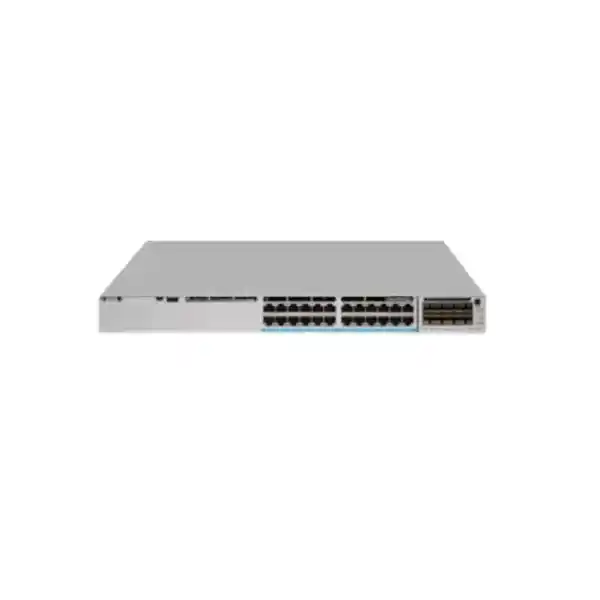
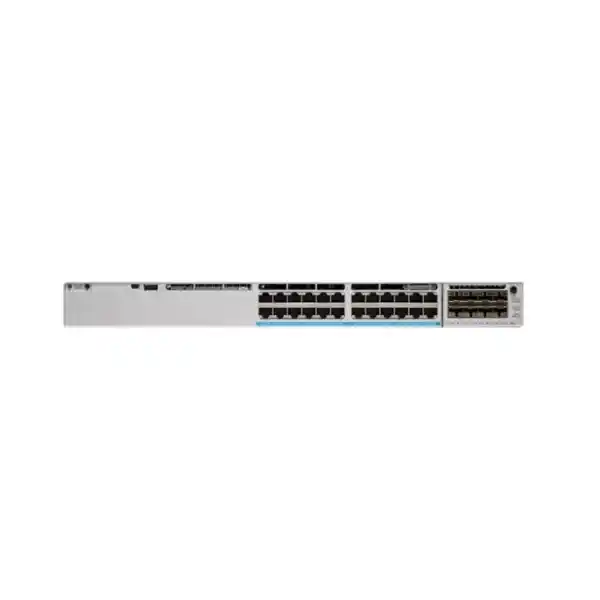
Cisco Catalyst C9300-24UB Network Switch
A high-scale 24-port Gigabit Ethernet access switch with Cisco UPOE, modular uplinks, StackWise-480 resiliency and the operational depth of Cisco IOS XE. The C9300-24UB is engineered for access layers where endpoint density, power delivery, segmentation, telemetry, security policy and predictable lifecycle management matter more than a simple port count.
Higher-scale access design
The C9300-24UB belongs to Cisco’s higher-scale Catalyst 9300 group, giving designers additional headroom for large MAC, IP and policy tables compared with conventional access-switch requirements. It is a strong fit where the access layer is expected to carry dense endpoint populations, many routed interfaces, broad segmentation or complex enterprise policy.
UPOE at the edge
Twenty-four copper access interfaces support Cisco UPOE. That gives the switch a practical role in IP telephony, enterprise Wi-Fi, surveillance, room systems, thin clients, building-management endpoints and other powered edge devices where one structured cabling system can carry both Ethernet and DC power.
Modular uplink choices
Unlike fixed-uplink access models, the C9300-24UB accepts Catalyst 9300 network modules. This lets a project select 1G, 10G, 25G, 40G or multigigabit uplink options according to the distribution layer, optics standard, redundancy plan and expected growth path.
Stack-based resiliency
StackWise-480 enables multiple compatible higher-scale C9300 switches to operate with a unified control and management model. For UAE campuses this can simplify software operations, uplink design, failover planning, port expansion and maintenance compared with managing independent access switches one by one.
What the Cisco Catalyst C9300-24UB is designed to do
The Cisco Catalyst C9300-24UB is not simply a 24-port switch for connecting office computers. It is an enterprise access platform intended to sit at the point where users, phones, wireless access points, cameras, IoT equipment, printers, room systems and other building endpoints enter the network. At that location the switch has to perform several jobs at the same time: forward traffic at line rate, supply power to connected devices, classify and prioritize applications, enforce identity and security policy, establish Layer 2 and Layer 3 boundaries, export operational telemetry and survive component or uplink failures without creating unnecessary user impact.
For Dubai and UAE environments, this combination is particularly useful because many projects consolidate converged services onto a common structured cabling plant. A floor may have wired users, VoIP handsets, ceiling-mounted Wi-Fi, access-control terminals and CCTV cameras connected to the same access stack. The design therefore needs more than basic connectivity. It needs deterministic power planning, clean VLAN and routing architecture, resilient uplinks to the distribution or core, QoS for voice and collaboration, multicast controls for video where required, access security, operational visibility and a lifecycle plan that can be repeated across multiple floors or buildings.
The C9300-24UB addresses those requirements with 24 one-gigabit copper UPOE access ports, a modular uplink bay, redundant field-replaceable power options, field-replaceable fans, StackWise-480 stacking and Cisco IOS XE software. Its higher-scale positioning is important: network architects choose this SKU when they expect greater endpoint, route, policy or segmentation scale than a small access cabinet normally requires. It is therefore well suited to enterprise headquarters, government facilities, universities, hospitals, premium hospitality sites, transport facilities, data-rich branches and campus environments where the access switch forms part of a larger policy-based architecture.
C9300-24UB verified platform specification profile
| Access interfaces | 24 x 10/100/1000BASE-T copper ports with Cisco UPOE capability |
| Uplink architecture | Modular uplink slot supporting Catalyst 9300 network modules for multiple fiber and copper uplink speeds |
| Default power supply | 1100W AC class power supply on this UPOE platform; secondary supply options can be selected for redundancy and PoE budget expansion |
| Standalone switching capacity | 208 Gbps |
| Switching capacity with stacking | 688 Gbps |
| Standalone forwarding rate | 154.76 Mpps |
| Forwarding rate with stacking | 511.90 Mpps |
| Stack technology | Cisco StackWise-480, with up to eight compatible members in supported designs |
| Chassis height | 1RU class access chassis, approximately 1.73 inches high and 17.5 inches wide |
| Typical use | High-scale enterprise access, converged wired and wireless edge, powered endpoint aggregation and resilient campus switching |
Configuration, licensing, optics, power budget and feature availability depend on the selected bill of materials and Cisco software release. FourTeck sizes the complete configuration rather than treating the switch chassis as an isolated line item.
Understanding the 24-port UPOE access layer
All 24 front-panel access ports on the C9300-24UB are one-gigabit copper interfaces. This point matters during specification because the model name can be confused with the C9300-24UXB, which is the higher-scale multigigabit variant. The C9300-24UB is optimized for endpoint estates where one gigabit per copper device remains appropriate, while the switch’s overall platform scale, UPOE capability and modular uplinks deliver the enterprise value. In a typical office floor, one-gigabit access remains suitable for desktops, IP phones, printers, many cameras, room systems and a wide range of IoT endpoints.
Cisco UPOE extends the practical role of the switch beyond conventional PoE+ access. The platform can power higher-demand devices while simultaneously transporting traffic, reducing the need for local power adapters and enabling centralized UPS-backed power architectures. For a campus network, centralized power simplifies resilience because selected powered endpoints can remain online during localized utility disturbances when the communications room is protected by UPS or generator infrastructure. It also provides a cleaner way to inventory and control power consumption through the network.
Power design should nevertheless be based on measured endpoint requirements, not on the maximum advertised wattage alone. A 24-port switch populated with low-power phones has a very different budget from one feeding Wi-Fi access points, PTZ cameras and collaboration endpoints. Cisco publishes different available PoE budgets depending on the installed power-supply combination. The C9300-24UB ships in the 1100W AC power-supply class, with published configurations that can provide approximately 830W with a single default supply, higher budgets with a second supply, and up to the 1440W range when the power architecture is sized for full 60W-class delivery across 24 ports. Actual design must reserve chassis consumption and follow the selected Cisco PSU matrix.
For FourTeck projects, the recommended method is to create a port-power worksheet. Each intended endpoint is listed with its IEEE or Cisco power class, normal draw, startup draw, cable location and redundancy priority. The result tells us whether a single PSU is sufficient, whether a second PSU is required mainly for resiliency, or whether the project needs a dual high-capacity arrangement to sustain the desired UPOE budget during normal operation and during the failure of one power supply.
Why high-scale matters
The ‘B’ higher-scale SKU is useful when access-layer policy and endpoint scale are expected to be heavy. More MAC and IP scale gives designers room for dense client populations, segmented IoT, routed access and larger policy tables without immediately forcing a move to a different architecture.
This is especially relevant in multi-building UAE campuses where access switches can participate in advanced segmentation, host mobility and distributed Layer 3 designs. The chassis can remain physically at the edge while carrying state and policy that once lived only deeper in the network.
Why modular uplinks matter
A modular uplink lets the same access platform serve different generations of distribution architecture. A site may begin with 10G fiber and later migrate to 25G, or use 40G in a specific aggregation design. The switch does not force every project into one fixed uplink layout.
For procurement, however, the uplink module and optics must be specified explicitly. A C9300-24UB chassis without the correct network module is not a complete access-to-distribution solution. Fiber type, connector standard, distance and redundancy all influence the final BOM.
Modular uplink engineering: selecting the correct network module
The C9300-24UB uses Cisco Catalyst 9300 modular uplinks. Supported module families include options such as four 1 Gigabit SFP slots, eight 10 Gigabit SFP+ slots, two 25 Gigabit SFP28 slots, two 40 Gigabit QSFP+ slots and a four-port multigigabit module. This flexibility should be used deliberately. The correct module is determined by the physical topology and bandwidth model rather than by choosing the fastest interface available.
For a standard enterprise floor with two diverse uplinks to a distribution pair, 10G SFP+ is often a practical baseline. It provides ample northbound capacity for 24 one-gigabit access ports while preserving multiple ports for dual-homing, EtherChannel or spare capacity. If the building is being refreshed with a 25G-capable distribution layer, the 25G SFP28 module can reduce oversubscription and increase longevity. A 40G module may be relevant where a switch or stack aggregates large volumes of traffic or where the distribution design already standardizes on QSFP+ connectivity.
Optics selection is a separate engineering step. The transceiver must match the network module, fiber type, fiber core count, connector type, distance, patch-panel plant and the interface at the far end. Dubai office towers often have a mixture of older OM3/OM4 multimode trunks and newer single-mode building backbones. A model chosen only by distance can still fail to integrate if the connector, wavelength, polarity or fiber infrastructure is mismatched. Where an existing fiber plant is being reused, FourTeck recommends validating available strands, attenuation, patching, labeling and historical link problems before finalizing optics.
Redundancy should also be reflected in the uplink BOM. A resilient access stack normally needs physically and logically diverse links, ideally to separate distribution devices and, where the building supports it, separate risers or fiber paths. Link aggregation increases capacity and protects against a member-link failure, but it does not replace path diversity. The C9300 platform provides the interface flexibility; the availability outcome depends on how the uplink architecture is built around it.
StackWise-480: where stacking changes the design
The C9300-24UB supports Cisco StackWise-480. In an access-layer design, stacking can allow several compatible switches to operate as one logical system with a common control and management plane. That changes both day-to-day operations and failure planning. Instead of managing every switch as an independent island, administrators can work with a consolidated stack configuration, distribute uplinks across members and expand port capacity by adding compatible stack members within the platform rules.
The higher-scale C9300-24UB has an important compatibility rule: it should be stacked with other supported higher-scale Catalyst 9300 models, such as the higher-scale UB or UXB family members specified by Cisco. It is not a general-purpose mixing point for every C9300 or C9300X SKU. This matters during expansions and refreshes. A site that already owns standard C9300 members should not assume that a new C9300-24UB can simply be inserted into the same stack. Compatibility and software-level requirements must be checked against the current Cisco matrix before an order is placed.
Stacking also creates physical requirements. StackWise cables are rear-connected, so rack depth, cable bend radius and equipment placement must be considered. Adjacent mounting is normally preferable because it keeps stack cabling orderly and minimizes routing complexity. Power supplies, fans, patch panels and cable-management bars should be positioned so that rear access is still possible during maintenance. A stack with poor physical organization can make a simple member replacement much more disruptive than necessary.
From a resilience perspective, stacking is most effective when the design avoids single points of failure around it. Uplinks can be distributed across multiple stack members, power feeds can come from separate protected circuits, and redundant power supplies can be used where uptime requirements justify them. The goal is to make the stack a coordinated access system, not merely a group of switches tied together by a stack cable.
Switching performance and oversubscription planning
Cisco lists 208 Gbps of switching capacity and 154.76 Mpps of forwarding performance for the standalone C9300-24UB, with higher published aggregate figures when stacking is included. These values show that the platform is designed for enterprise access workloads, but architecture should still be based on traffic behavior. Twenty-four one-gigabit edge ports can theoretically present 24 Gbps of ingress demand at the same time, yet real office traffic is typically bursty and highly asymmetric. Wireless access points, surveillance, local servers or storage endpoints can produce more sustained patterns than standard desktop users.
The most important design calculation is usually the northbound oversubscription ratio. A floor with 24 mostly interactive office users may perform very well with dual 10G uplinks. A floor populated with cameras continuously streaming to central recorders, or with workstation users transferring large engineering data sets, may justify higher uplink capacity. The same applies to a stack of multiple C9300-24UB switches: as access ports are aggregated, the uplink bundle should be recalculated rather than left unchanged simply because the previous switch count used the same design.
Packet-per-second performance is also relevant when the network carries many small packets, voice traffic, telemetry, high connection counts or security-driven microflows. The C9300 family is built for campus switching, but policy features, encryption or service chaining can alter practical limits. The best sizing method is therefore to pair the published hardware characteristics with real traffic observations from the existing environment. Interface utilization, NetFlow or telemetry data, peak-hour baselines and application behavior provide a better foundation than an average bandwidth figure taken over an entire day.
FourTeck can combine switching design with broader infrastructure planning through the FourTeck IT Services UAE practice, particularly when the C9300-24UB is part of a campus refresh involving wireless, servers, security appliances and structured cabling rather than a standalone replacement.
Layer 2 foundation
Enterprise VLANs, trunking, EtherChannel, Spanning Tree controls, storm protection and access-port policy form the basic edge. A disciplined VLAN plan keeps user, voice, wireless, camera, building-management and guest services from collapsing into one broadcast domain.
Layer 3 access
Where the design uses routed access, the C9300 platform can place Layer 3 boundaries closer to users and reduce dependence on spanning-tree topology. Routing scale, feature availability and license level must be aligned with the intended protocol and segmentation model.
QoS control
The access switch is where voice, collaboration and business-critical traffic first enter the campus. Trust boundaries, classification, marking, queuing and congestion policy should be consistent with the WAN and wireless QoS architecture rather than configured independently.
Multicast behavior
IPTV, video distribution, discovery protocols and specialized building systems can generate multicast. IGMP snooping and routed multicast design prevent unnecessary flooding while ensuring receivers obtain the streams they need.
Cisco IOS XE operational architecture
Catalyst 9300 switches run Cisco IOS XE, an enterprise network operating system designed around programmability, model-driven management, telemetry and familiar Cisco switching workflows. For network teams that already operate Cisco campus infrastructure, this provides continuity in command-line procedures while also enabling modern automation approaches through supported APIs and data models. The practical benefit is that the switch can fit into both traditional operations and evolving infrastructure-as-code processes.
A well-designed deployment starts with a standardized baseline rather than configuring each unit interactively from scratch. The baseline normally includes secure management access, AAA, NTP, DNS, syslog, SNMP or telemetry, configuration backup, management VRF where appropriate, interface templates, VLAN definitions, spanning-tree policy, QoS, authentication and software version control. Stacks should have documented member numbering and priority so that physical devices map cleanly to the logical configuration.
Software lifecycle planning is as important as initial configuration. Production campus switches should normally run a Cisco release selected for feature support, stability and organizational lifecycle standards, not simply the newest image available on the day of installation. Upgrade plans must consider stack behavior, redundancy, maintenance windows, boot variables, compatibility with network-management platforms and any dependencies on features such as 802.1X, routing protocols or segmentation technologies.
For enterprises using Cisco management and assurance platforms, the C9300 can participate in broader intent-based operations. Even when those systems are not deployed, IOS XE telemetry and automation interfaces can improve troubleshooting and configuration consistency. The important procurement point is that software licensing and support entitlements should be specified with the hardware, because the desired feature set is not determined by the chassis alone.
Licensing: Network Essentials, Network Advantage and subscription planning
C9300-24UB orderable configurations are available with different Cisco network license levels. Network Essentials addresses many mainstream enterprise access requirements, while Network Advantage is selected when the design needs the broader routing, segmentation or advanced feature set associated with the higher tier. The correct choice must be made from the feature matrix for the software release being deployed. It is inefficient to buy an advanced license with no use case, but it is equally costly to discover during implementation that a required routing or policy function sits above the purchased tier.
Cisco licensing is also tied to software subscriptions and support strategy. Network teams should define how the switch will be managed, whether centralized assurance or automation platforms are expected, how long the site will operate before refresh, and how software support will be maintained. A procurement comparison that looks only at chassis price can therefore be misleading. Two quotes for a C9300-24UB may appear similar while differing materially in license tier, support duration, uplink module, power redundancy, optics, stacking accessories and service scope.
FourTeck quotation design separates these components so technical reviewers can see exactly what is included. The goal is to avoid ambiguous bundles. Each BOM should state the switch base model, selected license level, subscription term where applicable, uplink network module, transceivers, stack cables, secondary PSU if required, power cords suitable for the UAE installation, support coverage and any implementation service. This makes it easier for procurement to compare offers on equivalent technical scope.
Where the switch is part of a broader security or segmentation project, FourTeck can coordinate the campus design with security controls presented through Firewall Dubai, helping avoid disconnected decisions between access switching, firewall policy, WAN boundaries and user authentication.
Security at the wired access edge
The access switch is an enforcement point, not merely a transport device. Most enterprise endpoints first become visible to the network at an access port, so the configuration of that port determines how identity, device type, VLAN placement, access control and threat containment begin. The Catalyst 9300 platform supports the enterprise controls needed to build a managed edge, but the effectiveness comes from policy design and integration with identity systems.
802.1X is a common foundation for authenticated wired access. Where devices cannot support supplicant-based authentication, MAC Authentication Bypass may be used as part of a carefully controlled exception policy. Voice endpoints often require multi-domain behavior so a phone and a connected workstation can be authenticated and placed into different logical domains on the same physical switch port. Guest, contractor, printer, camera and IoT device classes may each require different authorization results.
Layer 2 protections are equally important. DHCP snooping, Dynamic ARP Inspection, IP Source Guard, port-security strategies, BPDU Guard, root protection and storm controls can reduce common local-network risks when they are deployed consistently. These features should not be enabled mechanically without understanding dependencies. For example, DHCP snooping trust boundaries must align with the real DHCP path, and 802.1X fallback behavior must be tested against operational devices such as badge readers and building controllers.
Segmentation can be implemented using conventional VLAN and ACL design or, in larger Cisco architectures, more dynamic policy frameworks. The C9300-24UB’s higher-scale positioning makes it attractive where many segments or endpoint identities are expected at the access layer. Network Advantage may be appropriate when advanced routing or segmentation features are required. The precise combination should be based on the target architecture rather than assuming every enterprise network needs the most complex policy model.
Operational security also includes switch hardening: encrypted management, AAA, restricted management-plane access, logging, role separation, secure software handling, unused-port shutdown, consistent SNMP policy and regular configuration review. These controls are often more important in daily operation than a single headline feature because they determine whether the access layer remains predictable over years of changes.
Power-system engineering for UAE communications rooms
The C9300-24UB uses a field-replaceable power architecture. For a UPOE switch, power is a design variable because the chassis powers itself and may also provide hundreds of watts to endpoints. The default 1100W AC supply provides a substantial PoE budget, but adding a second power supply can serve two different goals: increase available endpoint power or provide power-supply redundancy. Those goals must be distinguished in the design because a configuration that offers a very high normal PoE budget may not retain the same budget after one supply fails.
A resilient design begins with the endpoint load. Suppose a switch has a mixture of phones, cameras and wireless access points. The normal combined draw may be well below the nominal PoE budget, but startup or peak draw can be higher. Critical devices should be identified so load-shedding or priority behavior is understood. If continued operation during a PSU failure is mandatory, the remaining supply must be capable of supporting both the switch and the required powered endpoints. This is a different calculation from simply ensuring that the dual-PSU system can deliver the maximum possible UPOE output under normal conditions.
The upstream electrical design matters just as much. Two power supplies connected to the same single PDU and the same unprotected branch circuit do not provide meaningful source diversity. For high-availability sites, the supplies may be connected to separate UPS-backed PDUs or circuits, subject to site electrical standards. Generator transfer behavior, UPS runtime and circuit loading should be checked for the whole rack, especially when several UPOE switches are stacked and heavily populated.
Thermal load rises with power usage. Communications rooms in Dubai require disciplined cooling because ambient heat outside controlled spaces can be severe. Rack airflow, blanking panels, cable obstruction, dust control and HVAC maintenance all influence switch reliability. Cisco’s installation guidance should be followed for clearances and airflow. The switch is designed for enterprise environments, but no access switch can compensate for a communications room that operates outside its intended temperature or contamination envelope.
Access-point powering
The C9300-24UB can power enterprise Wi-Fi access points while giving each device a one-gigabit wired connection. For Wi-Fi generations or AP models that require multigigabit Ethernet to avoid a wired bottleneck, designers should evaluate a multigig Catalyst variant instead of assuming the 24UB is interchangeable with the 24UXB.
This distinction protects the wireless investment. PoE capability and data rate are separate attributes, and both must meet the selected access point’s requirements.
CCTV and physical security
IP cameras are often easy to support from a bandwidth perspective but can create a large continuous power and traffic load when deployed at scale. Camera VLANs, multicast behavior, NVR path design, QoS policy and PoE budgets should be planned as one system.
For PTZ, heater-equipped or specialty cameras, validate the actual power class rather than using the average rating of standard fixed cameras.
Voice, collaboration and quality-of-service design
IP telephony remains one of the strongest use cases for a powered enterprise access switch. A phone can receive both connectivity and power from the C9300-24UB, while a workstation can often connect through the phone’s downstream port. The switch port then becomes a policy boundary for two endpoint types at once. Voice VLAN behavior, QoS trust, authentication and emergency-services requirements must all be considered in the template.
QoS should preserve latency-sensitive voice and real-time video during periods of congestion. That starts with correct classification and marking. An enterprise should decide where DSCP values are trusted and where they are rewritten, because blindly trusting every endpoint can allow ordinary applications to claim premium queues. Cisco IP phones and managed collaboration devices can participate in a well-defined trust model, while untrusted user devices may require classification at the access switch.
The uplink queueing policy must correspond to the campus and WAN design. If access ports classify voice but the distribution or WAN edge discards those markings, the end-to-end experience will still degrade. Conversely, over-reserving bandwidth for real-time traffic can reduce service for other applications. FourTeck therefore treats QoS as an end-to-end architecture, with switch configuration aligned to the voice, WAN, firewall and wireless policies.
Organizations refreshing an IP telephony environment alongside switching can review related voice infrastructure through the IP PBX Dubai resource. The key is to make access switching, call control, handsets, VLANs, DHCP options and survivability part of one deployment plan rather than separate procurements.
Campus deployment topologies for C9300-24UB
Single access switch with redundant uplinks: This is suitable for a smaller floor or branch with up to 24 primary wired endpoints where a single chassis provides sufficient port count. Two uplinks can be connected to resilient upstream devices, depending on the spanning-tree, EtherChannel or routed-access design. The switch can also carry voice and powered endpoints, but a chassis failure still affects all connected users, so this topology is chosen when cost and simplicity outweigh chassis-level redundancy.
Two-switch access stack: A pair of compatible higher-scale C9300 switches creates a larger logical access system. Endpoints are spread across members and uplinks can be distributed so an individual uplink or member failure has less effect on northbound connectivity. This is a common floor design when 24 ports are insufficient or when administrators value a common stack control plane.
Multi-member stack for dense floors: Larger offices can extend the stack across additional compatible members. This consolidates management, but it increases the importance of stack-cable topology, power diversity, uplink capacity and maintenance procedures. Large stacks should not be created simply because the platform supports them; the design should consider fault domain size. A smaller number of members can reduce the blast radius of software or operational issues.
Routed access: The access switch or stack forms Layer 3 adjacencies toward the distribution layer. This can simplify loop avoidance and convergence, especially in larger campuses. It may require Network Advantage or other licensing depending on the exact routing features. Address summarization, gateway placement, first-hop redundancy and segmentation must be planned at the architecture level.
Policy-driven campus: In Cisco-centric environments, the switch may participate in centralized identity, segmentation, automation and assurance. This design can scale user and device policy more effectively than static VLAN-only models, but it requires the surrounding controllers, identity services, licensing and operational processes to be ready. The switch is one part of that system, not the entire solution.
Migration from older Cisco Catalyst access switches
A C9300-24UB is frequently deployed during replacement of aging Catalyst 2960, 3560, 3750, 3850 or other campus-access platforms. The refresh should not be treated as a command-for-command configuration copy. Older switches may use legacy defaults, obsolete security methods, old spanning-tree assumptions or QoS syntax that should be redesigned. The new platform is an opportunity to simplify the access template and remove years of accumulated exceptions.
Start with physical and logical discovery. Record every used port, connected device type, VLAN, voice VLAN, trunk, port channel, uplink optic, PoE draw, port description and special command. Identify unused interfaces and stale VLANs rather than migrating them automatically. Confirm whether any devices require unusual speed or duplex settings, static MAC behavior, multicast handling or nonstandard authentication exceptions.
Next, compare the uplink architecture. A legacy switch may use four 1G uplinks or a pair of 10G links. The modular C9300 uplink can provide a more scalable option, but the upstream device must support the selected speed and optic. Fiber polarity and patching should be checked during the pre-cutover survey. Staging the new switch with final software, license registration and configuration before installation reduces outage time.
Stack migrations require special care. The C9300-24UB higher-scale model has stack-compatibility constraints and cannot simply be added to every existing Catalyst stack. Cisco 3850 or 3650 units, for example, do not become C9300 stack members. Migration is normally planned as a new stack or access block with a defined cutover. During replacement, endpoint moves can be phased by patch panel or service type to make troubleshooting easier.
Finally, post-cutover validation should include interface status, error counters, PoE state, spanning-tree role, routing adjacency, authentication results, voice registration, DHCP behavior, DNS reachability, wireless AP state, camera streams, monitoring and uplink utilization. A successful switch replacement is measured by service restoration and stable telemetry, not simply by seeing green LEDs.
Common specification mistakes to avoid
The C9300-24UB provides 24 one-gigabit copper UPOE ports. The C9300-24UXB is the higher-scale multigigabit version. If Wi-Fi access points or endpoints need 2.5G, 5G or 10G on the access port, verify the UXB rather than ordering the UB by mistake.
The chassis uses modular uplinks. A quote must specify the required C9300 network module and transceivers. The absence of an uplink module can delay installation even if the base switch is available.
The higher-scale UB/UXB family has specific stacking rules. Existing C9300 estates must be checked before adding a C9300-24UB. Stack compatibility should be verified by SKU and software release, not inferred from the Catalyst 9300 name alone.
Twenty-four powered ports do not mean every endpoint draws the same wattage. PSU redundancy and PoE budget must be calculated from the actual device inventory, especially for high-draw wireless, video and building-system endpoints.
UAE rack, environmental and installation considerations
The C9300-24UB is a 1RU enterprise switch, but rack planning must account for more than height. The chassis depth changes depending on installed power-supply type, and rear stack cables need clearance. Patch leads should enter from the front with sufficient bend radius and should not obstruct port labels, status indicators or network-module removal. Horizontal or vertical cable managers may be required depending on cabinet density.
Communications rooms in the UAE should maintain stable cooling and filtered airflow. Dust ingress is a significant practical risk in construction environments and poorly sealed telecom closets. Equipment should not be installed while heavy dust-producing works are active unless the room is properly protected. Air-conditioning should be operational before commissioning, and rack temperatures should be monitored at realistic load rather than only when the room is empty.
Electrical grounding and ESD controls should follow Cisco and local installation practices. Power cords must match the site PDU and supply arrangement. Where redundant PSUs are installed, the two feeds should be labeled clearly so maintenance engineers can identify the source path. Stack cables, uplinks and management ports should also be labeled at both ends to reduce troubleshooting time.
Fiber trunks should be inspected and cleaned before optics are inserted. Many intermittent campus faults come from contaminated connectors, damaged patch leads or misidentified strands rather than switch hardware. For reused multimode fiber, verify the installed grade and distance against the chosen optic. For single-mode links, confirm connector polish, patch-panel type and optical budget.
If the deployment includes local servers, virtualization hosts or branch compute, coordination with the Server Dubai portfolio can help align NIC speeds, switch uplinks, rack power and redundancy. The access switch itself is primarily a campus edge platform, but many UAE branch rooms combine access, firewall and compute equipment in the same rack.
Monitoring, telemetry and troubleshooting strategy
A production switch should enter service with monitoring enabled from day one. At a minimum, operators need device availability, CPU and memory trends, temperature, fan and power status, interface utilization, errors, discards, PoE consumption, stack state and uplink health. Event logging should be centralized so changes and faults can be correlated with user reports. Time synchronization is essential because log files without consistent timestamps are difficult to use during an incident.
Interface baselining is particularly useful. A port showing 5% average utilization can still experience microbursts that cause queue drops. Likewise, an uplink that appears healthy in a daily graph may run near saturation during a predictable backup or video period. Cisco IOS XE telemetry and conventional monitoring methods can expose these patterns, depending on the management platform. The goal is to establish normal behavior before performance complaints appear.
For PoE troubleshooting, monitoring should distinguish between administrative state, negotiated power, actual consumption and supply budget. A powered device that repeatedly reboots may indicate cabling, power negotiation or endpoint faults. If total PoE allocation approaches the available budget, the system should be reviewed before additional endpoints are connected. Power priority can be used so critical devices have predictable behavior under constrained conditions.
Stack monitoring should include member state, stack-port health and role information. An access stack can continue forwarding after certain failures, but degraded redundancy should not be allowed to persist unnoticed. The same applies to dual uplinks and dual power supplies: resilience exists only if the monitoring system reports when one redundant component is lost.
FourTeck’s broader UAE infrastructure services are available through FourTeck UAE, allowing switching projects to include assessment, installation, testing, documentation and operational handover where required.
C9300-24UB for wireless access aggregation
Enterprise Wi-Fi access points increasingly demand both higher PoE budgets and greater wired throughput. The C9300-24UB solves the power side effectively through Cisco UPOE, but each access interface is one gigabit. That makes it suitable for AP models and deployments whose Ethernet requirement fits within a 1G link. When a modern AP has a 2.5G, 5G or 10G multigigabit port and the network intends to use that capacity, the C9300-24UXB or another multigigabit Catalyst platform should be evaluated instead.
This is a key architecture decision because wireless capacity is end-to-end. A radio may support multi-gigabit aggregate throughput, yet a 1G wired connection becomes the local bottleneck. In some deployments that is still acceptable because real client concurrency and application demand never approach the theoretical radio rate. In others, especially dense conference, education or high-performance office spaces, multigabit access is justified. Site survey, AP model, channel plan and expected client behavior should inform the choice.
Power redundancy also matters for wireless because losing a switch PSU can take down many APs at once if the remaining budget cannot sustain them. A switch serving coverage-critical APs should be sized so the required radios remain powered under the chosen failure scenario. UPS runtime should include the combined switch and AP load, not just the switch chassis.
VLAN and policy design for wireless commonly uses trunks between the AP and switch or centralized tunneling depending on the wireless architecture. Native VLAN, management VLAN, QoS trust and authentication requirements must match the wireless controller configuration. The C9300-24UB should therefore be included in the wireless low-level design rather than treated as generic cabling infrastructure.
C9300-24UB for surveillance, IoT and building systems
Surveillance and building systems often create a different access profile from office computing. Cameras may send continuous upstream streams, badge readers may require low bandwidth but high availability, controllers may use fixed addressing, and environmental sensors may need simple connectivity with strict segmentation. Combining these devices on the C9300-24UB is practical when the design uses dedicated VLANs, predictable power budgets and carefully controlled access policy.
Camera bandwidth must be aggregated rather than evaluated per device. A single 8 Mbps stream looks trivial, but dozens of cameras can produce sustained traffic toward NVR or VMS servers. Motion events, higher frame rates, multiple streams or analytics can increase consumption. Uplink capacity should be calculated from the total expected stream profile plus normal user traffic and a growth allowance. Where recorders sit locally in the same building, routing path and switch placement also influence whether traffic traverses the distribution layer unnecessarily.
IoT security is often more challenging than IoT bandwidth. Many embedded devices cannot run 802.1X supplicants, may have infrequent firmware updates and can be difficult to patch. Network segmentation therefore becomes an important compensating control. MAC-based authentication, profiling and policy can be used where supported by the wider identity architecture. ACLs should limit communication to required services rather than allowing unrestricted lateral access between devices.
Building systems can also have long equipment lifecycles and vendor-specific maintenance requirements. Before enforcing aggressive security controls, test real devices and document exceptions. The objective is to reduce risk without breaking access-control, BMS, lift-monitoring or life-safety-related integrations. The network team should maintain an authoritative endpoint inventory so ports are not repurposed without understanding the attached service.
Cisco UPOE is valuable here because a wider variety of powered equipment can be centralized on the switch, but high-power devices must still be checked individually. A line item marked ‘camera’ or ‘panel’ is not enough for power sizing; the exact endpoint model and maximum draw should be included in the design worksheet.
High-availability design beyond the stack
Stacking improves availability and operations, but a resilient access design has multiple layers. Start with power: redundant supplies should use independent protected feeds where possible. Continue with uplinks: physical links should be spread across stack members and upstream devices so one switch, transceiver, fiber or distribution device does not isolate the entire floor. Then consider software: maintenance procedures should preserve traffic wherever the supported architecture allows it.
The physical cabling route is often overlooked. Two fiber uplinks installed in the same conduit, tray or riser can fail together if that pathway is damaged. True path diversity may require separate risers or building routes, although this is not always available. At minimum, the design documentation should state whether links are logically redundant, device redundant or physically diverse so stakeholders understand the actual fault tolerance.
Endpoint distribution can also reduce impact. In a two-member stack, critical phones, APs or cameras may be spread between members rather than concentrated on one unit. If a chassis fails, the entire service category is less likely to disappear from an area. Patch-panel organization should support that distribution without creating confusing cabling.
Operational availability depends on spares and replacement procedures. Organizations with strict uptime requirements may keep a compatible spare switch, network module, transceiver and power supply available. The spare should be covered by the same software and configuration management process. A spare that has never been tested, lacks the correct license or runs an incompatible image may not restore service quickly during an incident.
Finally, documentation should show stack member serial numbers, rack positions, uplink paths, power sources, patch-panel mappings and configuration backups. Availability is not only a hardware property; it is the result of architecture, installation, monitoring and disciplined operations working together.
Performance sizing examples
Corporate office floor: Twenty users, ten IP phones and four shared devices can fit comfortably on a C9300-24UB only if the physical port count is validated because phones may pass through a connected PC, while standalone devices each consume a port. A pair of 10G uplinks usually provides ample northbound capacity. PoE draw is modest unless APs or high-power collaboration devices are included. The main design focus becomes access security, voice QoS and resilient uplinks.
CCTV aggregation: Twenty cameras at an average 12 Mbps create roughly 240 Mbps of continuous video before overhead and peak behavior. Bandwidth is still well within a 1G access port per camera and a multi-gigabit uplink, but storage-path resiliency and PoE budget become important. PTZ or heated cameras may draw materially more power than fixed models.
High-density Wi-Fi: Twelve APs may fit easily from a port-count standpoint, but the AP Ethernet interface must be checked. If the selected APs support and require multigigabit wired rates, the 24UB’s 1G access interfaces may not be the right fit despite sufficient UPOE. A multigigabit C9300 model should then be considered. If the deployment accepts 1G per AP, the 24UB can provide robust power and enterprise switching.
Mixed smart-building floor: A combination of cameras, door controllers, sensors, IP phones and workstations may create low average bandwidth but complex segmentation. Here the C9300-24UB’s higher scale and policy features can be more valuable than raw access speed. The design should prioritize identity, VLAN or policy boundaries, monitoring and PoE allocation.
Stacked access block: Three 24-port members create a larger port domain. The northbound capacity should be recalculated using expected aggregate utilization, not copied from the single-switch design. Uplinks should be distributed across members, and the stack should be cabled and powered so a single member or supply failure does not remove all upstream paths.
Procurement guidance for Dubai and the UAE
Enterprise switching should be quoted as a complete technical configuration. A base model number alone is not enough because the C9300-24UB can be ordered with different license levels, uplink modules, power supplies, subscriptions and support options. The optics and stack accessories are also separate parts of the solution. FourTeck therefore recommends that the buyer provide both the required model and the deployment context.
For a new installation, the quotation request should include the quantity of switches, expected stack size, number and speed of uplinks, fiber type and distance, number of powered endpoints, estimated PoE requirement, desired power redundancy, license preference, support term and delivery location. If any of these values are unknown, the existing network diagram or old switch configuration can often provide enough information to size the replacement.
For a like-for-like refresh, provide the current switch SKU, uplink transceiver part numbers, stack arrangement and connected endpoint types. FourTeck can then identify whether the new design can preserve the existing fiber and port architecture or whether a module, optic or license change is needed. This is particularly useful when replacing older Cisco switches whose uplink formats differ from the modular C9300 platform.
Lead time and component availability can vary, especially when the order includes specific optics, power supplies or support contracts. Procurement teams should avoid approving a substitute based only on port count. A lower-cost switch with different stack behavior, smaller tables, fixed uplinks or reduced power capability may not meet the original technical objective. Equivalency should be assessed across switching, PoE, scale, licensing, uplinks, resiliency and operational integration.
FourTeck’s global capability and regional sourcing context can also be reviewed through FourTeck Global, while Dubai and UAE projects can be coordinated through the local FourTeck team.
Implementation workflow for an enterprise C9300-24UB rollout
1. Discovery and validation. Confirm port density, endpoint types, current VLANs, authentication, PoE demand, uplink media, existing rack conditions, software dependencies and monitoring platforms. Identify whether the requirement is a standalone switch, a new stack or an expansion of a supported higher-scale stack.
2. Bill-of-material design. Select C9300-24UB license variant, uplink module, optics, stack cables, secondary PSU, support coverage and subscriptions. Document fiber and power assumptions. Check the selected software release against feature and stack requirements.
3. Staging. Inventory serial numbers, install required modules, load the approved IOS XE image, configure stack identities, apply the standard access template, register licensing as required and verify power-supply and fan health. Preconfigure uplinks and management access so the cutover focuses on physical migration rather than basic build work.
4. Pre-cutover testing. Validate configuration syntax, routing or spanning-tree expectations, authentication connectivity, monitoring, syslog, time synchronization and management reachability. For large rollouts, a pilot floor can expose template problems before dozens of switches are deployed.
5. Physical installation. Rack and ground the switch according to site standards, connect redundant power where specified, attach stack cables in the documented topology, install cleaned optics, patch uplinks and then migrate endpoint patch leads systematically. Avoid moving all ports at once when staged groups can make troubleshooting clearer.
6. Service validation. Confirm stack state, uplinks, routing, spanning tree, DHCP, DNS, authentication, IP phones, AP registration, camera streams and business applications. Review interface errors and PoE allocations. Any unexpected port should be investigated before final acceptance.
7. Handover. Update diagrams, rack elevations, port schedules, IP plans, software inventory, support records and configuration backups. Record the operational baseline so future troubleshooting has a reference point. A technically successful installation should leave the support team with accurate documentation, not only functioning hardware.
When the C9300-24UB is the right choice — and when it is not
Choose the C9300-24UB when you need 24 one-gigabit copper access interfaces, substantial UPOE capability, modular uplinks, high-scale Catalyst 9300 tables, StackWise-480 and Cisco IOS XE integration. It is particularly strong where endpoint power, policy and resilience are more important than multigigabit access to each device. The platform makes sense in enterprise and campus environments with established Cisco operational standards.
Do not choose it automatically for high-performance wireless just because it supports high-power UPOE. If APs need 2.5G, 5G or 10G copper access, evaluate the C9300-24UXB or other multigigabit models. Likewise, if the requirement is a simple unmanaged or lightly managed branch with a small number of users and no advanced policy, the C9300-24UB may provide more capability than necessary.
For dense 48-port access, compare the higher-scale 48UB or other 48-port Catalyst variants rather than installing extra 24-port units merely to reach port count. For very high-speed aggregation or 100G uplink requirements, the C9300X family may be more appropriate. Platform selection should follow the role in the network hierarchy.
Existing stack compatibility is another decision point. A customer may specifically want the 24UB’s higher scale but already operate standard C9300 stack members. Because the higher-scale models have their own supported stacking rules, the project may require a separate new stack. This can affect rack space, uplink ports, IP addressing, maintenance windows and budget.
The most defensible selection is therefore based on a short requirements matrix: access port speed, UPOE wattage, total port count, stack compatibility, uplink speed, routing and segmentation features, software management, redundancy and lifecycle. If the C9300-24UB matches those requirements, it provides a powerful and durable enterprise access foundation.
Technical design notes for architects and consultants
Consultant specifications should define outcomes as well as part numbers. A statement such as ‘Cisco C9300-24UB or approved equivalent’ is incomplete unless the required feature envelope is listed. The specification should include 24 1G copper UPOE ports, higher-scale Catalyst access performance, modular uplinks, StackWise-480 support, redundant power capability, required uplink speeds, minimum PoE budget, software license level and support term. This prevents substitution with a superficially similar model that fails an important design requirement.
For PoE, state the minimum available budget under both normal and single-PSU-failure conditions where resilience is required. If the project expects all 24 ports to support high-power devices, the PSU matrix should be part of the specification. For uplinks, state speed, quantity, optic type and whether links must terminate on separate distribution switches. Where diverse fiber paths are mandatory, that should be stated independently of link aggregation.
For stacking, specify the planned number of members and the requirement that members be Cisco-supported compatible higher-scale models. Include stack cable lengths where rack elevations are known. If stack member placement spans more than one rack, verify both supportability and cable routing before tender. In most access environments, keeping a stack physically compact improves maintainability.
For software, identify the intended features without over-prescribing commands. Requirements might include authenticated wired access, Layer 3 routing, QoS, multicast, centralized logging, telemetry, automation and identity integration. License selection can then be checked against the current Cisco matrix. Support and subscription terms should be explicit so bids are commercially comparable.
Finally, require installation documentation, test results and as-built records. Switches are long-lived infrastructure. The value of an accurate port schedule, fiber map, software inventory and support reference grows over time because these records reduce future troubleshooting and expansion effort.
Decision recap: why enterprises deploy the C9300-24UB
The strongest reason to choose the C9300-24UB is balance. It is not the fastest multigigabit edge switch in the Catalyst portfolio, nor is it intended to be the lowest-cost 24-port access device. Its value lies in combining mature 1G access, high UPOE capability, higher-scale hardware tables, enterprise software, modular uplink flexibility and stack-based operations in one platform. That balance makes it effective for organizations whose access layer carries many kinds of business services and must remain manageable for a long lifecycle.
Before ordering, verify the four elements that most often change the BOM: license level, uplink network module, transceiver type and power-supply configuration. Then confirm stack compatibility if the switch will join an existing environment. Those checks turn the base model into a deployment-ready solution.
Quotation input checklist
For the fastest and most accurate Cisco Catalyst C9300-24UB quotation in Dubai or elsewhere in the UAE, provide the following technical inputs. A complete checklist reduces back-and-forth and helps ensure that the quoted switch can be installed without missing accessories.
Number of switches, standalone or stack, planned members per stack and whether this is a new deployment or expansion of an existing Catalyst 9300 installation.
Approximate counts of PCs, IP phones, wireless APs, cameras, printers, IoT devices and other powered endpoints, including any high-power models.
Desired uplink speed and quantity, multimode or single-mode fiber, approximate distance, connector type and the model of the upstream distribution or core switch.
Whether a second PSU is required, expected PoE load, required operation after a PSU failure, UPS/PDU arrangement and any dual-feed requirement.
Network Essentials or Network Advantage preference, desired subscription/support term, routing needs, 802.1X, segmentation and management platform requirements.
Dubai or other UAE location, rack/PDU type, requested delivery date, installation scope, staging requirements and whether as-built documentation is needed.
FourTeck consultation for Cisco Catalyst C9300-24UB in Dubai
FourTeck can supply the Cisco Catalyst C9300-24UB as a correctly engineered access-switch solution rather than an incomplete chassis-only quote. Our sizing process can cover the base switch, license tier, network module, optics, stack cables, power supplies, support, staging, installation and handover. For replacements, we can also review the existing Cisco access design so the new platform preserves required services while removing legacy configuration debt.
The C9300-24UB is especially suitable when a Dubai or UAE project needs 24 Gigabit UPOE access ports, higher-scale Catalyst capability, modular uplinks and stack-based resilience. If your requirement instead needs multigigabit copper access, 48 ports, different uplink speeds or a different stacking model, the alternative can be identified before purchase.
Send the current switch model, required quantity and a simple endpoint/uplink summary. FourTeck can then prepare a technically matched BOM and highlight any assumptions that need confirmation before procurement.
Recommended final validation
✓ Confirm 1G access is appropriate for every endpoint.
✓ Confirm Network Essentials vs Network Advantage.
✓ Select the exact C9300 network uplink module.
✓ Match optics to fiber and upstream interfaces.
✓ Validate higher-scale stack compatibility.
✓ Size PSU redundancy against real PoE load.

Reviews
There are no reviews yet.