
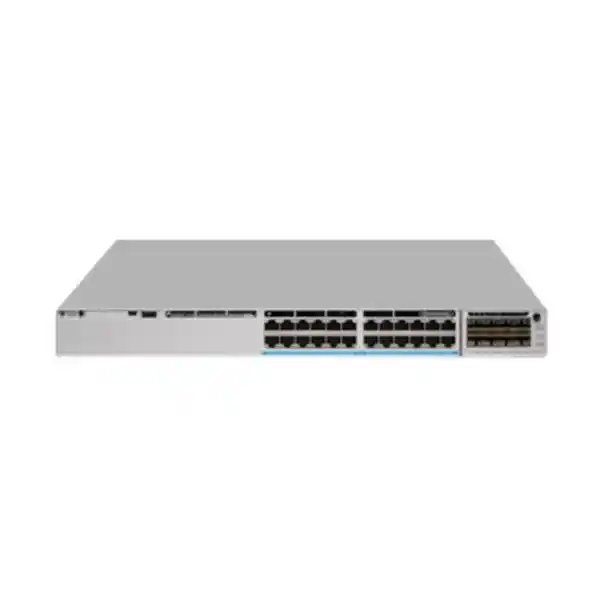
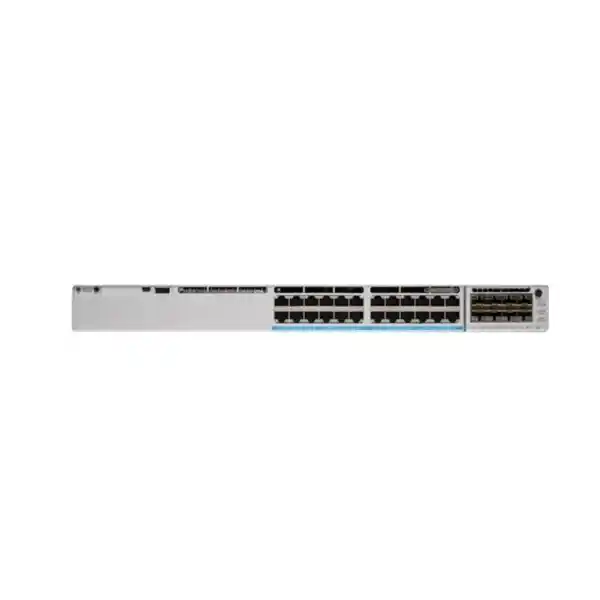
Cisco Catalyst C9300-24UXB Network Switch
A higher-scale Catalyst 9300 access platform built for dense 10G multigigabit copper, Cisco UPOE power delivery, deep buffering, modular uplink design and resilient StackWise-480 campus architectures.
Direct answer: what is the Cisco Catalyst C9300-24UXB?
The Cisco Catalyst C9300-24UXB is a 1RU enterprise campus access switch in the modular-uplink Catalyst 9300 family. Its defining characteristic is not simply that it has twenty-four copper access ports; it is that every one of those ports can operate at multigigabit rates from 100 Mbps through 1, 2.5, 5 and 10 Gbps while also supporting Cisco Universal Power over Ethernet. This makes the platform especially relevant to high-density wireless access, high-performance workgroup connectivity, engineering floors, digital-media environments, advanced endpoint aggregation and any campus edge where conventional 1G switching becomes the bottleneck.
The “B” variant is the higher-scale, deep-buffer implementation. Cisco specifies a 64 MB packet buffer for the 24UXB, 8 GB DRAM and 16 GB flash. The platform uses two UADP 2.0 XL forwarding ASICs and is rated at 640 Gbps of switching capacity with a forwarding rate of 476.19 Mpps. When the stacking fabric is included in Cisco’s published platform calculations, capacity is listed at 1,120 Gbps with 833.33 Mpps forwarding. Those figures position the switch for demanding access designs where bursts, fan-in, multigigabit clients and high-speed uplinks can create momentary congestion that a shallow-buffer platform may handle less gracefully.
For organisations in Dubai, Abu Dhabi, Sharjah and the wider UAE, the C9300-24UXB fits projects where the access layer must remain relevant across multiple Wi-Fi generations, endpoint refresh cycles and uplink migrations. FourTeck can position it as part of a complete architecture rather than as an isolated box, including switching, secure perimeter integration through Firewall Dubai, implementation services through FourTeck IT Services UAE, and broader enterprise infrastructure planning through FourTeck UAE.
Why the C9300-24UXB is different from a standard 1G access switch
Full-port multigigabit density
All twenty-four downlink ports support 100M, 1G, 2.5G, 5G and 10G operation. This matters when connecting Wi-Fi 6/6E/7 access points, workstations, local servers, high-resolution media endpoints or specialist systems that can exceed 1G but do not justify fiber to every desk.
Deep-buffer higher-scale design
The 24UXB carries a 64 MB packet buffer and UADP 2.0 XL forwarding silicon. Deep buffering is particularly useful in access layers with asymmetric traffic, large bursts, oversubscription transitions or mixed-speed flows where a 10G source can momentarily feed a slower egress interface.
Flexible modular uplinks
The switch does not lock the design into one uplink type. Cisco supports optional 1G, 10G, 25G, 40G and multigigabit network modules for Catalyst 9300 modular-uplink platforms, enabling a staged migration as distribution and core capacity increases.
Resilient campus operations
StackWise-480, dual power-supply bays, StackPower support and field-replaceable fans enable designs with fewer single points of failure. The platform is intended to behave as part of an enterprise access system, not merely as a standalone Ethernet concentrator.
Verified hardware specification summary
| Access ports | 24 × RJ-45 multigigabit Ethernet |
| Supported downlink speeds | 100 Mbps, 1 Gbps, 2.5 Gbps, 5 Gbps and 10 Gbps |
| Inline power | Cisco UPOE on all access ports; power budget depends on installed power supplies |
| Default power supply | PWR-C1-1100WAC-P, one installed by default |
| Default available PoE budget | 560 W with the default 1100 W primary PSU |
| Power redundancy | Two power-supply bays; optional secondary PSU for redundancy and/or added PoE budget |
| Forwarding silicon | 2 × Cisco UADP 2.0 XL ASICs |
| Packet buffer | 64 MB |
| DRAM / flash | 8 GB DRAM / 16 GB flash |
| Switching capacity | 640 Gbps; 1,120 Gbps including stacking bandwidth in Cisco platform figures |
| Forwarding rate | 476.19 Mpps; 833.33 Mpps including stacking in Cisco platform figures |
| Stacking | StackWise-480, up to 8 members; higher-scale C9300 models have specific stack-membership restrictions |
| Cooling | Three field-replaceable fan modules with N+1 design |
| Approximate chassis size | 1.73 × 17.5 × 17.1 in for the platform configuration shown in Cisco specifications |
| Approximate weight | 18.18 lb / 8.25 kg |
Exact ordering, supported optics, software feature availability, license entitlements and power budgets should be validated against the selected Cisco software release, uplink module, PSU combination and bill of materials before procurement.
Multigigabit access architecture: why 100M through 10G on every port matters
Enterprise access networks are increasingly heterogeneous. One wiring closet can serve older 1G user devices, 2.5G wireless access points, 5G high-throughput appliances, 10G workstations and powered endpoints with very different electrical requirements. A switch that forces every port into the same speed class often creates stranded capacity or requires separate switch types for different floors. The C9300-24UXB simplifies that design by allowing its twenty-four copper ports to negotiate across five speed tiers. That lets a network team deploy a single access platform while endpoints evolve at their own pace.
The practical value is strongest with modern wireless. A contemporary access point can aggregate radio capacity that exceeds a single gigabit, particularly when multiple spatial streams, wider channels and busy client populations are involved. Connecting such an access point to a 1G switch constrains the wired side even when the wireless side is capable of more. A 2.5G, 5G or 10G multigigabit port allows the wired connection to scale without immediately replacing the copper horizontal cabling or moving every access point to fiber. Cabling quality, distance and electromagnetic conditions still matter, and 10GBASE-T deployments should be designed around appropriate cabling practice such as Category 6A where required.
The same multirate capability also reduces refresh friction. A video-editing workstation can run at 10G while neighbouring desktops remain at 1G. A lab instrument can use 2.5G while a building system remains at 100M. The switch therefore becomes an access-layer convergence point rather than a single-purpose edge device. For UAE campuses, where office floors, hospitality venues, education environments, hospitals and mixed commercial spaces frequently combine many endpoint types, this flexibility can reduce the number of switch variants held as operational spares and simplify standard designs across multiple sites.
Deep buffering and the UADP 2.0 XL forwarding architecture
The C9300-24UXB is notable for its 64 MB packet buffer, a substantially deeper buffering profile than many conventional campus access switches. Packet buffers absorb temporary differences between ingress and egress rates. They do not create bandwidth, and they cannot solve a permanently oversubscribed design, but they can protect applications from microbursts and short traffic surges that would otherwise lead to drops before congestion-control mechanisms have time to react.
This is particularly important when multigigabit ports converge onto uplinks or when high-speed senders communicate with lower-speed destinations. Imagine several 10G endpoints simultaneously transmitting toward services behind a 40G uplink, or a 10G source sending toward a 1G receiving host. The difference in serialization rate creates queues. A deeper buffer gives the switch more room to absorb transient bursts, while QoS policies determine how traffic classes are scheduled when queues become active. The 24UXB therefore suits environments where burst tolerance is valued alongside raw port speed.
Cisco’s architecture documentation identifies two UADP 2.0 XL ASICs in the platform, with downlink ports divided across the forwarding cores. Ports 1–6 and 7–12 map across the first ASIC’s cores, while ports 13–18 and 19–24 map across the second ASIC’s cores. That internal distribution matters to architects who analyse traffic locality, uplink selection and deterministic behaviour at scale. In normal enterprise deployment, the switch abstracts that complexity and presents a unified switching system; however, understanding the internal topology is useful when validating performance assumptions for demanding media, storage-adjacent or high-fan-in workloads.
The higher-scale XL profile also gives the model a different role from the standard C9300-24UX. Procurement teams should not treat the “B” suffix as cosmetic. It identifies a platform designed for deeper buffering and higher-scale use cases. When the requirement calls for heavy policy, richer flow visibility, larger traffic bursts or specific high-scale campus design objectives, selecting the exact C9300-24UXB SKU rather than a superficially similar model is important.
Cisco UPOE power delivery and realistic PoE budgeting
Power over Ethernet design should be based on an explicit endpoint power budget, not simply on the presence of a PoE logo. The C9300-24UXB supports Cisco UPOE across its access ports, allowing the switch to provide both network connectivity and inline power to compatible endpoints. This is useful for wireless access points, IP phones, cameras, building controllers, thin clients and other edge equipment where local AC power would be expensive or operationally inconvenient.
Cisco specifies the default PWR-C1-1100WAC-P power supply for the C9300-24UXB and lists 560 W of available PoE power with that default single-supply configuration. Adding a supported secondary power supply can increase the available PoE pool while also improving resilience. Cisco’s published table lists 910 W with a 350 W secondary supply, 1,275 W with a 715 W secondary supply, and up to the platform maximum of 1,440 W with an 1,100 W secondary supply. The platform limit reflects port and port-rating constraints, so adding ever-larger power supplies does not create unlimited endpoint power.
A useful sizing method begins by listing every powered endpoint, its negotiated class or maximum power requirement, the number of devices per closet and a growth reserve. Engineers should distinguish average draw from worst-case allocation. An access point that normally consumes 20 or 25 watts may reserve a higher class depending on hardware mode, radios, USB accessories or future software features. Cameras may draw more when heaters or infrared illumination activate. Phones may require extra power when expansion modules are attached. The correct design therefore allocates enough budget for credible peak operation, not only day-one averages.
In a resilient design, the team should also decide whether the PoE service must survive a PSU failure without shedding endpoints. If full powered-device continuity is required, configure redundant supplies and calculate the surviving power budget after one supply is lost. If selective load shedding is acceptable, critical ports can receive higher PoE priority than noncritical endpoints. FourTeck can include this analysis as part of an implementation and support scope via IT Services UAE.
Modular uplinks: design the distribution connection around the project
Unlike fixed-uplink access switches, the C9300-24UXB accepts field-replaceable Catalyst 9300 network modules. This is a major architectural advantage in projects where the access layer may remain in service longer than the first generation of distribution uplinks. Cisco lists several module choices for the C9300 platform: C9300-NM-4G with four 1G SFP ports, C9300-NM-8X with eight 10G/1G SFP+ ports, C9300-NM-2Q with two 40G QSFP ports, C9300-NM-2Y with two 25G/10G/1G SFP28 ports, and C9300-NM-4M with four 10G multigigabit copper ports.
The correct module depends on traffic engineering rather than a simple “fastest is best” rule. A small site with moderate endpoint demand may need only dual 10G fiber uplinks. A dense Wi-Fi floor with many multigigabit access points may justify 25G or 40G aggregation to avoid a bottleneck above the switch. A building with legacy distribution infrastructure may begin at 10G and later migrate to 25G as the core is refreshed. Because the uplink field can be changed independently of the switch chassis, the investment can follow that migration more gracefully.
Optics and fiber types must be selected together with the network module. SFP, SFP+, SFP28 and QSFP form factors are not interchangeable simply because they fit a similar role in the topology. Distances, multimode or single-mode fiber, wavelength, connector type, supported transceiver matrix and software release compatibility must all be checked. For copper multigigabit uplinks, cable category and distance must also be considered. Where the uplink is being connected to a core or server-side environment, FourTeck’s broader infrastructure practice and Server Dubai resources can help coordinate switch, server and rack-side requirements.
The important procurement point is that the default C9300-24UXB configuration does not inherently include the required network module. A complete quotation should explicitly name the uplink module, optics or DAC/AOC components where applicable, fiber patching, stack cables, power supplies, power cords and software licensing. Treating the chassis alone as the complete solution is a common cause of delayed installations.
StackWise-480 and higher-scale stacking rules
The Catalyst 9300 modular-uplink family supports StackWise-480, providing 480 Gbps of dedicated back-panel stacking bandwidth and allowing multiple physical switches to operate with a unified management and control-plane model. Cisco specifies up to eight members for this stack class. In practice, this can simplify access-layer operations because a group of switches can be addressed as a coordinated system rather than as a collection of independent boxes.
For the C9300-24UXB, one detail is critical: it belongs to the higher-scale C9300 subset. Cisco explicitly states that higher-scale C9300 SKUs such as C9300-24UB, C9300-24UXB and C9300-48UB must be stacked with other higher-scale models. Cisco also notes restrictions around mixed stacking involving C9300X, standard C9300 and higher-scale C9300 models. A design that assumes all Catalyst 9300 models can simply be mixed in one stack may therefore be invalid. The stack bill of materials must be checked against the exact chassis SKUs and license levels.
Stacking is valuable for both capacity and operations, but it should not be confused with end-to-end network redundancy. A stack still depends on upstream connectivity, power architecture, physical cable routing and distribution design. For a resilient floor, engineers commonly use redundant uplinks across different stack members, dual PSUs, separate power feeds where available, correctly formed StackWise rings and well-planned failure domains. The same principle applies to StackPower: shared power can improve utilisation and resilience, but its behaviour should be modelled against the site’s electrical and endpoint requirements.
Stack cables are available in different lengths, including 0.5 m, 1 m and 3 m options for the modular C9300 family. The physical rack layout should therefore be decided before ordering. If switches are distributed across racks, cable lengths, vertical rack position and serviceability become part of the stack design. In UAE data rooms where rack depth, rear clearance and power-feed placement vary significantly between sites, a pre-installation rack survey can avoid last-minute cabling problems.
Cisco IOS XE: enterprise switching as a programmable platform
The hardware is only one half of the C9300-24UXB value proposition. The switch runs Cisco IOS XE, which provides the operational framework for Layer 2 and Layer 3 switching, segmentation, telemetry, policy, automation, software lifecycle and integration with Cisco management platforms. The exact feature set depends on the selected Network Essentials or Network Advantage license tier, the Catalyst subscription entitlement and the deployed software release, so licensing should be mapped to requirements rather than added as an afterthought.
At the access layer, common requirements include VLANs, trunking, spanning-tree controls, link aggregation, first-hop security, DHCP snooping, dynamic ARP inspection, IP source guard, QoS, access control lists, routing, multicast and secure management. More advanced campus architectures may add software-defined segmentation, policy automation, streaming telemetry or assurance workflows through Cisco Catalyst Center. The switch can therefore be operated in a conventional CLI-centric network, an automated enterprise environment or a hybrid model where established operational processes gradually adopt controller-based workflows.
For procurement teams, the key distinction is between the physical chassis SKU and the software entitlement. C9300-24UXB-E represents a Network Essentials-oriented hardware ordering path, while C9300-24UXB-A maps to Network Advantage. Cisco’s ordering structure may also include term-based Catalyst subscriptions. Selecting the cheaper license without checking required routing scale, segmentation, assurance or automation features can create a later upgrade requirement. Conversely, buying the highest software tier for a simple Layer 2 access role may not be necessary. A requirements matrix should identify mandatory features first, then select the corresponding license.
Lifecycle planning also matters. Cisco IOS XE releases have recommended trains, maintenance releases, bug fixes and feature dependencies. Production deployments should standardise a tested release rather than simply shipping whatever image is factory-loaded. A proper rollout includes software validation, configuration templates, rollback planning, secure management access, AAA integration, logging, NTP, SNMP or streaming telemetry, configuration backup and a defined upgrade cadence.
High-performance wireless access use case
One of the clearest uses for the C9300-24UXB is aggregation of high-performance wireless access points. Wireless standards have advanced faster than traditional 1G wired access. A modern AP may support multiple radios, multi-user scheduling and aggregate wireless throughput that makes a 1G Ethernet connection a constraining factor. The twenty-four full multigigabit ports on this switch allow each AP to negotiate the appropriate wired rate while receiving inline power from the same interface.
A campus design should start with the AP model and radio plan, then determine expected uplink speed and PoE demand. Not every AP requires 10G. Many deployments will operate effectively at 2.5G or 5G, which is precisely why a multirate switch is attractive: the network can avoid wasting 10G capacity where it is not needed while still having 10G available for locations with higher aggregate demand. The switch also allows older APs to remain connected at 1G during a staged wireless refresh.
The uplink side must then be sized against AP density. Twenty-four APs each connected at 5G represent a large theoretical edge capacity, but real traffic patterns, airtime limits and client behaviour mean the upstream requirement is lower than the arithmetic sum in most environments. The architect should still examine busy-hour traffic, oversubscription tolerance, application mix and future growth. Depending on the building, dual 10G uplinks may be sufficient, while a high-density venue could justify 25G or 40G uplink design.
Deep buffering can help during short traffic bursts, but sustained oversubscription must be addressed with uplink capacity and QoS. Voice, real-time collaboration and interactive applications should receive appropriate treatment, while large backups, updates and bulk transfers are prevented from monopolising queues. The C9300-24UXB provides the hardware foundation for that policy, but the final experience depends on complete wired and wireless engineering.
High-density workstation, media and engineering access
The C9300-24UXB is equally relevant outside Wi-Fi. Creative studios, CAD teams, GIS environments, design bureaus, video production floors and analytics workgroups often need more than 1G to shared storage and compute resources but still prefer the operational simplicity of twisted-pair copper at the desktop. A 10GBASE-T-capable access switch can provide high throughput without requiring an optical transceiver at every workstation.
This use case places different stress on the access layer. Rather than many wireless clients statistically sharing AP capacity, a small number of workstations may generate sustained high-volume transfers. Network design should therefore examine server-side bandwidth, distribution uplinks and storage architecture. A 10G workstation connected to the C9300-24UXB cannot achieve an end-to-end 10G experience if the switch uplink is congested or the target storage platform is limited. The access layer must be sized as part of an end-to-end path.
The 64 MB packet buffer becomes useful where bursty workstation traffic converges or where different interface speeds meet. Still, the objective should not be to rely on buffering as a substitute for bandwidth. If eight users regularly transfer multi-gigabyte project files simultaneously, uplinks and server NICs must be designed for that pattern. The modular network-module options allow the switch to participate in 10G, 25G or 40G aggregation models as required.
For UAE offices moving from conventional file servers to high-performance virtualisation or storage, FourTeck can coordinate access switching with server-side infrastructure through Server Dubai. This avoids the common scenario where the access switch is upgraded to 10G but the server, firewall, storage or core link remains the limiting component.
Campus segmentation and secure access design
A modern access switch is part of the security boundary. It is where users, phones, cameras, access points and building systems physically enter the enterprise network. The C9300-24UXB can support a layered access-control design using VLAN segmentation, access control lists, 802.1X-based identity, MAC-based fallback where appropriate, DHCP snooping, Dynamic ARP Inspection, IP Source Guard and secure management practices. The exact architecture should align with Cisco IOS XE release capabilities and the organisation’s chosen identity platform.
Segmentation is especially important on multigigabit converged access because the same switch may connect very different trust zones. A corporate workstation should not automatically share the same Layer 2 segment as a surveillance camera or building controller. Voice, wireless infrastructure, guest access, operational technology and administrative systems should be separated according to policy and business risk. Access control should then be enforced consistently at the switch, firewall or software-defined fabric boundaries.
The switch also needs a secure management plane. Management interfaces should be isolated from user traffic where practical; SSH and HTTPS should be preferred over insecure legacy protocols; AAA should integrate with central authentication; configuration changes should be logged; SNMP should use secure versions; and device clocks should be synchronised so that audit logs can be correlated. Unused ports should be disabled or placed in restricted states, and endpoint-facing ports should receive protective features appropriate to the environment.
Perimeter security remains a separate architectural layer. The switch does not replace a next-generation firewall. For designs that combine the Catalyst access layer with internet edge or inter-VLAN inspection, FourTeck’s Firewall Dubai practice can help align switch segmentation with firewall zones, routing and policy enforcement.
Quality of Service for voice, video and burst-sensitive applications
Multigigabit access does not eliminate congestion. In fact, faster endpoints can create sharper bursts and larger instantaneous queues when traffic converges. QoS remains essential when the same switch carries real-time voice, video conferencing, wireless traffic, backups and high-volume data transfers. The objective is to preserve service quality for latency-sensitive flows without starving ordinary business traffic.
A sound policy begins with classification and trust boundaries. The network should decide whether endpoint markings are trusted, remarked or ignored. Phones may be allowed to mark voice traffic while general-purpose PCs are prevented from self-assigning priority. Wireless traffic can arrive with differentiated service markings that need to be mapped consistently across the wired campus. The switch then queues and schedules traffic according to the defined policy.
The 64 MB buffer gives the 24UXB room to handle transient bursts, but buffer capacity must be combined with intelligent queue management. Too little buffering can cause unnecessary drops; uncontrolled buffering can increase latency. Engineers should tune the policy to the application mix, validate under load and monitor queue statistics rather than assuming a generic template is optimal for every site.
For collaboration-heavy UAE offices, QoS should be validated end to end. Prioritising voice at the access switch has limited value if the upstream router, firewall, WAN edge or service-provider handoff ignores the markings. A complete design therefore carries the class model through access, distribution, security and WAN components. This is another reason to treat the C9300-24UXB as part of a network system rather than a standalone switching purchase.
Power, cooling and rack engineering in UAE environments
A 24-port multigigabit UPOE switch should be treated as active infrastructure with meaningful thermal and electrical requirements. The C9300-24UXB ships with an 1,100 W AC power supply and supports a second power-supply module. Its actual consumption varies with port activity, uplink module, software state and PoE load. When dozens of powered endpoints are connected, the electrical load in the rack can increase substantially beyond the switch’s base electronics consumption.
Rack power design should therefore consider both normal and failure states. If two PSUs are connected to separate PDUs or circuits, the remaining feed must be able to support the desired load after the other feed fails. Where the building has generator or UPS-backed power, the switch and powered endpoints become part of the UPS runtime calculation. A wireless-heavy floor can effectively move AP power consumption into the network room, concentrating electrical demand that was previously distributed through local adapters.
Cooling is equally important. The platform uses three field-replaceable fans with N+1 fan redundancy. Airflow must not be blocked by cable bundles, blanking-panel errors or shallow enclosures. UAE ambient temperatures make correct room cooling particularly important; an enterprise switch should not be expected to compensate for a poorly ventilated communications closet. Dust control, filter maintenance, rack-door clearance and reliable air-conditioning are operational concerns, not cosmetic ones.
Physical depth should be checked before installation. Cisco lists a chassis size around 1.73 × 17.5 × 17.1 inches for the 24UXB platform configuration, and real rack space must also accommodate power connectors, network-module transceivers, fiber bend radius, stack cables and rear service clearance. A 600 mm deep wall cabinet that appears sufficient on paper can become difficult to service once rear connectors and cable management are added. For larger deployments, FourTeck can coordinate rack, power and infrastructure details through FourTeck UAE.
UAE deployment scenarios
Enterprise headquarters
Use the C9300-24UXB on executive, engineering or collaboration floors where wireless APs and high-performance users need multigigabit access. Pair with redundant uplinks, dual power and a standardised IOS XE template.
Education campuses
Deploy in dense teaching buildings, labs and lecture areas where many APs, AV endpoints and specialist workstations converge. Deep buffering is useful where bursty student traffic and high-speed edge devices share uplinks.
Hospitality and venues
Support high-capacity wireless, cameras, phones and operational systems from a common access platform while separating traffic into controlled segments and maintaining PoE availability.
Media and design offices
Provide 5G or 10G copper access to high-throughput users while retaining 1G compatibility for ordinary endpoints. Select 25G or 40G uplinks where aggregate workstation traffic warrants it.
Healthcare buildings
Aggregate wireless, voice, imaging-adjacent and administrative endpoints while applying strict segmentation, resilient power and centrally controlled configuration standards.
Branch consolidation
Standardise demanding branches on the same high-scale access architecture used at headquarters, reducing variation in spares, templates, troubleshooting and lifecycle planning.
How to size the switch for a real project
The first sizing question is not “How many ports do we need?” but “What type of endpoints will occupy those ports over the expected life of the switch?” A twenty-four-port chassis is appropriate only when the total endpoint count, growth reserve and redundancy strategy fit that density. If a floor has twenty-two live devices today and plans to add eight APs next year, one 24-port switch is already undersized even though it appears adequate for day-one installation.
The second question is speed distribution. Estimate how many endpoints will actually need 2.5G, 5G or 10G. The C9300-24UXB is compelling when a large percentage of ports require multigigabit capability or when standardisation benefits justify putting mGig capability everywhere. If only two ports require 2.5G and the remaining forty-six are ordinary 1G users, another Catalyst model may provide a better cost profile. Conversely, a switch with only a small subset of mGig ports can become restrictive if the wireless or workstation refresh grows beyond the original estimate.
Third, calculate power. Create a per-endpoint PoE spreadsheet using maximum expected power, not nominal average draw. Include a reserve for future APs, phone expansion modules or cameras. Then test the power design in a PSU-failure scenario. The default single 1100 W PSU provides a 560 W PoE budget according to Cisco’s published table; if the project needs more or must maintain full power after a supply failure, a second PSU is part of the design, not an optional accessory.
Fourth, model uplink utilisation. Estimate busy-hour traffic rather than adding every access-port line rate, but do not ignore concentrated use cases such as backups, imaging, media workflows or large software distribution events. Choose 10G, 25G or 40G uplink capacity according to realistic concurrency and failure conditions. If redundant uplinks operate active/standby, confirm that one surviving link can carry the required load.
Finally, size operational scale: VLAN count, routes, multicast, ACL policy, flow telemetry, automation, logging and stack membership. The 24UXB is a higher-scale platform, but the correct license and software release must be selected for the exact feature profile.
C9300-24UXB versus closely related Catalyst 9300 choices
Cisco’s Catalyst 9300 family contains several models that sound similar but target different access requirements. The standard C9300-24U provides 24 one-gigabit UPOE ports. It is suitable when endpoint speed will remain at 1G but higher-power PoE is needed. The C9300-24UX adds twenty-four 10G-capable multigigabit UPOE ports, making it attractive for dense high-speed edge connectivity. The C9300-24UXB retains that full multigigabit density but adds the higher-scale, deep-buffer profile.
The distinction is important for architects because “24-port UPOE Catalyst 9300” is not a complete specification. A procurement request written at that level can result in the wrong chassis. If the design depends on 10GBASE-T to every port, then C9300-24U is not equivalent. If the design depends on the 64 MB buffer and higher-scale characteristics of the UXB model, then even C9300-24UX should not automatically be substituted without architectural review.
The wider family also includes C9300X platforms with different silicon, higher stack bandwidth in homogeneous C9300X stacks, more advanced uplink choices and other capabilities. However, stacking compatibility must be examined carefully because the C9300-24UXB higher-scale subset has specific restrictions. A project that mixes families simply to reuse existing hardware can create unsupported combinations.
The right selection process compares port density, mGig requirements, PoE class, buffer depth, route and policy scale, uplink speed, stacking architecture, licensing, installed-base compatibility and budget. FourTeck can prepare a model comparison for UAE customers when the project is deciding between multiple Catalyst 9300 variants.
Migration from 1G access switching
Migrating to the C9300-24UXB does not require every endpoint to become multigigabit on day one. Because the access interfaces support 100M and 1G as well as higher rates, existing users can move onto the switch without immediate NIC replacement. This makes staged migration practical: first replace the access switch, then upgrade APs and selected high-demand clients over time.
Before cutover, inventory VLANs, trunks, EtherChannels, spanning-tree roles, routed interfaces, DHCP relay, QoS, access lists, authentication, management settings, monitoring and logging. Legacy configurations should not simply be copied line by line. Some commands change across software generations, and old configurations may include technical debt that is better removed during the migration. Build a validated template for the target IOS XE release instead.
Physical cabling also needs review. Existing Category 5e or Category 6 runs may support selected multigigabit speeds depending on distance and environment, while 10GBASE-T commonly requires more stringent cabling such as Category 6A for predictable full-distance deployment. Testing the installed cabling plant is therefore part of a responsible migration plan. A switch capable of 10G does not guarantee 10G performance over every legacy cable.
The uplink transition can be staged separately. A site may initially use an 8 × 10G network module to fit existing distribution switches, then later move to 25G or 40G as the core is modernised. This modularity is one of the reasons the C9300-24UXB can fit multi-year infrastructure roadmaps.
Finally, schedule a rollback window and preserve the old configuration until acceptance testing is complete. Validate endpoint authentication, PoE delivery, DHCP, DNS reachability, inter-VLAN routing, internet access, voice quality, wireless AP joins, monitoring and redundancy before declaring the migration finished.
Operational resilience: beyond stacking
High availability at the access layer is the sum of several independent controls. StackWise-480 provides chassis-level coordination, but resilience also depends on power supplies, power feeds, uplinks, spanning-tree or routed topology, software quality, configuration discipline and physical cabling. A stack with one upstream path is still vulnerable to a single distribution failure. Two PSUs connected to the same failed PDU are not meaningful electrical redundancy. Two uplinks in the same damaged fiber tray can fail together.
The C9300-24UXB supports dual redundant power supplies, so projects can connect them to separate PDUs or protected circuits. The platform also uses three field-replaceable fans with N+1 redundancy, reducing the impact of a single fan-module failure. StackWise links should form the recommended resilient topology, and stack cables should be routed so that a maintenance action does not inadvertently disconnect multiple links.
Uplinks should be spread across stack members where appropriate. In a dual-distribution architecture, one logical access system can connect to two upstream devices, using either Layer 2 or routed access design depending on the campus standard. The objective is to ensure that the failure of one switch member, one uplink module, one fiber path or one distribution device does not isolate the entire floor.
Operational resilience also includes software and support. Keep configuration backups, monitor hardware sensors, test failover, track end-of-support milestones, maintain approved spare optics and power supplies, and document the exact stack-member models. UAE organisations with strict change-control requirements should include maintenance procedures and rollback steps as part of the implementation deliverable rather than relying on informal engineer knowledge.
Monitoring, telemetry and troubleshooting workflow
A high-speed access switch should be monitored at a level that matches its capabilities. Basic up/down polling is insufficient for a platform connecting critical wireless, collaboration and high-throughput endpoints. Operations teams should collect interface utilisation, errors, drops, PoE status, environmental data, CPU and memory utilisation, stack health, uplink state and key event logs. Where supported by the chosen management architecture, streaming telemetry can provide richer and more frequent operational visibility than traditional polling alone.
Troubleshooting multigigabit Ethernet requires attention to the physical layer. A port that unexpectedly negotiates at 1G instead of 5G may indicate cable quality, endpoint NIC settings or autonegotiation issues rather than a switch forwarding problem. Error counters, cable diagnostics and known-good patch leads can quickly narrow the fault domain. For PoE problems, verify the requested power class, available budget, port priority and PSU state before replacing hardware.
For congestion complaints, monitor both utilisation and queue drops. A five-minute average can hide millisecond-scale microbursts. The presence of a 64 MB buffer helps absorb transient load, but persistent drops indicate that capacity or policy must be adjusted. Correlate endpoint traffic with uplink load, QoS queue statistics and application events. High throughput from backups or software updates can often be scheduled or rate-controlled if it conflicts with interactive business traffic.
Stack health should also be treated as a monitored service. Confirm member state, stack-port status, topology and master/active role behaviour. Record serial numbers and rack positions so that an alarm identifying a particular member can be mapped immediately to the correct chassis. Clear documentation reduces recovery time during an incident.
Licensing and ordering considerations
The C9300-24UXB should be quoted as a solution bill of materials rather than as a single chassis line. Cisco offers Network Essentials and Network Advantage-oriented ordering variants, with corresponding Catalyst software subscriptions available in different term lengths. The final license choice should be tied to routing, policy, automation, assurance and segmentation requirements.
The network module is another explicit ordering item because the switch’s modular uplink slot is not equivalent to having a predefined fixed uplink configuration. Select C9300-NM-8X for dense 10G/1G SFP+ uplinks, C9300-NM-2Y for 25G/10G/1G SFP28, C9300-NM-2Q for 40G QSFP, C9300-NM-4G for legacy 1G SFP needs or C9300-NM-4M for multigigabit copper uplinks where that architecture is appropriate. Transceivers, DACs or fiber jumpers must then match the selected module and upstream device.
Power should be explicit. The default 1100 W supply may be enough for a moderate PoE load, but a resilient or higher-power design needs a secondary PSU. Confirm the required UAE power cords, rack PDUs and circuit capacity. For stacking, add the required StackWise cables in lengths appropriate to the rack layout, and add StackPower components if the design uses shared power.
Support coverage should be aligned with business criticality. A switch supporting a high-density wireless floor may justify faster replacement and technical-assistance response than an isolated lab switch. The spare strategy should also account for the higher-scale stacking restriction: keeping a spare that cannot legally join the deployed stack defeats the purpose of holding that spare.
A complete FourTeck quotation can therefore include chassis, license tier, subscription term, uplink module, optics, secondary PSU, power cords, stack cables, StackPower components, implementation, configuration, testing and support. This prevents “low chassis price” comparisons from hiding missing components required to make the switch production-ready.
Cabling standards and 10GBASE-T practicalities
Copper multigigabit is attractive because it can reuse familiar RJ-45 structured cabling, but the achievable rate depends on cabling quality. 100M and 1G are tolerant of a wide installed base. 2.5G and 5G technologies were designed in part to deliver higher throughput over existing copper in many environments, while 10GBASE-T places stricter requirements on insertion loss, crosstalk and alien crosstalk. Cisco’s architecture guidance notes Category 6A or Category 7 cabling for 10G use on the C9300-24UX/24UXB.
A migration project should therefore certify important runs rather than assuming all cables perform identically. Old patch panels, poor terminations, mixed cable categories, excessive bend radius, long patch cords or electrical noise can reduce the achievable rate. A port that negotiates down from 10G to 5G may be functioning correctly in response to channel conditions.
For new UAE office fit-outs, specifying Category 6A for locations expected to use 10G copper provides a clearer long-term path. The decision should also account for pathway fill, cable diameter and heat where large PoE bundles are used. High-power PoE increases current in cable bundles, and appropriate structured-cabling design is required to maintain performance and temperature limits.
Where distance, electromagnetic isolation or future bandwidth justify it, fiber to selected endpoints may still be the better design. The C9300-24UXB is strongest when a large set of edge devices genuinely benefits from copper multigigabit. It should not be used as a reason to avoid fiber in applications where fiber is technically superior.
UAE procurement and lifecycle planning
Enterprise network procurement in the UAE is often shaped by delivery windows, project handover dates, vendor registration, support entitlement, optics availability and the need to match existing Cisco standards. The technical BOM should be frozen early enough that the purchasing team is not forced to accept an incompatible substitute simply because one item is in stock.
For the C9300-24UXB, substitution control is particularly important. A C9300-24UX, C9300-24U or C9300X model may look close in a reseller description, but differences in buffer depth, port capabilities, power, stack compatibility and licensing can materially affect the design. Purchase orders should therefore reference the exact chassis SKU and required license suffix rather than only the marketing name “Catalyst 9300.”
The same discipline applies to accessories. Confirm the network-module part number, optic type, power-supply quantity and stack-cable length. If an implementation date depends on a specific 25G module or optical transceiver, that item should be availability-checked as part of the BOM rather than after the switch arrives. Spare strategy should mirror the deployed architecture, including compatible power supplies, optics and a chassis that can join the higher-scale stack if emergency replacement is required.
Lifecycle planning should include software maintenance and hardware support. Maintain a standard IOS XE release, schedule security updates, test new images in a controlled environment and track Cisco lifecycle notices. Document the current entitlement and support contract so that incident response is not delayed by uncertainty about coverage.
FourTeck supports UAE customers from solution selection through implementation. For related enterprise networking and infrastructure requirements, visit FourTeck UAE, while complex implementation and managed support scopes can be aligned through IT Services UAE.
Implementation methodology for a production C9300-24UXB rollout
A disciplined deployment starts with discovery. Record the current switch topology, uplinks, VLANs, routing, spanning tree, PoE endpoints, authentication, management networks, DHCP dependencies, monitoring systems and application-critical ports. The output should be an implementation worksheet that maps every old interface to a target interface, including expected speed, VLAN, PoE state and special policy.
Next, build the target configuration from a clean standard. Define hostname, management addressing, DNS, NTP, AAA, SSH, SNMP or telemetry, syslog, access VLANs, trunks, port channels, QoS, security features, routing and stack parameters. Use templates so that multiple switch stacks remain consistent. If 802.1X is being introduced at the same time, consider phasing identity enforcement separately from the hardware cutover to reduce simultaneous change risk.
Stage the hardware before site installation. Verify chassis model, serial numbers, PSUs, fan health, network module, software image and licensing state. Form the stack and test member recognition. Apply the intended IOS XE release, load the configuration, validate management access and confirm that uplink optics are supported. Pre-staging can turn a multi-hour on-site troubleshooting exercise into a predictable physical swap.
During cutover, move uplinks first according to the approved sequence, then migrate access ports in logical groups. Monitor spanning-tree and routing stability before moving critical users. Verify PoE devices such as phones and APs power correctly and rejoin their controllers or call systems. For multigigabit endpoints, check negotiated rates rather than assuming they reached the expected speed.
Acceptance testing should include management reachability, NTP, logging, AAA, endpoint DHCP, DNS, routing, internet access, inter-VLAN policy, voice calls, wireless AP status, uplink redundancy, stack health, PSU state and interface errors. Capture a post-change configuration and baseline operational counters. This becomes the reference for future troubleshooting.
Finally, provide as-built documentation: rack position, stack order, serial numbers, uplink paths, port map, IP addressing, software version, license tier and support details. Enterprise operations teams should be able to understand the deployed system without relying on the memory of the installation engineer.
When the C9300-24UXB is the right choice — and when it may be more than you need
Choose the C9300-24UXB when a meaningful share of access ports needs multigigabit throughput, when high-performance wireless is central to the design, when deep buffering is valuable, when modular uplinks are required, or when the organisation standardises on the higher-scale Catalyst 9300 platform. It is particularly compelling for 24-port closets where every edge interface may need to support 2.5G, 5G or 10G during the service life of the switch.
It can also be justified by operational standardisation. An enterprise may choose one high-capability access SKU for branch sites, engineering floors and wireless-heavy buildings even if some locations do not initially need every feature. The benefit is simpler spare inventory, consistent templates and a predictable upgrade path. That value should be balanced against purchase cost and power consumption.
The model may be excessive for a basic office where all clients are 1G, PoE demand is modest and no multigigabit growth is planned. In that case, a simpler Catalyst 9300 variant can provide the same enterprise software family without paying for unused 10G copper capability and deep buffering. Likewise, a project requiring 48 ports per rack may prefer a different density profile.
The decision should be based on a five-year endpoint and uplink roadmap rather than only current utilisation. Switching hardware frequently remains in service longer than wireless APs and desktop devices. Buying just enough for today can force an early access-layer replacement when endpoint speeds increase. Buying significantly beyond credible growth wastes capital. FourTeck can help model that middle ground for UAE projects.
Technical FAQ
Does every port support 10G?
Yes. Cisco specifies 24 multigigabit RJ-45 ports supporting 100M, 1G, 2.5G, 5G and 10G. Actual negotiated rate depends on endpoint capability and cabling conditions.
Is the C9300-24UXB a UPOE+ switch?
Cisco lists this model as Cisco UPOE. It should not be confused with C9300 “H” models or other platforms specifically described as UPOE+.
How much PoE power is available by default?
Cisco lists 560 W available PoE with the default 1100 W primary PSU. Adding a supported secondary PSU can increase the pool up to the platform limit.
What is special about the “B” model?
The C9300-24UXB is a higher-scale, deep-buffer SKU. Cisco lists a 64 MB packet buffer and UADP 2.0 XL silicon for this model.
Can it stack with any Catalyst 9300?
No. The 24UXB is in Cisco’s higher-scale C9300 subset, and Cisco states that higher-scale SKUs must stack with compatible higher-scale models. Exact mix and license level must be checked.
Does it include an uplink module?
The modular design means the required network module is selected separately. Common choices provide 1G, 10G, 25G, 40G or multigigabit uplink options.
What switching performance does Cisco publish?
Cisco lists 640 Gbps switching capacity and 476.19 Mpps forwarding, or 1,120 Gbps and 833.33 Mpps respectively when stacking bandwidth is included in the platform figures.
Is it suitable for Wi-Fi 6E or Wi-Fi 7 access?
It is well suited to multigigabit wireless uplinks because every access port can negotiate above 1G and provide Cisco UPOE. Final suitability depends on the AP’s exact Ethernet and power requirements.
Decision recap for UAE network architects
The C9300-24UXB is best understood as a high-end access-layer building block for organisations that expect the edge to carry more traffic, more power and more policy than a conventional 1G switch. Its twenty-four 10G-capable multigigabit ports remove the one-gigabit access ceiling, while Cisco UPOE supports dense powered endpoints. The 64 MB buffer and UADP 2.0 XL silicon distinguish the higher-scale “B” model from more ordinary access variants.
The platform’s 640 Gbps switching capacity, modular uplink slot and StackWise-480 architecture allow it to sit comfortably in demanding enterprise campus designs. However, the switch must be engineered correctly: higher-scale stacking restrictions apply, the uplink module is a deliberate selection, PoE capacity depends on the PSU configuration, and the correct software license must be chosen for the required feature set.
For UAE deployments, the strongest use cases include high-density wireless, engineering and media users, resilient enterprise access, education, hospitality, healthcare and any floor where 2.5G/5G/10G edge connectivity is expected to grow. When the project is mostly 1G and likely to remain that way, a simpler Catalyst model may provide better value. The right choice is the one that aligns endpoint speed, PoE, uplink, buffer, stack and license requirements with the expected service life.
Quotation input checklist
Consult FourTeck for a production-ready C9300-24UXB design
A correct C9300-24UXB quote should answer more than price and lead time. It should define the exact chassis license, uplink network module, optics, PoE budget, PSU redundancy, stack membership, stack cables, IOS XE release, migration scope and support model. That level of detail prevents incompatible accessories, unsupported stack combinations and insufficient power budgets from appearing during installation.
FourTeck can support UAE organisations with product supply, architecture review, staging, implementation and post-deployment support. For broader enterprise solutions, visit FourTeck UAE. For implementation, migration and managed network services, use IT Services UAE. For connected server and compute infrastructure, review Server Dubai.
Share your switch quantity, preferred license tier, uplink speed, optic distance, AP/phone/camera count, stack size and desired support level. Those inputs are enough to build a substantially more accurate bill of materials than a chassis-only request.
- Exact C9300-24UXB-E or -A license path
- Network-module part number and optics
- PoE requirement and secondary PSU
- Higher-scale stack compatibility
- StackWise cable lengths
- Cabling readiness for 10GBASE-T
- IOS XE and support standard


Reviews
There are no reviews yet.