
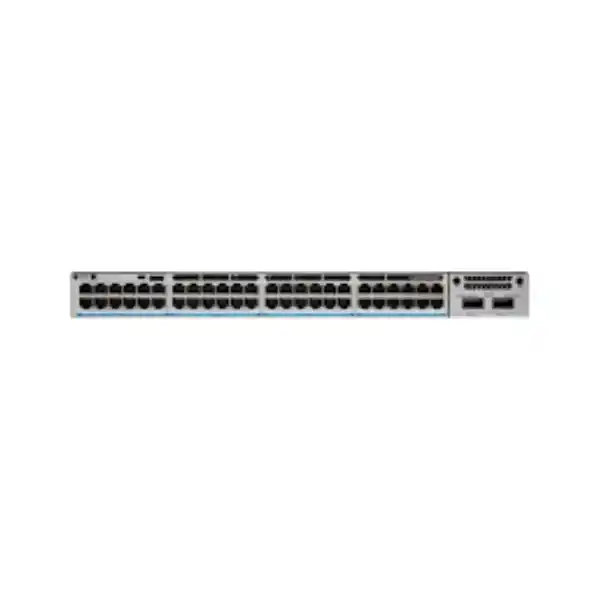
Cisco Catalyst C9300-48UN Network Switch
The Cisco Catalyst C9300-48UN is a 48-port multigigabit Cisco UPOE access switch created for enterprise networks where the edge can no longer be treated as a collection of ordinary 1 Gigabit desktop ports. Every access interface supports 100 Mbps, 1 Gbps, 2.5 Gbps, or 5 Gbps operation, allowing IT teams to connect high-throughput wireless access points, high-resolution video endpoints, collaboration systems, compact edge appliances, building-management devices, and conventional user equipment to the same switching platform. The model combines modular uplinks, StackWise-480, Cisco IOS XE, hardware-assisted policy and telemetry functions, field-replaceable cooling, dual power-supply bays, and the operational consistency of the Catalyst 9000 family.
Direct answer: what is the Cisco C9300-48UN designed to do?
The C9300-48UN is designed to be a high-performance, stackable enterprise access-layer switch for copper-connected endpoints that need more than 1 Gbps and may also require substantial Power over Ethernet. Its defining characteristic is the combination of forty-eight RJ-45 multigigabit downlink ports, each able to negotiate at 100 Mbps, 1 Gbps, 2.5 Gbps, or 5 Gbps, with Cisco Universal Power over Ethernet. This makes the platform a strong fit for modern wireless access deployments because a single Wi-Fi access point can generate aggregate traffic beyond 1 Gbps while also drawing meaningful power from the switch. It is equally applicable to digital workplaces, smart buildings, surveillance environments, educational campuses, hospitality networks, healthcare facilities, government sites, large retail locations, and distributed enterprise branches that need a common access architecture.
A practical way to understand the model is to view it as a wiring-closet consolidation platform. Instead of operating separate switches for ordinary 1G endpoints, multigigabit access points, and higher-power edge devices, a network team can standardize a closet on C9300-48UN where port speed and power are allocated according to endpoint requirements. The switch can then connect upstream through a field-replaceable uplink network module. Cisco offers C9300 family uplink choices spanning four 1 Gigabit ports, eight 1/10 Gigabit ports, two 1/10/25 Gigabit ports, two 40 Gigabit ports, and a four-port multigigabit module. That modularity matters because access-layer bandwidth requirements often change over the life of a building faster than the switching chassis itself.
For Dubai and UAE organizations, the C9300-48UN is especially relevant where existing copper infrastructure must support a phased migration from conventional 1G edge connectivity to 2.5G or 5G. The business value is not merely the higher link speed. It is the ability to coordinate speed, power, segmentation, redundancy, telemetry, and centralized operations in one enterprise platform. Procurement should therefore be based on the complete design: access-port profile, UPOE demand, selected uplink module, optic type, stack cables, secondary power supply, licensing tier, software release strategy, support coverage, and rack/environmental requirements.
Multigigabit access ports
RJ-45 downlinks support 100M, 1G, 2.5G, and 5G, letting one access switch serve a mixed endpoint population without fixing every device to a single speed class.
Switching capacity
Cisco specifies 640 Gbps switching capacity for the C9300-48UN, with 1,120 Gbps switching capacity when stacking is included in the platform performance figure.
Forwarding performance
The model is specified at 476.19 million packets per second, rising to 833.33 Mpps in Cisco’s performance figure that includes stacking.
StackWise fabric class
C9300 modular-uplink models support StackWise-480, enabling a resilient multi-member stack with one logical operational plane and distributed forwarding.
Port architecture and why 5 Gigabit access matters
The forty-eight downlink interfaces are the feature that distinguishes the C9300-48UN from conventional 48-port Gigabit Ethernet access switches. Each copper port can operate at 100 Mbps, 1 Gbps, 2.5 Gbps, or 5 Gbps. In an enterprise environment this broad negotiation range protects against two opposite problems: under-serving modern endpoints and over-engineering legacy devices. A standard desktop, printer, badge reader, or basic IoT controller can remain at its appropriate lower rate, while an enterprise wireless access point can negotiate at 2.5G or 5G where cabling and endpoint capability permit. The network team does not have to dedicate special ports in advance or physically separate device classes by switch model.
Multigigabit Ethernet is particularly important in wireless LAN design because radio capacity has developed faster than traditional 1G copper access. An access point may have multiple radios, multiple spatial streams, and high aggregate air-side throughput, so the wired uplink can become the bottleneck if it remains fixed at 1G. A 2.5G or 5G Ethernet link gives the AP substantially more headroom while continuing to use familiar twisted-pair cabling and RJ-45 connectivity. This does not mean that every installed cable plant automatically supports the highest speed at every distance. Cable category, installation quality, bundle conditions, alien crosstalk, patching, and channel length all matter. For new UAE deployments where 5G operation is expected to be routine, high-quality structured cabling and disciplined certification are important parts of the bill of materials.
The C9300-48UN therefore helps organizations treat the physical access network as a shared performance pool. A floor with forty wireless access points and eight conventional wired devices can be supported differently from a floor with twenty APs, IP phones, cameras, and engineering workstations without changing the switch platform. Port-level configuration, policy, QoS, segmentation, and power can be tailored to the endpoint class. That flexibility is often more valuable than a theoretical maximum throughput figure because it reduces the number of access-switch variants that operations teams must stock, configure, document, patch, and support.
For procurement, count not only the number of connected endpoints but also the expected speed of each endpoint over the next three to five years. A switch purchased for today’s 1G APs may be expected to support a later wireless refresh. Conversely, a site where almost every endpoint will remain 1G and low-power may not need a 48-port 5G model. FourTeck can help align the C9300-48UN with the broader UAE network architecture through the FourTeck UAE enterprise technology portfolio, including switching, wireless, servers, security, and associated infrastructure.
Cisco UPOE power design: plan watts, not just ports
Power over Ethernet planning is one of the most important design tasks for a C9300-48UN deployment. Cisco UPOE allows the switch to deliver power over the same structured cabling used for Ethernet data, simplifying deployment of endpoints that would otherwise need local AC adapters or nearby electrical outlets. High-performance wireless access points, pan-tilt-zoom cameras, video collaboration endpoints, building controllers, compact switches, thin clients, signage systems, and other edge devices can all benefit from centralized power. Centralized power can also make UPS-backed continuity easier because the network closet, rather than every endpoint location, becomes the primary power-control point.
The critical sizing principle is that forty-eight powered ports do not imply that the chassis can deliver the maximum possible wattage to all forty-eight devices simultaneously. Available PoE depends on the installed power-supply configuration and on chassis consumption. Cisco’s current data sheet lists the C9300-48UN with an 1100W AC power supply by default and shows 645W available PoE with that default primary supply in the referenced power table. Additional or higher-capacity power configurations can raise available PoE significantly, subject to platform limits. Older software-release documentation may show earlier power-budget figures, so the current ordering data and exact power-supply combination should be checked at the time of quotation.
A professional power study starts by creating an endpoint schedule. For every port, record the device model, negotiated PoE class or expected draw, worst-case draw, business criticality, and whether the device must remain powered after a single power-supply failure. Then separate nominal consumption from design consumption. An AP that typically draws 18W may need a higher allocation during boot, radio expansion, USB use, or future software features. A camera may consume more during IR illumination or mechanical movement. Collaboration endpoints may have optional accessories. Designing only around average consumption can create a network that appears stable during normal operation but sheds power precisely when a reboot, failover, or mass upgrade occurs.
Redundancy policy matters as much as total wattage. If two power supplies are installed, determine whether they are intended to increase the available PoE pool, provide redundancy, or balance both objectives. In a mission-critical access closet, a common approach is to size the powered endpoint estate so essential services remain within the surviving budget after one supply fails. That may mean reserving headroom rather than consuming every available watt during normal operation. StackPower can further influence how power is shared across supported Catalyst 9300 deployments, but it should be designed deliberately rather than treated as an automatic substitute for per-switch capacity planning.
In UAE deployments, also verify the correct AC input, power cords, rack PDUs, UPS capacity, heat load, and local electrical design. A 48-port multigigabit UPOE switch can represent a materially different closet power profile from an older non-PoE or PoE+ switch. The network design should therefore be coordinated with facility power and cooling, especially when several high-power access switches occupy the same rack.
Uplink module selection: match the aggregation layer, not a generic template
The C9300-48UN uses a modular uplink architecture, and Cisco does not include an active uplink network module in the default chassis configuration. This is a significant design advantage because the access switch can be matched to the actual aggregation architecture rather than forcing every closet into one uplink speed. It also means the network module must be treated as an explicit line item in the bill of materials. A complete switch quote that omits the chosen network module, optics, and fiber or copper patching can create an avoidable installation delay.
| Network module | Uplink capability | Typical design role |
|---|---|---|
| C9300-NM-4G | 4 × 1G SFP | Legacy or low-bandwidth aggregation where 1G uplinks remain appropriate. |
| C9300-NM-8X | 8 × 1G/10G SFP+ | Flexible 10G campus aggregation, redundant EtherChannels, or high-port-count fiber uplink requirements. |
| C9300-NM-2Y | 2 × 1G/10G/25G SFP28 | High-performance modern aggregation where 25G uplinks reduce oversubscription without moving to a larger core-facing module class. |
| C9300-NM-2Q | 2 × 40G QSFP+ | High-bandwidth campus aggregation and designs that need strong uplink capacity from dense multigigabit closets. |
| C9300-NM-4M | 4 × multigigabit interfaces | Specialized copper multigigabit uplink use cases where fiber is not the chosen medium. |
Uplink sizing should be based on traffic concentration rather than simply multiplying forty-eight ports by 5 Gbps. Most enterprise access networks are oversubscribed by design because all connected endpoints rarely transmit at line rate simultaneously. The correct oversubscription ratio depends on the workload mix. A floor dominated by office clients and voice traffic behaves differently from a floor carrying Wi-Fi 7 access points, dense video, high-volume backup flows, media production, or technical workstations. Measure current uplink utilization where possible, estimate the effect of wireless and endpoint refreshes, then choose the uplink architecture with enough headroom for peaks, failure scenarios, and growth.
Redundancy should be considered at the same time. Two physical uplinks may be used in an EtherChannel to separate fiber paths or terminate on different upstream devices where the campus design supports it. In a stacked access design, cross-stack EtherChannel can distribute member links across different stack members, reducing dependency on one chassis. The upstream architecture, spanning-tree or routed-access model, first-hop redundancy design, and campus-fabric approach all determine the exact configuration.
Optics must match the chosen network module and fiber plant. Verify connector type, fiber mode, wavelength, reach, patch-panel path, and Cisco compatibility for the intended software and hardware. Do not assume that an existing SFP or QSFP module is automatically suitable because the form factor fits. The correct optic is a network-design component, not a cosmetic accessory.
StackWise-480: scale access ports while keeping one operational system
Cisco StackWise-480 is central to the operational model of modular-uplink Catalyst 9300 switches. Up to eight compatible switches can be physically connected in a ring to form a unified stack with a single control and management plane while forwarding remains distributed across members. For access-layer design, this changes how redundancy and port growth can be approached. Instead of treating every 48-port switch as an isolated island, the stack can be configured and operated as one logical system, with interfaces identified by stack member and port.
A full-ring topology is important because the stack fabric then has paths in both directions. Cisco’s StackWise architecture for C9300 modular-uplink models uses six internal rings and is designed around 240 Gbps per stack port direction with up to 480 Gbps unicast throughput through spatial reuse. The practical value is resilient communication between members and the ability to support cross-stack functions such as link aggregation. A stack should therefore be cabled as a complete ring whenever the physical rack layout permits, rather than left as a half-ring after installation.
Stacking does not remove the need for failure-domain thinking. An eight-member stack can simplify management but also concentrates a large number of access ports into one logical system. For critical environments, decide whether a very large stack is preferable to multiple smaller stacks based on maintenance procedure, software upgrade strategy, power distribution, rack organization, upstream redundancy, and blast-radius considerations. Many enterprises use two-to-four-member stacks because they provide useful port density and redundancy while keeping operational boundaries manageable. Other sites value a larger stack because centralized configuration and high port density outweigh the concentration risk.
Physical stack-cable lengths must match the rack arrangement. Cisco lists 50 cm, 1 m, and 3 m StackWise Type 3 cable options for C9300/C9300X modular-uplink models. The cable path should not be an afterthought. In multi-rack closets, cable length, bend radius, front-to-back serviceability, and member numbering should be documented before equipment is mounted. A carefully planned stack is easier to troubleshoot because the physical member order, logical numbering, power layout, and uplink placement are predictable.
When replacing an older standalone-switch design in Dubai, stacking can also reduce operational variation. Common templates, VLAN definitions, access policies, telemetry, and uplink bundles can be applied consistently across the logical stack. This is especially useful for enterprises with many floors or branch locations where configuration drift can otherwise become a support burden.
UADP 2.0 architecture and hardware-forwarding behavior
The C9300-48UN is built around Cisco Unified Access Data Plane technology. Cisco’s architecture documentation identifies the model as using two UADP 2.0 ASICs. This is important because enterprise switching functions such as Layer 2 forwarding, Layer 3 routing, access control, QoS, telemetry-related functions, and other policy services need to operate predictably at high packet rates. A modern access switch is therefore not just a collection of Ethernet PHYs connected to a general-purpose CPU. The forwarding ASICs perform the data-plane work in hardware while the x86 control complex runs Cisco IOS XE, routing and management processes, automation interfaces, and control-plane services.
Cisco’s C9300-48UN block architecture distributes groups of downlink ports across the two ASICs and connects the modular uplink resources into the forwarding system. The architecture is designed to support line-rate behavior across downlinks and uplinks within platform constraints. From a design perspective, this reduces the need to micromanage individual access-port placement for ordinary enterprise use. Nevertheless, very high-volume environments should still consider traffic locality, uplink architecture, stack topology, queueing behavior, and failure paths because overall user experience is determined by the complete system rather than by one switching-capacity figure.
The platform’s general-purpose compute resources also support the modern operational model associated with Cisco IOS XE. Cisco documents an x86-based CPU architecture, local flash, and memory designed for programmability and application-oriented functions. This makes the switch suitable for environments that use model-driven telemetry, APIs, automation tools, or controller-based campus operations rather than relying exclusively on manual CLI configuration. Traditional CLI workflows remain available, but the underlying platform is intended to support a more programmable network lifecycle.
For architects, the key point is that C9300-48UN capacity should be evaluated at three layers: physical port speed, hardware forwarding scale, and control/software features. The switch can offer forty-eight 5G-capable interfaces, but the design must also account for aggregate traffic, routing or policy scale, flow visibility, and uplink contention. Cisco specifies 32,000 MAC addresses and 32,000 total IPv4 routes for the standard Catalyst 9300 modular-uplink platform class, along with 16,000 IPv6 routing entries, thousands of ACL and QoS scale entries, 4094 VLAN IDs, and up to 1000 SVIs. Those numbers are large for a conventional access switch, yet they remain finite design limits. A campus design that pushes access switches into large route-table, segmentation, or telemetry roles should therefore check exact scale requirements against the chosen software release and feature combination.
The result is an access platform that can participate in much richer enterprise designs than classic Layer 2 edge switches. It can serve as a policy enforcement point, routed access node, fabric edge participant, telemetry source, and automation target while still performing the fundamental job of connecting powered endpoints.
Performance figures: how to interpret 640 Gbps and 476.19 Mpps
Cisco specifies the C9300-48UN at 640 Gbps switching capacity and 476.19 Mpps forwarding rate, with figures of 1,120 Gbps switching capacity and 833.33 Mpps when stacking is included. These numbers indicate that the hardware has substantial capacity for dense multigigabit access, but they should not be mistaken for a forecast of application throughput. End-user traffic is influenced by endpoint NIC speed, wireless medium efficiency, TCP behavior, server capacity, WAN bandwidth, security inspection, upstream oversubscription, QoS policy, congestion, and application architecture.
The packet-per-second figure matters because networks do not carry only large Ethernet frames. Voice, control traffic, transactional applications, telemetry, and many security-related flows can use relatively small packets. A switch that appears capable when judged only by aggregate bit rate can still encounter stress if packet-processing architecture is weak. The Catalyst 9300 family is designed as an enterprise campus platform, and the C9300-48UN’s forwarding specification gives it headroom for dense edge use while hardware services are enabled within supported scale.
For sizing, build a simple traffic model. Start with the expected number of multigigabit APs and high-bandwidth wired endpoints. Estimate realistic busy-hour throughput per endpoint, not theoretical interface maximum. Add local east-west traffic that remains within the VLAN or routing domain, and separately estimate traffic that must traverse uplinks. Then model the loss of one uplink or one aggregation path. An uplink design that is comfortable during normal operation may become oversubscribed after a fiber failure if all traffic shifts to one surviving link. The resilience model should therefore be tested against peak traffic, not average daily traffic.
Where business applications are sensitive to latency or loss, apply QoS deliberately. The access switch can classify, mark, police, queue, and prioritize traffic, but QoS should be end-to-end. Prioritizing voice on the access switch while an upstream WAN or firewall ignores markings will not create a consistent service guarantee. Similarly, giving a broad class excessive priority can starve other applications. Use measured application requirements and a documented trust boundary rather than generic QoS templates copied from unrelated environments.
Security at the access layer: identity, segmentation, and traffic control
An enterprise access switch sits at one of the most security-sensitive points in the network: the boundary where users, phones, access points, cameras, building systems, printers, guest devices, and operational technology first connect. The C9300-48UN supports the Catalyst 9000 security model, allowing organizations to enforce controls close to the device rather than depending only on a central firewall. This is valuable because many risks originate inside the campus perimeter or involve lateral movement between internal endpoints.
Access-layer security begins with basic hygiene. Unused ports should be disabled or placed into a restricted state. Port security, DHCP snooping, Dynamic ARP Inspection, IP Source Guard, storm control, BPDU protections, and appropriate spanning-tree safeguards can reduce common Layer 2 risks. Management access should use secure protocols, role-based authorization, centralized AAA, and dedicated management addressing. Logging, NTP, configuration backup, and software-image governance should be included in the operational baseline. These controls may seem routine, but consistent implementation across dozens of access closets has a greater security impact than isolated advanced features.
Identity-based access can go further. Cisco environments may use 802.1X and MAB workflows with an identity-policy platform to classify users and devices and assign policy dynamically. This is useful in mixed environments where one physical port might connect a corporate laptop today and a managed facility device tomorrow. Dynamic policy reduces reliance on static VLAN-by-port assumptions. In Software-Defined Access designs, group-based policy and fabric segmentation can provide a scalable way to separate users and device classes without creating a maze of manually managed VLAN boundaries.
Encrypted traffic creates another operational challenge because security teams often need visibility without indiscriminate decryption. Catalyst platforms can participate in telemetry and analytics workflows that identify traffic patterns and anomalies while preserving the broader security architecture. Flexible NetFlow, streaming telemetry, and assurance functions can provide useful context for network and security operations. The correct feature set depends on software release and licensing, so security architecture should be mapped to the exact C9300-48UN license tier rather than assumed from the hardware name alone.
The switch should also be integrated with perimeter and segmentation controls. Organizations building a coordinated UAE security stack can review complementary options through the FourTeck Firewall Dubai security portfolio. The strongest design combines endpoint identity, access-switch policy, secure routing, firewall enforcement, logging, and monitoring rather than expecting one device class to provide complete protection.
Cisco IOS XE, programmability, telemetry, and operations
Cisco IOS XE is the software foundation of the Catalyst 9300 platform. For administrators who have managed earlier Cisco campus switches, it preserves familiar operational concepts while introducing a modular software architecture that supports APIs, model-driven configuration, telemetry, automation, and controller integration. This matters because modern enterprise networks increasingly need repeatable lifecycle operations rather than one-off configuration. A switch that is powerful at forwarding traffic but difficult to audit and automate can still become an operational bottleneck.
Model-driven interfaces allow infrastructure teams to move from screen-scraping or fragile CLI scripts toward structured configuration and state retrieval. Depending on the chosen toolchain, NETCONF, RESTCONF, YANG models, streaming telemetry, and automation frameworks can be used to provision and monitor the switch. Enterprises can therefore represent interface standards, VLAN policy, routing settings, and telemetry subscriptions as controlled templates. The goal is not automation for its own sake. The goal is to reduce human variation, accelerate repetitive work, and create an auditable configuration lifecycle.
Telemetry is equally important. Traditional polling provides periodic snapshots, which may miss short-lived congestion, microbursts, adjacency changes, or transient errors. Streaming telemetry can deliver selected state information at higher frequency to analytics platforms. When combined with flow data, syslog, SNMP where appropriate, and controller assurance, operations teams can build a richer view of interface health, endpoint behavior, power events, environmental status, routing state, and performance. For a 48-port multigigabit access switch, this visibility helps distinguish a network fault from a wireless issue, endpoint problem, bad cable, overloaded uplink, power condition, or upstream security policy.
Software lifecycle planning should be treated as a design discipline. Choose a release train based on Cisco support guidance, required features, interoperability, and organizational maintenance policy. Test upgrades against wireless controllers, authentication systems, monitoring tools, transceivers, and automation platforms. In stacked environments, understand the upgrade mechanism and expected service impact before scheduling a maintenance window. Keep golden configurations, image checksums, recovery procedures, and console access methods documented.
For organizations that want assistance with configuration standards, migration, monitoring, or on-site implementation, FourTeck IT Services UAE can be used as a starting point for discussing network deployment and support scope.
Licensing: Network Essentials, Network Advantage, and Meraki-mode ordering
The base model name C9300-48UN describes the hardware platform, but Cisco ordering typically includes a suffix that identifies the software entitlement or management mode. C9300-48UN-E is associated with Network Essentials, while C9300-48UN-A is associated with Network Advantage. Cisco also lists C9300-48UN-M for Meraki Advanced or Enterprise ordering contexts. The correct choice depends on the routing, segmentation, automation, assurance, and management capabilities required by the deployment.
Network Essentials generally targets mainstream enterprise access requirements, while Network Advantage provides a broader advanced feature set. Do not select between them solely on purchase price. Identify required Layer 3 protocols, segmentation functions, fabric roles, redundancy mechanisms, policy features, and automation architecture first. A hardware platform that is physically capable of a function may still require the appropriate license tier to use it in production. Conversely, paying for advanced entitlements that the architecture will not use can increase total cost without operational benefit.
Cisco licensing has also evolved over time, so the exact subscription, entitlement, support, and management requirements should be validated against the current Cisco ordering guide at the time of purchase. The product page should not be treated as a substitute for a final Cisco bill of materials. This is particularly important for long-lived projects in the UAE where tender specifications may be written months before equipment is ordered. Product IDs, DNA or management subscriptions, support levels, optics, power accessories, and software terms can change while the core C9300-48UN hardware requirement remains the same.
Meraki-mode capability introduces another operational choice. Some Catalyst 9300 models can be ordered or migrated for cloud-managed operation. This can be attractive to organizations that want a common dashboard and simplified distributed management. Traditional Cisco IOS XE management may be preferable where teams require established Catalyst workflows, detailed local control, or integration with existing Cisco campus architecture. The decision should be architectural: choose the operating model that aligns with people, processes, security requirements, branch scale, change governance, and troubleshooting practices.
A good quotation therefore names the exact product ID, not merely “C9300-48UN.” It should clearly state the suffix, subscription or entitlement items, support coverage, software expectations, and whether licenses are new, renewed, or transferred under a supported Cisco process.
High-density Wi-Fi access: one of the strongest C9300-48UN use cases
A dense wireless deployment is often the clearest reason to choose the C9300-48UN over a traditional 48-port 1G switch. Modern enterprise access points may contain multiple radios, support many concurrent clients, and aggregate traffic from laptops, phones, IoT devices, scanners, voice applications, and guest users. If the wired uplink from the AP is constrained to 1G, the wireless system can reach a point where radio-side capability exceeds the capacity of the Ethernet connection. A multigigabit switch allows the AP to negotiate a higher wired rate without requiring a fiber run to every ceiling location.
Speed is only half of the Wi-Fi requirement. Higher-performance APs also tend to consume more power, especially when using multiple radios, external modules, USB accessories, location functions, or high transmit configurations. Cisco UPOE gives the network architect more power-delivery headroom than ordinary PoE. The switch can therefore address both dimensions of an AP refresh: bandwidth and power. That dual capability is why a C9300-48UN can be a strategic investment even when today’s AP estate does not yet use 5G links on every port.
The wired design should still follow the wireless architecture. Count APs per closet, validate cable paths, map switch ports to floor plans, and identify which APs serve high-density areas such as auditoriums, ballrooms, classrooms, trading spaces, conference centers, or transportation facilities. Those locations may drive higher peak traffic than ordinary offices. Uplink capacity should be sized for aggregated AP traffic plus wired users. QoS and segmentation should be coordinated with WLAN policies so voice, guest, corporate, and IoT traffic are treated consistently from the radio to the campus core.
Cabling verification is essential. A link that negotiates at 5G in a lab may fail to deliver the same margin across a long, bundled, poorly terminated building channel. During a network refresh, certify representative and critical cable runs at the intended multigigabit rate. Replace poor patch leads, clean up intermediate connections, and document exceptions. In new construction, select cabling with future multigigabit requirements in mind rather than designing only for current 1G endpoints.
Finally, reserve capacity for AP growth. Wireless designs often add radios or increase AP density as client populations and application patterns change. A 48-port high-capacity switch with modular uplinks provides room to evolve, but rack power, UPS load, optics, and uplink bandwidth should be planned for that same growth.
Smart buildings, cameras, IoT, and converged edge networks
Enterprise access networks increasingly carry much more than employee laptops and phones. Surveillance cameras, access-control systems, environmental sensors, lighting gateways, digital signage, building-management controllers, occupancy systems, AV endpoints, time-attendance terminals, and industrial monitoring devices often share the same structured cabling environment. The C9300-48UN can serve this converged edge because it combines high port density, PoE capability, policy enforcement, VLAN and routing support, and strong uplink options.
Convergence should not mean that every device receives identical network trust. An IP camera may need access only to recording servers and management services. A building controller may need to reach a narrow set of application servers. Guest Wi-Fi should not be able to initiate connections to corporate endpoints. Printers may need restricted management access. The access switch is therefore a useful enforcement point for segmentation. VLANs, ACLs, identity-based policies, or fabric-based group controls can be used depending on the architecture. The policy should follow device role and business need, not simply physical location.
Power design becomes more complex in these environments because endpoint draw can vary widely. Fixed cameras may consume modest power, while PTZ cameras with heaters or infrared illumination can require much more. Digital signage endpoints may have different power profiles from APs. Some building devices are highly critical and must remain online during utility disturbances. A port-by-port power inventory should therefore be tied to UPS runtime and redundancy policy. The network closet is part of the building system, so facilities and IT teams should agree on which services are expected to remain operational during an outage.
Multigigabit speed is not mandatory for every IoT device, but the C9300-48UN’s broad speed negotiation means low-rate endpoints can coexist with demanding APs and video devices. This can simplify spare strategy and standardization. Rather than maintaining separate access-switch families for ordinary and high-performance floors, an organization may standardize critical closets on one platform and use port-level configuration to adapt to each endpoint.
The key is disciplined documentation. Label ports, record endpoint purpose, maintain IP address and VLAN standards, track PoE consumption, and integrate switch telemetry with monitoring. A converged network saves infrastructure only when it remains understandable and supportable.
Layer 2, Layer 3, and campus topology choices
The C9300-48UN can participate in several campus design models. In a traditional Layer 2 access design, user and device VLANs extend from the access switch toward a distribution layer where default gateways and routing are located. This architecture is familiar and can be simple to operate at moderate scale, but spanning-tree boundaries and failure domains must be designed carefully. Features such as Rapid PVST or MST, port-channel uplinks, root placement, loop guards, BPDU protection, and storm control remain important.
In routed access designs, Layer 3 boundaries are moved closer to the edge. Each access block can use routed uplinks, reducing Layer 2 failure domains and making convergence behavior more deterministic. The C9300 platform’s routing scale and Cisco IOS XE capabilities make routed access practical where the organization has the operational maturity to support it. The correct choice depends on existing campus standards, multicast requirements, endpoint mobility, wireless architecture, addressing, and the skills of the support team.
Cisco Software-Defined Access introduces a fabric model in which policy, segmentation, and automation are coordinated through controllers and fabric roles. The Catalyst 9300 family is a foundational platform for this architecture. SD-Access can simplify policy consistency across wired and wireless networks, but it is not simply a switch feature that should be enabled casually. It involves identity, control-plane design, border and edge roles, controller infrastructure, addressing, wireless integration, and operational change. Organizations considering SD-Access should treat it as an architectural program rather than a per-device checkbox.
Regardless of topology, uplink redundancy must be tested. Simulate loss of a fiber, an aggregation switch, a stack member, and a power feed. Verify convergence time for voice, wireless clients, authentication, and critical applications. A topology can look redundant on a diagram while still containing hidden single points such as one patch panel, one power circuit, one optic type, or one upstream routing adjacency. The access-switch procurement stage is a good time to expose these dependencies because module and accessory choices are still flexible.
For multi-country enterprises headquartered or managed from the UAE, repeatable architecture is especially valuable. A well-defined C9300-48UN template can be extended to branch or regional sites with local adjustments for power, cabling, support logistics, and WAN design. Organizations planning broader deployments can also review the FourTeck Africa technology portfolio for regional infrastructure discussions.
Physical installation, rack depth, cooling, and serviceability
Physical installation is often underestimated when a network refresh focuses primarily on logical features. Cisco lists the C9300-48UN chassis at approximately 1.73 inches high by 17.5 inches wide by 19.1 inches deep. With the default 1100W power supply, depth extends to approximately 22.2 inches, and Cisco lists a weight of about 20.05 pounds, or 9.09 kilograms, with the default power supply. These figures matter for shallow wall cabinets, older racks, dense telecom rooms, and sites where rear clearance is limited by PDUs or cable managers.
Plan the rack as a service environment rather than merely a place where the chassis fits. Rear access is needed for power supplies, fans, stack cables, power-stack cables where used, and uplink cabling. Front access is needed for copper patching, uplink module service, status LEDs, and labeling. Dense 48-port copper patching can quickly obstruct airflow and visual troubleshooting if patch cords are not managed. Use horizontal and vertical cable management appropriate to the rack and maintain a consistent port-labeling scheme.
The Catalyst 9300 uses field-replaceable fans and supports fan redundancy. Three fan modules are part of the platform design. That serviceability is useful in enterprise networks because a fan failure can be handled without replacing the entire switch, but spare strategy should reflect support requirements. Critical sites may keep compatible fans, power supplies, and optics available locally or rely on a support contract with defined replacement service levels. In Dubai, same-day physical access to a site may be easy for a central office but more difficult for secure facilities, industrial sites, or remote Emirates locations, so spares policy should be based on actual recovery objectives.
Cooling should be evaluated at the rack level. A switch delivering hundreds of watts of PoE is effectively passing significant electrical power through the access closet, and chassis electronics also generate heat. Multiple high-power switches, UPS systems, and aggregation devices can make a small telecom room thermally constrained. Ensure HVAC is designed for continuous operation and that front-to-back airflow paths are not blocked. Avoid packing unused materials or excessive cable bundles against fan exhaust areas.
Power feeds should be documented. If dual power supplies are installed for redundancy, connecting both to the same single UPS outlet or same upstream circuit may defeat the intended protection. Where facility design allows, separate feeds and UPS paths can improve resilience. Confirm local electrical and data-center standards before installation.
Cabling for 2.5G and 5G: protect the investment below the switch
The C9300-48UN can negotiate multigigabit speeds over twisted-pair copper, but the installed cabling determines whether those speeds are reliable at the edge. Cisco lists multigigabit-T ports with RJ-45 connectivity and support for four-pair Cat 5e, Cat 6, and Cat 6A UTP cabling. In real buildings, however, cabling performance depends on more than the category printed on the jacket. Channel length, patch-cord quality, termination, bend radius, bundle size, electromagnetic environment, workmanship, and age can all influence margin.
For a new installation where 5G access is a design objective, Cat 6A is commonly selected because it provides stronger headroom for multigigabit and 10G-class cabling requirements. For an existing site, the economic benefit of mGig often comes from reusing installed Cat 5e or Cat 6 where it can support the intended rate. That should be validated with cable certification rather than assumed. A structured assessment can identify which runs support 5G, which are reliable at 2.5G, and which should be remediated before AP or switch replacement.
PoE adds another dimension. High power over bundled copper can increase cable temperature, which may affect electrical characteristics and allowable design margin. Cable construction, bundle size, ambient temperature, pathway fill, and applicable cabling standards should be considered for high-density powered deployments. This is particularly relevant in UAE buildings where telecom spaces or ceiling pathways can experience elevated temperatures if environmental control is weak.
Patch panels and patch cords are part of the channel. Replacing the switch but retaining low-quality, damaged, or excessively long patch cords can undermine the upgrade. Standardize patch-cord lengths, avoid tight coiling, maintain bend radius, and keep copper separated from sources of interference where required. Label both ends of every run and maintain a port map that relates switch interface, patch-panel position, outlet, endpoint, VLAN, and PoE purpose.
Troubleshooting should start with negotiation status and interface counters. If an endpoint expected at 5G repeatedly falls back to 1G or shows physical errors, test the cable path before changing switch software or endpoint policy. Multigigabit deployments are most reliable when physical-layer validation is built into the project acceptance process.
Migration from legacy Catalyst access switches
Many C9300-48UN projects begin as a refresh of older Cisco access switches. The hardware replacement may appear straightforward because both generations use familiar copper Ethernet ports, VLANs, trunks, and Cisco CLI concepts. The migration should still be treated as an architecture change. Newer Catalyst platforms introduce different licensing, software release models, programmability, telemetry, stacking architecture, power options, and hardware capabilities. Simply copying an old configuration line for line can carry obsolete assumptions into the new environment.
Begin with discovery. Record the existing switch model, software version, stack topology, uplink media, transceivers, port-channel configuration, VLANs, SVIs, routing protocols, spanning-tree settings, QoS policies, AAA, 802.1X or MAB configuration, DHCP snooping, voice VLANs, port-security behavior, management addressing, SNMP, syslog, NTP, and any special macros or interface templates. Export interface utilization, error counters, PoE consumption, and MAC tables over several business cycles. This baseline reveals which configuration is actually used and which lines are historical residue.
Next, design the target rather than performing a blind translation. Determine whether uplinks should remain at 1G/10G or move to 25G/40G. Decide whether the access layer remains Layer 2, becomes routed, or participates in a fabric. Recalculate PoE based on current and planned APs. Check whether old stack cables or network modules are compatible; do not assume they are. Validate transceiver support against the intended C9300 hardware and software. Confirm that management and authentication systems support the target IOS XE release.
For cutover, create a port-migration map that ties every old interface to its new physical location and expected configuration. Where possible, stage the new stack off-network, load the target image, configure management, verify licenses, set stack member numbers and priorities, install uplink modules, test optics, and validate templates before the outage window. During the cutover, move infrastructure connections in a controlled order, then user and endpoint blocks. Keep console access available and have a documented rollback threshold.
Post-migration validation should include uplink status, stack health, spanning-tree or routing adjacencies, DHCP, DNS reachability, authentication, phone registration, AP joins, camera feeds, PoE draw, interface errors, monitoring visibility, and application tests. Compare utilization and error counters to the pre-change baseline. A successful refresh is not merely one where all port LEDs turn green; it is one where services, policy, visibility, and resilience operate as intended.
Finally, update diagrams and operational documents. The value of a modern switch is reduced if the network team still relies on obsolete port maps and undocumented exceptions.
UAE procurement and bill-of-material planning
A production-ready C9300-48UN order should be more detailed than a single chassis SKU. Start with the exact license variant: Network Essentials, Network Advantage, or the relevant Meraki-mode product where that operating model is required. Add the chosen uplink network module. Add compatible optics or DAC/AOC components for each uplink. Include StackWise cables if more than one switch will form a stack. Determine whether StackPower cables are required. Decide whether a secondary power supply is needed for redundancy, additional PoE capacity, or both. Include the correct UAE-compatible power cords and verify rack accessories.
Support coverage should be explicit. Mission-critical campus switches may require rapid hardware replacement and vendor support access. Less critical branch deployments may accept a different service level. Align the service contract with the business impact of an outage and with local spare holdings. If the organization maintains a cold spare, confirm whether software, license, and support processes allow it to be introduced quickly. A spare without the right optics, stack cable, power supply, or entitlement can still create a long recovery.
Lead time is another design parameter. High-demand network modules, optics, power supplies, and specific switch license variants may not always have identical availability. During a major UAE rollout, order standardization can reduce logistics complexity. Define approved BOM profiles such as “48-port mGig access with dual 25G uplinks” or “48-port mGig access with dual 40G uplinks,” then reuse them across sites. Exceptions should be documented so support teams know why a particular closet differs.
Warranty and support sourcing should be verified. Enterprise buyers should confirm product provenance, serial visibility, entitlement eligibility, and support terms before accepting grey-market pricing that appears unusually low. The acquisition cost of a switch is only one part of lifecycle cost. Delayed RMA, unsupported software, missing licenses, or incompatible accessories can be far more expensive during an outage.
For tenders, specify functional requirements alongside model numbers. Include port count and speeds, required PoE capability, uplink type, stacking, redundancy, software feature tier, support, installation scope, testing, documentation, and acceptance criteria. This reduces ambiguity between technically different bids that happen to list the same chassis family.
A disciplined BOM also makes future expansion easier. When the first site is installed, record the actual part numbers, software versions, optics, cabling, and power design. Use that as the controlled baseline for later sites rather than rebuilding each quotation from memory.
Sizing methodology: determine whether the C9300-48UN is the right model
The C9300-48UN should be selected because its capabilities match a quantified requirement, not because it is the highest specification option in a familiar series. A useful sizing exercise starts with six categories: port density, port speed, PoE demand, uplink bandwidth, resiliency, and software features. Add a seventh category for physical constraints such as rack depth, power, and cooling. If the design performs well across all seven, the model is likely a good fit.
Port density: count live endpoints, planned endpoints, spare ports, and seasonal or project growth. Do not consume all forty-eight ports on day one unless expansion will be handled by another stack member. Reserve ports for troubleshooting, new APs, temporary devices, and growth. In stacked designs, distribute critical endpoints across members where practical so the failure of one chassis does not remove every device of one service class.
Port speed: identify how many endpoints genuinely need 2.5G or 5G. If most ports are ordinary 1G desktops and only a small number of APs need mGig, another Catalyst model with a mixed port profile may be more economical. If dozens of APs or high-throughput devices need above-1G service, the 48UN’s all-port multigigabit capability becomes compelling.
PoE: calculate worst-case endpoint demand and failure-mode demand. Include future AP or camera models if the switch is expected to remain in service through the next endpoint refresh. Select primary and secondary power supplies based on required available PoE and redundancy, not merely on default shipment.
Uplinks: use traffic measurement and application forecasts to choose 10G, 25G, or 40G. Account for the loss of one uplink and for cross-stack designs. A 48-port mGig switch connected upstream by a single 1G fiber may function, but it would usually defeat the purpose of selecting such a high-capacity edge platform.
Resiliency: decide stack size, stack-ring cabling, uplink diversity, power feeds, second power supplies, UPS design, and spare strategy. Test how critical services behave during a member failure. Redundancy is an end-to-end property; adding a second PSU does not compensate for a single upstream link.
Software: map required routing, segmentation, fabric, telemetry, and automation functions to the license tier. Confirm integration with ISE or other identity systems, controllers, monitoring, syslog, NTP, TACACS+/RADIUS, and automation platforms. Choose a supportable IOS XE release rather than automatically installing the newest image on day one.
Physical environment: verify rack depth for the 22.2-inch installed depth with the default power supply, cable clearance, airflow, PDU position, electrical feeds, and cooling. A technically correct switch that cannot be serviced in the cabinet is not a correct design.
Comparison logic: C9300-48UN versus nearby Catalyst choices
The Catalyst 9300 family contains several 48-port models, and the naming can be confusing when a project is still at the requirements stage. The most important distinction is the access-port profile. A C9300-48T is a 48-port data switch for ordinary Gigabit Ethernet access without PoE. A C9300-48P adds PoE+ to 48 Gigabit Ethernet ports. A C9300-48U provides 48 Gigabit Ethernet ports with Cisco UPOE. The C9300-48UN moves all forty-eight copper ports into the multigigabit 100M/1G/2.5G/5G class while retaining UPOE. The C9300-48UXM uses a mixed multigigabit profile, with a subset of ports supporting up to 10G.
This means the 48UN is not automatically “better” than every alternative. It is better suited to a particular requirement: high density of endpoints that may need 2.5G or 5G. If only a handful of ports need multigigabit connectivity, a mixed-port model can be more cost-efficient. If endpoints need 10G over copper, the 48UN is not the correct choice because its access ports top out at 5G; a 10G-capable multigigabit model should be evaluated. If no powered endpoints are present, paying for a UPOE-focused platform may not make sense.
C9300X models add another layer of performance and uplink capability, including higher-speed network modules and StackWise-1T in applicable modular-uplink models. They may be appropriate where the access layer has 10G endpoints, very high uplink requirements, or more demanding security and scale needs. However, the C9300-48UN remains a strong fit for many campus access closets because 5G copper is sufficient for a large range of enterprise AP and edge-device requirements while the platform provides mature Catalyst operations.
Fixed-uplink Catalyst 9300L or 9300LM models can be attractive where a standardized uplink configuration is acceptable and cost or rack considerations favor those platforms. The modular-uplink C9300-48UN is more flexible when uplink strategy may evolve from 10G to 25G or 40G over the switch lifecycle.
The comparison should therefore be performed against the actual endpoint schedule. Count how many ports need each speed and power class. Then evaluate uplinks, stacking, licensing, and lifecycle. This prevents a specification-led purchase from becoming an operational mismatch.
Operational resiliency: power, fans, uplinks, stack, and configuration
Resiliency is strongest when multiple layers are designed together. The C9300-48UN supports dual redundant power supplies, field-replaceable fans with N+1 cooling redundancy, StackWise-480, and multiple uplink options. Each feature addresses a different failure mode. A second power supply helps with PSU failure but not an upstream switch failure. A stack ring helps with member-to-member connectivity but not a loss of building power. Dual uplinks help with path failure but not an incorrect policy pushed to every stack member. Operational resilience therefore includes technical redundancy, configuration control, monitoring, spares, and change management.
For power, decide whether the second supply connects to a separate UPS or circuit. If StackPower is used, document the intended topology and capacity. For cooling, monitor fan state and environmental alarms, and keep airflow paths clear. For stacking, close the physical ring and periodically verify stack-port health. For uplinks, use physically diverse paths where possible and test member or link failure. For routing or spanning tree, confirm timers and convergence expectations with real traffic.
Configuration resilience is just as important. Maintain version-controlled configuration backups and known-good templates. Use AAA with local emergency access, but secure and document that access. Keep console procedures available for cases where the management network is unavailable. Standardize banners, NTP, DNS, syslog, telemetry, SNMP if used, authentication servers, and management VRF design. Document which systems must be reachable before an authentication outage so the network does not lock administrators out during a broader incident.
Software upgrades should have rollback planning. In a stack, confirm the supported upgrade workflow for the selected IOS XE release and feature set. Validate boot variables, available flash, package state, and image integrity before the maintenance window. Monitor stack master or active roles, member status, and post-upgrade synchronization. Test user services, not only switch pings.
Finally, assign ownership. Network teams should know who responds to switch alarms, who can approve emergency changes, which vendor or support channel handles RMA, and where spare optics or power supplies are stored. A highly available hardware platform achieves its potential only when the operating process can act on its alarms and failures.
Deployment examples for Dubai and UAE organizations
Corporate tower floor
A high-rise office floor may have twenty to thirty high-performance APs, meeting-room collaboration endpoints, IP phones, cameras, and user desks. A two-member C9300-48UN stack can provide port capacity, distribute critical APs across members, and aggregate upstream over redundant 25G or 40G links depending on measured traffic. UPOE simplifies ceiling and room-device power. Separate VLANs or identity-based policy isolate corporate, guest, voice, facilities, and security systems.
Hotel and hospitality
Hospitality networks combine dense guest Wi-Fi, IPTV or signage, staff systems, IP phones, cameras, and building technology. The switch’s mixed-speed capability is useful because APs can use 2.5G or 5G while many room and building devices remain at 1G or lower. Careful PoE calculation is important because large numbers of powered endpoints can consume substantial budget. Segmentation should keep guest, back-office, payment, security, and facilities traffic separated.
School or university
Education sites often have high wireless concurrency, classroom AV, lab equipment, cameras, access control, and large numbers of unmanaged student devices. Multigigabit AP uplinks help prevent wired bottlenecks, while access-layer policy can separate student, staff, guest, research, IoT, and administration networks. StackWise can simplify management across large wiring closets, but stack size should be balanced against maintenance and failure-domain considerations.
Healthcare or clinic campus
Healthcare environments contain clinical devices, staff wireless, voice, cameras, guest access, printers, and building systems. Reliability and policy isolation are critical. Dual power supplies, UPS-backed closets, redundant uplinks, and detailed port documentation help reduce service risk. The network team should coordinate switch policy with biomedical device requirements and avoid untested configuration changes that could disrupt specialized endpoints.
These examples are design patterns rather than fixed recipes. The appropriate stack size, uplink speed, power configuration, license tier, and segmentation method depend on measured requirements and organizational standards.
Technical specification reference
| Product | Cisco Catalyst C9300-48UN Network Switch |
| Access interfaces | 48 × RJ-45 multigigabit copper ports |
| Supported downlink rates | 100 Mbps, 1 Gbps, 2.5 Gbps, 5 Gbps |
| PoE class | Cisco UPOE on access ports; available system PoE depends on installed power supplies |
| Default power supply | 1100W AC Platinum-rated supply on current Cisco data sheet |
| Power-supply bays | Dual redundant power-supply support |
| Uplinks | Modular; supported C9300 network-module families include 1G, 10G, 25G, 40G, and multigigabit options |
| Stacking | Cisco StackWise-480 for C9300 modular-uplink platform |
| Switching capacity | 640 Gbps; Cisco lists 1,120 Gbps including stacking |
| Forwarding rate | 476.19 Mpps; Cisco lists 833.33 Mpps including stacking |
| ASIC architecture | Dual Cisco UADP 2.0 ASIC architecture documented for C9300-48UN |
| Operating system | Cisco IOS XE in traditional Catalyst management mode; supported Catalyst models also have Meraki-mode pathways depending on ordering and licensing |
| General platform MAC scale | 32,000 MAC addresses for Catalyst 9300 modular-uplink model class |
| IPv4 route scale | 32,000 total IPv4 routes in Cisco’s standard C9300 modular-uplink scale table |
| IPv6 route scale | 16,000 entries in the same platform scale class |
| VLAN IDs | 4094 |
| SVIs | Up to 1000 in Cisco’s platform scale table |
| Jumbo frames | 9198 bytes |
| Dimensions with default PSU | Approx. 1.73 × 17.5 × 22.2 in / 4.4 × 44.5 × 56.4 cm |
| Weight with default PSU | Approx. 20.05 lb / 9.09 kg |
| Fans | Three field-replaceable fan modules with N+1 redundancy |
| MTBF | Cisco lists 198,647 hours for C9300-48UN |
Specifications and ordering data should be confirmed against the exact Cisco product ID, software release, license tier, power-supply combination, transceiver choice, and current ordering guide at quotation time.
Configuration design checklist before production rollout
A stable C9300-48UN deployment is easier to achieve when configuration standards are decided before hardware reaches the rack. Start with identity and management. Assign hostname and site naming conventions, management VLAN or management VRF, IP addressing, DNS, NTP, syslog destinations, AAA servers, local emergency credentials, SSH policy, and management access control. Confirm which systems can reach the switch and from which administrative networks. Avoid exposing management interfaces to user VLANs without a deliberate reason.
Define Layer 2 standards next. Document access VLANs, voice VLANs, trunk allowed lists, native VLAN policy, spanning-tree mode, root strategy, edge-port behavior, BPDU Guard, Root Guard where appropriate, Loop Guard, UDLD on fiber links, storm control, port security where used, and handling for unused ports. If DHCP snooping, Dynamic ARP Inspection, or IP Source Guard are part of the security baseline, define trusted uplinks and database handling carefully.
For Layer 3, document routing protocols, passive interfaces, route summarization, first-hop redundancy if used, routed uplinks, BFD, route filtering, and default route behavior. In a routed-access design, pay particular attention to IP addressing templates and the interaction between stack members and upstream aggregation. In an SD-Access design, follow the fabric workflow and controller requirements rather than mixing ad-hoc legacy configuration into fabric-managed interfaces.
PoE configuration should reflect endpoint policy. Some ports may need explicit power priorities so critical APs or phones remain powered during a budget reduction. Monitor actual draw after deployment and compare it with the design schedule. Unexpectedly high power consumption can signal an endpoint change, accessory addition, or incorrect assumption. Unexpectedly low draw can indicate that a device is not operating in its intended mode.
QoS should identify the trust boundary. Decide whether DSCP markings from phones, APs, cameras, or endpoints are trusted, remarked, or policed. Build classes around business requirements and verify queuing behavior on uplinks where congestion is most likely. Avoid complex policies that the support team cannot explain or troubleshoot under pressure.
Finally, define monitoring. Capture interface utilization, errors, discards, PoE state, temperature, fan status, power-supply state, stack health, CPU and memory, routing adjacencies, authentication events, and configuration changes. Decide which conditions generate alerts and which are only stored for trend analysis. A good monitoring design reduces mean time to isolate problems because the team knows whether a complaint is tied to physical layer, power, switching, routing, authentication, or upstream services.
Treat these standards as code or controlled templates where practical. Consistency across access stacks makes troubleshooting faster and makes audits more meaningful.
Testing and acceptance criteria
Before a C9300-48UN installation is accepted, test the functions the business depends on. Start with hardware inventory: verify chassis serial number, power-supply models, fan state, network-module type, optics, stack cables, and software image. Confirm that all stack members are present with intended member numbers and priorities and that the stack ring is complete. Check power availability and ensure no unexpected PoE-denied states are present.
Test port negotiation with representative endpoint types. A 1G desktop should negotiate correctly, a 2.5G or 5G access point should achieve the expected rate on certified cabling, and powered devices should receive the intended PoE class. Review physical-layer error counters after traffic has passed. A link that comes up but accumulates CRC errors should not be accepted as healthy.
Validate upstream redundancy. Disconnect one uplink member and confirm traffic continues. If the design uses dual aggregation switches, test loss of an upstream device according to the approved maintenance procedure. In a stack, verify cross-stack EtherChannel operation where configured. If routing is used, measure adjacency recovery. If spanning tree is used, confirm the expected topology and reconvergence.
Validate user services. Test DHCP, DNS, internet access, corporate applications, voice calls, wireless AP registration, guest onboarding, authentication, cameras, building systems, and any multicast applications. Where 802.1X or MAB is used, test known devices, unknown devices, authentication-server failure, and recovery. Confirm that security policy blocks traffic that should be denied, not only that permitted traffic works.
Monitoring acceptance should confirm that the switch appears correctly in the network-management system, sends logs, synchronizes time, exports required telemetry or flow data, and raises alerts for a controlled test such as a disconnected redundant link. Backup acceptance should confirm that a current configuration and software inventory are stored in the designated repository.
Document results with dates, software version, testers, and any accepted deviations. Formal acceptance turns the installation from a collection of assumptions into a verified production system.
Decision recap: when the C9300-48UN is the right choice
Choose it when
You need a high density of 2.5G or 5G copper access ports, substantial PoE flexibility, modular high-speed uplinks, Catalyst 9000 software capabilities, and stackable enterprise operations. It is particularly strong for high-performance wireless access, smart-building convergence, and access closets expected to evolve beyond 1G.
Reconsider it when
Almost all endpoints are 1G and low-power, only a few ports need multigigabit speed, access ports require 10G copper, or a fixed-uplink platform better matches cost and operational standards. A mixed-port or different Catalyst model may provide a better value profile.
Do not forget
The chassis is only part of the BOM. Select the software tier, uplink network module, optics, stack cables, power supplies, power cords, support coverage, and any required subscriptions. Verify rack depth, UPS capacity, cooling, and cabling quality.
Validate before purchase
Create a port schedule, PoE calculation, uplink traffic model, redundancy plan, license-feature matrix, and installation drawing. The correct model is the one that satisfies the complete operational requirement with sensible growth headroom.
Quotation input checklist for Cisco C9300-48UN Dubai
To receive an accurate quotation and avoid missing accessories, provide as much of the following information as possible. This information allows the switch, license, uplink, optics, power, and support components to be aligned to the actual site rather than quoted as a generic chassis.
Dubai/UAE location, number of closets, number of switches per closet, and whether the order is for a pilot, expansion, replacement, or new project.
Number of APs, phones, cameras, desktops, IoT devices, collaboration endpoints, and any devices requiring 2.5G or 5G.
Expected wattage or exact endpoint models, desired redundancy, UPS runtime, and whether power must survive one PSU failure.
Preferred 10G, 25G, or 40G uplinks, number of links, aggregation-switch model, fiber type, distance, and connector type.
Number of members per stack, rack layout, required stack-cable lengths, and whether StackPower is part of the design.
Network Essentials, Network Advantage, Meraki-mode requirement, controller integration, identity policy, routing, and telemetry needs.
Required RMA response, support duration, spare policy, maintenance windows, and any tender-specific service conditions.
Supply only, rack-and-stack, configuration, migration, testing, documentation, after-hours cutover, or ongoing managed support.
FourTeck consultation for C9300-48UN deployment
FourTeck can help translate a switch model request into a deployable network bill of materials for Dubai and UAE projects. A useful consultation covers access-port requirements, AP generation, PoE draw, uplink bandwidth, optics, stack size, rack constraints, power redundancy, licensing, software strategy, security integration, and migration scope. This prevents the common situation where the chassis arrives but the installation is blocked by an omitted network module, incorrect optic, insufficient power budget, unsuitable stack cable, or licensing mismatch.
For new projects, share floor plans, endpoint counts, wireless design information, existing aggregation-switch models, and expected growth. For replacement projects, share current switch configurations, port utilization, PoE readings, uplink details, and target maintenance window. FourTeck can then frame the C9300-48UN within the broader infrastructure rather than quoting it as an isolated component.
The final design should be technically supportable by the customer’s operations team. That means clear part numbers, repeatable configuration, documented cabling, tested failover, defined monitoring, and an upgrade path. The C9300-48UN provides a capable platform; the deployment process determines how much of that capability becomes dependable business value.
• AP and endpoint models
• Required uplink speed
• Fiber type and distance
• PoE load estimate
• Stack member count
• License preference
• Support requirement
• Migration / installation scope
Technical note
Cisco product capabilities, licensing, available PoE, software support, transceiver compatibility, and ordering combinations can change across software releases and product revisions. The exact C9300-48UN product ID, license tier, power supplies, network module, optics, subscriptions, and support package should be validated against the current Cisco ordering information at the time of purchase. This page is intended to support solution selection and quotation preparation for Dubai and UAE enterprise deployments.

Reviews
There are no reviews yet.