
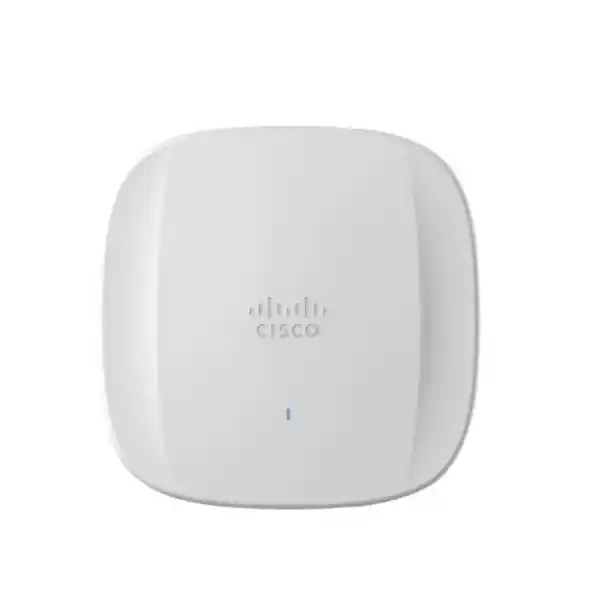
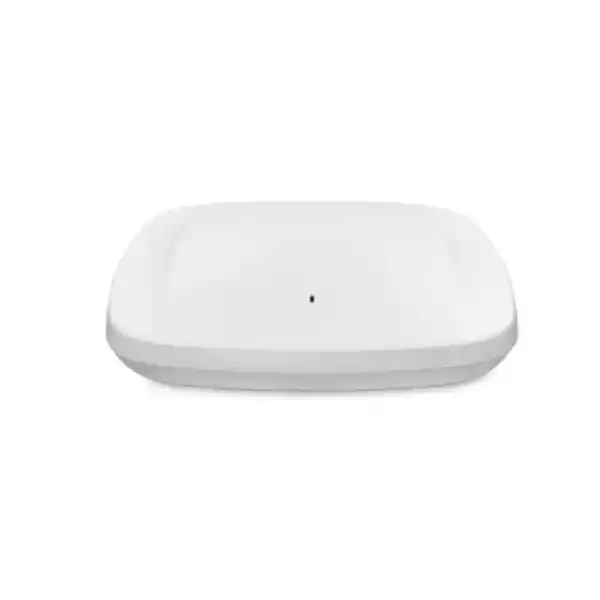
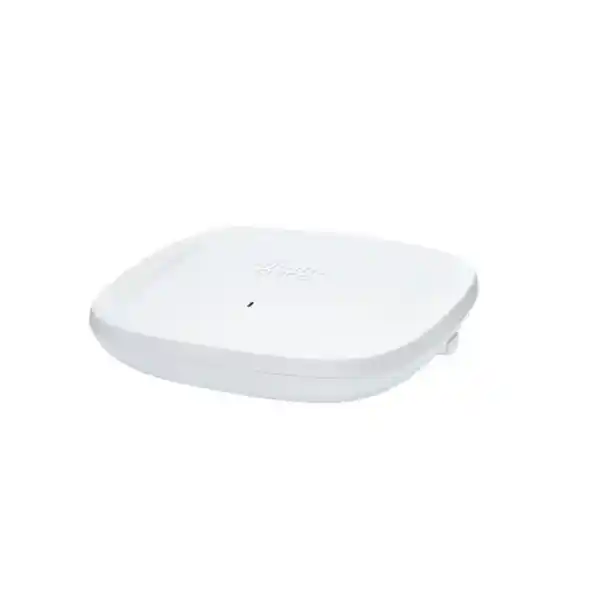
Cisco Catalyst CW9164I Wi-Fi 6E Access Point
The Cisco Catalyst CW9164I is a tri-band indoor enterprise access point designed for organizations that want to extend 802.11ax efficiency into the 6 GHz spectrum while retaining the operational depth of Cisco enterprise wireless. It is a strong fit for small and midsize enterprise deployments that need better channel availability, predictable performance under concurrency, modern security, multigigabit wired connectivity, integrated RF visibility and a practical path between controller-led Catalyst operations and Meraki cloud management.
For UAE projects, the important procurement point is not simply that the hardware is Wi-Fi 6E capable. The exact regulatory-domain model, enabled channel set, transmit power and 6 GHz operation must match the country code and current Cisco regulatory support for the United Arab Emirates. FourTeck treats this as a design and bill-of-materials decision rather than assuming that every global CW9164I part number can be deployed with identical radio parameters.
Dedicated tri-band Wi-Fi 6E architecture for modern client segmentation and capacity planning.
2×2 at 2.4 GHz and 4×4 on both 5 GHz and 6 GHz for balanced enterprise capacity.
A 100M/1G/2.5G RJ-45 interface avoids making a 1 GbE edge link the default ceiling for a modern AP.
Full radio service is designed around 802.3at or 802.3bt-class power; 802.3af is for staging with radios disabled.
Where the CW9164I fits in a modern wireless architecture
Wireless refresh projects are often framed as a speed upgrade, but the real design problem is airtime. A floor full of laptops, phones, scanners, meeting-room systems, sensors and guest devices can be limited by contention long before a single user reaches the maximum physical-layer rate. The CW9164I addresses that problem through a combination of additional 6 GHz spectrum, OFDMA scheduling, uplink and downlink MU-MIMO, BSS coloring, target wake time, modern beamforming and Cisco RF-management capabilities. These mechanisms matter because enterprise WLAN performance is governed by how efficiently many clients share a finite RF medium, not by the headline data rate of one ideal client at close range.
Cisco positions the Catalyst 9164 class for small and midsize deployments. That makes it especially relevant to UAE offices, professional-services firms, private schools, medical centers, distributed retail groups, warehouses with indoor administrative zones, hotels with controlled indoor coverage requirements and branch campuses that need enterprise control without specifying the highest-end access point at every location. Its radio mix gives more capability to the 5 GHz and 6 GHz bands, where modern business clients should spend most of their time, while retaining a 2×2 2.4 GHz radio for compatibility with legacy and IoT endpoints that still depend on that band.
A sound CW9164I project therefore starts with client capability, application criticality, expected concurrency, coverage geometry, roaming behavior and switch infrastructure. It does not start by dividing building area by an arbitrary square-meter-per-AP number. FourTeck can coordinate the wireless scope with the broader UAE network environment through FourTeck UAE, including switching, structured connectivity and site-readiness considerations that determine whether a new Wi-Fi 6E layer can deliver its intended performance.
Tri-band radio architecture: capacity where current clients need it
The CW9164I uses a 2×2:2 802.11ax radio for 2.4 GHz and 4×4:4 802.11ax radios for both 5 GHz and 6 GHz. This is a deliberate capacity profile. The crowded 2.4 GHz band remains useful for reach and device compatibility, but most contemporary enterprise WLAN design places performance-sensitive clients on 5 GHz and, when supported and permitted, 6 GHz. Allocating four spatial streams to those two bands improves the AP’s ability to serve capable clients and gives the RF design more flexibility in high-concurrency areas.
The platform also includes dedicated scanning and IoT/Bluetooth capabilities rather than treating every radio only as a client-serving interface. In practical operations, this separation supports continuous RF awareness and location or IoT use cases without forcing every monitoring function to compete directly with production client traffic. It also reflects a broader enterprise principle: a wireless access point is no longer merely a bridge between Ethernet and an SSID. It is a distributed RF sensor, policy enforcement point, telemetry source and client-experience endpoint.
The aggregate PHY rate can reach approximately 7.49 Gbps across the radios under supported channel widths and stream configurations. That number should be interpreted correctly. It is not a promise that one user will transfer application data at 7.49 Gbps. Real application throughput is lower because Wi-Fi includes MAC overhead, contention, acknowledgements, protocol overhead, client capability limits, RF conditions and shared airtime. The value is useful as a platform-capability indicator and as a reason to avoid undersizing the wired edge, but WLAN capacity planning should always be based on client distribution and airtime rather than simply quoting the aggregate PHY number.
Why 6 GHz changes the design conversation
Wi-Fi 6E extends 802.11ax operation into the 6 GHz band. For an enterprise architect, the most important benefit is additional clean spectrum and channel-planning flexibility. In many established offices, 5 GHz already carries laptops, phones, collaboration equipment and guest traffic. Dense neighboring WLANs can add further contention. Moving compatible clients into 6 GHz can relieve pressure on 5 GHz while creating room for wider channels where the application and RF environment justify them. The CW9164I supports 20, 40, 80 and 160 MHz operation on 6 GHz, while 5 GHz supports 20, 40 and 80 MHz and 2.4 GHz is centered on 20 MHz operation for sensible enterprise reuse.
Wider is not automatically better. A 160 MHz channel provides a larger instantaneous PHY opportunity, but it also consumes more spectrum and can reduce channel reuse. In a high-density office, a well-designed set of 40 or 80 MHz cells may deliver better total capacity than very wide channels everywhere. In a lower-density executive floor, media studio or meeting environment with compatible clients and controlled interference, 160 MHz on 6 GHz may be appropriate. The decision belongs in the RF plan, not in a universal template.
Client capability is equally important. A Wi-Fi 6E access point does not force legacy devices to use 6 GHz. Older 802.11ac and 802.11ax clients continue to operate on bands they support. This makes the CW9164I useful for staged migrations: newer laptops and mobile devices can progressively exploit 6 GHz while the WLAN still serves existing 5 GHz and 2.4 GHz estates. Cisco band-steering logic can help capable clients prefer 6 GHz, freeing capacity for devices that have no 6 GHz option.
For UAE deployments, 6 GHz must be treated as a regulatory feature. Cisco makes regulatory-domain part numbers and software country settings part of the operating model because allowed channels and transmit power vary by jurisdiction. The correct project process is to validate the current Cisco compliance data for the UAE, order the appropriate hardware variant, configure the correct country code on the controller or cloud platform, and then design around the channels actually available. This avoids the expensive mistake of buying a theoretically capable AP and assuming every global channel plan applies locally.
High-efficiency Wi-Fi 6E mechanisms that improve real networks
OFDMA scheduling
Orthogonal Frequency-Division Multiple Access divides a channel into resource units that can be scheduled for different clients. Instead of treating every transaction as though one device must occupy the whole channel, OFDMA can improve efficiency for many smaller uplink and downlink exchanges. This is valuable for collaboration, SaaS traffic, telemetry and mixed-device networks where the WLAN carries many concurrent flows rather than one continuous bulk transfer.
MU-MIMO
Multiuser MIMO allows the AP to use spatial resources for multiple capable clients. The CW9164I supports uplink and downlink MU-MIMO under 802.11ax, with four spatial streams on 5 GHz and 6 GHz and two on 2.4 GHz. Real gains depend on client support, signal quality and scheduling conditions, but the mechanism increases the platform’s ability to handle concurrency efficiently.
BSS coloring
In dense WLANs, devices can hear neighboring basic service sets and become overly conservative about transmitting. BSS coloring helps clients distinguish transmissions belonging to different cells, enabling more efficient spatial reuse when conditions permit. It is especially relevant where many APs must share limited spectrum across adjacent office, classroom or guest-room areas.
Target Wake Time
Target Wake Time can help compatible devices schedule when they wake to communicate. The immediate benefit is reduced contention and potentially better power behavior for suitable client classes. It is not a universal battery guarantee, but it provides the protocol framework for more coordinated device activity than older WLAN generations offered.
Beamforming and MRC
802.11ax beamforming and Maximal Ratio Combining help the radio system use multiple antenna paths more effectively. These are physical-layer tools that can improve link quality and reception under supported conditions, complementing careful AP placement. They do not replace a site survey, because no radio algorithm can fully compensate for poor mounting, heavy attenuation or a badly designed cell boundary.
Band steering
Cisco enhances band steering so 6 GHz-capable clients can be encouraged away from 5 GHz where appropriate. This is strategically useful during migration because it reserves legacy spectrum for devices that need it while giving newer clients access to the cleaner band. The goal is not just higher speed per device; it is better distribution of airtime across the whole WLAN.
RF intelligence with CleanAir Pro and dedicated scanning
Enterprise Wi-Fi operates in unlicensed spectrum, so performance problems can come from sources that are not Wi-Fi clients at all. Interference, poorly configured neighboring networks, transient devices and changing building usage can alter the RF environment after commissioning. Cisco CleanAir Pro extends interference detection and classification into 6 GHz, giving operations teams a better basis for separating true RF interference from application, authentication, switching or WAN problems.
The value of a scanning radio is operational continuity. When an AP can maintain RF awareness without constantly sacrificing its primary client-serving function, the wireless team gains more consistent telemetry. This supports troubleshooting, channel planning, security monitoring and long-term assurance. In a multisite UAE deployment, that matters because the cost of sending an engineer to every branch to diagnose intermittent wireless behavior can exceed the cost difference between basic and enterprise AP platforms.
RF visibility should feed a closed operational loop: measure, classify, correlate, adjust and verify. A high channel-utilization alarm means little by itself. Engineers should correlate it with client counts, retry rates, data rates, channel width, neighboring cells, non-Wi-Fi interferers and application symptoms. The CW9164I contributes the radio telemetry, while Catalyst or Meraki management systems provide the control and analytics context needed to turn telemetry into a service-level decision.
Catalyst controller management: engineered for policy, assurance and scale
In Catalyst mode, the CW9164I is designed to operate with Cisco Catalyst 9800 Series Wireless Controllers, physical or virtual. Cisco specifies IOS XE 17.9.1 or later as the baseline software support for the platform, while real projects should select a currently recommended release that is compatible with the wider network, feature requirements and support policy. Controller-led design remains attractive for organizations that want centralized WLAN policy, detailed RF control, enterprise authentication integration, campus segmentation and alignment with Cisco’s broader switching and automation architecture.
The access point can participate in architectures integrated with Cisco Catalyst Center, Cisco Identity Services Engine, Cisco Spaces, Software-Defined Access and assurance workflows. This allows wireless to be managed as part of a campus fabric rather than as a standalone overlay. Identity policy can determine role and access, telemetry can feed assurance, and location services can support operational use cases beyond basic connectivity. The architectural benefit is consistency: the same endpoint experience can be tied to enterprise policy from onboarding through RF access and upstream segmentation.
Controller design still requires engineering choices. AP join paths, DHCP and DNS services, controller redundancy, CAPWAP reachability, VLAN architecture, AAA reachability, certificate strategy, guest traffic design, multicast handling and failover behavior should be defined before rollout. A WLAN that looks correct in a single-room demonstration can behave very differently during a controller failure, WAN outage or large client reauthentication event. FourTeck therefore treats the controller and access-layer design as one system, with implementation support available through FourTeck IT Services UAE for deployments requiring configuration, migration and operational assistance.
Meraki cloud flexibility and investment protection
One of the notable aspects of the Catalyst 9164 family is management flexibility. Cisco offers a cloud-managed Meraki operating model as well as the Catalyst controller model, and the hardware strategy is intended to protect investment for customers that may change their preferred management platform. This matters to organizations with acquisitions, distributed branches or IT operating models that evolve over time. The decision is no longer strictly between a cloud AP family and a controller AP family with completely unrelated hardware.
Meraki management emphasizes centralized cloud visibility, rapid provisioning, firmware orchestration, RF optimization, application-aware policies and distributed-site operations. Catalyst management emphasizes deep IOS XE integration, enterprise controller workflows, campus policy and Cisco networking architecture. Neither model should be selected only because one interface appears simpler. The correct choice depends on operational ownership, WAN dependency tolerance, existing Cisco investments, security architecture, licensing preference, troubleshooting workflows and whether the organization wants to standardize the same experience across hundreds of remote sites or a smaller number of deeply engineered campuses.
For procurement, the exact orderable part number and license entitlement must match the intended management model. FourTeck can help identify whether a UAE project should be quoted around a Catalyst-managed CW9164I regulatory-domain SKU, a Meraki-managed variant, or a migration path that preserves future operational flexibility. That distinction belongs in the initial quotation because licensing, support and deployment procedures are part of the system cost, not accessories to be decided after the APs arrive.
2.5GbE uplink: avoiding an unnecessary wired bottleneck
The CW9164I provides one RJ-45 interface supporting 100 Mbps, 1 Gbps and 2.5 Gbps multigigabit Ethernet. A multigigabit uplink is important because modern tri-band APs can generate aggregate wireless demand above the practical throughput of a conventional 1 GbE edge. Not every installation will exceed 1 Gbps continuously, but designing the access switch around 2.5 GbE gives the AP headroom during bursts and avoids upgrading the radio layer while leaving an avoidable wired ceiling immediately behind it.
The switch port should be evaluated as part of the AP bill of materials. Check multigigabit capability, PoE class, LLDP/CDP power negotiation, available PoE budget, uplink oversubscription, VLAN configuration, QoS trust boundaries and switch software. An access switch with 2.5 GbE ports but an exhausted PoE budget can still compromise the project. Likewise, forty-eight high-performance AP ports feeding a lightly provisioned switch uplink can move the bottleneck one hop upstream. Capacity planning therefore follows the entire path from client airtime to AP, copper link, access switch fabric and uplink, distribution layer, firewall and WAN.
Cabling quality is part of that path. Existing structured cabling should be certified for the intended link speed and distance rather than assumed healthy because it carried 1 GbE yesterday. Patch panels, patch cords, termination quality and bundle conditions can all influence multigigabit stability. Reusing the installed cable plant can be economical, but it should be measured before a large rollout so that intermittent Ethernet negotiation issues are not misdiagnosed as wireless defects.
Power over Ethernet design: full capability needs the right budget
| Power source | Radio state | Ethernet | Design implication |
|---|---|---|---|
| 802.3bt / Cisco UPOE | 2×2 2.4 GHz, 4×4 5 GHz, 4×4 6 GHz | 2.5G | Full operation with USB available; maximum PoE consumption specified up to 30 W. |
| 802.3at PoE+ | 2×2 2.4 GHz, 4×4 5 GHz, 4×4 6 GHz | 2.5G | Full radio operation, with USB not available; maximum PoE consumption specified up to 25 W. |
| 802.3af PoE | Radios off | 1G | For configuration staging, not normal production radio service. |
Cisco lists 802.3bt, Cisco UPOE and 802.3at as supported production power methods, with DC options also available. The platform can consume up to 30 W under 802.3bt/UPOE and up to 25 W under 802.3at according to the current specification. These are maximum design figures; actual draw can vary with radio utilization and features. LLDP or CDP should be enabled so the AP and switch can negotiate power correctly.
A switch with a nominal PoE+ label is not automatically sufficient for a large AP count. Engineers should calculate the total available power supply budget, redundancy mode, worst-case allocation per port and what happens after a power-supply failure. If a 48-port switch has enough PoE for only thirty-two fully loaded APs in its chosen PSU configuration, the remaining ports may be a hidden risk. The design should also consider UPS runtime because wireless availability during short utility disturbances depends on the switch and upstream network staying powered, not merely on the AP supporting PoE.
Integrated antennas and physical installation
The CW9164I is the internal-antenna version of the platform. Cisco specifies peak integrated antenna gains of approximately 3 dBi at 2.4 GHz, 5 dBi at 5 GHz and 4 dBi at 6 GHz, with omnidirectional behavior in azimuth for the primary integrated antenna system. Internal antennas simplify many office and education deployments because there are no external antenna cables to route, label or accidentally disturb. The tradeoff is that coverage shaping comes primarily from AP placement, mounting orientation and transmit-power design rather than selecting a specialized external antenna pattern.
The access point is approximately 241.3 x 241.3 x 56.9 mm without mounting brackets and weighs about 1.60 kg. These dimensions matter for ceiling coordination, especially where architectural finishes, access panels, lighting tracks or dense MEP services compete for the same space. The preferred installation is a planned RF position with clear propagation, proper bracket support and reachable service access, not simply the nearest ceiling tile to an existing network outlet.
Mounting geometry affects the antenna pattern. Installing an AP vertically on a wall when the design assumed horizontal ceiling mounting can change how energy distributes through the occupied area. Metal ceilings, foil-backed insulation, lift shafts, reinforced concrete, decorative panels, large display walls and mechanical plant can create shadowing or multipath behavior. A predictive design should be validated with on-site measurements in representative areas, especially in premium UAE interiors where architectural materials often differ significantly from generic planning assumptions.
Environmental parameters for indoor UAE deployments
Cisco specifies an operating temperature range of 0 to 50 degrees Celsius and operating humidity of 10 to 90 percent noncondensing for the Catalyst 9164 series. Storage temperature is broader, from approximately -30 to 70 degrees Celsius. These figures support normal conditioned indoor environments but should not be interpreted as approval for unconditioned rooftops, exterior canopies, plant spaces or other locations that can exceed indoor environmental limits in the UAE summer.
A practical UAE design should review the conditions above suspended ceilings. The occupied room may be comfortably air-conditioned while the ceiling void can be warmer, particularly near glazing, roof decks, lighting equipment or poorly ventilated service zones. Humidity and condensation also matter where cold indoor surfaces meet humid air. An indoor AP should not be used as a substitute for an outdoor-rated platform just because it is protected from direct rain.
For warehouses and industrial sites, distinguish the office or conditioned indoor zone from loading bays and production spaces. The CW9164I is excellent when the environmental envelope fits its indoor specification; harsher locations should be evaluated for a Cisco model designed for outdoor or industrial conditions. This product-selection discipline improves reliability and protects supportability, while also ensuring that antenna choices and mounting hardware are appropriate to the physical environment.
Security architecture: protect identity, airtime and the wired edge
WPA3 and enterprise authentication
The platform supports WPA3, allowing organizations to modernize wireless encryption and authentication policy. Enterprise deployments should pair secure WLAN modes with well-managed RADIUS or identity services, certificate strategy, endpoint onboarding and role-based authorization rather than relying only on a shared password.
RF threat visibility
Dedicated scanning and Cisco RF intelligence can contribute to rogue detection and wireless security monitoring. This is important because an unauthorized access point, personal hotspot or misconfigured neighboring system can become both a security and performance issue.
Segmentation
Wireless security continues beyond association. Corporate users, guests, voice devices, scanners, building systems and IoT clients may require different policy, routing and firewall treatment. VLANs, policy tags, identity groups or fabric-based segmentation should map access to business intent.
Management plane
Controller, dashboard and switch administration require privileged-access controls, MFA where supported, logging, software governance and defined change processes. A secure WLAN can still be exposed if the administrative plane is weak.
Upstream firewall policy
The AP does not replace perimeter or internal security controls. Guest internet, SaaS access, data-center resources and branch traffic should pass through an appropriate firewall and policy architecture. FourTeck can coordinate WLAN segmentation with solutions available through Firewall Dubai.
Software lifecycle
Enterprise wireless should follow a controlled software lifecycle. Validate recommended releases, security advisories, field notices, feature dependencies and upgrade sequencing before broad deployment. A lab or pilot group can expose client interoperability issues before they affect the full estate.
Sizing methodology: design by airtime and service requirement, not floor area alone
A responsible CW9164I quantity estimate begins with the service definition. What applications must work, at what minimum RSSI and SNR, with how many simultaneous devices, in which parts of the building? A video-heavy training center has different capacity needs from a branch office with the same square meters. A voice-enabled warehouse requires roaming and cell-boundary discipline that a static office may not. A hotel has many rooms and attenuation boundaries; an open-plan workspace has fewer walls but potentially much higher device concurrency.
The client inventory should identify radio capability by generation and band: 2.4-only IoT, dual-band Wi-Fi 5, Wi-Fi 6, and 6 GHz-capable Wi-Fi 6E devices. This determines how quickly a new 6 GHz layer can offload 5 GHz. If only ten percent of the fleet supports Wi-Fi 6E today, the 5 GHz design remains crucial. If a laptop refresh will move most users to Wi-Fi 6E during the network’s life, the 6 GHz cell plan becomes an important investment-protection factor.
Next, estimate concurrency and application demand. A rough bandwidth model can be useful, but airtime is often the more important constraint. Low-rate or distant clients consume disproportionate airtime for the same data volume. Retry rates increase airtime cost further. This is why adding APs is not always the solution: too many high-power cells on the same channels can create additional contention. The design must balance AP count, transmit power, channel reuse and minimum data-rate policy.
Finally, validate with a predictive design and on-site measurements. Predictive tools help model walls, attenuation and AP placement. A physical survey confirms actual RF behavior and uncovers unexpected materials, neighboring networks and installation constraints. After deployment, post-install validation should verify coverage, SNR, channel plan, roaming behavior and application performance. This evidence-based process is more reliable than generic claims such as one AP per fixed area.
Channel-width strategy for offices, classrooms and high-density spaces
Channel width is one of the most consequential WLAN tuning decisions. A wider channel can deliver a higher PHY rate to an individual client, but it consumes a larger slice of spectrum and can increase the chance of overlapping with other cells. In a dense office with many APs, 20 or 40 MHz channels may provide better reuse and more predictable aggregate performance than 80 MHz everywhere. In moderate density, 80 MHz may be a strong balance. On 6 GHz, 160 MHz becomes available, but it should be used selectively when there is enough spectrum and the client/application profile justifies it.
The access point’s 4×4 5 GHz and 6 GHz capability gives the controller a strong platform, but RF policy must be customized to the site. Automatic radio resource management can make intelligent adjustments, yet it works best when design constraints are sensible: approved channel lists, appropriate channel widths, realistic transmit-power ranges and a clean floor plan. Automation should optimize within an engineered envelope rather than be asked to rescue a fundamentally unsuitable AP layout.
Channel planning also has to acknowledge neighboring tenants and common areas in UAE commercial towers. The organization may control only its leased floor, while adjacent floors and offices run independent WLANs. A design survey should therefore evaluate external occupancy rather than assuming the building is an RF blank canvas. Where 6 GHz is available and client adoption is high, the additional spectrum can be particularly valuable in this kind of multi-tenant environment.
Roaming, voice and real-time collaboration
Users experience a wireless network as a continuous service, not a collection of access points. Voice-over-Wi-Fi, Teams or Webex calls, handheld scanners and mobile clinical devices expose roaming weaknesses quickly because a delayed reassociation or authentication exchange can become audible or operationally disruptive. The CW9164I supplies the radio platform, but successful mobility depends on the end-to-end WLAN configuration, client behavior and RF cell boundaries.
Designers should define target coverage and minimum signal levels appropriate to the client set, avoid oversized cells, establish overlap that supports roaming without creating excessive co-channel contention, and validate the actual devices that matter. Fast-roaming features can reduce transition time, but compatibility should be tested because client implementations vary. Authentication backend latency is another factor: a theoretically perfect RF handoff can still be slow if identity services are remote or misconfigured.
Quality of service also has to span the full path. Wireless marking, switch QoS, WAN treatment and application policy should agree on traffic priority. Simply enabling a voice SSID does not guarantee good voice. The network should be measured under realistic concurrent load, including roaming calls, not only with static throughput tests near an AP. This is particularly important for hybrid-work environments where video collaboration has become a normal baseline workload rather than an occasional special event.
IoT and Bluetooth Low Energy support
The CW9164I integrates Bluetooth Low Energy and IoT radio capability in addition to its primary Wi-Fi radios. This allows the access point estate to support use cases such as location-aware services, asset workflows, occupancy-oriented systems and compatible IoT integrations without deploying an unrelated overlay in every area. The value grows as APs become part of a broader digital-building platform rather than serving only user laptops and phones.
IoT planning still requires security segmentation. A sensor or building endpoint should not automatically share the same trust level as a managed corporate laptop. Device identity, onboarding, VLAN or policy placement, firewall rules, DNS controls and monitoring should be defined by device class. Legacy 2.4 GHz IoT is particularly common, so the decision to keep the 2.4 GHz radio available should reflect actual inventory rather than a blanket assumption that every enterprise can disable the band immediately.
Location and analytics projects also need expectation management. Radio infrastructure can provide rich data, but accuracy depends on deployment density, calibration, client behavior and the chosen application platform. If a customer plans to use BLE beacons or location analytics, that requirement should be included in the wireless design stage because AP placement optimized only for conventional coverage may not be optimal for every location-service objective.
Deployment patterns where the CW9164I is a strong match
Corporate offices
Open-plan seating, collaboration rooms, executive spaces and guest areas benefit from the tri-band design. Wi-Fi 6E clients can move to 6 GHz while 5 GHz remains available for the broad installed base. Capacity should be modeled around meeting density and device-per-user ratios, not just desks.
Education
Classrooms create synchronized bursts when many students open the same cloud application, stream content or join online assessments. OFDMA, MU-MIMO and thoughtful channel reuse can improve concurrency, while controller policy can separate students, staff, guests and devices.
Clinics and healthcare offices
Clinical mobility needs consistent coverage, secure authentication and strong roaming behavior. Device qualification is important because medical and operational endpoints may use older radio capabilities even when staff laptops have moved to Wi-Fi 6E.
Hospitality
Hotels and serviced residences combine high device counts with many attenuation boundaries. Integrated antennas suit many corridor, lobby and service-area designs, but room coverage must be modeled carefully because wall construction can change dramatically across properties.
Retail and branch networks
Distributed sites need predictable templates, centralized visibility and secure segmentation for POS, staff, scanners, corporate users and guests. Cloud management can be attractive here, while controller mode may align better with organizations already standardized on Catalyst infrastructure.
Midsize campuses
The CW9164I can form the standard indoor AP for general office and teaching areas, while specialized high-density, directional, outdoor or industrial zones use other models. This tiered approach avoids overspecifying every location while preserving one management architecture.
Migration from Wi-Fi 5 or Wi-Fi 6: preserve what works, modernize the constraints
A wireless refresh does not necessarily mean replacing every adjacent component. Start by mapping the existing estate: controller generation and software, switch models, PoE budgets, cabling, authentication services, SSID design, VLANs, DHCP scope behavior, guest architecture, monitoring tools and critical client types. Some components may be reusable; others may be the reason the existing WLAN underperforms. A migration plan should identify those dependencies before new APs are mounted.
From Wi-Fi 5, the CW9164I introduces 802.11ax efficiency across all three client bands and adds 6 GHz capability for Wi-Fi 6E clients. From Wi-Fi 6, the biggest architectural change is the new spectrum opportunity rather than a completely different MAC philosophy. Client refresh timing therefore matters. If the organization has recently purchased Wi-Fi 6 laptops without 6 GHz radios, those devices will still benefit from the 5 GHz 4×4 platform, but the immediate 6 GHz offload may be smaller than in a fleet adopting Wi-Fi 6E hardware.
A staged migration can run old and new AP generations under a compatible controller architecture, subject to software support. However, mixed deployments require careful feature planning. The safest process is to confirm the support matrix for every AP model and controller release, establish a pilot area, test representative clients and then roll out by building or floor. During transition, use consistent SSID and security policy where roaming continuity is required, but avoid preserving obsolete settings solely because they existed historically.
Post-migration tuning is essential. New radios change the channel plan and client distribution. Leaving old transmit powers and channel widths untouched can undermine the upgrade. After adoption stabilizes, inspect band distribution, retry rates, minimum data rates, channel utilization and sticky-client behavior. The goal is not simply to prove that the new APs are online; it is to demonstrate a measurable improvement in user experience and operational visibility.
Operational monitoring and troubleshooting workflow
Wireless troubleshooting should start with a timeline and scope. Is the issue one user, one AP, one SSID, one building, one application or the entire network? Intermittent problems require telemetry that can look backward, because by the time a support ticket is opened the RF condition may have changed. Catalyst assurance or Meraki cloud visibility can help correlate client connection history, authentication, DHCP, roaming, RF quality and application symptoms.
The engineer should separate the problem into stages: discovery and association, authentication and authorization, IP addressing, DNS, routing, application reachability and RF performance. A user who says Wi-Fi is slow may actually have a DNS problem, a WAN bottleneck, a captive-portal delay or an overloaded SaaS service. Conversely, a perfectly healthy wired path cannot compensate for a client operating at a weak signal with excessive retries. The CW9164I’s telemetry and RF tooling are most valuable when the support process follows this structured fault domain approach.
Operations teams should define baseline KPIs before problems occur. Useful metrics include association success rate, authentication latency, DHCP success, client RSSI and SNR distributions, retry percentage, channel utilization, AP radio load, client count, roaming failures and upstream switch errors. Thresholds should reflect the business environment rather than generic defaults. A call center supporting real-time voice may need stricter RF thresholds than a low-density visitor lounge.
Software maintenance belongs in the same operational model. Cisco publishes support documentation, field notices and software updates for the platform. Changes should be reviewed for security, bug fixes, controller compatibility and client impact, then introduced through a controlled rollout. For larger estates, retain a representative pilot group so that endpoint-specific problems can be observed before the majority of APs are upgraded.
Licensing, support and procurement considerations
The access point is only one line in a complete Cisco wireless quotation. Depending on the selected management model, the project may require controller capacity, software subscriptions, cloud licensing, support coverage, Cisco DNA-related entitlements, switching, power supplies, optics, mounting accessories, patching and professional services. A low unit price can therefore be misleading if it excludes the licenses and infrastructure required to operate the AP in the target architecture.
Regulatory-domain ordering is critical. Cisco uses suffixes and country-domain logic because wireless rules differ by jurisdiction. The correct UAE-compatible orderable should be validated against Cisco’s current compliance and price-list information at the time of purchase. This is especially important for Wi-Fi 6E because the availability of 6 GHz channels is directly tied to local rules and software country settings. Ordering the wrong domain can create deployment or support complications that cannot be solved by ordinary configuration changes.
Support policy should match business criticality. An office that can tolerate next-business-day replacement has a different requirement from a hospital, school examination network or operations center. Spares strategy also matters. Maintaining one or more pre-approved spare APs on site can reduce restoration time, but the spare must match the regulatory and management model of the deployed environment.
FourTeck can prepare UAE quotations that separate hardware, subscriptions, support, switching and implementation so the customer can compare architecture-level costs rather than only AP unit price. For organizations operating across multiple countries, broader sourcing and coordination can also be aligned through FourTeck Global while preserving country-specific regulatory validation.
Key hardware and platform specifications
| Specification | Cisco Catalyst CW9164I |
| Wireless standard | 802.11ax / Wi-Fi 6 and Wi-Fi 6E, with interoperability for supported earlier clients |
| 2.4 GHz radio | 2×2:2 MU-MIMO, 20 MHz channels |
| 5 GHz radio | 4×4:4 MU-MIMO, 20/40/80 MHz channels |
| 6 GHz radio | 4×4:4 MU-MIMO, 20/40/80/160 MHz channels where permitted |
| Maximum aggregate PHY rate | Up to approximately 7.49 Gbps across supported radio configurations |
| Ethernet | 1 x 100M/1G/2.5G multigigabit RJ-45 |
| Console | RJ-45 management console |
| USB | USB 2.0, up to 4.5 W when supported by power mode |
| Power | 802.3at PoE+, 802.3bt/Cisco UPOE and supported DC options; 802.3af staging with radios off |
| Integrated antenna peak gain | Approximately 3 dBi at 2.4 GHz, 5 dBi at 5 GHz and 4 dBi at 6 GHz |
| Memory | 2048 MB DRAM and 1024 MB flash |
| Dimensions | Approx. 241.3 x 241.3 x 56.9 mm without bracket |
| Weight | Approx. 1.60 kg |
| Operating environment | 0 to 50°C; 10% to 90% relative humidity, noncondensing |
| Catalyst software baseline | Cisco IOS XE 17.9.1 or later, subject to current release guidance |
| Controller | Cisco Catalyst 9800 Series Wireless Controllers, physical or virtual |
| Security | WPA3 support plus enterprise identity and policy integrations depending on architecture |
Specifications should be checked against the final Cisco orderable, regulatory domain and software release selected for the UAE project. Allowed 6 GHz channels and transmit powers are jurisdiction-dependent.
Choosing between CW9162I, CW9164I and higher-density options
The CW9164I occupies a useful middle position in Cisco’s Wi-Fi 6E indoor portfolio. Compared with an entry-oriented 2×2 platform, the 4×4 radios on 5 GHz and 6 GHz provide additional spatial capability for areas where concurrency and performance justify it. Compared with a higher-end model designed for the most demanding large or high-density environments, it can be more cost-efficient as the standard AP for general-purpose office and midsize deployments.
That does not mean one model should cover an entire campus. A common design uses a mainstream AP such as the CW9164I for ordinary work areas, classrooms and corridors, then introduces higher-capacity or specialized APs in auditoriums, event spaces, very dense lecture halls, outdoor courtyards or industrial zones. Standardizing where possible simplifies operations, but forcing one access point into every physical requirement can increase cost or reduce RF quality.
The decision should therefore compare required radio streams, expected client density, uplink capacity, environmental rating, antenna pattern, management model and total license/support cost. FourTeck can produce a model-selection matrix when the project includes multiple Cisco AP families so that each area is matched to a technical requirement rather than a generic product hierarchy.
UAE implementation checklist before the first AP is installed
Confirm the UAE-approved regulatory domain, orderable PID, controller country code and 6 GHz availability for the selected software release. Do this before issuing the purchase order, not after delivery.
Collect floor plans, wall materials, ceiling heights, intended AP mounting locations, neighboring WLAN observations and client/application requirements. Build a predictive design and validate representative areas physically.
Verify 2.5GbE port support, PoE+ or better, aggregate switch power budget, access-switch uplinks, VLANs, QoS and software. Confirm UPS capacity for the required wireless service continuity.
Decide between Catalyst controller operations and Meraki cloud management based on architecture, team workflow, licenses, WAN model and future standardization. Quote the correct hardware and entitlements accordingly.
Map SSIDs to user and device roles, authentication methods, certificate or RADIUS dependencies, guest workflows, VLAN or fabric policy, firewall controls and DNS/DHCP services.
Define measurable acceptance criteria for coverage, SNR, throughput where relevant, roaming, authentication, application quality and high-density behavior. Capture a post-install baseline for future support.
Common design mistakes the CW9164I cannot solve by itself
Installing by convenience instead of RF need: APs often end up next to network closets or in ceiling locations chosen because cabling is easy. That can create uneven cell sizes, poor room penetration and excessive overlap. Cabling should follow the RF design wherever practical, not define it.
Running every radio at maximum power: high transmit power can make clients hear an AP farther away than the client can reliably transmit back. It can also create oversized cells and reduce spatial reuse. Controller automation needs sensible power boundaries and an AP density appropriate to the target client level.
Using maximum channel width everywhere: 80 or 160 MHz looks attractive in a specification table, but a dense WLAN may perform better with narrower channels and more reuse. Channel width should follow the site density and spectrum plan.
Ignoring the wired network: a 2.5GbE AP on a 1 GbE-only, underpowered or oversubscribed access layer leaves performance on the table. The access switch, uplink and firewall must be sized as part of the same traffic path.
Assuming 6 GHz is globally identical: Wi-Fi 6E operation is tied to local regulation. Validate UAE-specific support, country code and the exact hardware domain. Do not copy a channel plan from another country.
Skipping client testing: infrastructure standards can be correct while individual endpoint drivers, supplicants or certificates create poor experience. Pilot the laptops, phones, scanners, voice devices and specialized clients that the business actually uses.
Performance planning example for a midsize UAE office
Consider a three-floor office where each floor has open work areas, twelve meeting rooms, several enclosed executive offices and common spaces. The user population averages two to three wireless devices per person, but not all devices are active simultaneously. Most new laptops support Wi-Fi 6E, while printers, AV controllers and several IoT devices remain on 2.4 or 5 GHz. The organization uses cloud productivity, video meetings, softphones and a secure guest service.
A useful design approach would first model 5 GHz and 6 GHz coverage independently because 6 GHz propagation and client support differ. Meeting rooms may justify additional capacity due to concentrated video traffic, while open desks can be planned for predictable cell reuse. The 2.4 GHz radio can be maintained at lower power with a more conservative channel plan to serve legacy devices without encouraging modern laptops to remain there. Band steering and client policy can then favor 5 or 6 GHz for capable devices.
On the wired side, multigigabit PoE+ switch ports prevent the AP uplink from becoming the first constraint. Switch power budgets are calculated at the intended AP count with failure scenarios included. The controller or Meraki design is chosen based on the customer’s existing Cisco stack and operations model. Identity services map corporate users, guests and IoT devices to separate policy. A pilot floor is commissioned first and measured during a real business day before the remaining floors are migrated.
This example illustrates why the CW9164I should be sold as part of an engineered solution. The same access point can deliver very different outcomes depending on placement, channel width, transmit power, client steering, switch design and security policy. Product capability creates the ceiling; network engineering determines how much of that capability becomes user experience.
Decision recap: when to specify the Cisco Catalyst CW9164I
Specify the CW9164I when the project needs enterprise-class indoor Wi-Fi 6E, meaningful 5 GHz and 6 GHz capacity, integrated antennas, multigigabit Ethernet, robust RF visibility and the ability to align with Cisco Catalyst or Meraki operations. It is particularly compelling as a standard indoor AP for small and midsize enterprise networks where a 2×2 entry platform may be too limited but a top-tier high-density AP would be unnecessary for every room.
Choose it for capacity
4×4 radios on 5 GHz and 6 GHz, OFDMA, MU-MIMO, BSS coloring and 6 GHz spectrum give a strong foundation for concurrent enterprise traffic.
Choose it for operations
Catalyst controller integration, RF intelligence, assurance options and cloud-management flexibility support IT teams that need visibility beyond simple AP uptime.
Choose it with engineering
The platform performs best when paired with UAE regulatory validation, RF design, PoE+ or better, 2.5GbE access switching, identity policy and post-deployment verification.
Quotation input checklist
Site and coverage information
Provide building location in the UAE, number of floors, floor plans, ceiling heights, wall types, indoor/outdoor boundaries, expected AP mounting restrictions and any known high-interference areas. Mark meeting rooms, classrooms, auditoriums or other spaces with unusually high concurrency.
Users, devices and applications
State the total user count, expected concurrent users, devices per user, proportion of Wi-Fi 6E clients, legacy 2.4 GHz requirements, voice or video use, scanners, POS systems, IoT devices and any application with strict latency or availability requirements.
Existing Cisco environment
List current controllers, Catalyst Center, ISE, Meraki organization, switches, AP models, software versions, support contracts and licenses. This helps identify reusable components, software dependencies and whether a hybrid migration is practical.
Commercial and implementation scope
Specify required delivery city, target schedule, preferred support term, whether installation and configuration are needed, whether structured cabling or PoE switches are included, and whether the quotation should contain survey, migration, testing and documentation services.
Plan the CW9164I as a complete wireless system
A production wireless design should connect product selection to measurable outcomes. For the Cisco Catalyst CW9164I, that means selecting the correct UAE regulatory variant, validating 6 GHz support, defining radio and channel policy, providing PoE+ or better, enabling 2.5GbE where capacity calls for it, integrating identity and segmentation, and choosing the Catalyst or Meraki management model that matches the IT team’s operating practice.
FourTeck can build the quotation around the actual environment rather than a generic AP count. The engagement can include BOM preparation, controller and license alignment, switch and PoE review, predictive RF planning, installation guidance, migration sequencing, WLAN configuration, post-install validation and operational handover. This approach reduces the risk of discovering after purchase that cabling, controller software, licenses or country-domain details do not match the intended design.
For multi-country projects, the same technical discipline should be repeated per jurisdiction because wireless regulation and orderable part numbers can differ. A standardized corporate WLAN architecture can still be deployed globally, but the radio domain and compliance step remains local. FourTeck can coordinate the architecture centrally while validating country-specific details at the procurement stage.
Consultation scope
• UAE regulatory-domain confirmation
• AP quantity and RF design review
• Catalyst 9800 or Meraki architecture
• 2.5GbE switching and PoE budget
• ISE, VLAN and firewall segmentation
• Licensing and support alignment
• Migration, testing and handover


Reviews
There are no reviews yet.