
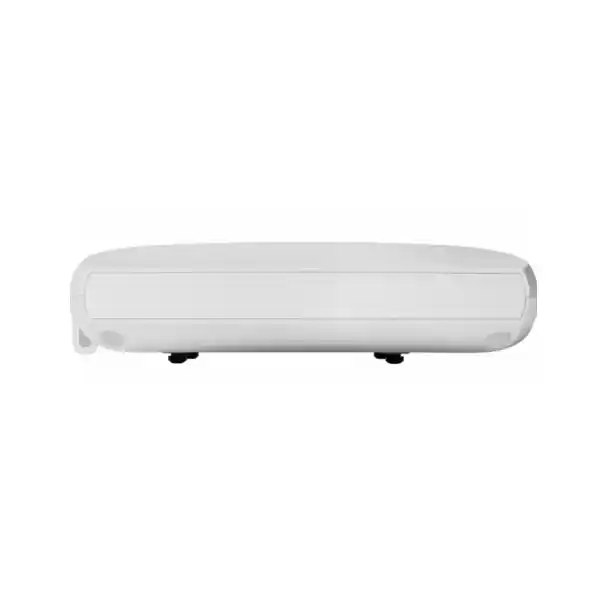
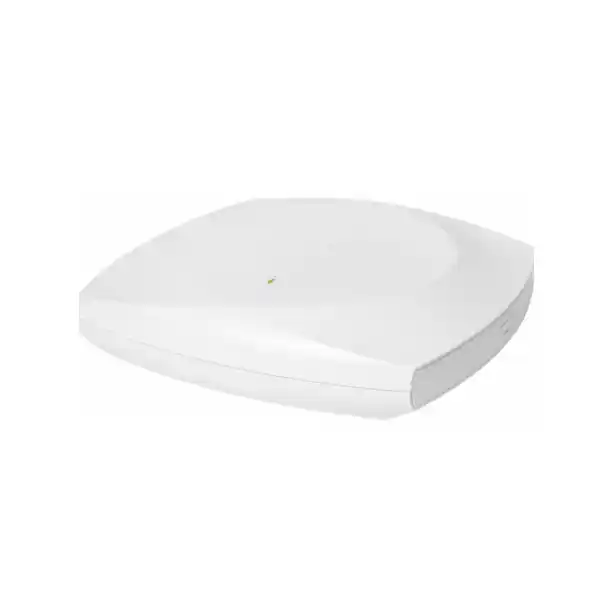
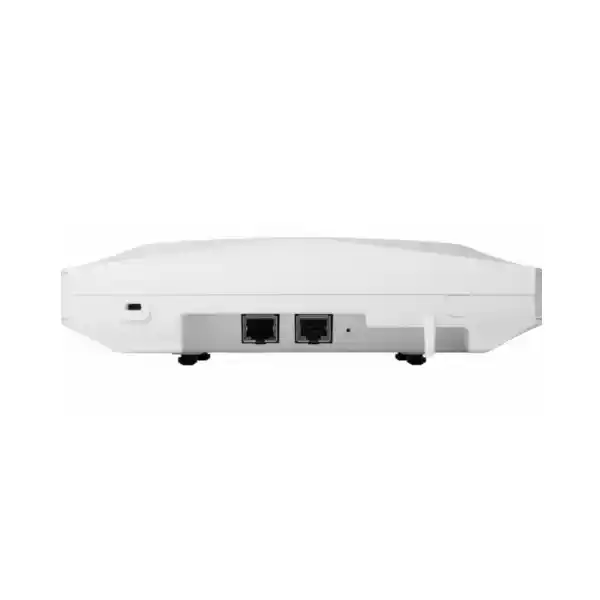
Cisco Wireless CW9176I Wi-Fi 7 Access Point
The Cisco Wireless CW9176I is a high-performance indoor access point designed for enterprises moving beyond Wi-Fi 6 and Wi-Fi 6E toward a more deterministic, low-latency and spectrum-efficient wireless architecture. It combines three client-serving Wi-Fi 7 radios, flexible 2.4/5/6 GHz operation, four spatial streams per serving radio, a 10 Gigabit multigigabit Ethernet interface, dedicated RF visibility resources, integrated IoT connectivity, UWB location capability and GNSS/GPS positioning in a platform that can align with either Cisco Catalyst controller-based networking or Meraki cloud operational models.
For UAE organizations, the CW9176I is particularly relevant where wireless has become a primary access medium rather than a convenience layer: head offices, digital workplaces, universities, healthcare environments, high-density hospitality, executive facilities, logistics administration, finance, technology campuses and collaboration-heavy floors. Its architecture is intended to raise total usable capacity while preserving compatibility with existing Wi-Fi 6, Wi-Fi 6E and earlier client populations during phased migrations.
Direct answer: what is the Cisco CW9176I and who should deploy it?
The Cisco CW9176I is an indoor, omnidirectional, enterprise-class Wi-Fi 7 access point built for high-performance wireless LANs. It operates as a tri-band platform across 2.4 GHz, 5 GHz and 6 GHz, with a flexible radio design that can also be used in a 5/5/6 GHz pattern where design objectives favor additional 5 GHz capacity instead of maintaining a 2.4 GHz client-serving cell on every AP. Each primary serving radio supports up to four spatial streams, and the platform introduces core Wi-Fi 7 functions such as Multi-Link Operation, 4096-QAM and preamble puncturing in addition to uplink and downlink OFDMA, MU-MIMO, Target Wake Time, BSS coloring and WPA3 capabilities.
Organizations should consider the CW9176I when their wireless requirements are being driven by high aggregate throughput, demanding collaboration, large numbers of modern clients, rapidly increasing 6 GHz adoption, AI-assisted network operations, low-latency interactive applications or the need to converge traditional WLAN, location and IoT functions more tightly. It is not simply an access point intended to make a speed-test number higher. Its real value appears when the switching, cabling, power, RF design, authentication, controller or cloud management, client mix and application policies are engineered as a complete system.
FourTeck can position the CW9176I within a broader UAE network modernization project covering access switching, multigigabit Ethernet, PoE capacity, structured cabling, VLAN architecture, WLAN design, firewall integration, identity services, monitoring and rollout planning. Organizations looking for a wider infrastructure partner can review FourTeck UAE enterprise technology solutions as part of the procurement and design process.
CW9176I technical specification overview
Wi-Fi 7 architecture: why 802.11be matters in an enterprise WLAN
Wi-Fi 7 is often introduced as a speed upgrade, but enterprise design teams should evaluate it as a combination of spectrum efficiency, wider channels, improved modulation and more flexible use of fragmented RF resources. The CW9176I supports 4096-QAM, which can carry more bits per modulation symbol than 1024-QAM when signal quality is sufficiently strong. This improvement is most valuable at high signal-to-noise ratios, so physical design remains critical. A poorly placed access point cannot create the RF conditions needed for the highest modulation rates, while a carefully planned deployment can allow a greater percentage of client airtime to be completed quickly and returned to the shared medium.
Multi-Link Operation, commonly shortened to MLO, is another important Wi-Fi 7 capability. Instead of treating each band as a completely separate connection opportunity, compatible Wi-Fi 7 clients can use multiple links under a coordinated relationship. Depending on the client implementation and network configuration, MLO can be used to improve effective throughput, reduce latency, increase resiliency or provide more intelligent link selection. For applications such as real-time collaboration, interactive visualization and latency-sensitive business systems, the practical goal is not only more throughput but more predictable airtime behavior when conditions change.
Preamble puncturing addresses a different RF problem. Very wide channels can lose much of their value when a smaller portion of the channel encounters interference or cannot be used. Wi-Fi 7 enables a more granular approach where usable portions of a wide channel can remain active while specific subchannels are excluded. This can improve spectrum utilization in complex environments, especially in dense buildings where neighboring cells, external interference and mixed regulatory channel availability can make clean, contiguous wide channels difficult to maintain.
The CW9176I retains mature efficiency functions from Wi-Fi 6 and 6E, including OFDMA, MU-MIMO, BSS coloring and Target Wake Time. OFDMA allows the channel to be divided into smaller resource units so multiple clients can be served more efficiently. MU-MIMO allows the access point to communicate with multiple compatible clients using spatial separation. BSS coloring helps networks distinguish overlapping basic service sets and make better medium-access decisions. Target Wake Time can reduce unnecessary client wake cycles in supported use cases, which is useful for power-conscious devices and IoT scenarios.
6 GHz in the UAE: practical design implications
The 6 GHz band is one of the most important reasons to evaluate a platform such as the CW9176I. The UAE has opened 5925–6425 MHz for indoor Wi-Fi use under its national regulatory framework. That spectrum provides more clean channel options than a traditional design limited to 2.4 and 5 GHz. For Wi-Fi 6E and Wi-Fi 7 clients, 6 GHz can reduce contention and create an effective high-capacity layer for modern devices, while older clients continue using 5 GHz or 2.4 GHz as needed.
The access point itself supports channel widths up to 320 MHz in 6 GHz, but selecting the widest possible channel should never be automatic. A 320 MHz channel can deliver exceptional peak PHY rates for capable clients, yet it consumes a large portion of the available 6 GHz spectrum. In a dense enterprise, narrower 80 or 160 MHz plans may provide better aggregate system capacity by increasing the number of reusable channels and reducing co-channel contention. The correct choice depends on floor area, AP density, neighboring networks, client capabilities, application behavior and the concurrency level expected at peak hours.
UAE deployments should also confirm the country code, current Cisco regulatory software support, allowed channels, transmit limits and indoor-use conditions at the time of commissioning. Regulatory rules and certified capabilities can evolve. FourTeck treats RF compliance as a design input rather than assuming that a channel plan built for another region can be copied directly into a Dubai or wider UAE site.
Radio design and antenna behavior
Omnidirectional internal antennas
The CW9176I uses internal omnidirectional antennas rather than external connectors. This makes it a strong fit for conventional ceiling-mounted indoor deployments where the objective is broad, predictable coverage around each AP location. Cisco specifies integrated antenna peak gain around 5 dBi in 2.4 GHz, 5 dBi in 5 GHz and 6 dBi in 6 GHz for the CW9176I. The radio and antenna system is designed to support enterprise cell planning without requiring separate antenna selection for standard office environments.
Internal antennas also reduce installation variables. There are no external antenna cables to route, no connectors to torque incorrectly, and no need to calculate additional cable loss. However, physical placement still matters. Ceiling height, metallic services, dense concrete, acoustic materials, elevator cores, glass partitions and raised infrastructure can alter the RF pattern. A pre-deployment predictive model and post-install validation remain advisable for mission-critical sites.
Flexible 2.4/5/6 or 5/5/6 operation
One of the practical design advantages of the platform is radio flexibility. An enterprise can maintain a conventional 2.4 GHz, 5 GHz and 6 GHz service model, or in suitable areas repurpose the flexible slot so the AP contributes two 5 GHz cells plus one 6 GHz cell. The latter can be valuable in dense offices where legacy 2.4 GHz demand is low and 5 GHz remains heavily used by laptops, handhelds and mixed-generation devices.
This decision should be made with a full-site plan rather than AP by AP in isolation. Many facilities still have barcode scanners, printers, building sensors, older voice devices or IoT endpoints that depend on 2.4 GHz. A better design may keep 2.4 GHz active only on selected APs to control cell size while shifting most user traffic toward 5 and 6 GHz.
10G multigigabit uplink: protecting the wired side from becoming the bottleneck
A modern Wi-Fi 7 AP can move enough aggregate traffic that a traditional 1 Gigabit Ethernet edge becomes an obvious bottleneck. The CW9176I addresses this with a single multigigabit RJ-45 interface supporting 100 Mbps, 1 Gbps, 2.5 Gbps, 5 Gbps and 10 Gbps link rates. In a properly powered deployment, the 10G uplink creates substantial headroom between the wireless service radios and the campus access switching layer.
This does not mean every AP will continuously push 10 Gbps of application traffic. Real-world throughput is lower than aggregate PHY rates because Wi-Fi includes protocol overhead, contention, acknowledgments, channel conditions, client limitations and traffic asymmetry. The reason for a high-speed wired uplink is architectural: it reduces the risk that a high-capacity radio system is constrained by an edge port before the RF environment reaches its useful limit.
Cabling matters. Cisco notes that Category 6 or Category 6A cabling is required for 10 Gbps port speeds, while Category 5e can support multigigabit operation up to 5 Gbps under suitable conditions. For a new UAE Wi-Fi 7 rollout, FourTeck normally recommends evaluating existing horizontal cable lengths, patch panels, connectors, bundles, alien crosstalk risk and switch capabilities before assuming that all installed cable runs can sustain 10G reliably.
Where the wireless upgrade is part of a larger campus refresh, FourTeck IT Services UAE can support switching, structured cabling assessment, migration coordination and operational handover alongside AP deployment.
Power engineering: 802.3bt is the preferred design point
PoE planning is essential because the CW9176I changes its available functionality depending on the negotiated power source. With 802.3bt Class 5 Cisco UPOE, the AP can run the 2.4, 5 and 6 GHz radios at 4×4 operation, use a 10G wired uplink and make the USB interface available at up to 9 watts. Cisco lists a maximum PoE power consumption of 39 watts for this power profile. This is the configuration that best aligns with the platform’s full-performance intent.
When powered with 802.3at PoE+, the access point can still operate, but capabilities are reduced. Cisco documents a 2×2 profile for the 2.4 GHz radio while the 5 and 6 GHz radios remain 4×4, the wired link is reduced to 2.5 Gbps and USB power is unavailable. The documented maximum PoE power consumption for this profile is 25.5 watts. This can be useful during migration where the access switch has not yet been upgraded, but it should be understood as a constrained operating mode rather than the target state for a Wi-Fi 7 investment.
802.3af PoE is limited to staging and configuration with the radios disabled. The wired link in that state is 1 Gbps and USB is not available. This is useful for bench preparation, image loading, preliminary configuration or inventory workflows but not as a production power design. Organizations should therefore verify the per-port PoE standard, total switch PoE budget, redundant power-supply capacity, UPS sizing and heat dissipation before ordering a large AP quantity.
LLDP or Cisco Discovery Protocol should be enabled so the AP and switch can negotiate power correctly. In a redundant campus design, engineers should also calculate the worst-case PoE draw after a power-supply failure, because a switch that can power all APs under normal conditions may exceed its available PoE budget when one PSU is lost. This is particularly important where wireless is business-critical and a power event must not force APs into reduced radio profiles.
Port map and physical platform
| Interface or attribute | CW9176I detail | Design implication |
|---|---|---|
| Ethernet | 1 x 100M/1G/2.5G/5G/10G mGig RJ-45 | Match to multigigabit switching and appropriate copper category. |
| Console | RJ-45 management console, default 115200 bps | Provides direct serviceability and staging access. |
| USB | USB 2.0, up to 9W under supported full-power profile | Useful for supported application hosting or hardware integrations. |
| Dimensions | Approx. 24 x 24 x 5.1 cm without mounting bracket | Plan ceiling space, access panels and mounting clearances. |
| Weight | Approx. 1.56 kg | Confirm suitable mounting structure and bracket installation. |
| Operating range | 0°C to 50°C; 10% to 90% non-condensing humidity | Indoor HVAC, ceiling voids and hot zones still require environmental checks. |
Catalyst and Meraki: one hardware family, two operational approaches
A strategic advantage of Cisco’s newer Wi-Fi 7 portfolio is the unified hardware concept. The CW9176I can fit either Cisco Catalyst controller-based operations or Meraki cloud-managed networking. This matters for organizations that want greater freedom in lifecycle planning. A company may standardize on a common AP hardware platform while selecting the management experience that best matches governance, IT skill sets, branch operations, cloud policy and existing investments.
In a Catalyst architecture, the CW9176I can operate with Cisco Catalyst 9800 Series Wireless Controllers, whether physical or virtual, and in supported SDA designs can integrate with embedded wireless controller functions on compatible Catalyst 9000 switching. This model is attractive for enterprises that require detailed control over WLAN policies, integration with Cisco Catalyst Center, advanced campus automation and established controller-based operating processes.
In a Meraki architecture, cloud management changes the operational experience by centralizing configuration, visibility, firmware operations and health information through the Meraki dashboard model. This can be especially useful for distributed organizations with limited on-site IT staff, multiple branches or a preference for cloud-native lifecycle management. The choice should be made before deployment because licensing, onboarding, workflows and feature sets differ between operational modes.
FourTeck recommends defining the target operating model before finalizing the bill of materials. The same AP hardware flexibility does not mean the controller, subscription and support items are interchangeable. Procurement should identify the intended management platform, required subscription tier, support coverage, controller scale and any dependencies such as Catalyst Center, Cisco ISE or Meraki dashboard licensing.
Licensing and subscription planning
Cisco’s Wi-Fi 7 access points require an appropriate Cisco Networking Subscription for wireless, with Essentials and Advantage tiers available depending on the selected architecture and required capabilities. The AP should therefore never be quoted as an isolated hardware line when the customer expects a complete deployable solution. The commercial package should include the correct subscription term and tier, support coverage, controller requirements where applicable and any associated platform entitlements.
The right tier depends on more than AP count. Requirements such as advanced assurance, policy integration, analytics, location services, automation, security functions and enterprise management can affect the subscription decision. A project that only compares the lowest hardware price can create a licensing gap that appears during deployment or renewal. FourTeck aligns the BOM with the desired operating model before purchase so the customer understands both initial and lifecycle costs.
For large UAE projects, subscription co-termination, renewal dates, support levels and phased activation should also be considered. If APs are deployed in waves across several buildings, the commercial structure can be planned so operational teams are not managing unnecessarily fragmented renewal cycles.
Integrated scanning, security visibility and RF intelligence
Enterprise Wi-Fi performance depends on understanding what the RF environment is doing when users report intermittent problems. The CW9176I includes dedicated scanning resources so the network can observe spectrum and wireless conditions without requiring the primary serving radios to spend excessive time away from client traffic. This is important in environments where transient interference, neighboring APs, unauthorized radios or misbehaving clients can create issues that are difficult to reproduce manually.
Under a Catalyst operational model, Cisco capabilities such as Intelligent Capture and Catalyst Center assurance can contribute deeper telemetry and troubleshooting workflows. Intelligent Capture can gather and analyze network information to accelerate root-cause analysis, while the controller and assurance layer can correlate user, AP, RF and application behavior. Under a Meraki model, cloud health and RF optimization tools provide a different operational workflow focused on centralized visibility and automated management.
Security also extends beyond radio encryption. WPA3 provides modern wireless access protection for supported clients, while enterprise identity designs commonly use 802.1X authentication with a RADIUS service such as Cisco Identity Services Engine or another standards-based platform. Segmenting users, corporate devices, guests and IoT endpoints into appropriate policy domains remains important even when every SSID is encrypted. The access point is one enforcement and telemetry component within a broader zero-trust or identity-aware network strategy.
For organizations integrating the wireless edge with next-generation security controls, FourTeck Firewall Dubai solutions can support perimeter, segmentation and secure access discussions alongside wireless modernization.
UWB, GNSS/GPS and IoT radios: why they are built into an access point
The CW9176I is designed as more than a client connectivity device. Integrated Ultra-Wideband can support high-precision location use cases where compatible tags, devices and software are available. UWB is valuable because it can provide more precise ranging than many conventional Wi-Fi or Bluetooth-only location techniques. In hospitals, warehouses, campuses, hospitality and enterprise facilities, this creates a path toward asset location, workflow visibility and spatially aware services without deploying a completely separate UWB anchor network in every location.
Built-in GNSS/GPS supports location awareness and can simplify regulatory domain and site onboarding workflows in supported deployments. It also contributes to a broader location architecture where the network understands AP placement in relation to physical spaces. This is useful as enterprises move toward digital twins, occupancy analysis, indoor navigation and intelligent building applications.
The dedicated 2.4 GHz IoT radio supports technologies such as Bluetooth Low Energy and is Zigbee-ready within Cisco’s platform context. The practical benefit is convergence. Rather than adding a separate overlay gateway to every room for each sensor ecosystem, the WLAN platform can become part of the IoT transport and application-hosting strategy. The USB interface further supports selected hardware modules or containerized application use cases, reducing the number of independent edge devices that have to be powered, cabled and maintained.
These capabilities should still be treated as architecture components, not automatic features. Successful location and IoT outcomes depend on compatible tags or sensors, licensed software, calibration, API integration, physical positioning, data governance and operational ownership. FourTeck can help identify whether the integrated radios will be used from day one or simply retained as future-ready capacity.
Wi-Fi 7 performance: interpreting the headline PHY rate correctly
Cisco documents aggregate PHY rates up to approximately 18 Gbps in a conventional 2.4/5/6 configuration and higher aggregate rates in a 5/5/6 configuration under supported channel widths and modulation conditions. These are physical-layer figures, not guaranteed application throughput. Every enterprise design should distinguish among PHY rate, TCP or UDP throughput, usable application rate, per-client performance and aggregate cell capacity.
A client with two spatial streams will not consume four spatial streams for a single connection. A client that supports only 80 MHz channels will not receive the same peak PHY rate as a client capable of 320 MHz at 6 GHz. Distance, interference, wall attenuation, device orientation, client transmit power and power-saving behavior all influence the negotiated rate. In addition, Wi-Fi is a shared half-duplex medium, so the airtime consumed by one slow or poorly placed client can affect the performance experienced by other users on the same channel.
For these reasons, FourTeck designs around application requirements and airtime rather than advertising a single speed. A high-density meeting suite may require shorter cells, more APs and narrower channels to maximize channel reuse. An executive floor with fewer high-end devices may benefit from wider channels. A warehouse with roaming scanners may prioritize stable 5 GHz coverage and deterministic roaming over raw throughput. A university auditorium may require substantial capacity, strong multicast and application planning, and careful control of transmit power so clients distribute effectively.
Wi-Fi 7 becomes valuable when the entire system is optimized: capable clients can exploit new features, legacy devices are prevented from dominating airtime, the wired edge is fast enough, PoE is sufficient, and RF cells are sized for actual concurrency.
Capacity planning methodology for CW9176I deployments
Access point quantity should not be calculated from square meters alone. Coverage is only one input. Capacity planning starts with the number and type of devices expected in each zone, the applications they run, their typical and peak traffic patterns, target signal levels, roaming requirements, concurrency, channel widths, regulatory constraints and the amount of non-Wi-Fi interference present.
A useful planning exercise classifies devices into groups. Corporate laptops may be high-bandwidth, 5/6 GHz capable and latency-sensitive during video calls. Mobile phones may frequently change power state and roam. Voice handsets can have strict jitter and roaming requirements. Building sensors may use 2.4 GHz and generate little traffic but exist in large quantities. Guest devices are uncontrolled and may include older clients. Tablets used for point-of-sale or clinical workflows may need excellent mobility and availability even though their average bandwidth is moderate.
Engineers then translate these groups into airtime demand. A 10 Mbps application does not always consume the same airtime because a client operating at a low PHY rate needs more channel time to deliver that traffic than a client with a high PHY rate. This is why AP placement and minimum RSSI targets matter. A network can show strong aggregate bandwidth in a synthetic test and still perform poorly when many edge clients are transmitting slowly.
Channel width is another capacity control. Wider channels increase peak speed but reduce the number of independent channels available for reuse. In a dense floor, 20 or 40 MHz at 5 GHz and 80 or 160 MHz at 6 GHz may deliver better aggregate capacity than universal 160/320 MHz operation. The CW9176I provides the flexibility; the RF design determines how that flexibility is used.
Finally, design density should be checked against the wired and controller infrastructure. Hundreds of APs operating at high multigigabit rates can create significant northbound traffic. Distribution uplinks, controller interfaces, firewall throughput, DHCP, DNS, RADIUS and internet edge capacity should all be reviewed so the wireless upgrade does not merely move the bottleneck somewhere else.
Recommended site survey workflow
For Wi-Fi 7 specifically, the predictive model should be conservative about 6 GHz propagation. Higher-frequency signals generally experience greater attenuation through walls and building materials than 2.4 GHz. A floor plan that was acceptable for legacy 2.4 GHz coverage may contain holes or weak areas when the service target shifts toward 6 GHz. This is one reason many Wi-Fi 7 projects require denser AP placement even if their existing WLAN appears to cover the same floor area.
Roaming, mobility and real-time collaboration
User experience in an enterprise WLAN is often determined during movement rather than while a device is stationary. A laptop moving from a meeting room to a desk, a handset used while walking through a hospital corridor or a tablet carried around a retail floor must decide when to leave one AP and join another. The client usually makes that roaming decision, so the network cannot simply command every device to roam at a particular signal threshold.
The infrastructure can nevertheless create better roaming conditions by maintaining consistent cell boundaries, avoiding excessive transmit power, providing strong overlap, using appropriate minimum data rates and enabling standards-based roaming enhancements where supported by clients and security policies. Authentication architecture also matters. Slow RADIUS transactions, certificate problems or overloaded identity services can make an RF-perfect roam feel like a connectivity failure.
Wi-Fi 7 capabilities can improve latency and link efficiency, but they do not replace sound mobility design. Real-time voice and video remain sensitive to packet loss, jitter and abrupt changes in link quality. A network may have impressive peak throughput and still provide poor collaboration if devices remain attached to distant APs, channels are overloaded or QoS markings are not handled consistently from wireless edge to WAN.
For multi-site organizations, FourTeck evaluates roaming and user-experience targets alongside WAN, firewall and application paths. This is important when Microsoft Teams, Webex, Zoom, cloud telephony, virtual desktops or real-time industry applications must perform consistently across several buildings or branches.
Security architecture around the CW9176I
WPA3 is an important foundation, but enterprise WLAN security is a layered design. Corporate access commonly uses WPA3-Enterprise or transition approaches compatible with the organization’s client base, combined with 802.1X authentication. Certificates can reduce password dependence and improve device identity, but certificate issuance, renewal and endpoint enrollment must be operationally mature. User-based authentication may fit employee access, while device certificates can be useful for managed endpoints, specialized equipment and zero-touch deployment.
Guest wireless should be isolated from corporate resources and protected by appropriate firewall policy. Internet-only access, captive portal workflows, rate limits and client isolation can be combined based on business requirements. IoT networks require even stricter segmentation because many devices have limited operating systems and slower security patch cycles. An access point that can connect large numbers of devices should not become a path that allows those devices to communicate freely with sensitive servers.
Dynamic policy using identity platforms can reduce reliance on large numbers of SSIDs. Excessive SSID count consumes airtime because management frames are transmitted continuously. In high-density designs, reducing unnecessary SSIDs is a straightforward way to reclaim spectrum efficiency. Instead of creating a unique SSID for every department, a network can often use identity, VLAN or policy assignment after authentication.
Network security monitoring should include rogue AP detection, unusual authentication failures, sudden channel changes, unexpected client behavior and management access controls. Administrative interfaces should be restricted, credentials and API tokens protected, and firmware lifecycle processes defined. The wireless control plane belongs within the same security governance framework as routers, switches, firewalls and cloud controllers.
Deployment topology options
Centralized campus
CW9176I access points connect to multigigabit PoE access switches and register to a redundant Catalyst 9800 controller pair. Corporate SSIDs, identity policy and RF automation are centrally managed. Distribution or core links are sized for aggregate AP traffic, and controller placement follows resiliency and latency objectives.
Distributed branch
Branches can use architectures that preserve local forwarding while centralizing policy and management. This reduces unnecessary WAN hairpinning and keeps site traffic local where appropriate. The detailed topology depends on controller mode, SD-Access requirements, internet breakout and branch security policy.
Meraki cloud-managed
The APs connect through local switching while configuration and operations are managed in the Meraki cloud. This can simplify distributed lifecycle management and reduce the requirement for on-premises WLAN controller hardware, subject to selected licensing and cloud reachability design.
High-availability enterprise
Critical facilities can combine redundant switching, dual power supplies, resilient controllers, redundant uplinks, UPS-backed PoE and geographically separated services. Wireless continuity then depends on the complete chain rather than only AP hardware reliability.
Switching requirements for a serious Wi-Fi 7 rollout
The most common infrastructure mismatch in a Wi-Fi 7 project is pairing advanced APs with an access switching layer designed for 1G and basic PoE. The CW9176I can negotiate 10G multigigabit Ethernet and requires 802.3bt power for its richest profile. A proper BOM therefore considers the access switch platform as part of the wireless solution.
Each switch should have enough multigigabit ports for the planned AP count plus growth. It should support the required PoE class on those ports, with a total power budget that remains adequate after accounting for redundancy. Stacking or virtual-chassis architecture can simplify operations but should be analyzed for failure domains. Uplinks from access to distribution may require 25G, 40G or 100G depending on AP density, user traffic and other wired devices sharing the switch.
Quality of Service policies should preserve markings used by collaboration and voice applications. VLAN and SVI design should avoid oversized broadcast domains. DHCP scopes must be large enough for client density and lease times. DNS availability should be redundant. RADIUS infrastructure should be close enough and resilient enough to avoid login or roaming delays. Monitoring should track switch port errors, PoE negotiation, link-rate fallback, AP reboots and high utilization.
For data-center or core-side dependencies supporting a large wireless estate, organizations can also review FourTeck Server Dubai infrastructure solutions when controller hosting, management platforms, virtualization or local services need to be included in the project scope.
Cabling readiness checklist
A CW9176I upgrade is the right time to audit the horizontal cabling plant. For 10G operation, Cisco indicates Category 6 or Category 6A cabling. Cat 5e can support multigigabit rates up to 5 Gbps, but actual performance depends on channel quality, length and installation conditions. Existing sites should not assume that a cable label alone guarantees the desired data rate.
Environmental and physical installation guidance for UAE sites
The CW9176I is an indoor access point. Cisco specifies an operating temperature of 0°C to 50°C and operating humidity of 10% to 90% non-condensing. Air-conditioned office spaces normally remain well inside that range, but ceiling voids, plant rooms, partially conditioned corridors and areas near external glazing can become significantly warmer than occupied space. Temperature should therefore be checked where the AP is actually mounted, not only at the thermostat on the wall.
Dubai and wider UAE buildings can contain dense mechanical systems above suspended ceilings. APs should not be installed directly behind large metal ducts, cable trays or equipment that blocks the intended RF pattern. They should remain accessible for service without disturbing critical ceiling infrastructure. Where decorative ceilings are used, the material should be evaluated for RF attenuation rather than assuming the AP can be hidden above it without consequence.
Mounting consistency also matters for location services. UWB and GNSS-related use cases benefit from accurate AP placement data. If the AP moves several meters from its planned floor-plan position, location analytics can be affected. Installation teams should therefore update as-built drawings and controller or cloud maps after physical work is complete.
For hospitality, healthcare and premium commercial environments, visual aesthetics may influence placement, but RF performance should not be sacrificed without analysis. A site survey can often identify alternate locations that preserve coverage while respecting architectural constraints.
Use case: high-density corporate offices
Modern office floors generate more wireless concurrency than older occupancy estimates suggest. A user may carry a laptop, smartphone, smartwatch and headset, while meeting rooms add displays, room systems and visitor devices. Hybrid work increases simultaneous video calls. Cloud applications create persistent encrypted sessions. AI assistants and cloud development tools add traffic that did not exist when many Wi-Fi 5 networks were designed.
The CW9176I is well suited to these environments because it adds 6 GHz capacity and high-order radio performance while retaining support for existing 5 GHz and 2.4 GHz clients. Newer laptops can be encouraged toward 6 GHz, freeing 5 GHz airtime for older devices. Meeting rooms can be planned as independent capacity zones rather than relying on hallway APs to serve users through multiple walls.
The 10G uplink is also relevant in high-density offices because large numbers of clients may generate significant aggregate traffic even if each user is only consuming a modest average data rate. A multigigabit switching edge helps ensure the wired network is not the limiting factor during peak collaboration periods.
Use case: universities and training environments
Education spaces are difficult because occupancy changes rapidly. A lecture hall may be nearly empty for one hour and contain hundreds of devices the next. Students frequently carry multiple endpoints and use video, cloud storage, virtual labs and collaboration tools. Channel reuse, AP placement and client distribution are more important than maximum transmit power.
The CW9176I provides strong radio capacity for classrooms, labs and common areas, while the flexible band architecture allows a design to emphasize 5 and 6 GHz where most student devices support those bands. Large halls still require a specialized capacity design. APs may need to be placed around seating areas, transmit power carefully controlled and channel widths narrowed so cells remain small and frequencies can be reused.
Authentication scale is equally important. RADIUS, directory services, certificate infrastructure and guest onboarding portals must handle synchronized login bursts at class changes. Wireless performance can be excellent while users still experience delays if identity systems are undersized.
Use case: healthcare and clinical mobility
Healthcare WLANs need high availability, predictable roaming and careful device compatibility. Clinical carts, tablets, voice handsets, medical systems and staff devices may remain in service for many years, creating a mixed-generation environment. Wi-Fi 7 therefore needs to be introduced without assuming every endpoint supports new 6 GHz features.
The CW9176I can provide a modern high-capacity layer while 5 GHz continues serving established clinical clients. RF surveys must account for dense walls, specialized rooms, medical equipment and long corridors. Roaming tests should use the actual device models that will carry critical applications. In some cases, device vendors specify exact channel, security or roaming requirements that must override generic design preferences.
Integrated location capabilities may also be relevant for asset-tracking strategies, subject to compatible systems and governance. Hospitals can benefit from locating mobile equipment, but a successful solution requires a complete application, tag, calibration and workflow design rather than assuming the AP alone provides an asset-management platform.
Use case: hospitality, events and premium guest Wi-Fi
Hotels and event venues combine high client diversity with strong expectations for easy connectivity. Guests bring unmanaged devices from many regions, and event spaces can shift from low density to extreme density within minutes. The CW9176I provides modern capacity for public areas, meeting rooms, conference halls and back-office zones, but guest experience depends heavily on the surrounding portal, authentication, internet edge and traffic-shaping design.
6 GHz can improve performance for modern client devices, while 5 GHz remains the universal workhorse for most guests. In dense ballrooms, wide 320 MHz channels are unlikely to be the right universal choice because channel reuse is more valuable than peak single-client rate. A carefully engineered 6 GHz plan using narrower channels can serve more independent cells and reduce contention.
Guest traffic should be separated from hotel operations, IoT and payment systems. Bandwidth policies can prevent a small number of users from consuming excessive internet capacity. Monitoring should identify whether complaints are caused by RF conditions, captive portal behavior, upstream WAN limitations or DNS issues so support teams can act quickly.
Use case: warehouses, logistics offices and mixed indoor spaces
Warehouses often appear open on a floor plan, but RF propagation changes dramatically when shelving is filled with products. Metal racks, liquids, vehicles and moving inventory alter signal paths. Handheld scanners may prioritize stability and battery life over high throughput, while office zones in the same building may contain modern laptops that benefit from 6 GHz.
A CW9176I deployment can serve high-performance office or logistics administration zones and selected warehouse areas, but antenna pattern and placement must match aisle geometry. Where directional coverage is required, another access point variant may be more appropriate. The CW9176I’s omnidirectional antenna is best suited where surrounding coverage is desired rather than a narrow beam along a corridor or aisle.
The key design principle is device-driven validation. If the warehouse scanners only support legacy bands and security standards, the network must preserve those requirements. Wi-Fi 7 features can be introduced for newer clients without forcing all operational devices to change simultaneously.
Migration from Wi-Fi 5, Wi-Fi 6 or Wi-Fi 6E
A Wi-Fi 7 migration does not require every access point to be replaced in one night. Cisco supports coexistence with established client generations and hybrid deployment approaches, but RF planning becomes more complex when old and new APs use different radio capabilities. A phased strategy should define which buildings or floors receive Wi-Fi 7 first and how channels, power and SSIDs will remain consistent during transition.
The first phase should assess physical infrastructure. If the current access layer only supports 1G and 802.3at, deploying CW9176I units without switching upgrades means the APs may run in a constrained power and uplink mode. That may still be useful as an interim step, but the business should understand what capabilities are being deferred. Cabling certification and switch replacement can be scheduled by floor to align with AP installation.
The next phase should validate software and controller readiness. Catalyst environments need a supported IOS XE release and a compatible Catalyst 9800 architecture. Licensing should be prepared before AP onboarding. RF templates should include 6 GHz parameters, and client security policies should account for the requirements of 6 GHz operation and WPA3-capable devices.
After rollout, performance baselines should be captured. Measure authentication time, roaming, channel utilization, retransmissions, throughput, application quality and user-experience indicators before declaring the migration complete. A modern AP platform creates more telemetry; operations teams should use that visibility to tune the network rather than keeping legacy thresholds unchanged.
Application hosting and edge integration
Cisco supports application-hosting concepts on the 9176 platform through the USB interface and associated software capabilities. The intent is to reduce the need for separate overlay appliances when an enterprise wants to bring selected IoT, analytics or edge functions closer to the access layer. A supported containerized application or USB hardware module can potentially be managed as part of the broader network lifecycle rather than as an independent unmanaged device.
This capability is most valuable when it solves a defined operational problem. Adding applications to an access point increases the importance of lifecycle governance: approved software sources, resource limits, patching, monitoring, security review and ownership all need to be clear. The 9W USB power availability is tied to the full 802.3bt operating profile, so power architecture must be considered if a project depends on a USB peripheral.
FourTeck can include application-hosting requirements in the design workshop so switching, PoE, security and support processes are sized with the intended edge workload in mind.
Operational monitoring and troubleshooting strategy
A wireless network should be operated using experience metrics, not only AP up/down status. The CW9176I can participate in Cisco monitoring ecosystems that expose RF health, client onboarding, roaming, channel utilization and other telemetry. Operations teams should define which indicators represent a user-impacting event and how incidents are escalated.
Useful baselines include average and 95th percentile channel utilization, retries, noise floor, client RSSI and SNR distribution, authentication success rate, DHCP completion time, DNS response time, application latency and AP wired-link speed. A link unexpectedly negotiating at 1G instead of 10G may indicate cabling or switch-port issues. Repeated power-state changes may indicate an insufficient PoE budget. High retries in one area may indicate interference or excessive cell overlap.
Troubleshooting workflows should distinguish between radio, client, identity, wired and application problems. If only one client model is failing while others work, the issue may be driver or device-specific. If all clients on one AP are affected, inspect RF, PoE and uplink health. If clients can associate but cannot reach applications, investigate VLANs, DHCP, firewall and routing. If symptoms occur across many APs simultaneously, controller, DNS, RADIUS, WAN or cloud dependencies become more likely.
Documenting these fault domains in an operations runbook reduces mean time to resolution and prevents teams from replacing AP hardware when the actual issue is elsewhere in the path.
Why 320 MHz does not automatically mean “best”
The ability to use 320 MHz channels is one of the signature technical features of Wi-Fi 7. It doubles the maximum channel width available in 6 GHz compared with 160 MHz designs. In a clean environment with a compatible client close to the AP, that can deliver exceptional PHY rates. However, an enterprise WLAN is usually optimizing for many clients rather than a single benchmark device.
Every time channel width doubles, the number of non-overlapping channels available for reuse falls. In a dense building, reuse is what allows neighboring APs to transmit simultaneously without competing for the same airtime. If too many APs share one very wide channel, the network can experience more contention despite high theoretical speeds. Wide channels can also be more exposed to partial interference, although Wi-Fi 7 preamble puncturing improves the ability to work around affected portions of spectrum.
FourTeck therefore selects 320 MHz only where the application, client mix and RF environment justify it. Many enterprise deployments will use a mixture of widths by area, with 80 or 160 MHz in dense zones and potentially wider channels in controlled high-performance spaces.
Procurement considerations for Dubai and UAE organizations
Enterprise wireless procurement should verify more than the AP model. A complete CW9176I order may involve subscriptions, support, mounting accessories, power injectors where needed, multigigabit switches, power supplies, optics or uplink modules, cabling work and professional services. Missing one dependency can delay commissioning even when AP hardware is available.
The CW9176I uses a global product approach, but regulatory enablement still depends on country-specific certification and software. For UAE deployment, the project should confirm that the units will be provisioned with the correct country and that 6 GHz channels are enabled only in accordance with local TDRA rules and Cisco support. This is especially important for multinational organizations that ship equipment between offices rather than purchasing locally for each country.
Lead time should be coordinated with site readiness. There is little value in receiving APs months before the access switches, cabling or controller are ready. Conversely, a project can miss a construction handover window if mounting hardware or cabling materials are not ordered early. FourTeck can structure procurement against implementation milestones so equipment arrives in useful sequence.
Organizations should also define support expectations: standard business-hours support, rapid replacement, critical-site spare stock, firmware assistance, periodic health reviews and post-deployment optimization may all affect the preferred support package.
Designing for AI-era workloads
The phrase “AI-ready network” can sound abstract, but the traffic changes are concrete. Users increasingly access cloud AI assistants, upload large documents and media, run collaborative coding tools, use video-based agents, and synchronize data to cloud services. At the same time, enterprises are adding smart building systems, cameras, sensors and location-aware applications. Wireless networks must handle more concurrent sessions with different latency, throughput and security requirements.
The CW9176I contributes through increased radio capacity, 6 GHz spectrum, Wi-Fi 7 efficiency and integrated telemetry. Yet the network must still prioritize critical applications and protect sensitive data. QoS classification, segmentation and identity become more important as traffic diversity increases. AI workloads can also generate bursty upstream traffic, so WAN and internet links should be monitored for congestion that may otherwise be misdiagnosed as a wireless problem.
A Wi-Fi 7 refresh is therefore an opportunity to review the full application path from endpoint to cloud, not just the RF edge. FourTeck can use the AP deployment as part of a broader campus modernization program that aligns switching, security, compute and operational visibility.
CW9176I vs a conventional Wi-Fi 6 access point
| Area | Typical Wi-Fi 6 generation design | CW9176I Wi-Fi 7 approach |
|---|---|---|
| Spectrum | Usually 2.4 and 5 GHz | 2.4, 5 and 6 GHz with flexible 5/5/6 option |
| Maximum channel width | Up to 160 MHz depending on band/platform | Up to 320 MHz in 6 GHz |
| Modulation | Up to 1024-QAM | Up to 4096-QAM for capable clients and strong RF conditions |
| Link architecture | Single-link client association | Multi-Link Operation capability for compatible Wi-Fi 7 clients |
| Interference handling | Traditional channel avoidance and dynamic RF tools | Adds Wi-Fi 7 preamble puncturing for more flexible use of wide channels |
| Wired edge | Often 1G or 2.5G | Up to 10G multigigabit Ethernet on CW9176I |
When the CW9176I is the right model—and when to consider another AP
The CW9176I is a strong choice when an indoor omnidirectional AP is required for moderate-to-high or high-performance enterprise spaces and the project can support multigigabit switching and appropriate PoE. It is particularly compelling when 6 GHz capacity, four spatial streams, integrated UWB/GNSS/IoT functions and a 10G uplink align with the design goals.
It may not be the optimal model for every location. Lower-density branches may not need this radio or uplink capacity and could use a lower-tier Wi-Fi 7 model. Warehouses, auditoriums or corridors may benefit from directional antennas or specialized designs. Outdoor areas require an outdoor-rated AP. Spaces where no compatible multigigabit switching will be available for years may not realize the full benefit of the 10G interface.
Model selection should therefore be tied to a per-zone design. A large campus can legitimately use several AP models: a premium high-capacity model in dense areas, a moderate-density model in offices, directional coverage in special spaces and outdoor APs on terraces or yards. Standardization is valuable, but forcing one model into every environment can create unnecessary cost or weak RF outcomes.
Implementation sequence for a production deployment
Common design mistakes to avoid
Using AP count from an old 2.4 GHz coverage design. A layout created for broad low-frequency coverage may not provide the signal quality needed for 6 GHz. Wi-Fi 7 planning should target the preferred client band and application requirements.
Leaving every AP at maximum transmit power. Excessive power creates oversized cells, client stickiness and co-channel contention. Client devices often transmit at lower power than APs, creating asymmetric links.
Configuring 320 MHz everywhere. Wide channels can reduce total channel reuse. High-density designs often perform better with narrower channels and more independent cells.
Ignoring the switch. A 10G-capable AP connected to a 1G switch with limited PoE cannot deliver its intended architecture. The wired edge must be modernized in parallel.
Assuming all clients are Wi-Fi 7. Most enterprise estates remain mixed for years. Design must protect legacy and modern clients while steering capable devices toward cleaner spectrum.
Creating too many SSIDs. Management overhead consumes airtime. Use identity and segmentation policies instead of building a new SSID for every business unit.
Skipping post-deployment validation. Predictive tools cannot model every real-world reflection, obstruction and interference source. A survey and application validation phase is essential.
Frequently asked technical questions
Does the CW9176I require a wireless controller?
In a Catalyst architecture it is designed to operate with supported Catalyst 9800 Series Wireless Controllers or supported embedded controller models within SDA designs. The same hardware portfolio can also operate under a Meraki cloud-managed model, where the operational architecture is different and does not use a traditional on-premises WLAN controller in the same way.
Can it run from PoE+?
Yes, but with reduced capabilities. Under 802.3at, Cisco documents a 2×2 profile on 2.4 GHz, 4×4 on 5 and 6 GHz, a 2.5G uplink and no USB power. For the full 4×4 tri-band, 10G and USB profile, 802.3bt Class 5 is the preferred design.
Does it support 320 MHz?
Yes, at 6 GHz. It also supports 20, 40, 80 and 160 MHz widths in 6 GHz, while 5 GHz supports up to 160 MHz. Channel width should be selected according to density and channel-reuse requirements rather than automatically using the maximum.
Is 6 GHz available in the UAE?
The UAE has allocated 5925–6425 MHz for indoor Wi-Fi use under national regulation. The deployment must still use the correct country configuration, current Cisco software support, approved channels and applicable transmit limits.
Does it work with older clients?
Yes. The platform is intended to coexist with earlier Wi-Fi generations. Older devices will not gain Wi-Fi 7 features, but they can continue to use supported legacy bands and protocols while new devices take advantage of 6 GHz and Wi-Fi 7 capabilities.
What cabling should be used for 10G?
Cisco specifies Category 6 or Category 6A cabling for 10 Gbps port speed. Existing installations should be tested and certified, especially where cable runs are long or high-power PoE is delivered through large bundles.
Service scope FourTeck can provide around the CW9176I
FourTeck can support the project from initial requirement gathering through RF design, bill of materials, procurement, staging, switching and PoE review, installation, controller or cloud onboarding, security integration, post-deployment survey and operational handover. The engagement can be limited to supply or expanded into a complete turnkey rollout depending on the customer’s internal capabilities.
For complex projects, the discovery workshop typically covers floor plans, headcount, device density, critical applications, guest access, IoT, security, existing Cisco estate, switch models, cabling categories, controller architecture, internet links, site restrictions and target go-live dates. This allows the quotation to reflect the real deployment rather than an AP-only quantity estimate.
Where customers operate beyond the UAE, FourTeck can also coordinate broader technology requirements through FourTeck global solutions while keeping the UAE deployment aligned with local regulatory and site requirements.
Lifecycle and energy considerations
Wireless infrastructure often remains installed for five to seven years or longer, so power consumption and lifecycle operations matter at scale. Cisco supports AP power optimization features that can reduce energy usage during off-hours by changing radio behavior while allowing service to return when needed. In a large campus with hundreds of APs, even modest per-unit reductions can become meaningful over a full year.
Power optimization should be configured around actual business schedules and critical services. A hospital, hotel or logistics site may never have a true off-hours window, while a corporate office may have predictable nights and weekends. IoT sensors, security devices or cleaning teams can also require connectivity when normal office occupancy is low. Savings should therefore be implemented with monitoring and exception handling rather than a blanket shutdown policy.
Lifecycle planning should include firmware cadence, compatibility testing, subscription renewals, spare strategy, periodic RF reviews and documentation updates when floor layouts change. Furniture moves, new partitions and new neighboring WLANs can alter RF conditions long after the original installation.
Important deployment note: verify current software and regulatory support
Cisco’s data sheet specifies IOS XE 17.15.2 or later for the 9176 Series, but production deployments should use a current recommended release that is validated against the customer’s controller, features and client requirements. Newer software can change power behavior, regulatory data, bug fixes and feature availability. The minimum supported release is not automatically the ideal long-term release.
Similarly, country-specific 6 GHz enablement must be checked at deployment time. The UAE regulatory framework permits indoor use of 5925–6425 MHz, but AP firmware, regulatory domain data and Cisco certification should be current. FourTeck validates these elements during design and commissioning rather than relying on an old template copied from another country.
Decision recap: what you gain by choosing the CW9176I
Quotation input checklist for an accurate UAE proposal
To quote the CW9176I correctly, FourTeck recommends supplying the information below. A basic hardware-only quote is possible, but these inputs allow the team to identify missing infrastructure, recommend the right subscription and estimate services more accurately.
Site and RF information
- Building location in Dubai or other UAE emirate
- Number of floors and approximate area per floor
- PDF or CAD floor plans where available
- Typical and peak concurrent user count
- Meeting rooms, auditoriums or high-density zones
- Known building materials and ceiling heights
- Any existing WLAN survey or AP heat map
Network and operational information
- Existing Cisco controller or Meraki environment
- Access switch models and available PoE budget
- Cabling category and certification status
- Internet and WAN capacities
- Corporate, guest and IoT SSID requirements
- Identity platform such as RADIUS or Cisco ISE
- Target implementation and support schedule
Structured consultation panel: plan the CW9176I as a complete network, not a standalone AP
The strongest CW9176I projects begin by defining outcomes. If the goal is simply “faster Wi-Fi,” the design may overuse wide channels, ignore legacy clients or leave the switching layer unchanged. A better consultation establishes measurable targets: minimum signal for primary devices, expected client density, target application latency, roaming behavior, security requirements, guest experience, 6 GHz adoption, wired uplink capacity and operational visibility.
FourTeck can translate those objectives into an architecture covering AP quantity and placement, 5/6 GHz channel strategy, 802.3bt switching, 10G multigigabit connectivity, cabling, controller or cloud operations, subscriptions, identity, firewall segmentation, monitoring and handover. This avoids a fragmented procurement process where AP hardware is purchased first and critical dependencies are discovered later.
Final recommendation
The Cisco Wireless CW9176I is a strong enterprise Wi-Fi 7 choice for UAE organizations that need high radio capacity, modern 6 GHz connectivity, 4×4 spatial streams, Multi-Link Operation, wider 320 MHz channel capability, integrated location and IoT functions and a 10G multigigabit wired edge. Its architecture is especially compelling when the business wants a wireless platform with room to grow while retaining an operational choice between Cisco Catalyst and Meraki management models.
Its value is greatest when the supporting infrastructure is designed to match. Full-performance operation favors 802.3bt Class 5 power, multigigabit switching, validated Category 6/6A cabling for 10G links, current controller software, appropriate Cisco Networking Subscription licensing and a site-specific RF design that uses 6 GHz intelligently. Organizations should not treat 320 MHz channels or maximum transmit power as default settings; capacity, channel reuse and client behavior must determine the final configuration.
For a production-ready quotation, provide floor plans, user density, current switch and controller details, cabling category and management preference. FourTeck can then align the CW9176I hardware with subscriptions, switching, PoE, RF survey, security, installation and post-deployment assurance so the final system is engineered for real UAE operating conditions.


Reviews
There are no reviews yet.