
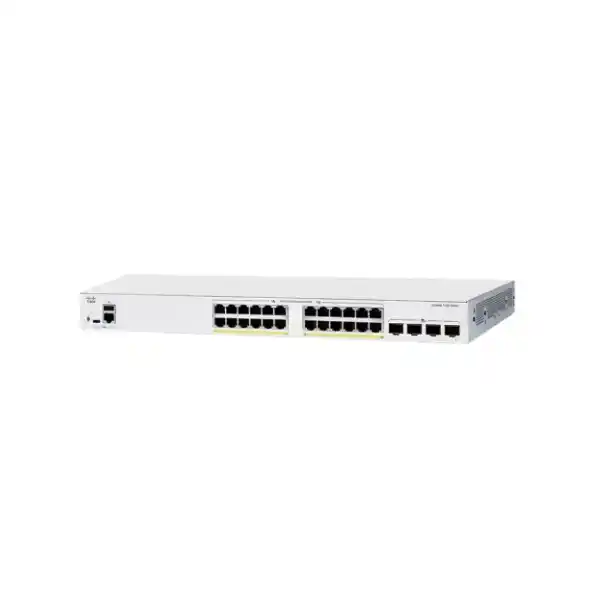
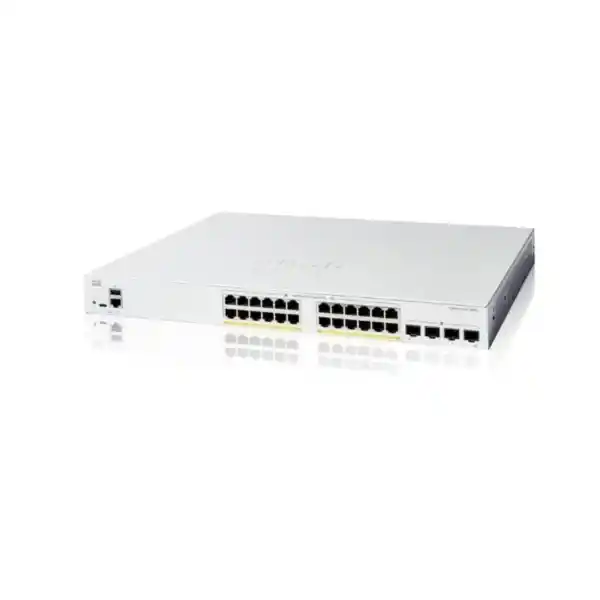
Cisco Catalyst C1200-24FP-4X Network Switch
A 24-port Gigabit PoE+ managed access switch with a 375 W PoE power budget and four 10 Gigabit SFP+ uplinks, designed for business networks that need strong edge connectivity, powered endpoints, segmented traffic and practical Layer 2 plus static Layer 3 control.
Direct answer for buyers
What exactly is it?
The Cisco Catalyst C1200-24FP-4X is a managed, rack-mountable switch in Cisco’s Catalyst 1200 family. The exact model combines twenty-four 10/100/1000 Ethernet ports with PoE+ power delivery and four 10 Gigabit SFP+ uplink interfaces. Cisco lists a 375 W total PoE budget for this model, allowing the switch to power devices such as wireless access points, IP phones, cameras and other IEEE 802.3af or 802.3at endpoints within the available power envelope.
What is it mainly used for?
It is mainly used at the network access layer where many wired endpoints need Gigabit connectivity and a meaningful share of those endpoints also need PoE. The four 10G SFP+ ports make the model particularly relevant when the access switch must connect upstream to a faster aggregation switch, server environment, distribution layer or adjacent switch without restricting all uplink traffic to a single 1G path.
Who should consider it?
Organizations with roughly one access-switch worth of wired devices should consider it when they need managed VLANs, PoE+, QoS, basic static routing, access controls and 10G uplinks in a cost-conscious Cisco business switch. Typical environments include offices, schools, clinics, retail operations, hospitality back offices, branch sites, small warehouses, security-camera deployments and mixed voice-data-wireless networks.
What is most important to confirm?
Confirm the real PoE load and the uplink design. Twenty-four PoE-capable ports do not mean every endpoint can consume 30 W simultaneously because the total switch budget is 375 W. Likewise, the SFP+ cages require compatible transceivers or direct-attach cables appropriate to distance, fiber type, neighboring equipment and requested link speed. These two checks prevent most ordering mistakes.
What can FourTeck help determine?
FourTeck can help translate device counts, PoE wattage, VLAN requirements, uplink distances, optic types, rack conditions, migration scope, installation expectations and growth plans into an accurate bill of materials and quotation. That is especially useful when a switch is being selected as part of a wider firewall, Wi-Fi, IP telephony, CCTV or branch-network project rather than as an isolated replacement.
Why the C1200-24FP-4X occupies a useful position in the Catalyst 1200 range
The C1200-24FP-4X is best understood as a high-PoE, 24-port access model with 10G uplinks. Cisco also offers nearby 24-port variants that change either the PoE budget or the uplink speed. That family context matters because two switches can have the same number of copper access ports yet behave very differently in a real deployment. A buyer choosing only by port count can easily pay for capabilities that are not needed or, more seriously, select a model that cannot support the planned powered devices or upstream bandwidth.
Within the 24-port 10G-uplink group, the C1200-24T-4X is the data-only choice, while the C1200-24P-4X adds PoE+ with a lower 195 W budget. The C1200-24FP-4X raises that PoE allocation to 375 W while retaining four 10G SFP+ uplinks. This means the FP model is the more natural fit where a high proportion of access ports are expected to power endpoints or where individual powered devices have moderately high draw. A building floor with many access points, surveillance cameras or mixed phones and access points can consume PoE quickly even though the raw port count looks modest.
The 10G uplinks are also a defining characteristic. Cisco offers 24-port Catalyst 1200 variants with Gigabit SFP uplinks, and those can be entirely adequate where the traffic pattern is light, the upstream network is only 1G, or budget is prioritized over aggregation headroom. The C1200-24FP-4X is more appropriate when the deployment expects faster uplinks now or wants more room for aggregation, link redundancy, server traffic, multiple VLANs, Wi-Fi traffic, backup flows or camera streams without immediately reaching a 1G ceiling.
This does not make the C1200-24FP-4X automatically superior. A lower-PoE variant may be more economical for twenty-four PCs and a handful of phones, while a 48-port model may reduce rack space and simplify aggregation if the site already needs more than twenty-four access ports. The correct buying decision therefore starts with endpoints, power and uplink design rather than with the model name alone.
Core hardware and performance specifications
| Specification | Cisco Catalyst C1200-24FP-4X | Buyer relevance |
|---|---|---|
| Access ports | 24 × 10/100/1000 Ethernet RJ-45 | Suitable for one 24-port access block of computers, phones, cameras, printers, APs and other wired endpoints. |
| PoE capability | IEEE 802.3af and 802.3at PoE+, up to 30 W on a Gigabit port within the overall budget | Lets data and power share the same copper run for compatible powered devices. |
| PoE budget | 375 W | A strong budget for a 24-port model, but still requires an endpoint-by-endpoint power calculation. |
| Uplinks | 4 × 10 Gigabit SFP+ | Supports faster aggregation and flexible fiber or DAC designs when compatible modules and neighboring ports are selected. |
| Switching capacity | 128 Gbps | Cisco specifies wire-speed, nonblocking switching for the series, with this model sized for its access and uplink interface mix. |
| Forwarding rate | 95.23 mpps at 64-byte packets | Useful for comparing packet-processing capability with adjacent switch models. |
| MAC table | 8,000 addresses | More than enough for typical SMB access-layer endpoint density, while still worth checking in unusually large Layer 2 domains. |
| Jumbo frames | Up to 9,000 bytes; Cisco lists 2,000-byte default MTU | Relevant to storage, backup and other applications where end-to-end MTU consistency is planned. |
| CPU / memory | Dual-core ARM 1.4 GHz, 1 GB DDR4, 512 MB flash | Supports the management and control-plane functions defined for the platform. |
| Packet buffer | 1.5 MB aggregate | Potentially relevant to bursty traffic; application design should not assume a large enterprise-class deep-buffer architecture. |
| Dimensions | 445 × 345 × 44 mm | A standard 1U-height rack form factor; cabinet depth and cable-management clearance still need checking. |
| Weight | 4.6 kg | Useful for rack planning, shipping and installation logistics. |
| Cooling | 1 fan; 34.8 dBA listed at 25°C | Important for open offices and quiet rooms: this full-PoE model is not one of the fanless Catalyst 1200 variants. |
| Power input | 100–240 V AC, 50–60 Hz, internal universal power | Supports normal UAE mains environments; UPS sizing should consider both switch and powered-device load. |
| Warranty | Cisco limited lifetime warranty | Commercial support expectations should still be confirmed for the exact procurement channel, service level and replacement requirement. |
PoE planning: why the 375 W budget matters more than the PoE port count
The C1200-24FP-4X can provide PoE on all twenty-four Gigabit access ports, but the correct way to size the switch is by total watts rather than by the statement that all ports support PoE. Cisco specifies IEEE 802.3af and 802.3at delivery with up to 30 W available to an individual Gigabit port, subject to the overall 375 W switch power budget. That distinction is important. If twenty-four devices each genuinely required the full 30 W, the theoretical endpoint demand would be 720 W, far above the switch budget. Real business endpoints often draw much less, but the arithmetic must still be performed.
A practical PoE worksheet should list each powered device model, its PoE standard, its expected or maximum draw, quantity, and whether all units can reach peak consumption simultaneously. IP phones may have low draw compared with multi-radio access points or feature-rich cameras. Pan-tilt-zoom cameras, heated outdoor enclosures, USB accessories attached to phones, or newer wireless access points can materially change the total. Reserve should also be considered. Designing the switch so normal operation consumes virtually the entire 375 W leaves little room for startup surges, endpoint changes or future additions.
Cisco supports time-based PoE and perpetual PoE capabilities in the Catalyst 1200 platform. Time-based PoE can be useful when selected powered endpoints may be switched off according to a schedule. Perpetual PoE is useful because supported powered devices can continue receiving power while the switch itself reboots, reducing endpoint disruption during software maintenance. Neither feature replaces correct sizing: scheduling should be an operational choice, not a mechanism for hiding an undersized power budget.
The 375 W capacity is the key reason to choose the FP version over the 195 W C1200-24P-4X when both otherwise offer twenty-four Gigabit PoE+ ports and four 10G SFP+ uplinks. If the site only powers a few low-draw phones, the lower-power model may be sufficient. If the design includes a dense wireless or surveillance deployment, the extra PoE headroom of the C1200-24FP-4X can prevent a later switch replacement or the need to add midspan injectors.
10G SFP+ uplinks: design them as part of the network, not as an accessory
Bandwidth and oversubscription
Four 10G uplink cages give the C1200-24FP-4X substantially more upstream interface capacity than 1G-uplink variants. The actual benefit depends on how those ports are connected and how much simultaneous access traffic the site generates. A single 10G uplink may be enough for many SMB floors, while two links can be aggregated or used for separate upstream paths where the topology supports it. The goal is not to populate every SFP+ cage automatically; it is to build an uplink design that matches traffic, resilience and neighboring-switch capabilities.
Optic and cable selection
The SFP+ ports are cages, so a usable link requires the correct module or direct-attach cable. Cisco lists supported 10G options including short-range multimode and long-range single-mode SFP+ modules as well as copper direct-attach cables in specific lengths. Selection depends on distance, fiber type, connector path, patch panels, the remote port and any existing transceiver standards. Buyers should not assume an arbitrary third-party optic will be accepted or supported simply because it physically fits.
Neighbor compatibility
The far end matters as much as the switch itself. A 10G SFP+ transceiver requires a compatible 10G interface, matching optical specification and suitable fiber path on the other device. When connecting to a firewall, core switch, server or aggregation switch, confirm supported speeds and transceivers on both sides. If the upstream device only has 1G SFP, a 10G-only assumption can produce a link that never comes up or require a different module and configuration than expected.
Layer 2 switching for segmented business networks
The C1200-24FP-4X is much more than a port expander. Cisco documents support for up to 255 active VLANs simultaneously, including standard port-based and IEEE 802.1Q tag-based VLAN operation. VLANs allow one physical access switch to carry multiple logical networks while keeping broadcast domains and security boundaries separate. A typical office may separate corporate workstations, IP phones, Wi-Fi infrastructure, guest wireless traffic, CCTV, building-management devices and network administration even though they all terminate on the same physical switch.
Spanning Tree support includes classic STP, Rapid STP and Multiple STP, with Cisco also listing PVST+ and Rapid PVST+ support. These protocols protect switched networks from Layer 2 loops that can otherwise create broadcast storms and widespread outages. In a simple single-switch site the topology may be straightforward, but STP becomes important as soon as redundant links, downstream switches or ring-like wiring are introduced. The switch also provides loopback detection independently of STP, giving administrators another tool for controlling accidental loops.
Link aggregation through LACP can combine physical interfaces into a logical link where both ends support the same design. Cisco lists up to four LAG groups and up to eight ports per group for the platform, with candidate-port limits for dynamic aggregation. In practice, LACP can be useful for uplink resiliency and aggregated bandwidth, but it should be designed carefully. Two physical 10G links in a LAG do not guarantee that a single traffic flow will use 20 Gbps; traffic distribution depends on hashing and the number of independent flows.
Multicast support includes IGMP snooping and an IGMP querier, useful in environments carrying multicast video or other group traffic. Voice VLAN functionality can help place discovered voice endpoints into a voice-specific VLAN and apply appropriate QoS treatment. These features make the switch a practical access-layer platform for converged networks, but they still need a coherent VLAN, addressing and security plan. A rich feature list is only valuable when the configuration maps to the organization’s actual traffic and trust boundaries.
Static Layer 3 routing: useful, but not a replacement for a full edge router or firewall
Cisco positions the Catalyst 1200 family with Layer 3 static routing features that go beyond an unmanaged or basic Layer 2 switch. The current data sheet lists wire-speed IPv4 routing, up to 32 static routes and up to 16 IP interfaces. It also lists IPv6 routing, Layer 3 interfaces on physical ports, link-aggregation groups, VLAN interfaces or loopback interfaces, plus CIDR, DHCP relay and UDP relay capabilities. This can be valuable when a business wants the access switch to route between selected internal VLANs instead of sending every inter-VLAN packet to an external router.
The key word is static. This switch is appropriate for straightforward routing designs where routes are deliberately configured and the network topology is stable. It should not be purchased on the assumption that it provides the same dynamic routing depth, policy architecture, advanced telemetry or high-availability functions as a larger enterprise campus platform. The route and interface limits also matter. Up to 32 IPv4 static routes and 16 IP interfaces are generous for many small business networks, but they can become restrictive in a highly segmented environment with many routed VLANs, branches or complex route policies.
Security boundaries must also be planned correctly. Inter-VLAN routing on the switch can improve performance and reduce unnecessary traffic to the perimeter device, but it may bypass inspection that would occur if traffic crossed a next-generation firewall. Sensitive traffic between user, server, guest, CCTV and management segments may need firewall policy rather than simple Layer 3 forwarding. The architectural question is therefore not merely whether the switch can route; it is which flows should be routed locally and which must cross a security enforcement point.
Access control, authentication and traffic protection
802.1X and RADIUS
The platform supports IEEE 802.1X in the authenticator role and RADIUS integration. This allows organizations to move beyond the assumption that anything plugged into a wall socket should automatically gain network access. The design can include guest VLAN behavior and different host/session modes. Successful deployment requires a functioning identity source, compatible endpoint supplicants and a fallback strategy for devices that cannot perform 802.1X authentication.
Access Control Lists
Cisco specifies support for up to 512 ACL rules, with matching criteria that can include addresses, VLAN identifiers, protocols, ports, DSCP, priority values and other traffic attributes. ACLs can help restrict east-west access and protect management or application segments. They should be documented carefully because a large rule set on an access switch can become difficult to audit, particularly when firewall policy also exists elsewhere in the path.
Port and storm controls
Port security can restrict learned MAC addresses, while storm control addresses excessive broadcast, multicast and unknown unicast traffic. Cisco also lists DoS prevention and loop-protection capabilities. These controls are valuable for reducing accidental or unauthorized behavior at the edge, but they need thresholds and operational procedures that match the network so legitimate traffic is not blocked without a troubleshooting path.
Secure management
HTTPS, SSH, secure file copy, privilege levels and RADIUS-backed management access provide administrators with safer alternatives to unencrypted management methods. The most important deployment practice is to place management interfaces in a controlled network, restrict administrator sources, use strong credentials and maintain configuration backups. A secure-capable switch can still be exposed by weak operational practice.
Platform integrity features
Cisco documents platform protections including chip guard, boot integrity visibility and run-time defenses. These capabilities strengthen the trust foundation of the device, but buyers should distinguish embedded switch protections from the security services of a dedicated firewall. Malware inspection, advanced threat prevention, VPN termination and internet policy enforcement are outside the normal purpose of an access switch.
QoS for voice, video and business applications
Quality of Service becomes important when different application types compete for the same links. The Catalyst 1200 platform provides eight hardware queues, strict-priority and weighted round-robin scheduling, and classification methods based on port, IEEE 802.1p, IPv4/IPv6 precedence, ToS, DSCP and access lists. Rate controls include ingress policing and egress shaping options. These functions can preserve the experience of latency-sensitive applications when the configuration is aligned with the wider network.
Voice is a common example. The switch supports voice VLAN behavior and LLDP-MED, which helps compatible IP phones advertise and receive information useful to voice deployment. A voice VLAN separates phone traffic logically from ordinary workstation traffic even when a PC is connected through a phone’s integrated switch port. QoS can then prioritize the voice packets according to a consistent policy. This is particularly useful in offices that use hosted VoIP, IP PBX systems or unified communications and want a converged cabling infrastructure without accepting poor call quality during data bursts.
The same principle applies to surveillance and wireless traffic, although priorities should reflect business requirements rather than assumptions. A camera stream is continuous but not necessarily more important than a transaction application. Wi-Fi access points may carry several VLANs and a mix of voice, video, guest and corporate traffic over a single switch port. The switch can preserve markings and apply queueing, but effective QoS is end-to-end: the firewall, WAN router, upstream switches and service provider must handle the traffic consistently where congestion can occur.
QoS should therefore be implemented after traffic classes are understood. Excessive trust of endpoint markings can allow users or devices to claim high priority. Overly aggressive strict-priority queues can starve other traffic. FourTeck can help map the switch settings to the organization’s voice, wireless, firewall and WAN design rather than applying generic priorities without context.
Management and operational visibility
A managed switch has ongoing operational value only when administrators can see what it is doing. Cisco provides browser-based management, CLI access, SNMP, syslog, RMON, port statistics, diagnostics, port and VLAN mirroring, cable testing, optical-module status and other monitoring functions in the Catalyst 1200 platform. The current administration documentation also includes CPU utilization, port utilization, hardware resource utilization, health and power views, PoE power information and onboard packet-capture functions. These are useful when diagnosing intermittent links, unexpected traffic, power problems or endpoint connectivity.
SNMP and syslog allow the switch to participate in centralized monitoring rather than being managed only when a user reports an outage. Enterprises can collect interface status, errors, resource conditions and events into a network-management or SIEM platform. The exact monitoring architecture should define which system is authoritative, how long logs are retained, which alarms create tickets and who responds. Sending every informational message to an inbox without filtering creates alert fatigue instead of observability.
Configuration backup is another core operational requirement. Cisco supports text-editable configuration files and file transfer methods including secure copy. Keeping a known-good configuration outside the switch reduces recovery time after replacement or an unsuccessful change. Naming conventions, management IP addresses, VLAN IDs, trunk definitions, PoE policies, access rules and uplink settings should all be documented in the same operational record used for support.
Firmware maintenance should be planned rather than deferred indefinitely. Cisco documents dual images for resilient firmware upgrades. Before an update, review release notes, compatibility, change impact and rollback options, then back up the current configuration. In a business environment the safest upgrade window is one where downstream devices, redundancy and support coverage are understood, not simply when the switch happens to be reachable.
Physical installation, rack planning and environmental considerations in the UAE
The C1200-24FP-4X is approximately 445 mm wide, 345 mm deep and 44 mm high, which corresponds to a 1U-height rack-mountable switch. The package includes a mounting kit. Rack compatibility still needs to be checked because the switch depth is only part of the real space requirement. Front patch cords, transceiver clearance, rear power cable bend radius, horizontal cable managers and neighboring equipment all consume room. A shallow wall cabinet that technically accepts a 345 mm device may still be awkward once patching and ventilation are included.
Cooling is particularly relevant for this full-PoE model. Cisco lists one fan and an acoustic figure of 34.8 dBA at 25°C. That means the model should not be treated like one of the fanless Catalyst 1200 variants. In a communications room the fan is usually unremarkable, but in a quiet meeting room, reception area or open office it may be noticeable. High PoE loads also increase system power and heat, so enclosure ventilation is important. Cisco specifies operation up to 50°C at sea level for the non-8T-D models, with temperature limits reducing at higher altitude.
For UAE sites, the practical issue is not only the published maximum temperature but the actual cabinet condition. A poorly ventilated wall rack in a hot service area can run substantially warmer than the air-conditioned office outside it. Dust accumulation, blocked vents and densely packed PoE equipment further reduce thermal margin. A site survey should therefore consider room cooling, cabinet airflow, heat from neighboring devices and whether the switch will be installed in a continuously conditioned space.
Power planning should include a UPS when network availability is important. The switch has universal 100–240 V AC input. Cisco lists worst-case system consumption around 41 W without PoE load and approximately 453 W at 110 V or 450 W at 220 V with PoE in the published test figures. UPS sizing must account for the switch plus the powered endpoints drawing through it. A 375 W PoE budget does not mean a 375 W UPS is sufficient because conversion losses, switch consumption, runtime target and other rack devices all contribute.
Cabling and media checklist
Copper access cabling
Cisco specifies Category 5e or better for 1000BASE-T. For new UAE structured-cabling projects, Cat 6 or better is often selected for additional margin and future flexibility, but the switch itself does not require exotic copper cabling for ordinary 1G access. PoE performance also depends on cable quality, conductor gauge, termination and bundle conditions, especially when many powered links run together.
Fiber uplinks
Choose multimode or single-mode media according to distance and the installed fiber plant. Cisco lists supported SFP+ options such as SFP-10G-SR for multimode and SFP-10G-LR for single-mode, with model-specific distance ranges. The fiber core type, connector polish, patch-panel path and remote optic must match. Existing building fiber should be identified before optics are ordered.
Direct-attach links
For short equipment-to-equipment connections in the same rack or adjacent racks, supported 10G direct-attach copper cables can be simpler than separate optical modules and patch leads. Cisco lists 1 m, 3 m and 5 m SFP+ copper direct-attach options in the data sheet. Check bend radius and cable routing because thick DAC assemblies can become difficult in dense racks.
Practical use cases for the Cisco C1200-24FP-4X
A strong use case is a branch office that needs one access switch for desks, IP phones, printers and several wireless access points. The phones and APs receive power directly from the switch, reducing local adapters. Corporate, voice, guest and management VLANs can share the physical infrastructure while remaining logically separated. A 10G SFP+ uplink can connect the floor or branch switch to a distribution device or firewall environment with more bandwidth than a 1G uplink would provide.
Another use case is IP surveillance. Twenty-four PoE+ access ports can host a moderate camera deployment, and VLANs can isolate camera traffic from normal user networks. The 375 W budget gives more room than the 195 W variant, which is valuable when several cameras have higher draw. However, camera deployments should be sized from actual camera specifications, and the 10G uplink does not by itself guarantee recording performance. The NVR or server, storage subsystem, codec settings, frame rates, retention policy and uplink design all need to support aggregate video traffic.
Education and training environments can use the model for classrooms, labs, Wi-Fi access points and IP phones. VLANs and 802.1X can help separate staff, student, guest and infrastructure access. PoE reduces the need for electrical outlets near ceiling-mounted APs or cameras. The main design question is port density: a school floor may exceed twenty-four copper ports quickly, in which case two access switches or a 48-port model may offer better economics and simpler cabling.
Retail and hospitality sites can benefit from a compact managed access layer supporting point-of-sale devices, phones, Wi-Fi, cameras and back-office systems. The switch can prioritize voice, separate payment or corporate traffic from guest services and provide remote monitoring. High-availability expectations should be realistic, though. The C1200-24FP-4X has a single internal power system rather than a modular redundant power architecture, so sites that cannot tolerate a switch outage may need design-level redundancy using multiple switches, spare hardware or a different platform.
Small server or equipment rooms may also use the 10G uplinks for connections to a server, NAS or aggregation layer while the twenty-four copper ports serve ordinary 1G devices. In such designs, validate whether the application needs deep buffering, advanced dynamic routing, stacking, multi-gigabit access ports or higher-speed server interfaces. The C1200-24FP-4X is a capable SMB access switch, not a universal substitute for a data-center switch.
When this model may not be the best fit
You need more than 24 access ports
If the port schedule already exceeds twenty-four copper connections, adding a second switch may be less attractive than selecting a 48-port model. Compare rack space, PoE budget, uplink count, spare ports and failure-domain preferences rather than treating the 24-port unit as the default.
You only need light PoE
A site with a small number of phones or low-power endpoints may not need the 375 W budget. The C1200-24P-4X provides the same 24-port and 10G-uplink pattern with a lower 195 W PoE budget, so it may offer better commercial fit where the power worksheet supports it.
You need multi-gigabit edge ports
The copper access interfaces on this exact model are 10/100/1000. Organizations deploying high-performance access points or endpoints that require 2.5G, 5G or 10G copper access should evaluate a platform with the required multi-gigabit interfaces rather than assuming the SFP+ uplinks change the speed of the 24 RJ-45 ports.
You need enterprise campus routing depth
Static Layer 3 routing is useful for modest internal segmentation, but complex campus designs may require dynamic routing, advanced policy, stacking, richer telemetry, redundant power or larger hardware tables. In those cases a higher Cisco switching family may be more appropriate despite higher cost.
The installation must be silent
Cisco lists one fan for the C1200-24FP-4X and an acoustic figure of 34.8 dBA at 25°C. Buyers installing the switch in a quiet workspace should assess whether that is acceptable. A lower-power fanless variant may be preferable if PoE and port requirements permit.
Model comparison: which nearby Catalyst 1200 option should you evaluate?
| Model | Access ports | PoE budget | Uplinks | Best comparison reason |
|---|---|---|---|---|
| C1200-24T-4X | 24 × 1G data | No PoE | 4 × 10G SFP+ | Compare when no endpoints need switch-supplied power but 10G uplinks are still desired. |
| C1200-24P-4X | 24 × 1G PoE+ | 195 W | 4 × 10G SFP+ | Compare when PoE is required but the endpoint power worksheet is comfortably below 195 W with reserve. |
| C1200-24FP-4X | 24 × 1G PoE+ | 375 W | 4 × 10G SFP+ | Best fit of these three when higher PoE density and 10G aggregation are both important. |
| C1200-48P-4X | 48 × 1G PoE+ | 375 W | 4 × 10G SFP+ | Compare when access-port count, rather than aggregate PoE wattage, is the reason the 24-port model feels constrained. |
The 48-port comparison deserves special attention. Cisco lists the C1200-48P-4X with the same 375 W PoE budget as the C1200-24FP-4X, spread across twice as many potential powered ports. That means a 48-port model solves port density but does not automatically double PoE capacity. A network with forty high-draw powered endpoints may need a different distribution of switches or a model with a larger PoE budget rather than simply more RJ-45 ports.
Deployment journey: from requirement to production
1. Build the endpoint schedule
List every device expected on the switch: PCs, phones, cameras, APs, printers, building controllers, servers and uplinks. Mark the VLAN, PoE requirement, expected wattage and whether the port needs any special policy. Include spare capacity. This schedule determines whether twenty-four access ports are actually enough after uplinks, maintenance ports and future growth are considered.
2. Calculate PoE demand
Sum expected and maximum power demand using manufacturer data for each powered endpoint. Compare the total with the 375 W budget and maintain a reasonable reserve. If the result is comfortably below 195 W, compare the C1200-24P-4X. If demand approaches 375 W, consider growth and peak conditions before committing to a single switch.
3. Design VLANs and routing boundaries
Define which endpoint groups must be separate and which device should route between them. Corporate, voice, guest, surveillance and management networks often need different trust levels. Decide whether selected inter-VLAN flows can be routed on the switch or should cross a firewall for inspection and policy enforcement.
4. Specify the uplinks
Choose 10G SFP+ modules or DAC cables according to distance, media and the upstream equipment. Define whether one link, an LACP bundle or separate redundant paths are required. Check remote transceiver support before ordering optics and ensure patch-panel fiber is known rather than assumed.
5. Prepare the rack and power environment
Confirm 1U rack space, cabinet depth, front and rear clearance, ventilation, UPS capacity and cable management. For a PoE-heavy deployment, size the UPS against the complete load and required runtime. In UAE installations, check the actual cabinet temperature under peak conditions, not only the room thermostat.
6. Configure and validate
Implement management addressing, credentials, VLANs, trunks, access ports, PoE policies, STP, LACP, QoS, ACLs, 802.1X and monitoring according to the design. Test endpoint authentication, DHCP behavior, voice registration, camera streams, Wi-Fi VLANs, failover paths and uplink throughput before declaring the site complete.
7. Document and hand over
Record the final configuration, port map, VLAN list, optics, IP addresses, firmware version, backup location and support contacts. A documented switch is much easier to troubleshoot and replace than one whose configuration exists only on the device. Operational ownership should be clear before the project closes.
Migration from an unmanaged or older access switch
Replacing an unmanaged switch with the C1200-24FP-4X creates opportunities as well as risks. The opportunity is to introduce VLAN separation, controlled management, monitoring, PoE policy, QoS and access security. The risk is that an unmanaged network often hides undocumented dependencies. Printers may use static addresses, cameras may assume a flat subnet, phones may depend on DHCP options, and uplinks may be connected in ways that would create loops when spanning tree is enabled or trunks are introduced.
A migration should begin with discovery. Capture the existing device list, MAC addresses where practical, IP subnets, gateway behavior, DHCP scope, uplink paths and any endpoint that must remain reachable during the change. If the old switch provides PoE, record actual power requirements. If it does not, identify which new endpoints are expected to take advantage of PoE after migration. The port map should show both current and target connections so the engineer is not trying to interpret twenty-four cables during an outage window.
When replacing an older managed switch, translate behavior rather than copying syntax blindly. VLAN tagging conventions, native VLAN assumptions, STP modes, LACP settings, QoS trust models and ACL logic can differ by vendor or generation. Validate each function on the Catalyst 1200 platform. Cisco provides configuration tools and text-editable configurations, but migration quality still depends on understanding what the old configuration was intended to accomplish.
Rollback planning is equally important. Keep the previous switch and its cables identifiable until the new installation is stable. Save a backup of the Catalyst configuration after commissioning. For sites with critical services, schedule the cutover when affected users and application owners can participate in validation. The goal is not merely to see link lights; it is to verify telephony, Wi-Fi, internet access, internal applications, cameras, management and monitoring from end to end.
Licensing, support and procurement points to confirm
The Catalyst 1200 series is positioned as an affordable business switching platform, but procurement should never assume that every software feature, support entitlement or cloud service used elsewhere in the Cisco portfolio applies automatically to this model. The current Cisco data sheet describes management, security, Layer 2 and static Layer 3 capabilities on the platform and states that the switches include a limited lifetime warranty plus complimentary one-year access to the Small Business Support Center. Buyers with specific SLA or replacement expectations should still confirm the support offering attached to the exact quotation and sales channel.
For budgeting, separate the switch hardware from components that may be required to make the design operational. SFP or SFP+ transceivers, direct-attach cables, fiber patch leads, copper patch cords, rack accessories beyond the included mounting kit, UPS capacity, PDU outlets, installation labor, configuration, migration and support can all affect the project total. The exact BOM should identify each optic by model and quantity rather than using a vague line such as “fiber module.”
Serial-number traceability and authorized sourcing are also important for enterprise procurement. Warranty and support experiences are easier when hardware provenance is clear. Request a quotation that states the exact C1200-24FP-4X SKU, quantity, included accessories, warranty basis, delivery location, lead time and any optional services. If the project involves several switches, ask whether configuration staging, labeling, port maps and standardized templates are included or quoted separately.
Lifecycle should be considered even when the product is currently available for order. Cisco’s support page lists the Catalyst 1200 series as available order and the current data sheet was updated in August 2026. Organizations with long refresh cycles should nevertheless retain the purchase records, firmware baseline and support documentation needed for future maintenance. For larger rollouts, standardizing on a small number of approved switch models and optics can simplify spare holdings and reduce deployment errors.
Frequently asked buyer questions
Does the Cisco C1200-24FP-4X provide PoE on all 24 access ports?
Yes, Cisco lists twenty-four 10/100/1000 PoE+ ports for this model. The important limitation is the 375 W total PoE budget. Each compatible Gigabit port can provide power under 802.3af or 802.3at within platform limits, but the combined powered-device requirement must remain inside the total available budget.
Can every port deliver 30 W at the same time?
No. Twenty-four ports multiplied by 30 W would equal 720 W, which exceeds the switch’s 375 W PoE budget. Some deployments can power all twenty-four ports simultaneously because many endpoints draw much less than 30 W, but actual device wattage must be calculated rather than inferred from the number of PoE-capable ports.
Are the four SFP+ uplinks 10 Gigabit?
Yes. Cisco lists four 10 Gigabit SFP+ uplink ports for the C1200-24FP-4X. A usable connection still requires a supported and compatible transceiver or DAC, suitable media, and a matching port at the far end. The appropriate optic depends on link distance and fiber type.
Does it support Layer 3 routing?
It supports static Layer 3 routing. Cisco lists wire-speed IPv4 routing, up to 32 static routes and up to 16 IP interfaces, plus IPv6 routing and relay functions. It is suitable for modest internal routing requirements, but buyers needing sophisticated dynamic routing or enterprise campus features should compare a higher platform.
Can it separate voice, CCTV, staff and guest traffic?
Yes. The switch supports VLANs, including voice VLAN functionality, and up to 255 active VLANs simultaneously. Security between VLANs still depends on routing and policy design. Sensitive flows may need to pass through a firewall rather than being routed directly on the switch.
Is the switch fanless?
No. Cisco lists one fan for the C1200-24FP-4X and an acoustic noise figure of 34.8 dBA at 25°C. This matters for installation in quiet rooms. The fan is expected for a model capable of supplying a relatively high PoE budget.
What is the switching performance?
Cisco specifies 128 Gbps switching capacity and 95.23 million packets per second forwarding capacity for 64-byte packets. The data sheet describes the series switching performance as wire-speed and nonblocking.
Does the switch support link aggregation?
Yes. Cisco documents IEEE 802.3ad LACP support with up to four groups and up to eight ports per group on the platform. Use link aggregation only when the neighboring device is configured compatibly and understand that per-flow bandwidth depends on the hashing behavior.
Can it be used with IP phones?
Yes. PoE+ can power compatible phones, and the platform supports voice VLAN, LLDP-MED and QoS features relevant to business telephony. Confirm each phone’s PoE requirement, voice VLAN design, DHCP options and call-control reachability. The switch is one part of the telephony path, not the PBX itself.
Can it power Wi-Fi access points?
Yes, when the access points are compatible with the available PoE standards and their power requirements fit the 375 W aggregate budget. Also confirm the Ethernet speed requirement. The access ports on this model are 1G; if an AP requires 2.5G or faster wired access to reach its intended performance, another switch platform should be considered.
Does it support monitoring?
Yes. The platform includes SNMP, syslog, RMON, port and VLAN mirroring, status and statistics views, cable diagnostics, optical module status and other management features. Organizations should integrate these into an existing monitoring process rather than leaving the switch unmanaged after installation.
What accessories might be required?
Common extras include compatible SFP+ transceivers or DAC cables, fiber patch cords, copper patch leads, a suitable rack or cabinet, UPS capacity and cable management. The exact list depends on the installation. The switch package includes the switch, power cord, mounting kit and pointer card according to Cisco’s current data sheet.
What should I compare before buying?
Compare port count, PoE budget, copper access speed, uplink speed, Layer 3 requirements, fan/noise constraints and expansion plans. Within the Catalyst 1200 range, the C1200-24P-4X is the direct lower-PoE comparison, while 48-port variants address higher endpoint density. If you need multi-gigabit access or advanced campus capabilities, compare beyond this family.
UAE procurement and installation guidance
For a Dubai or UAE quotation, provide the exact model C1200-24FP-4X and the quantity required, but also include enough environment information for the quotation to be useful. A switch-only price may not reveal that the project needs SFP+ optics, a compatible fiber path, UPS capacity, rack work, VLAN migration or configuration. When a deployment is part of a new office fit-out, coordinate switching with structured cabling and Wi-Fi planning so access-point and camera locations are not decided independently of port and power capacity.
FourTeck can supply and scope the switch as part of a wider infrastructure requirement. The FourTeck IT Services UAE site is relevant when the requirement includes installation, migration, managed support or broader network services. For perimeter security projects where the switch will connect into a firewall architecture, the Firewall Dubai by FourTeck specialist site provides additional context. Organizations operating across regions can also review the main FourTeck global website for broader company coverage.
Availability and lead time should be confirmed at quotation stage rather than assumed from online listing status. Exact Cisco sourcing can change by distributor stock, project quantity, requested accessories and delivery location. A strong quotation therefore identifies the model, optics, cables and services separately, allowing the buyer to see what is included and to compare alternatives on the same technical basis.
Detailed buyer decision framework
Start with capacity. Count the physical devices that will use copper ports on day one, then add planned additions and an operational spare allowance. Remember that an access point may consume one physical port while serving hundreds of wireless clients; a phone with a PC connected through it may consume one switch port for two endpoint functions. The correct spare-port target depends on how easily another switch can be installed later. A remote branch with limited rack space and expensive site visits may justify more spare capacity than a headquarters floor with on-site IT staff.
Next, separate port count from power. The C1200-24FP-4X is attractive precisely because its 375 W PoE budget is high for a 24-port access switch, but it should still be tested against the device schedule. Use actual endpoint data wherever possible. If the organization has not selected camera or AP models yet, create low, expected and high power scenarios. This prevents the switch decision from locking the project into a narrow endpoint choice later.
Then look upstream. Ask where the four 10G SFP+ ports will connect and whether the remote interfaces support the same speed and media. If the answer is “we will decide later,” at least document the likely distances and fiber type so the quotation does not include arbitrary optics. For a rack-local server or adjacent switch, DAC may be simpler. For inter-floor or inter-building links, fiber and the correct optical budget become more important.
Review topology and resilience. The switch supports LACP and several spanning-tree modes, enabling redundant physical designs, but the switch itself remains one device with one internal power system. If its failure would stop an entire critical department, the solution may need two access switches, endpoint dual-homing where supported, redundant upstream paths, a stocked spare or a platform designed for greater hardware redundancy. Business impact should determine the resilience design.
Review segmentation. A flat network is simple to install but difficult to secure and troubleshoot as it grows. VLANs can separate devices by function and trust level, while the switch’s static routing can handle selected internal communication. Decide which traffic should remain local and which should traverse the firewall. This decision is especially important for guest, payment, server, CCTV and management networks where security policy may outweigh the performance benefit of direct inter-VLAN routing.
Review operations. Define how the switch will be monitored, how logs are collected, how configuration backups are stored and who will perform firmware upgrades. SNMP, syslog, diagnostics and secure management are available, but they deliver value only when integrated into a process. A branch switch with no monitoring may run for years unnoticed until a failure; a monitored switch can reveal link errors, PoE problems or utilization trends before users report them.
Finally, review commercial fit. Compare the C1200-24FP-4X against at least one lower-cost and one higher-capacity alternative. If the 375 W budget and 10G uplinks are genuinely required, the model has a clear reason to be selected. If those capabilities remain unused, a simpler switch can reduce cost and power. If requirements already exceed the platform’s access speed, route scale or redundancy model, moving to a higher family early can prevent a costly replacement.
Operational scenarios and how the switch behaves in each
Mixed office with IP phones and wireless access points
In a mixed office, the twenty-four access ports may be divided among user desks, printers, phones and several APs. Phones and APs can draw PoE while PCs use data only. Voice VLAN and LLDP-MED simplify phone integration, and separate corporate and guest Wi-Fi VLANs can traverse tagged AP ports. A 10G uplink gives headroom for aggregated traffic leaving the floor. The main constraint is that the copper access ports remain 1G, so high-end Wi-Fi APs designed for multi-gigabit backhaul may not reach their full wired potential.
CCTV-focused network
For surveillance, the 375 W PoE budget supports a meaningful mix of cameras. The exact count depends on each camera’s maximum draw. Segment cameras into a dedicated VLAN, restrict access from user networks, and monitor the uplink to the NVR or recording server. If the recorder sits on another switch, one or more 10G uplinks can reduce aggregation bottlenecks. Storage performance, retention and NVR ingest capacity are separate sizing exercises and should not be inferred from the switch’s 128 Gbps switching figure.
Branch with local servers or NAS
A branch may connect ordinary user devices at 1G while using an SFP+ uplink for a local server, NAS or upstream distribution switch. Jumbo frames can be enabled up to the platform maximum when the complete path and applications support the same MTU. Do not enable jumbo frames on only one device and assume storage performance will improve. End-to-end consistency and server/storage tuning matter more than the existence of a jumbo-frame setting.
Retail or hospitality environment
The switch can support POS terminals, back-office systems, Wi-Fi, cameras and phones with logical separation and centralized monitoring. In customer-facing locations, physical access to the rack and switch is part of security. Use a locked, ventilated cabinet and avoid locating the fan-equipped unit where noise is disruptive. If payment traffic is present, segmentation and firewall policy should be designed around compliance requirements rather than relying solely on VLAN separation.
Small campus access closet
In a small campus or school, the switch can operate as a floor access layer with 10G fiber to distribution. STP, LACP, 802.1X, VLANs and QoS provide a useful control set. Before scaling the same design to many closets, consider whether centralized management, dynamic routing, stacking or larger hardware tables are required across the campus. What works well for one or two business switches may become operationally inefficient when multiplied across dozens of closets.
What the published performance numbers do — and do not — tell you
Cisco lists 128 Gbps switching capacity and 95.23 mpps forwarding performance for the C1200-24FP-4X. These figures are important because they show that the switch fabric is designed to handle the port configuration at wire speed under the vendor’s stated conditions. They also provide a useful comparison point against lower-uplink and higher-port-count models in the same family.
They do not guarantee that every application attached to the switch will achieve its theoretical network rate. End-to-end performance depends on endpoint NICs, cabling, protocol overhead, server performance, storage, firewall throughput, WAN capacity, packet sizes and traffic patterns. A workstation connected at 1G cannot transmit a single flow at 10G simply because the switch has a 10G uplink. Likewise, a 10G server link does not automatically mean twenty-four users can each sustain full 1G to that server simultaneously if the server or storage cannot process the workload.
The packet buffer is 1.5 MB aggregate on this model, dynamically shared across ports. That is suitable for the intended business access-switch role, but buyers with unusual burst characteristics should not treat the switch as a deep-buffer data-center platform. Microbursts can still create packet drops even when average utilization is low. Monitoring interface errors and queue behavior after deployment can identify whether the actual traffic pattern is more demanding than expected.
For most SMB access networks, the practical sizing question is not whether 128 Gbps sounds large enough. It is whether the 24 × 1G edge ports, 375 W PoE budget and four 10G uplink interfaces align with the site architecture. When those three dimensions fit, the switching capacity is generally consistent with the role. When one dimension does not fit, a higher fabric number cannot compensate for the wrong access port type or insufficient PoE.
Security architecture: where the switch ends and the firewall begins
The C1200-24FP-4X includes valuable access-layer security functions: 802.1X, RADIUS, ACLs, port security, storm control, DoS prevention, secure management and platform integrity features. These help determine who or what can connect, how traffic is separated and how the switch itself is administered. They are part of a defense-in-depth design, not a replacement for a next-generation firewall.
A firewall typically provides stateful policy enforcement between trust zones, internet threat protection, application controls, VPN services and other advanced security functions. If the Catalyst switch routes directly between two VLANs, that traffic may not pass through the firewall at all. This can be desirable for trusted high-volume internal flows, but it can be a mistake for sensitive boundaries. The routing plan should therefore identify which inter-VLAN paths need inspection and which can remain on the switch.
802.1X can strengthen endpoint admission, but it requires design work around authentication infrastructure and device exceptions. Cameras, printers and other embedded devices may not support the same authentication method as user laptops. Guest VLAN, MAC-based handling or dedicated access policies may be needed. The objective is a predictable access policy that does not turn every non-user device into a manual support case.
Organizations planning switch and firewall changes together can use the Firewall Dubai by FourTeck resource as part of the broader security conversation, but the final design should always be based on actual trust zones, application paths and compliance needs.
Maintenance, spares and lifecycle planning
A switch often remains in service for years, so the purchase decision should include how it will be supported after installation. Keep the serial number, supplier invoice, warranty information and original bill of materials with the network documentation. Record the exact optic models and patch details because these are often the first questions during an uplink fault. Store the current configuration securely outside the device and update that backup after meaningful changes.
For a single small office, next-business-day replacement may be acceptable if connectivity can tolerate an outage. For a warehouse, school or branch whose Wi-Fi, phones and cameras all depend on one switch, waiting for replacement can have a much larger impact. A cold spare may therefore be justified even if the hardware carries a limited lifetime warranty. A spare should be kept at a known firmware level and accompanied by a current configuration backup so it can be deployed quickly.
Firmware lifecycle should be scheduled. Review Cisco advisories and release notes, test significant changes where practical and avoid allowing the device to remain indefinitely on an old image simply because it is stable. At the same time, avoid treating every new firmware release as an emergency update. The correct process evaluates security relevance, bug fixes, compatibility and change risk.
If the network grows, reassess architecture rather than extending the original design without limit. Adding more Catalyst 1200 switches can be effective for SMB expansion, but a larger environment may eventually benefit from a switching platform with more centralized operational features, larger tables, advanced routing or stronger redundancy. The point at which that transition makes sense depends on site count, administrator workload, downtime impact and application criticality.
Quotation accuracy: information that changes the final bill of materials
Two customers can request the same C1200-24FP-4X and still need very different quotations. One may require only the switch because the rack, UPS and copper patching already exist. Another may need four 10G optics, several fiber patch leads, a new wall cabinet, UPS expansion, structured cabling, configuration, migration and post-installation support. The switch model is therefore the starting point, not the entire project scope.
Optics are one of the most common variables. The required quantity depends on whether one, two or more SFP+ uplinks will be used and whether each link needs optics at both ends. The specific module depends on multimode versus single-mode fiber, distance and remote-device compatibility. An “SFP+ module” line without the actual part number is not precise enough for a serious network project.
Installation scope also changes cost. A simple swap in a labeled rack can be straightforward, while a live migration from an undocumented switch can require discovery, after-hours work and extensive testing. New VLANs or 802.1X may involve DHCP, firewall, server and identity-system changes outside the switch itself. Include those dependencies in the project scope so the commercial proposal matches the technical work.
For multi-site rollouts, standardization can reduce per-site effort. A repeatable configuration template, port-label scheme, optic standard and acceptance checklist allow each site to be commissioned consistently. The first site should be treated as a pilot where assumptions are validated before the same design is deployed across additional branches.
Why 10G uplinks can matter even when every user port is only 1G
The access ports on the C1200-24FP-4X are 1G, so it can seem unnecessary to buy a switch with 10G uplinks. The reason is aggregation. Twenty-four 1G devices can share an uplink simultaneously, and even though most users rarely sustain line rate at the same moment, modern Wi-Fi, cloud applications, backups, surveillance and local servers can create concentrated traffic. A 1G uplink can become the bottleneck for the entire access switch even when no single edge port exceeds 1G.
A 10G uplink provides a larger shared path to distribution or server resources. It also reduces the pressure to bond several 1G uplinks simply to obtain more aggregate capacity. Four SFP+ cages give the designer options for primary and secondary upstream links, server or storage connectivity, or multiple aggregation paths. They should be allocated according to the topology rather than automatically filled.
The benefit is workload-dependent. A small office with basic internet browsing over a 500 Mbps WAN may never stress a 1G uplink. In that environment, the 10G variant may be selected for future readiness or may be unnecessary. A floor with several Wi-Fi APs and local applications can benefit much sooner. CCTV traffic can also drive sustained bandwidth, especially when many high-resolution cameras send streams to a recorder across the uplink.
This is why the C1200-24FP-4X should be chosen after mapping traffic flows. The switch has generous uplink capability for its 24-port access role, but the rest of the path must be designed to use it. A 10G optic connected to a distribution switch with congested 1G onward links simply moves the bottleneck somewhere else.
Decision recap
Model fit
Choose the C1200-24FP-4X when twenty-four 1G access ports are sufficient and both a high 375 W PoE budget and 10G SFP+ uplinks add real value. Do not select it simply because it is the most capable 24-port PoE option in the immediate family.
Power
Calculate endpoint wattage against the 375 W budget. Twenty-four PoE-capable ports do not equal twenty-four simultaneous 30 W ports. Include reserve for startup conditions and future devices.
Uplinks
Specify the far-end device, speed, fiber type, distance and optics before ordering. Compatible 10G SFP+ modules or DAC cables are part of the link design and should appear explicitly in the BOM.
Network role
Use the switch for managed access, VLAN segmentation, QoS, endpoint power, access controls and modest static Layer 3 routing. Move to a higher platform if the design needs multi-gigabit edge ports, advanced routing, stacking or greater hardware redundancy.
Installation
Plan 1U rack space, 345 mm device depth plus cable clearance, ventilation, fan noise and UPS capacity. For UAE sites, check actual cabinet temperature and cooling conditions under PoE load.
Commercial scope
Ask for the exact switch model, optics, cables, installation, migration and support as separate quotation elements. That makes comparisons accurate and reduces surprise costs during deployment.
What FourTeck needs from you for an accurate quotation
Plan the Cisco C1200-24FP-4X around your real PoE and uplink requirements
The C1200-24FP-4X is a strong match for a 24-port business access layer that needs substantial PoE+ headroom and 10G aggregation. The best quotation starts with endpoint wattage, uplink media, VLAN architecture, rack conditions and growth expectations so the switch, optics and services are selected as one coherent design.

Reviews
There are no reviews yet.