
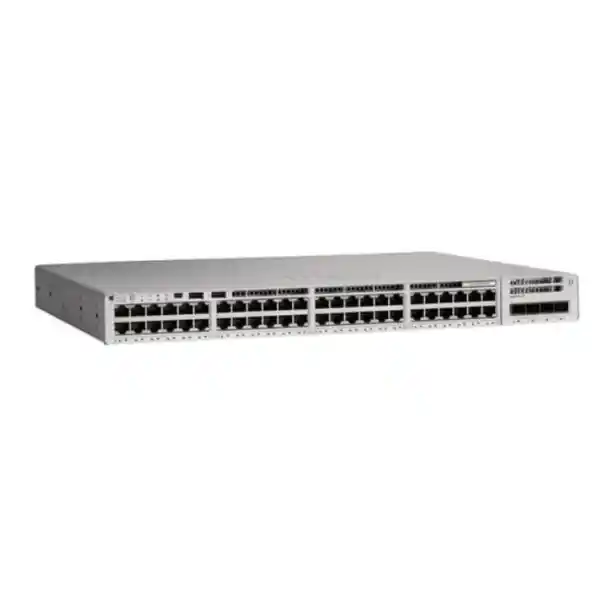
Cisco Catalyst C9200L-48PL-4G Network Switch
The Cisco Catalyst C9200L-48PL-4G is a fixed-uplink, 48-port Gigabit Ethernet access switch designed for organizations that need enterprise switching, resilient power options, manageable PoE+ capacity, Cisco IOS XE operations and StackWise-80 scalability without moving to a higher-cost full-PoE or multigigabit platform. For UAE offices, schools, clinics, hotels, retail chains, warehouses and branch networks, it provides a strong balance between endpoint density, policy enforcement, operational consistency and lifecycle manageability.
Direct answer: what is the Cisco C9200L-48PL-4G?
The Cisco Catalyst C9200L-48PL-4G is a 1RU enterprise access-layer switch with 48 10/100/1000BASE-T copper ports, partial IEEE 802.3af/802.3at Power over Ethernet Plus capability, and four fixed 1 Gigabit Ethernet uplink interfaces. The standard platform is supplied with a 600W AC power supply and makes up to 370W available for powered devices. A compatible secondary power supply can be installed for redundancy and can also raise the available PoE power budget to as much as 740W, subject to Cisco platform limits, selected power-supply combinations, software support and the aggregate requirements of attached devices.
This model is best understood as the cost-optimized partial-PoE member of the 48-port C9200L family. It should not be confused with the C9200L-48P-4G, which is the full-PoE 48-port version, or with C9200L models whose names end in 4X, which provide fixed 1/10 Gigabit uplinks. The 4G suffix on C9200L-48PL-4G indicates four fixed 1 Gigabit uplinks. That distinction matters in real designs because an access switch can have plenty of user-facing ports yet still become constrained if the upstream architecture requires multiple high-speed 10GbE links.
For buyers in Dubai and across the UAE, the C9200L-48PL-4G is typically selected where a wiring closet needs many wired endpoints, a moderate number of PoE devices and familiar Cisco campus operations. Common endpoint mixes include desktop PCs, printers, desk phones, door controllers, access-control readers, standard wireless access points, CCTV cameras, digital signage players, building-management gateways and IoT nodes. The key procurement task is not merely counting ports; it is validating PoE draw, uplink utilization, stacking requirements, license tier, optics, redundancy and future growth before the bill of materials is finalized.
Copper 10/100/1000 interfaces for dense user and device connectivity.
Fixed Gigabit uplink interfaces; this model is not the 4X 10GbE-uplink variant.
Partial PoE+ budget with the standard 600W AC PSU; expandable with secondary power.
Up to eight compatible C9200L members in a unified logical stack when appropriately licensed and equipped.
Core technical specifications
Specifications should be validated against the exact ordering SKU, selected license tier, power supply, optics, IOS XE release and regional bill of materials before purchase or migration.
Why the partial-PoE design matters
A 48-port PoE switch is often purchased by looking only at the number of copper interfaces. That can be a costly sizing error. Power over Ethernet is governed by an aggregate power budget as well as per-port capabilities. The C9200L-48PL-4G is intentionally positioned as a partial-PoE+ model: the switch provides 48 Gigabit access ports, but the standard single-PSU configuration does not provide enough total PoE power to deliver the maximum PoE+ draw to all 48 interfaces simultaneously. Its 370W standard budget is better suited to mixed endpoint environments in which some ports carry non-powered equipment while a subset supplies phones, cameras, access points or control devices.
For example, an office might connect twenty-five desktops and printers that draw no PoE power, twelve IP phones averaging 7W to 10W, six cameras averaging 8W to 15W and a handful of wireless access points whose negotiated power requirement varies by radio design and enabled features. In that type of deployment, 370W can be highly practical. Conversely, a surveillance floor with forty high-power PTZ cameras, a dense Wi-Fi deployment, or a workspace designed to power nearly every endpoint at PoE+ levels may need a larger power envelope or a full-PoE switch model.
PoE sizing should therefore include the device model, IEEE power class, LLDP/CDP-negotiated demand, startup or peak draw, number of devices, spare capacity and expected expansion. FourTeck can assist UAE customers in translating an endpoint schedule into a defensible switch and PSU plan. If the design also includes security gateways, branch firewalls or other edge controls, the Firewall Dubai FourTeck portfolio can be considered alongside the switching layer so that VLAN, routing, uplink and security-zone decisions are coordinated.
PoE sizing methodology for UAE deployments
1. Build an endpoint power ledger
List every powered device by exact model. Record the nominal draw, maximum negotiated draw and expected quantity. Do not use a single generic wattage for all phones, all cameras or all access points because real consumption varies materially between product families and feature states.
2. Include practical headroom
A switch designed to operate continuously near 100 percent of its PoE budget has little room for replacement devices, temporary additions, firmware-driven changes or higher-power endpoints. Reserve capacity for growth and for operational variance rather than sizing only to a spreadsheet minimum.
3. Decide whether PSU redundancy or extra PoE is the priority
A second power supply can improve resilience and can expand the available PoE budget, but the electrical design should define what happens after a PSU failure. If powered-device demand exceeds the capacity of the surviving supply, port priorities and critical endpoint behavior become important.
4. Validate UPS and circuit sizing
Network continuity depends on more than switch PSU count. In UAE comms rooms, check UPS runtime, branch circuit loading, PDU rating, heat output and whether upstream network equipment shares the same electrical protection strategy. PoE-heavy switches can materially affect UPS autonomy.
UADP 2.0 mini architecture and line-rate access switching
The Catalyst 9200 family uses Cisco Unified Access Data Plane technology, and the fixed C9200L Gigabit models are built around the UADP 2.0 mini ASIC architecture. The value of an access-switch ASIC is not simply raw port count. Hardware forwarding allows the platform to apply switching and policy functions at speeds appropriate for enterprise campus use while keeping the general-purpose CPU focused on control, management and platform processes. The C9200L-48PL-4G maps its 48 one-gigabit access ports and uplink interfaces into a fixed architecture designed for deterministic forwarding rather than software-based packet handling.
Cisco specifies 104Gbps of standalone switching capacity and a 77.38Mpps forwarding rate for the C9200L-48PL-4G. Those figures align with the port-density profile: 48 Gigabit access interfaces plus four Gigabit uplinks create a substantial bidirectional aggregate. In practical access-layer engineering, performance also depends on traffic patterns. Most office endpoints do not transmit continuously at line rate. Instead, the network sees bursts, interactive application flows, voice streams, SaaS sessions, file transfers, print jobs, backups, video meetings and east-west traffic between VLANs or local services. Appropriate uplink design matters because the access layer can aggregate many simultaneous client flows into a much smaller number of upstream links.
The platform supports a 6MB packet buffer on standard Gigabit Ethernet C9200L models. Buffers help absorb temporary congestion, but they are not a substitute for adequate uplink bandwidth or good QoS. If many 1GbE access ports converge on four 1GbE uplinks, sustained oversubscription can still become visible as queuing, drops or application latency. That is why the C9200L-48PL-4G is strongest in environments where Gigabit uplinks are appropriate for the actual traffic model, or where link aggregation distributes traffic across multiple upstream interfaces. Designs requiring consistent multi-gigabit uplink headroom should compare 4X or higher-speed Catalyst options before procurement.
Fixed 4 x 1G uplinks: the most important design checkpoint
The four uplink ports on the C9200L-48PL-4G are fixed 1 Gigabit interfaces. This is a major commercial and technical distinction because fixed-uplink C9200L models cannot later be converted into modular 10GbE uplink systems by installing a C9200 network module. If a site is expected to remain within Gigabit upstream requirements throughout the switch lifecycle, the fixed 4G design can be economical and straightforward. If the organization expects higher access-point throughput, large local file flows, dense video, high-speed storage access, extensive workstation backup traffic or a major increase in east-west application activity, planners should evaluate whether 10GbE uplinks are a better long-term fit.
Four Gigabit uplinks can still be engineered effectively. LACP EtherChannels can combine multiple physical links for aggregate capacity and redundancy when the upstream topology supports it. The important nuance is that an EtherChannel does not turn four 1Gbps interfaces into a single 4Gbps pipe for every individual flow; load balancing distributes different flows across member links according to the platform hashing method. Network designers should therefore review both total traffic and the size of individual high-bandwidth flows.
StackWise-80: scale and operational simplicity
Cisco StackWise-80 allows compatible fixed-uplink Catalyst 9200L switches to operate as a single logical stack. Up to eight C9200L members can participate, subject to Cisco compatibility and license-level rules. A stack provides one logical management and control system while retaining distributed forwarding resources across the physical members. For wiring closets that need more than 48 ports, stacking can simplify administration compared with treating every switch as an isolated device.
The StackWise-80 name reflects the architecture’s stack bandwidth. Cisco documents an 80Gbps figure for C9200L stacking with spatial reuse and a resilient ring topology when properly cabled. Stack links use dedicated rear stacking interfaces and require C9200L-specific stacking hardware. The C9200L-STACK-KIT and compatible Type 3 stack cables are not interchangeable with every historical Catalyst stacking system. This matters during replacement projects because a site moving from older Catalyst 2960-X equipment cannot assume the legacy stack cables will be reused.
A correctly built stack can simplify configuration, software management, monitoring and uplink design. Cross-stack EtherChannel can place physical uplink members on different stack units, improving resiliency if one access switch loses power or needs service. The stack elects active and standby roles for centralized control functions, while forwarding remains distributed. That architecture allows each member to use local ASIC resources for data-plane switching instead of forcing every packet through one master chassis.
There is also an important compatibility limit: C9200L fixed models and C9200 modular-uplink models do not form a mixed StackWise ring. The two families use different stack architectures and bandwidth. A procurement team should standardize the wiring-closet bill of materials and license tier if stacking is planned, rather than buying superficially similar Catalyst 9200 and 9200L units and discovering later that they cannot participate in one physical stack.
Layer 2 foundation for enterprise access
VLAN segmentation
The platform supports up to 4094 VLAN IDs, allowing administrators to separate user, voice, wireless, camera, building-control, guest, printer, server-access and management domains. The useful number in a real design is usually far lower, but the scale gives flexibility for standardized enterprise segmentation.
Spanning-tree control
PVST and MST capabilities support loop prevention and controlled path selection in Layer 2 topologies. Correct root placement, PortFast design, BPDU protections and uplink redundancy remain essential. Stacking can reduce the number of independent logical switches that must participate in the spanning-tree topology.
EtherChannel and LACP
Multiple uplink links can be bundled for resiliency and additional aggregate throughput. LACP is commonly preferred for interoperable link aggregation. The downstream and upstream configuration must match, and load distribution should be evaluated against the application traffic pattern rather than only the theoretical bundle speed.
Jumbo-frame support
Support for frames up to 9198 bytes provides flexibility for selected data-center-adjacent or specialized application paths. Jumbo frames should be enabled only where the complete path and attached devices support the intended MTU; inconsistent MTU settings can create hard-to-diagnose application behavior.
Layer 3 capability and routing scale
The Catalyst 9200L family is more than a basic Layer 2 access switch. Cisco IOS XE and the selected perpetual network license provide Layer 3 functions appropriate to enterprise access and branch roles. Cisco publishes a C9200L scale of up to 11,000 total IPv4 routes, comprising direct and indirect route capacity, with up to 3,000 IPv4 routing entries and up to 1,500 IPv6 routing entries in the referenced performance profile. Exact protocol availability and advanced routing functions depend on the Network Essentials or Network Advantage license and the IOS XE release.
For many UAE branch deployments, Layer 3 access can be useful when the switch needs to terminate user VLAN interfaces, provide local inter-VLAN routing or participate in a routed access topology. A routed access design can reduce the Layer 2 failure domain and improve convergence, but it changes where policy and security controls live. The routing boundary should therefore be coordinated with the firewall, WAN edge and campus core rather than decided independently at the access layer.
The platform supports up to 512 switched virtual interfaces. That is well above what a typical branch or floor switch needs, but it gives room for structured segmentation. Designers should still avoid creating unnecessary VLANs simply because the hardware supports them. Every VLAN introduces operational objects such as DHCP scopes, access policies, gateways, monitoring rules and troubleshooting dependencies. A smaller number of purposeful segments often produces a network that is easier to secure and operate.
Network Essentials vs Network Advantage
The C9200L-48PL-4G is orderable in Network Essentials and Network Advantage variants. Cisco identifies the product numbers C9200L-48PL-4G-E for Network Essentials and C9200L-48PL-4G-A for Network Advantage. The hardware platform is the same core switch family, but the software entitlements define the available feature set. Network Essentials supplies foundational Layer 2 and Layer 3 switching, automation, visibility and security capabilities. Network Advantage adds more advanced routing, segmentation, multicast, scale and security functions.
This distinction should be decided during design, not after the switches arrive. A straightforward office access layer may be fully served by the Essentials feature set, while a larger campus, policy-heavy environment or advanced routing design may justify Advantage. Cisco licensing can also involve term-based Cisco DNA or successor subscription entitlements depending on the procurement period and software strategy. Subscription naming and licensing programs can evolve, so current Cisco ordering guidance should be checked at quotation time rather than relying on a historical bill of materials.
FourTeck UAE can help map requested features to the appropriate software tier and avoid common problems such as quoting an Essentials unit when the intended design requires an Advantage-only capability. The licensing review should cover routing protocols, segmentation, telemetry, automation, assurance expectations, controller integration and the planned IOS XE software train.
Security at the access layer
Enterprise access security begins at the first Ethernet connection. The C9200L platform can participate in a layered control model using capabilities such as access control lists, authenticated network access, DHCP-related protections, source validation, port-security mechanisms, policy tagging and control-plane protection according to the software image and license tier. The goal is not to turn the access switch into a perimeter firewall; it is to make the access layer a policy-enforcement point that limits unauthorized connectivity and reduces the blast radius of local attacks or misconfiguration.
A mature campus design typically classifies endpoints by identity or function. Corporate workstations, managed phones, cameras, printers, IoT devices, visitor systems and building controls should not automatically share unrestricted Layer 2 access simply because they connect to the same wiring closet. VLAN segmentation, ACLs and identity-aware controls can separate these device classes. Where 802.1X is deployed, the access switch becomes part of the authentication chain, coordinating with a RADIUS or identity-services platform to determine whether a client is trusted and which policy should apply.
Features such as DHCP snooping, Dynamic ARP Inspection and IP Source Guard are valuable where supported and correctly designed because they can reduce common local spoofing risks. They also require careful trust-boundary configuration. If the wrong uplink is left untrusted or legitimate infrastructure ports are treated like user-facing interfaces, DHCP and ARP protections can cause outages. Security templates should therefore be tested and documented rather than pushed blindly across all ports.
At the macro level, the switch should be integrated with upstream segmentation and firewall policy. FourTeck’s broader UAE infrastructure portfolio can support coordinated switching, security and connectivity projects instead of treating each product as an isolated purchase.
QoS for voice, video and business-critical applications
A 48-port access switch often carries radically different traffic types: real-time voice, interactive video, cloud SaaS, business applications, guest browsing, operating-system updates, backups and security-camera streams. Quality of Service is how the network classifies, marks, queues and schedules that traffic when links become congested. Catalyst 9200 Series QoS functions support classification using mechanisms including 802.1p Class of Service and DSCP, with multiple egress queues and hardware-based scheduling behavior.
QoS should be designed around an end-to-end trust model. If every endpoint is allowed to set its own high-priority DSCP markings, a poorly configured application or compromised device can crowd out legitimate real-time services. Common enterprise designs trust markings from managed IP phones, remark untrusted client traffic at the access edge and preserve approved markings across the distribution and WAN path. Video conferencing may use different treatment from voice, while bulk software distribution or backups can be deprioritized during contention.
The fixed 1G uplinks make QoS particularly important where traffic approaches uplink capacity. QoS does not create bandwidth, but it determines which packets receive service first and how congestion is distributed. If sustained demand routinely exceeds the uplink design, the real solution is more upstream capacity or a higher-speed switch model. QoS is a control mechanism for contention, not a substitute for bandwidth planning.
Flexible NetFlow, telemetry and operational visibility
Cisco specifies up to 16,000 Flexible NetFlow flow entries on Gigabit Ethernet Catalyst 9200 models. Flow telemetry helps operations teams understand who is communicating, which applications or protocols are consuming capacity, where abnormal traffic originates and how link utilization changes over time. This is particularly useful in shared office environments where a bandwidth problem is otherwise described only as “the network is slow.” Flow data can turn that vague complaint into measurable evidence about top talkers, destinations, traffic classes and time-of-day patterns.
Modern IOS XE operations can also integrate model-driven programmability and streaming telemetry. Rather than relying exclusively on periodic SNMP polling and manual CLI checks, enterprises can build more structured monitoring pipelines using APIs, data models and telemetry collectors. The exact management architecture depends on the customer’s tooling, software version and licensing, but the underlying goal is consistent: reduce the time between an emerging problem and an actionable diagnosis.
For UAE organizations that want assistance beyond hardware supply, FourTeck’s IT Services UAE practice can be aligned with switch deployment, network configuration, documentation, monitoring and support requirements so that the purchased hardware is integrated into an operationally usable service.
Management and automation with Cisco IOS XE
Cisco IOS XE provides the operating environment for the Catalyst 9200 family and brings a modernized software architecture to enterprise campus switching. Network engineers can still use the familiar CLI, but the platform also supports automation-oriented methods, APIs and model-driven management capabilities. This matters when an organization grows from a handful of switches to dozens or hundreds. Manual configuration can work at small scale, but it becomes difficult to maintain consistency across many access closets, branch sites and change windows.
A repeatable deployment process should define standard management VLANs, AAA integration, NTP, DNS, logging, SNMP or telemetry, SSH security, banners, role-based access, port templates, VLAN naming, QoS policy, spanning-tree defaults, uplink settings and configuration backup. Automation can then turn those standards into reusable templates rather than relying on engineers to type each command by hand. The benefit is not only speed. Configuration consistency is itself a reliability and security control.
Software lifecycle management is equally important. IOS XE versions differ in feature support, defect exposure, security fixes, recommended release status and hardware compatibility. A production network should not upgrade simply because a newer image exists. The upgrade plan should compare the current and target release, check Cisco advisories and release notes, validate stack behavior, confirm available flash space, verify boot variables, define rollback steps and schedule a maintenance window appropriate to the site’s business criticality.
In stacked environments, image consistency across members is essential. Stacking simplifies administration, but it also means a maintenance event can affect many physical access ports at once. Change control should include stack-health checks, redundancy checks and a verified console or out-of-band recovery path before software work begins.
Power supply, redundancy and failure-domain planning
The C9200L-48PL-4G supports two power-supply positions and normally uses a 600W-class AC supply in its standard partial-PoE configuration. Installing a compatible secondary supply can provide power redundancy and increase the available PoE capacity. Cisco also supports certain DC power-supply options on PoE models in appropriate IOS XE releases, but exact combinations should be checked against current ordering and software documentation before they are quoted.
Redundant PSUs do not automatically mean the entire access service remains unaffected by every electrical failure. If both supplies are connected to the same PDU, UPS or branch circuit, that shared component remains a single failure point. High-availability closets should feed redundant supplies from independent power paths where the building design allows. UPS sizing should include switch system consumption, PoE load, upstream equipment and target runtime.
The most overlooked issue is PoE behavior after losing one PSU. Suppose an installation uses the expanded PoE budget and powers significantly more than 370W of attached devices. If one 600W supply fails and the remaining available budget falls back toward the single-supply limit, not every powered device may be supportable. Critical phones, emergency systems, access-control devices and selected wireless links should receive an appropriate priority strategy, and the failure scenario should be tested where business continuity depends on it.
Thermal and rack planning also matters in Dubai. Communications rooms can experience high ambient temperatures if cooling is undersized or shut down outside office hours. The switch uses front/side intake and rear exhaust airflow behavior. Rack layout should avoid blocked intakes, excessive cable congestion and hot exhaust recirculation. Environmental monitoring and continuous cooling are especially important where multiple PoE switches, UPS systems and security appliances share a small room.
Physical deployment and rack integration
The C9200L-48PL-4G is a standard rack-oriented enterprise switch approximately 1RU high. Cisco publishes dimensions around 4.4cm high and 44.5cm wide, with chassis depth varying according to how the power-supply dimension is measured, and an approximate weight of 4.8kg for this model. These values are manageable in conventional 19-inch cabinets, but the complete installation still needs room for rear power connections, stack cables, patch cords, fiber management and airflow.
A clean wiring closet usually places horizontal patch panels above or adjacent to access switches, uses short Cat6 or Cat6A patch cords, and reserves vertical cable management so that bundles do not block ventilation or obscure labels. Numbering should match the physical port map and network documentation. In larger UAE office towers, the floor-distribution design should also consider copper horizontal-cabling distance, fiber risers to the building distribution frame, redundancy between closets and whether the uplink optics match the installed fiber type.
The four fixed uplinks are typically used with suitable Cisco-supported transceivers or direct copper/fiber arrangements depending on the interface type and upstream switch. Never assume an arbitrary third-party optic will operate without support implications. Transceiver model, fiber type, connector type, wavelength and distance must be matched. Single-mode and multimode optics are not interchangeable, and even multimode fiber generations have distance limits that vary by Ethernet speed and optic.
Where the C9200L switch is installed near servers, storage or virtualization infrastructure, access-layer design should still remain distinct from server-network architecture. High-throughput server uplinks commonly demand 10GbE or faster. FourTeck’s Server Dubai infrastructure practice can help align server connectivity requirements with the correct switching tier rather than forcing server traffic through a user-access design that was never sized for it.
Use case: corporate office floors
A common UAE deployment is a corporate office floor with desk phones, desktop computers, meeting-room systems, printers and a moderate Wi-Fi footprint. The 48 copper ports provide enough density for a structured wiring closet, while the 370W partial-PoE budget can fit well when only phones, access points and selected room devices require power. Many desktop workstations connect through a phone pass-through port or directly to the switch but consume no PoE power themselves.
For this design, engineers should calculate the number of powered phones, the access-point power requirement, the room-system demand and an allowance for expansion. Voice VLANs and QoS policies can separate and prioritize call traffic. User VLANs can be split by department or security need. Printers and IoT endpoints may benefit from their own restricted segments. Uplinks can be combined with LACP to the distribution layer when the upstream switch supports the intended bundle design.
If the floor includes high-performance Wi-Fi access points capable of aggregating more than 1Gbps per AP, the C9200L-48PL-4G may not be the ideal access switch because its user ports are 1GbE and its uplinks are also fixed at 1GbE. A current multigigabit access model should be compared for those deployments. Matching switch capability to endpoint capability is more important than choosing a familiar SKU.
Use case: schools and training campuses
Schools, universities and training centers need a large number of predictable wired access ports across classrooms, labs, administration areas and shared facilities. The Catalyst 9200L platform is suited to structured campus access because it combines VLAN segmentation, policy features, StackWise operation, visibility and Cisco IOS XE administration. A partial-PoE configuration can be cost-effective when most classroom PCs are mains-powered but access points, phones, cameras and room controllers require PoE.
Education networks often experience highly variable traffic. At the start of a lesson, dozens of devices may authenticate and access cloud services simultaneously. Software distribution, computer-lab imaging and online assessment windows can create bursts that exceed normal office behavior. Uplink utilization should therefore be measured against peak school activity, not daily averages. If a 48-port switch must aggregate dense lab or Wi-Fi traffic, the fixed 1G uplinks may become the design constraint before the access ports do.
Security design should separate students, staff, administration, cameras, building systems and guest access. 802.1X or other identity controls can improve access enforcement, while ACLs restrict east-west reachability. Central logging and monitoring help support teams diagnose policy, link and authentication issues across multiple buildings.
Use case: hospitality and retail
Hotels, restaurants and retail sites combine guest-facing and operational systems on the same physical infrastructure. A single access switch may connect point-of-sale devices, back-office workstations, phones, cameras, door controllers, wireless access points, digital signage, IPTV devices, printers and building-management gateways. The C9200L-48PL-4G can support this diversity when the aggregate PoE and uplink requirements stay within its design envelope.
Segmentation is critical. Payment systems should not share unrestricted network access with guest Wi-Fi or public digital signage. CCTV should be isolated from general user traffic. Building-control systems need limited and well-documented communication paths. Access switches can enforce VLAN and ACL boundaries, but the full security architecture should extend through the firewall and upstream routing layer.
Retail and hospitality operations are also sensitive to downtime. A failed access switch can disable payment terminals, telephony and door systems at once. Stacking, dual uplinks, redundant power supplies, spare hardware strategy and tested configuration backups reduce recovery time. For chains with many UAE branches, standardized switch templates and consistent port roles simplify remote support.
Use case: CCTV and physical security networks
The 48-port partial-PoE design may be attractive for camera networks, but surveillance is a use case where PoE calculation must be rigorous. Fixed cameras may draw modest power, while PTZ cameras, heaters, infrared illuminators and specialty devices can require significantly more. Recording traffic is also sustained rather than bursty: dozens of cameras can send video streams continuously toward network video recorders or a video-management cluster.
Before selecting the C9200L-48PL-4G for CCTV, calculate the total camera wattage and total encoded bitrate. A 370W budget might power many efficient fixed cameras, but the four 1G uplinks must also carry the aggregate stream. If cameras record at high bitrates, use multiple streams, send analytics metadata or upload to centralized storage across the campus, uplink capacity can become significant. LACP can provide aggregate bandwidth and resilience, but individual flow hashing and the upstream topology still need consideration.
Security-camera VLANs should generally be isolated from user endpoints, with ACLs permitting only required management, time synchronization, DNS and recording paths. Camera passwords, firmware maintenance and management-plane security remain essential. A managed switch improves visibility and control, but it does not compensate for insecure camera credentials or unsupported firmware.
Branch and WAN-edge integration
In a branch office, the C9200L-48PL-4G commonly sits between users and the WAN/security edge. VLAN trunks or routed links connect upstream to a firewall, SD-WAN appliance, branch router or distribution switch. The correct handoff depends on who should own inter-VLAN routing and policy. If the firewall is expected to inspect traffic between security zones, routing every local VLAN directly on the access switch could bypass intended controls. If the branch uses routed access for scale and resilience, then firewall policy may be applied at a higher aggregation boundary.
High availability should consider the complete path. A switch stack with dual uplinks to one firewall still has a firewall single point of failure. Two firewalls connected to one access switch still depend on that switch. A proper branch design identifies each failure domain—power, access switch, uplink, firewall, WAN circuit and ISP path—and decides which components require redundancy based on the business impact of outage.
The C9200L’s 4 x 1G uplinks are often sufficient for branches whose WAN service is well below 1Gbps, but local server, backup or Wi-Fi traffic can still create higher internal demand. Always size the access layer against LAN traffic as well as internet bandwidth.
Sizing the switch: a practical engineering process
Port count
Count live endpoints, planned endpoints and spare ports. Allow for patching flexibility and growth. If 48 ports are consumed on day one, the site has no practical expansion margin unless another switch or stack member is added.
PoE watts
Sum maximum or realistically engineered power requirements rather than average marketing figures. Include expansion headroom. Decide whether 370W is sufficient in normal and failure states.
Uplink demand
Estimate peak northbound traffic and the possibility of large individual flows. Four fixed 1G uplinks can be bundled, but they cannot provide a native 10GbE path.
Stack growth
If more than 48 ports are likely, plan StackWise-80 hardware, cable lengths, member numbering, rack location and license compatibility before installation.
Software features
Document required routing, segmentation, multicast, identity, automation and visibility functions. Map them to Network Essentials or Network Advantage rather than buying by price alone.
Resilience
Define acceptable outage duration. Decide on dual PSUs, UPS, dual uplinks, stack design, spare optics, local spares and configuration recovery procedures based on business impact.
When C9200L-48PL-4G is the right choice
This model is a strong fit when the project needs forty-eight Gigabit access ports, only a portion of the endpoints need PoE+, the expected PoE draw fits comfortably within 370W or the design deliberately adds a secondary PSU, and four fixed 1GbE uplinks meet the lifecycle traffic requirement. It is also attractive where the organization values Cisco IOS XE operational consistency, wants StackWise-80 expansion and uses a standardized Catalyst access architecture.
It is particularly appropriate for traditional wired office floors, branches with modest WAN and LAN aggregation requirements, voice-heavy sites where IP phones draw relatively low power, education labs with mains-powered PCs, and mixed environments where cameras and access points represent only part of the port population. In these scenarios, paying for full-PoE capacity on every port may not provide meaningful business value.
The model can also be useful as a migration bridge from older Catalyst access switches when an organization wants a newer IOS XE platform without immediately moving every closet to 10GbE uplinks. The migration plan should still check transceivers, cabling, spanning-tree design, stack differences, software commands, licensing and network-management compatibility.
When to choose a different switch
Choose a higher-PoE model when the endpoint schedule requires well above 370W and the project does not want to depend on a second PSU to reach the required power level. Full-PoE C9200L variants are better aligned to dense phone, camera or access-point deployments where most ports must supply power.
Choose a 4X or faster-uplink model when the access layer needs native 10GbE uplinks. This is common for high-density Wi-Fi, media workflows, software-distribution networks, dense virtualization access, surveillance aggregation or any closet where sustained northbound traffic is expected to exceed what a set of 1GbE uplinks can comfortably carry.
Choose a multigigabit access switch when endpoint interfaces must negotiate at 2.5GbE, 5GbE or faster. Modern high-performance wireless access points can exceed one gigabit, and a 1GbE user port becomes the limiting factor even if the upstream core is fast.
Choose a more advanced campus platform when the required route scale, virtualization, advanced segmentation, redundancy or feature depth exceeds the C9200L design target. The right decision is based on architecture, not model popularity.
Migration from older Catalyst access switches
Organizations replacing Catalyst 2960-X, 2960-XR or other legacy access switches often expect the change to be a straightforward port-for-port swap. Physically, the C9200L can fit the same general access role, but the migration should be treated as a controlled architecture update. IOS XE has different software packaging and lifecycle practices from older IOS platforms, the StackWise hardware is different, and licensing has changed substantially across Catalyst generations.
Start by exporting the existing configuration and classifying commands into functions: management, AAA, VLANs, spanning tree, access ports, voice, trunks, port security, QoS, DHCP protections, SNMP, logging, routing and special services. Do not paste the legacy configuration blindly into the new switch. Some commands may be deprecated, renamed, have different defaults or no longer be best practice. Build a clean target template and migrate only required behavior.
Next, audit optics and stack cables. Legacy StackWise accessories are not automatically compatible with C9200L StackWise-80. Verify every uplink transceiver against the new platform and fiber plant. If the legacy access layer used 10GbE uplinks, the C9200L-48PL-4G is not a like-for-like replacement because it has fixed 1GbE uplinks; a 4X model should be considered.
Finally, test the cutover sequence. Confirm console access, management reachability, VLAN trunks, EtherChannels, STP roles, routing adjacency where applicable, phone registration, DHCP, authentication, cameras and monitoring. A switch replacement should have explicit acceptance criteria rather than being considered complete as soon as link LEDs turn green.
Configuration blueprint for a production access closet
A production configuration should be generated from the network architecture, but a robust baseline generally covers management identity, secure administration, VLAN creation, interface roles, uplink resilience, access-layer protection, monitoring and recovery. Hostnames and interface descriptions should be meaningful enough that remote engineers can identify the physical location without guessing. Use dedicated management addressing, authenticated administrative access and synchronized time sources. Send logs to a central collector and ensure monitoring can detect power-supply, stack, temperature, fan, link and resource conditions.
User access ports should receive a standardized template that includes the correct data VLAN, voice VLAN if needed, spanning-tree edge settings, BPDU protection and authentication or port-security controls appropriate to the organization. Camera and IoT ports should use separate templates rather than sharing unrestricted user defaults. Unused interfaces can be administratively shut and assigned to a non-routed parking VLAN as part of a defense-in-depth approach.
Uplinks should have descriptive labels, the correct trunk or routed mode, explicit native-VLAN strategy where trunks are used, LACP configuration for bundles and consistent allowed VLAN lists. Avoid wide-open trunks by default if only a known subset of VLANs needs to cross the link. In stacked systems, distribute uplink members across physical switches when resilience requires cross-stack EtherChannel.
Configuration backups should be automated and versioned. The organization should know how to restore the switch or replace a failed unit without depending on the memory of one engineer. Operational documentation should include the stack member map, switch serial numbers, rack position, power feeds, uplink destinations, optic types, management IPs and support entitlement.
Monitoring and troubleshooting workflow
Good troubleshooting starts with scope. Determine whether the issue affects one endpoint, one VLAN, one physical switch, the entire stack, one uplink or the broader site. A single user with packet loss may have a damaged patch lead, duplex problem, endpoint driver issue or port error. Many users across different VLANs reporting latency at the same time suggests an uplink, routing, WAN or shared-service problem.
Switch health checks should include interface error counters, link state changes, CPU utilization, memory, PoE allocation, power-supply state, temperature, stack status, STP changes, EtherChannel consistency and system logs. High interface utilization should be interpreted with traffic direction and application context. A one-second spike at 95 percent is not equivalent to a sustained uplink running near saturation for hours.
For PoE issues, identify whether the powered device is detected, what class or negotiated requirement is reported, how much budget remains and whether the cable meets Ethernet and power requirements. A device that powers intermittently may have a marginal cable, insufficient budget, port fault or endpoint issue. Replacing the switch should not be the first troubleshooting step if telemetry shows the cause elsewhere.
For stacked systems, monitor stack links and active/standby roles. A stack operating as a broken ring may continue forwarding but have reduced resilience. Maintenance teams should detect that degraded state before a second failure turns it into an outage.
UAE procurement considerations
Enterprise switching procurement in the UAE should verify more than the base model number. Cisco access switches can be quoted with different perpetual network licenses, term subscriptions, power supplies, support contracts, optics and accessories. Two quotations that both say “C9200L-48PL-4G” may therefore represent materially different solutions. The bill of materials should identify the exact ordering suffix, license level, subscription term where applicable, power-supply quantity, stacking kit, stack cable length, rack accessories and every required transceiver.
Lead time and lifecycle status also matter. A network project may have dozens of identical access closets. If only part of the quantity is immediately available, the deployment sequence and software standardization can be disrupted. Confirm whether the quoted units are new, authorized, covered by the intended support program and eligible for the software lifecycle required by the customer.
Power cables should match UAE electrical standards and the data-center or office PDU. Fiber optics must match the installed cable plant. Stack cables must be the correct family and length. Support entitlement should be registered correctly so that the customer can obtain technical assistance and software access according to Cisco policy.
FourTeck can prepare a consolidated UAE quotation covering the switch, redundant PSU where needed, C9200L stacking accessories, compatible uplink optics, patching requirements, installation and configuration. This reduces the risk of receiving a chassis that cannot be deployed because a small but essential accessory was omitted.
Optics and fiber planning
Uplink optics are part of the network design, not generic accessories. Determine the uplink media first: copper, multimode fiber or single-mode fiber. Then record the distance, connector type, patch-panel path and fiber grade. A short in-building multimode link and a long single-mode campus link require different transceivers even if both operate at 1 Gigabit Ethernet.
When replacing an existing switch, do not assume the installed optic is compatible with the C9200L simply because it has an SFP form factor. Verify the transceiver part number against Cisco support documentation for the target hardware and IOS XE release. The same principle applies to bidirectional, CWDM or specialty optics. Unsupported optics may work in some conditions but introduce support and interoperability risk that should be explicitly accepted rather than discovered during an outage.
Document the optical budget and fiber path for critical uplinks. Dirty connectors, excessive patch points, damaged jumpers and mismatched fiber types can cause intermittent errors that resemble switch faults. Good deployment practice includes cleaning and inspecting connectors, labeling both ends and recording the distribution-switch port and optic model.
High-availability design patterns
Single switch, single uplink: lowest cost and simplest configuration, suitable only when outage tolerance is high. The switch, PSU, uplink and upstream port are all single failure points.
Single switch, dual uplinks: improves upstream path resilience, especially when the links terminate on a resilient distribution system, but the access chassis remains a single point of failure. LACP is commonly used where the upstream design supports a logical bundle.
Stacked access with cross-stack uplinks: multiple C9200L members form one logical system. Uplink bundle members can be spread across stack units so one member failure does not remove all northbound connectivity. This is a common enterprise wiring-closet pattern because it balances manageability and resilience.
Dual power supplies and independent feeds: protect against PSU and selected power-path faults. For real benefit, connect supplies to independent PDUs or UPS paths where possible. Assess PoE survival if one PSU fails.
Spare strategy: even a resilient design benefits from replacement hardware and pre-staged configurations. The target recovery time determines whether the organization should hold an onsite spare, regional spare or rely entirely on vendor replacement service.
Capacity planning over a five-year lifecycle
Access switches are often retained for many years, so sizing only for today can create premature replacement costs. Start with port growth. If a floor currently uses 39 ports, a 48-port switch appears adequate, but planned meeting rooms, cameras, new desks and building systems can consume the remaining ports quickly. A second stack member may be easier to add if stack hardware and rack space were planned in advance.
Next consider PoE growth. Access points, cameras and IoT devices tend to become more power-hungry as capabilities increase. A 370W partial-PoE design that is comfortable today might be restrictive after a wireless refresh. The secondary PSU path provides one expansion option, but a full-PoE or newer high-power platform may be more appropriate if the growth trajectory is obvious.
Uplink speed deserves the closest attention because it is fixed on this model. A switch deployed with 1GbE uplinks cannot be upgraded to native 10GbE simply by changing a module. If business applications are moving to cloud, video usage is increasing, endpoint speeds are rising or local servers are being consolidated, model the future aggregate traffic. It may be cheaper to buy the correct uplink architecture initially than to replace the switch early.
Finally, consider software lifecycle and security. New features, cryptographic requirements and management architectures evolve. Choose an IOS XE release strategy supported by the organization’s operational processes, maintain support entitlement where required and keep configuration templates current as security standards change.
Performance interpretation: what the headline numbers mean
The 104Gbps switching-capacity figure describes the platform’s internal standalone switching capability, while 77.38Mpps expresses packet forwarding at a packet-rate level. These numbers should not be interpreted as 104Gbps of usable traffic to the rest of the campus because the switch has only four fixed 1GbE uplinks. Much of the switching capacity serves local access-port-to-access-port forwarding and the bidirectional nature of interface bandwidth.
Packet-per-second performance matters when traffic consists of many small frames. A switch can move a large amount of data in gigabits per second yet face a different workload when packets are tiny and arrive at very high rates. Cisco’s hardware forwarding architecture is designed to handle enterprise access traffic at line rate within stated scale, but services such as ACLs, QoS, telemetry and routing should still be engineered within supported resource limits.
The stated stacked capacity and forwarding figures include the contribution of the StackWise fabric architecture. A stack increases port density and offers high-speed inter-member connectivity, but northbound bandwidth still depends on how many uplinks are configured, where they are placed and what upstream devices support. The best design treats the access stack as one component of a complete path from endpoint to application.
For performance-sensitive UAE deployments, FourTeck can help review traffic requirements and determine whether the C9200L-48PL-4G is appropriate or whether a 10GbE-uplink, multigigabit or higher-tier Catalyst platform is warranted.
Scale values in operational context
Cisco lists up to 16,000 MAC addresses for C9200L models, which is far beyond the number of directly attached ports but relevant to switched environments where many downstream MAC addresses can be learned through trunks and aggregated topologies. The platform also supports thousands of VLAN and routing objects. These are upper architectural scales, not recommended targets for every branch.
A healthy design normally operates well below maximum table sizes. Resource usage should be monitored where the switch learns routes, MAC addresses or flow records dynamically. Unexpected table growth can indicate topology expansion, loops, attack traffic or configuration changes. For example, a sudden increase in MAC churn may reveal a Layer 2 instability, while excessive flow-export volume can load monitoring systems even if the switch itself remains within limits.
Flexible NetFlow scale of up to 16,000 entries supports meaningful visibility but should be paired with appropriate sampling, record design and collector capacity. Collecting every possible field on every interface is not always operationally useful. Define the questions the telemetry must answer—capacity planning, security investigations, application visibility or chargeback—and select a record and export strategy accordingly.
Similarly, 512 SVI capacity does not mean a small office should create hundreds of local gateways. Keep segmentation purposeful, document every network and enforce ownership over VLAN creation to prevent long-term configuration sprawl.
Frequently asked technical questions
Does the C9200L-48PL-4G have 48 PoE+ ports?
It has 48 Gigabit copper access ports and is a partial-PoE+ model. The standard single 600W AC supply makes up to 370W available for PoE, so the aggregate budget cannot support maximum PoE+ draw on all 48 ports simultaneously. Actual powered-port count depends on each device’s negotiated power requirement.
Can the PoE budget be increased?
Yes. Cisco specifies up to 740W available PoE power with an additional compatible 600W AC power supply for this model. The final design should also consider redundancy behavior and supported PSU combinations.
Are the uplinks 10GbE?
No. The 4G suffix denotes four fixed 1 Gigabit uplinks. Customers requiring fixed 1/10GbE uplinks should compare the corresponding 4X model.
Can the uplink module be replaced later?
The C9200L line uses fixed uplinks. It does not accept the modular C9200 uplink modules. Uplink speed should therefore be selected correctly during procurement.
Can C9200L and C9200 switches stack together?
No. Cisco states that fixed C9200L models and modular C9200 models cannot participate in the same physical stack because they use different StackWise architectures.
How many switches can be stacked?
Up to eight compatible C9200L switches can be combined using StackWise-80, subject to supported model and license-level rules and the correct C9200L stacking kit and cables.
Does it support Layer 3 routing?
Yes. The Catalyst 9200L platform supports Layer 3 capabilities in Cisco IOS XE. The available protocols and advanced functions depend on the Network Essentials or Network Advantage license and software release.
Is it suitable for Wi-Fi access points?
It can power and connect standard Gigabit-capable APs when their PoE requirements fit the budget. For modern multigigabit APs capable of more than 1Gbps, evaluate a multigigabit switch because the C9200L-48PL-4G access interfaces are 1GbE.
Is it suitable for CCTV?
Yes when the total camera PoE draw and aggregate video bitrate fit the 370W standard power budget and the available uplink capacity. Large PTZ or high-bitrate camera deployments may need a different power or uplink profile.
Support, software and lifecycle planning
Enterprise switching is a lifecycle purchase. The initial chassis cost is only one component of ownership. The organization must maintain a supported IOS XE release, evaluate security advisories, retain configuration backups, manage licensing and ensure replacement procedures remain viable over the service life. Support coverage should match the business impact of failure. A branch that can tolerate a day of downtime has different service requirements from a hospital, trading environment or hotel where access connectivity supports continuous operations.
Before a software upgrade, confirm the recommended Cisco release for the platform, review open caveats relevant to features in use and stage the image according to the organization’s change process. In stacks, verify all members are healthy and confirm how the target version handles image distribution and boot behavior. Keep console access available because network-based management disappears if an upgrade disrupts uplinks or management VLANs.
Hardware inventory should record serial numbers, PSU types, optics and stack accessories. This becomes valuable during RMA events because the replacement unit may need to be added to a stack with specific software and member settings. A strong support process turns replacement into a documented procedure instead of an emergency engineering exercise.
Energy and thermal considerations
PoE switching moves electrical load into the communications closet. Instead of each phone, camera or access point using a local adapter, the switch and UPS supply centralized power. This can simplify endpoint installation and improve backup-power coverage, but it also increases heat and power density in the rack. A 370W PoE load represents power delivered to devices in addition to the switch’s own system consumption and conversion losses.
In the UAE, cooling design deserves special attention because small telecom rooms may be located away from primary office air-conditioning zones. If cooling is disabled during nights or weekends, temperature can rise even when user devices are idle. Cameras, access points, phones and network infrastructure remain powered continuously. Persistent elevated temperature can reduce component lifetime and increase fan activity.
Plan clear intake and exhaust paths, avoid placing hot exhaust directly into another device’s intake and maintain space for cable management. UPS systems also generate heat and should be included in the room’s thermal calculation. Environmental sensors that alert on temperature or humidity provide useful early warning for closets that are not continuously staffed.
Documentation standards for maintainable networks
The switch should be accompanied by documentation that allows a qualified engineer to understand the deployment without reconstructing the design from running configuration. At minimum, record switch hostname, model, serial number, rack and RU position, management IP, stack member number, power feeds, uplink destinations, optics, EtherChannel IDs, VLAN assignments and device support information.
Port descriptions should identify connected equipment or patch-panel references. Dynamic endpoint environments can use standardized descriptive formats rather than user names that change frequently. Critical cameras, access controllers, APs and uplinks should be identifiable at a glance. Documentation should also include the intended PoE power budget and any priority decisions made for PSU failure scenarios.
Store configuration templates and diagrams in a controlled repository and update them after changes. The value of documentation is highest during outages, migrations and staff transitions. A network that works today but cannot be safely changed tomorrow is an operational risk.
Compatibility and ordering notes
When requesting a quotation, specify whether Network Essentials or Network Advantage is required. The -E and -A ordering suffixes distinguish these license tiers. Ask for the exact subscription entitlement required under current Cisco commercial policy, because Cisco licensing programs can change over time. If stacking is required, include C9200L-specific stack hardware and the correct cable lengths. If redundant power is required, include a supported secondary PSU and the correct UAE-compatible power cords or PDU leads.
For uplinks, specify transceiver type and quantity. If the distribution switch is located in the same closet, short multimode fiber may be appropriate. If the uplink crosses a campus or building riser, single-mode fiber may be required. Existing fiber should be audited rather than assumed. The transceiver at both ends must support the same Ethernet standard and optical parameters.
If the project may need 10GbE uplinks later, do not rely on a future module upgrade; C9200L uplinks are fixed. Select the correct 4X or higher-speed model at the design stage.
Why source the Cisco C9200L-48PL-4G through FourTeck UAE?
A switch purchase creates the most value when the bill of materials matches the network architecture. FourTeck can support requirements discovery, model comparison, PoE calculations, license selection, optic selection, rack planning, StackWise accessories, staging, configuration and post-deployment support. The objective is to quote a deployable system rather than a standalone part number.
For multi-site organizations, FourTeck can help standardize access-switch templates so that branches use consistent VLAN names, port roles, management settings and monitoring. Standardization lowers operating cost because engineers troubleshoot the same logical design at every location. It also makes software upgrades and hardware replacement more predictable.
Organizations with UAE and international footprints can also coordinate broader infrastructure requirements through FourTeck Global, while maintaining region-specific delivery and implementation planning for Dubai, Abu Dhabi, Sharjah and other Emirates.
Decision recap: should you buy the C9200L-48PL-4G?
Choose it when
- You need 48 reliable 1GbE copper access ports.
- Only part of the endpoint population requires PoE+.
- A 370W standard PoE budget is sufficient, or 740W with secondary power suits the design.
- Four fixed 1GbE uplinks meet projected lifecycle demand.
- Cisco IOS XE and Catalyst operational consistency are priorities.
- StackWise-80 expansion across compatible C9200L switches is valuable.
Compare another model when
- Most or all ports must deliver high PoE+ power simultaneously.
- Native 10GbE or faster uplinks are required.
- Access devices need 2.5GbE, 5GbE or multigigabit connectivity.
- Advanced campus virtualization or routing scale exceeds C9200L design goals.
- The organization needs a modular uplink architecture.
- A large surveillance or Wi-Fi deployment would heavily oversubscribe the fixed 1G uplinks.
Quotation input checklist
For an accurate UAE quotation and deployment bill of materials, provide the following details. Even partial information is useful; FourTeck can help validate the remaining design assumptions.
Plan the Cisco C9200L-48PL-4G as part of the network, not as an isolated box
The C9200L-48PL-4G is an effective enterprise access switch when its partial-PoE profile and fixed 1GbE uplinks match the site. The most important pre-sales questions are straightforward: how many ports need power, how many watts are required, how much uplink bandwidth is expected, whether StackWise-80 is needed, what software features must be licensed and what level of resilience the business expects.
FourTeck UAE can translate those answers into a complete bill of materials and implementation plan that includes the switch, license, power supplies, stack hardware, optics, patching, configuration and support. This design-first approach reduces overspending on unused features while avoiding under-sized PoE or uplink capacity that would force an early replacement.

Reviews
There are no reviews yet.