
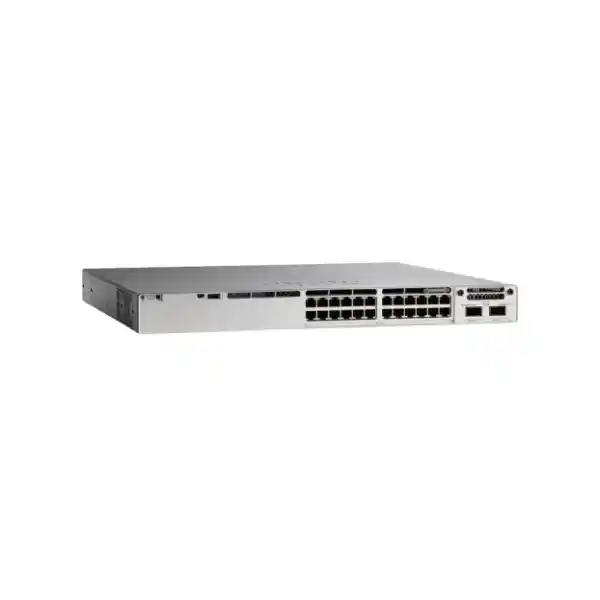
Cisco Catalyst C9300-24T Network Switch
The Cisco Catalyst C9300-24T is a 24-port enterprise data switch designed for organizations that need dependable Gigabit Ethernet access, modular uplink choices, high-speed physical stacking, scalable Layer 2 and Layer 3 services, advanced security controls, and a long-lived campus switching architecture. It is particularly well suited to UAE offices, enterprise floors, public-sector facilities, universities, healthcare sites, data-driven branch environments, retail headquarters, and hospitality networks where access-layer stability and operational consistency matter more than basic unmanaged connectivity.
FourTeck positions the C9300-24T as an enterprise access platform rather than simply a 24-port switch. Correct deployment requires uplink-module selection, power and redundancy planning, licensing alignment, stack design, VLAN and routing architecture, security policy definition, monitoring integration, and a migration plan that protects business continuity. This page explains those decisions in practical technical terms for UAE buyers and network teams.
C9300-24T at a glance
24 x 10/100/1000
Twenty-four RJ-45 data interfaces provide standard copper access connectivity for desktops, servers, printers, appliances, IP endpoints that use external power, and other enterprise devices.
Modular uplinks
The modular uplink architecture allows organizations to choose an uplink module that matches current distribution speeds while retaining a structured path for later bandwidth changes.
StackWise-480
High-speed back-panel stacking lets multiple compatible Catalyst 9300 switches operate as a coordinated access system with simplified management and resilient forwarding design.
StackPower ready
Cisco StackPower capability supports power pooling strategies across compatible stack members, helping planners design around supply redundancy and shared power resources.
What the Cisco Catalyst C9300-24T is designed to do
The C9300-24T belongs to Cisco’s Catalyst 9300 modular-uplink access family. Its design center is the enterprise campus access layer: the part of the network where user devices, business systems, access points through non-PoE arrangements, security appliances, servers, control systems, and edge devices connect into the organization’s switching fabric. Unlike small-office switches that focus almost entirely on port count, an enterprise access switch must deliver predictable forwarding, segmentation, routing, policy enforcement, redundancy, lifecycle management, and operational visibility at scale.
For a UAE organization, this distinction is important. A Dubai corporate floor may have only twenty endpoints today but still require dual distribution uplinks, redundant switch members, enterprise authentication, structured VLANs, high-availability default gateways, telemetry, configuration governance, change control, and future migration to faster access services. The C9300-24T provides a platform around which these requirements can be engineered rather than forcing the network team to replace a basic switch whenever the operational model becomes more demanding.
The model provides twenty-four 10/100/1000 Mbps data ports. The word data is operationally significant: the C9300-24T is not a PoE access model, so it should not be selected when the switch itself must provide electrical power to IP phones, wireless access points, cameras, or other powered devices. Where endpoints use separate power supplies, local injectors, powered patching systems, or are simply non-PoE devices, the C9300-24T can be a clean and efficient choice. Network teams should verify power requirements at the endpoint level before procurement instead of treating all 24-port Catalyst 9300 variants as interchangeable.
The modular uplink slot is another central design advantage. Rather than locking the switch to a single fixed uplink arrangement, the platform can be ordered with an appropriate network module, allowing the access layer to align with the distribution or core design. This is useful when one site has 1G fiber uplinks, another has 10G aggregation, and a high-demand environment needs higher uplink density. The correct module should be selected from the outset based on transceiver type, fiber plant, aggregation-port availability, redundancy design, expected oversubscription, and the switch software and hardware compatibility matrix used for the deployment.
Hardware architecture and verified platform scale
Forwarding foundation
Cisco specifies 208 Gbps of switching capacity for the C9300-24T and a forwarding rate of 154.76 million packets per second in the standalone bandwidth table. With stacking included in the published platform calculation, Cisco lists 688 Gbps switching capacity and 511.90 Mpps forwarding. These figures help architects compare the switch against expected access traffic, uplink design, east-west traffic inside a stack, and aggregation capacity.
Performance figures should be interpreted in context rather than used as marketing numbers alone. A real campus design is governed by access-port utilization, application traffic profiles, uplink oversubscription, multicast requirements, QoS behavior, routing scale, stack topology, security features, and failure-state traffic. FourTeck therefore sizes the C9300-24T by workload and topology, not only by port count.
Memory and forwarding tables
Cisco’s published performance table for Catalyst 9300 modular-uplink models lists 8 GB DRAM and 16 GB flash. It also publishes platform scale including up to 32,000 MAC addresses, 32,000 IPv4 route entries in the stated distribution, 16,000 IPv6 routing entries, 8,000 multicast routes, 5,120 QoS scale entries, 5,120 ACL scale entries, and a 16 MB packet buffer for 24- or 48-port Gigabit Ethernet models.
These limits are not a recommendation to run every feature at maximum simultaneously. Scale depends on templates, software release, feature interaction, and deployment design. Enterprise buyers should validate the exact IOS XE release and required feature combination against current Cisco documentation before production rollout.
C9300-24T technical specification summary
| Specification | C9300-24T detail | Design meaning |
|---|---|---|
| Access interfaces | 24 x 10/100/1000 Mbps Ethernet data ports | Standard copper Gigabit access; no integrated PoE on this model. |
| Uplinks | Modular uplink architecture | Select the uplink network module according to aggregation speed, optics, distance, and redundancy. |
| Default power supply | 350W AC | Efficient for data-only access; redundant power architecture can be planned separately. |
| Stacking | StackWise-480; up to eight compatible switches in a stack | Enables a resilient multi-switch access system with high-speed stack connectivity. |
| Power stacking | Cisco StackPower support | Allows power resources to be engineered across compatible members where appropriate. |
| Switching capacity | 208 Gbps standalone; 688 Gbps published with stacking | Supports enterprise access forwarding with substantial stack fabric bandwidth. |
| Forwarding rate | 154.76 Mpps standalone; 511.90 Mpps published with stacking | Relevant for packet-processing headroom and comparative sizing. |
| Memory | 8 GB DRAM, 16 GB flash for Catalyst 9300 modular-uplink models | Supports IOS XE software, control-plane functions, logging, and platform services. |
| Jumbo frames | 9198 bytes published platform value | Useful in validated enterprise applications that require larger Ethernet frames. |
| Chassis format | Approximately 4.4 cm high x 44.5 cm wide; depth varies with configuration | Standard rack deployment with attention to power-supply and cable clearance. |
| Weight | Approximately 7.27 kg with default power supply | Relevant to rack loading and handling procedures. |
Understanding the 24-port data access design
The twenty-four copper interfaces are appropriate for business endpoints that communicate over standard Ethernet and do not require switch-delivered power. Common examples include desktop computers, workstations, servers, storage-management interfaces, printers, building-control gateways, firewall inside interfaces, SD-WAN appliances, security managers, application appliances, industrial gateways, conferencing systems with independent power, and many other networked devices. Each access port can participate in the enterprise segmentation and policy model rather than simply providing link connectivity.
A proper access design starts by classifying endpoints. User computers may belong to role-based VLANs; servers may use dedicated application or management segments; printers may be isolated with restrictive access control; building systems may require limited northbound communication; guest devices may be separated from corporate resources; and network-management interfaces should be placed in an administrative segment. The C9300-24T can then be configured around those requirements using VLANs, trunks, routed interfaces, ACLs, QoS policy, authentication, and monitoring features supported by the selected software licensing level.
Because this is the T data model, procurement teams should pay particular attention to endpoint power. If even part of the intended device population consists of PoE-powered phones, wireless access points, CCTV cameras, door controllers, or IoT sensors, the network architect should determine whether external powering is intentional or whether a PoE-capable C9300 variant is more appropriate. Buying a data-only model and later discovering a need for centralized PoE often creates unnecessary injectors, additional power adapters, more rack complexity, and weaker power-backup integration.
For mixed environments, one effective strategy is to use C9300-24T units for dense data-only zones and PoE variants for voice, Wi-Fi, and surveillance zones. This separates power budgets from pure data switching, can simplify capacity accounting, and may reduce overprovisioning. FourTeck can map endpoint inventories to the correct Catalyst 9300 models so that each floor or rack receives the right blend of port count, power capability, uplink bandwidth, and stack composition.
Modular uplinks: planning bandwidth instead of inheriting it
The modular-uplink architecture is one of the strongest practical reasons to choose the C9300-24T over a fixed-uplink access switch. Access networks evolve. A new building may begin with dual 1G uplinks, move to 10G aggregation as endpoint density increases, and later require additional high-speed connections for redundancy, local services, or distribution changes. A modular approach gives network planners more freedom to align the access switch with those changes.
Uplink sizing should be based on an oversubscription model. Twenty-four 1G access ports do not automatically require 24 Gbps of upstream bandwidth because endpoints rarely transmit at line rate simultaneously. However, modern traffic patterns can produce significant bursts from collaboration, backups, software distribution, cloud synchronization, video, virtual desktop infrastructure, and large data transfers. High-availability design may also require each individual uplink to carry the full production load during a link or distribution-node failure. Therefore, the useful uplink capacity is a function of normal utilization plus failure-state headroom.
The optics and cabling plan is equally important. Fiber type, transceiver reach, connector type, patch-panel loss, cross-connects, building risers, and distribution switch compatibility must be verified before ordering modules and optics. Single-mode and multimode designs have different economics and distance characteristics. In UAE towers and campuses, access switches may reside in telecommunications rooms several floors from aggregation nodes, so the physical fiber plant can be the deciding factor even when the logical design is simple.
FourTeck’s deployment approach is to size the uplink module together with the access stack, not after the switches arrive. The quotation stage should identify desired uplink speed, number of active and standby links, transceiver form factor, fiber mode, link distance, distribution-side port availability, EtherChannel or routed-uplink requirements, and the expected migration horizon. This prevents a common procurement mistake: ordering the correct switch chassis but the wrong uplink ecosystem.
StackWise-480: building one resilient access system from multiple switches
Operational simplification
Cisco StackWise-480 provides a dedicated high-speed stacking system for Catalyst 9300 modular-uplink models. Multiple compatible members can operate as a coordinated stack, reducing the operational burden associated with treating every access switch as a completely separate island. A well-designed stack can simplify configuration consistency, management, uplink aggregation, and resilience planning.
Cisco documents support for up to eight switches in a StackWise-480 stack. Maximum scale should not be treated as the default design. The right stack size depends on failure domains, rack location, maintenance practice, endpoint impact, power design, and the number of ports that should be exposed to a single logical control plane.
Resilient physical topology
Stack cabling should be engineered as a resilient ring rather than installed casually. Cable lengths must match rack geometry, cable routing must avoid excessive tension, and each stack member should be positioned so that replacement and maintenance do not require dismantling unrelated cabling. The stack should also be documented with member numbers, priorities, serial mapping, uplink ownership, and power-supply details.
In production, resilience must be tested. A stack design is only proven when teams validate member reloads, uplink failures, power-supply failures, stack-link failures, and recovery behavior under realistic traffic. Maintenance windows should include these controlled failure tests before the environment is considered complete.
Stacking is especially valuable in enterprise floors where two or more switches serve the same access zone. Uplinks can be distributed across members, and cross-stack link aggregation can be used where supported and appropriate to reduce dependence on a single physical chassis. This improves the fault model compared with connecting every switch through a single local path. However, network architecture must still account for stack-wide events, software upgrades, human configuration errors, and physical failures that can affect more than one member. High availability is a system property, not a feature checkbox.
StackPower and power redundancy strategy
The C9300-24T is shipped in Cisco’s published configuration with a 350W AC power supply. Since this is a data-only switch, it does not need the large PoE budget required by powered-access models. That makes the base electrical profile comparatively straightforward, but production availability still requires careful power design. Enterprises should decide whether they need a second power supply, StackPower participation, dual electrical feeds, separate UPS circuits, generator-backed outlets, and rack-level power monitoring.
Cisco StackPower allows compatible switches to share power resources across an interconnected power stack. In practical terms, this can give designers another tool for handling power-supply utilization and redundancy. The correct topology depends on the number and rating of installed supplies, the expected load of each member, fault scenarios, and whether the design goal is power sharing, redundancy, or both. Because electrical resilience has direct business impact, power-stacking decisions should be calculated rather than copied from a template.
For UAE data rooms and telecom closets, environmental conditions also matter. The switch should be installed with proper front and rear clearance, secure rack mounting, reliable grounding, clean conditioned power, and airflow that remains unobstructed after patch panels and cable managers are filled. Cisco’s hardware guidance emphasizes access to front-panel indicators, sufficient cabling clearance, appropriate power-cord reach, and keeping cabling away from damaging sources of electrical interference.
A resilient power plan should be documented in the bill of materials. The quotation should state the installed power supplies, any spare supplies, power cables, StackPower cables if used, rack PDUs, UPS allocation, and the maintenance strategy. This is particularly important for remote branches where a failed component could otherwise cause extended downtime while replacement logistics are arranged.
Cisco IOS XE and the operational value of a programmable access layer
The Catalyst 9300 family runs Cisco IOS XE, giving the access layer an enterprise software foundation rather than a narrow switching-only operating environment. For network teams, this means the switch can participate in standardized routing, security, telemetry, automation, policy, high-availability, and lifecycle workflows used across broader Cisco enterprise architectures. The exact feature set available to a deployment depends on the software release, selected license tier, subscription entitlements, feature configuration, and compatibility with other network systems.
Traditional switch operations rely heavily on command-line configuration, but modern enterprise networks increasingly require repeatable automation and structured telemetry. The purpose of programmability is not to eliminate network engineers; it is to reduce configuration drift and make common operations consistent. Device onboarding, VLAN creation, interface templates, compliance checks, software image management, backup, logging, and inventory collection are all areas where automation can reduce human error when implemented with change control.
For a UAE enterprise with many branches, a standardized Catalyst 9300 template can be more valuable than small differences in individual hardware pricing. A consistent platform allows engineers to use common interface conventions, management addressing, AAA policy, logging destinations, NTP configuration, SNMP or telemetry design, access-control templates, uplink naming, routing policy, and software versions. Incident response becomes faster because teams encounter familiar behavior across sites.
Software lifecycle planning should be part of procurement. Organizations should define the target IOS XE train, test it in a lab or representative environment, verify application and feature compatibility, plan upgrade windows, maintain configuration and image backups, and record rollback procedures. A newly purchased switch should not be deployed with an arbitrary software version simply because it boots. The production standard should be intentional and governed.
Security architecture: treating the access layer as an enforcement point
Enterprise security begins at the port. Every connected endpoint creates a potential path into business systems, so the access switch should participate in the organization’s identity, segmentation, control, and monitoring strategy. Catalyst 9300 platforms support advanced security capabilities whose availability depends on software and licensing. Cisco highlights hardware-anchored secure boot and Secure Unique Device Identification as trustworthy-system functions, as well as MACsec support on the platform for link encryption use cases.
At the access level, security normally starts with controlling who or what can connect. Depending on architecture, network teams may use 802.1X authentication, MAC Authentication Bypass for selected non-802.1X devices, downloadable or static policies, port security, DHCP snooping, Dynamic ARP Inspection, IP Source Guard, protected management access, and role-based segmentation. The correct combination must account for endpoint capability and business processes so that security controls do not cause unnecessary outages.
Segmentation should be purpose driven. Corporate users, privileged administrators, guest devices, printers, building systems, cameras, voice systems, wireless infrastructure, servers, and management interfaces rarely need unrestricted communication with one another. VLANs provide a useful Layer 2 boundary, but security policy should also define which routed flows are actually permitted. In larger designs, segmentation may extend into policy-based architectures and centralized identity systems.
Management-plane protection is equally important. Switch administration should use authenticated, encrypted management protocols; access should be restricted to management networks; administrative identities should be centrally controlled; unused services should be disabled; configuration changes should be logged; time synchronization should be reliable; and backups should be protected. Local passwords alone are not an enterprise control strategy.
FourTeck can integrate C9300-24T deployments with broader firewall and access-control designs. Organizations planning segmentation can also review FourTeck’s Firewall Dubai solutions for perimeter and internal security alignment. The objective is to make access switching and firewall policy complement each other rather than operate as unrelated technology silos.
Layer 2 architecture, VLAN scale, and loop protection
Cisco publishes support for 4094 VLAN IDs on the Catalyst 9300 platform, up to 300 PVST instances, and 13,000 STP virtual ports in the stated PVST and MST scale figures. These are platform capabilities, not targets for every organization. A clean enterprise design usually uses far fewer VLANs and makes each segmentation boundary easy to document, monitor, and troubleshoot.
The VLAN plan should be created before interface configuration. Each VLAN should have a clear purpose, IP subnet, default gateway, DHCP method, security policy, QoS needs, and ownership. Naming conventions should be consistent across switches and sites. Native VLANs and trunk-allowed lists should be controlled deliberately. Unused access ports should not be left as open paths into active production networks.
Spanning Tree remains relevant wherever Layer 2 redundancy exists. Rapid convergence is useful, but the network should be intentionally rooted so that traffic follows predictable paths. Root bridge placement, guard functions, edge-port behavior, loop protection, and trunk topology should be configured according to the physical design. Access ports intended for endpoints should not behave like inter-switch links, and accidental loops created by unmanaged devices should be contained as quickly as possible.
Where business requirements allow, routed access or more Layer 3 boundaries can reduce Layer 2 failure domains. The C9300-24T can support routed interfaces and SVIs within the limits of the chosen software architecture, allowing design teams to decide whether each floor is extended at Layer 2 or terminated locally at Layer 3. That choice affects convergence, gateway placement, policy, multicast, troubleshooting, and disaster-recovery behavior, so it should be made at architecture level rather than per technician preference.
Layer 3 routing and campus distribution integration
Cisco’s performance table for Catalyst 9300 modular-uplink models lists up to 32,000 IPv4 route entries and 16,000 IPv6 routing entries under its stated scale conditions. In a typical access-layer design, actual requirements are much smaller, but routing capability gives architects flexibility. The switch can participate in static routing, dynamic routing, routed uplinks, SVI gateway services, and other campus topologies when supported by the selected software tier and design.
Routed uplinks can provide strong failure-domain isolation because each access stack connects to upstream devices through Layer 3 adjacencies rather than extending a large Layer 2 topology. This can improve convergence predictability and make troubleshooting easier in many environments. Layer 2 uplinks may still be appropriate when gateway services are centralized at distribution and when the operational model requires VLAN extension. Neither approach is universally correct; the decision should be based on architecture, scale, resiliency, policy, and the capabilities of the upstream network.
For IPv6 deployments, the access layer must be planned as carefully as IPv4. Addressing, router advertisements, DHCPv6 behavior, security controls, routing, monitoring, logging, and endpoint compatibility all require attention. Simply enabling IPv6 without a security and operational plan can create paths that are less monitored than the IPv4 environment.
FourTeck designs campus switching as an end-to-end system. Businesses that need architecture, implementation, migration, or managed support can use FourTeck IT Services UAE for structured network assessment, deployment engineering, documentation, and support workflows. This is useful when the C9300-24T is part of a larger refresh rather than a single-device replacement.
QoS for voice, video, business applications, and controlled congestion
Quality of Service becomes important whenever the access network must carry traffic with different sensitivity to delay, loss, and jitter. A large file transfer can tolerate temporary delay far better than an interactive voice call. Real-time video may use substantial bandwidth and react poorly to congestion. Transaction systems may require predictable latency. Backups and software updates can create large bursts without being time critical. The role of QoS is to make these differences explicit when links become congested.
Cisco publishes 5,120 QoS scale entries for Catalyst 9300 modular-uplink models in its platform table. Actual policy design should remain as simple as possible. Engineers need a trust-boundary strategy that defines where markings are accepted, where they are rewritten, and which traffic classes receive priority or guaranteed bandwidth. Incorrect trust settings can allow endpoints to mark ordinary traffic as high priority, defeating the policy.
QoS is also an uplink-sizing tool. If an access stack has adequate upstream bandwidth under normal operations, queues may rarely experience meaningful congestion. During a failure, however, traffic can move onto a smaller remaining path. QoS must therefore be validated under degraded conditions, not only when all links are available. Capacity planning and QoS planning should be performed together.
For organizations using cloud collaboration, IP telephony through separately powered endpoints, video meeting rooms, remote desktops, SaaS applications, and centralized backups, FourTeck can create an application-classification and QoS policy aligned to the existing WAN, firewall, wireless, and data-center architecture. Consistent marking from access to WAN is more effective than isolated switch-side rules.
Monitoring, telemetry, and troubleshooting readiness
A production access switch should be designed for observability before a fault occurs. Interface status alone is not enough. Network operations teams need to understand utilization, errors, discards, link flaps, spanning-tree events, authentication failures, routing changes, environmental alarms, power-supply status, stack health, CPU and memory behavior, software events, and configuration changes. The C9300-24T can participate in enterprise monitoring through management and telemetry mechanisms supported by IOS XE and the chosen operational platform.
Baseline data is particularly valuable. If engineers know normal uplink utilization, typical broadcast rates, expected interface error levels, average CPU load, and the usual number of connected endpoints, anomalies become easier to detect. Without baseline information, troubleshooting is often reduced to guessing whether a current measurement is unusual.
Logging should be centralized with synchronized time. Accurate timestamps allow switch events to be correlated with firewall logs, server logs, authentication systems, wireless controllers, and application monitoring. Configuration archives should be maintained so teams can identify exactly what changed before an incident. Alert thresholds should be meaningful; generating thousands of low-value alarms causes teams to ignore the monitoring system.
For remote UAE branches and regional deployments, remote troubleshooting is especially important because site visits introduce delay and cost. A standardized out-of-band or protected management plan, tested remote access, documented console procedures, inventory records, and spare strategy can materially reduce time to recovery. FourTeck can integrate the access layer into existing monitoring and operational processes rather than handing over a switch with only a basic startup configuration.
Physical installation, airflow, cabling, and UAE rack-room realities
Cisco lists the C9300-24T at approximately 4.4 cm high and 44.5 cm wide, with depth depending on the installed power configuration, and a published weight of about 7.27 kg with the default power supply. It is designed for standard rack installation, but a successful installation is more than placing the chassis into 1U of rack space. The rack must have sufficient depth, front and rear clearance, cable-management capacity, reliable grounding, conditioned power, and airflow.
UAE telecom rooms can experience high ambient temperature if cooling is undersized or if a building’s HVAC is shut down outside office hours. Enterprise switching equipment should not be placed in poorly ventilated cupboards or spaces where hot exhaust air recirculates. Environmental alarms should be monitored, and the cooling design should account for the total rack load rather than one switch in isolation. Dust control, cable cleanliness, and routine inspection also affect long-term reliability.
Copper cabling to 1000BASE-T endpoints should use properly installed structured cabling. Patch leads should be labeled and sized to avoid large coils that obstruct airflow. Uplink fiber must respect minimum bend radius and be routed so maintenance staff can remove modules without disturbing neighboring links. Stack cables and StackPower cables should be secured without sharp bends or mechanical stress.
Before final installation, Cisco recommends verifying switch operation and POST behavior. In an enterprise staging process, FourTeck extends this idea by testing the hardware, software image, power supplies, fans, uplink module, optics, stack connectivity, and planned configuration before the equipment reaches the live rack. Pre-staging reduces the number of surprises during a limited migration window.
Rack documentation should include front and rear diagrams, switch hostname, management address, rack unit, serial number, stack member number, uplink destinations, fiber identifiers, power-feed information, and connected patch-panel ranges. This information makes future troubleshooting and replacement much faster, particularly when a different engineer is responding to the incident.
Licensing and software entitlement: define requirements before ordering
Catalyst 9300 procurement involves both hardware and software entitlement decisions. Cisco offers different network licensing levels and subscription options that determine access to features and management capabilities. Because licensing structures can change over time, the correct bill of materials should be validated against the current Cisco ordering guide at the point of quotation. FourTeck does not recommend selecting a license purely because it appears in an older deployment or because another switch at the company uses it.
The requirement process should begin with features. Does the network need only standard Layer 2 and basic routing, or advanced routing? Is centralized policy automation planned? Are advanced segmentation, assurance, telemetry, or identity integrations required? Is the device part of an existing Cisco enterprise agreement? What subscription term is operationally and financially appropriate? Which capabilities must remain available if a subscription changes in the future? These questions should be resolved before the purchase order.
Software support is also a lifecycle issue. A production switch may remain installed for many years, during which security fixes, software maintenance, feature updates, and hardware replacement processes matter. Support coverage should match business criticality. A branch serving ten users may tolerate a different replacement strategy from a hospital, airport, financial institution, or headquarters floor where access downtime affects hundreds of employees.
FourTeck can prepare a quotation that separates switch hardware, uplink modules, optics, stack accessories, power options, licenses, support, staging, implementation, migration, documentation, and post-deployment services. This makes commercial evaluation easier because the buyer can see which line items are essential for functionality and which are optional resilience or service additions.
Sizing methodology for a C9300-24T deployment
Port count is the first sizing input, not the last. Start with the number of active wired endpoints, then add planned growth, spare ports, infrastructure connections, and temporary operational needs. A 24-port switch that is expected to operate permanently at all 24 ports leaves no room for a replacement workstation, test device, new printer, or unplanned endpoint. Capacity headroom should be an explicit design choice.
Next classify power requirements. Because the C9300-24T does not provide PoE, every endpoint should be identified as data-only or independently powered. If the endpoint inventory includes future Wi-Fi access points, IP phones, cameras, or other PoE devices, a mixed stack may be better than an all-24T design. Power should not be treated as a problem to solve after cabling is completed.
Then measure bandwidth. Review current access-port utilization, uplink peaks, application patterns, backup windows, software distribution, internet breakout, cloud services, storage traffic, and failure-state utilization. Size uplinks so that the remaining links can sustain critical traffic when one path fails. Where growth is expected, select a modular uplink option that reduces the risk of an early hardware change.
After bandwidth, evaluate routing and segmentation scale. Count VLANs, SVIs, routes, multicast groups, ACL policies, QoS classes, authentication sessions, and expected telemetry. Most campus deployments are well below Catalyst 9300 published maximums, but high-scale environments or shared-service designs should be validated carefully. The correct software feature profile must be considered along with hardware capacity.
Finally, model failure. What happens if one uplink fails? One distribution switch fails? A stack member reboots? A power supply fails? A rack PDU trips? An access switch is replaced? A software upgrade is rolled back? Sizing only for normal operation creates brittle networks. The purpose of enterprise architecture is to maintain predictable service during faults and maintenance.
For multi-site projects, FourTeck can standardize the sizing worksheet so every branch is assessed using the same inputs. That produces comparable bills of materials and makes it easier to create a common configuration baseline across Dubai, Abu Dhabi, Sharjah, Ajman, Ras Al Khaimah, Fujairah, and Umm Al Quwain.
Common deployment topologies
Single-switch branch
A single C9300-24T can serve a branch where twenty-four data-only access ports are sufficient. The design should still include dual uplinks where upstream infrastructure allows, protected management access, configuration backup, monitored power, and a spare or replacement strategy. This topology minimizes equipment count but places all local wired access on one chassis, so business impact of a device failure must be acceptable.
Two-member access stack
Two C9300-24T switches can form a 48-port logical access block using StackWise-480. Uplinks can be distributed across members to reduce dependence on one chassis. This is a common design for enterprise floors because it balances resilience, capacity, and manageable failure domain size. Endpoint allocation can also be spread so critical systems are not concentrated on a single member.
Mixed data and PoE stack
A C9300-24T can be combined with compatible PoE-capable Catalyst 9300 members where architecture and software compatibility permit. Data-only endpoints can use the 24T while phones, APs, or cameras use PoE models. The stack design must account for power supplies, StackPower, member compatibility, and aggregate uplink bandwidth.
Campus access block
Several stack members can serve a larger access zone with redundant high-speed uplinks to distribution. This topology requires stronger change control because a stack-wide event can affect many users. Engineers should document member roles, uplinks, spanning-tree or routing behavior, software upgrade procedures, and maximum acceptable outage scope.
Migration from legacy Catalyst or third-party switches
Replacing an existing access switch is not a direct port-for-port exercise unless the old configuration has first been reviewed. Legacy networks often contain years of accumulated VLANs, disabled ports, undocumented trunks, temporary ACLs, obsolete voice settings, unused spanning-tree adjustments, local usernames, and one-off workarounds. Copying all of these into a new C9300-24T reproduces technical debt.
FourTeck’s preferred migration process begins with discovery. Export the current configuration, collect interface descriptions, identify active MAC addresses, review VLAN membership, inspect trunks and EtherChannels, measure utilization, record spanning-tree roles, document routing, capture QoS policy, identify authentication requirements, and confirm monitoring integrations. Physical cabling should be mapped to patch panels and endpoint functions so ports can be moved deliberately.
The new configuration should then be built from an approved template, importing only required legacy behavior. Hostnames, management addresses, NTP, DNS, AAA, logging, SNMP or telemetry, VLAN definitions, security baselines, interface templates, uplinks, routing, and QoS should follow current standards. Unused ports can be administratively disabled and placed in an inactive VLAN according to policy.
Migration sequencing matters. Critical endpoints should be identified and validated first. If voice, building systems, or application servers depend on the switch, application owners should be involved in the test plan. Rollback criteria should be defined before the change begins. A configuration and software backup of the old switch should be retained until the new environment is stable.
After migration, compare the live state with the design. Confirm uplinks, stack health, interface errors, endpoint reachability, authentication, DHCP, DNS, routing, application access, monitoring, and logs. A migration is not complete merely because ports are green. The objective is verified business service with accurate documentation.
Why enterprises in Dubai and the UAE choose Catalyst 9300
UAE enterprises often operate hybrid environments that combine on-premises systems, SaaS platforms, public cloud, IP communications, wireless networks, security controls, and centralized services across multiple sites. The access layer must therefore be stable, manageable, and compatible with long-term network standards. Catalyst 9300 is commonly selected when buyers want an enterprise switching platform with strong lifecycle support and a broad set of software capabilities rather than the lowest possible cost per Ethernet port.
Dubai office towers create particular access-layer challenges. Telecom rooms may serve one or several floors, fiber paths run through risers to aggregation racks, rack space can be limited, and maintenance access may depend on building management. A modular uplink switch makes it easier to adapt to different fiber designs while keeping a standardized access platform. StackWise allows multiple switches in the same room to be managed as a coordinated access block.
Government, education, healthcare, finance, hospitality, and large commercial organizations also place emphasis on segmentation, availability, auditability, and controlled change. These requirements favor a platform that can be integrated into structured identity, monitoring, logging, configuration, and security processes. The C9300-24T is particularly appropriate where access endpoints are data-only and PoE is not required.
Organizations looking for wider UAE infrastructure sourcing can visit FourTeck UAE for networking and enterprise technology solutions. For multi-country projects that extend beyond the Emirates, FourTeck Africa provides a regional reference point for broader African infrastructure requirements. These links are intended to help procurement teams coordinate related infrastructure under a consistent technical approach.
C9300-24T versus fixed-uplink and PoE alternatives
The C9300-24T should be chosen because its specific architecture matches the requirement, not because Catalyst 9300 is a familiar name. A fixed-uplink switch can be more economical when uplink speed and density are known for the entire lifecycle and no module flexibility is needed. A PoE model is clearly better when the access layer must power phones, access points, cameras, or IoT devices. A higher-density 48-port switch can reduce chassis count in dense user areas. A multigigabit model can be justified for high-performance wireless or workstations that need more than 1 Gbps.
The C9300-24T is strongest when the requirement is twenty-four standard Gigabit data ports, enterprise resilience, modular uplink flexibility, StackWise-480, and Cisco IOS XE capabilities without paying for an integrated PoE power budget that will not be used. This makes it attractive for server-room management networks, data-only office zones, branch access, secure administrative networks, lab environments, separately powered endpoint areas, and mixed stacks where other members provide PoE.
When comparing the C9300-24T with C9300L variants, remember that the modular-uplink C9300 family uses StackWise-480 while fixed-uplink C9300L platforms use a different stacking architecture. Published switching and forwarding figures also differ by model. The decision should consider uplink flexibility, stacking bandwidth, hardware scale, lifecycle standardization, and pricing together.
FourTeck can compare candidate SKUs using an application-driven matrix: access ports, PoE budget, multigigabit needs, uplink module, optics, stack bandwidth, power redundancy, software features, support term, rack constraints, and expected growth. This produces a defensible technical selection rather than relying on model-name similarity.
Procurement and bill-of-materials guidance
A complete C9300-24T purchase normally includes more than the base chassis. The exact bill of materials may include the switch, primary and secondary power supplies, power cords compatible with the site, modular uplink network module, SFP or SFP+ optics, fiber patch leads, StackWise cables, StackPower cables, spare fan or power components where required, rack hardware, software licenses, support coverage, staging, implementation, and documentation.
Procurement should identify whether optics are Cisco-coded or part of an approved third-party standard. The same applies to stacking and power accessories. Mixing unverified accessories may create support or interoperability issues. If the organization has an established standard, the quotation should follow it. If not, the technical team should approve a complete compatible BOM before ordering.
Lead time and lifecycle status should also be checked at the time of quotation because enterprise hardware availability changes. For urgent projects, sourcing should not compromise architecture by substituting a superficially similar model without technical review. A 24-port data switch, a 24-port PoE switch, and a fixed-uplink model may fit the same rack space but behave differently in power, uplink, licensing, and stacking design.
For large UAE projects, consider spare strategy. A cold spare can reduce outage duration when replacement logistics are uncertain. Shared spares may be sufficient across standardized sites. Stocking only the base chassis may not help if the failed component is an uplink module or specialized optic, so the spare list should reflect actual failure dependencies.
The commercial quotation should clearly state what is and is not included. FourTeck can provide switch-only supply, supply with accessories, or a complete deployment scope with staging, rack installation, configuration, migration, testing, and handover. Clarity at quotation stage prevents implementation delays caused by missing optics, cables, licenses, or support entitlements.
Deployment engineering workflow
1. Discovery and design
Inventory endpoints, VLANs, uplinks, routing, authentication, monitoring, racks, power feeds, optics, fiber paths, and dependencies. Create the target topology and failure model before writing configuration.
2. BOM validation
Confirm C9300-24T quantity, uplink modules, optics, stack cables, power supplies, StackPower components, licenses, support, and spare parts. Match every accessory to the intended chassis and software plan.
3. Staging
Verify hardware health and POST, load the approved IOS XE release, build the stack, apply baseline configuration, test uplinks, validate management access, and save backups before site installation.
4. Migration and acceptance
Move endpoints according to the port plan, validate critical services, test redundancy, confirm monitoring and logging, update diagrams, collect final configurations, and hand over an acceptance record.
This workflow is designed to reduce production risk. The biggest switching outages are often caused not by hardware defects but by incomplete dependency discovery, wrong optics, missing VLANs, misconfigured trunks, incorrect gateway assumptions, forgotten authentication systems, or insufficient rollback planning. Engineering discipline is therefore as important as the switch platform itself.
FAQ: Cisco Catalyst C9300-24T in the UAE
Does the C9300-24T provide PoE?
No. The C9300-24T is a 24-port data model. If endpoints require switch-delivered PoE, select a suitable PoE-capable Catalyst 9300 model or design an intentional external-power approach.
How many access ports are available?
The model provides twenty-four 10/100/1000 Mbps RJ-45 Ethernet data ports. Growth headroom should be included when determining how many switches are required for a floor or branch.
What is the stacking bandwidth?
The modular-uplink C9300 family supports StackWise-480. Cisco documents up to eight compatible switches in a StackWise-480 stack using dedicated stack connections.
What is the switching capacity?
Cisco publishes 208 Gbps switching capacity and 154.76 Mpps forwarding for the C9300-24T in standalone bandwidth figures, with higher published values when stacking is included.
Which uplink module should I order?
That depends on required speed, number of links, aggregation interfaces, transceiver type, fiber mode, distance, and redundancy. The uplink module should be designed into the BOM rather than chosen after delivery.
Can FourTeck configure and migrate it?
Yes. FourTeck can support design, staging, configuration, stack creation, uplink integration, migration, testing, documentation, monitoring integration, and post-deployment support according to project scope.
Is it suitable for a data-only branch?
Yes, where twenty-four or fewer standard Gigabit data endpoints are sufficient and PoE is not required. Redundant uplink and replacement strategy should still be considered for business-critical branches.
Can it be used in a mixed Catalyst stack?
Compatible Catalyst 9300 models may be stacked subject to Cisco hardware and software compatibility rules. Exact member combinations, software release, and feature support should be validated before deployment.
Operational best practices after go-live
Once the C9300-24T is in production, maintain a known-good configuration baseline. Configuration changes should be reviewed, logged, and backed up. Network teams should avoid allowing one-off temporary changes to become permanent undocumented behavior. A periodic compliance check can compare live configuration against the approved standard and highlight drift.
Monitor interface errors and discards, not just up or down state. A link can remain operational while suffering duplex issues, cabling faults, optical degradation, congestion, or intermittent errors. Trend uplink utilization over weeks and months so capacity upgrades can be planned before congestion becomes a user-facing problem.
Keep software lifecycle information current. Track the deployed IOS XE version, recommended maintenance releases, security advisories relevant to enabled features, and planned upgrade windows. Test major upgrades on a representative switch or lab environment. Preserve the previous image and validated rollback procedure where operationally appropriate.
Inspect physical condition during maintenance. Confirm fan operation, power-supply status, rack cleanliness, cable tension, label quality, and thermal environment. Verify stack and StackPower cables are secure. In sites with frequent moves and changes, cable management can degrade quickly and eventually obstruct airflow or complicate emergency replacement.
Finally, maintain accurate inventory. Record serial numbers, support status, licenses, rack position, hostname, management address, software version, stack member number, uplink module, optics, and spare availability. Good inventory data can reduce incident-resolution time dramatically because engineers know exactly what hardware is installed before they travel to site or arrange replacement parts.
FourTeck UAE supply, integration, and lifecycle support
FourTeck supports Cisco Catalyst switching projects as complete network-engineering engagements or as product supply with clearly defined options. The goal is to ensure that the customer receives a usable solution, not a chassis that later requires emergency accessory purchases. We can assist with switch selection, uplink sizing, optics, power redundancy, stack design, software planning, security baseline, configuration, migration, and documentation.
For enterprise refresh projects, FourTeck can assess existing switches, identify port and VLAN usage, create a target topology, recommend C9300-24T quantities and complementary PoE or higher-density models, prepare a bill of materials, and stage the equipment before installation. This approach is useful for offices moving from legacy Catalyst generations or mixed-vendor access networks.
For greenfield sites, we can work from floor plans, rack schedules, endpoint counts, wireless designs, security requirements, and WAN architecture to create an access-layer design. The resulting BOM can include switches, modules, transceivers, stacking, power components, cabling dependencies, and support services. Project documentation can define VLANs, addressing, hostnames, interface allocation, uplinks, management, monitoring, and acceptance tests.
FourTeck also supports wider regional technology requirements through FourTeck Global, allowing organizations with distributed operations to coordinate network standards beyond a single UAE site. A standardized switching architecture can simplify training, spares, configuration, monitoring, and support across multiple countries.
Decision recap: when the C9300-24T is the right fit
Choose C9300-24T when
- You need 24 standard Gigabit Ethernet data ports.
- Endpoints are independently powered and do not require switch PoE.
- Modular uplink flexibility matters to the design.
- StackWise-480 resilience and scale are required.
- You want an enterprise IOS XE campus switching platform.
- Security, routing, monitoring, and lifecycle management are part of the project.
Review alternatives when
- You need PoE or UPOE power from access ports.
- You need more than 24 access ports per chassis.
- Multigigabit access is required for high-speed endpoints.
- A fixed-uplink model fully meets lifecycle requirements.
- Your architecture needs different stacking characteristics.
- A lower-complexity branch switch is sufficient and enterprise features would remain unused.
Quotation input checklist
Providing the following information allows FourTeck to prepare a technically accurate C9300-24T quotation with the correct accessories and services instead of a chassis-only estimate that may omit important deployment components.
Final consultation panel: design the switch around the network
The Cisco Catalyst C9300-24T is a strong enterprise access choice when twenty-four Gigabit data interfaces, modular uplinks, StackWise-480, StackPower, IOS XE, and enterprise lifecycle capabilities align with the requirement. The technical value comes from deploying it as part of a deliberate architecture: correct uplink module, correct optics, resilient power, documented stack topology, controlled VLAN and routing design, security policy, monitoring, and an upgrade strategy.
For UAE projects, send FourTeck the endpoint count, rack location, uplink requirements, fiber type, stack size, licensing needs, and desired implementation scope. Our team can turn those inputs into a validated bill of materials and deployment plan for Dubai, Abu Dhabi, Sharjah, or multi-site environments.
Recommended pre-order checks
- Confirm data-only port requirement.
- Select uplink speed and module.
- Validate optics and fiber distance.
- Define stack and power redundancy.
- Confirm IOS XE and license needs.
- Approve staging, migration, and acceptance scope.

Reviews
There are no reviews yet.