
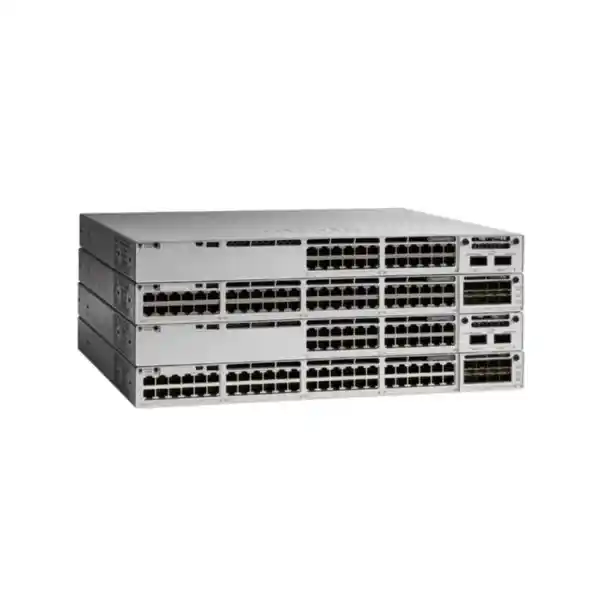
Cisco Catalyst C9300L-48PF-4G Network Switch
A high-density 48-port PoE+ access platform for organizations that need dependable edge switching, strong power delivery, resilient stacking, policy-driven segmentation, and operational consistency across office, campus, hospitality, healthcare, education, retail, surveillance, and distributed enterprise networks in the UAE.
Fixed uplinks: 4 x 1G
Default PSU: 1100W AC
Default PoE budget: 890W
Switching capacity: 104 Gbps
Forwarding rate: 77.38 Mpps
Stacking: StackWise-320
Direct answer: who should deploy the C9300L-48PF-4G?
The Cisco Catalyst C9300L-48PF-4G is designed for organizations that need a dense Gigabit Ethernet access layer with enough PoE+ power to support large groups of wireless access points, IP phones, cameras, badge readers, sensors, thin clients, room systems, and other powered endpoints from a single rack unit. Its practical differentiator is not simply the number of copper ports. It combines forty-eight 10/100/1000 PoE+ access interfaces with a high-capacity 1100W AC primary power supply and an 890W default available PoE budget, making it more suitable for power-heavy edge deployments than lower-power variants in the same fixed-uplink family.
The model is especially appropriate when the upstream network is built around 1 Gigabit Ethernet fiber or copper handoffs and there is no immediate requirement for 10G uplinks at the access switch. The four fixed 1G uplinks can be distributed across redundant aggregation or core paths, used in EtherChannel designs, assigned to separate physical uplink roles, or reserved for staged migrations. Because the uplink interfaces are fixed rather than modular, selection should be driven by an accurate traffic plan. Organizations expecting sustained multi-gigabit northbound traffic per closet may be better served by a 4X model with 10G/1G fixed uplinks, whereas organizations prioritizing high PoE density and predictable 1G access economics can extract strong value from the 4G configuration.
For UAE projects, the C9300L-48PF-4G fits well into standardized branch and campus designs where administrators want Cisco IOS XE operations, consistent configuration templates, resilient access-layer stacking, role-based network policy, telemetry, quality of service, and lifecycle discipline. FourTeck can align the switch with broader LAN, WLAN, security, rack, power, optics, and implementation requirements through the FourTeck UAE technology portfolio so that the device is specified as part of a complete access architecture rather than as an isolated piece of hardware.
Hardware architecture and port map
The C9300L-48PF-4G belongs to the fixed-uplink branch of the Cisco Catalyst 9300 family. The front panel provides forty-eight RJ-45 access ports operating at 10/100/1000 Mbps and capable of delivering PoE+. The four dedicated fixed uplink interfaces provide 1 Gigabit Ethernet connectivity. In design terms, this creates a straightforward access-to-distribution model: user and device traffic enters through the 48 copper edge ports, local switching takes place within the chassis or stack, and northbound connectivity is aggregated across up to four 1G uplinks according to the selected topology.
The fixed-uplink architecture has an important procurement advantage: the required uplink capability is known at the time of purchase, and there is no separate network-module decision for the uplink block. This helps standardize branch bills of material where 1G uplinks are sufficient. The trade-off is equally important. Uplink capacity cannot be converted into 10G merely by replacing a module; the model itself determines the uplink ceiling. Network architects should therefore compare the expected aggregate traffic from Wi-Fi, video surveillance, unified communications, endpoints, and east-west application flows against the 4G uplink design before standardizing it across a large estate.
Cisco rates the C9300L-48PF-4G at 104 Gbps switching capacity and 77.38 million packets per second forwarding performance in its standalone configuration. When considered with StackWise-320, Cisco also publishes aggregate values that include stacking bandwidth. Those figures matter because access-layer performance should be evaluated not only by front-panel port count but also by the internal ability to move traffic under mixed packet sizes and during convergence events. For typical enterprise access traffic, the platform is designed to provide deterministic hardware forwarding while policy, management, and control-plane functions are handled through the IOS XE software architecture.
Physically, the unit is a one-rack-unit class switch measuring approximately 1.73 x 17.5 x 19.2 inches, or 4.4 x 44.5 x 48.8 centimeters, with the relevant field-replaceable components installed. Its published weight with the default power supply is about 15.48 lb, or 7.03 kg. These dimensions should be included in rack-depth planning, especially in wall-mount cabinets, shallow communications racks, or branches where rear cable bend radius, redundant power cords, stack adapters, and cable-management space compete for limited enclosure depth.
PoE+ engineering: why the “PF” variant matters
For many buyers, power delivery is the main reason to choose the C9300L-48PF-4G instead of a lower-power 48-port PoE+ model. Cisco specifies a 1100W AC primary power supply for this variant and an available PoE budget of 890W with the default supply configuration. That budget must be compared with the real draw of connected devices rather than with port count alone. A 48-port switch does not automatically require 48 times the maximum PoE+ rating; actual consumption depends on endpoint class, negotiated power, cabling, device mode, radios, USB peripherals, camera heaters, phone expansion modules, and other endpoint-specific loads.
A useful design method is to build a port-level power schedule. Start with every planned powered endpoint, record its maximum expected draw rather than its idle draw, include future higher-power devices, and reserve a practical contingency margin. For example, a floor may contain thirty-two IP phones, eight Wi-Fi access points, four surveillance cameras, two door controllers, and two conference-room endpoints. Even when the average draw appears modest, boot events or feature activation can cause simultaneous peaks. Engineering to a margin prevents unnecessary power policing, unexpected denied-power conditions, or late-stage upgrades when new devices are added.
Cisco’s published power table shows how the model can scale its available PoE pool when a second supported power supply is installed. With the default 1100W primary supply, 890W is available for PoE. With an additional 350W secondary supply, the published available PoE budget rises to 1240W. With a 715W secondary supply, the platform can reach 1440W, which corresponds to forty-eight ports at the PoE+ ceiling of 30W per port. A second 1100W supply also reaches the 1440W endpoint limit because the total is constrained by the access-port count and PoE+ per-port rating rather than by raw power-supply capacity.
This distinction is critical in camera and wireless projects. A switch may be physically capable of connecting 48 powered devices yet still require careful power budgeting if many endpoints operate near their maximum class. Conversely, in office voice deployments where phones draw substantially less than the theoretical maximum, the default 890W pool may provide ample headroom. The correct choice depends on endpoint inventory, resilience targets, and the requirement to maintain PoE during a power-supply failure.
Power redundancy should be designed separately from PoE capacity. Two supplies can be selected to protect switch operation, increase available PoE, or achieve both objectives, but the surviving supply must be able to support the desired endpoint load after a failure. A resilient design therefore calculates normal-state consumption, single-PSU failure consumption, and the business priority of powered endpoints. Critical phones, access points, door systems, and cameras can be assigned different operational priorities so that the network preserves the most important services when power is constrained.
Four fixed 1G uplinks: design them intentionally
The four 1G fixed uplinks are one of the defining characteristics of the C9300L-48PF-4G. They are ideal when the access closet is expected to connect to a distribution layer through Gigabit Ethernet and the organization values multiple redundant paths more than a single high-speed uplink. Common designs include a two-link EtherChannel to one distribution pair with two spare interfaces, separate links to dual upstream switches where the topology supports it, or multiple routed or switched uplinks allocated to different resiliency and migration purposes.
However, uplink sizing needs traffic mathematics, not only port arithmetic. Forty-eight users do not each generate 1 Gbps continuously, so oversubscription is normal and economically rational. The key is to estimate traffic concentration. A voice-heavy office with cloud applications may operate comfortably across a small number of Gigabit uplinks. A surveillance floor with many high-bitrate cameras, a Wi-Fi environment with dense concurrent clients, or a content-creation team moving large media files can create much higher sustained northbound utilization. Monitoring data from existing switches should be reviewed when available, and the design should account for future device growth.
Organizations that expect a near-term migration to 10G at the access-distribution boundary should compare the C9300L-48PF-4G with the C9300L-48PF-4X. The 4X version retains the high-PoE 48-port concept but adds fixed uplinks capable of 10G/1G. The 4G model is not inferior when its uplink envelope matches the project; in fact, it can be a disciplined choice when the aggregation network, optics inventory, and bandwidth profile are already standardized around 1G. The mistake is using it where the uplink speed requirement has not been validated.
For larger refreshes, FourTeck can review the switching layer together with cabling, optics, firewall throughput, WAN design, Wi-Fi architecture, and service dependencies through FourTeck IT Services UAE. That broader assessment helps prevent a common mismatch where an access switch is correctly specified in isolation but constrained by an older distribution layer, undersized fiber path, or security appliance.
StackWise-320 and access-layer resiliency
The C9300L family supports Cisco StackWise-320 through the appropriate stacking hardware. In a supported design, up to eight Catalyst 9300L and compatible Catalyst 9300LM switches can operate as a stack, subject to Cisco’s current compatibility and license-level requirements. The stack creates a single operational system rather than eight independently managed access switches. This simplifies configuration consistency, uplink distribution, member replacement, software operations, and day-to-day troubleshooting while adding an important layer of resiliency.
Stacking changes the topology in useful ways. Instead of building every access switch as a separate spanning-tree and uplink island, engineers can spread physical uplinks across different stack members and construct logical port channels that reduce the impact of a single member or uplink failure. Endpoints remain attached to their local member, while the stack fabric carries traffic between members as needed. With StackWise-320, Cisco specifies 320 Gbps of stack bandwidth for the C9300L platform family, giving the system a dedicated inter-member transport mechanism rather than forcing all member-to-member traffic through external uplinks.
Current accessory selection deserves attention in procurement. Cisco has announced end-of-sale for the older C9300L-STACK-KIT and identifies C9300L-STACK-KIT2 as the replacement. The newer kit supports C9300L and C9300LM models and includes stack adapters and a stack cable. Cable length should be selected against the physical rack arrangement. Short same-rack stacks can use the default-style short cable, while vertically separated members or cabinet arrangements may require longer options. Stack ring topology and cable routing should be planned before installation so that rear access and serviceability are preserved.
A stack is not a substitute for every redundancy measure. Power supplies, upstream paths, UPS circuits, distribution switches, patching, and software maintenance strategy still determine end-to-end availability. Engineers should also keep stack members at a compatible software and licensing level. A mature design documents member numbering, stack priority, uplink placement, power circuits, cable topology, and recovery procedures so that field teams can restore service quickly after hardware replacement.
For deployments that do not need stacking, the switch can be operated as a standalone access device. That is common in smaller branches, remote offices, retail sites, or physically isolated network rooms. The decision should reflect failure-domain requirements: a single standalone device is simple, while a stack provides greater density and centralized control but concentrates more endpoints into one logical control domain. Both can be valid when designed deliberately.
Cisco IOS XE: operating model for enterprise access
The C9300L-48PF-4G runs Cisco IOS XE, giving network teams a familiar operational model with a modern software architecture. IOS XE is more than a command-line syntax. It provides the platform for Layer 2 switching, Layer 3 routing according to license and software release, quality of service, security controls, telemetry, automation, programmability, software lifecycle management, and integration with Cisco’s broader campus management ecosystem. The exact feature set always depends on the installed release, hardware capability, and license tier, so production designs should map required features to a validated software train before rollout.
For operational teams, this consistency matters. A branch switch can be built from standardized templates covering VLANs, trunks, access policies, voice configuration, authentication, DHCP protections, spanning-tree parameters, routing, logging, NTP, SNMP or telemetry, AAA, management ACLs, and secure administrative access. When many switches are deployed, template discipline reduces drift and makes incidents easier to diagnose because the expected state is known.
Cisco Catalyst Center can provide centralized discovery, inventory, assurance, automation, image management, and intent-based workflows when the correct software subscriptions and architecture are in place. Organizations should distinguish between on-box perpetual network capabilities and subscription-based features. The switch continues to be a capable access platform under its base network license, while additional software subscriptions unlock management and automation capabilities that may be valuable in larger environments.
Software governance is also part of hardware procurement. A network switch expected to remain in service for many years needs a defined IOS XE maintenance process, compatibility review, vulnerability-management workflow, configuration backup method, and test procedure. Rather than allowing every site to run a different release, enterprises normally select validated software versions, stage upgrades, monitor Cisco advisories, and maintain change records. This reduces operational variability and makes support escalation more effective.
Licensing: Network Essentials, Network Advantage, and software subscriptions
Catalyst 9300 ordering combines a perpetual network license with a term-based software subscription. Cisco’s current ordering model identifies Network Essentials and Network Advantage as the perpetual base network tiers, while Cisco Catalyst or Cisco DNA software subscription tiers are selected for a term. For fixed-uplink C9300L models, procurement should use the correct 48-port license family and confirm the selected feature tier against the intended routing, segmentation, automation, and management requirements.
Network Essentials is generally used when the project needs core enterprise switching and entry-level routing functionality. Network Advantage is chosen when the design requires more advanced Layer 3 and segmentation capabilities. The best license is therefore not determined by switch size. A small branch can require advanced routing, while a large access floor may be adequately served by Essentials if routing is centralized upstream. Feature-by-feature confirmation should be done against Cisco’s current feature matrix and the specific IOS XE release selected for deployment.
Cisco also requires Smart Account planning during ordering. A Smart Account provides an organizational repository for software entitlements and supports Cisco Smart Licensing workflows. Procurement teams should make sure the organization’s Smart Account ownership, virtual account structure, and administrative contacts are known before equipment is ordered. This prevents delays where hardware arrives but software entitlement assignment is unclear.
Subscription term selection should also be aligned with budgeting and operational strategy. Three-, five-, and seven-year terms are common in the Catalyst ordering model. Longer terms can simplify renewal administration, while shorter terms may fit refresh cycles or project funding. The network team and procurement team should jointly decide how subscription renewal will be tracked so that management features do not lapse unexpectedly. Base perpetual network capabilities and subscription-based capabilities are different entitlement categories and should be documented separately.
When requesting a quotation, specify whether Network Essentials or Network Advantage is required, the preferred software subscription tier and term, and whether the switch will join an existing Cisco Smart Account. If the project is a replacement, include the current switch model and major features in use. That information helps validate that the new licensing selection preserves the operational functions the site already depends on.
Layer 2 campus role
Use the switch as a policy-aware access edge with VLAN segmentation, access and trunk ports, link aggregation, spanning-tree controls, storm protection, endpoint discovery, and QoS treatment. This is the classic role for user floors, IP telephony, wireless access, cameras, and building systems.
Layer 3 access role
Where the license and architecture support it, route at the access layer to reduce Layer 2 fault domains, create deterministic uplinks, and apply policy closer to users. Routed access is especially useful in larger campuses that want fast convergence and clear topology boundaries.
Security controls at the wired edge
The access switch is the first network enforcement point for many devices, which makes edge security as important as switching capacity. A sound Catalyst 9300L deployment begins with secure management: centralized AAA, encrypted administrative protocols, role-based operator access, protected management networks, NTP, centralized logging, and strict source restrictions for management traffic. Configuration backups and change auditing should be part of routine operations rather than emergency tasks.
At the endpoint layer, enterprises commonly integrate access switches with identity-based controls. IEEE 802.1X can authenticate capable endpoints, while MAC Authentication Bypass can be used for devices such as printers, cameras, and embedded systems that cannot perform interactive supplicant authentication. The policy platform can assign VLANs, downloadable ACLs, or other authorization results based on user or device identity. The exact workflow depends on the identity infrastructure and license set, but the architectural principle is consistent: network access should be based on verified context where practical.
Layer 2 protections also reduce common local attack and failure conditions. DHCP snooping helps prevent unauthorized DHCP servers and builds trusted binding information. Dynamic ARP Inspection can use validated bindings to reduce ARP spoofing. IP Source Guard can restrict traffic that does not match expected source bindings. Port-security style controls, BPDU Guard, Root Guard, storm-control, and unused-port shutdown policies harden the physical edge. These controls should be introduced through staged testing because a poorly understood endpoint or voice configuration can be disrupted by an overly aggressive template.
Segmentation is equally important. Corporate clients, voice devices, guest systems, cameras, building-management devices, payment terminals, and IoT sensors should not automatically share the same trust domain. VLANs provide basic separation, while more advanced policy architectures can enforce identity-based segmentation across the campus. Firewall and routing policy upstream then determines which zones may communicate. FourTeck’s Firewall Dubai practice can be used to align access-layer segmentation with northbound security controls so that VLAN design and firewall policy are created as one architecture rather than as separate projects.
Physical security remains part of the model. Switches in public or semi-public cabinets should be protected against unauthorized console access, patch-cord manipulation, rogue-device insertion, and accidental power interruption. Rack locks, cabinet monitoring, controlled patching, documented port ownership, and disabled unused interfaces reduce the attack surface in environments such as hotels, schools, clinics, retail branches, and multi-tenant buildings.
QoS for voice, video, wireless, and business applications
A 48-port access switch often carries many traffic types at the same time: interactive voice, conference video, cloud applications, web browsing, file transfers, surveillance streams, wireless client traffic, backups, software distribution, and management telemetry. Quality of service is used to classify and prioritize these flows so that delay-sensitive applications remain usable during contention. The goal is not to make every packet faster; it is to make forwarding behavior predictable when demand approaches a constrained egress interface.
Trust boundaries must be defined. For an IP phone deployment, the switch may trust markings from a managed phone but not from an arbitrary PC connected behind it. Wireless access points can carry multiple client classes through a single physical port, which requires consistent marking and queue design between wireless and wired domains. Video surveillance traffic is usually sustained rather than bursty, so it should be planned differently from voice even when both are operationally important.
The four 1G uplinks make QoS design particularly relevant because large amounts of access traffic may converge on fewer northbound links. Engineers should model oversubscription, prioritize critical traffic, and monitor interface drops rather than relying only on average utilization. Microbursts can cause queue loss even when five-minute utilization graphs look comfortable. Telemetry and interface counters help identify whether uplink upgrades, queue tuning, or application changes are needed.
A good policy is simple enough to operate. Excessive class counts and undocumented exceptions create fragile configurations. Start with business requirements, map applications into a manageable number of service classes, apply consistent markings, and validate end-to-end behavior across access, distribution, WAN, and firewall devices. The switch should be one participant in an end-to-end QoS architecture, not an isolated point of prioritization.
Wireless access-point aggregation
The C9300L-48PF-4G is frequently considered for wireless access because PoE+ can power a broad range of enterprise APs while the switching platform supports enterprise policy and management. The design question is whether the access port and uplink speeds match the selected wireless generation. Each front-panel access interface on this model is Gigabit Ethernet. If an AP can generate sustained throughput beyond 1 Gbps and is intended to use a multigigabit wired backhaul, a different Catalyst model with multigigabit access ports may be a better fit.
Where 1G AP connectivity is acceptable, the high PoE budget can be valuable. Wireless designs should consider not only the nominal AP power requirement but also full-feature operation. Some access points enable additional radios, USB functions, environmental features, or higher transmit configurations only when sufficient power is negotiated. The access-switch budget must support the chosen AP model in its intended mode at peak consumption, including future software features that may increase load.
Uplink concentration is another planning point. Eight or sixteen APs attached to one switch can aggregate traffic far beyond a single Gigabit uplink under heavy use, even when each AP individually remains within a 1G Ethernet boundary. Multiple uplinks and port channels can increase northbound capacity, but the four 1G ceiling remains a design constraint. Dense venues such as conference centers, schools, hotels, and large offices should use realistic wireless traffic models instead of assuming all APs have light usage.
For a standardized branch WLAN where each site has a moderate number of APs and predictable internet-bound traffic, the C9300L-48PF-4G can provide a robust converged wired and wireless edge. For high-density Wi-Fi requiring multigigabit access and 10G uplinks, the broader Catalyst 9300 family offers alternative models. Selection should follow the AP specification, expected client density, upstream architecture, and refresh horizon.
IP telephony and collaboration deployments
IP telephony is a natural use case for a high-density PoE+ switch because one wiring-closet device can provide data connectivity and power to dozens of desk phones. A typical enterprise design places phones in a voice VLAN while user PCs attached through phone pass-through ports remain in a data VLAN. The access switch advertises network information to the phone, applies appropriate QoS trust rules, enforces authentication policy where required, and supplies power without separate local adapters.
The power profile of phones varies considerably. Basic handsets may draw modest power, while video phones, key expansion modules, large displays, and USB accessories can increase consumption. When forty-eight ports are populated, total PoE budget must be calculated using the actual model mix. The C9300L-48PF-4G’s 890W default budget provides substantial capacity, but voice resilience also depends on UPS runtime and power-supply redundancy. A phone remains available during a utility outage only if the access switch, upstream network, call control, WAN path, and any supporting services remain powered.
Quality of service should preserve real-time voice during congestion. This usually includes recognizing or remarking voice traffic at the edge, providing priority treatment for the correct traffic class, and ensuring the policy continues through uplinks and WAN connections. Misconfigured trust can allow ordinary endpoints to mark large amounts of traffic as high priority, defeating the purpose of QoS. Authentication and voice-VLAN policy must also be tested together to prevent issues when a PC, phone, and authentication sequence share the same physical switchport.
The switch can also support room systems, conferencing endpoints, and digital collaboration devices where their Ethernet and PoE requirements fall within the platform specifications. For projects combining LAN switching with IP telephony or meeting-room upgrades, bills of material should account for endpoint power, cabling category, patching, rack UPS capacity, network segmentation, and upstream internet or WAN quality.
Video surveillance, IoT, and building systems
Surveillance networks can consume both substantial PoE and sustained bandwidth, making them a useful test of switch sizing discipline. Forty or more cameras on a single access switch may appear straightforward because the port count fits, but camera resolution, frame rate, codec, scene complexity, retention strategy, multicast behavior, analytics, and recording topology all affect network load. If video is recorded to centralized servers, much of the traffic may traverse the uplinks continuously. A four-uplink 1G design must therefore be validated against aggregate camera bitrates and failure scenarios.
Camera power draw can also vary with environmental features. Infrared illumination, heaters, pan-tilt-zoom motors, analytics modules, and accessories may increase peak consumption. The default 890W budget is generous for many camera estates, but high-power endpoints should be mapped individually. If the surveillance system is security-critical, consider how many cameras can remain powered after loss of one PSU and how long the rack UPS can sustain the switch and recording path.
IoT and building-management devices introduce different concerns. They may have low bandwidth but weak endpoint security, long replacement cycles, and limited authentication capability. The network should therefore isolate them from corporate user systems, restrict permitted destinations, disable unnecessary east-west communication, and log policy events. MAC-based identity, dedicated VLANs, ACLs, and upstream firewall rules can create a practical containment architecture when 802.1X is not supported by the device.
Physical location matters in these projects because edge switches may be installed in distributed cabinets near cameras, access-control panels, or building zones. Temperature, dust, cabinet ventilation, power quality, and service access should be reviewed. The C9300L-48PF-4G is an enterprise rack switch and should be installed in an environment that meets Cisco’s hardware requirements rather than treated like an unmanaged industrial device.
Routing, segmentation, and topology choices
A Catalyst 9300L access layer can participate in either traditional Layer 2 access or more routed designs. In a traditional model, user VLANs extend from the access switch toward distribution switches where default gateways and routing policy reside. This is familiar and can be simple to operate, but larger Layer 2 domains require careful spanning-tree and failure-domain management. Redundant uplinks must be designed to prevent loops while preserving fast recovery.
In routed access designs, Layer 3 boundaries move closer to the edge. The access switch can terminate routed links toward distribution, reducing Layer 2 extension and making path selection more deterministic. The exact protocols and scale depend on the software license and release. The architectural benefit is smaller broadcast and spanning-tree domains, while the operational cost is a greater requirement for routing knowledge and consistent IP addressing.
Segmentation can be implemented through VLANs, VRF-aware designs where supported, access control, or policy-based campus frameworks. The correct method depends on business trust boundaries. A guest wireless network requires different controls from corporate users; cameras and building systems often require tightly restricted communication; payment systems may carry compliance obligations; voice networks require reachability to specific communications services. The switch participates in enforcing these boundaries, but firewall policy, identity services, and application design determine the complete security outcome.
Before selecting a license tier, document which routing and segmentation functions are mandatory. Do not choose Network Advantage simply because it is the higher tier, and do not choose Essentials purely to minimize initial cost. The right license is the one that supports the intended architecture throughout the expected service life, including planned site expansion and management automation.
Telemetry, monitoring, and troubleshooting
Enterprise access networks become easier to operate when monitoring is designed from day one. At minimum, teams should collect device health, interface status, bandwidth utilization, errors, packet drops, power-supply state, PoE consumption, temperature, stack status, and configuration changes. Traditional SNMP remains common, while modern IOS XE environments can also use model-driven telemetry and API-driven workflows depending on the management architecture.
PoE telemetry is particularly valuable on the C9300L-48PF-4G because power is a shared resource. Monitoring should show total available budget, current draw, denied-power events, and per-port consumption. An endpoint that intermittently reboots may be suffering from cabling or endpoint faults rather than insufficient global budget, so engineers should correlate PoE events with interface state and device logs before replacing hardware.
Interface counters help identify physical and congestion problems. CRC errors can point to cabling or transceiver issues. Output drops may indicate congestion or microbursts. Frequent link transitions can reveal patching, endpoint, or power instability. Duplex and speed mismatches are less common with modern auto-negotiation but still warrant investigation when legacy devices are connected. A baseline taken immediately after deployment gives operations teams something to compare against months later.
Stack monitoring should include member state, stack-port health, role information, software consistency, and hardware alarms. A stack that is operational but has lost one side of its ring may have reduced resiliency without obvious user impact. Alerting on degraded stack connectivity catches the condition before a second failure causes a wider outage.
Configuration logging, centralized syslog, NTP, and secure backups complete the troubleshooting foundation. During an incident, accurate timestamps and historical state often matter more than a sophisticated dashboard. Engineers should be able to determine what changed, when it changed, which interfaces were affected, and whether the switch experienced power, stack, environmental, or software events.
Capacity planning: a practical sizing method
Switch selection should begin with three separate budgets: port capacity, power capacity, and uplink capacity. Port capacity is straightforward but should include growth. If a floor requires forty-four ports today, deploying a 48-port switch leaves little room for new access points, printers, cameras, room systems, or desk moves. A stack of multiple switches may provide more flexible spare capacity than several isolated switches because free ports and uplinks can be managed within one logical system.
Power capacity should be calculated from endpoint maximum draw. Add the expected maximum for every powered device, then include an engineering margin. Compare the result to 890W in the default configuration and to the published higher budgets if a secondary PSU is planned. If business continuity requires full endpoint operation after loss of one supply, calculate the surviving-state power budget rather than only the normal-state total.
Uplink capacity requires traffic analysis. Estimate average and peak demand by device class. User desktops tend to burst; cameras tend to stream steadily; backups can create large scheduled peaks; Wi-Fi APs aggregate many clients; voice is low bandwidth but latency sensitive. Determine how much traffic remains local in the access layer and how much crosses upstream. Then size one or more 1G uplinks with appropriate resilience. A design that needs more than the available aggregate uplink bandwidth should move to a model with faster uplinks rather than depend on optimistic assumptions.
Control-plane and routing scale should be reviewed for advanced deployments. Large numbers of routes, ACL entries, authenticated sessions, policy constructs, multicast groups, or telemetry flows can influence platform selection. The C9300L is an enterprise access switch, but high-scale campus designs should validate required table sizes and features against Cisco’s current data sheet and feature documentation.
Finally, size for the refresh horizon. A switch purchased for five to seven years should support not only today’s endpoints but also plausible wireless, camera, voice, and IoT upgrades. The cost difference between models can be small compared with the operational impact of replacing an undersized switch early. Capacity planning turns model selection into an engineering decision rather than a catalog choice.
UAE deployment considerations
UAE deployments range from centrally managed enterprise campuses in Dubai and Abu Dhabi to retail branches, hospitality sites, warehouses, clinics, schools, industrial offices, and remote facilities. The same switch can serve many of these environments, but the surrounding infrastructure differs. Site surveys should capture rack depth, available rack units, UPS capacity, grounding, patch-panel layout, fiber paths, ambient conditions, and access for maintenance.
Power planning is especially important for high-PoE switches. The 1100W power supply can represent a significant electrical load, and the actual rack design may include a second PSU, multiple switches, firewalls, routers, servers, controllers, and UPS equipment. Electrical circuits, power distribution units, and UPS sizing should be based on realistic maximum load and required backup time. Redundant PSUs are most useful when connected to independent power paths where the site supports them.
Environmental control matters because enterprise access switches are typically installed in conditioned communications rooms. Cabinets in warehouses, service corridors, rooftops, or non-conditioned spaces need particular attention to heat, dust, humidity, and airflow. Hot-air recirculation can cause problems even when the room temperature appears acceptable. Rack blanking, front-to-rear airflow planning, clean filters where applicable, and sufficient rear clearance improve reliability.
Cabling standards should be reviewed during refresh projects. Existing copper may be adequate for 1G access, but damaged terminations, poor patch cords, excessive lengths, and undocumented intermediate connections can create intermittent faults. Fiber uplinks require compatible optics, connector types, fiber mode, wavelength, and distance. Procurement should not assume that an SFP fitting mechanically means it is the correct optic for the installed fiber plant.
For multi-country organizations headquartered or managed from the UAE, standardization can reduce operational complexity. FourTeck’s global technology presence can support a common design vocabulary for models, configuration templates, optics, spares, and deployment documentation while local requirements are handled site by site.
Power, rack, and thermal planning
The physical installation of a high-PoE access switch should be treated as part of the network design. The C9300L-48PF-4G occupies approximately one rack unit of height, but installers must reserve additional practical space for patch cords, cable managers, stack cables, power leads, and airflow. In shallow cabinets, the 19.2-inch published depth with the relevant components installed must be compared with usable internal depth, not with the cabinet’s external dimensions.
A 48-port copper switch can generate dense front-panel cabling. Horizontal cable managers above or below the switch make troubleshooting easier and reduce connector strain. Patch-panel numbering should correspond to switchport documentation so that a failed endpoint can be traced without disconnecting unrelated services. In stacks, consistent member numbering and port-label conventions are essential because the same physical port number repeats across members.
UPS sizing needs both wattage and runtime calculations. The switch itself consumes power, and PoE load is passed through the access layer from the same electrical source. A rack with several high-PoE switches can draw far more than a traditional data-only access rack. Designers should include PSU efficiency, peak endpoint load, UPS power factor, battery aging, and desired autonomy. If the business requires phones or cameras to survive a thirty-minute outage, test the real system under load rather than relying only on nameplate calculations.
Redundant power supplies are valuable only when connected intelligently. Plugging both PSUs into the same single outlet strip protects against one PSU module failure but does not protect against loss of that strip or upstream circuit. Where facilities allow, connect redundant PSUs to separate PDUs and electrical feeds. Document which switch member is connected to which power source so maintenance teams do not inadvertently remove both feeds.
Thermal planning should maintain clear intake and exhaust paths. Avoid compressing loose copper bundles against fan exhausts or placing heat-producing equipment so close that one device feeds hot exhaust into another. Monitor temperature sensors after the rack is fully populated because thermal behavior changes significantly between an empty cabinet and a live production enclosure.
Optics and uplink bill of material
A complete quotation for the C9300L-48PF-4G should include the uplink media, not only the switch. The four fixed uplink ports operate at 1G, and the selected transceivers must match the physical fiber or copper design. Engineers should verify single-mode versus multimode fiber, connector type, strand availability, path loss, link distance, patch-panel interfaces, and whether the remote switch uses a compatible optic.
For short intra-building links over multimode fiber, one optic family may be appropriate; for longer campus or metro paths over single-mode fiber, another may be required. Existing fiber can also include legacy types with distance limitations at higher speeds, contaminated connectors, or excessive intermediate patching. An optical power measurement and fiber inspection are worthwhile when an old uplink is being reused for a critical refresh.
Copper 1G transceiver options can be useful in some topologies, but they should not be used as a default substitute for native RJ-45 access ports without checking platform support, heat, distance, and operational requirements. The goal is a supported end-to-end link that can be maintained with a known spare strategy. Keep at least a small stock of approved optics for business-critical sites rather than treating every transceiver failure as an emergency procurement event.
When stacks are used, decide whether uplinks will originate from multiple stack members. Spreading links across members can improve physical resilience. The patch plan should identify the distribution switch, physical port, optic type, fiber pair, and stack member for every uplink. This documentation is inexpensive to create during implementation and extremely valuable during incidents.
Deployment patterns
Office access stack
Two to four C9300L switches operate as one stack, serving user desks, phones, printers, APs, and room systems. Uplinks are distributed across different members and terminated on redundant distribution switches. This model simplifies floor-level operations and provides substantial PoE capacity while preserving a standardized configuration.
Branch converged edge
A standalone switch supports all branch endpoints, with selected VLANs for users, voice, guest services, cameras, and building devices. Two or more uplinks can connect toward the branch router, firewall, or upstream campus layer. This pattern emphasizes simplicity, remote management, and a clear spare strategy.
Surveillance access block
The switch powers and aggregates cameras in a dedicated security segment. PoE budget is calculated from camera peaks, while uplink bandwidth is sized from actual encoded video rates and recording topology. Resilient power and UPS planning are prioritized because the switch is part of a physical-security system.
Hospitality or education floor
High endpoint density makes the 48-port format useful for rooms, staff devices, APs, phones, cameras, and access-control systems. Segmentation separates operational technology from user traffic, while stacking provides a consistent edge across multiple closets or floor zones.
Migration from older Catalyst access switches
Replacing an older access switch is not a simple copy-and-paste exercise. Legacy configurations often contain years of exceptions: unused VLANs, outdated ACLs, old QoS templates, disabled ports, abandoned voice settings, nonstandard trunks, and management commands that have changed across software generations. A migration should begin with configuration discovery and traffic validation, then rebuild the desired state using current IOS XE practices.
Port mapping should be captured before the maintenance window. Record each active interface, connected device type, VLAN, voice VLAN, PoE state, negotiated speed, uplink role, port channel, authentication configuration, and any unusual settings. Compare this with switch MAC tables, ARP information upstream, LLDP/CDP neighbors, and monitoring data. The result becomes a migration worksheet that reduces guesswork during cutover.
Power can expose hidden problems. An older switch may have been operating with a lower or different PoE allocation policy, while new endpoints may have been added over time. Before moving all cables, calculate the expected load on the new C9300L-48PF-4G and ensure the PSU configuration supports the desired resilience state. For stack migrations, stage the complete stack, verify member numbering and software versions, and test stack links before moving production endpoints.
Uplinks also deserve validation. If the old switch used a particular SFP, confirm that the optic is supported and appropriate for the new platform and remote peer. Do not assume that an optic should be moved simply because both switches have SFP-shaped ports. Verify fiber type, optical levels, speed, and remote configuration. For port channels, ensure the new configuration matches the distribution-side channel mode and VLAN or routing settings.
After cutover, perform a structured acceptance test: verify stack health, power supplies, PoE utilization, uplink state, spanning-tree or routing adjacencies, authentication, DHCP, voice registration, wireless AP state, camera streams, management reachability, and monitoring. Keep the old switch available until key services are confirmed, subject to the organization’s rollback procedure.
Lifecycle and support planning
Enterprise switching decisions should include the expected hardware life, software maintenance strategy, and support model. Cisco publishes lifecycle notices for hardware, accessories, and IOS XE releases. These are separate dimensions: a switch model may remain active while a particular software train or accessory reaches end-of-sale. Operations teams should therefore track both platform notices and software release notices throughout the installed life.
The stacking accessory is a good example. Cisco announced end-of-sale for the original C9300L-STACK-KIT and identifies C9300L-STACK-KIT2 as its replacement. A quotation for a new stack should therefore be aligned with current stacking components rather than relying on an older bill of material copied from a previous project. Similar checks should be made for optics, power supplies, cables, and license SKUs.
Software lifecycle matters because IOS XE releases receive maintenance and security updates for defined periods. An organization should avoid remaining indefinitely on a release that has fallen outside the desired support window. The preferred approach is to select a Cisco-recommended or organization-validated release, test it in a representative environment, and schedule regular upgrades with rollback procedures.
Support coverage should match business impact. Critical campus switches may justify stronger service coverage and on-site spare strategies, while small branches may accept next-business-day replacement plus a centralized spare. The cost of downtime, site accessibility, and number of dependent endpoints should determine the support plan. Keep serial numbers, entitlement information, configuration backups, and site documentation centralized so a support case can be opened efficiently.
A high-quality procurement process therefore verifies the exact switch SKU, license tier, subscription term, power supplies, stack kit, stack cables, optics, power cords, support entitlement, and software compatibility at the same time. This avoids the common situation where the chassis arrives but the project is delayed by a missing accessory or licensing dependency.
Technical specification summary
| Product | Cisco Catalyst C9300L-48PF-4G |
| Access ports | 48 x 10/100/1000 Ethernet PoE+ |
| Fixed uplinks | 4 x 1 Gigabit Ethernet |
| Primary power supply | 1100W AC |
| Default available PoE power | 890W |
| Maximum PoE+ endpoint envelope | Up to 1440W with an appropriate secondary PSU, limited by 48 ports x 30W |
| Switching capacity | 104 Gbps standalone; Cisco also publishes 424 Gbps including stacking bandwidth |
| Forwarding rate | 77.38 Mpps standalone; Cisco also publishes 315.48 Mpps including stacking |
| Stacking | Optional StackWise-320, up to 8 supported C9300L/C9300LM members with compatible license level |
| Dimensions | 1.73 x 17.5 x 19.2 in. (4.4 x 44.5 x 48.8 cm) |
| Weight with default PSU | Approximately 15.48 lb (7.03 kg) |
| Published MTBF | 303,660 hours |
| Operating software | Cisco IOS XE |
| Base licensing | Network Essentials or Network Advantage, with term-based Cisco software subscription options according to current Cisco ordering rules |
Specifications and ordering options can change by software release, lifecycle stage, region, and Cisco ordering policy. Final project quotations should validate the current supported bill of material for the intended deployment date.
How the C9300L-48PF-4G compares with nearby choices
Within the fixed-uplink Catalyst 9300L family, model selection usually pivots around three variables: access-port count, PoE power, and uplink speed. A 48P model may provide forty-eight PoE+ ports but uses a lower-capacity default PSU and a smaller default available PoE budget. The 48PF model moves to the 1100W supply and 890W default PoE budget, making it better suited to dense powered endpoints. The 4G suffix defines four 1G uplinks, while the 4X suffix provides 10G/1G uplink capability.
This makes the C9300L-48PF-4G a focused choice: high PoE density combined with Gigabit uplinks. It is not the correct answer for every campus. If the floor contains many multigigabit wireless APs, choose a model with multigigabit access ports. If aggregation requires 10G, choose a 4X or another appropriate platform. If the site has few powered endpoints, a lower-PoE model may reduce unnecessary power-supply cost. If the access network requires modular uplinks, evaluate the modular-uplink Catalyst 9300 variants instead of C9300L.
The benefit of this comparison is avoiding feature waste and performance bottlenecks. Purchasing a higher specification than necessary increases cost without operational benefit, while purchasing below the real requirement creates early replacement pressure. The best bill of material matches endpoint count, endpoint power, wired speed, uplink traffic, stacking, routing, management, and service-life expectations.
For organizations standardizing across several site types, it can be useful to define two or three approved access-switch profiles rather than forcing one SKU everywhere. A small branch profile, a high-PoE floor profile, and a high-bandwidth wireless profile can share common IOS XE standards while using hardware appropriate to each traffic pattern.
Operational best practices after installation
A production-ready deployment should leave the site with more than a working switch. The final configuration should be backed up, labeled, monitored, and documented. Record the management IP, hostname, physical location, rack position, serial number, switch member number, software version, license level, uplink mapping, power-feed mapping, and support information. This creates a reliable asset record for future troubleshooting.
Apply secure administrative controls and remove temporary deployment credentials. Confirm centralized authentication where used, test fallback access, restrict management source networks, and verify that logging reaches the central collector. Ensure NTP is synchronized so that events across switches, firewalls, wireless controllers, identity systems, and servers can be correlated accurately.
Review PoE utilization after all endpoints are connected. Compare expected and actual draw, investigate unusually high or unstable ports, and confirm the system retains sufficient headroom. If redundant PSUs are installed, simulate an approved failure test during commissioning where the business allows it. The objective is to prove that the surviving power design supports the required critical endpoints.
Test uplink resilience as well. Administratively shut one uplink at a time under a controlled change and observe convergence, routing or spanning-tree behavior, port-channel state, and application impact. If a stack is deployed, verify stack-ring health and member roles. A design should be proven during commissioning rather than discovered during the first real outage.
Finally, establish a software and configuration maintenance cadence. Review Cisco advisories, maintain known-good configuration backups, monitor capacity trends, and revisit uplink utilization as user and device counts grow. Access networks change constantly; operational discipline preserves the value of the original hardware investment.
Decision recap for UAE buyers
Choose it when
You need forty-eight Gigabit PoE+ edge ports, a strong 890W default PoE budget, Cisco IOS XE, enterprise access features, optional StackWise-320, and four fixed 1G uplinks that match the site’s aggregation design.
Reconsider it when
You require 10G uplinks, multigigabit copper for high-performance APs, a different environmental class, unusually large routing or policy scale, or a smaller PoE budget that makes the PF power configuration unnecessary.
Validate before order
License tier, software subscription term, Smart Account, optics, stack kit, stack cable lengths, secondary PSU, power cords, support coverage, rack depth, UPS capacity, and the exact uplink topology.
Plan beyond hardware
Include configuration templates, VLAN and routing design, NAC policy, QoS, monitoring, software maintenance, spares, documentation, testing, and structured migration from the existing access layer.
Quotation input checklist
A precise quotation is easier when the technical inputs are supplied at the start. Use the following checklist for a single switch, a stack, or a multi-site rollout:
Procurement and implementation workflow
The fastest way to avoid change orders is to validate the full bill of material before issuing a purchase order. Start with the switch quantity and target license, then add power supplies, stack hardware, optics, power cords, support, and required software subscriptions. Check whether existing optics or stack accessories are current and supported. For new C9300L stacks, the current replacement stacking kit should be considered instead of automatically reusing an older accessory list.
Next, validate site readiness. Confirm that each rack has sufficient depth, stable electrical supply, UPS capacity, cooling, cable management, and fiber reach. Review existing configurations and capture port maps. If deployment is part of a firewall, Wi-Fi, telephony, or surveillance project, coordinate all teams around a common migration plan so dependencies are not discovered during the outage window.
Pre-stage the switch wherever possible. Load the approved IOS XE release, apply the standardized configuration, register licensing as required, configure management access, and validate the stack before shipping to site. Pre-staging turns the maintenance window into a physical cutover and acceptance exercise rather than a live build. It also creates a known baseline for troubleshooting.
During implementation, move cables in a documented sequence and validate services by category. Confirm uplinks first, then infrastructure services such as DHCP and routing, then voice, wireless, cameras, and user data. Watch logs and interface counters while the switch reaches full load. After the migration, reconcile the physical patching with the port map and update monitoring systems.
For projects that span switching, security, compute, voice, and infrastructure, FourTeck can coordinate technology requirements through its UAE and global engineering resources. The objective is a procurement package that arrives complete and a deployment plan that is testable, supportable, and documented.
Structured consultation for the C9300L-48PF-4G
A useful consultation should answer five questions before pricing is finalized: Is 1G uplink capacity sufficient for the site? Does the 890W default PoE budget meet normal and failure-state demand? Is stacking required, and if so, how many members and what cable lengths are needed? Which network and subscription license tier supports the desired features? What supporting optics, power, rack, UPS, security policy, and implementation services are required?
Bring an endpoint count, approximate floor or site topology, existing switch model, uplink media details, and any required Cisco license tier. With those inputs, the design can be checked for port density, PoE headroom, uplink oversubscription, stack resiliency, and migration dependencies. This is particularly useful when the C9300L-48PF-4G will become a standard access model across multiple UAE sites.
The result should be a clear bill of material and deployment scope rather than a chassis-only quote. It should state exactly what is included, what is optional, which items are reused, and which assumptions must be verified on site.
Primary focus: Cisco Catalyst C9300L-48PF-4G
Final engineering perspective
The Cisco Catalyst C9300L-48PF-4G is strongest when it is selected for the job it is specifically built to perform: high-density Gigabit Ethernet access with substantial PoE+ delivery and enterprise-class Cisco campus operations. Its 48 powered copper ports, 1100W primary supply, 890W default PoE budget, four fixed 1G uplinks, 104 Gbps switching capacity, IOS XE software, and optional StackWise-320 make it a well-defined access-layer platform for many UAE environments.
Its limitations should be treated as design boundaries rather than surprises. The access ports are 1G, the uplinks are fixed at 1G on this 4G model, and higher-throughput wireless or aggregation designs may justify another Catalyst 9300 variant. Accurate sizing of PoE, uplinks, optics, rack power, and licensing is therefore essential. When these inputs are validated, the switch can be deployed as a predictable, supportable building block rather than a bottleneck that requires premature replacement.
For a complete UAE quotation, include the switch quantity, license tier, software term, expected PoE endpoint list, secondary PSU requirements, stacking plan, uplink optics, support coverage, and implementation scope. This creates a purchase package aligned with the network architecture and gives operations teams a documented platform they can manage over the full service life.

Reviews
There are no reviews yet.