
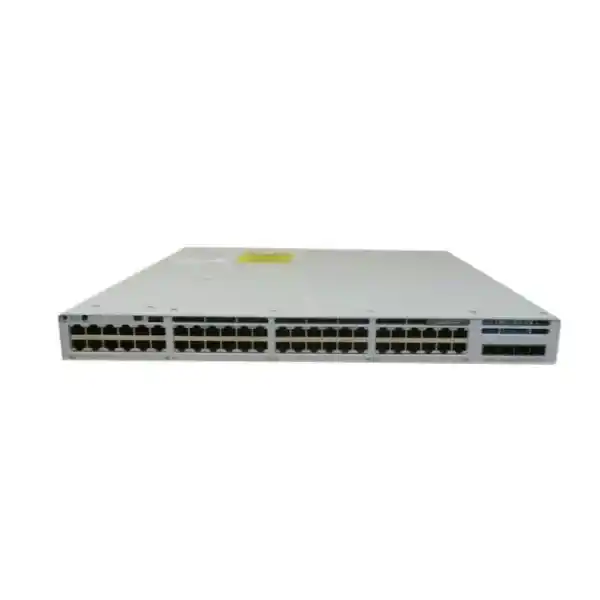
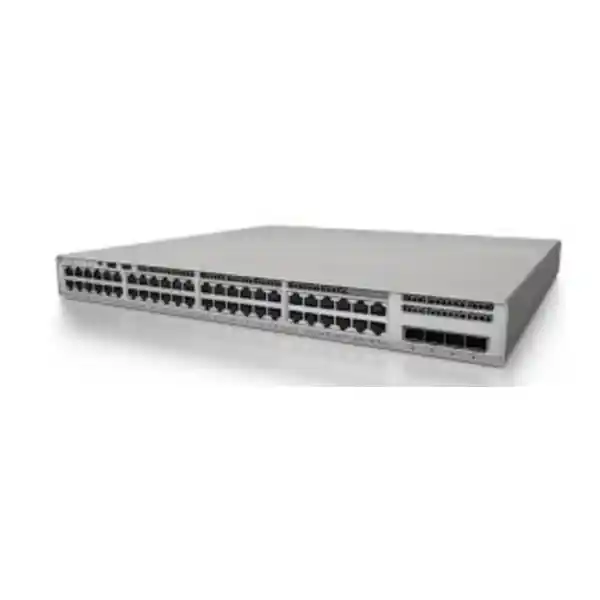
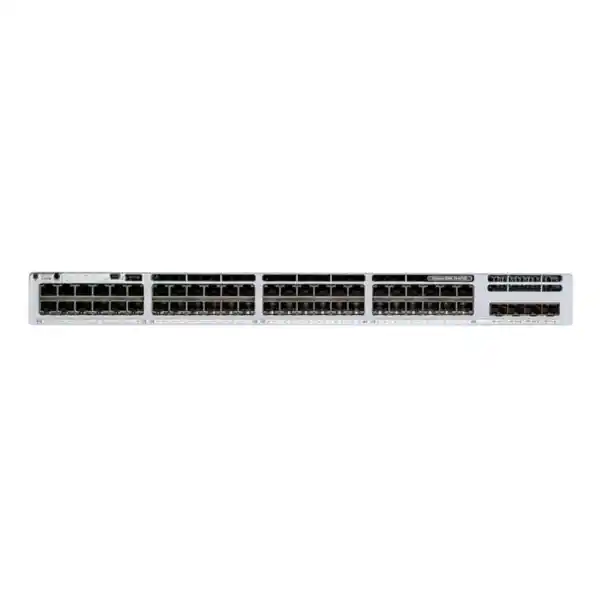
Cisco Catalyst C9300LM-48T-4Y Network Switch
A compact 1RU Catalyst 9300LM platform for dense 1 Gigabit data access, 25 Gigabit fiber aggregation and StackWise-320 operation in enterprise campuses, branch locations and shallow-depth rack environments.
Direct answer: who should deploy the C9300LM-48T-4Y?
The Cisco Catalyst C9300LM-48T-4Y is best suited to organizations that need a high-density, non-PoE enterprise access switch with modern Catalyst software, high-speed fiber uplinks and stacking in a chassis that is much shallower than many traditional campus switches. It is especially relevant when endpoint power is supplied separately, when users connect primarily through desktop computers, printers, industrial controllers, appliances or existing powered edge devices, and when rack depth is a real physical constraint. Because this model is data-only, it avoids paying for access-port PoE capability that may not be required, while preserving enterprise switching functions and 25 Gigabit uplink capacity.
For Dubai and wider UAE deployments, the platform fits well in compact telecommunications rooms, retail back offices, branch cabinets, education blocks, laboratories, financial offices and distributed enterprise sites where 48 copper access interfaces are needed per rack unit. Four fixed SFP28 uplink ports allow designers to build resilient 10G or 25G fiber paths toward distribution or core switching, subject to the selected optics and network design. StackWise-320 provides the option to operate multiple compatible units as a stack, simplifying management and creating a practical path to port-density growth without immediately changing the access-layer architecture.
Copper access ports
Forty-eight 10/100/1000 Mbps RJ-45 Ethernet ports provide dense user and device connectivity in a single rack unit.
Fixed fiber uplinks
Four SFP28 uplink interfaces give the access layer substantial northbound bandwidth and straightforward redundant fiber design.
StackWise family capability
StackWise-320 support enables compatible Catalyst 9300LM switches to be combined for simplified operations and scalable access density.
Shallow-depth chassis
At approximately 31.5 cm chassis depth, the model is designed for locations where conventional full-depth enterprise switches are difficult to accommodate.
Port architecture and practical access-layer design
The principal reason to select the C9300LM-48T-4Y is the way it combines conventional Gigabit Ethernet access with unusually capable fixed uplinks in a compact chassis. Forty-eight copper ports make the switch a natural fit for office floors where endpoint traffic is predominantly 1G or below. Desktop PCs, networked printers, access-control controllers, building-management gateways, storage management interfaces, digital signage players, point-of-sale terminals and many industrial or operational-technology endpoints continue to fit comfortably within this access speed. Because every front-panel access port is data-only, the model is most economical when the connected devices do not require IEEE power delivery from the switch.
The four SFP28 uplinks are significant. A legacy 48-port access switch often provides only a small number of 1G or 10G uplinks, which can become a bottleneck as user traffic, east-west flows and centralized services increase. The C9300LM-48T-4Y gives designers the option of multiple 10G or 25G fiber uplinks, depending on supported transceivers and topology. That means a pair of links can be used for redundancy while additional interfaces can support higher aggregate bandwidth, diverse distribution paths or future growth. Uplink design should still be based on traffic models rather than headline port speeds, but having four 25G-capable positions materially improves design flexibility.
A sensible access design starts by grouping endpoints according to business function and security policy, not just physical proximity. Finance users, corporate workstations, guest services, operational systems and shared devices can be placed into appropriate VLANs or segmentation constructs, with uplink capacity sized for actual application patterns. In a campus design, the switch can attach to a distribution pair; in a compact branch, it can connect directly to a collapsed core. In either case, the C9300LM-48T-4Y offers enough uplink headroom to avoid forcing a premature access-switch replacement solely because upstream bandwidth requirements increase.
Why the shallow 9300LM form factor matters in UAE projects
Rack depth is often overlooked until installation day. In modern purpose-built data rooms, deep cabinets are common, but many UAE enterprise networks extend into older offices, retail outlets, classrooms, security rooms, warehouses and mixed-use buildings where communications cabinets are considerably shallower. Traditional full-depth access switches can interfere with cabinet doors, patch panels, rear PDUs or bend-radius requirements. The C9300LM-48T-4Y has a depth of approximately 31.5 cm, which substantially improves the chances of fitting into constrained enclosures while preserving a standard rack-width format.
This physical characteristic is particularly useful in distributed networks where each site may have different cabinet conditions. A rollout across dozens of stores or branches benefits from a platform that reduces mechanical exceptions. It does not eliminate the need for a site survey: installers must still confirm rack-unit availability, front-to-rear clearance, cable-management space, power socket placement, ventilation, grounding and optical-fiber routing. However, the shallow chassis gives the project team more tolerance than a deeper platform and can reduce the number of locations that require cabinet replacement.
Thermal planning remains essential in the Gulf climate. The switch should be installed in an environment that stays within Cisco’s supported operating conditions, with proper airflow and without obstructed vents. Cabinet temperature can be materially higher than room temperature, especially in small enclosed wall cabinets. The design team should therefore assess air conditioning, heat loading from neighboring equipment, PDU placement and airflow direction rather than relying on nominal room conditions. For specialized site preparation and structured infrastructure support, FourTeck’s IT Services UAE resources can be used as part of the broader deployment planning discussion.
UADP 2.0 and the Catalyst forwarding model
Cisco’s Unified Access Data Plane, or UADP, is the silicon foundation behind many Catalyst 9000 capabilities. The C9300LM family is based on UADP 2.0. In practical network-engineering terms, the value of this architecture is not simply raw packet forwarding. It is the ability to support an enterprise switching feature set in hardware while keeping policy, telemetry and programmability integrated with the broader Cisco IOS XE software environment. Hardware-based forwarding is essential because access switches must apply features such as classification, access policy and routing at line rate without turning every packet into a software-processing event.
For architects, the ASIC matters when considering scale and feature interaction. An enterprise switch is rarely configured as a flat Layer 2 bridge. It may need VLAN segmentation, routed interfaces, quality-of-service marking and queuing, ACL enforcement, control-plane protection, multicast handling, first-hop security mechanisms and telemetry. Exact scale values and supported combinations depend on software release, license tier and configuration, so a production bill of materials should be validated against the intended Cisco IOS XE release and feature set. This is especially important for networks using advanced segmentation or automation, because feature requirements can influence the appropriate licensing choice.
The C9300LM-48T-4Y should therefore be evaluated as a complete switching system, not just as “48 Gigabit ports.” Its hardware platform, Cisco IOS XE software, uplink architecture, stack capability and licensing model together determine what the switch can do in a real enterprise. A technically correct procurement process maps the business use case to those layers before purchase, ensuring that the selected SKU, license and optics support the desired operating model.
Data-only access is a deliberate choice
The “T” model is not a PoE switch. That makes it appropriate for environments where edge devices are self-powered or where power injection is handled elsewhere. It is a strong fit for desktop-heavy floors, server-management networks, operational systems, lab benches and many branch deployments.
If a project includes large numbers of access points, IP phones, cameras or other powered endpoints, a PoE-capable Catalyst 9300LM variant may be more suitable. Avoid choosing the C9300LM-48T-4Y simply because its port count matches; power requirements should be validated first.
25G uplinks protect aggregation headroom
Four fixed SFP28 uplinks can provide a substantial improvement over access platforms limited to 1G or 10G. Designers can use these interfaces to create diverse uplink paths, LACP bundles where appropriate, or staged migrations from lower-speed optics toward 25G.
Actual usable speed depends on the selected transceiver, fiber plant and connected distribution equipment. Optics compatibility should always be checked against the target Cisco software release and physical media before finalizing the BOM.
StackWise-320: scaling beyond a single 48-port switch
StackWise-320 support is one of the most important operational characteristics of the C9300LM-48T-4Y. Stacking allows compatible switches to be interconnected so that administrators can operate them as a coordinated stack rather than as isolated boxes. The immediate benefit is simplified management: port density can increase while the operational model remains centralized. For branch and campus access networks, this can reduce configuration duplication and make expansion cleaner than deploying a collection of independent switches.
A stack should still be designed as a resilient system. Engineers should plan the stack cabling topology, stack member numbering, power feeds, uplink distribution and failure scenarios. Uplinks should not all originate from one physical member if the goal is to preserve upstream connectivity during a member failure. Similarly, critical endpoints can be distributed across members so that a single hardware event affects fewer users. The exact stack design must consider software release compatibility, supported stack hardware and maintenance procedures.
For a 96-port requirement, two C9300LM-48T-4Y units can create a compact access block. Larger closets can add compatible units within Cisco’s supported stack limits, creating a repeatable building block for standardized enterprise rollouts. Standardization matters because it simplifies spares, templates, change procedures and monitoring. Instead of engineering every closet as a unique solution, the organization can define validated “small,” “medium” and “large” access designs based on a known stack profile.
StackWise should not be confused with uplink bandwidth. The stack interconnect handles communication between stack members, while the SFP28 uplinks connect the access block to the rest of the network. Both need to be considered. A poorly distributed uplink design can create avoidable concentration even when stack bandwidth is ample, so the topology should be documented with member-level physical paths as well as the logical network view.
Cisco IOS XE: operations, automation and lifecycle consistency
The Catalyst 9300 family runs Cisco IOS XE, which provides the software operating environment for switching, routing, programmability and platform management. For enterprise teams, IOS XE is valuable because it supports a consistent operational approach across much of the Catalyst 9000 portfolio. Engineers can build reusable configuration standards, automation workflows, monitoring practices and upgrade procedures instead of treating each access switch as an unrelated device.
Programmability is increasingly important in large UAE deployments. A network with tens or hundreds of switches becomes expensive to manage manually. Structured automation can handle baseline configuration, VLAN provisioning, interface templates, compliance checks, telemetry collection and software lifecycle tasks. The exact APIs and automation features available depend on the software release and management architecture, but the IOS XE platform is designed for model-driven operations in addition to traditional CLI administration. This allows organizations to modernize gradually without forcing the network team to abandon familiar workflows overnight.
Software lifecycle planning should be part of procurement. The correct release is determined by feature requirements, Cisco support guidance, hardware compatibility and organizational change policy. A project should define the intended release train, test it against critical features, document rollback procedures and avoid introducing multiple unnecessary versions across similar sites. For regulated or security-sensitive environments, software maintenance windows and vulnerability remediation requirements should be agreed before rollout so that access switching becomes part of the organization’s broader operational-security program.
The C9300LM-48T-4Y was introduced with Cisco IOS XE 17.9.1 support, while later Catalyst 9300 releases continue to list the model. Production deployments should use a release validated for the organization’s application, feature and support requirements rather than assuming the introductory release is the best choice.
Network Essentials versus Network Advantage: license planning
Cisco lists C9300LM-48T-4Y variants associated with Network Essentials and Network Advantage. In a procurement context, this distinction matters because feature expectations should be mapped to the selected license level. A basic access deployment may need a different entitlement set from a network using more advanced routing, segmentation or policy functions. The hardware model name alone is therefore not enough to complete the order correctly.
The safest approach is to create a feature matrix before requesting a quotation. Record whether the switch will operate as Layer 2 access only or participate in routed access, what dynamic routing protocols are required, whether advanced segmentation is planned, whether centralized campus automation is part of the architecture, and what telemetry or assurance workflows will be used. Then validate those requirements against Cisco’s current licensing documentation for the intended software release. This prevents the common mistake of buying the correct chassis with an insufficient entitlement or buying a higher tier that delivers no practical value for the project.
Licensing should also be considered over the expected lifecycle rather than only at initial installation. A site may start as a conventional branch and later join a larger policy-based campus design. If future architecture is already known, it can be more efficient to align entitlement planning early. FourTeck can structure the quotation around the exact hardware and software requirement rather than treating “C9300LM-48T-4Y” as a complete procurement specification by itself.
VLAN segmentation, routed access and policy boundaries
In most enterprise networks, access switching is where users and devices first enter the managed infrastructure. The C9300LM-48T-4Y can therefore play a central role in segmentation. A conventional design may assign separate VLANs to departments, device classes or security zones. The switch can then forward those VLANs toward a distribution layer where inter-VLAN routing and policy are enforced, or it can participate in routed access designs where supported and appropriate. The topology depends on the wider campus architecture rather than the switch alone.
Segmentation decisions should be driven by trust boundaries. Corporate endpoints, printers, guest systems, building-management devices, access-control appliances and operational technology should not automatically share a broadcast domain just because they are in the same cabinet. Separating these functions improves fault containment and can simplify access policy. However, excessive VLAN proliferation creates operational overhead. A well-designed network balances security boundaries with maintainability and uses documented addressing and naming standards.
Where policy is enforced at the access edge, feature scale must be considered. ACL entries, routed interfaces and other hardware resources are finite, and their consumption can vary by template and software configuration. Projects with unusually large security-policy sets should validate hardware scale before deployment. For ordinary enterprise access, the 9300 platform provides a robust foundation, but architects should still avoid assuming that every possible feature can be enabled at maximum scale simultaneously.
In a mature deployment, switch configuration is generated from policy rather than hand-built device by device. Interface roles can be templated for corporate users, printers, infrastructure appliances and other endpoint types. This reduces configuration drift and makes troubleshooting easier because an engineer can compare a live port against a known standard instead of interpreting one-off CLI changes.
Access security and identity-aware design
A campus switch is also a security enforcement point. While exact functions depend on software and licensing, Catalyst access networks can be designed around endpoint authentication, controlled onboarding, port security, infrastructure protection and policy enforcement. The engineering objective is to ensure that a live Ethernet socket does not automatically equal unrestricted network access. Authentication and authorization should determine what a device can reach, and operational controls should limit the impact of accidental loops, rogue services and misconfigured endpoints.
For user-facing ports, organizations commonly assess 802.1X, MAC-based fallback for devices that cannot run supplicants, controlled VLAN assignment, downloadable policy mechanisms and integration with identity services. The final feature set must be matched to the chosen Cisco ecosystem and license. For infrastructure-facing ports, engineers should consider protections against unauthorized DHCP servers, ARP abuse and Layer 2 topology manipulation. The appropriate controls depend on endpoint behavior; enabling every feature indiscriminately can break legitimate devices, so deployment should follow testing.
Management-plane security is equally important. Administrative access should be limited to authorized networks and protected with secure protocols, role-based access, centralized AAA and logging. Default credentials and shared local accounts should not form the long-term management strategy. Configuration backups, change records and secure time synchronization improve forensic value and operational recovery.
The C9300LM-48T-4Y can fit into a layered security model where the access switch enforces local controls and traffic is then inspected by upstream security infrastructure. For organizations building or refreshing perimeter and segmentation security, FourTeck’s Firewall Dubai practice can be referenced when aligning switching decisions with the wider firewall architecture.
Quality of Service
Even without PoE, access ports may carry voice, collaboration, transactional applications, virtual desktop traffic and control protocols. QoS design should classify traffic based on organizational policy, preserve trusted markings only where appropriate, and ensure that uplinks do not become uncontrolled contention points. Queue and policy behavior should be tested under realistic load.
Multicast readiness
Education, market-data, media and industrial environments may use multicast. The access layer must be configured so multicast reaches intended receivers without flooding every port. IGMP-related behavior, routing boundaries and application requirements should be planned end to end rather than configured in isolation.
Telemetry and monitoring
High-quality operations depend on more than interface-up status. Teams should monitor errors, drops, utilization, CPU, memory, environmental state, stack health, uplink behavior and configuration change events. Telemetry should feed a platform that can correlate switch health with user experience and application incidents.
Configuration governance
Golden configurations, automated compliance checks and approved change templates reduce variation across sites. This is particularly valuable in multi-branch UAE deployments, where one inconsistent access policy can create support problems that are difficult to diagnose remotely.
Sizing the switch: a method that avoids overbuying or underbuilding
Port count is the starting point, not the full sizing calculation. A 48-port switch should not automatically be assumed to support exactly 48 users. Engineers need to account for spare ports, growth, patching conventions, dual-connected devices and reserved interfaces. A practical access design usually keeps some capacity available so that desks can be added, failed ports can be bypassed and small office changes do not force an immediate switch purchase. The amount of reserve depends on the organization’s growth rate and change frequency.
Bandwidth sizing should examine traffic aggregation. Forty-eight 1G edge ports create a theoretical access-side total far greater than typical sustained user demand, because ordinary endpoint traffic is bursty. The appropriate uplink design depends on oversubscription tolerance and application patterns. A general office may perform well with a modest uplink bundle, while a media-production, engineering or backup-heavy environment can demand considerably more. The four 25G-capable uplink positions allow the same switch to support both conservative and high-capacity designs without changing the access chassis.
Failure-domain sizing also matters. A very large stack is operationally convenient but concentrates more users into one logical system. Some organizations prefer smaller stacks so maintenance or unexpected events affect fewer endpoints. Others prioritize centralized management and port density. The correct answer depends on business continuity requirements, support staffing, physical room layout and upstream redundancy.
Finally, power and environmental capacity must be sized at the rack level. Even though this switch is data-only, the cabinet still has a finite electrical and thermal budget. The project should document circuit capacity, PDU outlet types, UPS runtime requirements and cooling. The 600W AC supply rating is a hardware specification; actual consumption depends on operating conditions, but electrical design should always follow vendor guidance and local installation standards.
25G uplink planning: optics, fiber and distribution compatibility
The four SFP28 uplinks are only as useful as the physical network attached to them. Before ordering optics, determine the distance between the access switch and the distribution or core, the installed fiber type, connector standard, patch-panel path and optical budget. Short links inside a building may use one optical approach, while longer campus links may require another. Direct-attach or other media options may be appropriate in some rack-local designs, but compatibility must be checked for the exact Cisco platform and neighboring device.
SFP28 describes the form factor and 25 Gigabit class interface; it does not mean every transceiver is automatically supported. Cisco maintains compatibility information for optics and software. A procurement team should therefore avoid substituting an arbitrary transceiver based only on connector shape or advertised speed. The switch, transceiver, fiber plant and remote interface must form a validated end-to-end link.
Fiber redundancy should be physical as well as logical. Two uplinks routed through the same tray, same riser and same patch panel can fail together. For critical sites, route diversity may require separate fiber paths, distinct distribution switches and different patching infrastructure. Link aggregation can improve capacity and resilience, but it does not compensate for common physical failure points.
The presence of four uplinks provides design options: dual links to a distribution pair, multi-link bundles, separate production and migration paths, or spare interfaces for future bandwidth increases. A clean design documents which physical SFP28 port maps to which fiber pair, distribution interface and logical bundle. This level of documentation makes maintenance safer and reduces accidental outages during patching work.
Branch and campus resilience considerations
Resilience should be engineered through the entire path from the endpoint to the application. At the access layer, a stack can reduce management complexity and provide a coordinated platform, but upstream connectivity should also be redundant when business requirements justify it. The four uplinks make it practical to connect different stack members toward two distribution switches or a redundant core. The exact Layer 2 or Layer 3 topology should be selected based on the organization’s convergence targets and operating model.
Power resiliency requires separate consideration. A second network path does not help if every switch is fed from the same failed circuit. Critical locations may use UPS-backed power, dual circuits, generator-supported infrastructure or other facilities measures. The C9300LM model’s power architecture and the final ordered configuration should be reviewed against the desired electrical redundancy. Facilities coordination is especially important in branch cabinets where only a few sockets may be available.
Operational resilience also depends on spares and replacement procedures. Organizations with many identical switches can keep a pre-staged spare or standardized replacement unit. Configuration backup and automation allow a failed switch to be rebuilt quickly. Stack-member replacement procedures should be rehearsed rather than improvised during an outage, including software version alignment and interface mapping.
The broader network may include servers, firewalls, wireless controllers, WAN equipment and virtualization infrastructure. FourTeck’s Server Dubai site can support discussions where access-switch refreshes are part of a wider data-center or infrastructure modernization rather than a standalone switching purchase.
When not to choose the C9300LM-48T-4Y
This model is not the right choice for every 48-port access requirement. The most obvious limitation is PoE: the C9300LM-48T-4Y is a data-only switch. If the port population includes IP phones, Wi-Fi access points, surveillance cameras, sensors or other devices that depend on switch-delivered power, the project should calculate total PoE demand and consider an appropriate PoE-capable Catalyst model. Adding external injectors to dozens of ports usually creates unnecessary complexity and undermines the operational advantages of an enterprise switch.
Likewise, if endpoints themselves require multigigabit access speeds above 1G, the 48T access interfaces are not suitable. The high-speed capability is on the uplinks, not the copper access ports. Environments with Wi-Fi 6E/7 access points, high-performance workstations or specialized devices that require 2.5G, 5G or 10G copper should evaluate a multigigabit Catalyst 9300LM variant or another model designed for those edge speeds.
If the rack has ample depth and the organization requires a different uplink architecture, higher stacking bandwidth or more specialized features, other Catalyst 9300 models may offer a better fit. The shallow chassis is a major benefit, but it should not become the only selection criterion. The desired endpoint power, access speed, uplink media, stacking scale, software features and lifecycle plan should collectively determine the model.
Finally, small unmanaged environments may not need an enterprise Catalyst platform at all. The value of the C9300LM-48T-4Y comes from using its operational, security and management capabilities. If a network will never use centralized configuration, policy, monitoring or redundancy, a simpler platform may be more economical. Enterprise hardware delivers its strongest return when the organization also adopts disciplined enterprise operations.
Migration from legacy Catalyst access switches
Many organizations considering the C9300LM-48T-4Y are replacing older Catalyst generations. A successful migration starts with discovery. Export the existing switch configurations, document VLANs, trunks, port descriptions, spanning-tree roles, port channels, routed interfaces, QoS policies, authentication settings, monitoring destinations and management addresses. Do not assume every old configuration line should be carried forward; a refresh is an opportunity to remove obsolete VLANs, unsupported commands and historical workarounds.
Create a port-mapping sheet for each switch. The map should identify the old port, connected device, cable label, VLAN or policy role and target new port. This is especially useful in dense 48-port cabinets where patch cords look identical. During the cutover, move ports in controlled groups and verify link state, address assignment, authentication and application reachability. Critical endpoints should have named validation steps rather than a generic “network is up” check.
Uplink migration deserves separate planning because 25G capability may introduce new optics or fiber requirements. If the existing distribution layer supports only 10G, the new switch can still be integrated using a compatible design where supported, while the 25G capability preserves future headroom. Avoid forcing a simultaneous core upgrade unless business requirements justify it. A staged migration can reduce project risk.
Software configuration should be built from a validated template for the target IOS XE release. Where automation is available, generate the baseline consistently and apply site-specific variables such as hostname, management address, VLAN assignments and uplink configuration. Then test the complete build on representative hardware before production rollout.
After migration, retain the legacy configuration and port map for a defined rollback period, capture the final running configuration and update asset records. Decommissioned switches should be securely erased and handled according to organizational asset-disposal policy. This closes the lifecycle loop rather than leaving old devices and credentials unmanaged.
Operational standards for large multi-site deployments
A standardized access-switch platform produces the greatest operational benefit when configuration and support are also standardized. Define a naming convention that identifies region, site, floor and stack role. Use consistent interface descriptions, VLAN naming and management addressing. Keep site-specific differences in documented variables instead of editing the base configuration ad hoc. This allows monitoring platforms and support teams to interpret every site using the same mental model.
Logging should capture meaningful events without overwhelming the collector. Time synchronization must be consistent so switch events can be correlated with firewall, server and application logs. SNMP, streaming telemetry or other monitoring mechanisms should be configured according to the organization’s chosen operations stack. Alert thresholds should distinguish actual risk from normal short-lived changes; otherwise teams become desensitized to noisy alarms.
Backups should be automated and tested. A configuration backup is useful only if teams know how to restore it to replacement hardware. Software images, license records, serial numbers, support contracts and transceiver inventory should be linked to the asset-management system. For stack deployments, maintain diagrams showing member numbers and physical stack cabling because this information is difficult to reconstruct during a failure.
Change governance should define what can be automated, what requires peer review and what must occur inside a maintenance window. Access switches affect large numbers of users, so apparently small changes such as spanning-tree settings, uplink modifications or authentication policies can have broad consequences. Standard pre-change checks and post-change validation reduce avoidable outages.
Organizations extending a common switching design beyond the UAE can also use FourTeck’s Africa Main Site to coordinate wider regional infrastructure requirements while maintaining common technical standards.
Performance planning beyond interface speed
Interface speeds are easy to compare, but real network performance depends on traffic patterns, buffering, congestion points, protocol behavior and upstream architecture. An access switch with 48 Gigabit ports rarely sees every interface transmitting at full rate at the same time. The design goal is therefore not to provide a one-to-one uplink ratio for every theoretical bit, but to provide enough aggregate capacity and resilience for the applications that matter. This requires measurement and workload understanding.
General business networks are typically bursty. Users open files, load cloud applications, join meetings and synchronize data at different times. A pair of well-sized uplinks may provide ample capacity. By contrast, engineering workstations, imaging systems, backup agents, software deployment platforms and local content distribution can create sustained flows. In these environments, the 25G uplink capability becomes strategically useful because it allows substantially more headroom without changing the access-port layer.
Latency is influenced by congestion and queueing as much as switching hardware. QoS policies should protect truly delay-sensitive traffic without starving ordinary business applications. Overly complex QoS configurations are difficult to maintain, so policies should be based on clear application classes and verified markings. Monitoring should confirm whether drops occur at access ports, uplinks or upstream devices before bandwidth is added.
Performance troubleshooting should use counters and telemetry rather than assumptions. CRC errors can point to cabling problems; output drops can indicate congestion; frequent link flaps may reveal physical faults or endpoint behavior. A modern Catalyst switch provides the operational visibility required for systematic diagnosis, but teams need baseline data so they can distinguish normal variations from a developing issue.
Cabling and physical-layer engineering
The C9300LM-48T-4Y terminates forty-eight copper Ethernet links, so structured cabling quality directly affects user experience. Category cabling should be installed and certified to the required standard, with patch-panel labeling consistent at both ends. A switch replacement will not fix marginal permanent links. If ports negotiate down unexpectedly, show high error counts or flap under load, the copper path should be tested before blaming the switch.
Patch-cord management is particularly important in a dense 48-port layout. Cables should be routed so they do not block airflow or place strain on connectors. Horizontal and vertical managers help keep ports serviceable, and labels should remain visible after bundling. In a shallow cabinet, front-door clearance and cable bend radius can be as important as chassis depth, so the mechanical drawing should include patching space rather than measuring only the switch body.
Fiber uplinks require equal discipline. Clean connectors, correct polarity, appropriate fiber type and documented patch paths reduce intermittent faults. Optical levels can be checked during commissioning where relevant. Spare fiber pairs are valuable for future changes, but they should be documented and protected rather than left as unidentified strands in a tray.
Physical documentation should show rack unit, patch panel, switch port and destination. This creates a complete chain from the endpoint outlet to the switch interface. When a support ticket references a room outlet or desk number, engineers can immediately identify the corresponding switch port and retrieve telemetry without manually tracing a cable.
Procurement considerations for Dubai and the UAE
Enterprise switching purchases should be quoted as complete deployment bundles, not as isolated chassis lines. The core C9300LM-48T-4Y model is only one component. The final requirement may include the correct Network Essentials or Network Advantage variant, software subscriptions or entitlements, supported SFP/SFP28 transceivers, stack adapters or cables where required, rack-mount accessories, power cords, support coverage and spare units. Missing a low-cost accessory can delay a high-value rollout, so the bill of materials should be validated before the purchase order is issued.
Regional logistics also matter. Project teams should identify whether every item is required on day one or whether optics and stack accessories can be staged. For multi-site deployments, consistent BOMs reduce field errors. If a site has an exception, such as single-mode fiber instead of multimode or a different rack depth, document that exception explicitly rather than allowing the local installer to improvise.
Support planning should reflect the business impact of the sites. A headquarters access block may justify faster replacement coverage than a low-criticality remote location. Spare strategy can sometimes provide better recovery than premium support alone, especially across many identical branches. The procurement decision should consider mean time to replace, configuration restoration and travel time, not just vendor warranty terms.
FourTeck UAE can align hardware supply with implementation requirements through its main regional presence at FourTeck UAE. For an accurate quotation, provide the site count, number of switches, license preference, stack requirements, fiber type, uplink speed, optics distance, support expectations and desired delivery schedule.
Pricing for Catalyst infrastructure can change with configuration, licensing, availability and project volume, so a model-only price comparison is rarely sufficient. Compare equivalent bills of materials and support assumptions to ensure each quotation represents the same technical solution.
Commissioning checklist for the C9300LM-48T-4Y
1. Asset and hardware validation
Confirm model, serial number, ordered license variant, power supply, rack accessories, stack components and optics against the approved BOM before installation. Record assets in the inventory system.
2. Rack and power readiness
Verify cabinet depth, one-rack-unit space, airflow, grounding, PDU outlet type, UPS support, front cable clearance and service access. Confirm room and cabinet environmental conditions.
3. Software baseline
Load the organization’s approved Cisco IOS XE release, confirm boot variables and validate software compatibility with required features, optics, stack components and management systems.
4. Secure management
Apply hostname, management addressing, AAA, secure administrative access, logging, time synchronization, monitoring and configuration backup according to the enterprise standard.
5. Access policy
Apply VLAN and interface templates, authentication controls where used, spanning-tree protections, QoS policy, edge security settings and endpoint-specific exceptions that have been tested.
6. Uplink and resilience tests
Verify fiber levels or link health, port channels, routing or trunk state, upstream redundancy, stack behavior and convergence. Test failure scenarios appropriate to the site’s business criticality.
Troubleshooting framework for support teams
Efficient troubleshooting starts by defining the scope. If one endpoint fails, focus first on the local access port, cable, VLAN or authentication state. If an entire switch fails, check power, stack state and uplinks. If multiple switches lose application access while local connectivity remains, the fault may be upstream. This layered approach prevents teams from making broad configuration changes before understanding the failure domain.
At the physical layer, inspect interface state, speed and duplex negotiation, error counters and link transitions. Replace or test patch cords before assuming a hardware fault. At Layer 2, confirm VLAN membership, trunk allowance, spanning-tree state and MAC learning. At Layer 3, check the relevant gateway, routing and adjacency information if the switch participates in routing. For identity-controlled ports, review authentication state and policy results.
For uplink problems, compare local and remote interface counters, optical or media status, port-channel state and configuration consistency. A link that is physically up can still fail to forward the intended VLANs or routes. When redundancy is present, verify both normal traffic distribution and failover behavior. Hidden faults often remain unnoticed until the preferred path fails and the secondary path is discovered to be misconfigured.
Stack incidents require member-level visibility. Identify the affected member, stack port status, software alignment and hardware alarms. Avoid unnecessary full-stack reloads when the issue is isolated. A documented member replacement procedure reduces downtime and preserves port numbering expectations.
Finally, keep evidence. Save relevant command output, timestamps, logs and configuration diffs before making changes. This makes escalation more effective and helps determine whether the incident was caused by hardware, software, cabling, configuration or an upstream dependency. Good troubleshooting is a repeatable process, not a sequence of guesses.
Lifecycle, software maintenance and change control
Enterprise switches frequently remain in service for many years, so lifecycle management should be designed from the beginning. Keep an inventory of hardware revisions, serial numbers, software versions, license states, optics and support coverage. When Cisco publishes software guidance or security advisories relevant to the platform, the operations team should be able to identify affected devices quickly. Accurate inventory is therefore a security control as well as an asset-management function.
Software upgrades should be tested on representative hardware and features before broad rollout. Validation should cover stacking, uplinks, authentication, routing, monitoring and any specialized policy. Large organizations can use phased deployment rings: lab, pilot site, low-risk production and then wider rollout. This catches environment-specific issues before they affect every access closet.
Configuration drift should be monitored continuously. A switch that differs from the golden standard may work today but fail during the next change or security audit. Automated compliance tools can identify unauthorized services, inconsistent management settings or missing interface protections. Remediation should be controlled so that automation does not overwrite a legitimate site-specific exception.
End-of-life planning is equally important. When a platform approaches the end of vendor support, organizations should know how many units remain, what sites depend on them and which replacement architecture will be used. A standardized C9300LM deployment simplifies future planning because port count, uplink design and stack layout are documented consistently.
Lifecycle cost includes staff effort, outages and operational complexity in addition to hardware purchase price. A well-managed Catalyst platform can reduce those indirect costs by supporting consistent tooling and processes across the enterprise.
C9300LM-48T-4Y versus common alternative requirements
| Requirement | C9300LM-48T-4Y fit | What to evaluate if not a fit |
|---|---|---|
| 48 standard 1G data endpoints | Excellent fit | Reserve port capacity and growth |
| PoE phones, APs or cameras | Not suitable as the sole access switch | Choose a PoE-capable Catalyst model and calculate power budget |
| 2.5G/5G/10G copper endpoints | Not supported on the 48 data ports | Evaluate a multigigabit 9300LM variant |
| Shallow cabinet | Strong fit | Verify exact cabinet clearance and airflow |
| High-speed fiber aggregation | Strong fit with 4 × 25G SFP28 | Validate optics and upstream port compatibility |
| Stacked access architecture | Supported through StackWise-320 | Plan stack kit, member design and resilient uplinks |
Architecture example: resilient 96-port office access block
Consider an office floor with approximately 80 active wired endpoints and a forecast of 10 additional devices. Two C9300LM-48T-4Y switches provide 96 access ports, leaving controlled spare capacity for growth and maintenance. The two units can be deployed as a compatible stack, with endpoints distributed across members according to desk zones or service categories. The access layer then presents a simpler operational unit while preserving member-level hardware separation.
For upstream connectivity, the design can use SFP28 uplinks from both physical members toward redundant distribution switches. Exact link count and speed depend on traffic demand and distribution capability. If the existing distribution supports 10G, the access layer can be integrated using supported 10G optics or interfaces where validated, while preserving a migration path to 25G. If 25G is already available, the design can use higher bandwidth immediately.
Corporate users and shared devices can be separated into VLANs or policy groups. Management traffic should use a controlled management plane, and endpoint authentication can be introduced based on organizational identity architecture. Monitoring collects interface utilization, errors, stack state and environmental information. Configuration templates ensure both members follow the same baseline.
This example demonstrates why access design is more than multiplying switch ports. The final architecture includes capacity reserve, stack topology, uplink redundancy, security policy, operational monitoring and lifecycle standards. The C9300LM-48T-4Y supplies the hardware foundation, but engineering discipline determines the reliability of the delivered service.
Frequently asked technical questions
Does the C9300LM-48T-4Y provide PoE?
No. This is a data-only model with forty-eight 10/100/1000 Mbps copper access ports. If powered endpoints are required, evaluate a PoE-capable C9300LM or another Catalyst model and size the PoE budget for the actual device population.
How many uplinks does it have?
It provides four fixed 25 Gigabit SFP28 uplink interfaces. This gives designers substantial fiber capacity and allows redundant uplink layouts without installing a separate field-replaceable uplink module.
Can it be stacked?
Yes. Cisco lists the C9300LM-48T-4Y with StackWise-320 support. The complete stack bill of materials and topology should be validated for the intended number of members and installation design.
Why choose the LM model instead of a deeper Catalyst switch?
The key physical advantage is shallow depth. At approximately 31.5 cm deep, it is easier to accommodate in space-constrained racks, branch cabinets and distributed edge rooms where a conventional deep chassis may be difficult to install.
Can the access ports run at 25G?
No. The forty-eight copper access ports are 10/100/1000 Mbps. The 25 Gigabit capability applies to the four fixed SFP28 uplink ports.
Which license should be ordered?
The answer depends on required features. Cisco lists Network Essentials and Network Advantage variants for this model family. Provide the routing, segmentation, automation and policy requirements so the correct entitlement can be matched to the deployment.
Detailed UAE site-readiness considerations
A technically correct switch selection can still fail operationally if the site is not ready. Before delivery, confirm the communications room or cabinet has stable power, suitable grounding, adequate cooling and the required rack hardware. For wall-mounted cabinets, check not only nominal depth but usable depth after the front door, rear mounting rails, PDU and cable managers are considered. The C9300LM’s shallow chassis helps, but a crowded cabinet can still make service access difficult.
Verify copper patching and labeling before the cutover. An access switch replacement often reveals undocumented cables, abandoned outlets and patch-panel labels that no longer match floor plans. Cleaning this information during the project reduces future troubleshooting time. Where possible, use certification reports for critical copper links and record fiber test results for new uplinks.
For high-availability locations, document the source of each power feed and each fiber path. Two logical uplinks are not truly independent if they share the same physical route. Similarly, a UPS-backed rack is only resilient if battery runtime is monitored and batteries are maintained. Network and facilities teams should agree ownership of these dependencies before go-live.
Remote sites also need an out-of-band or recovery strategy. If a configuration change removes normal network access, how will the switch be reached? Depending on site criticality, options may include console servers, local smart hands or documented rollback mechanisms. The cost of recovery access should be compared with the business cost of sending an engineer after every remote misconfiguration.
A commissioning pack should contain the final rack diagram, port map, switch configuration, software version, license record, optics list, cable identifiers, management address and support contact process. This package turns a one-time installation into a maintainable operational asset.
Technical value for regulated and security-sensitive organizations
Financial services, government-linked entities, healthcare, education and other regulated organizations often need stronger configuration governance than small networks. The C9300LM-48T-4Y fits this environment because it belongs to an enterprise platform family designed for structured management and policy. The switch can be incorporated into documented hardening standards, centralized AAA, secure management-plane design, controlled software lifecycle processes and continuous monitoring.
Compliance teams should avoid treating a switch model as “secure by default.” Security comes from configuration, software maintenance and operational discipline. Disable unnecessary services, restrict management access, use approved cryptographic settings, maintain software at a supported level and review configuration changes. Logs should be retained according to policy, and administrative activity should be attributable to named users wherever possible.
Segmentation can support compliance by limiting which systems communicate directly. For example, sensitive user groups or operational devices may be separated from general office endpoints. The access switch enforces part of that structure, while upstream firewalls and identity systems can provide additional controls. Policy ownership should be clear: the network team implements technical rules, but business and security stakeholders define what communication is allowed.
For auditability, standardize configurations and retain evidence of approved baselines. Automated configuration comparison can show when a switch differs from policy. This is more reliable than periodic manual inspection and scales better across many branches. The hardware investment is therefore paired with governance processes that preserve its security value over time.
Integration with the wider enterprise architecture
The access switch is the first infrastructure hop for many devices, but it should be designed in the context of the entire network. Uplinks connect to distribution or core switching; user traffic then reaches firewalls, WAN routers, internet edges, data-center networks and cloud services. A switch refresh is therefore an opportunity to verify addressing, routing, segmentation and capacity end to end.
If the organization is modernizing wireless, remember that the C9300LM-48T-4Y itself is data-only and 1G at the access ports. High-performance wireless access points commonly require PoE and may benefit from multigigabit copper. It can still coexist with dedicated PoE/multigigabit switches in the same access layer, allowing data-only ports to be served economically by the 48T model while wireless and voice use specialized hardware.
For server and appliance connections, evaluate whether 1G access is sufficient. Management interfaces, console networks and low-bandwidth appliances are often a good fit, but application data interfaces may require higher speed. Avoid connecting a device to a 1G port solely because it is physically convenient if that link becomes an avoidable performance bottleneck.
For SD-WAN branches, the access switch can provide the internal LAN handoff to WAN edge appliances. Redundant WAN devices may connect through separate VLANs or routed segments depending on architecture. The access stack should be designed so a single member failure does not unnecessarily isolate both WAN devices.
FourTeck can coordinate the C9300LM-48T-4Y as part of a broader network refresh, including structured access switching, fiber uplinks, firewall integration, server connectivity and operational standardization, rather than limiting the engagement to box delivery.
Decision recap: is the C9300LM-48T-4Y the right switch?
Choose the Cisco Catalyst C9300LM-48T-4Y when the project calls for forty-eight standard Gigabit Ethernet data ports, no access-port PoE, a shallow 1RU chassis, four high-speed 25G-capable fiber uplinks and Cisco enterprise switching with StackWise-320. It is particularly compelling in branch and campus environments where rack depth is constrained but the organization does not want to compromise on uplink capacity or Catalyst operational consistency.
Strong reasons to select it
- 48 dense 1G copper data ports
- 4 fixed 25G SFP28 uplinks
- StackWise-320 support
- Shallow 31.5 cm-class chassis depth
- Cisco IOS XE and UADP 2.0 foundation
Check another model if you need
- PoE or UPOE on access ports
- 2.5G, 5G or 10G copper access
- A different modular-uplink architecture
- Specialized scale beyond the project’s validated profile
- A lower-complexity unmanaged switching use case
Quotation input checklist
For a technically complete UAE quotation, send the following project details. This prevents mismatched optics, licensing gaps and missing stack accessories.
Structured consultation for Cisco Catalyst C9300LM-48T-4Y deployments
A production-ready quote should match the switch to the actual rack, fiber plant, stack topology, license tier and operating model. FourTeck can review these inputs before supply so the project arrives with the correct chassis variant, optics, accessories and implementation scope.
Provide your site list, endpoint counts, cabinet dimensions, uplink distances, existing core/distribution models and required delivery window. The result is a BOM built around the network design rather than a generic model-only estimate.
Request a validated Cisco C9300LM-48T-4Y UAE quotation with licensing, stack components and optics included.
Region: Dubai / UAE
Access: 48 × 1G data
Uplinks: 4 × 25G SFP28


Reviews
There are no reviews yet.