
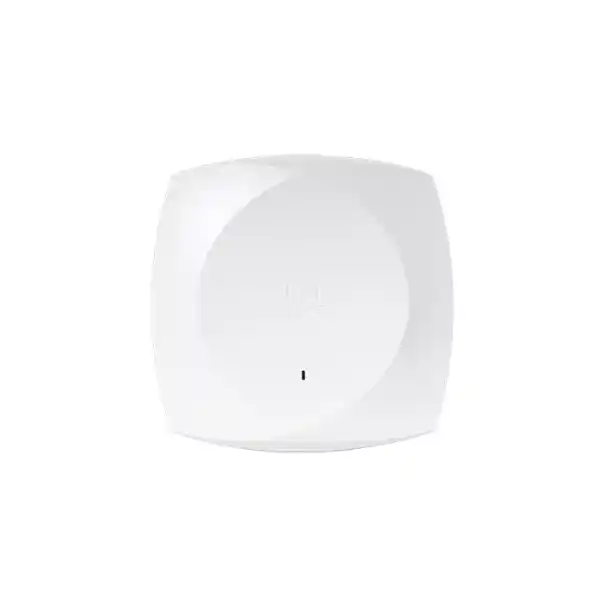
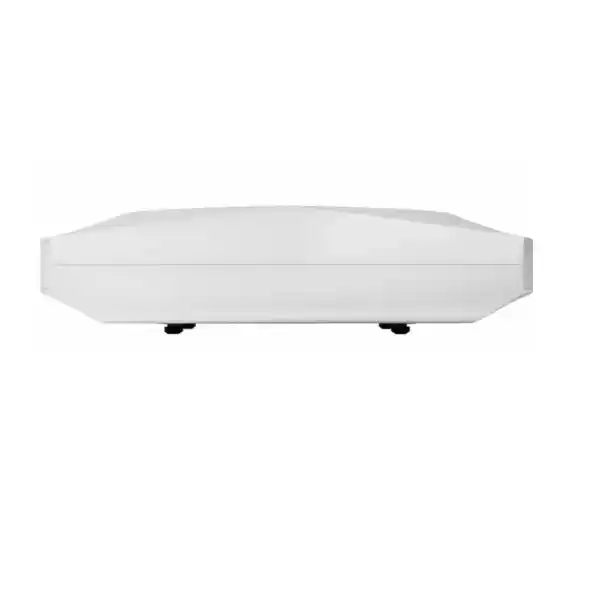
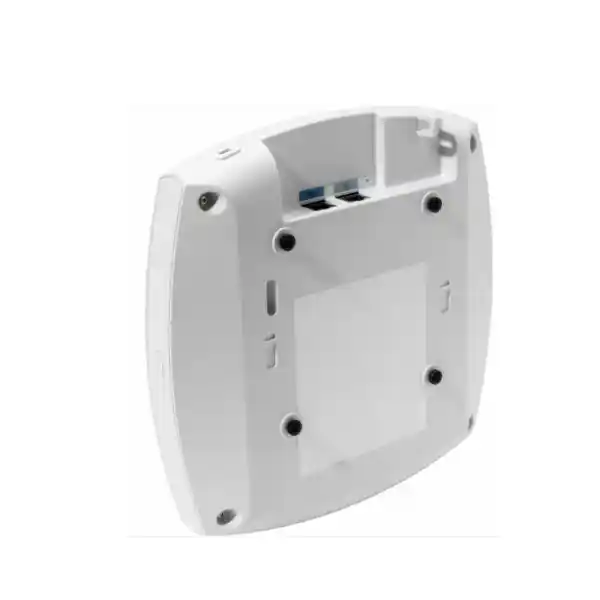
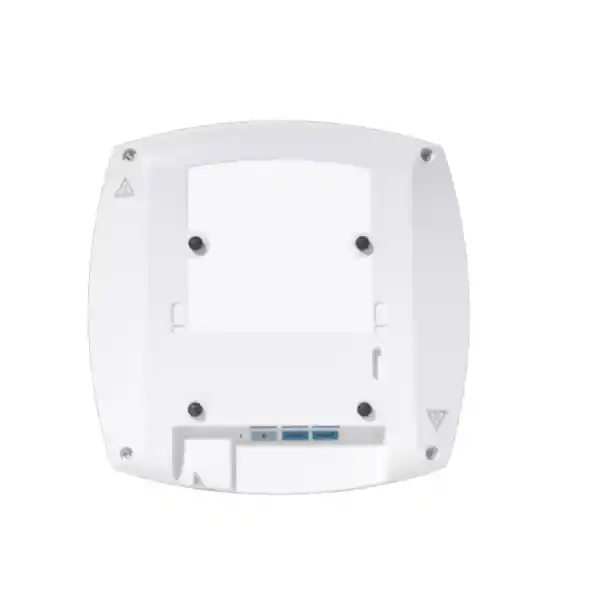
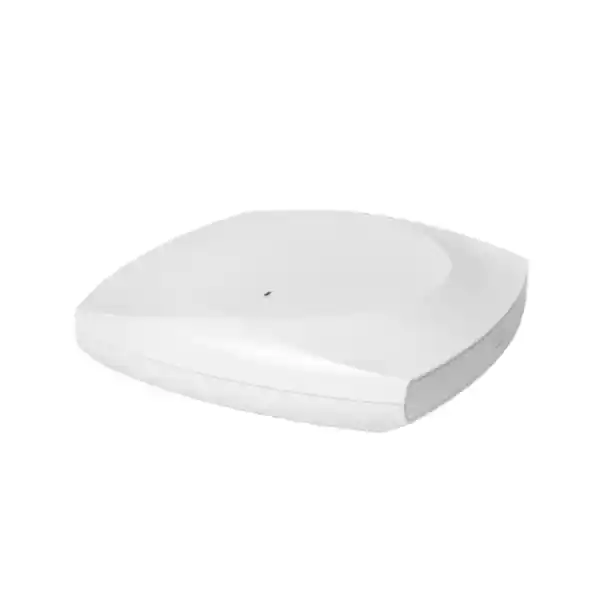
Cisco Wireless CW9178I Wi-Fi 7 Access Point
A high-end Cisco Wi-Fi 7 platform for organizations that need greater wireless capacity, lower-latency application performance, multigigabit wired uplinks, advanced RF visibility, resilient management options and a practical migration path from current enterprise Wi-Fi estates. The CW9178I is engineered for dense indoor environments where the access layer, switching layer, security policy and operational tooling must work as one system rather than as isolated components.
Direct answer: who should deploy the Cisco CW9178I?
The Cisco Wireless CW9178I is best suited to enterprises that are designing a new high-capacity wireless layer or refreshing a premium Wi-Fi 6 or Wi-Fi 6E environment and want Wi-Fi 7 capability without sacrificing centralized control, security integration or operational visibility. It is particularly relevant to locations where user density, device count, application sensitivity or wired uplink demand can exceed what midrange access points comfortably handle. Typical examples include corporate headquarters, financial-services offices, large education facilities, conference centers, hotels, healthcare campuses, executive floors, digital workplaces, event areas, technology companies and other UAE sites with concentrated client populations.
The CW9178I should not be selected only because it carries a Wi-Fi 7 label. A successful design also considers client capabilities, channel reuse, 6 GHz availability, power delivery, switching port speed, cabling quality, controller software, licensing, redundancy and RF coverage. FourTeck approaches the product as part of an end-to-end access architecture. Organizations can engage FourTeck UAE for wireless planning and procurement, while broader infrastructure work such as switching, structured cabling, segmentation, monitoring and rollout services can be coordinated through FourTeck IT Services UAE.
CW9178I technical highlights at a glance
Wi-Fi 7 radio platform
Supports IEEE 802.11be features including 4096-QAM, Multi-Link Operation, preamble puncturing, OFDMA enhancements and 320 MHz channels in 6 GHz, with 4×4 spatial-stream capability across the primary client-serving bands.
Quad-radio flexibility
Can operate with a 2.4 GHz radio, two 5 GHz radios and a 6 GHz radio, allowing organizations to add 5 GHz capacity while retaining 2.4 and 6 GHz service where the RF plan justifies it.
Dual 10G multigigabit
Two RJ-45 uplinks support 100M, 1G, 2.5G, 5G and 10G speeds. This matters when wireless aggregate capacity grows beyond a single 1G or 2.5G uplink and when link or power resiliency is part of the design.
Integrated location and IoT
Includes BLE 5.3, Ultra-Wideband, GNSS/GPS, IoT radio capability and a USB interface for supported application-hosting or hardware-module use cases.
Advanced RF observability
A dedicated scanning architecture works with Cisco RF analytics and CleanAir Pro capabilities to improve interference visibility, troubleshooting and wireless assurance across modern spectrum environments.
Unified management direction
The global-use hardware can be deployed in Cisco Catalyst controller-based environments or Meraki cloud-managed environments, helping organizations preserve flexibility as operating models evolve.
Wi-Fi 7 architecture: what changes compared with previous generations?
Wi-Fi 7, defined by IEEE 802.11be, is designed to increase capacity and improve how wireless networks handle demanding traffic rather than simply raising a headline speed figure. The CW9178I exposes the important enterprise capabilities of the standard, including 4096-QAM, wider channels in 6 GHz, Multi-Link Operation and preamble puncturing. These features can reduce contention, make better use of available spectrum and improve performance for capable clients, but each benefit depends on the RF environment and endpoint support. A Wi-Fi 7 access point cannot force older Wi-Fi 6, Wi-Fi 6E or Wi-Fi 5 clients to behave like Wi-Fi 7 devices. The value of the platform is that it can serve current devices while creating a path for newer clients to use additional capabilities as the endpoint population changes.
4096-QAM increases the amount of information represented per modulation symbol compared with the 1024-QAM used in Wi-Fi 6. This can increase peak PHY efficiency when signal quality is excellent. It is therefore most valuable at shorter distances with strong signal-to-noise ratio rather than at the edge of a cell. A design that expects high-order modulation everywhere will be unrealistic. RF attenuation from walls, glass treatments, furniture, people and equipment still affects real-world performance. For UAE offices with open-plan spaces and meeting-room clusters, it is often better to engineer predictable cell size and roaming boundaries than to chase maximum modulation at every point on a floor.
Preamble puncturing is another major improvement. With wide channels, interference in part of the channel could previously force the network to reduce channel width or avoid the channel entirely. Wi-Fi 7 can puncture affected portions of a wide channel and continue using the remaining usable spectrum when client and infrastructure support align. This can improve spectrum efficiency in complicated RF environments, but it does not eliminate the need for good channel planning. FourTeck therefore treats Wi-Fi 7 features as tools inside a disciplined RF design rather than substitutes for one.
Multi-Link Operation and latency-sensitive traffic
Multi-Link Operation, commonly abbreviated MLO, is one of the most important architectural changes in Wi-Fi 7. A capable client can establish relationships across more than one radio link rather than treating each band as a completely independent connectivity choice. Depending on the client implementation, network configuration and software support, this can help improve throughput, responsiveness and resiliency. For applications such as high-resolution collaboration, interactive visualization, augmented reality, engineering workflows and low-latency cloud access, the potential benefit is not just peak speed. It is the ability to use multiple radio resources more intelligently and to react to changing link conditions with less disruption.
The operational lesson is that MLO requires end-to-end readiness. A network team should validate controller software, WLAN configuration, client driver maturity and authentication behaviour before making broad production assumptions. This is especially important in mixed estates where corporate laptops, smartphones, tablets, scanners, printers, IoT devices and guest endpoints can span several Wi-Fi generations. The CW9178I maintains interoperability with earlier client generations, so a phased transition is practical, but policy and testing must reflect the actual endpoint mix.
For critical deployments, FourTeck recommends defining performance requirements in terms of application experience: target RSSI, minimum SNR, acceptable latency, packet loss, roaming behaviour and client density. These measurements are more useful than an isolated theoretical link rate because they can be validated during survey and acceptance testing.
2.4 GHz, 5 GHz and 6 GHz design roles
The CW9178I supports all three contemporary enterprise Wi-Fi bands, but a good design assigns each band a purpose. The 2.4 GHz band remains important for compatibility, IoT devices and endpoints that do not support 5 or 6 GHz. Its limited non-overlapping channel availability makes it less attractive for high-density client access. In dense enterprise floors, 2.4 GHz radios may need carefully controlled transmit power and selective use to avoid oversized cells and excessive co-channel contention.
The 5 GHz band continues to carry a large share of enterprise traffic because almost every modern business endpoint supports it and because it offers a practical balance between propagation and channel capacity. The CW9178I can operate with dual 5 GHz radios in quad-radio mode, which can be valuable where client density is high and the RF plan can support additional 5 GHz channel reuse. Flexible Radio Assignment gives the architecture more options than a fixed tri-band design.
The 6 GHz band is where Wi-Fi 6E and Wi-Fi 7 gain access to newer spectrum and, where permitted, very wide channels such as 320 MHz. It can deliver excellent performance for capable clients, but 6 GHz generally has shorter effective propagation through common building materials than lower frequencies. That means a design optimized for 5 GHz coverage may not automatically provide equivalent 6 GHz performance. For UAE deployments, regulatory enablement of 6 GHz must also be confirmed for the applicable software, country configuration and product approvals at the time of deployment.
Cisco documents a peak integrated antenna gain of 4 dBi at 2.4 GHz, 5 dBi at 5 GHz and 6 dBi at 6 GHz for the CW9178I. These values help RF engineers model coverage, but actual usable cell size depends on transmit power, receiver characteristics, client capabilities, mounting, attenuation, channel width and interference.
Quad-radio mode and Flexible Radio Assignment
One reason the CW9178I sits at the high end of Cisco’s Wi-Fi 7 portfolio is its ability to operate as a quad-radio client-serving platform. In the documented quad-radio configuration, the access point can run one 4×4 radio at 2.4 GHz, two 4×4 radios in 5 GHz and one 4×4 radio in 6 GHz. The default tri-radio mode uses one 4×4 radio in each of the three primary bands. This gives designers the ability to adapt radio resources to real traffic conditions instead of being locked into a single fixed arrangement.
Dual 5 GHz radios can be useful in large meeting venues, open workplaces, classrooms or other environments where many clients still depend on 5 GHz. However, extra radios only add value when the channel plan supports them. Enabling more radios in an RF environment with insufficient channel reuse can increase contention rather than reduce it. Design teams therefore need to model channel availability, bandwidth selection, neighbouring cells, DFS considerations, power levels and the expected balance of 5 versus 6 GHz clients.
The practical advantage of Flexible Radio Assignment is operational adaptability. As client populations shift toward 6 GHz and Wi-Fi 7, radio policy can evolve without replacing the access point hardware. For large UAE campuses with a multi-year refresh cycle, that flexibility can reduce the risk of designing the network around today’s client distribution only.
Aggregate PHY capacity and realistic throughput planning
Cisco specifies aggregate PHY data rates of up to 24 Gbps for the CW9178I in a supported quad-radio Wi-Fi 7 configuration. That figure represents physical-layer link rate across multiple radios, not application throughput available to one user and not guaranteed WAN speed. Real traffic is lower because Wi-Fi uses shared airtime and incurs protocol overhead, contention, encryption overhead, management frames, retransmissions and client limitations. A responsible design therefore uses the advertised PHY figure to understand platform capability, then develops practical capacity estimates from client mix and application behaviour.
For example, a floor with hundreds of office users may have only a fraction transmitting heavily at the same moment. A conference venue may show a different pattern: many associated clients, short bursts of traffic, heavy video upload during sessions and sudden demand during breaks. A design team should calculate expected concurrent active clients, likely radio distribution, average and peak throughput demand, application latency sensitivity and uplink oversubscription. The wired network must then be sized so it does not become the bottleneck.
This is where the CW9178I’s dual 10G multigigabit Ethernet capability is significant. The platform can connect above traditional 1G access-switch speeds, allowing the wired edge to keep pace with higher aggregate wireless capacity. The correct uplink speed should be chosen from actual traffic and resilience requirements, not from the assumption that every access point must consume its theoretical maximum continuously.
Dual 10 Gigabit multigigabit Ethernet: switching implications
The CW9178I provides two RJ-45 Ethernet interfaces capable of negotiating 100 Mbps, 1 Gbps, 2.5 Gbps, 5 Gbps or 10 Gbps. For architects, this changes access-switch planning. Older switch ports may power the AP but restrict its wired throughput, while newer multigigabit ports can preserve more of the capacity delivered by the wireless radios. Cisco specifies Cat6 or Cat6A cabling for 10 Gbps port speeds and notes that Cat5e can support up to 5 Gbps. In brownfield UAE sites, the cabling audit is therefore as important as the AP selection.
The second Ethernet port also opens options for link and power redundancy. Cisco describes the dual-port design as supporting redundant uplink and redundant power behaviour when the surrounding switch architecture is designed appropriately. Redundancy planning should include switch failure domains, upstream switch stacking or virtual-chassis behaviour, spanning-tree or link-aggregation design where applicable, PoE source independence and maintenance procedures. Connecting two ports without a deliberate topology can create complexity rather than resilience.
For greenfield projects, FourTeck commonly evaluates switch-port mGig capability, PoE class, cable category, patch-panel performance, horizontal cable distance and uplink oversubscription together. If the access layer is also being modernized, organizations can coordinate wireless and core infrastructure through FourTeck Server Dubai for related data-center and infrastructure planning requirements where the WLAN depends on upgraded compute, virtualization or management platforms.
PoE design: full capability requires the right power source
Power delivery is one of the most important CW9178I design checks. Cisco lists 802.3bt Cisco UPOE Class 6 as the mode that supports the full 4×4 quad-radio configuration with two 10G links and USB availability, with a documented maximum PoE power consumption of 47 W. The access point can operate from 802.3at PoE+, but functionality is reduced. In documented PoE+ quad-radio operation, serving radios reduce to 2×2, the wired links are limited to two 2.5G connections and USB is not available. In a documented PoE+ tri-radio mode, the 5 GHz radio can remain 4×4 while the 2.4 and 6 GHz radios operate at 2×2, with lower wired link capability. Standard 802.3af PoE is intended only for staging or configuration with radios off.
These differences mean that simply seeing an AP power on is not enough to confirm a correct deployment. Engineers should verify LLDP or Cisco Discovery Protocol power negotiation, actual switch PoE class, per-port capability and the total switch power budget. A 48-port access switch may have enough power for a few high-draw APs while becoming constrained when many CW9178I units, phones, cameras and IoT devices share the same chassis.
For quotation and bill-of-materials planning, list the intended radio mode, expected Ethernet speed and whether USB is required. That allows the switching and power design to be sized intentionally instead of relying on reduced-power fallback after installation.
Power consumption, thermal behaviour and UAE environmental planning
Cisco publishes typical power consumption figures that are lower than the maximum PoE budget because actual draw varies with traffic and enabled functions. Under Cisco’s documented test conditions, typical consumption is approximately 25.7 W with 802.3bt UPOE and approximately 16.8 W with 802.3at PoE+, with variance depending on AP usage. The power budget still needs to account for maximum negotiated requirements because switch design must support peak conditions, not only typical average draw.
The published operating temperature range is 0°C to 50°C with 10% to 90% noncondensing humidity. Cisco also notes a thermal behaviour that is especially relevant in the Gulf: when ambient operating temperature exceeds 40°C, the access point shifts the 2.4, 5 and 6 GHz client radios from 4×4 to 2×2 while keeping USB enabled. This does not mean the device is suitable for exposed outdoor installation; the CW9178I is an indoor access point. It means designers should consider ceiling-plenum temperature, HVAC shutdown periods, warehouse mezzanines, poorly ventilated service areas and locations near heat sources.
In climate-controlled UAE offices, the ambient room temperature may be comfortable while the space above a suspended ceiling is much warmer. Mounting decisions should therefore follow both RF requirements and environmental constraints. A visible below-ceiling installation can sometimes provide better RF performance and more predictable thermal conditions than placing the AP out of sight above ceiling tiles.
Physical design, mounting and installation readiness
The CW9178I measures approximately 25.1 x 25.1 x 5.1 cm without its mounting bracket and weighs approximately 1.87 kg. Cisco supports familiar enterprise mounting hardware including AIR-AP-BRACKET-1 and AIR-AP-BRACKET-2, with compatible T-rail options. This continuity is useful in brownfield upgrades because many existing Cisco enterprise access-point installations may already use compatible bracket systems. Reusing an approved bracket can simplify physical replacement, although cabling, power and RF placement still need to be revalidated for the new radio architecture.
The built-in omnidirectional antennas are designed for typical indoor ceiling deployment. A physical swap from an older AP should not automatically be treated as an RF-equivalent replacement. Wi-Fi 7, 6 GHz operation and higher client density can change the required cell geometry. Before installation, survey the planned AP locations, verify ceiling type and accessibility, confirm cable routes, check available service loops, identify nearby metalwork or building services and validate that the mount can support the device securely.
The access point includes a built-in accelerometer that Cisco uses for post-deployment verification of installation orientation. This is a small feature with operational value: large deployments can reduce uncertainty about whether a device has been mounted as intended, especially when work is performed by multiple installation teams across many floors or branches.
Global-use hardware and regulatory onboarding
The CW9178I is positioned by Cisco as a global-use unified access point. Instead of requiring separate hardware SKUs for every management stack and regulatory domain, the platform is designed to identify the intended management model and regulatory context during onboarding. This can simplify multinational procurement, spare-stock strategy and phased deployments because the same hardware family can support multiple countries while software and location information determine the permitted radio behaviour.
For UAE procurement, the practical benefit is reduced SKU fragmentation. However, global-use does not remove local regulatory responsibility. The AP enables frequencies and transmit power only according to supported country configuration, software and approvals. Cisco explicitly notes that 6 GHz is disabled where the band is not permitted or where software support or certification is not currently available. A project should therefore confirm the applicable UAE approval and software state at the time of deployment instead of assuming that every feature is automatically active simply because the radio hardware exists.
This is especially important for projects with a long procurement-to-deployment cycle. Regulatory support, controller releases and feature availability can change. FourTeck can align the quotation, planned software release and rollout date so that the bill of materials reflects the intended country of operation and management architecture.
Catalyst 9800 controller deployment
Organizations that operate a Cisco Catalyst wireless architecture can manage the CW9178I with Catalyst 9800 Series Wireless Controllers, whether physical or virtual, along with Cisco Catalyst Center for automation and assurance. Cisco specifies IOS XE 17.15.2 or later as the software baseline for CW9178I support, although production projects should select a currently recommended release based on the broader controller and feature matrix rather than treating the minimum release as the automatic best choice.
Controller-based deployment is attractive when an organization already has centralized WLAN policy, 802.1X authentication, segmentation, guest access, roaming, quality-of-service rules, monitoring and incident workflows built around Catalyst. The AP joins the controller through the standard discovery process after Day-0 onboarding. Existing enterprises should verify controller capacity, software compatibility, AP entitlement, switch reachability, DHCP, DNS and certificate/time prerequisites before bulk installation.
Catalyst Center can add assurance and automation functions that become increasingly useful as wireless estates scale. Intelligent Capture can analyze network behaviour and Cisco states that the feature can track more than 240 anomalies. For operational teams, the value is not the anomaly count itself; it is the ability to reduce mean time to isolate client, RF, authentication or transport problems across a large environment.
Meraki cloud management option
The same CW9178I hardware family can also be deployed in a Cisco Meraki cloud-managed model. This is useful for organizations that prefer browser-based centralized operations, distributed branch management, simplified firmware workflows and a consistent cloud interface across many sites. The architecture can be especially attractive to companies with lean local IT teams or geographically dispersed UAE and regional operations where centralized visibility is more important than maintaining controller infrastructure at every location.
Choosing Meraki management should still be treated as an architecture decision. Authentication design, Internet reachability, dashboard organization, templates, segmentation, logging, compliance, administrator roles and licensing all need to be planned. Large enterprises may also need to align Meraki networking with existing identity, security and monitoring platforms.
Cisco’s unified-product direction gives the CW9178I an additional investment-protection angle: the platform can be converted between Catalyst and Meraki management modes through supported workflows. That flexibility does not mean migrations are operationally trivial. SSIDs, policy constructs, assurance tools and management processes may differ between stacks, so any conversion should be designed, tested and scheduled like a controlled network migration.
Licensing: Cisco Networking Subscription
Cisco Wi-Fi 7 access points in the 9178 Series require a Cisco Networking Subscription for wireless, available in Essentials or Advantage tiers. The subscription model combines software and support entitlements and is intended to provide a consistent licensing approach across on-premises, cloud and hybrid management. This is a required procurement item, not an optional afterthought to be added after AP delivery.
The correct tier should be selected from required features, assurance expectations, security integrations, support needs and the management stack. Licensing should also be aligned to deployment quantity and renewal strategy. Organizations with multiple business units may want renewal dates aligned to cost centers; larger rollouts may prefer a common renewal window. When evaluating cost, compare the full lifecycle: hardware, subscription, switching upgrades, PoE, cabling, controller or cloud management, installation, survey, support and operational tooling.
FourTeck can prepare a quotation that separates the access-point hardware from subscription and implementation components so procurement teams can understand which items are mandatory, which are architecture-dependent and which are optional services. This reduces the risk of receiving hardware that cannot be placed into the intended production management model on schedule.
Enterprise security foundation
The CW9178I supports WPA3 alongside earlier enterprise security mechanisms required for mixed estates. Cisco lists WPA2, WPA3, 802.1X, Enhanced Open/OWE and modern AES-based encryption options including GCMP128, GCMP256 and CCMP256. Supported EAP methods include widely used enterprise authentication options such as EAP-TLS, PEAP, EAP-FAST and related methods. The correct choice should be driven by the organization’s identity architecture, certificate strategy, endpoint management and security policy.
For corporate WLANs, certificate-based EAP-TLS is often preferred because it reduces dependence on reusable passwords and can integrate well with managed-device identity. Guest and BYOD networks have different requirements and may use captive portals, identity workflows or Enhanced Open depending on the architecture. Migration from older WPA2-only environments should include client compatibility testing, because legacy drivers may not behave correctly with all transition modes.
Cisco also emphasizes platform trust through image signing, Secure Boot and a Trust Anchor module. These controls are intended to protect software integrity and hardware authenticity. They complement, rather than replace, network policy. A secure wireless design still needs segmentation, least-privilege administration, AAA, logging, NAC, firewall policy and controlled management access.
Where wireless segmentation must align with perimeter and internal security policy, FourTeck can coordinate the WLAN with Firewall Dubai architecture for VLANs, identity-based access, east-west controls, guest isolation and internet egress policy.
CleanAir Pro, RF scanning and interference visibility
High-density wireless networks fail as often from spectrum problems as from raw coverage problems. The CW9178I includes a dedicated AI/ML-driven scanning radio architecture and supports Cisco CleanAir Pro capabilities intended to provide visibility into RF conditions across contemporary bands, including 6 GHz. A dedicated scanning function helps the platform monitor the environment without relying exclusively on a serving radio to leave its client channel for observation.
This matters in real enterprise buildings. Interference can originate from neighbouring WLANs, wireless presentation systems, personal hotspots, building systems, faulty equipment or other devices operating in or near usable spectrum. A network may show strong RSSI while still delivering poor application performance if airtime is congested or interference is persistent. RF analytics can help distinguish between coverage weakness, contention, non-Wi-Fi interference and client behaviour.
Operational teams should establish a baseline after deployment: channel utilization, retry rates, noise floor, client distribution, roaming events, latency and application experience. That baseline makes future troubleshooting faster because teams can compare current conditions with a known healthy state instead of investigating every incident from zero. In a large UAE campus, this operational discipline can be more valuable over the life of the system than a small improvement in initial peak throughput.
IoT, BLE 5.3, UWB and location services
The CW9178I is more than a client Wi-Fi radio. It includes integrated Bluetooth Low Energy 5.3, Ultra-Wideband capability and GNSS/GPS functionality, giving the platform a role in location and IoT architectures. Cisco positions BLE for use cases such as asset tracking, wayfinding and analytics, while UWB can support higher-precision location scenarios where compatible infrastructure and applications are deployed. GNSS/GPS contributes location intelligence and global-use onboarding functions.
The built-in IoT radio can work with Cisco Spaces IoT Services. In supported configurations, the AP can scan for BLE devices or transmit beacon profiles, allowing organizations to build services without deploying a completely separate overlay of dedicated gateways. Cisco also provides application-hosting and container capabilities associated with the USB interface, which can support edge-oriented IoT use cases when the required software and hardware modules are available.
Enterprises should treat these capabilities as a platform opportunity, not as automatic business outcomes. Asset tracking requires tags, calibration, maps, location software and operational processes. Wayfinding requires application integration and maintained venue data. IoT gateways require security review and lifecycle management. The CW9178I can reduce physical infrastructure by consolidating functions, but each use case should have its own technical and business design.
This makes the access point particularly interesting for healthcare, hospitality, education, logistics and smart-office projects where wireless connectivity and location intelligence are becoming part of the same digital workplace strategy.
Site survey mode and pre-deployment validation
Cisco provides a Site Survey mode for the CW9178I so engineers can use the access point in a limited standalone configuration for RF planning. This enables the AP to broadcast test SSIDs and allows survey teams to evaluate propagation, channel behaviour and client joins without requiring the full production WLAN to be operational at the survey location. Cisco documentation indicates that the AP must have joined a Catalyst 9800 controller at least once before this survey mode is available, so survey preparation should be completed before the engineer arrives on site.
A predictive survey is useful for early-stage AP count and placement, but high-value deployments should validate the design on site. Building drawings rarely capture every RF-affecting material accurately. Tinted glass, metal partitions, stone walls, elevator shafts, storage racks, furniture and equipment can change propagation. A pre-deployment AP-on-a-stick survey can measure how 5 and 6 GHz behave in the actual environment. A post-deployment validation survey can then confirm that installed coverage, capacity and roaming match design intent.
For Wi-Fi 7 projects, survey methodology should also account for the intended channel width. A 320 MHz 6 GHz channel consumes much more spectrum than an 80 MHz channel, so it may be appropriate only in specific environments. The widest channel is not automatically the best channel. In multi-AP enterprise deployments, narrower channels often improve reuse and total system capacity.
Sizing methodology: coverage first, then capacity
A reliable CW9178I design begins by defining the service objective. For office WLANs, the usual questions include minimum coverage at the cell edge, expected client density, application mix, roaming requirements and whether 6 GHz service is mandatory in every occupied area. For auditoriums or training rooms, client density and concurrent throughput usually dominate. For warehouses, ceiling height, rack attenuation and device type may matter more than headline AP capacity. One universal square-meter-per-AP rule is therefore inappropriate.
Coverage planning determines whether a client can maintain the required signal and SNR. Capacity planning determines whether enough airtime exists for the expected number of active clients and their applications. The two constraints can produce different AP counts. A large open area may need relatively few APs for coverage but more for concurrent capacity. Conversely, a partitioned office may require additional APs simply because walls attenuate 5 and 6 GHz signals even when client count is modest.
FourTeck typically asks for floor plans, ceiling heights, wall types, estimated user count, device count per user, voice or real-time application requirements, guest population, IoT devices, existing SSIDs, authentication requirements and switching details. From there, the design can select AP positions, channel widths, radio modes and power levels. A post-install validation confirms whether assumptions match reality.
This process prevents two common errors: overbuilding a network with too many radios and too much co-channel contention, or underbuilding it because the project used theoretical open-space coverage instead of actual building conditions.
High-density design for meeting rooms, auditoriums and event spaces
High-density environments are where the CW9178I’s radio flexibility and multigigabit uplinks can be most valuable, but they also require the most disciplined design. A meeting room may contain fifty people, each with a laptop and phone, while an auditorium may contain hundreds of clients that become active at the same time. The design should estimate associated clients and active clients separately because the number of devices visible to an AP is not the same as the number competing heavily for airtime.
Channel width should be selected to maximize system capacity across the venue, not individual-link speed. Using very wide channels can reduce the number of independent channels available for reuse. In dense spaces, multiple narrower channels can often deliver more predictable aggregate capacity. The second 5 GHz radio in quad-radio mode gives another design lever, particularly while many endpoints remain 5 GHz-only.
Client transmit power also matters. An AP can transmit strongly enough for a phone to hear it while the phone cannot transmit back at the same level. Cell sizing should therefore be based on bidirectional link quality. Minimum basic rates, sticky-client behaviour, roaming thresholds and channel power should be tuned with real devices.
Finally, the wired network must be built for the resulting traffic. A high-density AP connected to a congested 1G switch uplink, undersized PoE budget or oversubscribed internet circuit will not deliver the expected experience. Wireless capacity planning must extend through the access switch, distribution layer, firewall and WAN edge.
Corporate office and hybrid-work deployment
Modern offices create bursty wireless demand. A typical user may join video calls, synchronize cloud files, use a softphone, stream training content and connect multiple personal devices during the same day. Meeting rooms concentrate users temporarily, while open desks spread clients across a floor. Wi-Fi 7 can improve the efficiency and headroom of this environment, but the best result comes from designing around collaboration quality and roaming rather than maximum speed tests.
For corporate floors, the CW9178I can serve as a premium AP in dense zones while smaller models may be appropriate elsewhere. A mixed access-point design can be economical if software and feature requirements are consistent. The RF plan should avoid placing high-capacity APs simply at geometric centers; they should be positioned based on room use, attenuation and expected client concentration. Conference rooms may need dedicated capacity, while corridors often do not need their own AP if nearby rooms already provide coverage.
Quality-of-service policy should prioritize real-time collaboration, but QoS cannot compensate for overloaded airtime. Teams should validate voice/video roaming, packet loss and latency under realistic load. Where Cisco identity and assurance tools are already deployed, the CW9178I can fit into an existing operational model with minimal conceptual change while introducing Wi-Fi 7 radios and multigigabit transport.
Hospitality, healthcare, education and other specialized environments
Hotels, hospitals, schools and universities all benefit from high-capacity Wi-Fi, but their design priorities differ. Hospitality networks combine guest access, staff devices, room technology, voice, IPTV integration and event-space demand. Healthcare environments add clinical mobility, location services, medical-device compatibility and strict change-control requirements. Education networks must accommodate large client populations that move between classrooms on a predictable schedule. The CW9178I’s radio capacity, location capabilities and management flexibility can support these environments, but only when the WLAN design reflects the operational pattern.
In hotels, guest expectations make consistent coverage inside rooms essential; corridor-only AP designs can struggle with modern wall construction and 6 GHz attenuation. In hospitals, RF surveys may need to consider shielded rooms, specialized equipment and areas where downtime is unacceptable. In education, high-density lecture halls may need different radio and channel strategies from corridors or administrative offices.
UWB, BLE and Cisco Spaces capabilities can also support location-oriented workflows, but business cases should be clearly defined before purchase. If the project requires only client Wi-Fi, those radios provide future expansion potential. If the project requires asset tracking or wayfinding from day one, tags, software entitlements, maps, APIs and application integration should be included in the implementation scope rather than assumed to be inherent in the AP hardware alone.
Wireless LAN security architecture with ISE and segmentation
The strongest wireless access point cannot compensate for weak identity and segmentation policy. In enterprise deployments, the CW9178I is commonly considered alongside Cisco Identity Services Engine or other RADIUS platforms so corporate users and managed endpoints can authenticate with 802.1X. Role-based policy can then determine which network resources a user or device should reach. Guest users, contractors, IoT endpoints and unmanaged devices should be separated according to risk and business need.
Segmentation can be implemented through VLANs, virtual networks, access policies or SD-Access designs depending on the broader Cisco architecture. The key is consistency. The same identity should not receive contradictory treatment because it roams to a different floor or AP. Policy should be centrally defined, logging should be retained, and failure modes should be documented so administrators know what happens if identity services are temporarily unavailable.
For internet-bound traffic, firewalls should enforce appropriate web, application and threat controls after the WLAN has authenticated and classified the endpoint. For east-west access, sensitive systems should not rely on the wireless password as the security boundary. This layered approach allows Wi-Fi 7 performance and modern security to coexist without making the WLAN itself responsible for every security function.
Client compatibility and migration from Wi-Fi 5, Wi-Fi 6 and Wi-Fi 6E
A major advantage of enterprise Wi-Fi 7 is backward compatibility. The CW9178I supports modern 802.11be clients while remaining interoperable with leading 802.11ax and 802.11ac devices. This allows organizations to refresh infrastructure before every endpoint has been replaced. A Wi-Fi 6 laptop can continue operating on the new WLAN while newer Wi-Fi 7 devices begin using additional features where supported.
Migration planning should categorize the client estate. Identify operating systems, wireless chipsets, driver versions, authentication methods and business-critical devices. Older scanners, industrial endpoints, printers and embedded devices may support only 2.4 GHz or older security. They may need dedicated SSIDs or policy exceptions during transition. Corporate laptops can often move more quickly to WPA3 or 6 GHz once driver and certificate readiness has been validated.
The 6 GHz band introduces additional security and discovery considerations compared with legacy bands, so endpoint support must be confirmed. Organizations should pilot a representative device set before enabling aggressive band-steering or transition policies across the entire estate. A controlled pilot can reveal driver issues, roaming anomalies and authentication delays before they become broad user-impacting incidents.
The migration objective should be a stable mixed-generation network that improves as clients modernize, not a forced cutover that sacrifices compatibility for a marketing label.
Cabling audit for 2.5G, 5G and 10G access
Multigigabit Ethernet allows organizations to extract more capacity from access points without immediately moving every cable run to fiber. However, the installed copper plant still determines what speed is practical. Cisco specifies Cat6 or Cat6A for 10 Gbps operation on the CW9178I and notes Cat5e support up to 5 Gbps. A brownfield project should therefore test existing cabling rather than relying on labels or old documentation.
Certification testing can reveal split pairs, excessive insertion loss, poor terminations, damaged patch cords and channel-length issues. Older patch panels or mixed-category components may prevent stable negotiation at the desired speed even when the horizontal cable itself is adequate. Because APs are frequently installed above ceilings, access for remediation can be disruptive after deployment. It is usually more efficient to identify weak links during the survey and cabling phase.
The design should also consider the upstream switch. A 10G mGig port is useful only if the switch fabric, uplinks and distribution layer can carry the resulting traffic. Where two CW9178I Ethernet ports are used for redundancy, the cable pathways and switch assignment should reflect the intended failure-domain design. Physical diversity can be relevant in critical environments, while ordinary office floors may prioritize simpler operations over dual-path cabling.
Controller, switching and network readiness checklist
Controller software
Confirm supported Catalyst 9800 software or Meraki firmware path, feature requirements, licensing, AP capacity and maintenance-window strategy before shipment reaches the site.
PoE budget
Validate 802.3bt Class 6 availability for full radio and uplink capability, per-port limits, total chassis budget and power redundancy where dual Ethernet is planned.
Multigigabit ports
Match 2.5G, 5G or 10G access speed to cabling quality, switch capability and real traffic expectations rather than defaulting automatically to the highest link rate.
DHCP and routing
Ensure AP management subnets, DHCP, DNS, controller discovery, routing, ACLs and time synchronization support the chosen onboarding and operating model.
Identity and PKI
Check RADIUS reachability, EAP method, certificate trust, device onboarding and failure handling before migrating users to new SSIDs or WPA3 policies.
Operations
Prepare monitoring, alerting, naming, site hierarchy, configuration templates, backup, admin roles and troubleshooting procedures for the production support team.
Day-0 onboarding and Day-1 operational planning
Day-0 covers everything required to bring the CW9178I into the intended management system and regulatory state. For a Catalyst deployment, this includes controller readiness, network reachability, discovery, country configuration and AP join. For Meraki, it includes the relevant cloud organization, claiming or onboarding workflow, licensing and Internet reachability. The global-use architecture is designed to simplify this process, but good rollout preparation is still important for large quantities.
Day-1 begins when the AP is joined and serving clients. This phase includes channel and power optimization, firmware compliance, client troubleshooting, performance baselining, security-policy verification and assurance. Naming standards should identify site, building and floor without creating unwieldy controller objects. AP tags or site groups can make policy assignment easier. Maintenance procedures should define how administrators handle a failed AP, a controller migration, a switch-port fault or an RF incident.
A mature wireless deployment also defines ownership. The network team may manage radio and switching, the security team may manage NAC and firewall policy, workplace IT may manage endpoint drivers and the facilities team may control ceiling access. Clear ownership prevents slow incident resolution when a problem crosses these boundaries.
Roaming, voice and real-time application design
Roaming quality is determined by the interaction between client behaviour, RF cell design and WLAN features. The access point does not decide every roam; clients make many roaming decisions themselves. If cells are too large, a client may remain connected to a distant AP even when a closer one is available. If cells are too small or power levels are inconsistent, clients may roam too frequently. The RF plan should therefore create predictable overlap at appropriate signal levels rather than maximum coverage from each AP.
Voice over Wi-Fi and interactive video require low packet loss, manageable jitter and consistent latency. Basic rate configuration, QoS, admission policy, multicast behaviour and power-save settings can influence the experience. Endpoint validation is essential because different handset and laptop chipsets implement roaming and MLO differently. A design should test representative production devices while calls are active and while users move between cells.
In a high-rise UAE office, elevators, fire doors, reflective glass and dense meeting-room walls can create abrupt RF transitions. Surveying only an empty floor can miss human-load and door-state effects. Post-deployment testing during representative occupancy provides more confidence that the network will support real work patterns.
Channel width strategy: 20, 40, 80, 160 or 320 MHz?
The CW9178I supports 20 MHz channels at 2.4 GHz, up to 160 MHz at 5 GHz and up to 320 MHz at 6 GHz. Wider channels increase peak link rates because they combine more spectrum into a single channel, but they also reduce the number of independent channels available for reuse. Enterprise design therefore requires a balance between per-client speed and total network capacity.
In dense offices, 40 or 80 MHz channels can sometimes provide better overall results than 160 MHz because more adjacent APs can use different channels. In very high-density deployments, even narrower channels may be appropriate. In a lower-density premium meeting environment with clean 6 GHz spectrum, wider channels can be advantageous. A 320 MHz 6 GHz channel is compelling for Wi-Fi 7-capable clients, but it should be deployed where the available spectrum and AP reuse plan support it.
Preamble puncturing improves the ability to use portions of a wide channel when part is affected, but it does not make spectrum unlimited. FourTeck designs channel width from the number of APs, client density, application targets, available spectrum and local regulation. The goal is not to display the widest number in a dashboard; it is to deliver stable aggregate performance across the occupied space.
Why an access switch refresh may be part of a Wi-Fi 7 project
A Wi-Fi 7 access-point upgrade often exposes limitations in the wired access layer. An older switch may provide only 1G ports and PoE+, which can power the CW9178I in a reduced-capability mode but cannot deliver the platform’s full radio and uplink potential. If the business case for the AP depends on quad-radio 4×4 operation, dual 10G connectivity or USB functionality, 802.3bt Class 6 power and appropriate multigigabit ports should be included in the project scope.
Switch refresh planning should cover port density, PoE budget, redundant power supplies, uplink capacity, stacking or virtual-chassis design, transceivers, rack power and cooling. It should also consider lifecycle and software support. There is little value in deploying current-generation Wi-Fi on an access switch that is approaching end of support or cannot participate in the required security and automation architecture.
A phased approach is possible. Critical high-density areas can receive CW9178I units and new mGig switches first, while lower-demand zones remain on existing infrastructure until the next budget cycle. This allows organizations to align capital expenditure with business priorities rather than replacing every component simultaneously.
Resilience and redundancy considerations
The CW9178I’s dual Ethernet interfaces allow designers to consider both link and power resiliency, but the surrounding architecture determines whether that potential becomes meaningful redundancy. If both cables terminate on the same physical switch and that switch loses power, dual links do not protect service. Higher-resilience designs can use independent switching components or a supported logical stack so the AP has a surviving path when one component fails.
Controller resiliency is equally important in Catalyst environments. The 9800 architecture can be designed with redundancy appropriate to the business service level. DHCP, DNS, RADIUS, PKI and upstream routing should also avoid single points of failure if wireless availability is business-critical. In Meraki deployments, Internet-path diversity and firewall policy determine whether cloud management remains reachable during WAN incidents, although local client forwarding behaviour depends on the configured architecture.
Resilience decisions should be proportional to impact. A small branch may accept a single switch and single WAN circuit. A hospital, trading floor or conference venue may justify dual switching, dual uplinks, redundant controllers and carefully tested failover. FourTeck can document these choices so stakeholders understand what each architecture survives and what remains a planned outage scenario.
Performance troubleshooting workflow
When users report that Wi-Fi is slow, troubleshooting should avoid immediately blaming RF coverage. A structured workflow starts with the client: device model, driver, negotiated band, channel, channel width, MCS rate, RSSI, SNR, retry rate and whether MLO is active. Next, review AP radio utilization, interference, client count and airtime. Then verify wired uplink speed, errors and switch-port health. Finally, check DHCP, DNS, authentication, firewall inspection, WAN latency and application service performance.
The CW9178I’s scanning and assurance ecosystem can accelerate this process by providing richer RF and client telemetry. Intelligent Capture and controller diagnostics can help isolate patterns that are difficult to reproduce manually. However, good monitoring still requires timestamps and baselines. A complaint such as “Wi-Fi was bad yesterday afternoon” is hard to investigate if the organization does not retain telemetry or correlate events across controllers, switches and security systems.
For operational handover, FourTeck can define a small set of health indicators: AP availability, client failure rate, authentication latency, channel utilization, retry percentage, high-noise events, uplink negotiation speed, PoE state and application experience. These indicators give the service desk a repeatable starting point and reduce escalation based on guesswork.
Lifecycle, sustainability and upgrade planning
Enterprise wireless is typically a multi-year investment, so lifecycle matters as much as day-one specifications. The CW9178I is part of Cisco’s current Wi-Fi 7 portfolio and uses familiar mounting hardware, which can reduce physical waste and installation effort during upgrades from compatible Cisco enterprise access points. Cisco also supports hardware takeback and reuse programs and emphasizes recyclable packaging and reduced single-use plastic in current product sustainability initiatives.
From an operational perspective, lifecycle planning means selecting a software train, defining upgrade cadence, maintaining spare units, tracking subscription renewals and keeping client drivers current. Wi-Fi 7 functionality will mature over time through software and endpoint evolution. A platform selected today should therefore be judged on its ability to operate reliably with current clients while absorbing future capabilities through supported software rather than on one feature alone.
Organizations with many UAE branches should also decide whether spare APs are held centrally or per site, how replacement hardware is onboarded, and whether field teams have compatible brackets and cable testers. These practical details strongly influence restoration time during failures and are often overlooked in initial procurement.
Procurement scope for UAE projects
A complete CW9178I quotation should include more than the access-point line item. At minimum, procurement should confirm the number of APs, Cisco Networking Subscription tier and term, required mounting hardware, PoE strategy, switch-port capability, controller or Meraki management model, installation services and support. Depending on the site, the bill of materials may also include a Cisco power injector, new multigigabit switches, Cat6/Cat6A cabling, patch panels, optics, controller capacity, rack power, UPS expansion and professional survey services.
For brownfield Cisco sites, provide the current AP models, controller model and software release, switch models, PoE budget and cable category. This allows compatibility and upgrade dependencies to be identified early. For greenfield sites, provide floor plans and expected occupancy so AP count and switch port count can be designed together. For tender projects, include the required security, licensing and support terms rather than specifying only the model name.
FourTeck can combine wireless procurement with implementation and related infrastructure through its UAE technology portfolio. This reduces coordination gaps between the AP supplier, cabling contractor, switching vendor and security team, especially when project schedules require equipment staging, configuration and phased floor-by-floor migration.
What to compare when evaluating CW9178I against other enterprise APs
Comparing access points by advertised aggregate speed alone is misleading. A useful comparison looks at radio count and spatial streams, 6 GHz support, supported channel widths, wired uplink speed, PoE requirement, redundant-port capability, integrated scanning, location radios, security architecture, controller options, cloud management, licensing, client telemetry, deployment tools and lifecycle. The CW9178I is a premium platform because it combines high radio capacity with dual 10G transport, advanced RF functions and several integrated non-Wi-Fi radios.
That does not mean it is the correct AP for every room. A small branch with twenty users may not need quad 4×4 radios or dual 10G ports. A dense conference center or headquarters floor may benefit considerably. Cost optimization therefore comes from matching AP tier to local demand while maintaining a manageable operating model across the estate.
When comparing vendors, also evaluate the management system and support workflow. Wireless problems are operational problems as much as hardware problems. The ability to identify client failures, RF interference, authentication issues and software regressions can determine the total cost of ownership. A less expensive access point may become more costly if troubleshooting requires excessive onsite effort or multiple disconnected tools.
Recommended deployment process from survey to handover
Collect requirements
Document users, device types, applications, floor plans, security policy, management preference, existing controller, switches, cabling and business-critical locations.
Model RF and capacity
Develop predictive coverage, AP placement, channel width, radio mode, PoE requirement and access-switch architecture from the actual service targets.
Survey critical areas
Use physical survey testing where construction materials, high density or 6 GHz coverage make predictive assumptions too risky.
Stage infrastructure
Upgrade cabling, switch ports, PoE budget, controller software, licenses, DHCP, DNS, identity services and security policies before AP installation.
Install and onboard
Mount the APs, verify power negotiation and Ethernet speed, join the chosen management stack and apply standardized site configuration.
Validate and hand over
Confirm coverage, roaming, authentication, client experience, redundancy and monitoring, then provide documentation and operational ownership.
Technical specification summary
| Category | Cisco CW9178I specification |
|---|---|
| Wireless standard | IEEE 802.11be Wi-Fi 7 with backward support for 802.11ax, 802.11ac and earlier enterprise Wi-Fi generations. |
| Serving bands | 2.4 GHz, 5 GHz and 6 GHz; quad-radio mode can use dual 5 GHz radios while retaining 2.4 and 6 GHz. |
| Spatial streams | 4×4 MU-MIMO with four spatial streams on the primary Wi-Fi radios in full-power supported configurations. |
| Wi-Fi 7 features | 4096-QAM, Multi-Link Operation, preamble puncturing, OFDMA, Target Wake Time, BSS coloring and up to 320 MHz channels in 6 GHz. |
| Aggregate PHY rate | Up to 24 Gbps in Cisco-documented quad-radio configuration; actual user throughput is lower and depends on environment and clients. |
| Ethernet | Two 100M/1G/2.5G/5G/10G multigigabit RJ-45 ports, plus RJ-45 management console. |
| USB | USB 2.0 with up to 9 W in supported power mode. |
| PoE | 802.3bt UPOE for full capability; 802.3at PoE+ operates with reduced radio/link capabilities; 802.3af is for staging with radios off. |
| Maximum PoE consumption | Up to 47 W in documented 802.3bt Class 6 full-capability configuration. |
| Integrated radios | BLE 5.3, UWB, GNSS/GPS, IoT and dedicated scanning capabilities in addition to client-serving Wi-Fi radios. |
| Management | Cisco Catalyst 9800/controller ecosystem or Cisco Meraki cloud management, with supported management-mode migration. |
| Catalyst software | Cisco IOS XE 17.15.2 or later minimum support baseline; project-specific recommended release should be validated. |
| Security | WPA2/WPA3, 802.1X, Enhanced Open/OWE, modern AES suites, Secure Boot, image signing and Cisco Trust Anchor technologies. |
| Dimensions | Approximately 25.1 x 25.1 x 5.1 cm without mounting bracket. |
| Weight | Approximately 1.87 kg. |
| Operating environment | 0°C to 50°C; 10% to 90% noncondensing humidity. Above 40°C ambient, Cisco documents a shift from 4×4 to 2×2 on client radios. |
Frequently asked technical questions
Does CW9178I require 10G Ethernet?
No. The Ethernet ports support multiple negotiated speeds from 100M through 10G. The correct speed depends on switch capability, cabling and capacity requirements. However, limiting the AP to a low-speed uplink can constrain the benefit of its high aggregate wireless capacity.
Can CW9178I run on PoE+?
Yes, but Cisco documents reduced radio and Ethernet capabilities under 802.3at PoE+. For the full 4×4 quad-radio configuration with two 10G links and USB, plan for 802.3bt Class 6 UPOE.
Does every client get 24 Gbps?
No. The 24 Gbps figure is an aggregate PHY capability across multiple radios in a specified configuration. Real application throughput is lower and shared across clients. Individual performance depends on client radio capability, channel width, signal quality, contention and protocol overhead.
Can older Wi-Fi devices connect?
Yes. The access point supports earlier Wi-Fi generations, allowing mixed estates to migrate gradually. Client security and driver compatibility should still be tested when introducing new WPA3 or 6 GHz policies.
Can the same hardware use Catalyst or Meraki?
Yes. Cisco positions the CW9178I as a unified global-use product that can operate with Catalyst controller-based management or Meraki cloud management and supports a defined migration workflow between modes.
Is 6 GHz always enabled in the UAE?
Feature enablement depends on local regulatory approval, supported country configuration and software. A project should validate the current UAE regulatory and Cisco software status at the time of deployment rather than assuming 6 GHz availability from hardware capability alone.
Is an RF survey still required with Wi-Fi 7?
For business-critical or high-density deployments, yes. New features improve spectrum use but do not remove attenuation, interference, client-power limitations or cell-design requirements. Survey and validation remain core engineering steps.
UAE implementation considerations that materially affect results
UAE buildings range from glass-heavy commercial towers to villas, warehouses, malls, hospitals, schools and industrial facilities. Each environment creates different propagation and thermal conditions. Reinforced concrete cores can sharply reduce 5 and 6 GHz coverage between areas. Low-emissivity coated glass can reflect or attenuate RF. High warehouse ceilings can produce coverage while still creating weak client uplink performance. Meeting-room walls can create ideal cell separation in one floor and problematic shadow zones in another.
Power and cooling should also be reviewed. Access switches supporting many Class 6 PoE ports can consume substantial electrical power and add rack heat. UPS sizing may need to change if the WLAN is expected to remain online during utility interruptions. Branches with small wall-mount racks sometimes lack sufficient ventilation for high-PoE switch loads, even when the office itself is well air-conditioned.
Finally, procurement lead time and project phasing matter. A large rollout may require staging, labeling, configuration templates, license assignment and floor-by-floor change windows. FourTeck can build these activities into the deployment plan so that hardware delivery is aligned with controller readiness, switching upgrades, cabling completion and site access.
Decision recap: when the CW9178I is the right fit
Choose the Cisco Wireless CW9178I when your design genuinely benefits from a premium Wi-Fi 7 radio architecture, high-density client capacity, dual multigigabit uplinks, integrated RF scanning, location and IoT radios, and the operational flexibility of Catalyst or Meraki management. It is especially compelling when the WLAN is expected to remain in service for several years while the endpoint estate moves from Wi-Fi 6 and Wi-Fi 6E toward Wi-Fi 7.
Strong fit
High-density office floors, headquarters, conference areas, universities, healthcare, hospitality, technology campuses, premium digital-workplace deployments and projects that need multigigabit wired access plus advanced Cisco assurance.
Validate first
Older PoE+ switches, Cat5e cabling, controller versions near end of support, high ambient ceiling temperatures, unusual building materials, legacy WPA2-only clients and sites where 6 GHz regulatory availability is uncertain.
May be oversized
Very small branches, low-client-density rooms and locations where the wired network will remain at 1G/PoE+ for the full lifecycle and where advanced location, dual-uplink or high-density features are not required.
Best procurement approach
Quote the AP together with subscription licensing, power requirement, switch-port speed, mounting, survey, installation and support so the final system operates at the capability level the business expects.
Quotation input checklist
For an accurate Cisco CW9178I UAE quotation and design recommendation, provide as much of the following information as possible. A complete input set allows the wireless bill of materials to include the correct licensing, switching, power and deployment dependencies rather than pricing only the AP hardware.
Site information
Emirate and building location, floor plans, floor area, ceiling height, wall construction, restricted areas, working hours and installation-access rules.
Users and devices
Expected users per area, device count per user, Wi-Fi generations, voice handsets, scanners, IoT devices, guest population and high-density event scenarios.
Applications
Video conferencing, voice, cloud desktops, engineering workloads, guest Internet, streaming, location services, asset tracking and latency-sensitive systems.
Existing Cisco estate
Current AP models, Catalyst 9800 or other controller model, software release, Catalyst Center, ISE, Cisco Spaces and Meraki organization details where relevant.
Switching and cabling
Switch model, available mGig ports, PoE standard, remaining PoE budget, cable category, patch-panel category, rack power and uplink capacity.
Commercial scope
Required AP quantity, subscription term, support level, mounting, survey, installation, configuration, migration, testing, documentation and handover expectations.
Plan the Cisco CW9178I as an end-to-end wireless system
A successful Wi-Fi 7 project is not an access-point replacement exercise. It combines radio design, client strategy, multigigabit switching, PoE, structured cabling, controller or cloud management, identity, security, monitoring and lifecycle support. The CW9178I provides significant headroom, but that headroom is realized only when the supporting network is engineered to match.
FourTeck can support UAE organizations from initial RF and capacity planning through equipment selection, licensing, staging, deployment and validation. For general enterprise networking and procurement, visit FourTeck UAE. For broader implementation and managed infrastructure scope, see IT Services UAE. Where wireless design must be coordinated with secure internet edge and segmentation, refer to Firewall Dubai; for supporting data-center and server infrastructure requirements, see Server Dubai.
The final recommendation should be based on your floor plan, client mix, switching estate and business service levels. This prevents over-specification in low-demand spaces while ensuring dense or critical zones receive the capacity and resilience the CW9178I is designed to provide.
Recommended AP count and placement, radio/channel strategy, PoE and mGig requirements, licensing, controller or Meraki path, security dependencies, bill of materials, survey scope and deployment plan.

Reviews
There are no reviews yet.