
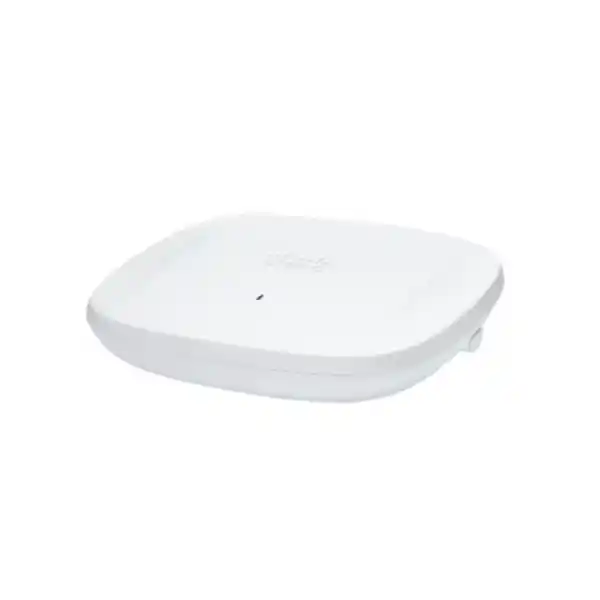
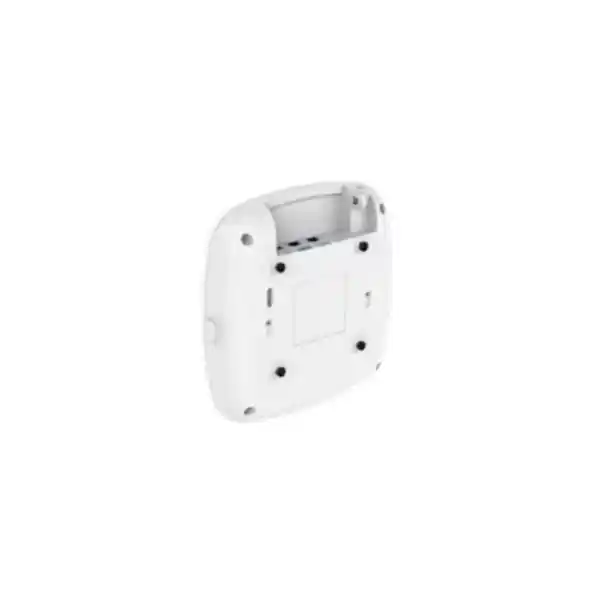
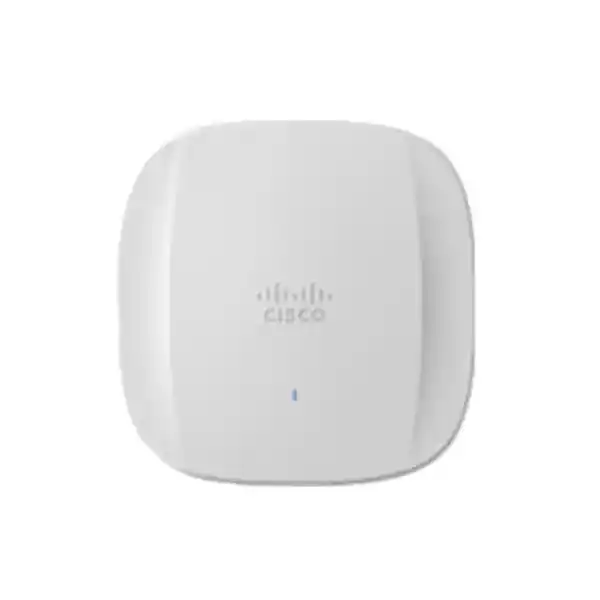
Cisco Catalyst CW9166I Wi-Fi 6E Access Point
A premium tri-band indoor access point for organizations that need higher wireless capacity, cleaner spectrum, deterministic policy, deep RF visibility and a practical route from controller-led Catalyst operations to Meraki cloud management without replacing access-point hardware.
The CW9166I is best suited to high-value indoor WLANs where Wi-Fi 6E client growth, demanding collaboration traffic, dense user populations, multigigabit switching and advanced operational assurance justify a 4×4 tri-band design.
What the Cisco Catalyst CW9166I is designed to solve
Enterprise wireless design has moved beyond the question of whether an access point can simply provide coverage. Modern UAE networks must support real-time collaboration, cloud applications, high-resolution video, mobile-first workflows, IoT devices, location services and increasing numbers of Wi-Fi 6E-capable laptops and smartphones. The Cisco Catalyst CW9166I addresses these requirements with a radio architecture that can use the 2.4 GHz, 5 GHz and 6 GHz bands while preserving strong compatibility with earlier Wi-Fi generations. This matters in practical deployments because organizations rarely replace every endpoint at the same time. A capable WLAN therefore has to accelerate newer clients without making older devices unusable or forcing a disruptive fleet refresh.
The CW9166I combines three 4×4 radios with four spatial streams per radio, allowing a total of twelve spatial streams across its primary client-serving radios. Cisco specifies 802.11ax operation across all three bands, including uplink and downlink OFDMA, uplink and downlink MU-MIMO, BSS coloring, beamforming, Target Wake Time and 1024-QAM. The resulting architecture is aimed at efficiency as much as peak throughput. In a busy office, school or healthcare environment, the most important benefit is often not a laboratory speed figure; it is the ability to schedule many active clients efficiently, keep contention under control and give latency-sensitive applications a more predictable RF environment.
For UAE buyers, the 6 GHz capability is particularly relevant for modern indoor deployments because the band can provide additional clean spectrum for approved Wi-Fi use. Regulatory rules, approved channel plans, power limits and device domain settings must still be respected for the actual installation. FourTeck approaches the CW9166I as an engineered WLAN component rather than a standalone commodity: switch capacity, PoE budget, controller or cloud-management model, licensing, cabling, RF survey data, mounting height, client mix and regulatory domain all influence whether the access point delivers its expected value.
CW9166I key specifications at a glance
Tri-band Wi-Fi 6E
2.4 GHz, 5 GHz and 6 GHz client operation with 802.11ax capabilities and backward interoperability for supported legacy Wi-Fi clients.
Three 4×4 radios
Four spatial streams per primary radio provide a high-capacity foundation for dense enterprise WLAN designs and multiuser scheduling.
5 GbE multigig uplink
One RJ-45 interface supports 100 Mbps, 1 Gbps, 2.5 Gbps and 5 Gbps Ethernet, helping prevent the wired edge from becoming the immediate bottleneck.
PoE flexibility
Supports 802.3bt/UPOE and 802.3at PoE+ for normal full-radio operation, with 802.3af intended for staging rather than production radio service.
Integrated RF intelligence
Cisco CleanAir Pro, Zero Wait DFS capabilities, client steering and assurance functions help operators identify interference and improve channel utilization.
IoT and sensing
BLE 5.1, USB 2.0, application-container support and integrated temperature, humidity and TVOC sensing broaden the AP beyond basic connectivity.
Wi-Fi 6E and the practical value of the 6 GHz band
Wi-Fi 6E extends the Wi-Fi 6 feature set into the 6 GHz band. That additional band is valuable because enterprise WLAN designers can separate newer 6 GHz-capable endpoints from the long-established 2.4 and 5 GHz client populations. A new laptop capable of 6 GHz does not have to compete in exactly the same RF space as every older handset, printer, scanner and embedded device. This creates a capacity-planning advantage: legacy connectivity can remain available while premium clients are moved to a cleaner spectrum environment where channel reuse and wide-channel strategies can be applied more deliberately.
The CW9166I supports 20, 40, 80 and 160 MHz channels in 6 GHz. A 160 MHz channel can produce impressive peak PHY rates, but enterprise design should not default to the widest channel everywhere. In dense office floors or educational buildings, 80 MHz or even narrower channels may provide better reuse and a larger number of independent cells. Channel width should be selected according to client density, application requirements, co-channel contention, floor geometry, attenuation and the number of neighboring APs. The strongest WLAN designs treat spectrum as a shared resource rather than treating advertised maximum data rates as a design target.
Cisco states a maximum aggregate PHY rate of up to 7.78 Gbps under the specified combination of 4×4 operation and supported channel widths across the three bands. This number should be interpreted correctly. It is a radio-layer theoretical capability, not a promise that one user will download at 7.78 Gbps. Real throughput is reduced by protocol overhead, client radio capability, channel conditions, contention, airtime fairness, application behavior, wired uplink limitations, WAN capacity and security policy processing elsewhere in the path. Most endpoints are 2×2 rather than 4×4, so the design value of a 4×4 AP often appears through aggregate multi-client efficiency, diversity and scheduling rather than a single-client benchmark.
In the UAE, indoor 6 GHz Wi-Fi deployment must align with TDRA rules, the correct Cisco regulatory domain and the currently permitted frequency range and power conditions. The practical procurement point is simple: do not order a generic AP suffix without validating the domain and planned operating mode. A properly specified CW9166I deployment includes the regulatory variant, controller or Meraki-management entitlement, compatible mounting hardware, correctly sized PoE switching and a documented RF design.
4×4 MIMO and twelve spatial streams
Each of the CW9166I primary 2.4, 5 and 6 GHz radios supports 4×4 operation with four spatial streams. Across the three radios, that provides twelve spatial streams. In a high-density environment, this helps the AP handle multiple users and complex RF conditions more effectively than lower-order radio designs. MU-MIMO can allocate spatial resources across clients, while OFDMA can divide a channel into smaller resource units for more efficient simultaneous transmissions.
The engineering benefit depends on the endpoint population. A 2×2 laptop does not suddenly become a 4×4 client, yet a 4×4 AP can still improve receive diversity, transmission options and overall capacity. For design purposes, client capabilities should be surveyed by device type and expected concurrency rather than assumed from the AP specification alone.
OFDMA, MU-MIMO and BSS coloring
OFDMA is especially useful when many devices exchange smaller bursts of data, because the AP can schedule resource units rather than forcing every station to occupy the whole channel for every transaction. Uplink and downlink support improves efficiency in both directions. BSS coloring helps devices distinguish overlapping basic service sets so that some transmissions can proceed in conditions where older designs would have deferred more aggressively.
These mechanisms improve airtime efficiency, but they do not remove the need for sensible cell sizing. If an AP is asked to serve too many active users or if channel reuse is poor, protocol features cannot compensate for a flawed RF plan. Capacity design remains a combination of radio capability, AP placement, channel planning and user behavior.
XOR radio flexibility and spectrum balancing
One of the more important architectural features of the Catalyst 9166 Series is its XOR radio capability. Cisco describes the dual-band XOR radio as a mechanism that can shift capacity between 6 GHz and a secondary 5 GHz radio. This matters because enterprise client populations evolve. During an early Wi-Fi 6E adoption phase, a site may still have far more 5 GHz clients than 6 GHz clients. Later, the balance may reverse as refresh cycles introduce 6 GHz-capable laptops, tablets and smartphones. A flexible radio architecture reduces the risk of locking the WLAN into a static spectrum allocation that no longer matches the endpoint population.
The operational model should still be policy-driven. High-density venues may benefit from carefully designed dual-5-GHz behavior in some circumstances, while a newer office may gain more value from keeping full 6 GHz capacity available. The decision should be informed by measured client capabilities, airtime utilization and application performance. Wireless teams should review the distribution of associations by band, not simply count total connected devices. Fifty mostly idle endpoints and fifty simultaneous video participants are radically different workloads.
This adaptability is particularly useful for multi-year UAE campus refresh programs. Enterprises often replace access points once while end-user device generations change several times. Deploying a platform with radio flexibility lets the WLAN accommodate that transition without forcing physical AP replacement solely because spectrum demand has moved from one band to another.
5 Gigabit Ethernet uplink: why the wired edge matters
A high-capacity wireless AP can be constrained by an undersized Ethernet uplink. The CW9166I addresses this with one multigigabit RJ-45 interface that supports 100 Mbps, 1 Gbps, 2.5 Gbps and 5 Gbps rates. For new deployments, 5 GbE-capable access switching is the preferred architectural match where budgets and switch platforms permit. This gives the AP enough wired headroom to carry substantial aggregate traffic without immediately forcing all radio capacity through a 1 GbE ceiling.
Multigigabit Ethernet is attractive in retrofit projects because 2.5 and 5 GbE can often operate over suitable existing copper cabling, subject to cable category, length, quality, patching and installation conditions. That does not mean every old cable plant should be assumed to support 5 GbE. A WLAN refresh is the right time to certify horizontal cabling, inspect patch panels, remove damaged or noncompliant jumpers and verify that PoE delivery remains within design limits. The AP link is only one segment of the path; aggregation switch uplinks, core capacity, firewall throughput, internet circuits and cloud service paths also need to be reviewed.
For organizations planning large CW9166I quantities, FourTeck can align the wireless design with broader LAN and integration requirements through FourTeck IT Services UAE. Treating APs and switches as one access architecture makes it easier to validate port density, PoE reserves, fiber uplink capacity, VLAN design and operational monitoring before installation day.
Power over Ethernet planning for full functionality
Power design is frequently underestimated in wireless projects. Cisco specifies 802.3bt/UPOE and 802.3at PoE+ as supported production power sources for the Catalyst 9166, with different available functions depending on the power mode. Under 802.3bt/UPOE, Cisco lists full 4×4 operation on the 2.4, 5 and 6 GHz radios, 5 Gbps Ethernet and USB availability, with maximum PoE consumption listed at 30.5 W. Under 802.3at PoE+, the three 4×4 radios and 5 Gbps link remain available, while the USB function is not powered, with maximum PoE consumption listed at 25.5 W. Cisco identifies 802.3af as a staging mode with radios off rather than a normal production state.
This means switch selection must account for more than the number of ports. A 48-port switch may physically connect 48 APs, but its total PoE budget may not support the intended draw of 48 high-end APs plus phones, cameras or other powered devices. Designs should calculate worst-case and expected PoE consumption, reserve headroom, consider redundant power supplies where needed and verify how switch behavior changes during PSU failure. If an access switch loses one power supply and immediately reduces available PoE, the wireless service may degrade even though the switch itself remains online.
LLDP and CDP should be enabled where appropriate so that power negotiation can occur correctly. Operators should monitor negotiated power after installation, not merely assume that a link-up LED means full AP functionality. On large campuses, standardized switch templates can validate interface speed, PoE class, VLAN assignment, QoS trust boundaries and monitoring settings. This turns power provisioning into an auditable part of WLAN operations.
A DC power option also exists for supported deployment circumstances, but PoE is usually the cleaner enterprise approach because data and power can be centrally managed and backed by UPS systems. The correct method depends on building design, switch-room availability, redundancy objectives and local installation constraints.
Integrated antenna design and coverage behavior
The CW9166I uses internal omnidirectional antennas, making it well suited to standard indoor ceiling-mount deployments where users are distributed across open offices, classrooms, meeting rooms, corridors and similar spaces. Cisco specifies peak antenna gains of 3 dBi on 2.4 GHz, 5 dBi on 5 GHz, 5 dBi for the 5 GHz XOR path and 4 dBi on 6 GHz. These values are part of the RF link-budget picture, but they do not by themselves define coverage. Wall materials, ceiling height, furniture, glass, doors, people, neighboring radios, AP orientation and client transmit power all influence real performance.
6 GHz has different propagation behavior from lower-frequency Wi-Fi bands. In general, higher frequencies experience greater path loss and may be attenuated more strongly by building materials. A site that was designed around large 2.4 GHz cells cannot simply enable 6 GHz and assume identical edge coverage. For strong Wi-Fi 6E service, AP placement should be validated for the 6 GHz design objective, especially if the application target includes real-time voice, video or low-latency workflows.
The integrated antenna form factor also simplifies aesthetics and installation because there are no external antenna elements to position. For environments that specifically need directional coverage, very high ceilings or warehouse-style patterns, Cisco offers the separate 9166D1 directional model. The CW9166I should be selected when omnidirectional indoor coverage matches the RF design; the D1 should not be confused with the I model during quotation.
Cisco CleanAir Pro, interference visibility and Zero Wait DFS
Enterprise Wi-Fi does not operate in an empty spectrum environment. Bluetooth devices, neighboring WLANs, video systems, legacy equipment and non-Wi-Fi emitters can create intermittent interference that is difficult to diagnose from simple client complaints. Cisco CleanAir Pro extends interference detection and classification across 2.4, 5 and 6 GHz. This gives operations teams additional RF context when users report poor application performance even though signal strength appears acceptable.
The difference between coverage monitoring and interference intelligence is important. A traditional dashboard may show a client with strong RSSI and still leave the administrator wondering why latency is high. Spectrum intelligence can help identify whether airtime is being consumed or disrupted by competing energy. This does not eliminate troubleshooting, but it can significantly reduce the time required to distinguish an RF problem from a DHCP, DNS, WAN, authentication or application issue.
Zero Wait DFS is another useful feature in applicable 5 GHz designs. DFS channels must respond to detected radar events. The platform can monitor DFS conditions to support faster channel changes when necessary, reducing the operational disruption associated with unexpected channel vacating. In dense deployments where 5 GHz spectrum remains heavily used, this contributes to more resilient radio resource management.
For critical UAE sites, RF telemetry should be retained and reviewed as part of service assurance. Baseline airtime utilization, interference patterns, retry rates, client capability mix and roaming behavior before a major business event can make post-change troubleshooting much faster. The CW9166I supplies strong platform capabilities, but the operational benefit comes from integrating those capabilities into monitoring and incident processes.
Client steering toward 6 GHz
Cisco includes steering behavior intended to help 6 GHz-capable clients move away from 5 GHz and make use of the newer band. This can free legacy spectrum for devices that cannot operate in 6 GHz while giving modern endpoints access to cleaner channels.
Steering must still be validated against the actual client fleet. Driver maturity, supplicant behavior and roaming implementation vary. Pilot testing with representative corporate laptops, phones, handheld terminals and conferencing devices is more reliable than assuming every certified client will behave identically.
Target Wake Time for efficient endpoints
Target Wake Time lets compatible clients coordinate planned wake intervals rather than continuously contending for the medium. This can reduce unnecessary radio activity and improve battery behavior for suitable mobile and IoT endpoints.
TWT is not a substitute for application optimization, but in fleets with many battery-operated clients it contributes to the broader Wi-Fi 6 goal of scheduling devices more intelligently instead of relying only on contention.
Security architecture: WPA3 and a trustworthy hardware foundation
The CW9166I supports contemporary enterprise wireless security options including WPA3-Personal, WPA3-Enterprise, Enhanced Open and AES-based protection, alongside WPA2 modes for environments that still require backward compatibility. For enterprise authentication, Cisco lists support for common Extensible Authentication Protocol methods such as EAP-TLS, PEAP, EAP-FAST, EAP-TTLS and SIM-related methods depending on the environment. The strongest deployment model for managed corporate endpoints is typically certificate-based authentication with EAP-TLS, integrated into an identity and policy architecture that can distinguish users, devices and posture.
Wireless security is not only encryption. SSID design, VLAN or virtual network segmentation, identity policy, guest isolation, IoT containment, management-plane security, logging and certificate lifecycle all matter. A single flat network can undermine a sophisticated AP. Cisco Identity Services Engine can complement Catalyst deployments with identity-based policy and network access control, while controller or cloud policy can help maintain consistent segmentation across sites.
Cisco also describes Trust Anchor technologies for the Catalyst 9166 platform, including image signing, Secure Boot and a Cisco Trust Anchor module. These controls are intended to provide a stronger hardware and software authenticity foundation and reduce the risk of unauthorized firmware or boot-chain manipulation. For regulated sectors and critical infrastructure environments, such platform assurances should be evaluated alongside procurement chain, configuration hardening, administrator identity, update policy and logging.
The practical security recommendation is to treat the AP as part of a complete access-control architecture. Define which device populations use 6 GHz, which security mode each SSID requires, whether legacy WPA2 is still needed, how guests are isolated, how IoT devices are profiled and how administrative access is protected. The CW9166I can support advanced security, but policy quality determines how effectively those capabilities reduce risk.
Catalyst 9800, Catalyst Center and Software-Defined Access
In a controller-led architecture, the CW9166I can operate with Cisco Catalyst 9800 Series Wireless Controllers. This model is attractive for organizations that want centralized policy, established Cisco enterprise WLAN operations, deep integration with campus switching and the option to use Catalyst Center for assurance and automation. Cisco also supports the access point in Software-Defined Access architectures where wireless policy participates in broader campus segmentation and identity workflows.
Catalyst Center can bring telemetry, assurance and automated workflows into the operational model. Intelligent Capture can provide deeper packet-level and anomaly insight when supported by the selected software and licensing tier. Instead of sending an engineer to reproduce every intermittent client issue manually, operations teams can use centralized telemetry to investigate connection stages, onboarding problems and performance changes across the estate.
For organizations already standardized on Catalyst 9800, the CW9166I can be a natural high-end Wi-Fi 6E refresh target. The design process should verify current controller software compatibility, AP feature support, license entitlement, high-availability architecture, controller throughput, AP count limits and change-management requirements before migration.
Meraki cloud management and operational flexibility
A distinctive part of the Catalyst 9166 platform strategy is management flexibility. Cisco positions the series so organizations can choose on-premises Catalyst management or Meraki cloud management and, subject to supported conversion processes, change management mode later without replacing the physical access point. This is valuable for enterprises that are standardizing operations after mergers, moving toward cloud-managed branch infrastructure or maintaining different management models during a phased transformation.
The Meraki dashboard approach emphasizes centralized cloud operations, policy deployment, health visibility and simplified multi-site administration. It can be especially attractive for distributed enterprises that want lean local IT requirements. Catalyst controller management, by contrast, may better match organizations with established campus engineering teams, deeply customized controller policy or specific on-premises operational requirements. Neither model should be selected purely on interface preference; licensing, feature parity, workflows, compliance, integration and support responsibilities must be compared.
When quoting a CW9166I project, the management mode must be explicit. Hardware, licensing and operational design are interconnected. A procurement bill of materials that says only “CW9166I” is incomplete if it does not specify how the APs will be managed, what subscription or DNA entitlement is required and how the organization intends to monitor and support the WLAN over its lifecycle.
Integrated environmental sensors, BLE 5.1 and edge application possibilities
The CW9166I is more than a radio endpoint. Cisco integrates environmental sensing for temperature, humidity and Total Volatile Organic Compounds. These measurements can support facility-awareness use cases without requiring a completely separate sensor overlay in every covered area. The presence of sensors does not automatically turn the access point into a building-management platform, but it provides additional telemetry that can be integrated into supported workflows and used to identify environmental patterns around occupied spaces.
Bluetooth Low Energy 5.1 support enables location-oriented scenarios such as asset tracking, wayfinding and proximity analytics when combined with the appropriate platform and application stack. In healthcare, this may contribute to locating mobile assets; in offices, it can support workplace analytics; in retail or hospitality, it can participate in location-aware experiences. The exact outcome depends on tag strategy, calibration, software integration and privacy policy.
Cisco also provides application-container support and a USB 2.0 interface that can be used for supported modules and edge applications. The USB port is available under suitable power conditions, so designs that depend on USB expansion should favor the 802.3bt/UPOE power model. Edge application hosting can reduce the need for separate overlay gateways in some IoT architectures, although solution validation is essential before assuming any third-party module is supported.
These capabilities are especially relevant to smart-building projects where WLAN, location, sensing and IoT requirements are converging. The access point should still be evaluated first as a mission-critical network device; optional sensor and edge functions can then be layered onto a stable wireless design rather than treated as substitutes for RF engineering.
Physical, environmental and installation characteristics
| Dimensions | Approximately 241.3 x 241.3 x 56.9 mm without mounting bracket. |
| Weight | Approximately 1.60 kg for the CW9166I. |
| Operating temperature | 0°C to 50°C for the Catalyst 9166 Series indoor model. |
| Operating humidity | 10% to 90% noncondensing. |
| System memory | 2048 MB DRAM and 1024 MB flash as specified by Cisco. |
| Interfaces | One 100M/1G/2.5G/5G multigigabit RJ-45 Ethernet port, RJ-45 management console and USB 2.0. |
The 50°C upper operating limit is important in the UAE. Although the AP is intended for indoor use, ceiling voids and poorly conditioned spaces can become substantially hotter than occupied rooms. Placement should avoid direct exposure to heat sources, unconditioned rooftop structures or locations where ambient temperature exceeds the product specification. Indoor APs should not be treated as outdoor devices simply because they are installed under an overhang. For outdoor or semi-outdoor coverage, a purpose-built environmental rating is required.
UAE 6 GHz regulatory and procurement considerations
The UAE has opened spectrum in the 6 GHz range for indoor wireless access systems under TDRA rules, but procurement and configuration must still follow the applicable technical regulation and approved device domain. Current TDRA short-range-device regulations identify indoor wireless access operation in the 5945–6425 MHz range with defined effective radiated power conditions. This makes Wi-Fi 6E a real planning option for enterprise indoor environments, but it is not an invitation to ignore country-specific controls.
Cisco part numbers use a regulatory-domain suffix for country authorization. Customers are responsible for selecting an approved variant and ensuring that the AP operates under the correct rules. The controller or cloud configuration must also enforce permitted channels and power settings. Because regulations can evolve, a deployment designed in one year should be checked again before a major expansion or hardware refresh rather than assuming every historical setting remains valid indefinitely.
UAE procurement also benefits from lifecycle discipline. Ask for a bill of materials that identifies AP model, domain, licenses or subscriptions, mounting brackets, compatible switch ports, PoE budget, uplink modules, support coverage and installation services. If an organization already has Catalyst 9800 controllers, confirm supported software release and capacity. If Meraki management is preferred, ensure the cloud licensing model is included. If 6 GHz is a project requirement, identify the client device models expected to use it and confirm their regional support as well.
FourTeck’s UAE technology portfolio can be used as the starting point for coordinated wireless, switching and enterprise infrastructure procurement rather than sourcing APs without the surrounding design components.
RF survey and access-point sizing methodology
Accurate AP quantity is determined by coverage and capacity, not by a universal square-metre rule. A predictive survey is a useful starting point because it models floor plans, wall attenuation, AP placement and anticipated signal levels. It should then be validated with an onsite survey, especially in complex buildings. Materials common in commercial projects—reinforced concrete, metalized glass, stone, movable partitions, acoustic walls and dense services—can produce RF behavior that a simple open-space calculation misses.
The design begins with application requirements. Voice and interactive video usually require stronger roaming and latency targets than best-effort internet access. High-density classrooms require more capacity than quiet corridors. Warehouses with handheld scanners may prioritize predictable coverage and roaming over very wide channels. Executive meeting zones may need more simultaneous video streams. Every area should therefore receive a service profile rather than one blanket signal target.
Client capability is the next variable. Survey how many devices are 6 GHz capable, how many remain 5 GHz only, how many require 2.4 GHz and how many radios are 1×1, 2×2 or higher order. The weakest important client can dictate effective cell design because uplink power from a small handheld device may be lower than AP transmit power. Designing only from the AP’s downlink perspective can create a network where clients hear the AP but the AP struggles to hear clients at the cell edge.
Capacity planning should estimate active users rather than registered devices. A floor with 800 employees may have 1,600 associated endpoints, but only a portion may be simultaneously active. At the same time, a training room with 80 people may suddenly generate 80 concurrent video or software-update flows. RF design should model concurrency by zone, not just annual average traffic. Channel width must then be selected to balance throughput and reuse. The availability of 6 GHz can create more planning flexibility, but 160 MHz channels should be reserved for cases where spectrum and density justify them.
After installation, validate measured coverage, SNR, roaming, retry rates, channel utilization and throughput under realistic load. A post-deployment survey should confirm that installed AP locations match the design and that ceiling trades, furniture or late construction changes have not altered RF conditions. This validation stage is essential for a premium platform such as the CW9166I because its capabilities are most valuable when the physical design allows them to operate effectively.
High-density office and collaboration deployments
The CW9166I is a strong candidate for headquarters, financial offices, design studios and collaboration-heavy workplaces where users commonly operate multiple devices. These environments generate mixed traffic: Teams or Webex calls, cloud storage synchronization, SaaS applications, software updates, guest traffic and background mobile activity. The requirement is less about achieving a speed-test record and more about maintaining application quality when many users are active at once.
Meeting rooms deserve special attention. A room that seats thirty people may have sixty or more Wi-Fi radios once laptops and phones are counted. If everyone joins a video conference while screen sharing and cloud applications are active, airtime demand can rise quickly. AP placement should consider room boundaries, soundproofing materials and adjacent conference areas. Sometimes the right design is a dedicated cell; sometimes careful placement outside the room provides better reuse. This decision should be modeled and validated rather than made solely from seating capacity.
6 GHz can be highly useful in newer office fleets because modern laptops can be moved away from congested 5 GHz channels. The benefit compounds when many endpoints support Wi-Fi 6E. Organizations planning a laptop refresh within the life of the WLAN should factor that future mix into design. An AP platform installed today may remain in service across several device generations, so spectrum flexibility is an investment in lifecycle capacity rather than a feature used only on day one.
For organizations consolidating headquarters infrastructure, FourTeck’s broader global enterprise technology practice can help align campus WLAN standards with branch or regional architecture, particularly where common configurations and support processes are required across countries.
Education and campus use cases
Universities and schools create a challenging combination of density, roaming and heterogeneous endpoints. Lecture halls may hold hundreds of devices in a confined area, while corridors and outdoor transition zones require clients to roam between cells. Student devices vary widely in age and Wi-Fi capability, and campuses often host IoT devices, AV systems, printers and building controls alongside standard user traffic. A tri-band AP such as the CW9166I can separate modern Wi-Fi 6E devices from legacy populations while maintaining multi-band compatibility.
Capacity planning must consider timetable peaks. A classroom block may be lightly used between sessions and then experience a sudden wave of associations as students arrive. Authentication infrastructure, DHCP scopes and upstream links must scale with those transitions. WLAN assurance should look at onboarding time as well as steady-state throughput, because a network that performs well after association can still create a poor user experience if hundreds of devices contend through authentication at the same moment.
The integrated environmental sensors may also be useful for contextual monitoring in supported campus applications, although they should not be treated as replacements for certified life-safety or building-control sensors. BLE capability can support location-oriented services where the required software ecosystem is deployed. These options illustrate why an enterprise AP can serve as an edge platform for more than connectivity.
For lecture halls and auditoriums with very high ceilings or directional coverage requirements, the separate CW9166D1 may be more appropriate than the omnidirectional CW9166I. Model selection should follow the antenna pattern and mounting geometry, not only the radio specification.
Healthcare, hospitality and service-sensitive environments
Healthcare WLANs carry a mixture of clinical devices, staff communications, patient connectivity, location services and administrative traffic. Reliability and segmentation are paramount. A CW9166I design should identify which devices are validated for WPA3 or 6 GHz, which remain dependent on older security modes and which require dedicated SSIDs or network segments. Medical-device change-control processes can be stricter than standard office IT, so migration should be staged and documented.
Hospitals also have complex RF environments. Shielded rooms, imaging areas, elevators, dense walls and specialist equipment can affect propagation. A predictive survey is useful but onsite validation is essential. BLE location features may be relevant for asset workflows, while CleanAir Pro can help RF teams investigate interference. However, location accuracy and medical suitability depend on the full solution, not just the AP radio.
Hospitality properties have different priorities: seamless guest onboarding, high concurrency, room-by-room coverage, conference-event density and centralized operations across multiple properties. Wi-Fi 6E can create premium capacity for newer guest devices, but hotel rooms with dense walls may require more APs than open offices. A controller or cloud model should be selected according to the property group’s operating structure, local IT availability and standardization goals.
In both sectors, the quality of the deployment is ultimately measured by service continuity. WLAN design should include redundant switching where appropriate, UPS-backed PoE, controller high availability or resilient cloud connectivity, documented rollback procedures and spare-hardware strategy. A premium AP does not remove single points of failure elsewhere in the access network.
Roaming, voice and real-time application design
A user walking through a building while on a Wi-Fi voice or video call exposes weaknesses that stationary speed tests never reveal. Roaming performance depends on cell overlap, client decisions, authentication methods, controller features and RF consistency. The CW9166I provides the radio platform, but the network must be tuned so clients have a clear next AP before the current connection becomes unusable.
Excessively high AP transmit power can be counterproductive because clients may hear distant APs that they cannot reliably transmit back to. It can also create oversized cells and increase co-channel contention. Power levels should be balanced with typical client capabilities. Minimum data rates, band steering, fast roaming features and SSID count should be selected deliberately. Too many SSIDs increase beacon and management overhead, reducing usable airtime.
For real-time applications, QoS policy must continue beyond the radio. Markings may need to be preserved through access switching, the campus core, WAN and security stack. A voice packet prioritized over Wi-Fi gains little if it enters a congested wired queue without appropriate treatment. End-to-end service design therefore combines RF engineering, controller policy and wired QoS.
Testing should include walking calls, roaming between floors where relevant, transition through lift lobbies and movement around dense meeting zones. Validate multiple representative client models because roaming aggressiveness is largely client-driven. The goal is not merely to prove that roaming occurs but to ensure application continuity across the movement path.
Switching, cabling and upstream architecture
The access switch is a critical partner to the CW9166I. At minimum, it should provide the required PoE level, sufficient total PoE budget, multigigabit Ethernet on AP ports, VLAN capabilities and resilient uplinks. For dense deployments, switch uplinks must be sized against aggregate wireless demand. Forty-eight APs capable of multigigabit access cannot be treated as a trivial load behind a single oversubscribed uplink without analysis.
Cabling should be certified for the target Ethernet speed and PoE load. Existing Category 5e infrastructure may support multigigabit rates under appropriate conditions, but real buildings contain patch cords, couplers, poor terminations and cable bundles that can change performance. Category 6 or higher is often preferred for new installations, with Cat6A providing additional margin for longer high-speed runs and PoE thermal considerations. The specific cabling standard should be selected according to building conditions and project requirements rather than marketing shorthand.
Network teams should define AP access-port templates. Common controls include native or access VLAN behavior for AP management, trunking where required by the architecture, LLDP/CDP, PoE settings, storm control, port security considerations and telemetry. Configuration consistency reduces installation errors and accelerates troubleshooting. The AP MAC address, switch port, physical location and asset record should be linked so that a dashboard alert can be traced to a real ceiling location quickly.
If the WLAN is part of a broader security refresh, ensure that firewall throughput and policy architecture can handle increased wireless capacity. FourTeck’s Firewall Dubai solutions practice can align secure internet edge, segmentation and remote connectivity with the upgraded wireless access layer when the project scope includes both Wi-Fi and perimeter modernization.
Licensing and subscription planning
Wireless licensing must be part of the initial bill of materials, not added after AP shipment. Cisco’s current Catalyst 9166 documentation presents unified wireless licensing through the Cisco Networking Subscription with Wireless Essentials and Wireless Advantage tiers, while Cisco DNA wireless licenses remain available in Essentials and Advantage tiers with defined terms. The correct entitlement depends on the selected management platform, feature requirements, commercial model and current Cisco ordering rules.
Essentials and Advantage should not be treated as labels without a feature review. Assurance, advanced analytics, segmentation, location and automation capabilities can depend on the tier and platform. A buyer should list required operational outcomes—such as advanced assurance, policy automation or location workflows—and map them to licensing before approving the quote. This avoids discovering after deployment that a desired feature requires a different subscription.
Subscription alignment is also an operational concern. Enterprises with hundreds of APs should avoid unmanaged renewal dates scattered across projects. Where possible, co-terming or enterprise agreement structures can simplify budgeting and reduce accidental expiry. Smart Account administration, ownership and access rights should be assigned to named teams rather than left with an implementation engineer or external party.
Licensing should be documented in the as-built pack along with AP serial numbers, controller registrations and support coverage. Future migrations between Catalyst and Meraki management may have licensing implications, so organizations attracted by management flexibility should understand both the technical conversion process and the commercial requirements before making that flexibility part of a long-term strategy.
CW9166I deployment topology options
Campus controller architecture
CW9166I access points connect through multigigabit PoE access switches to a routed campus, while Catalyst 9800 controllers provide centralized wireless control. Catalyst Center can add automation and assurance. This topology fits enterprises with established Cisco campus standards and dedicated network operations teams.
Distributed cloud-managed sites
Meraki-managed operation can suit organizations with many branches or properties that want a centralized cloud interface and reduced local controller footprint. WAN resilience, cloud reachability, licensing and supported feature requirements should be evaluated before standardization.
Phased management transformation
An enterprise can deploy the hardware under one supported management model and plan a later transition to the other. This approach can help during mergers or operational restructuring, but conversion should be tested, scheduled and licensed rather than assumed to be a zero-impact toggle.
High-availability critical WLAN
Critical sites pair APs with redundant switching, UPS-backed PoE, resilient controller design where applicable, diverse uplinks and documented failover procedures. Wireless availability depends on the whole dependency chain, not just radio hardware.
Migration from older Wi-Fi 5 and Wi-Fi 6 access points
A CW9166I refresh should begin with a baseline of the existing WLAN. Capture AP counts, radio settings, client populations, authentication methods, SSIDs, VLANs, switch models, PoE budgets, cabling, controller software and known trouble zones. This makes it possible to distinguish inherited design problems from new platform behavior. Replacing one AP per old AP without reassessing coverage is often a mistake because the radio design, 6 GHz objectives and client mix have changed.
The transition can be phased floor by floor or building by building. During coexistence, radio resource management must account for older APs and new CW9166I units sharing the same spectrum. Channel plans and transmit powers should be reviewed so that the new hardware does not simply increase contention. A pilot area should include representative users, business applications and roaming paths.
Authentication testing is equally important. Confirm certificate chains, supplicant profiles, NAC policies, guest portals and IoT onboarding. Wi-Fi 6E clients may use different security expectations in 6 GHz than they used on older bands, so legacy SSID assumptions should be revisited. Where security modernization is part of the project, a staged WPA3 adoption plan may reduce disruption.
Performance validation should compare application experience rather than only signal strength. Measure association success, DNS response, internet or data-center paths, collaboration quality and roaming. Track how many eligible clients actually use 6 GHz and whether channel utilization improves on 5 GHz. The migration is successful when user experience and operational visibility improve, not simply when every ceiling tile contains new hardware.
Finally, update documentation. Floor plans should show final AP positions and names, switch ports, cable IDs and coverage notes. The asset register should include serial numbers and licenses. Operations teams should know how to identify AP health, power state and management status. Documentation quality is one of the strongest predictors of how efficiently the WLAN can be supported after the project team leaves.
Operational assurance and troubleshooting workflow
A mature wireless operations process separates problems by layer. When a user says “Wi-Fi is slow,” the issue may be RF interference, weak signal, poor roaming, authentication delay, DHCP failure, DNS latency, firewall inspection, WAN congestion or application-side performance. The CW9166I’s telemetry and Cisco assurance ecosystem can help narrow the search, but teams need a repeatable triage method.
Start with client identity, time, location and application. Check which AP and band the client used, negotiated data rates, retries, SNR and roaming history. Review channel utilization and interference. Confirm authentication and DHCP timelines. If the wireless layer is healthy, continue into switching, security and WAN telemetry. This prevents the common error of changing RF settings for a problem caused by upstream infrastructure.
Change control is crucial in dense WLANs. A single global channel-width or power change can affect hundreds of cells. Use pilot groups, maintenance windows and before-and-after baselines. Automated radio resource management is powerful, but administrators should understand its goals and constraints so that they can recognize when environmental conditions are causing unexpected behavior.
The environmental sensors, BLE functions and edge applications should also be monitored as separate services if they are business-critical. Their health, licensing and data integrations may fail independently of basic Wi-Fi service. A complete operations handbook distinguishes connectivity KPIs from IoT or sensing KPIs while mapping both back to the same physical AP estate.
How to decide whether CW9166I is the right model
Choose the CW9166I when the organization needs an indoor omnidirectional enterprise AP with high radio capacity, 6 GHz support, 5 GbE uplink potential and premium Cisco RF and assurance features. It is particularly compelling where Wi-Fi 6E client adoption is already meaningful or expected during the WLAN lifecycle, where high-density applications justify 4×4 radios and where the ability to operate under Catalyst or Meraki management has strategic value.
A lower-tier AP may be more economical for low-density areas with modest traffic and no near-term 6 GHz requirement. Conversely, an external-antenna or directional solution may be better for warehouses, very high ceilings, outdoor spaces or specialized coverage. The best model is the one that matches the RF environment and operations plan, not necessarily the one with the highest specification.
The wired network must also justify the investment. If the site has only 1 GbE access ports with limited PoE and old cabling, deploying CW9166I units without a LAN roadmap may strand capability. That does not automatically make the AP wrong, but the project should decide whether to upgrade switching immediately, phase it later or accept temporary constraints.
Finally, consider management. Organizations already standardized on Catalyst 9800 may value continuity and advanced campus integration. Distributed teams may value Meraki cloud operations. Enterprises in transition may value the hardware flexibility between the two. Management strategy can be as important as RF capacity in the total cost of ownership.
Procurement checklist for UAE projects
A reliable quotation should answer the following before a purchase order is released:
1. Correct regulatory SKU
Confirm the CW9166I regulatory-domain suffix is approved for use in the UAE and matches the intended operating bands.
2. Management platform
State whether the AP will run under Catalyst 9800/Catalyst Center or Meraki cloud management and quote the corresponding entitlement.
3. Licensing term and tier
Choose Essentials or Advantage based on required assurance, policy, analytics, location and automation features, and align renewal dates where possible.
4. PoE budget
Verify per-port power mode and total switch budget. Use 802.3bt/UPOE where USB functionality or maximum power headroom is required.
5. Multigig switching
Confirm 2.5/5 GbE support on access ports and sufficient upstream bandwidth. Document whether any existing 1 GbE constraint is temporary or intentional.
6. Mounting and survey
Include mounting hardware, RF survey work, final AP positions and post-installation validation rather than purchasing AP hardware in isolation.
Support, warranty and lifecycle ownership
Cisco specifies a limited lifetime hardware warranty for the Catalyst 9166 Series, but enterprise support strategy should go beyond the base warranty. Organizations need defined response expectations for failed hardware, software defects, controller issues, configuration assistance and security advisories. The appropriate support contract depends on business criticality, internal engineering capability and spare strategy.
For a critical headquarters, keeping local spare APs can reduce restoration time. A spare should be the correct regulatory model and should be included in configuration and licensing procedures. Network teams should know how a replacement is claimed, joined to the management platform, assigned the correct policy and physically swapped. A spare that cannot be activated because entitlement or inventory data is missing provides little resilience.
Software lifecycle matters as well. Cisco feature support evolves across IOS XE and Meraki releases. Upgrade planning should review release notes, controller compatibility, AP support, security fixes and known caveats. Large deployments benefit from staged upgrades that start with a representative pilot group before the wider estate is changed.
Asset ownership should include end-of-sale and end-of-support monitoring even when those milestones are years away. A wireless platform is a multi-year investment, so budget planning should anticipate controller refreshes, switch upgrades, subscription renewals and client evolution. This prevents the AP estate from becoming technically capable but operationally constrained by surrounding components.
FourTeck deployment approach for Cisco enterprise wireless
A production CW9166I project should move through discovery, design, bill-of-materials validation, staging, installation, test and handover. During discovery, FourTeck can capture floor plans, user density, application requirements, client generations, existing switch infrastructure, authentication design and pain points. The design stage then translates those requirements into AP placement, channel strategy, controller or cloud architecture, PoE needs and licensing.
Staging reduces deployment risk. APs can be inventoried, associated with the correct management platform and checked for expected software behavior before engineers arrive onsite. Switch templates and naming standards can be prepared in parallel. During installation, cable certification, mount quality and physical labeling matter just as much as logical configuration.
The handover should include as-built drawings, AP and switch-port mapping, license records, administrative ownership, support escalation paths and performance baselines. Operations teams should be able to identify which AP covers a reported location and understand whether a client was using 2.4, 5 or 6 GHz at the time of an incident.
For coordinated procurement, implementation and regional technology sourcing, FourTeck can align local UAE requirements with broader enterprise standards. The objective is not simply to deliver access points; it is to deliver a supportable WLAN that can be measured, upgraded and operated consistently throughout its lifecycle.
Frequently asked technical questions
Does the CW9166I support Wi-Fi 6E?
Yes. It supports 802.11ax in the 6 GHz band in addition to 2.4 and 5 GHz operation, subject to the regulatory domain, country authorization and software configuration.
How many spatial streams are available?
The primary tri-band radio design uses 4×4 operation with four spatial streams on 2.4, 5 and 6 GHz, providing twelve spatial streams across those radios.
Does it require 5 Gigabit Ethernet?
The AP supports up to 5 GbE but can negotiate lower supported Ethernet rates. For high-capacity deployments, multigigabit switching is recommended so the wired uplink does not unnecessarily restrict aggregate radio performance.
Can PoE+ run all three radios?
Cisco lists full 4×4 operation across 2.4, 5 and 6 GHz under 802.3at PoE+, with the USB function unavailable in that mode. 802.3bt/UPOE provides additional power headroom and USB availability.
Can the same hardware use Catalyst or Meraki management?
The Catalyst 9166 Series is designed around management flexibility, supporting Catalyst controller-led deployments and Meraki cloud management through supported processes and appropriate licensing.
Is the CW9166I an outdoor access point?
No. The CW9166I is intended for indoor enterprise use. Outdoor or harsh environments require models and enclosures specifically designed and rated for those conditions.
Does 6 GHz automatically improve every client?
No. A client must support Wi-Fi 6E and the applicable regional 6 GHz operation to use the band. Legacy devices remain on 2.4 or 5 GHz. The value of 6 GHz grows as the compatible client population increases.
Should every 6 GHz radio use 160 MHz channels?
No. Wide channels increase peak throughput but consume more spectrum. In dense deployments, narrower channels can provide better reuse and aggregate capacity. Channel width should follow the site RF design.
Decision recap: where the CW9166I delivers the strongest value
The Cisco Catalyst CW9166I is a strong fit when an organization wants to build a high-density, multi-year indoor wireless platform rather than perform a basic like-for-like AP replacement. Its combination of tri-band Wi-Fi 6E, three 4×4 radios, multigigabit Ethernet, CleanAir Pro, advanced Wi-Fi 6 scheduling features, environmental sensing, BLE and dual management strategy gives it broad technical headroom.
The purchase is most defensible when the surrounding network can support it. Multigigabit switching, sufficient PoE, sound cabling, appropriate licensing and a verified RF plan should be part of the same project. If any of these components are missing, FourTeck can identify whether they should be upgraded immediately or included in a phased roadmap.
For UAE deployments, 6 GHz planning should use the approved Cisco regulatory model and current TDRA requirements. The final design should document channels, power, controller or cloud-management choice and client readiness. This turns Wi-Fi 6E from a specification on a datasheet into measurable capacity for real users.
Best-fit environments
- High-density offices and headquarters
- Universities and education campuses
- Healthcare and clinical facilities
- Hospitality and conference environments
- Government and regulated enterprises
- Organizations planning substantial Wi-Fi 6E client adoption
Quotation input checklist
For a precise Cisco Catalyst CW9166I quotation and deployment plan, prepare the following information. Complete data lets the engineering team size AP quantity, switching, licensing and services without relying on assumptions.
Plan the CW9166I as a complete enterprise WLAN, not a standalone AP purchase
FourTeck can assist with UAE RF design, Cisco access-point supply, multigigabit switching alignment, controller or Meraki management planning, licensing, secure network integration, staging, installation and handover. A well-designed project ensures the radio, wired edge, power budget and operational tooling are sized together from the beginning.
Share site drawings, user density, current switch models and preferred management platform for a structured bill of materials and deployment scope.

Reviews
There are no reviews yet.