
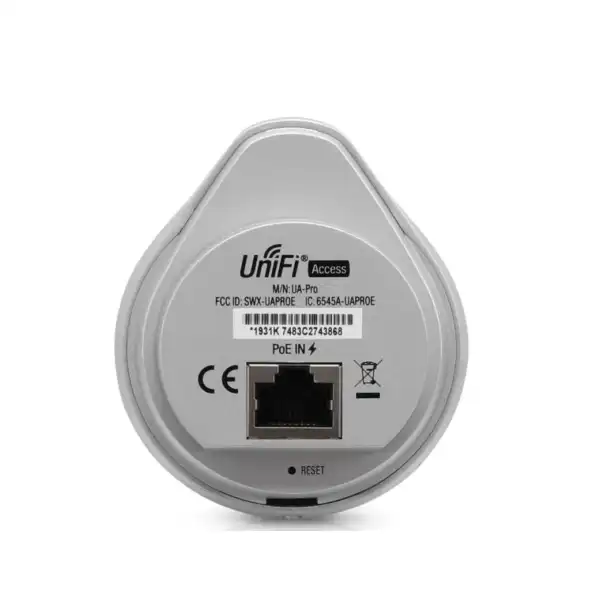
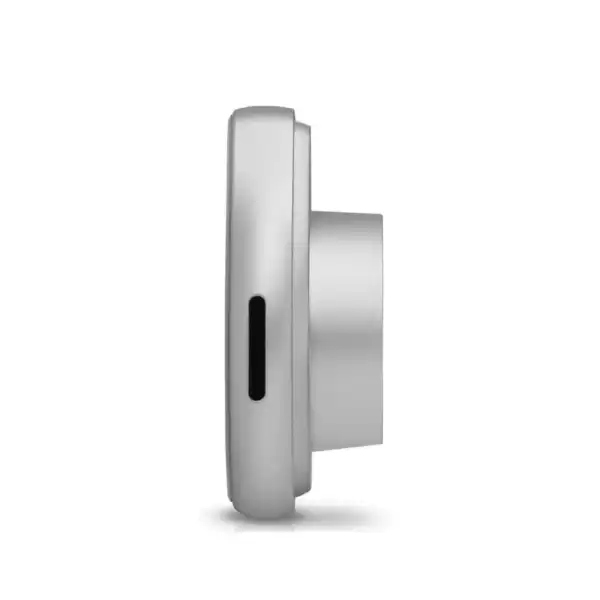
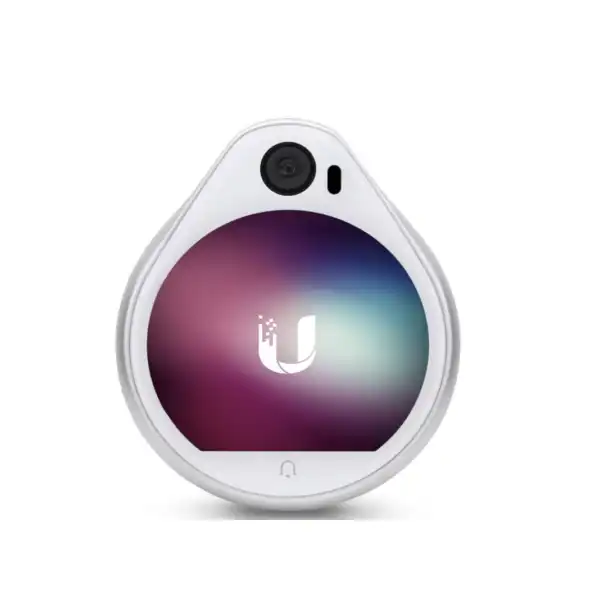
Ubiquiti UniFi Access Reader Pro UA-Pro in Dubai, UAE
Plan a business access-control deployment around the exact reader, the correct UniFi Access hub, compatible credentials and properly specified door hardware. The UA-Pro combines NFC reading, an integrated camera and network connectivity in a compact entrance-side unit, but it must be selected as part of a complete door solution rather than treated as a standalone lock controller.
Prepare an accurate requirement
Share the door count, lock type, credential preference, existing UniFi console, cable route and installation location. FourTeck can then review the likely bill of materials and quotation scope.
Direct answer for business buyers
The Ubiquiti UniFi Access Reader Pro UA-Pro is a network-connected reader used at a controlled entrance within a UniFi Access system. It reads supported NFC credentials, provides a camera view of the doorway and connects through Ethernet with 802.3af PoE power. Organisations considering it should already use, or plan to implement, the supporting UniFi Access platform and appropriate door-control hardware. Before proceeding, confirm the required hub, lock type, exit method, door sensor, credential technology, cable distance, mounting position, environmental exposure and software compatibility. Buyers replacing an older reader should also confirm whether the UA-Pro remains the required model or whether a newer Ubiquiti reader is more appropriate for the project.
What the UA-Pro does
The reader is the user-facing part of a door-access installation. Staff or approved visitors present a compatible NFC card, key fob or supported credential near the unit. The reader passes the access event through the UniFi Access system, while the associated hub controls the unlocking relay connected to the electric lock or other release hardware. The integrated camera adds visual context at the entrance, and the network connection supports communication and power over structured cabling. This arrangement helps centralise door permissions, event visibility and management, but the actual operating experience depends on the full design, including the controller, network, console, lock, power protection, cable quality and software configuration.
Who should consider it
The UA-Pro may be relevant to companies, clinics, schools, warehouses, shared offices, hospitality back-of-house areas and other managed facilities that need controlled entry through a UniFi Access deployment. It is particularly useful where the buyer values a coordinated interface for permissions and door events and already has suitable network infrastructure. It is less suitable when a project requires a completely independent keypad, a non-networked standalone lock, an unsupported credential format or a reader specifically certified for conditions outside the model’s confirmed operating limits. New projects should compare the UA-Pro with current-generation UniFi readers before finalising the bill of materials.
Business challenges the reader can help address
Scattered access administration
A coordinated UniFi Access design can place door permissions and event review within a common management environment instead of relying on unrelated standalone readers. The achievable management workflow depends on the console, software version and overall system architecture.
Limited entrance context
The built-in camera provides a wide field of view at the reader location. Camera usefulness still depends on mounting height, lighting, doorway geometry, privacy requirements and the features available in the deployed software.
Complex power and cabling
Using 802.3af PoE allows data and reader power to travel over suitable Ethernet cabling. The installer must nevertheless verify cable length, pathway, surge exposure, switch or hub power capability and compliance with the complete access-control topology.
Credential transition planning
Support for several NFC standards provides useful credential options, but not every existing card population is automatically compatible. Credential type, security level, enrolment method and migration process should be tested before a large rollout.
UA-Pro suitability matrix
| Requirement | Suitable when | Confirm before ordering |
|---|---|---|
| Network-managed door access | The site is using or adopting UniFi Access. | Console, application, hub and firmware compatibility. |
| NFC credentials | Approved cards or fobs match supported 13.56 MHz standards. | Exact card technology, security profile and enrolment procedure. |
| PoE reader connection | CAT5e or better cabling can reach the reader position. | Cable route, length, PoE source and surge protection. |
| Camera-assisted entry point | A reader-mounted doorway view adds operational value. | Mounting angle, light, privacy policy and recording workflow. |
| Outdoor or semi-exposed mounting | The location remains within the IP54 and temperature limits. | Rain exposure, direct sun, heat build-up, dust and enclosure protection. |
Verified technical information
| Brand | Ubiquiti |
|---|---|
| Product name | UniFi Access Reader Pro |
| Model | UA-Pro |
| Product type | Network-connected access-control reader with integrated camera |
| Dimensions | 73.40 × 62.28 × 26.55 mm |
| Weight | 85 g |
| Mounting options | Wall mount or alloy clamp holder |
| Camera viewing angle | 147.5° ± 3° |
| Maximum power consumption | 8.3 W |
| Power supply | 802.3af PoE |
| Connectivity | Ethernet and BLE 4.2 |
| Status LEDs | Blue and white |
| NFC frequency | 13.56 MHz |
| NFC read range | Less than 30 mm |
| NFC standards | ISO 14443A, ISO 14443B and ISO 15693 |
| NFC technologies | NFC Tag 1–5, MIFARE Classic, MIFARE Plus, MIFARE Ultralight and MIFARE DESFire EV1/EV2 |
| Operating temperature | −10 to 40°C |
| Operating humidity | 5% to 90% non-condensing |
| Ingress protection | IP54 |
| Certifications listed in guide | CE, FCC and IC |
| Availability | Contact FourTeck for current UAE model and lead-time guidance. |
Specifications above are based on the exact UA-Pro documentation. Software support, available credentials, accessories, regional supply and compatibility with current UniFi Access releases should be reconfirmed for the proposed deployment.
Compatibility and lifecycle notice
UA-Pro is an earlier-generation UniFi Access reader. A buyer should not assume that it is the preferred current model merely because it matches an existing bill of materials. For a new installation, compare its capabilities and ongoing software support with current UniFi Reader Pro generations. For an expansion or replacement project, provide the existing hub model, UniFi console, Access application version, installed reader model, credential format and door wiring details. This information helps determine whether a direct replacement is practical or whether the project should move to a newer reader and associated accessories.
Compatibility must also be assessed beyond the reader. Electric strikes, magnetic locks, request-to-exit devices, emergency break-glass units, fire-alarm interfaces, door-position contacts, backup power and local authority requirements form part of the complete door system. The reader itself does not replace proper access-control design, life-safety coordination or professional installation.
A practical purchase and deployment journey
Define each controlled opening
Record the door material, direction of travel, lock type, emergency-egress arrangement, expected users, visitor process and operating hours. One site may require different hardware at reception doors, staff doors, server rooms and loading entrances.
Confirm platform and controller compatibility
Identify the UniFi console and Access application that will manage the installation. Confirm the appropriate access hub and the number of supported doors. Review available network ports, PoE budget, local storage expectations and administrator access.
Validate credentials
Document existing cards and fobs rather than relying only on their appearance. Test the exact credential technology, enrolment workflow and security policy. A migration plan may be needed when old cards cannot be retained or when stronger credential technology is preferred.
Build the complete bill of materials
Include the reader, hub, lock, door contact, exit device, emergency release components, network cabling, containment, power backup, mounting hardware and any required protective accessories. Installation and configuration labour should be stated separately where required.
Install, test and hand over
Commissioning should verify card presentation, lock release, door status, exit operation, emergency behaviour, event logging, camera view, administrator roles and network resilience. The handover should record device names, door schedules, user groups, backup procedures and support responsibilities.
NFC credential support and selection
The UA-Pro documentation lists support for 13.56 MHz NFC standards and several MIFARE technologies. This broad technical support does not mean every card will provide the same security, user experience or enrolment process. Cards within the same broad family may differ in memory structure, keys, encoding and application configuration. Existing badges that are used for attendance, printing or other building services may not automatically function as UniFi Access credentials without a supported setup.
For a new deployment, the buyer should decide whether credentials will be issued only for door access or shared with another system. The organisation should define who enrols users, who can revoke a credential, how lost cards are handled, whether temporary credentials are needed and how contractor access is controlled. A pilot with representative cards is safer than ordering a large batch based only on a generic standard name.
Security also depends on policy. A technically capable credential can still be undermined by poor enrolment, shared cards, delayed offboarding or excessive administrator access. The system owner should establish an identity process that links every issued credential to an authorised person, role and validity period. FourTeck can help review the required reader and credential combination, but final policy should be approved by the customer’s security, facilities and human-resources stakeholders.
Camera placement and doorway visibility
The reader’s integrated camera has a documented viewing angle of 147.5 degrees, subject to the stated tolerance. A wide field of view can provide useful context at the entrance, but image quality is influenced by mounting height, distance to the visitor, backlighting, glare, direct sunlight, night-time lighting and nearby reflective surfaces. The installer should position the reader for comfortable credential presentation without compromising the useful camera perspective.
A camera at the reader is not automatically a substitute for a dedicated surveillance camera. A security design may still require separate coverage for the approach path, the full door leaf, adjacent corridors or tailgating risk. The buyer should distinguish between visual identification at the reader and wider evidential coverage of an entrance. Retention, access permissions and privacy notices should follow the organisation’s policy and applicable requirements.
Before mounting, perform a physical survey. Check whether the wall surface allows secure fixing, whether the Ethernet cable can be concealed or protected, and whether the person using the reader can stand in the intended position without obstructing the door. For glass entrances, metal frames or unusual cladding, an appropriate mounting solution may be required. The official documentation lists wall mounting or an alloy clamp holder, but the exact accessory and installation method should be confirmed for the site.
PoE, network and operational resilience
The UA-Pro uses 802.3af PoE with a maximum stated power consumption of 8.3 watts. PoE simplifies the reader connection because one suitable Ethernet cable carries both data and power, but the complete access system may have additional power needs for the hub, lock and other peripherals. The door lock must be sized according to its own voltage, current and fail-safe or fail-secure behaviour; it should not be assumed to draw power through the reader.
Network planning should include a stable switch path, suitable VLAN and firewall design, time synchronisation, console reachability and administrator access. Access-control devices are operational technology and should not be placed on an unmanaged flat network without considering security. At the same time, overly restrictive network rules can interrupt adoption, event reporting or management. The network team and access-control installer should agree on the architecture before commissioning.
Power interruption is a key operational concern. The required behaviour during a failure depends on the door, life-safety rules and business risk. A UPS may be required for the network switch, console, hub and lock power supply. The design should document whether the door remains locked or unlocks under different events, how emergency release is provided and how the fire-alarm interface operates. These decisions require professional assessment and must not be inferred from the reader specification alone.
Ideal business environments and use cases
Corporate offices
Control staff areas, meeting suites, IT rooms and selected internal doors while maintaining centrally administered user permissions.
Education facilities
Support controlled staff, administration, laboratory or equipment areas, subject to safeguarding policy and carefully planned emergency egress.
Clinics and professional practices
Separate public reception zones from records, treatment, storage or employee spaces with role-based access.
Warehouses and operational sites
Manage entry to offices, secure stores or technical rooms where network cabling and the environmental limits are suitable.
Multi-tenant business premises
Coordinate user groups and door permissions across shared environments, with clear ownership of enrolment and support.
Existing UniFi Access expansions
Add or replace reader points after confirming current platform compatibility and whether the legacy UA-Pro remains the correct model.
Integration and operational considerations
Door access affects facilities, security, IT, human resources and business continuity. A successful deployment therefore needs more than device installation. The identity owner must define joiner, mover and leaver processes. Facilities must approve lock hardware and emergency operation. IT must provide the network, console and backup arrangements. Security must define event-review and incident-response procedures. Procurement must confirm the exact model, quantity, warranty route and delivery plan.
For existing buildings, assess the condition of door frames, closers, hinges and cabling. A powerful electric lock cannot correct a misaligned door, and an access system will be unreliable if the door does not close consistently. The installer should inspect available containment, cable segregation and the pathway between the reader, hub and network equipment. Fire-rated doors and escape routes may have special requirements that must be handled by qualified parties.
For multiple locations, decide whether administration will be central or delegated. Establish naming conventions for sites, buildings, floors and doors before adding devices. Limit administrator roles according to job responsibility and retain a documented emergency-access process. Testing should include normal entry, denied credentials, forced-open conditions, held-open doors, power interruptions and network outages where relevant.
Questions to resolve before requesting a quote
State whether this is a replacement, expansion or new project. Current-generation alternatives may be more appropriate for a fresh design.
Provide the exact hub and console models so reader support and door capacity can be reviewed.
A glass door, wooden door, metal frame, gate or fire-rated opening may require very different hardware.
Identify the precise card or fob technology and whether existing credentials must be retained.
Share indoor or outdoor exposure, surface type, shade, temperature, cable route and required mounting accessories.
Clarify whether the quotation should include supply only, installation, configuration, user enrolment, testing, documentation or support.
Procurement checklist
✓ Exact UA-Pro model and regional variant confirmed
✓ Required reader quantity and spare strategy defined
✓ Existing UniFi console and Access application identified
✓ Compatible access hub selected for each door group
✓ Lock type, voltage and fail behaviour documented
✓ Exit button, request-to-exit and emergency release specified
✓ Door-position contact and alarm integration reviewed
✓ NFC credential type tested with representative samples
✓ CAT5e or better cable route and distance verified
✓ PoE capacity, UPS and surge protection considered
✓ Mounting surface and environmental exposure assessed
✓ Installation, configuration and handover scope agreed
✓ Current UAE availability and warranty route confirmed
✓ Delivery destination and project schedule shared
How FourTeck can support the requirement
FourTeck can help turn a product request into a clearer door-access bill of materials. This may include reviewing whether UA-Pro is the correct reader, checking the surrounding UniFi Access platform, identifying questions about hubs and credentials, and coordinating a quotation for the required quantity. For projects that need services, installation and configuration scope can be discussed separately so the buyer understands which activities are included.
The review is most effective when the customer provides photographs, door schedules, existing model numbers and a simple floor plan. For replacement work, include images of the current reader, hub, lock, cable termination and software screen where possible. For new projects, provide the number of controlled openings, user count, credential preference, network readiness and target operational date. Visit the FourTeck technology services page for broader planning support, or browse business technology products when related network and infrastructure components are required.
UAE availability and support guidance
Contact FourTeck to confirm current UAE availability for the exact UA-Pro model. Supply may depend on the requested quantity, regional variant, remaining channel availability and vendor lead time. Because this is an earlier-generation reader, a quotation review should also consider whether a current UniFi Access reader better suits the planned deployment. FourTeck can coordinate product selection, bill-of-material clarification, delivery planning and optional installation or configuration discussions after the exact requirement is understood.
For projects covering Dubai, Abu Dhabi, Sharjah and Ajman, share the complete site list and door count in one requirement. This allows the buyer to discuss phased delivery, site-specific mounting conditions, access-hub capacity and support expectations without assuming that every entrance uses the same hardware. Delivery and project coordination can be discussed after model, quantity, destination and service scope are confirmed. Use the FourTeck contact page to submit the project details.
GCC availability
Organisations planning UniFi Access projects across the GCC can contact FourTeck for requirement review and quotation coordination. The first step is to confirm whether the legacy UA-Pro is mandatory for compatibility with an installed system or whether a newer reader should be considered. Buyers in the United Arab Emirates, Saudi Arabia, Kuwait, Qatar, Bahrain and Oman should provide the destination country, required quantity, console and hub models, credential type, door count and expected project schedule. Product availability, regional variants, delivery planning, software support, installation scope and vendor lead times can differ by market and requirement. FourTeck can help structure the bill of materials and discuss configuration or installation planning, but local approvals, site access, electrical works and life-safety coordination remain project dependent. For Kuwait-related technology coordination, the FourTeck Kuwait resource may also be relevant. Confirm all commercial and technical details in the final quotation before ordering.
Africa availability
FourTeck can assist organisations evaluating the UA-Pro or a current UniFi Access alternative for projects in Africa. A regional requirement should identify the destination country, number of sites, door quantity, credential plan, network environment and required services. Availability and fulfilment may depend on the exact model, quantity, regional supply, shipping route, power arrangements, vendor lead time and local project conditions. The access-control design must also account for appropriate locks, emergency release, cabling, mounting, weather exposure and support responsibilities at each location. Businesses planning deployments in Kenya, Uganda or wider African markets can use the FourTeck Africa technology site, the Kenya resource or the Uganda resource to discuss regional procurement planning. No assumption should be made about local stock, immediate shipment, customs outcomes or onsite coverage until the requirement has been reviewed.
Related products and services to evaluate
Current UniFi Reader Pro generations
Compare current models for new projects, especially where keypad, mobile credential, intercom or updated environmental capabilities may be required.
UniFi Access hubs
Select the hub according to door count, reader support, lock connections and system architecture. Compatibility must be checked against the intended reader.
NFC cards and key fobs
Confirm credential technology, enrolment process and quantity. Do not assume an existing 13.56 MHz card is automatically suitable.
PoE switching and network infrastructure
Review port availability, PoE budget, VLAN design, UPS protection and cable pathways supporting the access system.
Installation and configuration
Include mounting, cabling, lock integration, adoption, user roles, testing and handover when a complete project scope is required.
Access-control assessment
A site assessment can identify unsuitable doors, missing emergency components, credential risks and network dependencies before procurement.
Why businesses contact FourTeck
Businesses contact FourTeck when they need help moving beyond a single model number. The purchasing decision often depends on whether the reader matches the installed UniFi environment, whether the correct hub has been selected, whether the door hardware is appropriate and whether installation services should form part of the quotation. FourTeck can help clarify these dependencies, coordinate commercial information and identify details that must be confirmed before an order is placed.
This approach is particularly useful for replacement and expansion work. A customer may request UA-Pro because it appears on an old schedule, while the actual need is to restore a failed doorway or extend an existing site. Reviewing photographs, software details and current hardware can reduce the risk of purchasing a reader that is unavailable, unsupported in the intended configuration or unsuitable for a new rollout. Learn more about FourTeck or discuss the requirement with the sales team.
Frequently asked questions
Is the UA-Pro a complete standalone door controller?
No. It is the entrance-side reader within a UniFi Access solution. A compatible hub, lock, exit device, door contact, network connection and appropriate power arrangement are normally part of the complete design.
Does the UA-Pro support NFC cards?
Yes. The official guide lists 13.56 MHz NFC support, ISO 14443A, ISO 14443B and ISO 15693 standards, plus several MIFARE technologies. The exact credential should still be tested before a large purchase.
How is the reader powered?
The UA-Pro uses 802.3af PoE and has a stated maximum power consumption of 8.3 W. The rest of the door system may require separate power arrangements, especially the lock and backup system.
Can the UA-Pro be mounted outdoors?
The model is rated IP54 and has an operating temperature range of −10 to 40°C. The exact exposure to rain, dust, direct sunlight and heat must be assessed for the proposed location.
Does it have an integrated camera?
Yes. The documented camera viewing angle is 147.5° ± 3°. Actual doorway visibility depends on mounting position, lighting, reader height and the surrounding entrance design.
Will existing employee cards work?
Possibly, but compatibility should never be assumed from frequency alone. Provide the precise card technology and test a representative credential with the intended system.
Should a new project choose UA-Pro or a newer reader?
A new project should compare current UniFi Access reader models before finalising the design. UA-Pro may remain relevant for a matching legacy environment, but lifecycle, features and availability should be reviewed.
What information is needed for a quotation?
Provide the reader quantity, number of doors, existing console and hub models, lock type, credential preference, installation location, required services and delivery destination.
Can FourTeck assist with installation and configuration?
Installation, configuration, testing and handover requirements can be discussed as part of the quotation process. The exact service scope depends on the site, door hardware, cabling and customer responsibilities.
Is UAE stock guaranteed?
No stock or delivery assumption should be made without a current quotation. Contact FourTeck to confirm model availability, quantity, regional variant and expected vendor lead time.
Confirm the reader, hub and door scope before ordering
Send FourTeck the UA-Pro quantity, existing UniFi Access details, door hardware information, credential type and project location. The team can review the requirement, discuss current UAE availability and coordinate a quotation that reflects the actual deployment rather than only the reader model.
