
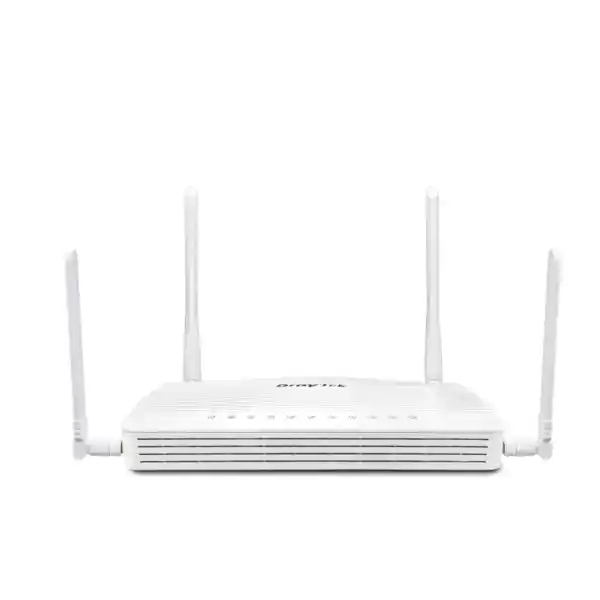
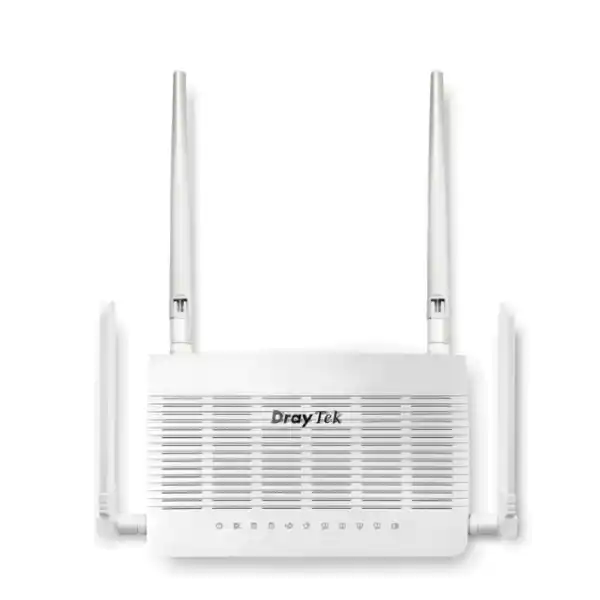
DrayTek Vigor2136ax-4G 2.5G Wi-Fi 6 Router with Dual-SIM 4G
The DrayTek Vigor2136ax-4G is engineered for organizations that need multi-gigabit wired access, modern Wi-Fi 6, resilient mobile broadband and business-grade routing in one compact platform. It combines a 2.5GbE fixed WAN interface, a second switchable 2.5GbE LAN/WAN interface, three Gigabit LAN ports, AX3000-class dual-band wireless, an integrated Category 6 LTE modem and two nano-SIM slots. For Dubai offices, retail branches, clinics, professional firms, project locations and remote operations, the platform is especially useful when internet continuity matters as much as raw throughput.
Direct answer: who should choose the Vigor2136ax-4G?
Choose the Vigor2136ax-4G when a site needs a capable wired router and Wi-Fi 6 access point but also requires an integrated cellular path for continuity. It is a strong fit for small and mid-size branches where the primary service may be fiber or Ethernet but a second independent path is required, as well as temporary offices where LTE may be the initial internet connection before a fixed circuit is installed. DrayTek recommends the platform for networks of around 30 hosts, giving buyers a practical starting point for sizing rather than relying only on headline throughput.
The product is not simply a consumer Wi-Fi router with a SIM slot. Its value comes from combining route policy, multiple WAN choices, VLAN segmentation, application-aware QoS, firewall controls, VPN, user and group policies, monitoring, centralized AP and switch management, and cellular redundancy. For UAE deployments where payment terminals, cloud applications, voice, CCTV viewing, remote support and guest Wi-Fi may share the same edge, these controls let an administrator decide which traffic receives priority, which subnet can reach which resource, and which WAN path should carry a particular application.
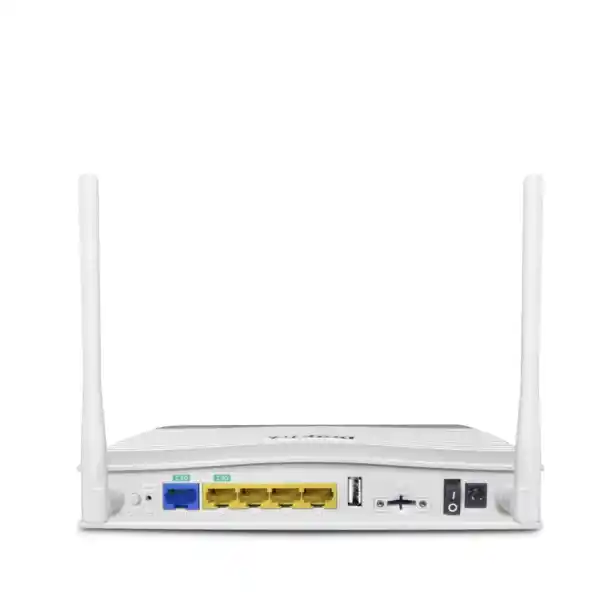
Hardware architecture and port map
2.5GbE fixed WAN
The dedicated 2.5GbE RJ-45 WAN port is designed for broadband services faster than one gigabit and for uplinks where a conventional 1GbE interface would become the bottleneck. That makes the router appropriate for modern business internet tiers and for staged upgrades where the carrier service may increase during the hardware lifecycle.
2.5GbE LAN/WAN
A second 2.5GbE RJ-45 interface can operate as LAN or WAN. As LAN, it can connect a multi-gig switch, NAS or high-performance workstation segment. As WAN, it creates additional design flexibility for dual-wired internet, policy routing or a migration between service providers.
Three Gigabit LAN ports
Three fixed 1GbE LAN interfaces support conventional switches, phones, printers, cameras, NVRs or local servers. These ports are useful when a small branch does not need an additional access switch or when the router must separate physical devices during commissioning and troubleshooting.
USB 2.0 and dual SIM
A USB 2.0 port supports selected router applications, while two nano-sized SIM slots serve the embedded LTE subsystem. Only one SIM is active at a time, but the pair allows an administrator to provision two cellular providers and define a backup path if the active mobile service becomes unavailable.
WAN resilience: fixed broadband, 4G and Wi-Fi WAN
The Vigor2136ax-4G is most valuable when it is treated as a connectivity orchestration platform rather than as a single-line router. A fixed Ethernet circuit can be the primary service while integrated LTE is reserved for failover. A second wired service can be attached through the switchable 2.5GbE interface. The wireless subsystem can also be used as a WAN option where appropriate. This gives network designers several failure domains to work with: a carrier circuit fault, a local ONT or modem failure, a last-mile fiber interruption, an upstream provider outage or a mobile operator issue can each be handled differently.
The dual nano-SIM design adds another layer. A business can provision SIMs from separate mobile operators, set one as the preferred cellular connection and retain the other as backup. Because the LTE modem is integrated, there is no external USB modem hanging from the chassis and no separate cellular gateway to power and monitor. The built-in modem is Category 6 and supports carrier aggregation, with a stated maximum LTE receive link rate of 300 Mbps and transmit link rate of 50 Mbps under suitable radio and network conditions.
For operational planning, remember that cellular throughput is highly variable. Signal level, cell loading, indoor attenuation, LTE band, operator policy, SIM plan and antenna position all affect real-world speed. The router includes two external cellular antennas, so deployment teams should test placement before permanently mounting equipment. In a Dubai tower, warehouse, villa office or retail unit, moving the router or antennas away from dense services, metal cabinets and interior cores can materially improve radio conditions. The correct objective is not to promise the theoretical LTE maximum; it is to achieve stable packet loss, latency and usable throughput for the applications that must remain online during failover.
LTE bands and UAE deployment planning
The published radio specification lists LTE FDD bands 1, 3, 7, 8, 20 and 28 together with LTE TDD bands 38 and 40, and WCDMA bands 1 and 8. These figures are important when evaluating the router for a particular mobile network, but radio-band support alone should not be interpreted as a guarantee of carrier acceptance or identical performance on every SIM. Before a rollout, confirm the chosen operator, business data plan, APN requirements, public or private IP requirements and any restrictions on router use.
A branch that needs inbound VPN or remote management may also need to consider carrier-grade NAT. Some mobile plans do not provide a directly reachable public IPv4 address, which can change how inbound services are designed. Outbound-initiated VPN designs, dynamic DNS, cloud management or a fixed-line primary service can reduce dependence on inbound reachability over LTE. Where a public or static mobile IP is mandatory, that requirement belongs in the quotation checklist rather than being discovered after installation.
The same disciplined approach applies to failover testing. Do not stop after confirming that the backup WAN obtains an IP address. Test DNS resolution, cloud applications, VoIP registration, VPN establishment, payment or ERP sessions, remote monitoring and the return to the preferred WAN. If an application binds sessions strongly to a public source IP, a path change can reset the session even when the router fails over correctly. A resilient edge therefore combines capable hardware with an application-aware acceptance test.
2.3 Gbps NAT performance and realistic sizing
DrayTek states a maximum NAT throughput of 2.3 Gbps for the Vigor2136ax-4G, with performance figures derived from internal testing under optimal conditions. That number is useful because it shows the router can exploit broadband tiers above one gigabit, but it should not be treated as the throughput of every feature combination. Encryption, filtering, traffic classification, VPN encapsulation, radio conditions, packet size, concurrent flows and endpoint behavior can all change practical results.
The router supports approximately 50,000 NAT sessions and is recommended by DrayTek for a network of about 30 hosts. Session capacity matters because modern endpoints create many simultaneous connections: browsers open parallel HTTPS sessions, collaboration platforms maintain persistent channels, phones register to cloud services, cameras communicate with cloud portals and operating systems perform background updates. A router that is sized only by user count can therefore be misleading. The correct question is how many active endpoints exist, how chatty they are and whether there are unusual traffic generators such as public guest Wi-Fi, surveillance uploads, peer-to-peer applications or heavy cloud backup.
For a 10-to-30-user professional office, the Vigor2136ax-4G can provide a strong balance between performance and manageability. For a much larger branch with hundreds of users, very high VPN concentration, deep security inspection requirements or multi-gigabit encrypted tunnels, the edge should be sized against those specific workloads rather than assuming that a 2.5GbE port defines the whole system capacity. FourTeck can help compare the user count, WAN speed, required VPN throughput, VLAN count, Wi-Fi density and failover model before the device is selected for production.
AX3000 Wi-Fi 6 for business access
The integrated wireless subsystem supports Wi-Fi 6, also known as IEEE 802.11ax, with an aggregate theoretical link-rate class of roughly 3 Gbps: up to 574 Mbps on 2.4 GHz and 2402 Mbps on 5 GHz according to DrayTek. It supports 160 MHz channel width, 1024-QAM, OFDMA and MU-MIMO features intended to improve spectrum efficiency and client service in busy wireless environments. These are link-layer capabilities, not guaranteed internet speeds; actual client throughput depends on the client radio, channel width, signal quality, interference, protocol overhead and traffic pattern.
For a compact office, the built-in Wi-Fi may be sufficient to serve staff and selected guest devices without a separate access point. For a multi-room office, warehouse, clinic, restaurant or larger retail footprint, the router can become the control and routing edge while separate VigorAP units provide the radio coverage. This separation is usually better than trying to make a single router cover every corner of a difficult building. Wireless design should consider wall materials, ceiling height, neighboring networks, client density, roaming paths and the number of simultaneous voice or video users.
Business WLAN controls include multiple SSIDs, access lists, client isolation, hidden SSID capability, scheduling, airtime fairness, band steering and WMM. WPA3/WPA2 security options and 802.1X authentication are available where the endpoint environment supports them. VLAN mapping can be used to separate corporate devices, guest access, IoT equipment, cameras or other logical groups. This is a meaningful advantage over flat consumer-style Wi-Fi because the wireless network can participate in the same segmentation policy as the wired network.
The platform also supports mesh and centralized management of compatible DrayTek wireless devices. DrayTek lists management for up to 20 virtual AP controller devices and up to seven mesh APs on the model. A branch can therefore start with integrated Wi-Fi and later expand coverage with managed APs while retaining a consistent administrative model.
Business firewall, reputation and access-control functions
Stateful policy controls
Firewall filtering can restrict traffic by network, service and policy context. This is the basis for separating user VLANs, server or printer networks, guest internet access and management services. Good rule design follows least privilege: permit required flows and avoid broad any-to-any access between segments.
URL/IP reputation
Reputation capabilities add another decision signal when controlling web and IP access. They can assist with reducing exposure to known undesirable destinations, but administrators should still maintain endpoint security, patching and identity controls because an edge router is one layer in a broader security architecture.
Defense features
The platform includes controls for ARP spoofing and IP spoofing together with MAC filtering and IPv6 address security. These functions are useful in environments where administrators want stronger control over how devices join and communicate inside the branch.
Port knocking
DrayTek includes port-knocking functions that can keep selected services closed until a configured sequence is received. Used carefully, this can reduce unnecessary exposure of management or VPN services to generic scanning on the public internet.
Identity and access management at the branch edge
The Vigor2136ax-4G includes identity and access management functions for users and groups, access policies, group policies, conditional access, resource definitions, account status and configuration backup. This is useful when network access needs to be tied to more than an IP address. Administrators can organize local accounts into groups, use authentication systems, associate policy with groups and define resources such as workstations, printers, PBX systems, NVRs and servers.
Conditional access can be used to introduce context into authentication decisions. Examples include requiring users to re-authenticate after a defined period, constraining access by source IP range, applying VLAN-related conditions or permitting access only during scheduled times. The correct policy depends on the business. A retail store may need staff access during operating hours while management retains broader access. A clinic may want tightly restricted access to local resources. A serviced office may need strong isolation between tenants even though everyone shares the same physical internet connection.
These capabilities do not replace a full enterprise identity platform, endpoint posture system or zero-trust service where those are required. They do, however, give a small or mid-size branch substantially more policy control than a basic broadband gateway. That matters because the branch router frequently becomes the enforcement point between employee devices, guest clients, operational technology and the internet.
VPN capability for site-to-site and teleworker access
The Vigor2136ax-4G supports up to 16 VPN tunnels and includes IPsec, L2TP over IPsec, IKEv1/IKEv2, IKEv2-EAP, IPsec-XAuth, OpenVPN and WireGuard options. DrayTek specifies single-direction IPsec throughput of up to 390 Mbps using AES-256 and WireGuard throughput of up to 50 Mbps in its published model data. As with NAT performance, actual VPN speed depends on packet size, tunnel configuration, WAN conditions, encryption workload and simultaneous traffic.
For site-to-site use, the router can connect a Dubai branch to a head office, data center, cloud VPN endpoint or another DrayTek router. Routing and policy design determine which subnets enter the tunnel and which applications use local internet breakout. In a multi-WAN deployment, VPN resilience should be designed alongside WAN failover so that a tunnel can re-establish through the intended backup path. Public addressing, NAT traversal, peer configuration and DNS dependencies must all be tested.
For teleworkers, secure remote access can provide controlled reachability to office resources without exposing those resources directly to the internet. DrayTek’s EasyVPN functionality is designed to simplify client onboarding by reducing manual handling of keys and configuration files for supported workflows. Authentication options include local RADIUS, TACACS+, mOTP and TOTP-related capabilities, while IKE authentication can use pre-shared keys or X.509 certificates.
A sensible VPN design separates administrator access from general user access, restricts remote users to the resources they require and logs connection status. If the site relies on LTE failover, test whether the mobile service permits the required outbound tunnel establishment and whether performance remains adequate for essential remote workloads. Voice, remote desktop and file transfer react differently to latency, jitter and limited upstream bandwidth, so application priority should be set accordingly.
VLAN segmentation for modern offices
DrayTek lists support for 802.1Q tag-based VLANs and up to eight VLANs on the Vigor2136ax-4G. This enables one physical router to create multiple logical security and broadcast domains. A practical office design might include a corporate user VLAN, a voice VLAN, a guest Wi-Fi VLAN, a CCTV or IoT VLAN and a network-management VLAN. The exact count and structure should reflect business risk and operational simplicity rather than creating segments merely because the feature exists.
Inter-VLAN routing lets the router selectively permit communication between segments. For example, employees may be allowed to print to a printer VLAN, but guest users should have internet-only access. IP phones may need access to a hosted PBX or local call server while being prevented from initiating arbitrary connections to user PCs. Cameras may communicate with an NVR and a monitoring service but not with finance workstations. These are ordinary examples of how segmentation can reduce the blast radius of a compromised endpoint.
When the 2.5GbE LAN/WAN port is used as a LAN uplink to a managed switch, VLAN trunks can carry multiple networks over one cable. That can be an efficient topology for a branch because the router handles policy and WAN services while the access switch handles port density and PoE for phones, cameras or access points. FourTeck’s broader UAE infrastructure portfolio can be explored at FourTeck UAE when a complete router, switch, access-point and cabling design is required.
QoS, bandwidth limits and application prioritization
Bandwidth management is a central reason to select a business router instead of a basic gateway. The Vigor2136ax-4G supports traffic shaping, IP-based bandwidth limits, session limits, QoS policies, application-aware QoS and VoIP prioritization. These controls are designed to prevent one user or application from consuming resources to the detriment of everyone else.
Consider a 500 Mbps office circuit. A single cloud backup job can create sustained upstream load, while several users join video conferences and desk phones carry real-time voice. Without queue management, latency can rise sharply even though the nominal internet speed appears generous. QoS allows the network administrator to protect delay-sensitive classes such as voice, keep collaboration traffic responsive and constrain bulk transfers. Session limits can also prevent an endpoint from opening an excessive number of connections.
Application QoS is especially useful where traffic cannot be managed solely by port number. The objective is not to micromanage every application but to define a small number of business priorities. Real-time communications might receive the highest treatment, critical SaaS and business systems a protected class, normal web traffic best effort, and software updates or personal streaming a lower class. During LTE failover, the same policy becomes even more important because available throughput may fall from gigabit-class broadband to a much narrower mobile link.
A good deployment includes a normal-WAN QoS test and a failover-WAN QoS test. Verify call quality, cloud responsiveness and remote-support access while deliberately generating background traffic. This validates that policy works under stress rather than only when the office is quiet.
Routing features for branch and multi-site networks
The router supports IPv4 and IPv6 static routing, policy routing, inter-VLAN routing, RIP v1/v2, BGP and OSPF v2/v3 according to the published specification. This feature set gives network engineers more options than simple default-route internet access. Static routes work well for straightforward branch designs. Policy routing can select a WAN path based on protocol, IP address or port. Dynamic routing can be relevant when a branch participates in a larger routed environment and route changes need to be exchanged automatically.
Policy routing is particularly important on a multi-WAN platform. A company might prefer the low-latency fixed connection for business applications, steer a specific service over a secondary circuit, or ensure that certain source networks use a designated egress. During failover, policies should have clear fallback behavior. A policy that forces traffic to an unavailable WAN can become a self-created outage if it is not paired with availability logic.
Dynamic routing should be introduced only when the topology justifies it. OSPF and BGP are powerful, but they also increase operational responsibility. Route filtering, authentication, convergence expectations, prefix ownership and failure behavior must be documented. For a simple 20-user office, static and policy routes may be easier to operate. For a branch tied into a larger routed network, the additional protocols can reduce manual intervention. The router supports DNSSEC, IGMP v2/v3, IGMP proxy, IGMP snooping and fast leave functions as well, adding useful controls for name-security validation and multicast environments.
NAT services and controlled publishing
The Vigor2136ax-4G includes common NAT services such as port forwarding, DMZ host, port triggering and application-layer gateway support for SIP, RTSP, FTP and H.323, together with UPnP. These features help integrate applications that need inbound mapping or protocol awareness, but they should be used conservatively. Every inbound publication expands the external attack surface, so the preferred design is to expose the minimum required services and use VPN access whenever direct publication is unnecessary.
UPnP can be convenient in some user environments because endpoints can request mappings automatically. In business networks, however, administrators often disable or restrict such automation to maintain explicit control over inbound exposure. The same principle applies to a DMZ host function: placing an internal device behind broad inbound forwarding may solve a connectivity problem quickly, but it is rarely the preferred security design for a production server.
Where a public service must be reachable, document the external port, internal destination, business owner, allowed source networks, certificate requirements and monitoring method. Combine forwarding with firewall restrictions where possible. If the site has dual WAN or LTE failover, determine whether the service must remain reachable after an egress change. A mobile carrier using CGNAT may not support inbound reachability, so resilience for hosted services may require a different architecture such as an outbound tunnel to a cloud endpoint.
Hotspot portal and guest-access use cases
The router’s hotspot web portal features make it suitable for environments that offer managed guest Wi-Fi. DrayTek lists portal options including click-through, social login, SMS PIN, RADIUS and external portal server methods. Administrators can combine portal access with bandwidth policy and VLAN isolation so visitors receive internet connectivity without joining the trusted corporate LAN.
In a reception area, showroom, salon, clinic, training room or retail branch, guest Wi-Fi should be treated as a separate service. A guest SSID can terminate into a dedicated VLAN with client isolation, DNS controls and a controlled internet policy. The router can then restrict guest access from internal resources while still applying a reasonable bandwidth ceiling. This prevents guest traffic from overwhelming the WAN link during busy periods.
Captive portals can also support branded communications, but networking policy should remain the primary design concern. If local regulations, privacy policies or corporate requirements apply to guest data, retention or acceptable use, those requirements should be reviewed separately. The router provides technical controls; the organization remains responsible for deciding what information to collect, how long to keep it and how users are informed.
Centralized AP and switch management
A small branch can become difficult to operate when the router, switches and access points all require separate login workflows. The Vigor2136ax-4G includes controller functions for compatible DrayTek infrastructure. Published specifications list a virtual AP controller capacity of up to 20 devices, mesh management for up to seven access points and switch management for up to five compatible switches. These figures provide useful boundaries for branch design.
Centralization can simplify configuration consistency, firmware planning and fault isolation. An administrator can discover compatible devices, push wireless settings and monitor status without maintaining an independent management platform for a modest site. This is especially useful for organizations with several branches where local staff are not network specialists. A support engineer can review the router edge and connected infrastructure as one environment.
For larger fleets or multi-site administration, DrayTek also supports centralized management through VigorACS, with the product specification indicating support from firmware version 5.3.5. Before standardizing a fleet, confirm the current firmware train, controller compatibility and feature support required by the organization. Firmware management should be treated as an operational process: maintain backups, review release notes, schedule changes and validate service after upgrades.
Monitoring, logging and day-two operations
A router should be judged not only by how easily it installs but by how effectively it can be supported months later. The Vigor2136ax-4G exposes client lists, a log center, wireless information, WAN status, ARP and route tables, DHCP data, IPv6 information, DNS cache information, session tables and running-service status. SNMP v1, v2c and v3 are listed, together with syslog and SMS or email notification options.
These tools help answer common operational questions. Is the problem local or upstream? Did the WAN address change? Is an endpoint receiving DHCP? Is the default route present? Has the session count increased unexpectedly? Is a wireless client associated to the expected band? Did a VPN tunnel drop when the fixed circuit failed? Good monitoring transforms these questions from guesswork into observable checks.
For production use, configure an external syslog or monitoring platform if the organization needs historical visibility beyond local logs. Use SNMPv3 rather than older community-string methods where supported by the monitoring system and where security requirements call for stronger authentication. Restrict management services to trusted networks and avoid exposing HTTP, Telnet or FTP administration interfaces to untrusted WANs. HTTPS and SSH should be preferred when remote administration is required.
Configuration backup is equally important. Save a known-good configuration after acceptance testing and after significant changes. Record the firmware version, ISP settings, VLAN IDs, DHCP scopes, VPN peers, critical firewall rules and failover behavior. A backup without operational notes can still leave future engineers guessing about the intended design.
Recommended deployment patterns in Dubai and the UAE
Professional office
Use fixed fiber or Ethernet as primary WAN, LTE as automatic backup, corporate and guest VLANs, prioritized voice and collaboration traffic, site-to-site VPN to headquarters and Wi-Fi 6 for users. The 2.5GbE LAN port can uplink a managed switch if the office grows.
Retail branch
Keep POS, CCTV, staff and guest traffic in separate segments. Use cellular backup to preserve cloud POS and management connectivity during fixed-line outages. Apply bandwidth limits to guest access so customer usage does not compete with payment or business traffic.
Temporary project office
Start with LTE where fixed service is not yet available, then migrate the primary path to a 2.5GbE WAN when the carrier circuit arrives. Retain LTE as backup, avoiding a redesign of the LAN and security policy when the site changes connectivity type.
Remote equipment site
Use the dual-SIM cellular capability for provider diversity, restrict management to VPN, segment operational devices and monitor WAN state remotely. Confirm environmental temperature, enclosure ventilation and mobile signal quality before final mounting.
How to design primary and backup internet correctly
A failover design should begin with business requirements rather than router menus. Identify the applications that must survive an outage and how long interruption is acceptable. A browser session may recover automatically, while an IPsec tunnel, voice call, payment session or remote desktop connection may reset when the public IP changes. Decide whether the backup link needs to support all traffic or only critical traffic, then build policy around that decision.
Connection detection is another key choice. DrayTek supports mechanisms such as ARP and ping-based detection. The router should detect more than a local Ethernet carrier state when possible; an ONT can remain linked while the upstream internet path is unavailable. Health checks should therefore target a dependable point that represents usable connectivity. Avoid selecting a single fragile destination whose own outage could trigger an unnecessary failover.
When LTE becomes active, consider lowering nonessential bandwidth consumption. Cloud backup, large software updates and guest streaming may be acceptable on a fixed multi-gig connection but expensive or disruptive on a metered mobile plan. WAN data-budget functions can help administrators monitor cellular consumption. QoS and policy routing can keep important traffic usable when the backup link has less capacity than the primary service.
Finally, test restoration. Some designs fail over successfully but do not return cleanly to the preferred path when it comes back. The acceptance procedure should include primary outage, LTE activation, application verification, primary restoration, route recovery and final VPN state. Document expected reconnection times rather than assuming every application behaves identically.
Security design guidance for deployment
Start by changing administrative credentials, limiting management access and disabling services that are not required. The device supports several local management protocols, but availability does not mean every protocol should be enabled. Use HTTPS and SSH where appropriate, restrict source networks with access controls and avoid WAN-side management unless there is a documented need and a protected access method.
Build VLAN and firewall policy together. A guest VLAN that can still reach internal subnets is not genuinely isolated. An IoT VLAN that allows unrestricted initiation toward employee devices defeats much of the segmentation benefit. Define allowed flows in a matrix before implementing rules. This makes later audits and troubleshooting much easier.
Use VPN for administrative access rather than publishing internal management interfaces directly. Where port knocking is used, treat it as an additional exposure-reduction control rather than as a substitute for authentication, encryption or patching. Keep firmware current under a controlled maintenance process and preserve configuration backups before upgrades.
For organizations with broader cybersecurity needs, the router should fit into a layered program that includes secure endpoints, identity controls, backups, email protection, DNS security, user awareness and centralized monitoring. FourTeck’s UAE IT services can support integration work where the branch edge is only one component of the required operating model.
Physical and environmental specifications
The Vigor2136ax-4G measures approximately 207 x 131 x 42 mm and uses a 12 V DC, 1.7 A power input. DrayTek lists maximum power consumption at 20.5 watts. The stated operating temperature range is 0 to 45 degrees Celsius, storage temperature is -25 to 70 degrees Celsius and operating humidity is 10 to 90 percent non-condensing. These limits are particularly relevant in the Gulf because network equipment is often placed in cupboards, shop counters, kiosks or small communications enclosures where ambient heat can rise above the room temperature.
Install the router where air can circulate and where the cellular and Wi-Fi antennas are not shielded by dense metalwork. Avoid resting high-heat power supplies directly on top of the chassis. If the equipment is placed in a cabinet, consider the combined heat output of the ONT, switch, NVR, UPS and other devices. An air-conditioned office does not guarantee that a closed wall cabinet remains within equipment limits.
Power resilience should also be considered. LTE failover is not useful if the router and ONT lose power during the same incident. A UPS sized for the router, primary modem or ONT, any essential switch and relevant access points can preserve connectivity through short power disturbances. For critical branches, confirm actual load and required runtime rather than choosing a UPS based only on VA rating.
Technical specification summary
| Fixed WAN | 1 x 2.5GbE RJ-45 |
| Switchable port | 1 x 2.5GbE RJ-45 LAN/WAN |
| Fixed LAN | 3 x 1GbE RJ-45 |
| Cellular | Integrated 4G LTE Category 6, dual nano-SIM, one active at a time |
| LTE link rate | Up to 300 Mbps receive / 50 Mbps transmit under suitable conditions |
| Wi-Fi | Wi-Fi 6, AX3000 class, 574 Mbps 2.4 GHz + 2402 Mbps 5 GHz theoretical link rates |
| NAT performance | Up to 2.3 Gbps; approximately 50,000 NAT sessions |
| Recommended host count | Around 30 hosts as vendor sizing guidance |
| VPN | Up to 16 tunnels; IPsec, OpenVPN, WireGuard and additional supported protocols |
| IPsec throughput | Up to 390 Mbps AES-256 single-direction test figure |
| VLAN | 802.1Q tag-based VLAN, up to 8 VLANs |
| Routing | IPv4/IPv6 static, policy route, inter-VLAN, RIP, BGP, OSPF v2/v3 |
| USB | 1 x USB 2.0 |
| Power | 12 V DC at 1.7 A; maximum stated consumption 20.5 W |
| Dimensions | 207 x 131 x 42 mm |
What the specifications mean in practical purchasing terms
The combination of a 2.5GbE WAN and a second 2.5GbE switchable interface means the router can sit comfortably in a network that is moving beyond one-gigabit bottlenecks. A business can consume a broadband tier above 1 Gbps and still retain a multi-gig LAN path to a capable downstream switch or server. The three Gigabit LAN ports then remain available for ordinary devices or secondary infrastructure.
AX3000 Wi-Fi 6 is suitable for modern laptops, phones and tablets, but the buyer should separate wireless link rate from routed internet throughput. A client might negotiate a high PHY rate while real application throughput is lower because of protocol overhead and environmental factors. Similarly, an LTE modem rated for 300 Mbps receive speed will not always deliver that rate on a live mobile network. Correct purchasing decisions use these figures as platform ceilings and then validate the site conditions.
The 16-tunnel VPN capacity is appropriate for a small branch or a limited number of remote connections, but an organization expecting dozens or hundreds of simultaneous remote-access users should choose a platform sized for that concurrency. The same applies to 50,000 NAT sessions: the figure is generous for the stated host class, yet a public hotspot or highly connection-intensive workload can consume sessions differently from a quiet professional office.
In short, the Vigor2136ax-4G is best selected because its feature mix matches the branch architecture: multi-gig fixed WAN, Wi-Fi 6, LTE continuity, manageable VPN scale, segmentation and centralized DrayTek controls. Buying it solely because of one headline number would ignore the operational value that actually differentiates the device.
Licensing, subscriptions and lifecycle considerations
Router procurement should include more than the chassis price. Confirm which security or reputation services are included, which functions depend on optional subscriptions, and whether centralized management services require separate licensing for the intended scale. Licensing terms can change over a product lifecycle, so quotation-stage confirmation is preferable to assuming that every feature shown in a general product family description is permanently included without conditions.
Firmware support is equally important. Network teams should standardize an approved release, maintain backups and establish an upgrade process. New firmware can add features and address security issues, but upgrades should be planned rather than applied casually to a business edge during working hours. For multi-site deployments, test a representative branch first, observe stability, then roll out in phases.
For procurement support, compatibility checks and related security infrastructure, organizations can review the Firewall Dubai portfolio. Where projects span multiple countries or require broader sourcing coordination, FourTeck Global provides an additional reference point for solution planning.
Implementation sequence for a clean deployment
Stage 1 — document requirements. Record primary and backup ISP details, WAN speeds, static IP requirements, LTE operator and APN, VLANs, DHCP scopes, SSIDs, VPN peers, DNS design, permitted inter-VLAN flows and any inbound services. This prevents configuration from becoming an improvised collection of settings.
Stage 2 — update and harden. Confirm firmware, set secure administrative credentials, restrict management access, disable unused services and save a clean baseline configuration. Configure system time, logging and alerts so later events have useful timestamps.
Stage 3 — establish WANs. Bring up the fixed service, confirm public addressing and DNS, then provision LTE with the intended SIM and APN. If two SIMs are used, verify both independently before enabling automated switching. Measure signal and real application performance, not only a speed-test peak.
Stage 4 — build LAN segmentation. Create VLANs, DHCP scopes and switch trunks. Test each segment for correct gateway, DNS and internet access before adding complex rules. Then implement inter-VLAN policy according to the documented matrix.
Stage 5 — configure Wi-Fi and QoS. Map SSIDs to the correct VLANs, select security settings, verify roaming or mesh if additional APs are present and define traffic priorities. Run load tests to confirm that voice and critical business traffic remain responsive.
Stage 6 — validate VPN and failover. Establish site-to-site and remote-access tunnels, then deliberately interrupt the primary WAN. Confirm critical applications over LTE, restore the fixed service and verify that routing and tunnels recover as expected. Save the accepted configuration and hand over a concise network record.
Common design mistakes to avoid
The first mistake is treating LTE as guaranteed failover without testing the radio environment. A SIM that works well near a window may perform poorly inside a metal cabinet. The second is running guest, CCTV, staff and voice devices on one flat LAN because it is faster to install. That can create unnecessary broadcast traffic and expands the impact of compromised devices.
A third mistake is enabling many inbound port forwards instead of using VPN. Another is assuming that the highest Wi-Fi link rate equals application throughput. Dense neighboring WLANs, client limitations and channel choices can reduce wireless performance long before the router reaches its theoretical capability.
Failover policy can also cause surprises. If a business application whitelists the office public IP, moving to LTE may block access even though general internet connectivity is restored. Likewise, a site-to-site VPN may require an updated peer design when the branch changes egress address. These dependencies should be identified during the design stage.
Finally, avoid undocumented one-off rules. Temporary firewall exceptions, static routes or bandwidth policies tend to become permanent once users depend on them. Record every nonstandard change with an owner and reason. Clear documentation reduces outage time and makes future upgrades far safer.
Performance expectations for typical applications
For web and cloud applications, the router’s NAT capacity is comfortably above common small-office broadband speeds, but latency and DNS quality remain important. For Microsoft 365, Google Workspace, CRM or ERP use, stable connectivity and policy control often matter more than peak throughput. Multiple WAN choices can reduce downtime when the primary provider is interrupted.
For voice and video, QoS is critical. A 100 Mbps clean link can deliver better call quality than a congested 1 Gbps link with unmanaged upstream saturation. The Vigor2136ax-4G provides the tools to prioritize voice and classify applications, but the policy needs to reflect the actual WAN capacity of each path, especially LTE.
For CCTV, consider whether cameras upload continuously to cloud storage or are viewed remotely only on demand. Continuous upstream video can consume bandwidth quickly and may be unsuitable during mobile failover unless capped. A local NVR can reduce WAN dependence, while remote viewing can be prioritized or limited as required.
For file transfer and NAS access, the 2.5GbE LAN option can remove a one-gigabit local bottleneck when paired with compatible devices, but end-to-end speed is limited by the slowest component. Storage performance, switch ports, client NICs and cabling all matter. Remote file access through VPN is additionally constrained by encrypted throughput and WAN upload speed.
For remote administration, VPN plus restricted management access is preferred. Keep management traffic low-bandwidth and secure, centralize logs where needed and use configuration backups so a branch can be restored predictably after hardware replacement or major configuration error.
Why the 2.5GbE interfaces matter even on slower internet
A site does not need a 2.5 Gbps internet service on day one to benefit from multi-gig interfaces. The second 2.5GbE port can serve as a fast LAN uplink to a switch or server, reducing contention when many Gigabit clients communicate through the edge. It also provides migration headroom. If the business later upgrades from 500 Mbps to 1.5 or 2 Gbps internet, the router does not immediately require replacement solely because the WAN port is capped at one gigabit.
Multi-gig Ethernet can often operate over existing suitable copper cabling, although actual capability depends on cable category, length and installation quality. Before promising a 2.5GbE link across an older office, test the physical run. Poor terminations, damaged pairs and noisy pathways can force lower negotiation speeds or cause errors.
The practical design is to reserve the multi-gig port for the location where aggregate traffic justifies it. A managed access switch carrying many users is a strong candidate. A single low-bandwidth printer is not. By using interface capacity intentionally, the branch gains performance without unnecessary complexity.
Wireless planning beyond the router datasheet
Wi-Fi performance is spatial, not just numerical. The built-in AX3000 radio can provide excellent service in a suitably sized area, but walls, shelving, glass coatings, elevator cores and neighboring access points change propagation. A centrally located router in an open office may outperform a higher-powered device hidden in a corner cabinet. For this reason, equipment placement should be part of the network design rather than an afterthought.
The 2.4 GHz band generally travels farther and supports many legacy or IoT devices, but it has fewer non-overlapping channels and often experiences more interference. The 5 GHz band provides more capacity and is usually preferable for modern business clients, although coverage can fall off faster through obstacles. Band steering can encourage capable clients toward the more appropriate band, while airtime fairness can help prevent slower devices from consuming disproportionate radio time.
Using 160 MHz channels can increase peak link rate for compatible clients, but wider channels consume more spectrum and may not be the best choice in a dense building. In busy Dubai commercial towers, a narrower channel plan can sometimes produce more stable aggregate performance because neighboring networks overlap less. The correct configuration follows a site survey and observed spectrum conditions rather than selecting the widest channel automatically.
When a single router cannot cover the site, add purpose-built access points instead of repeatedly increasing transmit power. Client devices also have transmit limits; a laptop may hear the router while the router cannot reliably hear the laptop in return. Managed VigorAPs, Ethernet backhaul and a planned channel layout provide a cleaner path to scalable coverage.
Integration with phones, PBX, cameras and servers
Many UAE branches carry far more than ordinary web traffic. IP phones, hosted PBX services, CCTV systems, NVRs, access-control panels, printers and local servers may all rely on the same edge. The Vigor2136ax-4G can support these mixed environments through VLANs, routing and QoS, but each system should have an intentional policy.
Voice systems usually benefit from a dedicated VLAN and prioritized traffic. The router includes SIP-related ALG capability, although whether an ALG should be enabled depends on the PBX or hosted provider. Some modern SIP deployments work best without ALG modification. Follow the voice provider’s guidance and test registration, inbound calls, outbound calls, transfer, hold and audio in both directions.
Cameras and NVRs should generally be separated from user workstations. Limit management access to trusted administrator networks and avoid exposing camera interfaces directly to the internet. If remote viewing is needed, consider VPN or the vendor’s secure architecture while evaluating privacy and security requirements.
Server workloads may use the 2.5GbE LAN interface when higher local throughput is useful. For broader infrastructure needs, FourTeck’s Server Dubai resources can complement branch-routing projects that include storage, compute or local application services.
Procurement considerations for UAE businesses
When requesting a quotation, provide more than the model number. State the number of users, fixed WAN type and speed, whether a second wired provider exists, whether LTE is primary or backup, the preferred mobile operator, Wi-Fi coverage area, number of VLANs, VPN requirements and whether the router must manage additional DrayTek APs or switches. This information allows the supplier to flag sizing risks before purchase.
Also identify accessories and installation details. Confirm power-adapter type, cellular antennas, rack or shelf placement, patch leads, upstream modem or ONT handoff, switch uplink speed and UPS requirements. If the office depends on Wi-Fi coverage beyond the router’s immediate area, include access points in the same design instead of purchasing them reactively after weak-signal complaints.
For LTE, include SIM ownership and activation responsibility in the project plan. Determine whether the customer or integrator supplies the data SIM, whether a fixed or private APN is required, what monthly data allowance is suitable and whether roaming is expected. Dual-SIM capability is most valuable when the two SIMs genuinely provide independent provider paths.
Finally, decide whether the quotation is hardware-only or includes configuration, installation, testing, documentation and ongoing support. A router can be purchased as a box, but resilience, segmentation and VPN benefits emerge only when the system is configured and tested against the business applications it is intended to protect.
Deployment support from FourTeck
FourTeck can position the DrayTek Vigor2136ax-4G as part of a complete branch connectivity design rather than as an isolated appliance. Scope can include primary and backup WAN planning, VLAN architecture, policy routing, VPN, Wi-Fi, managed switching, UPS integration, acceptance testing and documentation. For organizations with several sites, a standardized branch template can reduce variation and simplify support.
The important starting point is to define the business dependency. A small branch that only needs general internet has different requirements from a store where POS, CCTV and cloud telephony must stay online during a carrier outage. A consulting office may prioritize secure remote access and Wi-Fi performance, while a project site may prioritize rapid LTE commissioning before fixed service exists.
When requirements are clear, the Vigor2136ax-4G can be evaluated against them systematically: WAN capacity, LTE signal and data plan, VPN load, user count, VLAN count, wireless coverage, switch topology and operational management. This produces a deployable solution rather than a specification-sheet purchase.
Frequently asked technical questions
Can both SIM cards be active at the same time?
The router provides two nano-SIM slots, but the published product description states that one SIM is active at a time. The second can provide cellular-provider redundancy rather than simultaneous bonded LTE throughput.
Does it support internet faster than 1 Gbps?
Yes. The fixed WAN port is 2.5GbE and the platform has a stated maximum NAT throughput of 2.3 Gbps under vendor test conditions. Real throughput depends on features, traffic and environment.
Is 4G only for backup?
No. Integrated LTE can provide internet where fixed service is temporarily unavailable, and it can also act as a backup to Ethernet WAN. Deployment policy determines which path is primary.
How many VPN tunnels are supported?
DrayTek publishes support for up to 16 VPN tunnels on this model. Protocol choices include IPsec, OpenVPN and WireGuard among the supported options.
Can it segment guest and staff networks?
Yes. It supports tag-based VLANs, multiple SSIDs, client isolation, firewall policy and inter-VLAN routing controls, allowing guest, staff, voice and IoT networks to be separated.
Can it manage extra DrayTek APs?
Yes. The product includes virtual AP controller and mesh-management capabilities for compatible DrayTek devices, useful when the built-in Wi-Fi cannot cover the entire site.
Decision recap: is the Vigor2136ax-4G the right edge router?
The strongest reason to choose this model is convergence. One device provides multi-gig Ethernet WAN, an additional switchable multi-gig interface, business Wi-Fi 6, built-in Category 6 LTE, dual SIM, VPN, VLANs, QoS, firewall policy and management functions. That combination reduces the number of separate appliances needed at a small or mid-size site while still giving an administrator meaningful network controls.
It is particularly compelling when continuity is required but a full enterprise SD-WAN or large firewall platform would be excessive for the branch. The router can keep a modest office online through LTE, prioritize voice during constrained bandwidth, separate guest traffic and maintain secure tunnels to other locations. The 2.5GbE interfaces also provide useful headroom as internet services move beyond one gigabit.
Choose a larger or more specialized platform if the branch needs substantially more than 30 active hosts, very high numbers of VPN users, multi-gig encrypted throughput, advanced next-generation security inspection or large-scale wireless control. Correct sizing is based on workload and policy, not on port speed alone.
Quotation input checklist
Connectivity
Primary ISP and speed; Ethernet handoff type; static or dynamic public IP; secondary wired ISP if any; LTE operator; SIM count; APN; data allowance; public or private mobile IP requirement.
Users and LAN
Number of users and devices; switch model and uplink speed; VLAN count; DHCP scopes; printers, servers, NVRs, PBX or other local services; expected peak session load.
Wi-Fi
Coverage area; floor plan; number of SSIDs; staff versus guest policy; expected concurrent clients; existing access points; roaming requirements; high-density meeting or public areas.
Security and VPN
Site-to-site peers; remote users; required VPN protocols; inbound services; content or reputation filtering requirements; authentication method; logging, alerting and remote-management policy.
Plan the router around the site, not the other way around
For a reliable Dubai deployment, provide the WAN speed, LTE requirement, user count, Wi-Fi area, VPN topology and VLAN plan before ordering. FourTeck can use those inputs to confirm whether the Vigor2136ax-4G is correctly sized, identify the required switching or access points, and define a commissioning test that proves fixed-WAN, 4G failover, VPN and business application behavior before handover.

Reviews
There are no reviews yet.