
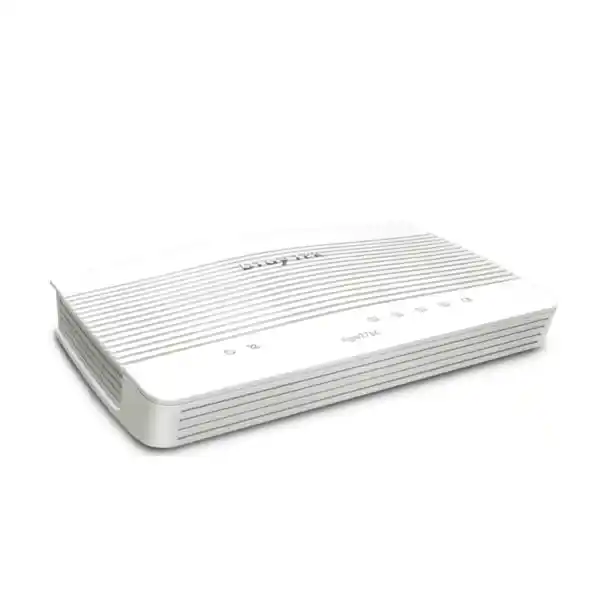
DrayTek Vigor2766 in UAE
The DrayTek Vigor2766 is built for networks that still depend on copper broadband but need modern routing, security, traffic control and WAN resilience. Its integrated G.fast modem can exploit high-speed DSL services where supported, while backward compatibility with VDSL2 profile 35b and ADSL2+ keeps it practical for mixed access environments. A switchable Gigabit Ethernet port can act as a second WAN for migration to Ethernet handoff, service backup or a future change of provider, letting organisations modernise without immediately replacing the edge router.
Base Vigor2766 model: no integrated Wi-Fi and no FXS voice ports. This makes it well suited to installations that already use dedicated access points, managed switching or a separate voice platform.
Integrated G.fast DSL interface for high-rate copper access where the service provider and line conditions support it.
Hardware acceleration helps the router move near-Gigabit routed traffic in suitable conditions while retaining business routing features.
A practical connection table for professional SOHO and smaller office environments with many simultaneous cloud and web flows.
Support for site-to-site and remote-access use cases across common VPN protocols, with encryption acceleration for practical branch connectivity.
Three fixed Gigabit LAN ports plus one Gigabit port that can operate as LAN or as the secondary Ethernet WAN.
USB interfaces support compatible cellular modems and selected storage, printing or monitoring peripherals depending on configuration.
What the DrayTek Vigor2766 is designed to solve
Many network refresh projects in Dubai and across the UAE are not simple greenfield installations. A branch may have a DSL circuit today, an Ethernet handoff planned for a later date, a managed wireless system already in place, cloud applications that need predictable performance, and users who expect secure remote access. In that environment, replacing the whole network because the WAN changes is wasteful. The Vigor2766 is useful because its access flexibility separates the routing decision from the last-mile decision. The integrated RJ-11 DSL interface handles G.fast, VDSL2 and ADSL2+ families, while the Gigabit Ethernet port can be reassigned from LAN duty to WAN duty. That gives an engineer options during migration, outage planning and provider transitions.
The base Vigor2766 is intentionally a wired router rather than an all-in-one wireless gateway. That can be an advantage in professional installations. Dedicated access points can be positioned where radio coverage is actually required instead of where the ISP cable enters the building. Managed APs can use planned channels, separate SSIDs and VLAN assignments, while the router focuses on WAN termination, stateful security, inter-network routing, Quality of Service and policy. For a small office with structured cabling, a retail branch with ceiling-mounted access points, a villa using several APs, or an engineering office that wants predictable network separation, this architecture is often easier to expand and troubleshoot than relying on one gateway to provide every service.
DrayTek recommends the Vigor2766 series for networks around the small-office and professional-home-office class, with a 50,000-session platform and two VPN tunnels. The correct sizing decision should still be based on application behaviour rather than only user count. A few developers, backup agents, collaboration systems, surveillance streams or cloud synchronisation tools can create more flows than many light office users. FourTeck can therefore size the router against actual WAN speed, VPN requirement, expected concurrent devices, VLAN design and future circuit changes rather than simply matching a router to the number of desks.
Interface map and physical architecture
DSL WAN
One RJ-11 WAN interface terminates G.fast, VDSL2 profile 35b and earlier supported VDSL2 profiles, with backward compatibility for ADSL2+. For sites where copper remains the delivered carrier, integrating the modem into the router removes the need for a separate bridge modem and gives the network administrator visibility of DSL status from the same edge device used for routing.
Gigabit WAN/LAN port
Port P4 is a 10/100/1000Base-T RJ-45 interface that can be used as a LAN connection or configured as Ethernet WAN. When assigned as WAN, three fixed Gigabit LAN ports remain for local devices or an uplink to a managed switch. This is the key transition feature for organisations moving from DSL to Ethernet-delivered Internet.
Three fixed Gigabit LAN ports
The fixed LAN interfaces can connect endpoints directly in a very small deployment or, more commonly, feed a managed switch that carries office, voice, guest, CCTV or management VLANs. Gigabit access keeps the router appropriate for modern switching even when the WAN service itself is below one gigabit.
Dual USB 2.0
Two USB 2.0 ports can support compatible 3G/4G/LTE modems and selected storage, printer or thermometer functions. A cellular dongle can add another resilience path where fixed broadband restoration time is critical, subject to modem compatibility and mobile operator addressing characteristics.
The enclosure measures approximately 207 × 131 × 42 mm. For the non-wireless Vigor2766, the published input is 12 V DC at 1.3 A with maximum power consumption around 15.4 W. DrayTek specifies an operating range of 0 to 45°C and 10 to 90 percent non-condensing humidity. In UAE deployments, those environmental limits make proper indoor mounting important: the router should be kept out of direct sunlight, ceiling void hot spots and poorly ventilated cabinets. Thermal planning is simple but should not be ignored, because high ambient temperature is one of the most common avoidable causes of unstable edge equipment.
G.fast, VDSL2 35b and ADSL2+: understanding the DSL side
The strongest technical reason to select the Vigor2766 instead of a basic Ethernet-only router is the integrated multi-generation DSL modem. G.fast is designed to deliver very high data rates over short copper loops, using wider frequency ranges than traditional VDSL. The Vigor2766 supports G.fast profiles in the 106 MHz and 212 MHz families. DrayTek’s UAE product information cites up to 1 Gbps G.fast throughput, but actual synchronisation always depends on the provider’s access equipment, loop length, copper quality, internal wiring and spectral conditions. No router can create a G.fast service on a line where the carrier does not supply one, so availability must be confirmed before procurement.
For VDSL2, the platform supports profile families including 8a, 8b, 8c, 8d, 12a, 12b, 17a, 30a and 35b in DrayTek’s published global specifications, with vectoring and retransmission standards supported. Profile 35b, often referred to as supervectoring, extends the usable spectrum beyond standard 17a VDSL2 and can increase attainable rates on suitable short loops. Again, line performance is determined by the access network as a system. The router provides modem capability, but the attainable rate is negotiated with the DSLAM and is influenced by distance, crosstalk mitigation, noise margin and provider profile.
Backward compatibility with ADSL2+ is operationally useful in older buildings, temporary facilities and migration scenarios. It allows one edge platform to be retained while the access circuit is upgraded, reducing configuration churn. For network teams, that continuity matters because the firewall policy, address plan, VPN definitions, DHCP settings and application rules can stay on the same device. Only the physical and WAN-layer settings may need to change.
A good deployment process records DSL statistics at commissioning and after any cabling change. Synchronisation rate, attainable rate, signal-to-noise margin, line attenuation, error counts and retraining events should be reviewed together rather than interpreting headline speed alone. Internal telephone extensions, splitters, poor patch leads and long unshielded building runs can reduce stability. Where a provider handoff allows it, the shortest practical path between the demarcation point and the router is preferable. FourTeck’s network deployment team can also help determine whether a site should continue using the integrated DSL modem or move to Ethernet WAN when the carrier presents an external ONT, media converter or managed CPE.
Ethernet WAN, failover and migration strategy
The switchable Gigabit Ethernet WAN/LAN interface gives the Vigor2766 a second life beyond copper DSL. An organisation may deploy it initially on VDSL2, then receive a new Ethernet Internet service months later. Rather than redesigning the entire LAN, the administrator can configure the Ethernet port as WAN, preserve the internal segmentation and policies, and move the provider handoff to the new interface. This reduces change risk because the security and LAN functions stay familiar while only the edge access changes.
The same architecture supports backup designs. DSL can remain primary while Ethernet WAN is connected to another upstream device, or Ethernet can become the preferred path while DSL remains available for continuity. Compatible USB cellular connectivity can add another practical backup option in selected configurations. Failover design should always account for the behaviour of live sessions. When the public source address changes, some voice, VPN, remote desktop and payment sessions may need to reconnect even if the router transitions quickly. Resilience therefore means both path availability and application recovery planning.
Connection detection is important in dual-path networks. A link can remain electrically up while the provider is unable to reach the Internet. DrayTek supports WAN connection detection mechanisms such as PPP state, ARP and ping-based checks depending on the access type. The correct test target should be reliable, and the timeout policy should avoid flapping during momentary packet loss. For business branches, a useful design uses multiple layers of evidence: physical interface state, gateway reachability and an external reachability test where appropriate.
When an Ethernet service is close to one gigabit, hardware acceleration becomes relevant. DrayTek publishes up to 940 Mbps NAT throughput with hardware acceleration for the UAE Vigor2766 specification, compared with a lower unaccelerated routing figure. Performance numbers are laboratory maxima, not contractual Internet speed guarantees. Real throughput can fall when packet sizes change, bidirectional traffic increases, security functions are enabled, VPN encryption is active or the provider path itself becomes constrained. The right interpretation is that the router has a hardware-assisted fast path capable of near-Gigabit NAT under suitable conditions, while advanced features and real traffic patterns determine production results.
LAN segmentation, VLANs and address planning
A professional router should do more than translate private addresses to the Internet. The Vigor2766 supports 802.1Q tag-based VLANs and port-based VLAN techniques, allowing a small network to separate traffic by business purpose. This is especially useful when a managed switch or managed wireless system sits behind the router. A typical office might place corporate workstations in one VLAN, guest wireless in another, IP phones in a voice VLAN and cameras or IoT devices in a restricted segment. The router can then apply different routing and firewall policies between those zones.
Segmentation reduces the size of each trust domain. A guest device does not need direct access to accounting PCs. A camera recorder may need outbound time synchronisation and management access from an administrator network, but it usually does not need to initiate connections to staff laptops. Voice endpoints can be prioritised without granting them unrestricted lateral connectivity. These controls are more effective when the addressing plan is designed before installation rather than added after a security incident.
DHCP can be used to centralise address assignment, while bind-IP-to-MAC and custom DHCP options can help with predictable device addressing and specialised endpoints. Static routes and policy routes support more advanced topologies, including downstream networks, dedicated application paths or separate VPN reachability. Inter-VLAN routing should be explicitly permitted rather than treated as an automatic right. In a well-designed small business network, the router becomes the enforcement point between logical segments and the managed switch becomes the transport layer carrying those VLANs to the correct ports and access points.
FourTeck can integrate the Vigor2766 with an existing switching and wireless environment rather than forcing a rip-and-replace project. For broader UAE infrastructure support, visit FourTeck IT Services UAE. Where the requirement extends to firewall policy design, edge security or replacement planning, the Firewall Dubai team can help map the Vigor2766 into the wider security architecture.
Stateful firewall and content control
The Vigor2766 includes a stateful packet inspection firewall intended for the policy needs of small professional networks. Stateful inspection tracks the context of connections rather than treating every packet in isolation. This allows return traffic for legitimate outbound sessions while enabling administrators to block unsolicited or policy-violating flows. Object-based policy design can simplify repeated rules by grouping addresses, services or other match criteria instead of reproducing the same values across numerous entries.
Firewall configuration should follow the principle of least privilege. The WAN management interface should not be exposed unless there is a controlled operational reason. Inter-VLAN rules should permit only required service paths. Port forwarding should be limited to systems that genuinely need inbound publication, and those systems should be patched, monitored and preferably isolated from ordinary user networks. Universal Plug and Play can be convenient in consumer environments but should be reviewed carefully in business deployments because automatic port mapping may undermine deliberate inbound-access policy.
The platform also supports URL, keyword, DNS-keyword and web-feature controls, with web-category functionality depending on the relevant subscription or service. Content filtering is best treated as one layer of policy rather than a complete security stack. DNS security, endpoint protection, operating-system hardening, application identity controls, secure email and user awareness all address different parts of the risk surface. A branch router can enforce useful network boundaries, but it does not replace endpoint detection, identity management or a security operations process where those controls are required.
DoS and anomalous traffic protections can help the router reject certain unwanted patterns before they reach internal hosts. However, no customer-premises router can stop a volumetric attack that saturates the provider circuit before traffic arrives at the site. For Internet-facing services, upstream mitigation and provider architecture matter. The Vigor2766 should therefore be viewed as a strong control point for its intended SOHO and small-office role, not as a substitute for carrier-scale DDoS protection.
Administrative access deserves the same care as data-plane policy. Use HTTPS or SSH rather than clear-text management where possible, restrict which source addresses can administer the router, maintain configuration backups, document changes and keep firmware current after compatibility review. DrayTek publishes firmware and release notes for the Vigor2766 series; as of the current 2026 product lifecycle, the model continues to have published firmware resources. Before any upgrade, verify regional modem code, release notes and rollback planning because DSL performance can depend on modem firmware as well as the router software image.
VPN capabilities for branches and remote users
Secure connectivity is one of the defining business features of the Vigor2766. The platform supports common VPN technologies including IPsec, IKEv2, SSL VPN, OpenVPN, L2TP and related methods depending on firmware and endpoint requirements. The UAE product specification lists up to two concurrent VPN tunnels, around 200 Mbps IPsec performance using AES-256 in the vendor’s test context, and approximately 80 Mbps SSL VPN performance. These numbers are useful for sizing but should be interpreted as best-case platform figures rather than guaranteed application throughput.
A site-to-site IPsec tunnel can connect a small branch to headquarters, a hosted environment or another branch without exposing internal services directly to the public Internet. The routing design should define which subnets are interesting to the tunnel, whether Internet breakout remains local, and how DNS is resolved across sites. Overlapping private address ranges are a common deployment problem. If both locations use the same default subnet, routing becomes ambiguous. Renumbering one side before rollout is usually cleaner than relying on translation workarounds.
For mobile users, remote-access VPN allows authenticated devices to reach permitted resources from outside the office. The access policy should reflect job function: a contractor may only need one server or application network, while an administrator may need management reachability. Authentication should be strengthened wherever possible, and user accounts should be removed promptly when access is no longer required. The router can form the secure tunnel, but identity governance remains an organisational responsibility.
The two-tunnel limit is important during design. It is suitable for a small site with one or two branch links, or a branch plus a remote-access requirement, but it is not intended for a hub that must terminate dozens of site-to-site tunnels simultaneously. If the organisation expects growth, many remote workers, high encrypted throughput or complex hub-and-spoke topology, a larger DrayTek or dedicated security appliance should be considered. Selecting the right device at the start is more economical than pushing a small router beyond its intended concurrency envelope.
Encryption performance also depends on packet size, cipher suite, traffic direction and features operating at the same time. The router’s hardware-assisted architecture improves performance, but encrypted traffic must still be processed according to the configured security parameters. Latency on the underlying WAN can dominate user experience even when the router has spare throughput. For interactive applications, measure round-trip delay and packet loss across the tunnel, not only megabits per second.
A good VPN commissioning test therefore includes route validation, DNS resolution, split-tunnel or full-tunnel behaviour, access-control checks, failover behaviour, log review and application testing. File transfer alone is not enough. Voice, remote desktop, line-of-business applications and cloud authentication flows can behave differently. FourTeck can preconfigure or remotely assist with the Vigor2766 so the tunnel design is documented and supportable instead of being an undocumented one-off configuration.
Quality of Service, bandwidth management and application behaviour
A fast broadband circuit can still deliver poor user experience when traffic competes without policy. Large cloud backups can fill the upstream queue, making voice calls unstable and interactive sessions sluggish even though the nominal download rate remains high. The Vigor2766 includes Quality of Service and bandwidth management capabilities designed to give administrators more control over that contention. Classification can use criteria such as IP address, port, DSCP, 802.1p and application-related definitions depending on the selected feature set.
The most effective QoS policies start with business intent. Real-time voice and conferencing usually need low latency and low jitter rather than a large reserved bandwidth pool. Interactive business applications need responsive queues. Backups, operating-system updates and bulk downloads can often tolerate delay. Guest networks may receive a maximum share so they cannot overwhelm corporate traffic. These priorities should be translated into a small, understandable policy set. Excessively complex QoS can be harder to troubleshoot than the congestion it was meant to solve.
Bandwidth limits are also valuable where multiple tenants, departments or service classes share one circuit. A branch can cap guest traffic or limit a noncritical segment while leaving headroom for corporate work. Data budgeting can help monitor or constrain WAN usage when a backup path is metered, especially if a USB cellular connection is used during fixed-line outages. The key is to apply restrictions based on the backup link’s cost and capacity rather than blindly copying policies from the primary WAN.
Hardware acceleration should be tested with the intended QoS and monitoring features because packet-processing paths can change when advanced services are enabled. DrayTek specifically publishes performance numbers under defined test conditions and notes that actual results vary with activated functions and network conditions. A professional commissioning approach therefore tests real configuration, not factory defaults. This is particularly important when the WAN service is close to the router’s maximum routed throughput.
NAT capacity and why 50,000 sessions matter
NAT session capacity is easy to overlook because it does not appear directly on an Internet speed test. Every outbound connection creates state in the router. Modern browsers open multiple parallel connections, mobile devices maintain background cloud sessions, collaboration applications keep persistent channels, operating systems contact update and telemetry services, and security agents may communicate with several cloud endpoints. A small number of users can therefore create thousands of simultaneous sessions.
The Vigor2766 is rated for 50,000 NAT sessions, giving it substantially more headroom than basic consumer gateways intended for lighter use. That capacity is helpful in offices with many SaaS applications and connected devices. It also reduces the chance that one bursty workload consumes the entire state table. Session count is not the only capacity metric, though. CPU load, encrypted throughput, packet rate, DNS activity and WAN congestion can become limits before the session table is full.
For sizing, look at the busiest period rather than the average day. A backup window, software rollout, conference call surge or guest event can create a short-lived peak. If the site regularly approaches the router’s session, VPN or throughput limits, moving to a higher-capacity platform is more appropriate than continually tuning timeouts. The Vigor2766 offers a strong balance for its intended professional SOHO and small-office role, but disciplined design still matters.
USB functions and practical resilience
The two USB 2.0 ports add useful service options without changing the main routing role. With a compatible 3G/4G/LTE modem, USB can provide an alternate WAN path. This is most valuable for low-bandwidth continuity: cloud email, messaging, payment authorisation, remote administration and essential line-of-business access can continue while the primary fixed circuit is repaired. Because mobile networks often use carrier-grade NAT, inbound services and some VPN designs may behave differently during cellular failover, so backup testing must include addressing and tunnel establishment rather than only browsing to a website.
USB storage and printer sharing can be practical in small environments, while supported temperature-monitoring accessories can provide operational visibility. These functions should be used according to security and performance requirements. A router is not a replacement for a dedicated NAS, print server or environmental monitoring platform when high availability, advanced access control or large workloads are required. The value is convenience for limited edge use cases.
In a carefully designed branch, USB backup is one component of a broader continuity plan. Configuration backups should exist outside the router, administrators should know how to verify active WAN state, and critical applications should be tested on the reduced-capacity path. Staff should also understand that a cellular backup is there to preserve essential work, not necessarily to provide the same experience as the primary connection for every user and streaming workload.
Deployment patterns in Dubai and the UAE
Professional home office
A consultant, engineer or executive working from home may need a stable DSL modem, segmented guest Wi-Fi through separate APs, a secure tunnel to the office and better policy control than an ISP gateway provides. The Vigor2766 can terminate the DSL line and route the wired network while independent access points cover the property. This avoids placing wireless design constraints on the router location.
Retail or service branch
A small branch can place POS, staff, guest and CCTV devices into separate VLANs, build a VPN back to headquarters and retain an alternate WAN path. The routing platform remains compact, while a managed switch handles local fan-out. This model is appropriate when only a few VPN tunnels are needed and Internet demand remains within the Vigor2766 performance envelope.
Temporary project office
Construction, events and project teams often work with whatever access service is available first, then migrate later. Starting with DSL and moving to Ethernet WAN without replacing the routing platform can simplify temporary-site operations. USB cellular can provide contingency where supported and properly tested.
Managed AP environment
The non-Wi-Fi Vigor2766 is a logical choice when wireless coverage is already delivered by ceiling-mounted access points. Routing, firewalling and WAN control stay centralised at the edge while radio placement follows floor-plan requirements. This makes upgrades easier because access points and router can evolve independently.
For customers operating multiple countries, FourTeck can also coordinate network standards beyond the UAE. The FourTeck Africa site provides a regional route for cross-border infrastructure requirements, while FourTeck UAE supports local procurement and implementation planning.
Sizing the Vigor2766 correctly
A router should be selected from the workload outward. Start with the access circuit. If the expected Ethernet WAN service is substantially above one gigabit, the Vigor2766 is not the appropriate long-term edge because its Ethernet interfaces are Gigabit. If the connection is DSL or sub-gigabit Ethernet and routing demand is modest, the platform may be a strong fit. Next, consider encrypted traffic. Two concurrent VPN tunnels and the published IPsec/SSL performance suit small branch designs, but not large VPN aggregation hubs.
Then count devices and expected session behaviour. DrayTek positions the series around a 50,000-session table and approximately a 30-host professional network class, but host count should be treated as guidance rather than a hard rule. Ten highly active endpoints can impose more load than fifty lightly used sensors. Review cloud backup, collaboration, browser-heavy SaaS use, software distribution, camera viewing and any peer-to-peer or high-session applications.
Next, review segmentation. If the office requires a few practical VLANs and policy routes, the Vigor2766 provides useful controls. If the design requires dozens of security zones, high-speed inter-VLAN routing, complex dynamic routing, advanced identity integration or extensive east-west inspection, a more capable firewall platform may be more appropriate. The router’s strength is delivering business-grade control in a compact small-network edge, not reproducing a data-centre firewall.
Finally, consider lifecycle. A network may be on DSL today but scheduled for Ethernet or fibre access. The switchable WAN interface can protect the investment during that transition as long as the future bandwidth remains within Gigabit Ethernet capability. If the site is already planning multi-gigabit Internet, selecting a newer multi-gigabit platform now may avoid a second replacement. FourTeck can compare current and planned circuits before recommending the Vigor2766 so the purchase fits the expected service life.
This sizing discipline also prevents overbuying. A small professional site with one DSL line, one backup path, a few VLANs and one headquarters VPN does not always need a large enterprise firewall. The right device is the smallest platform that meets present requirements with sensible headroom, operational support and a migration path. The Vigor2766 occupies that practical middle ground for many copper-broadband and sub-gigabit branch scenarios.
Commissioning workflow for a clean production rollout
1. Record the provider handoff
Confirm whether the service is G.fast, VDSL2, ADSL2+ or Ethernet, and capture PPP credentials, VLAN tagging, static IP information and any provider-specific settings. This prevents unnecessary troubleshooting caused by missing circuit parameters.
2. Update and baseline
Choose an appropriate regional firmware build after reading release notes. Back up the factory or initial configuration, set a strong administrator credential, define management-source restrictions and document the chosen firmware version.
3. Build the LAN plan
Create subnets, VLAN IDs, DHCP scopes, DNS behaviour and inter-VLAN policy before connecting production endpoints. Align switch trunks and access ports with the router definitions to avoid accidental cross-segment access.
4. Establish security policy
Disable unnecessary exposure, add only required inbound rules, restrict management, apply content controls where needed and test that guest or IoT networks cannot reach protected corporate resources.
5. Configure VPN and routing
Build site-to-site or remote-access VPN, confirm non-overlapping networks, validate encryption parameters, test DNS and application access, and document which subnets are expected to traverse the tunnel.
6. Validate failover and QoS
Generate controlled traffic, disconnect the primary path, confirm the backup takes over, and test recovery to normal service. Then verify that critical applications retain acceptable latency when the link is busy.
A final commissioning record should include router serial details, WAN settings, public addressing, VLAN table, DHCP scopes, VPN peers, configuration backup location, firmware version, administrator ownership and escalation contacts. Good documentation turns a router from a single point of specialist knowledge into a supportable network component.
Operations, monitoring and maintenance
Once the Vigor2766 is in production, monitoring should focus on trends rather than only outages. WAN uptime, DSL retrains, packet loss, VPN stability, session utilisation and bandwidth peaks provide early warning of developing issues. Syslog and SNMP support can feed central monitoring platforms so the router is not managed only by manually logging into the web interface. Email or SMS alert functions can also be useful for selected events, depending on configuration and supporting services.
Configuration backups should be taken after meaningful changes and stored securely. A backup is valuable only if the team knows which firmware level and device context it belongs to. Change records should explain why a firewall rule or policy route was introduced so future administrators can remove obsolete entries confidently. Periodic review also catches temporary rules that accidentally became permanent.
Firmware maintenance should be planned rather than reactive. Review DrayTek release notes, security fixes and modem-code guidance, then schedule updates during a support window. DSL modem code can influence line behaviour, so a version that works well for one access network is not necessarily identical to the best choice for another region. Preserve the known-good configuration and record pre-upgrade line statistics so post-change behaviour can be compared objectively.
Physical checks remain relevant in the UAE climate. Keep ventilation paths open, avoid stacking heat-producing devices directly on the router, use a suitable UPS where business continuity justifies it, and protect copper interfaces from poor-quality cabling. The router’s operating specification assumes an indoor environment. A communications cabinet in a non-air-conditioned store room can exceed acceptable temperature even when the office itself feels cool.
Vigor2766 model-family distinction
The product name matters because the Vigor2766 family includes variants with different integrated services. The base DrayTek Vigor2766 covered on this page is the wired model: it does not include integrated Wi-Fi and it does not provide FXS voice ports. That is often the best version for networks with separate access points and an independent telephony platform.
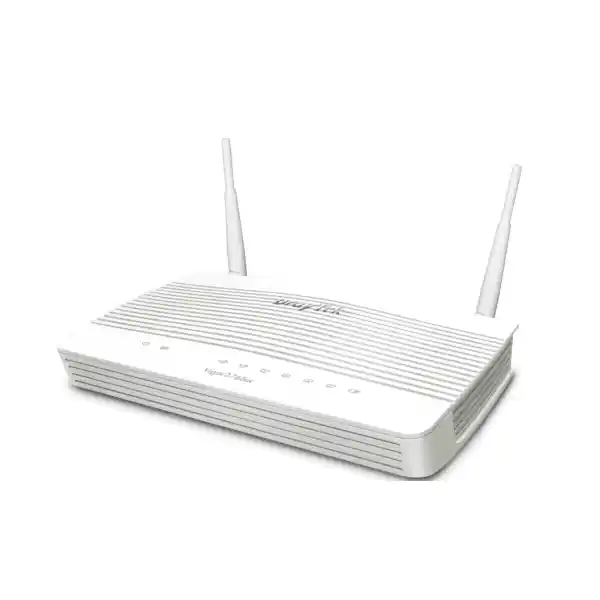
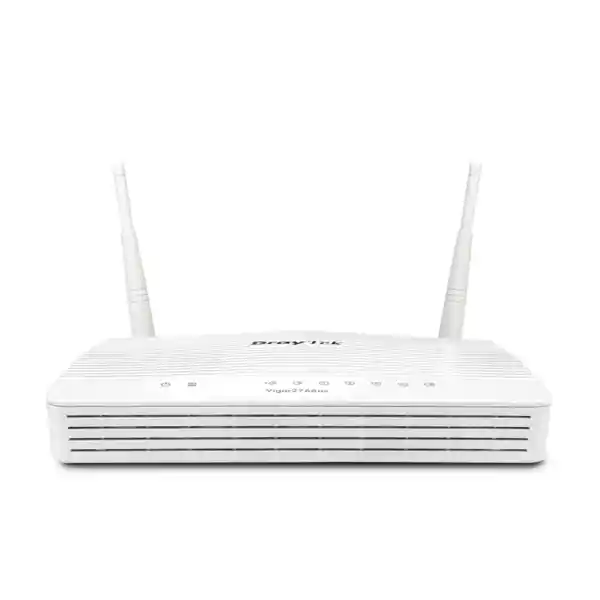
Wireless variants in the broader series add Wi-Fi capabilities, including 802.11ac Wave 2 versions and, in global product listings, 802.11ax variants. Voice-designated models add FXS interfaces for analogue telephony functions. Those versions should not be assumed interchangeable solely because they share the 2766 family number. Antenna layout, power requirements and integrated feature sets differ.
When requesting a quotation, specify the exact suffix required. If the goal is only routing, firewalling and DSL/Ethernet WAN with external managed access points, the non-wireless Vigor2766 avoids paying for a radio that may be disabled. If the site needs the router itself to provide Wi-Fi, choose the appropriate wireless variant after confirming regional availability. If analogue voice ports are required, confirm the V model rather than expecting them on the base device.
This distinction is also important for spares. A branch standard should record the exact model, power adapter requirement and intended role. Keeping a compatible spare is useful for remote locations, but the replacement must provide the interfaces the configuration expects. FourTeck can align model selection across multiple sites so support teams do not have to manage unnecessary hardware variation.
Technical specification summary
| Product | DrayTek Vigor2766, base wired model |
| Primary WAN | 1 × RJ-11 supporting G.fast, VDSL2 35b and ADSL2+ families |
| Ethernet WAN | 1 × 10/100/1000Base-T RJ-45 switchable WAN/LAN port |
| Fixed LAN | 3 × Gigabit Ethernet RJ-45 |
| USB | 2 × USB 2.0 for compatible cellular modem and selected peripheral functions |
| G.fast profile | 106 MHz and 212 MHz profile families |
| Published G.fast throughput | Up to 1 Gbps in the UAE product specification, dependent on service and line conditions |
| NAT throughput | Up to 600 Mbps standard / up to 940 Mbps with hardware acceleration in vendor test conditions |
| NAT sessions | Up to 50,000 |
| VPN tunnels | Up to 2 concurrent tunnels |
| IPsec performance | UAE specification lists up to 200 Mbps with AES-256 under vendor test conditions |
| SSL VPN performance | Up to 80 Mbps in the UAE product specification |
| VLAN | 802.1Q tag-based and port-based VLAN support |
| Routing | Static routing, policy routing, inter-VLAN routing and supported RIP functions |
| Security | Stateful firewall, content controls, DoS-related protections, access control and NAT policy features |
| Management | Web UI, HTTPS, SSH, SNMP, Syslog, TR-069 and supported remote-management methods |
| Dimensions | Approximately 207 × 131 × 42 mm |
| Power | 12 V DC, 1.3 A; published maximum consumption about 15.4 W for base model |
| Operating environment | 0 to 45°C; 10 to 90% relative humidity, non-condensing |
Performance values are manufacturer laboratory figures and can vary with firmware, packet size, enabled services, VPN cipher, traffic direction, line quality and provider conditions. Confirm the exact regional hardware and service compatibility before deployment.
Security architecture without unnecessary complexity
The Vigor2766 sits at an important boundary: every Internet-bound packet and every permitted inbound flow crosses the edge. The best configuration is therefore deliberate but not needlessly complicated. Start with clear zones, minimal inbound exposure, strong management control and logging. Add VPN for defined business paths. Apply QoS where congestion analysis shows a reason. Add web controls where policy requires them. This produces an edge that is easier to audit and recover than a device carrying dozens of unexplained exceptions.
Hardware acceleration is part of the platform’s performance architecture, but the manufacturer does not need to expose a particular processor or ASIC identity for administrators to use the feature effectively. The operational point is that selected routed traffic can use an accelerated path, allowing substantially higher NAT throughput than the software-only figure in vendor tests. Engineers should confirm that the required inspection, monitoring and QoS combination remains compatible with the desired acceleration mode and then benchmark the actual production configuration.
This distinction between headline forwarding capacity and configured service capacity is important. A router that reaches near-gigabit NAT in a simple test may deliver less once it encrypts traffic, applies granular policy, records detailed statistics and handles many small packets. That is normal. Performance engineering means matching the complete feature set to the expected workload, not comparing one synthetic number across products.
For sites with stricter compliance, advanced threat prevention, large-scale SSL inspection, identity-aware policy or centralised SOC requirements, FourTeck may recommend a dedicated next-generation firewall instead of treating the Vigor2766 as a universal security appliance. The value of the DrayTek is its balanced integration of DSL access, routing, VPN, firewall and traffic management for smaller networks where those capabilities are needed in one manageable edge platform.
Procurement considerations for UAE customers
Before placing an order, confirm the exact Vigor2766 variant and WAN service. The base model described here has no integrated wireless radios and no FXS voice interfaces. If the requirement includes Wi-Fi or analogue telephony, the model suffix must change. Confirm the power adapter and regional hardware package, especially when equipment is being standardised across several countries.
For DSL use, provide the service type and any information supplied by the ISP: G.fast, VDSL2 profile, PPP credentials, required WAN VLAN tag, IP addressing and whether the line uses a particular annex or modem requirement. For Ethernet use, specify the handoff speed, DHCP/PPPoE/static method, public subnet and provider VLAN if applicable. These details allow preconfiguration to reflect the actual circuit rather than a generic template.
Also identify what connects behind the router. A simple installation might have one managed switch and two access points. A more involved branch may have separate networks for users, VoIP, CCTV, guest access and management. The quotation should include any switches, access points, patching, UPS capacity and installation work required for a complete result. Buying only the router without considering the surrounding topology can shift cost into emergency changes during installation.
For VPN, provide the remote gateway type, peer public address or hostname, protected subnet information and preferred authentication method. If the other end is a firewall from a different vendor, agree on IKE version, encryption, integrity, Diffie-Hellman group, lifetimes and traffic selectors before the maintenance window. Interoperability is usually straightforward when both ends use standards-based IPsec, but mismatched proposals are a common source of delay.
FourTeck can supply the DrayTek Vigor2766 as part of a broader network solution rather than as an isolated box. That can include configuration, VLAN planning, migration from an existing router, remote or onsite cutover support, VPN setup and post-installation validation. Procurement teams can use one technical scope covering hardware and services, while administrators receive documentation suitable for ongoing support.
When the Vigor2766 is a strong fit — and when to choose something larger
Choose the Vigor2766 when the site needs integrated G.fast/VDSL2/ADSL2+ termination, business routing and firewall features, a Gigabit Ethernet migration or backup option, modest VPN concurrency, VLAN segmentation and predictable management. It is especially attractive where separate wireless access points are already part of the design and an all-in-one Wi-Fi gateway would duplicate hardware.
Consider a larger platform when the future WAN is multi-gigabit, the site must terminate many simultaneous VPN tunnels, encrypted throughput is a dominant workload, the environment requires advanced next-generation threat inspection, or routing complexity exceeds a small branch design. Likewise, a large campus with many VLANs and heavy inter-VLAN traffic may be better served by Layer 3 switching and a more powerful firewall at the edge.
This is not a weakness of the Vigor2766; it is a sizing boundary. The router is optimised for a particular class of deployment. Using a right-sized platform reduces purchase cost, power draw, configuration complexity and operational overhead. Using an undersized platform creates recurring performance incidents. FourTeck’s role is to place the product where its strengths match the network rather than recommend it simply because it is available.
For UAE customers, the most common deciding questions are straightforward: What access circuit do you have today? What circuit will you have in two or three years? How many VLANs and active devices are expected? How many VPN tunnels are required simultaneously? Is dedicated Wi-Fi already deployed? What applications are business critical? Answers to those questions usually make the product choice clear.
Detailed design guidance for branch networks
For a typical branch, connect the provider’s DSL pair directly to the RJ-11 WAN when using supported G.fast or VDSL service. Connect one fixed Gigabit LAN port to a managed switch using an 802.1Q trunk if multiple VLANs are required. Define each logical network on the router and carry the tags through the switch to access ports or access points. Reserve one management segment for infrastructure where feasible. This keeps administrative interfaces separate from ordinary user traffic and makes firewall policy easier to understand.
If the branch later receives an Ethernet handoff, configure the switchable Gigabit port as WAN and connect the provider equipment there. Retain the existing switch uplink on a fixed LAN port. Before cutover, stage the WAN settings and verify routing, NAT and DNS with a maintenance test if the provider supports parallel activation. If public addressing changes, update VPN peers, DNS records, whitelists and cloud services that trust the old address. A circuit change is rarely only a cable move; external dependencies must be accounted for.
For dual-path resilience, choose which WAN is primary based on performance, reliability and cost. Configure health checks that validate more than physical link state. Decide whether all traffic may fail over or only critical subnets. A metered cellular path, for example, may be reserved for POS and management while guest access is disabled during the outage. This policy preserves limited backup bandwidth for essential services.
For site-to-site VPN, keep the protected subnet list as narrow as practical. If headquarters only needs access to a branch application server and management VLAN, there is no reason to route guest traffic into the tunnel. Local Internet breakout can reduce VPN load and improve SaaS performance, while central breakout may be selected where security policy requires inspection at headquarters. The design should be intentional and documented.
For wireless, use external access points sized by coverage, capacity and construction materials. Concrete walls, metal partitions and floor slabs can significantly affect radio propagation in UAE buildings. Because the base Vigor2766 does not contain Wi-Fi, the router can stay in the communications location while APs are installed where users actually need signal. This separation often produces better wireless results than choosing router placement around radio coverage.
Troubleshooting methodology
When a network issue occurs, troubleshoot by layer. For DSL, start with synchronisation and line statistics before changing firewall rules. If the DSL link is stable but Internet access fails, check WAN authentication, addressing, VLAN tag and DNS. If Internet access works but one application fails, inspect policy, routing and application dependencies. Changing several unrelated settings at once makes root-cause analysis harder and can introduce new faults.
For performance complaints, compare LAN-to-LAN, router-to-WAN and end-to-end results. A slow Wi-Fi client does not automatically indicate a slow router. Test a wired Gigabit endpoint directly behind the router where practical, then compare throughput and latency with the expected provider service. Monitor CPU, session count and traffic distribution during the test. Confirm whether hardware acceleration is operating as intended with the active feature set.
For VPN issues, separate tunnel establishment from data-plane routing. First confirm IKE or SSL negotiation and authentication. Then check whether the expected routes exist, whether local and remote subnets overlap, and whether firewall rules permit the traffic. Finally test DNS and application ports. A tunnel shown as connected does not guarantee that application traffic is correctly routed through it.
For failover problems, verify the detection trigger, routing preference and NAT state on the backup WAN. Some applications retain connections bound to the old public IP and must reconnect. Test failback as well as failover because the return to the primary link can expose different timing or routing behaviour. Recording these results during commissioning makes later incident response faster.
Decision recap
Choose it for access flexibility
Integrated G.fast/VDSL2 35b/ADSL2+ plus switchable Gigabit Ethernet WAN makes the Vigor2766 useful through a broadband migration.
Choose it for professional control
Stateful firewall, VLANs, policy routing, QoS, content controls and bandwidth management provide significantly more control than a basic ISP gateway.
Choose it for small-branch VPN
Up to two concurrent tunnels suit focused branch-to-headquarters or remote-access requirements without the scale of a large VPN concentrator.
Choose it with external Wi-Fi
The base model has no integrated wireless radios, making it a clean match for networks already designed around dedicated managed access points.
The main constraints are equally clear: Gigabit rather than multi-gigabit Ethernet, two concurrent VPN tunnels, and a small-office performance envelope. Where those boundaries align with the requirement, the Vigor2766 delivers a capable, manageable and migration-friendly edge. Where they do not, a higher-tier router or next-generation firewall should be selected at the design stage.
Quotation input checklist
To receive an accurate DrayTek Vigor2766 quotation and deployment scope in the UAE, prepare the following information. Supplying it early helps FourTeck confirm the correct model, accessories and engineering effort.
FourTeck consultation and deployment support
FourTeck can supply the DrayTek Vigor2766 for Dubai and UAE projects with practical engineering support around the product: WAN compatibility review, configuration, VLAN and firewall policy, managed-switch integration, VPN setup, failover planning and migration from an existing gateway. The objective is not simply to deliver hardware but to place the router in a topology that is supportable after the installation team leaves.
For multi-site customers, a standard configuration template can reduce branch variation while still allowing site-specific IP addressing and provider settings. For a single office or professional home deployment, the same engineering discipline keeps the network easier to maintain. Documentation, configuration backup and an agreed rollback method are small investments that make future changes safer.
Contact FourTeck with the WAN service details, expected user and device load, VPN requirement and whether you need supply-only or implementation support. We can confirm whether the Vigor2766 is the correct fit or recommend a higher-capacity alternative where the design requires more WAN speed, VPN scale or security inspection.


Reviews
There are no reviews yet.